Here’s a statistic that’s going to shock business owners. We hope you’re sitting down for this because we were blown away when we first heard it. Did you know that 70 percent of all online porn access happens during business hours? What does this mean for your company?
One thing that we hope this doesn’t mean is that your employees are using their work-issued computers to access and look at online pornography while on the clock. This would be a deliberate waste of your company’s time and resources, and it’s definitely not what you’re paying them to do. In fact, a guilty employee may even be subject to termination and litigation, depending on how grievous their offense is.
Take for example one of the most extreme and bizarre cases of employee misconduct that we’ve heard of. In 2009, two janitors working for the state of New York were busted for turning an unused room on government property into what police referred to as a “man cave.” In it, they would spend their work days napping, doing and selling drugs, and watching pornography. To make matters worse, the duo was brazen enough to try and bill their man cave time as overtime, which totalled a whopping $28,400.
http://prntscr.com/65uwpg
Egregious situations like this, along with even more-common occurrences like employees spending too much time watching YouTube videos, can be prevented with proper oversight. Does your company have a solution in place that will keep your workers honest? Whether you’re in the habit of walking around the office, looking over your team’s shoulders, or you have a firewall that monitors your employee’s Internet activity, you need to have some kind of deterrent in place that will discourage your staff from wasting company time and resources.
Now, we’re not saying that your employees are looking at porn every time you turn your back, or that they’ve converted your broom closet into a brothel. We’re just making the point that there are plenty of distractions on the Internet, and even honest, hardworking employees will benefit from having a technology in place that minimizes workplace distractions.
The kind of monitoring solution that your business needs is one that allows you to block all online distractions, like YouTube, Facebook, Netflix, etc., and especially pornographic websites. In addition to adult websites being in bad taste for the workplace, they’re notorious for containing some of the worst viruses and malware, and hackers know how to use porn to bait users into clicking malicious links that give them access to your company’s network.
Does your network monitoring solution allow you to monitor what websites your employees visit? Or do you depend on the ol’ walk-around-the-office-and-peer-over-the-shoulder method? You can’t stand behind their backs all day, and this strategy doesn’t make for a healthy work environment. To protect your network and keep your team on task, you need a solution that’s proven to accomplish both of these goals in a proficient manner.
NuTech Services’s Unified Threat Management security solution will let you specify who can access what on the Internet. Our solution encompasses a firewall, antivirus, spam protection, and content filtering to keep your employees productive, and your business safe.
If you want to learn more about how NuTech Services can help protect your business, we encourage you to get in touch with us at 810.230.9455.
Occupational burnout is a real risk for the busy business owner. Wikipedia defines it as, “Characterized by short-term exhaustion, lack of enthusiasm and motivation, feeling drained, and also may have the dimension of frustration and/or negative emotion and cynical behavior, and as a result reduced professional efficacy.” Can you relate? How can you prevent occupational burnout?
You might pride yourself on how many extra hours you put in each week, but pride can quickly take you to the burnout line. Before you know it, you’ve crossed that line and you’re terrorizing your workers. Okay, maybe it won’t get that bad around the office, but occupational burnout does negatively affect relationships and can unknowingly take you to some ugly places if left unchecked.
More than hurting your relationships, occupational burnout can negatively affect your company’s bottom line. This is ironic because the whole reason you may be working all those extra hours is to make more money. When you’re working so much that you’re essentially running on empty, you’re no longer doing yourself or anybody else any favors, so you might as well stop, take a break, and recharge.
Occupational burnout is similar to an illness that gets worse over time. Like an illness, it can be prevented if you notice the signs early on and take action. Here are five actions you can take to prevent occupational burnout.
Take frequent breaks.
Be physically active.
Get plenty of rest.
Foster a friendly work environment.
Shorten your commute.
Take Frequent Breaks It’s recommended by Inc. that workers take a break every twenty minutes. This may sound a little ridiculous, but that’s only if you’re defining a break to be an extended period of time, like twenty minutes-to-an-hour. Instead, a break can be just a step away from your computer and a lap around the room. A mini-break like this should be enough to reset your mind so you can better focus on your project and not get bogged down by being locked in on the same project for hours on end.
Be Physically Active You don’t have to become a bodybuilder or run a marathon to avoid office burnout, just some light physical activity will do the trick. It could be doing stretches, simple exercises like jumping jacks, brisk walking, anything that gets your heart pumping so you’re not sedentary at your desk all day long. Even making a switch to a standing desk can significantly boost your energy levels and help stave off occupational burnout. Remember, if you feel good, you’ll work well.
Get Plenty of Rest No matter how much caffeine you pump yourself full of, you have to succumb to sleep sometime. It may seem like you’re getting a lot done by forsaking sleep, but the reality of running on too little rest is that the quality of your work suffers (as well as your immune system). Additionally, not having enough sleep means you will crash hard and have a night or a weekend where you oversleep, which totally cancels out your marathon effort of not sleeping. It’s better to discipline your schedule and get regular sleep every night.
Foster a Friendly Work Environment A burned out worker is irritable and more susceptible to lash out at co-workers. This causes a chain reaction where everybody is on each other’s nerves, creating a toxic work environment. As the business owner, you set the culture for your company. If you’re emotionally healthy and not at risk of burnout, you’ll find it much easier to treat your employees well and the quality of their work will improve.
Shorten Your Commute Studies show that shorter commutes equate to a happier work experience. One reason for this is because of the stress that accompanies the commuting experience. Fighting traffic (not to mention the weather) and pushing yourself not to be late can really chip away at your positive outlook and lead to occupational burnout. Taking steps to shorten your commute and spend less time on the road will reduce your chance of burning out and doing something extreme, like road rage. Remember, the shortest commute is no commute; working from home is a great way to prevent office burnout.
While it’s normal to have a bad day and experience stress, it’s another thing entirely to reach the point of occupational burnout. Taking these five proactive measures will be good for your physical and emotional health, which will help keep things cool, calm, collected, and productive around the office.
What are some preventative measures you take to avoid occupational burnout? Share them with us in the comments.
Mobile devices have become such a popular computing medium that they’ve infiltrated the workplace. While the business owner might feel that these mobile devices can help employees gain more regular access to corporate data for more working hours, these same devices could potentially eat up those work hours with time wasted on mobile gaming or other recreational apps. What’s the truth about BYOD? Let’s find out.
Your employees have smartphones that are chock-full of productivity-boosting applications that have the potential to streamline the way they work throughout the day. However, these devices also come installed with other consumer-popular applications like YouTube, Facebook, Netflix, Twitter, and more, that are notorious for destroying productivity.
Let’s not forget the games that are compatible with smartphones, either. These devices are able to run certain games similar to those found on popular handheld gaming systems like the Nintendo 3DS. Obviously, playing these kinds of games while on the job doesn’t make the ideal worker, and as an employer, you’d quickly ban your team from engaging in such fruitless activities. Therefore, the smartphone should also be fairly limited in use in order to facilitate proper operations during the workday.
For example, let’s take a look at a report by Evolving Workforce Research:
Nearly 60 percent of employees feel work would be more enjoyable if they had a say in the technologies they used, while 60 percent feel they would be more productive with better IT resources (like BYOD).
Mobile device manufacturers love to use these kinds of statistics in order to show you, the business owner, how great mobile devices are for productivity. However, if you take a closer look at this quote, it states that 60 percent of employees feel they would be more productive. That’s like saying that you feel so great you believe you can fly; an over exaggeration that isn’t true.
Therefore, having a productivity-increasing device isn’t the same as using it for its intended purpose. It’s sort of like buying a nice new piece of fitness equipment, like a treadmill, and letting it sit in the corner collecting dust. Just because an employee has a sweet new smartphone, doesn’t mean that the only thing they’ll use that phone for at work is to be productive.
Of course, the opposite can be true as well. An employee can be more productive with BYOD, as displayed by this study from Cisco:
BYOD-ers save an average of 37 minutes per week with BYOD as it is currently implemented in their companies. The United States leads by far in terms of current productivity gains per BYOD user, with 81 minutes per week, followed by the United Kingdom at 51 minutes. In both of these countries, BYOD-ers posted impressive gains by working more efficiently and being more available to their colleagues and managers.
This study shows that there’s some proof that BYOD can be useful for employee productivity. BYOD can potentially save some time during the course of the workday. But, of course, the question that’s hovering over every employee’s head is whether or not they want to use their extra time for work, or to waste time on their phone.
One particular aspect of BYOD that business owners must always consider is the fact that more devices accessing your business’s network means that there are more avenues for threats to sneak into your systems. Security should be a top priority when using BYOD for anything, and if you don’t have security on your mind, productivity in-turn suffers due to vulnerabilities, threats, and hacks.
BYOD generally requires more measures that must be taken compared to companies who don’t allow it. Ultimately, it’s up to you as the business owner whether or not you want to allow your team to bring devices to the workplace. If you do, make sure your network is ready to deal with them.
If your business is on the fence about BYOD, contact NuTech Services at 810.230.9455. We can help you determine whether or not it’s worth the risk for your business, and how you can integrate corporate BYOD policies that maximize security.
Computers have become essential to our way of life. You can find them in everyone’s job, home, or even the palm of their hand. With this saturation, the computer has become something that people of only 50 short years ago, couldn’t even imagine. One way this shift has been most evident is in the cinema.
Movies capture the imagination of the most creative people on the planet and deliver those thoughts to audiences through images. Some of the most important social commentaries told today are done through film (or more apt, video). The evolution of computing can be seen if you look back on the roles computers played in movies about, you guessed it, computers. Here are four movies that capture just how different the perceptions of computers are today versus. 50 years ago.
2001: A Space Odyssey (1968) 2001: A Space Odyssey has been listed by many filmmakers and movie critics as the quintessential science fiction film. In fact, directors from Steven Spielberg to James Cameron still consider the film to be groundbreaking in cinema. Stemming from Arthur C. Clarke’s short story, The Sentinel, 2001: A Space Odyssey represents a significant step forward in the way movies represented the dreams of “the future.” Directed by the late Stanley Kubrick, the movie takes audiences from the dawn of man to the outer reaches of space and presents some interesting claims about the future of computing.
The computer in the movie, Hal 9000 was the central computer in the Discovery One spacecraft. The artificially intelligent Hal states that, “The 9000 series is the most reliable computer ever made. No 9000 computer has ever made a mistake or distorted information. We are all, by any practical definition of the words, foolproof and incapable of error.” As the mission continues, it becomes evident that Hal has hatched a nefarious plan to succeed without the aid of his human counterparts, and begins to eliminate them.
Astronaut Dr. Dave Bowman then is forced to risk space exposure to ward against Hal’s nefarious attempt on his life and return to the ship. He then ensure’s Hal’s destruction in one of the most memorable moments ever filmed:
Kubrick and Clarke had hit some aspects of future computing on the head, such as the proliferation of tablet computers, the ability to use video communication over a network, and the use of a computer to control missions into deep space. The reality, however, is that these were all projected technologies at the time. The personal computer did not exist in the mid-to-late 1960s, so while AI seemed like a plausible technology in 1968, in 2015 humanity hasn’t been able to properly program a digitally run system to be truly “intelligent’.
WarGames (1983) About a decade and a half later, the personal computer was a concept many companies were trying to capitalize on. In fact, Compaq, the developer of the first IBM PC clone, set a then-record for business in a single year by a new company. The movie studios were no different in the timing of making movies featuring soon-to-be household devices.
WarGames follows the travails of David Lightman (Matthew Broderick) and his friend Jessica (Ally Sheedy) after David hacks into the NORAD computer looking to play games that, unbeknownst to him, were being used to educate the military supercomputer to think strategically. Along with regular computer games of the times, such as chess, backgammon, and the like, the WOPR (War Operation Plan Response) also had options for “Theaterwide Biotoxic and Chemical Warfare” and “Global Thermonuclear War.” When Lightman sees these he decides to try out the Global Thermonuclear War “game.”
Soon afterwards, Lightman is captured and held for espionage, since his tinkering inside the computer had let to a threat to national security. They decided to hold him until the higher-ups at NORAD can figure out what is going on. Lightman escapes and with help from Jennifer, they go looking for the developer of the software, Dr. Stephen Falken, who had been pronounced dead. They find him at a house in Goose Island, Oregon. David and Jennifer are able to convince him that he needs to go with them to help save the world.
When they get to NORAD, they inform the General in charge (Barry Corbin) that the computer is simulating nuclear war and will launch the nuclear-tipped missiles when it gets the code. In a brilliant move, Lightman and Falken program the computer to play tic-tac-toe which leads it to run the simulations of a no-win scenario in lieu of nuclear war. With the simulations all showing no winner, the WOPR shuts down and asks if they “wouldn’t prefer a nice game of chess.”
In this movie, the personal computer, specifically the IMSAI 8080 microcomputer, plays a key role in the narrative. It is one of the first movies depicting a PC as important and gives credence to what would become a neverending shift in the way society views computers.
The Matrix (1999) A decade and a half later, computers were in many homes and were being used for recreation as well as business. In fact, there was a time toward the end of 1999 when people were unsure whether the “advanced” society that had been built over the previous two decades would come crashing down, literally overnight (Y2K). The Matrix portrayed the computer as simply a vessel to something bigger. By this time broadband Internet was a relatively new technology, and capabilities for what you could do on the web had begun to grow by the day.
The Matrix is the story of Thomas Anderson (Keanu Reeves), also known as the hacker Neo, who is summoned by his computer to “follow the white rabbit.” This leads to him meeting with a woman named Trinity (Carrie-Anne Moss) at a club. She tells him she can show him the truth. He then is taken into custody by men in suits and is interrogated by one of them called Smith (Hugo Weaving). They tell him that they can help him if he’s agrees to cooperate. He rejects their offer and then is bugged and wakes up at home. He then meets with Morpheus (Laurence Fishburne) and is told that he can find out the truth, but he has to make a choice immediately.
It turns out the choice involves living in the real world, or the fake computer world (the only world Mr. Anderson knows). Basically, the world in which Anderson lives in is a digital one rather than the real world, which has been taken over by machines.
He is then released from the Matrix and joins the crew of the Nebuchadnezzar (those who are free from the rule of machines) and is told that he is “the one” (the person prophesized to free humanity from machine slavery). With the use of computers, the band of hackers is able to gain access to the Matrix and learn about the programming behind the platform. They often encounter sentient programs or what the team call “agents” who protect the integrity of the software from outside threats. Neo accepts his role as “the one” in this fight sequence with Agent Smith:
In our reality, the existence of relatively low-cost Internet access, coupled with the rapidly increasing capabilities of the Internet and computing technology, created a perfect storm for the Wachowskis to create a truly memorable, computer-themed film.
The Social Network (2010) The Social Network represents the final shift in the evolution of computers in modern cinema. The film, directed by David Fincher and written by Aaron Sorkin, follows Mark Zuckerberg (Jesse Eisenberg) through his odyssey of creating Facebook. Although the movie is distinctly about Mark and Facebook, it signals a shift in cinema that even the creation of a piece of Internet-based software can be source material for a successful feature motion picture.
The film starts with Mark Zuckerberg as an undergraduate at Harvard. He creates facemash.com which presents a comparison of two girls from the college and asks which one is more attractive. He is caught and brought in front of the administrative board. He then gets approached by Tyler and Cameron Winklevoss (Armie Hammer) who are interested in utilizing his coding skills to build a social networking site for the students at Harvard.
From there, things move quickly. Mark develops thefacebook.com with his friend Eduardo Saverin (Andrew Garfield) as a social networking alternative to the more convoluted peer-to-peer sites that were popular at the time.
Mark then meets with Napster founder Sean Parker (Justin Timberlake) and decides to move from Massachusetts to California and start working on Facebook full-time. After a while, Saverin is basically defrauded, creating the narrative of the movie which is Zuckerberg dealing with lawsuits from the Winklevoss’ and their partner Divya Narendra (Max Minghella) as well as a lawsuit by Saverin. The film wraps up with Facebook being a major success and the lawsuits being resolved.
You can see just how far computers in movies have come, from pure guesswork of the future of computing, through the advent of the PC, the birth of the Internet, to the modern day social media. Computers have gone from machines the size of a refrigerator and the cost of a small house to the palm of your hand (and even smaller). You don’t need status to own a computer nowadays; all you need is a smartphone. Movies have done a great job keeping track of the immense growth computers have made, from a “cool” business gadget to an essential part of a person’s day-to-day life.
Do you know of any other computer-themed movies that you think represent the changes in society over the past 50 years? Do you just have a favorite movie moment dealing with computers? Leave your thoughts or YouTube clips in the comments.
Google has rebranded their Google Apps. NuTech Services is now proud to present Google Workspace.
Google Workspace, with Google Drive, brings all the benefits of cloud computing to your small business. By having Google host your files securely in the cloud, your work will always be saved and backed up. You can also share your work with the specific people on your team that you give permission to, while blocking access from everybody else.
With Google Workspace, locations and computing platforms are no longer barriers for getting work done. Google Workspace works on multiple different platforms, and is available on different mobile devices and web browsers. Everybody on your team does not have to have the same software and be in the same place to collaborate on a project with Google Workspace.
NuTech Services provides technologies built for the modern retail business.
New technologies have begun to obscure the place where the traditional brick and mortar storefront ends and the dynamic online storefront begins, changing the industry substantially. If your company is searching for an IT provider that can help you develop both ends of your organization’s retail , NuTech Services is your answer.
NuTech Services offers technology solutions to meet the needs of today’s money managers
Accountants are some of the most important people associated with a business; and, many of them aren’t employed by that business. Accountants are responsible for the collection, accuracy, analysis, recording, and presentation of a business’s financial operation. While it doesn’t take a lot of high tech business solutions to balance a ledger, the use of today’s most dynamic cloud-based financial resources can present many benefits for accountants.
Professional Server Support – Proactively Protect Your Central Infrastructure
Aggressively Mitigate Potential Threats with Michigan’s Most Proficient Technicians on Your Side
Your servers are the center of your organization’s computing infrastructure, and need special attention to keep your operations coordinated and moving efficiently. NuTech Services offers comprehensive support for all of your organization’s IT, but specializes in remote and on-site server management and remediation services. Our knowledgeable and experienced technicians monitor and manage your servers, ensuring that they run efficiently and aren’t exposed to threats that could put your organization at risk. We provide this service for a monthly flat rate, eliminating the per-incident charges that would normally hinder your organization’s overall ability to remain profitable.
Mobile Device Repair – Your One-Stop Shop for Mobile Device Maintenance and Support
NuTech Services offers comprehensive mobile device repair
Smartphones are everywhere and NuTech Services, Michigan’s computer repair experts now offer a dedicated repair service for organizations that rely on mobile computing. Businesses that embrace mobility have to try to limit, or avoid, the extensive capital expenses that accompany purchasing new hardware. As a result, we service and support smartphones, tablets, and other pieces of mobile technology that run Android, iOS, and Windows operating systems.
IT for Education – Expand Your Students’ Horizons with Reliable IT Solutions
Utilize today’s greatest technology solutions to educate the professionals of tomorrow.
The use of technology in education keeps improving every year. The more that educators depend on technology solutions to provide their students with the newest technology solutions, the more cost effective support they will need. At NuTech Services, we understand that every academic institution has unique challenges they face to provide their students with an education that they can use to be productive members of society. With all types of hardware, software, networking, and other IT-related products, as well as Michigan’s most knowledgeable IT professionals, NuTech Services is your one-stop shop for all of your educational technology needs.
Your One-Stop Shop for Your Technology Repair Needs
Nowadays, you would be hard-pressed to find a household that doesn’t have some sort of new technology. From smart televisions to Internet connections, technology is seemingly everywhere you look. At NuTech Services, we understands that as technology goes, your life goes; and, that when your technology malfunctions, you need to be able to trust your IT repairmen. Look no further than NuTech Services for the comprehensive computer repair services you need to get your computer back up and running quickly.
Access control is a crucial part of an organization’s physical and virtual security.
The modern business owner or technology-minded executive has a responsibility to find solutions that enhance the security of their company’s assets. Whether your business needs a system to manage its employees access to data, or solutions to improve its physical security, the IT professionals at NuTech Services can design and deploy a comprehensive, end-to-end security solution to fit your needs.
At NuTech Services, we understand that, in some way, mobility is a major pain point of your business. However, enterprise mobility is a comprehensive subject that must address more than just the management of applications on your devices. A Enterprise Mobility Management solution is geared toward helping your organization better understand, manage, and secure your mobile systems. We’ll work with you to ensure that your enterprise mobility management solution keeps your devices in check.
All of your employees have workstations that they use to carry out their daily tasks, but these endpoints come saddled with what is often a complicated the responsibility of managing and maintaining these systems. Technology isn’t cheap, and you need to keep your workstations in proper working order to maximize the return on your investment. Furthermore, you need experienced staff members that are trained to handle a myriad of troublesome issues with your technology, but the small business often doesn’t have this luxury.
Are your Point of Sale machines in top working order?
We live in a consumer-based society. People spend money on goods and services every day. Yet, the systems that retailers use in order to process payments must meet stringent requirements that are often convoluted and difficult to understand. Furthermore, they often use outdated technology that is inefficient, unreliable, and difficult to work with. If your organization fits into the hospitality, entertainment, or service industries, you’re just the right fit for a new type of point-of-sale terminal.
The traditional business telephone solution is showing its age. In lieu of the Internet and online technologies like the cloud, organizations are finding it difficult to justify keeping a traditional phone line for their communications solutions. Considering how difficult it is to scale a traditional PBX phone system to accommodate for growth, businesses want a more dynamic solution that’s in line with their current, and future, needs.
The modern manufacturer has to keep their finger on the pulse of technology.
Technology is now at the heart of most businesses, but for manufacturers it often takes on a special role. Technology touches nearly every part of a manufacturing process, and with the right solutions, any manufacturer can significantly accelerate productivity, streamline production, and see the type of uptime and efficiency your organization needs to get your business where you want to go.
At NuTech Services, we understand what technology solutions can mean to a growing manufacturer. We also understand that the deployment and management of that technology can be tricky with so many moving parts. This is why our technicians take pride in our vast knowledge base that can present a growing manufacturer the tools they are looking for to manage and protect their investments.
Understand what threats are in store for your business.
The Internet can be a dangerous place, especially now that hackers are taking advantage of advanced tools and threats. New types of malware, ransomware, and viruses are being created every day, for the express purpose of seeing your organization fail. If your business isn’t using comprehensive security solutions, you remain vulnerable to threats that can potentially compromise and damage your business’s IT infrastructure.
Technology solutions to assist with your business’s relocation.
Relocating your office is a perfectly normal occurrence. Maybe you’re moving to a different part of town, or perhaps you are relocating to a different part of the country. Regardless of how far you’re traveling, you’ll need someone to assist with moving your technology and ensuring that your infrastructure is well-prepared for a move.
As a business owner, you understand how difficult it can be to facilitate an office move, your technology infrastructure notwithstanding. NuTech Services offers comprehensive office relocation services that help you get your IT infrastructure from point A to point B, all while keeping downtime to a minimum and restoring or improving your business’s infrastructure.
Technology has medicine moving faster than ever before.
It has always been important for medical providers to have access to patient information. Traditionally, this has been accomplished by keeping the physical paper files that each organization had to rely on, inside color-coded file folders inside file cabinets. Now that technology can present medical practices with options in which to make the dissemination of patient information simpler, they are turning to the electronic health record.


 Here’s a statistic that’s going to shock business owners. We hope you’re sitting down for this because we were blown away when we first heard it. Did you know that 70 percent of all online porn access happens during business hours? What does this mean for your company?





 Google has rebranded their Google Apps. NuTech Services is now proud to present Google Workspace.
 NuTech Services provides technologies built for the modern retail business.
 NuTech Services offers technology solutions to meet the needs of today’s money managers
 Professional Server Support – Proactively Protect Your Central Infrastructure
 Mobile Device Repair – Your One-Stop Shop for Mobile Device Maintenance and Support
 IT for Education – Expand Your Students’ Horizons with Reliable IT Solutions
 Residential Computer Repair
 Access control is a crucial part of an organization’s physical and virtual security.
 Mobilize your business today.
 Manage desktop endpoints with ease.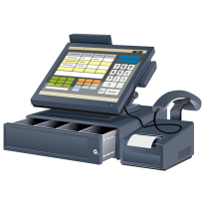


 The modern manufacturer has to keep their finger on the pulse of technology.
 Understand what threats are in store for your business.
 Technology solutions to assist with your business’s relocation.
 Technology has medicine moving faster than ever before.