297402017_continuity_strategy_400.jpg

Building a Solid Continuity Strategy Pays Dividends

297402017_continuity_strategy_400.jpg

Business continuity is difficult to talk about for some business owners, specifically because no one likes to talk about the worst case scenario. What would you do if your business were to suddenly go through a disaster? Do you have a plan in place? If not, let’s talk about that. Here are some aspects of business continuity that you must consider. Remember; your company’s future depends on it!

The first step is to determine what we mean when we say “business continuity,” especially in the wake of the COVID-19 pandemic.

What is Business Continuity?

There is no shortage of things that can go wrong for a business. Natural disasters, power outages, fires, floods, hacking attacks, ransomware, and user error can all contribute to a significant disruption of operations if you’re unprepared for them. A business continuity plan is designed to help your organization work through any such disaster and keep downtime to a minimum. We want to emphasize that business continuity and disaster recovery are two different things; disaster recovery, or how your organization responds to a data loss incident, is but one part of a successful business continuity plan.

Components of a Business Continuity Strategy

Before we jump into what your priorities are for your business continuity strategy, it helps to perform what’s called a business impact analysis. This is a test that determines what the critical functions of your business are, where you take a close look at operations and make determinations about what is most important for getting back in business following a disaster. By having a clear understanding of your priorities regarding business continuity, you will optimize your chances of success should you ever find yourself implementing the plan.

While we could list off several aspects of business continuity here, suffice to say that most variables to consider for your plan will fall into one of the three categories below:

  • Digital resources: Data is critical to the operations of most businesses to at least some degree. Some organizations store it on-premises while others store it in the cloud. Regardless, having a way to maintain access and recover lost data in the event of a disaster will be paramount to your plan’s success.
  • Human resources: While the data might be one part of keeping your business afloat, the people who interpret and utilize that data also must be accounted for. A chain of command can help your organization even should the leader somehow become incapacitated or unable to perform in their role. Furthermore, you’ll need to maintain contact with clients and vendors to ensure they are fully aware of the situation.
  • Physical resources: Once you have safeguarded your data and your workers, you’ll need to figure out where they will work and how it will be housed. Physical resources include things like your office space, hardware solutions, and any other tools your employees might need to do their jobs. In the case of manufacturing, this might mean maintaining the supply chain for parts or products.

All things considered, your business continuity strategy should consider everyone needed to keep your business in proper working order, as well as all of the resources they require to do their jobs effectively and efficiently. We especially recommend that you have your business continuity plan in a location where it is accessible by anyone who might need it, along with a list of critical equipment, the locations of your data backups, and any needed contact information.

How Do You Reinforce Business Continuity?

Remember, your plan is only valuable if it is something that can be executed on. Consider how easy (or difficult) it will be for you to successfully implement your strategy. If you do a “mock” test of your plan, you might uncover what works, what doesn’t, and what needs to be improved upon. When you routinely test your strategy, you won’t be caught off guard. Here are some ideas to consider for when you test your business continuity plan:

  • Downtime: Does your plan meet the expected minimum of downtime? Does it keep costs down?
  • Implementation: Is your plan something that can be implemented at a moment’s notice?
  • Feedback: What do your staff think about the plan? Do they have any recommendations or ideas for improvement?

Let’s Get You Started

If this all feels a little overwhelming or panic-inducing, we urge you to contact NuTech Services. We can walk you through the process of setting up a business continuity plan, equip your organization with the tools needed to pull it off, and assist with the testing process. To learn more, reach out to us at 810.230.9455.

204234710_best_practice_400.jpg

The Latest Password Best Practices from the National Institute of Standards and Technology

204234710_best_practice_400.jpg

Passwords are the first line of defense your accounts have against the myriad of threats out there. It’s imperative that you follow industry best practices when creating them so as to maximize security. Thankfully, the latest guidelines from the National Institute of Standards and Technology, or NIST, make creating secure passwords easy.

What is the NIST?

The NIST has been the go-to authority on password creation standards for quite some time, and while they constantly change their advised practices, it is to keep up with the endlessly-shifting nature of cybersecurity. Their most recent update to password best practices can be seen in the below guidelines.

New Guidelines

Several corporations currently use the NIST guidelines and all Federal agencies are expected to adhere to them as well. Here are the latest steps in creating a secure password.

1. Length is More Important than Complexity

Password complexity has been one of the pillars of password security for years, but these days, the guidelines disagree. NIST suggests that the longer the password, the harder it is to decrypt. In fact, according to the NIST, organizations that require new passwords to be complex with numbers, symbols, upper and lower-case letters, etc, actually make the password less secure.

There are two major reasons for this determination. The first is that users often make their passwords far too complicated and forget them, leading to the eventual addition of something like an exclamation point or a 1 at the end of the password. This doesn’t make the password much more complex. Furthermore, users might be tempted to use the same complex password for multiple accounts, which is certainly not going to help their cause.

2. Eliminate Password Resets

Most businesses require that their staff reset their passwords every so often, whether it’s every month or every few months. The strategy is supposed to ensure that even compromised passwords can only be used for so long, locking would-be hackers out after the password has been changed. NIST suggests that this practice is actually counterproductive to account security.

Their reasoning is that, if people have to set passwords up too frequently, they won’t be as careful when creating them. Furthermore, when people do change their passwords, they are more likely to use the same pattern to remember them. If a previous password has been compromised, there is a good chance that this pattern can give the attacker clues into what the current password is.

3. Don’t Hurt Security by Eliminating Ease of Use

A big concern that many network administrators have is that, if they remove options such as showing a password while the user types it in or allowing copy/paste, it is more likely that the password will be compromised. The truth is that ease of use does not compromise security; it turns out that making it easier for people to properly authenticate themselves is better for security than restricting them.

4. No More Password Hints

Some systems allow for password hints where the user can assign a question and a designated answer to access the account, should they forget the password. This system in itself is flawed and the very reason why many organizations have been hacked. Thanks to social media websites and the Internet as a whole, it’s not impossible to imagine a hacker using websites or other resources to look up information on a particular user to gain access to an account. And you know what they say; once it’s on the Internet, it’s there to stay.

5. Limit Password Attempts

Placing a limit on password attempts is beneficial for your organization’s network security in just about every circumstance imaginable. Password remembrance is usually one of two things; either the user will remember the password or they will have it stored somewhere. Locking users out of their account for a short period of time can be a great way to dissuade would-be hackers from trying to guess a user’s password.

6. Use Multi-Factor Authentication

At NuTech Services, we like to reinforce with our clients that multi-factor or two-factor authentication is imperative for every account possible. The NIST recommends that users be able to demonstrate at least two of these three authentication measures before a successful login. They are the following:

  1. “Something you know” (like a password)
  2. “Something you have” (like a mobile device)
  3. “Something you are” (like a face or a fingerprint)

If at least two of these criteria are met, then chances are you are supposed to be on the network. Plus, consider how hard it would be for a hacker to gain access to more than one of the above. It just makes sense.

If you don’t make password security a priority for your business, you might come to regret it later, and no one wants to be the one responsible for a data breach. If you need a hand with implementing a password management system or other security best practices, reach out to us at 810.230.9455.

423837102_password_management_400.jpg

Tip of the Week: Is Browser-Based Password Management Safe to Use?

423837102_password_management_400.jpg

Passwords are quite literally everywhere nowadays. With so much of modern life now controlled or held within user accounts, keeping your passwords both secure and straight in your head is crucial. Many web browsers now offer some built-in password management utility to help make this process more convenient for the user, but is this option available at the cost of security?

Let’s examine how secure each major browser’s integrated password manager is, as well as how to disable them if you so choose.

How Secure is Your Chosen Browser’s Password Management?

Let’s do a side-by-side comparison of the password managers now built into the major browsers on the market: Google Chrome, Firefox, Microsoft Edge, and Safari. 

Chrome

Tied to the user’s Google account, the password manager found in Google Chrome offers many of the features one would expect of a modern password manager. Not only is it itself protected by two-factor authentication, but it also offers the capability to generate a random password on the user’s behalf whenever they create a new online account. This password generation helps to prevent users from simply recycling the same password over and over which minimizes the chances of a single data breach undermining more than one account.

Firefox

Whenever you access one of your accounts through Firefox, the browser will prompt you to save the username and password you used on that device where it can be viewed through your browser’s Options. From that point on, the credentials will be saved. The default setting for this capability is unfortunately insecure, but you can set a master password to protect its contents, making this the most secure option available to you.

Edge

Microsoft was late to the party concerning its password management, only adding the capability to its browser at the start of January 2021 to supplement its other security features. Among these features is Password Monitor, which helps to alert the user of breaches, as well as the capability to auto-generate a password when creating an account.

Safari

Rounding out our selection of browsers, Safari features a bundled password generator and management tool, enabling you to autofill your passwords into the websites you visit. Taking it a step further, contact info and credit card information can be saved, with all of it accessible on all your devices with iCloud Keychain. Of course, this platform is Apple-agnostic, and is relatively stingy compared to many third-party password management options, with no two-factor authentication available.

So, What’s the Most Secure Offering?

As a general rule, integrated password managers will do in a pinch, but the better option is to instead use a dedicated password manager. The reason that this is the case? Primarily: most integrated password management platforms don’t require the passwords they save to be all that secure. The opposite is usually true of your dedicated management programs, which also offer the convenience of generating sufficiently secure passwords at the click of the mouse.

We also recommend that you supplement your password security whenever available with two-factor authentication, in addition to many of the typical best practices we always recommend, including:

  • Keeping your devices and browsers up to date to ensure security patches are installed properly.
  • Avoiding websites without SSL certificates (which will simply have “http” in the URL, as compared to “https”) or using publicly-accessible Wi-Fi connections. This is noted with a little lock icon in your browser address bar.
  • Being discerning about the browser extensions or software titles you enable.

How to Deactivate the Built-In Password Management in Your Browser

Each option provides its own means of disabling its integrated password manager:

Chrome

In the Chrome browser, access the three-dot menu and select Settings. Under Autofill, click into Passwords and switch off Offer to Save Passwords.

Firefox

In your Firefox browser, access the hamburger menu and select Options. Find Privacy & Security out of the options on the left and locate the Logins and Passwords section. Deselect Ask to save logins and passwords for websites.

Edge

In Edge, access the three-dot menu and click into Settings. From there, select Passwords and then deselect the option to Offer to save passwords.

Safari

In Safari, access the Menu and select Preferences. Accessing the AutoFill category, deselect everything: Using info from my contacts, User names and passwords, Credit cards, and Other forms.

If you’re looking for reliable IT solutions, along with the means to keep them secure, look no further than what NuTech Services provides. Learn more about what we have to offer by calling 810.230.9455 today.

422304416_cybersecurity_400.jpg

When It Comes to Cybersecurity, Consider a Top-Down Approach

422304416_cybersecurity_400.jpg

Cybersecurity is one aspect of running a business that absolutely cannot be underestimated in its importance. It doesn’t matter if you’re a huge enterprise or a small business; if you don’t take cybersecurity seriously, there is a very real possibility that your organization could be threatened in the near future. The easiest way to ensure your business’ continuity is to develop an internal culture of cybersecurity, and it starts from the top-down with you, the boss.

In the grand scheme of things, it does not matter how advanced or high-tech your security solutions are or how secure your passwords are. If your team members aren’t behaving with security at the top of their minds, your cybersecurity solutions will not yield the results you are hoping for. To this end, it is important to establish cybersecurity as a priority within your company’s culture.

How to Build a Culture of Cybersecurity for Your Business

Social proof, a concept that is mostly applied to marketing, can be a key component of implementing any type of lasting change in your organization’s cybersecurity culture. In essence, social proof refers to the idea that people can be convinced to think or act in a certain way based on testimonials of peers and colleagues. It’s easy to see how this can influence the workplace, but as is the case with most things in life, it’s not nearly this simple.

The key takeaway here is that the culture around your organization’s cybersecurity will mold around itself over time (if you give it time to do so).

Consider this scenario: a new employee just starts working for your company and is getting set up with network access, permissions, and everything else necessary for the position. If your organization’s cybersecurity culture is poor, the new employee’s coworkers might suggest they use the same username and password, a practice that is usually frowned upon. However, if this attitude is prevalent throughout the department, then it becomes the norm. This new employee then continues to spread the practice throughout the company as new hires are brought on, creating a systemic cybersecurity issue for your entire business.

Now let’s say that the opposite is true, and your employees instead reinforce good cybersecurity practices to all new hires. If company policies require that all passwords maintain a certain level of complexity and all staff are on board with this message of security, then it’s much more likely that new hires will move forward with security at the top of their mind.

It All Starts With You

There are several ways that you can organically infuse cybersecurity awareness into your business operations. Here are just a few of them:

  • Rather than simply having password policies in place, enforce them by only allowing passwords that meet these minimum requirements.
  • Access controls are important, but monitoring these protections on a regular basis is critical to identifying and addressing weaknesses or shortcomings.
  • Security onboarding is important but should also be reinforced periodically through a refresher course.

As the leader, your business’ employees will be looking to you to take the lead on security. By setting a good example, you can change your organization’s cybersecurity culture for the better. NuTech Services can help you with not only implementing security solutions, but reinforcing best practices that will foster the kind of culture you are looking for in your business. To learn more, reach out to us at 810.230.9455.
287499411_communication_400.jpg

Improving Your Business Communication for the New Remote Normal

287499411_communication_400.jpg

The fact that many of their workers never see each other has led to some interesting shifts in the way that businesses approach communications. They used to just walk across the room and have a conversation, but as people try to make sense of the hybrid work environment, communications will continue to be a key. Let’s take a look at how your internal and external communications strategies will change to meet the needs of your roving workforce. 

The Hybridized Has Created Certain Challenges

Your team has been using multiple modes of communication for a while. They utilize email, they send each other text messages and instant messages, they collaborate on files together, they’ve likely even spoken to each other on the phone. The one thing they haven’t been able to do since the pandemic struck in early 2020, is talk face-to-face. 

You’re probably thinking that they’ve interacted face-to-face on video conference calls, but consider for a minute that a large percentage of communication is non-verbal, and we don’t mean Facebook Messenger texts, we mean from body language. That aspect has been eliminated completely, and some organizations have struggled without it. 

So while communications may not be the same for every business, we can bet that if your team hasn’t seen each other in-person in months, there is probably something being missed. Here are a few solid practices that you can start to normalize communications in the new normal. 

Internal Communication Practices

  • Lead by Example: When attempting to spur on better communications inside your business, you need to take the reins and lead by example. Not only do you need to communicate your expectations to your team, you need to be right there with them to ensure they are meeting those demands. 
  • Personalization: Ditching the jargon-filled business productivity rants is a solid practice regardless of the situation you find your business in. Internal communications should be about collaboration and cooperation and clearing the air so there is less confusion and fewer impediments to progress. 
  • Switch It Up: With so much in flux, it is important that you use all of your communications in a way that benefits the process it supports. For example, if you have a project team that can’t meet because it’s crewmembers aren’t in the office at the same time, make sure that there is a video conference meeting in lieu of a conference room meeting. Using all the tools at your disposal to normalize communications in your business can be a major benefit. 

External Communication Practices

  • Keep Your Contacts Updated: Your business is making moves and it’s not a bad idea to share it with the people you depend on. Your clients appreciate being kept in the know, your vendors can use good ideas at their own business, and prospects will do more business with a company that keeps things transparent. 
  • Empathize With Current Issues: We’ve all been dealing with major problems for more than a year, and if your business has been fortunate enough to come through it in good shape, make sure to let people know that you are ready to help in whatever way you can.
  • Speak Directly Whenever Possible: As long as it doesn’t hurt your business, being direct can really help move things forward. Sometimes people need to be handled carefully, but for the most part people respond to plain speaking and straight-forward messaging. 

At NuTech Services, we can help your business sort through the many issues you will face by going hybrid. Give us a call to learn more at 810.230.9455.

134424016_consistency_400.jpg

Why Consistency is Critical to Your Position as Business Leader

134424016_consistency_400.jpg

From an employee’s perspective, one of the most frustrating issues that could be present in the workplace is leadership that proves to be inconsistent. This lack of managerial consistency can wind up causing some serious problems and is often demonstrated through a variety of repeated behaviors.

These behaviors often include:

  • Falling through on commitments.
  • Lateness or absenteeism from scheduled meetings.
  • Unannounced procedural changes and frustration when workers aren’t aware of the change.
  • Overpromising beyond the company’s capabilities.
  • Promising success with no strategy to accomplish it.

This kind of inconsistency can be downright toxic to the business, leading to turnover, poor customer interactions and relationships, and an assortment of other detriments to anyone associated with the business—those who work there, those who work with it, and even those just considering the idea of working with it.

Let’s look at why it is so important to demonstrate consistency within your business.

Consistency Signals Respect

If you were to be inconsistent in how you ran your business, it would make you come up as irresponsible at best. As a leader, you need to be sure that your team respects you enough to follow, and that your clientele is confident enough to bet money on you. Too many contradictory actions and this respect and confidence will likely evaporate.

The best leaders, historically speaking, lead by example, and you’ll likely get as you give if you show your clients and employees alike the respect that a bit of stability suggests. In order to lead effectively, you need to be trusted to act a certain way. By its very definition, consistency will give that trust the foundation it needs.

Consistency Breeds Accountability

On a related note, accountability is equally important to those in leadership roles. Let’s face it, if the people working under you are underperforming to your expectations, you’d say they were falling short, right? Well, employees rightly feel the same way about management—there are certain responsibilities that company leadership must answer for. Failing that encourages some not-so-great repercussions, including mixed results, unpredictable costs, and lacking productivity.

Consistency Reveals Patterns

When your processes are followed consistently, it can help you generate the metrics that will be most useful to you as you crunch the numbers for your business analytics. While this will take at least three months of sustained (or, shall we say consistent) consistency, you’ll soon have the data you need to make an informed decision.

Consistency Signals Character

Reputation management has never before been such a crucial consideration for a business, as exposure to the public eye has never been so prevalent before. It isn’t exactly a secret that treating your team members poorly can come back to haunt an organization, so if you constantly change the environment they work in, it will only promote a lack of faith in your leadership. While innovation is to be welcomed, of course, your team will need a bit of a warning ahead of any major shifts.

What do you think is the greatest benefit that business consistency can bring? Keep checking back for more great technology content!

345797320_remote_work_parents_400.jpg

Working from Home is a Mixed Bag for Parents

345797320_remote_work_parents_400.jpg

For all its benefits, remote work can introduce plenty of complications. These complications can easily make employees question a lot of things about their careers, including whether or not they should continue working for the same company they have been. This has been particularly the case amongst workers with children also in the home.

Let’s consider a few of the many considerations that remote work has introduced, and how your employees with families might be feeling in response.

How Children Can Complicate COVID Considerations

Or, more accurately, the family dynamic as a whole.

While raising a child can be challenging in and of itself, trying to work remotely while also ensuring they remain safe, cared for, and educated adds an additional level of difficulty into the mix. Just consider how many relied on regular childcare services in order to balance their responsibilities in a responsible way before the pandemic began, even in addition to the fact that the lion’s share of their childrens’ days were spent in school. Once schools closed down and social distancing principles spread, it became nigh on impossible to both work and parent effectively without some give and take.

This has created an assortment of concerns for working parents in addition to the assorted challenges that remote work can have in terms of professional performance and business relationships. For instance, many different considerations have occupied the thoughts of parents who are now working remotely, including concerns about returning to the conventional workplace in general. Childcare responsibilities concern 49 percent, second only to the risk of being exposed to COVID-19 (53 percent), and above decreased work flexibility (48 percent), diminished work-life balance (46 percent), or office politics (31 percent).

Concerns and Impacts of Remote Work

Working parents also have a lot to worry about, professionally speaking:

  • 60 percent of parents have felt impacts of burnout, as compared to a general population rate of 56 percent.
  • 41 percent report worse-off mental health since the pandemic began, as compared to 38 percent of the population.
  • 19 percent of parents worry about their chances of promotion while working remotely, while only 14 percent of all respondents do.
  • 22 percent of parents report their skills suffering, while the general population rate is just 19 percent.
  • Working parents have also been struggling with boundaries and various complications while working from home.
    • 40 percent overwork, or work longer than they should
    • 36 percent deal with distractions unrelated to work
    • 28 percent have to deal with unreliable Wi-Fi connectivity
    • 26 percent deal with tech issues that need troubleshooting
    • 24 percent are worn down by video meetings
    • 18 percent have issues maintaining their relationships with coworkers
    • 16 percent have issues maintaining their relationships with their bosses

In turn, the realities of raising children while also trying to work remotely has had a varied impact on the employment status of many parents:

  • 43 percent of parents have seen no impacts
  • 21 percent cut back on their working hours
  • 16 percent quit work while planning to rejoin the workforce later
  • 4 percent had a partner reduce their hours
  • 2 percent quit work with no intention of returning
  • 2 percent had a partner quit as a result

However, Employees Don’t Want to Give Up Remote Operations

So long as their industry enables them to do so, many want the capability to work from home—to some extent, at least—to continue once the situation normalizes. The success that many have seen makes this a reasonable goal. After all, if businesses have maintained their operations remotely during this time, why couldn’t or wouldn’t they once a return to the office was feasible?

Many have reported that the elimination of the commute alone has had impacts on the rest of their itineraries that make life much easier to manage, with increased family time being another benefit of such flexibility.

Otherwise, lots of workers predict that remote work will help to support workplace gender equality, along with a litany of other benefits to the workforce and employers alike, including heightened productivity, an improved work-life balance, and fewer office politics.

One way or another, the question of remote work and the concept of a flexible work environment is one that most companies are going to have to answer at some point. NuTech Services can assist you in implementing the technology needed to support all of your operations, in-house and out. To find out what we can do for you, give us a call at 810.230.9455.
315076902_notification_400.jpg

How Much Time is Spent Each Day Checking Notifications?

315076902_notification_400.jpg

Generally speaking, we all get way too much screen time nowadays, between the workstations we all spend our days in front of to the televisions we watch in the evening to the mobile devices that are never far out of reach. While plenty of people have weighed in on the subject, some of the most interesting insights come from scholarly research: the more notifications a person gets, the more their productivity suffers.

The University of California at Irvine recently released some research that demonstrated that each time someone received a notification, it would take another 23 entire minutes to return to the task that the notification interrupted. Making this worse, people check their mobile devices once every 47 seconds—totaling 600 times over the typical eight-hour workday.

Compounding on this, receiving so many notifications and being interrupted so many times tends to lead to excessive errors made and increased stress amongst a workforce.

What Can Be Done?

With the rise in remote work as of late, notifications have only risen in prevalence, so it only makes sense to do whatever you can to manage them as effectively as possible. Fortunately, the two largest smartphone developers—Apple and Google—have taken steps to help shave down the number of interruptions that users have to deal with. Google offers the Digital Wellbeing tool through Android, whereas Apple offers Screen Time to help users keep track of their usage of their device… somewhat ironically, by sending them an additional notification alerting them, while also allowing timeframes and other limits to be set on these notifications.

There are also hardware solutions meant to assist with this excessive screen time, as well. There’s been a resurgence in the mobile device market for options that are much closer to the “dumbphones” around in the ‘90s and ‘aughts. One, called The Light Phone, scales the phone’s capabilities back to simple calls and texts. While effective for some, others are opposed to such a significant downgrade in their mobile device.

Alternatively, app developers have developed programs committed to promoting “deep work”—including the likes of Medium, Seque, Shift, and Asana—meant to help eliminate the stress of the workplace and assist in schedule management.

Are you guilty of looking at your phone too much throughout the workday? How much do you feel it has hurt your productivity over time? Share your thoughts in the comments, and reach out to us directly for more help implementing the solutions you need. Call 810.230.9455 today.

287215660_shortcuts_400.jpg

Tip of the Week: The Letters of the Alphabet, in Windows Shortcuts

287215660_shortcuts_400.jpg

The Windows operating system comes with more than its fair share of capabilities, many of which are accessible through the appropriate keyboard shortcut. Because remembering so many would be a challenge for some (and impossible for most) we’ve put together a list of those associated with the letters found on the keyboard, with a few extras tacked on for good measure. Make sure to take note of any you may find the most useful.

Windows Shortcuts, from A to Z

  • WinKey + A opens the Action Center.
  • WinKey + B highlights the notification area.
  • WinKey + C launches Cortana in listening mode.
  • WinKey + D toggles Show Desktop and the previous state.
  • WinKey + E launches File Explorer in the Quick Access tab.
  • WinKey + F opens the Microsoft Feedback hub.
  • WinKey + G opens the Game Bar tools, for personal use at home.
  • WinKey + H opens the Dictation toolbar.
  • WinKey + I opens your Settings.
  • WinKey + K opens the Connect pane to connect to wireless displays and devices.
  • WinKey + L locks the device.
  • WinKey + M minimizes all open windows.
  • WinKey + O locks the device’s orientation on tablets and mobile devices.
  • WinKey + P opens the Project pane.
  • WinKey + Q opens Search.
  • WinKey + R displays the run dialog box.
  • WinKey + S launches Cortana in typing mode.
  • WinKey + T cycles through the apps on the taskbar.
  • WinKey + U launches the Ease of Access/Display Center to manage attached displays.
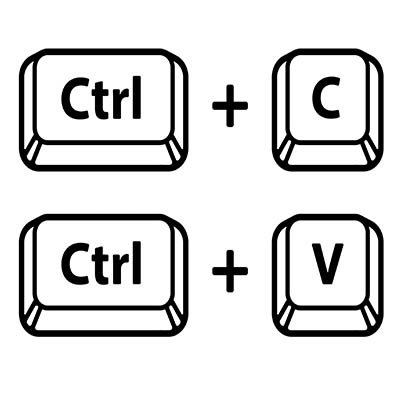
  • WinKey + V opens the clipboard app to view things copied to it with Ctrl + C.
  • WinKey + X opens the advanced, Secret Start menu.

Bonus: Adjusting Your Program Windows

A neat workspace is a productive workspace, and if there’s a quick way to arrange your computer’s display, that’s all the better. Fortunately, Windows has a few built-in shortcuts to help quickly accomplish just that:

  • WinKey + Left/Right Arrow will take the active window and adjust it to fill the left or right side of the monitor it is displayed in. 
  • WinKey + Shift + Left/Right Arrow will move the active window over to another display.
  • WinKey + Up Arrow will maximize the active window. 
  • WinKey + Down Arrow will minimize the active window.

Believe it or not, this list is just a small sample of the available Windows shortcuts out there. There are plenty more to explore. We periodically go over a few on this blog, so make sure you’re subscribed so you can be alerted whenever we post something new!

274469717_deepfake_400.jpg

Understanding the Threat of Geographic Deepfakes

274469717_deepfake_400.jpg

Per our role as cybersecurity professionals, part of our responsibility is to put the developing threats out there in the world into perspective for the clientele that we serve. After all, with so many modern threats seeming to border on science fiction, it is only natural for smaller organizations to assume that their size will protect them from such attacks through simple lack of interest—or even that such threats will never be used practically at any significant scale. Unfortunately, these assumptions are too often mistaken.

For your business to survive, let alone thrive, you need to have prepared for every eventuality. To put the importance into context, let’s examine a threat that many may have shrugged off—deepfake images—and the potential they show in terms of future cyberattacks and misinformation campaigns.

A Refresher on Deepfakes

Deepfakes are images or video clips that have been manipulated by artificial intelligence to show something other than the truth. You may have seen a few lighthearted examples online, where a comedian’s face is replaced by the celebrity they are impersonating, or different actors are inserted into movie scenes. There are even mobile applications now available where you can create simple (albeit glitchy) lip synch videos based on a headshot.

Not all applications of this kind of AI-based image generation are so obvious, however. Just look at the This Person Does Not Exist website, where you can see the results of a generative adversarial network’s work in creating very convincing, imagined faces. Every time you click on that link, the website will display a completely unique and imagined photograph that looks like a real person, but isn’t.

While entertaining, such applications do little to highlight the actual risks presented by deepfakes when put to more extreme uses. Adult-themed deepfakes are already being used to generate pornographic materials of people without their consent, and deepfake technology has also been used to doctor up footage to manipulate political interests. However, another use for deepfakes has risen that has many concerned—geographic deepfakes.

What is a Geographic Deepfake?

Rather than manipulating a person’s face or words, geographic deepfakes are used to manipulate satellite imagery to hide or distort the appearance of the landscape. As this technology grows in popularity and accessibility, it could potentially be used to seriously impact businesses and governments around the globe.

How Serious are Geographic Deepfakes?

Let’s put it into context for a moment by going over how a geographic deepfake could be (and increasingly are being) used.

Let’s say for a moment that you were a military commander, and you were leading your troops through the field. Your objective isn’t far, all you need to do is cross a bridge that spans over a ravine that you’ll see once you crest the next hillside. Except, once you reach the top of the hill, you don’t see the bridge that your satellite imaging assured you would be there. You see the ravine, sure, but there’s no bridge to cross it.

There goes your plan, and such a failure is bound to have wide-reaching ramifications.

This exact scenario was brought up in 2019 by an analyst at the National Geospatial-Intelligence Agency named Todd Myers—and is in no way a new tactic.

Throughout history, maps have been weaponized as a part of disinformation campaigns and propaganda and have even been manipulated to protect intellectual property. Cartographers would insert fabricated locales and details into their maps to try and catch any copycats out there—after all, if you had invented “Not-Realburg, Michigan,” seeing it on another map is a blatant clue that your work had been copied.

A recent study, compiled and published by the geography department at the University of Washington, explored the topic of deepfake-generated geography in more depth.

What the Study Contains

In their study, the researchers review the long, long history of embellishing maps—reaching back to the Babylonian era in the 5th century B.C.—before focusing on the modern, technology-based contexts of location spoofing and how it can be weaponized, sharing examples produced by the researchers specifically for the study as a proof of concept.

In short, the study does what the research team intended it to do: it highlights the very real capabilities of such technologies, and how easily they could potentially be abused with no single means of identifying when an image has been manipulated.

What’s worse, the inherent trust the public has for such images makes them particularly effective, according to the researchers. While the team was able to engineer a tool to help identify their own fake geographies, these kinds of tools will need constant maintenance to keep up with the improvements that deepfakes will inherently see as time marches on.

What Can Businesses Learn from This?

While these kinds of threats will hopefully have minimal impacts on most businesses for some time yet, it is still valuable to consider how such a technology could be used against a company’s operations. Returning to the example of the missing bridge above, it isn’t hard to imagine how such an event could create serious interruptions and delays to the supply chain. Taking it a step further, someone trying to interfere with your success directly could use such an attack to hide your business from view on a map.

We also can’t neglect the idea that cyberattacks tend to inspire other cyberattacks, so there’s no telling what an imaginative cybercriminal might think to do with such capabilities someday.

For now, the best thing that your business can do is to reinforce your business using the technologies available today. While it would be foolish to completely ignore the development of cyberthreats like deepfakes, there are other attack methods that need to be protected against in the present. NuTech Services can help you in that aspect. Give us a call at 810.230.9455 to discuss what your business needs to make its technology more secure and more productive.

342414352_remote_work_400.jpg

While Useful, Remote Work Isn’t All It’s Cracked Up to Be for the Climate

342414352_remote_work_400.jpg

While we would never suggest that remote work is a bad thing, it wouldn’t be right for us to pretend that it is a perfect solution. It just isn’t. For a few glaring examples, let’s turn to the complicated impact that remote work can have on the environment. While we’ll still acknowledge the benefits of remote solutions, this kind of reflection may just help you to determine how to shape your business’ future: namely, how much of that future will be based on remote operations.

Let’s begin by looking at some of the positives to remote work, in terms of the environment.

Environmental Benefits of Remote Work

Diminished Fuel Demands and Emissions

According to the Environmental Protection Agency, transportation is the largest source of greenhouse gas emissions, and that such emissions increased by a not-inconsequential 3.7 percent from 1990 to 2019. Furthermore, the U.S. Energy Information Administration reported that 2019 also saw 142.71 billion gallons of gas burned.

If you’re reaching for a calculator, that’s an average of around 390.98 million gallons per day.

Consider, for a moment, how much of a difference it would make if we could remove a large portion of that expenditure by adopting widespread remote work. If just 3.9 million people worked from home for half the time, the reduction in greenhouse gases would be akin to taking 600,000 cars off the road for a full year. Back in 2015, Xerox implemented a telework strategy, cutting 41,000 metric tons of emissions and saving 4.6 million gallons of gasoline.

On a related note, a remote workforce also allows a business to decrease their use of energy in terms of climate control and lighting—which often (but not always) means that less energy is being used to control a large space as compared to a smaller one. We’ll dig into this further a little later.

Cleaner Air

On a related note, there are various benefits associated with fewer emissions that remote work can help to promote, reducing the level of air pollution a common thread between them. A study taken in London in the midst of the COVID-19 pandemic revealed that emissions reduced by 25 percent during the morning commute and by 34 percent in the evening.

This is not nothing. Decreasing the amount of air pollution also decreases the amount of acid rain that occurs, makes algae blooms (sudden increases in algae in water systems that kill off the local biome) less likely, and helps to support our own health.

Decreased Waste

Did you know that the average American uses, on average, 680 pounds of paper each year, and that the world produces 300 million tons of plastic in the same span of time? Working from home, however, helps reduce these levels by encouraging the use of paperless solutions, while simultaneously creating an environment that relies less on single-use plastic products and more on sustainable methods.

However, now that we’ve gone over the major environmental benefits, we’d be remiss if we didn’t address the problems that remote work introduces as well.

Environmental Issues in Remote Work

Energy Mismanagement

Okay, so remember how we discussed how a remote workforce allows a business to use less energy to keep its workspace climate under control? Here’s the problem with this: research conducted in the United Kingdom reveals that—at least in the winter—the energy used to heat the office was less than the total it took to heat each remote worker’s home. As a result, working from home could in this way be counter-productive, environmentally speaking. That said, most people keep their homes fairly livable even while they are at work.

Global Inconsistencies

There’s a lot to dig into here, so let’s start by laying out the groundwork: different regions around the world produce and use their energy in very different ways, creating different environmental scenarios to consider. For instance:

  • Some countries have more widely adopted alternative energy sources for their transportation needs, as well as public transit options.
  • Some regions rely on different HVAC settings throughout the year, so any benefits gained in one season of remote work could be canceled out by another.
  • The electricity needed to support remote work is generated in different ways around the world, with different environmental impacts due to the energy production.

In short, there is no easy answer to whether or not remote work is a better option, simply due to the variables involved in calculating its costs and comparing them to its benefits.

How to Improve Your Environmental Impact While Working Remotely

If you and your team have taken to remote work, there are a few things that can be done to help improve your combined environmental impact. One simple place to start is to have your home (or remote workplace) assessed to determine how to make it more energy-efficient. Such assessments can improve energy efficiency by up to 30 percent, which is considerable when compounded with some of the other energy-saving measures we’ve reviewed here.

Otherwise, there are additional ways to cut back on your energy expenditure and environmental impact while at home—cutting back on the electricity you use wherever possible, using the time you save on your commute to prepare more eco-friendly food options, and making sure you recycle as much as you can.

As for the office, share some ideas with us as to how you’ve made your space as environmentally friendly as possible!

109434737_home_office_400.jpg

Tip of the Week: Designing an Effective Work-from-Home Workstation

109434737_home_office_400.jpg

Working from home has made it clear to many that they weren’t prepared to do so—not by a long shot. In addition to the many other stresses that came with these challenging times, the lack of a sufficient and proper workspace has proved to have its impacts on the human body. To perhaps help remedy this, we wanted to offer a few considerations that might help a remote worker benefit ergonomically.

The Seat

While a comfortable chair will be important to have, there is such a thing as too comfortable. This means that the soothing lull of the bed or even the couch should be avoided. At the same time, most hard chairs won’t give you enough lower back or leg support. The best fix would be to invest in a desk chair intended for such purposes, but short of that, a pillow or rolled-up blanket can suffice.

In an ideal world, your chair would include armrests too, well, rest your arms on. Lacking that, using the tabletop without leaning or slouching would serve the same purpose.

In order to ensure your feet remain planted on the floor, it is also a good plan to keep a footrest nearby. When seated at your workstation, your legs should be bent at right angles at the knee and hip, stabilizing your position.

The Work Surface

Of course, you need a work surface in order to do work. Lacking a desk? Any place you can sit or stand somewhat comfortably will do, whether that’s a table or a countertop. All you need is the room to work comfortably.

The Devices

Modern devices give you a wide variety of options to work with. Need an additional display? Laptops can stream to another device as an external display. Dealing with a lot of distractions at home? Tune them out with some noise-canceling headphones with an integrated mic to keep you communicating with work. Incorporating these tools into your makeshift workstation will keep you ready to work productively.

Ready to talk to an IT professional about your office and team’s technology solutions? Give NuTech Services a call at 810.230.9455 today.

334282372_work_from_home_400.jpg

Five Solutions to Simplify Remote Work Strategies

334282372_work_from_home_400.jpg

Working from home adds quite a few additional wrinkles into the workday, including a few that pertain to your team’s communicative capabilities. With many different people operating at their best through different forms of communication, establishing which of these forms best suits your needs is crucial. Let us consider some of the options you have, whether you’re fully investing in a future of remote operations, or simply planning a more hybrid approach as time passes.

For simplicity, we have limited ourselves to the most crucial solutions we think everyone should have.

Video Conferencing

While nothing we have right now can fully replace the capabilities of in-person communications, video conferencing may just be the next best thing available. A lot of software developers have picked up on this, which may explain why so many other kinds of software integrate well with today’s video conferencing solutions.

In the business sense, video conferencing gives your team an outlet to assemble most like they would in the office—along with giving sales teams a much more convenient way to meet with prospects. Wonderfully lightweight and accepted by the business world, most of today’s workstations are likely already set up to support conferencing. If they are not, there is a practically negligible investment to make there in exchange for greater flexibility and sustained communications and collaboration.

Instant Messaging

While infamously a way for coworkers to spend their hours chattering amongst themselves about practically anything but work, a properly utilized instant messaging platform can be an essential piece of your remote workers’ toolset. When used appropriately, a study has shown that instant messaging and other non-email collaborative solutions can increase productivity by anywhere from 20-to-25 percent.

That is not nothing, and just helps to demonstrate how unhindered communications—like those the convenience of instant messaging supports—can help liberate your team members to accomplish more on your business’ behalf. This is particularly the case where a remote workforce is involved.

Customer Relationship Management

The most important relationships a business forms are those that are formed with their customer base. As such, there needs to be a reliable means of tracking and cultivating these relationships, as well as to simplify any requirements imposed on the customer’s end. A Customer Relationship Management tool, commonly abbreviated to a CRM, has been the solution that many businesses rely on for just that purpose.

The typical CRM solution will usually feature some kind of ticketing system for customer support purposes, a scheduling module to keep everyone on task and able to access the resources they need, and various automation capabilities to help make sure everyone is spending their time on revenue-generating endeavors. As such, a CRM provides the channels for a company to reach out to its base while also maintaining its own internal productivity. Any small business—particularly one with a decentralized workforce—that intends to grow should be utilizing a CRM for all it is worth.

Cloud Computing

Access is crucial to a remote worker, and access is something that the cloud can help provide in a way that is both simple and cost-effective. Whether your business needs the storage to securely keep its shared documents or needs collaborative tools to enable your team to work with the data you possess, the cloud can facilitate that need. Business continuity is also much simpler to secure during a disaster if you’ve maintained a cloud-based backup of your data.

Of course, the cloud is also capable of more, like delivering the solutions that your team members need to them directly. Whether you need a server at scale, or enterprise-grade security, and/or robust communication tools, there is a cloud-based option waiting for you.

Onboarding Solutions

Onboarding any new employee is a process in and of itself, and this is only exacerbated when that employee is to operate remotely. In order to get them acquainted with your policies and familiar with your solution set, there is going to be some training involved.

Nowadays, Learning Management Systems (or LMS) take care of that training for you, more expeditiously. Many business software solutions have them built into the program at this point, but you can also customize your own to ensure that your new hire is prepared for their new responsibilities. On your end, you get a better-prepared team member for a decreased financial investment.

Whether you’re embracing the remote workforce moving forward or striving for a return to your base of operations, NuTech Services can help equip you for success. To talk strategy with one of our experts, call us at 810.230.9455 today.