PrinterMoney_209018482_400.jpg

Doing These Three Things Can Help You Control Your Printing Costs

PrinterMoney_209018482_400.jpg

If your business is trying to limit costs, then printing should be one of the first things you look at. Paper documents have historically been important for businesses, but they take up a ton of space in the office and are incredibly difficult to regulate effectively. Let’s go over how you can decrease the resources you spend on printing and maximize efficiency elsewhere in your paper practices.

Of course, printing costs much more than just paper, ink, and toner. You also spend money on filing cabinets and storage, and someone needs to take time to organize it and keep it organized. That’s all without mentioning the upkeep and maintenance for all of your printers, too.

The way we see it, you can cut costs with printing by doing three things:

Upgrade Your Printers

If your printer network is outdated, it might benefit from some new hardware. For example, an old ink-jet printer could be replaced by a laser printer. Laser printers are faster and more efficient, and they will save you money over time since they are more reliable.

Manage Your Resources More Efficiently

Okay, maybe you are in a position where you can’t cut out printing entirely, and that’s okay, too. You can still better control your printing resources. By monitoring them, you can more effectively store what is needed and eliminate waste. If you change some settings on your printers, you might be surprised by how much you can save in this way. Furthermore, storing only what you need rather than going all-in on a surplus can save you money.

One way you can manage printing better is through the use of a printer management application that limits how much an individual can print. You wouldn’t believe how many thousands of dollars are spent on printing when employees can simply be more observant about their printing practices. If you put this system in place, combined with other measures, you’ll see savings for sure.

Go Paperless

If you lose productivity by dealing with countless paper documents and you are finding that your office is not well-equipped to handle them all, then perhaps a document management solution can help you go paperless. Essentially, it is a secure place to store and manage your documents in a digital environment, rendering your traditional filing cabinets obsolete. You get a searchable cloud-hosted database that gives you the ability to share and retrieve files on a whim.

NuTech Services can help your business move toward better printing practices and solutions. To learn more about what we can do for your business, reach out to us at 810.230.9455.

legalIT_286869333_400.jpg

Technology for the Modern Law Practice

legalIT_286869333_400.jpg

It’s important that attorneys have access to the important information and tools needed to enable them to do their jobs. When they can do so easily, they are able to bring in more revenue, take on more clients, and provide better services to their clientele. What kinds of technology do lawyers need to improve their practices?

First, it helps to have a bit of context for how the pandemic has changed operations for lawyers. Legal services are popular, sought-after services, but the pandemic forced many lawyers to go virtual. Now, what started as a trend might be a more permanent shift, and the following technologies are what will enable lawyers to do their work more effectively in a virtual capacity.

Document Management and Automation

Document management is a must-have technology for law offices, as paperwork is an incredibly important part of practicing law. Document management and automation tools can effectively streamline document creation, as it can capture and populate templates utilizing information already provided. It can provide a solution to search, view, and edit documents, and every transaction comes complete with documentation, something which is critical to the law practice. We can help you build a document management system for your law firm so you can always keep the files needed on-hand and available on your devices.

VoIP Enabled Video Conferencing

VoIP has gone from being an emerging technology to a vital one, meaning that it’s silly to not use it in comparison to the other solutions out there. It gives your business one more way to make the most out of its Internet connection, and there are so many other great features available through it too, like video conferencing and other communication tools. Video conferencing is particularly important, as more people are wanting to meet virtually than ever before, and it only provides your law practice with even more flexibility and options. Many video conferencing tools have VoIP built right into them, and the best solutions are those that are secure and easy to use with high-quality video and audio. There are even options that include end-to-end encryption.

Scanners

Data entry is also crucial to the success of any law firm, and those in small practices might struggle to keep their files in order. With a digital repository for these files, it can be easier and more secure to manage the various documents. Scanners can be used to input data in this way. Depending on the solution, you can either go all-out with a flatbed scanner or use handheld scanners that won’t cost your business an arm and a leg. Even modern printing solutions often come with scanning solutions your business can use for this purpose.

Mobile Devices

Mobile devices are quite useful for professionals, but in the law field, they can completely change the dynamic of the profession. They provide access to applications built specifically for attorneys while also providing access to documents, communication, and data storage. Smartphones and tablets are popular tools for modern law firms.

To keep your law firm ahead of the competition, we recommend you reach out to NuTech Services. We can help you assess your current technology practices and suggest ways you can improve them. To learn more, reach out to us at 810.230.9455.

crm_63909416_400.jpg

You Can Use Software to Vastly Improve Your Customer Relationships

crm_63909416_400.jpg

Customer relationships are at the heart of any business that sells a service or goods, making a technology solution like a CRM a powerful way to jumpstart operations. Let’s review what some of the benefits of using a CRM are and how your organization might use one to the best of its ability.

Let’s break down the features that you want your CRM to come with.

What Features Should My CRM Platform Offer?

Workflow Automation

The more of the CRM workflow that can be automated, the better. In short, the less time you have to spend managing these processes, the more time you can dedicate to other responsibilities and initiatives. You save time, but you also save the possibility of user error from getting in the way of your processes. Faster results and greater accuracy make for an excellent combination under any circumstances.

Integrations

Similarly, if you have multiple software solutions and platforms that integrate with your CRM, you can take advantage of additional functionality that can save you a ton of time in terms of workflow. You should look for integrations like marketing automation, chat, call center, support, and web analytics; trust us when we say that these tools will pay for themselves in the long term.

Contact Management

Staying in touch with your clientele or customers is extremely important, especially when you are trying to turn prospects into actual customers. A high-quality CRM can make this as easy as can be.

Lead Management

Keeping track of leads, including contacts that your team have had with them, can be beneficial for your business. The importance of being able to turn these numbers into actionable metrics cannot be understated. A CRM gives you ways to grow your pool of prospects and it gives you an idea of which ones might be most lucrative to form a relationship with.

This only scratches the surface of what a CRM can do for your business. To learn more, reach out to us at 810.230.9455.

businessAI_230165737_400.jpg

Small Businesses are Starting to Embrace AI

businessAI_230165737_400.jpg

Artificial intelligence has several uses in the business world, many of which utilize machine learning. With greater access to this technology than ever before, small businesses have more opportunities to grow as a result. Let’s go over how SMBs can utilize AI, including how to get started with it.

How Can Today’s Small Businesses Use Artificial Intelligence?

AI is flexible in its design, intending to mimic the cognitive processes of the human brain. Essentially, it is software that can follow patterns and establish its own learning and reasoning processes to solve problems. This is why it’s so useful for small businesses. Here are some ways it can improve operations for SMBs:

Enhancing Cybersecurity

Your employees likely have a routine that they follow, and this routine is what makes their work responsibilities consistent. AI can use data to make predictions, a process which aids in cybersecurity and productivity. AI can take note of a user’s account and showcase when it’s doing something out of the ordinary, like logins at times when the office should be closed or from strange locations around the world. It can also tell if employee behavior is at odds with your security efforts.

Optimizing Customer Service

Businesses prioritize customer service, but the unfortunate fact is that it can be time-consuming. This time is often better spent on other processes and needs. AI systems can aid in customer service through the use of automated chatbots, providing customers ways to get the answers they need, when they need them. This removes some of the burden off your workforce and might just give them time to perform other tasks. Furthermore, it’s a great way to collect data about what your customers want and need.

Finessing Customer Relationships and Marketing Efforts

It takes a lot of effort to sift through the data and insights gathered during the customer relations and marketing aspects of your business, and digging through this data can be an incredibly time-consuming and resource-intensive process without the use of AI. AI can examine this data and make conclusions based on it. You can then use these conclusions to make the most educated decisions possible for your organization moving forward.

Artificial Intelligence is More Accessible Than Ever

If you want to learn more about machine learning and other ways technology can make your business’ operations better, reach out to NuTech Services at 810.230.9455.

chatIcon_408959394_400.jpg

Tip of the Week: Handy Shortcuts in Google Chat

chatIcon_408959394_400.jpg

Google Chat, a worthy successor to Google Hangouts, is a great tool for users that can help them be more productive throughout the day, but did you know that you might be missing out on a ton of functionality by forgoing some of these keyboard shortcuts? Let’s go over some of the most helpful ones and how you can use them to get more out of this tool.

Access a Shortcut Cheat Sheet

If there is one shortcut you walk away from this blog with, we want it to be this one. To pull up a keyboard shortcut list, all you have to do is press the ? key with no conversation selected. It will bring up a list for you to reference.

Quickly Switch Your Lines of Communication

If you want to hop around the interface without taking your hands off the keyboard, you can use this keyboard shortcut. Jump from one space or conversation to the next by pressing Ctrl + K. This will open a box, providing you with options to start a group conversation, browse or create a new space, review message requests, or start a dialogue with one of your existing contacts.

Edit a Sent Message

If you send a message a little too soon, you can make a change to it after the fact by selecting the up arrow on your message. Once the message is selected, you can make any necessary edits, then update the message.

Google Chats is a wonderful tool, so make sure you get the most out of it! NuTech Services can help you take full advantage of your technology solutions. To learn more, give us a call at 810.230.9455.

productivity_204411261_400.jpg

The Keys to Remote Worker Productivity

productivity_204411261_400.jpg

Remote work has only grown more popular with time, to the point where it is now common for employers to offer it in some capacity. While the pandemic may have expedited this shift, it is clear that remote work has become a new normal in some industries. Today, we thought we would address one of the hot-button issues about remote work: keeping your staff engaged and productive.

Engagement is More Than Production

First, you need to understand that remote employees often do better work much faster while they are in the comfort of their own homes. It’s simply a fact that people take less time to do the same tasks they would do in the office while working remotely, and since they don’t need to consider other variables that they normally would when leaving the house, they can get right to work.

It’s also important, however, to acknowledge that there might be more distractions in the home environment compared to the workplace. While it might seem they are a little less productive, we recommend sticking to the key performance indicators as a clear metric for how productive they truly are.

To shed some more light on this sticky situation, here are three factors that you can use to ensure that your employees are engaged with their work, and therefore, productive throughout the workday.

You Still Need Culture

Your company culture is much more than the incentives you offer; it’s also how you treat your employees. A remote team might feel like they are pushed aside or lurking along the sidelines rather than being a part of the team, so you need to do what you can to engage them and work toward that sense of belonging. Shared goals and interests can connect people and encourage them to work better together.

One way you can engage your remote team is to use your collaboration tool for a little bit of fun, like adding a “just for fun” channel where the team can communicate, share stories, memes, jokes, and so on. You could also set up an optional meetup for your team to just hang out in a virtual space to talk about whatever happens to be on their minds. Basically, the idea is to normalize the idea of working from home so that they don’t feel so disconnected from what’s going on in the office.

Get the Right Tools

All that said, none of this is possible without the right kind of collaboration software. There are plenty of solutions on the market that utilize different technologies to promote an inclusive work environment. From collaboration software to video conferencing, or even just a simple instant messaging platform, you might be surprised to see just how much of a difference it can make.

Provide Emotional Feedback and Support

Believe it or not, working from home can add quite a lot of stress and pressure to workers. Some simply handle it better than others. Keeping your communications organized and efficient can be a major way to take some of the stress out of their day-to-day responsibilities. You want your employees to know that they are people, not just a square in a Zoom meeting or a number on the other end of a VoIP channel. Maintaining regular communication and offering timely, constructive feedback is incredibly helpful to ensure that your employees stay engaged, productive, and happy.

It’s not always easy to manage a group of remote employees, but with the right tools and practices, you can take a lot of the challenge out of it. To learn more about how you can do so, reach out to us at 810.230.9455.

network_secure_439983242_400.jpg

4 Surprising Statistics about Network Security

network_secure_439983242_400.jpg

If you aren’t making cybersecurity a priority for your business, then we urge you to review the following statistics to ensure that you understand the gravity of the consequences. Let’s take a look at some of the ways scammers and hackers are making their way around the carefully-laid defenses placed by businesses and how you can protect your own organization.

First, a quick look at the statistics is in order:

  • The global cost of cybercrime is a staggering $6 trillion.
  • On average, it takes over half a year to detect a data breach.
  • 91 percent of attacks start with a phishing email.
  • Businesses faced an average of 22 security breaches in 2020.

$6 trillion makes cybercrime the world’s third-largest economy, which is a little jarring to say the least. Evidence suggests that four percent of the U.S. GDP is swiped by those involved in cybercrime. This is a total of billions of dollars, all stolen by hackers and scammers every year. These numbers are for the United States alone; imagine what is being done on a global scale.

As far as the news is concerned, you would think that data breaches are so high-profile that they are identified easily, but this is simply not the case. The average time to detection, according to IBM, is around 287 days. In data-intensive industries like healthcare and financial services, this number is even larger. IBM provides a timeline for containment as well, a number that sits at around 80 days.

Social engineering attacks were far from the norm in computer-based attacks, but hackers have continued to utilize these attacks to best even the smartest of network security professionals and solutions. Phishing attacks are the primary example of this; it might not be easy to crack a password, but it might be easier to do so if the user whose password you’re trying to steal willingly gives it away because they don’t know any better. This is why phishing has become front-and-center in the cybercrime field.

No business is too small to become the target of a cyberattack, and you should always be prepared to deal with the worst-case scenario, no matter how unlikely it might be. The average business deals with 22 security breaches each year, and you can rest assured that if you fail to protect your business, it will suffer as a result.

Network security can be daunting, but it doesn’t have to be. We aim to make understanding its intricacies easier and to take the burden off of small businesses. To learn more about what we can do for your business, reach out to us at 810.230.9455.

Internet_Reliability_12554756_400.jpg

What is It that Impacts the Quality of Your Internet Connection?

Internet_Reliability_12554756_400.jpg

For something as fundamental to a business’ processes as its Internet connectivity, it can be challenging to determine how reliable and fast your Internet connection is. We wanted to review the different factors that would impact the connectivity that your business gets.

What Impacts My Business Internet Speeds?

There are assorted influences that need to be considered to figure out the potential connection speeds you might achieve for your business:

The Infrastructure Connecting You to Your ISP

Regardless of your contract, your Internet speeds are going to be dependent to some degree on the infrastructure that is delivering them to your business. Cable and fiber-optic lines can deliver Internet at speeds that are far faster than what the antiquated DSL connection over the telephone network can.

How Far Away the Network Centralizer is from Your Business

Fast as data moves, it still takes a bit of time to make it from point A to point B. Therefore, the further away that the network centralizer is, the longer it will take for the transmitted data to reach your business and vice versa.

How Many Users and Devices are Connecting at Once

Naturally, when more people are getting a piece of the pie, the pieces are going to get smaller and smaller. The same goes for your Internet bandwidth. Each device that connects to the Internet impacts the availability and speeds available to the rest—the more there are, the slower the connection will be.

There is only so much that you can do to increase your business’ Internet speeds, short of shelling out more of your hard-earned dollars. We’re here to help you make up for the lost efficiency in other ways, through improved and optimized IT solutions.

Give us a call at 810.230.9455 to find out more.

phishing_attack_103897430_400.jpg

How to Know You’re Being Targeted by a Phishing Attack

phishing_attack_103897430_400.jpg

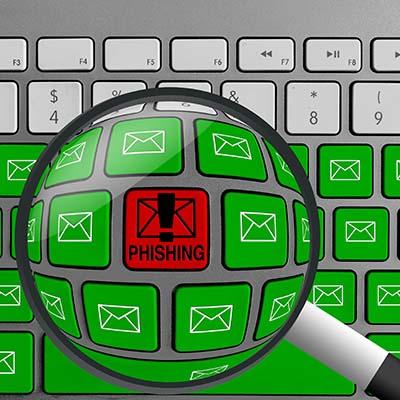
Phishing attacks are serious business, so it is important that your team members know what they are, for one, and know how to spot them. To facilitate this, let’s review the signs of a phishing attack—or ideally, a phishing attempt (because by spotting it, you’re more able to stop it).

First, let’s quickly touch on what constitutes a phishing attack.

What is Phishing?

Phishing is a horribly common form of cyberattack that is used by cybercriminals to accomplish a variety of goals, whether it’s gaining access to a system or stealing data from your team members. Basically, by posing as a trusted party and communicating with your team members, the responsible cybercriminal leverages the imperfect human element to sidestep your cybersecurity.

Phishing, while perhaps most well-known as an email-centric threat, can take place in many forms and formats. In addition to phishing emails—which themselves come in numerous forms—phishing attacks can also come in the form of SMS messages, phone calls, and effectively any other means of communication.

This makes it crucial that your team is prepared to deal with these attempts—capable of spotting them and properly reacting by reporting their suspicions to your IT resource.

To this end, let’s go over a few ways that your team members can potentially catch a phishing attack before they fall for it.

Signs That a Phishing Attack is Targeting You

There are numerous signs that a message could potentially be a disguised phishing attack. Here’s a basic list, but you can always reach out to us at 810.230.9455 to learn more about any or all of these warning signs::

  • A tone that doesn’t match the supposed sender
  • Misspellings and other discrepancies in key details, like email addresses, domain names, and links
  • Out-of-the-blue messages
  • Egregious spelling and grammar errors
  • Unexpected or out-of-context attachments
  • Excessive urgency behind, or open threats as a consequence of, not complying with the message
  • Ambiguous messages that motivate the recipient to investigate
  • Unusual requests, or requests for explicitly sensitive information

It’s important that your team is aware of these warning signs and actively keeps them in mind when dealing with any business communications.

We’re Here to Help Keep Your Team Safe!

Reach out to us to find out how we can assist you in maintaining your business’ security against threats of various kinds, including phishing attempts. Give us a call at 810.230.9455 today.

safe_router_424236593_400.jpg

Boosting Your Router’s Security in 3 Ways

safe_router_424236593_400.jpg

Your wireless router handles a lot of the tough work for your business, and as such, it’s important that it’s protected and secured as best as can be. If you want to secure your router, we recommend that you use the following best practices to make it happen.

First, let’s talk about the router. The router is basically a modern computer in its own right. They have their own operating systems and software, and as such, they can be susceptible to vulnerabilities. If you aren’t keeping in mind basic data security practices, then you are already behind the security curve.

Update Your Router’s Software and Check Settings

Your router runs on software that needs to be updated periodically. As your router ages, so too does your network security. When you update your router, you are updating the firmware and other software used to route the wireless signals. Here are some other settings you should consider changing:

  • Change network name or SSID – Make sure it is something that is unique but doesn’t necessarily identify you or your organization.
  • Turn on automatic firmware updates – As we described already, getting firmware updates is essential to maintain security for your router. 
  • Enable WPA2 wireless encryption (or WPA3, if your router supports it) – This ensures that only authorized users can access your wireless network. 

Disable Dangerous Accessibility Options

Most users utilize the Universal Plug and Play feature and keep their routers on the default settings, something which puts these wireless connections at greater risk of compromise. Another way that hackers will attempt to undermine the security of your router is by using the Wi-Fi Protected Setup feature on your router. It is an easy-to-use feature that helps you connect devices using a static eight-digit pin, even if the username and password have been changed. The PIN is printed right on the router, and if it’s on your router, then that makes it easier to get into. It’s far from the ideal scenario.

Set Up a Guest Wi-Fi Network

A great way to keep your wireless network secure is by limiting who has access to it. So, for example, let’s say you have guests come to the office, and you don’t want to give them access to your employees’ wireless network. You can instead have them connect to a guest wireless network specifically for them. Most commercial-grade routers and many personal routers provide this level of functionality. You can even set the network to turn off after a certain amount of time. 

This also helps if your organization operates with a lot of Internet of Things devices. The guest wireless network can keep them from creating security troubles. All you have to do is connect some of your IoT devices to the network so that they don’t accidentally leave anything exposed on your main network.

To learn more about how you can keep your wireless network secure, reach out to us at 810.230.9455.

VideoConference_272103367_400.jpg

The 5 Essential Features to Seek from a Conferencing Platform

VideoConference_272103367_400.jpg

These days you’d be hard-pressed to find a company that is not equipped to handle video conferencing in some way. The pandemic led many organizations to adopt these platforms, and as a result, these platforms have seen a dramatic increase in functionality and capability. We’d like to discuss some of the best features that your organization can take advantage of with video conferencing solutions.

Features to Seek Out in Your Video Conferencing Platform

VoIP and Chat Functions

When it comes to conferencing, the name of the game is communication. Your conferencing platform should have as many methods of keeping up communication as possible. Some conferencing solutions have Voice over IP telephony service bundled with them, and others might include various other mediums.

Many conferencing platforms also have built-in chat functionality, creating additional opportunities for participants to engage with presenters and other attendees. By knowing which features your solution is already capable of, you can make better decisions about how to get the most out of it moving forward.

HD Video Recording

Video conferences are made much more enjoyable when you can see each other clearly and communicate effectively. It stands to reason that your conferencing platform should allow for HD video. Opting for such a solution will simply make the meeting that much more enjoyable for everyone involved, which will lead to better engagement.

Some meetings should also be recorded so that the material can be reviewed at a later date. To make sure this can happen, we recommend that your video conferencing tool accommodate unlimited recordings of meetings that can be stored in the cloud for later use.

Screen Sharing

One of the most effective things you can do during a meeting is share your screen, especially if you are presenting information to your audience. If you select a video conferencing software which allows you to share your screen, you are basically opening the floodgates to more informative and engaging presentation opportunities.

Reach Out to Us for Assistance with Selecting Your Conferencing Platform

If you’re unsure of which solution is right for your business, NuTech Services can help. To learn more, reach out to us at 810.230.9455.

disasterRecovery_124466986_400.jpg

Tip of the Week: How to Design Effective Recovery Strategies

disasterRecovery_124466986_400.jpg

In business, you need to be ready for anything, including potential disaster scenarios. Therefore, it stands to reason that you have a solid disaster recovery plan in place to help you address them should the need arise. We’ve outlined three disaster recovery best practices you should consider for your business continuity strategy, as well as some tips to help you implement them seamlessly into your own operations.

Figure Out What All Potential Threats Look Like

The first step toward figuring out your business’ continuity plan is to consider the types of disasters you will be facing. This means that you need to perform an analysis of all the potential threats your organization could face, no matter how unlikely they might seem. Granted, you should lend more credence to the most likely of disasters, but you can’t rule anything out. Otherwise, you could be ignoring a glaring hole in your plan.

Basically, we’re not telling you to plan for when an asteroid levels your office, but we are telling you to have a strategy in place to account for physical damage or power loss to your office. Your business continuity plan should be specific enough to address the most likely issues you’ll face, but flexible enough to account for other less likely incidents, too.

Determine Your Business’ Benchmarks

No matter the disaster, your organization will have critical data and systems that need to be recovered. It’s up to you to determine what they are and how you will prioritize them. This will help you when it comes to responding to these disasters.

What it boils down to is knowing your various systems’ maximum tolerable downtime, or MTD. This is how long a system can remain down before permanent damage is done to your business. Knowing this number gives you more flexibility and room for making important decisions in the event of a disaster. Your MTD can also help to inform your RTO and RPO, or your recovery time objective and recovery point objective, respectively. These metrics help you better prepare for a disaster by establishing how often a backup should be taken and how long it will take for you to restore said backup.

Test, Revise, and Test Your Plan Again

Your disaster recovery solution will only be successful if you have multiple people working in tandem to ensure that it happens regularly and effectively. Otherwise, if the disaster renders that one person responsible for the strategy unavailable, you’ll be left in dire straits. On the other side of things, the more people involved means more can get done, and the work is easier to achieve.

This is why it helps to have a hierarchy of people responsible for various parts of your plan; if one key person is unable to pull off the full plan, then at least certain other aspects of your continuity strategy will go off without a hitch. Furthermore, these processes should be written out to make them as accessible and easy-to-follow as possible.

After you have your business continuity plan mapped out, you should routinely test it to make sure that it works properly. This will help you in the event you actually need to use it, as you can be confident that the plan works as it should. It will also help you determine where weaknesses in your strategy lie.

Nobody Likes to Think About Business Disasters, But They Need to Be Anticipated

We have plenty of recommendations to provide for your business’ continuity plan, so be sure to reach out to us at 810.230.9455 for more information and tips!

hiddenFees_234106061_400.jpg

Predicting Cloud Costs Isn’t as Challenging as You Might Think

hiddenFees_234106061_400.jpg

There is no denying the versatility that technology like the cloud can provide, but it often comes with hidden costs that might affect its cost-to-benefit ratio for your organization. Here are some of these hidden costs, as well as what you can do to minimize the impact they have on your bottom line.

Some of these different expenses may impact the fees associated with the cloud provider, while others might affect your ability to implement a cloud and host it yourself. Let’s take a look at these costs to see what your options are.

How Does a Cloud Provider Set Fees?

It helps to have a baseline understanding of how a provider sets its fees. They are based on the three primary costs of a cloud service provider:

  • Computing Costs – How much has the provider invested in the hardware needed to maintain their cloud, as well as the operating system running on that hardware? Based on the client company’s usage, the cloud provider will need to have the appropriate hardware.
  • Networking Costs – In addition to the investment into the hardware that builds up its network, a cloud provider also needs to maintain it over time. This will incur costs over time.
  • Storage Costs – Finally, the cloud provider also needs to cover their own operational costs, in terms of the storage media needed to support their clients’ needs, while also expanding their existing storage to meet their clients’ demands.

While this might seem like a lot to take in, it’s important to consider what your own on-premises infrastructure might cost. There are the capital costs to acquire the required equipment and licenses, as well as the operational costs of powering and maintaining the infrastructure, and that’s not even mentioning the IT staff responsible for managing it. Additionally, downtime could create indirect costs for your business.

A solid frame of reference for the costs of on-premise computing is to multiply the cost of the actual upgrade by three, as every dollar invested will come with an extra two dollars of management and maintenance.

Compared to the costs of managing your own technology, working with a cloud provider is actually beneficial in several ways.

However, This is Not to Say There Aren’t Hidden Expenses with Some Cloud Providers

The cloud is great for several reasons, but you also need to consider the trade-offs of using it. For example, some of the cloud’s costs are not financial. You might sacrifice a lot of time while migrating between cloud providers, and if you need your data while you are in the process of migrating it, you might be in trouble.

Migrating to the Cloud is Easier with Help from the Experts

Thankfully, you can make it less difficult and complicated by working with professionals like those at NuTech Services. We are happy to help you with the process of data migration, cloud implementation, or whatever else you happen to need to make a smooth transition to the cloud. To learn more about what we can do for your business, reach out to us at 810.230.9455.