access_control_AdobeStock_55750729_400.jpg

Focusing on Access Control Can Make Your Business More Secure
access_control_AdobeStock_55750729_400.jpg

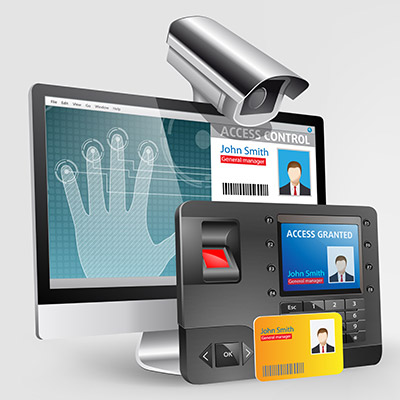
If you are someone who gets stressed out easily by people having access to resources they shouldn’t, then you probably have heard much about how to keep your data and internal resources safe from external threats. However, access control is much more than just cybersecurity; you also need to take into account the physical space when considering your access controls.

What is Access Control?

At the root of it, access control is all about restricting access to specific resources within your organization based on user or role. Certain users might be authorized to view specific information or be required to verify their identity before being allowed access. Basically, you have to ask the network for permission before you are allowed onto it, and once the network has given you permission, you can access the resources located on it.

Access control can basically be split into two groups: digital or cyber access control and physical access control, both of which have benefits and different types of solutions available on the market today.

Cyber Access Control

Your business has parts of its infrastructure that should only be accessed by specific individuals. Some of the data included on these parts of your infrastructure might include employee data, applications, resources, financial records, and more. This information should only be accessed by specific individuals who need it for their day-to-day responsibilities. The logic for this is simple: the fewer people who have access to this data, the less likely you will experience a data breach. Access control tools can help to limit access to this data.

Physical Access Control

You might also want to keep specific individuals out of certain parts of your office, too. Physical access controls might involve key cards, code-guarded doors, or biometric scanners to keep intruders out of your office, or specific parts of it. For example, you might store sensitive records in a specific part of your office guarded by card readers or code-authorized doors. Even keeping the door locked can be an effective deterrent.

Get Started Today

We understand that security can make things complicated for your organization, but you need to take it seriously before it comes back to bite you. If you want to implement access control systems for your office, be they digital or physical, NuTech Services can help. To learn more, reach out to us at 810.230.9455.

SM_phishing_AdobeStock_314622420_400.jpg

Social Media Conditions People to Let Their Guard Down
SM_phishing_AdobeStock_314622420_400.jpg

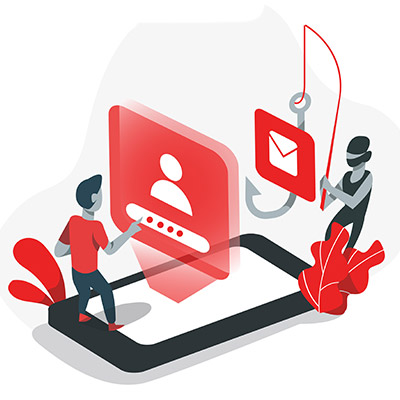
How often do you check social media only to find your news feed clogged with your friends and family sharing the results of quizzes like, “Which Star Wars character are you,” or “What’s your superhero name based on your birthday.” While these quizzes might seem harmless on the surface, they often hide a far more sinister agenda, one which uses the personally identifiable information provided to them for nefarious purposes.

If your friends and family aren’t careful, these quizzes could be giving their hosts access to all the information they need to hijack someone’s social media profile.

“Your New Last Name is the Thing You Ate Last!”

The major concern we have about these quizzes is that they might appear to be lighthearted on the surface, but that the questions line up suspiciously close to the security questions that one might use to protect an account. For example, your bank and credit card accounts use security questions to keep them secure, so what happens if you give up this information to an online quiz?

That’s right—the hacker might use the information you willingly provided to hijack your account. All the hacker has to do is click that Forgot Your Password prompt and boom, they’re in.

This is because these security systems can’t always tell who is typing in the answers; all they do is check to make sure that the answer matches the one provided in the past. From the bank’s perspective, you’re just another customer who forgot their password and is using their recovery question to gain access to your account.

When you look at online quizzes and questions they might ask, they line up quite closely with the recovery questions that are often associated with resetting passwords, like your first pet’s name, your mother’s maiden name, the model of your first car, and so on. When you share the answers to these questions, you effectively give someone on the Internet everything they need for easy access to your accounts.

This Is How Social Engineering Attacks Work

Even the most unlikely suspects could be considered social engineering attacks, especially on social media. It’s important that you give your team the tools and knowledge they need to identify these threats so as to avoid them. The same hallmarks of phishing attacks are present here, too: misspelled addresses, alarming subject lines, unprompted attachments, etc.

Cyberthreats are everywhere, so you can never be too careful. Remain ever-vigilant and be sure to train your employees on how to identify and respond to threats. To talk to an IT expert on training your staff and securing your business, reach out to us at 810.230.9455.

managedIT_275879619_400.jpg

How Proactive IT Management Works Better

managedIT_275879619_400.jpg

How does your company manage its technology? Does it struggle with the idea of managing multiple workstations, server units, networking components, mobile devices, and more? If so, then read on—we have some tips to help you better manage the many different technological parts of your organization.

Keep in mind that this is general advice that can be applied to just about any company. If you want specific advice, we are happy to have a discussion with you with a network consultation!

Less Is More

The more complex an IT infrastructure gets, the more difficult it gets to manage. Therefore, in order to keep your infrastructure as easy to manage as possible, we recommend keeping things simple, or as simple as is appropriate for your business practices. The reason for this is that IT infrastructures with large amounts of varied software and hardware can be difficult to keep centralized and monitored without a dedicated technician to keep tabs on it.

Proactive is Better

If we asked you whether it is better to deal with problems that have derailed your productivity or to prevent them entirely and dodge that bullet, what would you say? Proactive maintenance is one of the most important parts of running any IT infrastructure. If problems persist and grow to be so bad that they cause downtime, then you are leaving money on the table and putting your business at risk. It’s better to just keep the issues from growing to become this bad in the first place.

Outsource When Necessary

We know that not all companies have access to the same talented group of IT technicians, and this lack of talent can often lead to businesses foregoing IT maintenance altogether or relying on existing resources that are not adequately trained or prepared to handle this responsibility. In situations like this, you can rely on outsourcing to an appropriate third party. Even if you have an in-house IT department, outsourcing can be a valuable investment to save your business 

If you want to take the guesswork out of IT management, NuTech Services can help with that, too. Our trained technicians can provide all of the support you need to ensure maximum productivity and efficiency with your network and IT resources. To learn more, reach out to us at 810.230.9455.

CCTV_409523099_400.jpg

Where IT Services Meets Physical Security

CCTV_409523099_400.jpg

Data security isn’t the easiest thing in the world to plan for, especially if your organization doesn’t have any dedicated security professionals on-hand. While protecting your data with traditional methods, like passwords, firewalls, and antivirus, is important, what measures are you taking to make sure a thief isn’t just walking into your office and making off with your technology?

If you don’t have guards or security cameras in place, you’re more likely to suffer from a physical security breach, which can be just as devastating as a digital breach. Ask yourself how comprehensive your security really is. Why not use it as an opportunity to protect your business’ physical assets? With the threat landscape the way it is these days, it’s no surprise that organizations focus on the digital aspect of security, but some people are just old-fashioned and would rather infiltrate a business the traditional way.

It’s also important to keep in mind that not everyone is going to be the perfect employee. You might have a couple of bad apples in the bunch that want to steal business resources. In this case, digital security might not mean much, but physical security like locked doors and so on could make all the difference in keeping them from making decisions that are bad for both themselves and your business.

Basically, you need to take a dual approach: You need to consider both digital security and physical security for the following reasons:

  • Data access is restricted to those within your organization, but even the best employees make mistakes.
  • A tiered approach means that employees only have permission to access data they need for their immediate work responsibilities.
  • Knowing who is accessing devices and data, as well as when they are doing so, can help you to resolve issues as they occur.

Let’s consider a couple of scenarios where it helps to have physical and digital security. Access control limits who can access specific information, so if the data is corrupt or missing, then you’ll have a clear idea of who is responsible for it. On the off-chance that it wasn’t the employee, then you know their credentials have been stolen and abused by a cybercriminal. Access monitoring is helpful for this, as it can also determine when someone is accessing data, as well as where they are located. Thus, if someone from another country is accessing data in the wee hours of the morning, it’s likely that you have a digital security problem on your hands.

As far as physical security goes, consider what would happen if you didn’t keep track of the people who access the sensitive parts of your business. If something were to come up missing, having a cloud-based security system with digital playback as well as complete access control with logs, would let you go back and check to see exactly who had access, and what the situation was before so that you can get to the bottom of the problem. 

Therefore, in order to make sure that you’re keeping your data as secure as possible from all avenues of attacks, we recommend you work with the folks from NuTech Services. We can help you ensure security. To learn more, reach out to us at 810.230.9455.

StaffTrain_422806360_400.jpg

How to Get Your People on Board with Your Security Strategy
StaffTrain_422806360_400.jpg

It can be tough to get your staff to care about your business’ network security, especially if they don’t consider it part of their day-to-day tasks or responsibilities. However, network security is not just isolated to your IT department; it matters to everyone, and if you can convince your staff to adhere to best practices, your security will be that much more effective moving forward. Here are seven tips you can use to get your staff to care about network security.

Be Up Front

There is an inherent secrecy about cybersecurity that flies in the face of what needs to be done when training your employees, which is being up-front and honest about the threats that malicious entities on the Internet can pose to your organization. In theory, your employees should have a vested interest in the continuity of your business, so therefore, they should also be invested in protecting its future through protecting its network security.

Make it a Personal Investment

Your business stores quite a lot of information, including employee personal data. If they know that their data is at risk if they are careless with their approach to security best practices, they will be more likely to stick to them. After all, why would they willingly put their own data on the line?

Top Down Security

Everyone within your business needs to know that they can become the target of a hacker at any given time. This includes those in management and at the executive level. Security should start at the top. If employees notice that their superiors are taking appropriate action, they will be more likely to fall in line.

Gamify Your Process

When incentives are involved, anything can become more engaging. Gamification can empower your employees to engage in better security practices by offering them a score based on their efforts. A little healthy competition can be a huge motivator when nothing else seems to work.

Standardize Procedure

To get people to follow the rules, there must first be rules to follow. If you can establish procedures that are easy to follow, your employees will be more likely to stick to them. Be sure to have policies that are clearly outlined and accessible to employees whenever they need to learn more about them, and above all else, be sure to keep them consistent.

Start from Day One

Both current and new employees need to be made aware of how important cybersecurity is for your business. If you establish proper security practices right from the start, your employees will be more likely to stick to them over time. After all, trying to get your veteran employees to follow new rules and regulations will likely lead to some pushback, at least initially.

Keep Training

The most important part of training your staff on security practices is ensuring that they are kept up-to-date over time and routinely tested on their adherence to security protocols. Through comprehensive training and routine retraining, you can make sure that your employees are not only understanding the security measures you implement, but also that they are putting them into practice.

NuTech Services can help your business implement security measures and training policies to keep your employees safe and knowledgeable about the countless threats out there. To learn more, reach out to us at 810.230.9455.

priceIncrease_190440774_400.jpg

Understanding Microsoft Services’ Price Hike

priceIncrease_190440774_400.jpg

If you are a subscriber of Microsoft 365 or Office 365, you might find that your service plan will soon cost you a bit more. We just wanted to give you a warning in advance so that you’re not caught off guard, as well as to let you know we are here to help you adjust your plans if need be.

Microsoft’s Price Increase is Out of Our Hands

Whether we are the ones providing you with Microsoft’s services or you work with another provider, there is no denying that there will be an increase in the costs associated with Microsoft’s services. The reason has nothing to do with us; rather, it’s coming from Microsoft themselves, and not all businesses will be able to absorb the price. To help counter this, we want to help you make the most of the services you pay for. Let’s take a look at some of them!

How We Can Help You Get the Most Value from Microsoft’s Tools

We’re pretty familiar with the services offered by Microsoft, so trust us when we say that there are tons of tools in this toolbox that you’ll find helpful moving forward. Here are just a few of them:

Microsoft Teams

Teams is Microsoft’s dedicated collaboration platform, and it’s a pretty great one. It gives your team all kinds of ways to communicate and collaborate, from voice and video calls to instant messaging. You can even use it in collaboration with other Microsoft tools to share files and be more productive. Speaking of which…

OneDrive

The business version of OneDrive gives your organization all of the features of the free (or personal) version, but with so much more, including the ability to share documents on multiple devices and browsers. OneDrive provides users access to all the documents they need, provided they have the permissions to access them.

SharePoint

SharePoint is similar to OneDrive in that it is also a document-sharing tool, but it functions more like an intranet solution for your employees to document and share processes. Basically, SharePoint is just another means to be more productive.

Microsoft Bookings

Scheduling appointments can be difficult, especially with packed schedules. Well, Microsoft Bookings places the responsibility for this on the client by presenting them with a list of your available times. They can then book the time for themselves, making this much easier for you.

Azure Information Protection

AIP adds an additional layer of protection for your data security, something which is particularly helpful when out of the office and the safety of your network. Access permissions are also available through this tool, so you can adjust who has access to specific parts of your infrastructure.

Intune

Intune allows you to control data access on your business’ devices, including those owned by your employees. You can think of it like a type of mobile device management and a way to control the dangers of it.

Power Automate and Power BI Pro

Automation can empower your business to make better use of its data. Power Automate and Power BI Pro give you the power to connect processes without the need for complex coding skills, allowing you to fully leverage your data, organize it, and reveal key insights that can aid your organization moving forward.

We’ll Help You Make the Most of All Your Business’ Tools

Regardless of the price increase from Microsoft, we will always strive to help your business make the most out of the resources at its disposal. To learn more about how we can make this happen, reach out to us at 810.230.9455.

OfficetoRemote_483225729_400.jpg

What Could a More Remote Future Potentially Look Like?

OfficetoRemote_483225729_400.jpg

Widespread remote work is a relatively new method of operations for most businesses, but even with the limited amount of time it has been in play, the benefits it contributes have been made abundantly clear. Working on the assumption that remote work won’t be abandoned as quickly as it was adopted and instead may see some growth, let’s hypothesize what impacts it could bring to society as a whole.

To be fully transparent, we will be including both the positive and potentially negative impacts that these societal shifts could bring.

Housing Costs and Availability May Balance Out

We’ve all heard (and potentially felt firsthand) the costs that have become associated with the areas where there are, statistically, the greatest number of jobs available. While big cities have a lot of employment opportunities clustered in (relative to the size of the country) very small areas, the housing costs for these cities have created a housing shortage in many metropolitan areas. Overall, the country is short almost 4 million homes (as of early 2021), with most of this shortage seen where the available jobs are the most valuable.

With remote work, however—particularly if full remote work is ultimately embraced—these jobs could be filled without people needing to cluster in areas where housing costs are so high. Someone working remotely could enjoy the benefits of a job in a valuable market while enjoying the housing costs of a far less expensive area. While experts anticipate this might bring housing prices up in these less expensive suburbs and small towns, it would also greatly decrease the costs associated with big city life… after all, building owners and landlords need someone living there and paying the rent.

Again, if this is to work, there needs to be a balance struck between the increased cost of the more affordable housing and the decreased cost of urban housing. One example of this in action has been the Tulsa Remote program, where Tulsa, Oklahoma offered numerous perks to remote workers who came to live in the city—including a $10,000 grant—for a year. By investing in their local amenities and community-building endeavors, Tulsa has seen success in attracting new, high-earning residents.

How much success? According to the Economic Innovation Group, Tulsa has seen a return on their investment of $13.77 for each dollar spent to incentivize remote workers to relocate there.

The Climate Could Benefit

One might think that, as people migrate from urbanized areas with their public transportation and other, relatively climate-friendly habits, there would be a net deficit to the environment. After all, less public transit and walkable amenities would equal more vehicles on the road and more emissions.

However, that’s under the assumption that the urban ex-pats would leave their habits in the cities. If zoning laws were to shift to allow for more urbanized suburbs, we could see an increase in these walkable amenities—more family restaurants in neighborhoods, for instance, or increased public transportation options where there are currently relatively few.

We also can’t forget one impact we’ve already seen great benefits from, thanks to remote work—business travel, particularly cross-country air travel, can be effectively wiped out. With so few people flying for business, rather than pleasure, there are scenarios where the decreased emissions due to flights can actually balance out and outweigh those that a driven commute to work develops.

Let’s Be Clear—We’re a Long Way from Ubiquitous Remote Work

We’ve touched on some of the obstacles already—like the shift in housing costs, for instance, and the fact that current zoning laws limit the walkability that would make suburbs more desirable—but there are many other reasons that some places just aren’t friendly to remote work. Access to broadband is generally considered a prerequisite to remote work, but large swathes of the country still lack this kind of access.

There are many other obstacles that will need to be addressed before this kind of remote work is normalized fully. In the meantime, we can help set you up with the tools that allow you to take advantage of remote work for whatever reason you wish. Give us a call at 810.230.9455 to get started.

hardware_132271008_400.jpg

Hardware Shortages are Having a Major Effect on Future IT Plans
hardware_132271008_400.jpg

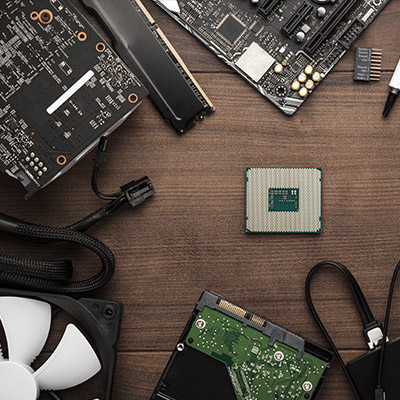
If you have tried to replace any hardware over the past couple years, chances are you were either met with significant disappointment or a hefty price tag. There is currently a hardware shortage—particularly for business electronics—and the entire business technology industry is reeling from it. If your organization depends on technology, as many do, you need to understand how this shortage could impact your day-to-day operations.

The shortage itself stems from a semiconductor shortage, something which bleeds into all parts of device creation, whether it’s manufacturing or acquisition. Here are some of the ways that this hardware shortage can affect a business like yours.

Price Point

As components’ prices increase, the costs of the devices do as well. Unfortunately, this is also a part of the hardware shortage, as the cost of manufacturing drives prices up. Consumers ultimately wind up absorbing the costs, and it could also impact the prices offered by providers of other goods and services.

Timeline for Acquisition

Hardware is in short supply, so you can expect the timeline for acquisition to be extended beyond what you might otherwise experience. We recommend that you put together a timeline for when you want to replace or acquire specific hardware, as this will help you prepare well ahead of time for when it’s time for a hardware refresh.

It Makes Upkeep Even More Important

Since devices are more expensive and harder to find, you will want to make sure that you are taking proper care of your current infrastructure so that it lasts as long as possible. The idea here is to prolong the life cycle of your current technology long enough to outlast the hardware shortage and/or to keep it in proper working order long enough to establish a plan to replace it before it fails.

What We Recommend

We believe that NuTech Services is best equipped to help your organization acquire the hardware it needs to succeed, particularly during this difficult time. We have connections all over with hardware vendors that want to get you the technology you need to keep operations in check. Furthermore, it’s just easier to have someone else do all of the heavy lifting; this gives you opportunities to focus on keeping your business running as efficiently as possible. With us on your side, you’ll never have to worry about devices being unavailable when you need them.

To learn more about our services, give us a call at 810.230.9455.

keepFocus_141545292_400.jpg

Tip of the Week: How to Stay Focused at Work

keepFocus_141545292_400.jpg

It can be difficult to stay focused in the workplace, especially with a litany of distractions at our fingertips at just about any point in the workday. What are some strategies you can use to keep your distractions to a minimum? We’ve outlined three great tips you can utilize to stay focused on the tasks at hand and be more productive with your time in the office.

Don’t Ignore Distractions

Have you ever tried to ignore something that is bothering you for a long period of time? Let’s say you are trying to write an email, but people keep barging into your office with all manner of issues to address. Sure, you could allow them to keep distracting you, but it will only take you twice as long to finish that email. Instead of just resigning yourself to the distractions, it’s better to accept them and address them in an appropriate way, like closing your office door and locking it until you have finished the task at hand. The same can be said for just about any other distractions out there, like phone calls or emails. Acknowledge the distractions, then take steps to minimize them.

Focus on Being Proactive

When you are going about your responsibilities at the workplace, how often are you responding to things that other people are doing or putting out fires, so to speak? Sometimes it can be difficult to get to your own tasks if you are too busy helping people who ask you for help. Instead of going about your day in a reactive way, responding to issues that need your attention or tasks that get thrown at you last-minute, focus instead on being proactive with your time. Take measures to ensure that you can intentionally approach the tasks you have been assigned to complete or the ones that require your attention. Forgive us for making this analogy, but compare it to IT maintenance–-it’s easier and more budget-friendly to keep a computer in proper working order than to fix one that is already broken down.

Minimize Digital Distractions Whenever Possible

Technology is wonderful for helping you get your work done, but on the other side of the aisle, it can distract you from getting it done. Services like social media, near-constant notifications for emails, text messages, phone calls, and everything else under the sun can distract you from your daily tasks. You can mitigate some of these challenges by disabling notifications for non-essential apps or services, as well as simply removing the temptation to check these websites by setting up website blockers or keeping your phone out of sight.

We know how hard it can be to focus on your day-to-day responsibilities when you have so much on your plate. Distractions come in so many different forms, but you don’t have to let them completely derail your productivity. To find out how we can help you implement technology solutions designed to enhance productivity, reach out to us at 810.230.9455.

QRcODE_399066846_400.jpg

Coinbase’s Super Bowl QR Snafu is Sending Shockwaves Through IT Security Circles

QRcODE_399066846_400.jpg

During the first half of the Super Bowl last month, cryptocurrency exchange company Coinbase bought a minute of ad space to broadcast an ad that was just a QR code on the screen, meandering diagonally around the screen like the famous Windows screensaver. Millions of people took out their smartphones and scanned the code and now cybersecurity professionals are publicly decrying the tactic. 

How Do QR Codes Work?

The QR code isn’t new. It has been used by companies and other platforms for over a decade. It is effectively a barcode that can be scanned by a mobile application to bring users to content linked to the code. It looks secure enough, but in earnest, there is very little information that separates one QR code from another, and since they are relatively easy to generate they are used all over to engage users with product promotions, website links, etc. Your QR code reader will read a code in 8-bit blocks and take you to the information linked to the QR code. 

How Are They Insecure?

While QR codes offer intriguing ways to store and access information, the risk they have is palpable. They can easily be swapped out for counterfeit codes, they can be hijacked by hackers, and can also be used by hackers to send malicious code to user devices. This means that while they may seem secure on the surface, they are actually not a good platform for end-user security. In fact, when they were developed, the creator did not envision all the possible security issues, stating publicly that they “…need security revamp.”

How to Protect Yourself From QR Code Attacks

Since they are an intriguing way to get people to interact with a company’s marketing material, they have been used liberally for quite a while. For the business that wants to utilize this technology it is prudent not to use them for user logins or financial transactions as they can be exploited to intercept information; meaning they can be used to steal credentials and provide threat actors means to access accounts and networks they have no business having access to. 

One way to marginalize the risk to your organization from end-user QR code usage is to add it as a line item on your cybersecurity training platform. Your company probably already trains users about phishing (and if you don’t, you should start immediately), so adding in a bit about not using QR codes for work-specific tasks can be included without much fuss. Users have to know that sensitive, financial, or proprietary information should not be shared using QR code technology. Some talking points you should consider include:

  • Check URL carefully if using a QR code
  • Don’t use QR codes to navigate directly to a website
  • Don’t use QR codes to download any information
  • Don’t download a third-party QR code reader as most smartphone cameras have this functionality by default. 

The QR code can be beneficial in some circumstances but keeping them away from your business’ critical information is imperative. We should mention that there are encryption enabled QR codes called dynamic QR codes that offer a little more security, but as a best practice, eliminating QR codes from internal data sharing within your business is prudent. 

If you would like more information about setting up security training that actually makes a difference for your business, give NuTech Services a call today at 810.230.9455. 

evaluate_risk_477897766_400.jpg

How to Properly Evaluate Your Security

evaluate_risk_477897766_400.jpg

How effective is your cybersecurity? It seems like a simple question, but no less important to consider and determine as the answer could be the difference between a prevented breach and a successful one. In order to keep track of your business’ cybersecurity preparedness, it is important that you regularly evaluate it. Let’s go through the essential steps to performing such an evaluation.

Step One: Figure Out Where Your Weaknesses Lie

The first step to evaluating your cybersecurity is to identify where your biggest shortcomings are—otherwise, what chance will you have to fix them? Threats are always being improved and developed anew. Figuring out which parts of your business’ technology are due for an upgrade is key to shoring up the weaknesses that these upgrades can resolve.

If a simple upgrade or patch isn’t the answer, this will help you figure out what is. Maybe someone needs additional training to reinforce secure processes, or maybe an unreported complication has your team resorting to workarounds that open you up to attack. In essence, you need to know what problems need to be solved before you can solve them.

Step Two: Apply Trusted Methods that Meet Established Standards

When all is said and done, it really isn’t that hard to figure out what you need to do to protect your business. There are assorted organizations that have publicized the best practices that they recommend (or actually, urge) businesses to abide by in order to minimize modern cyberthreats. If you aren’t sure whose recommendations you should be following, don’t hesitate to give us a call and ask. We’re happy to help you figure out what needs to be done.

The same can and should be said of any industry-based regulations and compliances that might apply to your business. Things like the Payment Card Industry Data Security Standard (PCI DSS) apply to most businesses in operation today, and there are some industry-specific guidelines that could severely hinder one’s success if they are not followed. Knowing what applies to your business and abiding by any applicable rules and laws will only help make your security more effective.

Step Three: Figure Out if You Have the Resources You Need

Somewhere along this process, you might have a moment where you feel a little overwhelmed by everything that is expected of you—and that is completely understandable. It is, in a word, a lot. While your cybersecurity is obviously very important, you still have to run the business you’re trying to protect… and unfortunately, fully-credentialed IT professionals don’t come cheap.

There is one glaring exception, though, that can give you the opportunity to enlist the skill of a full team of professionals of this caliber for a manageable monthly cost. This is how the managed service model works. By relying on our team members for however much of your IT-related needs as you wish to use us for, you can rest assured that you have the resources needed to manage your business’ essential tools and technology in a secure fashion. Maybe you have us handle your security while your in-house team maintains your IT, or vice versa. We can scale our services to precisely fit your needs and budget, without shortchanging any security requirements you may have.

Step Four: Plan Your Cybersecurity’s Future

While it may be obvious that planning for cybersecurity after a security incident is the most perfect example of “too little, too late,” more businesses than you’d think still follow that approach. Some of them do so without even realizing it, simply because they haven’t considered how cyberthreats change over time and how easily they could find themselves in the crosshairs someday.

Fixing this requires a proactive approach. Take the time now to devise a security plan and policies for your business to follow—particularly if a security incident were to darken your doors—and train your team to do so automatically. Once you have this plan established, break it out every now and then to review it and adjust it as need be… cyberthreats change over time, after all.

NuTech Services is Here to Help You at Every Step

As a managed service provider, a large part of what we do is centered around the idea of cybersecurity, so we have a lot of experience with fulfilling each step of this process. Find out what we can help your business accomplish by calling 810.230.9455 today.

videoConferencing_444587400_400.jpg

Remote Meetings Require the Right Technology

videoConferencing_444587400_400.jpg

Today’s world of video conferences and remote work means that many workers are forced to endure the dreaded “Zoom Call” or “Teams Meeting,” whichever solution is implemented at their organization. While these terms might be used in a negative way, there are opportunities for you to improve the way you hold your video chats. Here are just a few ideas for you to consider implementing.

Clear Video and Audio

It goes without saying that a good video presentation starts with having crystal-clear video and audio. Much of this will have to do with procuring the appropriate hardware for the job, but your Internet connection can also play a role in this. We recommend you work with experts like NuTech Services to help you get ready for your video conferencing presentations.

Supplemental Visual Aids

No one wants to stare at a talking head the entire meeting, so you should consider the use of visual aids, like PowerPoint presentations or infographics, to help you get your point across to your staff. You can also switch between presenters so that it’s not just one person presenting the entire time, which can make a world of difference for your employees’ attention spans.

Additional Features Like Chats, Emojis, and File Sharing

Video and audio are well and good, but others express themselves in different ways that might make them feel more comfortable. By using the chat and emojis, your employees can react to the meeting in real-time, provided they are not doing anything distracting, like sending memes with quotes from the meeting to each other in the chat.

Engagement Above All Else

People tend to enjoy meetings more often when they are involved in the discussion, so do your best to involve everyone in the meeting in some way, shape, or form. Depending on the nature of the presentation, you should encourage your users to unmute their microphones when they have something they want to say, or use the Raise Your Hand feature (or its counterpart). Some video conferencing tools even allow for break-out rooms that can give your team a chance to debrief and feel more involved.

Want to get your team started with better video conferencing? It all starts with having the right tools for the job. To learn more, reach out to us at 810.230.9455.

emailHosting_89566215_400.jpg

Is Hosted Email Right for Your Growing Business?

emailHosting_89566215_400.jpg

Email is a solution that your business uses just about every single day, and as one of your central methods of communication, you need to consider how it’s managed and maintained. Thankfully, modern businesses have more choices available to them than ever before, some of which are so hands-off and easy that they can completely change how a business views their email.

The typical business might choose to host their email management system in-house on their own server infrastructure. While there are various benefits to doing so—chiefly, the security benefits—the same challenges that apply to server management in general, apply to email server management. The hardware and software need to be effectively managed and maintained, a process which might include updating the operating system with security patches and updates, keeping the hardware in proper working order, and ensuring proper climate control so that the devices do not experience difficulties with operations.

Furthermore, email access can also be challenging when your email is exclusively hosted on an in-house infrastructure. Unless your infrastructure has cloud capabilities, your employees will have limited access to their email while outside of the office. It’s also important that your systems are appropriately secured and backed up, which can be stressful to manage for an in-house team, especially if IT is not necessarily your forte.

The alternative is email hosting through a managed service provider, and it solves most of the problems associated with email management. Rather than hosting your email system in-house where you are responsible for taking care of it all, you can outsource these responsibilities to a managed service provider who hosts it on their own infrastructure. The managed service provider takes on the responsibilities of managing and maintaining your email system. This ensures that the system is taken care of adequately, as small businesses frequently have trouble keeping up with the maintenance of IT resources like email servers.

NuTech Services can help your business manage and maintain its email solution. We can even host it on your own infrastructure so you don’t have to worry about it at all! We can take care of all the challenges of protecting, backing up, and maintaining your email solution so you can focus on what matters most: running your business.

Don’t wait any longer; all it takes is one phone call to change the way you do business forever. To learn more about email management and other technology services we can provide, reach out to us at 810.230.9455.

Efficiency_96557162_400.jpg

Learn to Get Through Distractions to Be More Productive

Efficiency_96557162_400.jpg

Productivity can be a challenging thing to measure and maintain, especially in a world full of distractions. Sometimes the distractions come from the nature of the work itself, and understanding this can become the key to overcoming them. Here are five tips you can use to overcome any workplace distractions and become more productive in the workplace.

Plan Your Route

Planning ahead can make your next workday much easier, and it doesn’t involve spending some time at home preparing for the morning after. We recommend that you take some time at the end of each workday to plan the next; you might find that you’re less likely to get distracted by the countless possibilities of the workday if you do so, and you will be more focused on the task at hand.

Put Your Phone Away

Sometimes notifications can distract you from getting work done–especially if these notifications are work-related. Sometimes the best course of action is to either silence your notifications or put your phone away so you can focus on whatever you happen to be working on at that time. More often than not, push notifications are not going to be urgent, so we recommend either limiting the notifications that pop up on your phone during work hours or just turning them off altogether. After all, if something is truly urgent, you can expect to be contacted in a different way than a text message or an email, right?

Don’t Overpromise

A deadline can make all the difference in productivity (depending on the individual), but there are often cases where people might overpromise on something they can’t simply deliver on. Even if these deadlines can be met, the work involved might suffer, so it’s best to give yourself some leeway so that these types of problems don’t surface in the first place.

Set Smaller Goals

Small goals are not just easier to accomplish; they also provide you with the appropriate forward momentum to stay positive about work throughout the day. Large tasks can be broken up into smaller chunks to make them less intimidating and more manageable, too.

Reward Yourself

If you can make work satisfying for yourself, then you can make it more productive. One way you can do this is by giving yourself rewards for accomplishing tasks, like a short break or something sweet to eat. If you want to be both satisfied and productive, taking a step back when necessary to appreciate yourself and the hard work you invest can be helpful.

What are some tips you have to stay productive in the workplace? Be sure to share them with us in the comments.

RansonReview_416944382_400.jpg

There is No Value in Paying a Ransom

RansonReview_416944382_400.jpg

We all know at this point how dangerous ransomware can be for businesses. It can lock down files, threaten operational continuity, and in some cases subject victims to brutal fines as a result of privacy breaches. One place where you might not expect ransomware to hit, however, is customer reviews, and it all stems from the big question: do you pay to resolve a ransomware attack or not?

The obvious answer is “no,” you shouldn’t pay to get rid of a ransomware problem, even if you think that it’s your only option. Rest assured, it is far from the only way to solve your issues. Paying up creates serious problems for your business, some of which you may not have considered. We generally advocate that businesses should never pay the ransom because it 1) Rewards the downright deplorable behavior of hackers, 2) There’s no guarantee that you will get your data back in the first place, and 3) You are funding future ransomware attacks against other businesses like yourself. We like to recommend that businesses have data backup solutions in place on the off-chance that a ransomware attack rears its ugly head, but you should always, and we mean always, contact a trusted IT professional before taking any action in ransomware care.

But again, the point we want to make is that you should never pay the ransom, even if it feels like your only option. In fact, it could put your business’ customer base at risk, and not in the way that you might expect. It turns out people don’t really like to work with companies that are struck by ransomware, but even worse, they don’t like to work with companies that pay criminals for the safe return of their files.

Backing this claim up are the results of a survey by data management firm Cohesity. The study asked 1,000 consumers in the United States about their thoughts regarding ransomware. Some of the most concerning numbers have to do with companies that not only are struck by ransomware, but those that also pay the ransom. Here are some statistics:

  • 55% of respondents said they would lose confidence in a company or organization if they are impacted by ransomware.
  • 54% of respondents claim they would lose confidence in a company if their personal data were breached.
  • 29% of respondents claim they would lose confidence in a company if the breach led to any inconvenience on their part.
  • 23% of respondents would lose confidence in businesses that pay the ransom.
  • 22% of respondents would cease doing business with any organization that pays the ransom.

So, there you have it. Not only are you risking your business’s data, but you are also risking the public’s perception of your business if you fail to protect your company from ransomware. Even if you don’t think ransomware can strike your company, it is better to be safe than sorry.

Don’t let ransomware hold your business hostage; take the appropriate preventative measures now to keep ransomware from crippling your business in the future. NuTech Services can assist with implementing any and all security measures your business needs to minimize the chances of a ransomware infection. To learn more, reach out to us at 810.230.9455.

cloudSave_427031167_400.jpg

Use Hosted Solutions to Cut Your Upfront Technology Costs

cloudSave_427031167_400.jpg

The cloud is a tool that businesses can use to improve operations in a variety of ways. Through the use of the cloud, businesses can dramatically alter the way they conduct themselves, many of which can reduce costs. If you implement cloud solutions, you can expect them to improve accessibility, enable scalability, and improve flexibility, all of which contribute to cost savings in the long term.

The Cloud Improves Accessibility

One of the greatest benefits of working with cloud computing solutions is that the data and applications for accessing this data are made more accessible. Due to the online nature of the cloud, these resources can be accessed in a moment’s notice, allowing your team to get work done wherever and whenever they can, be it on company-owned devices or their personal devices. With this amount of accessibility, you’ll never have to be concerned about work not getting done due to resources not being available.

The Cloud Allows for Scalability

Adding or removing licenses for software applications can be a tough task to handle, especially for larger workforces. The cloud allows you greater control over your software licenses and grants the ability to scale your workforce according to your specific needs. Most cloud software solutions are delivered on a subscription basis, so it’s just a matter of creating an account and ensuring the user has access to a device capable of running that cloud solution. This type of scalability can help you eliminate unnecessary costs.

The Cloud Improves Flexibility

Employees are generally more productive when they are using devices they are comfortable with, and cloud solutions give them the ability to work with a smartphone, laptop, desktop, or tablet of choice. They essentially grant access to services and applications that can be accessed on any approved or applicable device. This means they aren’t limited to the work laptop assigned to them that they are perhaps uncomfortable using due to the operating system. This type of flexibility can empower your team to get work done on their own terms and encourage productivity.

If you are ready to implement cloud solutions that can help your business cut costs, then you should begin by contacting NuTech Services. We can help you identify the best opportunities to save money while implementing new cloud solutions. We can perform a network audit that can identify opportunities for improvement.

To learn more about our services, reach out to us at 810.230.9455.

foldable_phones_254342116_400.jpg

Phones for 2022 – The Foldables

foldable_phones_254342116_400.jpg

We’ve been covering some of the biggest names in the smartphone market over the past couple of weeks, but that’s not to say that there aren’t others out there—some of which are incredibly innovative, but also quite expensive. Let’s examine some of these options.

Samsung Galaxy Z Fold3 5G

People thought that Samsung’s decision to make foldable OLED screens was nothing but a fad, but the fact of the matter is that the technology in the Galaxy Z Fold3 5G is quite impressive, and it will shape the smartphone market for the foreseeable future. With a sturdy aluminum frame with Gorilla Glass Victus on the front and back, the Z Fold3 is a tough phone. When folded up, the device has a 6.2-inch, Dynamic AMOLED 2X, 832×2,268px display that refreshes at a rate of 120 hz. These impressive specifications allow users to do just about anything they need from the outside of the phone.

Other features of the Z Fold3 include a Qualcomm Snapdragon 888 5G chip, 12 GB of RAM, and either 256 or 512 GB of built-in storage. The device can also be upgraded to the Android 12 and Samsung One UI OS right away. Other applications might get some use out of its form factor with time. As for the camera, this device features a 12 MP wide-angle lens with Optical Image Stabilization (OIS), a 12 MP telephoto lens with 2x zoom and OIS, and a 12 MP ultra wide-angle lens. The front-facing camera on the large display is a 4 MP in-display wide-angle lens, while the cover camera is 10 MP wide-angle lens.

The battery life, however, is not ideal, clocking in at a paltry 4,400 mAh and 25w fast charging (a 7.5 hour battery life). There is, however, a side-mounted fingerprint sensor, as well as iPX8 water resistance, Samsung’s DeX capability, and (as the model name implies) 5G. The Galaxy Z Fold3 5G is available in Phantom Black, Phantom Silver, Phantom Green, Thom Browne Edition, and an exclusive Wooyoungmi Edition. As for the price, the Galaxy Z Fold3 costs nearly $2,000 from Samsung and most major cell carriers. 

Samsung Galaxy Z Fold3 5G
Body:  Aluminum Frame, Gorilla Glass Victus front and back, plastic large display
Display: Closed – 6.2-inch Super AMOLED 2X, 120 Hz,  832 x 2,268 (~374 ppi); Open – 7.6-inch Super AMOLED 2X, 120 Hz, 1768 x 2208
OS: Android 11; upgradable to Android 12, One UI 4.0
Chipset: Qualcomm Snapdragon 888
Memory: 12 GB RAM; 256-to-512 GB onboard storage
Expandable Memory: No
Cameras: Rear – 12 MP, 26mm, OIS; 12 MP 52mm 2x optical zoom OIS; 12 MP 123º ultrawide. Front of device – 10 MP 26mm; Front of folded display – 4 MP under-display
Sounds: Stereo Sound
Battery (battery endurance rating): 4,400 mAh (7.5 hours)
Security: Side-mounted fingerprint sensor
Miscellaneous: Samsung DeX, IPX8 water resistant, 24W fast charging

Samsung Galaxy Z Flip3

The Z Flip3 is Samsung’s take on the classic flip phone with an aluminum frame, plastic front, and a Gorilla Glass Victus back. The screen is a 6.7-inch Dynamic AMOLED 2X display with a resolution of 1,080×2,640px and a 120Hz refresh rate. The screen folds in half for protection, and on the outside there is a 1.9-inch Super AMOLED screen for notifications, time, and other quick-view information. This device runs Android 11, but it can be upgraded to Android 12 with Samsung’s One UI 4.0, and it runs on a Qualcomm Snapdragon 888 FG chip. With 8 GB of RAM and 128 or 258 GB of storage, it is also fairly powerful.

Other features include a side-mounted fingerprint sensor and its camera, which is admittedly somewhat lacking compared to other options.  It has a 12 MP wide-angle lens and a 12 MP ultrawide angle lens, so it’s not incapable, while the selfie camera is a 10 MP wide-angle lens. Its battery is also unimpressive at 3,300 mAh and 15W fast-charging with a 6.9-hour battery life. Available in a litany of colors including Phantom Black, Green, Cream, Pink, Dream White and more, the Z Flip3 runs about $1,000 from your friendly neighborhood cell carrier or from Samsung directly. 

Samsung Galaxy Z Flip3
Body: Aluminum frame, plastic front, Gorilla Glass Victus back
Display: 6.7-inch Foldable Dynamic AMOLED 2X, 120 Hz, 1,080 x 2,640px
OS: Android 11; Upgradable to Android 12, Samsung One UI 4.0
Chipset: Qualcomm Snapdragon 888 5G
Memory: 8 GB RAM; 128 GB-to- 256 GB of onboard storage
Expandable Memory: No
Cameras: Rear – 12 MP 27mm OIS; 12 MP 123º; Front – 10 MP 26mm
Sounds: Stereo sound
Battery (battery endurance rating): 3,300 (69 hours)
Security: Side-mounted fingerprint sensor
Miscellaneous: IPX8 water resistant, 15 W fast charging

Microsoft Surface Duo 2

The Microsoft Surface Duo 2 is the company’s second attempt at a high-end productivity smartphone. There is no external display; rather, there are two 5.8-inch AMOLED panels that total an 8.3-inch screen when it is folded out, including some large bezels. Its superb build quality makes it seem like additional app development could make this device a beast for productivity down the line.

This device runs Android 11 on a Qualcomm Snapdragon 888 5G chip with 8 GB of RAM and up to 512 GB of internal storage. There is also a side-mounted fingerprint scanner for security and a 4,449 mAh battery with 23W fast charging. As far as cameras go, the rear-mounted cameras have a 12 MP wide-angle lens with OIS, a 12 MP telephoto lens with 2x optical zoom and OIS and a 16 MP ultra wide-angle lens. The front-facing camera is a 12 MP wide-angle lens. 

Available in Glacier and Obsidian, the Microsoft Duo 2 is currently being sold for $1,500 online at microsoft.com and some other retailers.

Microsoft Surface Duo 2
Body: Plastic frame, Gorilla Glass Victus front and back
Display: 8.3-inch AMOLED, 90 hz, 1,832 x2,688 (~401 ppi)
OS: Android 11
Chipset: Qualcomm Snapdragon 888
Memory: 8 GB RAM; 128-to-512 GB onboard storage
Expandable Memory: No
Cameras: Rear – 12 MP 27mm OIS; 12 MP 51mm telephoto 2x optical zoom OIS; 16 MP 13 mm; Front – 12 MP 24mm
Sounds: Stereo sound
Battery (battery endurance rating): 4,449 mAh
Security: Side-mounted fingerprint reader
Miscellaneous: Stylus support

Foldable OLED technology sure is neat, but do you think it’s worth the price point? Let us know in the comments below.

smart_devices_174202822_400.jpg

3 Useful Smart Devices You Can Implement Today

smart_devices_174202822_400.jpg

The Internet of Things is growing rapidly and can be of benefit to your organization if it is deployed correctly. It offers a massive opportunity to automate certain parts of your business, saving money, and ensuring that human error is taken out of the equation. A majority of businesses have not fully taken advantage of the time and money savings a well-positioned IoT device can provide.  Let’s take a look at three of the most useful IoT devices that a small business can implement.

Smart Locks

For small businesses, physical security is a major consideration. Today, there are smart lock mechanisms that increase convenience and security, by giving managers more control and peace of mind over the locks on their organization’s doors. Unlike traditional locks, a smart lock features a computing mechanism inside a deadbolt lock that can be locked and unlocked remotely. The key to the smart lock is that it has administrative tools built in that give administrators the ability to create and revoke digital keys that provide a level of access control that can be added and eliminated in seconds. Additionally, smart locks provide comprehensive logs as to when people opened a lock with their digital key that is assigned to a user’s device, giving administrators control and oversight over every door in your building.

Smart Lighting and HVAC Controls

Another digital tool that can help save plenty of money are smart lights and thermostats. The smart lighting not only provides additional convenience, as it can be set when to turn on/off lights automatically. Administrators can ensure all lighting is handled remotely as well so they don’t have to physically be at a location to ensure that the lights are on or off. 

The smart thermostat operates on the same general principle, but with the cost of heating fuel and electricity, it can literally pay for itself in a matter of months. Admin features allow for temperature control around the clock, so that a company can save plenty of money on heating and cooling bills by setting temperatures for different parts of the building at different times. With smart thermostats, you’ll never have to worry about that employee that cranks the heat and leaves it on for days.

Smart Cameras

These days, every business should have some type of surveillance system. Not only is it a theft deterrent, but it can also help lower insurance premiums. Unfortunately, many businesses don’t have sophisticated enough cameras to help authorities if a theft were to occur. With smart cameras, a business can get the crystal clear, high-resolution cameras they need, and it won’t cost thousands of dollars to implement. Most of today’s smart camera systems come with enough cloud storage to upload the high-definition footage, making reviewing this footage less problematic. 

Overall, the Internet of Things is both a benefit and a problem that every organization has to confront, but by implementing smart tools that are secure and reliable, your organization can save money, be more secure, and save a lot of time. 

What do you think about smart devices? Do you think they are secure enough to use in your business? Leave your thoughts in the comments section below and check back soon for more great technology content.

bookmark_454827911_400.jpg

Tip of the Week: Transfer Your Bookmarks Into Chrome

bookmark_454827911_400.jpg

Bookmarks can help you be productive with your web browser, but if you try to switch to a new one, you might find yourself without your bookmarks. Let’s say you want to switch to the established and well-respected browser, Google Chrome. We can help you import your bookmarks, and all it takes is a short and easy process!

Add Bookmarks from Other Web Browsers

Before proceeding, know that you need to have your previous browser installed on the device if you want to import bookmarks from it.

Chrome provides users with the ability to directly import bookmarks from other web browsers through its settings. To find them, you can click on the three-dot icon in the top-right corner of the browser. From here, select Bookmarks > Import Bookmarks and Settings. Next, select Import and select the browser you want to import from. Identify that you want the Favorites/Bookmarks imported from the checklist. If you see the blue checkmark, you can click on Done.

Add Bookmarks from an Exported HTML File

If you want to add bookmarks through an exported HTML file, you can import them this way, too. To do so, use the same process outlined above, but instead of selecting the browser to import from, select Bookmarks HTML file. Afterward, all you need to do is select the file you want to import and you’re golden.

Sync Bookmarks Across Devices

These options only work if you are using the desktop version of Google Chrome, so syncing your bookmarks across devices is the best way to get them on your mobile browser. You can do this by making sure you are logged into Google Chrome on both of your devices, then clicking on the three-dot icon in the top-right corner of the screen in Chrome. You can then select Settings. If you want to sync only the bookmarks, then disable the slider and check the box for Bookmarks.

Hopefully you found this tip helpful! Be sure to check back and see what other tips we have in store for you.

affordable_phone_370903149_400.jpg

Phones for 2022 – The Value Devices

affordable_phone_370903149_400.jpg

Last week, we published a blog about the most impressive new smartphones on the market, but the price tag might be a bit daunting for some organizations and users. For those focused more on value, here are three options that you can pick up for less than $500.

Google Pixel 5a 5G

The Pixel 5a, more or less a copy of the Pixel 4a, offers a brushed aluminum back and Gorilla Glass 6 front protecting its aluminum frame. It also sports a 6.34-inch,1,080 x 2,400 pixel OLED display. Instead of using the more recent Tensor chip, the 5a is powered by a Qualcomm Snapdragon 765G with 6G of RAM and 128 GB of onboard storage. The specs are basically the same as the Pixel 4a, but there is still a significant power for price for this mid-range smartphone.

The camera setup is similar to other Pixel phones. Powered by the Android 12 operating system, the Pixel 5a’s 12.2MP wide angle lens and 16MP ultrawide angle lens can take some excellent pictures for a mid-tier phone. The front-facing lens is an 8MP wide angle lens. Compared to the other Pixel phones, the battery here is quite impressive, sitting at 4,680 mAh for a 122-hour battery life and 18W fast charging. Users also have access to a rear-mounted fingerprint sensor and IP67 dust and water resistance. Only available in Mostly Black, $449 can get you the Pixel 5a from the Google Store.

Google Pixel 5a
Body:  Aluminum frame, aluminum back, Gorilla Glass 3 front. 
Display: 6.34-inch OLED, 1,080 x 2,400 (~415 ppi)
OS: Android 11, Upgradable to Android 12
Chipset: Qualcomm Snapdragon 765G
Memory: 6 GB RAM, 128 GB Storage
Expandable Memory: No
Cameras: Rear – 12.2 MP 27mm; 16 MP 119º; Front – 8 MP 24mm
Sounds: Stereo sound
Battery (battery endurance rating): 4,680 mAh (122 hours)
Security: Rear-mounted fingerprint sensor
Miscellaneous: IP67 dust and water resistant
Other versions: n/a

Samsung Galaxy A71 5G

With an aluminum frame, the A71 5G sports a plastic back and Gorilla Glass 3 on the front, along with a 6.7-inch Super AMOLED Plus display with a 1,080 x 2,400 resolution. The model will determine whether you are equipped with an Exynos 980 chipset with either 6 or 8 GB of RAM. Regardless, you are getting 126 GB of onboard storage with microSDXC expandability. The device comes with Samsung’s One UI 3.0 operating system and Android 10, but it can be upgraded to Android 11 and One UI 3.2.

The device’s back has four rear-facing cameras in total: one a 64 MP wide angle lens, another 12 MP ultrawide lens, and a 5 MP macro lens joined by a 5MP depth camera. On the front, you get a 32 MP wide angle lens. The Galaxy A71 5G offers 5G capabilities powered by a 4,500 mAh battery with 25W fast charging. The device is also secured by an in-display fingerprint sensor. The A71 5G is available in Prism Cube Black, Prism Cube Silver, and Prism Cube Blue online for $250 to $350.

Samsung Galaxy A71 5G
Body: Aluminum frame, plastic back, Gorilla Glass 3 front
Display: 6.7-inch Super AMOLED Plus, 1,050 x 2,400 (~393 ppi)
OS: Android 10, upgradeable to Android 11; One UI 3.0
Chipset: Exynos 980
Memory: 6-to-8 GB RAM; 128 GB onboard storage
Expandable Memory: microSDXC
Cameras: Rear – 64 MP 26mm; 12 MP 123º; 5 MP macro; 5 MP depth; Front – 32 MP 26mm 
Sounds: Stereo sound
Battery (battery endurance rating): 4,500 mAh (98  hours)
Security: In-display fingerprint sensor
Miscellaneous: 25W fast charging
Other versions: Samsung Galaxy A71; Samsung Galaxy A72 (2021)

Motorola Moto G Power

Constructed from a hard plastic frame and back as well as a glass front, the Moto G Power is a far cry from quality build, but it does have a solid value proposition. Its screen is a 6.6-inch IPS LCD, 90 hertz display with a resolution of 720 x 1,600, running Android 11 on its Qualcomm Snapdragon 662 chipset, with 4 GB of RAM and your choice of 64 GB or 128 GB of onboard storage. This device only costs about $200, so it’s hard to beat that value.

As for its camera, the Moto G Power claims a 48 MP wide angle camera with a pair of 2 MP cameras for depth and macro resolution. On the front, there’s an 8 MP wide angle lens. This device also sports a 5,000 mAh battery and 10W fast charging with 130 hours of battery life, all for under $200. With a side-mounted fingerprint sensor to help secure it and a water-repellent coating protecting it, the Moto G Power is a relatively affordable choice in Flash Gray and Polar Silver.

Motorola G Power
Body: Plastic frame, plastic back, glass front
Display: 6.6-inch IPS LCD; 720 x 1,600 (~270 ppi)
OS: Android 11
Chipset: Qualcomm Snapdragon 662
Memory: 4 GB RAM; 64-to-126 GB onboard storage
Expandable Memory: microSDXC
Cameras: Rear – 48 MP wide; 2 MP depth; 2MP macro; Front – 8 MP wide
Sounds: Stereo sound
Battery (battery endurance rating): 5,000 mAh (~130 hours)
Security: Side-mounted fingerprint sensor
Miscellaneous: Water-repellent coating
Other versions: n/a

Other Phones to Think About

There are other phones you can purchase based on the value they offer, such as the last iteration of today’s flagship devices. They might cost you more than the above options, but they are certainly less than those from this year. All that said, even this year’s flagships also offer multiple models that are somewhat affordable. Instead of the iPhone 13 Pro Max, maybe purchase an iPhone 13. The Google Pixel 6 comes with the new Tensor chip, and only costs $599. Regardless, know that it isn’t that hard to find a good value in a device without having to shell out an extra $50 every month to lease from your carrier.

Next week, we’ll take a look at the form factor for this year’s smartphones, including their designs. Don’t miss it!