186842673_tech_flub_error_400.jpg

Some of 2020’s Biggest Tech Flubs

186842673_tech_flub_error_400.jpg

It’s no secret that 2020 has been relatively tough on all of us, down to the technology that so many use and rely on each year. Now that we’re in the home stretch towards a hopefully better 2021, let’s look back at some of the technologies that didn’t deliver as promised and some of the other issues that we saw this year—some relatively harmless, and some decidedly not.

Quibi’s Crash and Burn

In a market already saturated with on-demand streaming services, Quibi offered something at least a little different in its short-form episodic storytelling and big-name casting. It also had quite the financial backing to support it—$1.75 billion in funding. Pair that with a monthly price tag of $5, and on paper, it would seem to be a surefire hit.

Unfortunately, this just wasn’t enough for the platform. With much more time on their hands thanks to the pandemic, short-form content didn’t have the same appeal… especially that which was restricted to a mobile device, and inaccessible on the entertainment systems that many prefer to use while at home. Quibi also had an uphill battle to fight against other options and services for such content, like YouTube and other free and ad-supported platforms.

This ultimately led to Quibi shutting down seven months after it launched, with much of the funding for it returned to investors.

So, what can we learn from this?

Simply put, it is not enough to just have an idea, especially when the timing is wrong. While we can’t say for certain that Quibi would have fared better should circumstances have been different, it is an interesting possibility to consider.

Bitcoin Scam Twitter Hack

In one of the most unsettling attacks that took place this year, many high-profile Twitter accounts—including those belonging to Bill Gates, Barack Obama, Elon Musk, and Kanye West—were hacked in an attempt to push a Bitcoin-based scam.

Fortunately, Twitter jumped into action and locked down these accounts before too much damage was done and has taken further steps to ensure account security… although it did raise some questions as to what might have happened if the motives behind the attacks were more destructive.

Zoom’s Security Missteps

As the world locked down, people and businesses needed to find a new way to communicate amongst one another. While many video conferencing systems like Skype, Microsoft Teams, and others fumbled this opportunity, Zoom was able to embrace it.

Unfortunately, Zoom’s security was lacking early on, which was made abundantly clear once so many had started using it. Hate speech and lewd content was shared in meetings, coining the term “Zoombombing.”

Since then, Zoom has taken steps to improve the platform’s security and users have given more thought to securing their conferences.

The Assorted Coronavirus Myths and Misinformation

Of course, we can’t talk about the technology fumbles of 2020 without bringing up the coronavirus and the various messes created because of it. For instance:

  • Numerous conspiracy theories linking the development of 5G connectivity to COVID-19, resulting in acts of cell tower vandalism and assault against telecom employees.
  • Bill Gates being accused of masterminding COVID-19 or using the pandemic to implant people with microchips—despite his long history of contributing to disease-fighting causes and efforts.
  • Fumbled information sharing efforts on the part of the US Centers for Disease Control and Prevention’s website.

To their credit, many social media platforms took more aggressive efforts against misinformation, flagging some misleading posts.

So, What Does This Have to Do with Your Business?

Simple: while the above examples were obviously larger-scale issues, they demonstrate that technology is far from perfect and how easily it can be turned against your interests. This is especially the case when you consider the technology you utilize in your business.

Here at NuTech Services, we’re experts in all things IT, and lend that expertise to your business’ benefit. Not only can we help optimize the technology you currently use, we can also help you make the improvements needed to advance your operations. Whether it’s helping you keep your work accounts secure or steering you away from an application that will ultimately create bigger problems, we are at your service.

It’s just what a good managed IT service provider does.

To find out more about what our team offers, give us a call at 810.230.9455.

211193007_mobile_businessman_400.jpg

Tip of the Week: 5 Ways to Improve Mobile Business Etiquette

211193007_mobile_businessman_400.jpg

Mobility is important to today’s workers and can be valuable to many different types of businesses; so much so that businesses demand that employees stay connected. Sometimes, especially when in public, this can become a social problem. Today, we will discuss mobile phone etiquette and five ways that you can improve yours. 

Business Doesn’t Stop, But You Should

We’ve all been there. We’re driving or on the train and a phone call comes in that you absolutely have to take. What do you do? Most people will take the call, but the right thing to do is send it to voicemail and return the call as soon as possible. Why? Because you are distracted. It’s best to call back and give the caller the attention they deserve rather than trying to juggle a phone call in the middle of traffic. Okay, this one is pretty basic, but it’s the foundation of all mobile etiquettes.

Don’t Be Rude

One of the biggest problems with mobile business is that there seems to be a continuous amount of communications that come in. This isn’t a problem when you are free to talk or text. It can be a problem if you are with other people, however. If you must take a phone call when you are face-to-face with others, be sure to excuse yourself and go at least ten feet away. This is courteous, and after all, it’s only four more feet than social distancing.

Brevity is often a cornerstone to modern mobile communication, with emails and texts often being short and sweet. Keep in mind though, sometimes being overly short can come across as disarming or even disrespectful to the recipient.

Stop Texting in Important Moments

One of the biggest faux pas that a mobile professional can have is the tendency to text people when other people demand their attention. If there is business going on right in front of you, even if it’s just a meal or an impromptu conversation, do yourself a favor and wait until it is over to return text messages. Again, pretty basic, but it doesn’t hurt to keep it top of mind.

Make Sure You Have Good Reception

This one is a serious problem. A lot of times when people are on the go, their service is not conducive to professional conversation. You can’t do business if calls keep getting dropped or texts don’t go through because you’ve chosen a poor place to conduct a mobile meeting; and nothing ruins your ability to communicate than if people have to stop every few minutes to get clarification or ask you to repeat yourself. Choose your location wisely. 

Sometimes you can’t help it, we get it, but if you are planning on running a meeting and need to participate, try to be somewhere where the service is reliable. It’s a sign that you respect everyone else’s time. If it’s impossible to prevent, simply be forthcoming about it and let everyone know at the start of the call. Perhaps even give an option to resume the call later if things get too difficult for the other participants.

Return Calls as Soon as Possible

When you return phone calls soon after you miss them, it shows professionalism and respect for the caller. If you are going to be out of touch for a bit, whether it be for meetings or personal time, it is solid practice to change your voicemail to state when you won’t be available. Then, when you are available, be sure to reach back out. Nothing is worse than getting a voicemail stating that the person won’t be available two weeks ago.

The mobile device is one of the best business tools available for people today, but knowing how to use them professionally is extremely important. Have you had to deal with a vendor or client that doesn’t adhere to mobile best practices? Leave your stories in the comments section below and return to our blog for more great tips and tricks each week.

188488407_data_privacy_400.jpg

Some Consumers are Aware of Data Privacy, But It’s Not Enough

188488407_data_privacy_400.jpg

With the holidays approaching, and with the global pandemic still underway, online shopping is going to be under even more demand than usual in 2020. With all of these transactions online, it would stand to reason that people would be more keen to follow best security practices than ever before. This week, we take a look at how people are staying secure online and whether or not the need for speed outweighs their security and privacy efforts.

The User Experience and How Security Fits

Let’s face it, the majority of Internet consumers have no idea about data security until something terrible happens. Until they get malware, or get their identity stolen, or their accounts hacked, they assume that there is enough built-in security to facilitate any behavior online. This is not ideal, obviously, but there are a small number of people, around 29 percent, that have enough security awareness to avoid certain websites. 

This actually represents an increase in security awareness, and retailers that are now seeing their sales drop due to security concerns are feeling pressure to improve their security, especially considering that this year online retail sales are expected to climb by nearly 30 percent over 2019.

It is a balancing act. While on one hand, consumers demand a certain level of security while shopping online, they also demand superior usability. A streamlined user experience typically gets in the way of comprehensive security. Think about it this way: a third of users will just delete an application if they experience challenges in usability, including login problems. Therefore, businesses need to weigh what type of authentication measures they use. 

Major Privacy Concerns are Troublesome for Consumers

Another issue that is plaguing online retailers, is how their data is used, stored, and managed. Most consumers are at least cognizant of how important it is to keep their personal and financial information protected and are quick to move past retailers that they deem don’t at least consider their privacy. In fact, 70 percent of consumers view their ability to deny developers of certain apps and websites the right to resell their information as a key consideration of whether or not to use that particular site/app. This goes against user practices, however, as nearly three-quarters of consumers will give over some information for a discount. Some consumers will provide a whole profile for as little as five percent off their purchase.

With this in mind, it is left to the business to figure out how to get the information they seek, while also paying attention to consumer’s growing distrust of online data collection. It’s a tough situation for both parties. Many businesses will try to provide discounts on a user’s birthday, but that is only possible if they actively work to collect that information. Some retailers routinely do business this way, but many are starting to find new ways to get more engagement from their customers. 

Every Business Needs to Be Secure

Every single business can use data to their advantage, but with more people concerned about their online privacy than ever before, it is important to have the security protocols in place to allow them trust enough to do business with you. If you are looking for some help with your business’ security, or would like to learn more about the options available to help you find the happy medium between helping your customers protect their privacy, call the IT security professionals at NuTech Services today at 810.230.9455.

223018647_security_update_400.jpg

Have You Applied the Recent Chrome Patches?

223018647_security_update_400.jpg

Being told by an IT provider how important it is for you to update your software is probably a bit like your grade school teacher telling you how important it is to do your homework: of course they’re going to say it, it’s their job to do so. However, we’re telling you what the Department of Homeland Security announced when they released a warning to update your Google Chrome web browser.

October saw five vulnerabilities patched in Chrome, with two of those vulnerabilities being classified as zero-day threats. A zero-day threat is an attack that is already being used by cybercriminals by the time security researchers identify it. With the head start that the zero-day threat gives them, these cybercriminals have a dangerous advantage.

To add to the issue, two of these zero-day threats were also identified as high severity attacks, one taking the form of a JavaScript engine phishing attack and the other in a corruption vulnerability in one of Chrome’s features. While further details are scarce, the Department of Homeland Security’s Cybersecurity and Infrastructure Agency (CISA) have warned us of their significance and their capability to assist an attacker in taking over an infected system.

Both threats have been spotted, so CISA is officially encouraging that all patches be applied, and updates made, to resolve these threats.

What Makes Updates So Important?

Let me ask you this: let’s say that your office’s front door would no longer lock securely. Would you leave it alone in the hopes that nobody would mess with it, or would you prioritize having the lock fixed?

This is the situation that business owners now find themselves in, and far too many of them simply hope that it won’t be a problem. Consider the fact that Google released a patch for one of these vulnerabilities via an update, but only half of users applied the update within a day.

Regardless of whether this is due to negligence or the possibility that the device they are using is simply outdated, this suggests that many companies are leaving their vulnerabilities exposed.

NuTech Services can help through our managed services, as we’ll ensure that your technology is patched and fixed appropriately. To learn more about our services, or to find out how else we can assist you in securing your business’ IT, reach out to us at 810.230.9455.

182791535_mobile_phishing_400.jpg

You Even Need To Worry About Phishing In Your Text Messages

182791535_mobile_phishing_400.jpg

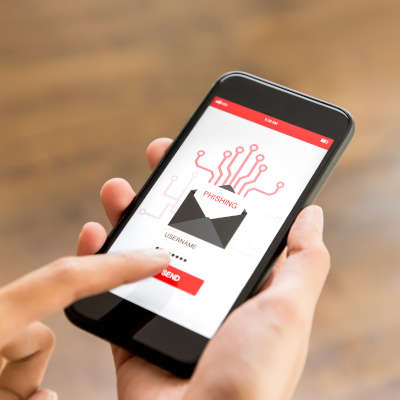
As serious as they are, cyberattacks are not always labeled with the most serious-sounding names. We are, of course, talking about phishing: the use of spoofed email addresses and fraudulent messages to get hold of data, or whatever goal the attacker has in mind. One of the silliest-sounding versions of phishing—smishing—has proven to be of particular risk.

What is Smishing?

When cybercriminals use phishing scams, they aren’t using advanced technologies to crack their target’s digital defenses. Instead, they hack users by exploiting the assumptions, bad habits, and ignorance of the target to get them to release sensitive information.

Attackers circumvent cybersecurity measures by sending messages purporting to be from an authority figure or trusted contact, thereby convincing the user to undermine their protection. A notorious example of phishing is the email from the persecuted royal family, known as the “Nigerian Prince scam.”

Smishing simply applies this principle to SMS instead of the usual email.

You could simply receive an SMS from a number that claims to be a financial institution or service provider, or even if you are doing business with that institution.

This message could contain details that confirm that the sender is who they purport to be, or it could go unnoticed because it is not the kind of message that most people expect to be phished through. More recently, many of these attacks have been sent under the ruse of being from authorities trying to share information about the COVID-19 pandemic.

There is a possibility that a link may be included in the message asking you to log in, but the problem is that this will lead you back to a fraudulent login page where the user’s actual login data is collected. It may prompt you to download a document that hides a variety of malicious programs, and suddenly the attacker has access to all your personal information, such as your phone number, email address, credit card numbers, bank account credentials and other sensitive information.

It’s as simple as that.

Now, think for a moment about how much sensitive data you’re likely to keep on your phones and what data a hacker might extract from them.

Spotting a Smishing Message

To prevent this from affecting your business, your entire team must be able to detect phishing attempts as soon as they are sent via SMS.

  • Just as with suspected phishing emails, opening a suspected smishing message is extremely risky. If the sender is not familiar to you, do not open the message and definitely do not access any links included.
  • If you cannot verify the legitimacy of the message, do not release sensitive information. If you receive a text message from Facebook informing you of a problem with your account, access Facebook separately to confirm before you resolve it.
  • Some mobile devices can block texts, just like email clients can filter messages. So, make sure you block phone numbers that are suspected of phishing and apply settings that might be helpful.

As a final tip, you need to make sure your entire organization keeps an eye on security during the workday and that they know how to identify and respond to threats.

Of course, it does not hurt to apply certain preventative measures to your network, such as anti-virus, firewall protections, and others. We can help! NuTech Services can support your team in its IT requirements for security, productivity, and mobility. Find out about our services by contacting 810.230.9455.

190155965_adobe_end_400.jpg

The End is Nigh for Adobe Flash Player

190155965_adobe_end_400.jpg

Once the cornerstone of many websites on the Internet, Adobe Flash Player is finally going into retirement. As soon as December 31, 2020 rolls around, support for the software will end. This means that it needs to be removed from your business’ technology before then.

Adobe Flash Player was deprecated back in 2017, but its official end of life date lands at the end of this year. What this means is that the software will gradually show more and more vulnerabilities that will not be mitigated, and therefore, the software will be far more susceptible to attack. Therefore, it is important that you check to make sure that anyplace that Flash Player would be—including your Internet browsers on your computers and mobile devices—to make sure that Flash isn’t still installed there.

Chances are pretty good that you haven’t used Flash Player for some time, simply because other options are more useful. Despite the platform once dominating the space, it will soon be little more than a liability. Unfortunately, this also means that any legacy software that relies on Flash will not function after the year ends and will also need to be removed.

Reach out to our team to find out how you can help keep vulnerabilities out of your IT by removing software when the time comes. Give us a call at 810.230.9455 today.

115325381_smartphones_400.jpg

A Few Budget Options for Your 2020 Smartphone Search

115325381_smartphones_400.jpg

For the past couple of weeks we’ve taken a look at the 2020 flagship smartphones as well as some innovative new devices that are available now. This week, we will take a look at some of the budget options that are available to consumers. Not everyone has $1,000 to pay for a smartphone, but there are some pretty solid options out there that can provide a sufficient user experience to meet people’s mobile challenges. Let’s take a look at some of the options.

Past Flagship Phones

We should start by mentioning that some of the best options are actually purchasing flagship phones from the past couple of years. Most flagship smartphones from 2018 have the same specs as many of the mid-range phones today so they can be had at a budget price point. These devices tend to not only have comparable specs, they typically have superior build quality, run on better processors, and offer a user experience in line or better than the experience they would get on some budget smartphones. 

Some options to consider are the Samsung Galaxy s9 and s9+, LG’s V50 thinQ, the iPhone X, and the Google Pixel 3 XL. The only drawback of older phones is that they may not get the same amount of software upgrades that a newly-purchased phone would. Either way, you might get the most value out of an older flagship phone. 

Apple iPhone SE

The 2020 version of the iPhone SE still has the body of an iPhone 8, but the internals are upgraded and it presents users that can’t afford the $1,000 iPhone 12 Pro Max to get a new iPhone at a reasonable price point. The new SE runs iOS 13 on the A13 Bionic chipset to offer the user experience Apple users expect out of a budget iPhone. 

Apple iPhone SE (2020)
Body: Aluminum with Gorilla Glass front and back
Display: 4.7-inch Retina IPS LCD (~326 ppi)
OS: iOS 13
Chipset: Apple A13 Bionic 
Memory: 3 GB RAM
Expandable Memory: No
Cameras: Rear – 12 MP (wide); Front – 7 MP
Sounds: Stereo Speakers, No Headphone Jack
Battery (endurance rating): 4,500 mAh (87 hours)
Security: Fingerprint reader
Miscellaneous: Accelerometer, Gyrometer, Proximity, Compass, Siri assistant
Other versions: none

Samsung Galaxy A51

Samsung has 10 separate devices in their A-line. They range from the A01 to the A71, but the Galaxy A51 is priced at the upper end of the budget space. The A51 features a 6.5-inch Super AMOLED display, expandable storage, and a 3.5mm headphone jack. It is a great option if you are looking for a phone that gives you a decent user experience while also turning back the clock a bit. Available in Prism Crush Black, Prism Crush White, Prism Crush Blue, or Prism Crush Pink, the Galaxy A51 can be found on most major carriers and unlocked online.

Samsung Galaxy A51
Body: Plastic with Gorilla Glass 3 front, plastic back
Display: 6.5-inch Super AMOLED (~405 ppi)
OS: Android 10
Chipset: Octa-core Exynos 9611
Memory: 4-8 GB RAM
Expandable Memory: microSDXC
Cameras: Rear – 48 MP (wide), 12 MP (ultrawide, 5 MP (macro, 5 MP (depth); Front – 32 MP (wide)
Sounds: Loudspeaker, 3.5mm headphone jack
Battery (endurance rating): 4,000 mAh (86 hours)
Security: In-display fingerprint reader
Miscellaneous: Accelerometer, Gyrometer, Proximity, Barometer, Compass, Bixby assistant
Other versions: Samsung Galaxy A-series

Google Pixel 4a 5G

A 5G-capable budget smartphone, the Google Pixel 4a 5G features a 6.2-inch OLED display and has specs that are better than its price point would suggest. Its camera experience, specifically, is much better than phones found at this price. Available in Just Black and Clearly White, the Pixel 4a 5G is available in the Google store or from many major service carriers.

Google Pixel 4A 5G
Body: Plastic with Gorilla Glass 3 front and plastic back
Display: 6.2-inch OLED, HDR (~413 ppi)
OS: Android 11
Chipset: Qualcomm Snapdragon 765G
Memory: 6 GB RAM
Expandable Memory: No
Cameras: Rear – 12.2 MP (wide), 16 MP (ultra wide); Front – 8 MP (wide).
Sounds: Stereo Speakers, 3.5mm Headphone Jack
Battery: 3,885 mAh
Security: Fingerprint reader
Miscellaneous: Accelerometer, Gyrometer, Proximity, Barometer, Compass, Google Assistant
Other versions: 4G LTE version

Would you consider buying a budget device to use as your daily smartphone? Let us know in the comments section below.

258871297_software_as_a_service_400.jpg

How Software as a Service Fits Into Your Business’ Technology Plans

258871297_software_as_a_service_400.jpg

Traditionally, if a business needed a solution to a problem, they would research which technology is the best for the problem they had and go out and buy it. If a company didn’t have the money to buy that solution, they would borrow to buy it so that their business wouldn’t stagnate and fail. In today’s tech-driven business environment there is a much better option than mortgaging your business just to save it.

It’s the cloud.

Specifically, software-as-a-service (SaaS).

What is SaaS?

In order to understand SaaS, you definitely need to have a cursory understanding of the concept of cloud computing. Basically—for you that don’t know—cloud computing is the use of servers hosted in data centers to provide your business (or individuals) the computing they need through the Internet. It’s as simple as that. Companies create data centers where any business can get the processing, the data storage, the services, and the software utilities they need. Software-as-a-service represents the last part of that. Basically, if you need a piece of software, you can now get it in the cloud.

Why Buy Software In the Cloud?

If you are going to buy software, why not buy a physical copy of the software? Well, you obviously still can, but in order to run the software, you will also need the infrastructure in place that can handle the dissemination and computation of data; you need reliable and continuous IT support to ensure that the hardware is maintained, the software is patched, and that any issues that come up are handled, if not proactively, quickly. You also need to ensure that the people using your software are networked together, which can be extremely costly to perfect and secure. 

 Software-as-a-service comes with all this. Not only does your business get the software it needs, it does so without having to take on the responsibility of maintenance, utility costs, and other detriments to having a centralized computing infrastructure. In most cases with a SaaS offering, the cloud provider will handle all of the hosting and maintenance costs and bake them into the cost of the service.

So How Does SaaS Work?

SaaS platforms are simple to set up and are completely scalable. This means that if you need five licenses for a certain program and 40 for another, you can get them. Better yet, you can add or remove users from any of these platforms for any monthly subscription cycle, allowing you to control your business’ computing costs more accurately than if you are trying to maintain multiple servers. 

 Users will sign in using a login and a password, and many of these offerings today come with two-factor authentication (2FA) as an additional security option. At NuTech Services, we recommend using 2FA on as many online accounts as you can. Once in, they have full access to the software. Users can select the storage they want to use to save and export files created with this software, giving them full control over their work.

 Your business uses a lot of software, and if you could avoid paying for software upfront and turn your computing into an operational expense, it might just open up more available capital that you can use to invest in your vision.

 If you would like more information about cloud computing or software-as-a-service, or you would like help implementing solutions that will help your business be the best it can be, call us today at 810.230.9455.

292632933_social_media_msp_400.jpg

How SMBs Use Social Media

292632933_social_media_msp_400.jpg

Social media companies are some of the most powerful entities in today’s world. Their ability to connect people with others of like mind or specific wants and needs often goes overlooked because much of the experience of operating online in today’s climate is adversarial. With the average user spending roughly two hours and 24 minutes per day on social media and messaging apps, companies can use that exposure to promote themselves. Let’s take a look at how small and medium-sized businesses use social media to their advantage.

Very Small Businesses and Self-Funded Startups

For the very small business—that is the mom-and-pop shop and the sole proprietorship—social media can be the major marketing outlet for your business. In fact, many bootstrapped startups and extremely small businesses will use Facebook as their exclusive hub for marketing outreach. Since these businesses often don’t have the capital to commit to large content-driven marketing initiatives, social media gives them a way to get their brand out there at a modest cost.

For the new entrepreneur looking to build their business from the ground up, Facebook is a very good tool. Not only does it give small businesses the opportunity to get their brand out there, it also provides them with the ability to interact with potential customers and share their culture. Other social media platforms can work for these companies too, but without the strategies and services that larger businesses use, there will always be kind of a soft cap on how effective social media can be for the really small business.

Established Small Businesses and Well-Funded Startups

As a company’s marketing budget swells, so do the possibilities, especially with social media. The established small business typically has the revenue to afford at least a middling marketing strategy and will use it to create a marketing hub, create content, and further press the issue as far as getting their brand out to the world. At this level, many businesses look to purchase the services of a marketing agency. Like managed services, a marketing agency handles a lot of the marketing for your business, so that the people in a business can focus on doing what it does best. 

Startups that are well financed function a bit different but also use agency options. They are typically trying to develop products and services and use the agency right along with the development of their offerings. This strategy, while unsustainable over time, can produce faster results if and when a product or service that will produce acceptable returns is created. 

Both rely on social media in many of the same ways smaller businesses do, but don’t necessarily run their marketing efforts through it. As mentioned previously, these businesses typically have an established web presence (or at least the means to get one quickly), and use Facebook to extend their reach. At this level, tutorial videos, webinars, and other marketing efforts are well established and using Facebook, YouTube, Twitter, and Instagram to share their experience, their culture, and their testimony from satisfied customers. 

Medium-Sized Businesses

The mid-market business is a large business, make no mistake about it. The accepted size of mid-market businesses is over 500 workers. For those businesses that operate with under five, that seems a million miles away. The mid-market business is typically well-established and their brands are known. They have teams of people (internal or outsourced) that actively use analytics (business intelligence, business analytics, etc.) to develop their advertising, marketing, and public relations strategies; all of which they need. In the mid-market, companies use social media as they feel they need to use it rather than something they must do. Most businesses will have a presence on all the major social media outlets, and many of them use social media to fuel their human resources needs. Since their social media budgets are in the five and six figures, they can take advantage of all the services these social media companies offer for businesses. 

What Social Media Platforms are Out There That Have Services for Businesses?

The easy answer to this is all of them. These are some of the richest and most influential companies on the planet at the moment, and they got to this point because people shop. Whether it’s for simply brand exposure, or whether it’s used for full-on advertising, the following social media outlets work for businesses:

  • Facebook – 1.6 billion daily active users – Facebook is the largest social media firm by leaps and bounds, and it also owns Facebook Messenger, WhatsApp, and Instagram. Facebook is currently used by over 90 percent of marketers today.
  • YouTube – 149 million individual daily users – YouTube is a great resource for the growing business. Not only is it the second largest search engine in the world, the video-sharing giant provides access to homespun content that can really take a business’ brand to the next level. 
  • WhatsApp – 1 billion daily active users – With so much of the world relying on WhatsApp, it can really be a benefit for those companies looking outside their own borders for business. 
  • Instagram – 600 million daily active users – The photo-sharing website, Instagram has been a big player in the marketing scheme for the past couple of years. Many brands look to build a campaign using influencers who direct business to specific companies. 
  • Twitter – 134 million “monetizeable” daily active users – Twitter is extremely popular, and can be a great way for individuals inside your business to promote content and deliver their knowledge to others.
  • LinkedIn – 303 million monthly active users – LinkedIn is a professional networking platform that many human resources professionals use when recruiting new talent. 

Other social media platforms that are actively used by marketers include: Reddit, Tumblr, Pinterest, Snapchat and more. 

Technology is rapidly changing the world we live in, and it is definitely changing commerce. Does your business use any of these social media platforms? Which ones do you find useful? Leave your thoughts in the comments section below and return to our blog regularly for more great technology content. 

302491467_foldable_smartphone_400.jpg

Flip and Fold: Innovative New Smartphones

302491467_foldable_smartphone_400.jpg

Last week, we explored the flagship smartphone market. This week we thought we would explore some innovative new devices. There have been some advances in some of the technology used by smartphone manufacturers to create cool new features. Today, we take a look at some of these devices. 

Samsung Galaxy Z Fold2

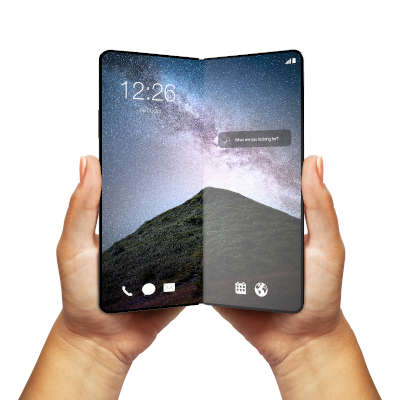
Samsung’s major contribution into the folding smartphone market is the extraordinarily expensive Galaxy Z Fold2. While the device is impressive with its two full displays and three camera sets, there are some questions about who this device is for. 

Basically the biggest benefit is that the phone opens up to a 7.6-inch tablet. That benefit is substantial, of course, but without dedicated apps for that aspect ratio, it may only be valuable for people who want the best folding smartphone on the market, which this currently is. 

When folded it has a 6.23-inch Super AMOLED screen that functions much like your standard mid-range smartphone would, but when you unfold the Fold2, you get a 7.6-inch Dynamic AMOLED display. The rest of the phone is as you would expect. It features a five-lens camera platform, a 4,500 mAh battery with fast charging, and an in-display fingerprint scanner for security. The Z Fold2 is available in Mystic Bronze, Mystic Black, and a Thom Browne Edition Grey from most major carriers. 

Samsung Galaxy Z Fold2
Body: Aluminum with plastic front andGorilla Glass 6 Back
Display: Folded: 6.23-inch Super AMOLED Unfolded: 7.6-inch Dynamic AMOLED 2X (~373 ppi)
OS: Android 10
Chipset: Qualcomm Snapdragon 865+
Memory: 12 GB RAM
Expandable Memory: No
Cameras: Rear – 12 MP (wide), 12 MP (telephoto) 2x, 12 MP (ultra wide); Front (Folded) – 10 MP (wide); Front (Unfolded) – 10 MP (wide).
Sounds: Stereo Speakers, No Headphone Jack
Battery (endurance rating): 4,500 mAh (87 hours)
Security: Fingerprint reader
Miscellaneous: Accelerometer, Gyrometer, Proximity, Barometer, Compass, Bixby assistant
Other versions: 5G version

Samsung Z Flip and Motorola RAZR 5G

Two devices that are of similar form factor are the Samsung Z Flip and the Motorola RAZR 5G. Like the flip phones of old, each of these devices fit in the palm of your hand and fold virtually in half. The difference, of course, is that today’s version of the flip phone flips into a massively powerful smartphone.

The Samsung Z Flip doesn’t feature a large external display like the RAZR (which we’ll talk about in a minute). It’s 1.1-inch numeric display doesn’t really have a lot of function, but when it’s open, it becomes a 6.7-inch smartphone. Like the other premium devices, it runs on Android 10 on a powerful Qualcomm Snapdragon 865+ processor, with 8 GB of RAM. The Z Flip provides a high-end smartphone experience in a device that folds in half, it’s that simple. 

The Motorola RAZR 5G looks like the iconic Moto RAZR did in the era before smartphones were king. For all of the RAZR’s nostalgia it seems to spec-out significantly lighter than the Z Flip. It features a 6.2-inch P-OLED screen that folds up and a smaller display on the outside of the folded phone. It runs Android 10 on a Qualcomm Snapdragon 765G chip and comes with 8 GB of RAM with 256 GB of onboard storage space. 

Let’s take a look at the complete specs of these devices:

Samsung Galaxy Z Flip
Body: Aluminum with Plastic Front and Glass Back
Display: Folded: 1.1-inch Super AMOLED; Unfolded: 6.7-inch Foldable Dynamic AMOLED (~425 ppi)
OS: Android 10
Chipset: Qualcomm Snapdragon 865+
Memory: 8 GB RAM
Expandable Memory: No
Cameras: Rear – 12 MP (wide), 12 MP (ultrawide). Front – 12 MP (wide)
Sounds: Loudspeaker, No Headphone Jack
Battery (endurance rating): 3,300 mAh 
Security: Fingerprint reader
Miscellaneous: Accelerometer, Gyrometer, Proximity, Barometer, Compass, Bixby assistant, IP68 dust/water resistant
Other versions: No

Motorola RAZR 5G
Body: Aluminum with plastic, Gorilla Glass 5
Display: 6.2-inch P-OLED (~373 ppi)
OS: Android 10
Chipset: Qualcomm Snapdragon 765G
Memory: 18 GB RAM
Expandable Memory: No
Cameras: Rear – 48 MP (wide)
Sounds: Loudspeaker, No Headphone Jack
Battery (endurance rating): 2,800 mAh
Security: Fingerprint reader
Miscellaneous: Accelerometer, Gyrometer, Proximity, Barometer, Compass, Bixby assistant
Other versions: RAZR (2019)

LG Wing

The last device we will look at today is the LG Wing. The Wing is interesting because out of the box it looks like your typical smartphone. When you get it into your hand however, you soon see what the big hub-a-loo is. With a flick of your thumb, you can turn the device’s 6.9-inch screen horizontally to expose a second smaller 3.9-inch screen. You can use both screens independently or simultaneously within the same app that supports the content distribution.

The Wing’s hardware isn’t quite flagship quality, but it is pretty good. The quirky device runs on  Qualcomm Snapdragon 765G and comes with 8 GB of RAM. It is built from solid aluminum and Gorilla Glass 5. With it’s 4,000 mAh battery most solid users will get about a day out of it if they are consistently using the dual displays (why wouldn’t you if you had this phone?) The tri-camera setup includes a 64-megapixel wide angle lens and dual ultrawide angle lenses of different speeds.

The LG Wing is available in Aurora Gray and Illusion Sky and should be available on most carriers by the middle of November 2020. 

LG Wing
Body: Aluminum with Gorilla Glass 5 Front and Back
Display: 6.9-inch Dynamic AMOLED 2x (~511 ppi)
OS: Android 10
Chipset: Qualcomm Snapdragon 765G
Memory: 8 GB RAM
Expandable Memory: Yes (microSDXC)
Cameras: Rear – 64 MP (wide), 13MP (ultra wide), 12 MP (ultra wide) Front – 32 MP (wide)
Sounds: Loudspeaker, No Headphone Jack
Battery (endurance rating): 4,000 mAh (87 hours)
Security: In-screen fingerprint reader
Miscellaneous: Accelerometer, Gyrometer, Proximity,Compass,, IP54 dust/water
Other versions: None

Do you think these devices are cool? Would you consider forking over $1,000 for one this year? Leave your thoughts in the comments section below.

232748399_google_search_400.jpg

Tip of the Week: Keep Google Keep Working For You

232748399_google_search_400.jpg

There are a lot of Android apps that are good for productivity, but Google Keep offers a particularly significant advantage. Today we’ll take a brief look at Google Keep and tell you about some features that will help you use it proficiently.

Labels

Instead of categorizing your notes into folders and notebooks, Keep is organized by labels. You can create labels to find everything you have stored on a particular topic. Fortunately, it’s also easy to use, so in this tip I’ll show you how to use Google Keep to track all the important information you need to process and store.

Adding a new label to a note is as easy as selecting the Labels option in the lower right menu on the editing screen. You can also add a label by holding down the note from the main list and tapping the label icon or by including a hashtag at the start of your note. This allows you to check your note for the label you have added by tapping on the hamburger menu and selecting which labels you want to go through.

Reminders

Setting up reminders for various tasks and appointments is a very simple utility that Google Keep allows you to perform, assisting you in managing all your usual tasks. 

Let’s say you need to go to the bank or run some other errand during your lunch break, which starts at 12:30. Keep allows you to set a reminder for 12:27. Additionally, if you need to perform a task as soon as you get to work, you will be alerted as soon as you are on the premises.

The setting is simple enough and is available by pressing the icon that looks like a finger with a string tied to it. Keep also allows you to check your alarm settings by accessing the hamburger menu and selecting Reminders.

Checklists

Of course, many things you want to remember can involve several steps, but in these cases Keep’s checklist feature makes task generation much simpler.

You can quickly and easily create checklists and simple lists by tapping the Plus icon in the action bar. You can create a quick, simple checklist or use ones you’ve already made, with the capability to close and reopen line items by checking them off and unchecking them as needed.. 

Collaboration

Notes created in Keep can be shared with other people so that everyone can contribute, whether you’re developing a business strategy or keeping track of topics discussed during a meeting. After accessing the note to be shared, tap the lower-right menu icon and select Collaborator. You can then send the note to one of your Gmail contacts to invite them to edit and utilize your note. Any changes they make will be reflected whenever you access the tool.

Google Keep is a great tool for anyone looking to be more organized. Have you used Google Keep? What did you think of it? Leave us your thoughts in the comments section below.

150098256_gadgets_400.jpg

Don’t Forget to Add These Handy Home-Office Gadgets to Your Shopping List!

150098256_gadgets_400.jpg

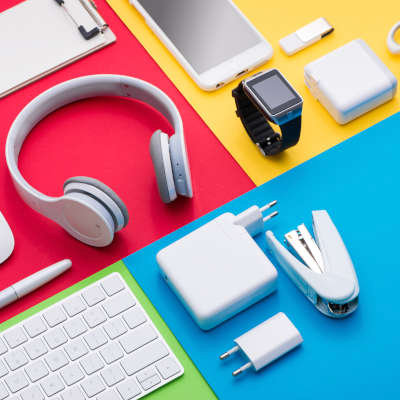
There is no denying that gifts are a major part of the typical festivities around this time of year, so it only seems that having some ideas as to what you’d like to receive to share with others is a helpful contribution. As our way of helping, we’ve decided to share a few tech-based suggestions that would find a welcome home in any home office or remote workspace.

Power

To start, let’s go to perhaps the most basic need of any technology user: the energy required to keep their devices on in the first place. Let’s not split hairs—the average home office setup might not have sufficient outlets available for all the devices that need to be powered.

If this applies to you, you may appreciate someone giving you a nice surge protector to help expand the number of available outlets you have while simultaneously protecting the devices you plug in.

In addition to this, there are assorted other power-related solutions available that you might consider adding to your wish list. For instance, you may be using two-factor authentication more often as you work remotely, making your mobile device something that needs to be kept on. A charging station or even a power bank may be a welcomed addition to your tools.

Comfort

Of course, productive work is impossible if you aren’t at least somewhat comfortable. You might want to consider adding a few amenities to your list that help support this goal. This can range from requesting a supportive new desk chair, to a comfy seat cushion or footrest, or even a pair of blue-light filtering glasses.

Honestly, there’s a lot of things that could be added to this list. There are tons of computer peripherals available that are specifically designed to make the user’s experience more suited to their preferences. Really, it’s about identifying what makes you the most uncomfortable throughout the workday and identifying the solution.

If you’re a fan of sipping warm beverages throughout the workday, consider asking for a desktop cup warmer.

Personality

All work and no play make Jack a dull boy, so it may not be the best idea to have a totally austere workplace. One or two small tchotchkes shouldn’t hurt your productivity unduly and can make for a great conversation starter if used in the office. Whether it’s a classic Newton’s cradle or some other perpetual motion device, something to fiddle with to help break up the workday can be valuable to have.

If you happen to have a stressful job, you could even ask for a miniature punching bag to attach to your desk. Fans of golf might ask for the pen set that doubles as a desktop putting green. Really, the possibilities here are endless.

Whatever you do choose to ask for, make sure you share your wish list in the comments to help inspire others.

Remember, while this may have been a sillier blog than we usually share, NuTech Services is always here to help you with your IT management and maintenance needs. Regardless of whether your team is working in-house or remotely, our managed services can give your business the benefits you want it to have. Learn more by giving us a call at 810.230.9455.

123819913_smartphone_400.jpg

Smartphone Flagships to Consider Going into 2021

123819913_smartphone_400.jpg

The modern smartphone user is dedicated, spending an average of three hours and 15 minutes per day using them. On average, people check their phones 58 times a day. With this amount of traction, it’s not a surprise that people want to get the best devices they can. Today, we will take a look at what makes a flagship phone, and give you a couple of popular options that are available for the power user right now.

Flagship Phones

The flagship smartphone gets its name from a military nautical tradition where the ship that holds the commanding officer would be the best, strongest, and most capable ship in the fleet. When discussing smartphones, it typically describes the best available device that any manufacturer has released for the year. Let’s take a look at some of 2020’s flagship smartphones:

iPhone 12 Pro Max

Apple’s iPhone 12 Pro Max has a lot of names, but it is a steady improvement over 2019’s Apple flagships. Built on a stainless steel frame with Gorilla Glass 6 front and back, the iPhone 12 Pro Max comes with a crystal clear 6.7-inch Super Retina Display.

Internally it runs on Apple’s A14 Bionic chipset that is the first 5 nanometer processor available in a smartphone in the west. It comes with 6 GB of RAM and up to 512 GB of onboard storage. The 3,687 mAh battery teams with settings in iOS 14.1 to create one of the most reliable smartphone experiences for users looking to be productive throughout the day without charging. It does support wireless charging and 20-watt fast charging.

The device has three rear-facing cameras and the additional time of flight sensor to create crisp and clear photos. It is also IP68 dust and water resistant. Available in Silver, Graphite, Gold, and Pacific Blue, the iPhone 12 Pro Max—along with the iPhone 12 mini, the iPhone 12, and the iPhone 12 Pro—will be available this week in November. 

Apple iPhone 12 Pro Max
Body: Stainless Steel with Gorilla Glass 6
Display: 6.7-inch Super Retina OLED (~458 ppi)
OS: iOS 14.1
Chipset: A14 Bionic
Memory: 6 GB RAM, up to 512 GB onboard storage
Expandable Memory: No
Cameras: Rear: 12 MP (wide), 12 MP (ultra wide), 12 MP (telephoto) 2.5x Front: 12 MP (wide)
Sounds: Stereo Speakers, no headphone jack
Battery (battery endurance rating): 3,687 mAh (~100 hours)
Security: Face ID
Miscellaneous: Accelerometer, Gyrometer, Proximity, compass, barometer, Siri assistant, IP68 dust/water resistant
Other versions: iPhone 12 Mini, iPhone 12, iPhone 12 Pro

OnePlus 8 Pro

The OnePlus 8 Pro is built on a lightweight aluminum frame with Gorilla Glass 5 front and back. The device is curved more than 2019’s OnePlus 7 Pro. It features a 6.78-inch Fluid AMOLED display, a pretty clean version of Android 10, and a cutting-edge Qualcomm Snapdragon 865 processor. The OnePlus 8 Pro comes with 12 GB of RAM and features a 120hz refresh rate, hastening the already snappy user experience.

The OnePlus 8 Pro features two 48 megapixel cameras and a 8 MP telephoto lens. The battery comes in at a beefy 4,510 mAh. Available in Glacial Green, Ultramarine Blue, and Onyx Black, the OnePlus 8 Pro can be had from many major carriers.

OnePlus 8 Pro
Body: Aluminum with Gorilla Glass 5 Front and Back
Display: 6.78-inch Fluid AMOLED (~513 ppi)
OS: Android 10, upgrade available to Android 11
Chipset: Qualcomm Snapdragon 865
Memory: 8-to-12 GB RAM
Expandable Memory: No
Cameras: 48 MP (wide); 8 MP (telephoto) 3x; 48 MP (ultra wide) Front: 16 MP (wide)
Sounds: Stereo speakers, no headphone jack.
Battery (battery endurance rating): 4,510 mAh (103 hours)
Security: In-screen fingerprint reader
Miscellaneous: Accelerometer, Gyrometer, Proximity, Compass, IP68 dust/water resistant
Other versions: OnePlus 8, OnePlus 8T

Samsung Galaxy s20 Ultra

Samsung has been known to build the very best Android smartphones on the market for several years. The Galaxy s20 Ultra is no exception. It is built on an aluminum frame with Gorilla Glass 6 front and back. A 6.9-inch Dynamic AMOLED 2x display with a 1440 x 3200 resolution is an improvement over the s10 Plus’ screen from 2019. 

Running a Qualcomm Snapdragon 865, the Galaxy s20 Ultra has options available with up to 16 GB of RAM, top of the line for any smartphone. The whopping 5,000 mAh battery can be recharged using 45-watt fast charging or Qi wireless charging.

The Galaxy s20 Ultra has a 10x 48-megapixel telephoto lens, a 108-megapixel wide angle lens, a 12-megapixel ultra wide angle lens, and a DepthVision Time of Flight camera. It is capable of recording 8K video. 

Available in Cosmic Grey, Cloud White, and Cosmic Black, the Galaxy s20 Ultra is available now on many major carriers. 

Samsung Galaxy s20 Ultra
Body: Aluminum with Gorilla Glass 6 Front and Back
Display: 6.9-inch Dynamic AMOLED 2x (~511 ppi)
OS: Android 10
Chipset: Qualcomm Snapdragon 865
Memory: 12-to-16 GB RAM
Expandable Memory: Yes (microSDXC)
Cameras: Rear – 108 MP (wide), 48MP (periscope telephoto) 10x, 12 MP (ultra wide), .3 MP( Time of Flight). Front – 40 MP wide.
Sounds: Stereo Speakers, No Headphone Jack
Battery (endurance rating): 5,000 mAh (87 hours)
Security: In-screen fingerprint reader
Miscellaneous: Accelerometer, Gyrometer, Proximity, Barometer, Compass, Bixby assistant, IP68 dust/water resistant
Other versions: Galaxy s20, Galaxy s20+, Galaxy s20 FE

Samsung Galaxy Note 20 Ultra 

Samsung is also the manufacturer of the Galaxy Note 20 Ultra, which might just be the best all-around smartphone available right now. With a stainless steel chassis with Gorilla Glass Victus front and back, the Note 20 Ultra is a productivity monster.

Running Android 11 with an industry-best Qualcomm Snapdragon 865 processor, the Note 20 Ultra has a 6.9-inch Dynamic AMOLED 2X display, 12 GB of RAM, and 4,500 mAh battery. 

The camera experience, something that was notably less-than-stellar on the Note 10, includes a 50x zoom telephoto lens and a 108-megapixel wide angle lens. With an integrated s-pen, the Galaxy Note 20 Ultra offers software features no other smartphone provides. 

Available only in Mystic Bronze, Mystic Black, and Mystic White, this year’s Note can be found prominently on almost every carrier’s roster.

Samsung Galaxy Note 20 Ultra
Body: Stainless Steel with Gorilla Glass Victus
Display: 6.9-inch Dynamic AMOLED 2X 
OS: Android 10, One UI 2.5
Chipset: Qualcomm Snapdragon 865
Memory: 12 GB RAM
Expandable Memory:  Yes
Cameras: 108 MP wide, 12 MP (periscope telephoto) 50x, 12 MP (ultra wide) Front: 10 MP wide 
Sounds: Stereo Speakers, no headphone jack
Battery (battery endurance rating): 4,500 mAh (88 hours)
Security: In-display fingerprint reader
Miscellaneous: Accelerometer, Gyrometer, Proximity, Compass, Barometer ,IP68 dust/water resistant 
Other versions: Samsung Galaxy Note 20

These aren’t the only devices available. There are some additional devices that may not be as widely available including: the Huawei Mate 40 Pro, the Xiaomi Mi 10 Pro, the Sony Xperia 1ii, and the Google Pixel 5.

Will you be buying a new smartphone this year? Are you considering a flagship? Let us know in the comments section below.

100826616_VoIP_400.jpg

Why is VoIP Seen as Such a Great Business Solution?

100826616_VoIP_400.jpg

Voice over Internet Protocol, or VoIP, is a common business communication solution nowadays… but it is still possible that you aren’t aware of what VoIP is and the many benefits it can deliver to your operations. To remedy this, let’s briefly review the concepts behind VoIP, and how your business can embrace them to its advantage.

What is VoIP, Anyways?

Voice over Internet Protocol is simply a different, more cost-effective means of transmitting voice data from one telephonic device to another. Rather than using a telephone provider’s infrastructure, a VoIP signal utilizes the Internet. This eliminates an entire line item from your expenses by rendering your telephone provider’s services redundant. This enables you to simultaneously save money while enjoying many often-included features that would otherwise have cost extra—assuming that they were even available with traditional telephony.

Is That the Only Reason I Should Use a VoIP Solution?

Absolutely not! VoIP can help you save time and money in other ways, as well:

  • With a history of being built upon open standards, VoIP solutions work on any device with sufficient specifications to support them—including mobile devices. This helps to minimize the investment you need to make to adopt VoIP, while simultaneously allowing you and your team to use your business telephone system remotely.
  • As VoIP operates through an Internet connection, the infrastructure to support it should already be in place within your business. As a result, it is likely that no costly renovations or additional wiring will be necessary, provided that your infrastructure is up to par.
  • Many businesses require costly Private Branch Exchange (PBX) equipment to properly utilize their internal phone network. VoIP eliminates the need for this expensive investment at all, also negating the need to maintain this equipment over time.
  • VoIP telephony generally doesn’t cost your business any extra for certain kinds of calls, like long distance calling—and if it does, it generally costs you much less than the telephone company would charge for it.
  • Unified communications are simpler to accomplish with VoIP, as many modern business solutions offer integrations with VoIP platforms. This makes communication easier to establish and track, which helps to keep the conversation moving forward efficiently.

All in all, utilizing VoIP as a part of your communications is not only a good strategy at the present, it is set to only show more promise as technologies—like artificial intelligence and 5G connectivity—continue to develop and improve.

NuTech Services can help you implement and maintain a VoIP solution that suits your business needs. To learn more, reach out to our team of experienced IT professionals by calling 810.230.9455.

99643920_chrome_apps_400.jpg

The User Experience Using Windows Apps on Chrome OS

99643920_chrome_apps_400.jpg

After a long period, punctuated by no shortness of user demand, Chromebooks can now finally support Windows applications. Well, in a manner of speaking. Let’s examine the process that now allows a user access to the applications once denied to ChromeOS users, to consider if it is worth using after all.

A Few Brief Disclaimers

Before we get into how this is possible, we should mention a few of the prerequisites of this process.

As of right now, the Windows/ChromeOS compatibility is clearly intended for enterprise use, as it is configured for company-wide setups and rings up an annual per-user cost of $70. Furthermore, the method we are covering here is only compatible on higher-end Chromebooks, with at least an i5 or i7 Intel Core processor, 16GB of RAM, and 128GB of onboard storage.

How Does Windows Run on a Chromebook?

By collaborating with a company called Parallels, Google has successfully brought Windows to the Chromebook via the capabilities of a locally installed virtual machine. As a result, any Windows program can be utilized with or without an active Internet connection.

This approach makes the user experience somewhat unique, as the Windows install effectively runs in its own window, almost as if it were simply an application installed in Chrome OS. From within this window, the user can access and utilize the Windows software they need. As a result, it almost feels as though you’re utilizing a remote desktop software, despite the OS being present on your hardware. Starting up the Windows software will take you through the entire boot process you’d typically see in a Windows device, and applying updates will sometimes prompt you to restart the OS environment, rather than your entire device.

How Well Does This All Work?

Besides the unconventional user experience and a few minor oddities, however, hosting Windows on a Chromebook works just the same as using a Windows device. Some of these oddities can even be beneficial—for example, the same system clipboard applies to both environments, allowing you to copy from one OS and paste into the other. The file storage system also works across both platforms, allowing a user to open their Windows files in Chrome, even if the Windows environment is inactive.

According to reports on Parallels’ process, the only thing that doesn’t work as intended is the recording capability within the Windows environment (although there are currently efforts to resolve this issue in the works). You can even include custom business applications along with more common solutions… you just need to make sure that your Windows environment is configured correctly.

Why Would Google Do This?

It would appear that Google has seen the value of providing support for legacy applications—this entire initiative has been framed with that concept at the forefront—so that companies who rely on these applications can continue to operate effectively. So, despite the slight difference in how native these Windows applications seem as compared to those that are web-based or work within the Chrome or Linux operating systems, these changes only foreshadow further improvements to come, and a new perspective into how computing will need to be shaped in the future.

Don’t assume that you can simply take your existing budget Chromebook and install Windows on it off the bat, but it will be nice seeing more options for low-cost hardware that plays nicely with the network environments that most businesses already have.

What do you think? Do you see any utility in the Chrome operating system playing nice with Windows applications? Let us know what you think in the comments!

263828214_cybercrime_400.jpg

Examining Some Unusual Cybercrime Patterns in 2020

263828214_cybercrime_400.jpg

As compared to the past few years, there have been considerably fewer successful data breaches in 2020. While this may sound like exclusively good news, there are a few reasons why this information should be taken with a grain of salt.

To begin, let’s examine the data that we currently have available, courtesy of Statista: in 2019, there were a total of 1,473 data breaches recorded. The first half of 2020 saw 540 breaches reported. Crunching the numbers, these 33 percent fewer breaches have impacted what other sources assert to be 66 percent fewer people.

At First Glance, This Appears to Be a Good Thing

However, there are more considerations to weigh before we can establish this as a positive trend. While we wish that we could simply say that yes, this is a good sign, there is unfortunately more data to consider. For instance:

The Kind of Breach It Was

There are so many more variables to take into account, starting with the type of breach that took place and how severe the breach itself was. Let’s consider a few scenarios.

On the one hand, you might have a dozen or so breaches with a few records lost in each. On the other, you have just one, but that one breach exposes thousands of records, each containing personally identifiable medical data.

Of course, the single breach is far worse—objectively speaking—than the dozen. However, this kind of scenario isn’t likely to be the case, as the data also showed that 66 percent fewer people have been impacted.

How Accurate the Records Are

Of course, we also have to take the accuracy of the data into account, simply reflecting on the delay that naturally occurs between the actual breach, when it is first discovered, and when the public is notified about the breach. Furthermore, it isn’t all that uncommon for new victims to be discovered long after the breach is first revealed. Some companies will attempt some level of damage control and play their numbers down as much as possible, or simply omit the actual number of impacted accounts in their announcements.

As a result, we may not yet be dealing with the actual number of breaches that have occurred in 2020, depending upon how forthcoming breached businesses have been.

What Impact Has Remote Work Had?

Finally, we need to acknowledge the fact that more people than ever before are working from home—outside of the protections that many remote-friendly businesses have implemented. In theory, this would typically lead to an increase in threats, but recent reports have shown threats to be decreasing. While it would be wonderful if this turned out to be the case, it is very possible that a shift in focus away from maintaining security to maintaining operations could be skewing these results. Furthermore, some businesses might not be able to sufficiently monitor their employees’ security as they are working remotely.

Regardless, You Can’t Allow Your Security to Be Shortchanged

Even if these apparently lowered cybercrime statistics are accurate, you shouldn’t take a break from your cybersecurity preparedness. Easing up will only encourage less secure security habits, leading to increased security problems later on.

Of course, you don’t need to work alone as you protect your business. NuTech Services can help you see to your IT needs, working to protect your resources and ensure that work can be accomplished. Find out more about what we can offer by calling 810.230.9455 today.

97530033_employee_feedback_400.jpg

How Listening to Your Team Can Improve Your Use of Technology

97530033_employee_feedback_400.jpg

Business leadership is an important trait for more than just a business’ leader by title. It is something that should be present at every level, encouraged by the individual at the top. To do so, it helps to ask your team the right questions to put them in a mindset of responsibility for the business’ well-being. Here, we’ve shared some of these questions to get you started.

“What does—and doesn’t—work?”

To motivate your team to take ownership over their responsibilities and invest in your successful operations, you need to communicate that what they say has credence. Your team can be a goldmine of insights if you hear what they have to say. Think about it, they’re the ones that have hands-on experience using the tools that you’ve put in place.

Asking this question also gives you the opportunity to hear any criticisms of the processes and procedures that your team is currently working through. Again, as the people actively following these processes, your staff will likely have the best impression of the most effective way to complete the task at hand. Listening to their feedback will tell you if a solution is proving ineffective or if the team needs more training and support to properly make use of it.

Regardless, your team members are likely to have information that you would find invaluable, so it pays to listen to what they have to say. Who knows, one of them may have a solution to a longstanding problem that just needs to be brought up.

“What can I do to help you succeed?”

This is an important question to ask, again and again, as time goes on. After all, as situations change, the answer to it will change as well. By asking this question, you can use the feedback you collect to improve your employees’ engagement levels that much better. Opening yourself to this kind of input enables your team to enjoy a greater level of access to you.

This question can also help you reinforce the data that you generate by asking the first question we discussed, furthering your efforts to improve your processes.

“What has your team done to further the organization’s goals?”

By asking this question of your team, you can help encourage them to collaborate more with each other and use the communication tools you’ve provided. Asking them what their coworkers have accomplished in tandem to them, helps you make sure that they remain aware of the company’s greater processes and how their efforts contribute to the organization’s success.

In asking it this way, you’re also encouraging this team-based focus to integrate into your company culture. As a result, your team members will begin to think more as a team and work together to accomplish everything on their shared agenda.

“How would you make what we offer our clientele better?”

This is a practical example of what we’ve already discussed—asking those with first-hand knowledge to draw upon their experience to help improve what it is you’re discussing with them. Seeking insights from those who are working directly with your clientele will help you to identify and resolve the biggest impacts influencing your company and services.

“If you were me, what would you do differently?”

This question can provide you with a variety of useful information, from the biggest pain points that your team is experiencing to all the small inconsistencies you may have missed. It also helps you encourage your team to see things from a perspective of leadership.

This is what you want, as it isn’t enough anymore to simply have drones pecking away at assigned tasks. You want to have people who are ready to embrace innovation and are engaged enough to work their way upwards in your organization. Handing the power over to your team, even in the hypothetical, helps to show the employee that their input is appreciated and valued.

Should this feedback ever reference any difficulties due to insufficient technology solutions and resources to complete a task, NuTech Services is here to help. Our services are designed to improve the efficacy and security of your workplace, boosting your productivity.

To learn more, reach out to us at 810.230.9455.

269763698_IoT_400.jpg

IoT Can Really Make a Difference for Your Business

269763698_IoT_400.jpg

For a couple years leading up to 2020, the Internet of Things was all the rage, but for obvious reasons, IoT hasn’t been at the top of many IT administrator’s minds unless it was in an effort to secure file access for the endpoints of a newly remote workforce. Despite the questions surrounding revenue and budgets, IoT can bring a lot of value to the small business. Let’s take a look at today’s IoT and talk about a few options that you can use for yours.

The IoT

The Internet of Things has been growing incredibly fast over the past five years, but many small business owners don’t know where it fits. That’s because there are tens of millions of devices that could actually serve some purpose for their businesses and basically have buyer’s paralysis or are skeptical that integrating these tools is going to save them money. Here are some ways that the IoT could be used to do just that.

Security

Since physical security is almost certainly a priority for your business, the IoT presents several options that can be used to promote solid security standards. Products such as smart camera systems, smart locks, and other Internet-fueled security solutions can be of great benefit as they will allow a business to have both strong security and deterrents, while also having the ability to manage the system remotely.  

Lighting and HVAC

For many small businesses heating, cooling, and power costs can be prohibitive to their ability to function the way they want. IoT tools are now being developed with the ability to read the situation in your business and adjust the utilities to save capital. The more you save on utilities, the more you can spend on your business. 

RFID Sensors for Inventory Control

RFID sensors have been used for some time. Today, businesses are using them to track their inventories and supply chains. Using IoT devices with inventory control software, a business can now track fast-moving systems such as resource and product procurement and make orders should the inventory get low. The consistency and reliability of these systems can automate large portions of the procurement and inventory management process without a business missing a beat.

Mobile Card Readers

The average small business pays a lot in credit card fees. With mobile card readers, a simple app and dongle can transform a tablet or smartphone into a register. With a fee structure that works to save small businesses money, with card readers they aren’t losing their PCI DSS regulatory compliance; a big deal for the growing business.

As stated above, there are millions of IoT tools out there that can actually help you manage your business or help reduce costs. If you are interested in learning how IoT deployments can help your business, call us today at 810.230.9455 and our knowledgeable consultants will take you through how Internet and cloud-connected technology can help you transfer your costs and provide you with the innovative tools you need to grow your business.

374774087_employee_monitoring_400.jpg

Clearing the Ethical Hurdles of Employee Monitoring

374774087_employee_monitoring_400.jpg

Employee monitoring—the practice of keeping an eye on your employees and their computer activity during work hours—isn’t exactly a new practice. However, with remote work suddenly seeing a huge boost in popularity, many businesses have sought to confirm that their workers are spending their work time as productively as possible. If you do choose to go this route, however, it is important to be aware of the lines that you cannot cross.

Monitoring Employees Without Their Knowledge

We figured it would be most appropriate to discuss the no-go option first, which would be to start monitoring your employees without their knowledge or consent. As you would imagine, this is the shadier side of the monitoring spectrum, and is actually illegal in most cases. Unless you have reason to believe an employee is actively acting out and are investigating them, you are not allowed to use monitoring software to keep an eye on your team without telling them.

So, as much as I hate to have to say it, don’t do that. Instead, inform your team of your intention to monitor their systems, what you will be monitoring, and—most crucially—why. This is the real key. Transparency is the most important thing to have with your employees. Studies have even shown that this kind of transparency makes your team more comfortable with these kinds of arrangements.

Monitoring Employees While They Aren’t Working

Again, with so many employees working remotely, it may be tempting for many employers to just continue monitoring these devices even after work hours have ended. It’s one less thing to worry about that way, right?

Wrong. 

What if the employee ends their day or takes a break, and decides to log into their bank account to check in on their finances? You could easily capture sensitive information without meaning to, putting you on the hook in the legal sense. To avoid this, you have a few options you can exercise. Your first option is to simply ban employees from using work technology for personal matters. Your second option is to enable your team members to turn off the monitoring software when they are not actively working.

Not Making Use of Your Monitoring Data

A big part of ethically monitoring your employees comes down to your intent, your motivation for doing so. Are you looking to improve productivity by identifying inefficiencies and bottlenecks? Great. Are you ensuring that there are no data leaks that need to be mitigated? Fantastic. Are you simply using it to make sure that your employees are at their desks working? There are better ways to account for that.

Employee monitoring should always be a means, not the end. Whenever you implement it, it needs to be in service of a specific goal. When used in this way, and not just because you want to keep a closer eye on your team, it can bring some significant benefits.

NuTech Services can help bring these benefits and more to your operations. To find out how our team can help you implement and manage the technology your business needs supporting it, give us a call at 810.230.9455 today.

113943320_secure_wifi_400.jpg

How to Establish Fast, Secure Wi-Fi for Guests to Your Healthcare Organization

113943320_secure_wifi_400.jpg

Patients and hospital visitors have come to expect Wi-Fi internet access. It’s no longer seen as an extra convenience, but a requirement for the comfort and confidence of your patients. That said, it’s your responsibility to provide reliable Wi-Fi access that is reasonably fast, secure, and easy to sign into.

Your Main Hospital Wireless Network Needs to be Locked Down

First of all, your main office Wi-Fi cannot be used for guest access. The same network that your computers, tablets, laptops, and other equipment run on needs to be completely segregated from the rest of the traffic and secure. This might be pretty obvious for most healthcare professionals, especially those who have an understanding of HIPAA compliance, but it’s worth mentioning because it poses such a huge security risk (and breaks compliance).

Your guest network allows anyone to log in, which means a malicious person could log into it, or an honest person who has a compromised device. Both scenarios can result in serious problems if sensitive health data is accessible.

You need to ensure that your internal network is properly locked down, and that the password is never given out publicly, and is regularly updated. We can audit your existing network to look for vulnerabilities and shortcomings, and help you meet compliance standards—just reach out.

Guest Networks Don’t Necessarily Mean New Hardware

As long as the routers and access points you already have are capable, you usually don’t need to purchase additional hardware in order to establish a separate Wi-Fi network for guests. This is a huge perk—not only are you obviously not having to purchase new equipment, but you don’t need to worry about the installation of additional hardware. Of course, if your network is older, your requirements might be a little different.

One thing to think about, is how much bandwidth your existing wireless network allows. Most modern access points can be split so bandwidth usage is segregated between staff and visitors. You’ll want to make sure that the network can handle guest traffic without interfering with internal operations. You don’t want a visitor in your waiting room streaming Netflix to prevent your front desk from being able to print or access records.

It’s important to establish restrictions—not just deciding what a guest can see or do on the network, but how much bandwidth they are allocated.

Even Guests Require Policies

You don’t want to simply deploy a free-for-all network for your patients to access without setting some ground rules. You should require users to agree to terms of service, and you should definitely be able to monitor logs to detect any fraudulent activity. Depending on your practice, you may consider setting time restrictions so unauthorized users can’t access the network when your facilities are closed. We can also restrict access to certain locations to prevent access from outside your facilities.

Deploying a guest network doesn’t have to be extremely expensive, but it does require a lot more than simply enabling a feature on your wireless router. If you’d like help, we can start with a network audit and review your existing network, and help you establish the security and best practices you need to keep your visitors and patients safe and happy.

Give us a call at 810.230.9455 to get the process started.