188275281_new_400.jpg

Getting a New Computer? We Can Help, Part I

188275281_new_400.jpg

Are you in the market for a new desktop computer for your business (or your home office)? We’ve put together a five-part guide to help make sense of the components that go into a desktop computer to give you a better idea about what you may need in a new desktop. We start our guide by breaking down CPUs, and what is right for your needs. 

What Do You Need Your Computer For?

There are a lot of different computers on the market. Some are created by big-box stores and branded with a fancy name. Some are thrown together inexpensively by your cousin. Regardless of who puts your computer together, knowing what you need the system for is the best way to determine what components you need inside of your system. After all, there are some big differences between the components that make up a workstation designed to run web apps and a CRM as opposed to a system that has been designed as a video editing station. 

For practical purposes, we will focus on cost-effective CPU options, since higher-end computing options used for audio/video production or gaming can get extremely expensive, quickly. Remember, you can typically upgrade a computer’s CPU, but it’s not going to be cost-effective to turn a low-end PC into a gaming rig, whether its a desktop or a laptop. 

CPU Specifications

When you are shopping for a new computer, you’ll see a spec sheet accompanying the computer. You will see a myriad of components listed. Today we are going to talk about the CPU.

The CPU determines just how much “computing” your computer can accomplish at once, and how fast it will load that information up. Nowadays, there are two brands you’ll run into; Intel and AMD. Intel, in an attempt to simplify an otherwise complicated component, tiers most if their CPUs: Core i3, Core i5, Core i7, and Core i9. The larger the number, the more powerful the CPU. AMD recently has followed suit with its Ryzen series of processors. Since both brands make both low-end and high-end CPUs, it’s important that you understand what each type of processor would be used for. Let’s take a look.

Intel

Core i3 – This tier is found in budget PCs and works fine for low-end processing. If you need to edit documents, check email, or surf the web, is a good, cheap option. The latest generation of Core i3 processors are strong enough to handle streaming video services like YouTube and Netflix without too much trouble.

Core i5 – The i5 will do what the i3 can do, just a little faster. Users will have no problem streaming video, doing some light photo editing, and maybe playing a game or two if it isn’t too resource-intensive. The Core i5 is a solid choice if you are building a workstation for your office.

Core i7 – Core i7 CPUs are more expensive and geared towards high-end systems for video editing and gaming. If your team has resource-intensive applications, a Core i7 processor will provide plenty of oomph for just about any task. 

Core i9 – The Core i9, introduced in late 2018, is Intel’s fastest and best commercial grade processor. If you are building out a computer for 3D animation, rendering, gaming while streaming, or scientific calculations, then this might be the way to go, but the price tag for this CPU alone can be several thousands of dollars. 

AMD Ryzen 3 – AMD’s low end model is, to simplify things, on par with the Intel Core i3. You’ll be able to edit documents and surf the web, but not a whole lot else without straining the system.

AMD Ryzen 5 – The Ryzen 5 is in about the same tier as the Intel Core i5. You’ll pay a little more than the Ryzen 3, and get some more performance out of your desktop. Expect to handle typical office work, streaming video, and be able to do some light photo editing and gaming.

AMD Ryzen 7 – The Ryzen 7 is AMD’s answer to the Intel Core i7. Just like the i7, the cost of the CPU starts to climb pretty significantly compared to the lower-end models.

AMD Threadripper – The Threadripper is designed for heavy loads like 3D animation, gaming while broadcasting your stream, and other intense computing that a typical workstation isn’t traditionally used for.

When Does the GHz Matter?
At one time, users would have to consider the clock speed of their processors, but now with these manufacturers tiering their products, these numbers can often be ignored. The higher the GHz number, the faster the CPU, and the more it costs. Until you get to the point where you are building a server or high-end gaming PC, you can definitely just worry about the tiers instead of the GHz.

Does the Number of Cores Matter?
Cores are the number of processors built within the main processor. Typically, shoot for at least four cores unless you are on a serious budget. For gaming and video editing and higher-end tasks, more cores can start to matter, but even then, most of the time the number caps off at eight. There are processors out there with dozens of cores, but typically these are designed for servers or specific uses.

You may start to look up older processors, only to find that it isn’t going to save you a lot of money. This is largely because older CPUs, even products like Intel’s Core 2 Duo, have clock speeds in range of today’s comparable processors. Going with newer hardware is always preferable as they typically won’t have as good of a chance to fail. 

In part two of our computer buying guide we will continue to sort through the other components of a new PC. If you would like help with building computers for your business, call the IT professionals at NuTech Services today at 810.230.9455. We can help you sort through all the options and improve your chances of being happy with your new hardware.

163051357_digital-signage_400.jpg

Tip of the Week: Using Digital Signage

163051357_digital-signage_400.jpg

Businesses often utilize signage to direct visitors to specific points of interest in their offices, but with the advent of digital technologies, the potential for digital signage is nearly endless. If leveraged properly, these displays can be used to provide key insights into operations, as well as notify employees and visitors of important information.

When we say digital signage, what we mean is having digital displays in your office. You may have seen them out and about in other locations, such as fast food restaurants using monitors as menu boards. In essence, digital signage solutions give your business the opportunity to broadcast content to screens around your office for a variety of reasons, and they are great opportunities to make your workplace a more dynamic experience as a whole.

Showcase Important Information or Statistics

Sometimes you need your employees to see announcements, but you want to make the information known in a more public location. Otherwise, you can use it to display statistics, like the number of sales or a countdown to a certain date or time. Either way, digital signage can be used to keep your staff informed.

Digital signage is also helpful for navigating the office. You can have signs indicating where important locations, like a conference room or bathroom, are located. 

Display Upcoming Dates and Events

All businesses have deadlines of some sort, and digital signage is a perfect way to broadcast it to your entire office… or at least the locations where digital signage is used. It’s an easy, supplemental way of drawing attention to certain times, dates, or events that are arriving in the future. 

Monitor Goals More Effectively

Digital signage can help your organization keep its employees accountable through the display of goals and key performance indicators. You might even be able to foster some healthy competition between your organization’s employees, as their performance will be displayed in an easy-to-understand format.

Does your business need assistance with setting up or acquiring resources for digital signage? NuTech Services can equip you with all the assets you need to make effective use of digital signage. To learn more about what we can do for your business, reach out to us at 810.230.9455.

amazon-hacked_400.jpg

Even Amazon Can Be Hacked

amazon-hacked_400.jpg

In 2018, Amazon was struck by a considerable attack, with hackers taking funds from approximately 100 seller accounts, according to a Bloomberg report. Between May and October 2018, Amazon sellers were struck approximately 100 times, draining funds from the seller control platform to augment their own funds. According to the investigation, the first fraudulent transaction took place on May 16, 2018, with an undisclosed amount being stolen. The hackers utilized phishing attacks in order to scam their targets.

“Unknown Hack”

On May 8, 2019, almost a year to the day after the first transaction was made, an Amazon spokesperson claimed that the company had completed investigating the compromised accounts, and had been the victim of an “extensive” fraud. The extent of the fraud was large enough where two banking companies, Barclays and Prepay Technologies (who is a partial subsidiary of Mastercard) are caught up in the crime.

Ultimately, Amazon neglected to disclose the true scope of the hack, but a report by Bloomberg indicated that over one billion dollars were dispersed to merchants in 2018 via Amazon Capital Services U.K. While there is currently no figure provided by the company, if large portions of that money was subverted, it could rank as one of the largest hacks in the history of online commerce, and certainly the biggest fraud that has involved Amazon. 

Amazon, which has a business model built to be largely automated, has done a remarkable job of keeping personally identifiable information from being hacked over the years, but in today’s threat-persistent culture, even the most secure companies can have situations happen to them that jeopardize their ability to complete financial and information transactions, regardless of how much they invest in cybersecurity.

Phishing Attacks

Just because this article mentions a major fraud involving the world’s largest online retailer in no way means that hackers have moved on from trying to hack small businesses. Small businesses face the majority of hacking attacks, mainly because they have the least amount of security to thwart. In fact, if Amazon can fall victim to phishing attacks, it’s not a stretch to believe that your company is susceptible. With millions of phishing messages sent every day, many of which target small businesses, having a strategy to educate your staff is extremely important.

The best way to go about doing that is to be proactive. Getting your staff to understand that they are on the front lines of a never-ending cyberwar and what they need to learn in order to keep themselves, and your organization free from the serious risks that come from falling victim of phishing attacks. Some things you can prioritize:

  • Annual education and training – Have a comprehensive plan in place to educate new and current staff that is updated and required annually.
  • Having strong passwords – Since phishing is a form of social engineering, the hackers on the other end of the phishing attack are simply looking for access. Having strong passwords will keep them out much longer than weak ones. 
  • Avoid shadow IT – Make it clear that all software has to pass through IT first, before it is downloaded onto a workstation. It may seem inefficient at first, but the company will be better off vetting a software solution before it gains access to your organization’s network.
  • Provide cloud storage – When people are constantly on the move and have a lot of responsibilities, they will often upload their work into their personal cloud-based file storage. This can be risky behavior, even if the employee’s motives are solid. Keep your company’s data hosted on its own infrastructure.

With these four tips you can go a long way toward protecting your business, and your staff, from the detrimental characteristics of a phishing attack.

If you need help with your organization’s cybersecurity, or if you simply want some help outlining a strategy to use, contact the IT professionals at NuTech Services today at 810.230.9455.

51878134_no_support_400.jpg

Windows 7 and Windows Server 2008 R2 is Finally Losing Support

51878134_no_support_400.jpg

Microsoft Windows has been a staple of modern computing, with each title in the series offering more innovative features. When it becomes time to retire one of their OSs, it can be troublesome for businesses. This coming January, two of the most utilized versions of the Windows OS–Windows 7 and Windows Server 2008 R2 will be losing support, effectively ending their viability. Businesses that still use these titles will have to come up with a plan about how they are going to proceed once Microsoft retires that software. 

Support for these two titles ends on January 14, 2020. If your business has neglected to upgrade away from the technology after Microsoft ended mainstream support in 2015, time is finally running out in which to do so. It is important to have a strategy to move to a more up-to-date operating system. By not completing a full migration away from these titles your business will not have the protection it needs to keep your company’s data secure. Vulnerabilities will begin to present themselves pretty quickly and you will see your ability to maintain data security wane. Let’s take a look at these titles, and what needs to happen to successfully remain secure.

Windows 7

Windows 7 is one of Microsoft’s most popular operating systems of all time, and is still used by millions of people from all over the world. In fact, it wasn’t until last December that Windows 10, Micrsosoft’s latest OS, passed Windows 7 in number of users. The software giant has started a major ad campaign to inform people of how to upgrade away from Windows 7 as soon as possible.

The most obvious option is to upgrade your business’ workstations to Windows 10. Windows 10 is constantly supported, offers many features that Windows 7 is incapable of, and features a profile that isn’t significantly heavier so most systems that you have will run Windows 10 effectively.  If you are in a position where you need to move over a lot of workstations, our consultants can help you calculate the best route forward. 

Another option Microsoft provides is called Microsoft 365. This cloud-based service deliberately targets the millions of Windows 7 users as it doesn’t require huge capital costs to move to Windows 10. At NuTech Services, we can help you determine the pricing of a migration either to new onsite infrastructure or a hosted solution. Either way, your business will need to have upgraded before January 14, 2020.

Windows Server 2008 R2

In addition to Windows 7, in January 2020, Microsoft will be retiring the entire Windows Server 2008 R2 suite. If your business utilizes Windows Server 2008 R2 for data and application hosting, you will need to have a plan in place to upgrade prior to the end of support date. Just like Windows 7, Microsoft will stop delivering security patches to Windows Server 2008 R2, meaning that there is a very real possibility that your organization could go without security updates if you fail to upgrade.

Microsoft has since released two new versions of the Windows Server software, as well as implemented a cloud-based option in Azure. It might be able to help you save money with cloud-based server management, but you won’t know for sure if it’s the right call to make without talking to the IT professionals at NuTech Services. Call us today to find out more at 810.230.9455.

118929227_sprint_400.jpg

Tip of the Week: For Maximum Productivity, Try Sprinting

118929227_sprint_400.jpg

The value of productivity cannot be understated, especially in the workplace. While there are many methods people use to increase theirs, we wanted to share a specific approach with you for our tip: sprinting.

Don’t worry… we don’t expect you to try and work while you’re running as fast as you can. What we mean by “sprinting” is that you commit to focused, intensive work for a period of time, followed by a shorter period of rest.

The Science Behind Sprinting

The human body has certain capabilities, and is subject to certain limits. The way we are designed, we are meant to spend our time either spending or accumulating energy. These cycles are known as ultradian rhythms. Using our brains counts against this energy.

As a result, our focus is limited to somewhere between 90 and 120 minutes. Research indicates that, in order to perform well again after that, you need to take a 20-to-30 minute break so your brain can recover.

A sprinting methodology fits this pattern to a ‘T.’ By narrowing your focus to a single one of your tasks and blocking out distractions, you are better able to commit yourself to your goal. Once you hit the end of your sprint, you spend your recovery time refocusing yourself and preparing for your next foray into intense productivity.

Various authors and researchers have provided anecdotal evidence as to the efficacy of this approach:

  • While writing The Way We’re Working Isn’t Working: The Four Forgotten Needs That Energize Great Performance, Tony Schwartz used 90-minute blocks of time to break up his day, only writing for a daily total of four and a half hours. Six months later, his book was finished.
  • In 1993, performance researcher Anders Ericsson discovered via a study that the most skilled young violinists all followed a similar practice schedule: three 90-minute sessions of morning practice, with breaks in between.
  • In his book, Schwartz tells the story of how Leonardo Da Vinci would put down his paints while working on The Last Supper and daydream for hours at a time. When he was questioned about it, Da Vinci is said to have replied, “The greatest geniuses accomplish more when they work less.”

Why and How to Leverage Sprinting

One of sprinting’s biggest benefits is something that many people are very familiar with: the feeling of being in “the zone.” It’s that time when you are fully committed to your task at hand, and are enjoying yourself as you apply yourself. Psychologists refer to this as “flow.”

One psychologist, Mihaly Csikszentmihalyi, has committed his career to studying flow. As he said in his book, Flow: The Psychology of Optimal Experience, he wrote:

“The best moments usually occur when a person’s body or mind is stretched to its limits in a voluntary effort to accomplish something difficult and worthwhile. Optimal experience is thus something that we make happen.”

To make flow happen, sprinting once again fits quite well. Incorporating these patterns into your daily routine will help you to work more productively and ultimately, be more successful in your work.

What methods have you used to boost your productivity? Share some in the comments!

159354221_video_call_400.jpg

Five Reasons Video Conferencing is a Great Business Tool

159354221_video_call_400.jpg

Many businesses have turned to video conferencing as a promising communications solution for their workforces to leverage, and for good reason. There are assorted collaborative benefits that a company can enjoy by embracing video conferencing capabilities. Here, we’ll review five of them.

Team Building Benefits

Many modern businesses have employees who don’t always work in the office, instead electing to operate remotely. However, it is important that these employees are still assimilated as a part of your team as a whole. A conferencing solution can allow you to keep your remote employees on the same page as your on-site employees, building camaraderie between coworkers despite any distance between them. The better your team is able to collaborate, the more effective they will be able to be in accomplishing their tasks, as they will have each other as a resource to lean on as needed.

Keep Your Team On-Task

Let’s face it, it can sometimes be hard to be sure that your employees are focused on the task at hand. This is especially true when you can only hear their voice, or see the responses they send back to you. A conferencing solution fixes this difficulty by giving you and your team a visual of each other, keeping everyone involved accountable and engaged.

Increase Your Collaborative Footprint

It wasn’t all that long ago that collaborating with someone a distance away was only possible over the phone or by physically traveling to meet with them. However, collaborative conferencing solutions have taken this distance and shrank it down to effectively nothing. Like the team building benefits we discussed earlier, your team is no longer restricted to one place, or to dealing with exclusively local coworkers, partners, and other resources.

Promote “Face-to-Face” Communication

A sizable portion of communication is non-verbal, which means that your solution needs to account for this balance. More traditional solutions didn’t take this into consideration – or rather, couldn’t. Modern collaboration solutions, on the other hand, allow you to communicate more completely by allowing you to witness these non-verbal cues. 

Conferencing Can Simplify Your Solution Set

Compared to legacy solutions, modern conferencing tools offer a much more comprehensive selection of features. As a result, you can reduce the number of solutions that your operations rely upon, cutting expenses and streamlining your processes. This makes it much easier to find success in communicating with your team, without sinking all of your capital into your solutions.

NuTech Services can assist you in establishing the collaboration solution that fits your needs, as well as any other IT implementation your business requires. Learn more by calling 810.230.9455.

199393098_iot_400.jpg

How Much Risk Can the IoT Cause?

199393098_iot_400.jpg

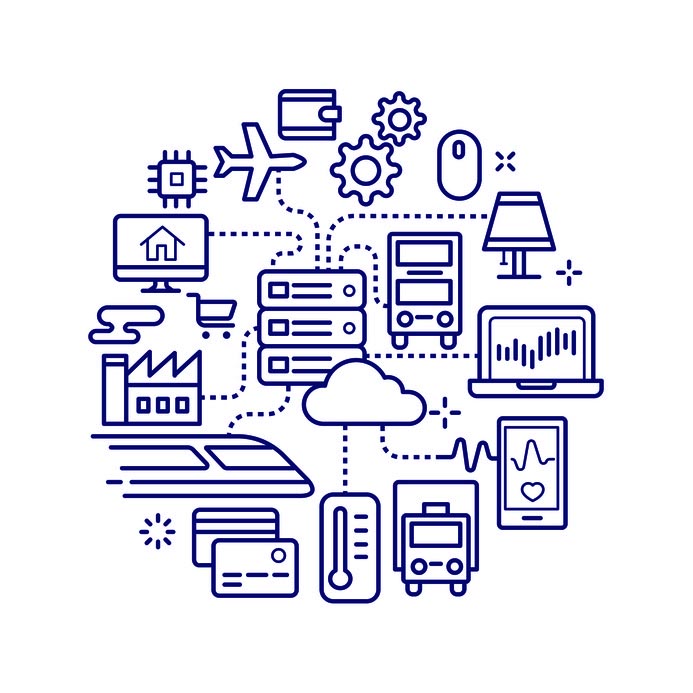
The Internet of Things is rapidly growing in popularity, which makes it all the more likely that some IoT devices will make their way into your office. Also growing: the reputation that these devices have as vulnerabilities to your organizational security. In an increasingly connected world, it is important to remember how the IoT could quickly become a hindrance to your business if not managed properly.

Let’s explore some of the risks that the IoT can present.

The Security Issues of the IoT

The Internet of Things has added utility to many devices, expanding their potential in ways that would otherwise be impossible. This has only been further augmented by the access to personal devices that many employees enjoy through Bring Your Own Device policies.

However, these benefits have come with an assortment of considerable risks alongside them. Devices that are a part of the IoT are notoriously vulnerable to many cyberattacks, which means that they could potentially be used as a point of access to your business’ network. From there, a cybercriminal has plenty of opportunities to create issues – whether that’s by stealing your data, hijacking your devices to be used in a botnet, or whatever their goal may be.

This problem is only exacerbated by the tendency for IoT devices to go without updates, whether through the negligence of the manufacturer or of the consumer. Without these updates, security flaws go unresolved, and the devices are thereby left vulnerable.

Consider how many devices are now manufactured that connect to the Internet. Smart watches and other wearables, smart speakers and televisions – really, almost anything with the word “smart” in its name – we have more or less surrounded ourselves with the Internet of Things. This includes the time we spend in the workplace, despite many of these devices not being visible on the network to IT. As a result, it has become almost impossible to track all the devices that attach to a network, which has developed into a new issue for businesses.

Shadow IoT

Thanks to the public demand for convenience and advanced functionality, more and more IoT devices are being manufactured all the time. If any of these devices makes its way into your office without the knowledge and approval of IT, you have a shadow IoT problem.

If you do, you aren’t alone.

In 2017, 100 percent of organizations surveyed by an IoT security firm were found to have consumer IoT devices on the network that qualified as shadow IoT. Another report, from 2018, stated that one-third of United States, United Kingdom, and German companies have over 1,000 shadow IT devices on their networks every day. Combine this with the security shortcomings discussed above, and you have a recipe for a cybersecurity disaster.

You may remember the Mirai botnet, which struck back in 2016. This botnet was built up of over 600,000 devices at its peak and focused primarily on IoT devices. Once these devices were identified by Mirai, they would be attacked and infected, adding more computing power to the botnet. Mirai is far from the only example, too… cybercriminals have been known to hack into IoT devices to gain network access, spy and listen in on conversations, and otherwise prove themselves to be a nuisance.

How to Minimize Shadow IoT

Clearly, shadow IoT isn’t a good thing for any organization. There are a few things you can do to help protect your business from the security issues that shadow IoT can cause.

  • Accept IoT devices in the workplace. If your employees really want to use one of their devices at work, they’re going to. Instead of shooting down requests to bring in these devices, make it easier for your employees to do so through the proper channels – and make sure your employees are aware of these channels. Openness and cooperation can be effective tools as you try to get your team on the same page you’re on.
  • Keep IoT devices separate. To better protect your network, you will want to consider utilizing a dedicated Wi-Fi network for IoT devices, configured to allow them to transmit the information they generate while blocking any incoming calls to them. This will help prevent threats from being transmitted to IoT devices.
  • Seek out potential threats. Not all shadow IoT necessarily can be found on an organization’s network, as over 80 percent of the IoT is wireless. This means that you need to be monitoring your wireless signals for shadow IoT devices and networks.

Your business’ security is important – too important to be undermined by an insecure consumer device that was brought in without your knowledge. You need to get out ahead of shadow IoT, as well as the other threats that could do your business harm.

NuTech Services can help. Our professionals are well-versed in cybersecurity best practices and how to use them to your benefit. To find out more about what we can do for your business, reach out to us at 810.230.9455.

254597996_message_400.jpg

Tip of the Week: How to Use Instant Messaging Professionally

254597996_message_400.jpg

Communication is paramount in any business environment, which makes it crucial that your business is equipped with the tools that allow this communication to take place. In light of this, many businesses have embraced instant messaging applications in the workplace. For this week’s tip, we’ll go over how to most productively and professionally utilize instant messaging.

Why Effective Communications are So Critical

There are a few reasons that you want your business’ internal communications to be clear and effective.

Fewer Errors

Miscommunication is rarely a good thing, but in the business setting, it has the potential to be crippling to your operations. If the correct information isn’t shared at the right time, with the right people, productivity will suffer. On the other hand, proper communications can help minimize, or even avoid, many potential workplace errors.

Increased Accountability

When an organization keeps its communications open across the board, it is prone to see an associated increase in companywide accountability. From owner to intern, being responsible for (and being held responsible for) certain milestones in a process keeps each member of a team on-task and motivated.

Improved Teamwork

Naturally, when members of a team communicate properly, they are better able to work cooperatively. As a result, problems often become easier to solve, as ideas may more easily flow and develop. Additionally, potential issues between departments are more easily resolved, preventing interpersonal concerns from affecting the work.

Efficient Problem-Solving

The ability to communicate clearly enables a team to better pool their talents to much more efficiently overcome any issues that may arise. Whether a problem is strategic or technical, having the capability to swiftly solve it will only benefit a business’ operations.

Instant Messaging in the Workplace

Naturally, all of the above outcomes can (and often do) result from the use of an instant messaging application… as long as it’s the right one.

You need to make sure that your chosen solution is intended for business purposes, which means you need to use an enterprise-grade instant messaging application. In addition, you also need to be sure that you and your staff are properly leveraging your solution. Try to encourage the following practices and behaviors in your staff to ensure that your instant messaging solution doesn’t turn into an instant messaging problem:

  • Keep it in check. You don’t want a solution that is meant to be a productivity booster to actually harm it. There’s a very real difference between your staff properly leveraging instant messaging capabilities, and aimlessly chatting all day. Encourage your staff to keep their conversations pertinent to the workplace and the task at hand (at least as much as possible).
  • Remain professional. Again, conversations on your instant message solution should be far and away focused on workplace matters. It is important that your staff knows this, and resists using the solution to share jokes, GIFs, or memes excessively. Moderation is key.
  • Don’t rely too much on it. Not all conversations are appropriate for an instant messaging platform, especially those that contain sensitive or overly complicated details. Some conversations are better shared in person, or in an email, where lengthier messages can be sent.

Have you ever utilized instant messaging in the workplace? Share your experience with us in the comments!

248191206_mobile_400.jpg

Smartphones Role In the Modern Workplace

248191206_mobile_400.jpg

Smartphones are everywhere. You go to the supermarket, people are on their phones, you go to the gym, people are on their phones. Go into the office? You guessed it…you see a lot of smartphone use that may not be in the best interest to organizational profitability. The question becomes, do smartphones help or hurt business? Let’s get into it.

Smartphones in the Workplace

Let’s start with the trickiest bit of this first. Smartphones are a distraction, pure and simple. In fact, according to one survey, employees average about 56 minutes per day on their phones while they are in the office. This equates to a massive productivity leak for many businesses, but just when you think it isn’t equitably fair for the employer to pay for time employees spend scrolling through Twitter, Facebook, and Instagram, responding to personal emails, and browsing websites blocked by the company’s content filter, employers aren’t totally innocent in this situation.

The modern employer is the first person to take advantage of the computing prowess of these devices. Since the modern company tries to do more with less, many employers expect their workforce to always be available; and, that means always. Moreover, managers and executives aren’t any different: they are always on their smartphones too!

Some organizations feel the need to try and strategically design policies to keep people from using their personal devices for personal use on company time. These same people don’t have a problem with them using these devices for the benefit of the organization, just not for personal gain. This is where policies go wrong. They create archaic and completely unrealistic policies and are shocked when even their best performers can’t avoid their phones for long. 

If you want your staff to limit their phone use at work, you have to make that clear. Some companies have implemented a policy that provides small breaks in which they can use their phones, but most companies have come to understand that this isn’t a trend and that phone use is part of day-to-day life. Locking down people’s ability to connect with the outside world for eight (or more) hours a day is only going to serve to bring negative reviews from your team, so your best bet is to embrace it, and realize that as long as your expectations have been communicated properly, most employees won’t take advantage.

Smartphones Out of the Workplace

While the smartphone may be a bit of a distraction to your in-house staff, what happens the moment people leave the confines of your business? They use their phone. In fact, I doubt very much if they make it out to their car or onto the train without a full assessment of the messages sent by applications, people, and others. How long do you last without checking yours?

This brings us to the point that needs to be hammered home. The more people use mobile devices, and specifically smartphones, the more they are willing to do off the clock for work. You don’t think this is true? If you are a business owner or manager, try texting, emailing, or messaging a member of your staff outside of work. They may not appreciate it, but more than likely, they will respond. This effectively extends them to “on-call”, a state that was typically reserved for people with jobs that the public depends on like doctors, lawyers, and the like. Now if you have a question about a project that just can’t wait until the morning, there is an excellent chance that you will be able to get the answer you seek directly from the person who worked on a task last. That can have a lot of benefits for your business.

What About Security?

Mobile malware has become much more prevalent than ever before–so much so that it can be a major problem for your business. The best way to mitigate liability from this is to design and enact a Bring Your Own Device (BYOD) strategy that takes advantage of cutting-edge mobile device management tools. Your staff may scoff at first, but if their two options are using their data or using your wireless network, they will opt in, guaranteed. 

If you need some help ensuring that you are doing everything you can to take advantage of your staff’s reliance on their smartphones, we can provide you with all the information, resources, and technology you need to make employee smartphone use work for your company. To learn more, call us today at 810.230.9455.

240564851_private_400.jpg

GDPR: One Year In

240564851_private_400.jpg

Data privacy is a serious issue in the world today, and the European Union’s General Data Protection Regulation, or GDPR, is perhaps the greatest example of how these issues are being addressed. Let’s take a look at how GDPR has shaped the computing world over the past year, as well as how events have exposed certain considerations regarding individual data privacy.

The GDPR

Prior to the implementation of GDPR, individual data privacy was mostly left up to the individual. In non-EU circles, this is still mostly the case, but GDPR has made issues related to this much more noticeable, such as the way this personal information can be used for corporate financial gain. GDPR was a response to these organizations failing to properly utilize user data. This included people having their personal information like names, addresses, email addresses, and even medical/financial information being utilized by advertising companies or worse. The largest corporate technology companies were using the data of individuals to turn a massive profit–a practice that seemed to be unfair to consumers.

EU member states have been legislating their own data protection laws prior to the establishment of GDPR. The United States has yet to jump on board this trend, though. With GDPR, organizations are seeing themselves as members of the global economy with strict new guidelines to adhere to. The GDPR is essentially an amalgamation of the laws that had previously existed, requiring all businesses to report certain types of personal data breaches within 72 hours to a supervised authority mandated by EU member nations.

This case was a landmark in that businesses were forced to remain more cognizant of how important data management is for the people who take advantage of their services. Before GDPR, many organizations failed to protect the data of their customers, staff, and vendors. In a way, GDPR forced them to begin thinking about data management, training staff, and investing in security.

One Year In

The results of GDPR have been mixed, to say the least. Over 59,000 personal data breaches have been identified by companies notifying regulators. The sanctions for failing to comply with GDPR mandates carry fines of up to €20 million, or up to 4 percent of total revenue from the previous year (whichever is larger), leading to a more targeted and strategic approach to data security, as well as more prompt reporting of when data breaches occur. To take a look at the results the GDPR had in its first eight months, download the DLA Piper GDPR data breach survey, here.

Overall, the GDPR provided a substantial boost to data breach reporting speed. The mandate gave organizations up to 72 hours to notify breached parties, so there were fewer instances of breaches going years before being revealed to the general public. The GDPR has also resulted in nearly doubling the amount of reported incidents.

The fines resulting in these breaches being reported, however, is considerable to say the least. Fines totaling up to €55,955,871 have been levied against the companies responsible for the 59,000 reported incidents, with most of this being struck against Google. A French GDPR calls this year as more of a transitional phase rather than an indicator of the long-term effectiveness of the measure.

Effects Abroad

U.S. companies that do business in Europe aren’t safe from the measures initiated by GDPR, but organizations have started to change up their approach to data privacy. Many legislators are pushing for similar measures to GDPR, and CEOs like Apple’s Tim Cook have labeled data privacy a “fundamental human right.”

Unfortunately, this viewpoint seems to be in the minority of major American tech company leaders. Still, this hasn’t stopped states like California from implementing its own data privacy law. Other states like Colorado, Massachusetts, and Ohio were inspired to pass their own data privacy laws. Perhaps the federal government will consider acting to fill in the holes left by these data privacy laws.

What are your thoughts on GDPR and data privacy regulations? Let us know in the comments.

173928316_data_400.jpg

Tip of the Week: Selecting the Right Data Warehouse for Your Needs

173928316_data_400.jpg

Data is everywhere. Nowadays, effectively everything we do produces data of some kind – especially where your business is concerned. If leveraged properly, your business can make good use of the data it collects throughout its operations. For this week’s tip, we’ll talk about how you can do so with a data warehouse, and discuss how to select the right one.

To begin, let’s figure out exactly what a data warehouse is.

Understanding the Data Warehouse

A Data Warehouse isn’t to be confused with a Data Center, where you might store your server infrastructure. It is a system for analyzing and reporting on large amounts of data. It helps you predict trends and get a full picture of what’s going on with your business.

In order to understand the purpose of a data warehouse, it helps to look to warehouses in the real world. In short, it’s a place to store stuff.

While this may seem simplistic, it is key to the other functions of a data warehouse. By storing all of a business’ data in a central location, that data can all be referenced against each other – regardless of the original source. This means that you can use this data to generate better analytics than you may have gotten otherwise, simply because you are less limited by the data you have access to.

Selecting a Data Warehouse

Of course, not all data warehouses are the same, and the different types offer different utilities. You also have to consider if the data warehouse itself is sufficient. Let’s go over some of the considerations you will have to make during your deliberations.

What kind of data do you need to store?

For our purposes, data can be split into two types: structured and unstructured.

  • Structured data is data that can easily be organized into a spreadsheet. If your data fits the bill, a relational database would likely be a good fit for your needs.
  • Unstructured data (or semi-structured data) is data that is presented in less-uniform formats, like geographical data, emails, books, and the like. If you have a lot of this kind of data, you may want to consider utilizing a data lake over a data warehouse.

How immediate does your data need to be?

Your intended use of your data warehouse will have the largest impact on this consideration. Are you looking for business insights, or are you more focused on real-time analytics? If you are looking to find out more about your business, having more data available will give you better answers. If you are using the data warehouse to fuel a predictive analytics platform, you will need less data, as tracking trends can be done with a simple Relational Database Management System (RDMS) and won’t necessarily benefit from access to all of the data your organization stores.

How are the costs structured?

Different data warehouse solutions are priced based on different factors, usually combining the storage used, the size of the warehouse, the number of queries that are run, or the time spent leveraging the solution. Your particular use case will likely influence which solution is most cost-effective for you, whether frequent utilization makes a lower compute cost preferable or a high volume of data makes lower storage costs the logical choice.

Does it work with the tools you use?

Finally, you need to be sure that the solution you are considering is compatible with your business’ other solutions – otherwise, you won’t get the full value from your data warehouse (or create more work for yourself).

NuTech Services can help your business manage its technology needs. To learn more about how we can optimize your business processes, call 810.230.9455.

37959013_eol_400.jpg

The Time Has Come for SQL Server 2008 and 2008 R2

37959013_eol_400.jpg

Software solutions don’t last forever. While patches and security updates can stave off the inevitable for quite some time, it’s impossible to maintain a specific solution forever. Support is eventually cut off, and businesses are left exposed if they haven’t taken the time to prepare. In the case of Microsoft SQL Server 2008 and 2008 R2, you are running out of time.
Outdated software is an issue that all businesses have to deal with. The fact that so many organizations don’t routinely update their software solutions is pretty telling. For one, many businesses simply don’t have the resources at their disposal to make sure maintenance is performed on a regular basis. Granted, unless a business has taken substantial steps toward upgrading away from software that has reached its end of support date, they will have to suffer the consequences.

What Does “End of Life” Mean?

End of Life, also known as End of Support, is a term that is used to identify software that is not updated or patched after a specific period of time has passed. Certain Microsoft products can utilize the Extended Security Update, but only for a maximum of three years, meaning it’s more efficient and cost-effective to upgrade away from your old systems before they reach the end of support date.

What You Need to Do

How would your business be affected by a potential security breach? Since you won’t be receiving security patches or updates, you’ll need to consider this possibility. Following a major security breach, you’ll be forced to upgrade your systems anyway, so not only will you have those costs, but you’ll have to deal with the fallout of a data breach. It’s never too early to start taking preventative measures and think about the future of your infrastructure, as well as who will be responsible for the management, maintenance, and upgrading of your business technology.

Before Windows SQL Server 2008’s End of Support date arrives, consult this list of upcoming end of support dates and take the necessary steps to upgrade your technology. It’s better to do so now than wait until it’s too late.

We Can Help

Worrying about your business’s IT infrastructure is something that you simply don’t have time for. A managed service provider like NuTech Services can help you achieve affordable and accessible technology support, including the updates and patches needed to maintain network security. We can even help monitor your infrastructure for potential End of Support software that will soon be outdated. To learn more, reach out to us at 810.230.9455.

200733844_tools_400.jpg

Are You Leveraging these Invaluable Business Tools?

200733844_tools_400.jpg

Technology has enabled businesses to do more with less, although this isn’t always the best thing. Many small businesses simply feel that they don’t have the technology solutions that properly resolve their challenges. However, these solutions exist, and offer all the robust functionality that many businesses seek.

Here, we’ll commit some time to examining the enterprise-level technology that SMBs are now leveraging to encourage their business’ forward momentum, and how you can leverage a solution that may not initially seem to be a fit.

The first consideration that any small business decision maker needs to take is how connected people are today. This level of connectivity produces many things, perhaps most of all heightened expectations – a fact that any SMB needs to contend with.

Historically, a small business would never invest in solutions meant to improve the customer’s experience and relationship with the company – they just didn’t have to. However, consumer demand makes it so that investing heavily in software can bring opportunities that simply wouldn’t be there otherwise.

As a result, your SMB needs to have the following solutions in its arsenal:

Customer Relationship Management

It can almost be said that, if your business doesn’t use a CRM, you aren’t really in business. That’s how crucial a CRM system can be nowadays. With hundreds of options out there, there are those that are unquestionably meant for the enterprise user, as well as plenty of options dedicated to a particular industry’s needs. These particular solutions take the benefits of the CRM and integrate different options that are precisely suited to a specific industry vertical.

One of the biggest small-business benefits of a CRM has to be how it can automate a significant amount of tasks that once were handled by multiple employees – a relatively larger chunk of its workforce (and payroll) than a larger competitor would be concerned with. This makes the CRM that much more valuable to a small business, as it reduces the manpower needed to complete business-critical tasks through automation. By integrating your customer relationships with your scheduling, your payroll, and other concerns, a CRM helps to make your business and its operations more streamlined.

Supply Chain Management

The demands of the customer are more crucial than ever to meet, especially for today’s smaller manufacturer. This means that the supply chain (procurement, manufacturing, fulfillment, and distribution) needs to smoothly work in coordination with its different parts. This is made easier by leveraging a single Supply Chain Management platform. Some of the options that these platforms often include, like Enterprise Resource Planning (ERP) software, are the same that are found in a CRM. This makes it easier to combine and consolidate software solutions so that users have that much less to learn to keep business moving.

Marketing Automation

Much like was said regarding the CRM, today’s small business doesn’t really exist without some kind of online presence. Some businesses will have an entire website created, while some stick to social media profiles. If you’re looking to boost your own business’ revenue generation (and why wouldn’t you be), building up your online presence is both an affordable and an effective means of doing so. Pairing this presence with automated systems can help you to nurture leads while simultaneously speeding up business and reducing operational costs.

This is how it works: your website captures leads. Once you have these leads, your marketing automation solution takes your captured information and integrates it with the CRM – saving you from the considerable task of doing it yourself. The end result, more worthwhile conversations that ideally end in more closed sales.

With the tools that are available today, it is amazing that more businesses aren’t leveraging them to cut costs and accomplish more. Don’t you want to get out ahead? The IT professionals at NuTech Services can help by deploying the ones that fit your business’ operations. For more information, call us at 810.230.9455.

257000469_wellness_400.jpg

Tip of the Week: Are Workplace Wellness Programs Effective? It Depends

257000469_wellness_400.jpg

Workplace wellness programs, despite being an $8 billion industry, are a bit of a quandary for employers – as the jury is still out over whether or not these kinds of programs are effective. For this week’s tip, we’ll examine if a wellness program might be a good fit for you.
Study after study has been performed over the years about the impact of workplace wellness programs, producing various results. Some have indicated health improvements and cost savings, while others haven’t. However, the studies that were performed in the past had a high rate of issues. Whether there was no comparison group, or the chance of personal bias influencing signups, these studies simply didn’t provide reliable data.

Now, however, researchers from the University of Chicago and Harvard have conducted a large-scale study that meets the requirements that such a study is usually beholden to.

The BJ’s Wholesale Club Experiment

This experiment began by selecting 20 of the big-box retailer’s outlet centers to offer an employee wellness program. 140 additional BJ’s locations did not offer any such program. Across the 160 clubs involved, there were almost 33,000 workers employed.

Participants filled out a health risk questionnaire, took health classes, and had basic medical tests performed. After 18 months, their progress was evaluated…and that’s where things got interesting.

Despite the workers who were participating in this program reporting healthier behaviors than they once exhibited, almost all other factors were left unchanged. Blood sugar levels, job performance and attendance, and employer health care spending all were unaffected.

Why This Might Be

There’s a good chance that the results of this study were skewed by the incentives offered to participants. Participants were given gift cards for attending wellness courses, for a total incentive of about $250. According to founder and CEO of Bravo Wellness, Jim Pshock, this may just not have been enough. According to Pshock, any amount less than $400 is only going to be enough to incentivize people to do what they were already going to do anyways. As Pshock put it: “It’s simply too small to get them to do things they weren’t already excited about.”

Another study, published in 2018 by the University of Illinois, essentially debunked the idea of the workplace wellness program, concluding that it neither reduced costs or impacted behaviors – although this study also found that participants of wellness programs were those who were already healthy and motivated. This potentially suggests that the true benefit of these programs isn’t to make their existing workforce healthier, but to attract and retain healthier employees.

There are other potential contributing factors as well. A recent survey indicated that 84 percent of employees saw their wellness programs as “one-size-fits-all,” a concept that doesn’t really work will all of the various factors that contribute to health. Eighty percent of respondents to that same survey claimed that more personalization would contribute to their participation in wellness programs.

Why You Want to Adopt a Workplace Wellness Initiative

Admittedly, we’ve provided a mixed defense for these kinds of activities, but it cannot be denied that anything you can do to promote the health of your employees will only benefit your business – healthy employees tend not to call in sick, after all.

There are other benefits to these programs as well:

  • Reduced Stress – The stress management benefits of healthier behaviors have been well documented. By adopting these healthier behaviors, you and your staff can reduce the stress that comes from the office and approach the source issues more effectively.
  • Community Building – As the boss, you want your entire team to work as, well, a team. Unfortunately, if certain departments don’t work together much, this kind of relationship can be hard to develop. However, many activities that would fall under a workplace wellness initiative can help cross departmental lines, drawing your team closer together.
  • Better Moods – Wellness programs allow employees to try out new activities, which can not only add to their wellbeing, but can also keep them engaged and productive. Plus, studies have indicated that employees who participate in these programs were generally happier with their work situation.

What have you done to cultivate a more health-conscious workplace? Share your strategies in the comments!

M9V8WUL_hacker_400.jpg

Even Small Businesses are Targets for Hackers

M9V8WUL_hacker_400.jpg

Do you ever think of your business as too small of a target to matter to hackers? Some organizations actually do believe this, and that notion is effectively a trap. The thing that all businesses need to keep in mind is that all organizations, regardless of which industry they fall into, as all companies have data that’s valuable to hackers. We’re here to prove it and ensure you know the best way to protect your data.

Profitable Types of Data

Believe it or not, even a small business with a handful of clients has data worth stealing. You’re in business to make money, and by virtue of this fact, you likely collect and store financial information. In fact, you collect a ton of valuable data. The type of data that hackers are looking for.

In addition to all of the financial details you collect, there is also all of the contact information regarding leads, clients, and customers. With so many emails and phone numbers stored on your infrastructure, hackers can have a field day. They will have all the information they need to steal funds, distribute malware, and create unpleasant situations for your business.

The Unpredictability Factor

Not all hackers have any specific goal in mind when they hack you. Sometimes all they want to do is make your life miserable. The unpredictability associated with hackers is one of the most dangerous parts of them, as they can take advantage of any overlooked vulnerabilities to create a problematic situation for you.

The Impact of Security Negligence

If your business falls victim to a hacker, it’s certain to affect your business’ operations. In some cases, it could be subject to compliance fines that could break your budget and put your business at greater risk. Furthermore, you could lose access to important data that makes your business work, threatening its future and all but guaranteeing that recovery can never happen. Therefore, the importance of protecting your network can never be overstated.

NuTech Services can help your business implement the security solutions needed to maximize protection from threats. To learn more about what we can do for your organization, reach out to us at 810.230.9455.

7WZL3KH_staff_400.jpg

Staff Education Goes a Long Way in Preventing Security Issues

7WZL3KH_staff_400.jpg

In a perfect world, keeping your antivirus updated and having a good firewall in place would be enough to protect your business from cybersecurity threats.

Unfortunately, most attacks still come in through email, and can slip by your users. Even the most complex cybersecurity platforms used by massive corporations and governments can be foiled by a simple phishing attack, and your end-users are your last line of defense.

How Can an Employee Fall Victim?

Phishing attacks are designed to look real. An email might come in looking like a valid message from Paypal, a bank, a vendor, or even from another employee or client. Hackers use several tricks to make the email look real, such as spoofing the address or designing the content of the email to look legitimate.

Unfortunately, if the user clicks on the link in the email or downloads the attachment, they could open themselves and your company up to whatever threats contained within.

Commonly, this leads to stolen sensitive information, or installs malware on the device, or grants the hacker the ability to log into the user’s bank account.

While having strong IT security can reduce the amount of these phishing attacks that come in, a percentage can be tricky enough to bypass your firewalls and content filters, exposing your staff to situations that could your whole endeavor in

Educate Your Employees

It’s important to teach employees how to catch a phishing attack. We recommend sharing the following steps with your staff, or even printing them out and posting them around the office:

  1. Carefully hover (don’t click!) over links and see if they go to a legitimate URL. If the email is from Paypal, a link should lead back to paypal.com or accounts.paypal.com. If there is anything strange between ‘paypal’ and the ‘.com’ then something is suspicious. There should also be a forward slash (/) after the .com.   If the URL was something like paypal.com.mailru382.co/something, then you are being spoofed. Everyone handles their domains a little differently, but use this as a general rule of thumb:
    1. paypal.com – Safe
    2. paypal.com/activatecard – Safe
    3. business.paypal.com – Safe
    4. business.paypal.com/retail – Safe
    5. paypal.com.activatecard.net – Suspicious! (notice the dot immediately after Paypal’s domain name)
    6. paypal.com.activatecard.net/secure – Suspicious!
    7. paypal.com/activatecard/tinyurl.com/retail – Suspicious! Don’t trust dots after the domain!
  2. Check the email in the header. An email from Amazon wouldn’t come in as noreply@amazn.com. Do a quick Google search for the email address to see if it is legitimate.
  3. Always be careful opening attachments. If there is an attachment or link on the email, be extra cautious.
  4. Be skeptical of password alerts. If the email mentions passwords, such as “your password has been stolen,” be suspicious.

Phishing Simulation

Another great tactic is to have regular phishing simulations. This is where we create a series of fake phishing emails (don’t worry, it’s safe), and randomly send it to your staff. When someone falls for the attack, we send them educational information to help them prevent being tricked by a real one.

We’ve found this to be very effective, without taking a lot of time out of an employees already busy day.

Are you interested in helping to protect your staff from falling victim to phishing attacks? Give us a call at 810.230.9455.

81131209_email_400.jpg

Tip of the Week: How to Utilize Your Business’ Email

81131209_email_400.jpg

Email seems to be a pretty basic workplace tool, but like any tool, there are many ways to use it. From sending emails to managing tasks and messages from your inbox, let’s discuss a few tips and best practices to help you use your email like a true professional.

Properly Managing Your Email Like a Professional

Let’s not split hairs here: checking your email throughout the day can be a major waste of time. In order to avoid sinking time you could otherwise spend productively on reading (and re-reading) emails, there are a few habits you could develop.

Impose Rules on Your Email Habits

As we’ve said, repeatedly checking your email throughout the day can very quickly become a waste of your time. To avoid this, schedule times throughout your day to commit to checking your email. Once your time is up, stop until your next scheduled time.

We’ve all also accumulated emails that we simply don’t need to read. As harsh as it may seem, archive these emails, or unsubscribe as they come in to keep your inbox clean based on the subject line or the sender.

Managing Important Emails

Admittedly, not every email that comes in will be a waste of time. However, an overstuffed inbox can make it easy to miss something important. To avoid this issue, utilize folders to file your emails so that your inbox doesn’t become overfilled.

If Time is Left, Return to Your Inbox

If you finish your other tasks, return to your inbox and review your messages in order of importance. If you happen to run out of time, stop your review until your next opportunity. As you review your emails, don’t be afraid to unsubscribe to emails that aren’t important to your tasks.

Don’t Be Afraid to Leverage Filters and Labels

Filters and labels can help you to keep your emails more automatically organized. Your filters/labels should be relevant to their content. One can contain messages from a certain sender or pertain to a certain topic. As a result, you will be able to more easily keep your emails organized.

Rules like these can also keep you from having to deal with automatic replies, like out-of-office autoresponders and similar replies that you don’t need to receive.

What other emails have gotten in the way of your productivity? Let us know… we might cover them in a future blog! For more information, subscribe to our blog!

144339508_infrastructure_400.jpg

What Does Your Business’ IT Infrastructure Look Like?

144339508_infrastructure_400.jpg

Small and medium-sized businesses (SMBs) simply don’t have the large budgets that come with running an enterprise, and because of this, many of them have trouble affording IT maintenance and management. In a similar sense, these smaller organizations struggle with planning out an IT infrastructure. Does your business have a plan in place?

What Does Your IT Infrastructure Look Like?

Your IT infrastructure consists of all the technology that enables your organization to store and utilize data that it has collected. This includes your network, your storage system, and any hardware and software solutions that are used to access it. Basically, an IT infrastructure is effectively your organization’s central nervous system, supporting operations through the transportation of data.

It’s clear that your IT infrastructure will play an important role in the way your business works. This means that you’ll need to invest time and energy into developing a proper strategy for your IT infrastructure to adhere to.

Determining Your IT Infrastructure Strategy

The same infrastructure won’t work for all businesses, so you’ll have to craft one. To create an optimized infrastructure strategy, consider the following best practices.

Simplification

Make no mistake–your infrastructure today hardly resembles what it looked like just a few short years ago (at least, it shouldn’t). Chances are that your IT infrastructure contains several different types of technology. This complicates the process of improving and updating it.

Be sure to consider the modern standardization of the software and integrations that are possible with your centralized IT platform, as this will maximize access to data and increase how much value you get from your solutions.

Flexibility

IT is always changing and adapting to trends, which means that you will want to build your IT infrastructure in such a way that it can take advantage of these changes. Ask yourself where your organization’s biggest speed constraints are, as well as how they can be rectified. If you can consolidate your existing infrastructure to limit the risks, how would this affect your business processes? These are all factors that must be taken into consideration.

Service-Focused

The biggest advantage that IT provides for your organization is that operations can’t happen without it. When planning out your infrastructure, be sure to consider the fact that your entire business will need to use it for access to services and tools required for each employee’s day-to-day responsibilities. Ask yourself what you can do to make sure your infrastructure can do what must be done both now and in the future.

Why You Should Consider a Managed IT Infrastructure

You might recall the process you used to create your network back when your business was just a fledgling pushing back against the world. Remember that feeling and use it to fuel the process of reexamining your current IT infrastructure. In fact, you may find it more reasonable to outsource this task to a managed service provider.

There are many benefits to doing this, but the biggest has to come from the time you’ll save from doing so. You have a lot on your plate as a business owner. Can you say with confidence that you have the time it takes to design, build, manage, and maintain an IT infrastructure? Of course not–there simply aren’t enough hours in the day. Instead, you hand this responsibility to professionals you trust to ensure that the process goes well.

NuTech Services wants to be the MSP you trust to make sure your infrastructure is working for your business and its goals. To learn more about the services we offer, reach out to us at 810.230.9455.

190293970_bitcoin_400.jpg

Is Blockchain a Shield for Cybercrime?

190293970_bitcoin_400.jpg

Blockchain technology is all the rage these days. Business owners are going to start hearing this buzzword as a bullet point in software solutions. Developers from all over the world are trying to harness the power of encrypted, distributed data, mainly due to the reputation that blockchain has regarding the “unhackable” permanence of the data stored upon it. However, it as powerful as blockchain is purported to be, it isn’t totally infallible.

How Blockchain Has Been Shown to Be Vulnerable

Let’s face it… blockchain technology is a human invention, which means that there are going to be some flaws.

Admittedly, the concept behind the blockchain makes this hard to believe: every transaction made through the blockchain, financial or data-based, is given a permanent, designated “block” in the chain. Before the transaction is completed, the rest of the network needs to approve this new block’s validity. The block is then added to the chain, where it cannot be altered and provides an unchangeable record of the transaction – to undo it, a new block would be created. It is only then that the transaction is completed.

While this method may seem foolproof, even “unhackable”, this just isn’t the case. In March of 2014, cybercriminals managed to steal $450,000,000 worth of Bitcoin through a transaction mutability vulnerability, and in June of 2016, cybercriminals managed to steal approximately $60,000,000 by leveraging a recursive calling vulnerability.

Additional Blockchain Vulnerabilities

Again, as a human creation, there are going to be some flaws in blockchain platforms. One investigation revealed that some blockchain and cryptocurrency platforms had over 40 vulnerabilities.

51% Vulnerabilities

Many of blockchain’s vulnerabilities have more to do with the nature of the platform as well. One such vulnerability is known as a 51% vulnerability, and is associated with mining cryptocurrencies. Let’s assume you are a cryptocurrency miner. If you manage to accumulate hashing power that exceeds more than half of what the blockchain contains, you could leverage a 51% attack to manipulate the blockchain to your own advantage.

Naturally, more popular blockchains, like Bitcoin, are far too expensive to be practical targets, but smaller coins are much more affordable to attack and can be lucrative for hackers. In 2018, 51% attacks were leveraged against less popular cryptocurrencies, netting the attackers approximately $20 million.

Security of Private Keys

Using a blockchain requires a user to have a private key. Naturally, if this key were to be stolen, those cybercriminals who stole it would be able to access and tamper with that user’s blockchain. What’s worse, because the blockchain is decentralized, these kinds of actions are difficult to track and even harder to undo.

Breach Examples

As you might imagine, most breaches involving a blockchain are in some way tied to an end user. In 2017, a fraudulent cryptocurrency wallet service was left up for months as the cybercriminal responsible allowed people to funnel their cryptocurrencies into it before stealing $4,000,000 – out of a reported total of $2 billion being stolen since 2017 began. In January 2018, it was disclosed that hackers stole private keys with malware, taking over $500,000,000 in NEM coins (a now-effectively-worthless cryptocurrency established by a nonprofit).

If hackers are able to steal from a purportedly “unhackable” technology, what’s to stop them from stealing from your business?

Cybersecurity solutions from NuTech Services, that’s what. We can set up the security solutions your business needs to protect its data, and monitor your systems to detect breaches preemptively, preventing a security issue from happening. To learn more about what we can do, reach out to us at 810.230.9455.

104081100_strong_400.jpg

Tip of the Week: Company Culture Can Be a Huge Business Strength

104081100_strong_400.jpg

When considering a business’ strengths, there is a tendency to focus on its more quantifiable aspects – it generates x dollars in revenue, or leverages advanced solutions a, b, and c. While these kinds of competitive advantages are valuable to have, it is also important to recognize how critical one of your more qualifiable strengths can be: your company culture.

Your company’s culture is its identity – the impression that your company leaves when someone makes contact. As such, there are assorted reasons that it pays to create an engaging and inclusive company culture.

Draws in Talent

Let me ask you this: would you rather work someplace that had a reputation of nurturing incoming talent and ensuring that this talent had the resources and access that they needed to succeed in their position, or someplace notorious for leaving new employees to fend for themselves, providing minimal direction when direction is necessary to successfully complete a task? My money is on the first option.

One of the biggest benefits to creating a positive culture in the workplace is that more people will want to make it their place of work. This gives you a wider pool of talent from which to select the best candidates, creating a stronger business.

Of course, attracting this talent is one thing, having it stick around is quite another.

Retains Talent and Reduces Turnover

As long as your company culture matches its reputation, the individuals who accept your offer of employment are less likely to leave, barring any personal circumstances that force them to. This is important, as the sudden loss of an employee can have assorted impacts on your business. These impacts can include dropped processes, missed opportunities, and the costs associated with finding, hiring, and onboarding someone to replace the lost employee.

Of course, you don’t have to worry so much about these impacts if your employees aren’t motivated to leave. This is where having a positive company culture is so valuable – you can better avoid the significant costs of losing an employee, continuing to benefit from their skills in the workplace. Research conducted by Gallup indicated that only 37 percent of employees engaged with their work were actively seeking new employment opportunities, compared to a staggering (albeit understandable) 73 percent of those who had disengaged from their work.

Columbia University conducted research as well, and their results followed in the same vein. According to their results, organizations with strong company cultures saw turnover rates of 13.9 percent. 13.9 percent, compared to the 48.4 percent turnover rates at companies with poor company culture.

Boosts Productivity

A happy employee is a productive employee, which translates to direct benefits for your business if your employees remain satisfied. The right company culture can motivate your employees significantly.  The same Gallup research referenced above demonstrated that engaged employees saw productivity boosts of 21 percent. Another study, by IBM-owned Kenexa, suggested that organizations with an engaged workforce were able to bring in twice the income as an organization without these levels of engagement.

Reduces Employee Burnout

There are many reasons that an employee can experience some level of burnout, whether their schedules are overpacked or their hours are simply too long to be sustainable. However, a negative company culture is often overlooked as the root cause of an employee becoming disengaged with their work.

While employee burnout may seem like more of the employee’s problem at first consideration, there are some very real consequences that a business will need to deal with. For instance, employee burnout has been linked to an estimated 49 percent increase in workplace accidents, and a 60 percent increase in errors.

Stressed out employees are a liability to your company, but helping them to reduce that stress with a better company culture can turn these liabilities into true assets.

Better Attendance

Speaking of assets, your employees aren’t going to be very good ones if they are never in the office. A Harvard Business Review study reported an increase in employee absenteeism of 37 percent among disengaged employees. Naturally, if your employees aren’t completing their responsibilities due to this absenteeism, it is going to have an impact on both your business’ success and internal morale.

However, a more positive company culture encourages your employees to report to work, and as discussed above, leads to improved productivity while they’re there.

Is Company Culture Really So Important?

Based on the outcomes discussed above, it is pretty clear that the better your company culture is, the more effectively your business will be able to operate. So, how can you improve yours?

One way is to give your team the tools they need to complete their tasks more easily than they could with outdated and insufficient IT solutions – and the efficiency boost that new IT solutions will bring can free up some time to develop your company culture even more. NuTech Services can help to make sure that you are using the tools that are best suited for your company’s (and by extension, your employees’) needs. Give us a call at 810.230.9455 to learn more.