b2ap3_thumbnail_manufacturing_robot_mistakes_400.jpg

A Dark Shadow is Cast Over the Good Work Robots Do
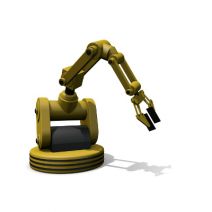
b2ap3_thumbnail_manufacturing_robot_mistakes_400.jpgThe point of living in a world where technology takes over everything is that it’s supposed to make life easier. Although, keep in mind that imperfect humans are responsible for creating these technologies. Therefore, technology is flawed, maybe even to the point of putting people in harm’s way. This fundamental truth makes for an uneasy trust between man and machine.

Take for example a tragic incident that occurred last month at a Volkswagen plant in Germany, where a robot was actually responsible for the death of a worker. This robot was designed to piece together cars by moving and manipulating auto parts. According to The Guardian, the error occurred while the robot was being set up by a team of technicians. Due in part to a human error (supposedly), the robot grabbed the worker, instead of an auto part, causing critical injury.

A second example of why we should be suspicious of robots comes from the road. Led by the efforts of Google, several major technology companies are developing and testing self-driving cars. As great as it sounds to sit back and play magnetic travel chess while a robot chauffeurs you around town, the high number of reported fender benders from the testing phase gives us good reason to be a little nervous. Think about it, how do you feel about being on the same road as fast-moving, metal-death traps that are vulnerable to hacking attacks?

Buried deep in the human psyche, connected perhaps with our survival instincts, is a mistrust to give up too much control to something (or someone) that we don’t fully understand. When it comes to machines and computers, just how much do you understand about how they work? Unless you’re a computer programmer or an IT technician, it’s likely that you don’t know enough about these machines to totally erase the fear that robots will one day rise up and enslave us all. This is why science fiction movie franchises are exploring this narrative in fantastic detail, like The Terminator and The Matrix, have connected so deeply with people’s imaginations (and wallets).

Just how safe are you from the technology that you’re dependent upon? While it’s unlikely that you work with battlebots equipped with saw blades and flamethrowers, or that you play traffic roulette with a driverless car, you’ve got a lot riding on your company’s data. In fact, it would take just one major disaster for your system to crash, causing major data loss. This kind of a data loss disaster can potentially ruin a business, and by extension, your livelihood.

A disaster like this can happen at the hands of an incompetent user, an error from an imperfect machine, or even something else entirely, like a random act of nature. One way to gain peace of mind while living under such a looming threat is to learn more about the machines that you trust with so much responsibility, and it’s unlikely that you’ve got the time to analyze and understand the inner workings of your computer network. Alternatively, you can outsource the care and maintenance of your machines to the knowledgeable IT professionals at NuTech Services.

Because, at the end of the day, who do you trust more; man, or machine?

b2ap3_thumbnail_comment_spam_400.jpg

Tip of the Week: How to Take Back Your Website From Comment Spammers

b2ap3_thumbnail_comment_spam_400.jpg“Wow. That was a great article! I make $500 a day working from home and you can too! Click the link below to learn how!” This is an example of comment spam. You may have seen it before. You may have even fallen for it. How does one deal with such an annoyance?

Comment spam is much more than an annoyance. If your company’s website or social media account is filled with comment spam, it gives potential customers the impression that you don’t care about upkeeping your website and it will discourage them from leaving valuable comments of their own.

There are several tools and settings that can help you decrease the amount of comment spam on your website, but none of these tools are perfect, and all of them require a commitment from a real person to oversee the comments and delete the spam. Here are four tools that will help in your battle against spam.

Disable Your Comments
This is a weapon that you have in your arsenal, but like the “nuclear option,” you don’t want to use it unless you absolutely have to. The reason you don’t want to disable your comments is because authentic comments are valuable–even the negative ones.

Comments give the impression that many people view your website as a resource that’s worth visiting. Search engines pick up on comment-generated web traffic and give your website a higher search ranking. Even the negative comments are good because they give you the opportunity to directly respond and set the record straight professionally and publicly. This will communicate to others that your business cares about a customer’s experience. The only reason why a business should disable comments is if they never do any maintenance on their website–ever.

Approve Comments Before Posting
This is a nice setting that makes sure a moderator is first laying their eyes on the comment before it’s posted. This is a sure-fire way to filter out spam–unless the spammer happens to be clever enough to fool you or the person tasked with moderating your website. If you are fooled by a comment spammer by letting one slip by, then take solace in the wisdom of former President George W. Bush, “Fool me once, shame on you. Fool me… you can’t get fooled again.”

The downside about depending on a moderator to filter comments is that it can turn into a cumbersome task. If the content on your website is popular, it can generate a lot of comments that need to be approved. Also, a user knowing that their comment will have to be moderated before it’s posted may discourage them from commenting. Some people simply prefer to see their comments instantly display, like with instant messaging.

Use Recaptcha
Recaptcha is a helpful tool that makes sure actual people are posting. When a user leaves a comment, they will be shown a picture of some numbers (like from the side of a house). They will then be asked to enter the numbers into a form. This will filter out spam bots that automatically spam websites, as well as a percentage of human spammers that aren’t in the mood to fill out a few extra forms in order to post their spam. However, this tool isn’t 100 percent effective because a dedicated human comment spammer will fill in the required Recaptcha numbers.

Block Spammers’ IP Addresses
If you happen to come across a spammer, your website platform should allow you to block the user’s IP address from accessing your website. By looking at some spammer statistics from Imperva, you will see how blocking a comment spammer’s IP address will go a long way toward taking care of the problem:

80 percent of the comment spam originates from less than one-third of the spammers, and a mere 17 percent of comment spammers actually account for a majority of the comment spam traffic. Imperva also found that nearly 60 percent of comment spammers are active for long periods of time.

Vigilance is the Key
You can think of fighting spam like fighting a battle. The key to winning any battle is vigilance. You have to stay on top of your company’s website maintenances; letting a few spam comments slip through due to negligence can cost your business dearly by potentially turning away customers.

Spam has many forms and all of them are harmful. Spam shows up in the inboxes of your employees and drags down productivity, as well as causes wicked computer viruses. Staying on top of your Internet marketing means staying on top of spam. What are some of the most annoying spam comments that you’ve come across? Let us know in the comments… actually, don’t.

b2ap3_thumbnail_call_the_remote_doctor_400.jpg

What If You Never Had to Go to the Doctor’s Office Again?

b2ap3_thumbnail_call_the_remote_doctor_400.jpgRemote technology is so efficient and popular that it’s infiltrating many industries that you’d be surprised to hear about. One such sector is the healthcare department. Some doctors are taking advantage of the leaps and bounds made by technology to help their patients get back on their feet as easily as possible.

As managed service providers, our primary goal is to use remote technology to help users solve their IT crises. Similarly, doctors can use remote technology to diagnose and treat patients, much like how we do with our own systems. UnitedHealthcare, one of the largest health insurance providers in the United States, supports what WIRED magazine calls “telemedicine;” a video visit from a doctor who offers consultation services rather than an in-person appointment. As reported by WIRED:

United says it will cover virtual doctor visits offered through NowClinic, Doctor on Demand, and American Well. These platforms connect patients with thousands of doctors—albeit not the patient’s usual doctor—via video chat. These consultations typically cost $40 to $50 a pop, but now that United is covering these visits, members will only have to pay their usual co-pay, making virtual medicine much more affordable for more people. For now, these virtual visits will be available only to UnitedHealth’s self-funded customers, but the feature will expand to most members by next year.

So, remote technology is helping more people stay healthy simply by allowing them to access a doctor’s consultation whenever they need to. This makes it more convenient for not only the patient, but the doctor, as well. They don’t have to arrange for an on-site diagnosis, and they can avoid any contagious sickness easily enough. It’s simply a much more efficient way of doing things, and allows for more affordable healthcare in general.

In fact, remote technology is such a great tool that any industry can take advantage of it. We at NuTech Services perform most of our maintenance remotely. Managed IT companies use remote technology to ensure that a business’s operations continue to run smoothly. With the assistance of remote technology, NuTech Services can monitor your business’s systems for critical security flaws and administer patches accordingly. This helps us prevent damage that cannot be undone, like a loss of business data or personal information.

The primary reason remote technology is so useful for managed IT service providers is that your business avoids most on-site visits, eliminating the costs associated with them. This frees up a significant amount from your budget, and allows for more effective use of your IT expenses. Every time you opt for remote management and maintenance, you’re saving your business money. In fact, most issues can be resolved without an on-site visit. Granted, some hardware problems cannot be resolved remotely, so you can’t completely eliminate the costs of on-site visits; still, being able to mitigate them is often more than enough to make a difference.

For more information about how we can remotely monitor and maintain your infrastructure to optimize your system’s health, give NuTech Services a call at 810.230.9455.

b2ap3_thumbnail_mouse_security_400.jpg

Your Computer Can Identify You Based On How You Move Your Mouse

b2ap3_thumbnail_mouse_security_400.jpgAny user of technology knows that it’s important to optimize security on all fronts of your business. The only problem with this is that passwords aren’t as secure as they used to be. Many businesses have moved in the direction of two-factor authentication, which requires a secondary credential in order to access an account. Did you know there’s a security method that uses your mouse’s behavior to authorize your login?

A startup called BioCatch has developed an authentication procedure that analyzes your mouse movements and behavior. Everyone has probably encountered two-factor authentication at some point or another, be it for a bank account login or email inbox access; but we doubt that you’ve ever given mouse two-factor authentication a shot.

According to BioCatch, the way that a PC user uses a mouse can identify who they are. ZDNet explains:

The entire way that we use the human-machine interface embedded within each and every modern computer, browser, or website, is like a unique fingerprint. Lefties will operate a mouse differently to right-handed people, for example, and each user ‘grabs’ an icon at a different point, angle, and so on.

Essentially, BioCatch’s idea looks at the way users move their mouse to build a “character profile,” so to speak. This helps identify whether the user is actually who they say they are. In fact, it’s been estimated that this method of authentication can prevent fraudulent logins up to 80 to 90 percent of the time.

In addition to monitoring your mouse movement, BioCatch’s solution considers other aspects, crammed into four layers of properties:

Layer One: Standard Authentication
Layer one consists of the device, network, IP address, hardware, and location – all traits that physically tie you to your PC. These are the typical authentication properties used when logging into an account. The following layers, however, take a much different approach to authentication.

Layer Two: Physical Profile
Layer two consists of mainly motion-related actions, such as moving objects around the screen, hand-eye coordination, and the mouse pointer (or finger on touch screen devices).

Layer Three: Cognitive Profile
Layer three consists of examining mental abilities, such as response time and connection time. It also looks for suspicious activity that is out of the norm. One example used by ZDnet is online banking – normally, a user would check their balance before doing anything. If a money transfer is their top priority, something might be up.

Layer Four: Invisible Challenges
BioCatch’s final layer of protection is meant to authenticate a user’s identity, but not in the traditional sense. BioCatch purposely puts problems in the way of the user in order to determine who they are. Everyone reacts to potential threats differently, and their response can be used to verify one’s identity.

Will mouse two-factor authentication catch on? We don’t know; but what NuTech Services does count on is the importance of two-factor authentication in general. Users need to have more than just a password protecting their accounts if they want to stay secure. This is especially important for any business-related material. With today’s sophisticated hacking tools and procedures, all it takes is one skilled hacker to crack a password.

To get started with two-factor authentication, give NuTech Services a call at 810.230.9455.

computer_that_talks_400.jpg

Tip of the Week: Take Advantage of Notepad’s Text-to-Audio Feature

computer_that_talks_400.jpgSome people talk to their computers, but not like they would speak to another human being. We coax it into doing it what we want, or we curse it out when it doesn’t. A day may come when artificial intelligence has progressed so far that we won’t be able to distinguish a computerized conversation from a normal one; but it is not this day. Until that glorious day comes, we’ll have to settle for these two methods to interact verbally with your PC.

My Notepad Sure Has a Big Mouth
We bet you didn’t know that the Windows Operating System has a tool installed on its Notepad that allows it to convert text to audio. However, this feature isn’t available without a little tinkering on your part. It requires a bit of programming, but infusing life into your Notepad is as easy as copying some text and slapping it on the page.

It’s Alive!
First, you want to open Notepad. Copy and paste this text into Notepad:

Dim msg, sapi
msg=InputBox(“Enter your text for Conversation | Tool by Irshad (http://pctricksonline.blogspot.com)”,”PC Hacks Text-To-Audio Converter”)
Set sapi=CreateObject(“sapi.spvoice”)
sapi.Speak msg

Go to File > Save As, and make sure that the file type reads text_audio.vbs. Afterward, close the note and open the text_audio.vbs file. A magic little box will appear on your screen. Type your text into the box and pat yourself on the back; you’ve just breathed life into an inanimate object (sort of). Fun things to type into this include, but are not limited to, “Help! I’ve been turned into a computer,” “Look at me. I’m a computer programmer,” and “Kneel before me, humans!”

That’s Not What I Said
If you don’t want to try your hand at programming Notepad to breathe life into your PC, you could always try using Google Voice Search. This is a standard Google Chrome feature, and is very easy to use. You simply go to Google’s homepage and click on the microphone icon to the right of the Google search bar. Then, you speak into your microphone and Google will search for it. The more the app is used, the more accurate it becomes. You might want to consider turning Safe Search on if you are afraid of what you might accidentally search for. You never know what you might find on the Internet.

“Smart” Phones
For those who want a simpler experience, there are always the apps offered for smartphones. Apple offers Siri for iOS, and Android has Google Now. It’s better than the magic 8-ball, we suppose, and you shouldn’t get too bored talking to them. Just remember, nothing is better than actual human interaction.

These technologies are just a taste of what’s to come over the next few years. Technology advancement is growing at an alarming rate, so keep your eyes peeled for other great interactive programs. What are your favorite interactive apps, and why? Share it with us in the comments!

b2ap3_thumbnail_leave_your_workspace_400.jpg

Be Sure to Take These 4 Actions Before Leaving Your Desk Unattended

b2ap3_thumbnail_leave_your_workspace_400.jpgWe’ve published several blog articles about enterprise security technologies, but it’s equally important to focus on the other side of the security equation and make sure people know how to properly log off, lock, and walk away from their workspace. To that end, even something as seemingly-mundane as forgetting to lock your computer can leave your network vulnerable, big-time.

Here are four actions every office worker should take before leaving for the day–even if you feel like you can fully trust your co-workers. Not to sound paranoid, but when it comes to crime, the old saying is true: “It’s always the person you least suspect.”

Log Out of Your Web Accounts Before Logging Off Your PC
Before leaving your workstation, it’s best practice to log out of whatever online accounts you have open. It might seem like you’re safe by simply closing your web browser, but if you didn’t take the time to actually log off from your account, your browser may keep your account open; despite the fact that the browser itself is closed. In a situation like this, all a person has to do to “hack” your account is open the browser and go to the active website. Upon doing this, they may find your account open. They will then have complete control to navigate your account as if they were you, which can lead to some pretty hilarious social media posts. They could also change your account settings, revoking your control. Social media isn’t the only culprit here – bank accounts and online email accounts are just as susceptible.

The consequences of not logging out could be more serious if a malicious hacker were to remotely take control of your computer while you were away from it. All they would have to do is open your web browser, look at your history to see what sites you frequent, and then visit these links from your browser. An account that’s still logged in will grant them instant access. In a situation like this, an account that’s been manually logged out of would be more difficult for a hacker to access. For serious threats like this, it’s extremely beneficial to have NuTech Services monitoring your network for any suspicious activity.

Be Sure to Log Off Before Stepping Away From Your PC
For similar reasons as logging out of your account, you will want to log off of your PC before walking away from it. If you don’t, a co-worker could easily access your desktop and mess with it in ways only limited by their computer know-how. What’s more, if you work in an office where strangers have easy access, like customers and delivery personnel, you will want to log off before stepping away from your PC. You never know who is going to walk through your front door and snoop around the place.

Put Away and Lock Up Any Mobile Devices
It may seem harmless to close your laptop and leave it on your desk when it’s time to go home, but for someone in the mood to do some crime, a mobile device left out in the open is an easy target. You may think that your co-workers can be trusted to leave your device unattended, but all it takes is one conniving worker who has it out for you to grab your device, dig in, and set you up for failure. Instead of leaving your device out in the open, lock it up in a drawer or a closet, utilize a laptop lock cable, or just take it home with you if it’s your device.

Lock Up the Office Before You Leave
This may sound like a no-brainer, but you’d be surprised by how many businesses overlook the security of side doors, windows, and other access points around their building. Being fully dependent on security measures like access cards, codes, and keys, isn’t enough to fully protect your assets, especially if several different employees can unlock your office. An employee that isn’t wise to the ways of security may see nothing wrong with loaning their access code to another worker, and if you don’t regularly change your locks, then employees who were let go may still have access to your building (and they may have an ax to grind).

Additionally, it’s good to have a surveillance system in place, especially one that you can access from your mobile device, wherever you may be. Because a smart surveillance system like this would piggyback off your company’s network, NuTech Services can help set it up for you, as well as recommend a system that best suits your security needs.

Are there any additional security measures that you take before calling it a day? Share your tips in the comments.

b2ap3_thumbnail_cloud_backup_400.jpg

Introducing the 3-2-1 Formula to Effective Data Backup
b2ap3_thumbnail_cloud_backup_400.jpgWhile there are several options your business has for a backup solution, how much thought have you really put into it? As one of the most mission-critical functions of your IT infrastructure, you need to be sure that you’re getting the best solution for your money. More importantly, you need to know that you can rely on your solution to get you through the most trying times, like after a disaster or data theft.

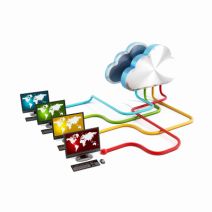
Taking a 3-2-1 approach to your backup policy is a simple way to get comprehensive continuity for your data infrastructure. InfoWorld describes this concept as having three copies overall of your organization’s data, with two of these being in different formats, and one of them being stored off-site. This is difficult, if not impossible, to do with tape backup, which some businesses still run. However, there’s a much easier way to handle data backup in the form of cloud backup.

With cloud backup, your business can take advantage of safety and security that’s on the level of large enterprises. Unlike tape, which is limited due to the time necessary to perform a comprehensive backup, the cloud allows for multiple snapshots of your data taken throughout the workday. This gives you the peace of mind that your information is comprehensive and redundant. The cloud even makes recovery automatic and as easy as can be, making it ideal for both storage and recovery options.

There are two main issues of cloud data backup that most businesses get stuck on: the technical details, and the price of a complete infrastructure overhaul. Many small and medium-sized businesses feel that they can’t afford this solution, or they don’t have the manpower to ensure that all of the mission-critical technology is available. Being able to back up your files on demand is an essential part of today’s online business world, especially with hackers running amok. So, what’s a budget-minded SMB to do?

One solution is to call NuTech Services and let us explain our managed service offerings to you. Our solutions are designed to optimize operations and increase productivity on all fronts. In fact, our Backup and Disaster Recovery solution is one of our most important services, especially today when hacks can happen when you least expect them. It’s designed to take multiple backups of your data throughout the workday, and sending copies to both an off-site data storage, and in the cloud for easy access.

One of the best features of our BDR solution is its practical neutralization of costly downtime. When your server goes down due to a hack or other natural phenomenon, you’ll ordinarily lose access to any data stored on that server. However, a BDR device has the ability to immediately take the place of your server if it goes down for some reason, and it can deploy your backed-up data in a moment’s notice. This keeps your business running, even when your technology isn’t, giving you ample time to find an adequate replacement.

To make backup this easy, all you need to do is call 810.230.9455.

b2ap3_thumbnail_tips_to_enhance_productivity_400.jpg

Tip of the Week: Try the 52-17 Rule to Get the Most Productivity Out of Your Workday

b2ap3_thumbnail_tips_to_enhance_productivity_400.jpgThere are countless ways to boost your productivity in the office… at least, that’s what the Internet says. How do you separate the productivity champs from the chumps? It’s simple, really; just look for the tried and true methods that have been backed by thorough research. One such study, performed by Julia Gifford of Draugiem Group, claims that workers can be more productive by not trying to do as much office work as possible.

This is hardly the first productivity strategy proposed by professionals. What makes this different from others? Well, it’s backed up with results. Using the tracking application DeskTime, the researchers at Draugiem Group examined how their best, most productive employees spent their time in the office. Surprisingly, it boiled down to how much time wasn’t being spent doing work.

52 Minutes of Work, 17 Minutes of Rest
While it might seem incredibly inefficient, the results of this study turned out to be a cycle of 52 minutes of hard work, followed by 17 minutes of rest. This is similar to the Pomodoro technique, another relatively well-known process which includes 25-minute work intervals with five-minute breaks, followed by one 15-minute break after the fourth increment. Overall, the 52-17 rule seems to be geared more for those who are confident they can stay focused on a single task for almost a solid hour.

The Importance of Rest
Rest is an absolutely critical part of any function performed by humans; therefore, its importance cannot be overemphasized. In fact, many researchers studying the science behind workplaces find that rest is absolutely imperative to the success of all participants.

Entrepreneur Chris Winfield claims that he cut his work week in half because he took consistent breaks throughout the workday. As you can imagine, finding the right balance between work and rest can be a tricky subject. Meetings and other time-sensitive appointments are difficult to fit into an individual’s schedule. For Winfield, he was able to cut his 40-hour work week down to 16.7 hours (not counting the time he spent in meetings). This is a considerable difference, especially because he was still getting everything done that he wanted to.

The End Result: Increased Flexibility
As you can imagine, scrunching your work week to less than half of the original size opens up several opportunities. The only way this is possible is with proper prioritization of important tasks. By ensuring that high-priority tasks are tackled in the most effective way possible, you’ll be able to approach the rest of your work in a clear, stress-free manner. Winfield claims that his approach changed the way he looked at the work week:

The final piece to my puzzle was moving from a five-day workweek, where I had to stop by 5 p.m., to a seven-day workweek, where I could work when it suited me. This took me from 40 to 45 hours available to get my 40 Pomodoros in, to having 168 hours each week. Since I only need 16.7 hours net, that means I only work 10% of my time. What a difference.

Granted, Winfield didn’t count the 20-to-25 hours of meetings and phone calls toward his total time, yet, he still managed to save his sanity by taking small breaks.

If you aren’t quite sold on either the Pomodoro technique or other work-break increment strategies, there are several other alternatives to look into. For one, you can look into using the latest and greatest technology solutions to improve the overall efficiency of your time spent working. Give us a call at 810.230.9455 to learn more about what productivity solutions can help your business.

b2ap3_thumbnail_this_is_autocorrect_400.jpg

The Correct History of Autocorrect

b2ap3_thumbnail_this_is_autocorrect_400.jpgAutocorrect. The world takes it for granted now, but at times, it can be as furious as it is fasting… err, fascinating. It plays such an integral part of our everyday lives, yet how much do you really know about this software?

For example, how many of you actually know how autocorrect came into existence? We bet even less of you know how autocorrect chooses the correct spelling and grammar for each word and phrase out there. Autocorrect was born from a feature that had already existed in Word, which was a glossary of sorts that acted as an auto-expander. With this, you were able to expand existing text with other things, such as a replacer for a company logo.

This method utilized script in the programming, but the pioneer of autocorrect, Dean Hachamovitch (former corporate vice president of Microsoft), realized that the glossary could be used in many more applications. The first word targeted by autocorrect was destined to be teh, a commonly seen word amongst Internet memes and illiterate people worldwide. Hachamovitch crafted a script which would fix this spelling error when you pressed the left arrow key and F3 simultaneously. Perhaps his biggest revelation was when he noticed that English is a very space-oriented language, and that he could trigger the autocorrect to happen upon hitting the spacebar.

Afterward, it was simply a matter of figuring out what the most commonly misspelled words were. Some of NuTech Services’s favorite misspellings are as follows:

  • seperate vs separate
  • affect vs effect
  • its vs it’s
  • misspell vs mispell (nothing is more embarrassing than misspelling mispell)
  • their, they’re, and there
  • recommend vs reccommend
  • could of vs could have

Of course, whether or not a word should be fixed in autocorrect boils down to how often it’s used. Additionally, Microsoft can’t go around recommending obscenities for corrections. Obscenities are labeled as words that aren’t flagged or suggested. Other words are determined by a number of different factors:

  • Keyboard proximity
  • Phonetics
  • Sentence context

What this means is that most words are judged by how popular they are in the context of language and sentence structure. This is also known as the battle between prescriptivism and descriptivism; how words should be used and how they are used in practice. Just because a word is used often doesn’t mean that it is the proper way of using said word.

Has autocorrect made humans lazy? We at NuTech Services don’t think so. If anything, we have to be even more careful about what is typed out, as a single error can be detrimental and embarrassing. Call NuTech Services at 810.230.9455 and we’ll work with you to prevent IT hiccups that could be punishing.

b2ap3_thumbnail_rogue_employees_400.jpg

2/3 of Fired Employees Can Access Their Former Company’s Cloud Data AFTER Leaving

b2ap3_thumbnail_rogue_employees_400.jpgAs an employer, you understand that employees come and go. The same group of professionals who helped you build your business will probably be drastically different ten years, or even five years from now. While employee turnover is a natural occurrence, it also presents a certain risk. Believe it or not, a surprising percentage of employees will leave your business one day, and they’ll take some corporate information with them.

A survey from SailPoint shows that a quarter of your employees might take copies of corporate data with them upon leaving a company. The survey, which specifically dealt with cloud computing usage, was issued to at least 3,000 employees worldwide. As explained by SailPoint president Kevin Cunningham, “The survey results are an eye-opener of how cloud applications have made it easy for employees to take information with them when they leave a company.” With so many employees taking advantage of their mobile technology (aka Bring Your Own Device, or BYOD), IT administrators need to be more cautious than ever in how their information is deployed throughout for their business.

A slightly more disturbing statistic is that one in five employees upload this corporate data to a cloud application (Google Docs, Dropbox, etc.) with every intention of sharing it with others. It might feel impossible that your employees could possibly think about stabbing you in the back like this, but it happens more often than you might think. Some people just don’t leave on a positive note. If they storm off with a flurry of curses, it’s fair to consider that they might attempt to sabotage your business.

Here are some more statistics from the survey:

  • 66 percent of employees said they were able to access a business’ cloud storage applications after they left their last job.
  • 60 percent said they were aware that their employer strictly forbids taking intellectual property when they leave the company.
  • Only 28 percent said their employer’s corporate policies describe who can access mission-critical software-as-a-service (SaaS) apps.

These issues pose a unique challenge for IT departments, as it forces them to consider what happens with your business’s corporate data outside of the network. When an employee is terminated or simply leaves the company, it’s more important than ever to ensure that their permissions to access restricted company files are revoked. This can make it easier to protect your business’s data.

If this is a primary concern of your business (as it should be), give NuTech Services a call at 810.230.9455 to determine the best approach to protecting your confidential corporate information from rogue employees and other malicious entities.

b2ap3_thumbnail_chrome_extentions_400.jpg

Tip of the Week: The 4 Most Useful Extensions for Google Chrome

b2ap3_thumbnail_chrome_extentions_400.jpgIf you’re one of the many people who prefer Google Chrome to other browsers, you know all about extensions and how they can improve your browsing experience. These are mostly add-ons that are designed to augment your browsing experience or adding new features. While some aren’t so useful, there are others that are invaluable under the right circumstances. To help you get the most out of Chrome, here are four useful browser extensions that you should take advantage of.

Text Mode
You don’t need us to tell you that the Internet is a distracting place. Your attention span is at the mercy of YouTube videos, cute cat pictures, and just about everything else humanly imaginable. This can be quite irritating if you’re working on a deadline and absolutely need to complete a big project on time. In order to help you take back your productivity unsullied by the Internet, Chrome’s Text Mode extension eliminates all images so that you can concentrate on the task at hand. Thanks to there being no images loading, you’ll notice that the browser’s speed is slightly increased, as well.

AdBlock
Online ads are annoying. It’s as simple as that. You don’t want to accidentally click an ad and have even more tabs open than normal. More importantly, you just want to browse the web in peace without pop-up videos or distracting ad text in your sidebar. AdBlock completely blocks these ads from your web pages, allowing you to get back to business without a new ad catching your eye.

Lightshot
All Windows PCs come with the innate ability to take screenshots using the PrtScn key. The free tool Lightshot allows you to take focused, clear screenshots of select areas of your screen. For instance, you’ve received a strange error message or noticed a spelling error, and you want to report this to the appropriate personnel. Lightshot also comes with the ability to draw on the image, insert text, and more. You can then proceed to either upload it directly to the Internet, or save it locally on your PC. This helps you give your IT support team a visual representation of what your problem is, allowing for a swift resolution.

Google Cast
Google’s Chromecast is an essential part of any techie’s entertainment repertoire, but in order to use it effectively, you need the Google Cast extension on your PC. Chromecast is a device that you can plug into your television’s HDMI port to send content to the big screen. A great use of this would be in your office’s conference room for a meeting, or simply in your living room for movie streaming. It’s compatible with all sorts of entertainment mediums, like Netflix, YouTube, Google Docs, and more.

Do you have a favorite Google Chrome extension? If so, let us know in the comments.

b2ap3_thumbnail_facial_recognition_400.jpg

Forget Passwords: Access Your Phone By Identifying Pics of Familiar Faces

b2ap3_thumbnail_facial_recognition_400.jpgWith all the hacking attacks we’ve seen in the news, it’s painfully obvious that using passwords just isn’t enough to protect our information. We now have more security measures available than ever before. One of the more unique and effective solutions to have surfaced is Facelock, a clever solution that grants access based on how well you can identify images of your friends and family.

What makes Facelock unique is that it taps directly into your personal memories. By displaying a series of images of people that only you know, in a randomly generated order and with faces scattered in different positions, access is not dependent on a code or a string of characters (which hackers have become skilled at bypassing). Instead, for a hacker to be successful, they will have to tap into your memories, a technology that only exists in science fiction.

You might be thinking, “Okay, what if the device is picked up by a close friend who knows all of the same people that I know?” First off, if they truly are a close friend, they wouldn’t be a jerk and hack into your phone. Second, it’s rare for 100 percent of a person’s friends to be the same. After all, even your spouse had a life before they met you, which included many people whom you’ve never been introduced to.

As secure as Facelock is, a hacker who’s familiar with your social circles does have a better chance at accessing your Facelock-enabled device. In a study of Facelock’s effectiveness, 6.6 percent of hackers who knew the victim were able to successfully bypass Faceflock. Hackers who didn’t know their victims had a less than one percent success rate. Overall, when the two groups were combined, the study showed that Facelock had a 97.5 percent success rate. Additionally, the study showed that would-be hackers who didn’t know the people in the images had a difficult time distinguishing multiple pictures of the same person if they didn’t have a prominent facial feature (like a big nose or a large forehead).

The advantage of Facelock is that you never again have to worry about forgetting your password. However, one disadvantage is that it might not work for your business technology because it will require your IT support team to be familiar with the user’s circle of friends. Plus, for someone who knows you very, very well, hacking into your device may be as easy as playing the classic board game “Guess Who,” minus the fun.

Does Facelock seem like the perfect solution to forgetting your password? Would you trust those who are familiar with your circle of family and friends enough to leave them alone with a Facelock-protected smartphone? Let us know in the comments.

b2ap3_thumbnail_sow_the_seeds_of_business_400.jpg

“It’s Dead Jim:” When to Walk Away from Your Failing Business

b2ap3_thumbnail_sow_the_seeds_of_business_400.jpgRunning a business can be an exhilarating experience, mainly due to the degree of risk that’s involved. When you’re the one calling the shots, your success is only limited by your ability to lead. Then there’s the chance that things won’t work out and you’ll fail miserably. When your business goes the way of the latter, how do you know when your your company is finished and it’s time to call it quits?

If you’re stuck in a hopeless situation, it’s better for your personal sanity to throw in the towel than it is to try and stick it out and make it work. To discover if you should hang in there or close up shop, ask yourself these three questions.

Do You Enjoy What You’re Doing?
Granted, few people actually love every minute of their job; by its nature, work comes with a level of discomfort. Obviously, you should expect some hardships when running a business. To get more specific, the question we’re asking here is, “Have you reached a point where you hate every minute of being a business owner, even to the point where you can’t find any reason to celebrate?” If you’ve reached the point where you can’t get any satisfaction from something that requires so much from you, it’s time to leave your company and seek out something more fulfilling.

Although, if you truly believe in the mission of your business, then you’ve got what it takes to make it through a hard spell and see a problem through to the end. Digging down deep and tapping into your passion to do what you do, and not letting your dreams just be dreams, is what will carry you through a rough patch and lead you to success. This principle quickly becomes evident after talking to any successful leader in your industry who has been where you are today.

Are You Connecting With Your Market?
You might have a business idea that you’re extremely passionate about and believe in wholeheartedly, but if it’s not connecting with your target market, then it might be time to invest in a different idea. That doesn’t mean you shouldn’t stop doing what you love; it just means that, perhaps it would be wiser to have your passion be a hobby, instead of a business for which your livelihood depends on.

Before you give up on a dream because the market isn’t coming around, try taking a different approach and do what you’re doing in a different market. Or, try taking surveys of your target market to find out what they’re really looking for. Of course, if making a major change like this still fails to yield the results you need to be profitable, then maybe your great idea is only great in your head and you should call it quits.

Is it Meant to Be?
Call it fate, or a deep intuition, or even a bad economy, but sometimes seemingly-good ideas just aren’t meant to be. If it feels like nothing is ever going your way and the universe is out to see you fail, well, then maybe it is. Instead of fighting fate, it may be better to just throw up your hands, accept fate, and give up. Who knows, maybe your business can be sold or acquired and you can walk away with some cash in your pocket.

Of course, by their nature, business owners have a can-do attitude and won’t give up until they’ve tried everything they can in order to make their dreams come true. To that end, NuTech Services can arm you with a host of solutions that will streamline operations and provide answers to many of your most pressing problems. After all, it would be a shame to call it quits because you’re stuck on something that could easily be prevented with the right technology.

To learn how technology can help your business climb out of a rut and get back on the fast track to success, give NuTech Services a call at 810.230.9455.

b2ap3_thumbnail_android_security_400.jpg

Tip of the Week: How to Take Back Your Android Device from Bloatware

b2ap3_thumbnail_android_security_400.jpgSmartphones are filled with all sorts of nifty apps. In fact, some of the most useful applications come pre installed on the device. However, not all apps are worth your time. These unwanted applications are called “bloatware,” and can impede the device’s ability to perform to your specifications.

Bloatware is not only annoying, but it can also be threatening to your device’s wellbeing. For instance, Lenovo’s pre-installed Superfish software caused quite the security scare several months back. Furthermore, it can take up space on your device and affect the amount of data you can store on it. In order to get the most out of your Android smartphone, you want to remove as many junk apps as you can. Of course, you should always approach this kind of project with caution. You don’t want to accidentally get rid of a core function of your device and render it inert.

There are several ways to remove or hide bloatware from your device. TechRepublic suggests five apps to do so. Some require that your device is rooted (i.e. you have Superuser control over your phone’s core files and OS), while some simply hide the bloatware from you.

TechRepublic’s Top Anti-Bloatware Apps

  • NoBloat Free: This app allows you to view bloatware on your device, and completely remove it. All you have to do is locate it under the System apps listing, tap it, and then select what you want to do with it from the listed options.
  • System App Remover: As explained by TechRepublic, System App Remover “is a free bloatware removal tool (with ads) that makes removing system apps and bloatware go much faster. Simply open the app, grant root access, check off all the apps you want to remove, and tap the uninstall button.”
  • Root App Deleter: Here’s yet another app that can delete your bloatware from your phone. However, unlike the others, you can choose to either hide it or delete it completely. Hiding it doesn’t clear up any space, so you can go that route if you don’t want to risk deleting something important.
  • Disable Bloatware: If you don’t want to remove bloatware completely, you can choose to hide it with Disable Bloatware. As a non-rooted application, you can take advantage of it even if your phone isn’t rooted. This hides your bloatware so it doesn’t distract you, but it doesn’t free up any space on your device.
  • System Apps: This is Android’s built-in application hiding function. With it, you don’t have to download an app to hide your bloatware. As previously mentioned, this doesn’t free up any space on your device, but it does prevent your bloatware from being a nuisance.

If you want to optimize your mobile devices for productivity and efficiency, but don’t want to risk your device’s integrity, you can give NuTech Services a call at 810.230.9455. We’ll help you clean up your devices so that they’re nothing but productivity machines.

b2ap3_thumbnail_xp_logo_for_navy_400.jpg

Microsoft Salutes the US Navy for Sticking with Windows XP

b2ap3_thumbnail_xp_logo_for_navy_400.jpgHave you already arranged for your upgrade to Windows 10 on July 29th? If so, good for you. You’ve made a decision that, last year, several Windows XP users went without. However, those who went without upgrading to a more recent operating system are now feeling the effects of having to purchase custom support from Microsoft following Windows XP’s expiration; including the United States Navy.

As reported by ZDNet, the US Navy is planning on spending an estimated $9 million this year on custom support for Windows XP. The problem here is that unsupported software is a major security risk, and custom support is so expensive that small and medium-sized businesses can’t afford it, even under the best circumstances.

Also, $9 million is an obscene amount of money for just about anything, especially when you consider that it’s going toward a system that’s literally getting replaced as soon as possible.

The proposed deal is said to run for a maximum of three years, and offers critical security patches and updates for Windows XP, Office 2003, and Windows Server 2003, the latter of which is set to expire this year on July 14th. The reasoning behind the agreement is that the Navy takes advantage of numerous legacy applications that aren’t compatible with more recent operating systems. This complicates the process of upgrading, and forces them to rely on expensive custom support. The deal is expected to run until July 2016, but just in case, they have plans to continue until 2017. You don’t need us to tell you that it’s a huge expense that could have been avoided.

If your business hasn’t upgraded from Windows XP yet, you’ve taken some very serious risks that could easily be avoided if you simply upgraded your operating system to one that’s supported by Microsoft. Of course, it’s not always so simple, as the navy’s predicament shows. When you run older software like legacy applications, you might encounter compatibility issues.

In fact, some software is so out of date by today’s standards that newer technology completely forsakes it for more recent (and, quite frankly, better) solutions. Some of these applications might be mission-critical, where they’re vital to the day-to-day operations of your business. Furthermore, if you’re not a technology expert, it can be difficult to judge which applications will be obsolete upon your upgrade.

This is why NuTech Services’s technology consultation services are so valuable. We provide the foresight needed to understand which software is compatible with your new operating system. This is especially important, as the Windows Server 2003 expiration date is fast approaching. Give us a call at 810.230.9455 to learn more.

b2ap3_thumbnail_vr_ready_to_take_off_400.jpg

4 Game-Changing Virtual Reality Technologies

b2ap3_thumbnail_vr_ready_to_take_off_400.jpgEntertainment has become such a huge part of technology consumption that nobody can think of a smartphone or the Internet without immediately thinking about it. In fact, entertainment has grown so important that some are trying to create machines that integrate virtual realities into the lives of everyday consumers. What is virtual reality, and is it limited to the entertainment industry; or can it be used in the business sector, as well?

What Defines Virtual Reality?
Everyone has a different opinion on virtual reality. Some might think it’s as complicated as we’ve seen it in various films, but in all actuality, it’s not quite as immersive as moving your entire body into a virtual space. You don’t shift through dimensions. Your consciousness doesn’t detach from your body.

As defined by the Merriam-Webster dictionary, virtual reality is:

[…] an artificial environment which is experienced through sensory stimuli (as sights and sounds) provided by a computer and in which one’s actions partially determine what happens in the environment.

So, a virtual reality isn’t necessarily a reality at all; in essence, virtual reality is tricking your mind through sensory shenanigans into believing that what you see and hear is really there.

Oculus Rift
The Oculus Rift is the virtual reality technology that consumers are most likely to be familiar with. It’s manufactured by Oculus VR, which was acquired by Mark Zuckerberg of Facebook for two billion dollars earlier this year. The device in question, the Oculus Rift, is a headset that allows for sight and hearing stimulation via a heads-up display and headphones. Though a consumer version of the Oculus Rift isn’t slated until later in 2015, it’s sure to primarily be used by gamers; making it somewhat obsolete in the business world.

Google Cardboard
Not to be bested by Facebook’s acquisition of the Oculus Rift, Google created Google Cardboard. Cardboard allows you to turn your smartphone into a virtual reality headset. With Google’s cardboard blueprints, you can cut and fold cardboard into the base. While Cardboard is a neat, thrifty way to get a feel for what’s to come, the material available for download is limited to a handful of games and short movies.

Google Glass
Google’s take on a reality augmentation technology was mostly a bust, but in theory, it was a good idea. Google Glass was a pair of glasses that could act similarly to a smartphone, but hands-free. Some of its features included connecting the Internet, simple voice commands, a camera for both photos and videos, and a touchpad on the side which is used to control the device. It was even capable of using other Google applications, like Gmail, Google+, Google Maps, and more.

Unfortunately, Google Glass failed to take off because of its outrageous consumer price, and its stigmatized reputation due to privacy concerns. For the average consumer, Google Glass boasted a whopping $1,500 price tag. According to Forbes magazine, its parts and assembly should have cost less than $80. Furthermore, with a camera disguised as a spiffy pair of specs, Google Glass was at odds with privacy in general. In a world where organizations are increasingly sensitive to the preservation of their business secrets, it’s no wonder that Google Glass wouldn’t fit in with the business world.

Microsoft HoloLens
The development of Microsoft’s HoloLens was largely kept under wraps until earlier this year, when it was announced that it would follow shortly after the arrival of Windows 10 this July. Designed as a reality augmentation device, it takes elements of the real world and integrates virtual elements into them. It’s designed to work around your surroundings, and unlike the Oculus Rift, you still see your surroundings through the heads-up display.

Unlike the other two examples, Microsoft Hololens presents a unique business advantage. The possibilities are expansive. According to Microsoft’s official HoloLens site page, it’s expected to make leaps and bounds in the construction industry, space exploration, education, and more. However, whether or not the HoloLens will prove to be an efficient use of augmented reality is yet to be seen. It has big shoes to fill, and after the failure of Google Glass, consumers might be more skeptical of it.

What are your thoughts on virtual reality and augmentation in the workplace? Do you foresee a world where it can be efficient enough to accept its drawbacks? Let us know in the comments.

b2ap3_thumbnail_security_checklist_400.jpg

Tip of the Week: Use This Security Checklist to Protect Your Network

b2ap3_thumbnail_security_checklist_400.jpgAs a business professional, you have a responsibility to ensure that your company’s network and data is protected from hacking attacks. It can be difficult to remember to take all of the necessary precautions, but with our help, you can easily outline all of the measures that should be taken to maximize security for corporate data.

Start by going down this handy checklist:

Are You…

  • … Maximizing Password Security? A password that’s difficult to crack is one of the best (and easiest) assets your business’s network can take advantage of. If threats can’t make it past your password, they can’t do much damage. When changing your password, remember to use strings of complex characters, including both upper and lower case letters, numbers, and symbols.
  • … Using Two-Factor Authentication? When using two-factor authentication, you’re basically making the process of signing into your accounts more difficult by adding another security step to your login process. This means that a hacker must obtain even more information, like your mobile device. This extra step makes it vastly more difficult for a hacker to get into your account.
  • … Updating with the Latest Patches and Updates? The latest patches and security updates help keep your systems up to date and protected from recently discovered vulnerabilities and malware, improving your infrastructure’s overall security and dependability.
  • … Protected by a Firewall? A firewall is your first line of defense from incoming and outgoing threats. It analyzes the traffic moving to and from your network, keeping threats from infiltrating it in the first place, and quarantining them for proper elimination.
  • … Using a Spam-Blocking Solution? Spam is both an annoying waste of time and a potential threat. Spam messages often have viruses and malware attached to them, so it’s best that they stay out of your inbox in the first place. This is what a spam-blocking solution accomplishes. It can save you time and increase your network’s security.
  • … Protected by an Antivirus Solution? When the average consumer thinks about security, this is their go-to solution. An antivirus is designed to detect and destroy threats to a system’s security, effectively preventing catastrophe.
  • … Using a Web Content Filter? If you suspect your employees of having questionable web browsing habits, you can implement a content filtering solution. This solution will keep their time at work free of inappropriate, or simply unsafe, web browsing.
  • … Regularly Scanning Your Network for Threats? If your business isn’t regularly checking your network for undetected threats, you might find that you have some issues to take care of.

While this list might seem long and time-consuming to fill, it doesn’t have to be. NuTech Services has the ability to serve up and manage any security solutions you need to keep your network safe. Just give us a call at 810.230.9455 to learn more.

b2ap3_thumbnail_big_data_rainforest_400.jpg

Big Data is Saving the Biodiversity of Tropical Rainforests

b2ap3_thumbnail_big_data_rainforest_400.jpgWhen you think about Big Data, thoughts typically turn to how businesses use the technology to collect and analyze massive amounts of information for the purpose of making sweet profit. Although, there’s much more to Big Data than making money; scientists are using the technology to help save the rainforest.

We shouldn’t have to convince you of the importance of the rainforest. It’s estimated that rainforests are responsible for producing 40 percent of the Earth’s oxygen. Therefore, anything that’s done to help preserve the rainforests is helping to preserve all life on the planet. This is why groups like Conservation International (CI) exist.

CI is on a mission to preserve the natural biodiversity of the rainforest. Such a mammoth task can only be accomplished if the scientists of CI first understand the environment of which they have pledged themselves to protect. This requires collecting and processing a vast amount of information directly from the rainforest itself, which is where Big Data comes in.

Making the job of CI difficult is the sheer vastness of the rainforest. In fact, the Amazon rainforest alone covers 2,123,562 square miles. How can a small team of scientists possibly monitor such a large area? Their approach is to turn the ecosystem of the rainforest into an IT system, consisting of more than 1,000 cameras designed to monitor and record information, like activity from animals and even poachers, as well as the effects of climate change and land usage.

According to Sandy Adnelman, chief scientist at CI, this process can be likened to a check up for the planet. For example, when you get a physical from your doctor, they check your body’s most crucial parts and systems. In the same way, scientists like Adnelman are strategically monitoring the most important parts of the rainforest.

To give you an idea of just how helpful Big Data technology is for these scientists, it’s important to remember that the previous way of collecting footage was done manually. CIO explains:

Because the camera traps are located in some of the more remote locations on earth, there’s no infrastructure. Teams have to manually collect the data from the traps and upload it, at which point CI scientists run a series of scripts and models to identify the various species appearing in the images. They then blend that data with climate measurements (precipitation, temperature, humidity, solar radiation, etc.), data on trees (growth, survival, deforestation, etc.) and land use data from public sources to create a model of the health of the animal populations at the sites and how they are changing over time.

The previous process was a huge undertaking that took up vast amounts of the scientists’ time. For these Planeteers, this was a point of frustration because, when it comes to saving the rainforest, time is of the essence. Thanks to Big Data analytics, scientists can now process and analyze the collected rainforest data up to nine times faster than the previous method. Additionally, the results are far more accurate. This allows scientist to make better use of their time and monitor more foliage.

In the same way that Big Data helps improve operations for these scientists, it can improve the workflow of your business. If you’ve got a process that involves collecting and crunching large amounts of information, and it’s eating away at your budget and resources, then check with NuTech Services for a Big Data solution that will make operations easier. In the same way, if you feel like your business would benefit from knowing more information about your target market, we can find a Big Data solution for this too.

Call us today at 810.230.9455 to upgrade the ecosystem of your company’s IT system.

b2ap3_thumbnail_internet_of_things_security_400.jpg

The Internet of Things is the Next Big Thing, Are You Ready?

b2ap3_thumbnail_internet_of_things_security_400.jpgWhat comes to mind when you think about the Internet of Things? Tech enthusiasts around the world see hordes of connected devices taking advantage of mobile technologies to augment everyday life; but the realist sees a horde of devices that pose a considerable threat to network security. How can your business ensure maximum security in the face of such a phenomenon?

As explained by Gartner’s IT glossary, “The Internet of Things (IoT) is the network of physical objects that contain embedded technology to communicate and sense or interact with their internal states or the external environment.” This means that the more devices connecting to the Internet, the more likely security is to take a hit. This is further augmented by the fact that most IoT devices are designed to communicate with each other, increasing the risk of data leakage.

Modern businesses need to prepare their networks for the Internet of Things before data loss and compromisation come into the picture. Your organization should take an active, proactive role in its network security, especially when it comes to sensitive corporate information. The Internet of Things transfers and receives data in a vastly different manner from previously established protocol, making protecting this data a daunting task. This means that your business needs to take a comprehensive approach when it comes to network security.

According to Brian Partridge of 451 Research, there are a couple of variables that are common throughout the vast amount of different IoT device, like a mobile device, a network, and a cloud service. Furthermore, there are three challenges posed by the Internet of Things that plague IT professionals:

  • Confidentiality Challenge: Limiting access to data on a user-by-user basis. For example, the average employee doesn’t need access to your financial records.
  • Integrity Challenge: Making sure that data is sent and received securely, without being altered, detected, or stolen while in transit. In other words, making sure that your data isn’t vulnerable to attack while it’s moving from one system to another.
  • Authentication Challenge: Making sure that received data is coming from a legitimate source.

In order to fulfill your duties as a business owner, you need to keep your organization’s data secure. Call NuTech Services for any concerns you might have about the Internet of Things. We can discuss ways to optimize network security so you can worry less about external threats, and concentrate more on running your business. Give us a call at 810.230.9455 to learn more.

b2ap3_thumbnail_android_clock_400.jpg

Tip of the Week: How to Prevent Lollipop’s Bug From Breaking Your Alarm Clock

b2ap3_thumbnail_android_clock_400.jpgIf you own an Android device, you’re no-doubt aware that Google issued an upgrade to Android’s OS not too long ago. This update, dubbed Android 5.0 Lollipop, presents several aesthetic upgrades to devices which were running a previous Android OS. However, there were also some functionality changes, a few of which were less than desired; like the unexpected changes to Android’s alarm clock.

Don’t Put This Tip “On Snooze”
Before the Lollipop upgrade, Android’s alarm clock application worked in silent mode. This was exceptionally useful, especially if you wanted to turn your phone’s sound off overnight to get a good night’s rest. However, in Lollipop, Silent mode is called Mute mode, where all sounds from calls, texts, and other notifications are silenced… including alarms.

alarm 1

You don’t need us to tell you that this new functionality change can affect your ability to get to work on time in the morning. Thankfully, there’s a pretty simple fix to this problem, even if it’s not the most obvious solution.

Since Lollipop doesn’t allow alarms to go off in Mute mode, there’s an extra hoop you have to jump through in order to get them to work properly. You can set your phone to only go off for what are called Priority Interruptions. Because alarms are always considered priority interruptions, you shouldn’t have to worry about the alarm being silenced.

To activate Priority Interruptions, turn up your volume to Sound or Vibrate. Next, select Only allow priority interruptions.

alarm 2

Doing this opens a menu beneath your selection. Then, click Settings.

alarm 3

This lets you view the Priority Interruptions settings. Don’t be fooled by the Silent choice here; Priority Interruptions only work in Sound or Vibrate mode. If you really want a Silent mode similar to the previous version of Android, you can uncheck messages, phone calls, and reminders in Sound mode. This lets it basically act the same as it used to, more or less.

alarm 4

If you’re successful in setting your Priority Interruptions, a star will appear next to your alarm clock symbol at the top of your screen. Afterwards, it’s best to make a test alarm to make sure that it goes off as planned. It’d be a shame to go through all of this trouble just to miss your alarm. Of course, if all else fails, you could always get a dedicated alarm clock from your local department store; or, get a pet. Whichever works for you.

Be sure to subscribe to NuTech Services’s tech blog for great tips every week.