b2ap3_thumbnail_ssd_better_or_worse_400.jpg

Your Solid State Drive May Outlive You
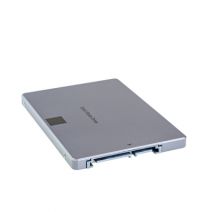
b2ap3_thumbnail_ssd_better_or_worse_400.jpgWhen shopping for a new computer, you’re faced with a choice; go with a traditional hard drive (HDD), or a solid state drive (SSD). The benefits of an SSD are many, but are they enough to justify the extra expense?

To accurately answer this question, you first need to consider your computing needs. If you’re on a tight budget and looking to buy a workstation that can run basic productivity applications like Microsoft Excel and your preferred customer relationship management product, then you shouldn’t need the extra performance provided by an SSD, and an HDD will suit your needs.

SSDs are preferred for tasks that use a lot of resources, like rendering video and high-end graphics. In the past, a business that didn’t need this extra power might have overlooked SSD, concluding that it’s simply not worth the money. However, there’s another benefit to SSDs that should appeal to virtually every business owner, SSD lifespan.

In the IT world, it’s common knowledge that the average lifespan of an HDD is five years. Plus, thanks to the small and moving parts associated with an HDD, it’s not a matter of if, but when it will fail. According to a recent study by Backblaze, which analyzed the lifespan of more than 41,000 drives used in their data centers, the lifespan of an HDD drops down to four years if it’s seeing constant use, like in a server unit.

Therefore, if the only reason you’re buying a new computer is to get you through a couple of years, then HDD should work out fine. However, if you’re looking to get maximum ROI out of your equipment and have it last as long as possible, then the lifespan of an SSD makes it well worth the extra expense. This begs the question, “Just how long do SSDs last?”

Due to SSDs being a comparatively newer technology, the IT world still doesn’t have a concrete answer. One reason for this is due to the fact that one doesn’t judge SSD lifespan based on actual hours in use, but rather, how many reads and writes the drive performs. To that end, TechReport did a stress test and saw more than 700TB of data read and written to a single SSD before it failed. Lifehacker has put this ridiculous number into perspective:

These drives usually come with a three to five year warranty, and manufacturers assume you’ll write 20GB-40GB per day in data. That means to get to that 700TB, you’d have to do 40GB every day for 17,500 days, or about 50 years.

50 years! That’s ten times the expected lifespan of an HDD. Even though an SSD will cost you more money, it won’t cost you more than ten times the amount of an HDD. Especially with the technology becoming more affordable as time goes on. Plus, concerning the TechReport stress test, a 700TB SSD lifespan is on the low end. ArsTechnica explains how TechReport found some SSDs to last much, much longer:

The other three SSDs are still working and have made it past 1PB of writes, and TechReport’s torture test remains ongoing. However long the drives do end up lasting, it’s definitely long enough to put to rest a lot of fears about current-generation SSD lifetime limits.

In your quest for a new computer, findings like this should really help clear things up. SSDs are clearly the superior drive in virtually every way, including additional areas like power consumption and durability. The many benefits of SSD make it worth the extra money for businesses looking to turn their computer purchase into an investment.

NuTech Services is here to help you make important technology decisions like this so that you can get the most out of your IT investments. Additionally, we’ve got the tools it takes to protect and maintain your IT equipment so that it will perform optimally and last you as long as possible. To learn more about how NuTech Services can help your business get the most out of its technology, give us a call at 810.230.9455.

b2ap3_thumbnail_google_chrome_400.jpg

Tip of the Week: Load Cached Pages in Google Chrome for Offline Browsing

b2ap3_thumbnail_google_chrome_400.jpgYou might have experienced the frustration of reading an article online and having the Internet connection cut out on you. This is one of the most common problems while working with a shoddy WiFi connection. If this happens to you, you can view your browser’s cached pages in order to finish up what you were reading; so long as you’re not trying to view pages like Facebook, which update periodically throughout the day.

Here’s how you can view Google Chrome’s cached pages, even while offline.

What Exactly is Caching?
You might have heard the term in passing, but do you understand how the cache works? It’s basically a component that stores data when you visit a website. This allows that data to be loaded faster the next time you visit the page. The idea is to reduce bandwidth and processing power required to view the material.

How to Load Cached Chrome Pages
By taking advantage of the cache, you can read web content that you’ve previously accessed, even while offline. Chrome doesn’t automatically enable this feature, but there is an experimental add on that you can use from the mad scientists at Google. Type chrome://flags into the search bar.

flags

After reading Google’s disclaimer, locate the feature called Show Saved Copy Button. If you aren’t using the latest version of Chrome, try looking for Enable Offline Load Stale Button.

show button

Select Enable from the dropdown menu, which will prompt you to restart Chrome. When you next visit an offline web page, you’ll see a button that says Show Saved Copy. If you’ve previously visited the page, you’ll be able to load the cached copy of the website’s content.

offline

Keep in mind that due to the nature of website caching, you won’t be able to see any updates made to the page since you last visited it. This is the one true downfall of offline viewing. However, this is useful if you’re trying to finish reading an article where you don’t have Internet access.

Stay tuned next week for more productivity tips from NuTech Services.

b2ap3_thumbnail_windows_tablets_productivity2_400.jpg

Microsoft Takes a Business-Centric Approach With Its Mobile Strategy, Part II
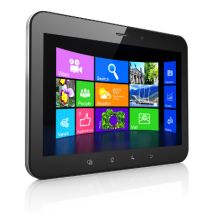
b2ap3_thumbnail_windows_tablets_productivity2_400.jpgIn our last blog article, we looked at Microsoft’s mobile computing strategy for businesses. In part II, we want to follow up by looking at some specific mobile technology from Microsoft, including a preview of its newest mobile computing venture, Windows 10.

Driving Microsoft’s mobile computing strategy are three factors; integration, security, and simplicity. Microsoft’s long history of developing enterprise-level software comes through with its latest mobile offerings. This advantage is sure to increase Microsoft’s mobile market share, especially since the devices offered by its primary competitor, Apple, are designed with the consumer in mind.

For example, if one thinks about the typical tablet device, there’s a natural aversion to using it for everyday business tasks, like typing and sharing files. Also, the security of mobile devices has been a concern for business owners (a trend known as BYOD). Microsoft is looking to change this perception of tablets and mobile devices with its latest offerings, and hopefully turn more businesses on to the world of mobile computing with Microsoft.

In regards to Microsoft’s current mobile offering, its Windows 8.1 tablets, the devices provide a level of security that’s unmatched by its competitors. This is due in part because the software, Windows 8.1, was designed as an OS for workstations too, which require a high degree of security. Protections that come with Windows 8.1 tablets include comprehensive device encryption and a tamper-resistant booting process that prevents unauthorized access and low-level malware infections.

There are several advantages to Microsoft’s approach of using the same OS for both its desktop computers and its tablets. Users who go back and forth between the two machines prefer it because it’s one less software and interface to familiarize themselves with. Although, it’s important to point out that not every Microsoft tablet on today’s market is equipped with Windows 8.1. Microsoft’s lower-end tablets have their own mobile OS (Windows 8 RT), that, while similar to its desktop counterpart, is still a different OS entirely.

Consumers should know which Windows OS to look for in a tablet before making a blind purchase. As we’ll cover with Microsoft’s upcoming release of its next OS, Windows 10, they’re looking to change this dynamic and have the same software run across all mobile devices. Time will tell if Microsoft will be able to follow through on this ambition. If you recall, this was the same expectation the tech world had on the eve of Windows 8’s release.

Top 3 Mobile Devices Running Windows 8.1
If you’re looking to take advantage of a tablet that utilizes all of the benefits offered by Windows 8.1, then we recommend one of these three tablet devices:

  • Microsoft Surface Pro 3: Microsoft’s primarily known as a software company, but with products like its Surface Pro 3, it’s shown the world that’s it’s capable of putting out quality hardware too. Boasting a 12.6” screen, the Surface Pro 3 has enough resources to do essentially everything that a laptop can do. Fans of the Surface models take note that Microsoft has renovated and improved the type cover for its latest version.
  • ASUS Transformer Book: ASUS tablets come equipped with the full version of Windows 8.1. ASUS’s top model is the Transformer Book T2000, which has an 11.6” display and comes with a keyboard.
  • Samsung XE500: Samsung is known as the world’s leading mobile device manufacturer. Its most attractive tablet offering is the XE500 model. Boasting of an 11.6” display and an attachable keyboard, it also comes with a Livescribe Smartpen stylus.

Windows 10: Microsoft’s True All-In-One Strategy
Microsoft’s next big thing is Windows 10. This OS promises to really enhance Microsoft’s mobile strategy since the same version of the OS will be available on both desktop and mobile platforms (much like we see now with select Windows 8.1 tablets). This all-in-one feature of Windows 10 will make it easier for a business to adopt a mobile strategy.

Microsoft’s release date for Windows 10 is July 29, 2015. Current Windows users should have already been notified by Microsoft about reserving their copy of Windows 10. What kind of features and upgrades are we looking at for Windows 10? Concerning the mobile side of the new OS, International Business Times provides us with seven things to look for:

  • Clutter-free interface.
  • A new settings menu that will allow you to access your preferences universally across all your Windows 10 devices.
  • A new Internet browser, Edge, will be featured across all Windows 10-based devices and be able to organize your bookmarks, history, and RSS feeds across all your devices.
  • All-in-one messaging and calling that will feature an integrated message center by drawing all your text messages, Skype messages, and from any other third party message apps.
  • A floating keyboard with well-laid buttons and voice-typing ability.
  • Universal apps will allow you to use the same version of apps across your Windows devices.
  • Free to upgrade for licensed Windows users.

In the past, adopting a solid mobile strategy seemed difficult and an unsure move for companies that aren’t experts in mobile trends like BYOD. However, with Microsoft’s mobile computing offerings like its current line of Windows 8.1 tablets, and Windows 10, going mobile has never been easier for small and large businesses alike. To have a conversation about how your company can take advantage of these mobile technologies and more, reach out to NuTech Services at 810.230.9455.

b2ap3_thumbnail_windows_tablet_productivity1_400.jpg

Microsoft Takes a Business-Centric Approach With Its Mobile Strategy, Part I
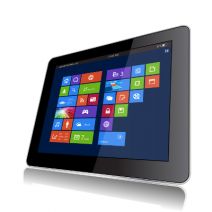
b2ap3_thumbnail_windows_tablet_productivity1_400.jpgJust like the personal computer before it, smartphones have become essential pieces of technology that are practically required in order to complete mission-critical tasks. However, the primary advantage that these devices have over the popular PC is that they’re vastly more mobile and designed for use on the go. Are users able to increase productivity by using Windows tablets?

Unlike Apple, who produces hardware with exclusive software installed on it, Microsoft rarely produces actual Windows-based hardware. As a matter of fact, one of Microsoft’s best marketing strategies was to concentrate almost exclusively on producing software solutions, like operating systems and productivity applications. These pieces of software are then partnered with hardware manufacturers like Dell, Lenovo, and HP, who are deemed original equipment manufacturers (OEMs) for the purpose of profiting off of the software distribution. Thanks to this ingenuity, over 95 percent of all desktop and laptop PCs use the Windows operating system.

Other software manufacturers, like Google and Apple, have found success in the mobile market, with Android and iOS respectively. This prompted Microsoft’s 2012 entry into the mobile race with their Surface line of tablets. Using the metro user interface similar to the one found in Windows 8, the original idea was to enhance mobile work capabilities. But, as everyone in the business world knows, nothing goes as smoothly as we might expect it to. Windows 8 RT was incapable of supporting legacy software, and there was a significant lack of mobile applications that could be run on the original Surface tablet. The two combined were basically a death blow to the fledgeling tablet series, which made mobile users consider devices other than the new Windows-based tablets.

This all changed when Microsoft released their first tablet with a full version of the Windows 8 operating system: the Surface Pro. Because it ran a complete version of Windows 8, any piece of software that would run on a Windows PC could, in theory, be used on the tablet, so long as the software meets the specifications of the device. Since that fateful day, Microsoft and its partners have continued to release tablets that have these capabilities. Despite the lack of applications, this got users interested in the new line of Windows Surface tablets, and provided Microsoft a niche in the competitive mobile computing market.

It took yet another update to make the Surface tablets viable for business. The first service pack, titled Windows 8.1, enhanced the integrity of Windows 8 on tablets with increased security and networking capabilities. The update added BYOD enhancements, improvements to device mobility (VPN, mobile hotspot integration), and security improvements (remote management, enhanced encryption). All of these options are practically essential in today’s business environment, so this update made business owners finally take notice in the mobile Windows 8.1 platform.

After years of toil and hard work, Microsoft’s Surface tablets have finally caught up with the application development and security features that made Android and iOS so popular in the mobile sector. Yet, due to Microsoft dragging their heels on these imperative features, many OEMs haven’t developed or pushed mobile devices that run Windows 8.1. Despite its current lack of popularity, Windows 8.1 tablets hold a unique advantage in terms of building a modern office.

In part two, we will provide specific examples and suggest devices that can work to securely increase your company’s mobility; but in the meantime, why not share some of your thoughts in the comments?

b2ap3_thumbnail_fossils_scanning_400.jpg

3D Scanners Give Scientist a Glimpse of the Real Jurassic World

b2ap3_thumbnail_fossils_scanning_400.jpgWho remembers seeing Jurassic Park in theaters in 1993? By now, the dinosaur flick is ancient history, but with Jurassic World hitting theaters today, you might have huge lizards on the brain. What does this have to do with technology? Well, researchers in Kenya are using 3D scanning and printing to preserve fossils, so the real ones can be safely removed from hazardous weather conditions in the Turkana Basin.

According to CNet, 3D scanners and printers have been used in many different industries for several purposes. They can be used for construction, making prosthetic limbs, and even recreating crime scenes for forensic specialists. However, one of the more innovative features is using 3D printing technology to create 3D models of fossils. These replicas can be subject to study while the real deals are kept safe and preserved in a museum, where they belong. The scanners in question were created by Artec, the company responsible for the Shapify 3D-printed selfies.

As you might expect, the climate of Kenya, where the fossils were located, isn’t exactly hospitable to relics that are millions of years old. The Turkana Basin is particularly well known for its harsh climate. With sunlight that’s powerful enough to give most electronics a run for their money, the laptops that would normally receive the 3D scans from these handheld scanners were rendered useless. To make matters worse, there wasn’t a nearby power source, limiting the amount of time the researchers could spend with the fossils in any given sitting. With the help of two 3D specialists, the team was able to make the batteries last for a whole two days.

Over the course of two weeks, the excavation team was able to uncover and replicate a crocodile skull, a full crocodile skeleton, a huge tortoise, and an extinct species of elephant. As you might expect, the harsh conditions heavily damaged the fossils, so it was up to the team to get them to safety as quickly as possible. By replicating the fossils with 3D technology, the scientists were able to study the fossils more in-depth without risking their integrity due to the undesirable environmental conditions.

Just like anyone who wants to change the face of the industry, these brave scientists decided to do something differently in order to find a better way to accomplish their goals. People like these innovators are always working toward optimizing the way in which professionals perform their daily functions. This is why NuTech Services provides quality managed IT services. We want to help businesses like yourself better accomplish your goals through the wondrous power of technology.

If your business is ready to let go of your fossil-like technology, give us a call at 810.230.9455. We can help you dust off your business practices so you can get back in the game.

b2ap3_thumbnail_workers_engaged_400.jpg

Tip of the Week: Keep Your Employees By Keeping them Engaged

b2ap3_thumbnail_workers_engaged_400.jpgAs far as you’re concerned, managing a business is a highly engaging job. However, your staff might feel differently about their jobs. According to a recent study by Deloitte Global Human Capital Trends, only 13 percent of employees are legitimately engaged in their work. A disengaged worker is a serious problem for any workplace.

Obviously, a disengaged worker will give a subpar performance, or, “half-assing it,” if you will. However, if they are still able to meet quotas, then this disengagement problem won’t be felt immediately, but it will cost you in potential revenue. In that, a bored worker won’t “give the job their all” and make you profits that go beyond your expectations.

The study goes on to point out that a disengaged worker can be more harmful to a company than you might expect; more than 25 percent of disengaged workers will negatively affect their co-workers. In other words, their negativity will spread, causing more of your workers to disengage with their jobs. If left unchecked, these poor attitudes will eventually bring the morale of your office crashing down, like the Hindenberg.

For your consideration, here are more sobering statistics from the study:

  • 86 percent of companies suffer from an inadequate leadership pipeline.
  • 79 percent have retention and engagement troubles (i.e. high turnover rate).
  • 75 percent have significant trouble attracting the employees they need.

Judging by these numbers, it becomes obvious that employers carry the bulk of the responsibility when it comes to motivating their workforce. By not taking proactive measures to engage your employees (instead, assuming that “If I love my job, then my employees must love theirs,”), then you may one day find yourself blindsided when a poor attitude spreads and the majority of your staff are disengaged. This makes the office a rather drab place to conduct business.

What Causes a Worker to Lose Interest?
While every person has their own reasons for “checking out” from their job, one common reason is that the job fails to provide the worker with personal meaning and fulfillment that they were perhaps looking for when they first applied. You know the story; a bright-eyed job applicant interviews with high hopes. You hire them, expecting that enthusiasm to channel into their job performance; but, at the end of the year, their work has become sloppy and they’ve caught a poor attitude from your other miserable, disengaged workers. If this is a familiar scenario for your office, then it’s on you to motivate your team by rekindling the spark that originally caused them to want to apply for the job.

Another theory about what causes workers to disengage with their job isn’t that they’re doing too little, but rather, they’re doing too much. In fact, two-thirds of all employees in the U.S. feel like they’re doing too much work for too little pay. This grim statistic factors into another reality about the US workforce, which boasts a 26 percent worker turnover rate. It stands to reason that a worker who is fully engaged with what they do, and isn’t burnt out from being overworked, will stick around longer and churn out a higher-quality product.

What You Can Do about It
As stated earlier, if you’ve got a handful of disengaged workers, you will want to take action to engage them. Otherwise, dissension will spread amongst your ranks. Therefore, the problem of employee disengagement boils down to leadership. A skilled leader will be able to spot a worker that’s “checked out” and do what it takes to engage them and maximize their potential.

To that end, here are six tips from Forbes on what “Wise Leaders Can Do to Engage Their Employees.”

  • Stop unknowingly creating tension by expecting them to behave a certain way, rather than allowing them to be their authentic selves.
  • Detect the most positive capabilities in people.
  • Stop micromanaging and start empowering them to discover their full potential.
  • Put employees in a position of influence and allow them to discover their own potential.
  • Share your success to build their momentum.
  • Be consistent and have their backs.

As an IT company, we want to add to this list the importance of providing your staff with working technology. Using slow and unreliable computers is a sure-fire way to frustrate your team, causing them to disengage. If they have to fight with their technology to do their jobs, they will care less and less about their jobs. In fact, they may even take your lack of provision to mean that you, as their leader, don’t care, and a disengaged attitude is excusable.

NuTech Services is here to help you on the technology side of motivating your staff. If you know of any additional ways to motivate your workers, share them with us in the comments.

b2ap3_thumbnail_smartphone_addiction_dangerous_400.jpg

7 Signs of Smartphone Addiction and 4 Things You Can Do About It

b2ap3_thumbnail_smartphone_addiction_dangerous_400.jpgThere’s no doubt that smartphones are one of the greatest achievements in modern technology. Compared to computers from several years ago, the average smartphone is vastly more powerful. Coupled with mobility, the smartphone is a productivity machine that helps you get more done in your day. Despite these advantages, you might be a little too attached to your device.

Telltale Signs of an Addiction
If you truly can’t tell if you’re addicted to your smartphone, try asking yourself these questions:

  • Do you always keep your smartphone on your person? This isn’t always a bad thing, but when it’s always in your pocket, you feel compelled to pull it out and respond to texts, emails, or even phone calls while in the office. This can be distracting, and detrimental to your productivity.
  • Do you find yourself placing your smartphone on the table when eating a meal? Besides being rude and inconsiderate to your company or waiter, this shows that you can’t go a simple half-hour session without checking your phone once.
  • How many times a day do you check your phone? We realize that there might be a reason you check your phone, but if it’s simply to “check the time,” that’s what watches are for. Continuously checking your phone when you aren’t expecting a call is either a result of boredom, or a smartphone addiction.
  • Where do you place your smartphone when you sleep? If it’s on the nightstand or under your pillow, you might be in trouble. This might be because you use your phone as an alarm clock. If your phone goes off in the middle of the night and wakes you up, it can cut into your sleep cycle and reduce the quality of rest you receive. This, in turn, can be bad for both your health and concentration in the workplace.
  • Do you bring your smartphone into the bathroom with you? Plenty of people bring their phones into the bathroom with them and take the opportunity to catch up on emails, reply to text messages, or check social media. Besides clearly being a sign of addiction, this can be a primary reason for the spread of germs in the office. You might wash your hands, but we doubt you wash your smartphone.
  • Do you get angry at your smartphone when it goes off? The average smartphone user has a ton of different applications on their device, each with notifications that go off periodically throughout the day, or signal the arrival of a new message. If you feel compelled to check these constantly, you might (understandably) get angry or flustered.
  • Do texts, emails, and other messages seem to take the place of real-life conversation? That’s because they are. The beauty of a smartphone is that you can communicate with people across the world in the blink of an eye, but when you use it as a substitute for real-world interaction, you can say with confidence that something needs to change.

What Can You Do?
One of the better life choices you can make is to cut down on your smartphone use, especially if you feel like it’s taking the place of your social life and familial relationships. Here are some solutions that might help you get over your mobile dependency:

  • Don’t buy the latest smartphone. The latest technology is sure to have the most features, and as such, you’re sure to waste more time on one of them, than another, slightly older model.
  • Limit your application consumption. When your phone is filled with applications, they can be bothersome. Most people only take advantage of somewhere between 5-10 apps every day, so why use more than that when you don’t need to?
  • Separate yourself from the phone. Instead of leaving it in your pocket, keep it in another room, a bag, or a purse. Use other devices for purposes that can accomplish the same thing, like an alarm clock or a watch.
  • Just ignore it. While ignoring your phone might seem difficult, it’s the best choice in most cases, so long as it’s not an urgent call that you’re expecting. Always take real human interaction over a text or phone call.

Of these seven questions, how many do identify with? Let us know in the comments just how addicted you are to your smartphone.

b2ap3_thumbnail_black_market_hacker_400.jpg

Where Hackers Go to Shop for Malware

b2ap3_thumbnail_black_market_hacker_400.jpgYou might recall how the Silk Road, an illegal online drug market, was recently shut down. Similar to the Silk Road, there’s another distributor of sensitive information out there; this one dealing with zero-day vulnerabilities. These types of cyber threats sell for top-dollar, and hackers are willing to pay in order to access your network.

As reported by WIRED magazine, this new marketplace calls itself TheRealDeal Market. Thanks to the anonymity of the Darknet, TheRealDeal market is capable of using software like Tor to cover its tracks, and Bitcoin to keep transactions anonymous. WIRED goes into detail about the niche which differentiates TheRealDeal from other vulnerability markets: high-quality code, stolen credentials, and hacking tools that are exceptionally difficult to get a hold of. This essentially equates TheRealDeal to a high-end code market that provides a “reliable” mode of acquisition for cybercriminals.

Of course, there’s no telling whether any of these supposed exploits being sold are “the real deal.” According to WIRED:

Any of the listings could instead be attempts to scam gullible buyers. The $17,000 iCloud vulnerability in particular, which claims to offer access to virtually all of a user’s sensitive mobile data including emails and photos, seems like an unusually good bargain. For comparison, zero-day salesmen told me in 2012 that a working iOS exploit could sell for as much as $250,000. The next year The New York Times reported that one had sold to a government for a half million dollars.

In other words, it might really be too good to be true for some hackers, and the site might even be trying to pull them into a hoax (scamming the scammers). Despite this, TheRealDeal apparently has some sort of fraud protection service, though it’s unclear how it operates. Plus, TheRealDeal is surprisingly sophisticated, especially considering the plethora of other illicit activities that the market is known for, including the selling of contraband, illegal substances, and stolen identities.

The level of professionalism seen here is disturbing, but if nothing else, it shows that hackers are both organized and resourceful. Unfortunately, by strategically offering rare code to well-funded hackers, TheRealDeal is making malicious code more readily available to the rest of the world, which means that hacking attacks will grow more common in the near future.

Thankfully, you don’t have to worry if your business is prepared for the worst. By taking advantage of comprehensive security features, like those offered with NuTech Services’s UTM (Unified Threat Management) solution, your business can reap the benefits of enterprise-level security measures. To fortify your business’s network from the latest threats and security vulnerabilities, give us a call at PHONENUMER today.

b2ap3_thumbnail_excel_sheets_400.jpg

Tip of the Week: Freeze an Excel Row for Easier Spreadsheet Navigation

b2ap3_thumbnail_excel_sheets_400.jpgMany office workers feel like they live in Microsoft Excel, spending hours using spreadsheets to enter data and crunch numbers. By taking advantage of tools like Excel’s freeze feature, workers can make the most of their time by navigating a spreadsheet more efficiently.

Once a spreadsheet grows to be larger than the screen, it can become tricky to navigate. It can be maddening to try and cross-reference a certain row or column on one side of the spreadsheet with another that’s offscreen.

Excel’s freeze feature resolves this pain point by freezing a selected row or column into place, allowing you to scroll off screen while having your needed row or column locked into place. When you think about it, this Excel feature is kind of like a grown-up version of freeze tag.

To freeze a row or column in Excel, select the cell that’s in the first column and row that you don’t want to be frozen. Next, go to the View tab and click Freeze Panes. A drop down menu will appear. From here, click on the first option, Freeze Panes.

lock panes one

With your selected rows now frozen in place, you will be able to scroll up, down, and sideways in your spreadsheet without having your needed columns or rows move off screen. When you’re ready to unfreeze your rows and columns, simply select any row or column and then go to the View tab. Now go to Freeze Panes > Unfreeze Panes.

lock-panes-two

This is just one of the many Microsoft Office features that make navigating a project easier. Be sure to check back next week for more time-saving technology tips.

b2ap3_thumbnail_battery_misconception_400.jpg

Don’t Fall for these 4 Smartphone Battery Myths

b2ap3_thumbnail_battery_misconception_400.jpgMobile technology has become so integrated into society that some people can’t even leave their smartphone at home for a few moments. As a business owner, you in particular know the value that mobile technology brings to your industry. You should know that there are plenty of common misconceptions surrounding how to get the most power from your mobile battery.

According to TechRepublic, there are several common misconceptions surrounding the smartphone battery. Some of these ideas might sound familiar, while others might sound like whoever came up with them was a bit off their rocker.

Batteries Don’t Have Memory
Unlike your cat or dog, you can’t train a battery to perform certain tasks based off of memory. There isn’t a way to teach your battery how to get the most out of its charge. It’s perfectly fine to charge your battery at any percentage. After all, a full battery is a happy battery, right? Plus, it helps you get the most out of it in one sitting.

Despite this, it’s generally a good idea to keep your battery charged somewhere between 40 and 80 percent overnight. Most smartphones today know when the battery is full and won’t try to overcharge the battery. This can help you get the most out of your battery and improve its longevity.

Off-Brand Chargers Don’t Damage Your Battery
Contrary to popular belief, off-brand chargers won’t do permanent damage to your battery. While it’s true that off-brand chargers don’t provide as good of a charge as the original charger provided by the manufacturer, they don’t cause permanent damage. It might be the most economical solution to your charging woes, but it should be noted that the quality of the charge will surely suffer. The reason is that these chargers aren’t made specifically for the device.

Use Your Phone While It Charges
It’s natural for people to think that using a device while it’s charging will decrease the quality of the charge. However, contrary to popular belief, using your phone while it’s charging doesn’t damage the battery or affect the quality of the charge. The only time this happens is if you’re using the worst of the off-brand chargers. Even when you’re not using your phone, it’s likely that it is continuously processing data and syncing to the cloud regardless of whether you are using it, so you have little to lose.

Turn Your Phone Off Once in a While
Just like any other device that uses a lithium-ion battery, you should turn your phone off once in a while. Believe it or not, some people think that it can be bad for a battery to turn it off (which doesn’t make sense at all). The battery might drain while it’s off, but that’s the nature of batteries. Instead of harming the device, an occasional restart is beneficial to the functionality most devices.

Did these misconceptions debunk any of your smartphone knowledge? Let us know in the comments.

b2ap3_thumbnail_expecations_from_cloud_computing_400.jpg

Is Your Cloud Provider Meeting Your Expectations?

b2ap3_thumbnail_expecations_from_cloud_computing_400.jpgWhen cloud computing was first introduced to the consumer market, the technology required a fair amount of explaining. Today, the cloud is widely utilized by consumers, despite the fact that 51 percent of the public believe that actual clouds are somehow involved. Due to so many people using the cloud, consumers are now approaching computing much differently.

Even though most consumers may not know exactly how the cloud works, they have changed their expectations about computing because of their exposure to it. Namely, consumers expect whatever cloud service they use to be reliable and accessible. When it comes down to it, these expectations about the cloud actually trump all other expectations for computing technology.

Think about it, there was a time when consumers put a lot of stock into getting the most powerful home PC they could afford. Today, the average consumer has multiple devices of varying quality, spread out between their home and office. Thanks to the cloud, users are able to access their needed files on each one of these devices, meaning that the specs of the hardware take a backseat to the reliability of the device’s cloud software.

Additionally, the development of cloud services has gone in the direction of making the technology ultra-convenient for consumers to use. This too has influenced the expectations that consumers have regarding their cloud software, making it so that users expect installs, upgrades, and issues be resolved with just a few clicks. This is quite a leap from the days of purchasing software on CD-ROM and transporting files via USB thumb drive.

One tech blogger who does a good job articulating the high demands of today’s consumers is ZDNet’s David Gewirtz. Speaking on behalf of the consumer, Gewirtz compiles an accurate list of what today’s consumer looks for in a cloud service offering:

  • Some cloud services are free, but we expect premium upgrades.
  • If paid services are involved, we expect to easily and smoothly add or remove services merely with a mouse-click and a credit card.
  • As soon as a service plan’s capacity is reached (or just before), we expect the service to offer us an upgrade, not require us to go hunting to make things work.
  • We also expect fees to be tiered, so that each new tier provides more value than the last, with an incremental fee or jump.
  • Fees are usually all-you-can-eat for a year or smoothly scalable as soon as more capacity is needed.
  • We expect to be able to use the service on any compatible machine.
  • And we generally expect the service to work on pretty much anything.
  • We expect all our service-related data to just be there, wherever we are. How that happens is not our problem.
  • Installation is a click or a login. That’s it. It’s just there. There are no longer installers, updaters, zip files or other things to download and run on the desktop. Just click and run.

Does your company’s current cloud solution meet these expectations? If it doesn’t, then there is likely another cloud solution available that does. NuTech Services can provide you with the cloud services your business needs to succeed. In the same way that the cloud has completely improved utility computing, we feel like revolutionizing your IT infrastructure is a reasonable expectation to ask of your IT company. Call us at 810.230.9455 to learn more.

b2ap3_thumbnail_drive_for_business_400.jpg

Tip of the Week: See What’s Taking Up All of Your Google Drive Storage

b2ap3_thumbnail_drive_for_business_400.jpgHeavy users of Google Drive may experience the issue of running low on storage space. The easiest way to resolve this problem is to give Google money and upgrade your account. Before taking this step, there are a few tricks you can do to free up Google Drive space by locating and getting rid of unneeded files.

One reason why it’s possible to miscalculate how much storage space is being used by your Google Drive account is due to the fact that the 15GB every Google user gets isn’t a full 15GB of storage space. Of this 15GB of Drive space, Google allots this space for its various services, like Gmail and Google+.

To find out exactly what’s taking up space in your Drive account, go to your Drive’s storage page. This will provide you with a handy-dandy pie chart that lays everything out for you.

drive_in_blog_1.jpg

This chart displays how much storage space is being used and what the space is being used for. From here, you can spot the unneeded files that are taking up space. For example, the email attachments in Gmail end up in your Drive account, as well as all of your photos from Google+. You might want to sift through your Drive and delete these files if you don’t need them.

On your Drive storage page, you will find below the graph a section displaying specific information about space usage. Be sure to reference this if you’re on the hunt to free up space.

drive_in_blog_2.jpg

As is the nature of computer data, you will notice that the bulk of your space is likely to be taken up by media-rich files, like photos, music, and videos. Users of Google Apps that take advantage of Docs, Sheets, Slides, etc., will notice that these files don’t take up nearly the amount of space as does the large media files.

Therefore, if you’re looking to purge your Drive account and free up the most space possible, it’s best practice to start deleting the largest files first. To figure this out, go to the lower left-hand side of the screen in Drive, right above the link that says “Buy more storage.” From here, you’ll see your current storage use. Hover over it and a box will appear with more specific numbers. Click Drive.

drive_in_blog_3.jpg

This sorts your files by Quota used. From here, you can most efficiently manage your files.

Keep in mind that if you delete email files all willy-nilly, you may end up deleting something important that you’ll regret. Therefore, it’s best practice to archive your emails with a secure email solution. NuTech Services can provide this for you.

Got an Android device? If your device is linked to your Google Drive, then it may be adding some rather large files to your storage, especially if you use your Drive account to back up your Android device’s photos and videos. One way that you take control of this is to adjust the size of pictures stored from your device to Drive. To do this, go to Settings > Auto Backup > Photo Size, then select Standard size. Keep in mind that there may be instances when you don’t want Google to change the size of your images, so keep this file path in mind.

By following these steps, you will free up space on your Google Drive account and not have to upgrade. To learn more data storage tips and best practices, call NuTech Services at 810.230.9455.

b2ap3_thumbnail_caffeine_fix_400.jpg

Too Much Coffee Can Give Your Work Performance The Jitters

b2ap3_thumbnail_caffeine_fix_400.jpgThe road down entrepreneurialism is a long and twisted path, full of pitfalls that can lead you astray. However, there’s one companion who will never forsake you, and that’s your morning cup of coffee. While you might feel like you can’t get anything done without your morning caffeine fix, it can be holding you back from achieving your maximum productivity.

Giving up on caffeine can be a life-changing experience, but some are more reliant on it than others. It might seem like caffeine’s benefits vastly outweigh its negatives, but when it comes down to it, caffeine’s benefits are only temporary, saddled with side-effects.

What Exactly Does Caffeine Do to Your Body?
A study performed by the John Hopkins Medical School has proven that, despite caffeine’s negative side-effects, it has been proven to increase task performance and cognitive ability, but only temporarily. The main issue with caffeine is that there’s no way to reap the benefits of that cup of coffee without experiencing caffeine withdrawal almost immediately afterward. Because of this, the user goes straight for the coffee pot time after time. This eventually links performance to the amount of caffeine ingested, which limits cognitive function when without it.

To make matters worse, caffeine induces an adrenaline rush, not unlike the response you receive from a life-threatening situation. This is what’s known as the “fight or flight” syndrome, which triggers emotional responses to defend the self from harm. Naturally, you can imagine how horribly wrong this can go when responding to critical emails at a time where you lack sleep and are thriving off of caffeine.

By the end of the day, you’ll feel exhausted and ready for bed; but despite how tired you are, you’ll find it difficult to sleep. This is because caffeine has a six-hour half life. According to Inc:

Have a cup of joe at 8 a.m., and you’ll still have 25 percent of the caffeine in your body at 8 p.m. Anything you drink after noon will still be at 50 percent strength at bedtime. Any caffeine in your bloodstream–with the negative effects increasing with the dose–makes it harder to fall asleep.

This makes it extraordinarily difficult to get good, quality sleep, and even harder for the brain to catch up and restore its energy. When you wake up exhausted, you naturally go right for the cup of coffee, leading to even more withdrawal later in the afternoon.

Caffeine’s Side Effects
Caffeine is well known to produce several adverse side effects when users are going through withdrawal, all of which can be harmful to your cognitive ability and health. According to Inc, they are:

  • Irritability
  • Anxiety
  • Headaches
  • Insomnia
  • Sleep deprivation

The side effects of prolonged caffeine use aren’t limited to just these, though. These are simply those that affect the cognitive ability to function, which is arguably the most important part of the workday. It’s well known that caffeine can induce uncomfortable problems like frequent urination and gastrointestinal anomalies, as well.

Caffeine addiction might seem innocent enough, but like any other drug out there, too much can be a bad thing. Millions of people around the world suffer from caffeine addiction, whether they admit to it or not. Cutting yourself off from caffeinated beverages might seem impossible, but it can change your life.

b2ap3_thumbnail_boss_monitoring_400.jpg

How to Monitor Employee Communications Without Taking What’s Said Personally

b2ap3_thumbnail_boss_monitoring_400.jpgThere seems to be some confusion in the workplace regarding the privacy of digital communications made over a company network. Can an employer read an employee email or record a phone call without employee consent? Is instant messaging a safe place for employees to complain about their jobs? The answer to these questions may surprise workers and business owners alike.

The Need For Everyone to Understand Company Policy
Technically, you as a business owner can legally comb through and read all of your employees’ internal emails and instant messages. However, just because it can be done, doesn’t mean that it’s a good idea. If you do, you’re going to have a bad day and potentially be exposed to messages that will make you look at an employee in a different light. This isn’t fair to the employee, especially if they wrongly believed that their messages were private.

If you know that one day you may go through your company’s IM archives, then you should notify your staff that their messages aren’t private and that they’re subject to investigation. It’s only fair to make this disclosure, and it will help to keep the peace in the workplace.

Employers Must Use Objectivity When Performing Internal Investigations
Here’s a possible scenario to consider: Let’s say you have a problem employee on your hands that uses the company’s instant messaging app to talk trash about you and your business. You suspect them of saying some damaging things, so you decide to investigate their archived messages. Upon doing so, it turns out that this problem employee messaged everybody, including your thought-to-be good employees, in the company and was spreading rumors about you.

What’s worse, the good employee may have been hesitant to engage the problem employee over instant messaging in the first place. The good employee may have only responded to the initial IM from the disgruntled employee as a way of being nice. Take for example this hypothetical IM conversation between two employees; a loyal employee (LE), and a disgruntled employee (DE).

DE: I’m so sick of this policy, it’s unfair and the boss is a tyrant with a bad hairpiece!
LE: There are some policies here that can be improved upon.
DE: This isn’t the first time the boss has messed with me like this, he’s a jerk and I’m sick of everything.
LE: The boss can be strict.

A manager that’s taken personal offense at DE will read this transcript and think that LE shares the views of the troublesome employee. However, a careful reading of the transcript will show that LE didn’t say anything problematic. LE was simply replying to DE in such a way as to appease their feelings, participate in the conversation, and not escalate things by “stirring the pot.” A manager that’s felt personally betrayed by DE will have an almost impossible time seeing LE’s subtle peacekeeping strategies.

For LE, being pulled into a documented conversation like this is a lose-lose situation. If they agree too much with DE, they’ll look like they too are disgruntled. If they stand up for their boss and the company and put DE in their place and even tattle on DE, then they run the risk of being viewed as a brown-noser or a goody two shoes by their co-workers–an influential group that they spend a significant amount of time with.

Every Office Needs a Microphone-Free Water Cooler
This is why employees need an avenue to communicate where they can blow off steam about the workday and speak freely about their jobs, without running the risk of their bosses finding out what was said. At one time, this was the water cooler, but with our society becoming more comfortable expressing themselves digitally, instant messaging may be viewed as today’s water cooler.

Only, an employee might wrongly assume that, since they’re using the same IM tools that they use in their personal lives, that what they say online is private. When messages are relayed internally over the company network, this isn’t the case, and for the health and harmony of yourself and your business, this needs to be communicated to all levels of the organization. Obviously you don’t want to cultivate a poisonous atmosphere where people just stand around and complain about their jobs, but sometimes people that are under a lot of stress need an outlet to vent in order to calm themselves.

Communication is Key
At NuTech Services, we can equip your business with a secure instant messaging and email solution, as well as a digital telephone service with VoIP that will fit the communication needs of your company. We can also help you set up permissions so that you and the network administrator can have complete control and access to all archived messages. Reach out to us at 810.230.9455 to learn more.

b2ap3_thumbnail_mouse_wheel_click_400.jpg

Tip of the Week: 3 New Tricks to Teach Your Old Computer Mouse

b2ap3_thumbnail_mouse_wheel_click_400.jpgThe computer mouse has been a staple in the modern office for many years. Despite its proven usefulness, it’s now threatened by the growing adaptation of touchscreen devices in the workplace. Are you considering trading in your trusty mouse? Before you do, consider these three mouse scroll wheel tricks that make your boring old mouse more useful.

Who said you can’t teach an old mouse new wheel tricks?

tip-scroll-wheel-fun

Click a Link With the Scroll Wheel Button to Open it In a New Tab
What’s that you say, a mouse scroll wheel button? If this is the first you’ve heard about the scroll wheel also being a third button on your mouse, then you’re getting your money’s worth with this blog article because we just opened up for you a whole new and click-tastic world.

To execute this first trick, all you have to do is move the cursor over a hyperlink and click the mouse scroll wheel button. This will automatically open the link in a new browser tab, which is easier than having to right-click the hyperlink and then go to “Open link in new tab.”

Close the Browser Tab By Clicking it With the Mouse Scroll Wheel Button
When you’re done with your browser’s tab, you can close it just as easily using the mouse scroll wheel button. All you have to do is move your cursor anywhere on the tab and then select the mouse scroll wheel button.

Granted, this isn’t a major upgrade from selecting the red X with the left mouse button, but it does give you a little bit more room to work with. Additionally, once you get in the habit of using the mouse scroll wheel button, you’ll find yourself closing tabs in this manner more often.

Ctrl+Scroll Up to Zoom In/Ctrl+Scroll Down to Zoom Out
For our third trick, try using the mouse scroll wheel in conjunction with the Ctrl key for easy zooming in and out of your web browser, as well as most other applications too. As you hold down the Ctrl key, your page will zoom in as you push the mouse forward, and zoom out as you push the wheel in the opposite direction.

Ultimately, this is the fastest and easiest way to zoom in and zoom out, especially in comparison to locating the view tab and manually selecting “zoom in” or “zoom out.”

Bonus Tip: One of the handiest uses for this zoom-in feature is when you’re browsing a web page with annoying ads on the side of the page. Simply perform this new scroll wheel trick and zoom in just enough to where you no longer see the ads. Problem solved. You’re welcome.

It turns out that your old computer mouse can do more than what you previously thought. Pretty cool, huh? Perhaps now you’ll think twice about trading in your mouse and workstation for a fancy new touchscreen device. Or, maybe not.

Can you teach an old mouse any more new tricks? If so, share them with us in the comments.

b2ap3_thumbnail_unlimited_paid_time_off_400.jpg

Do You Trust Your Employees Enough to Offer Unlimited Vacation Time?

b2ap3_thumbnail_unlimited_paid_time_off_400.jpgAs a business owner, you know how difficult establishing a paid time off policy is. Providing too little can make your business seem unfair, but giving away too much might make you feel like you’re losing money. Therefore, it might come as a shock to even suggest the idea of unlimited PTO. Some business owners, on the other hand, find it completely effective, and that it can even improve the quality of work.

The current state of PTO in the workplace is pretty standard, regardless of where you look. Employees are either given a set amount of hours at the beginning of the year which they use at their leisure, or they accrue them on a monthly or yearly basis. These employees put in a two-week notice of their designated time off, and they’re all set, so long as their absence is approved for that time. This puts a limit on recuperation time. While this might seem like it doesn’t matter, proper rest can help your team push above and beyond, to their maximum productivity.

Zach Ferres, CEO of Coplex, is a big advocate of unlimited paid time off, and for good reason. He claims that it offers a unique return on investment that’s beneficial to your business’s operation:

Employers who offer unlimited PTO report increased employee satisfaction, improved work-life balance and greater productivity. Plus, unlimited PTO can be a huge selling point when you’re recruiting, and it will actually save your HR department an average of 52 hours per year.

One popular company that has implemented this policy with great success is the video streaming service Netflix. Last year, Virgin founder Richard Branson followed suit, as reported by Business Insider:

Virgin founder Richard Branson recently declared that the company’s employees can take as many vacation days as they want, provided that “their absence will not in any way damage the business — or, for that matter, their careers!” Branson said that he got the idea from Netflix.

Of course, one of the greatest benefits that an unlimited PTO policy has is that it can make your team feel like you care about them and their personal lives. This can drastically improve operations and inter-office relationships. According to Feres, here’s how it’s done.

Trust Is Key
Before you even consider integrating an unlimited PTO policy, it’s important that you ask yourself whether or not you can trust your employees to not abuse the privilege. If they start to take days off willy-nilly, it might be time to reconsider your policy. If you take the leap of faith, however, it also shows your team that you trust them; a valuable asset that can make working for you that much better.

Create a Mandatory Minimum PTO Policy
Some employees work too much and don’t take time off, even when they do have it available. This can be harmful, especially if they get burned out from working too hard. Mistakes happen when employees are tired or overworked, so the best way to avoid this is by making them take time off once in a while. This lowers stress and keeps your employees happy.

Use a Time-Off Request Process…
Naturally, employees should have to go through a certain process in order to use their PTO. People can’t randomly be coming and going as they see fit. Generally, you should know at least a few weeks ahead of time when someone wants to take time off. You can use this time to divvy up urgent tasks to others who will be in the office.

… And Keep Track of the Requests
This is primarily so you know who is taking the most time off and why. This helps you keep track of your employees and whether or not they’re taking advantage of your PTO policy. On the other hand, you’ll also know who isn’t taking enough time off, which will make it easier to encourage them to do so.

What are your thoughts on unlimited PTO? Is this leap of faith something you’re willing to try? Let us know in the comments.

b2ap3_thumbnail_email_no_more_400.jpg

Experts Believe Email Will Soon Meet Its End

b2ap3_thumbnail_email_no_more_400.jpgWith email being such a prevalent tool used in the modern office, it might seem silly to think that in just a few short years, email might not be as relevant as it used to be. However, many professionals believe that email is limping along on its last leg, waiting to be put out of its misery by a new solution. Will email be around for much longer? Should the average business prepare for a world without it?

The Future of Email Looks Bleak
John Brandon of Inc thinks that email’s time is just about up. He sees a future where email falls out of favor due to the increase in use of other communication alternatives, both formal and informal. He builds an argument from his personal experiences with email over the past few years:

In my own workday, email has become less and less important. There are entire groups of people (public relations, for one) who contact me primarily on social networks first. Friends never send email anymore. They almost always send a text or chat on Facebook. Even a few of my colleagues tend to use apps like Campfire more than email.

social media kills email

He also discusses how email isn’t a reliable method of communication, explaining that many users ignore their email or simply take forever to respond. This is especially true for the younger generation, many of which don’t even have a personal email for use outside of work or school. Finally, when users do receive email, they can be buried under spam, especially if no measures are taken to protect against it.

Yet, Email is Still Necessary in Today’s Work Environments
Improving your business’s communications is imperative to its success, and despite email’s shortcomings, it’s still one of the most used systems to date. Therefore, you want to do everything in your power to optimize its performance.

Modern managed services have given small and medium-sized organizations enterprise-level solutions designed to augment your current business practices and ensure that mission-critical systems continue operating at maximum efficiency.

NuTech Services understands the best ways to bring these practices into your office. If hosting your Exchange server in-house is an issue, we can remedy it by hosting it for you. We have a multitude of solutions designed to improve security by blocking spam and phishing threats. Instead of wasting precious moments of your day picking through your inbox, you can rest assured that the majority of spam will never reach your inbox in the first place.

Technology is imperative to the proper functionality of the modern office, and yours is no different. We wouldn’t necessarily say that email will be rendered obsolete in the future, but it will certainly evolve and adapt to the future technology environment. We change our strategies to match the most recent and up-to-date best practices. Email is still a valuable asset to your business, so why not let us help you make it easier and less demanding on your business? Give us a call at 810.230.9455 today.

b2ap3_thumbnail_android_battery_400.jpg

Tip of the Week: 3 Tricks to Get the Most Power Out of Your Android Device

b2ap3_thumbnail_android_battery_400.jpgSmartphones are exceptionally useful tools capable of enhancing your productivity, even while out of the office, but this comes at a steep cost. If your phone’s battery isn’t optimized to handle the workload, the multitude of apps will quickly drain it and you’ll be left with a dead device.

Thankfully, there are a ton of ways you can conserve your battery’s charge. To avoid being tethered to an outlet at all times, CNet has several suggestions for cutting down the amount of energy your battery wastes throughout the day.

Disable GPS-Based Services
Your phone will have its GPS enabled when you first receive it. This helps it communicate your location to satellites and cell phone towers. Unfortunately, all of this communication with the GPS phone chip eats up your device’s battery. Since many of these GPS features aren’t necessarily required for your device to function properly, you can get by just fine by turning them off.

Do this by going to Location reporting and Location history. These settings use your phone’s GPS alongside other Google applications to enhance your user experience, but they aren’t really necessary. Disable them by going to Settings > Location > Google Location Reporting.

in blog android

Turn Off WiFi Scanning
You probably use WiFi the most when you’re in the office or at home, but while you’re out and about, your device continuously scans for a new connection. This scanning constantly drains the battery, and automatically connecting to random WiFi networks while on the go can be a security threat.

To do this, make sure your autoconnect feature is turned off, and turn off WiFi scanning by going to WiFi settings > Advanced. If the WiFi scanning box is unchecked, you’re all set.

in blog android2

Keep Track of Your Data Sync
Android smartphones constantly sync to your Google account. This keeps your device’s data backed up and up to date, but the process of syncing your data might have unintended consequences… like a drained battery. Turning off your sync might solve this problem, but it’s more efficient to choose what data you’d like to sync.

Android allows you to filter the data sync process to certain files, like pictures and videos. Do this by heading to Settings > Accounts. Select the account to access the sync settings. You can then uncheck any items you don’t want synced, or turn it off completely if you want.

While there are plenty of ways to conserve your device’s battery, these are only three of them. For more tips and tricks on how to make your Android device as useful and efficient as possible, give us a call at 810.230.9455.

b2ap3_thumbnail_hosted_voip_solutions_400.jpg

Which VoIP Solution is Best for Your Business, In-House or Hosted?

b2ap3_thumbnail_hosted_voip_solutions_400.jpgProper communication is an imperative part of doing business, and nothing improves this aspect of your company better than a telecommunication system of some sort. Some businesses rely on their legacy telephone system for interoffice communication, but this can be both difficult and expensive to maintain.

A VoIP solution, or Voice over Internet Protocol, is a great way to lose your old phone system and push your business toward a more modern office setting. It takes advantage of your Internet connection to transmit your voice to the recipient, rather than a landline telephone connection. This helps you avoid long distance telephone bills that might build up over time, blasting a hole in your budget.

VoIP might be convenient and easy to integrate, but you need to carefully consider the demands of such a network before committing to it. One thing to pay particular attention to is your bandwidth. Can it sustain the heavy use that VoIP demands? If it can’t, you might experience connectivity issues and poor call quality, both of which can hamper your ability to contact and communicate with others.

If you’re serious about improving communication systems in your office, you should consider switching to VoIP. There are many different kinds of VoIP systems, but the most common choice you’ll have to make is whether or not you want to host your own VoIP system in-house, or if you’d rather outsource the responsibility to a managed service provider like NuTech Services.

The Difference is Real
By allowing an external party to host your VoIP solution, you’ll receive plenty of benefits. Essentially, you’re taking this responsibility and allowing someone else to do it. This means that the third party is monitoring and maintaining your VoIP server for you, which is one less burden you have to deal with. NuTech Services can host your VoIP server off-site and out of your hair, which means you have less on your plate. This makes hosted VoIP well worth the investment.

Because of this shift in responsibility, you don’t need to worry about a thing. We handle the implementation and work with you every step of the way. However, it’s important to note that any outsourcing endeavor requires a certain level of trust. Unless you’re ready to let go of the reigns, hosted VoIP might not be your cup of tea.

What Should You Look For?
As with any outsourcing project, you want to make sure you find quality professionals who know what they’re doing when looking for someone to host your VoIP. Reliability is an important trait to look for. Without a reliable host, your VoIP system will be down more often than it’s up. You also need to make sure you’ve found someone with a history of excellence, particularly in the managed services industry.

This is where NuTech Services truly excels at providing hosted VoIP services. Our services are flexible enough to provide you with just what you need, and we can meet the standards you require for maximum efficiency. Just give us a call at 810.230.9455 for more information.

Social Engineering: Not All Hackers Target Technology

b2ap3_thumbnail_social_engineering_risky_400.jpgThe nature of hacking is to take advantage of weak points and exploit them for some kind of profit. This is usually seen in flaws or vulnerabilities found within the code of a program or operating system, but these flaws can be psychological, too. Hackers are increasingly taking advantage of a concept known as “social engineering” to fool users into handing over sensitive information that can be used against them.

Social engineering hacks are performed against unsuspecting individuals who might be privy to sensitive information within a corporation. These people often have less technical skills and might be more vulnerable to exploitation than others. These attacks often seek out information like passwords, usernames, dates of birth, and other sensitive credentials. The more skilled social engineering hacker can replicate sites to infect systems with malware, or even initiate infected downloads.

The most notorious social engineering method of hacking is called phishing, when emails are sent to a user under the guise of a seemingly harmless institution, like a bank. These messages usually ask the victim to confirm login credentials and other information in a manner that looks legitimate.

Spear phishing attacks are some of the most dangerous hacks out there. These types of phishing threats target specific users with personalized messages that are designed to coerce them into giving up personal or financial information. There have even been accounts reported of hackers posing as the media in order to get access to secure information.

According to HowToGeek.com, this method isn’t limited to being used remotely. Social engineering hackers can also get up close and personal with their attempts:

An attacker could walk into a business, inform the secretary that they’re a repair person, new employee, or fire inspector in an authoritative and convincing tone, and then roam the halls and potentially steal confidential data or plant bugs to perform corporate espionage. This trick depends on the attacker presenting themselves as someone they’re not. If a secretary, doorman, or whoever else is in charge doesn’t ask too many questions or look too closely, the trick will be successful.

How Can You Protect Yourself?
Ultimately, it comes down to educating yourself and your staff on how to identify a social engineering hack from the real deal. Here’s how you can minimize your chances of playing into the hands of a phishing scam.

  • Always be suspicious. Strange messages and phone calls are more than enough reason to be suspicious of the sender. If this is the case, it’s important that you don’t respond until you can confirm the identity of the sender. Contact the organization with the number or email address you have on record to ensure that you’re not being scammed. Some pointers to look for are misspelled words or strange links.
  • Avoid links in emails to websites that gather sensitive information. It’s possible that these links lead to fake sites that are designed to steal your credentials. If you suspect this is the case, try logging into the official site that you accessed outside of your email. You can spot subtle differences in the URL which give it away.
  • Make sure spam and phishing filters are enabled in your email and browser. Some browsers have built-in protection from known phishing sites which should always stay active. One particularly powerful solution is NuTech Services’s Unified Threat Management (UTM) solution. This solution equips your business with everything it needs to keep outside threats from getting into your network, including spam filtering and web content blocking.

When it comes down to it, the only way to maximize your business’s security from phishing attacks is to make sure your team knows how to identify and handle them. For more information on how to keep yourself safe from all manners of threats, give NuTech Services a call at 810.230.9455.