telltaleHDD_400.jpg

The Tell-Tale HDD

telltaleHDD_400.jpg

If Edgar Allan Poe worked in an office, here’s what one of his works would sound like:

True!—nervous—very, very dreadfully nervous I have been and am, but why will you say that I am mad? The office had sharpened my senses—not destroyed—not dulled them. Above all was my sense of hearing. I heard all things in heaven and on earth and many things in…the other place. So, how then am I mad, especially when I can so healthily and calmly tell you this story?

It’s impossible to say how the idea first entered my brain, but once conceived, I couldn’t get it out of my head. There was no reason for it, there was no feeling behind it. I really liked my boss. He had never wronged me, he had always respected me. I wasn’t even that jealous of his money. I think it was his eye…yes, it was this. Whenever we were working in the office, his gaze would fall upon us and my blood would run cold. After a while, very gradually, I determined that I needed to take my leave of the company, and rid myself of his critical gaze. 

To do so, I would take the company’s data along with me to make me more valuable to the next company I found.

Now, this is the point, and why you probably think I’m nuts. Here’s the thing, though…would a crazy person so carefully and cautiously make such a plan as I had? I was the ideal employee for the boss. Every day, after the boss had left, I would copy a bit of the company’s data onto a hard disk drive I kept hidden in my desk. I did this for an entire week, adding a little more data to my drive each time. Every morning, when work began, I would stride in confidently and greet the boss, asking him how his evening was. So, he would need to be very quick to suspect that I was siphoning away some of his data after he left.

On the eighth night, I set up my hard drive to copy more data than ever, and I felt more accomplished than any night prior to this one. There was so much data that I now had to offer a new employer. To think I had managed to collect so much valuable data, little by little, and for the boss to have no idea. I couldn’t help but chuckle to myself. The boss heard me, and he came out of his office quite suddenly. You’d think that I’d be concerned—but no. The office was dark, with most workstations asleep, and the door could only be opened from the inside. I knew that I was hidden from his sight, so I continued my work.

Suddenly, my workstation beeped, and the boss turned to my direction, crying out—”Who’s there?”

I stayed very still at my desk. For a whole hour I didn’t move a muscle, and he didn’t close his door after he returned to his office. He was waiting there, listening, just as I had done each night of the preceding week.

After a moment, he groaned, and I knew he was scared. This wasn’t a groan of pain or grief—oh, no—it was the sound that comes when someone is stifling back deep terror from their soul. I knew it well, because the same feeling would hit me in the late hours of the night, and would make a similar sound myself. I knew how my boss felt, and almost pitied him. Almost. I could hear him muttering to himself, trying to explain away his nerves. He quickly gathered his things, continuing to explain away his nerves to himself, and promptly left—still never discovering me at my workstation.

I waited a long time, listening for the elevator doors, the sound of his car driving away, before I resumed my work. The glow of my display illuminated my hands as I copied file after file to my hard drive. With quiet determination, I took a copy of every file, my hidden hard drive whirring away as data was added to its stores.

Suddenly, I hear it—a rhythmic, quiet clicking, emerging from the drawer containing my hard drive, punctuated by high-pitched squeals. Panicking, I turned off my workstation, killing power to the drive, and swiftly left the office and made my way home. In my haste, the drive was left in the drawer. Returning home, I slept a fitful and restless sleep.

When morning came, I returned to the office filled with confidence, yet tired from my restless night. As such, I was on edge. I sat at my desk, with little patience for the droll chatter that my coworkers were sharing around me. I booted up my workstation, smiling despite myself, knowing that in the desk I sat at laid the proof of my triumph. I smiled, greeting my coworkers politely, keeping up the ruse to avoid any suspicion.

My coworkers suspected nothing, my cheerful demeanor and casual spirit giving them no reason for concern. Before very long, however, I grew more tired and my head began to ache. Meanwhile, I began to hear a quiet screeching which grew louder and louder as the day passed. I continued talking to try and drown out the sound, but it wasn’t long before I realized that the sound wasn’t just in my head.

I felt myself grow pale, although I continued to confer with my teammates to try and drown out the sound. Yet the sound continued to grow. I spoke louder, more animatedly, but the sound still grew louder. I continued to speak, more and more aggressively, but the noise still grew more and more pronounced. How could my coworkers not hear the clicking and squealing coming from my drawer? I kicked my feet against the side of the desk where the hard drive was kept, but the noise was still drowned out by the squealing and clicking. Yet my coworkers still chatted pleasantly and cordially. Could they really not hear it? No, that was impossible. They knew—and not only that, they were mocking my attempts to hide it.

I couldn’t take it any longer. Louder, louder, and louder the clicks and screeches grew, and I could no longer stand to look at their calm faces, hear their trifling conversations. I needed to scream, or I would explode. Louder, and louder, and louder, again and again and again—

“FINE,” I screamed. “I can’t take it anymore! I admit it, I was stealing data! Here, look in my desk—here, here it is—the clicking and squealing of the horrible hard drive I used!”

We understand how scary the thought of an insider threat can be, nevermind the idea that it could be your business’ equipment that fails in such a spectacular fashion. We’re here to help protect you against these circumstances and many, many more. Give us a call at 810.230.9455 to learn more about what we can do for you.

Happy Halloween!

data_breach_175517129_400.jpg

A Look Back at Q1 2022’s Worst Data Breaches

data_breach_175517129_400.jpg

Despite their best efforts, cybersecurity can be a major cause for concern for all kinds of businesses and organizations. Even with a full team of cybersecurity professionals, data breaches can occur, and many of the worst data breaches of 2022 have been quite devastating. Let’s take a look at some of the worst ones so far.

We want to emphasize that data breaches can happen to anyone, not just high-profile businesses. You’ll need to invest not just in protecting your business, but also in training your staff. If you want some help with this, you can contact NuTech Services for any and all concerns with your cybersecurity.

January 2022

Crypto.com

January 17 saw the cryptocurrency market become the target of a hacking attack. In this particular attack, 480 users’ cryptocurrency wallets on Crypto.com were targeted, with the hackers making off with $18 million in Bitcoin and $15 million in Ethereum and other currencies. The hackers managed to bypass the two-factor authentication to gain access to these wallets.

Tourisme Montreal

A hacking group called Karakurt targeted Montreal’s tourism agency. This hacking group became known all over the world for its extortion tactics, stealing data and demanding payment, threatening to release the data if the victim didn’t pay up. Over 60 million people were affected by this prolonged six-month attack.

Bernalillo County, New Mexico

Bernalillo County became the victim of a ransomware attack that forced the county office to close during the first week of January. This attack prevented employees from accessing local databases, which in turn kept them from doing their jobs. As a result, the county implemented cybersecurity policies and invested $2 million in revamping their computing infrastructure.

Ukraine

Before Russia invaded Ukraine, the latter was targeted by a cyberattack threatening the Ukrainian government that they should “be afraid and wait for the worst.” This attack brought down the Ministry of Foreign Affairs and other agency databases, and Ukrainian citizens were directed to the nation’s social media channels until the issue was taken care of.

February 2022

GiveSendGo

A Christian fundraising website called GiveSendGo became the target of a politically motivated data breach. The hackers redirected visitors to the Canadian Freedom Convoy protestors, all while posting the personal information of the 90,000 donors to the Freedom Convoy on the website.

Oiltanking Deutschland GmbH & Co.

A major supplier of fuel for Germany, Oiltanking Deutschland GmbH & Co., was forced to declare “force majeure” and scale back operations following a cyberattack. This declaration resulted in them being absolved of their contractual obligations for a limited time. This incident is estimated to cause the company over $4.5 billion in ransomware demands, downtime, and other costs.

Wormhole

A blockchain company called Wormhole had about $324 million in cryptocurrency stolen by hackers, resulting in a loss of 120,000 wETH (wrapped Ethereum). The company went offline to handle maintenance with a loss of millions of dollars. The company even put out a bug bounty of $10 million to learn more about the cause of the hack.

Washington State

Over 250,000 Washington residents had their personal data exposed as a result of the Washington State Department of Licensing database breach. They had to momentarily shut down their POLARIS system thanks to the breach. Some of the data stolen included personal and financial information for any vocation in Washington that needed a license.

San Francisco 49ers

The NFL team became the target of a ransomware attack, resulting in hackers making off with some of the team’s financial data. The hacking group responsible, BlackByte, gave the 49ers enough of a shock to restructure their entire cybersecurity strategy (but not before paying the ransom).

Ukraine

In the moments leading up to the Russian assault on Ukraine, websites for the Ukrainian army, the defense ministry, and most of their major banks were brought down. 

OpenSea

In a heist involving hundreds of NFTs and $1.7 million, users on the peer-to-peer networks of OpenSea were tricked into signing a malicious payload that authorized free gifts of NFTs back to the hacker.

March 2020

Viasat

Millions of broadband subscribers in eastern Europe lost access to their Internet networks as a result of a major cyberattack against Viasat. The company confirmed that it was indeed a cyberattack that brought down these connections—a DDoS attack, specifically.

Samsung

A hacking collective called Lapsus$ managed to steal 190GB of proprietary information from Samsung. The hacking group also teased the hack on social media claiming that they had “confidential Samsung source code.”

At Least Six US States

A cyber attacking group, called APT41, sponsored by the Chinese government took over the computing infrastructures of at least six U.S. states. This breach was a supposed espionage mission carried out by some of the most wanted cybercriminals out there.

Ubisoft

Ubisoft, a France-based video game developer, had its operations disrupted for several days following a cyberattack. Although no personal information was stolen, it became clear later on that Lapsus$ were the culprits behind the attack.

Israel

The Israeli government had their websites taken offline for over an hour thanks to a cyberattack. It was so bad that the National Cyber Directorate declared a state of emergency. It is thought that it was a state-sponsored DDoS attack.

Jefferson Dental and Orthodontics

Jefferson Dental and Orthodontics became the target of a data breach that affected over a million Texans. Hackers stole Social Security numbers, driver’s license numbers, health information, and financial data.

Microsoft

Lapsus$ struck again when it leaked the source code for Microsoft’s Bing search engine and Cortana personal assistant. All it took was compromising a single account. Microsoft was able to shut down the operation before more was stolen.

ELTA

The National Postal Service for Greece was hit by a ransomware attack. Even though the hack was caught early on, operations were brought to a halt. Over 1,400 physical locations were affected, and operations had to be shut down for some time.

Axie Infinity

A cryptocurrency startup tied to Axie Infinity became the target of hackers, resulting in a loss of $540 million. Hackers gained access through the game and emptied users’ crypto accounts, something which became the second largest cryptocurrency theft thus far.

These attacks were the result of various threat methods and actors, proving that your organization cannot overlook anything security-related. NuTech Services can protect your business and help you implement better security practices and solutions. To learn more, reach out to us at 810.230.9455.

Innovative_tech_175461355_400.jpg

A Lot of the Tech We Use Today Was Once Science Fiction

Innovative_tech_175461355_400.jpg

When it comes to innovative new technologies, look no further for inspiration than good-old classic science-fiction and pop culture. You might be surprised by how many concepts first seen in works of fiction have made their way into our day-to-day lives. Let’s take a look at some of the more noteworthy examples.

Mobile Phones/Smart Watches, Inspired by Dick Tracy

Mobile phones are commonplace nowadays, as are the wearables that connect to them. These technologies first appeared in the 1930s and 1940s serialized comic Dick Tracy, in which the series’ namesake detective uses a watch as a two-way communicator to work with the authorities.

There is a modern myth about the USS Enterprise inspiring the idea of the modern cell phone, but the creator of the first mobile phone, Martin Cooper, corrected himself, citing Dick Tracy as the primary source of his inspiration.

3D Printing, Modeled After Star Trek

The replicators used in Star Trek are remarkably reminiscent of the modern 3D printer. While modern 3D printers build materials out of a computed pattern to create an item, the ones in Star Trek used rays of light to shape their objects. One such device does exist, and the creators of this 2019 device cite Star Trek as the clear inspiration for its creation.

Tablets, First Appearing in Star Trek

Remember when the iPad first burst onto the scene in 2010? The device itself was inspired by the PADD from Star Trek, the Personal Access Display Device. It was a handheld device used by the Starfleet crew to access various types of information, just like the modern tablet.

Honorable Mention: 2001: A Space Odyssey

And let’s not forget the device that blocked Apple’s attempted copyright of their tablet’s form factor, the device appearing in Stanley Kubrik’s 2001: A Space Odyssey. Thanks to the existence of this film, Apple’s attempt failed.

Self-Driving Vehicles, As Seen In Total Recall

Douglas Quaid, the main character of 1990’s Total Recall, used an automated taxi cab to run from his pursuers. Though the device had to be manually taken over eventually, the idea for self-driving vehicles was certainly present here.

Digital Audio (Specifically, the MP3) Inspired by Star Trek

MP3 files might not be as popular as they were a decade ago thanks to music streaming services, but when they first appeared in Star Trek: The Next Generation, you can bet people were inspired to make them a reality. The inventor of the MP3 file format, Karlheinz Brandenburg, cites a particular scene as giving him the idea. The scene in question is when an android named Data listens to four tracks written by four composers, then slowly turns off each track in succession.

The Defibrillator, Suggested by Frankenstein

In chapter five of her 1818 work—which many see to be the first piece of modern science fiction—Mary Shelley includes little detail about her fictional scientist’s process, but includes a telling quote in the fifth chapter:

“With an anxiety that almost amounted to agony, I collected the instruments of life around me, that I might infuse a spark of being into the lifeless thing that lay at my feet.“

Is this “spark” a spark of electricity? Who can say? In either case, it may have served as inspiration to create the modern defibrillator, a device which first appeared in 1930.

What other examples can you think of that might have been influenced by science fiction? Let us know in the comments below.

chip_crisis_468476091_400.jpg

The Microprocessor Shortage Might Just Be Getting Worse

chip_crisis_468476091_400.jpg

The microprocessor shortage that is affecting businesses all over the world is about to get worse before it gets better. Ukraine currently produces between 45-to-54 percent of the world’s semiconductor-grade neon, a critical component for the lasers used to make microchips. With Russia invading the sovereign nation, two of the largest neon-refinement companies, Ingas and Cryoin have halted production, leaving an already massively short market in dire straits. 

The work stoppage has created some uncertainty over the worldwide output of microchips, a major problem as demand for smartphones and other devices that require chips has never been higher, not to mention that supply chain issues still linger from the ongoing COVID-19 pandemic. 

For the past 18 months, many products including computers, smartphones, cars, and more have seen their prices rise as manufacturers try to navigate a shortage of microprocessors. The shuttering of two of the largest neon manufacturers figures to exacerbate these problems substantially. 

Fortunately, many of the major chip manufacturers keep a fair amount of neon stockpiled, but as the Russian-Ukrainian conflict drags on, you could see major shortages in new microchip-run devices and products, as well as an increase in price as demand continues to grow. Ironically, the Ukrainian neon market is a byproduct of Russian steel manufacturing, so any hope that the situation will be resolved before the end of the conflict is unlikely.

This isn’t the first time that we’ve seen the neon market interrupted by Russian violence. In 2014, Russia annexed the Crimean peninsula, then a part of Ukraine. That situation led neon prices to rise as much as 600 percent, resulting in a steady increase of prices of consumer goods that utilize this extremely rare resource. 

Some of the largest chip manufacturers have made arrangements with distributors to acquire the material, but smaller manufacturers will have a very hard time sustaining operations if the conflict isn’t resolved soon. If the neon production stoppage continues, industries and governments could initiate their own neon production, but experts suggest that it could take anywhere from 18 months to two years to ramp up and will cost billions of dollars, a situation most entities would like to avoid if they think that the current conflict is only a temporary one.

For NuTech Services, we have had to change the way in which we go about technology procurement, and will adjust further if warranted by this obstruction in the market. We still strive to get our clients the technology they need to move their business forward. If you have any questions about our ability to procure the hardware you need to run your business, call us today at 810.230.9455. 

techPresent_93610571_400.jpg

Give Your Organization the Gift of Technology

techPresent_93610571_400.jpg

Each year we try to come up with a creative Christmas article that ties IT into one of the many holiday fables, but this year we thought we would just forgo the pageantry and talk a little bit about how important our client’s are and what we can do to help take them where they want to go.

Anyone who runs a small business has been affected by the COVID-19 pandemic, the ebbs and flows in business that have resulted from it, and the overall uncertain feeling of “what next?” Many businesses haven’t made it and others are on the brink, even as people have begun to normalize their routines. Our dedication to helping all of our Michigan partners handle this difficult period in stride coming out more prosperous on the other end, is the plan. How do we accomplish this? Let’s take a look:

Keeping a Business Running

The most important part about running a business is that the business is available to sell the product or service, and that in the course of doing so, you don’t often pay for nothing. When your organization’s technology falters, you typically need to figure out how to fix it. If this happens quite a bit, you are looking at significant downtime, potential data loss, and the financial issues both create.

It’s not a good situation. 

Our services provide a solution to those problems. First, we assess your network to let decision makers know what systems are mission critical and which ones are less so. Then we remotely monitor critical systems around the clock to ensure that network-connected devices are working as intended. If there are signs of inconsistency, our staff of certified technicians can typically fix the issues before they cause downtime. 

What’s more, we provide your staff access to a comprehensive help desk that can help them solve any number of computer-related problems quickly and efficiently. This keeps your team productive, your technology running smoothly, and downtime to a minimum. 

There will be times when a network-attached device is not repairable remotely and it will require technical support or replacement. Since our technicians will know before the component fails, we can ensure that you get the repairs/replacements needed before having to deal with large swaths of downtime.

Finally, in order to ensure that a business’ data is secured, we deploy a data backup and disaster recovery service that incrementally copies your data so that you don’t lose much if you need to use it. There are dozens of different reasons that an organization would have to use their backup, so with our BDR service, you get data redundancy onsite, as well as in the cloud, to ensure that any situation in which you may need to restore or migrate data is covered. 

Promoting Security

During the pandemic the threat landscape became more dangerous due to the opportunities presented by the many relief programs that have been rolled out. Add this to the increase in ransomware and phishing attacks that were expected, it makes it a constant struggle for most businesses to keep up. 

At NuTech Services, we don’t just keep up, we use all of our resources and accrued knowledge to keep our client’s as safe as possible. We can outfit businesses with a myriad of security tools including firewalls, content filters, virtual private networks, spam blockers, and many more. 

That’s just the beginning of what we can do to keep your business’ IT secure.

We ensure all of your software is patched and updated regularly to reduce the exploitation of potential vulnerabilities (and to ensure that you have all the new features that software updates provide). Since software is the lifeblood of most businesses, securing that crucial avenue of potential attack can stop a lot of issues, but it won’t stop them all. It’s for this reason that we also work with you to help put in policies, procedures, and training platforms that can substantially reduce your organization’s exposure to today’s worst threats.

Cybersecurity is one of the most critical components of the modern business’ IT strategy, and with the experts we have on staff in your organization’s corner, you will be able to be more effective, more efficient, and see many fewer issues. 

Using Innovation

One aspect of our jobs that we find absolutely critical—and our clients find indispensable—is our commitment to knowing how to deploy technology in such a way that it basically pays for itself. Any business owner knows that technology isn’t cheap, but if it is deployed the right way, the return on your IT investments can be massive. 

We like to keep our finger on the pulse of technology to find innovative new tools that can really push the needle for your business’ ability to operate effectively. From deploying and managing Internet of Things (IoT) devices, to outfitting your business with high-end tools like document management, to a comprehensive list of communications and collaboration tools that can allow your business to quicken the pace; NuTech Services has access to the knowledge and expertise needed to help integrate it for your business.

You can do a lot with technology, and we can do a lot with clients willing to trust us to do what’s best for their company. We would like to thank all of you for another great year, even if it was one of the most turbulent we can remember. We hope you all have a Merry Christmas tomorrow and a pleasant holiday season.

happyGuy_310178953_400.jpg

Considering the Optimal IT Experience

happyGuy_310178953_400.jpg

As cliche as it sounds, one of the best ways to create a more positive workplace is to simply put more positivity into it. Let’s exercise this for a moment by setting the often-talked-about worst-case scenario to the side, and focus on what the optimal experience could be with the right technology management in place.

Let’s set the scene: it’s the Monday after a nice weekend. You’re feeling chipper and motivated to get down to business, and your computer responds in kind as you log in. Rather than chugging along through the login process, you’re looking at your desktop in a matter of moments. A quick password and multi-factor authentication code later, and the programs you’ll need are up and ready to go.

First thing’s first, you check your email. While the email inboxes of many business workers can quickly become swamped, particularly after a weekend or a day off, your inbox is divided up and sorted automatically, giving you a clear view of your priorities in the short and long-term.

Once your email’s been reviewed and responded to as appropriate, you pull up the applications you need to check off the items on your itinerary. The comprehensive toolset that your productivity suite provides gives you the ability to fulfill it all with minimal added effort. With the up-to-date and patched version of each program ready for you, you have everything you need to do your job right there and working.

Whoops… maybe you spoke too soon. Your workstation’s monitor is starting to flicker. Fortunately, help is just a quick call or email to your outsourced managed service provider’s help desk away. A quick diagnostic scan later, and it’s confirmed to be a hardware issue. No worries, though—the MSP is on it, either sending a tech out there with a replacement or working with your internal IT department to get the problematic piece of hardware switched out.

As a result, your issue is resolved that much faster, allowing you to get everything you need to do done.

Of course, not every issue will be resolved so smoothly. To expect differently is simply unrealistic, but the fact remains that managed services can make a lot of troublesome issues far less so for your business and employees. Efficiency and productivity are thereby elevated, simply because functioning technology makes it easier to focus on your goals, not on the worry that your tools will fail you.

We’re in the business of ensuring that businesses have the IT they need and that it works for them. To find out what we can do for you, give us a call at 810.230.9455 today.

AI_tech_422714232_400.jpg

It’s Possible to Change Your Bad Habits. Today, We Explain

AI_tech_422714232_400.jpg

Have you ever wondered how it is that people can build up bad habits over time, yet break them and establish better ones? Have you also noticed how difficult it can be to break habits that have been ingrained into the very fibers of our being over an extended period of time? Believe it or not, people can change, and the science behind it—neuroplasticity—can provide some valuable insights into how to make it happen.

Neuroplasticity is an umbrella term which refers to the brain’s ability to change and adapt in response to various stimuli. This is not a simple reframing of mindset or something of the sort—this is physical, neural change which occurs in the brain. Such is the power of our experiences; they literally shape the way we see the world, view opportunities, and adapt to change. The neural networks within the brain actively rewire themselves in response to what you experience throughout life.

The idea of a growth mindset is grounded in the concept of neuroplasticity, that things are not as set-in-stone as you might think. Dr. Carol Dweck, a Professor of Psychology at Stanford University, speaks of the concept of a growth mindset in her TED Talk on the topic, making the case for how such a mindset shift is critical for today’s youth in learning environments.

In essence, Dweck claims that the growth mindset levels the playing field and makes knowledge infinitely more accessible. This concept of “not yet” versus “not good enough” or “failure” is incredibly empowering, as it implies a trajectory for growth rather than the static trajectory implied by the fixed mindset, where your skills remain the same and you have to simply learn to deal with your shortcomings.

You can see how this mindset shift can impact business operations as well as personal habit-building or learning. By simply saying “not yet,” you suddenly have a goal and a means to meet that goal. With an action plan in place, you can move forward with purpose, which is better than saying “I can’t do this” or “I’m not good enough.”

The thing about neuroplasticity that you must keep in mind is that the brain cannot rewrite habits and restructure tendencies overnight—this is a gradual process that can take place over a long span of time. Therefore, if you truly mean to use the concept of neuroplasticity to change the way you look at various parts of your life or business model, it is going to take time. You must be patient to see real change occur.

As for immediate change, we might recommend that you implement technology solutions designed to enhance productivity. You might find that your shifted mindset will allow you to leverage your new and improved technology in the most meaningful way. NuTech Services can help with the acquisition of new technology, from conception to reality and beyond. To learn more, reach out to us at 810.230.9455.

208456487_code_400.jpg

Breaking Down the Konami Code

208456487_code_400.jpg

Those born in the 80s (as well as some others) will likely recognize
“Up-Up-Down-Down-Left-Right-Left-Right-B-A-Select-Start” as the Konami Code, a famous cheat code that first appeared in 1986. Since then, the Konami Code has spread, now being featured in software titles and websites. Let’s consider the origins of the Konami Code, and how it has been featured in the zeitgeist.

The Origin of the Konami Code

In 1986, video game company Konami released a version of the arcade game Gradius that could be played in the home on the Nintendo Entertainment System (NES). As the game was being developed, however, it needed to be played through each time in order to be tested. Naturally, Kazuhisa Hashimoto—the developer responsible for porting the game—found this quite frustrating.

To simplify his process, Hashimoto created a cheat code that would give him every powerup in the game, making it far easier to progress to the point that needed testing. However, when production of the game started before the code was removed, it wound up being left in place so that removing it wouldn’t create any glitches. This was justified by the assumption that nobody would be so lucky as to input the Up-Up-Down-Down-Left-Right-Left-Right-B-A-Select-Start combination accidentally.

Regardless, it wasn’t long before the code was discovered. Since then, many game developers have intentionally included it in their products, and it has even spread outside of the gaming world. The Konami Code has itself become a pop culture reference.

Where the Konami Code Has Appeared

Along with Gradius, dozens of other games have featured the Konami Code. Most famous amongst them is possibly Contra, in which the player would receive 30 extra lives for inputting the Konami Code. It has also appeared in other media, including as a blink-and-you’ll-miss-it plot device in Wreck-It Ralph, an encoded background detail in an episode of animated spy series Archer, and was recited in an episode of Family Guy.

Otherwise, various websites and services have used the Konami Code as an Easter egg. Saying it to Alexa or the Google Assistant will trigger a special response from either. If you’re using Discord and encounter an Error 404 page, you can use it to start a game of snake.

Now you’re familiar with the origins of the Konami Code, and all the ways that it can be used. Have you ever stumbled across this before, or heard how it can be used otherwise?

Subscribe to our blog for more technology information!

315076902_notification_400.jpg

How Much Time is Spent Each Day Checking Notifications?

315076902_notification_400.jpg

Generally speaking, we all get way too much screen time nowadays, between the workstations we all spend our days in front of to the televisions we watch in the evening to the mobile devices that are never far out of reach. While plenty of people have weighed in on the subject, some of the most interesting insights come from scholarly research: the more notifications a person gets, the more their productivity suffers.

The University of California at Irvine recently released some research that demonstrated that each time someone received a notification, it would take another 23 entire minutes to return to the task that the notification interrupted. Making this worse, people check their mobile devices once every 47 seconds—totaling 600 times over the typical eight-hour workday.

Compounding on this, receiving so many notifications and being interrupted so many times tends to lead to excessive errors made and increased stress amongst a workforce.

What Can Be Done?

With the rise in remote work as of late, notifications have only risen in prevalence, so it only makes sense to do whatever you can to manage them as effectively as possible. Fortunately, the two largest smartphone developers—Apple and Google—have taken steps to help shave down the number of interruptions that users have to deal with. Google offers the Digital Wellbeing tool through Android, whereas Apple offers Screen Time to help users keep track of their usage of their device… somewhat ironically, by sending them an additional notification alerting them, while also allowing timeframes and other limits to be set on these notifications.

There are also hardware solutions meant to assist with this excessive screen time, as well. There’s been a resurgence in the mobile device market for options that are much closer to the “dumbphones” around in the ‘90s and ‘aughts. One, called The Light Phone, scales the phone’s capabilities back to simple calls and texts. While effective for some, others are opposed to such a significant downgrade in their mobile device.

Alternatively, app developers have developed programs committed to promoting “deep work”—including the likes of Medium, Seque, Shift, and Asana—meant to help eliminate the stress of the workplace and assist in schedule management.

Are you guilty of looking at your phone too much throughout the workday? How much do you feel it has hurt your productivity over time? Share your thoughts in the comments, and reach out to us directly for more help implementing the solutions you need. Call 810.230.9455 today.

342414352_remote_work_400.jpg

While Useful, Remote Work Isn’t All It’s Cracked Up to Be for the Climate

342414352_remote_work_400.jpg

While we would never suggest that remote work is a bad thing, it wouldn’t be right for us to pretend that it is a perfect solution. It just isn’t. For a few glaring examples, let’s turn to the complicated impact that remote work can have on the environment. While we’ll still acknowledge the benefits of remote solutions, this kind of reflection may just help you to determine how to shape your business’ future: namely, how much of that future will be based on remote operations.

Let’s begin by looking at some of the positives to remote work, in terms of the environment.

Environmental Benefits of Remote Work

Diminished Fuel Demands and Emissions

According to the Environmental Protection Agency, transportation is the largest source of greenhouse gas emissions, and that such emissions increased by a not-inconsequential 3.7 percent from 1990 to 2019. Furthermore, the U.S. Energy Information Administration reported that 2019 also saw 142.71 billion gallons of gas burned.

If you’re reaching for a calculator, that’s an average of around 390.98 million gallons per day.

Consider, for a moment, how much of a difference it would make if we could remove a large portion of that expenditure by adopting widespread remote work. If just 3.9 million people worked from home for half the time, the reduction in greenhouse gases would be akin to taking 600,000 cars off the road for a full year. Back in 2015, Xerox implemented a telework strategy, cutting 41,000 metric tons of emissions and saving 4.6 million gallons of gasoline.

On a related note, a remote workforce also allows a business to decrease their use of energy in terms of climate control and lighting—which often (but not always) means that less energy is being used to control a large space as compared to a smaller one. We’ll dig into this further a little later.

Cleaner Air

On a related note, there are various benefits associated with fewer emissions that remote work can help to promote, reducing the level of air pollution a common thread between them. A study taken in London in the midst of the COVID-19 pandemic revealed that emissions reduced by 25 percent during the morning commute and by 34 percent in the evening.

This is not nothing. Decreasing the amount of air pollution also decreases the amount of acid rain that occurs, makes algae blooms (sudden increases in algae in water systems that kill off the local biome) less likely, and helps to support our own health.

Decreased Waste

Did you know that the average American uses, on average, 680 pounds of paper each year, and that the world produces 300 million tons of plastic in the same span of time? Working from home, however, helps reduce these levels by encouraging the use of paperless solutions, while simultaneously creating an environment that relies less on single-use plastic products and more on sustainable methods.

However, now that we’ve gone over the major environmental benefits, we’d be remiss if we didn’t address the problems that remote work introduces as well.

Environmental Issues in Remote Work

Energy Mismanagement

Okay, so remember how we discussed how a remote workforce allows a business to use less energy to keep its workspace climate under control? Here’s the problem with this: research conducted in the United Kingdom reveals that—at least in the winter—the energy used to heat the office was less than the total it took to heat each remote worker’s home. As a result, working from home could in this way be counter-productive, environmentally speaking. That said, most people keep their homes fairly livable even while they are at work.

Global Inconsistencies

There’s a lot to dig into here, so let’s start by laying out the groundwork: different regions around the world produce and use their energy in very different ways, creating different environmental scenarios to consider. For instance:

  • Some countries have more widely adopted alternative energy sources for their transportation needs, as well as public transit options.
  • Some regions rely on different HVAC settings throughout the year, so any benefits gained in one season of remote work could be canceled out by another.
  • The electricity needed to support remote work is generated in different ways around the world, with different environmental impacts due to the energy production.

In short, there is no easy answer to whether or not remote work is a better option, simply due to the variables involved in calculating its costs and comparing them to its benefits.

How to Improve Your Environmental Impact While Working Remotely

If you and your team have taken to remote work, there are a few things that can be done to help improve your combined environmental impact. One simple place to start is to have your home (or remote workplace) assessed to determine how to make it more energy-efficient. Such assessments can improve energy efficiency by up to 30 percent, which is considerable when compounded with some of the other energy-saving measures we’ve reviewed here.

Otherwise, there are additional ways to cut back on your energy expenditure and environmental impact while at home—cutting back on the electricity you use wherever possible, using the time you save on your commute to prepare more eco-friendly food options, and making sure you recycle as much as you can.

As for the office, share some ideas with us as to how you’ve made your space as environmentally friendly as possible!

79265714_net_neutrality_400.jpg

Net Neutrality and the Digital Future

79265714_net_neutrality_400.jpg

In the United States, the political atmosphere in 2020 was extremely testy and one element that we typically keep our eyes on is the net neutrality rules that seem to change every few years or so. Today, we thought we’d revisit the issue and tell you what to expect over the first few months of the new administration. 

So, What is Net Neutrality?

Net Neutrality is the theory that the Internet should be viewed as a utility and therefore be regulated in a way where use of it is fair throughout. The debate rages between pro-net neutrality people and pro-business people who believe that by having so many rules in place, innovation of Internet-based technology suffers. Some variables that are part of the argument include how the services are deployed, how telecommunications companies set prices and service packs, and how to get the Internet to everyone who needs it (which is everyone these days).

The Federal Communications Commission, led by FCC director Ajit Pai, successfully oversaw the repeal of the net neutrality regulation in 2017, which effectively re-categorized Internet services from being a utility to an independent service. Of course, this was met with extreme frustration by the masses, who overwhelmingly believe that the Internet should be a universally regulated entity, just as electricity and water services are. 

Where We Stand Now

The Internet has been extraordinarily busy in 2020 as people socially distance because of the COVID-19 pandemic. ISPs, to their credit, did rally to provide some value to customers during the start of the pandemic. Months later they put together a list of how they’ve “Gone Above and Beyond” during the COVID-19 pandemic.

If net neutrality were still in place, who knows what would have happened, but you could bet that the FCC, as a regulatory body would have done what it could to ensure that lines of communication weren’t obstructed because of profitability issues. 

What Will Happen with Net Neutrality in 2021? 

Some people believe that net neutrality will be revisited in 2021; and, while that could happen, with everything that is going on today, and the changes in the FCC mandate, it will be interesting to see if the new administration thinks that it’s a big enough issue to address early on. First thing is first, a new FCC director will be named and that process could take months to iron out. One thing is for sure, the Internet has shown that it is extremely important today and should be protected against any entity that can make it difficult for people to gain access to it. 

What are your thoughts about net neutrality? Are you of the belief that ISPs need oversight to maintain fair practices or do you think that the natural market competition will keep ISPs from taking advantage of their positions? Leave your thoughts in the comments section below.

184829173_santas_workshop_400.jpg

Even Santa’s Workshop Can Benefit from Managed Services

184829173_santas_workshop_400.jpg

While some places get to take the holiday season off to some extent, other establishments are at their busiest—and as such, don’t have time for any inefficiencies. Let’s meet an employee from such an establishment, located far up north, to learn about how any workplace might benefit operationally from managed IT services.

Taking a sip of cocoa, Trinket leaned back from his computer and let out a long sigh. Here it was, barely after 9:00 in the morning, and his agenda was already impossibly full. Around him, Santa’s Workshop was in full swing, the other elves frantically working to ensure that all the deliveries were prepped for the Boss before the big day came. 

Opening his Glee-mail, Trinket made a face as three new messages appeared, all labeled “urgent.” From experience, Trinket was sure that they weren’t.

Clicking through them, the Manager of Toy Creation and Assembly was soon proven correct. One of the messages had been sent to the entire North Pole team, despite only being relevant to the Coal Department. Another was an email that he had already responded to days ago but had since deviated from its original purpose and was now debating if the menu for the end-of-season wrap party should include non-dairy milk options and gluten-free cookies.

The only message that had anything to do with Trinket was the request from Sleigh Maintenance and Repair to borrow himself and one of his team members to inspect the sleigh’s wish injector. As it turned out, Trinket’s team was well ahead of schedule this year, so the request could be filled with little issue. He called one of his team members over to him.

“Poppy!”

Poppy jumped up from her seat and bounded over to Trinket’s desk. “Yes, sir?”

“How are you with magical engineering?”

“Pretty good, sir. I interned there for a while before being assigned to Creation and Assembly.”

“Excellent. Come with me, they need a few extra sets of eyes in the garage.”

“Okay!”

Trinket and Poppy set off for the North Pole’s garage, where the Boss kept his famous sleigh and Mrs. Claus kept her less-well-known motorcycle. As they walked over, Trinket couldn’t help but sigh once again.

Poppy glanced at him, concerned. “Everything okay, boss?”

Trinket replied, “Yeah, it’s okay. There’s just a lot piling up on my day that it really doesn’t seem like I should be involved in. I mean, I shouldn’t be venting to you about this, but some of the technology we use just seems to get in the way.”

Poppy nodded. “I know what you mean. I couldn’t figure out why my workstation was running so slowly this morning. Cedar had to come over and help me fix it… and I’m not even sure that it helped all that much.”

They continued walking in silence. Almost hesitantly, Poppy spoke up again.

“You know, I have a cousin who works in a shoe factory, and he says that IT isn’t really a problem for them.”

Trinket snorted. “Yeah, maybe after they’ve invested half of their annual magic into it.”

“That’s just the thing,” Poppy persisted. “They don’t have to. They work with this company called NuTech Services, they’re something called a managed service provider.”

“A managed service provider? What’s that?”

“Well, you know how we usually handle technology issues? We all kind of try to figure it out ourselves, until we need to call someone else in to fix it. Kind of like we’re doing now, for the sleigh?”

“Yeah.”

“Well, a managed service provider handles things a little differently. Instead of us trying to fix problems after they’ve popped up, the MSP keeps an eye on our systems for us, spotting potential issues and fixing them before they interrupt us. According to my cousin, the shoemaking elves managed to up their productivity considerably.

“The MSP has even helped them make their systems more efficient by recommending upgrades and helping them keep up with their updates. My cousin says that the factory is also more secure, to boot.”

Trinket considered it, impressed. “Well, how much does this cost? It sounds expensive.”

“That’s the other thing—it’s a service, so the MSP charges the factory each month. However, that monthly cost covers a lot, so considering what you get, it isn’t so bad.” Poppy shrugged.

“I think I’ll have to bring this up to the bosses. What did you say this company was called?”

“NuTech Services. They’re based in Michigan but since most of their services are delivered remotely, that shouldn’t be a problem. Even if they must make an on-site visit to fix something, their remote operations can save time by giving them a head start.

“They can help prevent viruses and malware, get a better handle on our communications, and help us streamline our processes, too.”

“Not bad, Poppy. I’ll have to bring this up to the Boss before the New Year starts,” Trinket said as they reached the garage. He held the door open for her. “Shall we?”

“Let’s!”

The two elves entered the garage and got to work, as elves do.

Hopefully, this has helped illustrate that everyone needs a little assistance, every now and then. If your business has also seen some IT challenges that it needs addressed and mitigated, give NuTech Services a call at 810.230.9455 to start the new year on the right path.

In the meantime, we hope that your holidays are merry and bright.

150098256_gadgets_400.jpg

Don’t Forget to Add These Handy Home-Office Gadgets to Your Shopping List!

150098256_gadgets_400.jpg

There is no denying that gifts are a major part of the typical festivities around this time of year, so it only seems that having some ideas as to what you’d like to receive to share with others is a helpful contribution. As our way of helping, we’ve decided to share a few tech-based suggestions that would find a welcome home in any home office or remote workspace.

Power

To start, let’s go to perhaps the most basic need of any technology user: the energy required to keep their devices on in the first place. Let’s not split hairs—the average home office setup might not have sufficient outlets available for all the devices that need to be powered.

If this applies to you, you may appreciate someone giving you a nice surge protector to help expand the number of available outlets you have while simultaneously protecting the devices you plug in.

In addition to this, there are assorted other power-related solutions available that you might consider adding to your wish list. For instance, you may be using two-factor authentication more often as you work remotely, making your mobile device something that needs to be kept on. A charging station or even a power bank may be a welcomed addition to your tools.

Comfort

Of course, productive work is impossible if you aren’t at least somewhat comfortable. You might want to consider adding a few amenities to your list that help support this goal. This can range from requesting a supportive new desk chair, to a comfy seat cushion or footrest, or even a pair of blue-light filtering glasses.

Honestly, there’s a lot of things that could be added to this list. There are tons of computer peripherals available that are specifically designed to make the user’s experience more suited to their preferences. Really, it’s about identifying what makes you the most uncomfortable throughout the workday and identifying the solution.

If you’re a fan of sipping warm beverages throughout the workday, consider asking for a desktop cup warmer.

Personality

All work and no play make Jack a dull boy, so it may not be the best idea to have a totally austere workplace. One or two small tchotchkes shouldn’t hurt your productivity unduly and can make for a great conversation starter if used in the office. Whether it’s a classic Newton’s cradle or some other perpetual motion device, something to fiddle with to help break up the workday can be valuable to have.

If you happen to have a stressful job, you could even ask for a miniature punching bag to attach to your desk. Fans of golf might ask for the pen set that doubles as a desktop putting green. Really, the possibilities here are endless.

Whatever you do choose to ask for, make sure you share your wish list in the comments to help inspire others.

Remember, while this may have been a sillier blog than we usually share, NuTech Services is always here to help you with your IT management and maintenance needs. Regardless of whether your team is working in-house or remotely, our managed services can give your business the benefits you want it to have. Learn more by giving us a call at 810.230.9455.

202171506_social_media_400.jpg

Social Media is Being Scrutinized

202171506_social_media_400.jpg

It’s probably fair to label social media as one of the greatest inventions of the 21st century. Nearly half of the world’s population are active users of social media; and, that number would almost certainly be higher if more people had access to unencumbered broadband. Over the past few weeks, however, one of the most utilized social media services, the microblogging website Twitter, has sparked some controversy after they added an amendment to a tweet sent by the U.S. President Donald Trump suggesting it contained “potentially misleading information”. Today, we’ll briefly discuss what this showdown with the White House means for social media companies. 

To start, let’s go back a few years. In the aftermath of the 2016 Presidential election, another major social media company, Facebook, was under fire for allowing foreign companies to influence the outcome of the election through insite advertising. Google and Twitter were also caught up in the mess, but the scrutiny Facebook saw during the ordeal, well…really hasn’t gone away. 

The result was hearings, lots of hearings. The debate whether social media advertising–if it is broadcasting hateful, divisive, or misleading information–should be allowed on these platforms rages forward. Facebook stood by the First Amendment, even as it was embroiled in the Cambridge Analytica mess. Twitter, took a different approach. They enacted a Civic Integrity Policy. This policy allows them to mark political posts that contain false information. CEO Jack Dorsey stated, “We’ll continue to point out incorrect or disputed information about elections globally. And we will admit to and own any mistakes we make.”

This action was implemented on a Presidential tweet, and it has drawn the ire of the White House. They immediately stated that this policy allegedly prioritizes perspectives that ignore a conservative point of view. Twitter denies this.

Trump’s reaction to this was swift. The President signed executive order #13925 – Preventing Online Censorship, which gives the Federal Communications Commission the power to regulate social media’s censorship practices.

Soon after, the Center for Democracy and Technology filed a federal lawsuit with the President as the defendant stating that the executive order is unconstitutional and violates the company’s First Amendment rights. Whether a company is entitled to rights, will be a major point of contention in the days ahead. The CDT went on record stating that, because of the executive order, tech company executives believe it will actually work to limit free speech, as businesses will err on the side of caution to avoid risk of crossing federal regulators.

Do you believe that it is responsible for social media companies to warn viewers that powerful people could be lying? Leave your thoughts in the comments section below. Please be respectful.

prepare_79745957_400.jpg

Business Continuity Includes Preparing for Death

prepare_79745957_400.jpg

It’s never an easy thing to talk about, but it does need to be talked about. If one of your key employees were to pass away, how would it affect your business? How do you prepare for this type of inevitability?

We talk about Business Continuity a lot. Usually when we discuss it, we’re talking about backing up your data or having a plan in place to bounce back after a major disaster were to happen.

For example, if a fire were to take out your server room, what steps have you taken to prepare for it, and how quickly can you be back up and running?

The answer should be something like this:
We have our data backed up to an internal device in the server room. We can always rely on that, provided that the backup device remains operational. In the event that the backup device suffers from the disaster, we also back up our data in the cloud. The restore is a little more complicated, but we can manage for a few days from the cloud-based backup while new infrastructure is installed onsite.

That’s a really solid answer, and that is something that we specialize in helping Michigan businesses achieve. However, that’s your backup strategy. That’s just a small part of your overall business continuity. That data backup is a real lifesaver when it comes to a physical disaster, but what happens when the disaster is a loss of life, or incapacitation, or even just a key individual suddenly walking out the door?

Let’s Look at a Scenario

Let’s say Bob is the business owner. He makes all of the decisions, he signs the contracts, he pays the bills. If Bob gets sick or suffers a stroke and becomes incapacitated, who takes over until he recovers? If Bob’s son works for the company, does the son have legal authority to take over?

We’re covering a lot of ground here, but technically, only the courts can intercede and make these types of decisions if it isn’t properly prepared for. You might run into a scenario where the court will choose someone to run the business temporarily while it is decided what to do next. This process can be slow, and the outcome might not be ideal.

If Bob establishes an Estate Plan, he can pick a successor to have legal authority to run the business. The Estate Plan should include a Revocable Living Trust and Powers of Attorney.

Let’s take a moment here to admit that we are not lawyers, and not offering professional legal advice, and that you should consult your lawyer before making any legal decisions. 

On top of all of this, you’ll want the family of the incapacitated business owner to maintain its lifestyle while keeping the business chugging along.

Business Continuity is About Smooth Recovery

Just like how we always recommend a backup device that can restore data quickly without a lot of overhead, the rest of your business continuity plan should cover a broad enough range of emergencies to enable the business to stay afloat during the toughest tides.

That plan should include taking a significant person or role out of the loop and continuing to operate normally. That may require thorough documentation and training for other capable employees before something bad happens.

Does your business continuity plan, or Emergency Action Plan (EAP) clearly cover this? If you would like to have a deeper conversation about business continuity, please reach out to us at NuTech Services to set up a call.

christmas_229901318_400.jpg

IT is a Wonderful Life

christmas_229901318_400.jpg

Parker sat at his desk looking at a business card. He watched the snow fall lightly outside his window. He was the last person left in the office, as he typically was this time of year. He put down the business card and got up and walked over to the large pane of glass that was the only insulation from the harsh, cold wintery night. He placed his hand on the window and felt the bitter cold meet the palm of his hand. He stood there for a minute; maybe more than a minute. He began to cry. He was so angry at how things were going.

It had been a rough quarter at Thatcher-Jenkins. Sales were down as two of the company’s largest clients ceased doing business after they found suppliers that would offer the same services for less. In an attempt to stop the figurative bleeding, Parker had initiated a major overhaul to the management system the company would use. Much of the production staff, who is made up of a lot of people that had been working at the company for several years, found the new technology intrusive to production. Then there were problems with deployment which cost the company some time and a fair amount of capital. The IT staff that was in place at the time simply didn’t have the resources to cover a rushed end-to-end software implementation and their typical workload, leading to production interruptions and other inefficiencies.

So, as Parker stood with his hand on the glass of the window in his office, his thoughts weren’t of the impending holiday, his family, or how fortunate he was; they were firmly focused on the latest bought of downtime that took down production for half a day. Who knows how much money it had cost the company?

The phone rang. He walked back over to his desk, tripping over the exposed wire to his new VoIP phone that nobody bothered to hide. He snatched at the phone.

“Hello,” he answered, angered.

On the other end of the phone was his wife. Mrs. Parker was wondering when Parker would be home. After all, it was Christmas Eve.

“I’m just wrapping up here…Love you too.”

He hung up the phone, glanced aimlessly around his office, and slumped down into his desk chair. He sat for a few minutes before he got up, remotely started his car, put his coat on, shut down his computer, turned the lights off, grabbed his bag, and walked out the door.

As he slowly shuffled to his car, the snow was falling lightly, but it might have been just the ice in the air as it was a little too cold for snow. His car was the last car in the parking lot. This made him feel very alone. He got in the car and slowly drove away.

As he drove past all the houses lit up for Christmas, he started to cheer up. He stopped off at the liquor store to get some brandy and as he was walking out of the store he ran into one of his clients.

“Hey there Parker, Merry Christmas,” the stout man in a black pea coat said.

“Oh, hi there Jack, same to you,” Parker answered as he almost dropped the bottle of brandy he had just bought.

“Whatcha got there?” Jack asked inquisitively.

“We do Brandy Alexanders on Christmas Eve. Family Tradition,” Parker answered.

“Well that’s nice. Look, have a Merry Christmas. Give my best to your family. We’ll talk next week,” Jack said before he scurried away inside the liquor store.

Parker walked back to his car, wondering what Jack meant by the “we’ll talk next week” remark. He sat behind the wheel for a minute, before driving away. The uneasy feeling he had in his office was more like panic as he drove down the street toward his house.

Parker started talking to himself in his car, “What did Jack mean? If his company leaves, I’ll have to lay people off,” At this point he had worked himself up. He popped the top of the brandy bottle and started to take intermittent swigs. He drove past his house to the bridge on the outskirts of town. He parked his car on the side of the road and got out of his car and walked up the bridge.

Traffic continued to go by, but there wasn’t much of it to speak of, being Christmas Eve and all. He walked up to the center of the bridge with the bottle of brandy firmly in hand. He stood up and looked at the sliver of moon that poked out behind the passing clouds. He looked at the river. He took a pull of his brandy and put the cap back on. All of a sudden what seemed like a shadow approached him from the far side of the bridge.

“Not the Christmas Eve you planned on having, huh Parker?” the voice said as he came into the light. The man was short and older than Parker. He had a wool cap and jacket on.

“Who are you? How do you know my name?” Parker asked.

‘My name is Gary and I know all there is to know about you,” he said, “What are you doing up here?”

Where only moments before had Parker been engulfed in self-pity, now there was only fear. He moved away abruptly, but didn’t say anything.

Gary kept after him.

“Can I have a drink?” he asked.

“What the hell are you doing out here?” Parker demanded as Gary reached for the bottle of brandy. Gary stopped moving toward him.

“Please?” Gary asked.

The three or four drinks that Parker had were now starting to kick in. He extended the bottle and Gary took it, opened it, took a drink, and handed it back in rapid succession.

“So, Parker, what are you doing out here on Christmas eve?” Gary asked rhetorically.

“I’m not sure that’s any of your business,” Parker replied.

“Were you planning on jumping off of the bridge?” Gary asked abruptly.

Suddenly, Parker realized that maybe he had gone up there to do just that.

“I don’t know,” Parker replied, “Sometimes I feel like everyone that depends on me would be better off if I wasn’t the one making the decisions.”

“Well…There is a way to find out.” Gary said as he rushed at him. Parker, still clutching the bottle of brandy, sidestepped as Gary dove off the bridge into the river. Shocked, Parker dropped the bottle, took off his coat and ran to the other side of the bridge and jumped in after Gary.

As he hit the nearly frozen water, it sent a shock through his entire system. He grabbed Gary, who was thrashing around in the current and dragged him to the bank of the river.

Both men lay on the frozen bank of the river. Gary begins to laugh. Incredulous at Gary’s levity, Parker started to yell at him.

“What the hell do you think you were doing?!” Parker started, freezing and soaked, “If I didn’t jump in after you, you would have surely died!”

“Don’t be so sure,” Gary said, “I am your guardian angel, you needed to stop feeling sorry for yourself in order to know what it is that I know.”

“Guardian angel? You are touched, man!” Parker yelled as he got up and started making his way back toward the bridge.

‘There are no such thing as guardian angels. You are a crazy old man who just had his life saved by someone who didn’t feel like living ten minutes ago.”

“Parker, many people depend on you, and feeling sorry for yourself will never get you to where you want to go.” Gary said, scrambling after him.

“Look, friend. I’m going home. Tonight is Christmas Eve, and I need to be with my family…Not sopping wet listening to a crazy man.”

Gary stopped following him.

“I may be crazy, but I am here to tell you that you can’t lose hope,” Gary shouted after him, “We will meet again soon.”

Parker made his way back to the bridge, picked up his jacket and his bottle of brandy and started back to his car. He opened the door to his car, but before he got in looked around for Gary. He was nowhere to be found. With mixed emotions Parker got in his car and returned home.

When Parker returned home, he found a strange car in the driveway. He walked in the front door, still wet from his time in the river, only to find his IT administrator standing in the foyer of the house waiting for him.

“Where have you been?” the man asked

“What are you doing here?” Parker answered as his wife walked in the room.


“We’ve been hacked,” The IT admin started, ”I’ve got the team at the office now doing everything…wait a minute, why are you wet?”

“Yeah, what happened to you?” Mrs. Parker asked.

“What do you mean we were hacked?! I just left the office an hour ago!” Parker said helplessly.

“Yeah, Harold and Matt are at the office right now and Brett will be there soon. We should go.” The IT admin said.

“Wait a second, mister, you aren’t going anywhere before you tell me why you are sopping wet.” Mrs. Parker said sternly.

“I saved a man from drowning, Jewel, but now I really have to go down there to make sure we aren’t going to lose everything. Pete, let me get changed.”

After getting changed quickly and assuring his wife that everything is going to be okay, he rode to the office with Pete. Pete was the IT administrator for Thatcher-Jenkins. He had been working there for the past seven years and was Parker’s right hand man when it comes to IT. He had hired Pete at 23 to work in his IT department after Pete had been released from jail for hacking.

Pete was the son of one of Parker’s wife’s best friends and agreed to take him on as a favor, but had come to depend on his computer skills.

“What do we know about the hack?” Parker asked as they were driving.

“You know as much as I do right now, but when we couldn’t get a hold of you, I came right to your house. Your wife was worried.” Pete said.

“The craziest thing happened to me tonight. I was on the bridge and some crazy old guy came up to me and jumped in the river. I had to jump in after him so he didn’t drown.” Parker continued, “I had never seen this man before, but…”

“He knew who you were?” Pete said in Gary’s voice. Parker looked over and it was Gary driving the car, not Pete.

“What is going on?!” Parker bellowed with fear.

“Don’t be afraid, Parker. I am your guardian angel and I’m here to show you just how important you are to the people in your life.”

“Stop the car! Stop the car!”

“I’ll do you one better.” Gary said as he swerved off the road and into a building.

Parker woke up in his bed, but his wife was nowhere to be found. He jumped out of bed and ran downstairs, but the house was different. It wasn’t decorated for Christmas, it was like you would find in on any other day. He opened the front door and it was snowy and the streetlights had the Christmas ornaments hanging from them. As he stood in the doorway of his house, he noticed a well-dressed man walking down the unkempt sidewalk that ran perpendicular to the road. As the man got closer, he recognized him. It was Gary.

“What the hell have you done?! Where is Jewel?! Where are my kids?!” Parker yelled as Gary, now dressed in a top hat and a flawless waistcoat made his way up the front sidewalk in front of Parker’s house.

“Who are you and what have you done with my family?!” He continued as Gary walked past him into the house.

“I told you that I would show you just how important you are. Get dressed, it’s time for a tour.” Gary replied.

“I’m not going anywhere with you.” Parker adamantly stated.

“The faster we can get through this, the faster you will be allowed to go back to your old life.” said Gary.

“I hate my old life,” Parker yelled.

That’s when Gary said, “It’s up to you to change it.”

—-

Parker got changed and got in the driver’s side of the car.

“Good, you can drive. I’m a terrible driver, “ Gary said sarcastically, “Let’s head over to your office.”

“What am I, Ebenezer Scrooge? Are you a ghost sent here to teach me a lesson?” Parker asked before starting the car.

“Nothing like that,” Gary started, “I’ve told you already, I am your guardian angel and I am here to show you just what life would be like for the people you care about if you weren’t a part of theirs.”

“Do you know how crazy this is?” was Parker’s retort.

“It’s no more crazy than your feelings of loneliness and frustration.” Gary said.

“Things just haven’t been going well at work. We’re trying to put in this new system and its messing with production.” Parker started, “There’s really very little I can do about it, either. We’ve lost two of our biggest accounts and trying to modernize is costing us a fortune. The world isn’t the same now as it was when I started working there. We may not have any choice but to lay off some people. It’s a really bad situation.”

“It could be worse,” Gary said as they took a left onto the industrial park.

Parker’s demeanor changed and immediately got more hostile.

‘What the hell do you mean it could be worse?! People depend on me to make good decisions and I’m letting them down! Don’t you get it?!”

“Oh, I get it,” Gary began, “but I know things could be worse. Just look at that.”

At this moment they came upon the Thatcher-Jenkins offices; or, more like where the Thatcher-Jenkins offices should be. The building, which sat just off the river at the north end of the industrial park was vacant. There were pieces of plywood over several of the floor-to-ceiling windows that lined the second-floor facade. The parking lot was unplowed, so when Parker opened the car door and got out, he crunched through the layer of cold-tempered snow.

“What the…” Parker trailed off as he crunched through the snow toward the building.


Gary got out and shouted after him, “I told you things could be worse.”

Parker turned around and glanced at him, “What is happening?”

Gary flashed a smile, “This is what happens if you aren’t the one making the decisions. 56 jobs are gone. The place boarded up and left vacant.”

Parker started back to the car.

“Where am I, then?” he asked sternly.

“Well you’re right here, of course. Get in, and I’ll show you more.” Gary said.

Parker got in the car and they made their way out of the Industrial Park and drove toward downtown. As they drove down Main street Parker noticed his wife, Jewel. She didn’t look like herself, however. Instead of the well-manicured woman, she was wearing a heavy wool coat, a wool hat with matching mittens and standing in the doorway of George’s Hardware ringing a bell. She was taking in donations for the Salvation Army.

“She always loves to help people,” Parker said as he started to roll down the window. They drove on by, causing Parker to watch her in the driver’s-side mirror until she was no longer in sight.

“She’s wonderful, but her life is nothing like her life is with you,” Gary said, “Without you, she marries, but has a miscarriage and gets divorced. She never has the family that you two have created. She suffers each day with the loss.”

Parker started to tear up. Gary reached in his topcoat and grabbed a handkerchief and offered it to Parker. Parker took it, and blotted his eyes as the town passed them by.

“Where are you taking me now?” Parker asked helplessly.

“We have a couple more things to see before you make your decision,” Gary responded.

“What decision?” Parker asked several times. Gary gestured him to keep course. They came to a stop in a parking lot in front of Ophelia’s Diner, on the east edge of town near the interstate highway.

“Park the car here.” said Gary.

“Why are we stopping here? I’m not hungry.” Parker inquired with desperation in his voice.

“Good,” Gary said, “because we’re not going in.”

Gary led him around the side of the building to a camper that was set up about 50 feet behind the restaurant.

“What the hell is this?” Parker asked.

“Something you’ll need to see.” Gary responded.

They approached the camper. There was the faint smell of cigarettes and muffled noises coming from inside. Gary walks up and knocks on the door. After some rustling and audible muttering, the door swung open. The man standing in the doorway was Pete. He had a two-day stubble and had a cigarette hanging out of his mouth.

“What do you want?” Pete said, not taking the cigarette out of his mouth.

“Pete?!” Parker asked aloud. Pete looked as if he hadn’t bathed in a couple of days and was wearing a cook’s whites, but no apron. He wasn’t wearing shoes.

“Yeah. Do I know you?” Pete said with a twinge of hostility. The men just stood there and stared at each other for a minute at which time Pete had had enough.

“Well, I’m busy,” Pete slammed the door, leaving the other two men standing in the snow.

“Let’s go,” Gary said as he began to walk back to the car.

“I guess he had a rough time of it.” Parker said trailing after Gary, “Jewel got me to hire him after he got out of jail. I guess without me all his talents would have been put to waste. He’s one hell of an IT guy. He’s been with me for years; I was about to make him CIO.”

The two men reached the car and Gary got in and started it up. Parker looked back at the camper one more time and got in the passenger seat.

“I think I get the point,” Parker said softly when they were driving back toward town.

“Yeah, people depend on you, but I have one more thing to show you,” Gary said.

“Why don’t you just take me back?” Parker demanded.

“That’s not the way it works, Parker,” Gary responded, “Like I told you, you are here. I can’t just take you back. I’m just your guardian angel.”

“I understand why I’m so important now. I have you to thank for it.” Parker admitted.

“You need to see one more thing.” Gary said as he drove.

Parker was silent. As he watched the town drift by, he realized that it was getting late in the afternoon and it was starting to get dark.

“I’ll be able to pick up where I left off, right, Ghost?” Parker asked.

“I’m not a ghost and you are not Ebenezer Scrooge. If any of this helps you, it will be on you to get back to the place where you can make a difference.” Gary said.

“But how do I get back?” Parker asked helplessly.

“You’ll see,” Gary said, “the decision will be yours.”

Just then they arrived at the supermarket. Gary got out of the car and told Parker to follow him. He walked into the store and went to the aisle where you’d find Thatcher-Jenkins best-selling product. Gary pointed at the shelf. There were no products from Thatcher-Jenkins, just twice as many from their biggest competitor Capra Industries. Parker shook his head and smiled.

“Now you are ready,” Gary said with a smile, “Let’s go.”

They returned to the car and drove across town to the bridge in silence. Gary parked the car in the same place where Parker had parked it, what seemingly was a day prior, but that’s not the way this works.

The men walked up to the place on the bridge where they had first met. Gary reached in his coat and offered Parker an unopened bottle of brandy.

“Now go home to your wife.” Gary said.

“Thank you, angel.” Parker said and extended his hand. Gary didn’t shake his hand, he tipped his cap and abruptly walked away.

Parker drove home fast, much faster than he normally would have. Once he got home, he jumped out of the car and ran inside. Without taking off his shoes and coat he ran into his family room to find his children sitting on the couch playing on their tablets. His heart was filled with warmth, he made his way to the kitchen where his wife was.

“Oh, Jewel,” is all he said before he wrapped his arms around her.

“Wow, is everything okay?” She asked him.

“Everything is great. I love you so much.” He said to her stepping away and looking her in the eyes. He kissed her.

He placed the bottle of brandy on the counter.

Confused, Jewel asked, “What happened to you?”

“I just had a long day and I’m happy to be home.” he said.

Parker didn’t think about work for the whole next day. It was the longest he had actually relaxed in years. He spent the holiday with the people he loved, happy, and feeling as if anything was possible.

When he returned to work on the day after Christmas, he got there extra early. He noticed the NuTech Services business card that he left lying on his desk, so he went ahead and called Pete into his office. He was determined to find solutions to his business’ IT overruns.

“You asked for me, Boss?” Pete said as he walked in the open door.

“Yeah, Pete, shut the door.” Parker demanded. Pete walked in nervously and stood behind the chairs that were in front of the Parker’s desk.

“Have a seat,” Parker started, “Pete, over the Christmas holiday I had some harsh truths to face. It’s no secret that we’ve been having some technology problems lately and if they keep up, we’ll likely have to lay some people off.”

“Okay, we’re doing all…” Pete started before Parker interjected.

“I’m not blaming you, Pete. Like I said, I had some harsh truths to face. One of them is that I have to take a step back from the technology end of the business. My demands are some of the main reasons we’re having problems. I called you here to promote you, Pete. You’ve done one hell of a job for us and I was wondering if you would like to join the management team as CIO?”

Pete’s face was filled with surprise and pride, “How would it change the job I have now?”

“Do you want it, Pete?” Parker pressed.

“Yes, sir.” Pete responded.

“Wonderful, you are the right man for the job. The first course of action that you need to focus on is getting the resources in here to get our new system in place and get the people trained up on it. It is essential to the future of our company, and I think you are up to the challenge.”

“Thank you, sir.” Pete said earnestly, “I think the first thing we should look at is getting NuTech Services in here to help us cover our regular management while we finish the deployment.”

“Pete, if it’s in the budget, it is your call now. I’ll call a staff meeting later today to announce your promotion.“ Parker answered. “For now, though, I have some things I need to attend to.”

Parker walked around the desk to shake Pete’s hand and walked him out of the office. Once Pete was gone, Parker walked over to the window and put his palm on the glass. He hadn’t felt this proud in some time.

I’m glad to announce that Pete’s plan was implemented the very next day. The following week, NuTech Services did their first assessment, and soon after took over the management and maintenance of the computing infrastructure and network. For several months, Thatcher-Jenkins’ IT technicians, led by CIO Pete, implemented a system with NuTech Services supporting their technology. Now the two companies are full-time collaborators, and Thatcher-Jenkins continues their steady growth.

If you enjoyed this take and think that NuTech Services can breathe some new life into your business’ technology strategy, give us a call at 810.230.9455 and one of our expert consultants can tell you how we can help you. Happy Holidays.

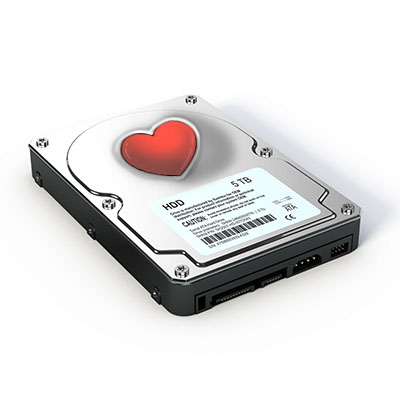
Facebook_290074543_400.jpg

Facebook and Your Privacy (Part 3)

Facebook_290074543_400.jpg

Facebook’s servers process a massive amount of data each day… which only makes sense, considering their 2.4 billion active users. Unfortunately, the social network has had some issues over the past few years with data privacy. Whether you use Facebook as a social networking tool for your personal life, your business, or both, you need to know how to best take control of your own privacy on the platform.

While we wish we could show you how to really accomplish true privacy on Facebook, the only way to actually reach that threshold would require you to have never signed up in the first place. This doesn’t mean, of course, that there is nothing that you can do now to protect your information – sharing more cognizantly and keeping it within circles you trust.

A Few of Facebook’s Issues

Like we said, Facebook has seen some pretty egregious security issues during its time. While we aren’t going to go too far into the weeds with these events, a quick summary might help to illustrate how careful users should really be as they use the platform:

  • In 2007, Facebook introduced a feature that would allow companies to track purchases made by users and notify their friends of what they had purchased… without requiring any consent from the user.
  • In 2011, the FTC charged Facebook for allowing private user information to be accessed by third parties, making this private information public without any notification.
  • In 2013, Facebook introduced a Donate button that would allow users to make charitable contributions to such organizations. Unfortunately, a bug in the code allowed the email addresses and phone numbers of over six million users to be leaked.
  • In 2014, Facebook actively experimented upon their users, testing their ability to manipulate their emotional states with the content the user is exposed to. Depressing content was prioritized to see if they could elicit depressed feelings. As it turns out, they can.
  • In 2015, Facebook took action to assuage their users’ concern for their privacy, and rolled back the access that apps had to user data… but one has to wonder, just how much were applications privy to before this rollback?
  • In 2018, Facebook suffered a massive data breach, losing the data of 50 million users. In response, Facebook did nothing… that is, until their reputation started to suffer. It was only then that they responded to the underlying issues.

Unfortunately, concerning events like these happen far too regularly to Facebook. There just seems to be difficulty in keeping their user data secure. This is why you need to pay particular attention to the settings on your own Facebook profile. Let’s go over how your information can most effectively be protected by ensuring these settings are configured properly.

Configuring Your Facebook Privacy Options

On your desktop, log in to your Facebook account. At the top-right of the page, there will be a small down arrow. Click it to access a menu, then click Settings.

You will be brought to another page, with Privacy in your list of options. Click into it.

From here, you can set your privacy options that restrict who has access to your information. For example:

Public – Setting your privacy to public is effectively turning off your privacy options. Not only can all other Facebook users potentially see your profile, even people who aren’t signed in could access it. Hypothetically, this means that the search engines could find you are well.

Friends – This setting restricts viewing privileges to only your confirmed Facebook friends.

Friends except… – If there are particular friends or members of a particular group who shouldn’t see certain information, you can prevent them from seeing this on their Facebook.

Only me – This means that (outside of Facebook) you are the only person with access to what you have posted. Just to be safe, we recommend that you still refrain from sharing anything that you wouldn’t be comfortable sharing publicly.

You also have the ability to choose the audience for each individual post. While this may give the impression of improved control over your privacy, the biggest threat to your Facebook security is probably Facebook itself.

Of course, that doesn’t mean that you aren’t given plenty of privacy options to play with. Let’s go over some of them now:

Who can see your future posts? This setting establishes a default privacy setting for the content you post on Facebook in the future. This helps insulate you from sharing content out to those who shouldn’t see it.

Review all your posts and things you’re tagged in. By using the Activity Log, you can review the entirety of your timeline and manage the permission settings of past posts. You can also review posts you have been tagged in from here.

Limit the audience for posts you’ve shared with friends of friends or Public. This is a semi-nuclear option when it comes to locking down what you’ve posted in the past. By clicking Limit Past Posts, you can change all of what you posted publicly or to friends of your friends to only be accessible to those on your Friends list. Fair warning – Facebook doesn’t provide any way to revert this, so you would have to go through your posts by hand to change them back if you so wished.

Who can send you friend requests? Depending on your preference, you have the option of picking between Everyone or Friends of friends. Unlike many of the other settings on this list, leaving this set to Everyone is probably okay.

Who can see your friends list? On the other hand, there is no reason that the rest of the world needs to see who you are connected with on Facebook. Setting this to Only me will keep this information between you and Facebook, nobody else.

Who can look you up using the email address you provided? Do you want someone who has your email to be able to find you on Facebook using it? Most likely not – so restricting this to Friends or Only me is probably in your best interest.

Who can look you up using the phone number you provided? Again, it’s really your call whether or not to allow Facebook users to find you via your phone number, but it really isn’t that necessary. You’re fine setting this to Friends or Only me.

Do you want search engines outside of Facebook to link to your profile? This one really depends on your situation. Facebook can work to prevent the assorted search engines out there, including Google and Bing, from indexing your profile (allowing searchers to find it). Most people will likely want to switch this off, but if your personal brand is part of your business, it makes more sense to turn this option to Yes.

Dictating What Others Can Do On Your Personal Facebook Profile

We all have embarrassing friends, and so you may want to avoid having them be able to freely post content to your wall – for instance, your college buddy Greg seems to have no problem with sharing candids from the good ol’ days… and tagging you in them.

Potential situations like this make it all the better that Facebook gives you control over who can post to your timeline, and who can see this content. You can access your many options to do so by clicking into Timeline and Tagging (which can be found on the left side of your Settings).

Who can post on your timeline? Naturally, you will definitely want to put a limit on this, as there is no reason that a total stranger should be reaching out on your personal profile. This is why it makes sense to only allow your Friends to do so – or, perhaps you alone with the Only me setting.

Who can see what others post on your timeline? This setting will largely depend upon who you have permitted to post on your timeline. If your Friends can post to your timeline, you definitely want your Friends to be the only ones who can see it – assuming you don’t want to maximize your privacy (and hedge your bets) with the Only me setting.

Allow others to share your posts to their stories? Ask yourself: do you want anything you post publicly to be shared by your Friends? If so, leave this one enabled.

Who can see the posts you’re tagged in on your timeline? Tagging can be an incredibly useful thing for someone trying to cultivate an image as an engaged thought leader, but it can also hurt your reputation, never mind your privacy. If people keep tagging you in assorted posts and you’d rather the public at large didn’t see these posts, you can keep these posts to your Friends, or even to Only me.

Review the posts you’re tagged in before the post appears on your timeline?
Alternatively, this is likely the best option for someone looking to be visible via tagged posts, while still remaining in control of which posts that are linked to them. Basically, you can be notified if you are ever tagged in some Facebook content, and can opt whether or not it will appear on your timeline. Fair warning – any mutual friends you have with the person who has tagged you will be able to see the tagged content before you have a chance to review it. Regardless, it is best to keep this setting on.

Review tags people add to your posts before the tags appear on Facebook? Again, this is something you’ll want control over, so set this to on as well.

Managing Your Public Post Settings

Again, from the Settings page, click into the Public Posts option on the left-hand side.

Who Can Follow Me – Rather than adding users as Friends, public figures can provide the option to just be followed by interested people. If you want to give the public at large this option, set this to Public. Otherwise, you can keep your posts among your Friends by setting this to Friends.

Public Post Comments – Or, who can comment on the posts that you’ve shared publicly. It is probably best to keep this restricted to either Friends, or perhaps Friends of Friends.

Public Profile Info – Some facets of your Facebook profile are generally available for anyone to see (like your name and profile picture). Who do you want to be able to comment on your profile picture? Keeping this capability restricted to your Friends or – maybe – Friends of Friends is probably best.

How Much Do You Want Facebook to Know About Where You Are?

Facebook has the capability to track your location history. While this information isn’t shared with your Friends or followers (beyond letting your Friends know that you are nearby), the only real reason we could come up with for Facebook to track this is to be able to target you with ads more effectively. Hopefully, that’s the reason, but even so, it is better to be safe than sorry. After all, Facebook has a history of data security missteps.

Again, starting from the Settings page, click where it says Location on the left-hand side. From there, you can see what Facebook already knows by requesting to View your Location History. However, to disable this, you’ll need to use the mobile application.

Using the Mobile Application to Turn Off Location

From the app, access the 3-bar hamburger icon (found at the top-right), and scroll down until you see Settings & Privacy. From there, you should access Privacy Shortcuts, where you’ll see a new area with various settings and documentation regarding Facebook’s identity controls.

Find Manage your location settings (you shouldn’t have to scroll to find it). Once there, you should:

  • Turn off Location History (found in Location Access)
  • Turn off Use Location (in Location Services)
  • Find and disable Background Location

While you’re at it, you may as well delete your existing Location History.
Again, from within Privacy Shortcuts, select Manage your location settings and then View Your Location History. You will be asked for your password, and then you will see another 3-dot menu in the top-right. From there, you should Delete all location history.

Take note: if you post a photo with your location tagged, or check into some public place, you may be allowing Facebook access to your location data again.

Yes, this is a lot to take in.

Thank you for sticking with us for so long! We hope this helps you to secure your personal privacy on what is known as the social network. To learn more about protecting your privacy and information, geared more toward your business, reach out to NuTech Services at 810.230.9455, and make sure to subscribe to our blog.

an_it_christmas_2.5_400.jpg

An IT Christmas Carol

an_it_christmas_2.5_400.jpg

The IT guy, Jacob left last month: to begin with. There is no doubt whatever about that. He left without an exit interview, and he didn’t seem very pleased with the way the situation played out. You could never tell if Scrooge cared or not. His demands have never wavered. He expected perfection and when mistakes were made, they were approached as catastrophic affronts to the sustainability of the business, even if that wasn’t the reality.

Scrooge, not missing a beat, and never altering his demanding demeanor, laid the responsibilities that were, up to last month, Jacob’s, at the feet of poor old Bob; with, the expectation that Bob would be able to produce more. Bob was ever the diligent worker, and he never complained, regardless of how much unwanted attention and responsibility was forced onto him. As the holidays approached, Bob was looking forward to the respite from work, even if it was for a day. He was going to spend time with his family. You see, Bob’s daughter Grace fell ill and since Scrooge didn’t believe in offering benefits, the burden of keeping her well fell on Bob’s shoulders.

Just as he did the best that he could for Scrooge, he did the best that he could for his family. The problem was that Christmas is tomorrow and there has been no mention of him getting the day off. At about 1 p.m., after he had eaten the soup his wife had made (the same soup he had been eating for five consecutive working days), he went to Scrooge.

“Mr. Scrooge, I was wondering if I could have the day off tomorrow for Christmas?”

“No, Bob,” Scrooge answered immediately, “We just can’t afford it if you missed any time. It’s not fair or convenient to the business for you to miss any time.”

“But Mr. Scrooge,” Bob pleaded, “My wife is making a roast and I am hosting Christmas.” He went on to observe that it was only one day a year.

“Bah! Humbug.” Scrooge crowed, “It’s a poor excuse for picking a man’s pocket every twenty-fifth of December! You’d better be here in the morning, or you can find yourself another job.”

Bob, not wanting to put his job in jeopardy dejectedly answered, “Yes, sir.”

Bob went back to work and toward the end of the day, Scrooge emerged from his office, put on his coat and meandered over to Bob’s desk with a box. He stopped, placed the box on the desk and placed his hand upon the box.

“Bob,” Scrooge started, “I was thinking about your request for time off, and I wanted to tell you that since Jacob left, we just can’t have anyone missing any more time, so just tell your family to come after you get out of work.” Bob was upset, but said nothing.

“I’m headed to my club, I need you to stay tonight and install this new router.” Scrooge tapped the box, “I’m having trouble streaming in my office and want this installed and working before you leave for the day.”

Without saying goodbye, the old miser walked out the door and shuffled up the street toward his car. Bob felt crestfallen. He knew his brother and his family would be at the house when he got home, but not wanting to disobey Mr. Scrooge’s demands. He stayed until just after 8 p.m. making sure that the router was installed properly and that it did, indeed provide Mr. Scrooge’s office with the wireless signal he demanded.

After he finished with the router, he locked up the office and meandered down the street toward his car. Since Scrooge has kept both parking spots in front of the office for himself, Bob had to walk a half a mile to the parking garage. As he made his way there he went into the store to buy his family their Christmas roast. Knowing he wouldn’t be around to enjoy the company of his loved ones, he could at least get a beautiful roast.

He started pricing the meat and realized that he couldn’t afford a roast that was big enough for eight people. He checked his balance, and when the numbers came up on the screen he felt like he wanted to cry. He picked up a small roast and a large chicken, paid, and left for his home.

When Bob got home, his entire family was there. The sadness he was feeling melted away and the Christmas spirit that had escaped him returned with aplomb. His brother’s family had arrived a few hours before and so, after tucking their children in for Christmas, the adults sat around the Christmas tree telling stories and laughing, stuffing stockings, and putting out gifts. Bob didn’t know exactly how to explain that his boss wouldn’t give him the day off, but waited to reveal this sad truth for after the pleasantries of the evening were finished.

As he got ready for bed he shared the news with his wife.

“That Scrooge is a real piece of work,” his wife proclaimed.

“He’s a real piece of something,” Bob returned.

The couple talked about it a bit more, said goodnight, and went to sleep.

—-

Scrooge, was sitting alone, as was his custom at a table in his club’s bar. His scowl was a solid deterrent to keep people away. He sipped his scotch and water and sat there watching the television that was mounted above the bar. The financial news was on. As the stock prices raced by and the attractive, yet muted 30-something gave the audience the recap of the money that had been made and lost during the day’s trading, his concentration was broken.

All of a sudden a man was standing, drinkless, in front of his table. “Hello Mr. Scrooge.”

“What?!” the ill-tempered codger snapped.

“Merry Christmas.” the man said joyfully.

“Bah!” Scrooge responded sharply.

“My name is Fred Rappuhn, and I’m with NuTech Services, and it’s come to my attention that your IT administrator, Jacob, is no longer with your company. I was wondering if you had a few minutes to talk about how my company can help you manage your…”

Scrooge responded, “Let me stop you before you go any further. I wish to be left alone. I don’t know how you know my business and I don’t care, I’ve got it handled.”

The conversation went on like that for a few minutes and Fred Rappuhn left his card on the table and wished Scrooge a merry Christmas. Scrooge predictably scoffed at the sentiment. In solitude he finished his drink, paid the bill with no tip, and left the club.

When he got home, he locked the door behind him and put on his dressing gown and nightcap. Just as he was getting comfortable in his bed, he heard a tapping, which he ignored. A minute later a banging came from the front room. He got up to investigate, grabbing his cane. Discovering nothing, he returned to his bedroom, only to find Jacob sitting at the small writing desk he had up against the far wall.

“What the hell are you doing here?!” Scrooge said aggressively.

“I’m not here, Mr. Scrooge. I’m not. I am a figment of your imagination.” Jacob stated matter-of-factly.

Scrooge charged at him and swinging his club to accost the intruder only served to break the lamp on the desk.

“How now!” said Scrooge, “What do you want with me?”

“Much” Jacob replied, “but first I have to see that you believe in me.”

“Believe in you?” Scrooge said, “Humbug, I tell you! Humbug!”

Just then Jacob let out a wail that got Scrooge’s attention. He then asked Scrooge to check his account balances, and after a little back-and-forth, Scrooge placated the spectre. The look on Scrooge’s face was of pure terror.

He began to plead, “Mercy, dreadful apparition, why do you trouble me?”

“Your life is tied to your business, Scrooge, but your repulsive avarice has left you exposed; left it exposed.”

Jacob walked up to a terrified Scrooge. “Hear me! Tonight you will be haunted by three spirits.”

“Three spirits?” Scrooge asked, terrified.

“Yes, without their visits you can’t expect to understand the danger your belligerence has caused.”

Just then, the room was silent. Scrooge was horrified. He turned every light on in his house and turned on the television. After at least an hour of trepidation, he finally started to get tired, and even though his home was lit up like a jack-o-lantern on Halloween, he dozed off on his sofa.

—-

“Wake Up!” the spirit shrieked.

Scrooge arose from his peace-less slumber quickly and alertly. He took a swipe with his cane, but was rebuked by the large ethereal man standing before him. The ghost was around six-foot-four, but had a golf shirt embroidered with Scrooge’s company’s logo on it tucked into a pair of khakis. Its hair was seemingly an ethereal mist that looked like there was smoke coming up from his glasses. His eyes were ominously white behind thick black glasses.

“Are you the Spirit, sir whose coming was foretold to me?” Scrooge asked.

“I am. I am the Ghost of Christmas Past.”

“Long past?” asked Scrooge who was trembling with fear.

“No, man, your past,” the spirit returned

The spectre put his hand on Scrooge’s reluctant shoulder and led him to the door of his home. Instead of opening the door, they traveled through it only to find on the other side a vision. The vision was of Jacob talking with Bob. They were talking about how Jacob had went to Scrooge, and asked him to consider getting on a firewall installed on the business network.

“You would have thought I asked him to go steady,” Jacob started, “He screamed at me and told me that if I don’t do my #$%^*& job and stop coming to him for money, I won’t have a job to come to.”

“I remember that. He was asking for too much money!” Scrooge said defiantly.

The spirit said nothing and put his hand on Scrooge’s shoulder again. They walked back through the wall they had just come through and this time it was a school. It seemed to be sometime in the 1960s. There was a little boy who was trying to open a padlock with paperclips.

As the lock sprung open, Scrooge growled, “Tommy Hulse!”

The boy opened the locker that was being protected by the padlock and took out a small bag.

“It was him!” Scrooge screeched. He got emotional and explained that he had brought his dad’s watch into school the day before Christmas and he had kept it in the bag. When he returned to the locker that day, it was open and his father’s watch was gone.

“I bet he skinned your hide,” the spirit said arrogantly.

Scrooge, despondent, looked at the spirit, “He died soon thereafter.”

“My time is running short, Scrooge. Let us go,” the spirit said, as he put his hand on his shoulder and walked through the wall.

He was back in the front room of his house. No one else was there. He called out to the spirit but nothing answered. Just then there was a banging coming from the bedroom. He went to investigate and there was a larger spectre standing in front of his bed.

“Scrooge!” the new ghost bellowed. Scrooge turned around and shut the door, only to turn around to see the giant ghastly man. This spirit was nearly seven-feet tall, his head was covered in a hood. He couldn’t make out any of his features, except two glowing eyes that seemed to puncture a hole through him.

“Scrooge! I am the Ghost of Christmas Present.”

“No! No more hauntings!” Scrooge plead. The ghost lifted his right arm and snapped his ethereal fingers. The snap was the loudest noise the miser had ever heard.

Scrooge, who had closed his eyes to avert his gaze from the newest spirit, opened them and found himself alone in a dark room.

‘Where am I?” Scrooge called out. No answer.

He noticed a light coming from an adjacent room. He made his way toward it. As he entered the doorway he could see the ghost standing over what looked to be Jacob, his former IT administrator. Jacob was typing at a computer.

‘Come, Scrooge,” the spirit said in his baritone tenor.

Scrooge walked over and looked on the screen. It was indeed Jacob, he was typing in a chat on his computer. He began to read:

When I bailed on old man Scrooge, I left a hole in the network. Tomorrow, I am going to go in and put this ransomware I just purchased. When he gets back from his Christmas break, he’ll have a surprise waiting for him.

“What is this? What is ransomware?” Scrooge asked the spirit timidly.

“I can’t tell you that, but I can tell you that it is not good for you or your company.” The ghost replied.

“Tell him to stop! Tell him to stop!” Scrooge began pleading.

“No one can hear you, Scrooge.” The spirit said as it walked out of the room.

Scrooge followed, but as soon as he got into the next room, there was no one there. He turned around and seemed surprised to be in his office. He walked through his office door to see the spirit standing over Bob’s desk. Bob was sitting at his desk working away, gently sighing every once in a while and checking his phone repeatedly. All of a sudden his desk phone rang.

“Hello.” Bob answered.

“Merry Christmas to you too…Mr. Scrooge needed me to work today, so I am…Well I have my brother and his family…She’s doing well…It’s okay…I’ll think about it…Have a merry Christmas.” Bob hung up the phone and went back to doing what he was doing.

“He’s a good worker.” Scrooge admitted to the spirit.

“You just couldn’t give him the day off for Christmas?” the spirit asked directly.

“I…I…We’re so short-staffed as it is…” Scrooge stammered. Bob’s cell phone rang.

“Hey…What?!…I’ll be right there,” Bob stood up with a panicked look on his face. He put his coat on and walked out the door without turning his computer off.

“Where is he going? Where is he going, spirit?” Scrooge plead.

The spirit again snapped his fingers and the pair were standing in the waiting room of a hospital. Bob was standing at the desk filling out paperwork. A doctor came up to him and started to talk. Bob’s face succumbed to the pain of the situation.

Scrooge started in, “What is it? What has happened? Tell me what has happened, please?”

The ghost looked at Scrooge with his searing red eyes and said, “His little girl is ill, Scrooge. I’m sure you knew that.”

“Yes…Yes, but what has happened to her?”

The spirit lifted his arm again. SNAP.

The pair were on the front lawn of Bob’s house. A car pulls into the driveway. Bob’s wife got out of the passenger seat. She had clearly been crying. Bob got out of the front seat and made his way around the car. His wife muttered something to him while he opened the back door of the car. Bob lifted his tired and weak daughter out of the car seat and followed his wife in the house.

“Not very Christmasy,” the tall spirit said, mocking a relieved Scrooge.

Before Scrooge could say anything else there was a huge bang and he was back in his home. Feeling tired and emotional, Scrooge sat down on the settee in his front room. He sat there in contemplation for a few minutes. He was worried about the virus that Jacob was going to unleash, he was worried about his business, and about Bob and his family. He realized that he hadn’t treated these people with a lot of respect. Just as he was coming to the conclusion that he had to do something about it the room filled with a blinding light.

Scrooge couldn’t see a thing. All of a sudden there was a high-pitched scream that startled him further. He started to plead:

“Please spirits, no more! I have learned the errors of my ways! No more, I beg you!”

A silhouette emerged in the light.

“Come,” it screeched.

Witless and afraid, Scrooge complied. The spirit was no more than a shadow that moved independently through the ether like bolts of lightning.

Scrooge followed the spirit into the light and emerged in front of a Best Buy. There were giant “Christmas Sale” banners hanging from above the revolving doors. Scrooge walked into the store where he was confronted by himself. He was wearing a Best Buy shirt and tan slacks, staring aimlessly across the vast expanse of the retail establishment.

From the side he spotted Bob walking up to his likeness.

“C’mon Scrooge, get to work,” Bob said as he walked by future Scrooge. He was older than he was by a few years and looked malnourished and feeble.

“No! This can’t be! I am an old man. I cannot work retail!”

As future Scrooge made his way toward the warehouse modern Scrooge followed. Two younger workers were standing near the loading dock as the Scrooges approached.

“What’s the matter, Grandpa? Don’t remember where you should be?” one of the young men said as the other laughed.

Scrooge looked around helplessly as the two younger men continued to snicker and jest.

Just then the light returned, covering everything. It brought Scrooge to a grave marked “Here Lies Scrooge”. Sensing his mortality Scrooge began to wail:

“Stop! Spirit, no! Oh no! Your nature intercedes for me, and pities me. Assure me that I yet may change these shadows you have shown me, shadow! I will live an altered life!”

The light returned and Scrooge woke up. He wasn’t on the settee or in the front room, but his bed. He leaped from the sheets.

“I don’t know what to do! I am light as a feather, I am as happy as an angel, I am as merry as a schoolboy, I am as merry as a drunken man. Merry Christmas to everybody!” Scrooge cried laughing aloud. Without getting dressed he grabbed his coat and rushed out onto the street. Dawn was just breaking. He saw a young man walking on the sidewalk, he stopped him and asked, “What’s to-day?”

“Why today is Christmas, sir!” the young man replied.

“It’s Christmas day? Of course. Merry Christmas to you my fine fellow.” Scrooge said with enthusiasm.

“A merry Christmas to you, too, sir,” the man replied and walked on.

Scrooge, went back in his home and started making calls, the first call he made was to Bob, telling him to take the day and spend it with his family; and, that he was going to get a significant raise. The next call was to Jacob, who didn’t answer, but Scrooge left a voicemail that said he was sorry and would like to make it up to him. Finally, he called NuTech Services’s Fred Rappuhn to tell him that he would be happy to learn more about how he could keep his IT safe and make his business more efficient.

From all of us at NuTech Services, we’d like to wish you a very merry Christmas and the happiest of holidays!

best_browser_400.jpg

Which Browser is Best for Your Needs?

best_browser_400.jpg

There are a variety of web browsers out there, and that variety is much larger than most people think. While most can list off the main ones: Chrome, Safari, Edge, and Firefox, there are many more to consider. However, the real question remains: which one is best for you?

In a Nutshell: Probably Chrome…
The most used browser today is Chrome, with about 60 percent of the market share going to it. This isn’t an accident, as Chrome has historically prioritized the two things that Internet users want most – options and speed.

Chrome has always been fast, and despite some other browsers reaching comparable speeds, they just can’t match Chrome’s consistency in that arena. It also doesn’t hurt that Chrome has a remarkably simple interface that hides a massive amount of functionality, only supplemented by a huge extensions list.

However, Mozilla’s Firefox option has also exploded in popularity with its release of Quantum, which allows it to give Chrome a run for its money where speed is concerned. With additional security features and other useful elements, Mozilla is another tempting option.

Microsoft’s Edge browser is another option for many, especially if they prioritize the ability to easily share web pages through either email or assorted social networks, or to take notes on web pages and save them. Furthermore, as it was developed by Microsoft, the same company that develops Windows itself, Edge and Windows integrate quite well with each other.

…But It Depends
Of course, if your browsing tends to have a specific purpose or need, there are other browsers that may lend themselves better to your given objective. For instance, Opera has a feature called Opera Turbo, which can help make slow broadband speeds less of an issue.

Another option is Vivaldi, which would be ideal for those who want a customizable browsing experience. This browser lets a user create their own keyboard shortcuts and mouse gestures, as well as provides far more options that effectively allow the user to customize their own browser. Those who are particularly concerned about their online privacy might prefer the inherent features found in the Brave Browser or in the Tor Browser, and those who frequently download things from torrents might prefer Torch Browser.

At the end of the day, your choice will depend on your preferences. NuTech Services can help you weigh your options and make the best choice for you and your business. Give us a call at 810.230.9455 today.

new_recycle_cable_400.jpg

A Better Way to Be Rid of Old Cables

new_recycle_cable_400.jpg

Are you drowning in old computer cables? Do they sit in a drawer and take up space? Chances are that you’ll have quite a lot of old cables that are sitting around collecting dust due to your organization picking up new devices that come with even more new cables. Sure, you might think you still need that old 25-pin serial cable for that legacy scanner from 1997, but it’s probably time to let go. While there is some merit to keeping old cables around just in case, the proper alternative to throwing out unneeded cables is to recycle them.

Take an Inventory
First, you need to see what cables you have on-hand. This includes cables, wires, and adapters. Basically, keep an eye out for anything that might be of value to your organization. This doesn’t mean to hoard them–rather, keep an eye out for anything that could potentially be useful, but not obsolete in the near future. For example, smartphone chargers with USB Type-A and Type-C cables might come in handy for travel or to keep as spares for staff.

Recycle (Don’t Discard) Your Unwanted Cables
If there are any cables remaining, you should always, always recycle them rather than throwing them in the trash. Modern computer and video cables are typically made out of valuable materials, such as copper and gold. On their own, they might not be worth much, but if everyone recycled their old cables instead of throwing them out in the trash, it would have a pretty large impact.

You can reach out to NuTech Services for assistance with getting rid of your unneeded and unwanted hardware. This goes for more than just cables–if you have anything at all that you simply don’t need, we’ll take it off your hands. If you just want a place to drop off your unneeded hardware, just call 1-800-RECYCLING or visit the National Center for Electronics Recycling website.

For help with recycling your unused technology, give us a call at 810.230.9455.