a-close-up-of-a-keyboard-with-a-blue-button

How to Use AI for Business Productivity While Staying Cyber-Secure

Most organizations have realized that AI is not a sentient system looking to take over the world, but rather an invaluable tool. They have come to utilize it to improve their productivity and efficiency. AI solutions have been installed at an astounding rate. Some are used to automate repetitive tasks and to provide enriched data analysis on a previously unrealized level. While this can certainly boost productivity, it is also troubling from a data security, privacy, and cyber threat perspective.

The crux of this conundrum is how the power of AI can be harnessed to remain competitive while eliminating cybersecurity risks. 

The Rise of AI

AI is no longer just a tool for massive enterprises. It is a tool every organization can use. Cloud-based systems and machine learning APIs have become more affordable and necessary in the modern-day business climate for small and medium-sized businesses (SMBs).

AI has become common in the following ways:

  • Email and meeting scheduling
  • Customer service automation
  • Sales forecasting
  • Document generation and summarization
  • Invoice processing
  • Data analytics
  • Cybersecurity threat detection

AI tools help staff become more efficient, eliminating errors and helping make data-backed decisions. However, organizations need to take steps to limit cybersecurity issues.

AI Adoption Risks

An unfortunate side effect of increasing productivity through the use of AI-based tools is that it also expands the available attack surface for cyber attackers. Organizations must understand that implementing any new technology needs to be done with thoughtful consideration of how it might expose these various threats.

Data Leakage

In order to operate, AI models need data. This can be sensitive customer data, financial information, or proprietary work products. If this information needs to be sent to third-party AI models, there must be a clear understanding of how and when this information will be used. In some cases, AI companies can store it, use it for training, or even leak this information for public consumption.

Shadow AI

Many employees use AI tools for their daily work. This might include generative platforms or online chatbots. Without proper vetting, these can cause compliance risks.

Overreliance and Automation Bias

Even when using AI tools, it is important for companies to continue their due diligence. Many users consider AI-generated content to always be accurate when, in fact, it is not. Relying on this information without checking it for accuracy can lead to poor decision-making.

Secure AI and Productivity

The steps necessary to secure potential security risks when utilizing AI tools are relatively straightforward. 

Establish an AI Usage Policy

It is critical to set limits and guidelines for AI use prior to installing any AI tools.  

Be sure to define:

  • Approved AI tools and vendors
  • Acceptable use cases
  • Prohibited data types
  • Data retention practices

Educate users regarding the importance of AI security practices and how to properly use the tools installed to minimize the risk associated with using AI tools.

Choose Enterprise-Grade AI Platforms

One way to secure AI platforms is by ensuring that they offer the following:

  • GDPR, HIPAA, or SOC 2 compliant
  • Data residency controls
  • Do not use customer data for training
  • Provide encryption for data at rest and in transit

Segment Sensitive Data Access

Adopting role-based access controls (RBAC) provides better restrictions on data access. It allows AI tools access to only specific types of information.

Monitor AI Usage

It is essential to monitor AI usage across the organization to understand what information is being accessed and how it is being utilized, including:

  • Which users are accessing which tools
  • What data is being sent or processed
  • Alerts for unusual or risky behavior

AI for Cybersecurity

Ironically, while concerns exist about AI use regarding security issues, one of the primary uses of AI tools is the detection of cyber threats. Organizations use AI to do the following: 

  • Threat detection
  • Email phishing deterrent
  • Endpoint protection
  • Automated response

Adopting tools like SentinelOne, Microsoft Defender for Endpoint, and CrowdStrike all use AI aspects to detect threats in real-time. 

Train Employees About Responsible Use

An unfortunate truth about humans is that they are, without question, the weakest link in the chain of cyber defense. Even the strongest defensive stance on cyber threats can be undone with a single click by a single user.

It is important that they receive training regarding the proper use of AI tools, so they understand:

  • Risks of using AI tools with company data
  • AI-generated phishing
  • Recognizing AI-generated content

AI With Guardrails

AI tools can transform any organization’s technical landscape, expanding what’s possible. But productivity without proper protection is a risk you can’t afford. Contact us today for expert guidance, practical toolkits, and resources to help you harness AI safely and effectively.


Featured Image Credit

This Article has been Republished with Permission from The Technology Press.

Free A robotic hand reaching into a digital network on a blue background, symbolizing AI technology. Stock Photo

AI Demystified: What to Know About the Current Tools on the Market in 2025

Walk into almost any IT department right now, and you’ll hear the same conversation at least once a week: “Have you tried that new AI tool yet? I heard it’s a game-changer.”

The truth is that the market is buzzing with promise and noise. A recent McKinsey survey shows that 78% of companies now use AI in some form, and that number is climbing. 

Plenty of software promises to slash workloads, automate everything, and make teams ‘future-proof.’ Some deliver on that promise. Others feel rushed to market just to ride the hype. For IT businesses, knowing the difference is essential to staying relevant.

Why AI Feels Different This Time

AI, of course, isn’t new. However, something has shifted over the last two years. Models have become better at understanding context, generating original content, and even juggling multiple formats at once.

Under the hood, the big three technologies driving this shift are:

  • Machine Learning (ML): These are the systems that improve with every dataset they touch. It’s what makes recommendation engines get eerily accurate over time.
  • Natural Language Processing (NLP): The bit that lets a machine understand your request when you type, “Can you pull the latest metrics from that report?” and not just spit out a keyword search.
  • Generative AI: The creative side of AI that builds something from scratch: a paragraph, a code snippet, an image, or even a full video.

The “multimodal” wave, where one tool can manage text, images, audio, and video without switching modes, is what’s pulling this technology out of niche use cases and into daily operations. It’s also why even cautious IT managers are starting to experiment.

The Tool Categories Worth Knowing

If you try to track every AI launch, you’ll burn out. Instead, it helps to think in broad categories and pick a few to watch.

1. Chatbots & Virtual Assistants

Not the clunky, one-question-at-a-time bots we remember from a few years ago.

  • ChatGPT now handles images, audio, and real-time conversation, and it remembers your preferences over time.
  • Google Gemini slots directly into Gmail, Sheets, and Docs. It is handy if you already live in Google Workspace.
  • Grok AI leans toward problem-solving and data-heavy reasoning, pulling in live info when needed.

2. Content Creation

For marketing, documentation, or client proposals, the tools below can shave hours off a job.

  • Jasper AI: Aimed squarely at marketers, with built-in SEO and formatting help.
  • Anyword: Used to tweak tone for specific audiences.
  • Writer: Used to keep enterprise-level brand voice consistent.

3. Image & Design

From mockups to campaign graphics, AI visuals are no longer a novelty.

  • Midjourney is the favorite for striking, artistic visuals.
  • Stable Diffusion gives you full creative control if you’ve got the technical chops.
  • DALL·E 3 is simple to use inside ChatGPT for quick edits and iterations.
  • Google Imagen 3 is precise and can handle prompts in multiple languages.
  • Adobe Firefly keeps everything legally safe for commercial projects and feeds straight into Photoshop.

4. Video & Storytelling

Not just for marketing teams anymore. Training, onboarding, and even client walkthroughs benefit here.

  • Runway ML combines AI image generation with video editing.
  • Descript and Filmora handle editing, transcription, and polishing without requiring a pro studio.

5. Search & Research

Finding the right information can matter more than creating something new.

  • Perplexity AI blends live search with AI summaries so you’re not guessing about accuracy.
  • Arc Search speeds up web research with on-the-fly summaries.

6. Productivity & Collaboration

These are the quiet workhorses. They include: 

  • Notion AI and Mem: Used to surface the right knowledge at the right time.
  • Asana, Any.do, and BeeDone: Project tools used to schedule and keep track of tasks.
  • Fireflies and Avoma: These meeting assistants can take notes so your team can actually talk.
  • Reclaim and Clockwise: These calendar managers make meetings less of a Tetris game.
  • Shortwave and Gemini: Email helpers for Gmail to keep inboxes sane.

Where IT Businesses Can Actually Win

The real advantage isn’t “using AI.” It’s using it to make something easier, faster, or better for either your team or your clients. That might be automating repetitive monitoring tasks, generating clearer client reports, or cutting turnaround time for proposal writing.

It’s not without its challenges:

  • Integration: The coolest new tool is useless if it can’t connect to your stack.
  • Data accuracy: AI still makes mistakes; fact-checking is non-negotiable.
  • Security: If a tool sends your client data outside your environment, you need to know exactly how it’s stored and processed.
  • Adoption curve: Even great tools flop if nobody takes the time to learn them.

Getting Started Without Wasting Time

If you’re evaluating AI for your IT business, here’s a simple starting path:

  1. Pick one problem that’s slowing you down. Maybe your project documentation is always late, or client Q&A eats up hours.
  2. Test two or three tools aimed at solving that problem. Use the free or trial tiers; run them against real scenarios.
  3. See how they play with your systems. Integration is often the make-or-break factor.
  4. Roll out slowly. One team, one workflow, one clear measure of success. If it works, expand.

It’s tempting to load up a dozen tools and hope they magically boost productivity. More often, that leads to confusion, redundant features, and frustrated staff.

A Final Thought (and a Bit of Caution)

AI isn’t going away, and ignoring it won’t make the competitive pressure disappear. The current lineup of tools can be incredibly powerful, but they’re not magic. Think of them like a new hire: They can do great work, but they need guidance, guardrails, and a clear role.

Start with the jobs that nobody loves doing, the ones that are repetitive but still important. Let AI take the first draft, the first pass, or the heavy lifting. Keep the oversight with your team. That’s where it stops being hype and starts being useful.

If you’re not sure where to begin, try one experiment this quarter. Small steps now will make bigger moves easier later.

Contact us if you want help figuring out which AI tools actually make sense for your IT business and which ones you can safely skip.

Featured Image Credit

This Article has been Republished with Permission from The Technology Press.

a desk with a laptop, keyboard, mouse and a monitor

Project Chaos to Clarity: How Microsoft Planner Transforms Small Businesses

In the past, teams relied on sticky notes and endless email threads to manage tasks. But with today’s hybrid work environments and fast-moving deadlines, that approach just doesn’t cut it anymore. Effective project management is now essential to stay on track and ahead.

According to McKinsey, the average worker spends 28% of their week managing email and nearly 20% just hunting for information or colleagues to help.

This article introduces Microsoft Planner, a versatile tool that’s just as effective for simple task management as it is for complex enterprise projects. It’s easy to get started with, yet powerful enough to keep multiple projects organized and on track. With a bit of guidance from an IT partner experienced in supporting small teams, Planner can transform the way you organize, collaborate, and deliver results.

Teams Wasting Time on Endless Emails and Missed Tasks

When tasks are not properly organized, it’s hard to monitor your team’s progress:

  • Team members cannot keep up with deadlines
  • Essential details are missed through conversations.
  • Projects stall over small miscommunications
  • Managers struggle to get a complete overview. 

These things get in the way of productivity and make it harder for your team to stay motivated and move forward.

A Simple Way to Manage Tasks

Microsoft Planner brings everything together in one place, making it simple and intuitive for small teams to jump in and start using right away. Here’s how Planner helps you stay productive:

1. Organized Task Boards 

Think of Planner like a shared to-do board where your whole team can carry out the following:

  • Create tasks quickly
  • Assign responsibilities
  • Add due dates, checklists, files, and notes
  • Move tasks through stages like To Do > In Progress > Done

This organized view allows everyone to stay on track without the need for long email threads or disappearing messages.

2. Flexible Views for Better Oversight

Planner offers multiple ways to help you track your work, including:

  • Board View: Tasks are displayed as cards grouped in columns (buckets). You can drag and drop tasks to update their status or move them between buckets. Great for visual task management.
  • Grid View: A list-style layout showing tasks with details like due dates, assignees, and progress. Useful for quick scanning and editing.
  • Schedule View: Displays tasks on a calendar by week or month. You can drag tasks onto the calendar or view unscheduled tasks separately.
  • People View: Displays workload distribution across team members.
  • Timeline View: A Gantt-style chart that shows how tasks connect, and which ones are key to keeping the project on track.
  • Assignments View: Gives you detailed control over how much effort tasks take and when they’re scheduled.

These views help teams at every stage, from daily task completion to big-picture planning.

3. Task Details That Keep Teams on Track

Every task in Planner comes with all the details you need. Just click on a task to:

  • Set start and end dates
  • Assign priorities and include checklists
  • Attach files and assign responsibility
  • Set dependencies to ensure tasks are completed in the correct order
  • Link to relevant Teams channels for context and collaboration

This makes sure nothing important falls through the cracks and keeps conversations right where they belong.

4. Templates Save You Time

Why start from scratch when you don’t have to? Planner offers ready-made templates, some are available in the free version, while more are available in paid plans. Just pick a template, customize it, and you’re ready to go. It’s a quick way to launch projects without reinventing the wheel.

5. Smooth Integration with Microsoft 365

Planner isn’t a standalone app; it’s designed to work seamlessly with the tools you already use. Here’s what it integrates with:

  • Teams: Create and assign tasks right from chat or channels.
  • Outlook: Turn flagged emails into actionable tasks.
  • SharePoint and Loop: Embed Planner tabs in project sites for seamless updates.
  • Power Platform: Automate repetitive workflows with Power Automate.
  • Excel and Power BI: Export data to analyze tasks, timelines, and workloads.
  • Viva Goals: Align tasks with company-wide objectives.

With everything linked together, you gain clarity, reduce friction, and create real momentum.

6. Built-In AI to Supercharge Efficiency

In July of 2024, Microsoft added Copilot to Planner, which helps you with the following:

  • Summarize tasks and plans.
  • Create tasks or subtasks using natural language.
  • Get progress updates and reminders automatically.

Microsoft’s new Project Management Agent goes further, analyzing goals, breaking work into tasks, and even suggesting who should handle them. These helpers free your team to focus on creative work, not mundane task management.

How to Get Started with Planner

Step 1: Open Planner in Teams or the web app.
Step 2: Choose “New Plan” and pick a template.
Step 3: Build your board. Add buckets and tasks and assign people.
Step 4: Customize each task with dates, checklists, attachments, and links.
Step 5: Explore views to track daily work and overall progress.
Step 6: Automate reminders or notifications.
Step 7: Invite your team and walk them through the basics.

It’s an easy, step-by-step setup that helps your team start collaborating quickly and smoothly.

What You’ll Gain 

With Microsoft Planner small businesses gain many benefits including reducing email overload and meeting grind, keeping everyone accountable and aligned, and being able to visualize project progress easily. You’ll also be able to launch new initiatives faster, use AI to save time and reduce manual effort, and connect tasks with the tools your team already uses.

This keeps your projects moving and gives you more time to focus on your customers.

What Happens If You Don’t Act?

When tasks are scattered and tools don’t connect, problems are bound to happen. You’ll be more apt to miss deadlines, employees will be confused about who’s responsible for what, and team members will feel overloaded and overworked. 

Wasted time in meetings and poor visibility on project status will slow your business down and waste money.

Make Planning a Habit, Not a Hassle

Planner is more than just a tool, it keeps your team organized, on track, and connected, without the hassle of scattered tasks or missed updates.

We’re here to help you every step of the way. From setup to confident use, we’ll tailor Microsoft Planner to fit your team’s unique needs. Let’s simplify project management together, schedule your consultation today.

Featured Image Credit

This Article has been Republished with Permission from The Technology Press.

A piece of cardboard with a keyboard appearing through it

AI for Efficiency: How to Automate Daily Tasks and Free Up Your Time (Without a Huge Budget)

Running a small business means wearing a lot of hats. These hats run from managing operations, handling customer inquiries to keeping everything running smoothly. There’s a solution that can lighten the load, AI-powered automation. Thanks to technological advancements, these tools have become more accessible and cost-effective than ever, allowing small business owners to automate tasks they previously had to handle manually.

No need to break the bank or hire a large team. AI can handle much of your busy work, freeing you up to focus on more important aspects of your business. Whether you’re a solopreneur or managing a small team, AI can step in as your virtual assistant, improving efficiency and streamlining operations.

If you’re looking to dive deeper into how AI can transform your business, this blog post discusses how you can automate daily tasks and free up your time. We will show you how to leverage affordable AI tools to save time, cut down on repetitive tasks, and boost your business efficiency.

Why Does AI-Powered Automation Matter for Small Businesses?

Small businesses often lack the resources for large teams or expensive enterprise-level software. That’s where AI comes in. With the right tools, small businesses can automate repetitive tasks and processes. This allows them to reduce manual workload, cut down on errors, and increase overall productivity.

AI-powered automation enables small businesses to scale up operations without hiring additional staff. It doesn’t replace your team but enhances their capabilities, giving them more time to focus on strategic tasks that drive growth. Whether it’s customer service, scheduling, or marketing, there’s an AI solution that can help.

Smart Ways to Automate Daily Tasks and Free Up Your Time (Without a Huge Budget)

There are many ways you can use AI for efficiency in your daily tasks and get back more time in your day, without blowing your budget. Whether it’s using simple AI tools or automating repetitive administrative work, small changes can make a big difference. Here are a few smart ways to get started.

1. Automate Customer Support Without Losing the Personal Touch

Customer support is a critical part of any business, but it can also be incredibly time-consuming. By using AI, you can maintain excellent service while saving time and energy. The goal here is to automate common tasks without compromising customer satisfaction.

Use AI Chatbots for First-Line Support

AI-powered chatbots, like Tidio or Chatfuel, can handle frequently asked questions, schedule appointments, and collect customer information automatically. These chatbots can respond instantly, offering around-the-clock service without requiring additional staff.

The Benefit: AI chatbots save you time by addressing customer inquiries immediately. They’re available 24/7, ensuring that your customers never have to wait for a response.

Smart Email Assistants

AI tools like Zendesk AI or Freshdesk can read incoming emails, categorize them, and even suggest replies. Some platforms go a step further and can automate responses to common questions. It allows you to focus on more complex customer issues.

The Benefit: These tools help you manage your inbox efficiently, reducing the manual work of sorting and responding to every single email.

AI-Enhanced Customer Feedback

AI tools like Survicate or Qualaroo can analyze customer feedback in real-time, spotting trends and highlighting areas for improvement automatically. This gives you the ability to act on customer insights faster and more effectively.

The Benefit: You can make data-driven decisions to enhance your customer service, ensuring a better customer experience while minimizing the time spent analyzing feedback.

2. Streamline Scheduling and Calendar Management

Scheduling meetings, appointments, and events can quickly become a logistical nightmare. AI tools designed for scheduling and calendar management can save you countless hours and headaches. Here is how you can streamline scheduling and calendar management:

Let AI Handle Your Calendar

AI-powered tools like Calendly and Reclaim.ai can automatically suggest meeting times, taking into account everyone’s availability, time zones, and preferences. They can even buffer in break times and avoid double bookings.

The Benefit: You spend less time on back-and-forth emails trying to figure out when everyone is available. Your calendar stays organized and optimized without you lifting a finger.

AI-Powered Appointment Booking

If you offer services or consultations, tools like Acuity Scheduling let clients book appointments directly from your calendar. These tools also sync with other platforms like Zoom or Google Meet, making it easy for your clients to schedule time with you.

The Benefit: Customers can easily schedule meetings or services without the need for human intervention, streamlining the process for both you and your clients.

Optimized Time Allocation

AI tools like TimeHero or Trello use data and patterns from your calendar to suggest the most efficient way to allocate your time for various tasks. This can help you stay on track, focusing on high-priority work while automating less critical scheduling.

The Benefit: You can optimize your workday based on intelligent time management suggestions, ensuring you make the most of your working hours.

3. Supercharge Your Marketing – Without Hiring an Agency

Marketing is essential for business growth, but it can be time-consuming and expensive. AI tools can help you manage and enhance your marketing efforts without the need for a full marketing department or agency. You can use AI in the following ways to supercharge your marketing:

Create Content with AI Writing Tools

AI writing tools like Jasper AI, Copy.ai, and ChatGPT can generate blog posts, social media content, and email campaigns quickly and efficiently. These tools allow you to focus on strategy and creative direction while letting AI handle the bulk of content creation.

The Benefit: AI can write drafts for you, which you can then fine-tune. This saves time, especially when you need to create content frequently.

Automate Social Media Posts

Social media management platforms like Buffer or Later use AI to suggest the best times for posting, automatically queue content, and even generate hashtags. This makes it easier to maintain a consistent social media presence without spending too much time on it.

The Benefit: AI ensures your social media posts go out at optimal times, driving more engagement and keeping your brand active online without the hassle.

AI-Driven Analytics for Better Decision-Making

AI tools like Google Analytics and HubSpot can analyze the effectiveness of your marketing campaigns in real-time, providing insights into what’s working and what’s not. These tools help you make data-backed decisions to improve your marketing strategies.

The Benefit: You can optimize your campaigns by understanding what drives engagement and ROI. This allows you to invest in the right areas for growth.

4. Financial Tasks Made Easier

AI tools can take the guesswork and manual effort out of financial management. These help small businesses stay on top of their accounting, invoicing, and payment reminders.

Use AI Accounting Tools

AI-powered accounting tools like QuickBooks Online and Xero automate tasks such as categorizing expenses, reconciling bank accounts, and generating financial reports. These tools learn from your data and can even predict future cash flow.

The Benefit: AI helps you manage your finances efficiently, reducing the risk of errors and ensuring that your accounts are always up-to-date.

Automate Invoice Generation and Payment Reminders

Tools like Wave and Zoho Books let you generate invoices automatically and send payment reminders when bills are due. AI can track overdue invoices and send follow-up emails. It helps save you the time and stress of chasing payments.

The Benefit: Automated invoicing and reminders help you maintain cash flow and reduce the chances of late payments.

Financial Forecasting with AI Insights

AI tools can predict future financial trends based on past data. With tools like Fathom or Float, you can forecast revenue, track expenses, and make data-driven financial decisions to ensure your business remains profitable.

The Benefit: You gain a better understanding of your business’s financial future. It allows you to plan for growth and prepare for any potential financial challenges.

5. Internal Team Collaboration & Workflow Automation

Teams often rely on multiple software tools to collaborate, but that can lead to a disjointed workflow. AI tools that integrate with existing systems can automate the handoffs between apps and ensure everyone stays on the same page. Here is how you AI tools can enhance team collaboration and workflow automation:

Automate Repetitive Team Tasks

Platforms like Zapier and Make.com connect your apps and automate workflows. For example, when a new customer signs up, their information can automatically be added to your CRM, sent to your email list, and assigned to the right team member for follow-up.

The Benefit: By automating repetitive tasks, your team can focus on more important work, improving overall efficiency.

AI Note-Taking & Meeting Summaries

AI-powered tools like Otter.ai and Fireflies.ai can transcribe meetings and generate summaries automatically. This ensures that everyone has access to meeting notes without relying on manual note-taking.

The Benefit: Save time on post-meeting follow-ups, and ensure no vital details are missed or forgotten.

Streamlined Project Management

AI-enhanced project management tools like Asana or Monday.com can help you assign tasks, track deadlines, and monitor project progress. These tools integrate with your other business apps, providing a cohesive, real-time overview of your team’s workload.

The Benefit: AI keeps your projects on track by proactively identifying potential bottlenecks and suggesting adjustments to ensure projects are completed on time.

Ready to integrate AI into your business?

If you’re overwhelmed by daily tasks, it’s time to consider AI-powered automation. You don’t need a massive tech budget to take advantage of these tools. Start small by automating a couple of tasks, measure the time saved, and then expand from there. These AI tools are affordable, scalable, and designed to help small businesses streamline operations without sacrificing quality. 

Contact us today to find the right solutions for your needs. It’s time to work smarter, not harder.

Featured Image Credit

This Article has been Republished with Permission from The Technology Press.

Free Aerial view of a sleek laptop keyboard on a clean, white surface, ideal for tech backgrounds. Stock Photo

Is It Time for a Device Upgrade? Check for These 7 Signs

Technology is fast, and in no time, our gadgets get outdated. According to data from Statista, consumers replace their devices about every 2-3 years. Still, it can be tricky to determine when an upgrade is needed. 

Upgrading your device isn’t just about having the latest gadget. An up-to-date device is safer and more efficient. This article will help you in spotting the signs that your gadget needs replacement. We will talk about seven signs that it is time to get a new one.

7 Signs It’s Time for a Device Upgrade 

It can be hard to tell when you need a new device, especially if you feel the current one is working fine. There are a few ways to tell your device is outdated, from slow loading times to lack of storage. Here are 7 signs it’s time for a device upgrade: 

1. Is Your Device Slow and Laggy?

Slow performance is a major indicator. If your device takes an eternity to boot up, that might be a sign to get an upgrade. Apps that take too long to open can be really frustrating. Slow internet access could mean your gadget is getting older. 

Most of us use our phones, computers, and tablets for day-to-day activities. A slow device makes texting, sending emails, managing calendars, and doing work more difficult. If you can save time in your day with work and personal tasks, the cost of an upgrade may be worth it. 

2. Frequent Freezing and Crashing

Does your device freeze often? Crashes are another bad sign. If you see the spinning wheel a lot, your device might be struggling. These issues mean your device can’t keep up with today’s demands.

Freezing and crashing can impact your productivity. Imagine working on a document on your computer and losing everything when it crashes, or taking 20 minutes to type a simple email. This is why it’s important to have an up-to-date device. 

3. How’s Your Battery Life?

Battery problems are a clear upgrade sign. If your device dies quickly, it’s a red flag. Needing to charge multiple times a day is not normal. A healthy device should last most of the day on one charge.

Check to see if your battery is swollen. This is a safety hazard and should be dealt with immediately. If your device often overheats, the battery may be malfunctioning. These are some pretty serious issues that, in most cases, mean it’s time for a new device.

4. Is Your Storage Always Full?

Running out of space all the time? That’s a good indication that an upgrade is due. It is frustrating when you can’t install new apps. Constantly deleting photos and files is a pain. More storage is one great reason to upgrade.

5. Are You Missing Out on New Features?

New devices boast cool new features. If your device can’t get the latest updates, you’re missing out. Newer models often boast better cameras and screens. They also have faster processors and more memory.

Age plays a huge factor in device performance. Most smartphones last around 2-3 years, and laptops, perhaps 3-5 years. If your device is older than this, then it might be time for an upgrade. Older devices struggle with new software and apps.

6. Are Repairs Costing Too Much?

Repairing old devices can be costly. If the repair costs are high, upgrading may be wiser. Sometimes, the repair costs are almost equal to a new device. In such cases, it is often better to buy a new one.

Since older devices usually go for less on the market, repair costs can add up quickly. For example, if you break the screen on your iPhone X, it can cost more than $300 to repair it. An iPhone X can be purchased for around $175. These repair costs are more than the value of the actual device.

If you’ve had it for a while, you may have paid closer to $1,000 at the time of release. When you combine what you spent on your current device with any repair costs, you’ll notice it’s much better to upgrade. 

7. Does Your Device Support the Latest Software?

Older devices often can’t run new software. This may be a security risk and also means you miss new features. Consider upgrading if your device can’t update to the latest OS.

Old software has security holes in it. Your data can easily be compromised by this kind of threat. Most hackers usually attack those gadgets operating on older, obsolete systems. This is why it’s important to keep your devices updated. 

If you keep an old device around, your data becomes vulnerable. You won’t be protected by the latest security patches. A new device running on the latest update is the safest option.


Ready for a Fresh Start?

If you have been noticing these signs, then that is probably the time for an upgrade. The new device will make your digital life easier, more fun, and a bit safer. Think about your needs and budget in choosing a new device.

Don’t wrestle with an older, slower device; upgrade to one that will serve you much better. Your increased security and productivity will thank you in the future. If you need help choosing a new device, contact us today.

Featured Image Credit

This Article has been Republished with Permission from The Technology Press.

Free Minimalist home office desk with laptop, smartphone, and plant for a modern work environment. Stock Photo

7 Ways Using AI for Work Can Get Complicated

AI is going to change how we work. It can make some tasks easier. But it can also cause problems. Let’s look at some ways AI can make work tricky.

What is AI and how does it affect work?

AI stands for Artificial Intelligence. The computer systems are actually able to do the things that normal and regular human intelligence can do. It can support so many jobs. It can write, analyze data, and can even create art. 

But it is not perfect-it also can go wrong. 

Where can AI go wrong?

Incorrect Information

AI sometimes provides wrong information. It may mix up facts or use data that is too old. This can cause huge problems in the workplace.

Weird outputs

AI can also make strange mistakes. It may write utter nonsense or create odd images. This can be a waste of time and cause confusion.

Can AI be biased?

Yes, AI can be biased. It learns from data given to it by humans. If that data has bias in it, then the AI will too. This can lead to unfair decisions in the workplace.

How does AI affect jobs?

Job loss

Some people fear that AI will steal their jobs. It can perform certain tasks more quickly and for less money than humans. This could result in fewer jobs in some industries.

New skills needed

AI also needs workers to acquire new skills. Workers need to learn to work with AI, which can be challenging for some workers.

Is AI always reliable?

No, AI is not always reliable. It can malfunction or break down. This causes a big problem if the workers are dependent on it and it fails.

How does AI affect teamwork?

AI can alter how teams work. Certain tasks become solo work with AI. This may decrease teamwork and creativity.

What about privacy and AI?

AI requires a lot of data to function properly, which can raise several privacy concerns. Workers may be concerned that AI will view their personal information or work habits.

Yes, AI can create legal issues. There are questions about who owns work created by AI. There are also concerns about AI making biased decisions.

How can we use AI safely at work?

To use AI safely at work:

  • Check AI outputs carefully
  • Keep humans in charge of big decisions
  • Train workers to use AI well
  • Have clear rules for AI use
  • Stay up-to-date on AI laws

Get Started with AI at Work

AI can be helpful at work, but it’s not perfect. We have to use it with care. If you have questions about using AI at your job, contact us today. We can help you use AI in a smart and safe way.

Featured Image Credit

This Article has been Republished with Permission from The Technology Press.

Free Flat lay of a modern digital workspace with blockchain theme, featuring a smartphone and calendar. Stock Photo

What is Blockchain Technology and How Does it Work?

Blockchain technology is changing the world. It is a system designed to keep records safe and secure. But how does it work? Let’s find out more about this amazing technology.

What is Blockchain?

Blockchain is some kind of digital ledger. In it, information is stored in a manner that makes it hard to change. This ledger is shared among many computers, each one having a copy of the same ledger.

Information is kept within blocks. Each block maintains a list of transactions. As the block gets filled, it connects to the previous block, forming a linked chain of blocks or a blockchain.

How Does Blockchain Work?

Blockchain works by mining. Miners are computers that solve complex math problems. Once they solve these problems, they add new blocks to the chain.

Each block has a unique code called a hash. This hash helps keep the information secure. If anyone tries to change the information, the hash also changes. That way, it’s easy to spot any tampering.

Why is Blockchain Secure?

The blockchain is secure because it is made using cryptography. Cryptography is like a secret code used to protect information. Only the ones who have the right key will be able to read it.

Besides, blockchain is decentralized. That means no one controls it. Several computers are working together to keep it safe.

What Are the Uses of Blockchain?

Many other uses of blockchain exist beyond money. It can track goods in a supply chain, store medical records safely, and even help with voting in elections.

In finance, blockchain powers cryptocurrencies such as Bitcoin. These are digital currencies that people can use online.

How Does Blockchain Impact Our Lives?

Blockchain makes transactions faster and cheaper. It removes the need for middlemen like banks. This saves time and money.

It also introduces transparency. Users can view all the transactions made on the blockchain. These actions help to establish trust among users.

What Are the Challenges of Blockchain?

There are challenges regarding the use of blockchain. Much of the mining is power-consuming. This might not be suitable for the environment.

Besides these issues, there are even more regulatory ones. Governments and agencies don’t yet know how to deal with blockchain technology.

What’s Ahead for Blockchain?

The future of blockchain is very bright. More and more industries are exploring its potential each day. From healthcare to entertainment, blockchain may change the way we do things.

Developers are also working on making blockchain more efficient and eco-friendly.

Want to Learn More About Blockchain?

Blockchain technology is interesting and full of potential. It can change many aspects of our lives for the better.

Contact us to learn more about how blockchain can benefit your business or personal projects.

Featured Image Credit

This Article has been Republished with Permission from The Technology Press.

blue ball on a wooden surface

10 Tips For a Seamless Smart Home Experience

Smart homes make life easier. But setting one up can be tricky. Here’s how to make a smooth smart home system.

What is a Smart Home?

A smart home uses technology to control many parts of life. This includes turning lights on and off and unlocking doors. You can control these devices with your voice or smartphone. These devices often connect over the internet and talk to each other.

Why Should I Make My Home Smart?

Smart homes save you time and energy. They can also make your home safer. Lastly, they are fun to use. Just say it and watch it happen!

How do I build my smart home?

Choose Your Hub

The hub acts as the brain of your smart home. It helps devices talk to each other. Common hubs include the Amazon Echo and the Google Nest.

Choose Compatible Devices

Your devices should work with your hub. When buying, look for phrases like “Works with Alexa” or “Google Home compatible”.

Set Up Your Network

You need a strong Wi-Fi network. You might need to change your router. Some smart devices work best on their own network.

What are some must-have smart devices?

Smart lights

These let you control your lights with your voice or phone. You can change colors and set schedules too.

Smart thermostat

This learns your schedule and saves energy. You can use it from anywhere.

Smart locks

These let you lock and unlock your doors with your phone. You can also share digital keys with guests.

How can I get my devices to work together?

Use routines

Routines let you control many devices with one command. Say, “Good morning,” and you can turn on the lights and start your coffee maker.

Group your devices

Put devices in the same room into groups. This lets you control all of them at once.

How Do I Keep My Smart Home Safe?

Use strong passwords

Give all your devices strong, unique passwords.

Keep software updated

Update your devices with new software. This keeps them safe from hackers.

What if I have problems with my smart home?

Check your network

Poor Wi-Fi causes many issues. Make sure your network is strong and stable.

Restart your devices

Sometimes, you can fix problems by turning things off and then on again.

Call for help

Don’t be afraid to ask for customer support when you get stuck.

Making Your Home Smarter

Smart homes are great, but they take some work to set up. Follow these tips to make the process smooth. 

Need help? Contact us to make your home work just how you want it to.

Featured Image Credit

This Article has been Republished with Permission from The Technology Press.

a close up of a keyboard with a blue button

5 New Trends from a Study on the State of AI at Work

The pace of technological advancement is accelerating. This is not news to anyone wading through the ChatGPT craze. Artificial intelligence (AI) is at the forefront of this revolution. We are swiftly seeing companies adopting AI solutions. Even more rapidly are software providers like Microsoft adding AI to tools. 

The goal is to use AI to do things like:

  • Streamline operations
  • Automate tasks
  • Reduce errors
  • Boost business output

The 2024 Work Trend Index is a joint report by Microsoft and LinkedIn. It provides valuable insights into the current state of AI in the workplace. The study sheds light on how AI is transforming the way we work. It provides both fresh ideas and considerations when using AI. 

Being a business IT provider means we keep on top of these types of reports. By understanding the trends, we can help our clients navigate these changes. We can also help them leverage the power of AI to drive business forward. 

Next, we’ll look at the main trends identified in the report. As well as explore how they can impact your operations.

Employees Want and Expect AI at Work

Is your company lagging behind in AI adoption? You may find it harder to attract and keep top talent. The study shows that 75% of knowledge workers now use AI at work.

Employees understand that AI helps them do certain things faster. One of the concerns is a lack of rapid adoption by companies. Companies in turn need to have a plan. AI is like any other new technology. It can help, but only if you do it right. 

The best way to move forward is a partnership with employees. Learn how they feel AI can help them most. This gives you a great starting point for where to leverage AI effectively. 

AI Skills are Becoming More in Demand

There are now new positions we never heard of just three years ago. Prompt engineer is one of these. Employees who know how to use AI to get the best output are most in demand.

The study also found that job loss fears haven’t yet been realized. Instead, companies are seeking AI-skilled staff. Fifty-five percent of leaders worry about having enough talent to fill needs.

The need for AI skills means employers should add AI training to upskill teams. Employees can take the initiative to improve their use of AI and prompts. It’s in everyone’s best interest to learn how to harness AI productively.

The Evolving Role of Employees Using AI

The report also reveals a notable divide in employee use of AI. The spectrum begins with skeptics, rarely using AI. On the other end is power users. They use AI frequently in their work.

These AI “power users” are saving more than 30 minutes per day. They do this by reengineering their workflow using artificial intelligence.

Some of the ways that AI can augment roles and assist with tasks include:

  • AI-driven automation 
  • Data analysis and reporting
  • Customer support enhancement
  • Document and policy drafting

Companies can benefit from their AI power users. These employees can help train others on their team. They can also help create foundational processes and templates. Other employees can then follow these templates to enhance their work.

Things Can Get Messy Fast without a Plan

Companies have immense pressure to show ROI. Many haven’t yet figured out how to do that with AI enhancements. But they’re also worried about being too slow to adopt. 

One of the issues this has led to is employees using AI on their own. Using un-sanctioned AI tools. Possibly using AI where the company would rather have a human touch. This puts the emphasis on businesses needing an AI use policy, and fast.

It’s the “Wild West” without a use policy in place. Companies can begin by contacting their IT provider for expert guidance.

The Ethical Considerations and Trust in AI

As AI becomes more prevalent, it’s essential to address the ethical considerations. The Work Trend Index emphasizes three important things in this area. These are transparency, privacy, and bias mitigation in AI systems.

Businesses must ensure that AI tools are deployed ethically and responsibly. This means clear communications to employees and customers about how it’s using AI. Building trust in AI is crucial for its successful integration into the workplace.

Final Thoughts on AI in the Workplace

The 2024 Work Trend Index offers valuable insights. It helps companies understand the transformative power of AI in the workplace. It’s important to understand these key trends and embrace AI strategically. Doing this enables businesses to unlock new opportunities. As well as enhance productivity and improve employee satisfaction.

Get Expert Help with an AI Game Plan

We are committed to helping you navigate the complexities of AI. We can assist you with leveraging its potential to drive your business forward. 

Contact us today to discuss how we can support your AI journey.

Featured Image Credit

This Article has been Republished with Permission from The Technology Press.

Free Gray Laptop Computer Stock Photo

How Can Small Businesses Embrace the Cashless Revolution? 

The world has gone digital. We see it everywhere people shop for goods and services. Cash, check, or debit used to be the norm. Now, there are payment wallets that people expect businesses to accept. They include things like Apple Pay, Google Pay, PayPal and more.

Small businesses need to keep pace with these new methods of payment. It’s essential to adapt to stay competitive. You can easily lose business if people can’t pay the way they like.

As a trusted managed IT service provider, we’re here to help. Many of our clients are navigating this shift to cashless wallets. We’ll help you find solutions to ensure your business thrives in the cashless era.

Why Go Cashless?

It’s not just about convenience; it’s about meeting customer expectations. People want fast, easy, and secure payment options. The pandemic accelerated this trend. Now, consumers expect businesses to offer digital payments in several forms.

Here’s why going cashless is crucial:

  • Customer convenience: Offer your customers the payment methods they prefer. People want to tap and go with their favorite digital wallet.
  • Faster transactions: Reduce wait times and improve the shopping experience. You can reduce long lines. This helps you attract more customers.
  • Enhanced security: Cut the risks associated with handling cash. Employee theft can be mitigated. There is also less cash handling at the end of the shift. This leads to a safer environment.

Forty-six percent of US respondents have used a form of contactless payment in the last 7 days. That number is 80% for the UK and 69% for Australia.

Benefits of Cashless Payments

Going cashless isn’t just about adapting; it offers real advantages. These advantages can mean more business for you. This factor helps pay for any expense to set up cashless systems.

  1. Improved Customer Experience: Make it easier for your customers to pay. They’ll come back for more. You stand out to them as flexible. You also make their life easier if they can pay how they like.
  2. Fewer Cashiers Needed: Moving lines faster can mean you need fewer checkouts. You can reduce staffing demands by embracing self-check-out as well.
  3. Open New Payment Avenues: Open up app purchasing capabilities. Customers can pay before they even walk in the door. You reduce the burden on your team. When things are handled digitally, you lower needed administrative tasks.

Key Steps to Go Cashless

Ready to make the switch to a more cashless business? Want to embrace new forms of digital payments? Here’s a step-by-step guide to help you get started.

Step 1: Choose the Right Payment Solutions

Select payment methods that align with your customers’ preferences. Do your research by sending customers a survey. Start with the three most popular methods. You can then branch out from there.

Make sure to check transaction fees. You want to keep those in mind as you add new payment options. You may need to upcharge for a certain payment service. Or you may find a wallet is cheaper for you to take than a traditional card.

Step 2: Educate Your Customers

Let customers know about your new cashless options. Offer incentives to encourage adoption. Get the word out over social media and through any mailing lists you have. Do this regularly and often. People’s attention spans are short these days. 

Keep a payment options post in your social media rotation. Also, include acceptable payment options on invoices. You may attract new business as word spreads among friends and family.

Step 3: Strengthen Security Measures

Protect your business and customers from fraud with robust security measures. Make sure your point-of-sale devices are on a secure network. Use strong passwords and MFA to protect system logins.

Step 4: Watch Transactions and Customer Trends

 A nice thing about cashless systems is that they generate helpful data. Analyze data to optimize your payment processes and identify opportunities. You can gain detailed insights into things like:

  • What payment methods are most popular
  • The services and products make you the most money
  • The most popular times of day for customer traffic

Step 5. Plan for the Future

Stay updated on payment trends and be prepared to adapt as needed. Add new ones that seem to be picking up steam. Continue to survey customers on their favorite payment options. You can often get your best ideas from customer feedback. 

Need Some Help Embracing Digital Payment Systems?

The cashless revolution is here. It’s time for small businesses to embrace it. By adopting digital payments, you can enhance your customer experience as well as improve efficiency and reduce costs. 

As your trusted IT partner, we’re here to support you every step of the way. Let’s make the transition to cashless payments a seamless one for your business.

Reach out by phone or email to schedule a chat today.

Featured Image Credit

This Article has been Republished with Permission from The Technology Press.

white and gray Google smart speaker and wo black speakers

Unified Smart Homes: How Matter is Setting a New Standard 

Is your smart home turning into a smart mess? Do your smart office devices speak different languages? You’re not alone. The current smart home and office technology landscape is riddled with incompatibility issues. This forces you to juggle several apps and deal with frustrating setup processes.

Smart home adoption is skyrocketing. Experts expect household penetration to be 18.9% in 2024. By 2028, that number nearly doubles to 33.2%. But these devices are not only becoming home standards. Smart speakers, sensors, and more are increasingly in use by businesses.

But fear not, there’s a light at the end of the tunnel. A new standard called Matter is here to unify the smart tech world. As a homeowner or business owner invested in smart technology, “Matter” matters. Let’s break down what this means for you.

The Smart Home Struggle is Real: A Tower of Babel

Imagine this: you buy a fancy new smart lock. Then you discover it doesn’t work with your existing smart light bulbs. Or you try to create automated routines in your office. But your devices can’t seem to communicate with each other. This is the reality for many smart home and office owners today.

The culprit? A lack of a universal standard. Different brands use different protocols, creating a fragmented mess. There’s Alexa, Google Assistant, Siri, and others – each with its pros and cons. But not exactly working seamlessly together. 

This translates to:

  • Limited Functionality: Your devices might not work together as planned. This can hinder the potential for true automation.
  • Setup Headaches: Connecting and configuring a multi-brand smart system can be complex. You may end up with a time-consuming nightmare.
  • App Overload: Juggling several apps for different devices is a recipe for frustration.

Matter to the Rescue: The Unifying Force

Matter is a standardized language for smart devices. It was developed by a group of leading tech companies in the smart home space. This standard helps ensure smart devices can all communicate, regardless of brand.

Here’s how Matter benefits you.

Goodbye, Compatibility Issues

Matter-certified devices will work together flawlessly. This means your smart lights will finally talk to your smart lock. Your office thermostat can play nice with your security system.

Hello, Easy Setup

Setting up new devices becomes a breeze. No more deciphering complex protocols or struggling with different apps.

Peace of Mind with Security

Matter prioritizes strong encryption and device authentication. This keeps your smart home or office safe from potential security threats. This is an important consideration when choosing smart home tech. Not all manufacturers place security first. Just looking for “Matter-certified” on a label makes it easier to choose wisely.

Future-Proof Technology

Matter is designed to adapt and evolve. This ensures compatibility with new devices and technologies as they emerge. You don’t find your tech “aging out” of an entire smart hub system.

What Matter Means for Your Smart Space

As Matter adoption increases, you can expect:

  • More Choices: A wider range of Matter-certified devices will hit the market. This allows you to pick the best options for your needs. And not have to worry about brand compatibility.
  • Simplified Management: Imagine controlling your smart home or office from a single app. Matter makes this dream a reality.
  • Enhanced Security: Robust security features built into Matter provide peace of mind. You can have confidence your connected space is protected.

Embrace the Future of Smart: How to Get Ready for Matter

The Matter revolution is underway, but it’s still early days. Here’s how you can prepare:

  • Stay Informed: Keep an eye out for Matter updates and announcements. This can help you learn which devices are becoming Matter-certified.
  • Invest Wisely: Consider opting for Matter-certified devices when replacing existing ones. Or when adding new features to your smart space.
  • Be Open to Change: Prepare to embrace Matter-based solutions. Especially as Matter becomes more widespread. This helps you build a more unified and convenient smart home or office experience.

Matter is a game-changer for smart technology users. It paves the way for a more intuitive and user-friendly experience. This allows you to focus on the real benefits of smart tech. These include convenience, efficiency, and comfort. 

So, ditch the app overload and say goodbye to compatibility woes. Unified is the future of smart homes and offices, and Matter is leading the charge!

Improve Your Smart Home/Office Setup & Security!

Is your smart home or office giving you what you need? Is it letting hackers into your network without your knowledge?

Get some relief! Our smart tech experts can help you with a unified setup. We can also ensure that your devices and network are fully secured.

Contact us today to schedule a chat.

Featured Image Credit

This Article has been Republished with Permission from The Technology Press.

Turned-on charcoal Google Home Mini and smartphone photo

7 Important Considerations Before You Buy Smart Home Tech  

Smart homes seem like something straight out of a sci-fi movie. They have lights that respond to your voice commands and thermostats that auto-adjust. Not to mention robot vacuums that clean your floors while you relax.

It’s all very tempting. But before you rush out and buy the newest gadget, there are some crucial considerations. Here are 7 essential things to ask yourself before diving headfirst into new smart home tech.

1. Does it Solve a Real Problem?

Not all smart home devices are created equal. Some offer genuine solutions to everyday problems. Others might be more novelty than necessity. Think critically about your daily routine. Identify tasks that you could streamline with smart technology. 

For instance, do you constantly forget to turn off the lights when you leave a room? Then, smart bulbs with motion sensors could be a game-changer. But a smart toaster might not be the most practical addition to your kitchen. Especially if your mornings are already a hectic rush.

2. Is It Compatible with Other Devices?

The world of smart home devices can be a bit like a high school cafeteria. Not all device brands play well together. Many smart devices rely on a central hub or app to function. So, ensure the gadget you choose is compatible with the ones you already have or plan to buy. 

Mixing and matching brands can lead to a frustrating user experience. Devices may refuse to communicate or need several apps to manage. Researching compatibility beforehand will save you a lot of headaches. 

PS: Help is on the way in the future. A new Matter standard aims to address cross-brand compatibility.

3. Is Your Wi-Fi Up to the Challenge?

Smart homes are like data-hungry beasts. They rely heavily on a strong and stable Wi-Fi connection to function properly. Is your internet slow, unreliable, or have limited bandwidth? If so, your smart home dreams might quickly turn into a frustrating nightmare. 

Just a few of the potential problems you might face with a weak Wi-Fi connection are:

  • Smart lights flickering on and off
  • Thermostats refusing to adjust
  • Voice assistants lagging behind your commands

Before investing in smart devices, consider upgrading your Wi-Fi router or internet plan. This helps ensure it can handle the increased data traffic.

4. Privacy Concerns Deserve Attention

Smart home devices collect data on your habits and routines. From the times you turn on the lights to the temperature you prefer in your home. These gadgets are constantly gathering information. Some companies may use this data to personalize your experience. But others might sell it to third-party vendors (usually advertisers). 

Before bringing a smart device into your home, take time to read the device’s privacy policy. What data does it collect? How is it used? Do you have any control over how your data is shared? Does the privacy policy raise red flags? Then, it might be best to look for a different device with stronger data protection practices.

5. Security Matters: Protect Your Smart Home

Unfortunately, the convenience of smart homes comes with an increased security risk. These devices connect to your Wi-Fi network. This means they can become vulnerable to hacking attempts. Hackers could potentially gain access to your home’s controls. As well as adjust settings or even steal sensitive data. 

To mitigate these risks, choose devices with strong security features such as encryption and two-factor authentication. Additionally, keep your devices updated with the latest software patches. This is crucial to address any known security vulnerabilities. Consider creating a separate “guest” Wi-Fi network for your smart home devices. This isolates them from your personal computers and other data-rich devices. The isolation gives you an extra layer of security.

6. Future-Proofing Your Smart Home

Technology evolves at a rapid pace. What’s cutting-edge today might be obsolete tomorrow. Before investing in a smart home device, consider the manufacturer’s reputation. You should look for details on software updates and long-term device support. Will the company continue to provide security patches and updates in the years to come?

If a device lacks a history of consistent software updates, it might be wise to look elsewhere. This helps to ensure your smart home doesn’t become outdated quickly.

7. Start Small and Scale Up Gradually

Don’t get carried away and try to automate your entire home overnight. Smart home technology can be a significant investment. It’s wise to take things slow. Start with a few key devices that address specific needs or pain points in your daily routine. 

For example, consider starting with smart lights or a smart thermostat. These help you experience the benefits of smart home technology but before diving into a full-blown home automation setup. This measured approach allows you to assess the usefulness of smart home devices. As well as identify any issues before committing to a larger investment.

Carefully consider these 7 essential questions before buying smart home devices. They’ll help ensure that your foray into the world of home automation is a success.

Need an Expert to Help with Smart Home Setup & Security?

Those “DIY” smart home setups are not always as easy (or secure) as they may sound. If you need help from a friendly technology expert, give us a call. We can help you craft a smart home that’s connected, secure, and truly helpful.


Contact us today to schedule a chat.

Featured Image Credit

This Article has been Republished with Permission from The Technology Press.
people sitting down near table with assorted laptop computers

What Were the Coolest Consumer Products Showcased at CES 2024?

The annual Consumer Electronics Show (CES) was an exciting one this year. It left us with a mind-blowing glimpse into the future of technology. CES 2024 showcased a smorgasbord of cutting-edge gadgets. Including transparent TVs and robot pet buddies. These gadgets promise to revolutionize our homes and the way we interact with the world.

With so much innovation on display, which products truly stood out as the coolest of the cool? Buckle up as we delve into the hottest highlights from CES 2024!

Beyond the Screen: Immersive Entertainment Takes Center Stage

CES is always a hotbed for mind-bending displays, and 2024 was no different. Here are some innovations that will redefine how we experience entertainment:

  • Samsung’s S95D OLED TV: Samsung touts it as the ultimate gaming TV. This device boasts the world’s first 4K 144Hz panel. It’s designed to enable gamers to react faster than ever. It delivers glare protection and has 20% higher brightness than last year’s model.
  • LG’s 4K Transparent OLED TV: Imagine a TV that blends in perfectly with any decor. This futuristic marvel from LG redefines the concept of a home theater. It has a 77-inch UHD transparent OLED display. The customizable design includes shelves of metal frame material. It’s designed to look like furniture, blending beautifully in any home.
  • TCL’s Mini LED TVs: TCL introduced the “world’s largest” mini LED TV. The 115-inch device is designed to exceed the highest performance standards. It has 20,000 Local Dimming Zones to bring otherworldly depth and detail.

These are just a taste of the mind-blowing display advancements showcased at CES. With each iteration, TVs are evolving into immersive portals for entertainment. They’re increasingly blurring the lines between reality and the digital world.

The Wellness Revolution: Gadgets for a Healthier, Happier You

CES isn’t just about entertainment. It’s also about harnessing technology to improve our well-being. Here are some health and fitness gadgets that caught our eye:

  • Evie Ring: This sleek, non-invasive ring is a game-changer for women’s health tracking. It monitors a wide range of important data. Including, sleep patterns, heart rate, blood oxygen levels, and menstrual cycles. The Evie Ring provides women with a holistic picture of their health. Plus, it looks great too!
  • BMind Smart Mirror: Get ready to transform your bathroom into a personalized sanctuary. This AI-powered mirror attunes to your energy levels. It responds through lights, sound, and display. It’s the first smart mirror to incorporate cutting-edge AI. It can interpret expressions, gestures, and language. BMind even has an AI-driven virtual mindfulness coach.
  • LIPCURE BEAM: Amorepacific touts this as the world’s first beauty tech. It offers personalized lip and makeup care. Sensors incorporated in the tool offer lip-related diagnosis and treatment. LIPCURE BEAM reacts to specialized light spectrum. It can fortify collagen fibers in lips as well as establish moisture barriers.

These are just a few of the exciting advancements in wellness tech showcased at CES. The exciting products also included non-invasive health trackers and interactive workout experiences. CES 2024 highlights how technology is becoming part of achieving a healthier lifestyle.

The Future is Here: Unveiling the Unexpected

CES also throws some curveballs. This includes showcasing innovative concepts that push the boundaries of technology. Here are a couple of “out there” products that generated a lot of buzz:

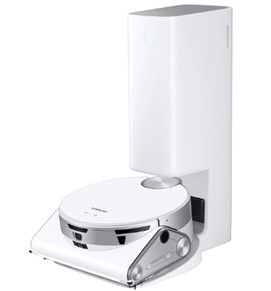
  • Samsung’s Self-Driving-based Home Buddy: Move over, Roomba! Samsung unveiled a Self-Driving-based Projection System. It is the soul of the Home Buddy robot projector. It enables Home Buddy to move about a home and cast projections of videos, apps, etc. on suitable surfaces. This technology hints at the future. One where robots become integrated helpers in our daily lives.
  • Mymanu CLIK Pro Immersive Translation Earbuds: Ever wanted to speak another language? Mymanu’s CLICK earbuds put powerful translation capabilities in your ears. It enables users to communicate in over 50 languages. It offers an immersive experience to break down language barriers.
  • ORo Dog Companion: Why should humans have all the robotic fun? Ogmen Robotics introduced ORo an autonomous robot to keep your pets company. It can play, deliver treats, and even has a medication dispenser. ORo also integrates with several smart pet accessories. For the owners, it creates video stories for fun social media sharing.

These “out there” concepts may not be hitting store shelves anytime soon. But they showcase the relentless pace of innovation in the tech world.

Need Some Help Securing Your Smart Home?

CES 2024 gave us a glimpse into the future. Where technology becomes even more integrated into our lives. While smart homes are convenient, they also pose risks. Especially when it comes to cybersecurity.

Do you need help ensuring your smart home is safe from hackers? Contact us today to learn how we can help.


Featured Image Credit

This Article has been Republished with Permission from .

turned-on charcoal Google Home Mini and smartphone

Smart Tips for Building a Smart Home on a Budget

Imagine a world where your lights turn on automatically as you walk in the door. Your coffee starts brewing before you even crawl out of bed. A simple voice command adjusts the temperature to your perfect setting.

This is no longer just something out of a sci-fi movie. Today’s smart technology seamlessly integrates with your daily life. It can create a more convenient, comfortable, and even secure living space.

But wait, haven’t smart homes always been synonymous with hefty price tags? Not necessarily. Some high-end smart home systems can indeed cost a small fortune. But building a smart home on a budget is absolutely achievable.

Here are some tips to transform your humble abode into a tech-savvy haven affordably:

The Wellness Revolution: Gadgets for a Healthier, Happier You

1. Start Small and Scale Up

You don’t need to overhaul your entire home at once. First, identify areas where smart tech can make a significant impact on your routine. For example, do you constantly forget to turn off the lights? Smart bulbs are a budget-friendly solution. They can automate lighting as well as sync with a voice assistant for hands-free control.

2. Think Beyond the Big Brands

Major tech companies dominate the smart home market. But there are many affordable alternatives from lesser-known brands that offer similar functionality. Explore online marketplaces. Read reviews to find smart plugs, sensors, and other devices that fit your needs and budget.

3. Embrace the Power of DIY

For the tech-savvy individuals out there, consider DIY smart home solutions. There are readily available kits that allow you to build your own smart switches or sensors. Look for readily available online resources. This approach does need some technical know-how. But it can be a rewarding way to create a customized smart home experience at a fraction of the cost.

4. Repurpose What You Already Have

Before you jump on the smart home bandwagon, take a good look around your house. Can you repurpose existing devices into smart devices? For instance, you can transform many older TVs into smart TVs. All they need is the help of a budget-friendly streaming device like a Chromecast or Fire Stick.

5. Get Crafty with Automation

There are creative ways to leverage existing technology to add a touch of smarts to your home. For example, you can use smart plugs to control table lamps or coffee makers. This creates a basic level of automation. You skip the need for expensive smart appliances.

6. Leverage Free Smartphone Apps

There are a ton of free smartphone apps that can add smart functionality to your home. Many don’t even need any extra hardware. Use sleep cycle tracking apps to mimic the sunrise and sunset. Download smart weather apps. Many can trigger adjustments to your thermostat based on the forecast.

7. Explore Open-Source Options

The open-source software community offers a treasure trove of possibilities. It’s a great place for budget-conscious smart home enthusiasts. Research open-source platforms like Home Assistant. They allow you to connect various smart devices from different brands. It puts them under one central hub. This eliminates the need for expensive proprietary systems.

8. Think Security First

While affordability is important, you should never compromise security. Do your research before purchasing any smart home device. Make sure they have proper encryption protocols and security updates in place. You want to ensure they protect your data and privacy.

9. Consider Subscription Services

Some subscription services deliver smart home functionalities. These services might offer bundled features. Such as cloud storage for security camera recordings. Or access to a wider range of voice assistant routines. Carefully check the subscription costs. Weigh them against the value they provide before signing up.

10. Be Patient and Play the Long Game

Building a smart home on a budget is a marathon, not a sprint. Take your time. Research different options and focus on the features that matter most to you. New and more affordable smart home products often hit the market. You can gradually add functionality and create your dream smart home one step at a time.

By following these tips, you can transform your home into a smart haven without breaking the bank. A smart home doesn’t have to be about the latest gadgets and gizmos. It’s about utilizing technology to enhance your comfort, convenience, and security. And doing it in a way that fits your lifestyle and budget.

Need Help Building a Savvy Smart Home Network?

Are you looking for a smart home guru to help you build your dream? Our expert team is pleased to help. We’ll work with you to plan an affordable smart home deployment as well as providing expert security and technical support.

Contact us today to learn more about our smart home services.


Featured Image Credit

This Article has been Republished with Permission from .

alt="Free Prosthetic Arm on Blue Background Stock Photo"

How Small Businesses Are Unlocking Growth With Generative AI

Staying ahead in business often means embracing cutting-edge technologies. New tools can unlock new avenues for growth especially for small businesses. SMBs are often looking for affordable ways to gain a competitive advantage.

One such transformative force is Generative Artificial Intelligence (GenAI). This is a technology that goes beyond automation and the AI we used to know. It can create content, solutions, and possibilities before unimaginable. It’s so revolutionary that it’s hard to go online without seeing it everywhere.

Do you have a small business seeking to grow? Looking for innovative ways to navigate the competitive landscape? Generative AI can be a powerful ally. It can drive creativity, efficiency, and growth.

Let’s look at how small businesses are harnessing the potential of Generative AI. Using it to elevate their marketing strategies, streamline operations, and foster innovation.

The Rise of Generative AI in Small Business Marketing

The landscape of small business marketing is evolving rapidly. The integration of AI technologies is reshaping strategies for growth. Small businesses are turning to GenAI to enhance their marketing efforts. This is one example of how they are leveraging it to improve profitability.

60% of SMBs say attracting new customers is their biggest challenge. While 30% say it’s marketing to prospective clients. Not surprisingly, 74% expressed interest in using AI to help.

91% of surveyed SMBs say AI has made their business more successful.

This advanced form of AI enables businesses to generate things like:

  • Images
  • Ideas
  • Customer solutions

Companies can do it at the push of a button. This reduces manual effort and unlocks new possibilities for creativity.

How Are Small Businesses Using GenAI?

1. Image & Content Creation and Personalization

Generative AI is revolutionizing image and content creation. It automates the generation of diverse and engaging visuals. Using text prompts, you can generate countless image styles. Plus, create photos and graphics that resonate with target audiences.

Small businesses can leverage GenAI to personalize marketing messages. This improves customer engagement and builds stronger connections.

2. Enhanced Customer Experience

Small businesses strive to differentiate themselves through exceptional customer experiences. Generative AI can play a pivotal role. AI-powered chatbots and virtual assistants provide instant responses. They offer a seamless and efficient communication channel.

This enhances customer satisfaction. It also frees up staff to focus on strategic aspects of relationship management.

3. Data Analysis and Decision-Making

Generative AI excels at analyzing vast datasets. As well as extracting insights and informing data-driven decision-making. Small businesses can harness the power of AI algorithms. It can help them understand market trends as well as customer behaviors and competitive landscapes.

This data-driven approach enables more informed marketing strategies. This helps business owners optimize resource allocation. As well as maximize the impact of marketing campaigns.

4. Innovative Product Development

The creative capabilities of GenAI extend to product development. Businesses can use AI to generate innovative ideas and concepts. This includes designing new products and refining existing ones.

AI-driven tools provide a unique perspective. One that can spark creativity as well as set small businesses on a path of continuous innovation.

5. Efficient Social Media Management

Social media has become a cornerstone of small business marketing. Generative AI is streamlining social media management. AI tools can analyze social media trends. They can also schedule posts for optimal engagement. And even generate relevant hashtags and captions. This automation allows small businesses to maintain a consistent social media presence.

Empowering Small Businesses for Future Growth

Generative AI stands at the forefront of technological innovation. It offers small businesses a gateway. One to enhance creativity, efficiency, and growth.

Those who harness the power of AI will gain a competitive edge. It can help smaller companies reach new heights of success. As well as do it affordably.

Small businesses that embrace GenAI can streamline their operations and marketing. They can also foster a culture of innovation that propels them into the future.

We’re now in a world where adaptability is key. GenAI provides small businesses with the tools to keep pace with industry changes. It also gives them the power to lead the way.

The growth potential unlocked by Generative AI extends beyond marketing. It permeates every aspect of business operations. This paves the way for a future where small businesses thrive. Well, the ones that capitalize on the innovation and strategic advantage.

Get Expert Guidance to Keep Your SMB Technologically Competitive

Things have always moved fast in the digital world. But GenAI seems to have accelerated that even more. Don’t let your small business get left behind. Our team of technology experts can help.

We’ll take a look at your current business needs. As well as how your technology is meeting them. Next, we’ll explore ways that newer solutions can cut costs and improve efficiency.

Contact us today to schedule a chat.


Featured Image Credit

This Article has been Republished with Permission from The Technology Press.

Free technology trend development illustration

7 Transformative Technology Trends Changing the Way We Work

Technology is reshaping the world of work at an unprecedented pace. From artificial intelligence to web3, from the metaverse to the hybrid work model. We are witnessing a series of technological revolutions. They are transforming how we communicate, collaborate, create, and innovate.

Let’s explore some of the most impactful technology trends that are changing the way we work in 2024 and beyond.

1. Artificial Intelligence

AI and Generative AI are not just buzzwords. They are transforming the workplace. These technologies enable automation, allowing teams to handle mundane tasks more efficiently. They free up human resources for more creative and strategic endeavors.

AI is not a new concept, but it has become more powerful and accessible in recent years. This is thanks to advances in computing power, data availability, and algorithm development.

Artificial intelligence is now augmenting and automating various aspects of work. This includes data analysis, customer service, image creation, product design, and more.

But AI also poses significant challenges and risks. This includes ethical dilemmas, social implications, and workforce displacement. Thus, it’s essential to adopt responsible and human-centric approaches to AI. As well as ensure that workers have the skills and support to adapt to the changing nature of work.

2. Remote Collaboration Tools

Advanced collaboration tools have facilitated the rise of remote work. These include video conferencing, project management software, and cloud-based document sharing platforms.

This technology empowers teams to collaborate seamlessly from different corners of the globe. These tools break down geographical barriers, allowing for efficient teamwork and real-time communication.

3. Hybrid Work Model

The hybrid work model is a term that describes the combination of remote and in-office work. This is not a new concept, but it has become more prevalent in the wake of the Covid-19 pandemic.

The hybrid work model offers many benefits, such as:

  • Increased productivity
  • Reduced costs
  • Improved work-life balance
  • Enhanced employee satisfaction
  • Improved employee retention

The hybrid work model is transforming the way we work. It requires workers to have new skills, tools, and strategies. For example, hybrid work requires workers to have several capabilities to work effectively. These include strong digital literacy, communication, collaboration, and self-management skills.

4. Web3: the Decentralized Internet

Web3 is a term that refers to the next generation of the internet. An internet based on decentralized technologies, such as:

  • Blockchain
  • Cryptocurrencies
  • Smart contracts
  • Peer-to-peer networks

Web3 aims to create a more open, transparent, secure, and democratic internet. One where users have more control over their own data, identity, and digital assets.

Web3 also enables new forms of collaboration and value creation. This includes:

  • Decentralized autonomous organizations (DAOs)
  • Non-fungible tokens (NFTs)
  • Decentralized finance (DeFi)
  • Social tokens

Web3 is transforming the way we work. It’s creating new business models, platforms, and communities. These are designed to be more inclusive, participatory, and innovative.

Web3 has the potential to generate $49.10 billion in economic value by 2030.

5. Internet of Things (IoT) in the Workplace

IoT devices are creating smart and optimized workplaces. This includes smart thermostats that adjust office temperatures based on occupancy. As well as wearable devices that track employees’ health and productivity. This connectivity enhances efficiency and reduces energy consumption. It also provides valuable data for informed decision-making.

6. Augmented Reality (AR) and Virtual Reality (VR)

AR and VR technologies are revolutionizing training, design, and customer interactions. In the workplace, AR and VR offer immersive training experiences. These allow employees to learn complex tasks in a simulated environment. These technologies are also used in product design. This enables professionals to visualize and modify prototypes in real-time. This drives faster innovation cycles.

7. Cybersecurity Advancements

As digital technologies advance so do cybersecurity threats. Businesses are investing in advanced cybersecurity measures to protect sensitive data. As well as ensuring the privacy of employees and customers.

These innovations include biometric authentication and AI-driven threat detection. Cybersecurity advancements are crucial. They help companies safeguard digital assets and maintain trust in the online workspace.

The Impact on the Future of Work

These transformative technology trends are not just fleeting novelties. They are shaping the future of work. Businesses that adapt and embrace these technologies gain a competitive edge.

Remote collaboration tools foster flexibility and work-life balance, appealing to the modern workforce. AI and automation enhance efficiency, reducing errors and operational costs.

IoT creates intelligent workspaces, enhancing employee well-being and environmental sustainability. AR and VR drive innovation, offering new ways to engage both employees and customers.

Challenges and Considerations

While these technologies bring immense benefits, they also pose challenges. Workforce training is essential to ensure employees can leverage these tools effectively. Additionally, there are ethical considerations about data privacy and security. As well as the impact of automation on employment. Striking a balance between technological advancement and human welfare is crucial. Especially in this transformative era.

Let Us Guide You Successfully Through Digital Transformation

Navigating new technologies can be complex. There are pitfalls that can waste time and money. Avoid this by working with our team of experts. We can help you customize your transformation to fit your business goals.

Give us a call today to schedule a chat.


Featured Image Credit

This Article has been Republished with Permission from The Technology Press.

people sitting down near table with assorted laptop computers

Coolest Smart Gadgets at Europe’s Biggest Tech Trade Show (IFA)

Every year, tech enthusiasts eagerly anticipate Europe’s most prominent technology trade show. It’s the Internationale Funkausstellung Berlin, or simply IFA.

This is a showcase of the latest and greatest innovations in consumer electronics. The show includes everything from cutting-edge smartphones to futuristic smart home gadgets. IFA never fails to impress.

Let’s take a closer look at some of the coolest smart gadgets unveiled at IFA. As well as explore how they are shaping the future of technology.

Samsung’s JetBot 90 AI+

One of the most eye-catching exhibits at IFA was Samsung’s JetBot 90 AI+. This intelligent robot vacuum cleaner takes smart cleaning to a whole new level.

Samsung JetBot 90
Image Credit: Samsung

It uses advanced AI and sensors to navigate your home efficiently. It avoids obstacles and adjusts its cleaning patterns based on the room’s layout. It has powerful cleaning capabilities and a large dustbin. It’s an impressive addition to the world of home automation.

Spatial Reality Display

Sony introduced its Spatial Reality Display, which is nothing short of mind-blowing. This 3D display creates realistic, high-resolution 3D objects. They seemingly float in the air.

It’s a game-changer for professionals in industries like design, architecture, and gaming. The technology has the potential to revolutionize how we interact with digital content.

Philips Hue Gradient Lightstrip

Philips expanded its Hue smart lighting range with the Gradient Lightstrip. This one is unlike traditional light strips. It features several colors that can synchronize with your TV screen. This creates an immersive ambient lighting experience. It can enhance your movie and gaming nights. It’s a fantastic example of how smart lighting can transform your living space.

Bose QuietComfort 45 Headphones

Bose introduced the QuietComfort 45 headphones at IFA. They deliver the signature noise-canceling technology that Bose is known for. These wireless headphones are comfortable for long listening sessions. They also offer exceptional sound quality and improved noise cancellation. They are a must-have for music lovers and frequent travelers.

LG’s Rollable OLED TV

LG unveiled its rollable OLED TV. It’s a marvel of engineering that can magically disappear when you don’t need it. With the press of a button, the TV screen rolls up and disappears into its base. It saves space and offers a sleek, minimalist look when not in use. This innovation heralds a new era of flexible displays. It also opens up exciting possibilities for interior design.

LG OLED TV
Image credit: LG

When you’re ready to watch, it unrolls to provide a stunning 4K OLED display. It’s a glimpse into the future of flexible display technology. As well as how it can revolutionize home entertainment.

Braun’s MultiQuick 9-Hand Blender with ActiveBlade Technology

Smart gadgets aren’t limited to entertainment and convenience. They extend to the kitchen as well. An example is Braun’s MultiQuick 9-Hand Blender with ActiveBlade Technology. It caught the attention of culinary enthusiasts. Its unique blade design ensures more effective blending and chopping. It can make meal preparation faster and easier.

Bosch’s Virtual Visor

Bosch showcased its Virtual Visor, a revolutionary upgrade to the traditional car visor. The visor uses AI and a transparent LCD panel. It blocks out the sun’s glare without obstructing your view. It selectively darkens only the sections of the visor where glare is present. This provides enhanced visibility and safety while driving. This innovation promises a more comfortable and safer driving experience for all.

TCL Wearable Display

TCL showcased a wearable display that offers a personal cinematic experience. These glasses provide an immersive viewing experience with a large virtual screen. On a long flight or want to enjoy a private movie night? These wearable displays are a game-changer.

TCL Wearable Display
Image credit: TCL

Samsung’s SmartThings Hub

At IFA, Samsung showcased its SmartThings Hub. This is an intelligent central hub. It connects and controls all your smart devices seamlessly. It acts as the brain of your smart home. And allows you to manage lighting, security, climate, and more. Its integration capabilities make it a standout choice. It will be of interest to anyone looking to build a truly connected home.

Withings’ Sleep Tracking Mat

Withings introduced its Sleep Tracking Mat. It’s a smart device that slips under your mattress. It monitors your sleep patterns, heart rate, and snoring.

The gadget provides detailed insights into your sleep quality. It helps you understand your sleep habits better. As well as make adjustments for a more restful night. It’s a valuable tool for anyone looking to focus on their health and well-being.

Let Us Help You Gear Up for the Future

Smart gadgets are evolving. We’ve seen everything from intelligent home automation to innovative car accessories. These devices are shaping the future of how we live, work, and play.

Gear up for the future—because it’s arriving faster than we ever imagined.

Give us a call today to schedule a chat about leveraging smart tech at home or work.


Featured Image Credit

This Article has been Republished with Permission from The Technology Press.

artificial intelligence network programming illustration

9 Smart Ways for Small Businesses to Incorporate Generative AI

There is no escaping the relentless march of AI. Software companies are rapidly incorporating it into many business tools. This includes tools like Microsoft 365, Salesforce, and others.

Many people are still concerned about where AI will go. But there is no denying that it makes certain work more efficient. It can generate custom images on demand. Or write a company device policy draft in seconds.

Staying ahead of the curve often means embracing cutting-edge technologies. Even if you’re a little wary about what the future holds.

Generative Artificial Intelligence (GenAI) is unique from the AI of a few years back. It can create, innovate, and optimize. These functions have become a game-changer for businesses of all sizes.

Leveraging Generative AI, small businesses can unlock a world of possibilities. This includes everything from enhancing customer experiences to streamlining operations.

Have you felt bombarded with AI tool options? Unsure where to begin with leveraging it for your business? Let’s explore some smart and practical ways to incorporate GenAI.

1. Personalized Customer Experiences

Generative AI algorithms can analyze customer data and preferences. Using these, it can create personalized experiences.

48% of customers expect specialized treatment for being loyal to a company.

Some of the ways AI can help you improve customer experience include:

  • Tailored product recommendations
  • Customized marketing messages
  • Custom coupons
  • Proactive engagement

These things help small businesses enhance customer satisfaction, fostering brand loyalty.

2. Presentations & Graphics Creation

Generating a great sales presentation can be time-consuming. AI tools can automate this process. Microsoft Copilot is one of these. It can take meeting notes and prompts and create a presentation. Including images!

Have you ever had trouble finding a promotional image? Tell Bing’s new AI tool what you need. You’ll get several options, tailored to your description.

Bing-AI
Example from Bing powered by DALL-E3 in Edge

AI-driven platforms can produce relevant and engaging graphics. This frees up valuable time and saves money for business owners.

3. Chatbots for Customer Support

AI-powered chatbots on websites and social media platforms are becoming commonplace. This is because they enable small businesses to provide instant customer support. Which is exactly what people expect these days.

These chatbots can handle frequently asked questions. They can also assist with product inquiries and customer transactions.

They help small companies provide round-the-clock help for customers. But without having to pay for extra staff hours.

4. Data Analysis and Insights

Generative AI can process vast datasets to extract meaningful insights. Small businesses can use AI algorithms to analyze important data.

Such as:

  • Market trends
  • Customer behavior
  • Operational data

These insights can inform strategic decision-making. Which helps businesses refine their offerings and marketing strategies.

5. Product Design and Prototyping

AI in product design process allows businesses to explore many design variations rapidly. AI algorithms can generate prototypes and simulations. They do this based on specified parameters. This enables small businesses to visualize products before investing in physical prototypes.

6. Supply Chain Optimization

AI can optimize supply chain operations. It can predict demand, identify inefficiencies, and suggest inventory levels. It takes away the human error component. As well as fees up teams from tedious administrative work.

Small businesses can reduce costs and improve efficiency. AI automates a lot of the supply process. This helps ensure products are readily available when customers need them.

7. Dynamic Pricing Strategies

AI-driven pricing algorithms can help companies make better pricing decisions. Pricing your products and services can be tricky. You don’t want to go too low or too high.

AI helps businesses quickly analyze:

  • Market trends
  • Competitor pricing
  • Customer behavior

These data insights help companies optimize pricing strategies. Small businesses can also dynamically adjust prices based on demand. This maximizes profits while remaining competitive in the market.

8. Human Resources and Recruitment

Generative AI can streamline the recruitment process. The hiring process includes a lot of work reviewing resumes. Many candidates don’t make the interview stage.

AI can help by analyzing resumes and screening candidates for you. It can even help with conducting initial interviews. Small businesses can find the best talent to drive their growth faster.

9. Predictive Maintenance

Downtime on a production line is costly. Proactive maintenance is vital. It’s another area where Generative AI can help.

The technology can predict maintenance needs based on data analysis. It helps businesses avoid costly downtimes. It proactively addresses maintenance requirements. As well as helps to ensure smooth operations.

Unsure How to Get Started with AI at Your Business?

Generative AI opens a world of opportunities for small businesses. It can also add to the complexity of a technology infrastructure.

We can help you use it effectively and affordably. Give us a call today to schedule a chat.


Featured Image Credit

This Article has been Republished with Permission from The Technology Press.

iPhone charging on MacBook

What Should You Expect in the New iOS 17?

Apple’s iOS updates have always been eagerly anticipated. iPhone and iPad users around the world get excited to see what their devices can do next. The newest major upcoming release will be for iOS 17. This fall, Apple is set to introduce a host of exciting new features and improvements.

iOS 17 promises to deliver an even more intuitive and seamless user experience. There will also be big changes for Messages and sharing across phones.

In this article, we’ll take a closer look at some of the key features you can expect. Get ready to explore the latest innovations that Apple has in store for its users.

Get an Instant Transcript of Voicemails

How do you know if that voicemail that came in while in a Zoom meeting is important? iOS 17 is going to make that much easier to determine. When you get a voicemail, you’ll see a transcript of the message on your screen. No more guesswork!

Voicemail Transcript
Image credit: Apple

Personalized Contact Posters

Do you hate the picture that someone has saved of you in your contact? The one that comes up every time you call them? You’ll now have power over how you look when you call others.

Apple is introducing personalized Contact Posters. You can customize how you’ll look when calling people with whom you’ve shared your poster. You can appear as your photo, a Memoji, and more. You can also add text and colors.

Leave a Video or Audio FaceTime Message

You have better options when calling someone on FaceTime and they’re not there. Instead of just leaving a missed call. FaceTime will support audio and video messages. These are like enhanced voicemails.

Now, if you want to share an exciting visual in the moment, you can. Even if the person doesn’t pick up. You can leave it for them to watch later.

More FaceTime Enhancements – Reactions & Apple TV

Another cool enhancement coming to FaceTime are more expressive reactions. Some of the new ways to express yourself include:

  • Hearts
  • Balloons
  • Fireworks
  • Laser beams
  • Rain
  • and more

Also, a FaceTime call can now connect with AppleTV. See loved ones right from your large-screen television, as big as ever.

Stickers, Anyone?

If you’re a fan of stickers in messages, you’re going to love this next feature. Messages will be getting a big sticker enhancement in iOS 17. This includes new emoji stickers. You’ll also have the ability to create Live Stickers from subjects in photos.

You can also liven stickers up with effects. A sticker drawer is also going to be available to store them all neatly.

AirDrop & NameDrop for Easier Sharing

Sharing photos, videos, and files across devices will get better. In just seconds, you can use AirDrop to share files from one phone to another.
NameDrop gives you a quick way to share contact details. All you need to do is bring two iPhones together. It also works with an iPhone and Apple Watch. Oh, and music is included in the sharing fun!

NameDrop is also how you’ll share that cool Contact Poster you made.

Smarter Autocorrect & Dictation

Who hasn’t cursed an autocorrect choice that makes you look bad? Apple feels your pain and is introducing smarter autocorrection. This feature will get a machine learning language model upgrade. The update will help it predict text better to learn what you really meant to type.

Dictation is also getting an upgrade. It will use a new speech recognition model to improve its accuracy.

StandBy Glanceable Screen Mode

Apple wants your iPhone to be even more useful. Even when it’s charging across the room. So, iOS 17 introduces StandBy. This gives users a full-screen experience with information shown big on the screen.

You can personalize the display with a full range of helpful views:

  • Clock styles
  • Favorite photos
  • Widgets (including Smart Stacks)
  • Live Activities
  • Siri
  • Incoming Calls
Standby
Image credit: Apple

New Mental Health Features in the Health App

Apple is introducing more mental health features. The health app will enable users to log daily moods and momentary emotions. The goal is to help people see what contributes to their state of mind. As well as easily access depression and anxiety assessments used in clinics.

Screen Distance in Screen Time will also assist with digital eyestrain. It will encourage a user to move their device farther away from their face. It will do this if users have held their phone closer than 12 inches over a certain period of time.

Get Help with Smartphone Tutoring, Security & More

iOS 17 is shaping up to be an exciting update for Apple users. It offers a range of new features and enhancements. Even more than we could fit into this article.

If you’re looking for help learning how to use your phone’s features or enhancing security, give us a call. We can improve your experience with one of the most important pieces of tech people use today. Their smartphone.

Give us a call, and let’s chat.


Featured Image Credit

This Article has been Republished with Permission from The Technology Press.

a computer chip with the word gpt printed on it

Best Ways to Use ChatGPT at Your Business (Without Things Getting Out of Hand)

It’s hard to turn around online these days without running into ChatGPT. Both Bing and Google are levering this advanced artificial intelligence language model. And you can expect it to show up in more business and personal tools that you use every day.

ChatGPT has revolutionized the way businesses interact with their customers. It has also affected how they get things done. Teams are using it for everything from emails to generating ideas for product names.

The tool’s personalized and informative responses in real-time definitely draw you in. But integrating ChatGPT into your business operations requires careful consideration. You want to ensure that things don’t get out of hand with employees using the tool irresponsibly.

In this article, we explore the best practices for using ChatGPT at your business.

Best Practices for Responsible Use of ChatGPT & Other AI

Understand ChatGPT’s Weaknesses

This is still very new technology, and it makes mistakes. When you first use ChatGPT, you’ll see a warning about this. You shouldn’t use the responses it provides you without human review and editing.

Yes, it can write you an employee device use policy if you ask. But, there may be things in that auto-generated policy that aren’t quite correct. Use it as a prompt, but not as a replacement for human-generated content.

Another weakness is potential bias. As the engine trains on vast amounts of content, it can pick up some bad habits. Thus, you could get biased or shocking responses from ChatGPT. Understand that in human terms, the tool is still a toddler that needs supervision.

Define ChatGPT’s Role

Before integrating ChatGPT into your business, it’s essential to define its role. The role can range from answering customers to generating ideas for new products.

Defining ChatGPT’s role helps you leverage its power. But also ensures you put in guard rails. The technology still is very new, so you don’t want your employees using it for everything.

Determine exactly which tasks the company approves for ChatGPT use and which it does not. This empowers your team to use it where you deem best and avoids improper use.

Consider Customer Privacy

Privacy is a crucial aspect of any business, and ChatGPT should not be an exception. As you integrate the tool into your work, it’s important to consider customer privacy. In fact, in March, Italy banned ChatGPT due to data privacy concerns.

Be aware of any exposure of employee or customer data to ChatGPT. Limit the potential for data leakage.

For example, you can configure ChatGPT to stop collecting customer data. Such as, after data collection reaches a particular threshold.

Ensure Human Oversight

ChatGPT is a powerful tool, but it’s not a substitute for human interaction. It’s crucial to have human oversight to ensure the output it gives is relevant and accurate. Human oversight can help stop inappropriate responses that may negatively impact your business.

Integrate ChatGPT Into Your Existing Customer Service

Integrating ChatGPT into your customer service channels can benefit customers. It can improve customer experience while also reducing workload. You can integrate it into your website, social media, and other support channels. It can provide real-time responses to customer queries. But, again, human beings need to watch ChatGPT and its responses.

Leveraging it intelligently reduces the waiting time for customers. It can also improve their experience with your business.

Measure Performance and Optimize

Measuring ChatGPT’s performance is crucial to ensure that it’s providing value. Measure its performance by analyzing customer satisfaction, response time, and responses handled.

You can also look at productivity statistics. Is using ChatGPT to write the framework for customer emails saving time? Or does it take just as much time for your team to edit responses?

Based on the analysis, you can optimize ChatGPT to improve its performance. This helps it to be a better support for your business.

Be Transparent About Using It

Be transparent if you’re using ChatGPT for email responses or other things. Your customers will appreciate your honesty. For example, you could simply state in your policies the following.

“We leverage AI for certain content, and always edit and fact-check its outputs.”

The use of AI-generated content is a murky area right now. Responsible companies tell their customers exactly where and how they are using it.

Get Help Navigating the Changing World of Business Technology

ChatGPT is an excellent tool for businesses looking to leverage its AI power. But this tool is still in its infancy. Integrating ChatGPT into your business requires careful consideration. You need to ensure that it’s effective and secure.

Need help navigating the changing technology landscape? Give us a call today to schedule a chat about AI, where to leverage it, and business concerns.


Featured Image Credit

This Article has been Republished with Permission from The Technology Press.