droidjack_hurting_companies_400.jpg

Download the Wrong App and Have More Than Pokémon Fever Infect Your Device

droidjack_hurting_companies_400.jpg

There’s a new augmented reality game on the market these days. Perhaps you’ve heard of it – a title called Pokemon Go, which lets you capture virtual monsters that “appear” on your smartphone’s camera. However, hackers have seized this opportunity to infect players’ mobile devices with a backdoor called DroidJack, which uses the mobile app’s immense popularity to its advantage.

As one of Nintendo’s most popular gaming franchises, it shouldn’t come as a surprise that Pokemon Go has experienced such a warm reception amongst both new and old fans of the series. It’s ranked as the #1 most downloaded app on both the Apple Store and Google Play store, and was so wildly successful that Nintendo’s stock surged following its release. With over 75 million users worldwide, it has more users than some of the most popular smartphone apps, including Tinder, Twitter, and Google Maps.

Of course, hackers have to ruin the most popular of things, and they made an attempt to exploit this in the form of a malicious APK (Android application package). The game experienced a soft release, probably in order to ensure that the servers (which many Pokemon Go gamers suspect is simply a closet full of potato electrodes due to frequent crashes) could handle the traffic volume, which left many countries around the world without access to the game at first.

Thus, impatient fans made attempts to download the APK file and “side-load” it onto their devices – a major no-no for any security-minded mobile device user. Basically, you have to allow app installation from unknown sources, which is frowned upon due to some apps containing malware, or unnecessary permissions. Yet, those who wanted to play the game didn’t think for one second that what they were really downloading was a backdoor into their devices.

Due to the exclusivity of the application in the days before its release, many users outside of a select few countries chose to download the APK from an unknown source and just rolled with it. Today, the app is available in many countries, but a modified APK that was released online prior to the official release allowed remote access to the device, and can provide full control over the victim’s phone. In worst-case scenarios, this vulnerability extends to the rest of any network that the device is connected to. Security firm Proofpoint suggests that it’s entirely possible that, should infected devices connect to your network, networked resources can also be put at risk.

Take a look at the DroidJack-infected app’s permission request, and see for yourself just how strange they might look.

https://www.proofpoint.com/sites/default/files/users_content/10/pokemon-fig2.png
https://www.proofpoint.com/sites/default/files/users_content/10/pokemon-fig3.png

This is a valuable lesson to anyone who uses a smartphone: be careful of what apps you download, and ensure that you aren’t giving your apps too many permissions. There’s almost no reason that a game of any kind should be able to access your text messages, make phone calls, modify your contacts, record audio, or anything else of the sort. Exploitation of the APK hasn’t necessarily been observed in the wild, but a development such as this, where hackers use popular apps to spread their infections, sets a dangerous precedent that cannot be ignored.

You should never install apps from unknown sources in the first place, especially on company devices and smartphones. It’s especially important that you only download apps from reputable sources, like the Apple store and the Google Play store.

After all, “Gotta catch ‘em all,” shouldn’t refer to malware infections.
netflix_password_sharing_no_no_400.jpg

Warning: It’s Now a Crime to Share Your Netflix Password

netflix_password_sharing_no_no_400.jpg

“What’re you in for?” a prison inmate asks. “I shared my Netflix password with my sister,” you say. This conversation might be absurd, but according to a recent ruling in accordance with the Computer Fraud and Abuse Act, it’s one that could actually happen. Now, sharing your Netflix password to let someone catch up on their favorite TV show can be considered a federal offense.

In a two-to-one ruling, three judges from the Ninth Circuit of the United States Court of Appeals declared that password sharing is a federal crime. The case in question included a former employee of Korn Ferry, David Nosal, who was headhunting his former colleagues with the intention of obtaining valid user credentials to steal data from Korn Ferry.

As expected, this landed Nosal in court, and he was charged with hacking in violation of the Computer Fraud and Abuse Act (CFAA). The CFAA has an extraordinarily wide reach, and allows the Justice Department to go after anyone who does something as meager as violating the Terms of Service agreement issued to the user of any end product (like, say, an online streaming service).

Though Nosal managed to get off the hook for his 2011 charges, he was convicted of his 2013 charges due to a ruling by a federal jury. His sentence was set for one year and one day, and earned him a felony. Yet, the one dissenting judge feels that this kind of sentence is harsh; Judge Stephen Reinhardt, who sees the larger implications of such a ruling:

“This case is about password sharing. People frequently share their passwords, notwithstanding the fact that websites and employers have policies prohibiting it. In my view, the Computer Fraud and Abuse Act (“CFAA”) does not make the millions of people who engage in this ubiquitous, useful, and generally harmless conduct into unwitting federal criminals.”

What this precedent sets is that even “generally harmless conduct,” like sharing your passwords for subscription-based streaming services like Netflix or HBO Go, can be penalized under law. Netflix only allows its service to be used in one “household,” on six different devices, with streaming capabilities on two devices at a time. The new ruling gives Netflix a reason to crack down on those who are sharing passwords without first asking them for permission to do so.

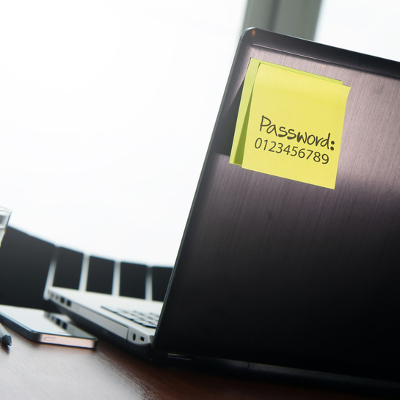
This particular interpretation of the CFAA makes it more important than ever to keep your passwords safe and secure from anyone besides yourself. After all, the more people who have access to a password, the more likely it is that the password will fall into the hands of hackers. Therefore, you should practice proper password security and keep sensitive information away from everyone who has no business accessing it.

For more trending tech news, tips, and tricks, be sure to subscribe to our blog.

badtunnel_vulnerability_400.jpg

Newly Discovered Vulnerability Gives Reason to Worry for Every Windows User

badtunnel_vulnerability_400.jpg

A vulnerability has been discovered that affects all versions of Microsoft’s Windows operating system, including the long-unsupported Windows XP, going all the way back to Windows 95. The vulnerability, called BadTunnel, allows attackers to directly bypass system defenses and initiate a man-in-the-middle attack. The vulnerability isn’t limited to just Windows, either; it also affects Internet Explorer, Edge, and other Microsoft software.

This vulnerability is largely being called “probably the widest impact in the history of Windows,” making it quite a big deal indeed. Yang Yu, a security researcher at Tencent’s Xuanwu Lab, is the one responsible for finding the bug, and his actions in doing so were rewarded handsomely; he’s one of the few who have managed to earn more than $100,000 through Microsoft’s “bug bounty” program, and the discovery of BadTunnel netted him a modest $50,000.

Forbes reports: “This vulnerability can be exploited through Edge, Internet Explorer, Microsoft Office and many other third-party software on Windows. It can also be exploited through web servers … or even through thumb drives – insert the thumb drive into one of the ports on the system and the exploitation is complete.”

Perhaps the most disconcerting thing about this vulnerability is that it’s left Windows PCs vulnerable to attacks for the past 20 years. A successful exploit of the flaw can spoof connections over NetBIOS that allows computers to communicate with one another over a local area network. Essentially, the hacker could route traffic on a user’s Windows PC to their own. Forbes explains further: “Not only could the hacker spy on non-encrypted traffic, they could intercept and tamper with Windows Update downloads. And they could inject further attacks in web pages visited by the victim. For instance, they could ensure that the “tunnel” between the target and the hacker would remain open by inserting code into web pages cached by the browser.”

But, fear not – a patch for BadTunnel was issued in Microsoft’s June 14th Patch Tuesday. However, not all businesses automatically deploy patches and updates, so communicate with your IT department to ensure that your business is protected from BadTunnel. If you ignore this vulnerability, there’s a chance that your Windows PCs could be monitored and controlled remotely by malicious entities. You can view the official Microsoft security bulletin here.

Yu believes this vulnerability to be the first of its kind, and it’s understood that Windows users should update as soon as possible. Yet, some users, like those who have Windows XP (still), will be out of luck. In these circumstances, researchers have recommended disabling NetBIOS over TCP/IP. However, it might just be easier, and more secure, to just upgrade to a supported operating system. Whatever you decide to do, NuTech Services has your back.

Yu plans to discuss the finer details of BadTunnel later this month at the 2016 BlackHat Conference in Las Vegas, July 30th through August 4th.

For more technology news and security tips, reach out to NuTech Services at 810.230.9455.

password_security_400.jpg

Mark Zuckerberg’s Recent Password Blunder is an All-Too-Common Problem

password_security_400.jpg

In a recent hack attack, Twitter had 33 million user login credentials stolen. This is unfortunate, but not surprising; an incident like this routinely makes the headlines. Although, what is surprising is what this hack reveals about people’s poor password security habits.

An analysis of the millions of stolen credentials by security company LeakedSource shows a troubling practice; the most-used passwords are also super easy to guess. In fact, the number one password (connected to more than 120,000 accounts) is “12345.”

Fans of the 1987 Mel Brooks film Spaceballs can see the irony here. In one of the movie’s most quoted scenes, the evil-yet-lovable Dark Helmet is blackmailing King Roland to turn over the password protecting Druidia’s precious atmosphere. Eventually, King Roland caves and reveals the super-secret, super-important password to be, you guessed it, “12345.”

To which Dark Helmet replies, “That’s the stupidest combination I’ve ever heard in my life! That’s the kind of thing an idiot would have on his luggage!”

The report from LeakedSource goes on to reveal that the other, most-used passwords are also ridiculously easy to guess; “123456789,” “qwerty,” and “password.”

The fact that Spaceballs came out almost 30 years ago is evidence that using overly simple passwords has been a problem for quite a while, and, as long as there will be passwords, this will continue to be a major issue. Fortunately, the solution is stupidly simple; make sure to use complex passwords with random characters.

Although, using complex passwords is only part of the security equation. For websites and services offering two-factor authentication, like Twitter, you’ll want to take advantage of it. This way, even if a hacker made off with your super-complex password, they’ll still need access to your email account or smartphone in order to log in.

One additional password blunder that’s all too common and easy to avoid is using the same password for multiple accounts. In a major hacking situation like Twitter experienced, even a novice hacker could connect the dots and use the stolen password to try and log into different accounts belonging to the victim.

What kind of a King Roland-like idiot would use the same, super-simple password across multiple online accounts? Well, Facebook’s CEO Mark Zuckerberg for one.

On June 6th, Mark Zuckerberg lost control of his Twitter and Pinterest accounts after a hacker used the same password to access both of them. The super-complex password that stood between a hacker and the King of Social Media, “dadada.” Admittedly, this is a step up from “12345,” but not by much.

To make matters worse, Zuckerberg had used this password before. This highlights yet another best practice when it comes to password security; be sure to routinely change your password, and when you change it, make sure to not use a password that you’ve used before.

Being smart about your passwords will go a long way in protecting your online identity. For your business, it’s wise to take as many security precautions as possible in order to protect your network from hackers looking to steal your company’s sensitive information. To learn more about how NuTech Services can keep you safe, call us at 810.230.9455.

phone_fax_other_comm_400.jpg

4 Crazy Facts About Smartphones You Probably Didn’t Know

phone_fax_other_comm_400.jpg

You may feel like you’re familiarized with everything your smartphone can do; yet, there are still some little-known things about smartphones that may surprise you. Take for example these four smartphone facts from List25.

Wirelessly Charge Your Smartphone’s Battery
There’s a day coming when you’ll be able to charge your smartphone wirelessly using radio waves. Nokia is currently developing this technology for mass production, and there’s another product, the Nikola Case (named after the pioneer of wireless technology, Nikola Tesla), that’s already figured out a way to wirelessly charge phones using a specialized phone case. To get an idea of how this newfangled technology works, check out this video.

Smartphones Provide Live Traffic Updates
Apps like Google Maps are extremely useful for making travel plans, especially when it comes to determining which roads to avoid due to traffic congestion. Have you ever wondered how Google Maps is able to provide users with live traffic updates? It turns out that Android phones utilize GPS technology to feed Google Maps real-time updates. For example, if there’s a traffic jam and several drivers on the congested roadway have their phones on, then the traffic jam will be registered on Google Maps so that other drivers can be warned.

Smartphones Deter Nuclear Warfare
Thanks to a regulation known as COCOM (Coordinating Committee for Multilateral Export Controls), your smartphone will automatically turn off if it’s traveling at a speed of more than 1,200 mph, and at an altitude higher than 60,000 feet. The reasoning here is to prevent a smartphone’s GPS technology from being used to guide intercontinental ballistic missiles. Now that you know about this regulation, you’ll never look at a superhero movie quite the same again if the flying hero whips out a smartphone.

The Quirky Reason Behind Waterproofing Smartphones
Waterproofing is a trend that’s catching on with smartphones, as seen with the newest line of Samsung Galaxy phones. Oddly enough, do you know very many smartphone users that asked for this feature? You probably don’t, and that’s because waterproofing smartphones is meant to appeal to Japanese teenagers, known for using their mobile devices in the shower. Perhaps this trend will catch on with Westerners and, sooner or later, you’ll find yourself emailing in the shower.

How many of these smartphone facts have you heard of? Can you think of any more odd smartphone factoids to add to this list? Share them in the comments!

ai_human_security_400.jpg

Researchers From MIT May Have Found the Holy Grail of Network Security

ai_human_security_400.jpg

When it comes to cybersecurity, maintenance is key. Whether you choose human-based security or an automated security solution, running into shortcomings is still possible. Human security tends to rely on the word of experts, and anything that doesn’t fit into the guidelines is missed and may therefore get through and wreak havoc. Network security can be a touch overzealous, in a way “crying wolf,” with an excess of false positives that ultimately require human analysis, leading to human frustration.

Blending the two in the past has proven difficult, as the experts with the necessary skills aren’t usually available for the time it takes to label the data for the programs to work properly. However, a team of researchers assembled from MIT’s CSAIL (Computer Science and Artificial Intelligence Laboratory) a PatternEx (a machine-learning startup) recognized these issues and have developed a platform that blends AI and human security attributes in a way that shields from the shortcomings of either.

Dubbed A.I.², this new platform is capable of detecting 85 percent of incoming attacks while reducing reported false positives to 20 percent of what they were originally. To achieve this, the “untrained” machine reports what machine learning tells it are the 200 most important problems in the sample set to a human expert, who then corrects the machine’s work. As the machine progresses through sets of data, it reports fewer and fewer false positives.

In doing so, A.I.² demonstrates machines effectively learning from human teachers, cooperating for the sake of security analysis accuracy.

The implications to the realm of security in the future are massive. It’s difficult not to let the imagination run wild with thoughts of upcoming technologies being influenced by this human-artificial intelligence hybrid.

However, since there is no telling how long it may be before a system like A.I.² could be available to users for purposes of data defense, business owners should still follow best practices. Users should not only be educated on the importance of avoiding typical security risks. They must also be reminded of the importance of compliance to regulatory standards for business security, such as those set by organizations like HIPAA, DSS, and others. They should also be encouraged to review the reports generated by security software.

Additionally, you could always allow NuTech Services to help manage your cybersecurity. By intelligently implementing security solutions, we can help your company avoid security issues and keep your IT in top working order. To set up a remote monitoring and maintenance solution, call 810.230.9455 today.

no_ie_support_400.jpg

Any Version of Internet Explorer Prior to 11 Can’t Be Trusted

no_ie_support_400.jpg

We often talk about how important it is that your business use the most recent and up-to-date versions of your software solutions, but it’s not often that we get to say that people using Internet Explorer 11 have the right idea. As it turns out, nearly a quarter of all Windows PCs are still using unsupported versions of Internet Explorer, with half of them being found on computers still running Windows XP. What has this world come to?

Researchers at Duo Security came to this conclusion following an analysis of over two million devices. In particular, those who were using Windows XP were likely to be running older versions of Internet Explorer, and were most susceptible to hacking attacks and infections from viruses and malware. This past January, Microsoft stopped supporting all versions of Internet Explorer that aren’t the current version (Internet Explorer 11), which means that there are plenty of active web browsers that are vulnerable. Among those included are Internet Explorer 7, 8, 9, and 10. In fact, half of the PCs running Windows XP are still running Internet Explorer 7 and 8.

Duo Security also found that 72 percent of versions of Java and 60 percent of versions of Flash are out of date on user devices, both of which are huge statistics that speak volumes about how end-users handle their technology. It’s an accident just waiting to happen, especially in conjunction with outdated web browsers and operating systems. As a business owner, it’s your responsibility to ensure that your technology is in proper working order, and that your workstations aren’t putting your company at risk.

Keeping your business’s mission-critical technology up to date with the latest security patches and updates is a crucial part of managing your IT infrastructure. Considering the fact that all it takes is a single workstation that’s out of date to put your business at risk, you shouldn’t be willing to compromise your organization’s security just to keep using the same old technology. Therefore, you need to take proactive measures to upgrade your technology before it reaches its end of support date.

Upgrading your technology can be a challenge, but with NuTech Services by your side, it’s much easier. We can thoroughly assess your organization’s specific needs, and consult you on how best to move forward with your chosen technology upgrade. The last thing that you want is to go forward with an upgrade and find that you no longer have access to your mission-critical legacy applications.

Or, if you’re simply having trouble keeping up with your technology’s patches and security updates, we have a solution for that too. NuTech Services can remotely monitor and distribute patches and security updates for all of your software solutions, including your operating systems! You’ll never have to worry about running unsupported software again, and your infrastructure can maintain maximum security at all times.

To learn more, reach out to NuTech Services at 810.230.9455.

innocent_mistakes_400.jpg

How an End User Might Accidentally Undermine Your Security: 10 Innocent Mistakes

innocent_mistakes_400.jpg

If you’re like every other small business out there, you know that the more employees you hire, the more technology that you have to procure. However, when you have more end-users, you provide more avenues for threats to slip into your network infrastructure unnoticed. When all it takes is one simple mistake from a single end-user, how can you minimize the chances of falling victim to an untimely hacking attack?

We’ve put together ten honest mistakes that any end-user can make, and how they can be prevented.

  • Clicking on malicious links: With so much information on the Internet, it’s easy for an employee to search through countless pages without any regard to the sites and links that they’re clicking on. You need to emphasize the importance of safe browsing, including double-checking the destination of a link before clicking on it. You can do so by hovering over the link and looking in the bottom-left corner of your browser.
  • Using weak passwords: Employees frequently use passwords that aren’t strong enough to keep hackers out. Often times, they’ll simply use something of personal significance, like the name of their pet or a specific date. This isn’t the right way to approach password security. Instead, users should attempt to put together passwords that are private, randomized strings of numbers, letters, and symbols.
  • Ignoring mobile security: Even if your company has the latest and greatest security solutions installed on its desktops, you should also be thinking of your mobile devices, like smartphones and tablets. It’s arguably more important that your mobile devices have solid security solutions implemented on them, as they are often on the road, connecting to potentially dangerous hotspots. You need to make sure that security is a top priority in your Bring Your Own Device (BYOD) policy.
  • Accessing sensitive data through unsecured connections: If your employees are using the local café’s free wireless Internet to get some work done on their lunch break, it could be a dangerous gambit. Public Wi-Fi hotspots are notorious for being cesspools of online threats. Implementing a virtual private network (VPN) can be a handy investment that can encrypt data while it’s in transit, mitigating this risk somewhat.
  • Losing unencrypted devices: It’s not unheard of for an employee to use company devices in public places. If they accidentally leave their smartphone on the bus, or their tablet on a park bench, there’s always the risk that it can be stolen. Unless you practice proper encryption protocol, any information available on the device can be accessed by the person who finds it, be it a good samaritan or a tech-savvy thief.
  • Implementing unapproved solutions: Some employees simply prefer to use solutions that aren’t provided by the company to get their work done. The problem here is that the employee is moving forward without consulting IT about it, and that your data is being used in a solution that you can’t control. Plus, if the employee is using free or open-source software, these often come bundled with unwanted malware that can put your data in even greater peril.
  • Targeted business email scams: Phishing and spear-phishing attacks are growing more common. One example of this is an HR employee checking their inbox to find what looks like a job application or employment inquiry. All of the right information is there and nothing appears out of the ordinary; that is, until a malicious link contained within it starts to download malware or other nasty threats to your infrastructure. Other types of phishing attacks will ask end-users to confirm personally identifiable information or sensitive account credentials. Educating your team on how best to identify phony email messages is imperative to keeping your network secure.
  • Personal email use: It’s one thing to check your personal email account while at work, but another entirely to use your personal email account to perform work purposes. As the recent debacle with Hillary Clinton shows, people don’t take kindly to sensitive information being leaked via an unsecured email server that their organization has no control over. Add in the fact that personal email accounts are often not as secure as those in a professional productivity suite, and you have a recipe for disaster. You need to reinforce that your team should keep their work and personal email separate.
  • Leaving workstations unattended: Besides the fact that some tech-savvy employees are practical jokers, it’s a security risk to leave a workstation unlocked and unattended for long periods of time. Imagine if someone from outside of your organization walked into your office and accessed confidential files without authorization; that’s on the employee who got up and left the device unattended. Encourage your employees to always log off of their workstations, or at least lock them, before stepping away from their computer.
  • Using external storage devices: Your organization should only be using IT-provided USB devices and external storage. Otherwise, anyone with a random flash drive can connect it to your network, unleashing a horde of who-knows-what into your infrastructure.

User error is a primary cause for concern among businesses, but it can be mostly avoided by providing your staff with the training required to do their jobs properly. For more information about IT best practices, give us a call at 810.230.9455.

b2ap3_thumbnail_dvr_iot_issues_400.jpg

The Super-Creepy Reason Why You’ll Want to Secure Your Surveillance Camera

b2ap3_thumbnail_dvr_iot_issues_400.jpgWith approximately 5.5 million new devices being connected to the Internet everyday, the Internet of Things presents the biggest security challenge to date for IT professionals. Essentially, an IoT device that’s not secured can easily fall prey to hackers, and with so many different devices being connected, it’s easy to overlook a device or two, like your security cameras.

The creepy risk associated with not securing an Internet-connected security camera was recently reported on by Lisa Vaas of Naked Security. In her article, “DVR snaps stills from CCTV surveillance and sends them to China,” she presents findings from researchers at UK-based Pen Test Partners about the security holes found in the Internet of Things.

For the study, Pen Test Partners researchers analyzed data from Shodan, which is essentially a search engine for Internet-connected devices, like buildings, smart appliances, webcams, and much more. In particular, the researchers used Shodan to look at Internet-connected surveillance cameras.

Before we go into the technicalities of what they found, let’s take a step back and warn everybody who uses a webcam or Internet-connected surveillance camera that even a novice PC user can create a free account with Shodan and use it to search for, access, view, and even control unsecured cameras. We were skeptical of this claim when we first heard about it, but the proof is in the pudding. Check out these stills from random surveillance cameras we came across on Shodan:

ib spy1

ib spy2

ib spy3

ib spy4

These cameras are just random ones that we stumbled upon. However, Shodan has been criticized for giving its users easy access to cameras that are sensitive in nature. Vocativ cites findings by Ars Technica:

These webcams show feeds from sensitive locations like schools, banks, marijuana plantations, labs and babies’ rooms. Shodan members who pay the $49 monthly fee can search the full feed at images.shodan.io. A Vocativ search of some of the most recently added images shows offices, school, porches and the interior of people’s homes. Accompanying each of these grabs is a pinned map that shows the location of the device capturing that footage.

If that doesn’t creep you out, then lets go back and take a look at the even-more-in-depth findings of the first study we mentioned by Pen Test Partners. Vass reports:

The device also has no Cross-Site Request Forgery (CSRF) protection, so attackers can trick users into clicking on links to carry out malicious actions; it has no lock-out, so attackers can guess as many passwords as they like; it sends communications without HTTPS that can be intercepted and tampered with; and there’s no firmware updates, so “you’re stuck with these issues,” Pen Test Partners said. But weirdest of all, the thing is capturing still images from video feeds and emailing them to an address that appears to be hosted in China.

As far as why surveillance images were being sent to China, that’s a mystery that Pen Test Partners was unable to get to the bottom of. We could speculate as to what’s going on here, but at the risk of letting our imaginations run wild and sounding like conspiracy nuts, we won’t. Instead of making wild speculations, we want to communicate that we’re here to help your company secure all of its Internet-connected devices from the prying eyes of everyone on the web.

Are you confident that all of your IOT devices are secure enough to keep hackers out of your network? Do you even know if you have IoT devices on your network transmitting data across the web? Or at the very least, are you sure that random Shodan users aren’t making a highlight reel from your surveillance camera footage? To get a grip on the security of every Internet-connected device on your company’s network, give NuTech Services a call at 810.230.9455.

b2ap3_thumbnail_man_in_the_middle_sphero_400.jpg

Man-In-the-Middle Attacks Find App Users Off Guard

b2ap3_thumbnail_man_in_the_middle_sphero_400.jpgThe Internet of Things is practically omnipresent in today’s environment, and many commercial products not only connect to the Internet, but they also come with an app. Due to this type of integration growing more popular, the world is starting to see Internet-connected products that really don’t have much to gain from their connectivity.

One such device is BB-8, a Star Wars-based droid toy built by Sphero. The toy isn’t much different from your typical Sphero toy, with the primary difference being that it’s painted after the insanely popular BB-8 droid from Star Wars Episode VII: The Force Awakens. It’s an app-controlled robotic ball that’s marketed to children who want to control their very own droid.

While this toy might seem to be irrelevant, it’s been reported that there’s an exploit which can hack into a BB-8 via its wireless communication systems. By injecting code into the smartphone controlling the droid, hackers can essentially control BB-8 through the phone, since it acts like a remote for the toy. This kind of hack is called a man-in-the-middle attack. In BB-8’s case, the hack is of little consequence, but man-in-the-middle attacks can be dangerous if targeting valuable information.

What Are Man-in-the-Middle Attacks?
In order to understand how a man-in-the-middle attacks works, let’s compare it to a traditional game that you may have played when you were a kid: “telephone.” One person sends a message and the recipient listens to it, but in the process of delivering the message, someone adds or omits an important part of the message. Just imagine that instead of the sentence, “Jane runs through the forest,” that the message that’s interrupted and manipulated is a customer’s credit card number.

Wireless systems have made it much easier to perform man-in-the-middle attacks, simply because wireless communications are subject to plenty of risk while in transit. This is why it’s especially important that your business implements security measures that can protect your data while it’s moving from one system to the next, be it from a smartphone to an in-house device, or an essential file from a PC to your server. You need to make sure that these commands are sent securely, and as accurately as the sender intended. Remote monitoring and management solutions can help your business by offering intrusion detection, along with several other protocols that work together to provide a comprehensive network security solution.

Attacks Require More Powerful Solutions
Wireless technology is extremely convenient at times, so much so that cumbersome, wired systems are waning in popularity. Despite this huge advantage, people still have to determine whether or not their wireless systems are secure from external threats. If their system security is subpar, there are plenty of solutions available that are capable of shoring up weaknesses for both mobile devices and PCs working on a wireless network. Unfortunately, all it takes is one seemingly inconsequential piece of technology to leave your entire network exposed.

This is where NuTech Services comes in. Our professional technicians can help your business improve its protection from Internet of Things threats. We can do this by performing a thorough analysis of your current IT infrastructure, your projected growth, and the current needs of your business. Together, we can keep your technology from going over to the dark side. To learn more, give us a call at 810.230.9455.

b2ap3_thumbnail_windows_10_pin_400.jpg

Tip of the Week: How to Add a PIN to Your Windows 10 Login

b2ap3_thumbnail_windows_10_pin_400.jpgThe fact that so many businesses are rushing to take advantage of two-factor authentication displays how the password has lost its edge as a security credential. Passwords simply aren’t good enough anymore, and hackers are always finding ways to crack even the most complex passwords. This is why many businesses are looking to improve security through alternative means.

Windows 10 has a built-in PIN system that helps to keep your workstation secure from would-be hackers that want to take advantage of a simple password. Here’s how to set up your PIN, as well as how to change it or reset it if need be.

Why Bother with a PIN?
Using a PIN offers several benefits over traditional password security. For example, Windows 10 uses your Microsoft account password to access your PC. If this password were to be obtained by a hacker, they could access your other Microsoft accounts. If you’re using a PIN to access your PC, the PIN is specific to the device. This makes it less risky to use a PIN than a password.

Adding the PIN
First, click on the search bar at the bottom of the screen and type Settings. Select Sign-in options in the left column, and scroll down to the PIN section in the right column. Next, select Add. You’ll be prompted to verify your password, so just enter your current credential into the form and click OK.

Once you’ve finished that, you’ll be taken to the Setup a PIN page. Now, all you have to do type out your PIN in the provided forms. While the only criteria for creating a PIN is that it needs to be at least four characters long, and no more than nine characters long, a simple PIN is easy to guess and could be almost as bad as not having a PIN at all. Be sure to keep these tips in mind when selecting your new PIN:

  • The longer the PIN, the better the security: You’ve heard all about how using a complex password is a best practice, and the same can be said for your PIN. Make it as long as possible– this makes it more difficult for hackers to guess.
  • Refrain from using PINs from other accounts: Everyone has credit cards that they use a PIN for, but these numbers shouldn’t be used for every single account you have. You should have individual PINs for each of your different accounts. Otherwise, one compromisation could lead to multiple breaches.
  • Use as many different numbers as possible: In much the same way that a password should contain variable letters, you want to stay away from short PINs with largely the same number.

Changing or Resetting Your PIN
To change your PIN, you’ll need to go back to Settings > Accounts > Sign-in options. Tap Change underneath PIN, and you’ll be taken to the Change your PIN screen.

If you simply need to reset your PIN, you can do this easily enough. Just click I forgot my PIN next to the Change button, and you can reset your PIN. Keep in mind that you’ll need your current account password to do so.

For more great tips, be sure to subscribe to NuTech Services’s blog.

b2ap3_thumbnail_ie_8_9_10_goes_bye_bye_400.jpg

Microsoft Ends Support For Internet Explorer 8, 9, and 10, What’s This Mean For Your Business?

b2ap3_thumbnail_ie_8_9_10_goes_bye_bye_400.jpgBad news for users still running outdated versions of Internet Explorer – Microsoft has ended support for its legacy web browser. What this means is that Internet Explorer 8, 9, and 10, will no longer be issued critical patches and security updates, making its continued use a security risk.

As of January 12th, 2016, Internet Explorer 8, 9, and 10, will no longer be supported by Microsoft. This effectively forces users to either upgrade to the most recent version of everyone’s favorite web browser, IE 11, or switch to a competing web browser. Coincidentally, Microsoft also cut the cord on its Windows 8 operating system on January 12th, which seems like little more than a ploy to get users to upgrade to Windows 10. Thankfully, doing so will give Internet Explorer users access to IE 11, but it will also allow users the option of using Microsoft’s new web browser, Edge.

Keep in mind that “end of support” for Microsoft products only means that they will no longer be issuing patches and security updates to these products. They won’t disappear from your PC just because they’ve reached their end-of-support date. Basically, continuing to use software that’s no longer supported is a security risk, and should be avoided at all costs.

It might seem painful to give up on Internet Explorer, but rather than focus on how IE fell from grace, it’s less depressing to think about how great of a run it had in its prime. The fact remains that IE has fallen out of favor with users. As reported by CNet:

IE’s worldwide browser market share on desktops dropped from 58.2 percent at the start of 2014 to 48.6 percent in December, according to tracking company NetMarketShare. During the same period, Google-owned Chrome’s share rose from 16.4 percent to 32.3 percent.

This end-of-support date is a valuable reminder of just how important it is to be using the latest software and operating systems with your workstations and servers. If you’re using unsupported software, there’s a solid chance that your organization’s sensitive data could be at risk of a data breach or compromisation. Hackers and other online threats will gladly abuse any advantage you give them, including weak points normally addressed through patches and security updates. This is why it’s so important to keep your business’s infrastructure up to date.

One important fact to keep in mind about Internet Explorer is that there are rare cases of mission-critical software relying on certain parts of outdated versions of the web browser. Some businesses run into problems being unable to upgrade a workstation because they can’t afford to not be able to use this software. If you’ve had problems with this in the past, there’s a chance that it can happen again. You should always consult a trusted technician before upgrading haphazardly to a more recent operating system or web browser.

Many businesses find it extraordinarily difficult to keep their technology up to date, primarily because they’re already stretched too thin as it is. They simply don’t have the time or technical expertise required to perform quality maintenance. SMBs benefit the most from outsourcing IT services, primarily due to the immense savings of time and capital that can be invested in improving the business. NuTech Services can provide quality IT services, like our remote maintenance and management service, that’s designed to save you money while making IT management exceedingly easier.

For more information about how NuTech Services can make upgrading and maintaining your technology easier, give us a call at 810.230.9455.

b2ap3_thumbnail_shadow_it_400.jpg

How Shadow IT Puts Your Entire Business In Jeopardy

b2ap3_thumbnail_shadow_it_400.jpgThe average small and medium-sized business has trouble with the implementation of comprehensive IT solutions, mainly due to these organizations having fewer resources to allocate towards these solutions. This often leads to end-users implementing their own solutions, which can be dangerous under the wrong circumstances. By allowing this “shadow IT” to run rampant in your office, you’re putting business continuity, data storage compliance, and security on the line.

Shadow IT is a surprisingly common factor that businesses need to crack down on. Shadow IT is a broad term that refers to technology solutions that are implemented without the knowledge of management or your internal IT department.

An example of shadow IT would be an employee downloading and installing a free antivirus on his workstation if there isn’t one already present. While having antivirus is an important part of any IT infrastructure, it’s important to remember that you need to be using an enterprise-level antivirus solution, rather than a free one. This is why you always want to keep your trusted IT technicians in the loop; otherwise, you could be approaching technology management in a way which is counterproductive, or even dangerous.

Let’s go back to the antivirus example–even if the employee had only the best interests of the organization in mind, the fact is that they’re implementing technology without the oversight of professional IT workers or the IT decision maker of your business. In situations like this, you have to assume the worst. The solution could be set up wrong, which could present problems later on. Even worse, if something were to go wrong, the one at fault would be the employee, which isn’t fair for someone who only wanted to make their job easier.

Another reason that shadow IT might become a problem is if there’s an immediate problem that needs to be resolved, but your current IT staff isn’t available, or lack the resources, to fix it. This could prompt an employee, thinking only to find the most efficient method of resolving the problem, to fix the issue himself. Again, while the employees’ desire to make everyone’s lives easier is appreciated, their actions could lead to more trouble down the line due to solutions not being set up properly, or the fact that the solutions aren’t powerful enough to help. Ultimately, it becomes more trouble than it’s worth, which is why you only want those who know what they’re doing implementing technology solutions.

The presence of shadow IT can, therefore, be attributed to two reasons:

  1. The absence of a dedicated in-house IT department, which forces employees to perform maintenance themselves.

  2. An overloaded IT department that’s too busy to deal with spontaneous or recurrent issues.
Either employees are given the responsibility of performing system maintenance on their office technology, or IT is far too busy to consider implementing new solutions, let alone maintain existing operations.

Thankfully, there’s a great solution available for SMBs. NuTech Services specializes in the procurement and deployment of enterprise-level technology solutions for small and medium-sized businesses. Our offerings are capable of fitting into any IT budget because they perform two critical functions: 1) We provide enterprise-level technology solutions at a monthly rate that SMBs can afford, and 2) We make it easier for your staff to get their job done, thanks to them not needing to worry about the functionality of their technology.

Even if you don’t have an in-house IT department, NuTech Services’s services can be very beneficial for your business. We can provide your team with the tech support they need to fulfill their day-to-day responsibilities, and provide the flexibility that you need to fully leverage your technology. For more information about how managed services can help your business increase its bottom line, give NuTech Services a call at 810.230.9455.

b2ap3_thumbnail_d_d_o_s_400.jpg

Tip of the Week: Spot a DDoS Attack Before it Takes Down Your Network

b2ap3_thumbnail_d_d_o_s_400.jpgDirect denial of service attacks are a major problem for businesses. On one hand, they’re difficult to prevent entirely, incredibly annoying, and costly. Hackers are realizing just how annoying DDoS attacks can be, and are capitalizing on them in order to both make a quick buck, and to take jabs at organizations that aren’t necessarily doing anything wrong.

When a business is targeted by a distributed denial of service (DDoS) attack, their servers are overloaded with traffic and brought down by the sheer amount of activity, usually performed by botnets (compromised computer hordes). This is a massive inconvenience for both end users and the business owner. Your workers lose access to critical files and applications, which becomes a cause for expensive and dangerous downtime.

One of the most frightening things about DDoS attacks is that practically anyone can truly pull one off. There have been stories about lone wolf hackers and random kids pulling off DDoS attacks under the right circumstances.

DDoS attacks are designed to cause massive headaches and downtime, but you don’t have to live in fear of them. Here are two ways you can make the next DDoS attack you experience less painful.

Understand Your Network
Before assuming that you’ve been the target of a DDoS attack, you should first familiarize yourself with the normal quality of your network. By doing so, you’ll more easily be able to detect any strange occurrences that may be causes for concern. If it’s business as usual, you have little to fear.

Keep in mind that while this is helpful for DDoS attacks, it can be a good first step toward diagnosing many common issues with your network. If something feels out of place, chances are that there’s something going on behind the scenes. A quality IT technician can help you further correct problems associated with your network.

Be Ready
While DDoS attacks are seemingly unpredictable, this doesn’t mean that you shouldn’t be prepared for them. You should start by identifying what your critical systems are, and take measures to ensure their operation continues, even in the face of the worst circumstances. Are there any services that can be hosted off-site? While it helps to have all of your services hosted in-house, your server will likely be the target of a DDoS attack; therefore, it makes sense to host your critical business systems elsewhere, like in a secure, off-site cloud solution. Although you run the risk of the data center getting hit by a DDoS attack, most data centers have the resources and safeguards to reduce downtime caused by them.

 Regardless of the business type, you should never dismiss downtime as an acceptable issue, and you should always do whatever you can to mitigate your losses. Contacting IT professionals like those at NuTech Services can go a long way toward limiting downtime caused by all types of threats, including DDoS attacks.

For more information about how you can fight against DDoS attacks, give NuTech Services a call at 810.230.9455.

b2ap3_thumbnail_virtualization_security_400.jpg

Can a Virtual Infrastructure Be Enough to Guarantee Data Security?

b2ap3_thumbnail_virtualization_security_400.jpgEvery business needs technology in order to function. Yet, if a company’s IT network is overly complicated, then technology will hinder operations, not help it. Enter virtualization, offering business owners a way to simplify their IT infrastructure, as well as make it more secure.

Even though virtualization has been utilized by enterprises for many years, it might not be a solution that everyone’s familiar with. In fact, you might be surprised to learn that, according to a recent report from Cisco, 77 percent of small and medium-sized businesses are using some kind of virtualization, be it for storage, server hosting, or desktop infrastructure.

What exactly is virtualization? Here’s a helpful definition from Gartner:

[…] the abstraction of IT resources that masks the physical nature and boundaries of those resources from resource users. An IT resource can be a server, a client, storage, networks, applications or OSs. Essentially, any IT building block can potentially be abstracted from resource users.

One example of virtualization would be a network that’s hosted in an off-site data center. Companies that take advantage of hosted networks like this don’t have to host this technology in-house. This approach streamlines operations. Additionally, with virtualization, adding new users is as easy as setting up a new account, instead of having to run new cables and upgrade equipment.

Peace of mind is another advantage of virtualization. For example, if your company’s physical location were to be hit with a disaster, like a fire, flood, earthquake, etc., then any virtualized data that’s hosted off-site would be safe and sound. In addition to virtualization safeguarding your data from natural disasters, it protects your data from man-made disasters, like hardware failure and hacking attacks. Although, we feel the need to point out that a virtualized network isn’t impenetrable to hacking, so you’ll still want to utilize a firewall, antivirus, and spam blocking security solution.

So far, we’ve mentioned how virtualization provides companies with simplicity and security, yet we’ve failed to mention the benefit that will appeal to every business owner–cost savings! One outcome of virtualizing your network is not having to pay for the electricity it takes to run servers or pay for those pesky maintenance issues. This literally puts money back into your company’s operating budget.

Is your business taking advantage of virtualization? If not, would you like to? To learn more about the many benefits of having a virtualized network and what it takes for your company to fully utilize this technology, call us today at 810.230.9455.

b2ap3_thumbnail_life_threatening_hack_400.jpg

Hacking Attacks Can Have Deadly Consequences

b2ap3_thumbnail_life_threatening_hack_400.jpgWe all know that hackers are never good news. All they want to do is ruin someone’s day by planting a threat in an innocent person’s PC or steal some data from a business. However, some hackers could potentially have much more dangerous (and deadly) agendas, like sabotaging hospital equipment.

We know, you don’t often associate hacking attacks with the physical world, but in many cases, some severe hacking attacks can have life-changing consequences. For example, hospital pumps that are responsible for delivering appropriate doses of drugs and other life-sustaining fluids to patients can be compromised and used for delivering deadly doses. Another example is the insulin pump, which monitors blood glucose levels, or the implantable cardioverter defibrillator, which is responsible for jolting patients back to life if they go into cardiac arrest. Perhaps one of the most nerve-wracking hospital hacks is that of a CT Scanner, where attackers can potentially change radiation exposure amounts and limits.

Now that we’ve completely ruined any further hospital experience for you, basically, what we want to get across to our readers with this article, is that you absolutely CANNOT dismiss hackers as potential threats, especially in a world where wars are being fought over the Internet, and technology aids in war zones in unforeseen ways. Hackers continue to find new and creative ways to engage in cyber attacks, and they will continue to pose a significant threat to your business if you don’t do anything to stop them.

Hacking attacks against hospital equipment are a huge cause for concern, but you shouldn’t underestimate attacks against your own company, either. Hackers access business networks just like yours on a daily basis, hoping to take something important and turn a profit off of it. This could be private employee records (Social Security numbers, dates of birth, etc.), client payment information (like credit card numbers), and other confidential information. Other times, hackers might not have any specific agenda, and could just be looking to wreak havoc with viruses, malware, and other damaging cyber threats. Either way, the introduction of malicious entities into your network could have disastrous effects.

The best way to avoid the fallout from hacking attacks is to prevent them from happening in the first place. Your business needs to take a proactive stance against all of the common avenues that hackers exploit to gain access to your network infrastructure. This means implementing powerful solutions that keep threats out, and those that can detect and eliminate potential threats found within an infrastructure.

A Unified Threat Management (UTM) solution is designed to offer the comprehensive protection that your organization needs to stay safe when it feels like the world is out to get you. A firewall can keep the majority of threats from accessing your network by checking out data traveling to and from your network. Compounded with an antivirus solution, you can effectively keep threats out of your system, and promptly eliminate those that do somehow get through. Additional security measures, like spam blocking and web content filtering, can limit your staff’s exposure to potentially dangerous entities by keeping suspicious messages out of your email inbox, and blocking content that may be compromised while surfing the web.

While your business’s network security might not be a life-or-death situation, a ruined business is a huge first step toward a ruined life. If you want to make sure your network is equipped to handle hacking threats, give NuTech Services a call at 810.230.9455.

b2ap3_thumbnail_cloud_security_400.jpg

How a Cloud Service Without Role-Based Access Controls is Asking For Trouble

b2ap3_thumbnail_cloud_security_400.jpgCloud computing started out as a trend, but it’s become a staple in the modern business environment. A recent poll of IT and business executives by Harvard Business Review and Verizon shows that 84 percent of respondents have increased their use of cloud services in the past year, 39 percent of which “increased significantly.” The issue that comes from such an increase is the idea of employees accessing information that they aren’t supposed to.

This particular type of security problem is called role-based access control, which is an increasing cause for concern in the cloud environment. Despite role-based access control being a prevalent part of network security, perhaps due to the cloud’s ease of use, user permissions are a problem that often get overlooked in cloud computing.

User permissions are an ordinary part of any traditional in-house IT infrastructure. They’re ordinarily handled by your in-house IT staff or a trusted IT professional. One of the main advantages of an in-house network is that your technicians will generally understand each employee’s role within the organization, especially if the business is small or medium-sized. The issue at hand is the fact that your cloud service provider will be responsible for the security oversight of your cloud network, and it’s more likely than not that they will be unfamiliar with your organization’s personnel infrastructure.

For the record, we aren’t suggesting that outsourced network security is bad. In fact, we highly recommend it; we’re just trying to raise awareness of the fact that cloud computing isn’t a service that can be implemented without security in mind. For example, you’ll want to make sure that your chosen cloud solution provides the level of control that you need, along with security that can be implemented on different levels according to each user’s role within the organization. Doing so will likely require a dedicated administrator within the company, or ensuring that you retain proper relations with the cloud provider so they can cater to your specific role-based control needs.

NetworkComputing explains:

When you have employees with different roles in your company, access control is a key feature that can help ensure basic cloud administrative security. You’ll need to exercise caution to prevent credentials from being compromised, and to ensure menial errors don’t spoil your day. Implementing robust and powerful access control is important to protect company resources.

Furthermore, you’ll want to make sure that any information that’s required for a user’s role will available to them, and only them. For example, in-house IT workers have access to more information than the average worker, much of which is sensitive in nature. Despite this, according to a recent study by Intermedia and Precision Sample, IT workers are 10 percent more likely than non-IT staff to give away their login credentials for superfluous reasons.

The idea behind limiting access to data on a per-user basis is to limit the data’s exposure to potential threats. Much of the time, however, you want to have secondary layers of protection up and running in order to maximize the security of your business. For example, two-factor authentication uses an SMS message or a phone call to deliver a secondary credential for use when accessing an account. These types of precautions can aid in role-based access to information, making it much more difficult for other users to access critical information.

Cloud computing is such a powerful and efficient practice that it’s no surprise it’s grown so rapidly over the past few years. The best way to approach cloud security is by understanding the services you’re taking advantage of, and relying on a trustworthy cloud service provider. NuTech Services can assist your business with all of its cloud computing needs, including the maintenance, upkeep, and management of your cloud data.

For more information about how we can help your business with cloud computing, contact NuTech Services at 810.230.9455.

b2ap3_thumbnail_security_for_your_passwords_400.jpg

Tip of the Week: Make Your Password Rhyme Every Time

b2ap3_thumbnail_security_for_your_passwords_400.jpgPassword security is quite the conundrum. We want our passwords to be easy to remember, but the problem is that passwords that are easy to remember are often simple and insecure. Therefore, it becomes a best practice to use complicated passwords with both upper and lower-case letters, numbers, and symbols to compensate. The “passpoem” might resolve this issue in the most obvious way.

The method in question suggests that passwords chosen by your average PC user aren’t nearly as secure as they should be, but are very easy to remember. As explained in an essay from the university of Southern California, written by Marjan Ghazvininejad and Kevin Knight, it’s best to use randomly generated 60-bit strings (basically, a series of 60 ones and zeros), and convert these strings into words or phrases.

Confused? Let us explain a little more in detail. This method is derived from a XKCD comic (which you can find here) that describes the difficulty of remembering passwords. Basically, what it entails is taking a string of numbers, like 10101101010100101101010101010101010110101101, and converting segments of this code into words to create an English phrase. The above string would wind up reading “correct horse battery staple,” which is complete and utter nonsense, but very easy to remember by associating it with a mental image or a story.

Rather than use a 44-bit string like the above example, Ghazvininejad and Knight suggest using a 60-bit string to increase security, and to create a poem-like string of words that makes sense and is easy to remember. Going too in-depth into this method would take a considerable amount of time to explain, but the basic idea is to create something that’s easy to remember while making it borderline impossible for a computer to guess. By today’s standards, the 44-bit string would take around an hour to crack, while a 60-bit string would take well over a decade. How’s that for secure?

While using segments from existing poems is a possibility, Knight and Ghazvininejad don’t suggest doing so. Considering how there are millions of poems online, the chances of getting hacked are much higher than if the string of characters were truly random. However, while using a line from your favorite poem isn’t as secure as a string of 60 characters, it’s certainly more secure than using a simple password like “MOM385” or “password.” On one hand, you’re using real words that can be used in a dictionary attack; but on the other, you’re using a long password (which is a best practice). So, it’s really up to you to decide how you want to approach password security.

Of course, you’ll need multiple passwords for all of your different accounts. This in itself can make memorizing passwords a huge pain. Therefore, the best way that you can remember all of your passwords and effectively use them to maximize your account security, is by taking advantage of a password manager. NuTech Services can help your business get set up with the best password manager on the market. To learn more, give us a call at 810.230.9455.

b2ap3_thumbnail_distributed_denial_of_service_400.jpg

Pay a Hacker Ransom Money and Risk Getting Bamboozled Twice

b2ap3_thumbnail_distributed_denial_of_service_400.jpgRequesting a ransom from victims is an unfortunate trend gaining momentum in the hacking world. This is typically done using ransomware (where hackers encrypt data and request money for the key) and distributed denial of service attacks (where hackers threaten to overwhelm a system with traffic, thus knocking it offline). In both scenarios, hackers are looking for the victim to pay up, or else. Should they?

The answer should be obvious; absolutely not. However, when a person’s valuable data becomes encrypted or they receive a legitimate threat to take down their servers, emotions often get in the way and they’ll end up “paying the piper.” Hackers know this, which is why their ransom methods employ fear tactics.

For example, ransomware like CryptoLocker will lock the user out of their computer while the screen displays a clock counting down to when their data will be deleted. And with DDoS attacks, a hacker may contact the victim mid-attack and promise to cease the attack for a fee. Both of these situations play straight into a person’s irrational fear, causing them to cough up cash.

Before reaching for your credit card to pay a hacker’s demands, stop, take a deep breath, and think objectively about the situation. What guarantee do you have that these hackers will actually make good on their promise to turn over your data or cease the attack? This guarantee is only as good as a hacker’s word, which is pretty worthless seeing that, you know, they’re criminals. Therefore, whatever you do, DON’T GIVE MONEY TO A HACKER!

By paying hackers money, you’ll only add fuel to the fire and help fund the spread of their devious acts. Plus, there are several reported cases where a victim pays the ransom, only to still have their data deleted or the attacks on their site continue. What’s it to them if they go ahead and follow through with the attack? They have your money, so who cares? It’s a classic case of adding insult to injury.

Need proof? There’s a recent example of this happening to ProtonMail, a Switzerland-based email encryption service. On November 3rd, ProtonMail was threatened with a DDoS attack by the hacking group Armada Collective. Like many companies would do, they ignored the threat, deeming it to not be credible. Soon afterward, their servers became overloaded to the point where they had to cease operations.

As reported by ZDNet:

The encryption service says the assault reached 100Gbps and not only attacked the ProtonMail datacenter but routers in Zurich, Frankfurt and other locations linked to the ISP — eventually bringing down the datacenter and ISP. This not only took down ProtonMail, but other companies were affected, too.

To get the attackers to stop, ProtonMail paid the hackers a $6,000 ransom. The hackers happily took their money and kept up the attack. In addition to losing a cool $6k, the company was out a vast sum for all the downtime they experienced.

How much would it cost your company if you lost revenue for a full day of work, and you still had to make payroll? For a medium-to-large sized company, losing a full day’s work would likely come to much more than a few thousand dollars. In fact, hackers understand how downtime can be so costly, which is why they feel justified asking for such an exorbitant fee.

What are you supposed to do if you were asked to pay a ransom by a hacker? The first thing you’ll want to do is contact the IT professionals at NuTech Services. We’re able to take an assessment of the attack to determine how bad it is, and restore your data to a backed up version that’s not infected with malware. When facing a hack attack, we can present you with all the options you can take, none of which will include paying a hacker money.

Call us today at 810.230.9455 to learn more, and don’t give the hackers have the upper hand.

b2ap3_thumbnail_cell_phone_hack_400.jpg

How a Nearby Hacker Can Access Your Phone Through Google Now and Siri

b2ap3_thumbnail_cell_phone_hack_400.jpgThese days, mobile exploits aren’t anything to be surprised about. Most people consider their smartphones to be more secure than their desktops or laptops, but the fact remains that there are just as many exploits, if not more, for mobile devices as there are for PCs. One of the latest mobile threats that can infiltrate your iPhone or Android device takes advantage of Siri and Google Now.

This exploit can use Siri and Google Now to perform any number of actions using your mobile device. The hacker can silently issue commands to devices that have headphones plugged in, acting as a receiving antenna. For example, the headsets that business owners love to use to communicate while out and about could work for this exploit. The headphones antenna acts like an FM radio chip that can communicate with mobile devices.

ZDNet explains further how this particular exploit works:

With the open source GNU Radio software on a laptop, electromagnetic signals can be sent to those devices. Depending on the sent command, Siri or Google Now can be told to open up a website, send a text, place a call or do any other number of things.

In order to pull this hack off, the attacker only needs to use a laptop with some sort of antenna apparatus to broadcast the signal. All of this could easily be concealed in a backpack and taken on the move. Granted, this exploit is also dependant on whether or not users will leave headphones plugged into the device when not in use, which is relatively unlikely.

Researchers further explained that this hack can work from around six feet from the phone, meaning that the hacker still has to get somewhat near the victim. Furthermore, the signal could potentially extend up to 16 feet from the victim, if the hacker has a powerful enough battery and antenna. Of course, this kind of powerful equipment isn’t nearly as portable as a laptop, making it somewhat inefficient to use, despite the further range.

Finally, it’s very likely that users will notice that their devices are being tampered with before the hacker manages to do anything fishy. The hack doesn’t disable the display of the device, so anyone who is currently using their device will notice what’s happening and react to it, hopefully. These types of hacks are one reason that you should always practice proper smartphone security and use a lock screen. It’s not known if this trick can bypass the lock screen, but either way, it’s a best practice to always be using one. You never know who could get into your device if you’re not using it, especially if you lose it or it gets stolen in a public place. This is why you need some sort of login credential for your device, just like you would for your laptop or desktop PC.

What are your thoughts on this new exploit? Do you think there’s a chance that this kind of vulnerability could be a threat to the business world, or do you think there’s little chance of it having any practical use? Let us know in the comments.