phishing_attack_103897430_400.jpg

How to Know You’re Being Targeted by a Phishing Attack

phishing_attack_103897430_400.jpg

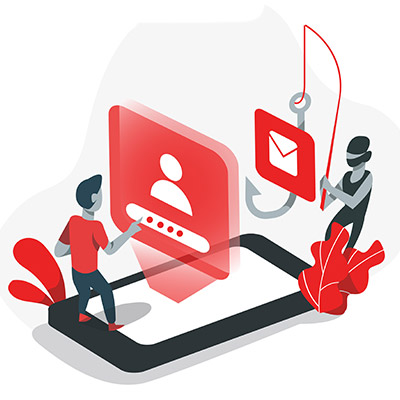
Phishing attacks are serious business, so it is important that your team members know what they are, for one, and know how to spot them. To facilitate this, let’s review the signs of a phishing attack—or ideally, a phishing attempt (because by spotting it, you’re more able to stop it).

First, let’s quickly touch on what constitutes a phishing attack.

What is Phishing?

Phishing is a horribly common form of cyberattack that is used by cybercriminals to accomplish a variety of goals, whether it’s gaining access to a system or stealing data from your team members. Basically, by posing as a trusted party and communicating with your team members, the responsible cybercriminal leverages the imperfect human element to sidestep your cybersecurity.

Phishing, while perhaps most well-known as an email-centric threat, can take place in many forms and formats. In addition to phishing emails—which themselves come in numerous forms—phishing attacks can also come in the form of SMS messages, phone calls, and effectively any other means of communication.

This makes it crucial that your team is prepared to deal with these attempts—capable of spotting them and properly reacting by reporting their suspicions to your IT resource.

To this end, let’s go over a few ways that your team members can potentially catch a phishing attack before they fall for it.

Signs That a Phishing Attack is Targeting You

There are numerous signs that a message could potentially be a disguised phishing attack. Here’s a basic list, but you can always reach out to us at 810.230.9455 to learn more about any or all of these warning signs::

  • A tone that doesn’t match the supposed sender
  • Misspellings and other discrepancies in key details, like email addresses, domain names, and links
  • Out-of-the-blue messages
  • Egregious spelling and grammar errors
  • Unexpected or out-of-context attachments
  • Excessive urgency behind, or open threats as a consequence of, not complying with the message
  • Ambiguous messages that motivate the recipient to investigate
  • Unusual requests, or requests for explicitly sensitive information

It’s important that your team is aware of these warning signs and actively keeps them in mind when dealing with any business communications.

We’re Here to Help Keep Your Team Safe!

Reach out to us to find out how we can assist you in maintaining your business’ security against threats of various kinds, including phishing attempts. Give us a call at 810.230.9455 today.

safe_router_424236593_400.jpg

Boosting Your Router’s Security in 3 Ways

safe_router_424236593_400.jpg

Your wireless router handles a lot of the tough work for your business, and as such, it’s important that it’s protected and secured as best as can be. If you want to secure your router, we recommend that you use the following best practices to make it happen.

First, let’s talk about the router. The router is basically a modern computer in its own right. They have their own operating systems and software, and as such, they can be susceptible to vulnerabilities. If you aren’t keeping in mind basic data security practices, then you are already behind the security curve.

Update Your Router’s Software and Check Settings

Your router runs on software that needs to be updated periodically. As your router ages, so too does your network security. When you update your router, you are updating the firmware and other software used to route the wireless signals. Here are some other settings you should consider changing:

  • Change network name or SSID – Make sure it is something that is unique but doesn’t necessarily identify you or your organization.
  • Turn on automatic firmware updates – As we described already, getting firmware updates is essential to maintain security for your router. 
  • Enable WPA2 wireless encryption (or WPA3, if your router supports it) – This ensures that only authorized users can access your wireless network. 

Disable Dangerous Accessibility Options

Most users utilize the Universal Plug and Play feature and keep their routers on the default settings, something which puts these wireless connections at greater risk of compromise. Another way that hackers will attempt to undermine the security of your router is by using the Wi-Fi Protected Setup feature on your router. It is an easy-to-use feature that helps you connect devices using a static eight-digit pin, even if the username and password have been changed. The PIN is printed right on the router, and if it’s on your router, then that makes it easier to get into. It’s far from the ideal scenario.

Set Up a Guest Wi-Fi Network

A great way to keep your wireless network secure is by limiting who has access to it. So, for example, let’s say you have guests come to the office, and you don’t want to give them access to your employees’ wireless network. You can instead have them connect to a guest wireless network specifically for them. Most commercial-grade routers and many personal routers provide this level of functionality. You can even set the network to turn off after a certain amount of time. 

This also helps if your organization operates with a lot of Internet of Things devices. The guest wireless network can keep them from creating security troubles. All you have to do is connect some of your IoT devices to the network so that they don’t accidentally leave anything exposed on your main network.

To learn more about how you can keep your wireless network secure, reach out to us at 810.230.9455.

dataTransfer_437810489_400.jpg

Data Scraping Explained

dataTransfer_437810489_400.jpg

There are times when you, as a business owner, might receive unsolicited emails from organizations asking you to try a product or asking for your input on something. More likely than not, the one responsible used data scraping to get your contact information. If it’s used appropriately, data scraping can be an effective marketing tool, but it can also be utilized by scammers to make your life miserable.

What is Data Scraping?

Data, or web scraping, is when you export data from a web page to a spreadsheet or local file. Chances are that this is the method you’ve used when taking data off the Internet or a web page. Basically, it’s as simple as data transfer, taking it and moving it to a different location in the form of a file on your computer. This file can be manipulated and adjusted as needed. It’s not the best method of transferring data, but it’s useful for certain situations.

How Can It Be Used?

Here are some of the ways an average business might use data scraping:

  • Comparing the costs of various goods, products, or services in one single document.
  • Conducting market research to generate new leads; this is primarily for public data sources, as depending on the location, data scraping of directories, websites, or social media can be illegal.
  • Researching web content for the purposes of building up your business.
  • Gathering data for easy analysis and providing it with structure

There are other uses for data scraping, but this should give you a broad general understanding of how it might be used by businesses. It can help you find the best deal on a product, research your competitors, compile data from a web source, and so on. There are plenty of tools out there that can make the process easy and efficient—just get in touch with us and we can point you in the right direction.

What About Hackers?

Data scraping can be used by people for email harvesting, particularly when it comes to scammers and hackers. Many organizations house employee contact information in a publicly available directory on their websites. If someone can scrape this information, they can sell it to spammers and hackers, and you don’t need us to tell you that this information being used in spam and phishing campaigns is bad news. Plus, depending on the location, using this information for commercial purposes is illegal, and it leaves a bad taste in peoples’ mouths. This doesn’t stop scammers and spammers, though, so you’d best be on your guard.

We want to make sure that you stay apprised of the latest practices in business technology, so be sure to follow our blog! We cover interesting topics such as this, as well as other topics related to IT, cybersecurity, and technology best practices.

ITsecure_233634561_400.jpg

Tip of the Week: 3 Ways to Improve Your Business Technology’s Security

ITsecure_233634561_400.jpg

Businesses largely rely on their information systems and other technology tools, so you need to make sure they stay secure and far from the many threats out there. To this end, we recommend that you implement security systems that prioritize business continuity and data security. Let’s examine three ways you can keep your business’ IT safe and secure.

Promote Strong Password Practices

Many users still practice the use of poor passwords, and unless you are deliberate in making them strong, chances are your passwords are not strong enough. Here are some tips to help you choose better, stronger, and more reliable passwords:

Password Length

Longer passwords are harder to guess simply because the greater number of characters makes for more possibilities. Passwords should be at least 12 characters long, but when they are this long, they can easily be forgotten. You can create easy-to-remember passphrases that use a combination of upper and lower-case letters, numbers, and symbols. For example a password of “elephantredfootball” will usually be secure, but one that is written: “3l3ph@ntr3df00tb@ll” is even more secure. 

Unique Passwords

Some people use the same password for every one of their accounts, but this is dangerous. Remember that if one password is hacked or stolen, it can be used on all of your other accounts, too. It’s best to use unique passwords for each of your accounts.

Use Software Tools 

Password managers and multi-factor authentication tools are great software tools you can utilize to both augment password security and reduce the downtime associated with forgotten passwords. Depending on the tool, it might even allow you to randomly generate a secure password, and with multi-factor authentication, you dramatically increase the security of your accounts by increasing the number of layers of defense your systems are protected by.

Train Your Staff

One of the greatest challenges for any organization’s IT security is the internal threat that certain employees can pose when it comes to a negligence or misunderstanding of security practices. Remember that all it takes is a phishing attack to make it through once to create problems for your business, and if an employee doesn’t know any better, they might be the weak link a hacker is looking for. There are over three billion phishing emails sent every day, so you need to be intentional with protecting your organization from them. This is why it’s so important to train your staff to identify them.

A phishing attack will look like a person or organization with whom the company has dealings with, usually someone who demands a certain amount of authority. Scammers will routinely use these tricks to make their way into your organization’s network, and they may impersonate insurance companies, software providers, financial institutions, and even executives within the company. These messages might ask users to click on links or download attachments. Here are some of the variables you might ask your employees to look for in a phishing message:

Demands for Immediate Action

Phishing attacks are largely successful because they instill a sensation of fear, anxiety, or excitement in the recipient that causes them to make questionable choices. The best course of action is not to instinctively respond but to verify and scrutinize potential messages.

Inclusion of Unprofessional Spelling Errors and Grammatical Faux Pas

Phishing messages are often from people in countries whose first language is not necessarily that of the recipient. They may include demands, spelling errors, and grammatical errors that no professional would ever consider acceptable.

They Come From Unrecognizable Accounts 

Phishing emails might look legitimate, but it’s only on the surface level. Look at the email account it originated from and you’ll see that they come from suspicious destinations. Think twice before clicking on links or downloading attachments from unrecognizable accounts.

Keep Your Software Updated

While phishing might be one of the most common threats out there, there are plenty of others that steal the spotlight from time to time. Many hackers choose to exploit vulnerabilities in software, and even though companies try their best to keep up with patches and updates, there are always going to be those that don’t get patched on the user end. If your business doesn’t take steps to implement patches as soon as possible after their release, you’re putting yourself at risk of hacking attacks.

Businesses that use a lot of applications might see patch management as a full-time job, but there are automated solutions out there that can handle this burden for you. You will also want to test each patch to make sure that they don’t interfere with the functionality of your software solutions. Furthermore, you need to ensure you are regularly updating your security tools like antivirus, firewall, and spam filter.

NuTech Services can help you maximize your company’s security. To learn more, reach out to us at 810.230.9455.

chromeBug_467122515_400.jpg

Are Chrome’s Zero-Day Threats Actually a Good Thing?

chromeBug_467122515_400.jpg

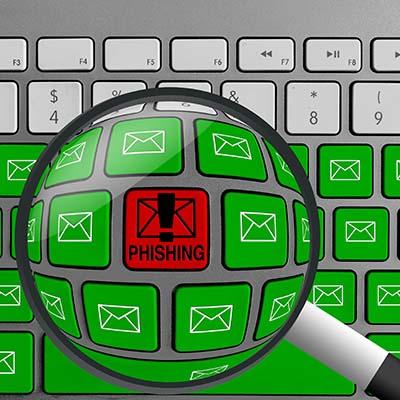
With Google Chrome being one of the most popular web browsers out there, it’s no surprise that threats want to target it and take advantage of its users. However, up until recently, there have not been very many zero-day threats associated with Chrome. Zero-day threats are attacks that have never been seen before, affecting a new and previously unknown vulnerability. We want to remind you that it’s not always a bad thing when vulnerabilities are discovered in a browser or web application—in fact, it can actually be indicative of good monitoring practices.

Google Chrome’s History with Zero-Day Threats

For some context, let’s examine Google Chrome’s history with these zero-day threats, or rather, lack thereof. From the years of 2015 to 2018, there were no zero-day exploits actively used against Google Chrome, but the numbers have since increased over time. 2020 saw 14 zero-day threats, half of which were used against Google Chrome. 2021 saw an even greater number, with Google Project Zero’s tracking system identifying 25 zero-day threats, 14 of which belonged to Google Chrome.

While this might seem like a problem at first glance, the fact that vulnerabilities were not discovered before does not mean that they didn’t exist between 2015-2018. All it means is that most of them are getting caught and fixed now instead of flying under the radar, and this is a good thing.

Why Are There More Zero-Day Threats Now?

Why do experts think that zero-day threats are being discovered more often in Chrome? The reasons, according to Adrian Taylor of Google Chrome’s Security Team, are as follows:

  • Greater transparency between browser developers: Google Project Zero gives developers 90 days to fix the vulnerability before disclosing it, so if not, the public will eventually learn of it.
  • The end of support for Adobe Flash Player: Adobe was a popular mode of attack, but it has since left hackers with their only option being to attack the browser directly.
  • An increase in bugs required to attack the browser: There are more layers to break through, so more bugs are required, leading to more vulnerabilities to discover.
  • Browsers are more complex: With more complexity comes more bugs, and web browsers are no exception to this rule.

You can apply this idea to your business’ security infrastructure, too. After all, if you are not currently suffering from security problems, that doesn’t mean they don’t exist. We recommend that you take a close look at your security infrastructure and ensure that you are doing all you can to keep your business safe.

Plus, you will need to make sure that you are appropriately patching your systems as threats are discovered. No software solution will be immune to threats, so you should be addressing vulnerabilities as they appear; it sure beats doing it after a data breach.

To this end, NuTech Services can help. To learn more, reach out to us at 810.230.9455.
SOC_138439445_400.jpg

Businesses Should Consider Partnering with a Security Operations Center (SOC)

SOC_138439445_400.jpg

Cybersecurity is incredibly important for any organization that requires IT to remain operational (basically all of them), so it’s time to start thinking about your own strategies and how you can keep threats out of your network. One viable solution your business can implement is a Security Operations Center (SOC). What is a SOC, and how can you use it to keep threats off your network?

Defining SOC

Your business’ Security Operations Center is very similar to a Network Operations Center (NOC), but the entire premise is to keep watch over your computing networks and devices with the intention of eliminating threats. It might seem simple on the surface, but considering how complex most networks and business infrastructures can be, it should come as no surprise that it’s more complicated than it seems.

Today’s business infrastructures are always on, meaning that a SOC needs staff to keep up with the 24/7/365 demands that many have for their security and monitoring services. The SOC will work with your NOC and other IT resources to manage your cybersecurity strategy. It’s a best practice for your business’ IT to align with how you want your business to function, and it becomes critical that you maximize uptime and keep threats away from your network. Even a single vulnerability could put your organization at risk under the right circumstances. Your SOC will offer tools that can identify and address these weak points in your infrastructure in an effort to stay ahead of threats.

How the SOC Operates

We mentioned this before, but the SOC works just like a NOC in that its primary goal is to provide comprehensive monitoring and notification in the event of a security breach. If something happens, the SOC will log the issue and address it accordingly. The IT administrator will also be notified of the issue to keep them on top of things. Let’s examine some of the services provided by the SOC:

  • Complete assessment: Threats are found in the discovery process, and the SOC will examine hardware, applications, and other tools on your network to make sure they are all monitored around the clock.
  • Continuous monitoring: The SOC will monitor software and traffic trends, but also user and system behaviors.
  • Thorough logging: With such a large computing infrastructure, it’s hard to keep tabs on everything. Logs can help to ensure that the appropriate steps are taken whenever an issue arises. Plus, it provides exceptional oversight and security that is helpful, especially in regard to compliance and regulations.
  • Comprehensive incident response and investigation: SOC technicians are able to respond quickly and efficiently to any incident, meaning they can get to the root of the issue and address it in a timely manner.

NuTech Services can serve as your company’s SOC. To learn more, reach out to us at 810.230.9455.
access_control_AdobeStock_55750729_400.jpg

Focusing on Access Control Can Make Your Business More Secure

access_control_AdobeStock_55750729_400.jpg

If you are someone who gets stressed out easily by people having access to resources they shouldn’t, then you probably have heard much about how to keep your data and internal resources safe from external threats. However, access control is much more than just cybersecurity; you also need to take into account the physical space when considering your access controls.

What is Access Control?

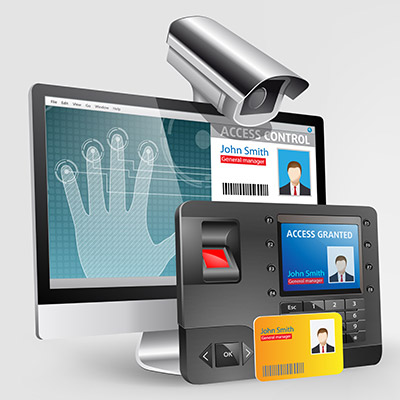
At the root of it, access control is all about restricting access to specific resources within your organization based on user or role. Certain users might be authorized to view specific information or be required to verify their identity before being allowed access. Basically, you have to ask the network for permission before you are allowed onto it, and once the network has given you permission, you can access the resources located on it.

Access control can basically be split into two groups: digital or cyber access control and physical access control, both of which have benefits and different types of solutions available on the market today.

Cyber Access Control

Your business has parts of its infrastructure that should only be accessed by specific individuals. Some of the data included on these parts of your infrastructure might include employee data, applications, resources, financial records, and more. This information should only be accessed by specific individuals who need it for their day-to-day responsibilities. The logic for this is simple: the fewer people who have access to this data, the less likely you will experience a data breach. Access control tools can help to limit access to this data.

Physical Access Control

You might also want to keep specific individuals out of certain parts of your office, too. Physical access controls might involve key cards, code-guarded doors, or biometric scanners to keep intruders out of your office, or specific parts of it. For example, you might store sensitive records in a specific part of your office guarded by card readers or code-authorized doors. Even keeping the door locked can be an effective deterrent.

Get Started Today

We understand that security can make things complicated for your organization, but you need to take it seriously before it comes back to bite you. If you want to implement access control systems for your office, be they digital or physical, NuTech Services can help. To learn more, reach out to us at 810.230.9455.
SM_phishing_AdobeStock_314622420_400.jpg

Social Media Conditions People to Let Their Guard Down

SM_phishing_AdobeStock_314622420_400.jpg

How often do you check social media only to find your news feed clogged with your friends and family sharing the results of quizzes like, “Which Star Wars character are you,” or “What’s your superhero name based on your birthday.” While these quizzes might seem harmless on the surface, they often hide a far more sinister agenda, one which uses the personally identifiable information provided to them for nefarious purposes.

If your friends and family aren’t careful, these quizzes could be giving their hosts access to all the information they need to hijack someone’s social media profile.

“Your New Last Name is the Thing You Ate Last!”

The major concern we have about these quizzes is that they might appear to be lighthearted on the surface, but that the questions line up suspiciously close to the security questions that one might use to protect an account. For example, your bank and credit card accounts use security questions to keep them secure, so what happens if you give up this information to an online quiz?

That’s right—the hacker might use the information you willingly provided to hijack your account. All the hacker has to do is click that Forgot Your Password prompt and boom, they’re in.

This is because these security systems can’t always tell who is typing in the answers; all they do is check to make sure that the answer matches the one provided in the past. From the bank’s perspective, you’re just another customer who forgot their password and is using their recovery question to gain access to your account.

When you look at online quizzes and questions they might ask, they line up quite closely with the recovery questions that are often associated with resetting passwords, like your first pet’s name, your mother’s maiden name, the model of your first car, and so on. When you share the answers to these questions, you effectively give someone on the Internet everything they need for easy access to your accounts.

This Is How Social Engineering Attacks Work

Even the most unlikely suspects could be considered social engineering attacks, especially on social media. It’s important that you give your team the tools and knowledge they need to identify these threats so as to avoid them. The same hallmarks of phishing attacks are present here, too: misspelled addresses, alarming subject lines, unprompted attachments, etc.

Cyberthreats are everywhere, so you can never be too careful. Remain ever-vigilant and be sure to train your employees on how to identify and respond to threats. To talk to an IT expert on training your staff and securing your business, reach out to us at 810.230.9455.
CCTV_409523099_400.jpg

Where IT Services Meets Physical Security

CCTV_409523099_400.jpg

Data security isn’t the easiest thing in the world to plan for, especially if your organization doesn’t have any dedicated security professionals on-hand. While protecting your data with traditional methods, like passwords, firewalls, and antivirus, is important, what measures are you taking to make sure a thief isn’t just walking into your office and making off with your technology?

If you don’t have guards or security cameras in place, you’re more likely to suffer from a physical security breach, which can be just as devastating as a digital breach. Ask yourself how comprehensive your security really is. Why not use it as an opportunity to protect your business’ physical assets? With the threat landscape the way it is these days, it’s no surprise that organizations focus on the digital aspect of security, but some people are just old-fashioned and would rather infiltrate a business the traditional way.

It’s also important to keep in mind that not everyone is going to be the perfect employee. You might have a couple of bad apples in the bunch that want to steal business resources. In this case, digital security might not mean much, but physical security like locked doors and so on could make all the difference in keeping them from making decisions that are bad for both themselves and your business.

Basically, you need to take a dual approach: You need to consider both digital security and physical security for the following reasons:

  • Data access is restricted to those within your organization, but even the best employees make mistakes.
  • A tiered approach means that employees only have permission to access data they need for their immediate work responsibilities.
  • Knowing who is accessing devices and data, as well as when they are doing so, can help you to resolve issues as they occur.

Let’s consider a couple of scenarios where it helps to have physical and digital security. Access control limits who can access specific information, so if the data is corrupt or missing, then you’ll have a clear idea of who is responsible for it. On the off-chance that it wasn’t the employee, then you know their credentials have been stolen and abused by a cybercriminal. Access monitoring is helpful for this, as it can also determine when someone is accessing data, as well as where they are located. Thus, if someone from another country is accessing data in the wee hours of the morning, it’s likely that you have a digital security problem on your hands.

As far as physical security goes, consider what would happen if you didn’t keep track of the people who access the sensitive parts of your business. If something were to come up missing, having a cloud-based security system with digital playback as well as complete access control with logs, would let you go back and check to see exactly who had access, and what the situation was before so that you can get to the bottom of the problem. 

Therefore, in order to make sure that you’re keeping your data as secure as possible from all avenues of attacks, we recommend you work with the folks from NuTech Services. We can help you ensure security. To learn more, reach out to us at 810.230.9455.
StaffTrain_422806360_400.jpg

How to Get Your People on Board with Your Security Strategy

StaffTrain_422806360_400.jpg

It can be tough to get your staff to care about your business’ network security, especially if they don’t consider it part of their day-to-day tasks or responsibilities. However, network security is not just isolated to your IT department; it matters to everyone, and if you can convince your staff to adhere to best practices, your security will be that much more effective moving forward. Here are seven tips you can use to get your staff to care about network security.

Be Up Front

There is an inherent secrecy about cybersecurity that flies in the face of what needs to be done when training your employees, which is being up-front and honest about the threats that malicious entities on the Internet can pose to your organization. In theory, your employees should have a vested interest in the continuity of your business, so therefore, they should also be invested in protecting its future through protecting its network security.

Make it a Personal Investment

Your business stores quite a lot of information, including employee personal data. If they know that their data is at risk if they are careless with their approach to security best practices, they will be more likely to stick to them. After all, why would they willingly put their own data on the line?

Top Down Security

Everyone within your business needs to know that they can become the target of a hacker at any given time. This includes those in management and at the executive level. Security should start at the top. If employees notice that their superiors are taking appropriate action, they will be more likely to fall in line.

Gamify Your Process

When incentives are involved, anything can become more engaging. Gamification can empower your employees to engage in better security practices by offering them a score based on their efforts. A little healthy competition can be a huge motivator when nothing else seems to work.

Standardize Procedure

To get people to follow the rules, there must first be rules to follow. If you can establish procedures that are easy to follow, your employees will be more likely to stick to them. Be sure to have policies that are clearly outlined and accessible to employees whenever they need to learn more about them, and above all else, be sure to keep them consistent.

Start from Day One

Both current and new employees need to be made aware of how important cybersecurity is for your business. If you establish proper security practices right from the start, your employees will be more likely to stick to them over time. After all, trying to get your veteran employees to follow new rules and regulations will likely lead to some pushback, at least initially.

Keep Training

The most important part of training your staff on security practices is ensuring that they are kept up-to-date over time and routinely tested on their adherence to security protocols. Through comprehensive training and routine retraining, you can make sure that your employees are not only understanding the security measures you implement, but also that they are putting them into practice.

NuTech Services can help your business implement security measures and training policies to keep your employees safe and knowledgeable about the countless threats out there. To learn more, reach out to us at 810.230.9455.
QRcODE_399066846_400.jpg

Coinbase’s Super Bowl QR Snafu is Sending Shockwaves Through IT Security Circles

QRcODE_399066846_400.jpg

During the first half of the Super Bowl last month, cryptocurrency exchange company Coinbase bought a minute of ad space to broadcast an ad that was just a QR code on the screen, meandering diagonally around the screen like the famous Windows screensaver. Millions of people took out their smartphones and scanned the code and now cybersecurity professionals are publicly decrying the tactic. 

How Do QR Codes Work?

The QR code isn’t new. It has been used by companies and other platforms for over a decade. It is effectively a barcode that can be scanned by a mobile application to bring users to content linked to the code. It looks secure enough, but in earnest, there is very little information that separates one QR code from another, and since they are relatively easy to generate they are used all over to engage users with product promotions, website links, etc. Your QR code reader will read a code in 8-bit blocks and take you to the information linked to the QR code. 

How Are They Insecure?

While QR codes offer intriguing ways to store and access information, the risk they have is palpable. They can easily be swapped out for counterfeit codes, they can be hijacked by hackers, and can also be used by hackers to send malicious code to user devices. This means that while they may seem secure on the surface, they are actually not a good platform for end-user security. In fact, when they were developed, the creator did not envision all the possible security issues, stating publicly that they “…need security revamp.”

How to Protect Yourself From QR Code Attacks

Since they are an intriguing way to get people to interact with a company’s marketing material, they have been used liberally for quite a while. For the business that wants to utilize this technology it is prudent not to use them for user logins or financial transactions as they can be exploited to intercept information; meaning they can be used to steal credentials and provide threat actors means to access accounts and networks they have no business having access to. 

One way to marginalize the risk to your organization from end-user QR code usage is to add it as a line item on your cybersecurity training platform. Your company probably already trains users about phishing (and if you don’t, you should start immediately), so adding in a bit about not using QR codes for work-specific tasks can be included without much fuss. Users have to know that sensitive, financial, or proprietary information should not be shared using QR code technology. Some talking points you should consider include:

  • Check URL carefully if using a QR code
  • Don’t use QR codes to navigate directly to a website
  • Don’t use QR codes to download any information
  • Don’t download a third-party QR code reader as most smartphone cameras have this functionality by default. 

The QR code can be beneficial in some circumstances but keeping them away from your business’ critical information is imperative. We should mention that there are encryption enabled QR codes called dynamic QR codes that offer a little more security, but as a best practice, eliminating QR codes from internal data sharing within your business is prudent. 

If you would like more information about setting up security training that actually makes a difference for your business, give NuTech Services a call today at 810.230.9455. 

evaluate_risk_477897766_400.jpg

How to Properly Evaluate Your Security

evaluate_risk_477897766_400.jpg

How effective is your cybersecurity? It seems like a simple question, but no less important to consider and determine as the answer could be the difference between a prevented breach and a successful one. In order to keep track of your business’ cybersecurity preparedness, it is important that you regularly evaluate it. Let’s go through the essential steps to performing such an evaluation.

Step One: Figure Out Where Your Weaknesses Lie

The first step to evaluating your cybersecurity is to identify where your biggest shortcomings are—otherwise, what chance will you have to fix them? Threats are always being improved and developed anew. Figuring out which parts of your business’ technology are due for an upgrade is key to shoring up the weaknesses that these upgrades can resolve.

If a simple upgrade or patch isn’t the answer, this will help you figure out what is. Maybe someone needs additional training to reinforce secure processes, or maybe an unreported complication has your team resorting to workarounds that open you up to attack. In essence, you need to know what problems need to be solved before you can solve them.

Step Two: Apply Trusted Methods that Meet Established Standards

When all is said and done, it really isn’t that hard to figure out what you need to do to protect your business. There are assorted organizations that have publicized the best practices that they recommend (or actually, urge) businesses to abide by in order to minimize modern cyberthreats. If you aren’t sure whose recommendations you should be following, don’t hesitate to give us a call and ask. We’re happy to help you figure out what needs to be done.

The same can and should be said of any industry-based regulations and compliances that might apply to your business. Things like the Payment Card Industry Data Security Standard (PCI DSS) apply to most businesses in operation today, and there are some industry-specific guidelines that could severely hinder one’s success if they are not followed. Knowing what applies to your business and abiding by any applicable rules and laws will only help make your security more effective.

Step Three: Figure Out if You Have the Resources You Need

Somewhere along this process, you might have a moment where you feel a little overwhelmed by everything that is expected of you—and that is completely understandable. It is, in a word, a lot. While your cybersecurity is obviously very important, you still have to run the business you’re trying to protect… and unfortunately, fully-credentialed IT professionals don’t come cheap.

There is one glaring exception, though, that can give you the opportunity to enlist the skill of a full team of professionals of this caliber for a manageable monthly cost. This is how the managed service model works. By relying on our team members for however much of your IT-related needs as you wish to use us for, you can rest assured that you have the resources needed to manage your business’ essential tools and technology in a secure fashion. Maybe you have us handle your security while your in-house team maintains your IT, or vice versa. We can scale our services to precisely fit your needs and budget, without shortchanging any security requirements you may have.

Step Four: Plan Your Cybersecurity’s Future

While it may be obvious that planning for cybersecurity after a security incident is the most perfect example of “too little, too late,” more businesses than you’d think still follow that approach. Some of them do so without even realizing it, simply because they haven’t considered how cyberthreats change over time and how easily they could find themselves in the crosshairs someday.

Fixing this requires a proactive approach. Take the time now to devise a security plan and policies for your business to follow—particularly if a security incident were to darken your doors—and train your team to do so automatically. Once you have this plan established, break it out every now and then to review it and adjust it as need be… cyberthreats change over time, after all.

NuTech Services is Here to Help You at Every Step

As a managed service provider, a large part of what we do is centered around the idea of cybersecurity, so we have a lot of experience with fulfilling each step of this process. Find out what we can help your business accomplish by calling 810.230.9455 today.

RansonReview_416944382_400.jpg

There is No Value in Paying a Ransom

RansonReview_416944382_400.jpg

We all know at this point how dangerous ransomware can be for businesses. It can lock down files, threaten operational continuity, and in some cases subject victims to brutal fines as a result of privacy breaches. One place where you might not expect ransomware to hit, however, is customer reviews, and it all stems from the big question: do you pay to resolve a ransomware attack or not?

The obvious answer is “no,” you shouldn’t pay to get rid of a ransomware problem, even if you think that it’s your only option. Rest assured, it is far from the only way to solve your issues. Paying up creates serious problems for your business, some of which you may not have considered. We generally advocate that businesses should never pay the ransom because it 1) Rewards the downright deplorable behavior of hackers, 2) There’s no guarantee that you will get your data back in the first place, and 3) You are funding future ransomware attacks against other businesses like yourself. We like to recommend that businesses have data backup solutions in place on the off-chance that a ransomware attack rears its ugly head, but you should always, and we mean always, contact a trusted IT professional before taking any action in ransomware care.

But again, the point we want to make is that you should never pay the ransom, even if it feels like your only option. In fact, it could put your business’ customer base at risk, and not in the way that you might expect. It turns out people don’t really like to work with companies that are struck by ransomware, but even worse, they don’t like to work with companies that pay criminals for the safe return of their files.

Backing this claim up are the results of a survey by data management firm Cohesity. The study asked 1,000 consumers in the United States about their thoughts regarding ransomware. Some of the most concerning numbers have to do with companies that not only are struck by ransomware, but those that also pay the ransom. Here are some statistics:

  • 55% of respondents said they would lose confidence in a company or organization if they are impacted by ransomware.
  • 54% of respondents claim they would lose confidence in a company if their personal data were breached.
  • 29% of respondents claim they would lose confidence in a company if the breach led to any inconvenience on their part.
  • 23% of respondents would lose confidence in businesses that pay the ransom.
  • 22% of respondents would cease doing business with any organization that pays the ransom.

So, there you have it. Not only are you risking your business’s data, but you are also risking the public’s perception of your business if you fail to protect your company from ransomware. Even if you don’t think ransomware can strike your company, it is better to be safe than sorry.

Don’t let ransomware hold your business hostage; take the appropriate preventative measures now to keep ransomware from crippling your business in the future. NuTech Services can assist with implementing any and all security measures your business needs to minimize the chances of a ransomware infection. To learn more, reach out to us at 810.230.9455.

malwareADS_417322951_400.jpg

Malware is Everywhere. Even Your Ads

malwareADS_417322951_400.jpg

Do you ever see an advertisement for a free download of a popular Windows application and think, “Wow, this sure sounds too good to be true!”? Well, it most definitely is, and hackers use these malvertisements to infect computers with malware and other threats. Specifically, malvertising is used to download three different types of malware, all of which can cause harm to unwary businesses.

This particular type of malvertisement threat, a new campaign targeting users in Canada, the United States, Europe, Australia, and Nigeria, aims to capture usernames, passwords, and other sensitive credentials from users.

The three types of malware commonly installed through this new malvertising campaign–dubbed Magnat by Cisco Talos–include, according to ZDNet, a malicious browser extension that has the same capabilities as Trojan malware. In other words, it provides a backdoor entrance to the user’s system. This malware is as-yet undocumented and appears to be custom-built, and it has been developed over the course of the past several years. The other malware installed using this campaign is a password stealer.

While the malicious browser extension (also a keylogger) itself and the password stealer are cookie-cutter malware that have been around for quite some time, the backdoor is something else entirely. The backdoor, dubbed MagnatBackdoor by researchers, allows attackers to gain remote control over a PC without being detected. It also adds a new user and installs keyloggers and other malware that allow the attackers to steal information like usernames, passwords, and other sensitive credentials. According to researchers, the threat works much like a banking trojan, and aims to steal credentials for either individual sale on the Dark Web or for use by the attackers.

The malware is primarily distributed through malicious adverts–advertisements that link to malicious file downloads–for popular software solutions. These campaigns are obviously causes for concern, but it’s important to remember that they are nothing new. We have been around the block a time or two with these types of threats, so we know how to combat them. Malvertisement is not a new concept, and it has been around for a long time, so it’s no surprise that hackers would continue to use this avenue to infect PCs.

NuTech Services can help your business stay secure from online threats of all kinds, and while we cannot stop your employees from clicking on questionable advertisements, we can help to inform them of why they shouldn’t be doing such a thing in the first place, and block a lot of bad content before it gets to them. To learn more about what we can do for your business, contact us at 810.230.9455.

no_password_AdobeStock_204840728_400.jpg

Is it Time to Move Past Passwords?

no_password_AdobeStock_204840728_400.jpg

Passwords have been a staple in data security and user authentication for many, many years… to the point where the idea of using a password has become nearly synonymous with the concept of security. However, data has increasingly shown that alternative options are in fact more secure. Let’s examine some of these passwordless authentication methods, and their pros and cons.

What is Passwordless Authentication?

True to its name, passwordless authentication is identity authentication that operates without relying on a password. You can think of it like two-factor authentication (2FA), with the password factor skipped over.

Instead of using a password, passwordless authentication omits it and focuses on what would be the second factor—a hardware token, biometric, or code generated on-demand through an owned device or sent to an email, among other options.

But Why Eliminate Passwords?

Let’s consider a few options that businesses have in terms of their cybersecurity:

  • Use a password
  • Use a password and supplement it with 2FA
  • Use a passwordless authentication system

Here’s the thing… Passwords, when considered objectively, aren’t really a great option. First of all, how likely is it that the average user is going to be able to remember about 75 unique and sufficiently complex passwords? They aren’t. As a result, your IT team is either going to be inundated with password reset requests, or your users are going to take shortcuts that undermine your security. So, while a password may be a convenient option on a macro scale, it comes at the cost of your security.  Not good.

Next, we might consider adding 2FA to our authentication requirements. This certainly boosts security, but it can also frustrate users and disrupt their experience. Also not good.

Passwordless authentication measures eliminate both pain points—not only are they secure, they make it far easier for your users to access what they need to do their jobs.

Today, There are Plenty of Options for Passwordless Authentication

Having said that, there are a few drawbacks to passwordless authentication that may take some time to resolve (if it doesn’t require a change in user behavior). For instance, if you go the security key route, they can be easy to lose and potentially expensive to replace. Cost is a factor for most forms of passwordless authentication, as you might imagine.

On top of this, some malware attacks are particularly effective against these measures. Time will only tell if businesses ultimately see the benefits of passwordless authentication to be worth the risks.

In the meantime, NuTech Services is here to assist you with every aspect of your organization’s IT, including its security. Give us a call at 810.230.9455 to learn more.

encryption__96008173_400.jpg

Some Places Encryption Should Be Used Frequently

encryption__96008173_400.jpg

Protecting your organization’s data is a major focus of businesses these days, especially as threats grow more powerful and they better learn to penetrate the countless safeguards put into place. Let’s go over how encryption can help you cover all your bases—especially if hackers do manage to get through your security precautions.

What is Encryption?

There are countless codes and ciphers out there, like the famous Caesar cipher where you take the original letters and switch them according to a set number down the alphabet. For example, the Caesar cipher with a shift of nine might look like this:

“Vjwjpnm bnaerlnb jan cqn bdyanvn xycrxw oxa j kdbrwnbb bnntrwp jbbrbcjwln frcq cqnra RC.”

It’s relatively simple to decipher if you have the key, but the problem is that lacking the key means that it just looks like total nonsense. Encryption works in the same way, but on a fundamentally more complicated level. Encryption software takes data, scrambles it through the use of an algorithm, and uses a key provided to unscramble it. The data remains private until the key is used to unscramble it, making it the perfect tool for ensuring data is safe while it’s in storage or in transit.

That jumbled text above, once decrypted, translates to “Managed services are the supreme option for a business seeking assistance with their IT.”

Encryption is a powerful tool that can be used to secure websites, hard drives, or even individual emails. It can also be used wherever you might store data to secure it.

When is Encryption Needed?

Encryption should be used wherever sensitive data is involved, especially if it is sitting in storage or being shared through email.

Want help incorporating encryption into your business’ protections? We’re here.

If your business wants to implement encryption, NuTech Services can help. To learn more, reach out to us at 810.230.9455.
threat_199464869_400.jpg

Let’s Look at Some of the Virtual Threats

threat_199464869_400.jpg

Network security is challenging for many businesses, and it’s largely because of the large number of various threats that populate the Internet. Some companies simply don’t know what the correct measures to take are, leaving themselves vulnerable to these threats on both a security standpoint and an employee training standpoint. We’ll delve into some of these threats and how they can be addressed.

Today, we just want to provide a shortlist of security threats that your organization should keep an eye out for. Many of them are variants of malware, but you might be surprised by one or two entries on this list!

The More Notorious Network Security Threats

  • Viruses/Malware: These types of threats are bits of code and malicious programs that cause problems for your business. The effects range from minor inconveniences to serious problems. There are many variants of malware that perform specific tasks, like steal data, install adware, and in the case of ransomware, encrypt files on the device.
  • Trojans/Backdoors: Trojans, also known as backdoors, provide back-end access to an infected network or device. Hackers can then gain access remotely to perform all kinds of nefarious deeds. Trojans and backdoors are often gateways for other threats to make their way to your network.
  • Unpatched Vulnerabilities: Sometimes vulnerabilities are discovered in software your business uses, and if these vulnerabilities are not patched in a timely manner, they can create security problems for your business. This is especially the case if you use unsupported software, like an old operating system.
  • Phishing Attacks: Phishing attacks are commonly used to spread other types of threats or steal important information like banking credentials or personal information. They can come in a variety of modes, like through email or even over the phone.

Security Measures to Protect Yourself

Your security strategy should have two primary components: the technology aspect and the human aspect. For technology solutions, you can implement tools such as unified threat management (UTM) devices, which combine common security measures like antivirus, firewalls, spam blocking, and content filtering into one easy-to-manage solution. We also highly recommend that you implement a virtual private network for secure data transmission and multi-factor authentication for account security.

As for the human aspect, you must train your employees on how to identify and respond to threats in an appropriate way. This means they should know how to avoid threats online and how to see past the farces brought upon them by hackers. They should also be fully aware of how to report a security breach to your IT department, whether it is in-house or managed through a third party.

NuTech Services can assist you every step of the way with security management. To learn more about what we can do for your business, reach out to us at 810.230.9455.
Good_hacking_214956022_400.jpg

Hackers Aren’t Always Thieves

Good_hacking_214956022_400.jpg

When we think about security and hackers, it’s easy to think of them all as the bad guys. However, this is far from the truth. Just like with other areas of life, there is a shade of gray involved with hacking, and there are good guys that use these skills to benefit others while the bad guys try to exploit them for their gain.

The hackers who use their skills to benefit others are called white-hat hackers, whereas the ones who abuse their powers are called black-hat hackers. What can we learn about the practice of hacking from these two groups of hackers, and why is it important to see it as two different sectors of the same art? Let’s dive in.

Hacking of a Different Kind

These days, the word “hacker” can be used synonymously with someone who makes a task easier, like a “life hacker” so to speak. However, in the programming and cybersecurity space, a hacker is someone who has devoted their life to understanding the inner workings of computers and IT systems. It wasn’t until people decided that they wanted to use this knowledge for ill intentions that hacking became a bad or dirty thing.

Ethical Hackers: Using Skills for the Collective Whole

In many cases, companies will hire ethical hackers to discover threats or vulnerabilities in their software or network so that they can be located preemptively and resolved before they become issues. You can think about it as a more advanced type of penetration testing; someone is actively seeking access to your network, but they are doing it so you can fix the issues leading to it.

Threat-Actor Hackers: Using Their Knowledge to Create Chaos

These types of hackers are the ones you have to watch out for; they use their skills to perform all sorts of nefarious and illegal activities, including extortion, theft, and so on. These hackers are the reason why others get such a bad rap. Unlike ethical hackers, these threat actors are unpredictable and use their skills to create problems for countless individuals around the world.

Don’t Let Security Scare You to Inaction

Despite knowing that there are people out there using their hacking skills to learn more about the systems and enabling others to resolve issues with their networks, you still need to take action of your own against threats of all kinds. For every ethical hacker, there are hundreds of others who want to see your business suffer. Don’t let these folks keep you from running an effective organization for your clients and employees.

NuTech Services can help your business implement security solutions to keep it safe. In a sense, you can think of us as ethical hackers of sorts; we can run a penetration test to help identify weaknesses in your network. We can then help you shore them up. To learn more, reach out to us at 810.230.9455.
CybSec_277228687_400.jpg

Preparing for the Next Wave of Cyberthreats

CybSec_277228687_400.jpg

The past couple of years have been difficult for businesses, regardless of if they are large organizations or small businesses. Likewise, cybersecurity has been a challenge. Let’s take a look at what 2022 could pose for cybersecurity, especially considering recent trends.

Prediction: Attacks Will Shift in Method and Severity

The increase in remote and hybrid work has been great for companies that are able to support these kinds of operations, but there are certain tradeoffs, including security.

Remote Work Has Increased the Attack Surface

Working remotely can do wonders to protect the health and safety of your employees, but it does increase the opportunity for them to fall victim to hacking attacks. Their home networks are likely nowhere near as secure as your in-house network is, so you’ll have to encourage your users to stay alert and remain vigilant, especially while out of the office. All it takes is one unsecured smart device to create a problem for your organization.

Hackers Will Do Their Homework

You can also expect hackers to seek out new vulnerabilities that coincide with where their victims are located and which devices/solutions they are using. There is always a risk when using a new software solution, especially when new patches and updates could potentially bring with them new vulnerabilities in the form of a zero-day attack. Attackers are always trying to use new and developing technologies to their advantage, too, such is the case with deepfake technology.

Prediction: Attacks Will Change Their Targets

It’s expected that breaches will target different types of victims over the next year, and that the largest breaches will target the cryptocurrency space. Even so, we would be surprised to see this shift creating even less of a danger for businesses, so you’ll still want to protect yourself whenever possible.

Prediction: Attacks Will Still Rely on Familiar Methods

Many vulnerabilities stem from failing to update systems in an appropriate manner, so it’s of critical importance that these vulnerabilities are patched as soon as possible, especially in the business technology sector.

Attacks On End Users Will Continue

It’s safe to say that phishing and other cyberthreats are not going anywhere, placing the end user in a precarious position. This is especially true if people continue to work from home without a concerted effort to increase cybersecurity awareness. You must take measures to increase awareness of the risks of working remotely and of the threats that are found online.

We might want to say that the future is bright for security, but you can never count on it being too bright. What you can count on, however, is that NuTech Services will be there to help you out each step of the way. To learn more about how we can help you protect your business, reach out to us at 810.230.9455.
password_spraying_80058904_400.jpg

Why Is Microsoft Warning Users About Password Spraying?

password_spraying_80058904_400.jpg

As modern warfare has evolved, so too has cyberwarfare. There is always a war occurring in cyberspace, where hackers attempt to outdo security researchers. One such example of hackers—often sponsored by government agencies—attempting to engage in cyberwarfare can be seen in the United States and Israeli technology sectors, which have become the target of password spraying.
Password spraying involves hacking into multiple accounts by spamming commonly used passwords. Considering how frequently people use common passwords, as well as variations of those passwords, on3e can imagine how effective this tactic can be.

In the scenario outlined above, Microsoft has issued a warning that about 250 Microsoft Office 365 customers in the defense technology sectors have been targeted by password spraying tactics. Microsoft calls this group DEV-343, with the DEV in the name representing the fact that the attacks are, at this time, not sponsored by state actors. This group is thought to originate from Iran.

Less than 20 of the targets were actually compromised, but it’s still shocking to see high-profile targets opting for commonly used passwords. Microsoft has also reported that organizations that use multi-factor authentication are at less risk than those that don’t. As reported by Microsoft, security professionals should be wary of suspicious connections enabled by Tor networks: “DEV-0343 conducts extensive password sprays emulating a Firefox browser and using IPs hosted on a Tor proxy network. They are most active between Sunday and Thursday between 7:30 AM and 8:30 PM Iran Time (04:00:00 and 17:00:00 UTC) with significant drop-offs in activity before 7:30 AM and after 8:30 PM Iran Time. They typically target dozens to hundreds of accounts within an organization, depending on the size, and enumerate each account from dozens to thousands of times. On average, between 150 and 1,000+ unique Tor proxy IP addresses are used in attacks against each organization.”

Your business should always be prepared to take a look at traffic on its network—especially if the activity is suspicious in some way, like during off-times when nobody has any reason to be accessing your infrastructure. Passwords are only one part of a cybersecurity strategy, though, and you should be implementing security solutions like multi-factor authentication whenever possible.

NuTech Services can help your business keep itself secure from threats of all kinds. To learn more, reach out to us at 810.230.9455.