tech_term_motherboard_400.jpg

Tech Term: Defining Motherboard

tech_term_motherboard_400.jpg

Inside its casing, your computer contains many parts. While these parts may not be moving, they are hard at work, enabling you to use your computer to accomplish your goals. For today’s Tech Term, we’ll take a closer look at just one, the motherboard, and examine what it contributes to your device’s operation.

What the Motherboard Does
Your computer’s motherboard is its internal control center, the communications hub for the rest of the device. It is through this circuit board that all of the computer’s components and peripherals connect and share data. In this way, the motherboard is what makes a computer a computer, and not just a box filled with disparate components.

When the computer first boots up, the first thing to get power is the motherboard. Its different components then activate the various other parts of your computer.

Parts of a Motherboard
In order to properly function, the motherboard requires quite a few pieces to be present and correct. While the layout, or form factor, varies based on the specifications needed, all motherboards have these basic components incorporated.

Chipset – the chipset is what enables the transfer and flow of data between the various other components of the motherboard. Divisible into two parts, the Northbridge and Southbridge, the chipset allows the different components to communicate with each other.

CPU – The CPU is the part of the motherboard that relays information from the Northbridge to the different parts that it communicates with. A better CPU will assist you in having a fast and efficient computer.

Slots – A motherboard’s slots are what hold the different pieces that make up a particular motherboard in place. These pieces could include:

  • Random Access Memory, or RAM
  • PCI(e), which connects to expansion cards, like video, network, or sound cards
  • SATA, which connect to storage drives like HDD and SSD

In short, your computer’s motherboard is a small, but absolutely critical component to the function of the device as a whole. Have any more questions about motherboards, or any other aspect of your technology? Reach out to us and let us know!

Your_IT_Toolkit_Should_Include_a_VPN_400.jpg

Why Your IT Toolkit Should Include a VPN

Your_IT_Toolkit_Should_Include_a_VPN_400.jpg

Have you ever felt like someone was watching you while you’re doing your work from somewhere outside of your business’ infrastructure? If you’re working from a remote location, this situation might not be far from the truth. If you’re not using a private connection, onlookers could see everything that you’re doing or steal data. How can you keep your business secure while working out of the office?

The easiest way to do so is with a virtual private network, or VPN. You might have already heard quite a bit about VPNs thanks to the Federal Communications Commission’s verdict on Net Neutrality. Many users are hoping to take advantage of VPNs to limit the potential issues caused by ISPs selling browsing information to advertising companies, and just in general to protest the ruling. However, VPNs have a very important role in the business world as well, and they are an essential part of securing your organization.

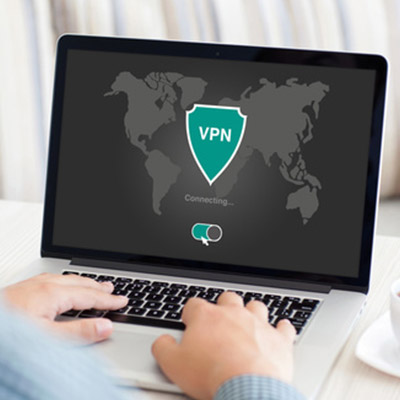
Basically, a VPN works by encrypting your connection to important assets on your company’s network. This data is encrypted while it’s in transit, meaning that even if a hacker could intercept it, they would see nothing but a bunch of jumbled up letters, numbers, and symbols. Encrypted data is often simply useless for hackers as the time needed to crack the code is rarely worth spending. This goes for any data that’s being sent to or sent by your device, meaning that essentially any data that you need to send or receive is protected by military-grade encryption.

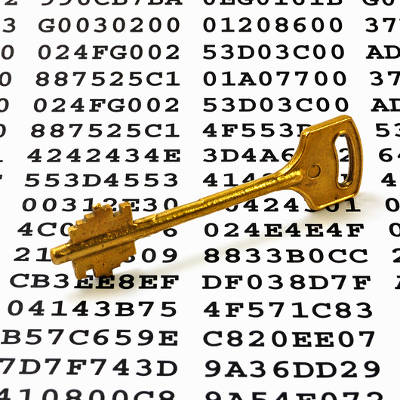
Think of it like this; you’re sending a letter to someone, but it’s locked in a box. The box can only be opened by specific users that have the key to it. Therefore, anyone hoping to intercept the box won’t be able to take the contents. Sure, they could steal the box if they want, but without the key, it won’t be of any use.

Overall, a VPN is the best way to keep your business from suffering data leaks or loss altogether. However, you want to ensure that the one you implement is an enterprise-level VPN that is capable of securing all of your business’s devices. If your business is in need of a powerful VPN, NuTech Services can help. To learn more, reach out to us at 810.230.9455.

term_encryption_400.jpg

Tech Term: Understanding Encryption

term_encryption_400.jpg

With data security becoming paramount for almost everyone, encryption is one of the more important technology terms you will need to know. Since data security has to be a priority–not just for your business–but for you, understanding what encryption is, and how its used can put you in a better position to understand tomorrow’s security solutions. For this week’s tip, we will take you inside cryptography, and more specifically, data and network encryption.

What is Cryptography?
Simply put, cryptography is the art (or science) of writing or solving written or generated codes. Cryptography is the strategy of using a predefined key to convert data into a format that is indecipherable. Since no entity can view the information without the key, the information secured by encryption is able to be stored and transmitted securely. To decode the message, you need a cipher or a key.

A Short History of Cryptography
As long as there has been human communication, there have been secrets. The first known evidence of the use of cryptography was found carved in hieroglyphics on a wall in Egypt, and has subsequently been used throughout human history to send and receive secret messages.

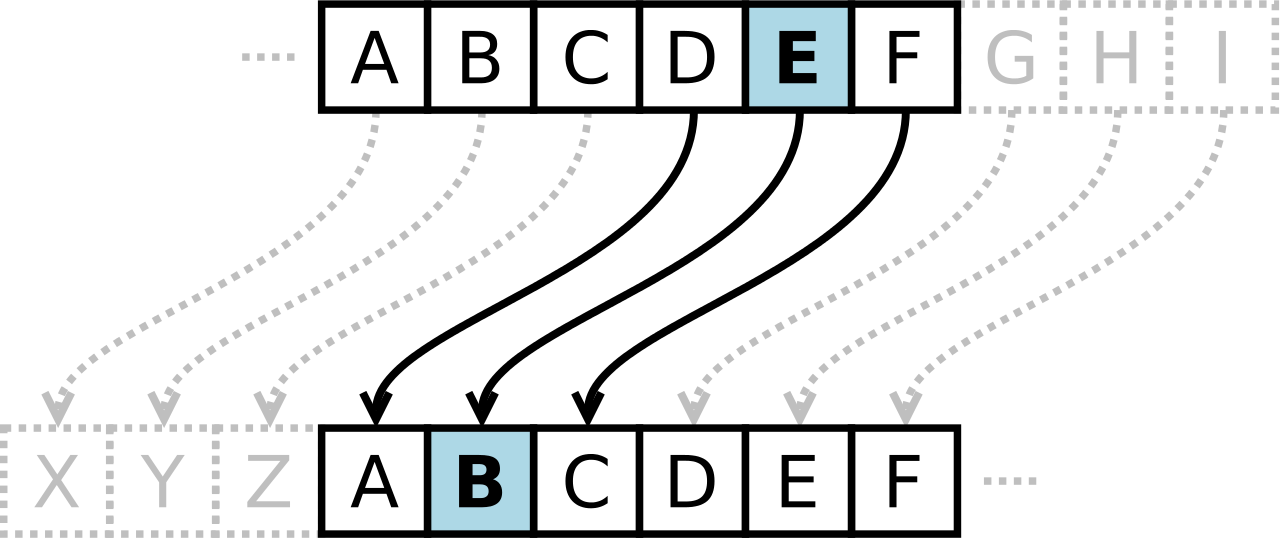
Centuries later, Julius Caesar was known to use a form of substitution cipher that shifts each letter three spots in the alphabet to encode a message. In fact, there are some that still call this type of cipher a Caesar cipher. The Caesar cipher looks like this:

ib cipher 1

It’s clear that this type of cipher is dependent on the secrecy around the system, not a dedicated key to unlock the cipher. Once the system is known, these basic codes become known almost immediately. In fact, most substitution ciphers can be broken with a simple pad and paper.

This changed in the 16th century when Giovan Battista Bellaso came up with an improvement by using a series of interwoven ciphers. The process was misattributed to Blaise de Vigenère, and has since been referred to as the Vigenère cipher.

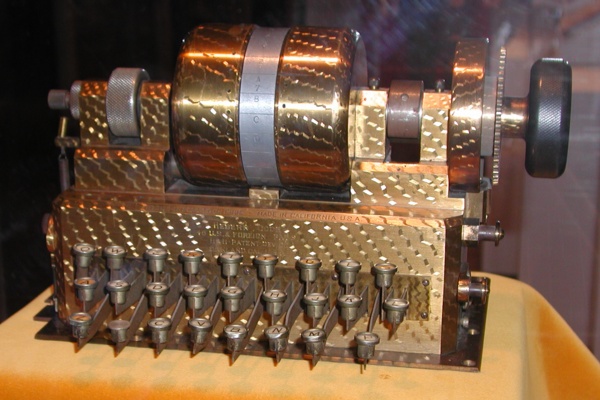
Despite all the coded messages sent and received over the centuries, cryptography as we know it has only come into fashion over the past century as technological advancements have facilitated more sophisticated methods of encryption. In the early 20th century, Edward Hebern, while sitting in jail for stealing a horse, came up with a method of encryption using an old typewriter fashioned with a rotor. The purpose was to turn what to the user was a simple Caesar cipher into a Vigenère cipher with the use of Hebern’s two-way rotor machine. A user would push a key and the rotor would provide the corresponding substitution key to decrypt the message. b2ap3_thumbnail_ib_cipher_2.png

If this machine started modern encryption, Enigma changed it forever. Shortly after Hebern’s invention, German engineer Arthur Scherbius innovatively built what was essentially a Hebern device with multiple rotors and called it Enigma. For a decade German naval superiority over mainland Europe had as much to do with their ability to send and receive coded messages as it did to their manufacturing might.

Modern Encryption
When we speak of encryption today, we are just talking about the same type of thing that Hebern and Scherbius were doing: cloaking data to provide privacy or security to the parties involved in the correspondence. Today, data is worth more than ever; as a result businesses are spending more on their encryption solutions.

All businesses collect a fair amount of personally identifiable information (PII). This information includes names, birth dates, Social Security numbers, and financial and medical information. The liability companies have today is immense, as they can (and often are) sued if a customer, employee, or vendor’s PII is stolen and leaked or shared.

The modern business uses several types of encryption. Individual file encryption encrypts specific data; volume encryption secures a container where files and folders can be stored; and, full-disk encryption secures all the information on a computer or server. To ensure that the data is protected from theft, encrypting all the information deemed sensitive should be a priority.

In order for your business’ encryption initiatives to be successful, there are some best practices that users need to know. One is password security. Often the key to your encrypted information is a simple password. In order to mitigate risk and keep encryption working for you, there are some password management tips you should adhere to. Following these will keep your encrypted data, and your business safe. They include:

  • Use passwords with eight characters or more.
  • Use different passwords for different files, computers, and systems.
  • Change your passwords frequently.
  • Utilize upper and lowercase letters, numbers, and symbols in your passwords.
  • Don’t use common words or phrases.
  • Don’t use words spelled backwards, common misspellings, or abbreviations.

More Encryption
Other than your standard protection against the loss of data, there are security solutions that allow you to encrypt communications you have with your customers, staff, and vendors. Email encryption has become an essential business tool. Many of today’s enterprise email solutions come with options to encrypt your messages, keeping communications secure.

Another way encryption is leveraged by the modern business is with the use of a virtual private network (VPN). The VPN offers users who are outside of a network to get an encrypted and secure pathway to share and receive files from a centralized server. Remote file exchange is important for many businesses, and the use of VPNs can go a long way toward quelling the risks inherent in this process.

Types of Encryption Finally, understanding what types of encryption there are can help you understand what position your organization is in, in regards to file, server, and communication security. The types of encryption used today include:

  • Triple DES – Designed as a replacement to the single Data Encryption Standard (DES) that doesn’t hold up against the tools modern hackers have. Triple DES uses three individual keys with 56 bits each, which in total adds up to 168 bits, however experts place it closer to 112 bits of key strength.
  • RSA – RSA is a public-key encryption algorithm and is currently the standard for secure transmission of data over the Internet. Since it uses two keys, a public key to encrypt it and a secure private key to decrypt it, it makes it very difficult for hackers to decipher.
  • Blowfish – Designed to replace DES, Blowfish is a symmetric cipher that splits messages into blocks of 64 bits and encrypts them individually. As a result, it is extraordinarily secure and often used in e-commerce platforms and password managers.
  • Twofish – The developer of Blowfish has released Twofish as a faster option that makes it a perfect encryption tool for hardware and software systems.
  • AES – Available in 128-bit, 192-bit, and 256-bit options, the Advanced Encryption Standard is basically uncrackable. Used by governments and other organizations that deal in extraordinarily sensitive information, AES has begun to become the standard in encryption due to its impenetrable record.

Data security is more important today than ever. At NuTech Services, our knowledgeable technicians can help your organization come up with data and network security plan that is sure to keep your data safe, and keep your business running efficiently. To learn more, don’t hesitate to call us today at 810.230.9455.

sign_digitally_400.jpg

A Brief Dive into Digital Signatures

sign_digitally_400.jpg

Think for a minute the power a signature has. Signatures have started and ended wars, they have committed whole nations of people to rule of law, and they are attached to birth and death. For the individual, the signature is one of the most powerful possessions. You can use it to acquire money, property, and transportation. You use it to enter agreements and to end agreements. With so much importance squarely focused on the signature, it seems curious how people today are now signing documents digitally; but, with the security behind this solution, people won’t have to be on hand to sign with theirs.

Nowadays, businesses often choose to utilize electronic documents to reduce printing costs, and to provide remote workers the ability to sign mandatory documents without the need for postage or travel. Besides, more businesses are attempting to go paperless and do away with their bulky filing cabinets, ensuring that finding documents is an easier task.

Up until recently, if something was to be signed “electronically” it would still have to be printed out, signed, and returned to the organization that needed the signature, either by mail, or by scanning the document after a signature was completed. Now things have progressed to the point where many PDF editing software titles provide a perfect solution to this problem through their digital signature features.

Understanding the Digital Signature
Since official documents aren’t worth much without a signature, it was important for people to develop a way to sign documents remotely, since people can’t always be in the same place all the time. The old print, sign, and scan method may as well be called the print, sign, and scam method. It would be simple for people to forge the signature onto an important document, setting in motion a series of unfortunate events.

PDF software mitigates this risk since a digital signature is more than a graphical representation of a signature. It is rooted in cryptography, the same technology that protects nearly every secure transaction that happens over the Internet. It works like this: the digital signature uses digital keys to confirm the attachment of your identity to the document that is being signed. In fact, these encrypted digital signatures are far more difficult to forge than a typical paper document as long as the keys that were used to create the field are kept secure.

Just as a physical signature, inside a digital signature solution, you will see the graphical representation of your signature, a common name of your choosing, the location where you signed the document from, and of course, a time stamp displaying the date and time you applied the signature to the file.

Not all PDF software solutions provide the full variety of features needed to create digital signatures. Without one, however, your organization will be less flexible, and as a result, move slower than it would with a dedicated electronic signature solution. By pairing the features the modern PDF program has with an electronic signature, it will cut down on postage and printing costs and help your business move faster.

For more information about digital signatures, contact our IT professionals at 810.230.9455 today.

browser_comparison_400.jpg

Tip of the Week: Browser Security 2018

browser_comparison_400.jpg

The Internet browser is one of the most utilized applications on most computers. With so many complex and aggressive issues popping up on the Internet it would be useful to know which of today’s most utilized browsers are best at keeping your computing network free from threats. Today we will take a look at each of the five most utilized web browsers to find out which is the most reliable and secure for your business to use.

What Risks Do You Face?
The risks are numerous and unrelenting. Around every corner on the Internet there are muggers with knives looking to take your stuff. The good news is that for many of the threats present, there are solutions to a lot of them–pretty much as soon as they are discovered. The Internet security community has leveraged this constant attention into immense profits. According to an article in Forbes, the cybersecurity industry is growing rapidly and is expected to be worth $170 billion by 2020, with a good portion of growth dependent on the ever-present Internet of Things.

To get a good idea about what kind of threats you face, all you need to do is take a look at the cybersecurity markets.There are cybersecurity markets for gadgets, appliances, cars, and more. There is cybersecurity insurance. PricewaterhouseCoopers has forecasted a $7.5 billion market for data insurance to come to fruition by 2020.

Four of the largest banking institutions in the world, J.P. Morgan Chase, Bank of America, Citigroup, and Wells Fargo spend upwards of $1.5 billion on cybersecurity annually. If the least risk-averse people in the world are spending a fortune, you know what you are up against. These organizations have seen companies decimated by cybersecurity lapses and understand the risk; something you and your business should consider a sign that it’s time to do something about protecting the people that depend on you against the rogue actors who breach and roam around computing networks like yours and take what they please.

Small Business Browsing
You’d think that in the context of a small business’ computing, they wouldn’t need the protection that global banking institutions do, but with all the risks that are there, there has to be some attention paid to the issue and some investment in understanding how to mitigate those risks that are laid on your organization by constant threats from the web. The good news is that most of what you need to do is attainable by simply understanding how the web works, and through the use of a secure Internet browser.

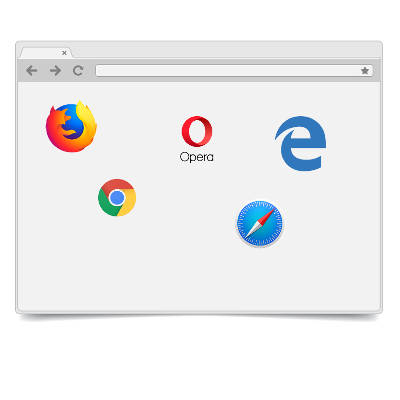
The most well-known, and most utilized, Internet browsers include: Google Chrome (56.3%), Apple’s Safari (14.5%), Mozilla Firefox (5.7%), with other browsers making up for less than 5% including Microsoft Edge/Internet Explorer, Opera and others. Any Internet browser worth its salt will do a great deal to keep users’ computers and networks from being maligned by malware and other problems.

This is accomplished by producing secure connections. In the browser, any website identified with the protocol “https://” has a secure connection. This connection encrypts the data that is sent and received through the browser to keep any transmission of data on that site from being intercepted, stolen, or leaked. This allows data to be protected during interchange providing a semblance of privacy. Since the two components every secure connection requires are privacy and identification, this encryption starts things off pretty well.

Since the typical connection between the Internet browser and any server it is cooperating with is initially short on security, websites rely on secure connections through the use of digital certificates in order to know exactly who a website is owned and run by to establish a trustworthiness of the Internet browser.

Google Chrome
Google Chrome, long known for its reliability and popularity, sports the most powerful sandbox of any of the major browsers. A sandbox is an isolated environment that attempts to keep the Internet contained, and thus away from your network or computer. Google has the fastest response time to security vulnerabilities, but with the use of “Chrome apps”, weaknesses begin to present themselves. If you stick to the browser itself, you are looking at the most secure of the major Internet browsers.

The issue of privacy, however, makes Chrome tricky to get a hold on. Google, after all, has built an empire by knowing things about its users. This lack of privacy, even if it just results in you having more advertisements targeting you than before, is disconcerting to some and can be seen as a necessary evil for using Google’s browser.

Mozilla Firefox
Firefox is getting old. Since Firefox doesn’t utilize the sandbox technology, it doesn’t have the buffer between the user and the web that most browsers have. Firefox has a problem with their JavaScript plugins sharing the same namespace, which exposes all plugins to potential attack by any malicious plugin. In order to get the most out of Firefox, you have to understand and practice safe browsing habits, and aren’t installing plugins from developers you don’t trust.

Privacy, however has been Firefox’s strength from day one. Mozilla collects very little data and does not trade information on its users; and, remains the only of the major browsers that is open sourced. This allows users to open up the source code to see exactly what is going on.

Apple’s Safari
Apple’s browser is limited to just Apple products after attempting, and failing, to move the browser over to the PC. Safari is known for developing and releasing patches fast, and as a secure browsing experience because the risks were just not as prevalent for devices running macOS or iOS as they were for those that run Windows.

Like Chrome, and the Microsoft browsers we will mention later, user privacy isn’t on the list of priorities for Apple. While a lack of privacy could be looked upon as a positive characteristic of a browser (as more transparency helps develop bug fixes faster), if you are running a Mac OS, sticking with Safari is your best bet.

Opera
Opera is the oldest Internet browser on this list. Having gone through a major overhaul in 2013, Opera replaces their proprietary engine to go with Chromium, the same engine used by Google’s Chrome browser (and others). As far as security goes, Opera has a lot going for it. Having a small percentage of the market share is a major one (one their developers would gladly shed), as this kind of security through obscurity keeps threats to a minimum. Despite using the same browser engine as Chrome, Opera doesn’t support browser apps, limiting its already minimal exposure.

Privacy in Opera is much like Firefox’s. They have a very conservative data collection policy which despite the software not being open sourced, does present users with privacy concerns some peace of mind.

Microsoft Edge and Internet Explorer
Microsoft’s browser was once the predominant one in use. Today their market share has dwindled into the single digits, with the “new” Edge browser still gaining traction. Internet Explorer is barely being supported any longer, so it’s best to avoid that software at all costs, but Edge seems to be just a scaled down IE that doesn’t support ActiveX technology or Browser Helper Objects. It has its own limited set of in-browser apps that give people looking to infiltrate the browser more access points.

Privacy in Microsoft’s browsers is non-existent as Microsoft has a history of collecting everything. There are options to make it less transparent, but users should be happy the Edge isn’t IE.

No matter what browser you use, you have to be cognizant of sharing data you don’t want others to see. Understanding what your responsibilities are will go a long way toward keeping your data and network safe from security threats. For more information about Internet browser security and privacy, or to discuss your organization’s general network security, call NuTech Services today at 810.230.9455.

new_tech_ces_2018_400.jpg

Are You Intrigued By the Tech of CES 2018?

new_tech_ces_2018_400.jpg

CES 2018 introduced the world to some downright interesting (and some absurd) electronics. The Consumer Electronics Show gives the technology industry just the outlet to showcase the best and brightest of what manufacturers have to offer. Here are some of the more interesting highlights from Las Vegas, Nevada.

The Interesting
In case your home television system isn’t big enough already, Samsung introduced the world to “The Wall,” a television that measures 146-inches diagonally. It uses technology similar to those used by scoreboards at sporting events, scaled down to meet the size of the screen. The Wall still has some challenges facing it, but if anyone can overcome them, it’s Samsung.

Another technology that has recently seen an increase in popularity is voice-responsive tech and connected homes. Amazon’s Alexa device was a huge hit at CES, but perhaps the most notable benefit of it is the sheer number of applications and services that can be used through voice commands. Even more services have been offered this year, which makes Alexa an interesting and valuable voice companion for everyday life.

Finally, there was a technology created with the intent of helping older generations. ElliQ is a digital companion that can help meet the needs of older users. ElliQ can remind users of upcoming appointments or allow them to hold conversations with them.

The Practical
One of the more practical uses of technology in the consumer technology market is fitness. As such, CES had a showcase where the best of fitness technology was on full display. Peloton, known for its connected indoor cycles that stream fitness classes, introduced a new treadmill that allows the user to view pre-recorded classes or live classes. This device, called the Peloton Tread, features many fitness classes and some other strength/circuit classes as well.

Taking the concept of fitness one step further is the Spire Swim Tracker, the first smart swimsuit. This automatically measures your swimming metrics. It then connects to the swim.com app, where the user can view the information. Furthermore, you don’t even have to charge the tracking tag, as it is purposely designed so that it lasts longer than the suit.

Finally, virtual reality is making a splash in the fitness community. Black Box gyms will soon have VR capabilities that can make going to the gym a bit more interesting. Basically, it turns something like a resistance workout and transforms it into a video game, allowing for an entertaining and satisfying 30-minute workout.

The Strange
Some of the devices introduced at CES 2018 were a little unorthodox or designed for a specific audience. For example, the device Keen allows for an inertial measurement to help those with bad posture better their bad habits. It basically lets users kick bad habits in due time. Another interesting technology was Moodo, which allows you to use a diffuser to throw scents into the air via a smartphone app. Other gadgets, like the self-driving store and a ping-pong-playing robot, also made appearances at CES, but one of the weirdest was the Somnox Sleep Robot, a device that is basically a glorified body pillow that simulates breathing and helps users fall asleep.

What are some of the devices that you would like to see at future CES conferences? Let us know in the comments.

RMM_automated_400.jpg

Preventing Issues is Easier with Remote Monitoring and Management

RMM_automated_400.jpg

Do you know who manages and maintains your business’ technology? In most cases, it will be either a small in-house IT department or technical individual, but often times small businesses simply don’t have the assets to throw around on this. More importantly, they often ignore technology maintenance, either because they can’t afford it, or there’s nobody to do the work.

This shortcoming brought about a shift in the way small businesses approach technology management. An internal IT department is certainly one way to resolve this issue, but not all companies can afford to hire dedicated personnel for this purpose. The natural course of action became to outsource the responsibility to a third party, but the way that it’s outsourced can have a considerable impact on how much value is received from the relationship.

For example, if you only respond to issues but do nothing to prevent them in the long run, you will end up spending too much on repetitive repair costs. Conversely, if you take an active role in the prevention of IT issues, you save money by minimizing the damage done by potentially catastrophic problems. Ultimately, your organization stands much to gain from keeping small issues from evolving into major problems, and the best way to do so is by implementing an automated remote monitoring and management solution from NuTech Services.

Remote monitoring and management, or RMM for short, is a tool that allows managed service providers like NuTech Services to take care of your technology solutions without being in your office. For example, we can monitor your business’ network for any security discrepancies or weaknesses in your infrastructure. We can remotely deploy patches and security updates to ensure that your systems are protected.

Considering how this type of solution requires very little hands-on work from your in-house team, it almost counts as an automated solution all its own. We can resolve the majority of issues with your infrastructure without an on-site visit, which lets your business save a considerable amount of capital without paying for traveling costs or other expenditures. It also makes for a much more convenient way of getting the management and maintenance that your network needs, as you won’t have to wait–we’ll administer service according to your service level agreement, and we can do it without taking up any of your staff’s time with an in-house visit.

Granted, some problems will need an on-site visit, but we generally try to keep those to a minimum. We’re all about making sure that your company has the most convenient experience possible with NuTech Services’s services. To learn more, or ask us about our remote maintenance and management solution, reach out to us at 810.230.9455.

block_chain_400.jpg

Blockchain is for More Than Cryptocurrency

block_chain_400.jpg

If you’ve heard of blockchain recently, there’s a pretty good chance it was in reference to cryptocurrency. With Bitcoin reaching record levels in December, the idea of using blockchain technology to develop digital currency was on a lot of people’s minds. However, the blockchain has a variety of other practical uses.

Content Management
In a world with an increasingly global economy that relies more and more on digital communications, it can be difficult for a content creator of any kind to ensure that their ownership is being respected. After all, there is little that is easier than copying something that is found online and reproducing it without recognizing its creator, let alone reimbursing them.

Blockchain technology can soon help to change that. Many companies have been developing blockchain tools to help protect content creators and their copyrights. From ensuring that proper attribution is preserved in content, to simplifying payments, all the way to proving who created content in the first place, the blockchain will likely soon be a common way of protecting content creators’ intellectual property while allowing them to share out their content.

Healthcare
With so much sensitive, personally identifiable information being necessary in the healthcare field, the privacy afforded by blockchain technology is a natural fit. This is especially true by merit of blockchain’s utility as a concrete record.

As a result, patients may soon find that their personal medical history is more protected than ever, with the risk of any document being lost eliminated once it is incorporated into the blockchain. Any physician that was granted access could update a patient’s complete medical history, whether or not the patient was in-network, allowing for improved record-keeping and thereby better-informed care.

Audit Trails
The blockchain itself can be considered a database, albeit one that keeps a complete record of any changes made to its contents. As a result, it can serve as an excellent means of tracking audit trails.

Through the blockchain, the progress of work (or even the shipment of materials) can be mapped out and monitored. This way, if there is ever an issue or error made, it is easier to identify where and why things went wrong. In turn, it is then easier to resolve these issues. Furthermore, the data within the documents stored in the blockchain gives details on when, and by whom, the documents were added.

This is useful when an organization needs to keep a concrete record of their documentation and the actions they have taken.

Secure Voting
Regardless of your views on the prevalence of voter fraud and other such concerns, the idea of making the voting process more secure only makes sense. As you’ve probably guessed, the blockchain has the potential to do so. By preserving voting results in the blockchain, they are safe from any tampering, which means that the results can be trusted as reliable.

While cryptocurrency may be the most exciting part of blockchain technology, there are many more practical uses. What do you think? Let us know in the comments.

typewriter_with_mouse_400.jpg

CES 2018 Showcases Upcoming Technology

typewriter_with_mouse_400.jpg

If there is one thing you know about technology, it’s that it meets its demand. No matter if you are talking about the millions of Internet of Things products being created today, video games and entertainment, or business tech, demand drives the technology market.

The results of this demand were presented at the 2018 International Consumer Electronics Show, an event that took place from January 7th to the 12th in Las Vegas, Nevada. While the focus was admittedly directed toward consumer products, there were quite a few technologies present that could prove impactful to the business realm.

Perhaps most impactful to businesses was the continued discussion surrounding 5G wireless connectivity. Already discussed at length at CES 2017, 5G could prove to be of significant benefit to businesses that rely on cloud-based applications and wireless devices. Wireless carriers, including AT&T and Verizon, have plans to incorporate 5G in some markets by the end of 2018.

However, the question remains how much hardware will be able to support 5G connectivity in the coming year, and how quickly the term ‘5G’ will be adopted to describe something it isn’t.

There was also interesting news concerning laptops, even with the recent discovery of Spectre and Meltdown, the chip vulnerabilities that affect almost every single computing and mobile device in existence. Despite this setback, there was a noticeable trend in the laptops displayed at the event leaning more heavily on the kind of technology one would find in a mobile device. As a result, these devices could boast faster operating speeds.

Not everything at CES made very much sense, however. London-based Planet Computers launched the Gemini, an Android-powered mobile device that basically functions as a miniature clamshell laptop. While it is an effective device for what it does, it doesn’t make much sense in the business setting–but it may be an option for someone who often needs to take business on the road.

Overall, events like these just go to show that even if a device is labelled as a consumer product, it may just have a place in a business setting. Even if it doesn’t, it may inspire the development of a similar device that is more focused on a business user’s needs.

What would you like to see developed in 2018? Let us know in the comments, and make sure to subscribe to our blog!

mobile_world_400.jpg

Personalities are Key to Successful Networking

mobile_world_400.jpg

Almost everyone has, at one time, worked with someone with whom their personality clashed, whether they did not get along or just didn’t work effectively together. While this is a perfectly natural phenomenon of both nature and nurturing, it is best to put personal differences aside when forming a professional relationship with a coworker.

This was the focus of Networking Like a Pro, a publication by Dr. Ivan Misner and Brian Hilliard. In it, they explore how personalities come into play in the workplace, and how each person’s behaviors influence their interpersonal relationships. While most people display the traits of many personality types, the book makes the assertion that all people fall into four predominant personality types, especially where business is involved. Business networking is strongly influenced by how well your behavioral type meshes with another’s.

So, does this mean that you just won’t be able to network with some people, and with others it will be effortless? Not so.

Misner and Hilliard offer advice on how to best interact with these behavioral types by understanding what really makes them tick. These types are as follows: Go-Getters, Nurturers, Examiners, and Promoters.

Go-Getters
When dealing with a Go-Getter, you have to think–and move–fast. The Go-Getter is determined to get the results they are looking for ASAP, and if the rules need to be bent in order to get them, so be it.

To communicate with a Go-Getter, you need to make the value that you offer them clearly relevant and essential to their goals. More specifically, you need to make them see how you can help speed up their operations without sacrificing the results they strive for. The Go-Getter will also want to hear that they have options to choose from, but would rather hear a pitch than they would a heavily-planned-out script. With a Go-Getter, stick to the highlights, and deliver on your promises.

Nurturers
Where a Go-Getter has more of a “now, if not sooner” attitude, a Nurturer sees the value in taking their time where business matters are concerned, operating with patience. Nurturers are also natural team players, surrounding themselves with supportive allies and willing to offer assistance wherever it is needed. They can be overly tolerant, however, willing to endure a less-than-ideal situation than ready to take a risk to change it.

Honesty is the best policy when working with a Nurturer. To work with them, you will first need to build their trust. You can help this process along by gently guiding them toward a mutually beneficial solution. To accomplish this, you also need to maintain contact with the Nurturer, regularly providing evidence as to how a business relationship with you can provide simplicity and support.

Examiners
A born skeptic, an Examiner will thoroughly examine and evaluate everything that they may work with–including the people. They will unsurprisingly be predisposed to perfectionism, and at the very least, are very thorough. The Examiner is a strong conversationalist, as they use their stores of knowledge and information to their advantage. Efficiency is also a virtue to the Examiner, and so they will move on once their objective has been met, whether that is to the next assignment or to the next event.

As you build a connection with an Examiner, you need to be concise and clear about your position and why it is worth their time to be involved. Lean on facts and evidence to make your point, and only use small talk and stories if they add to the evidence that you are a dependable provider. You need to be sure that you put your best foot forward when interacting with an Examiner, as they will be forming a very strong opinion of you from the get-go.

Promoters
A Promoter is a salesman, usually an extrovert, and a thought leader. They have the drive to spread any good idea they find, more often identifying them instinctively than through research-based evidence. Promoters often attend industry events to network and socialize. They are usually juggling many different projects, and are rarely confrontational.

Communicating with a Promoter requires you to match their speed and align your needs with their priorities. One such priority is their professional image, so you need to make sure that your offer increases their visibility in the industry. As you deal with a Promoter, make sure that you document the finer details of your agreements in writing, and you fulfil your end of the bargain promptly and professionally. Furthermore, you should always give a Promoter plenty of help whenever it is required to prove that you are the best choice for their needs.

These strategies should enable you to network more directly, with the end result being more business relationships that provide mutual benefit. Which of these personality types do you think you most embody? Tell us in the comments!

mixing_chargers_400.jpg

Can Chargers Be Interchanged Between Devices?

mixing_chargers_400.jpg

One of the major benefits of a laptop is the mobility that it permits–but this is a double-edged sword, as this mobility means that you are relying on the device’s battery life. Of course, if your laptop begins to die, you can always borrow someone else’s charger, right?

Actually, this is a very bad idea, as it puts your device at serious risk. There are a few reasons why this is the case.

Manufacturer Differences
When whichever company produced your laptop did so, it did so in a very specific way. This includes the charger that comes with the laptop. Trying a different manufacturer’s charger with your laptop will almost certainly damage your battery. Best case scenario, your laptop’s battery will reject the charger. You should only ever use a charger that was produced by the device’s manufacturer, even if another charger appears to supply the same amount of power.

On the subject of power…

Different Power Requirements
Like we mentioned before, your laptop’s original charger was specifically manufactured to your laptop’s specifications. As a result, the charger is made to supply exactly how much power your device needs. A charger from a different manufacturer might supply too much or too little power, potentially damaging the battery or the laptop’s other hardware.

Why You Should Avoid Cheap Off-Brand Chargers
If it’s bad to utilize another established brand’s charger, it’s worse to subject your laptop to a knock-off, no-name charger. There is no guarantee that the charger is of a trustworthy quality, as well as no way to tell if its alleged power output is actually what it sends into your device. If you do need to replace your charger, or you just want a spare, invest in the real McCoy. Otherwise, your short-term costs savings may translate into the cost of a new device.

Have you ever found yourself without a charger and tempted to borrow someone else’s? What happened if and when your battery died? Share your experience with us in the comments!

evernote_onenote_400.jpg

Tip of the Week: Is OneNote or Evernote Better for Your Needs?

evernote_onenote_400.jpg

The ability to take notes is invaluable to business, but the ability to take cohesive, well-organized notes is essential. Therefore, it is important to utilize a solution that enables you to do so. For this week’s tip, we’ll compare and contrast two note-taking applications — Microsoft OneNote and Evernote — to evaluate which will better serve your needs.

What OneNote Has To Offer
OneNote offers a fairly comprehensive suite of features to its user, offering a wider variety of tools than Evernote does. Depending on the platform you use, you can draw, record a quick audio or video clip, add images and spreadsheets, and share everything with other users — all in addition to the basic text-based note function.

The way it is set up, OneNote also enables the user to remain well-organized in a logical and sensible way, with the ability to create individual notebooks that are themselves able to be divided into sections and subsections, each divisible into pages. The many functions that OneNote allows are divided into a tabbed system similar to what can be found in the Office applications. This interface is most prominent in the Windows version, with similar (if less comprehensive) features in the Mac, iPad, iPhone, web, and Android versions.

OneNote’s major flaw lies in its web clipping function. When content is clipped from a webpage and added to OneNote, it is added as an image. As a result, links and videos and other similar content will not work, and you can’t copy and paste any content from the clipped webpage. It is also only available to users with a Microsoft account.

Finally, OneNote utilizes OneDrive to keep itself synced across all of your devices. Depending on what version of Office you use, your OneDrive storage space allotment will vary. There is also the option of purchasing additional storage space through various plans.

The Features of Evernote
Evernote offers the same basic functionality as OneNote, but there is still enough of a perceptible difference that the comparison between the two feels a little like comparing apples to oranges. While Evernote also allows the user to create notes and such from scratch, it has clear strengths in its capability to clip web content.

Rather than just taking a screenshot of the web page, Evernote provides a toolbar application that allows the user to capture content in a variety of different ways. A user can grab the article alone, without ads and extraneous content, or just the stripped-down text and graphics, sacrificing the original formatting. Evernote also accepts the full page, a working bookmark to that page, and yes, a screenshot of a particular page.

The clipper also allows you to add tags, as well as notes by adding text, highlighting what’s there, drawing on it or adding arrows, and more. Plus, the only element to a captured page that isn’t live and editable are things like videos. However, clicking on the video in Evernote will take you to the original page where it can be viewed.

Evernote shows some significant changes between its versions for Windows and Apple devices, making the Apple device versions a little trickier to navigate than the lists that the Windows version showcases. The web and mobile versions have a shortcuts feature that enables the user to save a quick link to a particular note in a special favorites menu.

Evernote comes in a limited, trimmed-down free version, as well as in various subscription models for differing price points and data caps.

Why Not Both?
Clearly, both OneNote and Evernote have their specific strengths, which translate into improved capabilities for certain tasks. As a result, it may best suit your needs to have a version of each, which is made easier if you only require the free version of one or the other. You may want to use Evernote to compile research for a given project, and OneNote to map out the project and take notes for reference.

One thing to keep in mind, although both systems are relatively secure, business owners will want to make sure employees aren’t storing sensitive company information on their own personal OneNote or Evernote accounts. Both services offer business/enterprise versions that let you manage and control your data.

Whichever approach you take, NuTech Services is here to help. Call us at 810.230.9455 for more information, and be sure to subscribe to this blog for more tips every week!

giftbox_technology_400.jpg

Technology Has Influenced a Few Holiday Traditions

giftbox_technology_400.jpg

Everyone has their own holiday traditions, and Christmastime is no exception. Some might stick to more traditional roots, while others focus on more contemporary trends to create a Christmas culture that changes with each passing year. Many of these newer traditions have been molded from modern technology solutions, so let’s celebrate both new and old holiday traditions by looking at how technology has changed them.

Holiday Cards
Today’s technology has largely replaced physical holiday cards sent over postal. Social media is one trend that makes it easier to stay connected than ever before, allowing you to keep friends and relatives up-to-date on the major happenings. The annual occurrence of a holiday card is less important due to this, and younger generations simply prefer to communicate online than physically or in-person, making snail mail a moot point.

Automation
The holidays are stressful. There’s no getting around that fact. You need to properly prepare for the celebrations, as well as organize any get togethers that your family hosts. Of course, real life doesn’t just disappear during the holidays, so you’re essentially trying to juggle additional responsibilities on top of others. Technology helps you automate tasks so that you can get more done during the workday. Some tasks, like grocery shopping and even paying bills, can be automated to an extent, allowing you to spend more time preparing for the holidays.

Shopping
Nowadays, retail and commercialism are a part of the holiday season. Gift-giving is a deep-seated tradition that makes people feel good about themselves. With the advent of online shopping, shoppers are capable of finding gifts without going to the physical location of a retailer, allowing for less travel and fewer headaches, while overall, providing a larger variety of available goods and services.

Stores are even taking matters into their own hands, allowing for a better consumer experience as a whole. Online price tracking lets users find the best deals in any store, and smart shelves can be used to find out if an item is even available in the first place. Near-field communication, or NFC, can be used to help shoppers finish their transactions in the most convenient way possible.

Online shopping is flourishing, and the holiday season is when it’s most successful. There are even browser plugins that help shoppers locate the best deals around. Discount codes are used as an incentive to get online shoppers to double-down on their purchases, and retailers introduce countless other bargains and sales to make the holiday season “the most profitable time of the year.”

What are some of the other ways technology has affected the holiday season? Let us know in the comments. All of us at NuTech Services wish you a happy holiday season and a wonderful new year.

voip_traditional_phone_400.jpg

VoIP Delivers Benefits That a Traditional Phone System Can’t

voip_traditional_phone_400.jpg

Communication is a critical part of your business’ operations, but how can you ensure that you’re not holding your business back by failing to consider modern solutions to age-old problems? While your telephone system likely gets the job done, you shouldn’t let complacency keep you from striving for improvement. For telephony solutions, you can consider leaving behind your service provider and investing in a digital solution called Voice over Internet Protocol, or VoIP.

Traditional telephone solutions rely on telephone lines being installed throughout your office. If you are privy to the finer details of this particular process, you know that it can take quite a while to fine-tune your infrastructure to best suit your organization’s needs. Depending on the number of users, each handset needs to be hooked up to your organization’s phone infrastructure. This makes adding new users quite a pain, as you may need to move your office around in order to accommodate such growth. Furthermore, you may find that you don’t use all of the services provided by your telephone service provider. Many providers bundle together services, like television or Internet, without giving users the option to section off exactly what type of service they want. This means that you’re ultimately paying for services that you don’t want or need, which is a considerable waste of resources on your part.

Thankfully, VoIP improves the communications conversation. VoIP allows your organization to take advantage of more flexible telephony solutions by using your Internet connection to transmit and receive calls. It works in much the same way as your traditional phone solution, but with less reliance on your physical infrastructure itself. While you can acquire physical handsets for your employees’ desks, the main draw of VoIP comes from the fact that you can use the application in any way you see fit, whether it’s on your smartphone or your desktop.

Imagine being able to take your workplace phone number on the go so that you won’t miss a thing; or being able to dodge extra costs for long-distance calls. Imagine ditching the expensive services that you’re forced to pay for, like cable television, when all you use is your Internet and phone. By implementing VoIP, you’re eliminating unnecessary expenses that would otherwise place restrictions on your ability to effectively communicate and afford the comprehensive solution your business inevitably needs. With NuTech Servicess VoIP solution it’s easy to add user accounts, and since you’re using your Internet connection instead of telephone wires, you’re saving quite a lot of money that could be better utilized if spent elsewhere.

Of course, you still have to be wary of your bandwidth, as you’ll be putting additional strain on your business’ Internet connection in order to use VoIP, but this is only a minor hurdle that a managed IT provider like NuTech Services can help you work through. To learn more about VoIP, call us today at 810.230.9455.

digital_house_400.jpg

5 Security Analogies to Help You Better Understand Hacking

digital_house_400.jpg

How often do you read a blog article about network security only to be blown away by all of the overly complicated and confusing jargon of the industry? We know that it’s not necessarily your specialty, but it’s still important that you understand how network security works for your organization. While the complicated details should be left to IT professionals, we can help you better understand the general idea of security by comparing it to a locked door.

Brute Force Attacks
Let’s say that a robber wants to break into your home. He will try to go through a door, but he might not have the keys required to get in. In this case, he will have to use everything at his disposal to get in. He might try to kick the door down or smash a window. In other words, he’s getting into your house by brute force.

Brute force in computing can consist of a hacker trying to use as many passwords as possible in a short period of time to get in. There are programs that can randomly generate countless passwords in seconds, making this method of attack quite devastating when it’s effective.

Social Engineering
Let’s say that you have a new neighbor on your street. They ask you over for dinner and you get to know them. You feel like you are getting along with them quite well–well enough to trust them to water your plants while you’re out of the state on vacation for a few weeks. You give them a key, but when you come home, all of the plants are dead and you’re missing some furniture or technology. Yup, they’ve robbed you–you’re sure of it.

Social engineering takes a calculated approach to hacking and data theft. Hackers will make personalized attempts to steal your passwords and information by taking on the identity of someone you think you can trust with this information, like an “old friend” or “your elderly grandmother.”

Security Exploits
Robbers may try to find weak points in your front door. Maybe the door doesn’t quite lock all the way due to a defect in the manufacturing process. In this case, the robber may research what the weak points of the door are so that they can know the best and most efficient way of getting past your defenses.

Security exploits are weaknesses in software on your computer that allow hackers to sneak into your system and get into all sorts of trouble. These can range from weaknesses in the way that sensitive information is handled, to particular lines of code that create problems for your organization. Ultimately, it only takes a single crack in your defenses–a security exploit–to allow a hacker into your infrastructure.

Trojan Horse
Someone might knock on your door and tell you that something within your household is in need of repair. Maybe they know that you have a leaky faucet that needs to be addressed, or they know that you have some concerns about your furnace. They are then invited into your home and go about their business. You may then notice that you’re missing important items afterward, hinting that the off-the-street good Samaritan was, in reality, a scammer.

Trojans work like this in many ways. Just like the Greek horse of old, a Trojan sneaks onto your system and plants a backdoor, allowing for secret re-entry at a later date. Often times, a Trojan will use a larger data breach to mask its presence, and then continue to steal information in small doses as time goes on.

Two-Factor Authentication
Two locks are better than one in most circumstances. For example, you can have one lock on the doorknob and another on the deadbolt, which keeps the door fastened in place even if the door is forced open near the doorknob. Basically, having two types of locks makes it twice as hard to get to anything of value.

Two-factor authentication can be used to provide this secondary credential to your digital assets, including online accounts or network logins. A secondary code can be sent to an email address or mobile device, which allows your employees to access important information only when both of these are present.

Does your organization need help with network security? NuTech Services can help. To learn more, reach out to us at 810.230.9455.

back_that_disk_up_400.jpg

BDR Needs to Be a Business Priority

back_that_disk_up_400.jpg

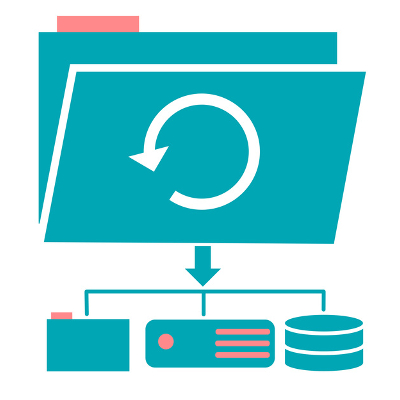
Of any of your business implementations, a data backup and disaster recovery system is a serious contender for the most important. However, many neglect to prepare for a data loss event or disaster, which means they leave their business vulnerable to the ill effects of both. Protecting your business begins with a data backup and disaster recovery solution that prepares you for a worst-case scenario.

For a long time, tape backup was the preeminent form of data backup for business purposes. This process, storing a copy of your data on magnetic tape, is no longer sufficient for the modern business due to shortcomings that would only slow down your recovery efforts after a data loss event.

First of all, backing up on tape isn’t an automated process, so it falls to an employee to initiate the backup process when the workday is over. How likely is it that one of your employees will be focused on running a data backup at the end of a particularly long and stressful day? In addition to this, restoring from a tape is also a manual process. All it would take is a slight mistake, and poof–there goes your data.

Secondly, a tape backup doesn’t keep a full backup of your data in the first place, only saving changes that have taken place over the previous 24 hour period, technically even less. Tape backup is a resource-intensive process, and so can only be run once each day, typically after-hours. Therefore, you could lose a full day’s worth of data to a disaster.

Finally, the third reason that tape is considered outdated is the amount of time it takes to restore your backed-up data. If you needed to restore your data, the process could easily take hours–and that’s assuming that whatever event caused you to need to restore from your backup didn’t also damage your internal hardware infrastructure. This downtime will undoubtedly have a negative impact on your business, and can be avoided.

Instead of relying on tape, companies today leverage enterprise-level Backup and Disaster Recovery (BDR) solutions from providers like NuTech Services. Utilizing the cloud, BDR takes data backups that are more complete and can be restored much more quickly, leading to decreased downtime. This is accomplished through ‘snapshot’ data backups, which updates any changes as often as every fifteen minutes. This means that any data that may be lost is minimized, offering your business improved protection from threats to your data.

If BDR sounds like the right choice for your business, reach out to NuTech Services at 810.230.9455.

back_that_data_up_400.jpg

Is a Data Backup Really That Necessary? In a Word: Yes

back_that_data_up_400.jpg

Does your business have a dedicated data backup and disaster recovery system? It’s one of the most critical parts of managing a business, yet some don’t have a plan in the event of the worst. If your organization were to suddenly lose a significant portion of its data, would it be able to continue functioning as needed? With a data backup and disaster recovery solution, you won’t be dealing in the realm of “what if,” and instead focus on “when” you experience a data loss incident.

Traditionally, tape backup has been the go-to solution for small businesses. Tape backup is the process of storing data on magnetic tape, and at one time was considered the most prominent type of backup in the business world. However, tape has its own set of inconveniences that can hinder operations in times of disaster.

The number one reason to not use tape is that it’s not automatic. One of your employees has to set the backup at the end of each work day so that it can run. Furthermore, when it comes time to activate the backup, it must be performed manually as well. This means that even the slightest amount of user error could completely demolish any chances of your recovering from a data disaster.

The second biggest reason to not use tape is that it doesn’t take a full backup of your data. At the most, it only captures data that has been changed over the past 24 hours. The reason for this is because the data backup can only be performed once a day. Due to the immense strain placed on your network, a tape backup is generally reserved for after-hour implementation, so up to 24 hours of data could potentially be lost in the event of a disaster.

The third and final reason why you shouldn’t implement tape is that it takes considerably longer to restore from in the event of a data loss incident. Tape backup can take several hours to restore, and that’s assuming that you still have an infrastructure and hardware capable of running your organization (let’s face it–natural disasters like floods can damage more than just your building). This type of downtime can be an issue even for businesses that do have the required hardware to get back in business, as it’s just more wasted time and resources that must be accounted for.

A better solution for small businesses is an enterprise-level Backup and Disaster Recovery (BDR) solution from NuTech Services. BDR uses the cloud to perform data backups, which provides a significantly better system for getting back in the game following a critical loss incident. The cloud allows for faster restoration times, less downtime, and more complete data backups. The cloud utilizes snapshot-based data backup, which only updates the current backup if the files have been changed. These snapshots are taken every 15 minutes or so, significantly reducing the amount of data lost in the event of a data loss incident. It’s truly the best way to go about protecting your organization from unforeseen threats.

To get started with BDR, reach out to NuTech Services at 810.230.9455.

technology_2018_new_400.jpg

2018: What to Expect from Technology

technology_2018_new_400.jpg

2017 saw the rise of many great technology solutions for small business, including an explosion of popularity in business intelligence, artificial intelligence applications, and machine learning. Meanwhile, other established technologies have continued their domination of the industry. What can your organization look forward to seeing on the forefront of the small business technology race in 2018?

We’ll take a look at some of the upcoming and emerging technologies that your business may want to consider for future investment.

Artificial Intelligence
Artificial intelligence in terms of business use consists of analyzing data to create better outcomes, remake the customer experience, and completely change the way that organizations conduct themselves through the use of automation. Artificially intelligent technology can help to streamline operations and the customer experience through the implementation of chat bots and other machine-learning capabilities. However, researchers have recommended that AI be limited to specific roles rather than broad concepts, as too much of a lack of focus could lead to poor performance as a whole, deterring organizations from implementation in the future.

Even if businesses aren’t implementing artificial intelligence as soon as possible, 59% of businesses are still collecting information so that they can benefit as much as possible from such an integration. By taking this proactive stance on artificial intelligence, they are ensuring that they can hit the ground running when it comes time to do so.

Intelligent Analytics
Analytics have become an increasingly important part of doing business. This is because the availability of data, and software that allows for the analysis of said data, creates an environment where better decisions can be made using this analysis. By taking a carefully crafted deep dive into the numbers behind goods or services, organizations can make greater profits and eliminate inefficiencies in never before seen ways. Think of it like “trimming the fat,” so to speak.

Of course, these intelligent analytics can also be used to find new and more lucrative business ventures. Without proper analysis, though, these statistics and analytics are just empty numbers. Business intelligence apps aim to provide perspective and create insight for operational efficiency and effectiveness. Businesses that want to reap the most benefit from their data will invest in business intelligence strategies to glean important insights.

Cloud Technology
The cloud retains its importance as one of the best ways to take full advantage of modern technology. This is because no matter what type of business applications are released in the future, the cloud will remain one of the best ways to access them. The cloud offers dynamic access to business-critical computing constructs and applications that business owners will want to utilize because they offer cost-reduction and other benefits.

How does your business plan on using the cloud and these other technologies in 2018? To learn more about your options, reach out to NuTech Services at 810.230.9455.

purple_holiday_smartphone_400.jpg

These Smartphones Make an Excellent Gift (Even To Yourself!)

purple_holiday_smartphone_400.jpg

The holiday season is the ideal time to pick up your next best smartphone–especially since you might get something great as a gift from your loved ones! We’ll help you decide which type of smartphone is best for your specific needs by taking a close look at some of the great new devices on today’s market.

Since there are so many devices out there, we’ll be taking a deep dive into some of the most popular ones, while providing the specs and features of others so that you can make an educated decision for your big purchase.

The New iPhones: 8, 8 Plus, and X
With three iPhones on the market, it can be challenging to know what the big differences are between them. Compared to previous iterations of the iPhone, the 8 and 8 Plus models now have been constructed with a glass and aluminum casing. You might think that the iPhone 8 and 8 Plus are similar to the iPhone 6 in terms of how it feels in the hand.

The main differences between the iPhone 8/8 Plus and the iPhone X is the display. The iPhone X also features improvements to the camera and overall build quality. Due to the iPhone X being significantly more expensive, iPhone lovers may want to choose the iPhone 8 or 8 Plus to achieve a comparable experience.
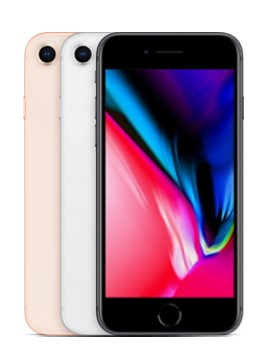
iphone 8

Model: iPhone 8
Construction: Front/back glass & aluminum frame
Screen Size: 4.7-inch
Display: LED-backlit IPS LCD, 16M Colors, 1,334 x 759 (~326 ppi)
SIM: Nano-SIM
Chipset: Apple A11 Bionic
CPU-GPU: Hexa-core (2x Monsoon + 4x Mistral) – Apple GPU
Operating System: iOS 11

Memory

Internal: 64GB or 246 GB models; 2GB of RAM
Expandable: None

Cameras

Primary: 12 MP, f/1.8, 28mm, phase detection autofocus, OIS, quad-LED flash
Front-Facing: 7 MP, f/2.2, face detection

Audio: Built-in stereo speakers, No 3.5mm headphone jack
Sensors: Fingerprint, accelerometer, gyro, proximity, compass, barometer
Features: Fast charging, Qi Wireless charging, Siri commands and dictation, iCloud integration
Battery size-life: 1,821 mAh battery – 66 hours
Available Colors: Silver, Space Grey, Gold
Price: $699.99-to-$899.99
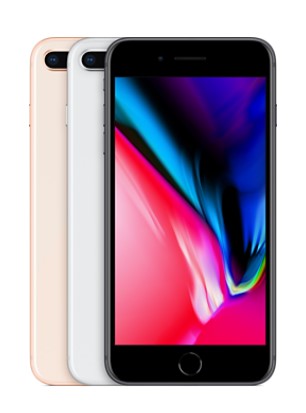
iphone 8 plus

Model: iPhone 8 Plus
Construction: Front/back glass & aluminum frame
Screen Size: 5.5-inch
Display: LED-backlit IPS LCD, 16M Colors, 1920×1080 (~401 ppi)
SIM: Nano-SIM
Chipset: A11 Bionic
CPU-GPU: Hexa-core (2x Monsoon + 4x Mistral) – Apple GPU
Operating System: iOS 11

Memory

Internal: 64GB or 246 GB models; 3GB of RAM
Expandable: None

Cameras

Primary: Dual 12 MP, f/1.8, 28mm and f/2.8, 56mm) phase detection autofocus, 2x optical zoom, quad-LED flash
Front-Facing: 7 MP, f/2.2, face detection

Audio: Built-in stereo speakers, No 3.5mm headphone jack
Sensors: Fingerprint, accelerometer, gyro, proximity, compass, barometer
Features: Fast charging, Qi Wireless charging, Siri commands and dictation, iCloud integration
Battery size-life: 2,691 mAh battery – 81 hours
Available Colors: Silver, Space Grey, Gold
Price: $799.99-to-$999.99

iphone x

Model: Apple iPhone X
Construction: Front/back glass & stainless steel frame
Screen Size: 5.8-inch
Display: Super AMOLED, 16M Colors, 2,436×1,125 ( ~458 ppi)
SIM: Nano-SIM
Chipset: Apple A11 Bionic
CPU-GPU: Hexa-core 2.39 Ghz (2x Monsoon + 4x Mistral) – Apple GPU
Operating System: iOS 11.1

Memory

Internal: 64 and 256 GB models; 3GB RAM
Expandable: None

Cameras

Primary: Dual 12 MP, f/1.8, 28mm and f/2.4, 52mm) phase detection autofocus, 2x optical zoom, quad-LED flash
Front-Facing: 7 MP, f/2.2, face detection

Audio: Built-in stereo speakers, No 3.5mm headphone jack
Sensors: FaceID, accelerometer, gyro, proximity, compass, barometer
Features: Fast charging, Qi Wireless charging, Siri commands and dictation, iCloud integration
Battery size-life: 2,716 mAh battery – 74 hours
Available Colors: Silver, Space Grey
Price: $999.99-to-$1,149.99

Samsung Galaxy s8 and Note 8
There are more differences between the Samsung Galaxy and Note lines than you might think. The Note line has noticeably larger screens with higher quality, but you’ll find that the larger screen makes it a bit bulkier and more unwieldy compared to the smaller and more compact Galaxy line. Still, the extra screen space will make any entertainment lover jump for joy. Users can also appreciate that, just like the iPhones mentioned above, the phone is made out of a mix of aluminum and glass casing, allowing for water resistance.

Just like with the iPhones, however, you’ll see some notable differences that might make all of the difference to power users. In particular, the camera on the Note 8 offers optical image stabilization–a great way to take better videos or images. Furthermore, the Note 8 is considerably more powerful than the Galaxy s8, sporting 50% more RAM.

galaxy s8

Model: Samsung Galaxy s8
Construction: Front/back glass (Gorilla Glass 5) & aluminum frame.
Screen Size: 5.8-inch
Display: Super AMOLED, 16M Colors, 2,960 x 1,440 (~570 ppi)
SIM: Nano-SIM
Chipset: Qualcomm MSM8998 Snapdragon 835
CPU-GPU: Octa-core (4 x 2.35 GHz & 4 x 1.9 GHz Kyro) – Adreno 540
Operating System: Android 7.0, Touchwiz

Memory

Internal: 64 GB, 4 GB RAM
Expandable: microSD (up to 256)

Cameras

Primary: 12 MP, f/1.7, 26mm, OIS, LED flash
Front-Facing: 8 MP, f/1.7

Audio: Dual stereo speakers, 3.5 mm headphone jack
Sensors: Iris scanner, fingerprint reader, accelerometer, gyro, proximity, compass, barometer, heart rate, SpO2
Features: Samsung DeX, Fast battery charging, Qi/PMA wireless charging
Battery size-life: 3,000 mAh – 84 hours
Available Colors: Midnight Black, Orchid Gray, Arctic Silver, Coral Blue, Maple Gold
Price: $725.99-to-$825.99

galaxy s8 20171116 145741 1

Model: Samsung Galaxy s8 Plus
Construction: Front/back glass (Gorilla Glass 5) & aluminum frame.
Screen Size: 6.2-inch
Display: Super AMOLED, 16M Colors, 2,960 x 1,440 (~529 ppi)
SIM: Nano-SIM
Chipset: Qualcomm MSM8998 Snapdragon 835
CPU-GPU: Octa-core (4 x 2.35 GHz & 4 x 1.9 GHz Kryo) – Adreno 540
Operating System: Android 7.0

Memory

Internal: 64 GB, 4 GB RAM or 128 GB, 6 GB RAM
Expandable: microSD (up to 256)

Cameras

Primary: 12 MP, f/1.7, 26mm, OIS, LED flash
Front-Facing: 8 MP, f/1.7

Audio: Dual stereo speakers, 3.5 mm headphone jack
Sensors: Iris scanner, fingerprint reader, accelerometer, gyro, proximity, compass, barometer, heart rate, SpO2
Features: Samsung DeX, Fast battery charging, Qi/PMA wireless charging
Battery size-life: 3,000 mAh – 84 hours
Available Colors: Midnight Black, Orchid Gray, Arctic Silver, Coral Blue, Maple Gold
Price: $799.99-to-$899.99
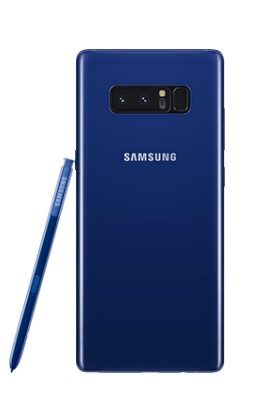
galaxy note 8

Model: Samsung Galaxy Note 8
Construction: Front/back glass (Gorilla Glass 5) & aluminum frame
Screen Size: 6.3-inch
Display: Super AMOLED, 16m colors, 2,960 x 1,440 (~521 ppi)
SIM: Nano-SIM
Chipset: Qualcomm MSM8998 Snapdragon 835
CPU-GPU: Octa-core (4 x 2.34 GHz Kryo & 4 x 1.9 GHz Kryo)
Operating System: Android 7.1.1

Memory

Internal: 64, 128, 256 GB options, 6GB RAM
Expandable: microSD (up to 256GB)

Cameras

Primary: Dual 12 MP (26mm, f/1.7, PDAF & 52mm, f/2.4, AF) OIS, autofocus, 2x options zoom, LED flash.
Front-Facing: 8 MP, f/1.7, face detection

Audio: Dual stereo speakers, 3.5 mm
Sensors: Iris scanner, fingerprint scanner, accelerometer, gyro, proximity, compass, barometer, heart rate, SpO2
Features: Samsung Desktop Experience, Fast battery charging, Qi/PMA wireless charging, s-Pen integration
Battery size-life: 3,500 mAh battery – 88 hours
Available Colors: Midnight Black, Maple Gold, Orchid Grey, Deep Sea Blue
Price: $ 949.99-to-$1149.99

Google Pixel and Pixel XL 2
Google’s new flagship smartphone device, the Pixel, debuted in 2016, but the latest addition to the smartphone brand can make for a great gift this holiday season. Thanks to its impressive specs and the internal Snapdragon processors, the Pixel line of smartphones are quite powerful–moreso the Pixel 2 than the original Pixel.

Though there are only minor differences between the Pixel and Pixel 2, they are the ones that might matter for some users. The Pixel 2 doesn’t have a headphone jack, which means that you’ll need to purchase the external adapter if you plan on using the device for music (the front-loaded speakers are better for that anyway). Better yet is Google’s promise to support the Pixel 2’s operating system for a full three years, which makes it enticing for normal Pixel users to jump at the opportunity.
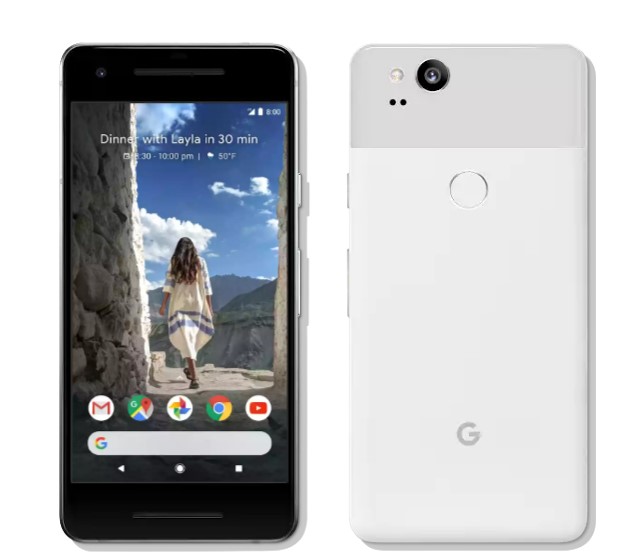
pixel 2

Model: Google Pixel 2
Construction: Aluminum unibody with hybrid coating, Gorilla Glass 5
Screen Size: 5.0-inches
Display: AMOLED, 16m, 1,920 x 1.080 (~441 ppi)
SIM: Nano-SIM
Chipset: Qualcomm MSM8998 Snapdragon 835
CPU-GPU: Octa-core (4 x 2.35 GHz Kryo, 4 x 1.9 GHZ Kryo) – Adreno 540
Operating System: Android 8.0

Memory

Internal: 64 and 128 GB options, 4GB RAM
Expandable: None

Cameras

Primary: 12.2 MP, f/1.8, laser autofocus, dual-LED flash
Front-Facing: 8 MP, f/2.4

Audio: Dual stereo speakers, no 3.5mm headphone jack
Sensors: Fingerprint, accelerometer, gyro, proximity, compass, barometer
Features: Fast charging
Battery size-life: 2,700 mAh – 75 hours
Available Colors: Kinda Blue, Just Back, Clearly White
Price: $649.99-to-$749.99

pixel 2 xl

Model: Google Pixel 2 Plus
Construction: Aluminum unibody with hybrid coating, Gorilla Glass 5
Screen Size: 6.0-inch
Display: P-OLED, 16m colors, 2,880 x 1,440 (~538 ppi)
SIM: Nano-SIM
Chipset: Qualcomm MSM8998 Snapdragon 835
CPU-GPU: Octa-core *4 x 2.35 GHz Kryo & 4 x 1.9 GHz Kryo) – Adreno 540
Operating System: Android 8.0

Memory

Internal: 64GB and 128 GB options, 4GB RAM
Expandable: None

Cameras

Primary: 12.2 MP, f/1.8, OIS, phase detection & laser autofocus, dual-LED flash
Front-Facing: 8 MP, f/2.4

Audio: Dual stereo speakers, no 3.5 mm headphone jack
Sensors: Fingerprint, accelerometer, gyro, proximity, compass, barometer
Features: Fast charging
Battery size-life: 3,520 mAh battery – 88 hours
Available Colors: Just Black, Black & White
Price: $849.99-to- $949.99

If these smartphones don’t quite pique your fancy, try taking a look at some of the specific details about these other notable smartphone brands:
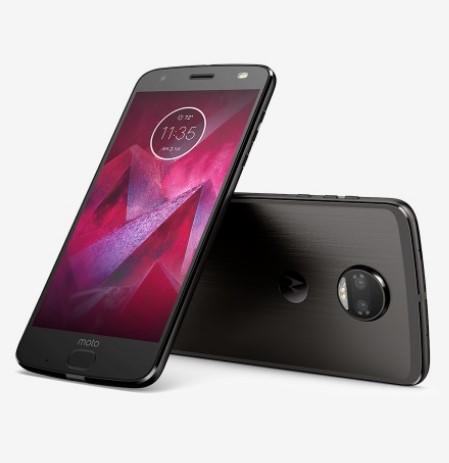
motorola z 2

Model: Motorola Z2 Force
Construction: front plastic w/ Moto Shattershield, back plastic
Screen Size: 5.5-inch
Display: P-OLED, 16M colors, 2,560 x 1,440 (~534 ppi)
SIM: Nano-SIM
Chipset: Qualcomm MSM 8998 Snapdragon 835
CPU-GPU: Octa-core (4 x 2.35 MHz Kyro & 4 x 1.9 GHz Kryo) – Adreno 540
Operating System: Android 7.1.1

Memory

Internal: 128 GB, 6 GB RAM
Expandable: microSD (up to 256 GB)

Cameras

Primary: Dual 12 MP, f/2.0, laser autofocus, dual-LED flash
Front-Facing: 5 MP, f/2.2, dual LED flash

Audio: One front-facing speaker, no 3.5mm headphone jack
Sensors: Fingerprint, accelerometer, gyro, proximity, compass, barometer
Features: Fast charging, Motorola Mods (insta-share projector, 360 camera, gamepad, JBL SoundBoost 2, turbopower pack, style shell w/ wireless charging, power pack, Hasselblad True Zoom, vehicle dock)
Battery size-life: 2,730 mAh battery – 69 hours
Available Colors: Super Black, Fine Gold, Lunar Grey
Price: $720.00

lg v30

Model: LG V30
Construction: front/back glass, aluminum frame
Screen Size: 6.0-inch
Display: P-OLED, 16M colors, 2,880 x 1,440 (~537 ppi)
SIM: Nano-SIM
Chipset: Qualcomm MSM8998 Snapdragon 835
CPU-GPU: Octa-core (4 x 2.45 GHz Kyro & 4 1.9 GHz Kyro) – Adreno 540
Operating System: Android 7.1.2

Memory

Internal: 64 or 128 GB options, 4 GB RAM
Expandable: microsSD (Up to 256 GB)

Cameras

Primary: Dual 16 MP (f/1.6, OIS, 3-axis, laser & phase detection autofocus) _ 13 MP (g/1.9) LED flash
Front-Facing: 5 MP, f/2.2

Audio: Dual speaker stereo, 3.5mm headphone jack
Sensors: Fingerprint, accelerometer, gyro, proximity, compass, barometer, color spectrum
Features: Fast charging, wireless charging
Battery size-life: 3,300 mAh – 87 hours
Available Colors: Aurora Black, Cloud Silver, Moroccan Blue, Lavender Violet
Price: $819.99-to-$929.99
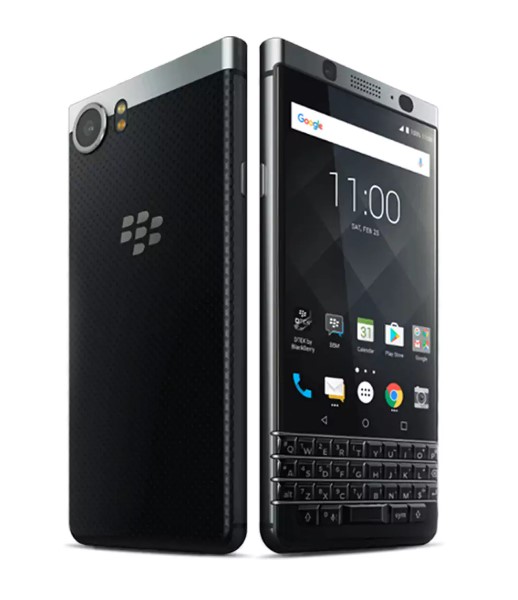
blackberry keyone

Model: BlackBerry KEYone
Construction: Aluminum, Gorilla Glass 4, with soft-touch plastic, physical keyboard
Screen Size: 4.5-inch
Display: IPS LCD, 16m colors, 1,620 x 1,080 (~433 ppi)
SIM: Nano-SIM
Chipset: Qualcomm MSM8953 Snapdragon 625
CPU-GPU: Octa-core 2.0 GHz Cortex-A53
Operating System: Android 7.1

Memory

Internal: 32 GB with 3 GB RAM or 64 GB with 4 GB RAM
Expandable: microSD (up to 256 GB)

Cameras

Primary: 12 MP, f/2.0, phase detection autofocus, dual-LED flash
Front-Facing:8 MP, f/2.2

Audio: Dual speaker stereo
Sensors: Fingerprint, Accelerometer, gyro, proximity, compass
Features: Full programmable keyboard, fast charging
Battery size-life: 3,505 mAh – 107 hours
Available Colors: Black & Silver, Black
Price: $499.99-to-$559.99
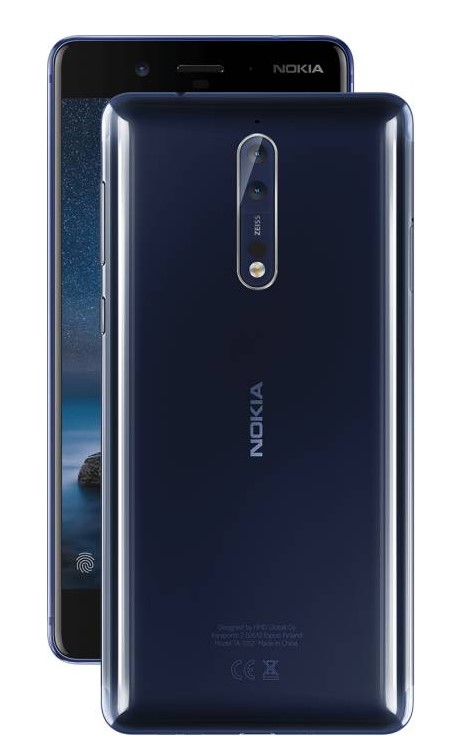
nokia 8

Model: Nokia 8
Construction: Glass Aluminum
Screen Size: 5.3-inch
Display: IPS LCD, 16m colors, 2,560 x 1,440 (~554 ppi)
SIM: Nano-SIM
Chipset: Qualcomm MSM8998 Snapdragon 835
CPU-GPU: Octa-core (4 x 2.5 GHz Kyro & 4 x 1.8 GHz Kyro) – Adreno 540
Operating System: Android 7.1.1

Memory

Internal: 64 GB, 4 GB RAM or 128 GB, 6 GB RAM
Expandable: microSD (up to 256 GB)

Cameras

Primary: Dual 13 MP, f/2/0, laser and phase detection autofocus, Carl Zeiss optics, OIS, LED flash
Front-Facing: 13 MP, f/2.0, phase detection autofocus

Audio: Two-speaker stereo, 3.5mm headphone jack
Sensors: Fingerprint, accelerometer, gyro, proximity, compass, barometer
Features: Fast charging
Battery size-life: 3,090 mAh – 78 hours
Available Colors:Tempered Blue, Polished Blue, Steel, Polished Copper
Price: $479.99-to-$559.99

What do you think? Do you have a pretty solid understanding of what type of smartphone you want for your organization? Let us know what you chose in the comments, and be sure to subscribe for more great technology articles.

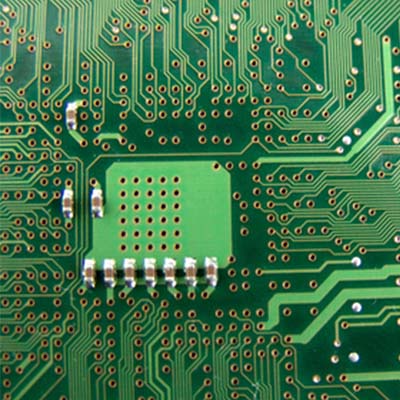
wi-fi_router_tips_400.jpg

Tip of the Week: Improving Your Wi-Fi May Have Something To Do With Your Router

wi-fi_router_tips_400.jpg

While many may want their Internet to be faster, not many realize that their router may be contributing to the problem. For this week’s tip, we’ll discuss how to configure your router for a faster Internet connection.

Gaining Access to the Administration Console
Of course, before you can make any changes to your router, you need to access the place where those changes can be made. With your router connected to your device (either a wired or wireless connection is fine) access your web browser. In the address bar, enter your router’s IP address, which can be found in the router’s user manual. Alternatively, you can check for your router’s IP address by clicking into the Control Panel and then, under the Network and Internet category, View network status and tasks.

To make this easier, you should use the dropdown menu in the top-right corner of the window to view your options by category.

In the Network and Sharing Center, click into your current network connection. An Ethernet Status window will appear. Once you click on the Details… button, your router’s IP address will display under IPv4 Default Gateway.

Once you have the IP address of your router, enter it into your browser’s address bar. Before you can access your router, you will need to enter your username and password. This could actually be one of the factors causing your problems: if your router’s access credentials have been left to the factory defaults, anyone can access your Internet connection without your knowledge and eat up your bandwidth. This is why it is important to change your access credentials to something more secure.
Once you have secured your access to your router, you should also look for Wireless Settings or Advanced Wireless Settings. This is where the rest of the changes to help speed up your connection will be made.

Checking the Bands
Based on what gigahertz your routers use for their signal, they come in different types–also known as ‘bands.’ Today’s routers will often support multiple bands, identified by the letter at the end of the router’s protocol. Older routers will often have a ‘G’ denoted at the end, while new ones are denoted with an ‘N’ or ‘AC.’ Even newer ones might end their protocol with ‘AD.’

These bands will tell you what devices will play nice with your router, but the multi-band capabilities of many routers will allow a single router to support numerous devices with different protocols.

Selecting a Channel
A connection can also be made slower if the router is set to a channel with higher traffic. If set to the 2.4GHz frequency, for example, your router has to compete with common devices like cordless phones, Bluetooth speakers, and others. Switching to a less busy channel may improve your connection speed and overall quality.

You can check which channels are available to you with some utilities for Windows devices and applications for Android devices. After running your scan and identifying a promising channel, use your Administration Console to switch over and test for any improvements.
Optimizing the Security Settings
As referenced above, it is important that your router is secured for the sake of your network security, but even the way it is secured can influence the speed of your connection. Setting your router to WPA2 with AES should give you fast, yet secure, connection.
If this all seems like a bit much, don’t worry–the IT professionals at NuTech Services are ready and willing to help you with your networking. Reach out to us at 810.230.9455.