digital_signage_313698243_400.jpg

A Digital Signage Revamp Can Change Your Business’ Optics

digital_signage_313698243_400.jpg

Have you ever considered why the VoIP auto attendant feature is so valuable? When a person is greeted with directions that make their journey easier, it typically improves their general opinion of your business. The VoIP auto attendant feature helps guide you through their telephone system. Now, have you ever been to a place where you walk in and you are confused where to go and it takes a while to navigate because of the lack of predominant signage? Like the auto attendant, digital signage platforms can help guide your visitors and you may be surprised about how affordable they can be and the additional value these systems provide to a growing number of businesses. 

What is Digital Signage?

They are just digital displays that provide customers, visitors, and patients information. It’s that simple. It’s the menu behind the counter at McDonald’s and the LED billboards you see on any major interstate highway. When you want to get a message out, digital signs are the best method. There are several reasons why digital signage is a great investment for any business to make. Let’s take a look at how they can fit into different types of businesses.

Retail

For the retail business, digital signs can be a major benefit. They not only can fuel customer’s purchasing decisions, they can also enhance the amount of foot traffic a business sees, a benefit that can do a lot to justify the admittedly substantial capital costs that come with deploying a comprehensive digital signage system. Digital signs can be placed throughout a retail location to function in different manners. A sign near the entrance can provide information about promotions or sales you have. The ability to broadcast different types of content can also function to provide information to customers that help direct customer to specific products and enhance their experience.

Healthcare

No industry has brick and mortar locations more intimidating to visitors than the healthcare industry. With so many rooms and different functions inside a hospital or other healthcare building having signs that direct people to the place they need to be is imperative. With digital signs, a healthcare facility can not only direct visitors to where they need to go, they can broadcast changes of service, patient check-in information, and provide a digital interface for healthcare professionals to use inside patient rooms. It’s been proven that digital signs are more noticeable than traditional signs and can function as a major benefit for patients and visitors alike. 

The Modern Office

For many businesses, keeping their staff apprised of all the most current organizational information is difficult. The more employees know, the better they can do their jobs. Many businesses have moved to placing digital sign solutions inside the common areas of their business to keep employees informed and engaged with the business. 

The investment in digital signage is in the hardware (TVs or monitors) and the cabling to install these systems in the most effective places inside your business. The computing hardware and software to run a full-scale digital signage system is affordable, and with digital signage software solutions hosted in the cloud, the additional capital costs can be shifted to an operating expense. 

Digital signage is a technology system that many businesses may not consider imperative, but businesses that roll out a comprehensive digital signage system have found that they can increase revenue by as much as 33 percent and reduce the amount of money they spend on traditional signage. 

If you would like to talk to one of our technology professionals about upgrading your business’ look, feel, and function with digital signs, give NuTech Services a call today at 810.230.9455.


priceIncrease_190440774_400.jpg

Understanding Microsoft Services’ Price Hike

priceIncrease_190440774_400.jpg

If you are a subscriber of Microsoft 365 or Office 365, you might find that your service plan will soon cost you a bit more. We just wanted to give you a warning in advance so that you’re not caught off guard, as well as to let you know we are here to help you adjust your plans if need be.

Microsoft’s Price Increase is Out of Our Hands

Whether we are the ones providing you with Microsoft’s services or you work with another provider, there is no denying that there will be an increase in the costs associated with Microsoft’s services. The reason has nothing to do with us; rather, it’s coming from Microsoft themselves, and not all businesses will be able to absorb the price. To help counter this, we want to help you make the most of the services you pay for. Let’s take a look at some of them!

How We Can Help You Get the Most Value from Microsoft’s Tools

We’re pretty familiar with the services offered by Microsoft, so trust us when we say that there are tons of tools in this toolbox that you’ll find helpful moving forward. Here are just a few of them:

Microsoft Teams

Teams is Microsoft’s dedicated collaboration platform, and it’s a pretty great one. It gives your team all kinds of ways to communicate and collaborate, from voice and video calls to instant messaging. You can even use it in collaboration with other Microsoft tools to share files and be more productive. Speaking of which…

OneDrive

The business version of OneDrive gives your organization all of the features of the free (or personal) version, but with so much more, including the ability to share documents on multiple devices and browsers. OneDrive provides users access to all the documents they need, provided they have the permissions to access them.

SharePoint

SharePoint is similar to OneDrive in that it is also a document-sharing tool, but it functions more like an intranet solution for your employees to document and share processes. Basically, SharePoint is just another means to be more productive.

Microsoft Bookings

Scheduling appointments can be difficult, especially with packed schedules. Well, Microsoft Bookings places the responsibility for this on the client by presenting them with a list of your available times. They can then book the time for themselves, making this much easier for you.

Azure Information Protection

AIP adds an additional layer of protection for your data security, something which is particularly helpful when out of the office and the safety of your network. Access permissions are also available through this tool, so you can adjust who has access to specific parts of your infrastructure.

Intune

Intune allows you to control data access on your business’ devices, including those owned by your employees. You can think of it like a type of mobile device management and a way to control the dangers of it.

Power Automate and Power BI Pro

Automation can empower your business to make better use of its data. Power Automate and Power BI Pro give you the power to connect processes without the need for complex coding skills, allowing you to fully leverage your data, organize it, and reveal key insights that can aid your organization moving forward.

We’ll Help You Make the Most of All Your Business’ Tools

Regardless of the price increase from Microsoft, we will always strive to help your business make the most out of the resources at its disposal. To learn more about how we can make this happen, reach out to us at 810.230.9455.

videoConferencing_444587400_400.jpg

Remote Meetings Require the Right Technology

videoConferencing_444587400_400.jpg

Today’s world of video conferences and remote work means that many workers are forced to endure the dreaded “Zoom Call” or “Teams Meeting,” whichever solution is implemented at their organization. While these terms might be used in a negative way, there are opportunities for you to improve the way you hold your video chats. Here are just a few ideas for you to consider implementing.

Clear Video and Audio

It goes without saying that a good video presentation starts with having crystal-clear video and audio. Much of this will have to do with procuring the appropriate hardware for the job, but your Internet connection can also play a role in this. We recommend you work with experts like NuTech Services to help you get ready for your video conferencing presentations.

Supplemental Visual Aids

No one wants to stare at a talking head the entire meeting, so you should consider the use of visual aids, like PowerPoint presentations or infographics, to help you get your point across to your staff. You can also switch between presenters so that it’s not just one person presenting the entire time, which can make a world of difference for your employees’ attention spans.

Additional Features Like Chats, Emojis, and File Sharing

Video and audio are well and good, but others express themselves in different ways that might make them feel more comfortable. By using the chat and emojis, your employees can react to the meeting in real-time, provided they are not doing anything distracting, like sending memes with quotes from the meeting to each other in the chat.

Engagement Above All Else

People tend to enjoy meetings more often when they are involved in the discussion, so do your best to involve everyone in the meeting in some way, shape, or form. Depending on the nature of the presentation, you should encourage your users to unmute their microphones when they have something they want to say, or use the Raise Your Hand feature (or its counterpart). Some video conferencing tools even allow for break-out rooms that can give your team a chance to debrief and feel more involved.

Want to get your team started with better video conferencing? It all starts with having the right tools for the job. To learn more, reach out to us at 810.230.9455.

foldable_phones_254342116_400.jpg

Phones for 2022 – The Foldables

foldable_phones_254342116_400.jpg

We’ve been covering some of the biggest names in the smartphone market over the past couple of weeks, but that’s not to say that there aren’t others out there—some of which are incredibly innovative, but also quite expensive. Let’s examine some of these options.

Samsung Galaxy Z Fold3 5G

People thought that Samsung’s decision to make foldable OLED screens was nothing but a fad, but the fact of the matter is that the technology in the Galaxy Z Fold3 5G is quite impressive, and it will shape the smartphone market for the foreseeable future. With a sturdy aluminum frame with Gorilla Glass Victus on the front and back, the Z Fold3 is a tough phone. When folded up, the device has a 6.2-inch, Dynamic AMOLED 2X, 832×2,268px display that refreshes at a rate of 120 hz. These impressive specifications allow users to do just about anything they need from the outside of the phone.

Other features of the Z Fold3 include a Qualcomm Snapdragon 888 5G chip, 12 GB of RAM, and either 256 or 512 GB of built-in storage. The device can also be upgraded to the Android 12 and Samsung One UI OS right away. Other applications might get some use out of its form factor with time. As for the camera, this device features a 12 MP wide-angle lens with Optical Image Stabilization (OIS), a 12 MP telephoto lens with 2x zoom and OIS, and a 12 MP ultra wide-angle lens. The front-facing camera on the large display is a 4 MP in-display wide-angle lens, while the cover camera is 10 MP wide-angle lens.

The battery life, however, is not ideal, clocking in at a paltry 4,400 mAh and 25w fast charging (a 7.5 hour battery life). There is, however, a side-mounted fingerprint sensor, as well as iPX8 water resistance, Samsung’s DeX capability, and (as the model name implies) 5G. The Galaxy Z Fold3 5G is available in Phantom Black, Phantom Silver, Phantom Green, Thom Browne Edition, and an exclusive Wooyoungmi Edition. As for the price, the Galaxy Z Fold3 costs nearly $2,000 from Samsung and most major cell carriers. 

Samsung Galaxy Z Fold3 5G
Body:  Aluminum Frame, Gorilla Glass Victus front and back, plastic large display
Display: Closed – 6.2-inch Super AMOLED 2X, 120 Hz,  832 x 2,268 (~374 ppi); Open – 7.6-inch Super AMOLED 2X, 120 Hz, 1768 x 2208
OS: Android 11; upgradable to Android 12, One UI 4.0
Chipset: Qualcomm Snapdragon 888
Memory: 12 GB RAM; 256-to-512 GB onboard storage
Expandable Memory: No
Cameras: Rear – 12 MP, 26mm, OIS; 12 MP 52mm 2x optical zoom OIS; 12 MP 123º ultrawide. Front of device – 10 MP 26mm; Front of folded display – 4 MP under-display
Sounds: Stereo Sound
Battery (battery endurance rating): 4,400 mAh (7.5 hours)
Security: Side-mounted fingerprint sensor
Miscellaneous: Samsung DeX, IPX8 water resistant, 24W fast charging

Samsung Galaxy Z Flip3

The Z Flip3 is Samsung’s take on the classic flip phone with an aluminum frame, plastic front, and a Gorilla Glass Victus back. The screen is a 6.7-inch Dynamic AMOLED 2X display with a resolution of 1,080×2,640px and a 120Hz refresh rate. The screen folds in half for protection, and on the outside there is a 1.9-inch Super AMOLED screen for notifications, time, and other quick-view information. This device runs Android 11, but it can be upgraded to Android 12 with Samsung’s One UI 4.0, and it runs on a Qualcomm Snapdragon 888 FG chip. With 8 GB of RAM and 128 or 258 GB of storage, it is also fairly powerful.

Other features include a side-mounted fingerprint sensor and its camera, which is admittedly somewhat lacking compared to other options.  It has a 12 MP wide-angle lens and a 12 MP ultrawide angle lens, so it’s not incapable, while the selfie camera is a 10 MP wide-angle lens. Its battery is also unimpressive at 3,300 mAh and 15W fast-charging with a 6.9-hour battery life. Available in a litany of colors including Phantom Black, Green, Cream, Pink, Dream White and more, the Z Flip3 runs about $1,000 from your friendly neighborhood cell carrier or from Samsung directly. 

Samsung Galaxy Z Flip3
Body: Aluminum frame, plastic front, Gorilla Glass Victus back
Display: 6.7-inch Foldable Dynamic AMOLED 2X, 120 Hz, 1,080 x 2,640px
OS: Android 11; Upgradable to Android 12, Samsung One UI 4.0
Chipset: Qualcomm Snapdragon 888 5G
Memory: 8 GB RAM; 128 GB-to- 256 GB of onboard storage
Expandable Memory: No
Cameras: Rear – 12 MP 27mm OIS; 12 MP 123º; Front – 10 MP 26mm
Sounds: Stereo sound
Battery (battery endurance rating): 3,300 (69 hours)
Security: Side-mounted fingerprint sensor
Miscellaneous: IPX8 water resistant, 15 W fast charging

Microsoft Surface Duo 2

The Microsoft Surface Duo 2 is the company’s second attempt at a high-end productivity smartphone. There is no external display; rather, there are two 5.8-inch AMOLED panels that total an 8.3-inch screen when it is folded out, including some large bezels. Its superb build quality makes it seem like additional app development could make this device a beast for productivity down the line.

This device runs Android 11 on a Qualcomm Snapdragon 888 5G chip with 8 GB of RAM and up to 512 GB of internal storage. There is also a side-mounted fingerprint scanner for security and a 4,449 mAh battery with 23W fast charging. As far as cameras go, the rear-mounted cameras have a 12 MP wide-angle lens with OIS, a 12 MP telephoto lens with 2x optical zoom and OIS and a 16 MP ultra wide-angle lens. The front-facing camera is a 12 MP wide-angle lens. 

Available in Glacier and Obsidian, the Microsoft Duo 2 is currently being sold for $1,500 online at microsoft.com and some other retailers.

Microsoft Surface Duo 2
Body: Plastic frame, Gorilla Glass Victus front and back
Display: 8.3-inch AMOLED, 90 hz, 1,832 x2,688 (~401 ppi)
OS: Android 11
Chipset: Qualcomm Snapdragon 888
Memory: 8 GB RAM; 128-to-512 GB onboard storage
Expandable Memory: No
Cameras: Rear – 12 MP 27mm OIS; 12 MP 51mm telephoto 2x optical zoom OIS; 16 MP 13 mm; Front – 12 MP 24mm
Sounds: Stereo sound
Battery (battery endurance rating): 4,449 mAh
Security: Side-mounted fingerprint reader
Miscellaneous: Stylus support

Foldable OLED technology sure is neat, but do you think it’s worth the price point? Let us know in the comments below.

smart_devices_174202822_400.jpg

3 Useful Smart Devices You Can Implement Today

smart_devices_174202822_400.jpg

The Internet of Things is growing rapidly and can be of benefit to your organization if it is deployed correctly. It offers a massive opportunity to automate certain parts of your business, saving money, and ensuring that human error is taken out of the equation. A majority of businesses have not fully taken advantage of the time and money savings a well-positioned IoT device can provide.  Let’s take a look at three of the most useful IoT devices that a small business can implement.

Smart Locks

For small businesses, physical security is a major consideration. Today, there are smart lock mechanisms that increase convenience and security, by giving managers more control and peace of mind over the locks on their organization’s doors. Unlike traditional locks, a smart lock features a computing mechanism inside a deadbolt lock that can be locked and unlocked remotely. The key to the smart lock is that it has administrative tools built in that give administrators the ability to create and revoke digital keys that provide a level of access control that can be added and eliminated in seconds. Additionally, smart locks provide comprehensive logs as to when people opened a lock with their digital key that is assigned to a user’s device, giving administrators control and oversight over every door in your building.

Smart Lighting and HVAC Controls

Another digital tool that can help save plenty of money are smart lights and thermostats. The smart lighting not only provides additional convenience, as it can be set when to turn on/off lights automatically. Administrators can ensure all lighting is handled remotely as well so they don’t have to physically be at a location to ensure that the lights are on or off. 

The smart thermostat operates on the same general principle, but with the cost of heating fuel and electricity, it can literally pay for itself in a matter of months. Admin features allow for temperature control around the clock, so that a company can save plenty of money on heating and cooling bills by setting temperatures for different parts of the building at different times. With smart thermostats, you’ll never have to worry about that employee that cranks the heat and leaves it on for days.

Smart Cameras

These days, every business should have some type of surveillance system. Not only is it a theft deterrent, but it can also help lower insurance premiums. Unfortunately, many businesses don’t have sophisticated enough cameras to help authorities if a theft were to occur. With smart cameras, a business can get the crystal clear, high-resolution cameras they need, and it won’t cost thousands of dollars to implement. Most of today’s smart camera systems come with enough cloud storage to upload the high-definition footage, making reviewing this footage less problematic. 

Overall, the Internet of Things is both a benefit and a problem that every organization has to confront, but by implementing smart tools that are secure and reliable, your organization can save money, be more secure, and save a lot of time. 

What do you think about smart devices? Do you think they are secure enough to use in your business? Leave your thoughts in the comments section below and check back soon for more great technology content.

affordable_phone_370903149_400.jpg

Phones for 2022 – The Value Devices

affordable_phone_370903149_400.jpg

Last week, we published a blog about the most impressive new smartphones on the market, but the price tag might be a bit daunting for some organizations and users. For those focused more on value, here are three options that you can pick up for less than $500.

Google Pixel 5a 5G

The Pixel 5a, more or less a copy of the Pixel 4a, offers a brushed aluminum back and Gorilla Glass 6 front protecting its aluminum frame. It also sports a 6.34-inch,1,080 x 2,400 pixel OLED display. Instead of using the more recent Tensor chip, the 5a is powered by a Qualcomm Snapdragon 765G with 6G of RAM and 128 GB of onboard storage. The specs are basically the same as the Pixel 4a, but there is still a significant power for price for this mid-range smartphone.

The camera setup is similar to other Pixel phones. Powered by the Android 12 operating system, the Pixel 5a’s 12.2MP wide angle lens and 16MP ultrawide angle lens can take some excellent pictures for a mid-tier phone. The front-facing lens is an 8MP wide angle lens. Compared to the other Pixel phones, the battery here is quite impressive, sitting at 4,680 mAh for a 122-hour battery life and 18W fast charging. Users also have access to a rear-mounted fingerprint sensor and IP67 dust and water resistance. Only available in Mostly Black, $449 can get you the Pixel 5a from the Google Store.

Google Pixel 5a
Body:  Aluminum frame, aluminum back, Gorilla Glass 3 front. 
Display: 6.34-inch OLED, 1,080 x 2,400 (~415 ppi)
OS: Android 11, Upgradable to Android 12
Chipset: Qualcomm Snapdragon 765G
Memory: 6 GB RAM, 128 GB Storage
Expandable Memory: No
Cameras: Rear – 12.2 MP 27mm; 16 MP 119º; Front – 8 MP 24mm
Sounds: Stereo sound
Battery (battery endurance rating): 4,680 mAh (122 hours)
Security: Rear-mounted fingerprint sensor
Miscellaneous: IP67 dust and water resistant
Other versions: n/a

Samsung Galaxy A71 5G

With an aluminum frame, the A71 5G sports a plastic back and Gorilla Glass 3 on the front, along with a 6.7-inch Super AMOLED Plus display with a 1,080 x 2,400 resolution. The model will determine whether you are equipped with an Exynos 980 chipset with either 6 or 8 GB of RAM. Regardless, you are getting 126 GB of onboard storage with microSDXC expandability. The device comes with Samsung’s One UI 3.0 operating system and Android 10, but it can be upgraded to Android 11 and One UI 3.2.

The device’s back has four rear-facing cameras in total: one a 64 MP wide angle lens, another 12 MP ultrawide lens, and a 5 MP macro lens joined by a 5MP depth camera. On the front, you get a 32 MP wide angle lens. The Galaxy A71 5G offers 5G capabilities powered by a 4,500 mAh battery with 25W fast charging. The device is also secured by an in-display fingerprint sensor. The A71 5G is available in Prism Cube Black, Prism Cube Silver, and Prism Cube Blue online for $250 to $350.

Samsung Galaxy A71 5G
Body: Aluminum frame, plastic back, Gorilla Glass 3 front
Display: 6.7-inch Super AMOLED Plus, 1,050 x 2,400 (~393 ppi)
OS: Android 10, upgradeable to Android 11; One UI 3.0
Chipset: Exynos 980
Memory: 6-to-8 GB RAM; 128 GB onboard storage
Expandable Memory: microSDXC
Cameras: Rear – 64 MP 26mm; 12 MP 123º; 5 MP macro; 5 MP depth; Front – 32 MP 26mm 
Sounds: Stereo sound
Battery (battery endurance rating): 4,500 mAh (98  hours)
Security: In-display fingerprint sensor
Miscellaneous: 25W fast charging
Other versions: Samsung Galaxy A71; Samsung Galaxy A72 (2021)

Motorola Moto G Power

Constructed from a hard plastic frame and back as well as a glass front, the Moto G Power is a far cry from quality build, but it does have a solid value proposition. Its screen is a 6.6-inch IPS LCD, 90 hertz display with a resolution of 720 x 1,600, running Android 11 on its Qualcomm Snapdragon 662 chipset, with 4 GB of RAM and your choice of 64 GB or 128 GB of onboard storage. This device only costs about $200, so it’s hard to beat that value.

As for its camera, the Moto G Power claims a 48 MP wide angle camera with a pair of 2 MP cameras for depth and macro resolution. On the front, there’s an 8 MP wide angle lens. This device also sports a 5,000 mAh battery and 10W fast charging with 130 hours of battery life, all for under $200. With a side-mounted fingerprint sensor to help secure it and a water-repellent coating protecting it, the Moto G Power is a relatively affordable choice in Flash Gray and Polar Silver.

Motorola G Power
Body: Plastic frame, plastic back, glass front
Display: 6.6-inch IPS LCD; 720 x 1,600 (~270 ppi)
OS: Android 11
Chipset: Qualcomm Snapdragon 662
Memory: 4 GB RAM; 64-to-126 GB onboard storage
Expandable Memory: microSDXC
Cameras: Rear – 48 MP wide; 2 MP depth; 2MP macro; Front – 8 MP wide
Sounds: Stereo sound
Battery (battery endurance rating): 5,000 mAh (~130 hours)
Security: Side-mounted fingerprint sensor
Miscellaneous: Water-repellent coating
Other versions: n/a

Other Phones to Think About

There are other phones you can purchase based on the value they offer, such as the last iteration of today’s flagship devices. They might cost you more than the above options, but they are certainly less than those from this year. All that said, even this year’s flagships also offer multiple models that are somewhat affordable. Instead of the iPhone 13 Pro Max, maybe purchase an iPhone 13. The Google Pixel 6 comes with the new Tensor chip, and only costs $599. Regardless, know that it isn’t that hard to find a good value in a device without having to shell out an extra $50 every month to lease from your carrier.

Next week, we’ll take a look at the form factor for this year’s smartphones, including their designs. Don’t miss it!

smartphones_321643085_400.jpg

Phones for 2022 – The Flagships

smartphones_321643085_400.jpg

The modern smartphone market is one of ingenuity, communication, and productivity, all of which are extraordinarily important in today’s business world. To help you stay apprised of the various developments in the smartphone market, we’ve put together a blog detailing the various flagship smartphone devices for early 2022.

Google Pixel 6 Pro

Google has always produced solid smartphones, but the Pixel 6 Pro is in a whole league of its own. It boasts a 6.7-inch LTPO AMOLED display and a polished aluminum body, and with its Tensor chip—a collaboration between Google and Samsung—software and hardware optimization is made much easier. It makes running the new Android 12 operating system a breeze.

It’s worth noting that Pixel phones are widely used by some of the best content creators, and with their impressive cameras and software optimization, it’s no surprise. The Pixel 6 Pro has three main cameras: a 50 MP wide-angle lens with optical image stabilization (OIS), a 48 MP telephoto lens with OIS, and a fixed 12 MP ultrawide angle lens. It also sports a 5,003 mAh battery with 84 hours of battery life, an under-display fingerprint sensor, and 23W fast charging. With three colors available (Cloudy White, Sorta Sunny, and Stormy Black) and a price tag of $899, you’ll be sure to find a Pixel 6 Pro that fits your needs.

Google Pixel 6 Pro
Body: Aluminum frame, Gorilla Glass Victus front and back
Display: 6.71-inch LTPO AMOLED; 1,440 x 3,120 (~512 ppi); 120 Hz
OS: Android 12
Chipset: Google Tensor
Memory: 12 GB RAM; 128, 256, 512 GB of onboard storage
Expandable Memory: None
Cameras: Rear – 50 MP 25mm; 48MP 104mm telephoto with 4x optical zoom; 12 MP 17mm. Front – 11.1 MP 20mm 
Sounds: Stereo speakers, no headphone jack
Battery (battery endurance rating): 5,003 mAh (84 hours)
Security: In-display fingerprint sensor
Miscellaneous: IP68 water and dust resistant
Other versions: Google Pixel 6

Apple iPhone 13 Pro Max

The iPhone 13 Pro Max is Apple’s next installment in the incredibly popular smartphone series. With a stainless steel frame and Gorilla Glass on the front and back, it’s a very sturdy device. Plus, it has an impressive 1,284 x 2,778 resolution, 6.7-inch Super Reina XDR OLED display, all powered by Apple’s proprietary 15 Bionic chipset. This device might only have 6GB of RAM, but Apple’s software optimization is so on-point that you certainly cannot tell.

The 13 Pro Max also comes equipped with three rear-facing cameras, including a 12MP wide-angle lens with sensor-shift (a technology used in many high-end cameras that stabilizes the sensor rather than the lens), a 12 MP 77 telephoto lens with traditional OIS, and a 12 MP ultra wide-angle lens. There is also a sensor shift technology and optimization for iOS 15.2, allowing for some impressive content creation. Some other features include a 4,352 mAh battery (about 121 hours of battery life) and 27W fast-charging capabilities. However, it does not have a fingerprint sensor like its contemporaries, opting instead for the Apple Face ID security software. 

 The iPhone 13 Pro Max also has IP68 protection from dust and water, making it quite durable and tidy. It is available in Graphite, Gold, SIlver, and Sierra Blue for $1,099 from the Apple store and most wireless carriers.

iPhone 13 Pro Max
Body: Stainless Steel frame, Gorilla Glass front and back
Display: 6.7-inch Super Retina XDR OLED; 1,284 x 2,778 (~458 ppi); 120 Hz
OS: iOS 15.2
Chipset: A15 Bionic
Memory: 6 GB RAM; 128, 256, 512 GB, 1 TB of onboard storage
Expandable Memory: None
Cameras: Rear – 12 MP 26 mm; 12 MP 77mm telephoto with 3x optical zoom; 12 MP 13mm; Front – 12 MP 23 mm
Sounds: Stereo speakers, no headphone jack
Battery (battery endurance rating): 4,352 mAh (121 hours)
Security: Face ID
Miscellaneous: IP68 water dust resistant
Other versions: iPhone 13, iPhone 13 Pro, iPhone 13 mini

Samsung Galaxy s21 Ultra

The Galaxy s21 Ultra is Samsung’s latest and greatest addition to the smartphone market. The display is a 6.8-inch Dynamic AMOLED 2X display with a 1,440 x 3,200 resolution housed in an aluminum frame with Gorilla Glass Victus on the front and back. It also runs with a Qualcomm Snapdragon 888 chip with either 12 GB or 16 GB of RAM, depending on the model. As for the operating system, it runs Android 11 with Samsung’s One UI 3.1, but there are rumors out there supposing that Samsung’s latest UI, One UI 4.0, will run on Android 12 soon enough.

The Galaxy s21 Ultra has four different camera experiences: a 108 MP wide-angle lens with OIS, a 10 MP telephoto lens with 10x optical zoom with OIS, another 10 MP telephoto lens with 3x optical zoom and OIS, and a 12 MP ultrawide lens. The front-facing camera has an impressive 40 MP. As for security, the device includes an in-display fingerprint scanner. Furthermore, its battery is 5,000 mAh for up to 114 hours of life and 25W fast-charging. The device has additional features such as IP68 water and dust resistance, as well as s-pen capabilities. Available in a number of matte finishes: Phantom Black, Phantom Silver, Phantom Titanium, Phantom Navy, and Phantom Brown, the Galaxy s21 Ultra starts at $1,199.99 and can be purchased from Samsung or at one of the major carriers. 

Samsung Galaxy s21 Ultra 5G
Body:  Aluminum frame, Gorilla Glass Victus front and back
Display: 6.9-inch Dynamic AMOLED 2X; 1,440 x 3,200 (~515 ppi); 120 Hz
OS: Android 11; One UI 3.1
Chipset: Qualcomm Snapdragon 888
Memory: 12 or 16 GB of RAM; 256 or 512 GB of storage
Expandable Memory: No
Cameras: Rear – 108 MP 24mm; 10 MP 240mm periscope telephoto; 10 MP 72mm telephoto; 12 MP 13mm; Front – 40 MP 26mm
Sounds: Stereo speakers
Battery (battery endurance rating): 5,000 mAh (114 hours)
Security: In-display fingerprint sensor
Miscellaneous: IP68 water and dust resistant; s-pen compatible
Other versions: Samsung Galaxy s21, Samsung Galaxy s21+, Samsung Galaxy FE

These smartphones are expected to be the prominent choices in the United States’ smartphone market this year, but you should know that there are other options, too. The OnePlus 9 Pro, Xiaomi Mi 11 Ultra, and Sony’s Xperia PRO-I are all strong contenders for best phone of the year. 

Next week, we will cover some of the best value picks for your smartphone needs.

leaderHO_228402462_400.jpg

IT Management’s Biggest Challenge can be Settled with Managed Services

leaderHO_228402462_400.jpg

How does your business manage its IT resources? Do you have a chief information officer, or CIO, in-house who manages everything related to your technology? If not, who is the one responsible for managing and maintaining your systems? If you don’t know the answer to this question, we have a reality check for you: you need to.

First, let’s establish a baseline for how businesses have traditionally handled technology management. Then we will transition into how managed service providers change the name of the game and what benefits they offer to small businesses in particular.

Traditional Technology Management in the Office

Depending on the size of the business, this might look a bit differently. Some companies have a CIO who is responsible for making all major technology decisions for the organization. Others have network administrators who handle this responsibility. Some businesses do not have any dedicated IT resources, instead choosing to have their employees handle any basic technology management or maintenance as needed, regardless of their current responsibilities and duties. Trust us when we say that you do not want to fall into the trap of relying on employees who have no business managing technology doing so; it helps no one to have unqualified employees responsible for something as important as your IT infrastructure.

Thankfully, small businesses have an alternative: outsourcing this responsibility to a managed service provider, or MSP.

Managed Service Providers

Companies that don’t have internal IT resources still have an opportunity to keep their technology in proper working order, and it starts with the idea of outsourcing the requirement to a managed service provider, or MSP. Basically, MSPs are businesses that provide comprehensive technology management services. Their entire business model centers around this concept of making technology management as affordable and accessible as possible. It’s basically like having an entire IT department without having multiple salaries in your budget or going through the hiring process for each of them.

The Benefits of MSP Offerings

There are so many benefits to working with a managed service provider that it is impossible to list them all here, but know that many of them involve the following: hands-off IT management on your business’ part, more manageable monthly payments that effectively transform capital expenses into operational costs, and peace of mind knowing that your organization not only receives routine maintenance for your IT infrastructure, but also has access to trusted IT resources at a moment’s notice.

Notice how each of these benefits has to do with making IT management easy for your company. This is intentional on our end; we want you to see that not just large enterprises have the resources to stay competitive in today’s technology-centric business environment.

Get Started Today!

Don’t let technology be a pain point for your business. Let the professionals at NuTech Services help you manage and maintain your IT infrastructure so you can focus on what you do best: running your business. To learn more, reach out to us at 810.230.9455.

AIBias_237001559_400.jpg

Do Humans Create Bias in the AI We’ve Developed?

AIBias_237001559_400.jpg

Science fiction shows artificial intelligence to be an entity compelled purely by logic, driven only by objective facts. AI tools used by businesses and in the real world, however, are a far cry from this perception. AI systems have some biases in their operations. Let’s take a look at some of them and how you can resolve these issues.

What Kind of Biases Have AI Systems Demonstrated?

There are several biases that AI can display. Here are some of them:

  • Sampling Bias: This occurs when AI is only given part of a population or a selection of samples rather than a purely random process.
    • Voluntary Bias: voluntary bias specifically refers to how a population’s results are artificially skewed by their willingness to participate.
  • Design Bias: This bias is a flaw in the process itself which leads to flawed outcomes. In AI, the issue is most often found in the dataset.
  • Exclusion Bias: This type of bias occurs when specific data is intentionally removed or omitted, and it ultimately yields fewer or less valuable insights.
  • Label Bias: This bias occurs when the data is not labeled correctly. See below for the two types of label bias:
    • Recall Bias: This form of bias appears in data that has been mislabeled and annotated inaccurately.
    • Measurement Bias: This division of label bias is the result of inaccurately or inconsistently taken data points.
  • Confounding Bias: This bias happens when external variables are pulled into the equation or directly influence your data set, leading to inaccuracies in the final product.
  • Survivorship Bias: This type of bias occurs when only data that has made it through the selection process is considered. For instance, World War II researchers made this error when examining fighter jets to better reinforce them. By only examining jets that survived the trip back from a combat mission, the most useful information (where the planes that went down were hit) was ignored.
  • Time-Interval Bias: This bias occurs when data from only a specified period of time is analyzed rather than the complete set.
  • Omitted Variables Bias: This bias happens when data collected is cherry-picked and only certain variables are considered, thereby skewing the results.
  • Observer Bias: This is essentially confirmation bias, where an individual only considers data that matches their own values or goals rather than the complete set.
    • Funding Bias: This variety of observer bias comes when the interests of a financial backer leads to the data being skewed.
  • Cause-Effect Bias: This is when correlation is mistaken for causation, or when two events happening at the same time are thought to be because of each other without taking into consideration other factors.
  • Model Over/Underfitting: This bias occurs when the analytical system, or model, can’t see the big picture or is not able to grasp patterns appropriately.
  • Data Leakage: This occurs when two sets of data that are to be compared share data, like when you are comparing a certain time period to your predictions.

Where Do These Biases Come From?

In most cases, these biases are formed from the system or, more specifically, the user of that system.

AI Bias is Just an Extension of Human Bias

Whether it is error based on prejudice or assumption, most biases can be traced back to the user. For example, let’s say that you want to determine the most important part of your services to your clients. In this oversimplified example, the algorithm powering the AI could be perfectly put together, yet the data used could muck up the results. For instance, if the data was specifically and exclusively collected from Facebook followers, then the accuracy of the data will be skewed in a certain way (sampling bias and voluntary bias, as your followers need to opt into providing you with this data).

This is but one example of AI being unable to perform its assigned tasks, so to prevent this from happening, you must approach the design of your AI systems with an awareness and willingness to avoid biases.

That’s right—it takes human awareness to help AI do its job in an appropriate manner.

How Can Bias Be Avoided in AI?

You can take certain steps to keep biases from impacting your AI systems. There needs to be a capability for a human being to observe the processes and catch its mistakes, as well as the opportunity to update the systems to accommodate any adjustments as needed. There must also be standards placed on the data collected to ensure that opportunities for bias are minimized.

Your team members will also have to remain aware of these biases while they are working with your data. These biases are generally sourced from human biases, meaning that they can influence your business even if you aren’t using an AI system. In other words, you need to make sure that your staff are both aware of and actively avoiding these biases when processing, collecting, and analyzing data.

 What are your thoughts on AI and its uses in the business world? Be sure to leave your thoughts in the comments.

VR_business_336290563_400.jpg

Can Your Business Find VR Useful?

VR_business_336290563_400.jpg

Virtual reality is pretty neat, and many of today’s applications include it as one of their headlining features. With major companies like Facebook, Sony, HTC, and HP buying into virtual reality, one has to question what VR can offer in a business setting.

Virtual Reality Explained

Some folks believe that VR is nothing more than a gimmick, but there are many applications in development that could provide value for businesses. VR can be used to simulate interactive, three-dimensional virtual worlds for a variety of purposes. In 2018, the VR market was valued at $829 million, but thanks to the COVID-19 pandemic, VR in business is projected to exceed $4.2 billion by 2023. This growth comes about as a result of advances in hardware, software, and more exposure for the technology. This kind of growth is surprising and impressive, especially considering how difficult the software is to develop.

Two Functions VR Can Bring to Your Business

At first glance it doesn’t appear VR is practical for business, but since the price has dropped considerably, there are three specific reasons you might consider it.

Training

Virtual reality might be ideal for organizations that could use a revamp to their training procedures. If organizations can immerse their employees in a lifelike environment and train them on specific processes and procedures, they are more likely to walk away from the experience with the ability to recall them at a later time.

Retail

VR can also help in the retail sector by providing an online shopping experience customized to the consumers’ needs without having to set foot in a store. VR is currently being used to show heat map traffic in stores, too, just to determine where specific products should be placed. It’s just one way that organizations are trying to find a practical use for VR.

Engineering and Realty

Production costs are quite high these days, so one particular use for VR might be in manufacturing and realty industries. Product designers are building VR applications for board members and buyers to sample and demo products before viewing the real product. Architects and interior designers are using VR to create virtual environments of living spaces, offices, convention centers, and more, all to show off their big ideas to their clients.

While virtual reality is a far cry from solving all operational problems, it might show some promise as a resolution to specific issues that plague many organizations. What do you think? Do you have any ideas for how you might implement VR for your business? Let us know in the comments.

PCRecycle_394939613_400.jpg

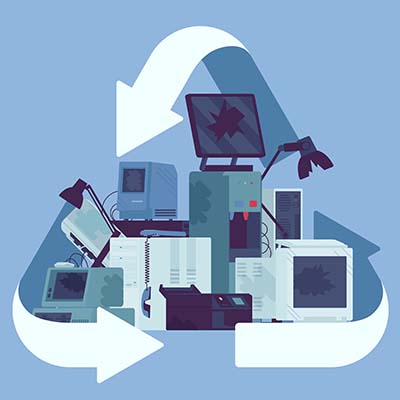
What Happens to a Recycled Computer?

PCRecycle_394939613_400.jpg

Do you know what you are supposed to do with electronics that are no longer of any use? Let’s quickly go over the process of properly disposing of electronic devices and the steps that make up the procedures involved.

Why Shouldn’t I Just Throw Out My Old Technology?

There are a few reasons why the regular trash collection is a poor choice for device disposal. 

  • First and foremost, there is no real accountability for the chain of custody. Simply tossing an old device without any of the additional precautions that recycling these devices involves leaves the data they contain potentially accessible to those who know where to look.
  • Secondly, modern computer components (including those more and more commonly found in appliances) contain amounts of hazardous materials that—if left in a landfill—can ultimately make it back to us through the water table. Many of these components are actually shipped to poorer countries to be dumped illegally.
  • Third, it is just wasteful. There are a lot of materials used in constructing electronics that are perfectly reusable, so ensuring that a device is properly processed and everything that can be recycled, is, is a more responsible choice.

Regardless of your recycling facility’s processes and policies, it is always wise to ensure that all of your data has been completely removed from any storage drives and devices being processed to ensure that no data remains to potentially leak out somewhere down the line. While we recommend that you reformat any drives you plan on recycling, know that this isn’t always enough. You should also make sure that whoever is going to be processing your technology also plans to erase this data and specifically destroy the hard drives—typically, by shredding them—so nothing can be recovered.

How Electronics Are Recycled

Once a computer or other device has been taken to a reputable recycling center, the process of breaking it down can begin. Most recycling companies will then disassemble the device and process different parts separately, based on what the components are made of. Then, the plastic, metal, glass, and circuit boards that made up each device are recycled according to best practice. This is also how the more hazardous materials are removed from the device.

The disassembled components can then be processed and renewed by using the materials to create new devices, eliminating a lot of potential waste that would otherwise, well, go to waste.

We understand how useful technology is to businesses, and how important it is that it is handled properly even after it has outlasted its usefulness. That’s why we’re committed to assisting businesses, regardless of their technology needs. Give us a call at 810.230.9455 to find out what we can do for you and your business’ essential IT.

ChainyBlockees_179612975_400.jpg

3 Practical Uses for Blockchain Technology

ChainyBlockees_179612975_400.jpg

Blockchain has been one of the most talked-about new technologies for several years now. When we first heard about it, it had the potential to solve hundreds of problems, but there weren’t any real-world applications available. Today, we’ll take a look at three applications for blockchain that are available today.

What Is Blockchain?

For those who aren’t familiar with blockchain, it can be defined as a distributed database that stores data. Most data storage is centralized, but with blockchain each piece of information is stored on a “block” or what is known as a node. Each node is created when data is added to the chain (all the nodes are connected to other nodes). This chain of data isn’t controlled by one person, rather it is spread out and duplicated so that every entity that is represented on the blockchain has access to the complete record of it. Each node is encrypted and can’t be edited, so if some part of the information needs to be altered a new node is created.

Of course, the first technology that spawned from this was the cryptocurrency Bitcoin, but today it is being developed for many more applications. Let’s take a look at three:

Improving Banking

Blockchain technology is perfect for tracking financial transactions. Everyone that uses a checking account knows that they have a ledger that they need to update once they deposit or withdraw money from that account. Blockchain is set up to do this by nature. Each transaction gets its own node. Furthermore, since it’s a distributed system, it can work for multiple users at once, creating what are called smart contracts. Essentially, when two entities enter an agreement with stipulations, blockchain can trigger payment when the conditions are met, effectively automating the flow of capital. 

Improving Supply Chains

The past couple of years have wreaked havoc on supply chains, but blockchain technology is literally the perfect technology to help keep them running effectively. The distributed nature of a blockchain can work over multiple points on the supply chain, making it a great tool for both procurement and distribution. If companies can know the status, condition, and source of each product or component they receive, each member of a blockchain-linked supply chain can enjoy better transparency, improving the whole process.

Improving Healthcare

One of the first thoughts when blockchain was being considered a solution to data problems was how it would work in the healthcare system. Today, companies are creating applications that not only improve patient, care provider, insurance communication and give patients better control over their medical information, they are also creating solutions to better manage outpatient care. Security is a prime consideration when it comes to health records and the naturally secure blockchain technology appears to be a great solution to keep those records secure. 

Blockchain is exciting, but also taking quite a bit of time to move into the mainstream. What do you think about blockchain technology? Do you think that it can be the answer to a lot of society’s digital problems down the road? Let us know your thoughts in the comments section below and check back soon for more great technology content.

299335892_black_friday_cyber_monday_400.jpg

Technology is Center Stage on Black Friday and Cyber Monday

299335892_black_friday_cyber_monday_400.jpg

The holidays are rapidly approaching and each year people position themselves to get the best deals they can on all the potential gifts, whether they are gifts to themselves, or to others. Like many other years, bargain shoppers wake up from their tryptophan naps, bundle up, and head out to try and score the best deals they can. Today, we thought we’d talk a little about Black Friday and Cyber Monday and why they are great to get the technology-lover on your shopping list the products they’ll love this holiday season.

Black Friday

Black Friday is the day after Thanksgiving and has been the busiest shopping day in the United States for 15 years. Nowadays, most retail stores not only extend their Black Friday deals starting on Thanksgiving (or stay open to start at midnight on the day after), they also give consumers a fair bit of warning of what will be available so that people can plan their shopping experience.

Cyber Monday

Starting years later, Cyber Monday is basically an extension of Black Friday that takes place online the following Monday. Since a lot of holiday shopping is completely online these days, Cyber Monday started at shop.com in 2005, but has grown substantially each year since. In 2020, as the in-person retail economy reeled from the COVID-19 pandemic, Cyber Monday was the largest retail day in history, netting close to $11 billion. 

2021 Extends Holiday Shopping

In 2021, the lingering supply chain issues caused by the COVID-19 pandemic have caused many retail chains to not only alter their plans for 2021 holiday sales, but they have also extended a lot of their deals online, effectively making Cyber Monday, Cyber-End-of-November. Most retailers are doing what they can to make sure that consumers have the opportunity to get deals to check the people off their holiday shopping lists.

Technology is Front and Center

Technology is typically viewed as a great gift and in 2021 there is more tech to choose from than ever before. Some of the most popular gifts that you will see on sale after Thanksgiving in the United States include:

Amazon Fire Stick 4K with Alexa Voice Remote

The newest iteration of the popular HDMI streaming media dongle features voice controls through Alexa and is 4K-capable. Starting at $25.

Apple AirPods (Gen 2)

Apple’s popular wireless earbuds. Starting at $89.

Samsung Chromebook 4

With an 11.6-inch screen, this laptop is a good value for people looking for a reliable laptop for everyday tasks. Starting at $129.

Facebook Portal Go and Portal+

The Portal Go and Portal+ are video chat interfaces that integrate with Facebook Messenger. Starting at $199.99. 

Of course, this isn’t everything, but if you are in the market for computer hardware and electronics, late November will be a good time to check for deals!

What’s on your holiday list? Let us know in the comments, and make sure you practice safe browsing habits while shopping online!

VoIP_Tech_322545568_400.jpg

The Top VoIP Features Make Switching a No-Brainer

VoIP_Tech_322545568_400.jpg

Just like business has changed dramatically over the years, so too have the tools they use to remain successful. One such tool is the telephone system, which is now capable of a host of impressive features that make it vital to the success of any business. What does hosted VoIP bring to the table, and how can you leverage it to your organization’s success?

What Exactly is Hosted VoIP?

Hosted VoIP is a great business telephone system that uses the Internet to do everything your traditional telephone system can, and even more, actually. VoIP is loaded with features that provide value for your organization, and since it is hosted in the cloud, you cut down on the need for more expensive hardware solutions and the setup time they involve. Let’s examine some of these features.

Automated Attendant

One of the more useful features for businesses is to have an automated answering system that can eliminate the need for a live receptionist and the costs associated with them. This also provides reliable call routing so that people can get connected to whoever they need to get connected to. Some VoIP providers also offer customization to help this auto attendant be more tailored to suit your organization.

Call Recording

So much of today’s business is done remotely that collaboration can be challenging. Call recording makes for more accessibility options for individuals who cannot make it to every single meeting. They can also assist with project management, team collaboration, and quality assurance. Hosted VoIP programs often include cloud storage space at an additional cost, but notably without any additional setup.

Caller ID and Screening

Hosted VoIP allows systems to show users who is calling and what some of the options are for incoming calls. Users can see the number, including if it is in your contacts, and options for answering the call, sending it to voicemail, or declining it altogether. This cuts down on time wasted on unnecessary or unwanted calls.

Call Forwarding and Flipping

Yet another great feature in favor of VoIP is the ability to forward or transfer a call to a separate device or a different number. Sometimes calls need to reach multiple different points within a business, so call forwarding is an absolute must—especially for something like customer support or for organizations with multiple departments who need to send calls along to the appropriate department. Call flipping, on the other hand, lets users send their calls to different devices, like a smartphone, so they can take calls on the road with them as needed.

SMS Text Messaging

Hosted VoIP solutions also give users the ability to send SMS messages, or text messages, to each other/. It’s a great way for teams to stay in touch, and if they can do so from their work accounts, all the better.

Video Conferencing and Bridging

The cloud makes for a dynamic VoIP platform. Conference calling is one such way that VoIP uses the cloud to great success. Thanks to the Internet, VoIP providers can offer video conferencing systems that integrate with conference bridging, allowing people to meet without wasting time and effort.

Analytics

Hosted VoIP gives administrators the ability to see all kinds of metrics to ensure that the phone system is being used in the most effective way possible. This gives you the ability to customise your VoIP platform to suit the needs of your organization while also controlling costs.

Go Mobile 

Since each instance of a hosted VoIP platform can be accessed through a dedicated mobile application, employees can simply use their smartphones (or even a desktop/laptop) to access their work phone number and its many features. It’s a great way to cut costs and be even more productive.

In short, hosted VoIP is one of those solutions that we would label as a must-have for any business, big or small. To learn more about how hosted VoIP can help your business be more productive, reach out to us at 810.230.9455.

troubleshooting_92323916_400.jpg

A 5-Step Guide to Troubleshooting Technology Problems

troubleshooting_92323916_400.jpg

When something goes wrong, it makes sense that you have a process in place to go over the issue and find a solution. This process, also known as troubleshooting, will have several variables that must be accounted for, but the general process itself remains unchanged. Here are the five steps to troubleshooting any problem, as well as ensuring that the issue does not become more problematic in the future.

Collect Information

The first part of the troubleshooting process is to collect as much information as possible about the problem. What is the issue you are experiencing? What is the scope of the problem? Is it localized to your computer or is it a network-wide issue? Either way, you will need to collect as much information as possible so that you can make the best decision regarding how to approach the issue. It helps to try replicating the issue and documenting how you came about it.

Analyze Your Approach

Once you have collected enough information, it’s time to put that information to use and determine the appropriate path forward. Go through the information with a fine-toothed comb and examine which information is relevant to resolving the problem. You will likely change up your strategy for resolving the issue depending on what you discover and the amount of information you have collected, if enough is available at all. Use this information to build out a detailed plan to tackle the issue at hand.

Implement Your Solution

With a solid plan of action, you can take steps toward implementing a solution that addresses the issue at hand. Again, we want to emphasize that you should only act if you are confident that your fix actually addresses the problem you are experiencing. If you are not confident that you can solve the problem, then it is critical that you do more research, as implementing a solution incorrectly or under the wrong circumstances could simply make the problem worse.

Assess the Solution

Following the implementation of your solution, it should become clear whether or not the solution actually worked or not. Of course, sometimes solutions are little more than stop-gaps, or short-term fixes that resolve the problem now while you figure out a better one. It’s important that you know the difference between the two and to have realistic expectations about whether or not your solution will stand the test of time.

Document the Process

Once the solution has been implemented and it has been deemed an appropriate fix, you should update your internal documents with information on the fix so that you can prevent the issue from becoming quite so bad in the future. Be sure to detail what the resolution process was, from start to finish, in the most clear terms possible. Write up the documentation so that anyone who needs to consult it in the future can do so without feeling like they are in over their head.

If all of this sounds like a bit much to handle, don’t worry! Need a hand with troubleshooting technology issues with your business? NuTech Services can help your organization overcome any and all technology troubles you might encounter during your day-to-day operations. To learn more, reach out to us at 810.230.9455.

325656030_privacy_settings_400.jpg

Browser Privacy Settings that You Should Know

325656030_privacy_settings_400.jpg

You’d be hard-pressed to find a business that doesn’t rely on the Internet in some way, and everyone uses web browsers as a method of interfacing with the Internet. These browsers, however, are not necessarily the most secure applications by default. With some adjustments to the features, you too can optimize security and privacy when using your preferred web browser.

Optimizing Chrome’s Security

Chrome might be one of the most popular browsers out there, but it’s also one that needs to use certain extensions to optimize security and privacy. Consult your IT resource to install extensions from the Chrome Web Store. These extensions can be added or removed by using the three-dot menu and following this pathway: More > More Tools > Extensions.

In Privacy and security, you can also see the Cookies and other site data. Click on the option to Block third-party cookies, just so you don’t wind up storing passwords that shouldn’t be stored.

Optimizing Firefox’s Security

Firefox actually has some decent built-in security standards which you can adjust by going through Preferences > Privacy & Security. There are options for Standard, Strict, or Custom settings.

  • The Standard option, the default, blocks trackers in private browsing, cryptominers, and third-party cookies.
  • Strict takes everything included in Standard and blocks trackers and fingerprints.
  • Custom allows the user to adjust how these trackers are blocked.

These settings can be applied to all active tabs just by reloading them with the Reload All Tabs button.

Optimizing Edge’s Security

Edge also tries to keep security as basic as possible, though there are some features that include Tracker prevention, as well as built-in Basic, Balanced, and Strict settings.

  • Basic blocks the trackers utilized for fingerprinting and cryptomining.
  • Balanced, the default setting, blocks trackers from unvisited sites while allowing those that can help speed up browsing.
  • Strict blocks the most trackers, potentially interfering with the functionality of some sites.

Optimizing Safari’s Security

Safari has several built-in features that allow it to stop ad tracking present on websites, as well as a list of trackers that you have sent traffic to over the past 30 days. Safari provides this feature through the Preferences and Privacy settings. Just make sure that Prevent cross-site tracking is selected and delete your cookies manually. This information can also be managed in the Manage Website Data setting. Furthermore, Safari also allows you to Block all cookies, so use this feature if you want to do so.

NuTech Services can help your organization optimize its security and privacy settings in all aspects of your operations. To learn more, reach out to us at 810.230.9455.

459811394_shortcut_400.jpg

Tip of the Week: A Short Guide to Microsoft Word Shortcuts

459811394_shortcut_400.jpg

Most companies utilize a word processor of some sort, and one of the most powerful and dynamic (not to mention commonplace) is Microsoft Word. If you want to get the most out of this great solution, we’ve got your back. Stay tuned for a quick look at some of the most commonly used keyboard shortcuts that we think you will find helpful during your business’ day-to-day operations.

We recommend that you print out this blog article and use it as a quick reference for certain shortcuts that you might use frequently, at least until you memorize how to use them.

  • Cut: Ctrl + X
  • Copy: Ctrl + C
  • Paste: Ctrl + V
  • Undo: Ctrl + Z
  • Redo: Ctrl + Y
  • Open a document: Ctrl + O
  • Close a document: Ctrl + W
  • Save current document: Ctrl + S
  • Create new document: Ctrl + N
  • Select all content: Ctrl + A
  • Bold: Ctrl + B
  • Italic: Ctrl + I
  • Underline: Ctrl + U
  • Align center: Ctrl + E
  • Align left: Ctrl + L
  • Align right: Ctrl + R

Navigating Your Word Document

The above keyboard shortcuts are mostly for formatting, but the following are mostly used for navigating your Microsoft Word document.

  • Move cursor to beginning of document: Ctrl + Home
  • Move cursor to end of document: Ctrl + End
  • Move cursor to top of next page: Ctrl + Page down
  • Move cursor to top of previous page: Ctrl + Page up
  • Move cursor to location of last revision: Ctrl + F5
  • Open the navigation pane for search features: Ctrl + F

As always, it is impossible for us to list all keyboard shortcuts for Microsoft Word, so if you want a more comprehensive list, be sure to check out the keyboard shortcut charts over on Microsoft’s official support website here.

What are some other programs that you would like to see us cover in future tip articles? Let us know in the comments, and be sure to subscribe so you don’t miss out on them!

280836698_voip_400.jpg

Voice over Internet Protocol May Sound Complicated, but It Can Save You Money

280836698_voip_400.jpg

Good communication is more important than ever, especially today when margins are thinner and remote collaboration is a staple for many organizations. Today, we want to share with you four benefits that come from utilizing a hosted VoIP solution.

Benefit #1 – Cost Reduction

It’s often the case that small businesses struggle to pay the bills necessary for services from high-profile, big-name companies, leading them to instead invest in cloud-based solutions that can save them money and fit neatly into their budgets. Hosted VoIP is managed and maintained by the provider, meaning that the costs are vastly reduced. Plus, companies who use VoIP don’t have to spend money to run additional phone cables throughout their site of business; VoIP uses your Internet connection, and since VoIP-enabled phones can plug right into your workstation or other hardware, they are incredibly easy to add to an existing infrastructure.

Benefit #2 – Flexibility

One huge benefit of VoIP is that it gives businesses flexibility. You pay for the services on a month-to-month basis, and since you are essentially using an application rather than true hardware, you can choose the device you want to use it on, be it Android or iOS or even your desktop. Yes, that means no more long contracts or large up-front costs associated with them. Plus, if you need to add a new user, all you have to do is add an account and set up the software on the phone.

Benefit #3 – Mobility

VoIP accounts come with the ability to sync a mobile device to the number, allowing users to use their own personal mobile device for business calls from the same number as their office phone. Some businesses might pay a premium to get their employees on their preferred mobile platform, a process which can include buying mobile devices, paying for services and data plans, and more. Through VoIP and a Bring Your Own Device (BYOD) policy, you get all the benefits of a built-in mobile platform without adding further costs to your budget.

Benefit #4 – Options

One of the biggest benefits that a VoIP system provides for businesses is the sheer number of options available for communication and collaboration. Today, these options are absolutely critical and one of the biggest reasons that organizations have managed to stay afloat. Through the use of video conferencing systems and other great features, employees can stay connected even while out of the office.

NuTech Services can help your business thrive with a VoIP solution. To learn more about how we can get you set up with an enterprise-grade VoIP system at a fraction of the cost of your traditional phone system, reach out to us at 810.230.9455.

267524919_software_400.jpg

Mission-Critical Software for Small Businesses

267524919_software_400.jpg

With so many types of business software solutions out there, you might not immediately know what you should aim to use and why. Thankfully, while there are countless types of businesses and organizations out there, some staple applications make their way into most offices, giving your company a decent starting point. Let’s take a look at what some of these software programs are and why you might want them.

Productivity Suites

Nothing beats a good productivity suite that includes a word processor, spreadsheet program, presentation software, email client, and calendar management platform. A productivity suite is practically a necessity in today’s workplace. Some of the most common ones include Microsoft 365 and Google Workspace, but other more specialized positions may also make use of others, like the Adobe Creative Cloud.

Voice over Internet Protocol (VoIP)

Unlike the antiquated telephone systems of old, Voice over IP technology allows companies to use their Internet connection as a voice communication tool. VoIP also helps by reducing costs and setup time. Many VoIP solutions can simply exist as an application that is downloaded to your chosen hardware, be it a desktop, laptop, or smart device, and its ease of implementation means that you can cut back on unnecessary infrastructure additions while still getting the tools you need to thrive.

Password Management

As the first line of defense against threats, the password is an incredibly important tool. While it has been going out of style with the use of multi-factor authentication, this does not diminish its importance. Password management tools allow your company to leverage complex passwords without the annoyance of having to remember them all. Password management tools store your passwords in a protected vault, calling them only when needed.

Antivirus and Other Security Solutions

You cannot gloss over your company’s security. This is much more involved than simply implementing a firewall—rather, you need to implement solutions that can protect your network and all endpoints connected to it. Both small businesses and large enterprises fall victim to hacking attacks every day, so take extra care to ensure that your business is protected from viruses, malware, and other nasty entities that make their home on the Internet.

Virtual Private Network (VPN)

Encryption is a powerful tool to help your business keep data and privacy intact, particularly in today’s remote workplace setting. A VPN encrypts data sent to and from a device, improving security while on unsecured networks. This is great for keeping your data private while on unsecured Wi-Fi connections while traveling or while away from the safety of your office.

Does your business need a hand with implementing software solutions? NuTech Services can help. To learn more, reach out to us at 810.230.9455.

191230366_wi_fi_400.jpg

The Correct Wi-Fi Setup Can Really Enhance Your Business

191230366_wi_fi_400.jpg

Just about all modern businesses rely on the Internet—especially the wireless kind—for at least part of their day-to-day operations. This means that there is a direct correlation between the strength and speed of their connection and the amount of productivity they can experience as a result of this connection. As your business grows, it is incredibly important to think about your Wi-Fi setup and how you can support its continued growth. Let’s go over the process for properly scaling your wireless network to accommodate its growth.

Identify What Your Needs Are

Your business needs to scale its Wi-Fi solution in the way that best addresses its current shortcomings and limitations. Therefore, you must make a concerted effort to understand your current needs and goals. Consider factors such as how many users will need the network at any given time, how the traffic will be dispersed throughout the office space and across the network, and how much bandwidth these processes will take up.

Once you have these details ironed out, you will be in a much better position to make the appropriate changes to your network. This might include access points, bandwidth, or connectivity.

Establish Your Current Capabilities

Before making any other changes to your Wi-Fi network or adding any access points, you should first determine what you can accomplish with your current setup. A site survey should give you a decent idea of where you stand in this regard, and with this baseline for your existing technology’s performance, you can move forward with intention. You should have information on how many devices you can expect to host at maximum capacity, as well as where the dead zones in your office are located.

While adding access points can help address dead zones, it is considered a best practice to minimize the number of access points your business’ Wi-Fi connection has. This is done for the simple fact that it cuts down on interference and decreases the security risks. A Wi-Fi analyzer can help you place your access points in a way that maximizes coverage without interference.

Furthermore, if you can use wired connections, it might be worth doing so to further minimize your bandwidth challenges.

Adjust Your Existing Connections

You can also adjust the range that your access points can reach, providing your business with enough signal without extending it into the surrounding areas. Proper use of these features can keep unauthorized users from accessing your wireless network. You can also slightly extend your wireless signals just beyond your location’s walls, such as into your parking lot, a secondary building, or other locations as needed.

Do you have any questions about extending your wireless network? NuTech Services can help. Just give us a call at 810.230.9455 to learn more.