297564473_network_partition_400.jpg

Partition Your Network to Prioritize Network Resources

297564473_network_partition_400.jpg

Wi-Fi can be found in many homes and businesses alike, as it is perhaps the simplest means of connecting your various computers and mobile devices to the Internet without installing networking cables or risking going over any data caps you may deal with. Of course, some devices may take priority in such a setup, so it could be very useful for you to partition your Wi-Fi.

Let’s go over what this means, how you can go about doing so to your business’ benefit.

Your Wireless Network and its Bandwidth

When you sign on for Internet services from your service provider, you’re effectively subscribing to a preset amount of bandwidth—hopefully, enough for your staff to do everything they need to do. However, once some people start a few resource-intensive tasks, they could potentially pull network resources away from your other users… not the ideal situation.

For example, take a point-of-sale system as it collects customer data and efficiently processes payments. If network resources are being expended in other places, the POS system could experience some challenges, and negatively impact the customer experience. Internet-hosted communication systems, like email or VoIP, are also vulnerable to this.

Fortunately, partitioning can help avoid these hold-ups.

Understanding Partitioning

To understand partitioning, it helps to look at your Internet bandwidth as the wait to be seated in a restaurant. Regardless of whether there are ten people waiting to get in, or two, the restaurant can only hold so many people. Bandwidth is like the number of seats available—once it is filled up, some will have to empty before operations move along. When it comes to your data, running out of bandwidth causes a bottleneck.

To continue this comparison, partitioning is a little bit like reserving a table at our metaphorical restaurant. When you place your reservation, a table is set aside for your specific use. When you partition your bandwidth, that section of bandwidth is reserved for a specific use as well. So, returning to reality for a moment, partitioning your bandwidth essentially just means you’re reserving some of your Internet resources for a certain task. In the case of a POS system, whether you partition your network could potentially be the difference between having the necessary reliability for your payment terminals, or not. This is also used often for VoIP systems, offline backup, and other bandwidth-intensive systems.

What Does Partitioning a Network Require?

When you partition a network, the first step is to establish how much of your network could be partitioned for specific tasks without causing an issue for your business.

Then, it’s just establishing what processes should be partitioned. If you were trying to ensure that a VoIP platform would remain functional, you could partition your network at the router, specifying that so much bandwidth is meant for VoIP processes, and protect this bandwidth with an authentication system. As a result, your telephony would remain crisp and clear, as its bandwidth wouldn’t have other processes borrowing from it (or the other way around).

For assistance with partitioning your business network, or with any other aspect of your business’ IT, NuTech Services is here to help. Reach out to us today for predictable and professional managed IT services and support by calling 810.230.9455.
370928450_password_authentication_400.jpg

Are Developers Going to Eliminate the Password?

370928450_password_authentication_400.jpg

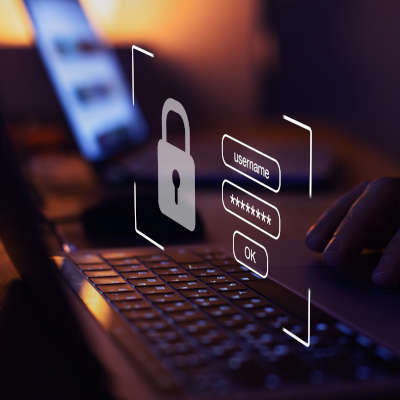
A lot is made about data breaches and hackers, but I think you’d be surprised to find out that over 80 percent of cyberattacks are the result of stolen authentication credentials. This has led many security-minded IT administrators to try and find a better way than the old username & password strategy that we’ve all been using for as long as there have been user accounts. One organization that is actively making waves trying to replace the username/password combo is Microsoft. They are at the forefront of the move to passwordless authentication.

What Exactly is Passwordless Authentication?

Instead of using passwords, you would effectively verify your identity through alternative means such as a verification app, a predefined security token, or even biometric information. These forms of authentication aren’t exactly new–most smartphones have a biometric authentication system onboard–but now they are beginning to become the predominant way that IT administrators set up their authentication systems. 

Why Is This Shift Happening?

Reduced Cost

You may be surprised, but passwords actually can cost a business a lot of money. A study by Forrester Research found that each password reset can cost a company $70. By using passwordless authentication, there are no passwords to reset, so these costs are completely eliminated. 

User Experience and Convenience

Every account you have has its own password. With more and more accounts being added each day, managing all the passwords that you need to remember can get difficult. Using methods that don’t require the need to remember passwords removes these challenges. 

Security

The main reason passwords are used is for security, but with so many hackers and scammers trying to get people to mistakenly give over their passwords through phishing attacks and other social engineering attempts, removing that possible vector can immediately make a computing network more secure.

Microsoft’s Approach to Security

For the past few years, Microsoft has been transitioning to a passwordless authentication system. In May, over 150 million users were utilizing some type of passwordless authentication, including 90 percent of the software giant’s 150,000 employees. Microsoft has gone on the record stating that it is saving 80 percent of the support costs that they had seen with password-fueled systems. 

At this point passwordless authentication seems to be a no-brainer. It is more secure, more affordable, better for the user, and far more manageable.

At NuTech Services, our IT experts can assist you in implementing passwordless authentication for your company. Give us a call to learn more at 810.230.9455. Of course, if you do continue to use passwords, be sure you use strong passwords!

217569572_email_template_400.jpg

Gmail Templates Can Speed Up Your Communications

217569572_email_template_400.jpg

Email is one of the most popular business communication tools, with Google’s Gmail service being a popular choice with a market share of around 33.7 percent. It therefore makes sense that a lot of time is spent using Gmail, time that you might like spent on other initiatives. To help reduce the amount of time spent in Gmail on routine correspondence, we’re sharing how you can use Gmail templates to get the job done.

There are multiple add-ons and browser extensions available to help boost your email templates with more dynamic options, but today, we’ll be focusing on the baked-in capabilities that Gmail comes with.

What is a Gmail Template?

A template is Gmail’s digitized version of a form letter—a stock piece of correspondence that doesn’t change much (if at all) each time it is sent. Naturally, by eliminating the time it takes to repeatedly re-type what is essentially the same message over and over, a template can make your more routine correspondences much more efficient.

As a result, you can spend more time on your more important tasks, without short-changing your communications.

Activating Gmail Templates

In Gmail, access your Settings by clicking on the gear-shaped icon. From there, select See All Settings, and then Advanced. On the page that appears, you should find an option for Templates. Enable it and Save Changes.

Now, you’ll have the capability to create whatever template you need for your usual correspondence.

Creating a Gmail Template

Generating a new template is very simple. All you must do is start a new email and write it out the way that your template should replicate. Once your template is written to your liking, click the message’s three-dot menu and navigate to the Templates option. In the sub-menu that appears, you can Save draft as template (which also gives you the option to overwrite your old templates if they need an update). The Templates sub-menu is also where you’ll find all the templates you have saved in the past, when you’re ready to use them, as well as the option to Delete template if one is no longer applicable.

Hopefully, this will help you make much faster use of Gmail in the future. To learn more time-saving technology tricks, make sure you subscribe to our blog!

355953300_mobile_device_management_400.jpg

How to Make the Most of Mobile Device Management

355953300_mobile_device_management_400.jpg

The concept of remote work is closely tied to mobility, which means that solutions and strategies that promote this mobility are particularly important for businesses to adopt if they are interested in benefiting from remote operations. Mobile device management is one such solution.

Let’s go over a few key practices to successfully using MDM to your business’ benefit.

What is Mobile Device Management?

Mobile device management is the application of software solutions that allow you to implement policies that control how users can access your business’ data. This enables your business to improve its data security while implementing a Bring Your Own Device policy.

If you are currently considering implementing an MDM solution, here are a few best practices to keep in mind as you make your selection:

Comprehensive Compatibility

Some people are fans of Android, while others will pick iOS whenever they have a choice. To successfully implement MDM, both platforms need to be supported. You should also be sure that your solution can differentiate between an employee-owned device and one that is property of your business and be able to adjust its policies accordingly.

Device Tracking and Management

On the off chance you have to let an employee go, you don’t want your BYOD strategy to leave you vulnerable to retribution. A good MDM solution will allow you to review what a device has access to, and to remotely revoke that access as necessary. As a bonus, these features make general device troubleshooting much simpler as well.

Security in Your Control

While your business’ security is obviously a priority for you, your team probably won’t think about it as seriously as you will… despite it largely being their responsibility. They might just assume that the chances of something happening are so low, they can cut a corner or two. Instead of convincing them that they’re mistaken, an MDM solution allows you to set the acceptable benchmarks for your security. This enables minimum password requirements, encryption, remote wiping capabilities, and other utilities.

Comprehensive Backup

If you’re allowing BYOD in your business, there’s a good chance that some of your business’ data is spread out amongst several employee devices. Should something happen to that device, you could easily lose this data. Protecting this data is as simple as backing it up to the cloud.

For more information about mobile device management, or any of our other IT services and support options, give NuTech Services a call at 810.230.9455.

microsoft_windows.jpg

What’s Next for Microsoft Windows?

microsoft_windows.jpg

It may be hard to believe but Windows 10 has been around for five years. It may not have reached the on-every-device OS Microsoft had planned, but it still can be found on over a billion devices worldwide. That’s pretty impressive. Today, we will be taking a look at Microsoft’s plans for Windows 10 and how it might just be the last build of Windows.

Windows 10

In Windows 10, Microsoft has built a complete and secure operating system. Users can do about anything they’d like inside of Windows 10. The platform was initially built to support three levels of devices, from smartphones to other mobile productivity machines, to your traditional productivity machines, your PCs. After Microsoft pulled the plug on their smartphone division, the subsequent changes they’ve made to the OS have been with the PC user in mind. 

Microsoft had a solid strategy to get their Windows 10 software on as many devices as possible: they gave it away. For a year they provided any user that had Windows 7, Windows 8, or Windows 8.1 the ability to upgrade for free. Since then, it has been available as other versions of Windows have been, for digital download.

Windows-as-a-Service

Since the software giant has retired support for the hugely-popular Windows 7, and Windows 8.1 was kind of a flop, Windows 10 becomes the development priority for Microsoft. They seem to be extremely invested in the OS, hinting that it might very well be the last Windows title ever developed. Microsoft has made many huge changes to Windows 10 over the past five years and looks to continue to develop the software more as a service than a product. 

Like many other software, Windows–or, Windows-as-a-Service, if you will–will continue to be one of the leading names in computing. It just won’t be replacing Windows 10 the way Windows 10 replaced Windows 8.1. In fact, Microsoft is now offering Azure-hosted Windows 10/Office 365 platforms for one monthly fee. In doing so it is changing the way that people access, and pay for their computing. 

If you would like to know more about Windows 10, Microsoft 365 platforms, or any other way that business computing is innovating, call the IT professionals at NuTech Services today at 810.230.9455. 

345261061_remote_meetings_400.jpg

Tip of the Week: Three Ways to Improve Remote Meetings

345261061_remote_meetings_400.jpg

Remote work has certainly shown its utility over the past months, but despite this there are still many businesses who struggle to effectively run remote meetings. As remote meetings aren’t likely to phase out anytime soon, we felt it would be helpful to offer some tips to help make these meetings a little smoother for all involved.

Give Your Team Members Some Responsibilities

An in-person meeting and a meeting through a conferencing solution can admittedly have two very different feelings to the participants. The kind of participation that comes somewhat naturally in an in-person meeting can suddenly feel entirely foreign, the visual context cues that would normally drive the conversation stripped away using technology. As a result, awkward pauses and missed line items abound. This can easily lead to people increasingly talking out of turn, while others will remain silent. One way to help mitigate this is by distributing an agenda with assigned segments beforehand. That way, each team member will be responsible for some facet of the meeting, with the bonus of being able to prepare ahead of time to increase the meeting’s benefit.

This isn’t the only way you can keep your team members involved, either. You could also assign tasks for people to take notes or to keep track of the time remaining in the meeting. As a result, the whole team stays engaged in the meeting, and therefore will be more apt to contribute to the discussion.

Don’t Overfill Your Meetings

Have you ever sat in one of those meetings where the group was so big you felt as though you couldn’t get a word in edgewise, and that even if you did, only half the group would pick up on the point you made? An overly large remote meeting can work the same way. Lagging technology and people fighting for the chance to speak can make conversations difficult, and the increased background noise could easily drown out any productive conversation.

Therefore, smaller remote meetings are invariably better, as a more natural conversation can quickly take over and there is a reduced chance of distracting background noise. As a bonus, the smaller meeting size means that each person has a chance to contribute proportionally more to the meeting, increasing their engagement with it.

Don’t Allow People to Mute Themselves

Having people mute themselves during a remote meeting is like having a mime join a choir—there’s very little that they are going to contribute.

In addition to preventing people from contributing (potentially sacrificing valuable ideas), muting could also allow people to dissociate from the meeting completely. If they’re muted, one of your participants could be listening to a podcast, for all you know. If anything, allow brief muting to help hide noisy interruptions, like a sneeze or an unaware family member, but that’s it.

What have you done to keep your meetings running smoothly? Share your strategies with us by putting them in the comments!

138817540_crm_400.jpg

Understanding the Benefits of a CRM Solution

138817540_crm_400.jpg

Business success is largely based on the quality of the relationships you develop with your prospects and clients. Of course, no relationship is ever easy, and they usually don’t number in the hundreds. To simplify things for you, we want to discuss a tool that provides a lot of benefits: CRM software.

What is a CRM?

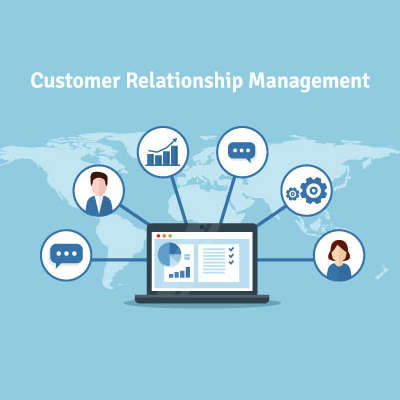
Short for Customer Relationship Management, your CRM is the tool that helps you track the relationships you have with the people you offer your services to, assisting you in developing these contacts into faithful clientele. As a bonus, these solutions generally come with integrations that give you access to even greater capabilities and resources.

Why don’t we go through some of the most common CRM integrations to demonstrate how beneficial they can be to your processes?

Calendar Integrations

Keeping track of your customers and your opportunities to communicate with them is a critical facet to your success, so it is important to stick to a schedule to avoid creating conflicts. A CRM can integrate with your business calendar to help prevent overlapping schedules while keeping you engaged with those you should be communicating with. By synchronizing your calendar to your CRM, your team can work more collaboratively and efficiently.

Customer Support Integrations

A good CRM also communicates with the tools you use as a part of your customer service and support delivery. With a CRM, any time a customer reaches out to your support team, the system directs the call directly to the department the caller wants to reach. By preventing some other department from receiving the call, both your overall productivity and your customer relationships are improved. As a result, your business sees benefit.

Email Integrations

Email is a valuable communication tool for many businesses, which is why a CRM’s capability to help personalize any marketing efforts a business uses their email to support is such a valuable one. With the data stored in the CRM, lead generation becomes a much simpler endeavor.

Supporting your operations with a CRM can directly lead to improved business, as your customers will be more inclined to reach out to you. If you’re interested in some other ways that technology can be used to benefit your business’ operations, reach out to NuTech Services at 810.230.9455.

188604470_data_storage_hard_drives_400.jpg

Storing Data Is More Complex than You Know

188604470_data_storage_hard_drives_400.jpg

We all store data on our computers. Whether you have family photos and text documents on your home computer, or databases and on-premises applications running your entire business, data is typically stored in exactly the same way. If you knew how delicate your data actually was, you’d never let a single file exist in one place ever again. Let’s explore that.

How Do Hard Drives Store Data?

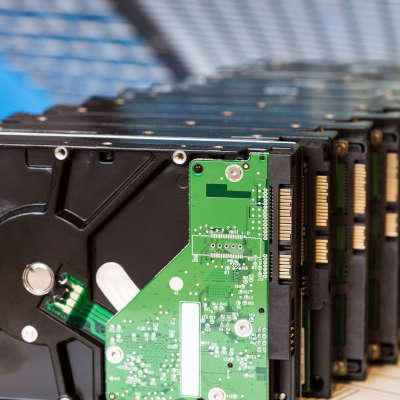
A traditional mechanical hard drive, also known as an HDD, holds your data on small magnetic platters. These platters are layered on top of each other, with a small mechanical arm that rests above them. Think about a record player, with the arm and needle over the record, except you have many, many records stacked on top of each other.

Of course, a record player spins the record between 33 and 78 times per minute. Your hard drive typically spins the platters much faster, most of them clocking in at 7200 rotations per minute.

The platters spin so fast, that it creates a cushion of air that prevents the head of the arm from touching the surface of the platter while it spins. This is critical, because if the head (the needle, to continue with the record analogy) were to even graze the surface of the platter, it would destroy the data on the drive.

These hard drives are mechanical in nature. Just like your car, mechanical systems can and will fail eventually. The little motor in the drive can burn out, the spindle can cease up, and so forth. These issues will very likely make the hard drive inaccessible. Thus, your data is lost. Opening files, saving files, and general computer use (even web surfing) causes the hard drive to read and write data. You are always using it, and depending on its stability to protect your data.

(Of course, there are also SSD drives, which don’t utilize moving mechanical parts. These tend to be a little more shock resistant, but they aren’t immune to failure.)

Yet, we trust these devices every single day. If you have a computer or a laptop, you likely have one or two of these inside it. Your servers tend to have many more. Many of us have external hard drives we use to store data to take around with us. If they are using a mechanical-based hard drive, all of our data is at the mercy of several rapidly moving parts and a cushion of air.

This leads us to ask:

Why Would You Ever Rely on a Single Hard Drive?

If your data is only stored on a single hard drive, consider it at high risk. It only takes one tiny issue to lose it all.

Fortunately, preventing data loss is easier than ever. We help businesses establish thoroughly tested, highly-trusted backup solutions that ensure that no disaster will be able to destroy your data. That includes storing a copy of all of your data on a separate device within the office, and a copy stored securely offsite that you can access at any time. This means even a major disaster like a fire or flood doesn’t cause data loss.

Want to learn more? Give us a call at 810.230.9455.

276930609_business_tools_400.jpg

Nine Tools Every Business Should Have Invested in Today

276930609_business_tools_400.jpg

Over time, technology has developed to make processes more efficient and more productive for businesses of any size, offering greater benefits to those that put them to use. Let’s go over three critical needs that businesses have, and three technologies that can serve each.

Business Communications

With so much relying today on shared information and collaboration, the capability to communicate internally and externally is something that any business needs to have. Small businesses especially have greater access to the tools that can provide this capability, such as: 

  • VoIP – A Voice over Internet Protocol solution is a great way for a business to acquire comprehensive phone services and features for a much more sustainable cost that the traditional means of telephone services.
  • Messaging – Messaging can take many forms, from email to instant messages, and plays a vital role in keeping a business in touch with its various internal parts and with other entities outside of it.
  • Cloud collaboration – Cloud technology can provide a variety of business utilities, including the collaborative benefits of sharing documents and cooperatively working on them in real-time.

Productivity

Most businesses would rank the ability to produce more in less time as their ultimate goal, making solutions that facilitate this extremely useful for them to adopt. If this is one of your priorities, consider the following:

  • Cloud storage and applications – This benefit of the cloud allows your employees to access the documents, data, and other cloud-based tools from anywhere they can access the Internet, freeing them to be productive as they operate remotely.
  • Remote access – If you have elected to maintain an on-site infrastructure, remote access tools can give your employees remote access to the hardware they need to stay productive. 
  • Automation – Rather than relying on your employees to handle each step of your processes, automation enables your employees to focus on those aspects that require the human touch, while rote steps are handled much more efficiently by your solutions. As a result, more can be accomplished in less time.

Security

We’ve mentioned the operational aspects of how technology can assist your business, but perhaps one of the biggest benefits is how helpful IT can be in protecting your business from various threats. Here is just a small sample of what can be accomplished:

  • Access management – Both your infrastructure and the data it holds are valuable, so the fact that the right IT solutions can prevent unauthorized parties from accessing either is a big benefit to any size of business’ continuity.
  • Password management – While best practices dictate that users have a different password to protect each account, this advice is often undermined by the number of accounts that modern users have. Using a password management solution can help prevent this from impacting your business.
  • Firewall and antivirus – While your users need to be able to spot potential threats, it is advisable that you support them by implementing firewall and antivirus to prevent most threats from reaching them at all.

Remember, this has just been a brief list. NuTech Services can help you put technology into place to help you overcome a great many more of your challenges. To learn more, call us at 810.230.9455 today!

334145770_internet_pandemic_400.jpg

The State of the Internet in a Pandemic

334145770_internet_pandemic_400.jpg

Millions of Americans are suddenly working from home. Students are now learning online. We’re all surviving the quarantine by binge watching our favorite shows on Netflix and Zooming with our friends and family. How does this bode for the Internet, and security in general? Let’s discuss some recent findings.

A Look at the Numbers

Before the pandemic hit, it was believed that roughly 5.2 percent of Americans worked out of their home. That’s about 8 million people, and that number is fairly recent, from 2017. By the end of 2019, we can estimate it was maybe between 5.5 percent to 6 percent.

We can simplify this and say one out of every 20 American workers worked from home before the pandemic.

According to the Bureau of Labor Statistics, only a mere 29% of Americans can actually work from home. That takes into consideration jobs that simply require a person to be at the workplace, like many in the food industry, delivery, construction and many more.

At the time of writing this, I have yet to find solid statistics for the number of Americans working from home right now, but there is a general consensus that it’s somewhere around one in five to one in three. 

That falls right in line with what the Bureau of Labor Statistics shows, and we’re talking about the whole of the United States – things are going to feel different in different states and different areas.

How is the Internet Holding Up?

Back on topic, up to a third of all workers are now doing their jobs from home, plus kids of all ages are taking classes and doing their homework online, on top of the normal traffic that we see everyday. I’m talking about Netflix and other streaming services, online video games, YouTube and social media; all of these services are seeing a huge swing in traffic as more people are stuck at home.

Netflix’s usage, which is normally about 15% of all global Internet traffic, has hit all-time highs, and ISPs are seeing record-breaking amounts of Internet traffic all in all. Thankfully, many ISPs and mobile carriers have loosened or temporarily lifted data caps that would have otherwise caused massive expenses for users trying to work from home (Interestingly, these data caps were supposedly in place to ensure the service functions well. It turns out that in general, the service can still work as intended without them. Let’s hope service providers don’t revert back to the old ways after all this is over).

All that said, it’s not perfect for everyone. Rural users with limited access to broadband are still struggling, and in larger, more populated areas where the infrastructure might be a little older have been bumping into frustrating downtime. Still, all in all, a large part of our workforce is able to get things done effectively while maintaining quarantine, and that’s huge.

Cybersecurity is More Important Than Ever

Here’s the thing; being able to stay in business and keep your customers happy and your employees safe during this trying time is a big deal. That said, you can’t do all of that without also understanding the additional risks you might be opening up to. This isn’t meant to sound like doom and gloom – I want businesses to survive and strive. I want to hear success stories. I want business owners coming out of this with a new perspective on how they operate their business, trust their employees, and bolster their bottom line.

This could be a renaissance for the modern office, shifting the paradigm to normalize a remote workforce. Suddenly, you have fewer expenses, happier employees, and everyone can wear comfy pants more often. Or, maybe we’ll all decide we miss working together in the office so much and never look back. Either way, I digress…

Your business might not be able to see how this all turns out if you don’t secure all those new endpoints. Everyone who is working from home on a personal device just opened up a new weakness in your IT’s armor, especially if you aren’t providing the proper means of accessing company data and applications.

Ensuring that your users are able to work securely is going to be critical, because the last thing you need to deal with is additional downtime or data breaches.

NuTech Services can help review your needs and provide the right solutions to ensure your remote workforce can effectively do their jobs without risking your data. If you need help or advice, give us a call at 810.230.9455 to get started.

110458848_IT_expenses_400.jpg

How to Trim Your IT Support Expenses (But Keep Your IT)

110458848_IT_expenses_400.jpg

When a budget comes into play, it is important to remember that there are a few ways that you can adjust it beyond eliminating line items. For instance, you can instead optimize some of the most egregious financial requirements your technology has–its support costs–by translating the unpredictably variable costs you likely deal with now for your support, to the much more sustainable agreement that a managed service provider will operate through.

Let’s go over some of the ways that an MSP can help reduce your support costs, while still providing better support than the alternative.

Where Support Costs Build Up

Take a moment and consider why technology costs tend to rise so rapidly once an issue is discovered.

  • The technology itself could be expensive to repair or replace.
  • The repair fee will likely include fees and travel costs in addition to the cost of the service itself.
  • The repair is likely only focused on fixing the immediate problem, without considering if it will recur or if the fix itself will cause further problems down the road, leading to repeat visits.
  • If an issue does happen, you have to call in the technician for them to come and actually fix the problem. This all takes a lot of time, before the repair even takes place, which itself can take a large amount of billable time as well. So, in addition to paying for the travel time for the tech to get there and the time they spend solving the issue, you are also incurring costs through missed productivity.
  • It is next to impossible to predict these kinds of expenses when trying to budget out your year, as you can never know when you may be surprised. If you set aside too little, you could drain your budget long before you planned.

Of course, this is assuming that you would call a regular tech support company and that you didn’t have a managed service agreement with an MSP. Most of the above issues can be resolved much more efficiently (and cost-efficiently) through a managed approach, as we’ll demonstrate:

How MSPs Ease These Budgetary Challenges

Let’s go through the reasons we went through before, that would typically lead to swelling costs and exceeded budgets. This time, however, we’ll assume that you’re leaning on an MSP for your IT assistance and support.

  • While the technology could be expensive for others to procure, the MSP likely has developed a relationship with vendors who can provide them with more affordable solutions.
  • Many problems can actually be resolved remotely, as the MSP takes full advantage of. This means that travel costs are usually unnecessary, and anything that falls within the agreement with the MSP is covered by a consistent monthly fee.
  • In addition to fixing the problem at hand, the MSP uses their access and vantage point to identify the root cause of the issue. This means that the issue itself is resolved, preventing future intervention from becoming necessary.
  • Your MSP will also monitor your technology for these kinds of issues, using special tools that alert them of inconsistencies and errors. Since they use remote access to do so, they can even find potential problems and proactively fix them. Even if an on-site visit is required, it may be included in the agreement, as well. As a result, your team can return to work–and therefore productivity–that much quicker.
  • With a recurring and inclusive fee for these services, budgeting for a managed service provider is a relative breeze. Any changes you need to make (like if you add more employees to further boost your productivity) can easily be incorporated into your monthly fee, keeping costs in check.

Interested in finding out more? Reach out to our team and ask about what other benefits working with us can bring! Call 810.230.9455 today.

298455168_acronym_400.jpg

Handy IT Acronyms to Understand

298455168_acronym_400.jpg

It is pretty apparent that there are a lot (a lot) of acronyms used when discussing IT. In fact, that itself is an acronym for information technology. They can all get pretty confusing if you don’t necessarily think about these things every day. Considering this, we’ve put together a list of terms for you to know that we think may be handy to have.

-aaS

-as-a-Service
Businesses of all kinds are starting to outsource various responsibilities and needs to external providers. When you see something-or-other offered “as-a-Service,” it basically expresses that this opportunity is being offered. By getting something as-a-Service, a business is able to scale that responsibility to your needs and budgetary abilities. 

BI

Business Intelligence
Business intelligence is the use of assorted business metrics in tracking and projecting outcomes, allowing for better decisions to be made.

BYOD (and MDM)

Bring Your Own Device (and Mobile Device Management)
Bring Your Own Device is an approach that many businesses are adopting because of its cost-saving and productivity-boosting potential. Rather than investing in company-owned devices, a business can use a BYOD strategy to enable employees to use their own, with the support and administrative capabilities that Mobile Device Management solutions provide to them to ensure compliance to industry best practices.

DoS

Denial-of-Service
A Denial-of-Service attack, and its variant, a DDoS/Distributed-Denial-of-Service attack, are methods that cybercriminals use to interrupt a business’ network. Using an army of infiltrated devices, the attacker directs enough traffic to a business’ network to overwhelm its defenses.

EOL

End-of-Life
When a software is retired, it is known as its “End-of-Life.” This designation means that the software will no longer receive any support from the developer, leaving it vulnerable to any future attacks and thereby unfit for use as a privacy and security risk.

IoT

Internet of Things
The Internet of Things refers to the vast variety of Internet-connected devices (often referred to as “smart” devices) that connect to the Internet to function. While these devices can be useful, there are commonly poor security measures associated with them, which means you need to be more prepared than ever to mitigate the threats they could facilitate.

LAN

Local Area Network
This is the network that exists within your business and connects your hardware together. This network covers your workstations and servers, as well as all the peripherals that are connected to them.

MFA/2FA

Multi-Factor Authentication/Two-Factor Authentication
With security becoming a bigger and bigger concern, you need to be sure that your files and other software assets are as protected as they can be. MFA helps to facilitate this by adding another layer of security to the typical username identifier and password authentication measure. WIth another factor required to authenticate an identity, access is restricted to the person who has that factor.

SSL

Secure Sockets Layer
This is a protocol used to protect data sent and received from websites. Because it protects this data, SSL is essential for online commerce, and can be spotted by seeing HTTPS in the address bar of a website.

UPS

Uninterruptible Power Supply
Power surges can seriously damage your IT components, and sudden power loss will definitely lead to data loss as well as damage to your devices on your network. A UPS device is handy, in that it can keep your equipment running long enough with a stored energy reserve to properly shut the components down.

VM

Virtual Machine
A virtual machine allows a business to use their existing hardware to accomplish more by creating a digital replica of a solution. As a result, businesses that use virtual machines can see their computing costs reduced substantially, without losing opportunities.

VoIP

Voice over Internet Protocol
VoIP is an approach to telephony that offers far more features, greater flexibility, and significant cost savings over the traditional phone service. By using an Internet connection to receive and deliver call information, VoIP allows businesses to stretch their Internet investments further while gaining an assortment of valuable business tools.

VPN

Virtual Private Network
By using a Virtual Private Network, you can securely use any Internet connection because the data that you are transmitting is shielded by encryption. That way, even if the data is intercepted, decrypting it is more trouble to the hacker than it is worth.

WAN

Wide-Area Network
A wide-area network is similar to a LAN, except that it operates on a much larger scale. Rather than connecting different devices to one another, a WAN connects various smaller networks into one big one. This is useful to businesses that have multiple locations to manage.

If you want to know more about any of these terms, or the other solutions that we offer, don’t hesitate to reach out to us! Call NuTech Services to speak to our professionals today at 810.230.9455.

215056795_VoIP_400.jpg

When Working Remotely, VoIP is an Indispensable Tool

215056795_VoIP_400.jpg

With the widespread support of social distancing that current events have encouraged, remote working options are seeing an understandable surge in popularity. In order to make the most of “telecommuting,” as it is referred to, there are a lot of reasons to use a Voice over Internet Protocol, or VoIP, solution. Let’s go over some.

To start, let’s consider the situation that we find ourselves in.

With COVID-19 still spreading, the general consensus is that spending time around other people is currently a bad thing, making the workplace a less-than-ideal environment in which to spend one’s time. As a result, many people have self-quarantined themselves in their homes. With today’s available technology, however, this does not mean that they cannot get work done, with the cloud offering great opportunities for collaboration and remote work. This plays into VoIP’s benefits quite nicely.

For instance…

VoIP Can Simplify the Remote Process

Consider what your team might require in order to complete their tasks while out of the office. They should have a workstation of some sort, naturally, whether that be a laptop that travels between their home and the office, or a desktop device set to securely access their work resources. However, another piece of equipment that is generally necessary for many employees is an office phone… something that was once a much less portable solution.

Today, VoIP can change that, by allowing you to use the phone through the Internet, not the traditional dedicated phone lines. This means that your employees can continue to make their typical business calls, without the need to be in the office. Using the same business number, an application on their workstation or mobile device can take or make calls (along with a wide variety of additional features) from anywhere that they can establish an Internet connection.

VoIP is a Secure Means of Communication

When your workforce has the opportunity (or, as we’re now experiencing, need) to work from home, they will still need to communicate with one another. However, many residential Internet services lack the inherent security that many business conversations will require. No matter how efficiently you want your business to operate, no productivity is worth sacrificing security for.

VoIP allows you to enjoy the best of both worlds. By combining the cloud-hosted nature of VoIP with the use of a virtual private network (VPN), you can be confident that any conversations held over the VoIP system are private and secure. This is handy, as your employees could find themselves having to share protected data over the phone with their teammates. A VPN will protect their conversations from being listened in on, as the connection will be distorted to any outside observers by the inherent encryption of the VPN.

VoIP Incorporates Other Forms of Collaboration

Namely, video conferencing. Many VoIP platforms offer some kind of video conferencing feature, permitting a face-to-face interaction between callers, regardless of the distance between them. A big concern that is common amongst remote workers is the feeling of isolation that can develop from working alone.

By using the conferencing capabilities that the right platform has to offer, your team can interact with each other in a more personal way. This reinforces the idea that they are a part of a team, keeping up their morale and encouraging them to work collaboratively to accomplish their shared goals.

To learn more about implementing a VoIP solution for your team’s use, reach out to the professionals at NuTech Services by calling 810.230.9455.

276410107_backup_system_400.jpg

Backup System is a Crucial Tool when Disaster Strikes

276410107_backup_system_400.jpg

Each March 31st, we like to observe World Backup Day, where we educate people about the benefits of having a comprehensive backup plan in place. This year, with tens of thousands of people being affected by Coronavirus, business has ground to a halt in large portions of the world. Today, we are going to look at the business continuity strategy and how, in times like these, you’ll be glad you have your data backed up. 

The COVID-19 pandemic has certainly thrown us all for a loop, with many businesses wisely choosing to close their office doors, either scaling back their operations or choosing to utilize a more mobile workforce. While this clearly qualifies as a disaster, it isn’t one that holds too many risks against your data; at least, not when compared to some others. This gives us a chance to consider how well-prepared we are for other disasters that could pose more of a threat to the information and files your operations depend on. For instance, how would you respond if something were to happen to your actual business infrastructure (and, by association, any data you had stored there)?

The standards accepted as best practice today say that the smart move is to preserve at least one copy of your data in an offsite location. That way, if something were to happen to your in-house servers, you know that there’s another copy safely stored away. If you have a BDR set up, this can then act as your temporary server to enable your team’s continued productivity (even while working remotely) until the servers can be replaced.

So while the timing of World Backup Day isn’t the best this year, its lessons remain just as important:

  • The 3-2-1 Backup Method – Using the 3-2-1 method means that you keep at least three copies of your data. Two copies can be stored onsite, while one is kept in an offsite data center or other cloud storage option.
  • Backup Your Backup – You will want to check all of your backups (and then check again) to ensure they were taken successfully. There are several reasons a backup could fail, so you should never assume they are working. Check them, double-check them, and then check them again after that. If you ever need your backup, you’ll be glad you made sure. 
  • Protect Your Backup – All devices that contain your data need password protection at the very least, with added multi-factor authentication for extra benefit, including your backups. You should also protect your backup’s storage solution with an up-to-date antivirus/antimalware protocol.

For help in setting up your business with the protection that a data backup brings, with the added disaster recovery benefits you will need, reach out to us at 810.230.9455 today.

330590403_productivity_illness_400.jpg

How to Maintain Productivity when Illnesses are Rampant

330590403_productivity_illness_400.jpg

It is never a good situation when a widespread illness strikes. Not only does it impact many individuals on a personal level, the impacts reach to the businesses that employ them as well. As we deal with the current outbreak, it helps to keep in mind that there are various means out there to allow for a business’ productivity to continue… even if its employees shouldn’t be near one another.

Let’s go over a few solutions that can assist your business’ continuity in these testing times.

The Fear of Infection

The primary concern that comes from this specific variety of disaster is generally one of widespread infection, which makes it an uncomfortable prospect for people to congregate anywhere. This is especially true of the workplace, where papers and files were traditionally distributed (and redistributed) as work was done.

Naturally, this is the perfect storm for any illness to spread: materials being passed around, with many people together in a relatively enclosed space. With COVID-19, this is especially problematic, as the CDC believes that it is spread through respiratory droplets and close proximity to others. As a result, it is better to avoid this situation… but how could your business possibly cope with its entire staff being absent, due to either illness or preventative “social distancing?”

Fortunately, the technology exists today that allows you to see the best of both worlds.

Securely and Safely Working Remotely

Many common technologies today can be used to enable your employees to do the same tasks they would do in the office from the relative comfort and security of their own home. Let’s go through some of these technologies and applications and review why they are valuable to a remote work policy.

  • Mobile devices – If your employees are going to work productively from home, they’re going to need access to the proper tools to do it. Supply your staff with laptops or thin clients that permit them to bring their tools out of the office if need be.
  • VPN (Virtual Private Networking) – Of course, once your technology has been taken out of the security of the office, the data that it accesses can be put at risk. Utilizing a virtual private network can help decrease that risk greatly by shielding the data that is in transit.
  • Cloud solutions – Of course, in order to effectively work remotely, your data and applications need to be accessible to your team as they need them. Hosting these resources in the cloud enables your team to access them from wherever an Internet connection can be established on many different types of devices.
  • VoIP (Voice over Internet Protocol) – Communication is absolutely critical to business productivity, especially when it comes to remote resources. Without communication, you can’t expect to accomplish much at all. Certain solutions, like VoIP, allow you and your team, to maintain this communication–again, from wherever an Internet connection can be maintained.

While productivity is crucial to your business’ success, so is the well-being of your employees. Giving them the option to work remotely can help attend to both needs. For assistance with implementing the needed solutions, reach out to NuTech Services at 810.230.9455.
271320614_network_setup_400.jpg

Considerations for Your Business Networking Setup

271320614_network_setup_400.jpg

A business’ network is one of its key assets, which means that it is particularly important that yours is well-developed and planned. Here, we’ll go over a few basics and best practices for you to familiarize yourself with for when you need to reconsider your business network.

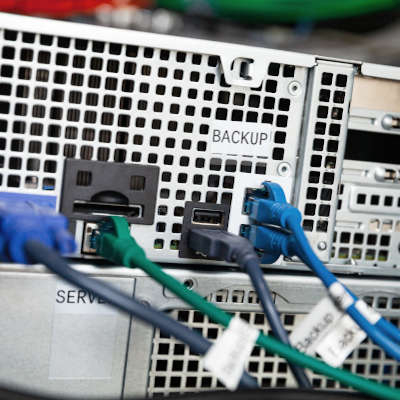
One of the first things you should know is what might be a part of your network infrastructure. You’ll likely be working with at least one network switch and at least one router. A network switch allows all the technology on your network to communicate with one another through network cables, while the router provides wireless capabilities and connectivity. Your modem enables you to access the Internet.

Networking Best Practices

As your network is such an important tool to your business’ success, you need to be sure that it is sufficiently prepared for this task. To do so, it will help to keep to the following tips in mind:

  • Skip the consumer level. Networking products come in a variety of “grades,” intended for consumer or business use. When equipping your business with these solutions you should only use options made for professional applications. This is because the consumer-based ones are simply not secure enough for business purposes, and likely will not be able to support your business’ needs.
  • Incorporate some redundancy. In the event that your business suffers from a disaster, you will want to be sure that your network is reliable enough to make it through and bounce back. Having a data backup and disaster recovery platform will build the redundancy you need to protect your network. 
  • Plan for future growth. Or in other words, make sure that the network you put in place can be scaled to your business’ future expansion, and that it can incorporate the solutions you will ideally grow into.

NuTech Services is here to assist as needed. Our team can help optimize your business’ network to best fit its needs and your professional development. To learn more, reach out to us at 810.230.9455.

229953787_backup_bdr_400.jpg

You Need to Backup Your Data

229953787_backup_bdr_400.jpg

When we start working with a new client, we’re often left surprised at their data backup and recovery strategy. It’s not always that they don’t really have a strategy for it (although this happens more than we’d like to admit), it’s just how sure many of them are that they don’t need to spend a lot of time and effort on it. This ambivalence is a major mistake that often leads to hardship. Today, we will talk a little bit about why backup is such a big deal.

Data Is a Big Deal

Your company’s data is one of its major assets, and you take quite a bit of effort to protect it. You deploy antivirus, firewalls, intrusion detection, and other security tools designed to mitigate exposure to malware, hackers, and other deplorable situations like:

  • Human error (negligence and mistakes)
  • Sabotage and theft
  • Hardware malfunction
  • Power surges
  • Software corruption

The minute something gets through your network’s defenses, you are in deep trouble. If disaster hits your business and you don’t have a reliable backup, you could not only lose continuity, you could lose it all. This wouldn’t be so dire if you have a comprehensive business continuity strategy in place. Business continuity plans are just potential solutions to problems that threaten to take the business down. 

There are hundreds of different situations that could result in substantial data loss, but irregardless of the situation your business is in, having a strong backup and recovery plan lets you be prepared for any eventuality. 

Today, there are a lot of different ways that you can back up your data and applications, but there really is only one that offers onsite and offsite backup, incremental backups, and the ability to recover data on demand. This solution is what we call a BDR. Short for backup and disaster recovery, our backup service allows you to configure the backup solution to fit your company’s demands, while also providing all the high-end redundancy features that any business could need. 

If your business is looking to protect its data from the litany of ways it can be corrupted or lost, the BDR is right for you. Call NuTech Services today at 810.230.9455 for more information.

306977000_blockchain_400.jpg

More Industries are Seeing Accountability and Security with Blockchain

306977000_blockchain_400.jpg

Blockchain is one of the most dynamic new technologies, but up until recently, there hasn’t been a lot accomplished in the way of creating viable distributed software titles. In fact, the most recognized technology created with blockchain is cryptocurrency. This says quite a bit. Today, we’ll look at blockchain-enhanced software and how it’s only a matter of time until it is a commonplace addition to most businesses.

What is “Blockchain” Anyway?

Blockchain is defined as a distributed ledger system that creates a single encrypted and unalterable file whenever any transaction is made to help preserve its continuity. As every device involved in the blockchain helps to store it, the blockchain itself is unprecedentedly transparent. This allows business systems to be both more accountable, and secure.

Accountability

Let’s return for a moment to how the blockchain works—each time a transaction of any kind is made, be it adding new data or revising some that already existed, a new “node” (think of it as another link in the chain) is created to document the transaction and encrypt it. As a result, you wind up with a running record of reliable data. As you might imagine, this offers itself quite well to many industries.

Banking and Financial Services

With the importance of the record-keeping that these organizations maintain being so apparent, it only makes sense that blockchain is used to automatically keep track of where funds are being moved.

Real Estate

Real estate processes are notoriously intricate and confusing. Blockchain provides an option that could make the entire experience of buying and selling real estate much more transparent.

Wills and Inheritances

Tragically, wills and inheritances can be very hotly contested, and their veracity may be called into question. The transparent and immutable logs of the blockchain could eventually lead to many fights being averted in the future.

Voting

Elections now face more scrutiny than ever before, as votes are counted, recounted, contested, and recounted again. Using the blockchain could help to eliminate most challenges and issues that call the integrity of an election into question.

Supply Chain Management and Logistics

Managing all the moving pieces of a supply chain could be made much simpler by integrating blockchain technology. Goods and resources could be easily tracked and directed where they need to go, with confirmation when they arrive at their destination.

Security

Communications have gone digital, with unprecedented numbers sent and received each day. As more people than ever rely on these communications for a variety of reasons, data sharing needs to be more reliably secure. The blockchain is well suited for this task, as each transfer of data remains fully transparent, while the data contained in the nodes remains undisclosed. This technology can even be safely used to hold parties to their shared agreements by facilitating proper compensation once certain requirements are met. These capabilities will likely lead to advancements in:

Education

Consider how many files any educational institution needs to maintain and verify, and the amount of personal information shared in these records. Blockchain makes it so that these paper files are no longer necessary, while also making it easier to verify registration, management, and financial aid-related data.

Healthcare

Any patient who needs to see multiple physicians knows the frustration of working with providers who operate in different healthcare networks. However, healthcare has a good track record with embracing innovative technology solutions. Introducing blockchain could ultimately lead to self-managed healthcare records.

Stock Trading

There are many ways that stock exchange processes could be made better with the assistance of blockchain technologies. Two clear improvements: convenience, and of course security.

Public Records

Many states are still overly reliant on paper documents, which are very easy to alter and otherwise manipulate (never mind steal). Shifting to digital documents that are supported by blockchain could do a lot to reduce fraud, ensure accountability, and generally improve security.

The Internet of Things

IoT devices are overwhelmingly insecure, but if they were decentralized through the blockchain, some of this insecurity could be resolved.

To learn more about blockchain technology, feel free to call NuTech Services to discuss it, as well as the options you currently have to leverage for your business. Reach out at 810.230.9455 today!

285758363_voip_400.jpg

VoIP Can Replace Analog Phone Systems

285758363_voip_400.jpg

It’s true that Voice over Internet Protocol (VoIP) is probably going to be cheaper than using an enterprise phone system through your regional phone company. While cost reduction is a good reason to choose a service, VoIP does much more than just reduce communication costs. Implementing a VoIP platform also presents a lot of solid options that can help your business be more efficient and productive. 

VoIP Allows You to Do More

While at its core, a VoIP system is a telephone system, it allows for many more options. Since it uses an organization’s available bandwidth rather than a dedicated RJ-11 connection, there are more dynamic options available. It may raise the cost of the solution a bit, but VoIP can come with instant messaging, conferencing, and call archival built in.  

VoIP is More Secure

VoIP is far more secure to use than the traditional landline because it is easier to secure a digital connection than it is to secure an analog one. The use of encryption protects all information transmitted through the system.

VoIP is More Portable

This is a big benefit. VoIP solutions can be linked to mobile applications. This means that any smartphone can become a work phone, and can be linked to the same number as the user’s business phone. This allows people to get calls on their phone without having to give over their personal number. This is either done through forwarding or by installing a simple app on the phone.

VoIP Offers Automated Client Interaction

A VoIP system can be configured to support an entire business. There are integrated automated menus that can offer a lot of value by directing calls to voicemails, alternative members of your team, and allowing employees to avoid distractions and not neglecting their incoming calls. Call forwarding, parking, and many more options can be tied to a VoIP account for additional costs.

VoIP is a technology solution for all of your business’ calling needs. Call NuTech Services today at 810.230.9455 for more information about VoIP and you can get the telephone system you’ve always wanted for your business.

281737651_automatino_hr_400.jpg

Should Your HR Department Be Worried (About Automation)?

281737651_automatino_hr_400.jpg

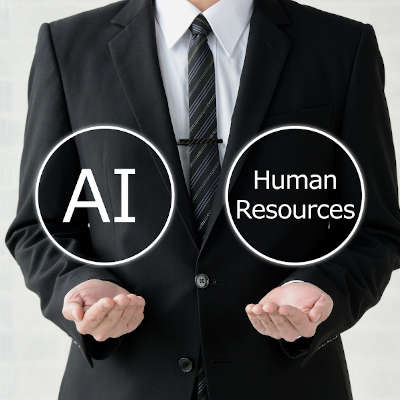
Most companies have some sort of human resources department. Some are bigger than others. Some are more effective than others. Typically, the HR department deals with a lot of the stuff that no one else likes to. Today, software is being created using artificial intelligence that will be able to complete many of these tasks. Let’s take a look at how automation is affecting the modern human resources department. 

Automation Isn’t the First Threat

Human resources cover a lot of ground in any business. In fact, many smaller businesses extend the human resources role past the seven core functions of HR. These are:

  1. Recruitment
  2. Payroll Administration
  3. Benefits Administration
  4. Training and Professional Development
  5. Performance Reviews
  6. Labor Relations
  7. Managing Compliance

Over the past several years, the company human resources department, especially at small and medium-sized businesses, has been encroached upon by outsourcing. Like many other outsourced platforms Human-Resources-as-a-Service (HRaaS) services use technology to fill in the gaps left by not having dedicated HR professionals on staff. For the business, it reduces the cost, while fulfilling virtually the same roles through remote help desk and software. 

The Relationship Between Automation and HR

Technology changes things. Does it make it better? That’s a matter of opinion, but for the business owner, not having the human resources department means that they are on the hook to complete the tasks that the human resources department undertakes; and, there is a mountain of it.

That is, unless they can automate them.

The benefits of automation are the same no matter where it is put to use. It opens the way for staff to focus on being more productive, by leaving behind a lot of menial (yet time-consuming) tasks. Aside from enhancing efficiency and productivity, there are many key benefits to automating HR. They include:

  • Reduced employee turnover through improved employee engagement
  • Reduced storage and printing costs
  • Improved risk management and properly managed compliance
  • Improved document management
  • Enhanced business decision making with comprehensive reports
  • Optimized business growth through efficient onboarding

Today, there are plenty of software-based solutions that can keep any business running effectively, but when you get a look at them, these solutions aren’t really human resources platforms, they are human capital managers. 

What is Human Capital Management?

Human capital management is a platform that encourages businesses to treat their workforce as they would any other asset. Its goal is to get the human resources of the business to work as effectively and efficiently as possible. While human resources do more to deal with the individual needs and motivations of workers, human capital management seeks to look for metrics that can be quantifiable and strategically improved upon. It basically aims to change an organization’s view of their workforce from a commodity to an investment. 

What Strategy Is Best for Your Business?

There are multiple ways that automation can be implemented in the HR/HCM process, but depending on what strategy is used, you could be setting your company up for problems from your actual human resources. Most workers don’t like being treated like numbers on a spreadsheet after all. On the other hand, divorcing business decision-making away from typical workforce considerations that aim to sap overall productivity will benefit your organization’s bottom line. 

HR is always a balancing act. 

If you would like to know how automation could help you keep your organization balanced and productive, reach out to the IT professionals at NuTech Services today at 810.230.9455.