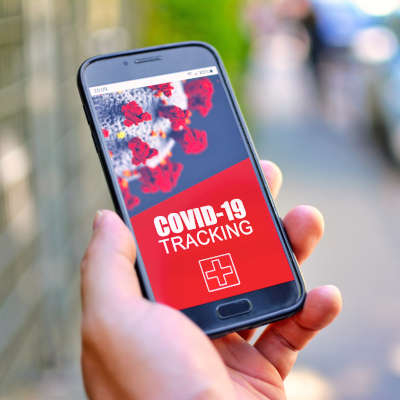
Google and Apple have recently started an initiative with local governments to try and help prevent the increased spread of COVID-19. Basically, this app would notify people if there were positive COVID-19 test results in their area. While this does bring up some major privacy concerns, we wanted to discuss something else today: the prevalence of false warnings that have already been forced onto mobile devices. Let’s dig in.
There’s been a consistent pattern that has emerged with popular software applications: a major update or other change is made, and uproar on social media ensues.
Just look at what happened when the Android platform’s Facebook application began requesting access to the user’s smartphone camera several years ago now. While this was required so that Facebook’s newly released native photo-taking capabilities could be embraced, there was still a lot said about it on social media.
Don’t get us wrong—many of the changes made in technology can be concerning, especially where it involves a user’s privacy. However, there is usually a ton of misinformation muddying the waters. Again, we’re not saying that you can always trust giant tech companies and their data collection policies… quite the opposite, in fact. You’re right to feel concerned at times and should be exercising the control over their collection of your data that you have a right to.
Having said that, we couldn’t help but notice an extreme response to the news of Apple and Google’s new COVID-19 contact tracing application framework.
So, Did Google or Apple Install a COVID-19 Tracking App on My Phone?
Nope.
Neither Google or Apple added an application to your mobile device without your knowledge or consent. What Google and Apple did was collaborate to develop an application framework, which can now be used by app developers as they create COVID-19 tracking apps.
However, due to sensationalism on social media, a lot of people are concerned. Just look at this post that has been making the rounds on Facebook:
“**VERY IMPORTANT ALERT!***
A COVID-19 sensor has been secretly installed into every phone. Apparently, when everyone was having “phone disruption” over the weekend, they were adding COVID-19 Tracker [SIC] to our phones!
If you have an Android phone, go under settings, then look for google settings and you will find it installed there.
If you are using an iPhone, go under settings, privacy, then health. It is there but not yet functional.
The App can notify you if you’ve been near someone who has been reported having COVID-19.”
There’s a lot of misleading information to unpack here. First, neither Google nor Apple secretly installed a new “sensor” (especially since we’re talking about a software update, not a hardware update).
This software update was simply a setting to enable the COVID-19 Exposure Notification system that the two platforms are preparing. When this system has its official applications developed, users will not only have to install the application and activate it, but also confirm that they want to participate with Google or Apple.
So, this update simply provides a unified framework for local governments and the health industry to use as they create their COVID-19 applications, while offering users the choice of whether they want to participate.
So No, This is NOT a COVID-19 Tracking App
Seriously, unless you consciously selected the option to “Install,” your mobile device isn’t going to start tracking you and those close to you to identify anyone with COVID-19. In fact, if you follow that Facebook post’s instructions to your settings, you’ll see that you have to A: install a participating application or B: finish setting up a participating application before your notifications can even be activated.
In a rare joint statement from Apple and Google, they go on record to say, “What we’ve built is not an app—rather public agencies will incorporate the API into their own apps that people install.”
To clarify further, an API is an Application Programming Interface. Think of it as the foundation of an application. By teaming up, Apple and Google have laid the foundation for others to build their own applications upon.
As a bonus, this also makes it easier for people to opt out. Unfortunately, if too many people decide not to use the system, it may not be reliable enough to work at all.
What Do We Know About these Tracking Apps?
Well, the system itself is extremely new, so responsibility for the official applications will fall to state and local governments.
The platform that Google and Apple co-developed is built to be decentralized, which will help to make it more secure. Basically, when a user opts to use one of these apps, their phone is assigned a random ID and it is then shared with other phones within the range of a Bluetooth connection. Each phone then stores an anonymous roster of the other IDs it has been in proximity to.
So, when someone is diagnosed with COVID-19, they would then manually share that with the contact tracing app. Then, with their permission, all the IDs that their phone has stored over the prior two weeks would be uploaded and those users would be sent a notification of their potential exposure. Your location isn’t shared, nobody’s identity is shared, not even Google or Apple will get this information. In addition to all this, that random ID is changed every 10 to 20 minutes, and the apps are not allowed to use your location or to track it in the background.
As a result, these apps are safe to use with complete anonymity, and to avoid opting in, you just wouldn’t install any COVID-19 tracking apps, official or not.
Uninstalling the COVID-19 Exposure Notification
Okay, since we know that some will want to ask this question, we felt we needed to address it.
In short, you shouldn’t because it isn’t an app, it is an API. As such, it can’t just be uninstalled. It is now part of the Android and iOS operating systems and is pushed to devices through security updates.
If you were to do some Internet snooping, you could find some walkthroughs on the Internet that take you through how to roll back your phone and other such processes, but that only leaves your device exposed to other threats. Again, there is nothing to uninstall, and neglecting future security updates is a terrible idea.
The API is nothing to worry about. It is nothing more than a setting, and one that is deactivated by default. If you really are worried, both Apple and Google have confirmed that not installing, or uninstalling, a COVID-19 Exposure Notification app is enough to avoid participation.
And again, since we can’t stress this enough:
DO NOT FOLLOW ANY INSTRUCTIONS ONLINE THAT WALK YOU THROUGH ROLLING BACK YOUR PHONE AND OPTING OUT OF SECURITY UPDATES.
If you are that serious about your privacy, it just doesn’t make sense to expose that privacy to greater risk.
In our professional opinion, understanding the technology used to create the COVID-19 Exposure Notification system, every effort has been made to ensure the security and anonymity of its users. Keep in mind, there are also healthcare regulations to comply with as well, and our clients will know how stringent they are where data privacy is concerned.
The decision whether or not to use the COVID-19 Exposure Notification system falls to you, but you can rest assured that both Google and Apple have done everything right to keep their system safe, private, and secure.
Please, to learn more about these technologies, don’t hesitate to give us a call.