
b2ap3_thumbnail_cloud_uses_400.jpg

4 Ways Cloud Computing Can Benefit Any Business

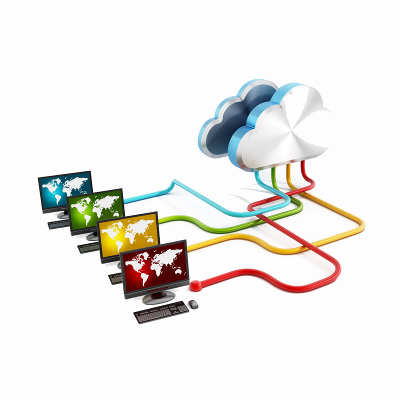
b2ap3_thumbnail_cloud_uses_400.jpgIs your business using the cloud in 2016? If not, you should know that it’s a great tool that’s designed to help your business better manage its data and application deployment. However, the cloud can be used for so much more, and it’s quickly becoming an indispensible tool for SMBs.

Here are four ways that cloud computing is changing the way that small businesses handle their technology.

Data Storage
The cloud is a great way to share data amongst your entire organization, and deploy it on a per user basis. Businesses can store their information in a secure, off-site location, and the cloud allows them to access it through an Internet connection. This eliminates the need to host your data internally, and allows your employees to access information from any approved device through a secure connection, effectively allowing for enhanced productivity when out of the office.

Application Deployment
Your business relies on having various types of applications and software solutions available for use. If you lose access to these programs, you could be facing lost productivity and downtime, which could directly influence your bottom line. If you’re using the cloud to deploy your applications, any Internet-connected device can access the applications you need to keep work moving forward at a respectable pace. This opens up all sorts of opportunities for cost savings, including providing your team with the ability to work from anywhere.

Virtualization
The cloud can be an effective tool for virtualization, which is a great method for cutting costs for your business. By virtualizing physical IT components, you’re abstracting them for use in the cloud. This means that you’re storing them in the cloud. Businesses can virtualize servers, desktop infrastructures, and even entire networks for use in the cloud. Doing so eliminates the physical costs associated with operating equipment, allowing you to dodge unnecessary costs and limit the risk of hardware failure. For example, you can deploy all of your users’ desktops virtually from the cloud so you don’t need to rely heavily on more expensive workstation technology, and can instead use thin clients. Simply log into your company cloud and access all of your applications and data on virtually any Internet connected device.

Backup and Disaster Recovery
A BDR device relies on the cloud to ensure quick and speedy recovery deployment. The BDR takes snapshots of your data, which are sent to both a secure, off-site data center, and the cloud. From there, you can access your data or set a recovery into motion. If you experience hardware failure, the BDR can temporarily take the place of your server, allowing you ample time to find a more permanent solution. The cloud is crucial to the success of a BDR device, simply because the cloud is where the BDR stores an archive of its data.

With so many great uses for the cloud, only one question remains: how will your business use the cloud in 2016? NuTech Services can help you get started. To find out more about your options, give us a call at 810.230.9455.
b2ap3_thumbnail_backup_system_400.jpg

The Strict Security Measures of Nuclear Power Plants Can Benefit Your Business Too

b2ap3_thumbnail_backup_system_400.jpgTechnology, while a great asset that can be leveraged for your benefit, can also frighten businesses due to how unpredictable it can be at times. The constant threat of data loss, identity theft, and hardware failure can cripple your business’s ability to retain operations. Specifically, businesses can learn about risk management by analyzing the processes used by an industry where risk management is absolutely critical: nuclear power plants.

In the wake of two of the most destructive and violent nuclear disasters, nuclear power plants have begun to crack down on how they approach risk management. The Chernobyl incident of 1986, as well as the tsunami-induced disaster at Fukushima in 2011, are the only nuclear disasters to reach the peak of the International Nuclear and Radiological Event Scale (INES) at a rating of 7. This means that they had an immense impact on the immediate vicinity, as well as the environment on a worldwide scale.

The meltdown at Chernobyl was the result of an uncontrolled nuclear chain reaction, ending in an enormous explosion that resulted in fire raining from the sky and radioactive core material being ejected into the vicinity. A closer inspection of the incident revealed that the explosion could have been prevented, had the plant practiced better safety measures and risk management, like having a containment system put in place for the worst-case scenario.

In comparison, the Fukushima plant was prepared to deal with a failure of operations. The problem that led to a disaster was one which couldn’t possibly have been prevented: the 2011 Tōhoku earthquake and the resulting tsunami. The Fukushima plant had a contingency plan to shut down the plant in the event of a disaster, but of course, the tsunami prevented this from happening properly. Flooding damaged power lines and backup generators, which led to heat decay, meltdowns, and major reactor damage.

Disasters like these lead to professionals searching for ways to prevent emergency situations in the future. For example, the Fukushima incident kickstarted thought for how to prevent problems caused by the unexpected issues. In response to emergency power generators being flooded or destroyed, off-site power generation will be implemented as soon as November 2016.

One other way that nuclear plants have chosen to approach these new risks is by outsourcing this responsibility to third-party investigators, whose sole responsibility is to manage the reliability of backup solutions. In a way, these investigators function similar to a business’s outsourced IT management, limiting risk and ensuring that all operations are functioning as smoothly as possible.

What we want to emphasize to you is that businesses in industries of all kinds expect the worst to happen to them, and your business can’t afford to be any different. Taking a proactive stance on your technology maintenance is of critical importance. While your server that suffers from hardware failure might not explode and rain impending doom from the sky, or expel dangerous particulates into the atmosphere, it will lead to significant downtime and increased costs.

In order to ensure that your business continues to function in the future, NuTech Services suggests that you utilize a comprehensive backup and disaster recovery (BDR) solution that minimizes downtime and data loss risk. BDR is capable of taking several backups a day of your business’s data, and sending the backups to both the cloud and a secure off-site data center for easy access. In the event of a hardware failure or other disaster, the BDR device can act as a temporary replacement for your server. This lets your business continue to function while you implement a suitable replacement.

Plus, NuTech Services also offers a remote monitoring and maintenance solution that allows us to work just like the investigators who work for nuclear plants. We manage and maintain your IT in a way which is designed to detect and prevent major problems, allowing you to work unhindered. We can remotely administer patches and security updates to ensure the continued functionality of your hardware and software solutions.

For more information, give us a call at 810.230.9455.

b2ap3_thumbnail_business_continuity_400.jpg

Business Continuity: Prepare For the Worst and Hope For the Best

b2ap3_thumbnail_business_continuity_400.jpgThere are few things more important than the continuity of your business. Your livelihood, and that of your employees, depends on the continued functionality of your organization. Therefore, it becomes necessary to do all that you can to ensure your business is protected from an unexpected downfall, due to data loss, natural disasters, and other means.

Business continuity, despite the fact that it’s hugely important, can often be neglected due to more pressing matters. For example, dealing with small issues that pop up periodically might feel more important than worrying about a huge data loss disaster. In cases like this, it’s always best to be prepared. You should approach business continuity from the viewpoint of Murphy’s Law: “Anything that can go wrong, will go wrong.” Your organization should be prepared to handle anything and everything that the universe throws at it.

Natural Disasters
We all know that floods, fires, and electrical storms are often beyond the control of human action. A freak tornado could strike and level your office at any time, or a bad storm could topple power lines and the impending power outage could cause damage to your technology. A natural disaster doesn’t have to destroy your office; all it has to do is cause enough damage to make getting back to normal operations difficult. This is the most common problem stemming from natural disasters.

You can reduce the pain of this by integrating some relatively common technology solutions, like an uninterruptible power supply (UPS). If your IT infrastructure is suddenly cut off from electricity, the UPS will send a signal to the server, telling it to shut down normally once all work and applications are properly finished and closed.

Succession Planning
This is perhaps the most neglected part of planning for business continuity. Many organizations have important staff members that have been around for what seems like forever, but it won’t always be this way. Making sure that critical personnel remain at the company can seem daunting, especially if you’ve never given a thought to what would happen if they left. When we say “leave,” we usually mean one of three things: 1) The employee quits, 2) The employee is severely ill and away from the office for an extended period of time, and 3) The employee dies.

We don’t want to sound morbid, but again, you should always prepare for the case when important people aren’t available anymore. Establishing a policy for succession beforehand can help to ensure that your organization is prepared for anything. Even something as simple as cross training can contribute to this goal.

Data Loss and Disaster Recovery
Data loss is a primary reason a business fails to continue operations, and as such, making sure that it’s mitigated is a primary function of any good business continuity plan. Organizations that fail to restore their data following a data loss disaster are likely to go out of business within a year, so you know that data loss is no joke.

Thankfully, it’s easy to integrate data backup with help from professionals like NuTech Services. Our data backup and disaster recovery service is designed to help small and medium-sized businesses avoid data loss and get back in the game as quickly as possible, following a data loss incident. Your data backups will be sent to secure, off-site data centers, where they can be quickly recovered in the event of a disaster. The BDR can temporarily act like a server to help your business continue functioning, even while you’re searching for new technology to replace the downed server.

Some folks might think we’re being paranoid, but honestly, preparing for the worst only means that you can move forward with confidence, knowing that even the worst possible circumstances can’t take your business down. If you’re ready to embrace business continuity, give NuTech Services a call at 810.230.9455.

b2ap3_thumbnail_business_sabotage_400.jpg

4 Scenarios to Consider On Disaster Preparedness Day

b2ap3_thumbnail_business_sabotage_400.jpgSeptember was National Disaster Preparedness Month, and as such, it’s important to consider the state of your business’s current backup and disaster recovery practices. Different disasters pose various threats for your organization, but many of them have one thing in common: they’re going to ruin your physical IT infrastructure, and, depending on your backup practices, could potentially bring down your entire operational infrastructure.

Here are four of the most common natural disasters that drastically affect IT systems, and what you can do to prevent them from causing permanent damage.

Power Outages
Fierce storms are often enough to cause quite a bit of damage to businesses that haven’t taken the proper precautions. If power lines go down, you run the risk of losing electricity. This could result in your machines unexpectedly powering down, and you losing information or even causing damage to the hardware. Using an uninterrupted power supply, or UPS, can help to keep your systems up and running long enough to save any files that are being worked on. This helps to prevent damage from unexpected power-downs.

Floods and Tropical Storms
Again, storms, hurricanes, and heavy rainfall in general is enough to create problems for businesses along the coast, on bodies of water, or near rivers. Unexpected flooding is enough to cause extensive water damage, wash out foundations of buildings, and, of course, fry any technology it comes into contact with. This means that floods can potentially cost your business in not just physical repairs to your building, but also in replacing vital hardware systems.

To avoid water damage to your office’s equipment, consider placing your vital technology components in an elevated location, away from the floor. This will help keep them safe from a couple inches of water, if the flood infiltrates your building. Still, the best way to prepare for flood damage is to keep an off-site backup of your data infrastructure. This makes sure that your data isn’t wiped out by an unpredictable natural disaster.

Earthquakes
Earthquakes have the potential to be even more devastating for businesses, especially if you’re located somewhere that is known to experience periodic violent quakes. With the power to level entire buildings, your business could be at constant risk of both physical infrastructure damage and data loss.

Implementing a reliable backup and disaster recovery solution is required if you want to ensure that your data is safely stored off-site, somewhere earthquakes shouldn’t be able to reach it. You can also switch to cloud computing and virtualization tactics for your primary mode of data and application distribution, which decreases the amount of physical infrastructure networking you need to stay productive.

Fires
Just like earthquakes, a fire is one of the more damaging disasters that could hit your business. If your building were to catch fire, there’s a risk of everything you hold dear being destroyed: data, hardware, and even your physical location. Thankfully, you can at least save your data from destruction by using a backup and disaster recovery solution.

These are only a few disasters that could strike your business’s IT infrastructure. If you want to optimize your chances of making it through disasters like these unscathed, give NuTech Services a call at 810.230.9455 for more information about our backup and disaster recovery solutions.

b2ap3_thumbnail_lightning_google_data_center_400.jpg

Not Even Google is Exempt From Data Loss Disasters

b2ap3_thumbnail_lightning_google_data_center_400.jpgWhen you store your data in the cloud, you assume it will be safe and that nothing bad will happen to it. But what if the real clouds hovering above your virtual cloud are literally full of lightning? Google experienced this last month when one of its data centers in Belgium fell to the wrath of Zeus.

Maybe the Greek god of lightning was insulted by a video of him uploaded to YouTube? It’s hard to know for sure the cause of the strike, but what we do know is that the charred data center is primarily used to host Google’s Cloud Platform, and on that fateful evening it sustained four consecutive lightning strikes, one after another.

As terrifying as a lightning strike sounds, for Google, the scariest part of the whole ordeal was that five percent of its disks in the center could no longer read or write data, equating to a loss of 0.000001 percent of the center’s total data. Regarding this data, Google issued a statement saying, “In these cases, full recovery is not possible.”

Such a small amount of data lost may not sound like a big deal, but that’s because it wasn’t your data that was lost. When it comes to data, you don’t have to have your entire infrastructure wiped out for your bottom line to be hurt. Instead, all it takes is a fraction of your mission-critical files to be erased for your entire workflow to be thrown off. Therefore, it’s crucial to have a backup and recovery plan in place for all of your files.

One would assume that a giant company like Google with such deep pockets would have taken precautions in order to prevent something like this from happening. To Google’s credit, they do have safeguards in place to protect themselves from regular lighting strikes (a common occurrence for data centers), but nothing could have prepared them for this quadruple-electric whammy.

Despite the obscene chance of this ever happening again (you know what they say, “four consecutive lightning bolts never strike the same data center twice”), Google has assured its users that they’re making upgrades to prevent any future incidents of this nature. Although, we’re sure that even the best efforts of Google will be puny and ineffective compared to what the mighty Zeus can dish out!

Contact NuTech Services at 810.230.9455 for a Backup and Disaster Recovery solution that will protect your company’s data from everything on this side of Mount Olympus.

b2ap3_thumbnail_cloud_backup_400.jpg

Introducing the 3-2-1 Formula to Effective Data Backup

b2ap3_thumbnail_cloud_backup_400.jpgWhile there are several options your business has for a backup solution, how much thought have you really put into it? As one of the most mission-critical functions of your IT infrastructure, you need to be sure that you’re getting the best solution for your money. More importantly, you need to know that you can rely on your solution to get you through the most trying times, like after a disaster or data theft.

Taking a 3-2-1 approach to your backup policy is a simple way to get comprehensive continuity for your data infrastructure. InfoWorld describes this concept as having three copies overall of your organization’s data, with two of these being in different formats, and one of them being stored off-site. This is difficult, if not impossible, to do with tape backup, which some businesses still run. However, there’s a much easier way to handle data backup in the form of cloud backup.

With cloud backup, your business can take advantage of safety and security that’s on the level of large enterprises. Unlike tape, which is limited due to the time necessary to perform a comprehensive backup, the cloud allows for multiple snapshots of your data taken throughout the workday. This gives you the peace of mind that your information is comprehensive and redundant. The cloud even makes recovery automatic and as easy as can be, making it ideal for both storage and recovery options.

There are two main issues of cloud data backup that most businesses get stuck on: the technical details, and the price of a complete infrastructure overhaul. Many small and medium-sized businesses feel that they can’t afford this solution, or they don’t have the manpower to ensure that all of the mission-critical technology is available. Being able to back up your files on demand is an essential part of today’s online business world, especially with hackers running amok. So, what’s a budget-minded SMB to do?

One solution is to call NuTech Services and let us explain our managed service offerings to you. Our solutions are designed to optimize operations and increase productivity on all fronts. In fact, our Backup and Disaster Recovery solution is one of our most important services, especially today when hacks can happen when you least expect them. It’s designed to take multiple backups of your data throughout the workday, and sending copies to both an off-site data storage, and in the cloud for easy access.

One of the best features of our BDR solution is its practical neutralization of costly downtime. When your server goes down due to a hack or other natural phenomenon, you’ll ordinarily lose access to any data stored on that server. However, a BDR device has the ability to immediately take the place of your server if it goes down for some reason, and it can deploy your backed-up data in a moment’s notice. This keeps your business running, even when your technology isn’t, giving you ample time to find an adequate replacement.

To make backup this easy, all you need to do is call 810.230.9455.

b2ap3_thumbnail_world_backup_day_4_400.jpg

Got Big Plans for World Backup Day? You Should

b2ap3_thumbnail_world_backup_day_4_400.jpgInternet users today are a little spooked, and for good reason. Stories of major hacks seem to perpetually be in the headlines. A hack attack can lead to stolen or compromised data, which is why backing up data is a crucial piece of every business continuity plan. For this purpose, World Backup Day 2015, March 31st, is an important day.

The goal of World Backup Day is to have everyone in the world back up their data. In fact, there’s even an official website for WBD where you can take a data backup pledge and then share it on social media. “I solemnly swear to backup my important documents and precious memories on March 31st.” Ultimately, the point of WBD is to get everyone to consider how often they back up their data so that they will implement measures to do it more frequently.

One important aspect about WBD is that it highlights the need to back up all of your data. Business owners in particular need to take this message to heart because they have a tendency to spread out important business-related files across their personal devices, like their home PC and smartphone. This is a dangerous move, due to the fact that a business owner may have an efficient data backup solution for their company’s network, but not for their personal data. If something were to happen to their personal device that compromises its data, and the only copy of a business-related file was on the lost or stolen device, then the company would experience a major setback. This is why it’s crucial for all of your data to be backed up, not just the data on your company’s server units.

In honor of World Backup Day, here are two recommended backup solutions for your personal data backup needs.

An External Hard Drive
One popular consumer backup solution is the external hard drive. These drives can be found at virtually every electronics store and at an affordable cost of around $100 for a whopping one terabyte of storage space. 1TB should be plenty for the average computer user’s personal needs; it’s enough space for approximately 750,000 MP3s or photos, or 230 movies.

The Cloud
The versatility of the cloud provides consumers with a host of computing options, including data backup. Popular consumer cloud backup solutions include Google Drive, Microsoft OneDrive, Apple’s iCloud, and much more. All of these services are offered at affordable rates. The cloud is proving to be the preferred backup solution to the external hard drive because it allows users to automatically backup and sync all of their devices, which is much more convenient than having to take time and connect a device with a hard drive.

However, one aspect about consumer cloud solutions is that, while they’re great for personal computing needs, they fall short when it comes to serving the data needs of businesses. NuTech Services’s cloud computing solution is designed to fit the computing needs of enterprises like your own. Plus, we can take the time to safely integrate your company’s cloud solution with your personal devices.

Backup and Disaster Recovery from NuTech Services
There is no greater way to honor World Backup Day than getting the ultimate data backup and recovery solution for your business, BDR. NuTech Services’s BDR solution can be customized to specifically meet the needs of your business, and it’s easy to manage. In fact, BDR automatically backs up your data, meaning that you won’t have to oversee the process or even remember to do it. Essentially, if enough businesses implement BDR, then World Backup Day would no longer be a thing, since no one would ever need a data backup reminder. As sad as that would be to no longer have a WBD, it would be worth it if it meant that all of the world’s data would be secure.

So, what are your plans for World Backup Day? If you’ve got BDR, then this day is cause for celebration because you’ll feel good about your data being secure. To celebrate World Backup Day with NuTech Services’s BDR and cloud computing solutions, give us a call at 810.230.9455.

Disaster Recovery and Why it Matters to Michigan Businesses

When you mention the term ‘disaster recovery,’ most people think about the big ground-shattering events like earthquakes, fires, floods, tropical storms, etc. While these natural events are certainly disasters and devastating in their own right, smaller things can constitute as a disaster for your business, and they aren’t seasonal.

Let’s look at the definition of disaster.

dis·as·ter

A calamitous event, especially one occurring suddenly and causing great loss of life, damage, or hardship, as a flood, airplane crash, or business failure.

To NuTech Services, a disaster is anything that involves a major loss of data or major downtime. When one of our clients experience a server malfunction that leaves most employees sitting idle unable to work, that is a disaster.

The Cost of a Disaster

Downtime is a very terrible expense to not try to avoid. Try this simple formula for yourself:

Number of Employees Affected by an IT Outage X Average Employee Hourly Cost (NOT WAGES)
+ Average Company Hourly Income X Percentage of Income Lost Due to the IT Outage

This simple formula will tell you about how expensive every hour of downtime is for your company. The hardest value in the formula is understanding the percentage of income lost. Not all companies might have a figure, but you will want to consider it as you do the math. This doesn’t include the cost of repair, consultation, parts, or any of the remediation required to get things back up and running.

Disaster’s Harbinger

Disaster can strike from any direction. Hard drives can go, data can be corrupted, hardware can fail, and networks can go down, and systems can become infected with viruses and malware. User error can cause disaster, as well as theft and other malevolent activity. While companies should take precautions to safeguard themselves against threats both external and internal, and managed maintenance can prevent a lot of foreboding issues, having a solid disaster recovery plan can mean faster turnaround when there is devastating downtime.

Employing a disaster recovery plan starts with the data – your most important IT asset. Computers can be replaced, hardware can be repurchased and software can be reinstalled. Your data is the culmination of countless hours of work by all of your employees ever. It’s no wonder why most businesses that suffer a major data loss go out of business within the first year. You can lose your credibility, and things go into disarray. Data needs to be backed up.

Your backed up data should be archived regularly offsite. Most importantly, your backup solution needs to be easy to test, and tested regularly. You don’t want to find out your backups are corrupted when it is too late.

The time to put together your company’s disaster recovery solution is now. Contact NuTech Services at 810.230.9455 to talk about solutions for safeguarding your data and your business in the event of a disaster, large or small.