
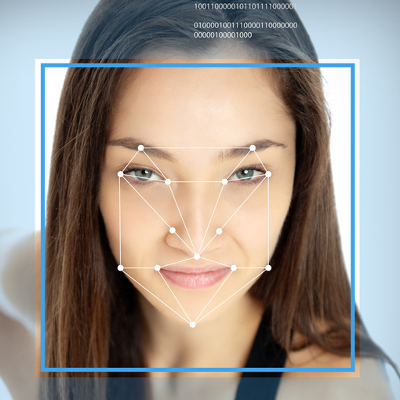
 While new Windows 10 features like Cortana and the return of the Start Menu are getting a lot of attention, there’s another cool addition that’s sure to change your Windows experience for the better. Using Windows Hello, you can actually log into your PC… with your face!
This technology isn’t new to Microsoft; a biometric authentication feature has been available with Xbox One’s Kinect since its release. However, unlike Kinect, the camera for Windows Hello promises to only be activated when it’s needed. This is a lesson in privacy that Microsoft learned the hard way after facing sharp criticism for designing Kinect’s camera to be “always on.”
Although, don’t expect to be able to use Windows Hello with your current webcam. Instead, Windows Hello requires a special Intel RealSense 3D camera, priced at less than $100. It’s reported that the newest Windows 10 laptops and PCs are already being shipped with RealSense cameras, and more models are expected to adopt RealSense cameras later this year.
The Advantages of Biometrics Authentication
To sweeten the deal, Windows Hello gives a user the capability to also log in with their iris and fingerprint. Biometrics technology like this being available on a popular platform like Windows 10 is a huge leap forward in transitioning away from passwords, which are becoming a more vulnerable way to protect your information with every passing year. Dustin Ingalls, member of Windows Security Team, explains in a Microsoft promotional video the benefit of using Windows Hello biometric technology:
As a hacker, if I get ahold of your password, I can use that from anywhere. But with [biometrics]… the key is actually bound in hardware to my device. So the only way a hacker can use my identity, is to actually steal the device. When you use Windows Hello, not only does the attacker have to steal my device, but they also have to be able to use my biometrics. Which is super challenging.
Okay, what about a hacker simply using a picture of you to unlock the device?
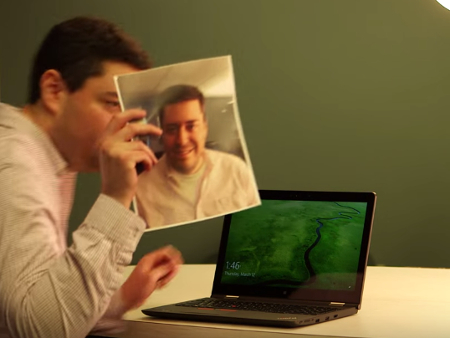
This is why Windows Hello only works with the RealSense 3D camera, because it’s compatible with Microsoft’s anti-spoofing capabilities which require a slight turn of the head. Time will tell how well Windows Hello can lock out identical twins and 3D-printed miniatures; but, seeing that the RealSense camera is capable of analyzing a person down to their facial hair, we’re sure that it’s still a much safer route than passwords.
Setting Up Windows Hello on Your PC
For those with Windows 10, Windows Hello is easy to setup. Go to settings, enable a PIN, and then stare into the RealSense camera to let it detect your face. Users who wear glasses will want to let the camera capture images of yourself with your glasses both on and off. Once your settings are saved, an animated eye will show up on the lock screen, look at you, and wink after it’s detected that you are really you. Windows Hello will then grant you access to your PC with a welcoming message.
It’s as simple as that. With security innovations like Windows Hello, it’s only a matter of time before we never have to remember a password ever again!