chipShortage_469347889_400.jpg

Microprocessor Shortages Hindering the Hardware Market

chipShortage_469347889_400.jpg

When it comes to procuring new technology solutions for your business, what is your preferred method of doing so? If you haven’t thought about it, perhaps you should start. Gartner predicts a major decrease in PC shipments for the remainder of 2022. This has significant implications for any technology user, but this is especially true for business owners who might need to consider hardware refreshes in the near future.

Fewer Devices Available Across the Board

The global PC market is expected to see a decrease in shipping of about 9.5 percent in 2022. The market for smartphones and tablets is also in decline with expected decreases of 7 percent and 9 percent, respectively.

“A perfect storm of geopolitics upheaval, high inflation, currency fluctuations and supply chain disruptions have lowered business and consumer demand for devices across the world and is set to impact the PC market the hardest in 2022,” reports Ranjit Atwal, a senior data analyst at Gartner

It is thought that the collapse of the 5G smartphone market in China is one of the major contributing factors to this problem, as well as the ongoing conflict in Ukraine and inflation across the board. Furthermore, it’s expected that chip makers will likely be influenced by the issues associated with such a decrease in demand for products. This will only serve to make devices more difficult to get ahold of for businesses and individuals that do plan on purchasing them.

These kinds of numbers could have a considerable impact on the way your business acquires technology. If you’re unprepared to handle the changes in the supply chain, you might have difficulty finding the right technology when you need it.

Are You Ready?

Acquiring technology can be challenging for small businesses for a number of reasons, chief among them being the costs associated with acquisition and deployment. If your organization is one which has historically struggled with acquiring technology, we urge you to contact NuTech Services to start a conversation about how we might be of service in your business efforts.

Especially considering the decrease in sales due to anticipated shortages in the supply chain and geopolitics, you must think ahead and plan for the worst. If you don’t know what technology you need a couple of years from now, consider putting together a hardware refresh timeline that outlines when and how you plan to replace aging or failing hardware. We also like to recommend that our clients keep an extra workstation/laptop or two on hand on the off-chance a hardware failure occurs when they least expect it.

In times like these, it’s also incredibly important to maintain the infrastructure you currently have so as not to suffer from unexpected technological hiccups that could derail your business’ operations. We recommend that you take a proactive approach with comprehensive monitoring to keep a lookout for warning signs associated with hardware failure. Really, the big thing is that you want to prevent operational inefficiencies from impeding your workflow whenever possible, so start taking action now before it’s too late.

Whether you need to acquire new hardware, build a refresh timeline, or maintain your existing infrastructure to prolong its lifespan, NuTech Services’s got you covered. To learn more about our services and what we can do for your business, reach out to us at 810.230.9455.

documentManagement_480004182_400.jpg

File Access and Security Improves with Document Management

documentManagement_480004182_400.jpg

When it comes to storing your business’ documents, you have a couple of options available to you. Some professionals enjoy the chaos of having documents strewn about their office, while others prefer the organization that a system of filing cabinets can bring with it. However, both of these options pale in comparison to the document management system, a technological innovation that could allow your organization to go paperless and improve efficiency in ways you might not have guessed.

What is a Document Management System?

A document management system is essentially a repository of your business’ documents that are stored in a searchable database. Since the files are stored in a digital space rather than a physical one, there are many benefits to using a document management system that you simply don’t get with filing cabinets or folders. Consider how much space a filing cabinet takes up—physically—in the workplace. You might have rooms filled with paper documents, and even when they are stored in an organized way, digging one out whenever it’s needed is a time-consuming task. Plus, printing out documents is horrible for both the environment and your printing costs.

Using a document management system makes your documents more accessible, more secure, and more redundant. There is simply no reason not to use one.

Easy Access and Sharing Capabilities

Since your documents will be stored in the cloud, you can easily access them on approved devices and share them with your coworkers as needed. It certainly beats digging through a filing cabinet and making copies of the documents, right?

Secure Storage and Archiving

Paper documents are not secure, period. They can be lost—or worse, stolen—quite easily. It’s more difficult to lose digital files, and even more impressive is the ability to securely store them in encrypted databases. It’s one thing for a criminal to take a pair of bolt cutters to a locked filing cabinet, but another entirely for them to crack military-grade encryption on your database.

Disaster-Proof with Data Backup Systems

Imagine your office building was to catch fire, including the room where you keep your filing cabinets. They likely won’t survive the disaster, leaving you high and dry. While a digital document management system does come with its fair share of challenges related to disasters, like cybersecurity and hacking attacks, data is much easier to back up than, say, five filing cabinets filled with paper documents.

Get Started with Document Management Systems Today!

NuTech Services can equip your business with a document management system that aids your organization’s efforts at going paperless while making your documents more accessible than ever before. You’ll find that the enhanced productivity gleaned from your document management systems will make all the difference.

To learn more and get started with document management systems today, contact us at 810.230.9455.

wifiSecurity_277131135_400.jpg

Improve the Security of Your Wireless Network with these 4 Actions

wifiSecurity_277131135_400.jpg

It’s not always easy to build a network that is both robust and secure, but this doesn’t make it any less necessary, not with so many of your critical business functions relying on connectivity. With so many devices accessing your network at any given time, you need to have a concrete understanding of how to keep your network secure while still keeping your network running efficiently.

Your Wireless is Not Simply About Wi-Fi Connectivity

Your business’ wireless connection is much different from your home connection, and this extends far beyond just the data it sends. Start thinking about it not as a tool but as a part of your business’ foundation, something that it stands on and relies on. This is a far cry from how some organizations view their wireless networks with many viewing them as a secondary network, sidelining it in favor of the actual company network. This practice can be fatal.

Even if you have yet to experience a true data breach, this doesn’t mean that there aren’t currently threats out there who have set their sights on you. Most employees will have smartphones allowing them to access your company’s data or Wi-Fi during the workday, and most important of all, they expect your network to be secure, as they don’t want to put their personal devices or data at risk. To help you build a network that is secure and reliable, we’ve put together the following actions you can take today to protect your network:

Keep Guests on Their Own Network

If you want to keep your network as secure as possible, start by isolating your guest network into a subnet. Subnets are partitioned off from the rest of your network, allowing you to keep them secure through different settings or access controls. Some companies keep their guest networks open so people can use them as they see fit, and while this is certainly a fine practice, be sure that it’s not operating too close to your employees’ network. You never know who could be using your network for nefarious deeds.

Secure Your Routers

If you want to secure your wireless network, you need to make sure that the hardware powering it is in an appropriate location that is safe and secure from just anyone. Businesses opt for commercial Access Point (AP) technology instead of the over-the-counter router, as they provide better coverage and are often placed out of reach, attached to the ceiling or elsewhere. If your business still opts for the router, however, just make sure that people can’t mess with it while they are walking around your place of business.

Reign In Your Signal

You’ll want to have total coverage for your entire office if you can, but you also need to keep in mind that if your network extends beyond your walls, an unauthorized user could be sitting in the parking lot or across the road, ready to use your wireless network for their own purposes. You can manage your signal’s strength by placing them in locations where you are comfortable with letting your wireless signal reach.

Keep Software Updated

Routers have their own operating systems that are updated periodically by software developers, and as such, they also come with their fair share of vulnerability patches and updates. You’ll want to make sure that the firmware is updated for all of your wireless technology so that it is kept safe as can be.

NuTech Services can help you make any and all necessary adjustments to the way you utilize wireless technology. To learn more about what we can do for your business, contact us today at 810.230.9455.

overcomeChallenge_215804358_400.jpg

Prevalent IT Challenges You Need to Consider

overcomeChallenge_215804358_400.jpg

Managing business technology is a challenge that many small businesses have difficulty overcoming, and this is largely in part due to the fact that managing technology is not the focus of these small businesses. The inability to overcome IT challenges can hold businesses back that otherwise would flourish. Let’s discuss some of the biggest issues that companies have for IT and how they could potentially be addressed.

Digital Transformation is Here to Stay

The pandemic forced the hands of businesses all over the world, forcing them to adopt new technology solutions in response to the rapidly changing global situation. There are no signs which indicate that this digital transformation is slowing down, as businesses are more focused than ever on optimizing their processes with what was previously seen as a taboo working environment, i.e. remote technology.

Cybersecurity is More Important Than Ever

You can’t go on the Internet or turn on the news without seeing a new devastating cyberattack against a major business or government entity. A 2022 study from Evanta found that cybersecurity is the number one priority for CIOs, and considering the number of remote and hybrid workers out there, we’re not surprised.

Taking Full Advantage of the Cloud

The cloud is the second largest growing spending category for businesses, at least according to the Evanta study; 54 percent of businesses are investing in cloud solutions. Businesses want the freedom and agility that comes with cloud infrastructure, making it one of the highest priorities and biggest challenges facing organizations today.

Supply Chain Problems Linger

Hardware and other technical components are harder than ever to get, particularly because of disrupted supply chains as a result of the pandemic and conflict between Russia and Ukraine. We like to recommend that businesses plan ahead with their technology acquisition by planning out a hardware refresh cycle and IT roadmap.

Talent Acquisition is Difficult

Paying to hire in-house IT workers can be expensive, especially if you want IT workers who know what they are doing and have the skills required to keep your business technology running. Unfortunately, many small businesses don’t have the resources to pay top dollar for IT talent.

Managed Services Can Solve a Lot of These Issues

The closest thing you can get to a silver bullet for all of your technology problems is to work with a managed service provider like NuTech Services. Our trusted technicians have the know-how to help your organization overcome any technology-related obstacle, from technology acquisition to management to maintenance and beyond. To learn more about what we can do for your business, contact us at 810.230.9455 today.

PointOfSaleSystem_287592925_400.jpg

The Modern Point of Sale System Can Bring Massive Benefits

PointOfSaleSystem_287592925_400.jpg

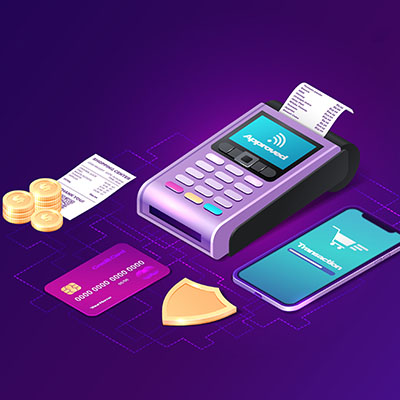
Many businesses make their profits from selling products, goods, or services to their consumer base, requiring that they have a way to process these transactions in place. The point of sale system is a business’ preferred method of handling these transactions, especially in retail. How can you know which features you might need for a point of sale system?

Explaining Your Point of Sale System

Simply put, a point of sale system is a combination of hardware and software that works together to give you a solution for managing your sales. For example, the standard cash register could be considered a point of sale system, as it provides the barebones necessities for handling transactions. Point of sale systems have evolved well beyond the cash register, though, and if you want to make the most of them, you’ll have to look a little deeper and think more ambitious with your point of sale system.

The Hardware Involved

Depending on the type of business, the hardware you choose to use for your point of sale system will vary. You’ve seen various types of point of sale systems throughout your day-to-day life, and many of them might look like computers with touch-screen capabilities and cash registers and card readers built right into them.

Small businesses generally have low-tech hardware implemented for their point of sale systems, though, at least compared to large retailers and enterprises. Most small businesses don’t need the type of hardware that these larger organizations use and can get away with using a simple plug-and-play card reader for a smartphone or tablet connected to a point of sale application. At the end of the day, your business’ needs will vary, so you should not buy into what is expected of a point of sale system without first assessing your own individual needs.

The Software Involved

The terminal you choose will also, to an extent, dictate which type of software you’ll use. These types of software are generally cloud-based systems that are quite dynamic in their capabilities and come at a low up-front cost. However, these types of systems may not be as customizable as you might want them to be. There are better and more robust systems out there that can either be hosted in the cloud or run on-site to give you more flexibility in control in how you manage your point of sale systems.

Some systems have features such as loyalty programs, employee scheduling software, inventory tracking and management, workflow management, and so on. Ultimately, you’ll make your decision based on your company’s specific needs and what is available to you.

Start Using Point of Sale Systems Today

If you are in the business of selling products or services, you could potentially benefit from a strategic implementation of a point of sale system. Technology like this is often best handled by professionals, which is why we recommend you work with NuTech Services for the deployment of any new solutions.

To learn more about how we can help you fulfill your company’s needs through the use of business technology solutions like a point of sale system, reach out to us at 810.230.9455.

eWaste_158822542_400.jpg

Taking Advantage of Prime Day? What To Do With Your Old Technology

eWaste_158822542_400.jpg

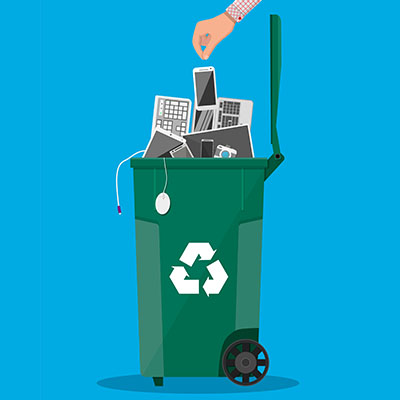
In the post Prime Day space, you might realize that you have purchased quite a few consumer electronics from the web retailer, and if you did, we hope you found some great deals that you can write home about. But before you throw out your old devices in favor of the new, we urge you to think about the approach you are going to take, as improper recycling and disposal of devices could have negative effects on both the environment and your personal data.

E-Waste is a Problem

To illustrate how e-waste can quickly become an issue, consider just how quickly society as a whole replaces devices they own. Most adult humans in the world have a smartphone these days, and that’s not to mention that they also have laptops, desktops, appliances, and other devices they use throughout the day. When new models of devices with better, more dynamic features are released, the natural reaction is to upgrade and replace the old with the new.

Despite the ongoing pandemic having decreased spending on electronics, as well as the ongoing consumer electronics shortage caused by supply chain issues, there will always be more opportunities for people to purchase new devices while failing to throw out their old devices in the process. These devices, when they aren’t properly recycled, can find their way to landfills in third-world countries where they accumulate into massive piles of toxic e-waste.

Consider what these devices are made of; with valuable metals in their components like gold, copper, iron, silver, and platinum, as well as harmful chemicals found in their batteries like mercury, lead, and cadmium. These devices are a nightmare to the environment—especially in as large a quantity as those found in landfills.

Make Sure to Wipe

E-waste is bad for the environment, but many people who throw away their devices simply aren’t aware of the vast amounts of personal data that can be found on them. People will throw away devices without first considering what they have used it for in the past, which passwords or other personal data may have been saved to them—information that the right hacker could sell to the right criminal for just the right price. To keep this from happening, we recommend that you wipe all data from your devices prior to their recycling. In many cases, the only way to be sure of a wipe is to completely destroy the hard drive, rendering it inoperable and unrecoverable.

Need a Hand?

Properly disposing of your old electronics can be challenging on your own, so we recommend working with professionals like NuTech Services who can help you ensure that your company’s devices are properly wiped before they are discarded. We can also help you locate a place to recycle your devices so that they don’t contribute to the proliferation of e-waste in landfills all over the world.

For more information on what you can do to be part of the solution to e-waste, contact us at 810.230.9455.

hybridWorkProductivity_488348405_400.jpg

Creating Productive Workspaces Keeps Business Comfortable

hybridWorkProductivity_488348405_400.jpg

Whether you are in the office or working remotely, there are many distractions that can derail your productivity. To set yourself up for success, we recommend that you follow the tips outlined in this blog. You might be surprised by how just a few simple adjustments can make a world of difference for your productivity.

Focus On What You Can Control

Your workspace is limited in its size, and in many cases, your office constraints will work against you. Some businesses have cubicles or an open floor plan, and depending on the approach, it could be designed to help you better interact with your coworkers. You might not be able to control the office layout, but you can control your desk space.

Do you keep a clean or messy desk? More clutter means less productivity. Make sure you have a system in place to keep your desk’s organization in check.

The temperature of your office can also factor into workplace productivity. Cornell University published a study that indicates a warmer office can improve typing speed by as much as 150 percent, all while reducing the amount of errors by 44 percent. The target range should be about 71º Fahrenheit.

Finally, consider the light levels in your office. Dimmer light can improve creative work, whereas brighter workspaces can increase analytical work. Natural light should be utilized whenever possible, as it can improve productivity and employee satisfaction. If natural light isn’t an option, we recommend you take breaks to get away from your screens from time to time.

Remove Discomfort

It might be a bit of a depressing reality check, but we spend at least a quarter and up to a third of our lives at work. This can naturally take its toll on your body in ways you might not have anticipated. Productivity is directly linked to how well you feel, so you will want to keep your body and mind sharp to optimize your productivity. Let’s take a look at how you can do this, even from your office.

Get Up and Move

That’s right—it’s time to discuss desk-ercises. These will help you get your blood pumping a little bit while also stretching out your muscles. If possible, you can also take a short walk around the block or the parking lot, and take the stairs whenever possible. If you can’t break free of your desk, here are three exercises that can help to improve your comfort at work:

  • Neck rolls – Relax and lean your head forward and slowly rotate in a circle for 10 seconds. Repeat it by doing it in the opposite direction.
  • Chair squats – Stand up at your desk and just lower your body down until you almost reach your chair. Do this 10-15 times. 
  • Wrist and finger stretch – Place both hands on your desk with your palms down and your fingers pointed toward your body, lean slightly forward and hold for five seconds. 

It’s also important to exercise your brain, especially if you are responsible for several tasks throughout the day that could be mentally draining you. Here are some ways you can refocus your mind:

  • Meditate – The easiest way to meditate is to simply sit back in your chair, close your eyes for a couple of seconds, and focus on your breathing. Breathe in through your nose, counting to four, hold it four seconds, then breathe out to the same four-count. Hold for four seconds with no air in your lungs, then repeat.
  • Change it up – Making small adjustments to your daily routine can make big differences in your mindset. You can try sitting in new places to get work done, shift your priorities around, or spend some time developing your networking skills. Breaking out of the routine can be a major way to transform your workday.
  • Fundamental skill development – Practicing the fundamental skills of running a business can help you in your day-to-day tasks. Simple things like working on your memory, typing skills, software skills, or even communication skills, can all help shake things up a bit throughout the day.

We know that work can be stressful, but if you approach it mindfully and incorporate the above techniques, you can make for a more comfortable and productive existence. What are some of your favorite ways to make your workday more productive and enjoyable? Let us know in the comments.

surgeProtector_28843708_400.jpg

Outlining the Differences Between a Surge Protector and a Power Strip

surgeProtector_28843708_400.jpg

When it comes to business technology, there are sure to be a lot of electrical plugs, so you’ll naturally want plenty of outlets to plug them into. A power trip likely won’t cut it, though. For your needs, you’ll want to invest in a surge protector. Why is the surge protector so much better, you ask? Well, let’s explore this question.

The Big Difference Between Power Strips and Surge Protectors

At first glance, the two devices seem quite similar. Some might even call them glorified extension cords with additional outlets. It should be straightforward what they are used for, but it’s a little more complicated than that.

The difference is in its name.

Surge Protectors Protect Against Surges

Power surges are commonplace, and as long as people continue to manipulate electricity, there will always be a risk involved with its use. Surges can cost businesses untold amounts of money, for if electronics receive an influx of electricity that they are not prepared for, they can be damaged–often irreparably.

You want to avoid this whenever possible, which is where the surge protector comes into play. A surge protector keeps these surges from damaging your electronics, while a simple power strip lets them pass right through.

Surge Protectors Are Better Investments

If you want to make sure that your IT systems are set up in a way that minimizes the possibility of a power surge or other disaster, NuTech Services can help you acquire the appropriate technology and set it up effectively. To learn more about what we can do for your company, reach out to us at 810.230.9455.

brainTechnologyInnovation_258774763_400.jpg

Use Automation to Improve Operations

brainTechnologyInnovation_258774763_400.jpg

The difference between productivity and innovation is not always clear-cut, but the biggest one is that higher productivity naturally creates innovation… assuming it is supported by the right tools and mindset. How can technology help your business be more creative and innovative in the way it goes about its day-to-day operations?

If the pandemic has taught us anything, it’s that there is great value in operational freedom, and both employees and employers want to have their expectations met. What can we expect from these new circumstances we find ourselves in?

It Takes Action to Produce Results

Ultimately, it’s productivity that most workers, departments, businesses, and industries will be looking to for a measurement of success. If your employees are more productive, then your business will be more productive as a result. Technology is crucial in facilitating this vision of better performance across your organization.

The right technology can make a world of difference if it’s implemented appropriately. Take the CRM tool, or customer relationship management. A CRM can help your team make spades in productivity by automating much of the sales or marketing processes that might normally be assigned to your staff, like customer interaction, collaboration, and so on.

Now, if your team doesn’t have to spend all of that time on those tasks, then they won’t have to work as hard to manage or maintain these relationships, freeing up even more time to focus on other tasks that can generate profit. A CRM automates many tasks that would normally grind the workday to a halt, and it can help to achieve a more efficient workflow, just like productivity suites or cloud-based platforms.

The cloud in particular can also create opportunities for your organization to expand its operational flexibility, as these resources can be accessed anywhere, anytime, and at a fraction of the costs associated with in-house hosting, management, and maintenance. If you have not considered the cloud for your needs, we strongly encourage you to do so.

Technology Creates More Opportunities

Even with new opportunities opening up as a result of technology, some companies are finding it harder to innovate. Small businesses need to use every opportunity at their disposal to make changes for the better at their organization, including new technology solutions. There are plenty of tools out there that can make all the difference to help your staff be more productive and efficient with their time.

Consider how much time and effort your staff are required to invest into the guidelines and procedures you have for your company. If it’s exhausting for you, then it’s exhausting for them—especially if the processes are not simple ones. You can make them more streamlined and effective, allowing your team to more easily manage their schedules and communicate with each other in better, clearer ways. If you can free up time for your employees, then you can make their lives so much easier. Here are three ways you can make this happen:

  • AI chatbots: You can invest in better support options to assist your clients in getting the help they need. When you implement an AI chatbot, you are essentially giving your clients more support, which is never a bad thing. Plus, if the bots are capable of handling most commonly-asked questions, imagine how much time this saves for your other, non-bot employees.
  • Internet of Things: You can eliminate unnecessary costs through the use of the Internet of Things. With connected systems, you can control your HVAC system, lighting, thermostats, and so much more, including inventory and asset management. You can then reinvest the savings into other areas of your business.
  • Data insights: You should be able to use your data to create opportunities for action. There are analytics systems and business intelligence platforms that you can use to solve all kinds of problems using the data you collect and utilize on a daily basis. You can then use this data to make better, smarter decisions for your organization.

We know technology isn’t always the easiest thing to manage for your business, which is why we dedicate ourselves to helping small businesses get the most value out of their IT infrastructures. To learn more about what we can do for your business, reach out to us at 810.230.9455.

creativeTeam_181021521_400.jpg

Why a Creative IT Team is an Asset to Seek Out

creativeTeam_181021521_400.jpg

If you work with technology, then you are likely to have a good idea of what innovation is and isn’t. Innovation is born from creativity, and while it’s not often associated with business IT, there is something to be said for how technology professionals solve problems in a creative fashion, solving problems with solutions available either in-house or on the market. Today, we are focusing on how this creativity can be an asset and how you can foster creative thought in your office.

Creative Thinking Can Benefit Your Business

Whether it’s in IT or elsewhere, you can expect a creative team to bring many benefits to the table. All that said, your IT team in particular can benefit from this creative mindset. Let’s examine some of the benefits they can expect from this new way of thinking.

Greater Efficiency

If someone is creative, they might start to think outside the box more often, meaning they will be more apt to consider ways to solve problems, thus leading to greater efficiency in the workplace. If you want to accomplish goals faster, a creative thinker will help you get there.

Results-Driven Problem Solving

Creative thought lends itself well to results-driven problem solving. Your creative team will be more apt to complete their objectives, and they will be more empowered to focus on not just the payout, but the process as well. Even if their processes don’t work, a creative team will be sure to find alternative ways to solve their problems.

Improved Thought Processes

People will have more productive thought processes if you encourage them to be creative. Creativity breeds innovation, and these improved thought processes will allow your team to think about problems from different perspectives.

Leadership Development

Creative people tend to take leadership and own their work, as well as its challenges and struggles. If you give your team time to develop these leadership skills, even in a smaller or less-complex context, you might find that your internal processes can be significantly improved.

Building a More Creative Team

Next, let’s take a look at some questions you might consider when trying to create this creative team for your business.

How Can You Encourage Collaboration?

Despite the way it might seem, IT is by default not a very collaborative part of your business. That doesn’t mean you can’t do anything about this, though. You can try to break your team up into groups with the goal of finding the solution to a specific problem. This gives your team the ability to focus down on various challenges in a low-stakes environment while also giving them opportunities to learn from each other.

What Do Customers Want?

Another opportunity to foster creative thought is to challenge your team members to think about how they have made a difference for your customers and clients. By limiting it to your customers and clients, you’re forcing them to think in a more creative way, as well as in a context that they might not necessarily have considered in the past.

How Can You Foster All Ideas?

Not all ideas can be successfully implemented, but this doesn’t mean to discredit ideas that you don’t deem feasible. It can sometimes be a good thing to encourage thinking or dreaming big about the future, and who knows? Maybe some of these ideas can be implemented in the near future, even if they cannot be pulled off at the moment.

Let Us Help Your Team Build Their Creativity

The greatest barrier to your team’s creative endeavors is time. If your schedules are full of tasks that get in the way of innovation, like management, maintenance, and supporting the rest of your employees, then naturally they will find themselves with less time to focus on other creative tasks.

NuTech Services can give you back this time by taking over some of the more menial tasks your IT department might traditionally have handled. To learn more about how we can help your business be more innovative, reach out to us at 810.230.9455.

legalIT_286869333_400.jpg

Technology for the Modern Law Practice

legalIT_286869333_400.jpg

It’s important that attorneys have access to the important information and tools needed to enable them to do their jobs. When they can do so easily, they are able to bring in more revenue, take on more clients, and provide better services to their clientele. What kinds of technology do lawyers need to improve their practices?

First, it helps to have a bit of context for how the pandemic has changed operations for lawyers. Legal services are popular, sought-after services, but the pandemic forced many lawyers to go virtual. Now, what started as a trend might be a more permanent shift, and the following technologies are what will enable lawyers to do their work more effectively in a virtual capacity.

Document Management and Automation

Document management is a must-have technology for law offices, as paperwork is an incredibly important part of practicing law. Document management and automation tools can effectively streamline document creation, as it can capture and populate templates utilizing information already provided. It can provide a solution to search, view, and edit documents, and every transaction comes complete with documentation, something which is critical to the law practice. We can help you build a document management system for your law firm so you can always keep the files needed on-hand and available on your devices.

VoIP Enabled Video Conferencing

VoIP has gone from being an emerging technology to a vital one, meaning that it’s silly to not use it in comparison to the other solutions out there. It gives your business one more way to make the most out of its Internet connection, and there are so many other great features available through it too, like video conferencing and other communication tools. Video conferencing is particularly important, as more people are wanting to meet virtually than ever before, and it only provides your law practice with even more flexibility and options. Many video conferencing tools have VoIP built right into them, and the best solutions are those that are secure and easy to use with high-quality video and audio. There are even options that include end-to-end encryption.

Scanners

Data entry is also crucial to the success of any law firm, and those in small practices might struggle to keep their files in order. With a digital repository for these files, it can be easier and more secure to manage the various documents. Scanners can be used to input data in this way. Depending on the solution, you can either go all-out with a flatbed scanner or use handheld scanners that won’t cost your business an arm and a leg. Even modern printing solutions often come with scanning solutions your business can use for this purpose.

Mobile Devices

Mobile devices are quite useful for professionals, but in the law field, they can completely change the dynamic of the profession. They provide access to applications built specifically for attorneys while also providing access to documents, communication, and data storage. Smartphones and tablets are popular tools for modern law firms.

To keep your law firm ahead of the competition, we recommend you reach out to NuTech Services. We can help you assess your current technology practices and suggest ways you can improve them. To learn more, reach out to us at 810.230.9455.
access_control_AdobeStock_55750729_400.jpg

Focusing on Access Control Can Make Your Business More Secure

access_control_AdobeStock_55750729_400.jpg

If you are someone who gets stressed out easily by people having access to resources they shouldn’t, then you probably have heard much about how to keep your data and internal resources safe from external threats. However, access control is much more than just cybersecurity; you also need to take into account the physical space when considering your access controls.

What is Access Control?

At the root of it, access control is all about restricting access to specific resources within your organization based on user or role. Certain users might be authorized to view specific information or be required to verify their identity before being allowed access. Basically, you have to ask the network for permission before you are allowed onto it, and once the network has given you permission, you can access the resources located on it.

Access control can basically be split into two groups: digital or cyber access control and physical access control, both of which have benefits and different types of solutions available on the market today.

Cyber Access Control

Your business has parts of its infrastructure that should only be accessed by specific individuals. Some of the data included on these parts of your infrastructure might include employee data, applications, resources, financial records, and more. This information should only be accessed by specific individuals who need it for their day-to-day responsibilities. The logic for this is simple: the fewer people who have access to this data, the less likely you will experience a data breach. Access control tools can help to limit access to this data.

Physical Access Control

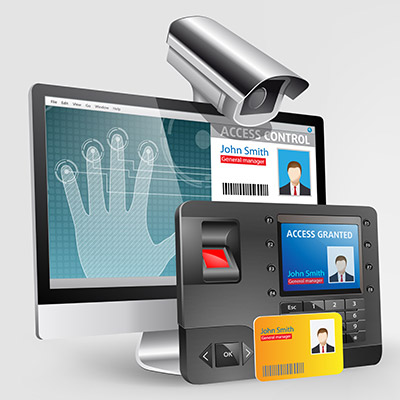
You might also want to keep specific individuals out of certain parts of your office, too. Physical access controls might involve key cards, code-guarded doors, or biometric scanners to keep intruders out of your office, or specific parts of it. For example, you might store sensitive records in a specific part of your office guarded by card readers or code-authorized doors. Even keeping the door locked can be an effective deterrent.

Get Started Today

We understand that security can make things complicated for your organization, but you need to take it seriously before it comes back to bite you. If you want to implement access control systems for your office, be they digital or physical, NuTech Services can help. To learn more, reach out to us at 810.230.9455.
hardware_132271008_400.jpg

Hardware Shortages are Having a Major Effect on Future IT Plans

hardware_132271008_400.jpg

If you have tried to replace any hardware over the past couple years, chances are you were either met with significant disappointment or a hefty price tag. There is currently a hardware shortage—particularly for business electronics—and the entire business technology industry is reeling from it. If your organization depends on technology, as many do, you need to understand how this shortage could impact your day-to-day operations.

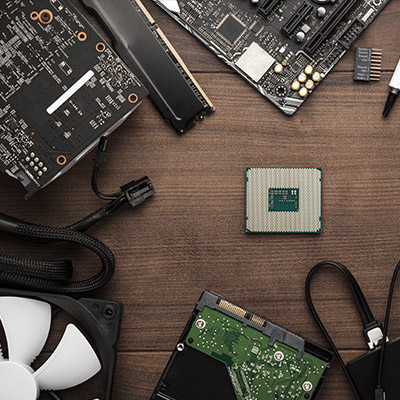
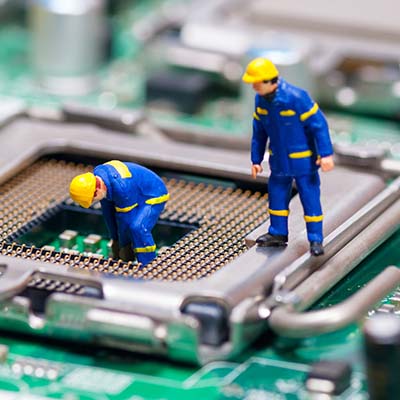
The shortage itself stems from a semiconductor shortage, something which bleeds into all parts of device creation, whether it’s manufacturing or acquisition. Here are some of the ways that this hardware shortage can affect a business like yours.

Price Point

As components’ prices increase, the costs of the devices do as well. Unfortunately, this is also a part of the hardware shortage, as the cost of manufacturing drives prices up. Consumers ultimately wind up absorbing the costs, and it could also impact the prices offered by providers of other goods and services.

Timeline for Acquisition

Hardware is in short supply, so you can expect the timeline for acquisition to be extended beyond what you might otherwise experience. We recommend that you put together a timeline for when you want to replace or acquire specific hardware, as this will help you prepare well ahead of time for when it’s time for a hardware refresh.

It Makes Upkeep Even More Important

Since devices are more expensive and harder to find, you will want to make sure that you are taking proper care of your current infrastructure so that it lasts as long as possible. The idea here is to prolong the life cycle of your current technology long enough to outlast the hardware shortage and/or to keep it in proper working order long enough to establish a plan to replace it before it fails.

What We Recommend

We believe that NuTech Services is best equipped to help your organization acquire the hardware it needs to succeed, particularly during this difficult time. We have connections all over with hardware vendors that want to get you the technology you need to keep operations in check. Furthermore, it’s just easier to have someone else do all of the heavy lifting; this gives you opportunities to focus on keeping your business running as efficiently as possible. With us on your side, you’ll never have to worry about devices being unavailable when you need them.

To learn more about our services, give us a call at 810.230.9455.

smart_devices_174202822_400.jpg

3 Useful Smart Devices You Can Implement Today

smart_devices_174202822_400.jpg

The Internet of Things is growing rapidly and can be of benefit to your organization if it is deployed correctly. It offers a massive opportunity to automate certain parts of your business, saving money, and ensuring that human error is taken out of the equation. A majority of businesses have not fully taken advantage of the time and money savings a well-positioned IoT device can provide.  Let’s take a look at three of the most useful IoT devices that a small business can implement.

Smart Locks

For small businesses, physical security is a major consideration. Today, there are smart lock mechanisms that increase convenience and security, by giving managers more control and peace of mind over the locks on their organization’s doors. Unlike traditional locks, a smart lock features a computing mechanism inside a deadbolt lock that can be locked and unlocked remotely. The key to the smart lock is that it has administrative tools built in that give administrators the ability to create and revoke digital keys that provide a level of access control that can be added and eliminated in seconds. Additionally, smart locks provide comprehensive logs as to when people opened a lock with their digital key that is assigned to a user’s device, giving administrators control and oversight over every door in your building.

Smart Lighting and HVAC Controls

Another digital tool that can help save plenty of money are smart lights and thermostats. The smart lighting not only provides additional convenience, as it can be set when to turn on/off lights automatically. Administrators can ensure all lighting is handled remotely as well so they don’t have to physically be at a location to ensure that the lights are on or off. 

The smart thermostat operates on the same general principle, but with the cost of heating fuel and electricity, it can literally pay for itself in a matter of months. Admin features allow for temperature control around the clock, so that a company can save plenty of money on heating and cooling bills by setting temperatures for different parts of the building at different times. With smart thermostats, you’ll never have to worry about that employee that cranks the heat and leaves it on for days.

Smart Cameras

These days, every business should have some type of surveillance system. Not only is it a theft deterrent, but it can also help lower insurance premiums. Unfortunately, many businesses don’t have sophisticated enough cameras to help authorities if a theft were to occur. With smart cameras, a business can get the crystal clear, high-resolution cameras they need, and it won’t cost thousands of dollars to implement. Most of today’s smart camera systems come with enough cloud storage to upload the high-definition footage, making reviewing this footage less problematic. 

Overall, the Internet of Things is both a benefit and a problem that every organization has to confront, but by implementing smart tools that are secure and reliable, your organization can save money, be more secure, and save a lot of time. 

What do you think about smart devices? Do you think they are secure enough to use in your business? Leave your thoughts in the comments section below and check back soon for more great technology content.

cleanComp_48112113_400.jpg

Tip of the Week: Keep a Clean Computer

cleanComp_48112113_400.jpg

If you think about it, a computer is a machine that is full of complex parts and components. Therefore, if you want it to operate at maximum efficiency, it must be taken care of, like being kept tidy and clean. Let’s discuss how you can make sure this happens for your business technology!

Here are three tips you can implement today to clean up your workstation and improve the performance of your device.

Prevent Dust from Accumulating

If something is stationary for too long, it accumulates dust, and computers are no exception. Unless you make it routine to clean regularly, dust will gather around fans and vents utilized for cooling down its components. Make sure you remove the dust regularly so that your device doesn’t experience cooling issues.

Avoid Food or Drink at the Workstation

The best way to keep your computer clean is to not put it in a position to get dirty. By this, we mean keeping your food and drink well away from your computer. If you don’t bring your meals near it, you’ll be less likely to spill it on your device. We know that the grind can be pretty stressful, but you really should be taking your lunch break away from the computer—for reasons other than it’s bad for your device.

Clean Out Your Keyboard Every So Often

Keyboards can collect a ton of skin particles, crumbs, dust, and so much more that can get stuck underneath the keys, and this is all just by going about your day-to-day routine. Take a moment to shake out your keyboard every now and then; it might mean the difference between taking your keys off to clean underneath them at a later date.

Did you find these tips helpful? If so, why not share them with a friend or colleague?

knowWorkers_350861587_400.jpg

Knowledge Workers and How they Fit Into the Remote Workplace

knowWorkers_350861587_400.jpg

You might think that remote work for specific positions is taking off, and while this is true for some, it’s not necessarily the case for all. Knowledge workers, for example, are seeing fewer and fewer new job postings, as evidenced by a report from Braintrust. This report analyzed 150,000 new job postings and had some surprising results on the remote work front.

Defining Remote First Positions

By “remote first” we mean that remote first companies make it a priority to hire remote workers for most, if not all of their open or available positions. As such, they have a limited in-house workforce, choosing the flexibility that remote work allows for rather than limiting operations to a centralized office location. Some companies that consider themselves remote first include Intuit, Facebook, and Amazon.

But how does this policy of remote first employment translate to knowledge workers? Not in the way that you might expect.

Defining Knowledge Workers

Knowledge workers are those that provide value in the workplace through their knowledge, i.e. knowledge they have obtained or developed over time. Some examples of knowledge workers include programmers, pharmacists, lawyers, engineers, and scientists. In a sense, you can consider knowledge workers to be “problem solving” workers.

Why Does This Resistance Exist?

As reported by TechRepublic, the resistance to remote first work policies seems to be in areas that have traditionally not had strong policies surrounding remote work. This compounds in regions that have historically not had strong turnout for knowledge-based workers. These companies are stuck in a difficult position. They cannot find local talent, but they have also lagged behind in the shift to hybrid and remote work.

Additionally, there appears to be a disconnect between offices that are trying to stick to the old way of doing things and their employees. Consider the past few years and the number of offices that were forced to transition to remote work due to circumstances surrounding the pandemic. Employees got a taste of what it felt like to work remotely, and they do not want to give it up. They are ready to embrace a more flexible way of doing things, but can workplaces keep up with this?

While there might be some resistance to remote-first work for knowledge workers, we don’t think that your business should be one of them. Thanks to remote technology solutions that allow employees to work from anywhere with relative ease, you too can jump on the remote work bandwagon and reap the incredible benefits that come from employing remote workers… assuming that you have a solid strategy in place for adding them to your workforce. That’s where we come in.

One of the key challenges facing companies employing remote workers is the technology involved in maintaining access to important resources and establishing communication between the office and the workforce. NuTech Services can help your organization make this transition seamlessly. To learn more, reach out to us at 810.230.9455.
security_399603500_400.jpg

Businesses Need to Focus on Security with Remote Workers

security_399603500_400.jpg

There are plenty of companies that have implemented remote work policies to combat the isolation forced upon us by the COVID-19 pandemic. Some businesses even had to resort to downsizing or shutting their doors completely because they could not adapt to these circumstances. Today, as we enter 2022, we thought we would take a look at the role security plays in an effective remote work policy.

The Pandemic Has Shown Businesses How Well Remote Work Can Work

Even though there has been somewhat of a resistance to remote work, the companies that chose to embrace it have fared pretty well. Even now, two years after the beginning of the pandemic, people are still seeing the value of remote work. It has afforded organizations the flexibility to adjust operations as needed to accommodate changes in infection rates. Some employees have completely changed their opinions on remote work as a result of the pandemic.  A PwC survey conducted in August revealed that nearly a fifth of these workers would like to be fully remote, even without COVID in the picture.

Despite the benefits, however, security is still a sticking point for many companies. There are many cybersecurity challenges that come with remote work, especially where working from home is concerned.

Unfortunately, Remote Work Can Provide Cybercriminals with Opportunity

One of the most difficult parts of remote work is maintaining a minimum acceptable level of cybersecurity. The unfortunate reality is that your employees who work from home will not have the same protections on their home networks as they do while at the office. This means you will have to invest a little effort into making sure these workers are as protected as possible.

Security Issues Can Come from All Angles

When it comes to cybersecurity, there are many challenges for remote work, chief among them the lack of control you have over your team members’ personal devices and their home network. They will not be as secure as they might be on your in-house network. Furthermore, they will not be as focused on security as a result of being isolated in their homes, increasing their risk of exposure to threats.

So, While Remote Work Can Be Valuable, You Need to Keep It From Making You Vulnerable

It’s clear that you need to do something to protect your remote employees while they are working out of the office, but what can be done? We have a list of practices and solutions for businesses that want to be more proactive about these remote work vulnerabilities. Here are some of them:

  • If an employee has no choice but to use a public Wi-Fi connection, make sure they are utilizing a reputable VPN (virtual private network) to secure data while it is being transmitted
  • To help prevent employees from transferring data from work devices to private ones, putting together a Bring Your Own Device policy to help establish some control over the device and allowing them remote access to your infrastructure or using the cloud helps to secure your data.
  • Password practices need to be upheld just as vigorously as they would be in the office. Not only do they need to be complex enough, they all need to be unique. Multi-factor authentication (MFA) should also be implemented to double-down on the security that accounts are protected by.
  • Physical security also needs to be remembered when working remotely. Devices should never be left unattended in a public place, and it is not a bad idea to secure them in the home as an added safety precaution.
  • All devices used for work, including the modem and router supplying wireless Internet, need to be kept up-to-date so that they remain secure.
  • All remote users should be reminded of the threat that scams and phishing attacks pose, with ongoing training and other awareness-enhancing activities being conducted on a regular basis.

This might seem like a lot to handle, but that’s why you don’t have to do it alone! To learn more about how we can help your business keep itself secure, reach out to us at 810.230.9455.
FrankandBill_62716906_400.jpg

Procuring the Right Hardware Can Be a Difficult Process

FrankandBill_62716906_400.jpg

A time may come when your business needs new hardware, so you will have to make the best and most educated decisions when it’s time to do so. This process can be difficult without the help of your resident tech professional, though. Maybe we can give you a hand!

Here are some of the common challenges that your business might come across when adding new hardware solutions to your infrastructure.

First, however, it’s important to know what not to do when you replace your technology. Some businesses might use a break-fix approach for their technology maintenance, but at that point, the technology is already broken and often must be replaced. This kind of downtime is extremely detrimental to the future of your business.

To showcase just how severe a problem this is, consider what might happen if your server unit were to fail. What happens when your staff no longer have access to the data found on this server? If a desktop solution were to fail, that’s one thing, but when the server fails, that’s not just one person without access; that’s multiple people—perhaps your entire workplace—who now must wait for you to address the problem before getting back to work. Oh, and by the way, you are probably paying your employees for the time they spend waiting for you to fix the issue. Preventative maintenance could have solved this issue before it even became a problem.

First, you need to ask if the hardware should be replaced in the first place. Sometimes you might get the urge to upgrade, but there’s really no reason to do so at this time—at least not a good one. If your current systems work just fine and they are not disrupting your productivity, then there is generally no reason to upgrade. If your systems are, however, causing a disruption to your productivity, then that is a good reason to upgrade your hardware. Even if you can foresee a circumstance in the near future when your hardware will impact your ability to get things done, you can start thinking about upgrading.

Second, you should ask yourself what the purpose of the hardware is. For example, your average office worker and a video editor will have two completely different needs. If you give your video editor a bare-bones thin unit instead of something with enough power to perform their day-to-day tasks, then they will not be successful in their role at your company. You want to make sure you implement technology while knowing what your staff are using it for.

Finally, consider the timeline for the hardware replacement. How long will it take to replace your technology, and what does the roadmap for replacement look like down the road? Regular hardware refreshes can lessen the impact that hardware failure has on your business, as it makes it far less likely to occur. While it might look like you are replacing technology too soon, what you are doing is the exact opposite, as you have planned for these occurrences rather than responding to unexpected circumstances.

The best way to add hardware to your infrastructure is to work with a professional like those at NuTech Services. We can help you with each stage of the process. To learn more, reach out to us at 810.230.9455.

Good_hacking_214956022_400.jpg

Hackers Aren’t Always Thieves

Good_hacking_214956022_400.jpg

When we think about security and hackers, it’s easy to think of them all as the bad guys. However, this is far from the truth. Just like with other areas of life, there is a shade of gray involved with hacking, and there are good guys that use these skills to benefit others while the bad guys try to exploit them for their gain.

The hackers who use their skills to benefit others are called white-hat hackers, whereas the ones who abuse their powers are called black-hat hackers. What can we learn about the practice of hacking from these two groups of hackers, and why is it important to see it as two different sectors of the same art? Let’s dive in.

Hacking of a Different Kind

These days, the word “hacker” can be used synonymously with someone who makes a task easier, like a “life hacker” so to speak. However, in the programming and cybersecurity space, a hacker is someone who has devoted their life to understanding the inner workings of computers and IT systems. It wasn’t until people decided that they wanted to use this knowledge for ill intentions that hacking became a bad or dirty thing.

Ethical Hackers: Using Skills for the Collective Whole

In many cases, companies will hire ethical hackers to discover threats or vulnerabilities in their software or network so that they can be located preemptively and resolved before they become issues. You can think about it as a more advanced type of penetration testing; someone is actively seeking access to your network, but they are doing it so you can fix the issues leading to it.

Threat-Actor Hackers: Using Their Knowledge to Create Chaos

These types of hackers are the ones you have to watch out for; they use their skills to perform all sorts of nefarious and illegal activities, including extortion, theft, and so on. These hackers are the reason why others get such a bad rap. Unlike ethical hackers, these threat actors are unpredictable and use their skills to create problems for countless individuals around the world.

Don’t Let Security Scare You to Inaction

Despite knowing that there are people out there using their hacking skills to learn more about the systems and enabling others to resolve issues with their networks, you still need to take action of your own against threats of all kinds. For every ethical hacker, there are hundreds of others who want to see your business suffer. Don’t let these folks keep you from running an effective organization for your clients and employees.

NuTech Services can help your business implement security solutions to keep it safe. In a sense, you can think of us as ethical hackers of sorts; we can run a penetration test to help identify weaknesses in your network. We can then help you shore them up. To learn more, reach out to us at 810.230.9455.
AIBias_237001559_400.jpg

Do Humans Create Bias in the AI We’ve Developed?

AIBias_237001559_400.jpg

Science fiction shows artificial intelligence to be an entity compelled purely by logic, driven only by objective facts. AI tools used by businesses and in the real world, however, are a far cry from this perception. AI systems have some biases in their operations. Let’s take a look at some of them and how you can resolve these issues.

What Kind of Biases Have AI Systems Demonstrated?

There are several biases that AI can display. Here are some of them:

  • Sampling Bias: This occurs when AI is only given part of a population or a selection of samples rather than a purely random process.
    • Voluntary Bias: voluntary bias specifically refers to how a population’s results are artificially skewed by their willingness to participate.
  • Design Bias: This bias is a flaw in the process itself which leads to flawed outcomes. In AI, the issue is most often found in the dataset.
  • Exclusion Bias: This type of bias occurs when specific data is intentionally removed or omitted, and it ultimately yields fewer or less valuable insights.
  • Label Bias: This bias occurs when the data is not labeled correctly. See below for the two types of label bias:
    • Recall Bias: This form of bias appears in data that has been mislabeled and annotated inaccurately.
    • Measurement Bias: This division of label bias is the result of inaccurately or inconsistently taken data points.
  • Confounding Bias: This bias happens when external variables are pulled into the equation or directly influence your data set, leading to inaccuracies in the final product.
  • Survivorship Bias: This type of bias occurs when only data that has made it through the selection process is considered. For instance, World War II researchers made this error when examining fighter jets to better reinforce them. By only examining jets that survived the trip back from a combat mission, the most useful information (where the planes that went down were hit) was ignored.
  • Time-Interval Bias: This bias occurs when data from only a specified period of time is analyzed rather than the complete set.
  • Omitted Variables Bias: This bias happens when data collected is cherry-picked and only certain variables are considered, thereby skewing the results.
  • Observer Bias: This is essentially confirmation bias, where an individual only considers data that matches their own values or goals rather than the complete set.
    • Funding Bias: This variety of observer bias comes when the interests of a financial backer leads to the data being skewed.
  • Cause-Effect Bias: This is when correlation is mistaken for causation, or when two events happening at the same time are thought to be because of each other without taking into consideration other factors.
  • Model Over/Underfitting: This bias occurs when the analytical system, or model, can’t see the big picture or is not able to grasp patterns appropriately.
  • Data Leakage: This occurs when two sets of data that are to be compared share data, like when you are comparing a certain time period to your predictions.

Where Do These Biases Come From?

In most cases, these biases are formed from the system or, more specifically, the user of that system.

AI Bias is Just an Extension of Human Bias

Whether it is error based on prejudice or assumption, most biases can be traced back to the user. For example, let’s say that you want to determine the most important part of your services to your clients. In this oversimplified example, the algorithm powering the AI could be perfectly put together, yet the data used could muck up the results. For instance, if the data was specifically and exclusively collected from Facebook followers, then the accuracy of the data will be skewed in a certain way (sampling bias and voluntary bias, as your followers need to opt into providing you with this data).

This is but one example of AI being unable to perform its assigned tasks, so to prevent this from happening, you must approach the design of your AI systems with an awareness and willingness to avoid biases.

That’s right—it takes human awareness to help AI do its job in an appropriate manner.

How Can Bias Be Avoided in AI?

You can take certain steps to keep biases from impacting your AI systems. There needs to be a capability for a human being to observe the processes and catch its mistakes, as well as the opportunity to update the systems to accommodate any adjustments as needed. There must also be standards placed on the data collected to ensure that opportunities for bias are minimized.

Your team members will also have to remain aware of these biases while they are working with your data. These biases are generally sourced from human biases, meaning that they can influence your business even if you aren’t using an AI system. In other words, you need to make sure that your staff are both aware of and actively avoiding these biases when processing, collecting, and analyzing data.

 What are your thoughts on AI and its uses in the business world? Be sure to leave your thoughts in the comments.