
cybersecurity_182043943_400.jpg

Securing Every Endpoint is Important to Maintaining Security

cybersecurity_182043943_400.jpg

Sometimes it can be easy to take cybersecurity for granted, especially when you consider that built-in security features are more powerful than they have ever been. Unfortunately, if you think that cybersecurity is something that ends with the built-in security of your desktops and laptops, then you’re in for a rude awakening.

Most Devices Are Connected These Days

Besides older industrial machinery and equipment, just about all devices connected to your network communicate with each other in some way, thereby making them a cybersecurity risk. Individual workstations and desktops might be protected, but you also need to keep them updated, along with all of the other endpoints that might be connected to your network.

In fact, you might be surprised by some of the other devices that could potentially be threats to your network.

Network Printers Can Be Dangerous

Does the name Stackoverflowin ring a bell? Back in 2017, this hacker hijacked 150,000 printers all over the world from big brands like Canon, Brother, Epson, HP, and Samsung. They were then able to send documents to these printers to print out the messages. The attack might be harmless, but it showcases just how serious issues of cybersecurity with printers can be, as they can be controlled and manipulated in ways you might not expect.

In essence, the above attack could be categorized as a botnet, or a large group of infected devices from all over the Internet using their collective power to launch an attack against a network. This segues nicely into our next topic of discussion, the DDoS attack.

Internet of Things and Distributed Denial of Service Attacks (DDoS)

Just last year, the world saw the most massive DDoS attack yet. A DDoS attack is when countless devices—we’re talking hundreds, thousands, or even millions of infected devices—band together to launch all of their power against a website or service. It’s like when the grocery store has too much traffic and people get stuck waiting around in the aisles, or when a highway experiences traffic congestion.

Anyway, back to the attack. It went after its target with 17.2 million requests per second, three times larger than the largest DDoS attack which preceded it. With a varied list of compromised devices, including smart appliances and various Internet of Things devices such as smart light bulbs, thermostats, washing machines, and others that can connect to a smartphone, anyone with connected devices has reason to fear these attacks. And, of course, if a hacker can take over your washing machine, you bet they’re not going to be doing your chores for you. They’ll likely use it to gain deeper access to your network and create all kinds of problems for you.

Networking Equipment Like Routers, Switches, and Other Hardware

Any device which sends or receives network traffic throughout your office is going to be vulnerable, as it’s likely connected to your workstations, which your employees use on a day-to-day basis. Even in the home environment, you can expect there to be threats aplenty, as just last month a new type of malware was discovered making its home on consumer and small-business grade network routers. This particular threat allowed hackers to influence connected devices using the Windows, Linux, and macOS operating systems.

The malware, an incredibly complicated and sophisticated threat called ZuoRAT, is believed to have been created by a major organization or perhaps even a nation-state. The threat is quite difficult to identify and detect, all while granting a considerable amount of control to any potential attacker, making it a dangerous combination of stealthy and powerful. It can also be used to roll out additional malware, bypassing security measures along the way.

Yes, Even the Bluetooth Earbuds

Bluetooth headphones might seem small and of little consequence, but even these devices can be vulnerable to threats. Take, for example, the vulnerability which was discovered within the microcontrollers of a handful of earbuds, allowing hackers to gain control over the device for the purposes of a botnet. The threat has only been used by researchers, but security experts were able to break into their own Bluetooth earbuds and disable the Bluetooth and wireless communications on the connected device. Imagine the repercussions this could have in the realm of a physical security system, where security cameras could be broken into and turned off.

Pretty scary stuff, although we would like to mention that we don’t bring this up to scare you—merely to open your eyes to the possibilities out there for hackers, which are seemingly infinite in scope.

It’s Never a Bad Time to Consider Your Cybersecurity Strategy

We know it can be a little unnerving to think about the many threats out there, but you don’t have to do it alone. NuTech Services is here to help you navigate the cybersecurity landscape. To learn more, reach out to us at 810.230.9455.

355953300_mobile_device_management_400.jpg

How to Make the Most of Mobile Device Management

355953300_mobile_device_management_400.jpg

The concept of remote work is closely tied to mobility, which means that solutions and strategies that promote this mobility are particularly important for businesses to adopt if they are interested in benefiting from remote operations. Mobile device management is one such solution.

Let’s go over a few key practices to successfully using MDM to your business’ benefit.

What is Mobile Device Management?

Mobile device management is the application of software solutions that allow you to implement policies that control how users can access your business’ data. This enables your business to improve its data security while implementing a Bring Your Own Device policy.

If you are currently considering implementing an MDM solution, here are a few best practices to keep in mind as you make your selection:

Comprehensive Compatibility

Some people are fans of Android, while others will pick iOS whenever they have a choice. To successfully implement MDM, both platforms need to be supported. You should also be sure that your solution can differentiate between an employee-owned device and one that is property of your business and be able to adjust its policies accordingly.

Device Tracking and Management

On the off chance you have to let an employee go, you don’t want your BYOD strategy to leave you vulnerable to retribution. A good MDM solution will allow you to review what a device has access to, and to remotely revoke that access as necessary. As a bonus, these features make general device troubleshooting much simpler as well.

Security in Your Control

While your business’ security is obviously a priority for you, your team probably won’t think about it as seriously as you will… despite it largely being their responsibility. They might just assume that the chances of something happening are so low, they can cut a corner or two. Instead of convincing them that they’re mistaken, an MDM solution allows you to set the acceptable benchmarks for your security. This enables minimum password requirements, encryption, remote wiping capabilities, and other utilities.

Comprehensive Backup

If you’re allowing BYOD in your business, there’s a good chance that some of your business’ data is spread out amongst several employee devices. Should something happen to that device, you could easily lose this data. Protecting this data is as simple as backing it up to the cloud.

For more information about mobile device management, or any of our other IT services and support options, give NuTech Services a call at 810.230.9455.

BYOD_94228175_400.jpg

What to Include in a BYOD Policy

BYOD_94228175_400.jpg

A Bring Your Own Device (BYOD) policy is something that many organizations have adopted, for a few good reasons: employee satisfaction, cost savings, and productivity boosts included. However, it’s crucial that you don’t just assume that you can adopt a policy like BYOD without establishing some ground rules that your employees need to abide by.

Here, we’ll go over a few topics that your BYOD rules need to address.

Password Practices and Other Security

It’s hardly a secret that some people utilize lax passwords – especially on their personal devices, where there isn’t an IT department establishing policies to help ensure password strength. According to Pew Research Center, 28 percent of smartphone owners don’t use a screen lock. Obviously, this isn’t something that can be allowed in the business setting.

So, if your employees are going to use their personal devices to access business resources, you need to have a policy that their devices are set to lock after a certain period of inactivity, and require some form of authentication to unlock. Furthermore, the device should further lock down if an incorrect authentication code is input so many times.

Your policy should also include any required security solutions you plan to utilize as part of your mobile monitoring and management toolset. All devices should have antivirus installed, along with mobile device management and unified endpoint management solutions.

Provisioning and Network Security

Provisioning a personal device that is going to be used for company work helps to ensure a few things. Not only does it help to make sure that productivity applications are configured properly, it also helps to boost your security. Furthermore, your network needs to allow your employees’ devices to access the business network – not just a guest network you have set up. Of course, there should be procedures and safeguards in place to ensure that this is done securely.

Tracking, Remote Access, and Data Wiping

Accidents happen, and devices can be lost – and sometimes, stolen. Furthermore, any device that is attached to a company network and has accessed illegal content could possibly leave the company liable – especially if this content was accessed via the company network. Your IT team should have the capability to monitor what websites and content each device included in a BYOD strategy has accessed, as well as to remotely access these devices to help ensure their security should they wind up missing. It also helps if they can implement updates to work solutions and security measures.

If worse comes to worse, it is beneficial to be able to delete all of a device’s data remotely – that way, even if it is stolen, your data won’t be at risk for as long. This also comes in handy if an employee is ever to leave your employ and you want to make sure they no longer have your data (or access to it).

BYOD can offer significant benefits to any organization. To learn more about putting a policy in place at your business, give NuTech Services a call at 810.230.9455.

201295262_byod_mobile_400.jpg

What You Need to Consider About BYOD

201295262_byod_mobile_400.jpg

One of the biggest buzzwords in business these days is BYOD – Bring Your Own Device – and for good reason. There are plenty of operational benefits that an organization can enjoy by adopting a BYOD policy; but, BYOD isn’t an inherently perfect solution, which means that businesses that leverage it need to do so mindfully.

To begin, let’s briefly review the basic principles of BYOD practices. In essence, rather than providing each employee with a company-supplied device, an employee is allowed to bring in a device that they own and leverage it for work purposes.

Why BYOD Has Become Popular in Workplaces

On the surface, BYOD seems to be the perfect solution – there are even statistics that help to support this position. For instance, companies who embrace BYOD practices save around $350 each year, per employee. Furthermore, using portable devices for work (much like what would be used as part of a Bring Your Own Device practice) has been shown to save employees approximately an hour each day, increasing their productivity by about a third.

This is just the tip of the BYOD-benefits iceberg. There are much more, including:

Access to Better Technology

If you were to list any business’ technology priorities, security and productivity should top the list… but oftentimes, frugality wins the day. Budgetary restrictions and a preference for tried-and-tested solutions frequently means that investments into more recent solutions are often pushed by the wayside. After all, what if the expensive new technology doesn’t work properly? This is frequently why businesses find themselves making due with solutions that really should be replaced. On the other hand, employees likely have no such qualms when they purchase their own devices.

BYOD policies allow a business’ employees to replace their outdated solutions with the reliability of newer, more up-to-date devices… leading to happier, more productive employees.

Reduced Financial Toll on the Business

Like we mentioned, it is fairly common for budgetary concerns to be the driving factor of many business decisions. It isn’t that the company doesn’t want to replace the aging workstations scattered around the office… it just isn’t in the budget. Before Bring Your Own Device emerged, businesses were stuck in a few different money pits. Between providing their employees with devices, maintaining and replacing these devices when they went faulty, and all the other expenses that come from keeping up an IT infrastructure, employers were stuck with a hefty bill.

Nowadays, with many people investing in their own devices and their accessibility, these expenses can largely evaporate. The employer’s investment can be effectively limited to securing access to these devices, allowing funds to be spent on other meaningful initiatives.

Employee Satisfaction

We’ve all experienced the struggle of trying to do work on equipment that just isn’t equipped for what we are trying to do. It can feel like trying to play Yahtzee with loaded dice – it just isn’t going to work, no matter how much effort is put forth. This is the other side of the example that preceded this one. If the aging workstations scattered around the office aren’t replaced due to budgetary concerns, some employees are going to be stuck using them… and they aren’t going to be happy.

As we alluded to as we described the effects that access to improved solutions can bring, an employee who isn’t being hamstrung by their technology is simply going to be more productive and happier with their working situation.

Clearly, BYOD isn’t something that should be dismissed without at least some consideration, but that isn’t to say that it is a perfect solution. There are also potential issues that need to be addressed as a BYOD policy is considered.

The Potential Issues of BYOD

Distractions

For every productivity application available on the Google Play Store, there is at least one application that is decidedly unproductive… at least, in terms of your business and its operations. While you could take steps to prevent these kinds of applications from appearing on devices that you provide, there isn’t much you can do about your employees downloading whatever they want onto their own.

Loss of Control

This is a big issue for businesses, as there are a multitude of ways that their losing control over the devices on their network could impact them. The policies that once prevented vulnerabilities from being leveraged can’t just be installed on an employee’s device without their consent, which many employees may be hesitant to give. This problem becomes even larger if an employee is fired or quits – what happens to the data on their device? How can a company be sure that a current employee isn’t putting sensitive company data at risk? What if the device is lost?

Compliance Shortcomings

Finally, you have to consider how your BYOD implementation will interact with any other compliances or requirements that your business is beholden to. In the past, a shockingly low number of IT leaders and professionals were confident that their BYOD policies met the standards placed by a variety of requirements, including HIPAA and Dodd-Frank.

How Can I Leverage BYOD Securely?

Fortunately, there are a few means of adopting a BYOD approach within your business while mitigating the concerns described above. The simplest way is to simply enforce a use policy, outlining the guidelines that your employees must follow if they wish to use their personal devices for work purposes.

NuTech Services can help you to create and enforce these guidelines, as well as optimize your use of your IT in many other ways. To learn more, reach out to our team by calling 810.230.9455.

mobile_device_workplace_risk_400.jpg

Are Mobile Devices Putting Your Workplace at Risk?

mobile_device_workplace_risk_400.jpg

How many devices find their way into your office every day? In this age of mobile devices, it’s no surprise for each of your employees to have everything from a smartphone or tablet, to wearable technology like a Fitbit. Depending on the type of device, you’ll want to ensure that you have every opportunity to secure it so that it doesn’t become a security problem later on down the road.

The reasoning for doing so is simple; the more devices on your network, the more opportunities that a hacker has to gain entrance to it. If you don’t maintain who can or cannot access your network with specific devices, you could be leaving the backdoor open to any number of threats out there. Therefore, you need to take a multilayered approach to network security for mobile devices, and it all starts with a Bring Your Own Device strategy.

Bring your Own Device, or BYOD, aims to manage the risk of employees bringing their own devices to the office without sacrificing the privilege of doing so. Some of the major features of BYOD are great ways to augment mobile device security for your organization, so here are a couple of them to consider:

Blacklisting and Whitelisting Apps
The apps downloaded to your device have a lot to do with your business’ security. There are apps out there that are known to cause security discrepancies for your organization, so it makes sense that your business has a way to keep undesired apps off of your devices. By blacklisting and whitelisting apps, you can control your devices to an extent, keeping known threats off of smartphones and tablets.

Remote Wiping
Losing a device is a worst-case scenario for a lot of organizations. Not only do you risk the device falling into the hands of someone who refuses to return it, but you also risk the data on the device being compromised. In any case, you should enable the option to remotely wipe any lost, misplaced, or stolen devices so that they can’t be accessed by malicious actors. This way, you preserve the right to protect company data while still allowing employees to use and access their devices.

Let’s start talking about implementing your BYOD policy. NuTech Services can help your organization implement a solution that’s ideal for your specific needs. To learn more, call us today at 810.230.9455.

bring_your_own_device_400.jpg

Bring Your Own Device Is Great…When Applied Properly

bring_your_own_device_400.jpg

If you let your employees use their own devices for work purposes on the company network or wireless Internet, you might be seen as “the cool boss.” Your employees love this privilege, but this can be a dangerous practice if done so without moderation. Here are some of the many benefits that your organization can reap from a well-thought-out BYOD policy, as well as some of the pitfalls you could fall into if you’re not careful.

It’s understandable to imagine that your team will be getting more done using their own devices for the reason that they are simply more comfortable with certain products. For example, if you force someone who is used to Apple products to use a Samsung smartphone, they might be a bit frustrated until they get the hang of how it works. Furthermore, if you have your employees provide their own devices, you don’t have to purchase devices for everyone who needs them. Even something as simple as a little bit of freedom is invaluable for your employees, but you still want to dodge the many problems associated with BYOD if you want to safely allow it.

Ultimately, the goal should be to implement a BYOD policy that takes security into account, while also allowing employees to do their jobs properly. Here are some features that you will want in your BYOD strategy.

Application Blacklisting
It’s important to keep in mind that not all applications found on the Google Play Store are going to be safe and secure for your employees. You can’t let them just download any apps that they want. The risk of user error could mistakenly expose any company-owned data on the device to threats. Some apps are so sneaky that you can’t even tell they are stealing data from you while fulfilling a different purpose. A perfect example is a flashlight application that wants access to your device’s contacts, email, text messages, and so on. Since apps will usually ask for permissions before installing, it’s an ideal time to see if they are pulling some ulterior motive. Application whitelisting and blacklisting can also help you control which apps can (and can’t) be installed on a device, and what information can be collected by them. When in doubt, have your employees submit their app download requests to IT for review.

Remote Wiping
An employee losing a device could be a dangerous situation to be in. After all, you don’t know who will find it. For all you know, they could be a hacker or identity thief. If the device contains sensitive information, they may be able to access it somehow. It is situations like these that make remote wiping a necessity for SMBs, especially if employees take your data on the road. Remote wiping allows your business to immediately erase any data located on the lost device, helping you secure your business’ data even in the worst of times.

User Access Restriction
Not all of your organization’s data should be available to the entirety of your workforce. After all, why would the average worker need access to documented information from human resources, or financial data from accounting? You need to ensure that your BYOD policy reflects this kind of thinking by restricting data access according to work role. By doing so, you can limit how much data a potential thief has access to right off the bat. It might not be a perfect solution, but it helps you solidify security for the future–and it beats having your entire data infrastructure available to all onlooking eyes.

Do you have a solid BYOD strategy implemented for your organization? NuTech Services can help you choose what’s best for your business. To learn more, reach out to us at 810.230.9455.
b2ap3_thumbnail_your_byod_policy_400.jpg

Are Mobile Devices Helping or Hampering Your Team’s Productivity?

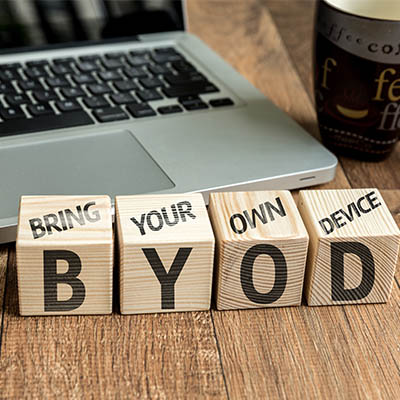
b2ap3_thumbnail_your_byod_policy_400.jpgMobile devices have become such a popular computing medium that they’ve infiltrated the workplace. While the business owner might feel that these mobile devices can help employees gain more regular access to corporate data for more working hours, these same devices could potentially eat up those work hours with time wasted on mobile gaming or other recreational apps. What’s the truth about BYOD? Let’s find out.

Your employees have smartphones that are chock-full of productivity-boosting applications that have the potential to streamline the way they work throughout the day. However, these devices also come installed with other consumer-popular applications like YouTube, Facebook, Netflix, Twitter, and more, that are notorious for destroying productivity.

Let’s not forget the games that are compatible with smartphones, either. These devices are able to run certain games similar to those found on popular handheld gaming systems like the Nintendo 3DS. Obviously, playing these kinds of games while on the job doesn’t make the ideal worker, and as an employer, you’d quickly ban your team from engaging in such fruitless activities. Therefore, the smartphone should also be fairly limited in use in order to facilitate proper operations during the workday.

For example, let’s take a look at a report by Evolving Workforce Research:

Nearly 60 percent of employees feel work would be more enjoyable if they had a say in the technologies they used, while 60 percent feel they would be more productive with better IT resources (like BYOD).

Mobile device manufacturers love to use these kinds of statistics in order to show you, the business owner, how great mobile devices are for productivity. However, if you take a closer look at this quote, it states that 60 percent of employees feel they would be more productive. That’s like saying that you feel so great you believe you can fly; an over exaggeration that isn’t true.

Therefore, having a productivity-increasing device isn’t the same as using it for its intended purpose. It’s sort of like buying a nice new piece of fitness equipment, like a treadmill, and letting it sit in the corner collecting dust. Just because an employee has a sweet new smartphone, doesn’t mean that the only thing they’ll use that phone for at work is to be productive.

Of course, the opposite can be true as well. An employee can be more productive with BYOD, as displayed by this study from Cisco:

BYOD-ers save an average of 37 minutes per week with BYOD as it is currently implemented in their companies. The United States leads by far in terms of current productivity gains per BYOD user, with 81 minutes per week, followed by the United Kingdom at 51 minutes. In both of these countries, BYOD-ers posted impressive gains by working more efficiently and being more available to their colleagues and managers.

This study shows that there’s some proof that BYOD can be useful for employee productivity. BYOD can potentially save some time during the course of the workday. But, of course, the question that’s hovering over every employee’s head is whether or not they want to use their extra time for work, or to waste time on their phone.

One particular aspect of BYOD that business owners must always consider is the fact that more devices accessing your business’s network means that there are more avenues for threats to sneak into your systems. Security should be a top priority when using BYOD for anything, and if you don’t have security on your mind, productivity in-turn suffers due to vulnerabilities, threats, and hacks.

BYOD generally requires more measures that must be taken compared to companies who don’t allow it. Ultimately, it’s up to you as the business owner whether or not you want to allow your team to bring devices to the workplace. If you do, make sure your network is ready to deal with them.

If your business is on the fence about BYOD, contact NuTech Services at 810.230.9455. We can help you determine whether or not it’s worth the risk for your business, and how you can integrate corporate BYOD policies that maximize security.