When it comes to procuring new technology solutions for your business, what is your preferred method of doing so? If you haven’t thought about it, perhaps you should start. Gartner predicts a major decrease in PC shipments for the remainder of 2022. This has significant implications for any technology user, but this is especially true for business owners who might need to consider hardware refreshes in the near future.
Fewer Devices Available Across the Board
The global PC market is expected to see a decrease in shipping of about 9.5 percent in 2022. The market for smartphones and tablets is also in decline with expected decreases of 7 percent and 9 percent, respectively.
“A perfect storm of geopolitics upheaval, high inflation, currency fluctuations and supply chain disruptions have lowered business and consumer demand for devices across the world and is set to impact the PC market the hardest in 2022,” reports Ranjit Atwal, a senior data analyst at Gartner
It is thought that the collapse of the 5G smartphone market in China is one of the major contributing factors to this problem, as well as the ongoing conflict in Ukraine and inflation across the board. Furthermore, it’s expected that chip makers will likely be influenced by the issues associated with such a decrease in demand for products. This will only serve to make devices more difficult to get ahold of for businesses and individuals that do plan on purchasing them.
These kinds of numbers could have a considerable impact on the way your business acquires technology. If you’re unprepared to handle the changes in the supply chain, you might have difficulty finding the right technology when you need it.
Are You Ready?
Acquiring technology can be challenging for small businesses for a number of reasons, chief among them being the costs associated with acquisition and deployment. If your organization is one which has historically struggled with acquiring technology, we urge you to contact NuTech Services to start a conversation about how we might be of service in your business efforts.
Especially considering the decrease in sales due to anticipated shortages in the supply chain and geopolitics, you must think ahead and plan for the worst. If you don’t know what technology you need a couple of years from now, consider putting together a hardware refresh timeline that outlines when and how you plan to replace aging or failing hardware. We also like to recommend that our clients keep an extra workstation/laptop or two on hand on the off-chance a hardware failure occurs when they least expect it.
In times like these, it’s also incredibly important to maintain the infrastructure you currently have so as not to suffer from unexpected technological hiccups that could derail your business’ operations. We recommend that you take a proactive approach with comprehensive monitoring to keep a lookout for warning signs associated with hardware failure. Really, the big thing is that you want to prevent operational inefficiencies from impeding your workflow whenever possible, so start taking action now before it’s too late.
Whether you need to acquire new hardware, build a refresh timeline, or maintain your existing infrastructure to prolong its lifespan, NuTech Services’s got you covered. To learn more about our services and what we can do for your business, reach out to us at 810.230.9455.
The microprocessor shortage that is affecting businesses all over the world is about to get worse before it gets better. Ukraine currently produces between 45-to-54 percent of the world’s semiconductor-grade neon, a critical component for the lasers used to make microchips. With Russia invading the sovereign nation, two of the largest neon-refinement companies, Ingas and Cryoin have halted production, leaving an already massively short market in dire straits.
The work stoppage has created some uncertainty over the worldwide output of microchips, a major problem as demand for smartphones and other devices that require chips has never been higher, not to mention that supply chain issues still linger from the ongoing COVID-19 pandemic.
For the past 18 months, many products including computers, smartphones, cars, and more have seen their prices rise as manufacturers try to navigate a shortage of microprocessors. The shuttering of two of the largest neon manufacturers figures to exacerbate these problems substantially.
Fortunately, many of the major chip manufacturers keep a fair amount of neon stockpiled, but as the Russian-Ukrainian conflict drags on, you could see major shortages in new microchip-run devices and products, as well as an increase in price as demand continues to grow. Ironically, the Ukrainian neon market is a byproduct of Russian steel manufacturing, so any hope that the situation will be resolved before the end of the conflict is unlikely.
This isn’t the first time that we’ve seen the neon market interrupted by Russian violence. In 2014, Russia annexed the Crimean peninsula, then a part of Ukraine. That situation led neon prices to rise as much as 600 percent, resulting in a steady increase of prices of consumer goods that utilize this extremely rare resource.
Some of the largest chip manufacturers have made arrangements with distributors to acquire the material, but smaller manufacturers will have a very hard time sustaining operations if the conflict isn’t resolved soon. If the neon production stoppage continues, industries and governments could initiate their own neon production, but experts suggest that it could take anywhere from 18 months to two years to ramp up and will cost billions of dollars, a situation most entities would like to avoid if they think that the current conflict is only a temporary one.
For NuTech Services, we have had to change the way in which we go about technology procurement, and will adjust further if warranted by this obstruction in the market. We still strive to get our clients the technology they need to move their business forward. If you have any questions about our ability to procure the hardware you need to run your business, call us today at 810.230.9455.
Inside its casing, your computer contains many parts. While these parts may not be moving, they are hard at work, enabling you to use your computer to accomplish your goals. For today’s Tech Term, we’ll take a closer look at just one, the motherboard, and examine what it contributes to your device’s operation.
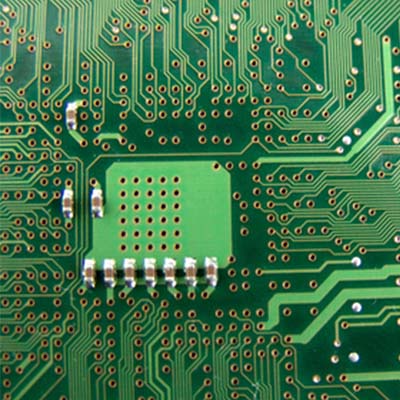
What the Motherboard Does Your computer’s motherboard is its internal control center, the communications hub for the rest of the device. It is through this circuit board that all of the computer’s components and peripherals connect and share data. In this way, the motherboard is what makes a computer a computer, and not just a box filled with disparate components.
When the computer first boots up, the first thing to get power is the motherboard. Its different components then activate the various other parts of your computer.
Parts of a Motherboard In order to properly function, the motherboard requires quite a few pieces to be present and correct. While the layout, or form factor, varies based on the specifications needed, all motherboards have these basic components incorporated.
Chipset – the chipset is what enables the transfer and flow of data between the various other components of the motherboard. Divisible into two parts, the Northbridge and Southbridge, the chipset allows the different components to communicate with each other.
CPU – The CPU is the part of the motherboard that relays information from the Northbridge to the different parts that it communicates with. A better CPU will assist you in having a fast and efficient computer.
Slots – A motherboard’s slots are what hold the different pieces that make up a particular motherboard in place. These pieces could include:
Random Access Memory, or RAM
PCI(e), which connects to expansion cards, like video, network, or sound cards
SATA, which connect to storage drives like HDD and SSD
In short, your computer’s motherboard is a small, but absolutely critical component to the function of the device as a whole. Have any more questions about motherboards, or any other aspect of your technology? Reach out to us and let us know!
One of the major benefits of a laptop is the mobility that it permits–but this is a double-edged sword, as this mobility means that you are relying on the device’s battery life. Of course, if your laptop begins to die, you can always borrow someone else’s charger, right?
Actually, this is a very bad idea, as it puts your device at serious risk. There are a few reasons why this is the case.
Manufacturer Differences When whichever company produced your laptop did so, it did so in a very specific way. This includes the charger that comes with the laptop. Trying a different manufacturer’s charger with your laptop will almost certainly damage your battery. Best case scenario, your laptop’s battery will reject the charger. You should only ever use a charger that was produced by the device’s manufacturer, even if another charger appears to supply the same amount of power.
On the subject of power…
Different Power Requirements Like we mentioned before, your laptop’s original charger was specifically manufactured to your laptop’s specifications. As a result, the charger is made to supply exactly how much power your device needs. A charger from a different manufacturer might supply too much or too little power, potentially damaging the battery or the laptop’s other hardware.
Why You Should Avoid Cheap Off-Brand Chargers If it’s bad to utilize another established brand’s charger, it’s worse to subject your laptop to a knock-off, no-name charger. There is no guarantee that the charger is of a trustworthy quality, as well as no way to tell if its alleged power output is actually what it sends into your device. If you do need to replace your charger, or you just want a spare, invest in the real McCoy. Otherwise, your short-term costs savings may translate into the cost of a new device.
Have you ever found yourself without a charger and tempted to borrow someone else’s? What happened if and when your battery died? Share your experience with us in the comments!
Just like how your organization relies on hardware solutions to keep operations moving, this hardware relies on regular refreshes which keep it in proper working order. If you fail to replace or maintain the solutions that you have in place, you’ll be more likely to experience downtime, or at least hardware failure. Managed IT has provided SMBs with a way to bypass many of the frustrations involved with acquiring new hardware in the form of Hardware as a Service.
HaaS helps your organization keep its critical hardware running. This includes servers, workstations, networking components, and more. While these technology solutions require daily maintenance in order to run at maximum efficiency, they often need to be replaced after a certain amount of wear and tear. By working with a managed service provider to implement HaaS, you can maximize the amount of mileage you get out of your hardware solutions, all while obtaining new technology without breaking the bank. We believe that your organization shouldn’t have to suffer due to an unforeseen hardware failure.
Chances are that your organization doesn’t upgrade its hardware as often as it should. While your technology budget might be limited, this mindset will hold your organization back from implementing new hardware solutions that can boost productivity and improve operations. It’s often difficult to know when it’s time to invest in new hardware, but unexpected hardware failures can throw a wrench in your plans. In other words, you’re paying to both replace your hardware, and to make up for downtime that can cause trouble for your organization.
Hardware as a Service addresses many of the problems that businesses have with hardware management. Thanks to monthly payments and a service level agreement, you can expect new hardware when it’s needed at an affordable cost. Here are some of the many benefits of HaaS.
An IT roadmap: Knowing where you’re going in on a trip is great, and so is knowing when your hardware goes through its next refresh. We can help you plan out a special IT roadmap that includes hardware refreshes and overall maintenance of your network’s health. This keeps your network from going too long without a proper upgrade.
Lower upfront costs: Since you only pay a flat monthly rate for new technology, you’ll be able to afford it much more easily. HaaS providers can also take future upgrades and management into account when picking equipment for your organization, allowing you to save money down the road.
The latest hardware, now: You’ll be using the latest hardware solutions that help you stay one step ahead of the game. This means that you’ll be able to take great strides in productivity and functionality that may not have been initially available for your organization.
Do you want your business to take full advantage of the latest and greatest hardware solutions on the market? NuTech Services can help. To learn more, reach out to us at 810.230.9455.
How much noise does your work desktop make? Chances are that the majority of it comes from the fans. These fans are designed to cool down the systems while also maintaining an acceptable noise level. However, the longer your technology lasts, you might realize that these fans seem a bit louder than usual due to your machine needing more work from them to keep the innards cool.
It’s also worth noting that your PC might be caked in dust from years of use. With the dust blockading the fans, they’ll have to work a bit harder than before to get enough airflow, which means that they will create more noise. It’s certainly worth checking out if your computer has suddenly grown louder than you’re used to.
Unlike other fans that you might have in the office, computer fans don’t have settings that you can easily adjust. Furthermore, it’s unwise to mess with your PC fan speed in general, since it’s designed to keep your PC components at an optimal temperature. It might be a better move to just replace the noisy fans and upgrade to better, more quiet fans. Since fans are one of the few mechanical parts in most modern computers, they are the components that will show significant wear and tear, even if you take proper care of your computer.
Disclaimer: If you’re looking to replace your computer’s fans or do any work requiring you to open the case and swap out parts, then it’s highly recommended that you either know what you’re doing or have the assistance of an IT professional.
If you’re seriously contemplating changing out your fans, keep the following in mind:
A bigger fan will move more air at lower speeds, which makes for a quieter experience. Just make sure that your computer’s tower can accommodate it.
Look for fans that change their speeds to the amount of heat created by the PC. This keeps the fan’s noise levels to a minimum, even when it’s not being used as much.,
More powerful, high-end desktops require a lot of airflow. By these, we mean PCs dedicated to intensive tasks, such as gaming or video editing. These often have to use multiple fans, so there’s no way around that. However, a technician can probably install some sound-muffling foam to keep the noise to a minimum.
While your PC’s fans could be a major source of noise, there could be other problems associated with a loud computer. If you want to get to the root of the problem, reach out to NuTech Services for professional technology consultation and maintenance. To learn more, call us at 810.230.9455.
There’s no question that cybersecurity is an important part of managing a business, especially with so much technology in your office. Yet, the real challenge comes from making sure that your employees know and understand best practices, and are willing to adhere to them. Here are some easy ways that you can help your employees understand just how important IT security really is.
Change Passwords Frequently Password security is a big problem for both the commercial and domestic computer user. Too often you see stories about users having passwords like “password” or “123456.” To help your team avoid this, create a handout that has the following best practices on it:
Make your passwords long (at least 16 characters). The longer, the better, as this makes the passwords more difficult to guess.
Make your passwords complex. Use a plethora of special characters, numbers, and both upper and lower-case letters.
Never use the same password twice. When a hacker steals a password, they may try to use it on other related accounts.
Of course, a password manager makes these tips much easier to accomplish; particularly one that allows you to share passwords across your organization’s network. You can group together users and distribute credentials as they’re needed, synced in real time to their devices. As a bonus, you can use complex passwords without the frustrations of forgetting and remembering them.
Watch Out for Spam Hackers will often spread spam in the hopes that someone will slip up and offer important credentials or personally-identifiable information via email or phone call. We’ve outlined a couple of common spam situations below, so that you know what to look for:
A big congratulations: If you get an email saying that you’ve won the lottery or a big winner who needs to claim the prize, you can disregard it as spam. In general, if something is urging for immediate action, you might want to think twice about what it is.
Fake law enforcement threats: Hackers know that people are intimidated by the authorities, so they will create messages claiming to be from the FBI or local law enforcement. They will then declare that you have done something wrong and that there is a fine. Messages like this use fear against you, so be careful not to fall into the trap.
Spear phishing tactics: These are tactics in which hackers will target specific users and tailor their attacks to the individual. Details to look for could include customized phone numbers, addresses, and personal information regarding their schedule or workplace. Since the attacks don’t look like generic spam, they can fool users.
Whaling schemes: These are top-tier social engineering threats that almost don’t classify as spam due to how dangerous they are. Whaling schemes, or CEO fraud, is when a hacker impersonates the business owner in an attempt to get financial departments to wire transfer funds to offshore bank accounts. Look for inconsistencies with email addresses, or simply ask the one who has sent the message, if it’s a real request or not.
Many of the above email threats can be mitigated with an enterprise-level spam blocking solution. Spam blocking keeps suspicious messages from hitting your inbox in the first place, which increases the chances that your employees won’t see them at all. However, there are still some that might manage to squeeze past filters. Therefore, the only real way to prevent these problems is by taking proactive security measures.
To learn more about cybersecurity, reach out to NuTech Services at 810.230.9455.
While we tend to focus on the latest technology solutions in the workplace, sometimes it helps to view them from a different perspective, like recreation. Specifically, Windows 10 has become a popular operating system amongst PC gamers, and has reached nearly half of the considerable total user base of the cloud-based gaming platform, Steam.
For the month of June, use of Windows 10 (both 32 and 64-bit versions) with Steam reached an all-time high of 44.6 percent; an increase of 3.41 percent from the previous month, and a 1.54 percent increase from the month before that. It’s safe to say that the free upgrade played a major role in this increase in use, but now that it’s no longer offered for free, is Windows 10 still worth the investment? We would argue yes, as do the gamers. After all, they want to take advantage of the latest Windows OS, and so should you.
Not all Steam users use Windows 10, though. Here are some statistics from the latest Steam OS check:
Windows 7: 36.97 percent, down 2 percent from last month
Windows 8.x: 12 percent
All Windows OS: 95.5 percent
Mac OS X: 3.6 percent
Linux: 0.8 percent
Regardless of whether or not you enjoy games, there’s a lesson that can be learned from these statistics, and it’s that the latest operating system can offer a significant improvement to your user experience. For gamers, their hobbies are a way of life, and they take it very seriously. They’re often known for their meticulous attention to PC performance and specifications, so it’s no surprise that they would be willing to adopt the latest Microsoft operating system.
If anything, these statistics are a strong endorsement of Windows 10, and warrant, at least, a consideration of an upgrade. If you’re unsure of how an upgrade can help your business or user experience, NuTech Services can help. We’ll work with your business to ensure that legacy applications and software solutions aren’t negatively affected by an upgrade. In situations like this, it’s always best to have professionals on hand to guarantee that you experience minimal downtime.
To get started with Windows 10, give us a call at 810.230.9455.
Eliminating unnecessary costs is a natural part of doing business. By “trimming the fat,” so to speak, organizations can optimize operations and profits. Automation technology is instrumental to this plight, but as these systems grow more advanced and capable, even professional employees are finding themselves at risk of losing their jobs to cheaper, more efficient automated systems.
You can see this in many forms throughout the manufacturing and retail industries. For example, the self-checkout systems at major retail stores allow for shoppers to get their wares and get out. Manufacturing plants use automated assembly machines to aid in some mundane tasks. The goal is to eliminate payroll and optimize operations, but let’s face it; these trends put people out of work. Yet, despite the various advantages of automation, their performance is often variable, and they require a certain amount of oversight in order to be effective. Shopping centers will often have a staff member on-hand for times when the self-checkout machines don’t work, and someone has to fix malfunctioning technology when it’s not assembling parts correctly. Thus, humans still have a vital role in ensuring the success of automated systems.
In light of this fact, rather than replacing workers, a solution could be to use automated technology to augment the capabilities of human workers. For example, there are programs that write articles for news aggregates. These systems are capable of writing much faster than a human ever could, but they also lack the emotion required to appeal to readers in a way a human author can. There are still plenty of jobs that automation systems can’t touch, but how long will this remain the case?
While we’re not necessarily declaring that technological advancement is bad, we want to raise awareness of how technology advancement affects the economy and job market. If a technology is putting skilled people out of work, can it really be called “advancement?” This is a question that you have to answer for yourself.
Even if automated solutions are taking jobs, they can still be somewhat useful. Take, for example, your business’s IT infrastructure. You can now outsource your business’s IT needs to a managed service provider, allowing for an “automated” process of managing and maintaining your business’s technology solutions. In a way, you would be augmenting your business by bringing valuable technical expertise into the fold, allowing for more efficient management and maintenance of your systems.
The beauty of working with NuTech Services is that we aren’t like other automated solutions, like those that want to replace your workers. Instead, we want to work with your internal IT department (if you have one) to help your business reach its greatest potential. If your team is having trouble keeping up with critical updates, we can handle this responsibility for them. Or, if you want to implement new solutions and innovate for a better future, we can recommend and implement solutions based on your team’s unique needs. Regardless of whether your team has the training and expertise to handle your IT solutions, our team can offer a way to improve your business’ operations.
Our professional IT staff will prove more valuable than any automated solution ever could be. To learn more, give us a call at 810.230.9455.
Computers have become essential to our way of life. You can find them in everyone’s job, home, or even the palm of their hand. With this saturation, the computer has become something that people of only 50 short years ago, couldn’t even imagine. One way this shift has been most evident is in the cinema.
Movies capture the imagination of the most creative people on the planet and deliver those thoughts to audiences through images. Some of the most important social commentaries told today are done through film (or more apt, video). The evolution of computing can be seen if you look back on the roles computers played in movies about, you guessed it, computers. Here are four movies that capture just how different the perceptions of computers are today versus. 50 years ago.
2001: A Space Odyssey (1968) 2001: A Space Odyssey has been listed by many filmmakers and movie critics as the quintessential science fiction film. In fact, directors from Steven Spielberg to James Cameron still consider the film to be groundbreaking in cinema. Stemming from Arthur C. Clarke’s short story, The Sentinel, 2001: A Space Odyssey represents a significant step forward in the way movies represented the dreams of “the future.” Directed by the late Stanley Kubrick, the movie takes audiences from the dawn of man to the outer reaches of space and presents some interesting claims about the future of computing.
The computer in the movie, Hal 9000 was the central computer in the Discovery One spacecraft. The artificially intelligent Hal states that, “The 9000 series is the most reliable computer ever made. No 9000 computer has ever made a mistake or distorted information. We are all, by any practical definition of the words, foolproof and incapable of error.” As the mission continues, it becomes evident that Hal has hatched a nefarious plan to succeed without the aid of his human counterparts, and begins to eliminate them.
Astronaut Dr. Dave Bowman then is forced to risk space exposure to ward against Hal’s nefarious attempt on his life and return to the ship. He then ensure’s Hal’s destruction in one of the most memorable moments ever filmed:
Kubrick and Clarke had hit some aspects of future computing on the head, such as the proliferation of tablet computers, the ability to use video communication over a network, and the use of a computer to control missions into deep space. The reality, however, is that these were all projected technologies at the time. The personal computer did not exist in the mid-to-late 1960s, so while AI seemed like a plausible technology in 1968, in 2015 humanity hasn’t been able to properly program a digitally run system to be truly “intelligent’.
WarGames (1983) About a decade and a half later, the personal computer was a concept many companies were trying to capitalize on. In fact, Compaq, the developer of the first IBM PC clone, set a then-record for business in a single year by a new company. The movie studios were no different in the timing of making movies featuring soon-to-be household devices.
WarGames follows the travails of David Lightman (Matthew Broderick) and his friend Jessica (Ally Sheedy) after David hacks into the NORAD computer looking to play games that, unbeknownst to him, were being used to educate the military supercomputer to think strategically. Along with regular computer games of the times, such as chess, backgammon, and the like, the WOPR (War Operation Plan Response) also had options for “Theaterwide Biotoxic and Chemical Warfare” and “Global Thermonuclear War.” When Lightman sees these he decides to try out the Global Thermonuclear War “game.”
Soon afterwards, Lightman is captured and held for espionage, since his tinkering inside the computer had let to a threat to national security. They decided to hold him until the higher-ups at NORAD can figure out what is going on. Lightman escapes and with help from Jennifer, they go looking for the developer of the software, Dr. Stephen Falken, who had been pronounced dead. They find him at a house in Goose Island, Oregon. David and Jennifer are able to convince him that he needs to go with them to help save the world.
When they get to NORAD, they inform the General in charge (Barry Corbin) that the computer is simulating nuclear war and will launch the nuclear-tipped missiles when it gets the code. In a brilliant move, Lightman and Falken program the computer to play tic-tac-toe which leads it to run the simulations of a no-win scenario in lieu of nuclear war. With the simulations all showing no winner, the WOPR shuts down and asks if they “wouldn’t prefer a nice game of chess.”
In this movie, the personal computer, specifically the IMSAI 8080 microcomputer, plays a key role in the narrative. It is one of the first movies depicting a PC as important and gives credence to what would become a neverending shift in the way society views computers.
The Matrix (1999) A decade and a half later, computers were in many homes and were being used for recreation as well as business. In fact, there was a time toward the end of 1999 when people were unsure whether the “advanced” society that had been built over the previous two decades would come crashing down, literally overnight (Y2K). The Matrix portrayed the computer as simply a vessel to something bigger. By this time broadband Internet was a relatively new technology, and capabilities for what you could do on the web had begun to grow by the day.
The Matrix is the story of Thomas Anderson (Keanu Reeves), also known as the hacker Neo, who is summoned by his computer to “follow the white rabbit.” This leads to him meeting with a woman named Trinity (Carrie-Anne Moss) at a club. She tells him she can show him the truth. He then is taken into custody by men in suits and is interrogated by one of them called Smith (Hugo Weaving). They tell him that they can help him if he’s agrees to cooperate. He rejects their offer and then is bugged and wakes up at home. He then meets with Morpheus (Laurence Fishburne) and is told that he can find out the truth, but he has to make a choice immediately.
It turns out the choice involves living in the real world, or the fake computer world (the only world Mr. Anderson knows). Basically, the world in which Anderson lives in is a digital one rather than the real world, which has been taken over by machines.
He is then released from the Matrix and joins the crew of the Nebuchadnezzar (those who are free from the rule of machines) and is told that he is “the one” (the person prophesized to free humanity from machine slavery). With the use of computers, the band of hackers is able to gain access to the Matrix and learn about the programming behind the platform. They often encounter sentient programs or what the team call “agents” who protect the integrity of the software from outside threats. Neo accepts his role as “the one” in this fight sequence with Agent Smith:
In our reality, the existence of relatively low-cost Internet access, coupled with the rapidly increasing capabilities of the Internet and computing technology, created a perfect storm for the Wachowskis to create a truly memorable, computer-themed film.
The Social Network (2010) The Social Network represents the final shift in the evolution of computers in modern cinema. The film, directed by David Fincher and written by Aaron Sorkin, follows Mark Zuckerberg (Jesse Eisenberg) through his odyssey of creating Facebook. Although the movie is distinctly about Mark and Facebook, it signals a shift in cinema that even the creation of a piece of Internet-based software can be source material for a successful feature motion picture.
The film starts with Mark Zuckerberg as an undergraduate at Harvard. He creates facemash.com which presents a comparison of two girls from the college and asks which one is more attractive. He is caught and brought in front of the administrative board. He then gets approached by Tyler and Cameron Winklevoss (Armie Hammer) who are interested in utilizing his coding skills to build a social networking site for the students at Harvard.
From there, things move quickly. Mark develops thefacebook.com with his friend Eduardo Saverin (Andrew Garfield) as a social networking alternative to the more convoluted peer-to-peer sites that were popular at the time.
Mark then meets with Napster founder Sean Parker (Justin Timberlake) and decides to move from Massachusetts to California and start working on Facebook full-time. After a while, Saverin is basically defrauded, creating the narrative of the movie which is Zuckerberg dealing with lawsuits from the Winklevoss’ and their partner Divya Narendra (Max Minghella) as well as a lawsuit by Saverin. The film wraps up with Facebook being a major success and the lawsuits being resolved.
You can see just how far computers in movies have come, from pure guesswork of the future of computing, through the advent of the PC, the birth of the Internet, to the modern day social media. Computers have gone from machines the size of a refrigerator and the cost of a small house to the palm of your hand (and even smaller). You don’t need status to own a computer nowadays; all you need is a smartphone. Movies have done a great job keeping track of the immense growth computers have made, from a “cool” business gadget to an essential part of a person’s day-to-day life.
Do you know of any other computer-themed movies that you think represent the changes in society over the past 50 years? Do you just have a favorite movie moment dealing with computers? Leave your thoughts or YouTube clips in the comments.