RMM_automated_400.jpg

Preventing Issues is Easier with Remote Monitoring and Management

RMM_automated_400.jpg

Do you know who manages and maintains your business’ technology? In most cases, it will be either a small in-house IT department or technical individual, but often times small businesses simply don’t have the assets to throw around on this. More importantly, they often ignore technology maintenance, either because they can’t afford it, or there’s nobody to do the work.

This shortcoming brought about a shift in the way small businesses approach technology management. An internal IT department is certainly one way to resolve this issue, but not all companies can afford to hire dedicated personnel for this purpose. The natural course of action became to outsource the responsibility to a third party, but the way that it’s outsourced can have a considerable impact on how much value is received from the relationship.

For example, if you only respond to issues but do nothing to prevent them in the long run, you will end up spending too much on repetitive repair costs. Conversely, if you take an active role in the prevention of IT issues, you save money by minimizing the damage done by potentially catastrophic problems. Ultimately, your organization stands much to gain from keeping small issues from evolving into major problems, and the best way to do so is by implementing an automated remote monitoring and management solution from NuTech Services.

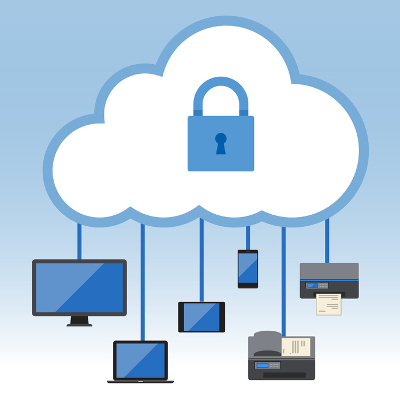
Remote monitoring and management, or RMM for short, is a tool that allows managed service providers like NuTech Services to take care of your technology solutions without being in your office. For example, we can monitor your business’ network for any security discrepancies or weaknesses in your infrastructure. We can remotely deploy patches and security updates to ensure that your systems are protected.

Considering how this type of solution requires very little hands-on work from your in-house team, it almost counts as an automated solution all its own. We can resolve the majority of issues with your infrastructure without an on-site visit, which lets your business save a considerable amount of capital without paying for traveling costs or other expenditures. It also makes for a much more convenient way of getting the management and maintenance that your network needs, as you won’t have to wait–we’ll administer service according to your service level agreement, and we can do it without taking up any of your staff’s time with an in-house visit.

Granted, some problems will need an on-site visit, but we generally try to keep those to a minimum. We’re all about making sure that your company has the most convenient experience possible with NuTech Services’s services. To learn more, or ask us about our remote maintenance and management solution, reach out to us at 810.230.9455.
disaster_recover_is_important_400.jpg

4 Instances You’ll Be Glad You Had Disaster Recovery

disaster_recover_is_important_400.jpg

Disasters are commonplace in the business environment, especially when you work in a technology-heavy office. It’s not a question of if you’ll ever experience a hardware failure; it’s a question of when you will. Regardless of how your business functions or what sector you fall into, there will always be disasters that you should be prepared for.

In order to best protect your business from crippling downtime and data loss, we’ll go over four situations where you’ll wish you had disaster recovery for your data.

Natural Disasters
Your local weather channel might give you an idea of what the weather will be like throughout the day, but that can change in the blink of an eye. If your location is prone to floods and violent rainstorms, you could lose data due to water damage. Earthquakes can strike when you least expect it, destroying offices and homes and ending lives. Even something as simple as a power outage could bring about the destruction of your data. The point we’re trying to get across is that natural disasters can strike anywhere at any time, and your IT infrastructure needs to be ready to handle them.

Hardware Failures
Another recurring issue for organizations that rely heavily on technology is hardware failure. If you’re not monitoring and maintaining your hardware, it can be easy to let resource-intensive equipment get overworked, which inevitably leads to malfunction. Technology can’t last forever, so an untimely hardware failure could cripple your infrastructure.

User Error
In the same way as hardware failure, user error could cause your organization to lose data or bring down systems. The reason: people aren’t perfect, and you can’t expect them to be. People could accidentally lose track of files or hand over credentials for accounts which hold sensitive data, giving a hacker a clear path toward stealing your information. User error is a primary cause for data destruction, so it’s important that you implement data backup to account for this risk.

Hacking Attacks
Even if you don’t suspect that you’ll become a victim of a hacking attack, you’re a target. Any organization that collects sensitive data–be it financial information or personally identifiable information–needs to consider itself a target for hackers. All it takes is an installation of malware (like ransomware) to put your data at risk. Hackers usually either want to delete data or steal it for themselves, so it’s up to you to keep your systems backed up in the event that something happens.

Basically, the one thing that you have to remember is this: you need a way to recover your data, or you’ll suffer in the event of a disaster. We recommend that SMBs reach out to us at 810.230.9455 and ask about our dynamic backup and disaster recovery solution (BDR). You’ll have all of your bases covered… just in case.

b2ap3_thumbnail_virtualization_security_400.jpg

Can a Virtual Infrastructure Be Enough to Guarantee Data Security?

b2ap3_thumbnail_virtualization_security_400.jpgEvery business needs technology in order to function. Yet, if a company’s IT network is overly complicated, then technology will hinder operations, not help it. Enter virtualization, offering business owners a way to simplify their IT infrastructure, as well as make it more secure.

Even though virtualization has been utilized by enterprises for many years, it might not be a solution that everyone’s familiar with. In fact, you might be surprised to learn that, according to a recent report from Cisco, 77 percent of small and medium-sized businesses are using some kind of virtualization, be it for storage, server hosting, or desktop infrastructure.

What exactly is virtualization? Here’s a helpful definition from Gartner:

[…] the abstraction of IT resources that masks the physical nature and boundaries of those resources from resource users. An IT resource can be a server, a client, storage, networks, applications or OSs. Essentially, any IT building block can potentially be abstracted from resource users.

One example of virtualization would be a network that’s hosted in an off-site data center. Companies that take advantage of hosted networks like this don’t have to host this technology in-house. This approach streamlines operations. Additionally, with virtualization, adding new users is as easy as setting up a new account, instead of having to run new cables and upgrade equipment.

Peace of mind is another advantage of virtualization. For example, if your company’s physical location were to be hit with a disaster, like a fire, flood, earthquake, etc., then any virtualized data that’s hosted off-site would be safe and sound. In addition to virtualization safeguarding your data from natural disasters, it protects your data from man-made disasters, like hardware failure and hacking attacks. Although, we feel the need to point out that a virtualized network isn’t impenetrable to hacking, so you’ll still want to utilize a firewall, antivirus, and spam blocking security solution.

So far, we’ve mentioned how virtualization provides companies with simplicity and security, yet we’ve failed to mention the benefit that will appeal to every business owner–cost savings! One outcome of virtualizing your network is not having to pay for the electricity it takes to run servers or pay for those pesky maintenance issues. This literally puts money back into your company’s operating budget.

Is your business taking advantage of virtualization? If not, would you like to? To learn more about the many benefits of having a virtualized network and what it takes for your company to fully utilize this technology, call us today at 810.230.9455.