disasterPlan_71505135_400.jpg

The Right Backup Practices Could Be What Saves Your Business

disasterPlan_71505135_400.jpg

How seriously does your business take data backup and disaster recovery? You might not be able to predict the future or what might occur, but you can at least prepare for it to mitigate the damage it could potentially bring about. Today, we want to share some of the best practices you can implement to combat even the worst disaster scenarios your organization might encounter.

Use the 3-2-1 Method

The 3-2-1 rule focuses on the number of backups you have stored at any given time, as well as how they are stored and accessed in a pinch. This rule argues that you should maintain at least three copies of your data, two of which are on-site for easy access and one in a secure off-site data center, accessible through the cloud. You want so many copies of your data so that you aren’t completely ruined if one or more copies of it are corrupted or destroyed. You’ll always have a working copy of your data that you can rely on in a worst-case scenario.

Consider RPO and RTO

Two of the most important metrics to consider for your backup system are RPO and RTO, or recovery point objective and recovery time objective. RPO examines how much data you need to get your operations back to an acceptable level, whereas RTO concerns itself with how long it takes to get back to that point. If you can identify these metrics, you can optimize your chances of recovering from a disaster.

Utilize a BDR System

With a comprehensive BDR system in place, you will have access to all the tools you need to keep your operations running even under the worst possible circumstances. The traditional method of taking data backups using tapes was a manual nightmare that pales in comparison to the more modern and effective BDR systems which can be automated to save time and resources. You can take snapshots of your data for more frequent backups, ultimately resulting in less data loss and prioritizing business continuity. A good BDR system can also act as a temporary server in the event your infrastructure is damaged, minimizing downtime while you search for replacement hardware.

Get Us On Your Side!

If you want to ensure your business doesn’t suffer needlessly from data loss or downtime, NuTech Services can equip your organization with a high-quality backup and disaster recovery solution. We can protect your business from all of the issues that involve business continuity. To learn more, reach out to us at 810.230.9455.

disasterRecovery_124466986_400.jpg

Tip of the Week: How to Design Effective Recovery Strategies

disasterRecovery_124466986_400.jpg

In business, you need to be ready for anything, including potential disaster scenarios. Therefore, it stands to reason that you have a solid disaster recovery plan in place to help you address them should the need arise. We’ve outlined three disaster recovery best practices you should consider for your business continuity strategy, as well as some tips to help you implement them seamlessly into your own operations.

Figure Out What All Potential Threats Look Like

The first step toward figuring out your business’ continuity plan is to consider the types of disasters you will be facing. This means that you need to perform an analysis of all the potential threats your organization could face, no matter how unlikely they might seem. Granted, you should lend more credence to the most likely of disasters, but you can’t rule anything out. Otherwise, you could be ignoring a glaring hole in your plan.

Basically, we’re not telling you to plan for when an asteroid levels your office, but we are telling you to have a strategy in place to account for physical damage or power loss to your office. Your business continuity plan should be specific enough to address the most likely issues you’ll face, but flexible enough to account for other less likely incidents, too.

Determine Your Business’ Benchmarks

No matter the disaster, your organization will have critical data and systems that need to be recovered. It’s up to you to determine what they are and how you will prioritize them. This will help you when it comes to responding to these disasters.

What it boils down to is knowing your various systems’ maximum tolerable downtime, or MTD. This is how long a system can remain down before permanent damage is done to your business. Knowing this number gives you more flexibility and room for making important decisions in the event of a disaster. Your MTD can also help to inform your RTO and RPO, or your recovery time objective and recovery point objective, respectively. These metrics help you better prepare for a disaster by establishing how often a backup should be taken and how long it will take for you to restore said backup.

Test, Revise, and Test Your Plan Again

Your disaster recovery solution will only be successful if you have multiple people working in tandem to ensure that it happens regularly and effectively. Otherwise, if the disaster renders that one person responsible for the strategy unavailable, you’ll be left in dire straits. On the other side of things, the more people involved means more can get done, and the work is easier to achieve.

This is why it helps to have a hierarchy of people responsible for various parts of your plan; if one key person is unable to pull off the full plan, then at least certain other aspects of your continuity strategy will go off without a hitch. Furthermore, these processes should be written out to make them as accessible and easy-to-follow as possible.

After you have your business continuity plan mapped out, you should routinely test it to make sure that it works properly. This will help you in the event you actually need to use it, as you can be confident that the plan works as it should. It will also help you determine where weaknesses in your strategy lie.

Nobody Likes to Think About Business Disasters, But They Need to Be Anticipated

We have plenty of recommendations to provide for your business’ continuity plan, so be sure to reach out to us at 810.230.9455 for more information and tips!

prePare_68576996_400.jpg

Planning for the Worst is Key to Achieving the Best Outcome

prePare_68576996_400.jpg

Look, nobody likes picturing the worst-case scenario that could befall their business—even doing so might feel a bit like memorizing a divorce attorney’s number as you write your wedding vows. However, failing to have some strategy in place could very well lead to your business’ downfall. What does it take to properly plan and prepare for the possibility of a disaster, and the associated recovery you’ll have to undergo?

Begin By Establishing the Worst-Case Scenario

To begin, it is important to have an idea of what a disaster—any disaster—might look like for your business. Put some thought to it: what is the absolute worst thing that could realistically happen to your business? Might the office be flooded? Maybe some poor workmanship in the electricals sparks a fire, or the old, neglected building next door finally collapses and takes out part of your office, where you just so happened to keep your business’ servers?

Let’s amp up the trouble a bit and assume that whatever disaster struck (flood, fire, or falling building) left your office a total loss and, to make matters worse, took a key manager or other high-level employee with it. In addition to the personal loss, this would likely create some challenges for your business moving forward.

Whatever the Scale, You Need to Be Prepared to Deal with Disasters

Whether the loss is of a single spreadsheet or a key member of your business or your business’ physical location, you need to have the means to bounce back. For this, we always recommend that a business prepare a business continuity plan.

What is a Business Continuity Plan?

You should consider a business continuity plan to be your business’ saving grace in any disaster scenario. Its entire goal is to help ensure your company has a future, that you can resume operations if and when the chips are down.

To do so, your business continuity plan will need to cover a few different aspects of your company. There are your operational aspects, of course, including your technology and your other resources, as well as your human resources to consider.

All things considered, the baseline business continuity plan will cover:

  • Data required to facilitate operations
  • Technology needed to access that data
  • An office location or contingency plan for hosting operations
  • A chain of command in the event of a disaster
  • A strategy that is accessible to all employees involved in the restoration process

We Can Help You Get Started!

We’ll help you put together a strategy that will ensure that you can make it, regardless of the disaster your business faces, assisting you with the planning process and implementing the technology required to enact it. To get started, give us a call at 810.230.9455.

419050379_internet_outage_400.jpg

What the Recent Internet Outage Tells Us About Its Potential Vulnerability

419050379_internet_outage_400.jpg

Over the week of June 14, a lot of applications and websites experienced outages, creating problems for many companies until it was resolved. Not only did these outages create business continuity issues, they’ve also exposed just how vulnerable the Internet is to these kinds of issues. Let’s take a look at what happened.

To begin, let’s review the situation at hand.

A Small Firm’s Challenges Created Significant Ripples Online

Fastly provides a content delivery network for numerous influential websites. Basically, they support a network of duplicate servers across 26 countries around the world so that websites can store data and content on them. The closer the user is to where the data is being stored, the faster it can be accessed—which is exactly why news sources use Fastly to ensure users don’t have to wait before they get their news.

However, on Tuesday, June 10th, a large number of websites and applications went down, many of which ranking as some of the most popular on the Internet.

While this outage was relatively quick to be resolved, it still caused significant business interruptions and cost countless millions of dollars. Pretty impressive… particularly when you consider that these damages were the result of a 75 percent decrease in traffic for approximately one hour. Additionally, it wasn’t as though these affected websites could switch to another service on a dime without some proactive preparations (which would do little to simplify the complicated process of doing so).

Let’s consider this scenario as indicative of a concerning factor in how the Internet is now constructed.

The Concerns Underlying the Modern Internet

While a content delivery network helps to support efficient content delivery (as it should), there are a few potential drawbacks that a CDN presents… despite their growing popularity online. First off, because the CDN draws from a central server, any issues in this server could easily render this content inaccessible. The same could be said of any cybersecurity issues that impact the central server.

CDNs offer considerable speed boosts and cost savings as compared to the undersea infrastructure that would otherwise be used to distribute content, but at the cost of vulnerability to any issues in the system’s backend processes.

Furthermore, because a lot of the Internet’s software specifications are so open, a simple issue could impact millions or even billions of devices. Since it is far more often the case that the issue is a small one, tools like machine learning are now being used to troubleshoot and identify the root causes of Internet outages.

Of course, not all businesses make use of a CDN. Many are now using cloud computing services to support their needs, but even these aren’t immune to issues. Some of the largest cloud providers—Amazon Web Services, Microsoft, and Google—have been known to experience outages from time to time, creating challenges for the businesses that rely on them.

This is not to say that cloud services are useless… quite the opposite. However, it is important that you understand the risks involved in all of your options. NuTech Services can assist you in identifying your needs and customizing your IT to meet them.

To find out how we can make your IT more resilient and effective for your business’ processes, reach out to us at 810.230.9455.

203896303_checklist_400.jpg

The SMB’s Checklist for Necessary IT Services

203896303_checklist_400.jpg

Managed IT services have grown from a niche offering to a well-known concept in recent years, with many businesses already relying on outsourced IT services to some degree. In many ways, this only makes sense, as it allows businesses to enjoy access to services that would otherwise cost too much for them to independently adopt and support.

Of course, your choice of managed service provider will make a difference. Here, we’ve compiled a few key variables to keep in mind as you select a managed service provider.

Speed and Efficiency

Let’s face facts: enlisting an external provider is only going to do your business so much good if that provider can’t provide their services more expeditiously than an internal IT pro could. That’s why we’re very proud of the proactive nature that our services possess. Rather than waiting for our clients to report to us with a problem to be solved, our advanced monitoring and management software enables us to keep your network and essential hardware running effectively, proactively identifying and patching roadblocks as they are identified—not after they’ve already created delays.

With the importance that a business’ IT solutions have to its productivity, an IT service provider has a critical role to fill as they work to keep everything operational as consistently as possible. Don’t settle for a provider who promises anything less than that.

Disaster Recovery

With the prevalence of potential disasters looming, the capability to weather them is an incredibly crucial consideration for any business to take on. With the IT services provided by NuTech Services, this prospect becomes much simpler to handle through the implementation of a comprehensive backup and disaster recovery system. Not only will your data be protected, but you will also have access to the professional experience of our technicians, prepared to help get your business back on its feet after being struck by some misfortune at any scale.

Readily Available Support

When it comes to your business’ technology, Murphy’s Law is very much a factor—what can go wrong, likely will. Passwords will likely be forgotten, computers will have issues, and software will crash. Working with NuTech Services gives you access to a comprehensive help desk that your staff can access for assistance with such matters. A direct line to our certified team will give your employees the lifeline they’ll need should (and when) something goes wrong.

Smart and Realistic IT Budgeting

Finally, it is important to mention that we understand that your business most likely doesn’t have a bottomless budget for its IT, making it especially important to plan to get the most value out of the investments you can make. Between supporting your team members, maintaining the technology that your processes are based on, and dealing with your assorted vendors and service providers, a controlled and comprehensive strategy becomes a crucial facet to see to. This is another task that our team is well-suited for, working with you to maximize the return you see for your investments without necessarily maximizing these investments themselves.

Enjoy the Peace of Mind that Managed IT Can Bring

Whether you already have a managed service agreement and are looking for a more providing provider, or you’re still managing your modern technology through antiquated methods, we encourage you to reach out to learn more about our services. We’re committed to improving your business’ operations by helping to care for the technology that enables them.

Learn more about what we offer by calling us at 810.230.9455 today.

404102483_redudant_400.jpg

Why Redundancy is EVERYTHING for Data Backups

404102483_redudant_400.jpg

With a business’ data being such a priority nowadays, protecting it against all circumstances needs to be appropriately attended to. One fundamental component of this protection is the implementation of a proper backup strategy. Let’s go over the most foundational element of a successful backup, and how we recommend businesses to accomplish it: redundancy.

Redundancy Isn’t Always a Bad Thing

First, we need to address the stigma around the concept of “redundancy” in general. While often associated with waste, redundancy effectively boils down to having more than you need to operate. As a result, redundancy can be seen as either good or bad depending on the circumstances.

For instance, having more supplies and equipment than you need (or can manage) isn’t good, as you likely have spent more than you needed to out of a finite budget, and might experience some challenges in storing these resources. Having excessive funds left in your budget means that you’re underutilizing what you have available. The list could go on and on, in terms of how redundancy could prove to be a detriment.

That being said, there are a few cases where redundancy can—quite literally—be the thing that keeps a business from going under. A redundant data backup is the prime example of this.

What a Redundant Data Backup Looks Like

All in all, a redundant data backup is one that involves multiple copies—just in case something happens to one, you have another copy waiting in the wings to step in.

Let’s consider a scenario, while tweaking a detail here and there to consider why a data backup is so important, particularly those designed to be redundant in nature:

Scenarios

In your business, you have…

  • A. no means of backing up your data.
  • B. a small backup device hosted onsite
  • C. a cloud-based data backup
  • D. both an onsite backup and one hosted in the cloud

As you go about your operations, you happen to be successfully targeted by ransomware via a clever phishing attack. In each of these scenarios, a different outcome is likely.

In Scenario A, your business is up the creek. Without any data backup, a successful ransomware infection is guaranteed to encrypt some—if not all—of your data, which is effectively the same as it being deleted. This is, of course, assuming you follow best practices and refrain from paying up, as this offers no guarantee that your data will be returned to you.

In Scenario B, there’s a good chance that your backup may be encrypted along with the data it is meant to be backing up. I hope I don’t have to go into detail about why this is a bad thing that should be avoided, especially when it effectively destroys your data, as happened in Scenario A.

In Scenario C, a cloud-based backup is one way to address the situation, as the encrypted data can simply be wiped and the backed-up data replicated back from the cloud. 

Scenario D goes a little further, by both ensuring that your data is backed up in the cloud while also providing you with an on-site backup for quick and easy restoration if possible. Ideally, even the cloud provider storing your data has some redundancy in place, keeping your data in multiple locations to mitigate the impact any equipment failures on their end could cause.

This Redundancy is What Makes the 3-2-1 Rule

The 3-2-1 Rule is a concept that we often recommend to businesses, as it is a simple way to ensure that your data will be safe. It boils down to keeping (at least) three copies of your data, including the original, in two types of storage media, one of which being offsite and ideally in the cloud. This strategy is a great way to ensure your business has the access it needs to its essential data, regardless of the circumstances.

While NuTech Services can help you ensure that your backups are redundant. Not only will we help your business survive a data disaster, but we can also help you avoid them in the first place through our comprehensive managed services. To learn more about what we offer, explore the rest of our website and reach out to us at 810.230.9455.

162878390_disaster_strikes_400.jpg

Tip of the Week: Stay Positive When Disaster Strikes

162878390_disaster_strikes_400.jpg

In uncertain times, one of the most important things for any business to do is to stay the course—albeit in an adjusted fashion. To help, we’ve put together a few key practices to work positively to achieve this end.

Involve Your Team

In a crisis event, you need to have your team at your side (even if they must physically stay home) and supporting you. Here are a few ways to encourage this:

  • Keep your team in the loop. Make sure that everyone has the information that they should, as withholding as much as possible will only distract from the goals you are trying to accomplish and make effective communications more difficult. Of course, don’t share information that they shouldn’t hear.
  • Set the tone. As much as you can, maintain control of the situation at hand and make sure everything that you need to complete is still completed. Your employees will probably follow your example, making progress and recovery much simpler.
  • Trust who you’ve hired. There is a reason that you haven’t fired your employees: they can contribute to the business. Allow them to make these contributions, rather than taking on too much yourself.

Evaluate the Situation and Adjust

Of course, a disaster is going to require some deviation from your standard operating procedures. Considering this, you need to be prepared to do a few things:

  • Take stock of your situation. Try to get a comprehensive understanding of how things have been impacted by the disaster, and what is likely to happen as a result. Once you do this, you will be more prepared to shift your strategy as need be.
  • Make the hard calls ahead of time. As you are anticipating the future, figure out what you will need to do to potentially deal with your predicted scenario. Start with the smaller stuff, like how your business hours might be influenced, and move on to the major ones, like how long of a shutdown your business could survive.
  • Adjust to continue operations. Use the technologies available today to figure out alternative methods of completing your usual workflows. Give remote work a try, or open an online store to sell merchandise.

Keep Your Chin Up

Finally, it is important that you and your team maintain a healthy frame of mind as you make these adjustments, never mind deal with a disaster’s other ramifications.

  • Find some normal. Keep yourself grounded and thinking clearly by finding something that helps you disconnect from the influence of a disaster. This can be something as simple as a new hobby, fostering an animal in need, anything that keeps you occupied and engaged.
  • Help. If you have any free time, spend it doing something that can help someone else, even if it’s just writing a card. Even the smallest gesture can make a big difference.
  • Stay informed via reliable sources. With the low barrier for entry that today’s technology provides, it is too easy to find and share incorrect and inflammatory information out there, not to mention opportunistic scams. Make sure you only trust news sources with a lengthy and proven history of reliability… even if it doesn’t make you feel better, at least you’ll know the information is trustworthy.

A big part of what NuTech Services does as a managed service provider is to help make sure that our clients are able to use the tools we give them to make it through scenarios like this. Call 810.230.9455 today to learn more about how we can help, and make sure you are staying safe.

176044788_IT_Service_400.jpg

Six Things You Need from Your IT Service Provider Right Now

176044788_IT_Service_400.jpg

While managed services have made more sense for businesses to utilize for some time now, current events have made it even more apparent that this model of IT support is the only feasible option for businesses going forward. However, it has also never been clearer that you need to be selective in who you choose to provide this support.

To help you out, we wanted to go over a few of an MSP’s capabilities, particularly the ones that will assist your business the most during tough times.

Fast Response Times

In this (or any) business disaster, downtime is the enemy. If there is some technical issue that is preventing work from being done efficiently, your business is going to feel the ramifications. Depending on how severe the downtime is, it could impact the likelihood of your business lasting in the long-term. 

Therefore, you need a provider who can return your IT to an acceptable standard of working order as quickly as possible should something happen to it. This means that you need a provider that guarantees that they will respond within a given timeframe and abides by that guarantee.

Disaster Recovery

While many descriptions of disaster recovery focus on disasters like data loss or infrastructure damage, there is no denying that a global pandemic and widespread stay-at-home orders could result in substantial business interruptions. Determine if your IT provider has contingency measures that enable your business to shorten these interruptions as much as possible so that you can resume your operations to an acceptable degree as dictated by the disaster. 

What solutions need to be prepared ahead of time, and what processes will be put in place to mitigate the impacts of a disaster? These are all considerations that your IT provider needs to make and act upon on your behalf.

Employee Support

Many employees are currently finding themselves stuck at home (or reluctant to spend time in a relatively crowded office). With the remote capabilities that are available today, this doesn’t mean that they can’t accomplish things for your business, just as it doesn’t mean that they are left on their own to deal with issues.

While your employees work from home, an MSP can still attend to their IT issues and concerns using the same remote access tools they would in the office setting. As a result, your employees can maintain similar levels of productivity while working remotely. 

Proactive Maintenance

While we’re on the topic, why allow your employees to experience issues at all as they work in what is already a different situation for them? With an MSP providing proactive maintenance for your IT infrastructure and solutions, the likelihood of your processes being interrupted decreases sharply. Many potential obstacles can be nipped in the bud while an MSP is keeping watch.

Budget Planning

Finally, we come to what every business is concerned about right now: their finances. Granted, most of every business’ financial projections have been thrown completely out of whack because of this situation, but even under ideal circumstances there is just no accounting for costly technology issues before they happen. With managed services, budgeting for your IT support—and making any necessary adjustments to that budget—is a much simpler prospect. With inclusive services priced on a predictable scale, NuTech Services ensures that setting up IT services that your business can afford throughout the year is possible. 

The Result: (Relative) Peace of Mind

The fact of the matter is this: you have a lot to worry about right now. If your IT provider or their services are currently on that list, they shouldn’t be. Working with an MSP like NuTech Services allows you to focus on the operations of your business, without worrying about what is going on behind the scenes. Take a major source of stress off your plate by enlisting our services to help you get through the crisis at hand, and to better operations beyond that.

While it is a challenging time for any business to consider making any kind of fundamental changes, a switch to managed IT services is the one to consider. Let NuTech Services help your business. Give us a call at 810.230.9455 to discuss your options.

200304342_business_continuity_plan_400.jpg

Keep Your Business Going with Strong Continuity Planning

200304342_business_continuity_plan_400.jpg

Much is made about business continuity planning, but there is a knowledge deficit about what exactly business continuity planning entails. Today, we will talk about the basics of the business continuity plan (BCP) and how today’s most successful businesses go about reading their contingency plans. 

A BCP is a plan that will be enacted in any situation that causes the business’ operation to be interrupted. This could be as simple as a deleted file, but it could also be enacted in situations where the health of the business is in grave danger. Having a comprehensive BCP in place helps eliminate the confusion that could further hurt your business when the going gets rough. 

What Should Your Plan Include?

In most cases, people would consider that a BCP is for major, business-killing events. As we mentioned before, however, it’s just not so. The BCP has to be thought out, implemented, and tested regularly to ensure that when operations are interrupted, whether by broken hardware or terrorist attack, that there is a plan in place to get the business back up and running profitably as soon as possible. As a result every situation that could threaten your business’ operational integrity needs to be planned for, even if the downtime you experience is measured in minutes rather than hours or days.

Here are some important elements your business continuity plan should include:

  • Organizational lists – A list of names, addresses, and contact information of people who have access to the continuity plan. This includes making up primary and secondary contact lists for all affected areas of your business. 
  • Staff responsibilities – Each primary and secondary contact will have a set of responsibilities that they need to carry out.
  • Any off-site recovery locations – You’ll need to include the address, equipment inventory, and any other relevant information.
  • Your action plan – This is an in-depth process for returning every element of your business to satisfactory functionality. You need plans for the first hour, the first day, the first week, and for long-term disruption.
  • Primary and alternate suppliers – This is a list of all your current and backup suppliers. Vendors typically play a big role in returning your business to normal. 
  • Customer data – You’ll need a process to inform clients that have personal, financial, or other sensitive information stored with you. This plan will go a long way toward helping you retain your clientele once continuity is restored. 
  • All relevant documentation and insurance policy information – Keeping accurate records will help the insurance process if a claim needs to be filed. 
  • Technology inventory – What technology requirements does your company need in order to retain continuity? Here you will want to create contingencies for remote work, failover, and more. 
  • Data redundancy – You will need to identify the details of your data backup system to ensure that all of your digital assets are backed up and can quickly be restored. 

This may be a basic list of what every business should have in their BCP, businesses with more moving parts will definitely need to have more specific and overarching continuity plans. It is important that no matter how large or small your organization is, that you consistently revisit the plan to update it as necessary. Typically, if a business carries out a BCP autif twice every year, their plan will work the way it was intended to work. Keeping on top of important changes to your business will make this process much simpler and less time consuming. 

Additionally, you will definitely want to test the new parts (and the ones that need it) as much as you can to get a good read on how your business would react if they were ever to enact their BCP in earnest. Ensuring your backup system is working as intended and making sure you have a complete inventory of your hardware and software needs are two critical aspects of a well-implemented plan. 

Operational downtime can happen in any part of your business. It can happen as a result of faulty IT, interruptions in your supply chain, or situations where your human resources are unavailable. Call us today at 810.230.9455 to help you put together a business continuity plan that will keep you in the game even when the chips are down. 

302256683_business_crisis_400.jpg

How is Your Business Going to React to a Crisis?

302256683_business_crisis_400.jpg

Everyone from Wall Street to Main Street is feeling the effects of the COVID-19 outbreak. As a result, many businesses have had to enact their disaster recovery strategy to ensure that their business remains on solid footing during this dark time.

As more and more people are dealing with the virus and its effects on commerce, supply chains are failing and distribution patterns are completely disrupted. This has had a devastating effect on the world economy. It isn’t like a hurricane or a flood, but an outbreak, like most other disasters, hit business’ suddenly and has led many to enact their disaster recovery strategies. Today, we are going to discuss how IT fits into disaster recovery. 

At first, people didn’t pay much mind to Coronavirus. They went on with their business as normal, not realizing that this virus wasn’t like most other viruses. Most of the viruses that you could be exposed to have a vaccine. It didn’t take long before the world around us started to shut down and, with it, came regulations on how your business needs to function. What was looked on as kind of a joke three weeks ago, is now one of the deadliest disasters the world has seen in decades. 

Chances are that your business has been directly affected by the COVID-19 outbreak and those that have a disaster recovery strategy have had to enact parts of it. How is your business prepared for situations like this? One thing is for sure, if your business didn’t plan for a situation where your workers can work remotely, you are likely feeling the sting much more than if you were prepared. Sure, you don’t have to like the idea of having a remote workforce, but the truth is that any business that can support remote workers, needs to have a contingency for situations like this. 

Ensuring that your business can pivot to it makes a huge difference; and, it doesn’t have to be for when the whole world shuts down around you. If you live in a place that gets a lot of snow, you may want to enact your remote work policy to keep people out of harm’s way. Sometimes you may need your team to work more to get an important project out. Allowing them to work from home keeps them from spending longer-than-normal time at the office, and makes it a lot easier to help them handle the other issues in their life.

If your business needs help through this very trying time, call the IT professionals at NuTech Services at 810.230.9455. We can take you through the options you have right now and take you through our strategy of disaster recovery to ensure when you need to mobilize your remote workforce, that you are able to on demand.

276410107_backup_system_400.jpg

Backup System is a Crucial Tool when Disaster Strikes

276410107_backup_system_400.jpg

Each March 31st, we like to observe World Backup Day, where we educate people about the benefits of having a comprehensive backup plan in place. This year, with tens of thousands of people being affected by Coronavirus, business has ground to a halt in large portions of the world. Today, we are going to look at the business continuity strategy and how, in times like these, you’ll be glad you have your data backed up. 

The COVID-19 pandemic has certainly thrown us all for a loop, with many businesses wisely choosing to close their office doors, either scaling back their operations or choosing to utilize a more mobile workforce. While this clearly qualifies as a disaster, it isn’t one that holds too many risks against your data; at least, not when compared to some others. This gives us a chance to consider how well-prepared we are for other disasters that could pose more of a threat to the information and files your operations depend on. For instance, how would you respond if something were to happen to your actual business infrastructure (and, by association, any data you had stored there)?

The standards accepted as best practice today say that the smart move is to preserve at least one copy of your data in an offsite location. That way, if something were to happen to your in-house servers, you know that there’s another copy safely stored away. If you have a BDR set up, this can then act as your temporary server to enable your team’s continued productivity (even while working remotely) until the servers can be replaced.

So while the timing of World Backup Day isn’t the best this year, its lessons remain just as important:

  • The 3-2-1 Backup Method – Using the 3-2-1 method means that you keep at least three copies of your data. Two copies can be stored onsite, while one is kept in an offsite data center or other cloud storage option.
  • Backup Your Backup – You will want to check all of your backups (and then check again) to ensure they were taken successfully. There are several reasons a backup could fail, so you should never assume they are working. Check them, double-check them, and then check them again after that. If you ever need your backup, you’ll be glad you made sure. 
  • Protect Your Backup – All devices that contain your data need password protection at the very least, with added multi-factor authentication for extra benefit, including your backups. You should also protect your backup’s storage solution with an up-to-date antivirus/antimalware protocol.

For help in setting up your business with the protection that a data backup brings, with the added disaster recovery benefits you will need, reach out to us at 810.230.9455 today.

recovery_challenges_400.jpg

Tip of the Week: Prepare for These Disaster Recovery Challenges?

recovery_challenges_400.jpg

While it would be nice, not all troubles concerning your data are resolved once a disaster has passed – even if you have a strategy in place. There’s still the matter of having the right strategy, and having it configured correctly. Here, we’ve listed a few considerations you should take regarding your backup (preferably before you need it) to make sure you’re properly prepared.

1. Compliance Concerns
First, you need to be sure that your data is not only stored securely but is also sent back and forth to your backup solution properly. This is especially true if your industry is subject to any government mandates concerning how data must be handled, as the penalties for non-compliance can be just as severe as the influence of data loss would be.

Whether you manage your own solution or leverage a vendor to keep your data securely backed-up, the same severity applies. The size of your business has no influence, either, despite many smaller organizations having a difficult time keeping up with these regulations. These businesses are especially benefited by the availability of outsourced IT resources, as these providers are better prepared to see to these compliances and minimize any risk.

2. Costs and Scalability
It is also important to recognize your needs, including the costs that fulfilling those needs may incur (like how much a cloud provider charges for you to download your backed-up data). Before you select a particular cloud provider, make sure that you have considered all of these charges.

Furthermore, a backup solution that can only keep you safe from major disasters is one that overlooks a huge percentage of the actual issues you are apt to face. Sure, ransomware attacks and fires happen, but so do hard drive failures and other causes of small-scale data loss. Every strategy you enact needs to be documented properly, with useful information shared clearly, succinctly, and actionably.

3. Lack of Management or Testing
If your company is ever in the position that it needs to lean on a data backup, they’re going to need to lean on a leader to ensure that this process goes without a hitch. In many cases, this role would fall on your shoulders – but what if something goes down while you (or whoever is in charge of managing the recovery process) aren’t there?

This is why you need to keep a comprehensive, up-to-date plan prepared for just this occasion, a hard copy ready to be referenced on-site as well as one digitally stored in your backup files.

In addition to this preparation, you also need to make sure that the backups you’ve prepared actually work in the first place. A backup will do you no good if you can’t recover the data from it, after all. Make sure that, just as you would a fire drill, you practice utilizing the backup on occasion.

How NuTech Services Can Help
We have the expertise and capability to put together just this kind of strategy for you and your employees to leverage. That way, you can be confident that your disaster recovery won’t just be a new disaster to deal with. Reach out to us at 810.230.9455 to learn more today.

back_that_data_up_400.jpg

Is a Data Backup Really That Necessary? In a Word: Yes

back_that_data_up_400.jpg

Does your business have a dedicated data backup and disaster recovery system? It’s one of the most critical parts of managing a business, yet some don’t have a plan in the event of the worst. If your organization were to suddenly lose a significant portion of its data, would it be able to continue functioning as needed? With a data backup and disaster recovery solution, you won’t be dealing in the realm of “what if,” and instead focus on “when” you experience a data loss incident.

Traditionally, tape backup has been the go-to solution for small businesses. Tape backup is the process of storing data on magnetic tape, and at one time was considered the most prominent type of backup in the business world. However, tape has its own set of inconveniences that can hinder operations in times of disaster.

The number one reason to not use tape is that it’s not automatic. One of your employees has to set the backup at the end of each work day so that it can run. Furthermore, when it comes time to activate the backup, it must be performed manually as well. This means that even the slightest amount of user error could completely demolish any chances of your recovering from a data disaster.

The second biggest reason to not use tape is that it doesn’t take a full backup of your data. At the most, it only captures data that has been changed over the past 24 hours. The reason for this is because the data backup can only be performed once a day. Due to the immense strain placed on your network, a tape backup is generally reserved for after-hour implementation, so up to 24 hours of data could potentially be lost in the event of a disaster.

The third and final reason why you shouldn’t implement tape is that it takes considerably longer to restore from in the event of a data loss incident. Tape backup can take several hours to restore, and that’s assuming that you still have an infrastructure and hardware capable of running your organization (let’s face it–natural disasters like floods can damage more than just your building). This type of downtime can be an issue even for businesses that do have the required hardware to get back in business, as it’s just more wasted time and resources that must be accounted for.

A better solution for small businesses is an enterprise-level Backup and Disaster Recovery (BDR) solution from NuTech Services. BDR uses the cloud to perform data backups, which provides a significantly better system for getting back in the game following a critical loss incident. The cloud allows for faster restoration times, less downtime, and more complete data backups. The cloud utilizes snapshot-based data backup, which only updates the current backup if the files have been changed. These snapshots are taken every 15 minutes or so, significantly reducing the amount of data lost in the event of a data loss incident. It’s truly the best way to go about protecting your organization from unforeseen threats.

To get started with BDR, reach out to NuTech Services at 810.230.9455.

backup_and_recovery_400.jpg

4 Options for Backing Up Your Data. Which is Best?

backup_and_recovery_400.jpg

It’s every business owner’s worst nightmare; they wake up to find out that their entire data infrastructure has been wiped out by some unexpected natural disaster or hacking attack. The only way to guarantee that your business’s future remains intact is to have some sort of data backup and recovery system, just in case of the worst.

However, if you’re unfamiliar with data backup solutions, you might not know where to start. We’ve outlined several options that your business has, as well as which ones are the superior choice.

Local Data Backup
Most organizations will immediately think of local data backup as their first option. While it’s a great way to avoid the risks of not having any data backup at all, keep in mind that it’s far from the ideal solution. Two types of local data backup solutions are magnetic tape and external hard drives. These allow you to keep a copy of your business’s data on-site in the event of a disaster, but it’s not a guarantee if you want to ensure the recovery of your data.

Imagine for a moment that your business was struck by a disaster so great that it eliminated pretty much everything that your organization had stored in your office. Fires, earthquakes, tornadoes, or floods all have this destructive capability. If this were to happen, your organization would be left without a trace of data to go off of. Furthermore, you also run the risk of malware infections, user error, or hardware failure when hosting your data backups on-site.

So… what’s the next best thing?

Cloud Backup
The next logical step would be to host your data off-site, and the cloud allows for just that. If your in-house infrastructure were to be rendered obsolete or incapacitated by some sort of disaster, you could restore your data quickly and efficiently through the use of a cloud backup and restoration process. Plus, you can forget about the potential user error that could arise from having to manually set and restore through tape backups.

Multiple Data Center Backups
Before going all-in on a cloud-based backup, you should ask them how many data centers that they use to store your data. Ultimately, you want your organization’s data to be stored in as many different locations as possible, as this improves the odds that your data can be located and restored. Basically, if the data can’t be found in one data center due to some sort of internal problem, you’ll know with certainty that at least one of them has it.

Backup and Disaster Recovery (BDR)
For organizations that are serious about business continuity, an enterprise-level Backup and Disaster Recovery (BDR) solution is the best option to ensure the preservation of your mission-critical assets. BDR works by taking a backup of only files that have been changed since the last backup was taken, which allows it to take multiple backups throughout the workday instead of just one large backup after-hours. These backups are then stored in the cloud for future access.

BDR can also restore directly to a device, or to the BDR hardware itself, depending on just how bad the disaster is. This keeps downtime to a minimum and helps you get back in business as soon as possible following a disaster. If you have nothing to restore your data to, a backup device with all of your data can be sent to your office’s location overnight.

Are you ready to get started with BDR? To learn more, reach out to us at 810.230.9455.

image_based_backup_solution_400.jpg

Save Considerable Time By Automating Your Data Backup Process

image_based_backup_solution_400.jpg

Is your organization still relying on antiquated tape backup to keep your data safe? A more reliable, less time-consuming alternative known as image-based, or “snapshot” backup, could change the way that you look at disaster recovery. In fact, image-based backup has the potential to optimize your business’s data continuity.

Tape backup, though it used to be an industry standard, has simply fallen behind the times for modern businesses. Compared to modern data backup practices, tape falls short of the demands placed on a modern organization’s data infrastructure. They are resource-intensive and often need to be performed after-hours so as not to disturb normal workflow. Plus, since they’re so resource-intensive, tape backups are often only performed once–at the end of the day. This means that in a worst-case scenario you could lose up to 24 hours worth of information and productivity.

The Big Difference
Compared to tape backup, image-based backup is much more efficient and manageable. As its name suggests, image-based backup takes a snapshot of your organization’s data. These snapshots record changes to files that have been altered recently and apply these changes to a backup that’s stored on or off-site in a secure, compliant space. Since these backups only record changes made to files, they are smaller and less resource-intensive, which allows them to be taken multiple times a day–even as often as every 15 minutes.

Perhaps the greatest advantage that image-based backup offers is its autonomy. It’s less prone to user error, since your team doesn’t need to manually set and run the backups at the end of each work day. Granted, you still have to check the backups and make sure that they work properly.

Your business can’t afford to cut corners on backup and disaster recovery. If a problem happens down the road, disasters could render your business dysfunctional for extended periods of time. Even the most common of disasters, like a power outage or a hardware failure, could cause downtime and major data loss. Other disasters like floods, fires, collapsed power lines, and more can even damage the integrity of your company. Replacing hardware can damage your IT budget, and the resulting downtime could push your business into the red even further.

NuTech Services can arm your business with a quality backup and disaster recovery solution designed specifically for your needs. You can back up your data in several off-site locations, including a secure data center in the cloud. This data can then be deployed in a moment’s notice, right to the BDR device. The BDR device can be used as a replacement server while you work on finding a more permanent solution to your woes. This keeps downtime to a minimum and your operations pushing forward even in the face of disaster.

To learn more, reach out to us at 810.230.9455.
disaster_recover_is_important_400.jpg

4 Instances You’ll Be Glad You Had Disaster Recovery

disaster_recover_is_important_400.jpg

Disasters are commonplace in the business environment, especially when you work in a technology-heavy office. It’s not a question of if you’ll ever experience a hardware failure; it’s a question of when you will. Regardless of how your business functions or what sector you fall into, there will always be disasters that you should be prepared for.

In order to best protect your business from crippling downtime and data loss, we’ll go over four situations where you’ll wish you had disaster recovery for your data.

Natural Disasters
Your local weather channel might give you an idea of what the weather will be like throughout the day, but that can change in the blink of an eye. If your location is prone to floods and violent rainstorms, you could lose data due to water damage. Earthquakes can strike when you least expect it, destroying offices and homes and ending lives. Even something as simple as a power outage could bring about the destruction of your data. The point we’re trying to get across is that natural disasters can strike anywhere at any time, and your IT infrastructure needs to be ready to handle them.

Hardware Failures
Another recurring issue for organizations that rely heavily on technology is hardware failure. If you’re not monitoring and maintaining your hardware, it can be easy to let resource-intensive equipment get overworked, which inevitably leads to malfunction. Technology can’t last forever, so an untimely hardware failure could cripple your infrastructure.

User Error
In the same way as hardware failure, user error could cause your organization to lose data or bring down systems. The reason: people aren’t perfect, and you can’t expect them to be. People could accidentally lose track of files or hand over credentials for accounts which hold sensitive data, giving a hacker a clear path toward stealing your information. User error is a primary cause for data destruction, so it’s important that you implement data backup to account for this risk.

Hacking Attacks
Even if you don’t suspect that you’ll become a victim of a hacking attack, you’re a target. Any organization that collects sensitive data–be it financial information or personally identifiable information–needs to consider itself a target for hackers. All it takes is an installation of malware (like ransomware) to put your data at risk. Hackers usually either want to delete data or steal it for themselves, so it’s up to you to keep your systems backed up in the event that something happens.

Basically, the one thing that you have to remember is this: you need a way to recover your data, or you’ll suffer in the event of a disaster. We recommend that SMBs reach out to us at 810.230.9455 and ask about our dynamic backup and disaster recovery solution (BDR). You’ll have all of your bases covered… just in case.

internet_meme_400.jpg

Do Memes Have a Place in the Professional Business Environment?

internet_meme_400.jpg

Whether we like it or not, memes have had a profound effect on how the world’s population views current events and popular culture. In part, this is thanks to the prevalence of the Internet, which has fostered these absurd images and provided them an outlet to flourish. Due to how viral they are, it would be foolish to dismiss them as inconsequential; in fact, when leveraged properly, memes can make a statement about your business and its specific brand.

The term “meme” is actually much different from what we’ve come to know over the past few years. Richard Dawkins, a British evolutionary biologist, coined the term in his 1976 book The Selfish Gene. Its official definition is “an idea, behavior, or style that spreads from person to person within a culture.” It was originally meant to discuss the way that ideas and values are passed on and adopted by people within a society. The evolutionary idea of a meme is based on sporadic and random change, but the Internet meme spreads in a much different way. Basically, what happens is that an Internet meme “hijacks” the original intended purpose of an image or video, and changes it to mean something else.

In other words, the Internet meme takes something popular that was originally used somewhere else, and transforms it. Many memes use images from popular culture. Take, for example, the “Futurama Fry” meme. It uses a funny picture of the show’s protagonist in deep thought, and uses it to explain a situation filled with confusion or indecision.

ib meme 1

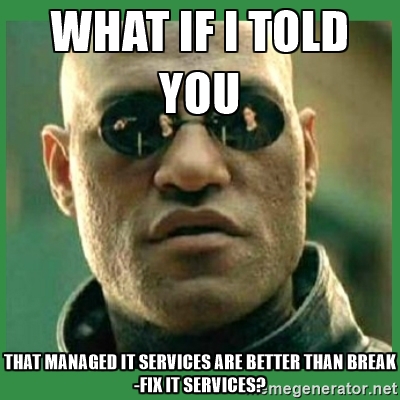
Another classic example is the “Matrix Morpheus” meme, which places text over an image of Morpheus from The Matrix to describe a revelation. According to KnowYourMeme, this meme often “belittles futile or petty behavior.”

ib meme 2

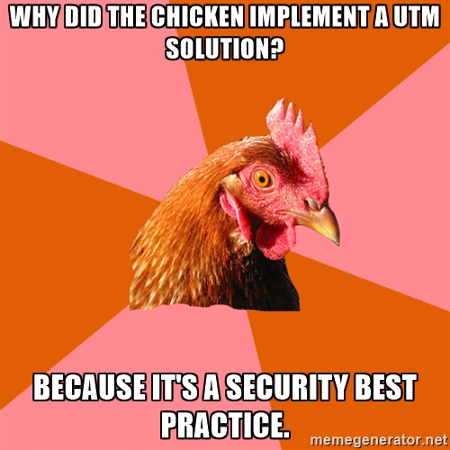
Some memes are often funny simply because they aren’t funny. For example, the “Anti-Joke Chicken” explicitly aims to find humor out of something that’s honestly not all that funny. The beginning text often tells the beginning of a joke, but instead of a hilarious punchline, it regresses into an obvious statement–usually something that makes logical sense, or something unexpected.

ib meme 3

It’s funny because it’s not funny. Or, maybe it’s not funny at all. We’ll let you decide.

Making memes that you can use for your business is easy and free. In fact, it can even be fun, if you’re doing it right. There are plenty of meme generators online that you can use to make silly pictures. However, you should take these thoughts into consideration when making memes to either share on social media, or to send to your coworkers.

Stay Relevant to Your Goods or Services
If you want to use memes for your business, you need to first figure out what theme you want it to follow. It should be aligned with the services that you offer.

Use the Right Image
Once you’ve figured out the theme for your meme, you can proceed to find the right image for it. We recommend doing some research and looking at examples of previously existing memes, but be warned; the Internet has many memes, many of which may be offensive.

Keep the Audience in Mind
Your memes should appeal to your target audience, especially if that audience consists of young people that frequent the Internet.

Be Funny
At their very core, memes are meant to be funny and humorous. If they aren’t, you’re not doing it right.

Share it on Social Media
The point of a meme is to bring light-hearted attention to your brand and to be shared. You can do both by exposing it to many followers on social media.

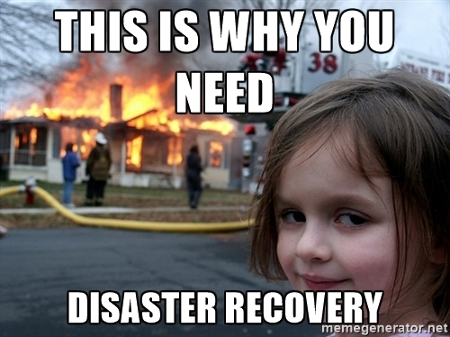
For an example of how you might apply a meme to the real world, we’ve made this one using the “Disaster Girl” meme character:

ib meme 4

Two notes: 1) Get your point across by finding a meme character that’s relevant to your goods and services, and 2) Use a combination of humor and a call to action to inspire action from the viewer. If you found this on your social media news feed, would you laugh at it? We hope so.

So, have we managed to pique your interest in Internet memes? Let us know in the comments, and be sure to subscribe to our blog. Also, leave your favorite memes; we like a good laugh.

no_way_to_backup_400.jpg

How NOT to Maintain a Backup

no_way_to_backup_400.jpg

A data loss incident is considered a major disaster scenario, especially for small and medium-sized businesses. All it takes is one moment to lose your business’s entire data infrastructure. We’ll walk you through a story that should serve as a cautionary tale, one that hopefully teaches you to adhere to data backup and disaster recovery best practices.


Marco Marsala, a hosting provider, posted on a server forum looking for advice on how to deal with a major issue he encountered while trying to delete a few files. He had utilized what’s called the “rm-rf” command with undefined variables, which wound up destroying all data on the system. Like any good hosting provider, he had backups of the files, but, like a dumb-dumb, he had the backups stored on the system that he accidentally wiped. What a mess.

This is actually a similar blunder to one that Pixar experienced, almost deleting Toy Story 2 prior to its release.

As a result of Marsala’s negligence, all of the data that his company had stored was destroyed. This included the data of 1,535 customers, whom he had built and hosted websites for. Without any backups stored off-site, he had no way to recover the data.

As you might expect, the responses that Marsala received from other users of the online forum were quite negative. Many completely dismissed the possibility that his company could recover from such a devastating failure, and others questioned his abilities as a hosting provider. One poster even went as far as recommending that Marsala seek legal counsel, rather than attempt to restore the data, predicting that Marsala was “going out of business.”

The conclusion: Marsala’s best chance of recovering from this major blow was to recruit help from a third-party data recovery firm. Fortunately for him, the company was able to recover his files, but that doesn’t change the fact that his simple mistake was a huge hit to his company’s finances. The company suffered from fees associated with the disaster recovery process, as well as reduced income from the loss of business suffered as a result of his negligence.

The lesson: neglecting to follow best practices got Marsala in some hot water, and his failure basically invited disaster to his doorstep. Following the accepted best practices of data recovery could have easily prevented the situation from escalating as quickly as it did. In fact, Marsala’s reason for distress (user error) is one of the most common reasons to use a backup and disaster recovery solution, a solution that stores your backups off-site on a separate system.

Storing your data off-site allows your organization to avoid the many causes of data loss, including user error, fires, electrical surges, hardware failure, theft, and so much more. This minimizes the risk of these events threatening your business’s operations.

How do you manage your business’s data backups? Are they stored off-site, and do you have a system in place to rapidly deploy them in the event of a major disaster? If you’re uncertain, reach out to NuTech Services at 810.230.9455.

b2ap3_thumbnail_how_are_you_storing_data_400.jpg

What’s the Best Way to Store Your Company’s Data? Find Out!

b2ap3_thumbnail_how_are_you_storing_data_400.jpgMarch 31st is World Backup Day! This occasion begs the question, “How much thought have you put into where your data is stored?” If you haven’t thought through your data storage options, then your files may be located in several different places. This could make accessing your data difficult, as well as jeopardize your network’s security. To get you started, let’s take a look at these four data storage options.

Storing Your Data Locally
The most common way for businesses to store their data is over their internal networks, like on in-house server units and workstations. Storing information locally offers companies the most control over their data, and with the right protections in place, it can be a very secure option. However, as is the case with every data storage scenario, if security isn’t given enough attention, then storing data locally can actually put your information at risk. One advantage of utilizing an internal network for data storage is a quick and reliable connection that’s not dependent upon the Internet. Although, this is at the financial expense of having to maintain your own IT infrastructure, which includes workstations, cables, server units, routers, and more.

Storing Your Data in the Cloud
Storing data in the cloud is an option that’s grown tremendously for businesses of all sizes. The advantage of the cloud is that it offers organizations anytime/anywhere access to their data, which is super convenient when dealing with multiple office locations and remote workers. Plus, the fact that you don’t have to maintain your own IT equipment will save you a boatload on your operating budget.

On the control side of things, storing your data in the cloud makes you dependent upon the policies of your cloud service provider. This is why it’s important to find a cloud provider that best suits your company’s data needs, instead of just going with the first provider that comes along. The same can be said of cloud security. If you’re dealing with sensitive information or data that requires strict security protocols, then you’re going to want to work closely with your cloud service provider to cover your bases.

Storing Your Data Off-Site
Off-site data storage is similar to storing your data in the cloud. You can access it from a remote computer, and with a reliable connection, it will be there when you need it. One of the most popular uses for off-site data storage is backing up data. For example, if a disaster strikes your company’s office and damages your in-house IT infrastructure, then you’re going to be glad that your data is off-site and safe.

Backup and Disaster Recovery
One great tool that takes advantage of storing your data both in the cloud and locally is a Backup and Disaster Recovery solution. BDR takes multiple snapshots of the data on your network and sends them to the cloud where they can be quickly retrieved, should you ever need it. Plus, if your server unit stopped working for any reason, BDR can then serve as a temporary replacement while the server issue gets resolved. This kind of convenience is possible thanks to BDR’s ability to securely store your backed up data off-site, and have it be available for when you need it the most.

For more information about data storage, the cloud, and BDR, give NuTech Services a call at 810.230.9455.

b2ap3_thumbnail_backup_system_400.jpg

The Strict Security Measures of Nuclear Power Plants Can Benefit Your Business Too

b2ap3_thumbnail_backup_system_400.jpgTechnology, while a great asset that can be leveraged for your benefit, can also frighten businesses due to how unpredictable it can be at times. The constant threat of data loss, identity theft, and hardware failure can cripple your business’s ability to retain operations. Specifically, businesses can learn about risk management by analyzing the processes used by an industry where risk management is absolutely critical: nuclear power plants.
In the wake of two of the most destructive and violent nuclear disasters, nuclear power plants have begun to crack down on how they approach risk management. The Chernobyl incident of 1986, as well as the tsunami-induced disaster at Fukushima in 2011, are the only nuclear disasters to reach the peak of the International Nuclear and Radiological Event Scale (INES) at a rating of 7. This means that they had an immense impact on the immediate vicinity, as well as the environment on a worldwide scale.

The meltdown at Chernobyl was the result of an uncontrolled nuclear chain reaction, ending in an enormous explosion that resulted in fire raining from the sky and radioactive core material being ejected into the vicinity. A closer inspection of the incident revealed that the explosion could have been prevented, had the plant practiced better safety measures and risk management, like having a containment system put in place for the worst-case scenario.

In comparison, the Fukushima plant was prepared to deal with a failure of operations. The problem that led to a disaster was one which couldn’t possibly have been prevented: the 2011 Tōhoku earthquake and the resulting tsunami. The Fukushima plant had a contingency plan to shut down the plant in the event of a disaster, but of course, the tsunami prevented this from happening properly. Flooding damaged power lines and backup generators, which led to heat decay, meltdowns, and major reactor damage.

Disasters like these lead to professionals searching for ways to prevent emergency situations in the future. For example, the Fukushima incident kickstarted thought for how to prevent problems caused by the unexpected issues. In response to emergency power generators being flooded or destroyed, off-site power generation will be implemented as soon as November 2016.

One other way that nuclear plants have chosen to approach these new risks is by outsourcing this responsibility to third-party investigators, whose sole responsibility is to manage the reliability of backup solutions. In a way, these investigators function similar to a business’s outsourced IT management, limiting risk and ensuring that all operations are functioning as smoothly as possible.

What we want to emphasize to you is that businesses in industries of all kinds expect the worst to happen to them, and your business can’t afford to be any different. Taking a proactive stance on your technology maintenance is of critical importance. While your server that suffers from hardware failure might not explode and rain impending doom from the sky, or expel dangerous particulates into the atmosphere, it will lead to significant downtime and increased costs.

In order to ensure that your business continues to function in the future, NuTech Services suggests that you utilize a comprehensive backup and disaster recovery (BDR) solution that minimizes downtime and data loss risk. BDR is capable of taking several backups a day of your business’s data, and sending the backups to both the cloud and a secure off-site data center for easy access. In the event of a hardware failure or other disaster, the BDR device can act as a temporary replacement for your server. This lets your business continue to function while you implement a suitable replacement.

Plus, NuTech Services also offers a remote monitoring and maintenance solution that allows us to work just like the investigators who work for nuclear plants. We manage and maintain your IT in a way which is designed to detect and prevent major problems, allowing you to work unhindered. We can remotely administer patches and security updates to ensure the continued functionality of your hardware and software solutions.

For more information, give us a call at 810.230.9455.