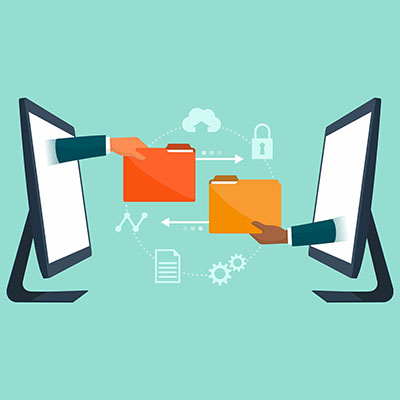
Nowadays, file sharing is so ubiquitous that most people in the office likely take it for granted. However, this is not a luxury that you have, as you need to ensure the file sharing that takes part is sufficiently secure—otherwise, you could find yourself in a tight spot. That’s why we want to devote this week’s tip to a few practical steps to making sure your files get where they’re going safely.
When Remote, Make Use of a VPN
When it comes to securing your data, a virtual private network—or VPN—is an indispensable asset. Public Wi-Fi is questionable at best in terms of security, potentially exposing users to threats and otherwise putting your data at risk. The VPN, however, provides an encrypted portal through which to transmit data to and from the office with minimal risk of it being intercepted on the way.
Prioritize Password Management
We could go on and on about the importance of secure passwords and acceptable password practices…the fact of the matter is that the only way to really be sure that your users are sticking to these policies is to make compliance the easiest option. A password manager is a key tool to doing so, as it securely stores passwords in a protected digital vault (out of a hacker’s reach) for your team’s convenience. Not only does it mean you and your team no longer need to come up with and remember the increasingly complicated passwords needed for security, it can also be used to help entire departments make use of shared accounts and thereby save you money. NuTech Services and our consultants are here to help you make the right choice for you.
Require Multi-Factor Authentication (MFA)
Multi-factor authentication (sometimes called two-factor authentication, or 2FA) is a security step that puts more requirements on the user trying to prove their identity as a part of the login process. Rather than accepting the username-password combination, MFA uses any of three additional methods to verify the user is who they say they are:
- Authentication through knowledge (Something you know) – This form of authentication requires the user to provide an additional password or PIN, presumably that only the user would know.
- Authentication through possession (Something you have) – This method of authentication requires the user to have a key of some sort, either as a physical token or as a code sent to a specific mobile device.
- Authentication through existence (Something you are) – This version of authentication relies on biometric data, often using thumbprint scans or voice recognition to confirm a user’s identity.
Requiring that your team members prove themselves in such a way can greatly enhance your data security, but you also need to be careful not to put too many hurdles in between your users and the work they need to do.
Manage Your File Sharing
Your file sharing is critically important to your collaborative processes, but without the proper security or the ability to integrate with your existing protections, it can quickly become a major liability. Various options are currently available, but you need to ensure that your selection fits into your comprehensive security strategy. Just consider a few features of a standard file sharing program that have heavy security connotations:
- Emailing encrypted attachments
- Sharing public or private cloud file links
- Creating shared and collaborative folders accessible online, or via syncing information between spaces.
Control Access Permissions
This is one of the most effective means of securing your files. After all, if only so many people are able to access certain folders or files (or even file types), that’s a considerably smaller window for mistakes or abuse to take place. By establishing permissions based on department or even custom user groups, you can have much greater control over who can see what.
Staff Training
At the end of the day, it makes no difference how secure you’ve managed to make your file storage and overall business infrastructure if your staff members aren’t aware of how to use your technology in a way that preserves its security. Your staff is almost assuredly going to need some time to get acclimated to today’s hosted platforms, which means it benefits you to provide the training that will expedite this process. The more knowledgeable they are about practical business security, the more secure your files will ultimately be.
We’re no strangers to the needs that Michigan companies have of their IT, and we can help support it so it delivers the security and efficiency their success relies on. To learn more about any of the processes we will assist you with, including file sharing, give us a call at 810.230.9455.