Remember When Apple Recommended Physical Persuasion to Fix a Computer?

Remember When Apple Recommended Physical Persuasion to Fix a Computer?

Remember When Apple Recommended Physical Persuasion to Fix a Computer?

Apple has long been a key part of the technology industry, producing quality hardware year after year. Although Apple tends to produce sleek and high-end hardware running its proprietary operating systems, these devices are far from perfect and were especially controversial at certain points in the past.

One Model Had to Be Slammed on the Desk to Work Properly

You can’t make this stuff up. We would normally steer clear of telling you to whack your device on your desk, but one particular Apple device needed a little tough love in order to function properly.

1982 saw Apple experience a massive surge in popularity. Steve Jobs was on the cover of Time magazine, and the company experienced its first ever $1 billion in annual sales. Even though Apple was producing devices that looked marvelous in comparison to the competition, they often came at the cost of functionality. Look to the Apple III for a perfect example of this in action.

To make the Apple III as sexy as possible for the consumer, the unsightly air vents were removed.

Computers produce a lot of heat even under the best of circumstances, so imagine how much these bulky pieces of machinery produced when cooling vents were removed from the equation. When there is no air circulation, you create what is essentially an oven that roasts the insides of the device, rendering it incapable of functioning as intended.

And let’s also remove the fans for good measure, Apple said. Why do you need fans if there are no vents?

In response to the considerable heat, parts would expand within the device and grow dislodged from their connectors, leading to further issues that turn the computer into a $4,240 liability–the equivalent of about $14,270 in modern US currency. When their devices wouldn’t function properly, frustrated business workers would call Apple to complain and ask for support.

One day, in frustration to the issue, an Apple engineer by the name of Daniel Kottke accidentally fixed his device by slamming it onto his desk, snapping the warped parts back to where they were supposed to be. With the parts back in place, the device worked as it was intended to all of a sudden.

So, you can imagine the look of shock and astonishment on people’s faces when they contact Apple for tech support, only to have the technicians tell them to slam it on the desk and give it a smack for good measure.

We Won’t Tell You to Beat Your Technology

Of course, modern technology support has evolved considerably since 1982. We won’t tell you to beat up your device to get it to work the way it’s supposed to; we’ll take care of your technology for you so that you can focus on being productive throughout the workday. To learn more about what we can do for your business, call us today at 810.230.9455.

USBCvsHDM_20220923-145104_1.jpg

Will USB-C Eventually Replace HDMI Cables?
USBCvsHDM_20220923-145104_1.jpg

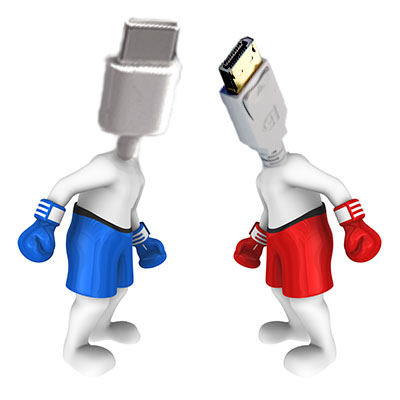
The next time you’re near a desktop, take a peek at the back where the motherboard’s various ports offer the opportunity to connect to different cable types. Many of these cables have overlapping functions—like the capabilities of USB and HDMI. Having said that, however, one of these cables will probably outlast its contemporary.

Let’s examine what differentiates these cables and consider which of them is more likely to last.

What Separates USB from HDMI?

Beyond the visually obvious differences between these cables, there are a few things that set them apart in terms of their functionality.

USB-C

From the very beginning, the Universal Serial Bus cable was meant to be, well, universal…and USB-C is the next step towards this goal. First developed in the 1990s, USB was meant to simplify plugging in assorted hardware. USB-C can be used to transfer data, power, video, and audio signals between devices in either direction. Perhaps most appealingly, USB-C can be plugged in either way, which other USB types quite frustratingly couldn’t be.

HDMI

High-Definition Multimedia Interface cables have a more specific purpose, designed to transmit uncompressed A/V data from one device to another. First becoming available to consumers in the early 2000s, HDMI helped to reduce the cables necessary by sharing both audio and video data. Furthermore, less data quality is lost through the uncompressed HDMI cables.

While Both Work, Chances are That USB-C Will Ultimately Phase Out HDMI

And, at some point after that, the next thing will phase out USB-C (but more on that later).

HDMI has been around for about three decades or so at this point, while USB-C is simply the next step in the progression that USB was designed to follow in creating a universal (hence, universal serial bus) cable to replace every other cable type. This is why USB-C can transfer more data and more power than the USB cables that came before it.

This will take a long time to come to fruition… and that’s assuming that something else doesn’t come about to replace USB-C first.

We’re Here to Help Your Business Make the Most of Its Technology

Regardless of what the future may hold, we’re here to ensure that you have the IT you need to maintain your business’ productive operations. Learn more by giving us a call at 810.230.9455 today.

chipShortage_469347889_400.jpg

Microprocessor Shortages Hindering the Hardware Market

chipShortage_469347889_400.jpg

When it comes to procuring new technology solutions for your business, what is your preferred method of doing so? If you haven’t thought about it, perhaps you should start. Gartner predicts a major decrease in PC shipments for the remainder of 2022. This has significant implications for any technology user, but this is especially true for business owners who might need to consider hardware refreshes in the near future.

Fewer Devices Available Across the Board

The global PC market is expected to see a decrease in shipping of about 9.5 percent in 2022. The market for smartphones and tablets is also in decline with expected decreases of 7 percent and 9 percent, respectively.

“A perfect storm of geopolitics upheaval, high inflation, currency fluctuations and supply chain disruptions have lowered business and consumer demand for devices across the world and is set to impact the PC market the hardest in 2022,” reports Ranjit Atwal, a senior data analyst at Gartner

It is thought that the collapse of the 5G smartphone market in China is one of the major contributing factors to this problem, as well as the ongoing conflict in Ukraine and inflation across the board. Furthermore, it’s expected that chip makers will likely be influenced by the issues associated with such a decrease in demand for products. This will only serve to make devices more difficult to get ahold of for businesses and individuals that do plan on purchasing them.

These kinds of numbers could have a considerable impact on the way your business acquires technology. If you’re unprepared to handle the changes in the supply chain, you might have difficulty finding the right technology when you need it.

Are You Ready?

Acquiring technology can be challenging for small businesses for a number of reasons, chief among them being the costs associated with acquisition and deployment. If your organization is one which has historically struggled with acquiring technology, we urge you to contact NuTech Services to start a conversation about how we might be of service in your business efforts.

Especially considering the decrease in sales due to anticipated shortages in the supply chain and geopolitics, you must think ahead and plan for the worst. If you don’t know what technology you need a couple of years from now, consider putting together a hardware refresh timeline that outlines when and how you plan to replace aging or failing hardware. We also like to recommend that our clients keep an extra workstation/laptop or two on hand on the off-chance a hardware failure occurs when they least expect it.

In times like these, it’s also incredibly important to maintain the infrastructure you currently have so as not to suffer from unexpected technological hiccups that could derail your business’ operations. We recommend that you take a proactive approach with comprehensive monitoring to keep a lookout for warning signs associated with hardware failure. Really, the big thing is that you want to prevent operational inefficiencies from impeding your workflow whenever possible, so start taking action now before it’s too late.

Whether you need to acquire new hardware, build a refresh timeline, or maintain your existing infrastructure to prolong its lifespan, NuTech Services’s got you covered. To learn more about our services and what we can do for your business, reach out to us at 810.230.9455.

SSDhdD_255217955_400.jpg

Solid State Drives Sport Plenty of Benefits
SSDhdD_255217955_400.jpg

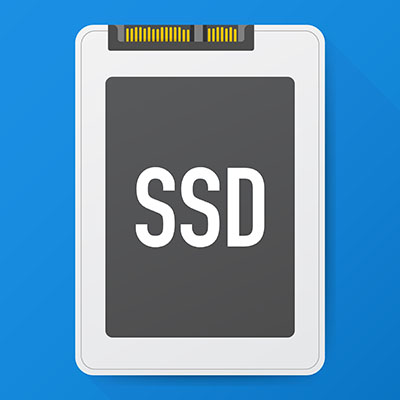
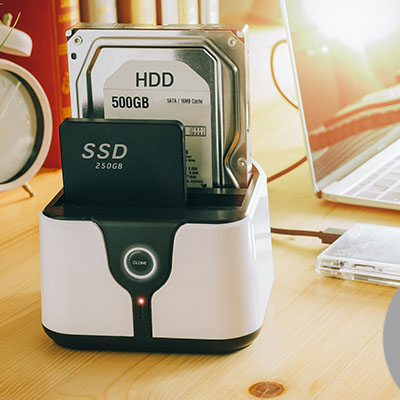
The hard drive is an essential component of every computer. When you start looking at new computers you may notice that there are two different types of hard drives available. There are the HDD (hard disk drive) or the SSD (solid state drive). Today, we’ll go through what the difference is and what benefits you may get from outfitting your hardware with solid state drives. 

What is the Difference Between SSD and HDD? 

The HDD, which is the type of hard drive that most of us are familiar with, has been used for quite some time. They have rotating metal platters that spin at high rates of speed, and feature mechanisms for reading and writing data on these disks. Every time something is saved to disk, the computer needs to get these wheels spinning. 

On the other hand, SSDs have no moving parts whatsoever. They use flash memory to store that information. Since they aren’t dependent on fast-moving physical components, they can write and read data at much higher speeds.

When is an SSD Better than an HDD?

You won’t be too surprised to learn that there are plenty of reasons to choose an SSD over an HDD. Here are four:

  • Improved boot times – If you store your operating system on an SSD (and most of us do), it will load faster.
  • Quicker application access – Your applications will load much faster if they are stored on an SSD.
  • They’re quiet – SSDs make much less noise because they don’t have moving parts on the inside, and they are much more efficient.
  • The increased speed is worth the money – SSDs are still much more expensive than your average HDD, but with the increase in speed, you can get more done. The devices tend to pay for themselves pretty quickly. 

Is an SSD the Answer for Your Next Computer?

Solid state drives are a great innovation that any user should consider. If you are looking to refresh your business’ computing infrastructure, or you just want a faster computer, the technicians at NuTech Services can help. Give us a call at 810.230.9455 today for more information. 

Break_Computer_69918042_400.jpg

Computers Don’t Like Physical Persuasion

Break_Computer_69918042_400.jpg

Sometimes it might be tempting to just smack your computer to make it work appropriately, and while it’s often a joke that this can fix the problem, it’s not something that we would recommend you get used to doing. Let’s discuss why it might not be a good idea to abuse your computer.

Repair-via-Violence is Sometimes Referred to as Percussive Maintenance

Yes, there is an actual term for hitting your technology to make it work. According to Techopedia, the definition is as follows:

“In IT, percussive maintenance is the art of shaking, banging or pounding on something, in order to make it work. Experts generally define percussive maintenance as the use of rough impact on physical hardware to solve some type of malfunction.”

It might work for you in your own life, particularly with technology like radios or televisions, but why shouldn’t you do this with your office technology?

Because It Can Break Your Business’ Technology, That’s Why

The reason why percussive maintenance might work sometimes is that issues can come about due to loose connections, and the impact could actually reposition the internal components. However, the opposite could happen, and you could damage your computer even more.

Comparatively speaking, the odds of making a problem worse through percussive maintenance are just as high as you resolving the problem. It’s not a risk that you want to take with something as expensive and important as your office technology. It’s like dropping your phone; your heart drops as you fumble with it, knowing full well that it will cause more harm than good if it hits the ground.

Even though percussive maintenance has been known to work on occasion, it’s not something that we ever recommend. You should leave your computer problems to us so that you don’t have to beat your technology to make it work.

With Managed Services, You’ll Have a Better Option than Just Hitting Your Device

NuTech Services can help you identify the causes of your technology problems and take the appropriate steps to resolve them. To learn more, reach out to us at 810.230.9455.

timetoUpgrade_66548132_400.jpg

Have You Planned Your Business’ Technology Refresh Schedule?

timetoUpgrade_66548132_400.jpg

Businesses that utilize technology often try to make it last as long as possible to avoid the costs of overhauling their entire infrastructure. This can cause a lot of damage in the long term, though, especially if this practice leads to keeping technology longer than necessary. Let’s examine some of the variables that go into technology refreshes and how you can know when it’s time to do so.

It’s not always easy to determine when and how you should upgrade your business technology. You need to take pricing and deployment into account, as well as the technology’s impact on your team’s productivity. Furthermore, you need to look at whether or not the technology will be compatible with your company’s needs.

Why Upgrade at All?

When you use technology for so long without it failing, you might wonder what the benefit is to upgrading at all. Well, here are a few of them:

  • Downtime: The older your technology gets, the more likely it is to fail. Computers and their components will go bad over time, and there is a lot of capital invested in technology following a failure like this. If technology isn’t working properly, this downtime can impact your productivity and bottom line.
  • Turnover: Employee turnover can be problematic and expensive, and one of the key reasons why employees might leave their company is because their technology is not kept up-to-date. This is especially true for younger workers who think their reasonable requests are not being accommodated.
  • Lack of Support: Using the same technology for so long eventually leads to a lack of support when the software or hardware is dropped by the developer. This can lead to unsupported systems developing security or functionality flaws that can impact productivity and potentially even compliance.

What is the Average Refresh Timeline?

Most businesses will want to consider a technology refresh every three-to-five years. You can often get away with going slightly beyond this timeline, but the longer you wait, the more unreliable your technology will get.

What Types of Technology Need to be Upgraded?

Your physical infrastructure will need to be maintained and refreshed every so often, but you should also consider your business’ applications and storage. You don’t necessarily have to purchase new server units; you can use cloud-based servers, thereby removing the need for physical on-site infrastructure in the traditional sense. You can work with a provider to implement an infrastructure that works best for you. You’ll save a significant amount of money, as you’ll be paying service fees rather than full-fledged up-front costs associated with completely replacing technology over time. Plus, you won’t have to maintain the infrastructure—that’s the responsibility of the provider.

Other technology that might need to be updated includes routers, switches, workstations, and accessories. Clearly there is a lot that must be considered, so we recommend implementing refreshes for solutions that provide a high return on your investment. That being said, it can be overwhelming if you don’t have dedicated IT support.

How We Can Help

NuTech Services can assist your business with implementing new technology, a process that also includes setting up a refresh schedule. Our technicians can help you design, deploy, and support your computing infrastructure in the most effective and efficient way. To learn more, reach out to us at 810.230.9455.

hardware_132271008_400.jpg

Hardware Shortages are Having a Major Effect on Future IT Plans
hardware_132271008_400.jpg

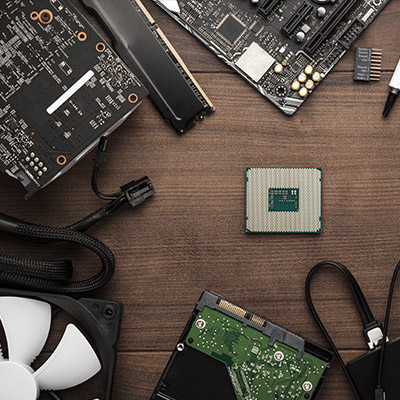
If you have tried to replace any hardware over the past couple years, chances are you were either met with significant disappointment or a hefty price tag. There is currently a hardware shortage—particularly for business electronics—and the entire business technology industry is reeling from it. If your organization depends on technology, as many do, you need to understand how this shortage could impact your day-to-day operations.

The shortage itself stems from a semiconductor shortage, something which bleeds into all parts of device creation, whether it’s manufacturing or acquisition. Here are some of the ways that this hardware shortage can affect a business like yours.

Price Point

As components’ prices increase, the costs of the devices do as well. Unfortunately, this is also a part of the hardware shortage, as the cost of manufacturing drives prices up. Consumers ultimately wind up absorbing the costs, and it could also impact the prices offered by providers of other goods and services.

Timeline for Acquisition

Hardware is in short supply, so you can expect the timeline for acquisition to be extended beyond what you might otherwise experience. We recommend that you put together a timeline for when you want to replace or acquire specific hardware, as this will help you prepare well ahead of time for when it’s time for a hardware refresh.

It Makes Upkeep Even More Important

Since devices are more expensive and harder to find, you will want to make sure that you are taking proper care of your current infrastructure so that it lasts as long as possible. The idea here is to prolong the life cycle of your current technology long enough to outlast the hardware shortage and/or to keep it in proper working order long enough to establish a plan to replace it before it fails.

What We Recommend

We believe that NuTech Services is best equipped to help your organization acquire the hardware it needs to succeed, particularly during this difficult time. We have connections all over with hardware vendors that want to get you the technology you need to keep operations in check. Furthermore, it’s just easier to have someone else do all of the heavy lifting; this gives you opportunities to focus on keeping your business running as efficiently as possible. With us on your side, you’ll never have to worry about devices being unavailable when you need them.

To learn more about our services, give us a call at 810.230.9455.

cloudSave_427031167_400.jpg

Use Hosted Solutions to Cut Your Upfront Technology Costs

cloudSave_427031167_400.jpg

The cloud is a tool that businesses can use to improve operations in a variety of ways. Through the use of the cloud, businesses can dramatically alter the way they conduct themselves, many of which can reduce costs. If you implement cloud solutions, you can expect them to improve accessibility, enable scalability, and improve flexibility, all of which contribute to cost savings in the long term.

The Cloud Improves Accessibility

One of the greatest benefits of working with cloud computing solutions is that the data and applications for accessing this data are made more accessible. Due to the online nature of the cloud, these resources can be accessed in a moment’s notice, allowing your team to get work done wherever and whenever they can, be it on company-owned devices or their personal devices. With this amount of accessibility, you’ll never have to be concerned about work not getting done due to resources not being available.

The Cloud Allows for Scalability

Adding or removing licenses for software applications can be a tough task to handle, especially for larger workforces. The cloud allows you greater control over your software licenses and grants the ability to scale your workforce according to your specific needs. Most cloud software solutions are delivered on a subscription basis, so it’s just a matter of creating an account and ensuring the user has access to a device capable of running that cloud solution. This type of scalability can help you eliminate unnecessary costs.

The Cloud Improves Flexibility

Employees are generally more productive when they are using devices they are comfortable with, and cloud solutions give them the ability to work with a smartphone, laptop, desktop, or tablet of choice. They essentially grant access to services and applications that can be accessed on any approved or applicable device. This means they aren’t limited to the work laptop assigned to them that they are perhaps uncomfortable using due to the operating system. This type of flexibility can empower your team to get work done on their own terms and encourage productivity.

If you are ready to implement cloud solutions that can help your business cut costs, then you should begin by contacting NuTech Services. We can help you identify the best opportunities to save money while implementing new cloud solutions. We can perform a network audit that can identify opportunities for improvement.

To learn more about our services, reach out to us at 810.230.9455.

foldable_phones_254342116_400.jpg

Phones for 2022 – The Foldables

foldable_phones_254342116_400.jpg

We’ve been covering some of the biggest names in the smartphone market over the past couple of weeks, but that’s not to say that there aren’t others out there—some of which are incredibly innovative, but also quite expensive. Let’s examine some of these options.

Samsung Galaxy Z Fold3 5G

People thought that Samsung’s decision to make foldable OLED screens was nothing but a fad, but the fact of the matter is that the technology in the Galaxy Z Fold3 5G is quite impressive, and it will shape the smartphone market for the foreseeable future. With a sturdy aluminum frame with Gorilla Glass Victus on the front and back, the Z Fold3 is a tough phone. When folded up, the device has a 6.2-inch, Dynamic AMOLED 2X, 832×2,268px display that refreshes at a rate of 120 hz. These impressive specifications allow users to do just about anything they need from the outside of the phone.

Other features of the Z Fold3 include a Qualcomm Snapdragon 888 5G chip, 12 GB of RAM, and either 256 or 512 GB of built-in storage. The device can also be upgraded to the Android 12 and Samsung One UI OS right away. Other applications might get some use out of its form factor with time. As for the camera, this device features a 12 MP wide-angle lens with Optical Image Stabilization (OIS), a 12 MP telephoto lens with 2x zoom and OIS, and a 12 MP ultra wide-angle lens. The front-facing camera on the large display is a 4 MP in-display wide-angle lens, while the cover camera is 10 MP wide-angle lens.

The battery life, however, is not ideal, clocking in at a paltry 4,400 mAh and 25w fast charging (a 7.5 hour battery life). There is, however, a side-mounted fingerprint sensor, as well as iPX8 water resistance, Samsung’s DeX capability, and (as the model name implies) 5G. The Galaxy Z Fold3 5G is available in Phantom Black, Phantom Silver, Phantom Green, Thom Browne Edition, and an exclusive Wooyoungmi Edition. As for the price, the Galaxy Z Fold3 costs nearly $2,000 from Samsung and most major cell carriers. 

Samsung Galaxy Z Fold3 5G
Body:  Aluminum Frame, Gorilla Glass Victus front and back, plastic large display
Display: Closed – 6.2-inch Super AMOLED 2X, 120 Hz,  832 x 2,268 (~374 ppi); Open – 7.6-inch Super AMOLED 2X, 120 Hz, 1768 x 2208
OS: Android 11; upgradable to Android 12, One UI 4.0
Chipset: Qualcomm Snapdragon 888
Memory: 12 GB RAM; 256-to-512 GB onboard storage
Expandable Memory: No
Cameras: Rear – 12 MP, 26mm, OIS; 12 MP 52mm 2x optical zoom OIS; 12 MP 123º ultrawide. Front of device – 10 MP 26mm; Front of folded display – 4 MP under-display
Sounds: Stereo Sound
Battery (battery endurance rating): 4,400 mAh (7.5 hours)
Security: Side-mounted fingerprint sensor
Miscellaneous: Samsung DeX, IPX8 water resistant, 24W fast charging

Samsung Galaxy Z Flip3

The Z Flip3 is Samsung’s take on the classic flip phone with an aluminum frame, plastic front, and a Gorilla Glass Victus back. The screen is a 6.7-inch Dynamic AMOLED 2X display with a resolution of 1,080×2,640px and a 120Hz refresh rate. The screen folds in half for protection, and on the outside there is a 1.9-inch Super AMOLED screen for notifications, time, and other quick-view information. This device runs Android 11, but it can be upgraded to Android 12 with Samsung’s One UI 4.0, and it runs on a Qualcomm Snapdragon 888 FG chip. With 8 GB of RAM and 128 or 258 GB of storage, it is also fairly powerful.

Other features include a side-mounted fingerprint sensor and its camera, which is admittedly somewhat lacking compared to other options.  It has a 12 MP wide-angle lens and a 12 MP ultrawide angle lens, so it’s not incapable, while the selfie camera is a 10 MP wide-angle lens. Its battery is also unimpressive at 3,300 mAh and 15W fast-charging with a 6.9-hour battery life. Available in a litany of colors including Phantom Black, Green, Cream, Pink, Dream White and more, the Z Flip3 runs about $1,000 from your friendly neighborhood cell carrier or from Samsung directly. 

Samsung Galaxy Z Flip3
Body: Aluminum frame, plastic front, Gorilla Glass Victus back
Display: 6.7-inch Foldable Dynamic AMOLED 2X, 120 Hz, 1,080 x 2,640px
OS: Android 11; Upgradable to Android 12, Samsung One UI 4.0
Chipset: Qualcomm Snapdragon 888 5G
Memory: 8 GB RAM; 128 GB-to- 256 GB of onboard storage
Expandable Memory: No
Cameras: Rear – 12 MP 27mm OIS; 12 MP 123º; Front – 10 MP 26mm
Sounds: Stereo sound
Battery (battery endurance rating): 3,300 (69 hours)
Security: Side-mounted fingerprint sensor
Miscellaneous: IPX8 water resistant, 15 W fast charging

Microsoft Surface Duo 2

The Microsoft Surface Duo 2 is the company’s second attempt at a high-end productivity smartphone. There is no external display; rather, there are two 5.8-inch AMOLED panels that total an 8.3-inch screen when it is folded out, including some large bezels. Its superb build quality makes it seem like additional app development could make this device a beast for productivity down the line.

This device runs Android 11 on a Qualcomm Snapdragon 888 5G chip with 8 GB of RAM and up to 512 GB of internal storage. There is also a side-mounted fingerprint scanner for security and a 4,449 mAh battery with 23W fast charging. As far as cameras go, the rear-mounted cameras have a 12 MP wide-angle lens with OIS, a 12 MP telephoto lens with 2x optical zoom and OIS and a 16 MP ultra wide-angle lens. The front-facing camera is a 12 MP wide-angle lens. 

Available in Glacier and Obsidian, the Microsoft Duo 2 is currently being sold for $1,500 online at microsoft.com and some other retailers.

Microsoft Surface Duo 2
Body: Plastic frame, Gorilla Glass Victus front and back
Display: 8.3-inch AMOLED, 90 hz, 1,832 x2,688 (~401 ppi)
OS: Android 11
Chipset: Qualcomm Snapdragon 888
Memory: 8 GB RAM; 128-to-512 GB onboard storage
Expandable Memory: No
Cameras: Rear – 12 MP 27mm OIS; 12 MP 51mm telephoto 2x optical zoom OIS; 16 MP 13 mm; Front – 12 MP 24mm
Sounds: Stereo sound
Battery (battery endurance rating): 4,449 mAh
Security: Side-mounted fingerprint reader
Miscellaneous: Stylus support

Foldable OLED technology sure is neat, but do you think it’s worth the price point? Let us know in the comments below.

FrankandBill_62716906_400.jpg

Procuring the Right Hardware Can Be a Difficult Process

FrankandBill_62716906_400.jpg

A time may come when your business needs new hardware, so you will have to make the best and most educated decisions when it’s time to do so. This process can be difficult without the help of your resident tech professional, though. Maybe we can give you a hand!

Here are some of the common challenges that your business might come across when adding new hardware solutions to your infrastructure.

First, however, it’s important to know what not to do when you replace your technology. Some businesses might use a break-fix approach for their technology maintenance, but at that point, the technology is already broken and often must be replaced. This kind of downtime is extremely detrimental to the future of your business.

To showcase just how severe a problem this is, consider what might happen if your server unit were to fail. What happens when your staff no longer have access to the data found on this server? If a desktop solution were to fail, that’s one thing, but when the server fails, that’s not just one person without access; that’s multiple people—perhaps your entire workplace—who now must wait for you to address the problem before getting back to work. Oh, and by the way, you are probably paying your employees for the time they spend waiting for you to fix the issue. Preventative maintenance could have solved this issue before it even became a problem.

First, you need to ask if the hardware should be replaced in the first place. Sometimes you might get the urge to upgrade, but there’s really no reason to do so at this time—at least not a good one. If your current systems work just fine and they are not disrupting your productivity, then there is generally no reason to upgrade. If your systems are, however, causing a disruption to your productivity, then that is a good reason to upgrade your hardware. Even if you can foresee a circumstance in the near future when your hardware will impact your ability to get things done, you can start thinking about upgrading.

Second, you should ask yourself what the purpose of the hardware is. For example, your average office worker and a video editor will have two completely different needs. If you give your video editor a bare-bones thin unit instead of something with enough power to perform their day-to-day tasks, then they will not be successful in their role at your company. You want to make sure you implement technology while knowing what your staff are using it for.

Finally, consider the timeline for the hardware replacement. How long will it take to replace your technology, and what does the roadmap for replacement look like down the road? Regular hardware refreshes can lessen the impact that hardware failure has on your business, as it makes it far less likely to occur. While it might look like you are replacing technology too soon, what you are doing is the exact opposite, as you have planned for these occurrences rather than responding to unexpected circumstances.

The best way to add hardware to your infrastructure is to work with a professional like those at NuTech Services. We can help you with each stage of the process. To learn more, reach out to us at 810.230.9455.

PCRecycle_394939613_400.jpg

What Happens to a Recycled Computer?

PCRecycle_394939613_400.jpg

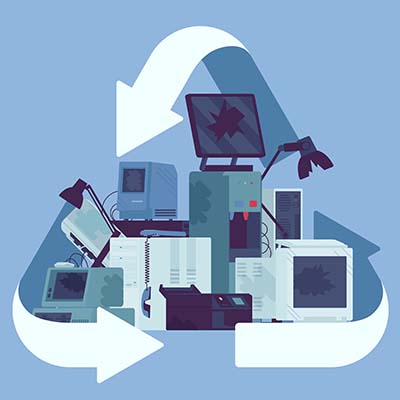
Do you know what you are supposed to do with electronics that are no longer of any use? Let’s quickly go over the process of properly disposing of electronic devices and the steps that make up the procedures involved.

Why Shouldn’t I Just Throw Out My Old Technology?

There are a few reasons why the regular trash collection is a poor choice for device disposal. 

  • First and foremost, there is no real accountability for the chain of custody. Simply tossing an old device without any of the additional precautions that recycling these devices involves leaves the data they contain potentially accessible to those who know where to look.
  • Secondly, modern computer components (including those more and more commonly found in appliances) contain amounts of hazardous materials that—if left in a landfill—can ultimately make it back to us through the water table. Many of these components are actually shipped to poorer countries to be dumped illegally.
  • Third, it is just wasteful. There are a lot of materials used in constructing electronics that are perfectly reusable, so ensuring that a device is properly processed and everything that can be recycled, is, is a more responsible choice.

Regardless of your recycling facility’s processes and policies, it is always wise to ensure that all of your data has been completely removed from any storage drives and devices being processed to ensure that no data remains to potentially leak out somewhere down the line. While we recommend that you reformat any drives you plan on recycling, know that this isn’t always enough. You should also make sure that whoever is going to be processing your technology also plans to erase this data and specifically destroy the hard drives—typically, by shredding them—so nothing can be recovered.

How Electronics Are Recycled

Once a computer or other device has been taken to a reputable recycling center, the process of breaking it down can begin. Most recycling companies will then disassemble the device and process different parts separately, based on what the components are made of. Then, the plastic, metal, glass, and circuit boards that made up each device are recycled according to best practice. This is also how the more hazardous materials are removed from the device.

The disassembled components can then be processed and renewed by using the materials to create new devices, eliminating a lot of potential waste that would otherwise, well, go to waste.

We understand how useful technology is to businesses, and how important it is that it is handled properly even after it has outlasted its usefulness. That’s why we’re committed to assisting businesses, regardless of their technology needs. Give us a call at 810.230.9455 to find out what we can do for you and your business’ essential IT.

434375994_hdd_sdd_400.jpg

HDD vs SSD: What’s Best for Your Business?
434375994_hdd_sdd_400.jpg

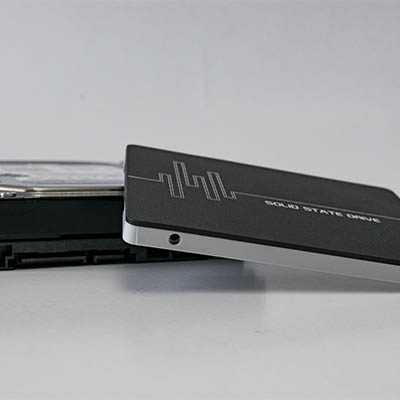
When you purchase new technology for your organization, the decision is not always clear-cut. One decision that can be difficult is whether to implement hard disk drives (HDD) or solid state drives (SSD) for your desktops or other technology solutions. To help you make the best and most educated decision possible, we’re here to explain the differences and help you make the best choice.

Hard Disk Drives

Hard disk drives utilize spinning, rotating disks that write data to the drive. As you can imagine, this makes them a bit more prone to hardware failure than SSD, but don’t let this dissuade you from seeing their benefits. Compared to their SSD counterparts, HDD storage is cheaper and comes in extremely large storage sizes. This makes HDD great for storing large files such as images, videos, games, or audio. In general, the price per gigabyte for HDD storage is much lower than that of SSD, making them more budget-friendly.

Solid State Drives

Speed is the name of the game with SSD drives. Since SSD uses flash storage, it is able to load that data quicker and more efficiently than HDD. Furthermore, since they utilize flash storage rather than the spinning components used in HDD technology, they are less prone to hardware failure, though their ability to read and write data does degrade a bit faster than that of HDD. Historically, SSD has been more expensive than HDD, but it should be mentioned that the price of SSD storage has never been lower. 

Which Storage is Best for Me?

At the end of the day, SSD and HDD have different benefits that lend themselves to certain tasks. On the SSD side, since it runs at higher speeds and is more structurally stable, it’s ideal to store your operating system. On the HDD side, since it is generally cheaper and easier to purchase large amounts of data storage, it is beneficial to consider them for this purpose. Ultimately, you should only make decisions like this after weighing the appropriate costs to their potential benefits.

If you’re not technologically proficient, however, it’s not always clear what the right answer is. This is why it’s okay to rely on professionals like NuTech Services for this task.

NuTech Services can help your business procure any new hardware, and you can rest assured that any solution we suggest is made after careful consideration of your organization’s specific needs. To get started with the best technology solutions on the market, reach out to us at 810.230.9455.

334282372_work_from_home_400.jpg

Five Solutions to Simplify Remote Work Strategies

334282372_work_from_home_400.jpg

Working from home adds quite a few additional wrinkles into the workday, including a few that pertain to your team’s communicative capabilities. With many different people operating at their best through different forms of communication, establishing which of these forms best suits your needs is crucial. Let us consider some of the options you have, whether you’re fully investing in a future of remote operations, or simply planning a more hybrid approach as time passes.

For simplicity, we have limited ourselves to the most crucial solutions we think everyone should have.

Video Conferencing

While nothing we have right now can fully replace the capabilities of in-person communications, video conferencing may just be the next best thing available. A lot of software developers have picked up on this, which may explain why so many other kinds of software integrate well with today’s video conferencing solutions.

In the business sense, video conferencing gives your team an outlet to assemble most like they would in the office—along with giving sales teams a much more convenient way to meet with prospects. Wonderfully lightweight and accepted by the business world, most of today’s workstations are likely already set up to support conferencing. If they are not, there is a practically negligible investment to make there in exchange for greater flexibility and sustained communications and collaboration.

Instant Messaging

While infamously a way for coworkers to spend their hours chattering amongst themselves about practically anything but work, a properly utilized instant messaging platform can be an essential piece of your remote workers’ toolset. When used appropriately, a study has shown that instant messaging and other non-email collaborative solutions can increase productivity by anywhere from 20-to-25 percent.

That is not nothing, and just helps to demonstrate how unhindered communications—like those the convenience of instant messaging supports—can help liberate your team members to accomplish more on your business’ behalf. This is particularly the case where a remote workforce is involved.

Customer Relationship Management

The most important relationships a business forms are those that are formed with their customer base. As such, there needs to be a reliable means of tracking and cultivating these relationships, as well as to simplify any requirements imposed on the customer’s end. A Customer Relationship Management tool, commonly abbreviated to a CRM, has been the solution that many businesses rely on for just that purpose.

The typical CRM solution will usually feature some kind of ticketing system for customer support purposes, a scheduling module to keep everyone on task and able to access the resources they need, and various automation capabilities to help make sure everyone is spending their time on revenue-generating endeavors. As such, a CRM provides the channels for a company to reach out to its base while also maintaining its own internal productivity. Any small business—particularly one with a decentralized workforce—that intends to grow should be utilizing a CRM for all it is worth.

Cloud Computing

Access is crucial to a remote worker, and access is something that the cloud can help provide in a way that is both simple and cost-effective. Whether your business needs the storage to securely keep its shared documents or needs collaborative tools to enable your team to work with the data you possess, the cloud can facilitate that need. Business continuity is also much simpler to secure during a disaster if you’ve maintained a cloud-based backup of your data.

Of course, the cloud is also capable of more, like delivering the solutions that your team members need to them directly. Whether you need a server at scale, or enterprise-grade security, and/or robust communication tools, there is a cloud-based option waiting for you.

Onboarding Solutions

Onboarding any new employee is a process in and of itself, and this is only exacerbated when that employee is to operate remotely. In order to get them acquainted with your policies and familiar with your solution set, there is going to be some training involved.

Nowadays, Learning Management Systems (or LMS) take care of that training for you, more expeditiously. Many business software solutions have them built into the program at this point, but you can also customize your own to ensure that your new hire is prepared for their new responsibilities. On your end, you get a better-prepared team member for a decreased financial investment.

Whether you’re embracing the remote workforce moving forward or striving for a return to your base of operations, NuTech Services can help equip you for success. To talk strategy with one of our experts, call us at 810.230.9455 today.

75125032_cloud_infrastructure_400.jpeg

Benefits IaaS Can Bring to a Business

75125032_cloud_infrastructure_400.jpeg

Of all the technologies currently used by businesses, the Internet is a strong contender for the most important. Regardless of their size, many businesses invest thousands each month into online Software-as-a-Service solutions as a means of more affordably equipping their users. Let’s talk for a moment about another cloud platform that has seen some advancement: Infrastructure-as-a-Service.

An Intro to Infrastructure-as-a-Service

Infrastructure-as-a-Service essentially boils down to this—rather than purchasing the equipment and dedicating the space to host their critical solutions in-house, IaaS eliminates the need for native servers and transfers their functionality into a cloud environment. With the market for cloud storage and processing at $100 billion and counting fast, this has proven to be a popular option.

Cloud services like hosted desktop, which enables a business user to access specific software solutions, have been around for years. Over time, applications have grown to be much more sophisticated. Pairing this increased sophistication with considerable investments made into these services, it only makes sense that entire computing infrastructures can now be had via the cloud. With big names like Amazon, Google, and Microsoft all contributing, essentially all processes involving computers nowadays can be delivered in such a manner.

With IaaS in place, a company can enjoy its needed access to computing resources on demand without having to worry about the considerable upfront costs that would traditionally come with these capabilities. IaaS also helps prevent a lot of waste via overinvesting in necessary space. Along with its customizable resource allotment, the cloud and IaaS give businesses many additional benefits:

  1. Superior performance – Your business’ IaaS platform is managed and maintained by the service provider, with all the tools needed to keep systems up and secure. 
  2. Powerful security – Security has been a crucial consideration for many years, so today’s cloud providers invest heavily in security. 
  3. Enhanced flexibility – Companies can access effectively unlimited computing resources, and it provides a lot of flexibility and scalability.
  4. Built-in redundancy – Hosted infrastructure includes built-in redundancy, disaster recovery, and continuity options.
  5. Consistent Pricing – Companies that are looking to make a move to IaaS, are normally doing so to avoid huge upfront and maintenance costs. While IaaS isn’t the consistent price that Software-as-a-Service options provide, IaaS does offer a transparent pricing structure and provides businesses that know their underlying traffic the means to successfully predict their computing costs. 

For a business looking for value, IaaS can be a promising option. Call NuTech Services today for a consultation into how you can best acquire the computing resources that support your business at 810.230.9455.

229508639_ssd_400.jpg

Solid State Is the Way to Go

229508639_ssd_400.jpg

Whenever you ponder the purchase of a new computer, one important specification that you likely consider is its data storage. This was especially the case when you considered a new machine for family use—there are a lot of documents and photos to store, and any kids you have will want to fill it with games and other apps. Nowadays, it’s a little different. Rather than focusing on storage, you’ll want to focus on the computer’s speed. Let’s get into it a little further.

Storage (Typically) Isn’t a Concern Anymore

For most users, the PC or laptop they’ll purchase will have a decent capacity in its storage drives, for a very simple reason: it costs the factory about the same amount to produce hard drives that hold 256GB, as it does to produce 512GB drives. In this situation, providing more storage just makes more sense… especially once you factor in the exponential increase in demand for storage.

The sheer amount of data that the human race produces is staggering. Estimates say that, as of 2020, each human being on Earth is creating 1.7MB each second. Remember the 3.5-inch floppy disks? One of those could hold about 1.4MB. So, crunching the numbers, humanity is filling the equivalent of eight billion of them every second.

So, how is it that storage isn’t the issue? Simple—we’ve moved beyond these kinds of storage solutions.

Modern drives can now hold exponentially more data and run faster and more efficiently to a similar scale. Taking an average new PC off the shelf, its built-in storage capacity would exceed that of around 750,000 floppy disks. Besides, most data storage happening nowadays takes place in the cloud. Google, Amazon, Facebook, and countless web hosts, businesses, and others now collect and store it on the user’s behalf.

To come back to our point, with all of this taken into consideration, the 1TB drive that was built into your PC really is a lot. Unless you’re using it for specific things—photography, video editing, 3D modeling, or gaming—you’re likely not going to need any more.

If a PC is in the office, this is even more the case. All a workstation’s data should really be stored in a centralized location, whether that’s a server on your network, or in the cloud. Your business’ purposes will dictate which is the better option for you—give us a call at 810.230.9455 to work that out with us.

The point remains: capacity shouldn’t be your final metric for determining the PC you’ll use, unless you know for a fact you’re going to need a lot.

Performance Matters

At the end of the day, your hard drive’s efficiency is really the defining factor. Modern PCs have considerable processing power, with 8-to-16 gigs of RAM being pretty standard. This leaves plenty to run office applications and other daily software titles. As a result, the speed of your hard drive could easily cause the biggest bottleneck in your operations.

For our purposes, there are two different kinds of hard drives.

Hard Disk Drive (HDDs)

Also known as mechanical hard drives, HDDs contain an array of shiny, spinning magnetic platters that are used to store your data. Seen as the standard for decades now, they are generally the most affordable option when comparing price by storage capacity. Capable of storing high capacities of data, they are often used in servers or backup devices nowadays.

Solid State Drives (SSDs)

SSDs use electronic data storage to work, and therefore have no moving parts. Reading and writing this data is much faster as a result, an outcome that impacts all a computer’s processes. These drives are expensive, but as prices have decreased they have become a much more reasonable purchase… especially when you consider the performance, reliability, and stability benefits you see from them.

We always recommend that any new workstation purchased should rely on an SSD as its main hard drive. Most desktops can have secondary drives added after the fact, and centralized storage and/or the cloud can also be considered viable solutions.

If you need more assistance in choosing the technology right for your business and its needs, give NuTech Services a call at 810.230.9455. We’ll help you make the best choice.

250877277_wireless_wired_400.jpg

Should You Use Wired or Wireless Connections?
250877277_wireless_wired_400.jpg

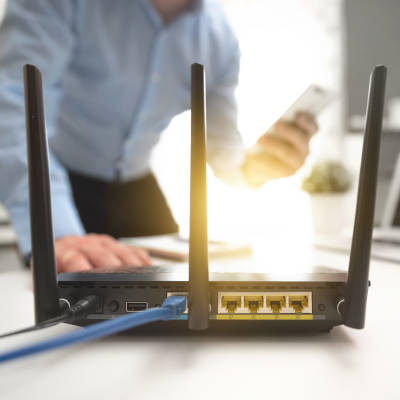
It hasn’t been too long since connectivity required an actual physical connection between the connecting endpoints, making a wired connection the de facto option for businesses. However, now that wireless connectivity is so widely available, businesses now have a choice… but which is the better option? Let’s compare some of the pros of each to make the answer a little clearer.

Why a Hardwired Connection?

Security

The fact is that a direct connection is inherently more secure than one that is broadcast over the airwaves, as these have the potential to be snagged in transit much more easily. Therefore, if security is paramount, a wired connection is the better option by default. That said, there are ways to secure your wireless connection, utilizing a VPN.

Speed

Wired connections are also much faster than a wireless one, whether data is being communicated within your business network or to and from the Internet. In terms of efficiency, the wired connection comes out on top.

Stability

Save for a case of infrastructure failure, the only way you could lose a wired connection would be if the wire were to be unplugged. This stability not only makes them more reliable; it contributes to the consistency of the aforementioned higher speeds.

Why a Wireless Connection?

Convenience

The lack of cables that a wireless connection requires just makes Internet access so much simpler for a business to implement. Without the need to adapt any existing infrastructure to run wires and such things, it is far easier to add, subtract, and move users around as need be.

Mobility

Wi-Fi’s inherent mobility works so well for businesses because a user can pick up what they’re doing and bring it with them if they have the right device. This makes it much more practical to implement in the workplace, especially if collaboration requires meetings to happen in various places in the office.

Scope

Speaking of the right device, a wireless connection enables work to be done on a much wider, and yes, more mobile assortment of solutions. On a related note, businesses that interact with the public regularly can configure their Wi-Fi to offer guest functionality. This enables these businesses to offer their patrons a convenient perk.

Why Hybrid May Be Best

This is the real important takeaway: you don’t have to choose between wired and wireless connectivity.

Embracing both options can effectively negate the shortcomings of either, ultimately improving your business’ capability to get work done—large tasks performed over the wired connections, with communication and collaboration sticking to Wi-Fi. It all comes down to your business’ individual needs and situation.

Whichever option works best for you, you can count on NuTech Services being the best resource you can turn to. Find out what we have to offer in terms of assistance and support by calling 810.230.9455.

188604470_data_storage_hard_drives_400.jpg

Storing Data Is More Complex than You Know
188604470_data_storage_hard_drives_400.jpg

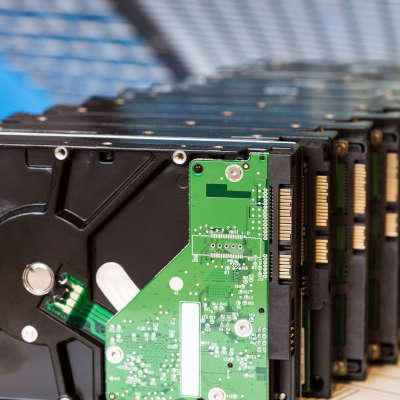
We all store data on our computers. Whether you have family photos and text documents on your home computer, or databases and on-premises applications running your entire business, data is typically stored in exactly the same way. If you knew how delicate your data actually was, you’d never let a single file exist in one place ever again. Let’s explore that.

How Do Hard Drives Store Data?

A traditional mechanical hard drive, also known as an HDD, holds your data on small magnetic platters. These platters are layered on top of each other, with a small mechanical arm that rests above them. Think about a record player, with the arm and needle over the record, except you have many, many records stacked on top of each other.

Of course, a record player spins the record between 33 and 78 times per minute. Your hard drive typically spins the platters much faster, most of them clocking in at 7200 rotations per minute.

The platters spin so fast, that it creates a cushion of air that prevents the head of the arm from touching the surface of the platter while it spins. This is critical, because if the head (the needle, to continue with the record analogy) were to even graze the surface of the platter, it would destroy the data on the drive.

These hard drives are mechanical in nature. Just like your car, mechanical systems can and will fail eventually. The little motor in the drive can burn out, the spindle can cease up, and so forth. These issues will very likely make the hard drive inaccessible. Thus, your data is lost. Opening files, saving files, and general computer use (even web surfing) causes the hard drive to read and write data. You are always using it, and depending on its stability to protect your data.

(Of course, there are also SSD drives, which don’t utilize moving mechanical parts. These tend to be a little more shock resistant, but they aren’t immune to failure.)

Yet, we trust these devices every single day. If you have a computer or a laptop, you likely have one or two of these inside it. Your servers tend to have many more. Many of us have external hard drives we use to store data to take around with us. If they are using a mechanical-based hard drive, all of our data is at the mercy of several rapidly moving parts and a cushion of air.

This leads us to ask:

Why Would You Ever Rely on a Single Hard Drive?

If your data is only stored on a single hard drive, consider it at high risk. It only takes one tiny issue to lose it all.

Fortunately, preventing data loss is easier than ever. We help businesses establish thoroughly tested, highly-trusted backup solutions that ensure that no disaster will be able to destroy your data. That includes storing a copy of all of your data on a separate device within the office, and a copy stored securely offsite that you can access at any time. This means even a major disaster like a fire or flood doesn’t cause data loss.

Want to learn more? Give us a call at 810.230.9455.

148461139_healthcare_secure_data_400.jpg

You’d Be Surprised How Insecure Some Healthcare Providers Are

148461139_healthcare_secure_data_400.jpg

The healthcare industry is in a difficult position. Despite the utility that connected devices present to medical providers, the Bluekeep vulnerability makes it seem as though connected devices aren’t a wise solution for many to use… and there’s nobody these organizations can blame but themselves.

What is BlueKeep?

BlueKeep is a malware strain that was first discovered in May 2019, and was patched in short order to prevent it from becoming another situation like EternalBlue. EternalBlue was the exploit that allowed WannaCry to have such a considerable impact, especially on healthcare providers in the UK. Despite this precedent, however, many hospitals neglected to apply the necessary patches–and that isn’t even the worst part.

The worst part is that the three systems that BlueKeep impacts (Windows 7, Windows Server 2008, and Windows Server 2008 R2) share one thing in common: they have all passed their end-of-life date, and therefore no longer receive security updates.

This makes this situation a two-fold disaster. Not only have patches been released to mitigate BlueKeep, the systems affected by BlueKeep should not be in use anyways.

Of course, it only gets worse, and paints an unfortunate portrait of medical IT. A reported 22 percent of BlueKeep-vulnerable devices are yet unpatched. Worse, 45 percent of connected medical devices remain vulnerable, making things like x-rays, anesthesia machines, and other care-driven technology a risk to use.

Are you concerned about your organization’s technology?

Lean on the IT experts at NuTech Services for assistance. We can help any organization ensure that their technology won’t put their operations or their patrons in harm’s way. Learn more about what we can do by calling us at 810.230.9455.

260013401_reset_power_on_off_400.jpg

Is there a Difference Between Restarting and Just Turning It Off?
260013401_reset_power_on_off_400.jpg

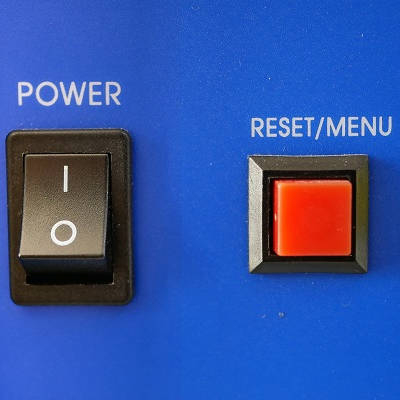
In a word, yes. Sure, there’s the obvious difference in that one leaves you with a computer that is turned off while the other results in it being turned on again, but there are other important differences that are present behind the scenes. Let’s go over a few of these differences, and how they impact when you should restart your computer versus when you should shut down completely.

What’s the Difference Between the Shut Down and Restart Processes?

Before Windows 8, there was no difference whatsoever (aside from the obvious fact that Restart would start the device back up). This changed, however, with the introduction of Windows 8, and a new feature: Fast Startup.

Shut Down

Still present in Windows 10, Fast Startup shortens what was once a much longer start process after a user had clicked Shut Down.

While all a user’s files and programs are still shut down, the heart of the operating system is just put into standby mode. Please note that it does power down everything, unlike hibernate and standby. This makes it much easier for Windows to reactivate. However, since not all processes are completely stopped, present issues won’t be affected. Your problem will still be there the next time the workstation is turned on.

Restart

On the other hand, restarting the device actually does put a stop to all processes and resumes operations with a fresh boot on the motherboard level. This is why restarting your computer seems to take so long as compared to manually turning it off and on again.

So, the difference is really in the granularity of the shutdown process. Counterintuitively, “shutting down” a computer leaves more components active than a restart does, which is why restart is the process recommended when troubleshooting an issue.

So, while we may recommend that you “turn your computer off and on again,” or “reboot,” what we really mean is “restart your computer.”

For more assistance in dealing with pesky technology issues, lean on the managed services that NuTech Services provides. Learn more about what we offer by calling 810.230.9455.

outsource_102117857_400.jpg

There’s Value in Outsourcing Your IT, Part V

outsource_102117857_400.jpg

Information technology continues to play a more significant role in businesses, and as technology changes, so should yours. IT procurement is a critical part of any business’ success, which means that your business can greatly benefit from a managed service provider. They have the know-how to procure all of the best technology. Today, we will discuss how your business can acquire the IT it deserves. 

Businesses Depend on IT

There are a lot of different pieces of technology that go into a business, and like a puzzle they all need to fit together and work. So where do all of these puzzle pieces come from? Let’s examine different types of technology.

Servers and Networking

Here are two scenarios, and the different methods businesses use to handle them:

Walter’s business is growing extremely quickly, but his servers are the same ones he’s been using for years. He realizes he is running low on storage space, and his increasing staff puts pressure on him to upgrade his server. Walter manages to cobb something together, hoping it will suffice for the time being. When Walter attempts to merge his servers into one slightly larger server, he misconfigured a few components resulting in downtime for his entire staff. Not only has he wasted his own time, but now he is experiencing the most expensive segment of downtime he has ever experienced. 

Jesse, on the other side of town, also is experiencing extraordinary growth. Jesse however, makes a simple phone call to his managed service provider. He is connected to a professional, who advises Jesse on server options that will sufficiently support his growing business. His managed service provider not only points him in the right direction, but also comes on site to install this new technology. Jesse knows he isn’t a tech know-it-all, so he leaves deployment of servers to the professionals. His business is ready for increased data storage that same week he decided it was time to expand. 

Workstations

Your business’ employees are only capable of what their technology can handle. When it comes time to upgrade or add additional workstations, there are a few options one can take. Let’s see how our two business owners handle these situations.

Walter, who is an impulse spur of the moment shopper, sees what he believes is a fantastic deal on eBay. He decides that these second-hand computers will be able to handle all of his employee’s programs without issue. However, upon arrival Walter notices that his computers are missing a few components. It turns out that the eBay listing was actually for five home-made computers that the builder was never able to get to operate properly, rather than complete working PCs. Overlooking the description just set him back a large amount of money, and the computer repair shop charges nearly as much as a brand new PC would have. 

Jesse, has a few empty desks he would like to fill with capable computers as well as a few new employees. He reaches out to his managed service provider to discuss which computer might fit the needs of his business. The professionals are able to use their connections to get Jesse a fantastic deal, and most importantly, the purchase of the computers comes with free installation.

Software as a Service

What good would a computer be without the necessary software? Businesses should be utilizing the latest and greatest software. There are a few different approaches a business owner can take to procure the necessary software to boost productivity within the office.

Walter knows that software can be expensive, so he decides to torrent a few versions hoping that he doesn’t get caught. Unfortunately, however, Walter is exposed as a fraud and his business is the center of attention for all things media. His business suffers massively, and he wishes he had spent a fortune on the software instead. 

Jesse too knows how expensive software can be. Unlike Walter, he once again leans on his managed service provider. They offer what is known as software-as-a-service. This service gives you all the latest and greatest software, for a low monthly cost. It’s like renting a tool, as opposed to buying it outright. Not only does this tool come with free installation as well as support, but it doesn’t set Jesse back a large sum of money. He is able to give his employees all of the programs they need to proficiently do their jobs. 

Which Experience Sounds More Enjoyable?

If you had a choice to be Jesse or Walter, which would you choose? Managed services truly offer support for all of your business needs. If you would like to learn more, reach out to our professionals by calling NuTech Services at 810.230.9455 today!