documentManagement_478377183_400.jpg

A Document Management System is a Handy Business Utility

documentManagement_478377183_400.jpg

Businesses must often store documents for the purposes of compliance, but anyone who has managed a document storage system that uses physical documents, like filing cabinets or otherwise, knows that it can get a little complicated and messy. Technology offers better alternatives that make things easier, efficient, and most important of all, more secure.

A document management system (DMS) can be used by just about any business to replace the aging filing cabinet. You won’t need to handle physical documents any longer, instead opting to scan them and store them in a secure database. DMS gives your business much greater control over documents by providing dynamic options to help you efficiently and securely store and share them with others at your organization. 

Let’s take a look at some of the ways a DMS can aid your business’ document storage efforts:

Improving Compliance

Considering the current state of compliance, there’s a good chance that your business needs to adhere to at least a handful of them. These regulations are often complex and almost always require data security. It can get expensive to secure physical documents in a way which complies with these regulations. Document management systems, on the other hand, provide a secure platform that strictly adheres to these regulations while improving transparency and control over the files stored in it. If you use a more complex DMS, you might also have capabilities to show visual data flow for documents, something that backs up your claims of compliance in the face of an audit.

Improving Data Security

DMS provides a safer alternative to your traditional filing cabinet allowing for better protection against theft. DMS offers additional layers of security and control that you just can’t get for physical documents. A cloud-based DMS is maintained and managed by a provider, and as such, it is protected by their own security team. Furthermore, in case of an emergency or disaster, the data is made available to your remote teams, allowing for productivity and redundancy that you don’t get from physical documentation.

Saves You Money

Even if it doesn’t appear to, printing and file storage do have large costs. Consider how much you spend on printing for all of your important documents, then double that so you have backups in place, too. When you think about the fact that it can cost almost $20 to file one document and over $200 to reproduce it, you might realize that eliminating these expenses is the right call. DMS allows you to reduce these costs and make your files more accessible in the process.

Enhances Organizational Productivity

The biggest return on your investment will by far be in the realm of productivity, as you no longer have to waste countless hours sifting through filing cabinets to find physical documents. You can easily locate and share documents as needed with anyone on your staff who needs access to them. Imagine all of the ways you can better use that time to your organization’s benefit!

NuTech Services can help you implement a DMS that works for your particular needs. To learn more, reach out to us at 810.230.9455.

hiddenFees_234106061_400.jpg

Predicting Cloud Costs Isn’t as Challenging as You Might Think

hiddenFees_234106061_400.jpg

There is no denying the versatility that technology like the cloud can provide, but it often comes with hidden costs that might affect its cost-to-benefit ratio for your organization. Here are some of these hidden costs, as well as what you can do to minimize the impact they have on your bottom line.

Some of these different expenses may impact the fees associated with the cloud provider, while others might affect your ability to implement a cloud and host it yourself. Let’s take a look at these costs to see what your options are.

How Does a Cloud Provider Set Fees?

It helps to have a baseline understanding of how a provider sets its fees. They are based on the three primary costs of a cloud service provider:

  • Computing Costs – How much has the provider invested in the hardware needed to maintain their cloud, as well as the operating system running on that hardware? Based on the client company’s usage, the cloud provider will need to have the appropriate hardware.
  • Networking Costs – In addition to the investment into the hardware that builds up its network, a cloud provider also needs to maintain it over time. This will incur costs over time.
  • Storage Costs – Finally, the cloud provider also needs to cover their own operational costs, in terms of the storage media needed to support their clients’ needs, while also expanding their existing storage to meet their clients’ demands.

While this might seem like a lot to take in, it’s important to consider what your own on-premises infrastructure might cost. There are the capital costs to acquire the required equipment and licenses, as well as the operational costs of powering and maintaining the infrastructure, and that’s not even mentioning the IT staff responsible for managing it. Additionally, downtime could create indirect costs for your business.

A solid frame of reference for the costs of on-premise computing is to multiply the cost of the actual upgrade by three, as every dollar invested will come with an extra two dollars of management and maintenance.

Compared to the costs of managing your own technology, working with a cloud provider is actually beneficial in several ways.

However, This is Not to Say There Aren’t Hidden Expenses with Some Cloud Providers

The cloud is great for several reasons, but you also need to consider the trade-offs of using it. For example, some of the cloud’s costs are not financial. You might sacrifice a lot of time while migrating between cloud providers, and if you need your data while you are in the process of migrating it, you might be in trouble.

Migrating to the Cloud is Easier with Help from the Experts

Thankfully, you can make it less difficult and complicated by working with professionals like those at NuTech Services. We are happy to help you with the process of data migration, cloud implementation, or whatever else you happen to need to make a smooth transition to the cloud. To learn more about what we can do for your business, reach out to us at 810.230.9455.

emailHosting_89566215_400.jpg

Is Hosted Email Right for Your Growing Business?

emailHosting_89566215_400.jpg

Email is a solution that your business uses just about every single day, and as one of your central methods of communication, you need to consider how it’s managed and maintained. Thankfully, modern businesses have more choices available to them than ever before, some of which are so hands-off and easy that they can completely change how a business views their email.

The typical business might choose to host their email management system in-house on their own server infrastructure. While there are various benefits to doing so—chiefly, the security benefits—the same challenges that apply to server management in general, apply to email server management. The hardware and software need to be effectively managed and maintained, a process which might include updating the operating system with security patches and updates, keeping the hardware in proper working order, and ensuring proper climate control so that the devices do not experience difficulties with operations.

Furthermore, email access can also be challenging when your email is exclusively hosted on an in-house infrastructure. Unless your infrastructure has cloud capabilities, your employees will have limited access to their email while outside of the office. It’s also important that your systems are appropriately secured and backed up, which can be stressful to manage for an in-house team, especially if IT is not necessarily your forte.

The alternative is email hosting through a managed service provider, and it solves most of the problems associated with email management. Rather than hosting your email system in-house where you are responsible for taking care of it all, you can outsource these responsibilities to a managed service provider who hosts it on their own infrastructure. The managed service provider takes on the responsibilities of managing and maintaining your email system. This ensures that the system is taken care of adequately, as small businesses frequently have trouble keeping up with the maintenance of IT resources like email servers.

NuTech Services can help your business manage and maintain its email solution. We can even host it on your own infrastructure so you don’t have to worry about it at all! We can take care of all the challenges of protecting, backing up, and maintaining your email solution so you can focus on what matters most: running your business.

Don’t wait any longer; all it takes is one phone call to change the way you do business forever. To learn more about email management and other technology services we can provide, reach out to us at 810.230.9455.

314858006_hosting_apps_cloud_400.jpg

Hosting Your Applications in the Cloud Can Have Major Benefits

314858006_hosting_apps_cloud_400.jpg

You may already be familiar with the concept of hosting your business’ technology on your own in-house network, like a server unit, but some businesses struggle to manage hardware like this effectively. In all honesty, you can get largely the same benefits of an in-house server through a hosted solution. Nowadays, the cloud makes utilizing cloud services easier than ever.

Traditional Hosting

Small businesses often have trouble with more traditional methods of application hosting, mostly because many do not have the space to dedicate to traditional hosting. They also may run into issues related to more limited budgets or device procurement; even if they do get the right technology in place, maintaining it properly can be the last straw.

Managed service providers give small businesses access to professionals they may not be able to hire outright, meaning that they can also host your business’ hardware and applications effectively. NuTech Services is one such provider; with our cloud services, your small business can get the technology you need without having to spend large chunks of capital. Whether you want us to host your email service, your line-of-business applications, or even your VoIP system, we’ve got you covered. You might be surprised by how much a cloud hosting service can improve your operations and workflows!

Cloud Hosting

Cloud hosting is something that can only really be discussed after complaining a bit about the limitations of traditional hosting. It used to be the case that you could only host your applications on your own infrastructure, but now you can host applications and infrastructures right in the cloud using virtual hardware. This type of anytime-anywhere access is a particularly good investment for businesses.

You might be surprised to learn that most services your business implements can be deployed or accessed through the cloud, as long as you are working with a cloud provider to handle the responsibilities of managing and maintaining the infrastructure. Outsourcing these responsibilities can lead to your organization investing more of its time and energy into other endeavors, including some that can yield a greater profitability.

NuTech Services can be your business’ go-to resource for anything cloud-related. To learn more about what we can do for your business, reach out to us at 810.230.9455.

123015824_cloud_security_400.jpg

Cloud Security is a More Pressing Issue

123015824_cloud_security_400.jpg

The cloud is a popular choice for businesses that need access to tools to sustain operations, but there is an innate flaw that comes from hosting anything in an online environment: security. Do not pretend that security is not an issue for your cloud-based resources—failing to acknowledge the importance of security could be a fatal mistake for organizations that leverage cloud-based technology resources.

Misconfigured Cloud Settings

Cloud tools and solutions can work quite well, but they need to be set up properly first—particularly in the realm of security. Due to its nature as an accessibility and communication tool, the cloud must ensure that security is kept at the top of mind so as to avoid data breaches and vulnerabilities. Make sure that you are reviewing, checking, and confirming that your cloud’s security settings are correct on a regular basis so as to not put your organization at risk.

Ineffective Access Controls

The cloud allows resources to be accessed from more than one location, a benefit that simplifies remote work and makes it more accessible to small businesses. Your team will need to know how to effectively utilize these resources to ensure they can get the job done, but you must also do your part to allow or restrict access to important data or applications as needed. A cybercriminal can lean into ineffective access controls set by your organization, too, for if they manage to get their hands on credentials for a network administrator or someone with upper-level privileges, you can bet that they can cause a lot of damage. To protect from this, it also helps to build secure passwords.

Targeted Attacks

Look, it’s no secret that there are countless threats out there, but the fact that the workplace has grown exponentially more connected over the past several decades means that there are more avenues than ever for cybercriminals to make their way into your infrastructure. What’s worse, cyberattacks are quite lucrative and easily repeatable, and due to the sheer number of different threats out there, hackers can switch their tactics up based on what they think will be most likely to succeed against your business.

Depending on your type of business and the compliance regulations of your specific industry, a data breach might mean much more than simple data theft. It could mean fines, lost confidence in your market, legal action, and even costly compensation. Other threats might try to harm your productivity, like Denial-of-service attacks and ransomware, with the latter being particularly devastating. You must be prepared for not just the cyberattacks we have outlined here, but for all potential threats that can derail operations. It all starts with a solid preparedness strategy.

Employee Behaviors

Your cloud solutions—especially in regards to security—will only be as effective as the team members that utilize them. If you don’t teach them how to use your solutions in a secure way, you are putting yourself at greater risk of cybercriminal activity. The other side of this is when the employees themselves are the danger, abusing the permissions they have been granted and using them in a way that is destructive to your business. Since the cloud is so accessible, it can be difficult to know when this is happening for your company, but it’s not impossible.

Turn to us for help with dealing with these cloud security challenges.

Industry professionals like NuTech Services can help your organization identify, prepare for, and respond to cloud security threats. To learn more, reach out to us at 810.230.9455.

225909757_cloud_business_400.jpg

3 Ways Your Business Can Utilize the Cloud

225909757_cloud_business_400.jpg

The cloud is a great tool that lets businesses of all industries and sizes revisit the way operations are handled, but it’s not always clear what the best approach is for your specific business. What are some ways that you can utilize the cloud, and why is it so important that you start thinking about these benefits now?

In a post-pandemic world, let’s take a look at how your organization can leverage the cloud.

Data Storage

One common issue for business professionals with multiple devices is having important files spread out across their devices. Even files that are stored on an in-house network cannot be connected to if the network isn’t hooked up to the Internet. The answer to this challenge is actually quite simple; hook it up to the Internet with cloud-based data storage!

Cloud-based data storage allows any connected device to access data, provided the appropriate permissions are in place. You can work on any file, anytime, from anywhere. This is especially useful when it comes to travel or working remotely. On-premise servers can take up a lot of physical space, electricity, and maintenance, so hosting in the cloud is the ideal solution for any organization that wants to improve data access.

Backup and Disaster Recovery

Your business needs to be able to handle any data loss incident in order to preserve your organization’s future. If the data is stored elsewhere on a different device, that’s one thing, but if the data simply ceased existing due to data loss, then you have a real problem on your hands. The gold standard for a while was tape-based backups which would be stored on-site, but these backups were at risk due to natural disasters and user error. Plus, they take up a ton of physical space; it’s safe to say that they are no longer the gold standard.

An automated data backup system that utilizes the cloud is a far superior option, as it can be deployed relatively quickly following any data loss incident. Since the backups are stored with more redundancy than tape, you will never have to worry about them being inaccessible or corrupted. More often than not, you will have a copy of your data that you can rely on in the event of an emergency.

Cloud Hosting

What the cloud does for data can also be applied to just about anything business-related. The possibilities are astounding if you don’t limit yourself to only using the cloud for file storage. For example, you can host applications like your Voice over IP phone software or your productivity suite for easy access on any connected device. The accessibility might not seem like much, but we assure you that it can be an incredible asset when implemented properly.

If you zoom out on this line of thought, you can also see the opportunity for hosting hardware solutions. For example, let’s say that you have a certain piece of legacy software that needs to run on a specific instance of a server operating system. However, all your servers run Windows Server 2019. Instead of hosting a server specifically for the legacy software, costing you valuable resources and potentially putting your network at risk, you can instead use a virtual server. This process, known as partitioning through the cloud, allows you to host-specific instances of operating systems in a virtual environment.

Leverage the Cloud Today

If your organization needs some assistance with implementing cloud-based technology, we’d love to help. NuTech Services is all about helping businesses optimize efficiency through the use of innovative technology solutions. To learn more about what we can do for your business, reach out to us at 810.230.9455.

415525386_VoIP_400.jpeg

How VoIP Can Help the Business that Adopts It

415525386_VoIP_400.jpeg

For all the communication services and tools available to businesses nowadays, the telephone remains a staple in everyday processes—despite it often being difficult to manage and expensive to maintain. This is largely because today’s technology enables businesses to use a telephone system that exceeds the capabilities once provided by telephony, for a far more manageable investment.

Let’s take a few moments to explore how Voice over Internet Protocol (VoIP) telephony is so useful to businesses.

A Quick Overview of VoIP

Voice over Internet Protocol is a means of delivering a telephone system via the Internet, rather than investing in an additional, dedicated phone service. Available in different tiers, VoIP has proven reliable and responsive to change. This can largely be attributed to the use of cloud-based solutions to support these networks.

By using VoIP, a business can see quite a few perks come its way:

  • Simple management – With the option to host VoIP in-house or in a dedicated cloud server, it becomes much easier to make painless changes to the configuration of your solution.
  • Mobility – As VoIP uses the Internet as its data connection, it doesn’t need to be constrained to a stationary physical infrastructure. While a desktop phone can be made compatible with VoIP, a dedicated application on a mobile device can also be used.
  • Cost efficiency – By its very nature, VoIP enables a business to consolidate its operational expenses where communications are concerned. Rather than dedicating valuable dollars to yet another service, VoIP only requires an Internet connection to operate while offering many features you’d have to pay extra to a phone company for.
  • Business integrations – Many lines of business and office management applications have the capability to cooperate with VoIP services, helping to streamline daily processes.
  • Comprehensive features – As alluded to above, VoIP comes standard with many advanced call features and options for a business to take advantage of, like call waiting, call forwarding, conferencing capabilities, and instant messages.

NuTech Services is here to help you manage your business’ IT so that it can better fulfill your needs. Learn how we can help you take advantage of VoIP and other services by calling 810.230.9455 today.

258871297_software_as_a_service_400.jpg

How Software as a Service Fits Into Your Business’ Technology Plans

258871297_software_as_a_service_400.jpg

Traditionally, if a business needed a solution to a problem, they would research which technology is the best for the problem they had and go out and buy it. If a company didn’t have the money to buy that solution, they would borrow to buy it so that their business wouldn’t stagnate and fail. In today’s tech-driven business environment there is a much better option than mortgaging your business just to save it.

It’s the cloud.

Specifically, software-as-a-service (SaaS).

What is SaaS?

In order to understand SaaS, you definitely need to have a cursory understanding of the concept of cloud computing. Basically—for you that don’t know—cloud computing is the use of servers hosted in data centers to provide your business (or individuals) the computing they need through the Internet. It’s as simple as that. Companies create data centers where any business can get the processing, the data storage, the services, and the software utilities they need. Software-as-a-service represents the last part of that. Basically, if you need a piece of software, you can now get it in the cloud.

Why Buy Software In the Cloud?

If you are going to buy software, why not buy a physical copy of the software? Well, you obviously still can, but in order to run the software, you will also need the infrastructure in place that can handle the dissemination and computation of data; you need reliable and continuous IT support to ensure that the hardware is maintained, the software is patched, and that any issues that come up are handled, if not proactively, quickly. You also need to ensure that the people using your software are networked together, which can be extremely costly to perfect and secure. 

 Software-as-a-service comes with all this. Not only does your business get the software it needs, it does so without having to take on the responsibility of maintenance, utility costs, and other detriments to having a centralized computing infrastructure. In most cases with a SaaS offering, the cloud provider will handle all of the hosting and maintenance costs and bake them into the cost of the service.

So How Does SaaS Work?

SaaS platforms are simple to set up and are completely scalable. This means that if you need five licenses for a certain program and 40 for another, you can get them. Better yet, you can add or remove users from any of these platforms for any monthly subscription cycle, allowing you to control your business’ computing costs more accurately than if you are trying to maintain multiple servers. 

 Users will sign in using a login and a password, and many of these offerings today come with two-factor authentication (2FA) as an additional security option. At NuTech Services, we recommend using 2FA on as many online accounts as you can. Once in, they have full access to the software. Users can select the storage they want to use to save and export files created with this software, giving them full control over their work.

 Your business uses a lot of software, and if you could avoid paying for software upfront and turn your computing into an operational expense, it might just open up more available capital that you can use to invest in your vision.

 If you would like more information about cloud computing or software-as-a-service, or you would like help implementing solutions that will help your business be the best it can be, call us today at 810.230.9455.

265247767_cloud_services_400.jpg

Demystifying the Cloud for Business Computing

265247767_cloud_services_400.jpg

As businesses have been allowed access to more advanced tools, the cloud and its capabilities have been shown to be among the most useful to operations. Let’s examine some practical applications of the cloud to see why this is.

Defining Cloud Deployments

Businesses have the option to use three different cloud deployments:

  • Private Cloud — Space in a cloud infrastructure is owned and utilized by a single business.
  • Public Cloud — Space in a shared cloud infrastructure is utilized by multiple businesses and users.
  • Hybrid Cloud — Space is utilized in both a public cloud environment and in a business’ privately-owned cloud space.

Regardless of the type of cloud deployment used, it provides considerable utility to the businesses that embrace its capabilities. Let’s consider some of the ways that your business could make use of these utilities.

The Cloud’s Service Models

Using the cloud, a business can fulfill its technology needs and requirements through solutions provided “as-a-Service.” Some of the “aaS” solutions available to businesses include:

Infrastructure-as-a-Service (IaaS)

Infrastructure as a service is simply computing space available in the cloud. The provider maintains the infrastructure that your business relies on to host its assorted needs, such as its operating system, storage needs, and applications. You gain access through a single sign-on that can be outfitted with two-factor authentication for additional security. 

Software-as-a-Service (SaaS)

Instead of paying per GB, a business can utilize software in the cloud. This means that the provider not only takes on the task of keeping the cloud infrastructure maintained, but also ensures that the software solutions themselves are managed and maintained. 

Platform-as-a-Service (PaaS)

PaaS almost serves as a hybrid between IaaS and SaaS. Essentially, using Platform-as-a-Service enables a business to create its own proprietary application without any of the responsibility to create and manage the infrastructure that supports it. Many software developers benefit from a PaaS platform to be able to code and test new applications. 

Cloud computing is a big part of the modern business world. For more information about cloud computing and how to use it for your business, call the IT professionals at NuTech Services today at 810.230.9455.

192256964_cloud_business_400.jpg

How to Move to the Cloud in a Hurry

192256964_cloud_business_400.jpg

The cloud has long demonstrated its many benefits to a business’ operations, but perhaps never so much as it has now. With so many people remaining in their homes, the only way that any business (essential or not) can get anything done is to adjust to remote operations—something the cloud is especially useful in. If ever there was a time to take advantage of the cloud’s capabilities, it would be now.

After all, by leveraging the cloud, a company can take advantage of up-to-date and reliable solutions and resources with no added maintenance needs, and the cloud’s flexibility is extremely well-known. Whether your employees are working in the office or from home, the cloud allows them to access and collaborate upon the same documents with the same resources.

Here, we’ll go over the steps you need to take to adopt these capabilities in a hurry, with the help of an MSP like NuTech Services.

Planning and Identifying Priorities

Unfortunately, the cloud implementation process typically isn’t known for its speed, as there are many considerations that must go into its planning. If certain processes aren’t followed, steps are missed, and the entire thing can be delayed. Therefore, it is best to have a resource by your side to assist you through the process.

This means that it only becomes more crucial that your implementation is well-thought-out and planned, starting with identifying and prioritizing what is to be moved. Take the time to consider this and make these calls with the help of your technology resource.

Our advice: start with your most important transitions (naturally) and that which will be simplest to migrate, and then focus on the remaining workloads afterwards. Working in phases like this make it more important to lean on a trusted resource for assistance, as it will make it more complicated to do.

There also needs to be a dedicated effort into training a staff to prepare them for the capabilities that cloud solutions deliver and the complications that may arise.

NuTech Services can help deliver all of this, and so much more. Talk to us about it by calling 810.230.9455.

175553460_cloud_collaboration_400.jpg

The Cloud Can Contribute to Company Collaboration

175553460_cloud_collaboration_400.jpg

Collaboration has always been key to the success of businesses, and with the cloud technologies now available, collaboration is possible in more ways than ever. COVID-19 has made business connectivity more important than ever, so we saw it fitting to recognize some of the cloud’s collaboration options. They come in a few distinct flavors:

Communication Solutions

Many, many solutions devoted to keeping people in touch and in the loop are now commonly hosted in, and delivered through, the cloud. This method only makes sense, as it enables your team to fully collaborate whenever an Internet connection is available. Take extra steps to foster these habits in your organization at every possible opportunity.

Software

As with communication solutions, other kinds of software can become more collaborative when they are hosted in the cloud. This is because the cloud eliminates the need for work to all be done in the same location, or the same time of day. With each team member contributing what they can, when they can, teamwork is just more convenient. There is also the added advantage of an entire team having access to the same tools as one another, another factor that the cloud can guarantee with the ability to push updates out.

Documentation and File Sharing

Notes and other forms of documentation quickly become a workplace asset, as they offer a time capsule of sorts to be referenced later when the data is needed once again. Due to the number of people who may need access to this data at some point, the cloud makes this level of collaboration the most convenient option for your team to make use of as they compile a repository of important information.

Project and Customer Relationship Management

Similarly to a cloud-based notebook, a project management or CRM solution that is accessed via the cloud enables your entire team access to the important data contained within, making cooperative work a much more feasible prospect. With the same information at their disposal, your entire team appears to act as one to your clients and customers. On the same path, cloud-based project management offers the same benefits to your team members as they work together towards a shared goal.

Data Visualization

A final key facet that we must discuss is the use of data to help create predictive models that further streamline your operations. Using a cloud platform to consolidate the data generated and collected by your users, you can aggregate it and call attention to previously unnoticed trends and patterns. A cloud solution is best to use in order to do this, as the data sets involved in these operations are of massive proportions. Doing so enables you to combine the efforts of your entire team into contributing to a single goal.

As the modern work environment has developed, it has done so with an increased focus on collaborative work and cooperation. The cloud is simply the latest result of this development.

For more information on how you can use the cloud as a collaborative asset for your business, give us a call at 810.230.9455.

194336346_cloud_secure_400.jpg

Make Sure Your Use of the Cloud is Secure

194336346_cloud_secure_400.jpg

The cloud is an undeniably useful technology to implement in your business’ processes, and is a very popular option as a foreseeable result. This does not mean, however, that the cloud isn’t subject to some risks. Let’s go over a few risks the cloud presents, and how you can mitigate them by selecting the right provider.

Potential Issues with Cloud Services

It is important to remember that, if you want to avoid managing an entire private cloud infrastructure in-house, you will more than likely be signing up for a public cloud service. With this setup, you are entrusting your business’ data to an external cloud provider who will manage and protect it on your behalf. This is a great option that many businesses use to great success, but there are a few downsides that you need to take into consideration.

Loss of Service

As rare as it is, even big names like Amazon, Google, and Microsoft can experience issues with their services. With uptime that is generally closer to 100 percent than it is to 99 percent, your chance of not being able to access your data due to an issue on their end is remarkably small, but it is there.

Even if you were to experience downtime due to downtime on your cloud provider’s end, it is pretty likely that simply alerting your clients of the situation and explaining the issue would resolve the vast majority of concerns they would have with you and your services. 

Data Loss and Breaches

Hackers and cybercriminals are well aware of the amount of data that cloud providers have under their care, and you can bet that they try their darndest to get at it. Fortunately, most cloud providers maintain stringent data security policies, and have the budgets to invest significantly into these protections. 

Compliance Issues

This issue is a little complicated, but is especially important to keep in mind. There are numerous laws and regulatory compliances out there to aid in keeping data safe and secure, that all businesses are expected to abide by for their own good. While these can be challenging to keep track of (never mind fulfill), there are resources out there that are equipped to assist you in doing so.

One such resource is a managed service provider like NuTech Services. Our team of IT professionals can take over the responsibility of managing your use of the cloud, assisting you in preparing for (and of course avoiding and mitigating) any of the above situations. Give us a call at 810.230.9455 to find out how else we can help you make the most of your business IT.

cloud_269735138_400.jpg

Cloud Services Are the Rideshare of Business Computing

cloud_269735138_400.jpg

When you look at cloud services, it can be easy to wonder how it is so beneficial for businesses. After all, the monthly service charges are attractive, but how do they provide the value outside of cost? To understand how the cloud brings rapid and sustainable ROI, it may help to look at an analogy. 

How the Cloud is Like a Rideshare

Cost Efficiency

Let’s say you are with three people and you need to get someplace and don’t have access to a car. You all could call an Uber or a taxi that would cost you $20 or so. If you are going to the same place, you could all share the cost of a ride for $7 each. You all get to the same place for a fraction of the cost. 

This is a lot like how cloud services work. Since you are paying for access to storage, processing, or application deployment on an outside computer, you are just paying rent for the privilege. This means that you can get the computing resources your business needs at a substantial cost savings. This is because you are often not the only one using these resources. 

Just like you pay less if you split your transportation costs, cloud service companies allow for substantial cost savings by virtualizing computing resources and making them available at attractive rates. 

Reduced Maintenance

The combination of leasing these virtualized computing resources, while taking on a majority of the management of these resources, provides substantial value for businesses and individuals. 

Let’s say that, to continue the rideshare metaphor, you decide to lease a car from a local dealership. One day the car breaks down. You’ve spent a premium amount of money trying to get a reliable ride to work, but if you don’t have access to your car, your investment isn’t cost effective. This is the same experience a business has that purchases hardware and has issues with it. Outsourcing the computing resources (or the management) ensures that you have continuous, reliable access to them. 

Productivity

Finally, just like ordering a shared ride, cloud services allow you maximize productivity. With cloud computing you can even work from anywhere with an Internet connection and utilize your time reliably. Turning to cloud computing resources is a great way to free yourself from the costs of purchasing expensive hardware, while giving you the resources your business needs to get where you want to go.

If you would like more information about cloud services and how they can improve your business, call the It experts at NuTech Services today at 810.230.9455.

cloud_190879087_400.jpg

Are Cloud Servers an Option?

cloud_190879087_400.jpg

Servers are the brains of your business insofar that’s where most of the critical information is stored, and a server failure (with no contingency plan in place) could spell the end-times for your business. With that information, you should be looking for the most reliable option that works for you. Today, we’re going to look at the differences between using hosted servers vs. paying for your own in-house server. 

The Decision

It may seem pretty simple, but there really are a lot of variables to consider. How important is uptime to your business? How much capital are you willing to spend? What are you using the server for? These questions (and more) need to be addressed before you decide which way to go with your IT.

Benefits of an In-House Server

The physical server option brings with it some substantial benefits. Firstly, it gives you physical control over your infrastructure, and therefore keeps all data in one central location. It also provides a way for administrators to eliminate third-party access of server resources. Secondly, you have several networking options. It is the only time that the Internet is not necessary, as all inhouse servers can use wired or wireless networking to transmit data over internal network. For the small business, an in-house server can be the most cost effective. 

Detriments of an In-House Server

The biggest detriment of the in-house server is the upfront capital outlay. In order to have an effective IT infrastructure set up, your company will need to fork over thousands of dollars to purchase the hardware. Then, once it’s set up and working, you will need to pay to maintain it, so without a structured IT department or a managed IT service agreement, you won’t have any uptime guarantees. 

Benefits of a Cloud Server

Hosted solutions can be right for your business, but first you have to understand what exactly you are gaining. Firstly, unlike in-house servers, you don’t have to have a pile of cash dedicated to build a cloud server. Moreover, when your business grows, you won’t have to worry too much about scaling the hardware, you can just purchase all the computing that your organization requires. 

Most cloud servers come with all the support that is needed as well as full redundancy, a consideration that has to be made no matter what type of infrastructure you choose to implement.

Detriments of a Cloud Server

The main detriment of the cloud server is that, over time, it will be more expensive than in-house servers.  Another potential deal-break for some organizations is that if they\\ absolutely demand to have control over their hardware, most cloud platforms will not abide. Storage costs can also be substantial, especially for businesses that have a lot of media.

Of course, with the technology as it is today, companies can start with a reliable in-house computing structure and expand into the cloud for more productivity-fueled endeavors. One thing is for sure, to keep your business’ data safe, you need to have solid and consistent management of your servers. 

If your business needs some expert help selecting the computing construct that will help you run your business effectively, don’t hesitate to reach out the IT technicians at NuTech Services at 810.230.9455. 

cloud_400.jpg

Tip of the Week: Cloud Decisions for the SMB

cloud_400.jpg

In a nod to the strength of modern cloud networks, businesses are now able to gain significant flexibility when making their IT decisions. There are innumerable solutions designed to speed up business, transfer cost, and provide businesses with workable computing platforms they once paid tens of thousands of dollars per year for. For today’s tip, we will look at how using hosted computing solutions provides significant business benefits.

Countless Options

The cloud provides a myriad of options for any-sized business. In the cloud, you can host applications, communications, storage, and even full-platform infrastructure. With so many options available, your business can get the computing power and tools it needs, when needed. 

User Tip: When trying to determine which cloud platforms are right for you, you may find the cost/benefit analysis won’t give you the definitive answer you are looking for. Your best bet is to prioritize which information systems would work best hosted onsite and which one brings the most value hosted in the cloud. The best decision for your business’ bottom line may not be the best decision. 

Productivity Improves

One of the most important aspects of cloud computing is the possibility that it provides a modern business. With all of the options the cloud presents, a business can pick and choose how to leverage them to produce increased productivity. Of course, the computing platform itself isn’t going to produce more, but with the data and application accessibility and the collaborative options the cloud provides a business, they are able to get more done, faster.

User Tip: Cloud computing may provide the ability for your team to collaborate better, but it isn’t going to produce anything on its own. One tip to ensure for efficient collaboration and enhanced teamwork using cloud interfaces is to assign one person to manage the files and data inside your cloud solution so that everyone knows who to go to if they need answers. Running a project is a lot like running a basketball team, one person has to run point.

Monetary Benefits

Implementing cloud computing can absolutely help save a business money off the bat. A shift to the cloud works to eliminate huge capital costs. Say you need a server. If you bought, powered, and supported the hardware yourself, you are looking at a bill that’s likely in the five-to-six-figure range. If you choose a cloud, you can fire up a new server for a monthly fee that gives you a lot of the same computing power your business commands, without the waste of computing resources and the upfront expense you would see by running your own hardware.

User Tip: The cloud may help you transfer cost, but if you jump in with both feet it can get pricey quick. That’s why it is important to migrate your processes, data, and infrastructure to the cloud in small, incremental steps. It keeps operational costs down and keeps your IT administrator sane. 

At NuTech Services, we understand the value of cloud computing, but we also recognize that the cloud isn’t right for every situation. If you would like to meet with our knowledgeable consultants about a shift to the cloud, call us at 810.230.9455 today.

amazon-hacked_400.jpg

Even Amazon Can Be Hacked

amazon-hacked_400.jpg

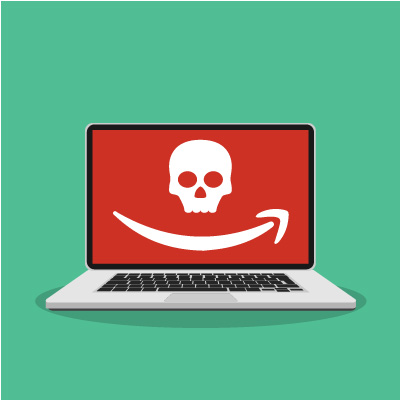
In 2018, Amazon was struck by a considerable attack, with hackers taking funds from approximately 100 seller accounts, according to a Bloomberg report. Between May and October 2018, Amazon sellers were struck approximately 100 times, draining funds from the seller control platform to augment their own funds. According to the investigation, the first fraudulent transaction took place on May 16, 2018, with an undisclosed amount being stolen. The hackers utilized phishing attacks in order to scam their targets.

“Unknown Hack”

On May 8, 2019, almost a year to the day after the first transaction was made, an Amazon spokesperson claimed that the company had completed investigating the compromised accounts, and had been the victim of an “extensive” fraud. The extent of the fraud was large enough where two banking companies, Barclays and Prepay Technologies (who is a partial subsidiary of Mastercard) are caught up in the crime.

Ultimately, Amazon neglected to disclose the true scope of the hack, but a report by Bloomberg indicated that over one billion dollars were dispersed to merchants in 2018 via Amazon Capital Services U.K. While there is currently no figure provided by the company, if large portions of that money was subverted, it could rank as one of the largest hacks in the history of online commerce, and certainly the biggest fraud that has involved Amazon. 

Amazon, which has a business model built to be largely automated, has done a remarkable job of keeping personally identifiable information from being hacked over the years, but in today’s threat-persistent culture, even the most secure companies can have situations happen to them that jeopardize their ability to complete financial and information transactions, regardless of how much they invest in cybersecurity.

Phishing Attacks

Just because this article mentions a major fraud involving the world’s largest online retailer in no way means that hackers have moved on from trying to hack small businesses. Small businesses face the majority of hacking attacks, mainly because they have the least amount of security to thwart. In fact, if Amazon can fall victim to phishing attacks, it’s not a stretch to believe that your company is susceptible. With millions of phishing messages sent every day, many of which target small businesses, having a strategy to educate your staff is extremely important.

The best way to go about doing that is to be proactive. Getting your staff to understand that they are on the front lines of a never-ending cyberwar and what they need to learn in order to keep themselves, and your organization free from the serious risks that come from falling victim of phishing attacks. Some things you can prioritize:

  • Annual education and training – Have a comprehensive plan in place to educate new and current staff that is updated and required annually.
  • Having strong passwords – Since phishing is a form of social engineering, the hackers on the other end of the phishing attack are simply looking for access. Having strong passwords will keep them out much longer than weak ones. 
  • Avoid shadow IT – Make it clear that all software has to pass through IT first, before it is downloaded onto a workstation. It may seem inefficient at first, but the company will be better off vetting a software solution before it gains access to your organization’s network.
  • Provide cloud storage – When people are constantly on the move and have a lot of responsibilities, they will often upload their work into their personal cloud-based file storage. This can be risky behavior, even if the employee’s motives are solid. Keep your company’s data hosted on its own infrastructure.

With these four tips you can go a long way toward protecting your business, and your staff, from the detrimental characteristics of a phishing attack.

If you need help with your organization’s cybersecurity, or if you simply want some help outlining a strategy to use, contact the IT professionals at NuTech Services today at 810.230.9455.

cloudsolutions_400.jpg

Cloud Services Can Help You Build a Better Business

cloudsolutions_400.jpg

Cloud computing is a major part of most businesses today. In the past, businesses had to pay in-house technicians to research, design, and purchase the infrastructure needed to run an onsite server. This was expensive, especially if a business wasn’t able to get the solution they needed the first time around. Cloud computing has changed things to the point where the costs associated with implementing these solutions has decreased considerably, all while solving the problem and improving operations. We’ll help you take a look at cloud computing as a way to change up and improve the way your business functions.

Uses for the Cloud

No matter what your business needs, there is likely a cloud solution for it. Hosted VoIP and email are great communication tools. Infrastructure and Platform as a Service solutions empower organizations to leverage more flexible computing power. Software as a Service and hosted storage are available for all of your organization’s needs.

In the end, you can get just as much done with cloud infrastructure as you can with onsite hardware.

The cloud allows for functionality and redundancy, no matter what the industry is or the kind of workforce it contains. These services can be utilized as needed and deployed quickly.

The Drawbacks

Cloud computing isn’t perfect. Businesses can create a private cloud system that can create large costs for their bottom line while also maintaining the control, management, and accessibility… but again, a lot of thought needs to be invested into this kind of solution. Environments that are hosted outside of a service provider can be difficult to control, since your organization doesn’t have control over the hardware it’s hosted on.

A major drawback of cloud computing can actually be the cost. Since the IT infrastructure used to run the solutions is managed by the service provider, the price is adjusted accordingly. If your business needs a certain number of cloud licenses, you could see the cost of your solution rise. Plus, if you don’t cancel accounts when employees leave, you could be paying more for services that aren’t being utilized.

Furthermore, imagine if your organization has teams assembled that need to use three or four cloud-based applications to complete a project. Think about all of the money that’s spent just providing access to the appropriate software solutions. If it’s not properly managed, your return on investment could be put in jeopardy.

NuTech Services can help you keep track of your cloud-based resources, whether you’re just hitting the cloud environment, or you have an established presence in the cloud. To learn more about how we can help you manage cloud applications, reach out to us at 810.230.9455.

234259279_cloud_400.jpg

Determining Your Organization’s Cloud Needs

234259279_cloud_400.jpg

The cloud is one of the most valuable tools available to modern businesses, but the extent to which organizations utilize it will vary depending on their specific needs. For example, some organizations might be fine with the limited control offered by the public cloud, but others might need more dynamic features and control over their data with a private cloud. We’ll help you determine which is right for you, as well as some of the specific considerations needed for a private cloud solution.

Public vs Private

The public cloud is typically used by businesses that don’t have the infrastructure, or the budget to acquire said infrastructure, for hosting cloud-based applications or services. Public cloud solutions are those which are hosted by the provider and accessed remotely through an Internet browser, mobile client, and associated account. They are particularly valuable for businesses that don’t have the means to reliably host their own solutions.

On the other hand, a private cloud solution is used by small businesses that have a means of affording and maintaining the solution. This means administering maintenance to the software and hardware associated with the system, as well as monitoring it for security purposes. Basically, when you go with a private cloud solution, it’s much more involved than a simple public cloud system, so you should be prepared to deal with plenty of issues that wouldn’t be an issue if the solution was hosted elsewhere.

What to Consider

When considering the implementation of a private cloud infrastructure, be sure to consider the following:

  • Security: You’ll have more control over your solution if you host it privately onsite, but you’ll also need to adequately protect it.
  • Access: Will employees have access to your organization’s cloud solution while out of the office? Hint: They better, otherwise there isn’t a reason to have a cloud. Since your cloud-based applications are stored on your in-house infrastructure, you’ll need to make sure accounts are set up properly and protected.
  • Management: Managing a cloud solution is no joke, and since you’re hosting it on your own private server, it comes with all the annoyances and benefits. You can customize your cloud solution to suit your needs, so be sure to understand what you need beforehand so you can leverage it to the best of your ability.
  • Maintenance: Taking care of a cloud solution is also a major responsibility, so expect any in-house IT technicians to have a lot more on their plate than they already do.

NuTech Services can help you mitigate the issues of a private cloud infrastructure by hosting your private cloud on our own servers, thereby removing the burden it places on your organization. To learn more about this cloud strategy, reach out to us at 810.230.9455.
2.5_208604445_professional_400.jpg

Here Is Some IT That Works for Professional Services

2.5_208604445_professional_400.jpg

All businesses need consultation from time to time. After all, nobody can be an expert in everything. These professional services, including those provided by lawyers, financial consultants, accountants, advertisers, and marketing specialists are all important to the success of any organization, but just like any other business, these companies have IT needs.

Today, we’ll be discussing some of the best IT solutions for professional services.

Software as a Service
The cloud has brought about a revolution in the way professional service firms think about and manage their software applications. Software as a Service, or SaaS for short, is the delivery of software through the cloud for a monthly fee. SaaS is usually billed per user, and it includes solutions such as Office 365 and G Suite. Software developers have created solutions that can be deployed through the cloud, providing many industries with cloud-based software that is built specifically for their needs.

Mobile Solutions
Mobility can open up a lot of doors for any business. For a professional services firm, there is more to consider, though. Many of these professional service providers need to consider federal, state, and industry requirements that demand additional layers of security for sending and receiving data. Therefore, the benefit of adding mobility to an infrastructure needs to be approached with considerable caution, as data security must be prioritized.

One of the best solutions to this dilemma is a virtual private network, or VPN. A VPN provides a layer of encryption around your communications between mobile devices and the central network infrastructure for your organization. This added security protects data while it’s in transit. It’s also a great solution for a business that wants to limit its use of paper records in favor of a more digital solution.

Document Management
Having access to information gives professionals the ability to stay connected to clients and other resources as needed, whether they are in the office or not. A document management system is the ideal way to digitally store and access files in a database; and trust us when we say it is much easier to find a document in a database compared to digging it out of a filing cabinet.

Professional technicians can scan an organization’s paper files through the use of a special software to deposit them inside a database in the form of PDF files. This database and a Relational database management system give an end user the ability to search the DMS for keywords found in the documents. All of this is accessible to users through an Internet connection, making it both accessible and convenient.

Through combining DMS with a VPN and SaaS offerings, professional services companies can achieve unprecedented security and data access. To learn more about how your organization can take advantage of these tools, reach out to us at 810.230.9455.

private_cloud_challenge_400.jpg

Private Cloud Challenges

private_cloud_challenge_400.jpg

The private cloud computing market is growing rapidly, and for good reason. Data security and privacy concerns have spurred many businesses to consider moving their data from public cloud offerings to private cloud platforms. One problem the average business would see with this trend is that putting together a comprehensive private cloud system has its own challenges, some of which we will confront today.

Costs
A lot of business owners don’t realize that creating cloud platforms has been completely possible for a long time. It wasn’t until public cloud offerings like SaaS or IaaS were made available that the business world really turned an eye toward these virtualized computing constructs. The reason was, of course cost. As cost goes down, options get more viable. One problem that businesses that have jumped into public cloud computing with both feet have found is that they haven’t properly accounted for the risk inherent in hosting their business’ data and infrastructure with someone else. These risks can significantly reduce (or in some cases decimate) the ROI of a cloud computing initiative.

One of the major risks, loss of data security, has driven many organizations toward a more private cloud strategy. Building a private cloud can be complicated as it involves calculating both fixed and recurring costs over a pertinent time frame. Since with a private cloud platform, an organization will be responsible for the hardware systems, management, and control, variables such as usage (forecasted/actual), system and data redundancy, and the general specifications of the machines used to run the virtualized infrastructure have to be taken into account.

So, while it’s true that public cloud costs are also difficult to determine, when settling in on a private cloud solution, you need to dot your i’s and cross your t’s at every turn to ensure that you are properly forecasting what the private cloud will cost your company in both migration and operation.

Integration
Chances are your business already uses several public cloud applications, and some of those applications function better, and more cost-effectively, if left there. You see, if you utilize public cloud resources to host non-critical infrastructure or applications, you will likely want to consider setting up a hybrid cloud system, where your private cloud and your public cloud resources are integrated.

This hybrid cloud platform will absolutely have its difficulties, but once it is up and running, your business’ computing will be accessible through one single access portal. If you so choose to reinforce this strategy with secure access control systems you can do that, but know that it requires a lot of effort to include security provisions and configurations to allow workloads to be run anywhere.

Time
One big problem many businesses have when deciding to move a portion of their IT out of the public cloud and into their own private cloud is just the time it will take to get this finished. These virtualized computing environments are more robust than ever and can facilitate a lot of organizational flexibility, but operational issues and hardware management of on-premise hardware is time consuming and costly.

Not only does your IT admin (and team) need time to configure and migrate all relevant data, they will be on the hook for all the maintenance and management of the virtual machines and the underlying hardware, making it problematic for small IT teams.

At NuTech Services, we know how important collaborative work environments are, we also know how crucial data security is. As a result, we are in a great position to help you. Our technicians can work with you to find the right balance between public and private cloud resources, while having the technical expertise to help manage and maintain any computing environment or infrastructure. If you would like more information about hosted solutions, whether they be on the web or in your server room, our technicians can help. Call us today at 810.230.9455.