
productivityRoadblock_324423837_400.jpg

Avoid Productivity Speedbumps with the Right Software

productivityRoadblock_324423837_400.jpg

Productivity is at the heart of running a successful business, but it’s not always apparent to employees how their effort translates into value for the company. Is there a way to use technology to help fuel productivity and ensure employees understand the value that their productivity provides to your organization? The right tools can eliminate barriers to productivity and allow your employees to reach their full potential.

That said, technology can often be a big challenge for some companies to implement. On one hand, refusing to implement more advanced tools means you cannot compete with your competitors. On the other hand, the costs of running a business are higher than ever, and technology is not as easily attainable as a result, particularly for small businesses. Certain tools, however, are both affordable and feasible for businesses to implement. Let’s take a look at some of them.

Customer Relationship Management

With management software, you can eliminate the need to multitask as frequently, allowing employees to better schedule and spend their time throughout the workday. Multitasking divides the attention of your employees and causes problems in quality of work performed. Research has shown that employees work best when they can focus on one task at a time.

One tool that is great for eliminating multitasking is a customer relationship management tool, or CRM solution. CRMs come with built-in automation that allows you to track every task set to them, and they can integrate with just about all parts of your business. A CRM is great for freeing up more time for you to focus on other tasks, as they automate so much of the sales and marketing funnel.

Cloud-Hosted VoIP/Email

If you have a home phone system, chances are you are using a VoIP system that comes through your cable modem. Modern businesses must utilize the same communication technology if they want to remain competitive. VoIP systems allow businesses constant access to the tools they need to succeed, including solutions built for both desktop and smartphone use, along with other features like instant messaging and conference calling to meet the ever-changing needs of the workplace.

A great cloud-hosted email system can also be a powerful asset. With cloud-hosted email, you can provide access to a fast-syncing solution that integrates well with messaging and other productivity tools. With the right email system, you’ll find your business can be more productive and efficient, and you’ll find that most enterprise-level email providers can help you build their offerings in a cloud environment.

Mobile Device Management

The modern workforce is armed with one of the most powerful productivity tools out there: the smartphone. It’s a fact that people are going to use their smartphones, so you should do what you can to build how they use their smartphones into your business strategy. Some companies even give their employees time to use their phones for calling, messaging, and social media, while others are much more liberal in allowing the use of these devices. Others eliminate the unpredictable nature of smartphones by implementing BYOD, or Bring Your Own Device.

A comprehensive BYOD policy backed up by a mobile device management tool gives your business insights into how your employees are using their personal smartphones while on the clock. This means that you don’t have to overtly deny your employees the use of their devices, but more importantly, it means that your team will be using devices protected and reinforced by security measures.

NuTech Services can help you eliminate and move past these productivity roadblocks through the use of technology solutions. To learn more, reach out to us at 810.230.9455.
163296888_secure_data_400.jpg

4 Simple Tips to Secure the Data on a Lost or Stolen Device

163296888_secure_data_400.jpg

With remote work still widely in place, the idea of lost or stolen devices has many companies terrified. Due to this security issue, you must consider what you might do should someone lose track of one of your company’s devices. Here are four ways that you can take preventative measures to ensure that lost or stolen devices don’t become a major security risk for your business.

Utilize Multi-Factor Authentication

First, you want to make sure that whoever finds your device cannot access any of the data found on it. Multi-factor authentication is valuable in this regard, and regardless, it just makes sense to have it enabled. With multiple measures keeping your device secure, like a PIN and a biometric authentication, you should have little trouble with security. Some multi-factor authentication methods also use a secondary device or account that can be just as effective for securing your device.

Turn On Location Services

Most devices have access to location services within their settings, so it’s important that you have these enabled. If you ever lose the device, the enabled location services settings should allow you to locate them, or at least give you an idea of where the device might be. Oftentimes this ballpark estimate is enough to help you figure things out, or at least narrow down the possibilities for where the device could be.

Back Up Your Data

In the event that you cannot locate or recover your device, you will want to know with certainty that your data is safe, even if you have to remotely wipe the device to keep said data safe. This is why we recommend that you always back up your data, even on a mobile device. The last thing you need when dealing with a device that is lost or stolen is data loss, too.

Utilize a Mobile Device Management Tool

We understand that you don’t want to think about what would happen in the event you lose a device, but it’s still something that you must consider. We can help you prepare for such an event through the implementation of a Unified Threat Management tool from NuTech Services. With our comprehensive mobile device management platform, you get all of the features above, plus some. It’s a great opportunity to optimize your odds of success should you lose a device.

If you take nothing else away from this article, we hope that you at least remember that the best way to combat a lost or stolen device is to adequately prepare for it. To learn more about how you can do so, reach out to NuTech Services at 810.230.9455.

433205473_mdm_400.jpg

Mobile Management Best Practices

433205473_mdm_400.jpg

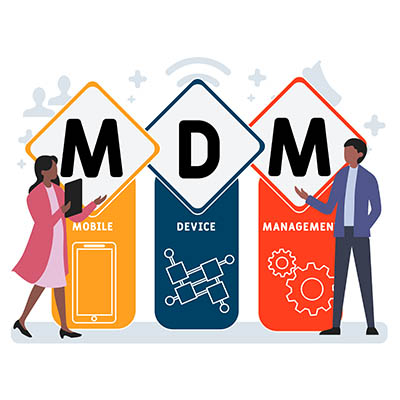
Mobile technology has permeated the workplace in countless ways. Many businesses will provide company-owned devices, be they laptops or smartphones, to employees so they can get work done while out of the office. This brings several opportunities for productivity into focus, but it also highlights some of the many risks associated with mobile devices.

Here are four ways you can keep your mobile devices in check while still making the most out of them.

Remote Wiping

Let’s say that an employee is out of the office on a business trip. They, unfortunately, lose a device assigned to them. While your first instinct might be to scold the employee for their negligence, that is not going to help you keep the data on those devices secure. Thieves are always trying to make a quick buck, and if that involves stealing a device and harvesting its data, you need to have a contingency plan in place. If you can remotely wipe the device, you can both adhere to data privacy regulations and secure your business at the same time. It’s unfortunate to lose expensive devices, but it’s more unfortunate that data is placed at risk needlessly without this type of solution.

Whitelisting and Blacklisting Applications

By default, some smartphone applications will be more secure than others. You should always be encouraging skepticism regarding the installation of new applications on devices, but with the right tools, you can take some of the guesswork out of it through the use of whitelisting and blacklisting apps. This means that you can prevent employees from installing applications with known risks while allowing them to install applications with known merits, ensuring the protection of important data.

Managing and Tracking Devices

Next, you will want to have a system in place that allows you to track any devices used by your business. This could include any company-issued devices, but should also include any employee-owned devices that are used for work. You should know which devices are used when the devices are issued, who is using the devices, and other important information. All of this contributes to effectively managing and tracking your devices and, by proxy, your business’ data.

Implementing a Mobile Device Management Solution

A comprehensive all-in-one policy that helps you keep track of your company’s mobile devices is the ideal solution. These are typically called a mobile device management solution, or MDM. NuTech Services can equip your business with the best tool on the market that can help your business stay apprised of industry best practices related to mobile devices, as well as remain focused on data security. To learn more, reach out to us at 810.230.9455.
mobile_device_workplace_risk_400.jpg

Are Mobile Devices Putting Your Workplace at Risk?

mobile_device_workplace_risk_400.jpg

How many devices find their way into your office every day? In this age of mobile devices, it’s no surprise for each of your employees to have everything from a smartphone or tablet, to wearable technology like a Fitbit. Depending on the type of device, you’ll want to ensure that you have every opportunity to secure it so that it doesn’t become a security problem later on down the road.

The reasoning for doing so is simple; the more devices on your network, the more opportunities that a hacker has to gain entrance to it. If you don’t maintain who can or cannot access your network with specific devices, you could be leaving the backdoor open to any number of threats out there. Therefore, you need to take a multilayered approach to network security for mobile devices, and it all starts with a Bring Your Own Device strategy.

Bring your Own Device, or BYOD, aims to manage the risk of employees bringing their own devices to the office without sacrificing the privilege of doing so. Some of the major features of BYOD are great ways to augment mobile device security for your organization, so here are a couple of them to consider:

Blacklisting and Whitelisting Apps
The apps downloaded to your device have a lot to do with your business’ security. There are apps out there that are known to cause security discrepancies for your organization, so it makes sense that your business has a way to keep undesired apps off of your devices. By blacklisting and whitelisting apps, you can control your devices to an extent, keeping known threats off of smartphones and tablets.

Remote Wiping
Losing a device is a worst-case scenario for a lot of organizations. Not only do you risk the device falling into the hands of someone who refuses to return it, but you also risk the data on the device being compromised. In any case, you should enable the option to remotely wipe any lost, misplaced, or stolen devices so that they can’t be accessed by malicious actors. This way, you preserve the right to protect company data while still allowing employees to use and access their devices.

Let’s start talking about implementing your BYOD policy. NuTech Services can help your organization implement a solution that’s ideal for your specific needs. To learn more, call us today at 810.230.9455.

mobile_device_management_400.jpg

Your Guide To Mobile Device Management as an SMB

mobile_device_management_400.jpg

The use of mobile and personal devices for work purposes can be beneficial to your business operations. When handled, and supported properly, they have been shown to improve communication methods and increase productivity. However, the popularity of mobile computing, as well as the Internet of Things’ rapid expansion, means it’s more important than ever to make sure that you don’t allow dangerous devices to access your network. To keep your network safe, there are a few Mobile Device Management best practices that you should begin enforcing.

Define Acceptable Devices and Limitations: To prevent the abuse of your network, it’s a good idea to define which type of devices are allowed. Even though there have been some improvements in IoT security, many devices still have no defense and put your network at risk when connected. A good way to protect your data and network is to only allow network access to devices that can be used in a professional capacity.

Of course, there is also a distraction-factor when there is an excessive use of these devices – even if they’re technically allowed. For example, if you have several employees with smartphones, laptops, tablets, and wearable devices that are all constantly sending and receiving data, the likelihood of interruption increases and productivity decreases. Consider limiting the number of devices per person that are allowed to access your network at one time.

Develop Access Policy: One of the biggest reasons for data loss is accidental human error. To make your employees aware of the dangers of abusing the use of mobile devices on your network, it’s a good idea to create a policy that makes them aware of their role. The policy should include password requirements, antivirus expectations, privacy terms, data loss security reporting process, and even things like penalties of texting and driving while using a company device.

Mobile Device Management Solutions: To take that extra step beyond developing/enforcing a policy regarding the use of mobile devices, a mobile device management solution (MDM) gives your company more control over mobile devices on your network. MDM applications enforce proper use, as well as requiring maintenance and security patches to be up-to-date. Many of these MDM solutions have the ability to remotely wipe data from the device in the event it’s lost or stolen.

Studies show that employees who are allowed to use their personal mobile devices for work are more satisfied with their job. Smartphones and mobile devices are a permanent part of business technology and can’t be ignored. With the constant threat of cybercrime, SMBs need to be vigilant about allowing only authorized users to connect mobile devices on their network. Questions on keeping your network safe or if an MDM solution is right for you? Contact us at 810.230.9455.

bring_your_own_device_400.jpg

Bring Your Own Device Is Great…When Applied Properly

bring_your_own_device_400.jpg

If you let your employees use their own devices for work purposes on the company network or wireless Internet, you might be seen as “the cool boss.” Your employees love this privilege, but this can be a dangerous practice if done so without moderation. Here are some of the many benefits that your organization can reap from a well-thought-out BYOD policy, as well as some of the pitfalls you could fall into if you’re not careful.

It’s understandable to imagine that your team will be getting more done using their own devices for the reason that they are simply more comfortable with certain products. For example, if you force someone who is used to Apple products to use a Samsung smartphone, they might be a bit frustrated until they get the hang of how it works. Furthermore, if you have your employees provide their own devices, you don’t have to purchase devices for everyone who needs them. Even something as simple as a little bit of freedom is invaluable for your employees, but you still want to dodge the many problems associated with BYOD if you want to safely allow it.

Ultimately, the goal should be to implement a BYOD policy that takes security into account, while also allowing employees to do their jobs properly. Here are some features that you will want in your BYOD strategy.

Application Blacklisting
It’s important to keep in mind that not all applications found on the Google Play Store are going to be safe and secure for your employees. You can’t let them just download any apps that they want. The risk of user error could mistakenly expose any company-owned data on the device to threats. Some apps are so sneaky that you can’t even tell they are stealing data from you while fulfilling a different purpose. A perfect example is a flashlight application that wants access to your device’s contacts, email, text messages, and so on. Since apps will usually ask for permissions before installing, it’s an ideal time to see if they are pulling some ulterior motive. Application whitelisting and blacklisting can also help you control which apps can (and can’t) be installed on a device, and what information can be collected by them. When in doubt, have your employees submit their app download requests to IT for review.

Remote Wiping
An employee losing a device could be a dangerous situation to be in. After all, you don’t know who will find it. For all you know, they could be a hacker or identity thief. If the device contains sensitive information, they may be able to access it somehow. It is situations like these that make remote wiping a necessity for SMBs, especially if employees take your data on the road. Remote wiping allows your business to immediately erase any data located on the lost device, helping you secure your business’ data even in the worst of times.

User Access Restriction
Not all of your organization’s data should be available to the entirety of your workforce. After all, why would the average worker need access to documented information from human resources, or financial data from accounting? You need to ensure that your BYOD policy reflects this kind of thinking by restricting data access according to work role. By doing so, you can limit how much data a potential thief has access to right off the bat. It might not be a perfect solution, but it helps you solidify security for the future–and it beats having your entire data infrastructure available to all onlooking eyes.

Do you have a solid BYOD strategy implemented for your organization? NuTech Services can help you choose what’s best for your business. To learn more, reach out to us at 810.230.9455.
b2ap3_thumbnail_byod_comprehensive_400.jpg

5 Ways to Get a Grip on Mobile Devices in Your Office

b2ap3_thumbnail_byod_comprehensive_400.jpg

Did you know that a whopping two-thirds of U.S. adults own a smartphone? This figure is still climbing and the presence of employee-owned smartphones has dramatically changed the face of office. Businesses that aren’t prepared for this major influx of devices are setting themselves up for some major problems.


Employees bringing their devices to work is an IT trend known as BYOD (Bring Your Own Device). In order to make mobile devices in the workplace work for you, you’re going to need to implement a comprehensive BYOD strategy. If you don’t, then your IT network will be a virtual Wild Wild West of sorts as different devices across the entire technology spectrum access your company’s sensitive data. If some of these devices contain malware or data is downloaded to an employee’s device, and the device becomes lost or stolen, you’d be toast. Crises like these can easily be prevented by having a solid BYOD strategy.

To be sure, the benefits of having mobile devices in the workplace make BYOD worth the effort; employees that use their own devices are more innovative, more productive, and are generally happier about their job. To take advantage of these benefits, you’re going to want to cover all of these bases with your company’s BYOD strategy.

  • Identify potential risks: Unsecured devices can easily contain viruses and malware, which can damage your system. Plus, an employee-owned device without privacy protections can pose the problem of hackers stealing the data on the device, which would essentially be stealing your data. By taking into account and protecting your network from every possible risk, you’ll be able to use mobile devices with confidence.
  • Define a clear BYOD policy: As is the case with any policy, the clearer you are, the better. A solid BYOD policy encompasses your entire IT infrastructure, along with every possible access point. Additionally, if you’re able to clarify your IT goals and what you’re looking to achieve with mobile devices, then you can draft a BYOD policy that can maximize these goals.
  • Consider regulations and compliance issues: If confidential information, like medical records, aren’t stored properly and get leaked by way of mobile devices, it can carry a hefty fine from laws like PCI and HIPAA. Concerning data of this sensitive nature, your BYOD policy needs to follow these laws down to the letter.
  • Keep track of used devices: Every device that accesses your network needs to be accounted for. For example, you can’t have random devices logging on, accessing files, and then disappearing with that information. If an employee loses a device with company information on it, or even sells it to a third party, then you would have no idea who would get to see your data.
  • Train your staff: When it comes to BYOD, educating your staff is key. If they’re on board with your BYOD policy and fully understand the ramifications of breaking it, then you will be able to rest assured that all of the devices popping up around the office are helping your organization, not hindering it.

As you can imagine, BYOD policies are not a one-size-fits-all policy for every business. Each business has different needs, IT goals, and security risks. Therefore, in order to get the most comprehensive BYOD strategy for your company, you’re going to want to consult with the IT professionals at NuTech Services. We know what questions to ask and what to look for in your IT network so that your organization can take full advantage of this trend.

Additionally, we have great tools at our disposal, like our mobile device management solution that can help you control what all of the devices are doing on your network, like adding permissions regarding which files these devices can access. To implement an airtight BYOD strategy for your business, call NuTech Services today at 810.230.9455.

b2ap3_thumbnail_your_byod_policy_400.jpg

Are Mobile Devices Helping or Hampering Your Team’s Productivity?

b2ap3_thumbnail_your_byod_policy_400.jpgMobile devices have become such a popular computing medium that they’ve infiltrated the workplace. While the business owner might feel that these mobile devices can help employees gain more regular access to corporate data for more working hours, these same devices could potentially eat up those work hours with time wasted on mobile gaming or other recreational apps. What’s the truth about BYOD? Let’s find out.

Your employees have smartphones that are chock-full of productivity-boosting applications that have the potential to streamline the way they work throughout the day. However, these devices also come installed with other consumer-popular applications like YouTube, Facebook, Netflix, Twitter, and more, that are notorious for destroying productivity.

Let’s not forget the games that are compatible with smartphones, either. These devices are able to run certain games similar to those found on popular handheld gaming systems like the Nintendo 3DS. Obviously, playing these kinds of games while on the job doesn’t make the ideal worker, and as an employer, you’d quickly ban your team from engaging in such fruitless activities. Therefore, the smartphone should also be fairly limited in use in order to facilitate proper operations during the workday.

For example, let’s take a look at a report by Evolving Workforce Research:

Nearly 60 percent of employees feel work would be more enjoyable if they had a say in the technologies they used, while 60 percent feel they would be more productive with better IT resources (like BYOD).

Mobile device manufacturers love to use these kinds of statistics in order to show you, the business owner, how great mobile devices are for productivity. However, if you take a closer look at this quote, it states that 60 percent of employees feel they would be more productive. That’s like saying that you feel so great you believe you can fly; an over exaggeration that isn’t true.

Therefore, having a productivity-increasing device isn’t the same as using it for its intended purpose. It’s sort of like buying a nice new piece of fitness equipment, like a treadmill, and letting it sit in the corner collecting dust. Just because an employee has a sweet new smartphone, doesn’t mean that the only thing they’ll use that phone for at work is to be productive.

Of course, the opposite can be true as well. An employee can be more productive with BYOD, as displayed by this study from Cisco:

BYOD-ers save an average of 37 minutes per week with BYOD as it is currently implemented in their companies. The United States leads by far in terms of current productivity gains per BYOD user, with 81 minutes per week, followed by the United Kingdom at 51 minutes. In both of these countries, BYOD-ers posted impressive gains by working more efficiently and being more available to their colleagues and managers.

This study shows that there’s some proof that BYOD can be useful for employee productivity. BYOD can potentially save some time during the course of the workday. But, of course, the question that’s hovering over every employee’s head is whether or not they want to use their extra time for work, or to waste time on their phone.

One particular aspect of BYOD that business owners must always consider is the fact that more devices accessing your business’s network means that there are more avenues for threats to sneak into your systems. Security should be a top priority when using BYOD for anything, and if you don’t have security on your mind, productivity in-turn suffers due to vulnerabilities, threats, and hacks.

BYOD generally requires more measures that must be taken compared to companies who don’t allow it. Ultimately, it’s up to you as the business owner whether or not you want to allow your team to bring devices to the workplace. If you do, make sure your network is ready to deal with them.

If your business is on the fence about BYOD, contact NuTech Services at 810.230.9455. We can help you determine whether or not it’s worth the risk for your business, and how you can integrate corporate BYOD policies that maximize security.