mobileRansomware_355601290_400.jpg

Ransomware Has Gone Mobile

mobileRansomware_355601290_400.jpg

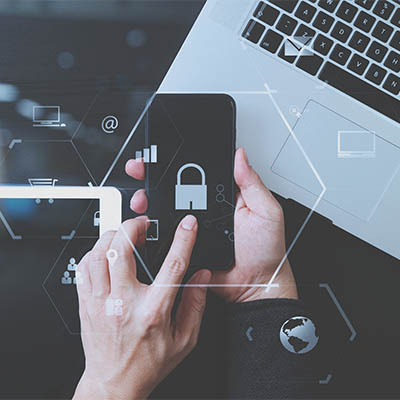
Smartphones have managed to hold out against ransomware a bit longer than other hardware and operating systems, but those days are coming to an end. It’s important to remember that the average smartphone is not protected with antivirus software and thus remains threatened by your standard ransomware attacks. It is absolutely critical that your business doubles down on its protection against ransomware, especially in the mobile market.

Defining Mobile Ransomware

Ransomware is defined as a malware that gives a hacker the ability to control a computer or network and hold it for a ransom. Users lose access to the controls and data that allows the system to function, and the only reprieve in most cases is to restore a backup of said data. Users have to decide whether they want to lose access to that data, restore the data from a backup, or pay the ransom in hopes that the hacker will honor their word and restore access.

Think about the number of smartphones which exist in the world today and the fact that most computing these days happens from mobile devices. With so much data to steal and devices to tap, it makes total sense for hackers to focus their efforts on mobile devices.

Phishing Plays an Important Part in Ransomware Infections

When it comes to malware dissemination, phishing attacks are hackers’ go-to methods of infection. When you think about how easy it is to slip up and click on the wrong link, you’ll realize that phishing is a very real threat to your organization and your data. Phishing can come in many different forms, too, adding to the stress. Will the hacker call you on the phone, send you an email, text you a link, contact you through social media, or even send you a physical mailer? It can be quite overwhelming.

How Does Mobile Ransomware Work?

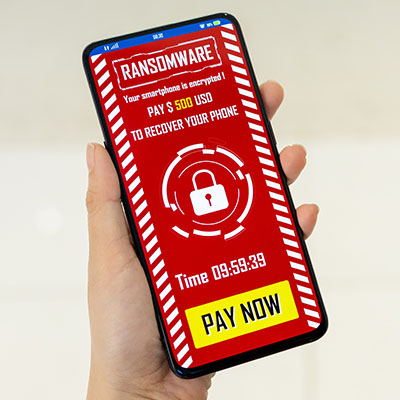
Most mobile platforms remain remarkably secure even against the potent threat that is ransomware. Most scams resort to targeting the device’s cloud storage, locking it down, and demanding a ransom in the process. One particular iPhone scam uses the Find My Phone feature that allows the user to remotely lock the device. Scammers only wanted $100 to unlock the device, and with such a low asking price, people are of course going to pay up rather than go through the hassle of involving the authorities or other professionals. Hackers who gain access to an iOS account can even use the information to create new iCloud accounts and move all data into these new accounts until the ransom is paid.

Threats which target Android are similarly problematic, and they all start with phishing. The most dangerous one was called ScarePackage that targeted 900,000 Android smartphones over the course of 30 days. It was deployed through a fake app that could lock down the device and threaten that the FBI was the one responsible for doing so with the only solution being to pay a ransom. The FBI isn’t in the business of extortion, so this is a simple case of coercion and fear manipulation by hackers.

How You Can Protect Your Devices

Let’s examine some things you need to know about mobile phishing schemes.

  1. The first warning sign is that the message will make you do a double-take. Phishing scams can come through a variety of mediums, including email, telephone, social media, and so on, be it for work or personal use. Mobile phishing messages can come through text messages asking you to click on links. These messages will seem random and out of place, so that is the first hint that something is out of the ordinary here.
  2. Look for spelling and grammar errors. Professional correspondence has a certain look and sound to it, like the sender has taken some time to proofread and edit it. If you receive sloppy messages from strange senders, be wary of the message.
  3. The messages might seem a bit aggressive. It’s one thing for a message to come off as frustrated, but another entirely when the person on the other end of the message demands immediate action. This is often a telltale sign of phishing messages; they urge people to make fast, irrational decisions through fear tactics and threats.

NuTech Services knows how to combat the countless types of cyberthreats out there, phishing and ransomware included. We can use our knowledge to implement high-quality technology tools and to educate your team on how to make the best decisions possible with their technology. To learn more about what we can do for your business, call us today at 810.230.9455.

tablet_453245487_400.jpg

Are Tablets Still a Good Business Tool?

tablet_453245487_400.jpg

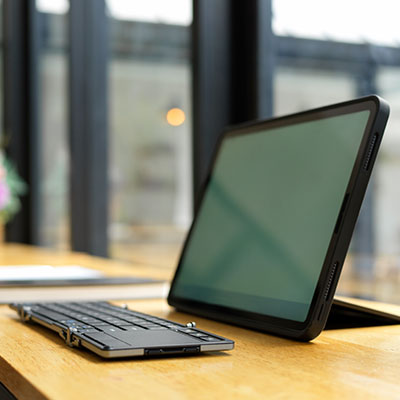
There were a few years there about a decade ago when everyone had to have the latest tablet and tech experts were predicting that most of the world’s productivity would be done using touchscreen devices. On one hand, they weren’t that far off. On the other hand, tablet sales fell off about as rapidly as they had spiked, leaving some question over the future of the form factor. Of course, tablets settled in as great personal computers, but their use in business has seemingly plateaued. Let’s take a look at how businesses use tablets and answer if they are right for your business.

Modern Tablets

Before we get into whether or not you should be using tablets for your business, we’d like to talk about the major differences between tablets of 2014 and tablets today. The form factor is the same. It is like a clipboard with a touch screen that is run by a mobile OS. Like many other types of computing, the component specifications have significantly improved over the years, but the biggest draw to the implementation of tablets to a business is the application ecosystems that they bring to your business. There are quite literally millions of applications that can be used to support all types of business processes.

As far as specifications go, any tablet used for business should have at least four gigabytes of RAM and 64 gigabytes of storage. The Apple iPad, which is widely renowned as the best tablet you can get for business, features the Apple M1 processor, while the best processor found on an Android-run tablet is the Qualcomm Snapdragon 888. Since these are touchscreen devices, choosing one with a 10-inch screen or larger is ideal, but there are seven and eight-inch tablets that are powerful enough to do most things you would need them to. 

Using Tablets for Business

In a recent poll, two-fifths of respondents say that they use some type of tablet in the course of their job. Interestingly enough, a lot of businesses that utilize tablets aren’t actually used in the two largest markets for tablets: The U.S. and China. Many businesses in Europe, Australia, and South America actually use tablets at a higher rate than in those places. They are used mainly for the following reasons:

  • Taking notes
  • Managing social media
  • Creating task lists
  • Point-of-sale
  • Scheduling

If you are thinking that these are the same things that many people in the U.S. use smartphones for, you aren’t mistaken. Tablets present businesses with a cost-effective solution to their mobility needs, even inside the office itself. One of the most innovative ways that businesses normally use tablets is as an easy-to-use point-of-sale device. Today, there are SaaS-fueled POS systems that are hosted in the cloud and run through mobile devices. In fact, with the robust application ecosystem that Apple and Android provide, many tablets can do any business-related task you need them to insofar as you get the more higher-end devices.

iOS vs. Android vs. Windows

As we mentioned earlier, the Apple iPad has long been the best tablet on the market as far as consumers are concerned. Apple has committed to the tablet as a personal productivity tool. As in the smartphone space, Samsung is Android’s top tablet developer. The Microsoft Surface tablet, which has been on the market for 10 years, presents a great option for businesses that are committed to utilizing Microsoft-related ecosystems, even though they come in at a higher price tag and are often looked on as more of a touchscreen PC than simply a tablet. Either way, any of these operating systems integrate well with other computing platforms and present businesses with the opportunity to enhance their operational mobility. 

App Innovation and the Tablet’s Future

Today, tablets are only as good as the applications they run; and there are a lot of them. There are options for any type of activity that your business can undertake. Some include:

  • Managing money (Quickbooks, Wave)
  • Inventory management (Sortly, Delivrd)
  • Human resources (Namely, Bambee)
  • Point-of-sale (Square, PayPal Here)
  • Time tracking (Gusto, HotSchedules)
  • Communication & collaboration (Zoom, Slack, Microsoft Teams)
  • Customer relationship management (Spendgo, Salesforce, Nimble)
  • Project management (Trello, Basecamp)
  • Document management (eFileCabinet, Hightail)

What is Right for You?

If your business is looking to get a cost-effective solution for your mobile computing needs, looking in the tablet space may just be the right move for your business. Give NuTech Services a call today at 810.230.9455 to get the expert consultation and innovative technology your business needs.

foldable_phones_254342116_400.jpg

Phones for 2022 – The Foldables

foldable_phones_254342116_400.jpg

We’ve been covering some of the biggest names in the smartphone market over the past couple of weeks, but that’s not to say that there aren’t others out there—some of which are incredibly innovative, but also quite expensive. Let’s examine some of these options.

Samsung Galaxy Z Fold3 5G

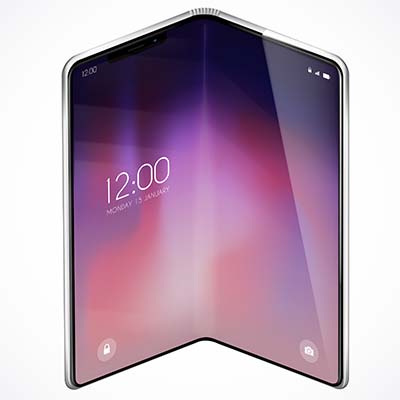
People thought that Samsung’s decision to make foldable OLED screens was nothing but a fad, but the fact of the matter is that the technology in the Galaxy Z Fold3 5G is quite impressive, and it will shape the smartphone market for the foreseeable future. With a sturdy aluminum frame with Gorilla Glass Victus on the front and back, the Z Fold3 is a tough phone. When folded up, the device has a 6.2-inch, Dynamic AMOLED 2X, 832×2,268px display that refreshes at a rate of 120 hz. These impressive specifications allow users to do just about anything they need from the outside of the phone.

Other features of the Z Fold3 include a Qualcomm Snapdragon 888 5G chip, 12 GB of RAM, and either 256 or 512 GB of built-in storage. The device can also be upgraded to the Android 12 and Samsung One UI OS right away. Other applications might get some use out of its form factor with time. As for the camera, this device features a 12 MP wide-angle lens with Optical Image Stabilization (OIS), a 12 MP telephoto lens with 2x zoom and OIS, and a 12 MP ultra wide-angle lens. The front-facing camera on the large display is a 4 MP in-display wide-angle lens, while the cover camera is 10 MP wide-angle lens.

The battery life, however, is not ideal, clocking in at a paltry 4,400 mAh and 25w fast charging (a 7.5 hour battery life). There is, however, a side-mounted fingerprint sensor, as well as iPX8 water resistance, Samsung’s DeX capability, and (as the model name implies) 5G. The Galaxy Z Fold3 5G is available in Phantom Black, Phantom Silver, Phantom Green, Thom Browne Edition, and an exclusive Wooyoungmi Edition. As for the price, the Galaxy Z Fold3 costs nearly $2,000 from Samsung and most major cell carriers. 

Samsung Galaxy Z Fold3 5G
Body:  Aluminum Frame, Gorilla Glass Victus front and back, plastic large display
Display: Closed – 6.2-inch Super AMOLED 2X, 120 Hz,  832 x 2,268 (~374 ppi); Open – 7.6-inch Super AMOLED 2X, 120 Hz, 1768 x 2208
OS: Android 11; upgradable to Android 12, One UI 4.0
Chipset: Qualcomm Snapdragon 888
Memory: 12 GB RAM; 256-to-512 GB onboard storage
Expandable Memory: No
Cameras: Rear – 12 MP, 26mm, OIS; 12 MP 52mm 2x optical zoom OIS; 12 MP 123º ultrawide. Front of device – 10 MP 26mm; Front of folded display – 4 MP under-display
Sounds: Stereo Sound
Battery (battery endurance rating): 4,400 mAh (7.5 hours)
Security: Side-mounted fingerprint sensor
Miscellaneous: Samsung DeX, IPX8 water resistant, 24W fast charging

Samsung Galaxy Z Flip3

The Z Flip3 is Samsung’s take on the classic flip phone with an aluminum frame, plastic front, and a Gorilla Glass Victus back. The screen is a 6.7-inch Dynamic AMOLED 2X display with a resolution of 1,080×2,640px and a 120Hz refresh rate. The screen folds in half for protection, and on the outside there is a 1.9-inch Super AMOLED screen for notifications, time, and other quick-view information. This device runs Android 11, but it can be upgraded to Android 12 with Samsung’s One UI 4.0, and it runs on a Qualcomm Snapdragon 888 FG chip. With 8 GB of RAM and 128 or 258 GB of storage, it is also fairly powerful.

Other features include a side-mounted fingerprint sensor and its camera, which is admittedly somewhat lacking compared to other options.  It has a 12 MP wide-angle lens and a 12 MP ultrawide angle lens, so it’s not incapable, while the selfie camera is a 10 MP wide-angle lens. Its battery is also unimpressive at 3,300 mAh and 15W fast-charging with a 6.9-hour battery life. Available in a litany of colors including Phantom Black, Green, Cream, Pink, Dream White and more, the Z Flip3 runs about $1,000 from your friendly neighborhood cell carrier or from Samsung directly. 

Samsung Galaxy Z Flip3
Body: Aluminum frame, plastic front, Gorilla Glass Victus back
Display: 6.7-inch Foldable Dynamic AMOLED 2X, 120 Hz, 1,080 x 2,640px
OS: Android 11; Upgradable to Android 12, Samsung One UI 4.0
Chipset: Qualcomm Snapdragon 888 5G
Memory: 8 GB RAM; 128 GB-to- 256 GB of onboard storage
Expandable Memory: No
Cameras: Rear – 12 MP 27mm OIS; 12 MP 123º; Front – 10 MP 26mm
Sounds: Stereo sound
Battery (battery endurance rating): 3,300 (69 hours)
Security: Side-mounted fingerprint sensor
Miscellaneous: IPX8 water resistant, 15 W fast charging

Microsoft Surface Duo 2

The Microsoft Surface Duo 2 is the company’s second attempt at a high-end productivity smartphone. There is no external display; rather, there are two 5.8-inch AMOLED panels that total an 8.3-inch screen when it is folded out, including some large bezels. Its superb build quality makes it seem like additional app development could make this device a beast for productivity down the line.

This device runs Android 11 on a Qualcomm Snapdragon 888 5G chip with 8 GB of RAM and up to 512 GB of internal storage. There is also a side-mounted fingerprint scanner for security and a 4,449 mAh battery with 23W fast charging. As far as cameras go, the rear-mounted cameras have a 12 MP wide-angle lens with OIS, a 12 MP telephoto lens with 2x optical zoom and OIS and a 16 MP ultra wide-angle lens. The front-facing camera is a 12 MP wide-angle lens. 

Available in Glacier and Obsidian, the Microsoft Duo 2 is currently being sold for $1,500 online at microsoft.com and some other retailers.

Microsoft Surface Duo 2
Body: Plastic frame, Gorilla Glass Victus front and back
Display: 8.3-inch AMOLED, 90 hz, 1,832 x2,688 (~401 ppi)
OS: Android 11
Chipset: Qualcomm Snapdragon 888
Memory: 8 GB RAM; 128-to-512 GB onboard storage
Expandable Memory: No
Cameras: Rear – 12 MP 27mm OIS; 12 MP 51mm telephoto 2x optical zoom OIS; 16 MP 13 mm; Front – 12 MP 24mm
Sounds: Stereo sound
Battery (battery endurance rating): 4,449 mAh
Security: Side-mounted fingerprint reader
Miscellaneous: Stylus support

Foldable OLED technology sure is neat, but do you think it’s worth the price point? Let us know in the comments below.

affordable_phone_370903149_400.jpg

Phones for 2022 – The Value Devices

affordable_phone_370903149_400.jpg

Last week, we published a blog about the most impressive new smartphones on the market, but the price tag might be a bit daunting for some organizations and users. For those focused more on value, here are three options that you can pick up for less than $500.

Google Pixel 5a 5G

The Pixel 5a, more or less a copy of the Pixel 4a, offers a brushed aluminum back and Gorilla Glass 6 front protecting its aluminum frame. It also sports a 6.34-inch,1,080 x 2,400 pixel OLED display. Instead of using the more recent Tensor chip, the 5a is powered by a Qualcomm Snapdragon 765G with 6G of RAM and 128 GB of onboard storage. The specs are basically the same as the Pixel 4a, but there is still a significant power for price for this mid-range smartphone.

The camera setup is similar to other Pixel phones. Powered by the Android 12 operating system, the Pixel 5a’s 12.2MP wide angle lens and 16MP ultrawide angle lens can take some excellent pictures for a mid-tier phone. The front-facing lens is an 8MP wide angle lens. Compared to the other Pixel phones, the battery here is quite impressive, sitting at 4,680 mAh for a 122-hour battery life and 18W fast charging. Users also have access to a rear-mounted fingerprint sensor and IP67 dust and water resistance. Only available in Mostly Black, $449 can get you the Pixel 5a from the Google Store.

Google Pixel 5a
Body:  Aluminum frame, aluminum back, Gorilla Glass 3 front. 
Display: 6.34-inch OLED, 1,080 x 2,400 (~415 ppi)
OS: Android 11, Upgradable to Android 12
Chipset: Qualcomm Snapdragon 765G
Memory: 6 GB RAM, 128 GB Storage
Expandable Memory: No
Cameras: Rear – 12.2 MP 27mm; 16 MP 119º; Front – 8 MP 24mm
Sounds: Stereo sound
Battery (battery endurance rating): 4,680 mAh (122 hours)
Security: Rear-mounted fingerprint sensor
Miscellaneous: IP67 dust and water resistant
Other versions: n/a

Samsung Galaxy A71 5G

With an aluminum frame, the A71 5G sports a plastic back and Gorilla Glass 3 on the front, along with a 6.7-inch Super AMOLED Plus display with a 1,080 x 2,400 resolution. The model will determine whether you are equipped with an Exynos 980 chipset with either 6 or 8 GB of RAM. Regardless, you are getting 126 GB of onboard storage with microSDXC expandability. The device comes with Samsung’s One UI 3.0 operating system and Android 10, but it can be upgraded to Android 11 and One UI 3.2.

The device’s back has four rear-facing cameras in total: one a 64 MP wide angle lens, another 12 MP ultrawide lens, and a 5 MP macro lens joined by a 5MP depth camera. On the front, you get a 32 MP wide angle lens. The Galaxy A71 5G offers 5G capabilities powered by a 4,500 mAh battery with 25W fast charging. The device is also secured by an in-display fingerprint sensor. The A71 5G is available in Prism Cube Black, Prism Cube Silver, and Prism Cube Blue online for $250 to $350.

Samsung Galaxy A71 5G
Body: Aluminum frame, plastic back, Gorilla Glass 3 front
Display: 6.7-inch Super AMOLED Plus, 1,050 x 2,400 (~393 ppi)
OS: Android 10, upgradeable to Android 11; One UI 3.0
Chipset: Exynos 980
Memory: 6-to-8 GB RAM; 128 GB onboard storage
Expandable Memory: microSDXC
Cameras: Rear – 64 MP 26mm; 12 MP 123º; 5 MP macro; 5 MP depth; Front – 32 MP 26mm 
Sounds: Stereo sound
Battery (battery endurance rating): 4,500 mAh (98  hours)
Security: In-display fingerprint sensor
Miscellaneous: 25W fast charging
Other versions: Samsung Galaxy A71; Samsung Galaxy A72 (2021)

Motorola Moto G Power

Constructed from a hard plastic frame and back as well as a glass front, the Moto G Power is a far cry from quality build, but it does have a solid value proposition. Its screen is a 6.6-inch IPS LCD, 90 hertz display with a resolution of 720 x 1,600, running Android 11 on its Qualcomm Snapdragon 662 chipset, with 4 GB of RAM and your choice of 64 GB or 128 GB of onboard storage. This device only costs about $200, so it’s hard to beat that value.

As for its camera, the Moto G Power claims a 48 MP wide angle camera with a pair of 2 MP cameras for depth and macro resolution. On the front, there’s an 8 MP wide angle lens. This device also sports a 5,000 mAh battery and 10W fast charging with 130 hours of battery life, all for under $200. With a side-mounted fingerprint sensor to help secure it and a water-repellent coating protecting it, the Moto G Power is a relatively affordable choice in Flash Gray and Polar Silver.

Motorola G Power
Body: Plastic frame, plastic back, glass front
Display: 6.6-inch IPS LCD; 720 x 1,600 (~270 ppi)
OS: Android 11
Chipset: Qualcomm Snapdragon 662
Memory: 4 GB RAM; 64-to-126 GB onboard storage
Expandable Memory: microSDXC
Cameras: Rear – 48 MP wide; 2 MP depth; 2MP macro; Front – 8 MP wide
Sounds: Stereo sound
Battery (battery endurance rating): 5,000 mAh (~130 hours)
Security: Side-mounted fingerprint sensor
Miscellaneous: Water-repellent coating
Other versions: n/a

Other Phones to Think About

There are other phones you can purchase based on the value they offer, such as the last iteration of today’s flagship devices. They might cost you more than the above options, but they are certainly less than those from this year. All that said, even this year’s flagships also offer multiple models that are somewhat affordable. Instead of the iPhone 13 Pro Max, maybe purchase an iPhone 13. The Google Pixel 6 comes with the new Tensor chip, and only costs $599. Regardless, know that it isn’t that hard to find a good value in a device without having to shell out an extra $50 every month to lease from your carrier.

Next week, we’ll take a look at the form factor for this year’s smartphones, including their designs. Don’t miss it!

smartphones_321643085_400.jpg

Phones for 2022 – The Flagships

smartphones_321643085_400.jpg

The modern smartphone market is one of ingenuity, communication, and productivity, all of which are extraordinarily important in today’s business world. To help you stay apprised of the various developments in the smartphone market, we’ve put together a blog detailing the various flagship smartphone devices for early 2022.

Google Pixel 6 Pro

Google has always produced solid smartphones, but the Pixel 6 Pro is in a whole league of its own. It boasts a 6.7-inch LTPO AMOLED display and a polished aluminum body, and with its Tensor chip—a collaboration between Google and Samsung—software and hardware optimization is made much easier. It makes running the new Android 12 operating system a breeze.

It’s worth noting that Pixel phones are widely used by some of the best content creators, and with their impressive cameras and software optimization, it’s no surprise. The Pixel 6 Pro has three main cameras: a 50 MP wide-angle lens with optical image stabilization (OIS), a 48 MP telephoto lens with OIS, and a fixed 12 MP ultrawide angle lens. It also sports a 5,003 mAh battery with 84 hours of battery life, an under-display fingerprint sensor, and 23W fast charging. With three colors available (Cloudy White, Sorta Sunny, and Stormy Black) and a price tag of $899, you’ll be sure to find a Pixel 6 Pro that fits your needs.

Google Pixel 6 Pro
Body: Aluminum frame, Gorilla Glass Victus front and back
Display: 6.71-inch LTPO AMOLED; 1,440 x 3,120 (~512 ppi); 120 Hz
OS: Android 12
Chipset: Google Tensor
Memory: 12 GB RAM; 128, 256, 512 GB of onboard storage
Expandable Memory: None
Cameras: Rear – 50 MP 25mm; 48MP 104mm telephoto with 4x optical zoom; 12 MP 17mm. Front – 11.1 MP 20mm 
Sounds: Stereo speakers, no headphone jack
Battery (battery endurance rating): 5,003 mAh (84 hours)
Security: In-display fingerprint sensor
Miscellaneous: IP68 water and dust resistant
Other versions: Google Pixel 6

Apple iPhone 13 Pro Max

The iPhone 13 Pro Max is Apple’s next installment in the incredibly popular smartphone series. With a stainless steel frame and Gorilla Glass on the front and back, it’s a very sturdy device. Plus, it has an impressive 1,284 x 2,778 resolution, 6.7-inch Super Reina XDR OLED display, all powered by Apple’s proprietary 15 Bionic chipset. This device might only have 6GB of RAM, but Apple’s software optimization is so on-point that you certainly cannot tell.

The 13 Pro Max also comes equipped with three rear-facing cameras, including a 12MP wide-angle lens with sensor-shift (a technology used in many high-end cameras that stabilizes the sensor rather than the lens), a 12 MP 77 telephoto lens with traditional OIS, and a 12 MP ultra wide-angle lens. There is also a sensor shift technology and optimization for iOS 15.2, allowing for some impressive content creation. Some other features include a 4,352 mAh battery (about 121 hours of battery life) and 27W fast-charging capabilities. However, it does not have a fingerprint sensor like its contemporaries, opting instead for the Apple Face ID security software. 

 The iPhone 13 Pro Max also has IP68 protection from dust and water, making it quite durable and tidy. It is available in Graphite, Gold, SIlver, and Sierra Blue for $1,099 from the Apple store and most wireless carriers.

iPhone 13 Pro Max
Body: Stainless Steel frame, Gorilla Glass front and back
Display: 6.7-inch Super Retina XDR OLED; 1,284 x 2,778 (~458 ppi); 120 Hz
OS: iOS 15.2
Chipset: A15 Bionic
Memory: 6 GB RAM; 128, 256, 512 GB, 1 TB of onboard storage
Expandable Memory: None
Cameras: Rear – 12 MP 26 mm; 12 MP 77mm telephoto with 3x optical zoom; 12 MP 13mm; Front – 12 MP 23 mm
Sounds: Stereo speakers, no headphone jack
Battery (battery endurance rating): 4,352 mAh (121 hours)
Security: Face ID
Miscellaneous: IP68 water dust resistant
Other versions: iPhone 13, iPhone 13 Pro, iPhone 13 mini

Samsung Galaxy s21 Ultra

The Galaxy s21 Ultra is Samsung’s latest and greatest addition to the smartphone market. The display is a 6.8-inch Dynamic AMOLED 2X display with a 1,440 x 3,200 resolution housed in an aluminum frame with Gorilla Glass Victus on the front and back. It also runs with a Qualcomm Snapdragon 888 chip with either 12 GB or 16 GB of RAM, depending on the model. As for the operating system, it runs Android 11 with Samsung’s One UI 3.1, but there are rumors out there supposing that Samsung’s latest UI, One UI 4.0, will run on Android 12 soon enough.

The Galaxy s21 Ultra has four different camera experiences: a 108 MP wide-angle lens with OIS, a 10 MP telephoto lens with 10x optical zoom with OIS, another 10 MP telephoto lens with 3x optical zoom and OIS, and a 12 MP ultrawide lens. The front-facing camera has an impressive 40 MP. As for security, the device includes an in-display fingerprint scanner. Furthermore, its battery is 5,000 mAh for up to 114 hours of life and 25W fast-charging. The device has additional features such as IP68 water and dust resistance, as well as s-pen capabilities. Available in a number of matte finishes: Phantom Black, Phantom Silver, Phantom Titanium, Phantom Navy, and Phantom Brown, the Galaxy s21 Ultra starts at $1,199.99 and can be purchased from Samsung or at one of the major carriers. 

Samsung Galaxy s21 Ultra 5G
Body:  Aluminum frame, Gorilla Glass Victus front and back
Display: 6.9-inch Dynamic AMOLED 2X; 1,440 x 3,200 (~515 ppi); 120 Hz
OS: Android 11; One UI 3.1
Chipset: Qualcomm Snapdragon 888
Memory: 12 or 16 GB of RAM; 256 or 512 GB of storage
Expandable Memory: No
Cameras: Rear – 108 MP 24mm; 10 MP 240mm periscope telephoto; 10 MP 72mm telephoto; 12 MP 13mm; Front – 40 MP 26mm
Sounds: Stereo speakers
Battery (battery endurance rating): 5,000 mAh (114 hours)
Security: In-display fingerprint sensor
Miscellaneous: IP68 water and dust resistant; s-pen compatible
Other versions: Samsung Galaxy s21, Samsung Galaxy s21+, Samsung Galaxy FE

These smartphones are expected to be the prominent choices in the United States’ smartphone market this year, but you should know that there are other options, too. The OnePlus 9 Pro, Xiaomi Mi 11 Ultra, and Sony’s Xperia PRO-I are all strong contenders for best phone of the year. 

Next week, we will cover some of the best value picks for your smartphone needs.

163296888_secure_data_400.jpg

4 Simple Tips to Secure the Data on a Lost or Stolen Device

163296888_secure_data_400.jpg

With remote work still widely in place, the idea of lost or stolen devices has many companies terrified. Due to this security issue, you must consider what you might do should someone lose track of one of your company’s devices. Here are four ways that you can take preventative measures to ensure that lost or stolen devices don’t become a major security risk for your business.

Utilize Multi-Factor Authentication

First, you want to make sure that whoever finds your device cannot access any of the data found on it. Multi-factor authentication is valuable in this regard, and regardless, it just makes sense to have it enabled. With multiple measures keeping your device secure, like a PIN and a biometric authentication, you should have little trouble with security. Some multi-factor authentication methods also use a secondary device or account that can be just as effective for securing your device.

Turn On Location Services

Most devices have access to location services within their settings, so it’s important that you have these enabled. If you ever lose the device, the enabled location services settings should allow you to locate them, or at least give you an idea of where the device might be. Oftentimes this ballpark estimate is enough to help you figure things out, or at least narrow down the possibilities for where the device could be.

Back Up Your Data

In the event that you cannot locate or recover your device, you will want to know with certainty that your data is safe, even if you have to remotely wipe the device to keep said data safe. This is why we recommend that you always back up your data, even on a mobile device. The last thing you need when dealing with a device that is lost or stolen is data loss, too.

Utilize a Mobile Device Management Tool

We understand that you don’t want to think about what would happen in the event you lose a device, but it’s still something that you must consider. We can help you prepare for such an event through the implementation of a Unified Threat Management tool from NuTech Services. With our comprehensive mobile device management platform, you get all of the features above, plus some. It’s a great opportunity to optimize your odds of success should you lose a device.

If you take nothing else away from this article, we hope that you at least remember that the best way to combat a lost or stolen device is to adequately prepare for it. To learn more about how you can do so, reach out to NuTech Services at 810.230.9455.

433205473_mdm_400.jpg

Mobile Management Best Practices

433205473_mdm_400.jpg

Mobile technology has permeated the workplace in countless ways. Many businesses will provide company-owned devices, be they laptops or smartphones, to employees so they can get work done while out of the office. This brings several opportunities for productivity into focus, but it also highlights some of the many risks associated with mobile devices.

Here are four ways you can keep your mobile devices in check while still making the most out of them.

Remote Wiping

Let’s say that an employee is out of the office on a business trip. They, unfortunately, lose a device assigned to them. While your first instinct might be to scold the employee for their negligence, that is not going to help you keep the data on those devices secure. Thieves are always trying to make a quick buck, and if that involves stealing a device and harvesting its data, you need to have a contingency plan in place. If you can remotely wipe the device, you can both adhere to data privacy regulations and secure your business at the same time. It’s unfortunate to lose expensive devices, but it’s more unfortunate that data is placed at risk needlessly without this type of solution.

Whitelisting and Blacklisting Applications

By default, some smartphone applications will be more secure than others. You should always be encouraging skepticism regarding the installation of new applications on devices, but with the right tools, you can take some of the guesswork out of it through the use of whitelisting and blacklisting apps. This means that you can prevent employees from installing applications with known risks while allowing them to install applications with known merits, ensuring the protection of important data.

Managing and Tracking Devices

Next, you will want to have a system in place that allows you to track any devices used by your business. This could include any company-issued devices, but should also include any employee-owned devices that are used for work. You should know which devices are used when the devices are issued, who is using the devices, and other important information. All of this contributes to effectively managing and tracking your devices and, by proxy, your business’ data.

Implementing a Mobile Device Management Solution

A comprehensive all-in-one policy that helps you keep track of your company’s mobile devices is the ideal solution. These are typically called a mobile device management solution, or MDM. NuTech Services can equip your business with the best tool on the market that can help your business stay apprised of industry best practices related to mobile devices, as well as remain focused on data security. To learn more, reach out to us at 810.230.9455.

315076902_notification_400.jpg

How Much Time is Spent Each Day Checking Notifications?

315076902_notification_400.jpg

Generally speaking, we all get way too much screen time nowadays, between the workstations we all spend our days in front of to the televisions we watch in the evening to the mobile devices that are never far out of reach. While plenty of people have weighed in on the subject, some of the most interesting insights come from scholarly research: the more notifications a person gets, the more their productivity suffers.

The University of California at Irvine recently released some research that demonstrated that each time someone received a notification, it would take another 23 entire minutes to return to the task that the notification interrupted. Making this worse, people check their mobile devices once every 47 seconds—totaling 600 times over the typical eight-hour workday.

Compounding on this, receiving so many notifications and being interrupted so many times tends to lead to excessive errors made and increased stress amongst a workforce.

What Can Be Done?

With the rise in remote work as of late, notifications have only risen in prevalence, so it only makes sense to do whatever you can to manage them as effectively as possible. Fortunately, the two largest smartphone developers—Apple and Google—have taken steps to help shave down the number of interruptions that users have to deal with. Google offers the Digital Wellbeing tool through Android, whereas Apple offers Screen Time to help users keep track of their usage of their device… somewhat ironically, by sending them an additional notification alerting them, while also allowing timeframes and other limits to be set on these notifications.

There are also hardware solutions meant to assist with this excessive screen time, as well. There’s been a resurgence in the mobile device market for options that are much closer to the “dumbphones” around in the ‘90s and ‘aughts. One, called The Light Phone, scales the phone’s capabilities back to simple calls and texts. While effective for some, others are opposed to such a significant downgrade in their mobile device.

Alternatively, app developers have developed programs committed to promoting “deep work”—including the likes of Medium, Seque, Shift, and Asana—meant to help eliminate the stress of the workplace and assist in schedule management.

Are you guilty of looking at your phone too much throughout the workday? How much do you feel it has hurt your productivity over time? Share your thoughts in the comments, and reach out to us directly for more help implementing the solutions you need. Call 810.230.9455 today.

299123399_mobility_400.jpg

Is Your Business Taking Advantage of Enhanced Mobility?

299123399_mobility_400.jpg

Mobility has to be one of the most talked about technology trends in business, and for good reason. Consumers use mobile. They use it for shopping, banking, checking the weather, for driving directions; and today, they use it for productivity. Let’s take a look at the rise in mobility and how small businesses can use it to their benefit.

Employee Expectations

Mobility is becoming a critical component for small and medium-sized businesses largely due to the demand brought by employees. Today, where most tasks can be completed with the use of a smartphone, it creates the kind of scenario that gets employees asking, “Why not?” 

For the business, that has more responsibilities, that sentiment can be shared, but only after all elements are considered thoroughly. This mostly has to do with data security. Once data security can be maintained, mobility can certainly become a major asset. 

What You Need to Consider

There are several considerations that a business owner should make before trusting in an enhancement of mobility. Here are three:

Don’t Get Ahead of Yourself

To get the most out of your business’ mobility, you need to set goals; and it will do you good to be as realistic as possible. If you try to implement a whole mobile policy and give people carte blanche with their mobile devices, you could run into problems. The best practice is to look for issues that mobility could help alleviate, and tailor your strategies to them. Most businesses that extend their mobility focus on customer service and collaboration, but with more business tools creating mobile apps than ever before, more is possible today. Start simple so you can ensure that you can maintain control over mobile data flows. 

Maintain Security

When your employees access your network via mobile devices, you need to secure it, preferably with multiple layers. You need to require password authentication, while also placing solutions in place to encrypt the files. More than that, you should find encrypted solutions to protect data from being intercepted as not all mobile networks are as reliable as a business may need.

You will also want to maintain data backup platforms and mobile management systems to ensure that you not only have control over your business’ data, but also to mitigate any negative situations surrounding data mobility you may encounter. 

Make Sure Your Business is Mobile-Ready

It is important that you understand how mobility is being used. Can your staff access locally-hosted data? Do you use cloud systems that need to be set up for multi-factor authentication? Does your IT administrator have the tools in place to address any mobility-related issues? To be able to take advantage of mobility, you need to have a setup that will allow you to. 

The IT professionals at NuTech Services can help outfit your business with the tools and expertise you need to allow for expanded mobility. Call our experts today at 810.230.9455 to learn more.

250968623_smartphones_400.jpg

2020’s Smartphones, in Review

250968623_smartphones_400.jpg

There is no question that smartphones have assimilated into our daily communications, both on a personal level and in the professional sense. Apps allow us to be social, to accomplish work-related tasks, and yes, kill some time with the latest silly trending game. Of course, as time passes, these devices only grow more advanced. If you’re due for a replacement, you may want to examine some of your options before pulling the trigger.

Now, the phones we are reviewing might seem like overkill – and, in fairness, there are many more budget-friendly options that can handle most of what you’re likely to task them with. However, the lure of a new device can be tempting, so we decided to indulge that temptation and go over some of the best smartphones available today.

Samsung Galaxy s10 Plus

If you’re looking for a quality Android device, you’re probably leaning toward the Samsung Galaxy s10 Plus. The newest addition to the line of flagships, the s10 Plus comfortably ranks at the top of many “best phone of the year” reviews.

With an aluminum frame housing the 6.17 oz phone and its Dynamic AMOLED display, the Galaxy s10 Plus is finished in Gorilla Glass 5, and has sharper edges that previous models did, intended to improve the grip of the device.

Looking inside, the phone has some just as appealing specifications. Driven by a Qualcomm Snapdragon 855 processor and between 8-to-12 gigabytes of RAM, this phone makes improvements to the rest of its features as well. There are five onboard cameras, with wide angle, ultra-wide angle, and telephoto lenses. The onboard fingerprint reader for authentication purposes is now cunningly hidden under the display, and the s10 Plus is likely to be the last flagship phone that Samsung produces with a 3.5mm headphone jack.

The Galaxy s10 is now the standard for an Android phone to beat (at least until the s11 comes out) and can be purchased in the following colors for somewhere between $599 and $1,200:

  • Prism White
  • Prism Black
  • Prism Green
  • Prism Blue
  • Canary Yellow
  • Flamingo Pink
  • Ceramic Black
  • Ceramic White
  • Cardinal Red
  • Smoke Blue

Samsung Galaxy s10 Plus
Body: Aluminum frame with Gorilla Glass 6 front, Gorilla Glass/Ceramic back
Display: 6.4-inch Dynamic AMOLED (~522 ppi)
OS: Android 9.0 with Samsung One UI skin
Chipset: Qualcomm Snapdragon 855
Memory: 128 GB/8 GB RAM; 512 GB/8GB RAM; 1 TB/12GB RAM
Expandable Memory: microSD up to 1 TB
Cameras: Three back-facing (12 MP, 26mm wide angle; 12 MP, 52mm telephoto; 16 MP, 12mm ultrawide); Two front-facing (10 MP, 26mm; 8 MP, 22mm)
Sounds: Stereo speakers, 3.5mm headphone jack
Battery (battery endurance rating): 4,100 mAh battery (91 hours)
Security: Ultrasonic, under display fingerprint reader; IP 68 resistant
Miscellaneous: Nano-SIM, Wi-Fi 6, Bluetooth 5.0, 15W fast charging, wireless charging, reverse wireless charging, NFC, FM Radio
Other versions: Samsung Galaxy s10, Samsung Galaxy s10e

Samsung Galaxy Note 10 Plus

You probably remember the dramatic news a few years ago that the battery’s tendency to explode had led to a million-device-plus recall on their Galaxy Note phones, ultimately costing Samsung more than $5 billion. The issues have long since been resolved, and so the Note 10 Plus might just be the best large-factor phone for the business professional on the market today.

Again, enclosed in an aluminum frame with a coat of Gorilla Glass 6, the Note 10 Plus comes with a 6.8-inch Dynamic AMOLED display and an on-board s-pen stylus. Also featuring a Qualcomm Snapdragon 855 processor and up to 12 gigabytes of RAM, it is powered by a fast-charging 4,300 mAh battery. This battery is also QI wireless charging-compatible, and supports reverse-QI charging, which allows you to use it as a wireless charger in a pinch. It has Android 9.0 installed at first, but can now be updated to Android 10 with certain carriers.

Most major carriers stock this phone for between $849 and $1,200, in Aura Glow, Aura White, Aura Black, and Aura Blue.

Samsung Galaxy Note 10 Plus

Samsung Galaxy Note 10 Plus
Body: Aluminum frame with Gorilla Glass 6 front and back
Display: 6.8-inch Dynamic AMOLED, 1,440 x 3,040 (~498 ppi)
OS: Android 9.0 with One UI skin
Chipset: Qualcomm Snapdragon 855 
Memory: 256 GB/12 GB RAM; 512 GB/12 GB RAM
Expandable Memory: microSD up to 1 TB
Cameras: Four Back-Facing (12 MP, 27mm wide angle; 12 MP, 52mm telephoto; 16 MP, 12mm ultra wide angle; TOF 3D VGA camera); Front-Facing 10 MP, 26mm wide angle
Sounds: Stereo speakers
Battery (battery life): 4,300 mAh (~107 hours)
Security: Ultrasonic in-display fingerprint, IP68 resistant 
Miscellaneous: Wi-Fi 6, Bluetooth 5.0, 45W fast charging, wireless charging, reverse wireless charging, NFC, S-Pen functionality
Other versions: Samsung Galaxy Note 10

Apple iPhone 11 Pro Max

Apple is surging back into prominence with the iPhone 11 Pro Max, which consistently ranks in the top three of phones developed in 2019. A stainless-steel frame holds its 6.5-inch Super Retina OLED display, as well as an advanced neural engine-improved A13 Bionic processor to boost the iPhone’s trademark features – namely, Siri’s performance as well as the functionality of its camera and AI. Along with the A13 chip, the inside holds 64 or 512 gigabytes of onboard storage space and four gigabytes of RAM.

Speaking of the camera, the iPhone 11 Pro Max houses three distinct 12-megapixel cameras, featuring a telephoto lens, a wide-angle lens, and an ultra-wide-angle lens. Most major carriers offer it for about $1,100, and it comes in SpaceGray, Gold, Silver, and Midnight Green.

Apple iPhone 11 Pro Max
Body: Stainless steel frame with glass front/back
Display: 6.5-inch Super Retina XDR OLED; 1,242 x 2,688 (~458 ppi)
OS: iOS 13
Chipset: Apple A13 Bionic
Memory: 64 GB/4 GB RAM; 256 GB/4 GB RAM; 512 GB/4GB RAM
Expandable Memory: None
Cameras: Three back-facing (12 MP, 26mm wide angle; 12 MP, 52mm telephoto; 12 MP, 13mm ultrawide); Two front-facing (12 MP, 23mm; SL 3D camera)
Sounds: Stereo speakers
Battery (battery life): 3,969 mAh (102 hours)
Security: Face ID, IP 68 resistant 
Miscellaneous: Nano-SIM, Wi-Fi 6, Bluetooth 5.0, 18W fast charging, wireless charging, NFC
Other versions: Apple iPhone 11, Apple iPhone 11 Pro

Google Pixel 4 XL

This phone marks Google’s latest effort to carve out a portion of the smartphone market. Again, powered by the Qualcomm Snapdragon 855 processor, the Pixel 4 XL really shines where its visual features are concerned. With 537 pixels crammed into every inch, it features a 6.3-inch P-OLED display, as well as one of the best camera setups available today – including a 122 megapixel wide-angle lens and a 16 megapixel telephoto lens with impressive low-light capabilities.

The Google Assistant can be summoned by simply squeezing the Clearly White, Just Black, or Oh So Orange phone.

Most major carriers will sell the Google Pixel 4 XL for between $899 and $999.

Google Pixel 4 XL
Body: Aluminum Frame with Gorilla Glass 5 front/back
Display: 6.3-inch P-OLED, 1,440 x 3,040 (~537 ppi) 
OS: Android 10
Chipset: Qualcomm Snapdragon 855
Memory: 64 GB/6 GB RAM; 128 GB/6 GB RAM
Expandable Memory: No
Cameras: Two back-facing (12.2 MP, 28mm wide angle; 16 MP, 45mm telephoto) Two front-facing (8 MP; 22mm)
Sounds: Stereo speakers
Battery (battery life): 3,700 mAh (~73 hours)
Security: Face ID
Miscellaneous: Bluetooth 5.0, 18W fast charging, wireless charging, NFC, Squeeze for Google Assistant
Other versions: Google Pixel 4

OnePlus 7T Pro

Of course, not all of this year’s “flagship-level” devices are necessarily produced by the biggest companies, as dozens of smaller manufacturers are also developing high-performance smartphones. For instance, the OnePlus 7T Pro. This device is all about the speed of the user’s experience, which is why they augmented its flagship-level specifications with a 90 hz refresh rate, making it seem even faster.

The 7T Pro doesn’t exactly underperform in other considerations, either. With a 6.7-inch fluid AMOLED display that houses a fingerprint reader, it actually runs on Qualcomm’s creme de la creme processor, the Snapdragon 855+. With three rear-facing cameras and a front-facing selfie camera that pops out of the chassis when used, the camera notch has been eliminated. Finally, because price is always a consideration to some degree, this phone does the least damage to your bank account of the ones we reviewed here with the 8 gigabyte RAM model totalling around $699.

OnePlus 7T Pro
Body: Aluminum frame with Gorilla Glass 5 front/back
Display: 6.67-inch Fluid AMOLED, 1,440 x 3,120 (~516 ppi)
OS: Android 10 with OxygenOS 10.0.4 skin
Chipset: Qualcomm Snapdragon 855+
Memory: 256 GB/8 GB RAM; 256 GB/12 GB RAM
Expandable Memory: No
Cameras: Three back-facing (48 MP wide angle; 8 MP, 78mm telephoto; 16 MP, 13mm ultra wide angle); Motorized pop-up 16 MP, 25mm wide angle
Sounds: Stereo speakers
Battery (battery life): 4,085 mAh (~100 hours)
Security: Optical in-display fingerprint reader, pop-up facial recognition
Miscellaneous: Bluetooth 5.0, 30W “Warp” charge, NFC
Other versions: OnePlus 7T

Finally, there are other phones that, while not included in our list, are definitely ones to consider under the right circumstances. These include the Huawei Mate 30 Pro and P30 Pro, the Sony Xperia 1, the LG v50 ThinQ, and the Samsung Galaxy Fold.

We included the “right circumstances” caveat because there is currently a ban on Huawei devices in the United States. Despite their superior hardware, government sanctions have put the kibosh on Huawei products for the time being.

Other devices are also just starting to rise in popularity, like those featuring foldable displays – including the Samsung Galaxy Fold, the Huawei Mate X, and the nostalgia-pumping Motorola Razr. We’ll likely soon see how these foldable devices are received on a wide scale.

Finally, there is also the advent of 5G to consider. A few cities have started to implement the necessary technology for 5G, and so manufacturers will likely start developing 5G-compatible devices before long. While it will likely take years for 5G to become the standard, if you happen to spend time in one of these cities, it may be to your benefit to upgrade.

What device do you currently use? Do any of these interest you, or did we miss one that you’ve had your eye on? Let us know in the comments!

protect_283536684_400.jpg

Protect Smartphones Like Any Other Computer

protect_283536684_400.jpg

We go into great depth on how to protect your desktop and laptop computers from malware and other malicious threats. In fact, one of the first steps you take anytime you are setting up a new computer is to install antivirus and other security programs. You do this because an unprotected device presents substantial risk. With the way people are using their smartphones today, it’s a solid practice to outfit your mobile device with the security software needed to maintain the security of your data.

Mobile malware is not new. It has been around since people used flip phones, but it doesn’t get the attention that the malware that targets Windows PCs do. This is mainly due to it being a little more rare, but if you are the unfortunate recipient of it, it can cause a lot of the same problems. 

Many people won’t consider it simply because of the way they use their device. A person’s smartphone is with them around the clock and they don’t often use it in the same manner as they would a PC. This doesn’t mean that there aren’t major threats that can users can be exposed to. Let’s take a look at each major mobile OS.

iPhone Malware

One of Apple’s favorite marketing strategies is to point out that iOS is the safest mobile operating system. They actually do a commendable job, but devices running iOS aren’t always completely safe, especially on “jailbroken” devices. By not doing this, which is a way to avoid a lot of iOS’ built-in security restrictions, you will be much more secure. 

Another risk that iOS-run devices run into is called a zero-day hack. The zero-day hack target devices haven’t received a security update after the security update has been released to the public. One major issue that users have with iOS security is that there aren’t a lot of ways to prevent issues. Apple itself does a lot of the heavy lifting. Their platform’s success depends on them keeping their reputation, so having trust in Apple to keep your device secure is not without its merits.

Android Malware

Android is a completely different situation altogether. With more devices comes more malware, and with so many different manufacturers making (and supporting) their various versions of Android, it gets a little dicey.

Android is much more flexible than iOS, which is one of its main benefits, but it can also be problematic when it comes to keeping the device secure. For example, if you want to install an application that’s found outside of Google Play, you can, but any negative situation you get into as a result is on you. It is also possible to jailbreak an Android device, which can override some of the built-in security restrictions.

There have been situations where installing apps off of Google Play have caused problems. Google has had to play games with app developers to keep some serious threats off their store. It just means that users need but it has become clear that it really comes down to the user being careful with what they install. It’s not normal for malware to be attached to Google-sponsored apps, but it has happened, so if you are an Android user, you don’t have to be too careful if all of your software comes from Google.

How to Protect Your Smartphone from Malware

Keep App Downloads to Major App Providers – Both Android and iOS feature their own app stores, Google Play Store and Apple App Store, respectively. Even though Android devices can install applications that aren’t on the Google Play store, modern smartphones make this a little more difficult by making users acknowledge that they are putting their devices at risk by doing so.

If you refuse to jailbreak your phone, and you only install applications that are thoroughly vetted, positively reviewed, and come directly from the Apple App Store or Google Play, you will greatly reduce the risk of infecting your device.

Don’t Get Phished – Many of the most insidious threats today rely on user error. Phishing attacks are an annoying example of this. A user will get a legitimate-looking email from some account they actively use and will be directed to submit login credentials. Unfortunately, the email account is spoofed and on the other end is potential disaster.

Install Anti-malware – You have antivirus software for your PC right, why not get it for your mobile devices? Most providers have Android apps and can go a long way toward protecting your device from harm. 

Enact Policies – If you are a business owner and your employees use their personal devices to do work-related tasks, it’s a solid practice to establish an end-to-end mobile device policy. You can require users to enable security options like device locking and encryption, and since this gets set up on your network, the device (and therefore the user) has to comply with any requirement’s your IT admin requires. 

We have a dedicated plan to help all of our clients maximize their data and network security. If you want to talk more about it call our consultants today at 810.230.9455.

totw_mobile_relationship_400.jpg

Tip of the Week: Use Mobile to Improve Your Work Relationships

totw_mobile_relationship_400.jpg

With more workers opting for mobile solutions than ever before, communications can be tricky to manage for a business. However, is your business’ infrastructure capable of adapting to these new developments in communication technology? You can bet that regardless of where the business takes you, certain applications and devices will always be useful throughout the workday.

An infographic by Newsweaver suggests that businesses rely on smartphones for many reasons. Here are just a few of them:

  • One out of five employees for large organizations are equipped to work away from their desks.
  • As of 2013, three out of five small businesses in the United States have a Bring Your Own Device policy in place.
  • By 2020, four out of five small businesses will have a Bring Your Own Device policy in place.
  • One out of five businesses have found that mobile workstyles have resulted in productivity increases of over 30%.

As a business owner, it’s your responsibility to provide the tools needed for your employees to be productive, whether it’s an application or a mobile device. After all, if you don’t provide your employees with the technology to be successful, they will find other ways to make productivity happen. This could mean them finding their own solutions, opening the floodgates to malware and other data disasters. Any devices used by your business should adhere to its BYOD policy and monitored to ensure they aren’t lost or stolen, along with the data on them.

To this end, we recommend you work with your employees to find the tools they need to be most productive in the workplace. Collect their feedback and apply the knowledge you gain to your business’s current technology situation. Here are some ideas for solutions to consider:

  • Productivity suite software like Microsoft Office and Google’s G Suite
  • Your email client
  • Cloud storage
  • Voice over Internet Protocol for telephony and communication
  • Instant messaging
  • Project management
  • Collaboration suites

NuTech Services can help your business equip itself with all of the best technology solutions for mobile communications and productivity. For more information, reach out to us at 810.230.9455.

google_play_removes_infected_400.jpg

Infected Applications Removed from Google Play Store

google_play_removes_infected_400.jpg

We all download apps. There are literally millions of apps to choose from and sometimes nefarious developers can get their application published with ulterior motives. A situation has just happened as Google has removed twenty-two apps that were found to contain automated click-fraud scripts from the Google Play Store. We’ll take a short look at what these developers were up to, and how the fraudster would affect you if you were one of the two million users that happened to download these apps.

What Apps?
First, we’ll start with a complete list of the apps that had been infested with this nefarious code:

  • Sparkle FlashLight
  • Snake Attack
  • Math Solver
  • ShapeSorter
  • Tak A Trip
  • Magnifeye
  • Join Up
  • Zombie Killer
  • Space Rocket
  • Neon Pong
  • Just Flashlight
  • Table Soccer
  • Cliff Diver
  • Box Stack
  • Jelly Slice
  • AK Blackjack
  • Color Tiles
  • Animal Match
  • Roulette Mania
  • HexaFall
  • HexaBlocks
  • PairZap

What Did These Apps Do?
SophosLabs found a cache of apps that feature what they call “Andr/Clickr-ad” malware. These applications are engineered with maximum flexibility in mind. They could contact a common attacker-controller server to download what is called an ad-fraud module. It does this every 80 seconds. The malware simply opened a non-visible window and would repeatedly click on ads, making the network look like it was getting more traffic, fraudulently enhancing the developers’ revenue.

No specific ad network was specified by Sophos, but users who had downloaded these applications would see a decrease in the battery life and/or an increase in the amount of data their device would use. One strange part of this is that some of the ad traffic was able to identify itself as from coming from iPhones, despite this appearing on Android-only apps. They came from “Apple models ranging from iPhone 5 to 8 Plus and from 249 different forged models from 33 distinct brands of Android phones.” This ploy was used as a way to increase revenues further as some advertisers will pay a premium to get their ads onto Apple devices. iOS versions of the apps, largely by the same developers, didn’t have the malicious code integrated.

Download Legit Apps
How can you go about making sure that you aren’t part of this problem? Download legitimate applications. Some of the best ways to make sure the apps you are downloading are legit, include:

  • Read a lot of reviews – Much of the information you will need to see the legitimacy of an application can be found in the review of the app in the store. If you make a point to read eight or more reviews, you will quickly get a good idea about how functional the application is.
  • Check app permissions – Applications need permission from a user to use the core functions of the phone. If the application in question tends to need access to functions that it shouldn’t, you should be skeptical about the application.
  • Check the terms and conditions – Most people don’t go through the terms and conditions of anything, let alone an application for their smartphone. Even if you do make a point to read them, the amount of legalese found is akin to a lullaby or a warm glass of milk. The problem for users is that there is a lot of good information about the applications, and specifically how it uses data. If you do set aside some time to read about it, check out some language that is relevant to the way you use the application.
  • Research the developer – Nowadays, software development is filled with people that are looking to make a name for themselves. This type of ambition can lead to bad decision making. If you take some time to do some basic research about the developer of an app you have reason to question, you’ll likely find the truth of whether they can be trusted or not. If they want to be known, they likely promote their work via social media, so, start there.

Android has millions of legitimate applications on the Google Play Store, so worrying whether or not you’ve downloaded one that will put your data at risk shouldn’t be too worrisome as long as you stick to our best practices. To learn more about technology, security, and mobile strategies, call NuTech Services today at 810.230.9455.

smart_phones_hot_400.jpg

Powerful Smartphones That are Currently On the Market

smart_phones_hot_400.jpg

With the new innovations made to smartphones every year, you’d be hard-pressed to understand how the global smartphone has hit the skid. While Apple and Samsung sit pretty with large market shares, manufacturers that we’ve come to expect near the top of the smartphone market: Blackberry, HTC, and Nokia are but bit players. Their largest competition is now coming from Chinese companies Xiaomi, Huawei, and OnePlus.

Many of the largest-growing smartphone manufacturers set their eyes on untapped markets in Africa, the Middle East, and southeast Asia. Regardless, the smartphone market has now showed negative growth for four consecutive fiscal quarters and the manufacturers are feeling the heat. The new flagships show off how the world’s most successful smartphone manufactures plan on altering their market’s forces. The new flagships include:

Apple iPhone XS Max
The world’s most profitable company’s newest flagship smartphone looks a lot like last year’s, but there are some major upgrades made to this year’s version that you may not be able to miss out on. The iPhone XS Max features Apple’s new A12 Bionic chip that improves device performance by 15 percent and a vastly-improved neural engine that accelerates machine learning on the device.

The newest iPhone has a 6.5-inch edge-to-edge display built on an aluminum chassis. The back of the device is all glass and comes with two separate 12-megapixel (MP) cameras. There is a single 7 MP camera on the front. The iPhone XS Max’s Battery is a 3,174 mAh that has an endurance rating at 78 hours. With a hefty price tag of $1099.99, consumers are paying a premium price for a premium device. It is available on all major carriers in Pace Gray, Silver, and Gold.

Specifications
Build – Stainless Steel with Glass Front/Back
Display – 6.5” Super AMOLED with ~458 ppi
Chipset – Apple A12 Bionic
Memory – 4GB RAM
Storage – 64/256/512 GB
Software – iOS 12/iOS 12.1
Cameras – 12 MP (26mm); 12 MP (52mm) with 2x optical zoom and optical image stabilization; 7 MP front-facing
Battery – 3,174 mAh (78 hours)
Additional Features – Face ID

LG V40 ThinQ
The newest LG flagship, the V40 ThinQ builds on what was LG’s best-reviewed smartphone to date: the LG V30. The V40 ThinQ offers users a 6.4-inch display that is inline with the other devices on this list. Their OLED display sets the standard for any LG-manufactured device and the build quality, a problem LG has had over the years, is premium.

One of the major upgrades of the LG V40 ThinQ is its camera setup. The device comes with two 12-megapixel cameras (one wide angle and one telephoto), as well as a 16 MP ultra-wide-angle lens. The camera app features a ‘triple-preview” that does exactly that: provides an active look through all three lenses so the user can choose which one works best. At $900, it is at least a hundred dollars cheaper than the Samsung or Apple flagship. It is available on all major carriers and can be had in New Platinum Gray, Carmine Red, New Aurora Black, and New Moroccan Blue.

Specifications
Build – Aluminum with Glass Front/Back
Display – 6.4” P-OLED with ~537 ppi
Chipset – Qualcomm Snapdragon 845
Memory – 6 GB RAM
Storage – 64/128GB, microSD up to 512GB
Software – Android 8.1 Oreo
Cameras – 12 MP (27mm) optical image stabilization; 12 MP (52mm) with 2x optical zoom and optical image stabilization; 16 MP (16mm); 8 MP (26mm) and 5 MP (21mm) front-facing.
Battery – 3,300 mAh (64 hours)
Additional Features – Rear-mounted fingerprint scanner

Samsung Galaxy Note 9
Samsung has been making upper-crust mobile devices for much of the past decade, and the Galaxy Note 9 is no different. The Note 9 is made from aluminum and a whole lot of glass, Gorilla Glass 5 to be specific. On board it has a Qualcomm Snapdragon 845 and up to eight gigs of RAM and 512GB of storage space. There are many Ultrabooks that don’t have those specs.

Running on Android 8.1 Oreo, the Note 9 features two 12 MP camera lenses and an 8 MP front-facing camera. With a 4,000 mAh battery, the Note 9 seems to outpace the rest of this year’s devices in battery life and sustainability. With available colors including Metallic Copper, Lavender Purple, Midnight Black, Ocean Blue and Pure White; and, availability on all major carriers, the Note 9 can be found for $1000.

Specifications
Build – Aluminum with Glass Front/Back
Display – 6.4” Super AMOLED with ~516 ppi
Chipset – Qualcomm Snapdragon 845
Memory – 6 or 8 GB of RAM
Storage – 128 or 512 GB of onboard storage and microSD up to 512 GB
Software – Android 8.1 Oreo
Cameras – 12 MP (26mm); 12 MP (52mm) with 2x optical zoom; optical image stabilization; 8 MP front-facing
Battery – 4,000 mAh (97 hours)
Additional Features – Samsung S Pen, rear-mounted fingerprint scanner, iris scanner.

Huawei Mate 20 Pro
Huawei isn’t the type of manufacturer that is typically on a list like this. This is because the company has run into hot water with some in the west who believe that the stake that the Chinese government has in the company is a security threat to users. Whether you believe that or not, Huawei sure has made an impressive phone with the Mate 20 Pro.

Created with a Kirin 980 octa-core processor that comes in at seven nanometers, Huawei has built the Mate 20 Pro with a 6.4-inch AMOLED display, 6/8 GB of RAM and 128/256 GB of storage space. The 4,200 battery provides some of the strongest high-usage results of any manufacturer, but like the LG V40 ThinkQ, it comes with three rear-facing cameras. One is a powerful 40 MP fixed wide-angle lens, another is a 20 MP ultra-wide-angle lens, and the other is an eight MP telephoto lens with a 5x optical zoom. It’s also the first device from a major manufacturer to have an in-display fingerprint reader. It may be difficult to find in the U.S., but for those who can, it comes in Emerald Green, Midnight Blue, Twilight, Pink Gold, and Black, and can be had for a hefty lot of $1,100.

Specifications
Build – Aluminum frame with Glass Front/Back
Display – 6.4” AMOLED with ~538 ppi
Chipset – HiSilicon Kirin 980
Memory – 6/8GB RAM
Storage – 128/256GB with Nano Memory slot up to 256GB
Software – Android 9.0 Pie, Huawei UI
Cameras – 40 MP (27mm); 20 MP (16mm); 8 MP (80mm) with 5x optical zoom and optical image stabilization. Front facing 24 MP.
Battery – 4,200 mAh (85 hours)
Additional Features – Face ID, In-display fingerprint scanner, Qi wireless charging broadcasting, 40-Watt fast charging

Google Pixel 3 XL
The Pixel 3 XL has a crystal clear, OLED display that comes in at 6.3-inches. Currently, the Pixel 3 XL runs Android’s newest OS, 9.0 Pie. The Pixel 3 XL picks up where the Pixel 2 XL left off in terms of camera functionality. Largely lauded as the best camera on any smartphone, the Pixel 3 XL is great for content creators and consumers, alike.

The Pixel 3 XL is available in White, Black, and Not Pink; and has a few neat features that aren’t found on many other phones. With a price tag that is at least $100 less than its direct competitors it will be a popular choice for the next year.

Specifications
Build – Aluminum with Glass Front/Back
Display – 6.3” P-OLED with ~523 ppi
Chipset – Qualcomm Snapdragon 845
Memory – 4GB RAM
Storage – 64/128GB
Software – Android 9.0 Pie
Cameras – 12.2 MP (28mm) with optical image stabilization
Battery – 3,430 mAh (69 hours)
Additional Features – Rear-mounted fingerprint scanner, squeeze to call Google Assistant, Call screen feature, Flip to quiet notifications

Smartphones continue to be a major part of people’s lives. As long as that continues, expect manufacturers to keep improving their best devices every year. What smartphone do you use? Would you consider getting one of these flagship devices? Leave your thoughts in the comments.

smartphone_camera_400.jpg

How Much Have Smartphone Cameras Made a Difference?

smartphone_camera_400.jpg

When it comes to selecting a smartphone, most consumers look to the camera as a major deciding point – after all, many popular applications geared toward the everyday user heavily lean on the use of a camera. This utility and, in some ways, reliance have only encouraged rapid advancement to phone-based camera technology since its origins in the Samsung SCH-V200.

The very first smartphone cameras were simply a handheld camera that connected to the phone via a cable. This all changed upon the release of the SCH-V200. While the user still needed a computer to remove the images from their phone via cable connection, and the image quality wasn’t great, the ability alone was enough to start a revolution in what is expected of our technology.

In the years since the SCH-V200, phone-based camera technology has grown in leaps and bounds, arguably being responsible for shaping how we view mobile computing today.

The First Smartphones
While the Samsung SCH-V200 was the first phone that featured a built-in camera, this feature was quickly capitalized on and adopted by many, allowing images to be taken and shared. This technology had some time to develop before the release of the original smartphones in the mid-2000s. Both the iPhone and T-Mobile’s HTC G1 featured rear-facing cameras, and while this feature wasn’t particularly focused on by reviewers, the significance of this pocket-sized technology was very quickly apparent.

The Smartphone’s Development
Later on, mobile phones began to sport front-facing cameras. This assisted in the development of “selfies,” giving a newly immersive experience to sharing points in one’s life. This made the expansion of Internet connectivity and advent of social media an even bigger piece of the smartphone experience, making such cameras a must-have feature.

As a result, more and more features were added that made the camera and its use better. The now-standard LED flash, allowed users to take pictures in low light (a much more difficult task beforehand). Software improvements enabled other camera features to come into their own, autofocus, video capture, and optical image stabilization being feasible thanks to the increased processing power that the chipsets possessed.

The Boost of Social Media and Other Applications
Of course, the first few generations of phones that had a camera were limited in functionality somewhat, the front-facing camera only adding so much. However, once the ability to capture high-definition video came into play, this all changed. The combination of this new feature with the birth of social media (at the time, mostly YouTube) made the camera a much more influential feature for the average consumer.

This concept seems strangely foreign, now that there are easily hundreds of apps that integrate both front and rear-facing cameras for their most basic usage. Returning to YouTube for a moment, a full 300 hours of video are uploaded to the site every minute, most of it probably originating from a smartphone. Since their introduction, smartphones and their cameras have captured images and footage that has been inspiring, outrageous, and socially relevant. An iPhone’s camera was exclusively used to shoot the award-winning, feature-length film titled Tangerine.

How the Camera Saves the Mobile Market
As it happens, the camera has become the primary reason to buy a new mobile device, with application development and processing power both plateauing, and the apparent fact that only Samsung and Apple can consistently manufacture smartphones that see any kind of profit. Yet the cameras on these devices only continue to improve, more high-end smartphones now featuring dual-lens cameras. These cameras provide no small amount of benefit to the user, providing them with more options behind their photography, in addition to:

  • Wide aperture – With more light reaching the camera, more accurate photos can be produced.
  • High Dynamic Range – HDR covers the gamut of image capture quality settings, piecing together a variety of shots to produce the best one possible.
  • Burst Mode – If the subject of a photo is in motion, Burst Mode allows a determinable number of images to be captured so that the best one can be chosen.
  • Portrait Mode – In order to provide an enhanced depth of field, a photo can be taken to automatically sharpen an object in the foreground while blurring the background.

Thanks to the continuing improvements in their cameras and software, the smartphone user is effectively walking around with a complete photography studio in their pocket. How well are you able to use your smartphone’s camera? Leave any hints you have in the comments!

look_at_business_tech_400.jpg

Our 2018 Business Technology Overview

look_at_business_tech_400.jpg

Businesses have a lot to think about, especially regarding best practices and upcoming trends in technology. Has your business been doing all it can to keep up? We’ve outlined some of the best IT innovations that we expect to see in 2018 as time goes on.

Security Worries
It should be clear that in today’s business world, security is everything. There are so many threats out there that one organization alone can’t possibly keep up with all of them, much to the chagrin of security companies. Most notable of these is the Internet of Things, a term used to refer to the collective body of mobile devices out there with interconnectivity features. Machine learning and improved methodologies have allowed organizations to better protect themselves from these emerging threats. Predictive technologies powered by machine learning have also greatly enhanced the ability of organizations to take on threats. Alongside new innovations like blockchain technology and the zero-knowledge proofs associated with it, machine learning will likely pave the way toward the future of security.

Big Data
Similarly, in order to make a meaningful impact on your business, you need to collect data that can be used to make educated decisions. There are plenty of sources out there that can help businesses acquire and accumulate data, if you know where to look. If your business utilizes solutions that allow it to collect and organize data, you’ll be able to make predictions about which decisions will most benefit your company over time. It can also help you make decisions based on trends in security, user experience, processes, and efficiency.

Artificial Intelligence
A.I. is the future of many business strategies. Since businesses today collect more information than any before them, A.I. can be the most efficient way to benefit from it. A.I. can help your business and its employees better manage both time and resources, and with this comes greater opportunity for innovation and savings to your bottom line. In essence, A.I. can potentially allow businesses to save time by automating redundant or time-consuming tasks, all while learning from the experience.

Accountability
Artificial intelligence presents an interesting problem that businesses haven’t had to deal with to this moment–accountability. If something goes wrong and an A.I. does something illegal, who’s to blame? Issues like these, and many more, all need to be addressed before innovations can be leveraged to the best of their ability.

What are some of your most anticipated trends for the future of business technology? Let us know in the comments.

iot_power_to_phone_400.jpg

The Internet of Things Gives Great Power to Our Phones

iot_power_to_phone_400.jpg

The Internet of Things is a bit of a paradox in and of itself. It has been leveraged to accomplish great things, but at the same time, it can be used in a way that can create considerable problems. However, innovations have proven that the IoT isn’t going anywhere, anytime soon, especially now that it can use the devices that we carry in our pockets.

Taking the IoT to New Heights
Smartphones are notorious for swiftly becoming obsolete, which means that there is a great opportunity to repurpose them and give them new life as a critical component of an IoT device. Just ask NASA.

The National Aeronautics and Space Administration has long been sending satellites into orbit – despite the intense costs to construct them, let alone get them where they need to go. To help decrease these costs without sacrificing the insight that these satellites provide, NASA started the PhoneSat Project in 2009. Rather than sending a few conventional, expensive satellites into orbit, many nanosatellites can be built from off-the-shelf components and sent into space. These nanosatellites rely on smartphones in order to function.

This initiative has appeared to be very successful, as version 2.4 of PhoneSat, “CubeSat,” reentered the atmosphere on January 31, 2017 after spending more than three years orbiting Earth. These nanosatellites have a relatively tiny price tag of $8000, and have, thus far, proved massively successful.

Bringing the IoT Down to Earth
Of course, the IoT has far more uses that are much more practical to the user who is not affiliated with NASA. Samsung Electronics created a team whose task was to figure out ways of taking older models from the Galaxy line of phones and figuring out how to leverage them as an IoT device. This “Galaxy Upcycling” team created a huge variety of IoT-powered purposes – including a few for the owners of hungry pets. The Smart Fish Tank they developed could feed the fish through a text message, and the Smart Pet Bowl would send the doting pet owner a picture whenever Fido or Fluffy chows down. This project has since been completed, the final product anticipated to be released soon.

Security Concerns
Of course, the same issues plague the IoT powered by a smartphone as have plagued all IoT devices that have come before: namely, security concerns. The IoT is notorious for its devices not having sufficient security installed, and often have no real way to update later. Time will only tell if this will eventually be a fatal flaw for the IoT, or if it will be overcome.

What do you think? Would you consider using an old smartphone to make another object smarter? Tell us why or why not in the comments!
5g_take_a_while_400.jpg

5G is Still Going to Take A While

5g_take_a_while_400.jpg

As technology has improved in function and convenience, we seem to demand more and more of it at an increasing pace. Take mobile data as an example: 4G was introduced in 2009, and less than a decade later, there is high demand for 5G. Unfortunately, while 5G has been worked on for some time already, it isn’t likely that it will be commonly available anytime soon.

The technology being touted as the driving force behind 5G has quite a few practical issues, many of which may prove to be too much for the anticipated improvements to offset. Many of these issues are rooted in the proposed use of enhanced mobile broadband (eMBB) via millimeter wave (mmWave) and the inherent issues with this plan.

Range
A big problem comes from the range of mmWave. Currently, 4G signals can reach anywhere between three and thirty miles, while mmWave can only reach a third of a mile – one ninth of its range now, under ideal circumstances. In order for 5G through mmWave to be successful, there would need to be some major infrastructure updates.

This has been addressed in the planning processes, as it is likely that the cell towers we are accustomed to today would instead be replaced by shorter-range femtocells. These femtocells would be approximately the size of a microwave oven, and could be added to existing pieces of infrastructure, like light poles, traffic signs, and even public transportation vehicles like buses. However, these open up the idea of implementing 5G to more complications.

Connectivity
For example, mmWave signals are incredibly easy to block, which is why there would need to be so many femtocells added to the existing infrastructure. When something as simple as an unfortunately positioned traffic sign can block a signal, signals need to be coming from more than one direction.

There is also the matter of bandwidth that needs to be addressed. Consider how much usage each femtocell would see – they just wouldn’t be able to network as efficiently as necessary for proper use. This would mean that the entire network of femtocells would also need to be connected via costly high-speed fiber cabling, which would be an expensive and time-consuming endeavor.

Cloud Confusion
With cloud computing having become such a widely utilized tool, it only makes sense that the femtocell network would be managed via the cloud. By creating a virtual network in the cloud, software-defined networks (SDNs) and network function virtualization (NFV) could be leveraged to manage the 5G network. Trouble is, there are various kinds of SDNs and NFV, with no one standard. The Linux Foundation is working to change this, but this still isn’t an issue that will likely be resolved in the near future.

Regardless, 5G is going to happen – femtocells are inexpensive and, for all their faults, a potentially beneficial way to make it possible. Furthermore, people want better mobile bandwidth. The technology is just going to take some time to develop.

However, if you want to improve your business’ connectivity now, we can help. Give NuTech Services a call at 810.230.9455.

internet_of_things_all_connected_400.jpg

Tip of the Week: The Internet of Things Poses Threats to Your Organization’s Network

internet_of_things_all_connected_400.jpg

The Internet of Things has become one of the central parts of connectivity in a tech-centric world. Despite the incredible convenience that these devices offer to users, they come with considerable security risks that absolutely need to be kept in mind. We’re going to discuss some of the ways you can keep the IoT from being a security hazard while optimizing how much you get out of it.

Does the Device Need Connectivity?
The first question you should ask about your IoT device is if it actually needs to be connected or not. The reason for this is simple; the more connected devices on your company’s network, the more risk will be involved with your network. Certain IoT devices could be leveraged by hackers and other dangerous entities to spy on you, steal your data, or track your current location. If the device is worth the risk, you could potentially take advantage of great services that you might otherwise not get. If it’s not worth it, though, perhaps you’re better off not using the device. If the device is that of an employee, you should ask them to leave it disconnected during the day.

Have You Optimized Security?
In any environment where you’re using an IoT device, you need to make sure that security is at the top of its game. Ensure that all of your firmware is updated, as well as any security patches to fix any major vulnerabilities that might be present on your network have been applied. To make things easier, this process can largely be automated. You should also consider investigating your router to make sure that it’s updated properly as well.

It is also worth mentioning that your router may support guest networking, which means that you can use this capability to protect your business network from the risks of the IoT. By relegating IoT devices to the guest network, you can protect the business side of things from potential issues.

Passwords are a great way to make sure that security is at its maximum. You should never reuse passwords for devices or accounts. If these guidelines are followed, you’ll have easier time keeping your accounts from being compromised.

Make Sure Your Devices Are Maintained and Monitored
Your business should have practices put into place that promote transparency with the ongoing use of Internet of Things devices. For example, you should be monitoring user permissions.

Most of your IoT device issues can be resolved just by asking yourself one simple question: Do you even need the devices in the office? If not, they shouldn’t be there.

If your business needs help with managing devices in the workplace, reach out to NuTech Services at 810.230.9455.

mobile_device_management_400.jpg

Your Guide To Mobile Device Management as an SMB

mobile_device_management_400.jpg

The use of mobile and personal devices for work purposes can be beneficial to your business operations. When handled, and supported properly, they have been shown to improve communication methods and increase productivity. However, the popularity of mobile computing, as well as the Internet of Things’ rapid expansion, means it’s more important than ever to make sure that you don’t allow dangerous devices to access your network. To keep your network safe, there are a few Mobile Device Management best practices that you should begin enforcing.

Define Acceptable Devices and Limitations: To prevent the abuse of your network, it’s a good idea to define which type of devices are allowed. Even though there have been some improvements in IoT security, many devices still have no defense and put your network at risk when connected. A good way to protect your data and network is to only allow network access to devices that can be used in a professional capacity.

Of course, there is also a distraction-factor when there is an excessive use of these devices – even if they’re technically allowed. For example, if you have several employees with smartphones, laptops, tablets, and wearable devices that are all constantly sending and receiving data, the likelihood of interruption increases and productivity decreases. Consider limiting the number of devices per person that are allowed to access your network at one time.

Develop Access Policy: One of the biggest reasons for data loss is accidental human error. To make your employees aware of the dangers of abusing the use of mobile devices on your network, it’s a good idea to create a policy that makes them aware of their role. The policy should include password requirements, antivirus expectations, privacy terms, data loss security reporting process, and even things like penalties of texting and driving while using a company device.

Mobile Device Management Solutions: To take that extra step beyond developing/enforcing a policy regarding the use of mobile devices, a mobile device management solution (MDM) gives your company more control over mobile devices on your network. MDM applications enforce proper use, as well as requiring maintenance and security patches to be up-to-date. Many of these MDM solutions have the ability to remotely wipe data from the device in the event it’s lost or stolen.

Studies show that employees who are allowed to use their personal mobile devices for work are more satisfied with their job. Smartphones and mobile devices are a permanent part of business technology and can’t be ignored. With the constant threat of cybercrime, SMBs need to be vigilant about allowing only authorized users to connect mobile devices on their network. Questions on keeping your network safe or if an MDM solution is right for you? Contact us at 810.230.9455.