OfficetoRemote_483225729_400.jpg

What Could a More Remote Future Potentially Look Like?

OfficetoRemote_483225729_400.jpg

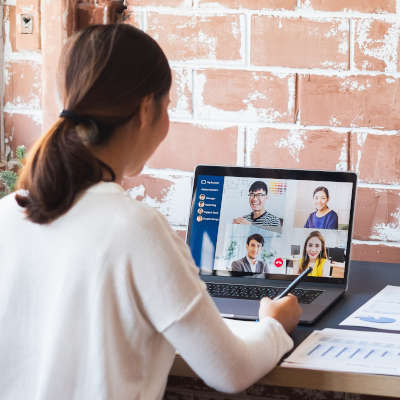
Widespread remote work is a relatively new method of operations for most businesses, but even with the limited amount of time it has been in play, the benefits it contributes have been made abundantly clear. Working on the assumption that remote work won’t be abandoned as quickly as it was adopted and instead may see some growth, let’s hypothesize what impacts it could bring to society as a whole.

To be fully transparent, we will be including both the positive and potentially negative impacts that these societal shifts could bring.

Housing Costs and Availability May Balance Out

We’ve all heard (and potentially felt firsthand) the costs that have become associated with the areas where there are, statistically, the greatest number of jobs available. While big cities have a lot of employment opportunities clustered in (relative to the size of the country) very small areas, the housing costs for these cities have created a housing shortage in many metropolitan areas. Overall, the country is short almost 4 million homes (as of early 2021), with most of this shortage seen where the available jobs are the most valuable.

With remote work, however—particularly if full remote work is ultimately embraced—these jobs could be filled without people needing to cluster in areas where housing costs are so high. Someone working remotely could enjoy the benefits of a job in a valuable market while enjoying the housing costs of a far less expensive area. While experts anticipate this might bring housing prices up in these less expensive suburbs and small towns, it would also greatly decrease the costs associated with big city life… after all, building owners and landlords need someone living there and paying the rent.

Again, if this is to work, there needs to be a balance struck between the increased cost of the more affordable housing and the decreased cost of urban housing. One example of this in action has been the Tulsa Remote program, where Tulsa, Oklahoma offered numerous perks to remote workers who came to live in the city—including a $10,000 grant—for a year. By investing in their local amenities and community-building endeavors, Tulsa has seen success in attracting new, high-earning residents.

How much success? According to the Economic Innovation Group, Tulsa has seen a return on their investment of $13.77 for each dollar spent to incentivize remote workers to relocate there.

The Climate Could Benefit

One might think that, as people migrate from urbanized areas with their public transportation and other, relatively climate-friendly habits, there would be a net deficit to the environment. After all, less public transit and walkable amenities would equal more vehicles on the road and more emissions.

However, that’s under the assumption that the urban ex-pats would leave their habits in the cities. If zoning laws were to shift to allow for more urbanized suburbs, we could see an increase in these walkable amenities—more family restaurants in neighborhoods, for instance, or increased public transportation options where there are currently relatively few.

We also can’t forget one impact we’ve already seen great benefits from, thanks to remote work—business travel, particularly cross-country air travel, can be effectively wiped out. With so few people flying for business, rather than pleasure, there are scenarios where the decreased emissions due to flights can actually balance out and outweigh those that a driven commute to work develops.

Let’s Be Clear—We’re a Long Way from Ubiquitous Remote Work

We’ve touched on some of the obstacles already—like the shift in housing costs, for instance, and the fact that current zoning laws limit the walkability that would make suburbs more desirable—but there are many other reasons that some places just aren’t friendly to remote work. Access to broadband is generally considered a prerequisite to remote work, but large swathes of the country still lack this kind of access.

There are many other obstacles that will need to be addressed before this kind of remote work is normalized fully. In the meantime, we can help set you up with the tools that allow you to take advantage of remote work for whatever reason you wish. Give us a call at 810.230.9455 to get started.

332666885_remote_work_400.jpg

Tip of the Week: How to Work Best While Working Remotely

332666885_remote_work_400.jpg

While remote work has been more widely implemented than ever as of late, many people still find themselves struggling to remain productive throughout their workday. We wanted to share a few tips to help them really make the most of working from home.

Dictate Your Environment

One of the psychological keys to effectively working from home is to identify a certain area as the at-home workplace and stick to it. Preferably, this workplace is away from the distractions of the kitchen and its snacks or the bedroom and its temptation of a nap. Once you have found your area, make sure that you have it equipped with the tools you will need to be productive, like a laptop, external monitor, and any other accessories you use.

Once you’ve established all this, you then need to consider how your days are to be scheduled. Many people enjoy working from home for its relative freedom from the typical 9-to-5 schedule, which allows them to fulfill other responsibilities with their time. So long as office processes allow for it and things are accomplished on time, there is nothing wrong with splitting up the workday as is needed.

Work a Consistent Amount of Time

With so many stresses felt by so many right now, the normalcy of work may seem like a good way to keep from dwelling on them. This is not necessarily the case. Even when working from home, the risk of burnout and fatigue are still there, so it is still important to put some distance between your work life and home life. It can be considered crucial, as setting this distance can help your thought processes and even your physical health.

To make the most use of the hours available to you, it will be important to be disciplined, resisting distractions, and minimizing disturbances. Furthermore, it is also important to end the day when the day should be ended. Not only will this help keep you focused throughout the day to accomplish what needs to be done, it will help to prevent feelings of overworking from settling in.

Have the Right Tools

As we alluded to above, it is important that you have everything you will need to be productive at the ready. This includes the hardware we referenced, as well as the software that your operations are based on.

You have a few options available to you to help make sure that your team has this software. Using remote access solutions, your team could tap into your business infrastructure and utilize it from a distance. Alternatively, you could elect to use cloud-hosted solutions, ultimately having the same result.

Naturally, some of these tools will need to be those that enable your team members to communicate with one another as they are kept apart. Email is perhaps the first business collaboration tool to come to mind, but in certain cases, other options like instant messaging and project management may be better suited to your team’s needs.

If your business needs help getting set up remotely, or needs to do a health check on your existing workforce that are already working remotely, give us a call at 810.230.9455.

350427420_remote_work_400.jpg

Tip of the Week: Reviewing Some Remote Work Best Practices

350427420_remote_work_400.jpg

Despite many having to work from home for some time now, a lot of these people still haven’t quite gotten the hang of remote productivity or have developed some less-than-productive habits. This week, we’re providing these people with a few remedial tips to make their efforts while working from home as effective as possible.

Figure Out Where and How You Work Most Effectively

As you work from home, it will help to establish one area of your living space as the area where work is to be done and commit to working there. Pick a spot that isn’t going to serve as an additional distraction (as the snacks of the kitchen and the temptation of a nap in the bedroom would serve) and claim that area as your productive workspace. Make sure that you have all the tools that you will need for your work in that area—from a laptop, an additional monitor, and any other peripherals that you will need for your tasks.

Once your workspace is settled, you need to settle how your day will be arranged. Unless the workflows of the office need to be maintained, try rearranging your schedule around personal duties. As long as the work is done on time, there’s no harm in giving your remote team a bit of freedom as you can.

Don’t Overwork

While work responsibilities may seem like a welcome escape for many from today’s stresses, you need to be sure that you are appropriately taking breaks and working the appropriate number of hours. Fatigue and burnout are just as big of an issue at home as they are in the office, so allowing yourself to step away on occasion is important to do, even as you work remotely. In fact, stepping away has been shown to inspire new ideas and progress, as well as improve overall physical health.

This means that you also must set a few firm boundaries. By requesting not to be disturbed during work hours, one can accomplish much more in the time allotted to them. As a result, the prospect of stopping at the end of the workday—another firm necessity—seems to be more manageable.

Make Sure You Have the Tools You Need

Sure, we may have already started discussing the hardware that one will need while working from home, but there are a lot of other aspects to consider. For instance, the software solutions that your team will need must be available to them as well. There are a few methods to doing so that you may choose from. You could have your team remote into your business’ network to access the software and data they will need, or you could make use of cloud solutions to effectively accomplish the same result.

Your team communication will become even more crucial than it currently is, so your team will also need the tools and resources available to collaborate with one another. Email works for certain things, of course, but should always be supplemented by an internal instant messaging platform and other tools to keep everyone on the same foot, like a project management system.

Remote operations will help you keep your business running and your team healthy, two incredibly important considerations for the near future. To learn more about the solutions that remote operations will require, or to start putting them in place, reach out to NuTech Services at 810.230.9455 today.

315663473_remote_work_400.jpg

People Have Been Working From Home Longer than You Think

315663473_remote_work_400.jpg

Working from home isn’t new, but with the COVID-19 pandemic sparking public health fears many businesses decided to move their operations offsite. For much of the past decade remote work was an available strategy for business, but many business owners feared it would give them a lack of control over their workforce, and therefore was largely ignored. This was despite remote work being a strategy people have embraced for a long, long time. Today, we take a look at the history and progression of working from home.  

For Much of History People Worked From Home

In medieval times people predominantly worked at their place of residence. Many people of this era in Europe lived in what are known now as longhouses. They lived a subsistence life, looking after their crops and livestock. Individuals that lived in these communal buildings typically found a way to justify their inclusion by gaining a trade that would help the rest of the people out. In fact, it wasn’t until the mid-18th century where people started going outside their immediate community to go to work; and even then, the people that ran the factories lived and operated out of small buildings adjacent to the main factory.

Office Work In the 20th Century

As industrialization took hold, there was demand for clerical workers and salesmen that necessitated building an office. Inventions such as electric motors, telegraphy (and eventually telephony), and the typewriter facilitated a major change for business. 

Only a few decades later, much of the job market was represented by clerical work. The workers that still worked in production were made to hold fast to management’s new standards for productivity. The standard that kept increasing. Managers of the time began to keep detailed figures of how long a task should take. According to a productivity field guide from 1960, swiveling in your seat should have taken .009 minutes. At this juncture, the cubicle was invented, bringing unparalleled distraction prevention to the modern office.

Technology Helped Encourage Remote Practices

As computing became more commonplace, so did remote working. Factories, the base for the 20th century American economy, started to close as the price of labor started to be prohibitive for business. Service jobs filled the gap and a new level of productivity was established. Major innovations such as the personal computer, home Internet service, and ultimately cloud computing have expanded the availability for a worker to have access to everything he/she needs from anywhere.

What better place than home?

Remote work had been growing pretty rapidly as the COVID-19 pandemic hit. In mid-May, 66 percent of people that could work from home, were working from home. That number is sure to go down as businesses reopen, but it may be that enough has been learned from this situation that employers will offer more flexibility to their staff than they had previously.

Remote work can provide your business some serious benefits. To talk to our professional consultants, call NuTech Services today at 810.230.9455.

134821701_hackers_security_400.jpeg

Hackers Double Down During Crisis

134821701_hackers_security_400.jpeg

The COVID-19 pandemic has most of the world at home. It has completely disrupted everyday life and has businesses scrapping their normal strategies for work-at-home policies that will at least allow them to maintain some productivity. These strategies, while highly effective, carry with them additional risk. Today, we take a look at some of the risks associated with relying on remote workers.

With many “non-essential” businesses scrambling to find strategies that will keep revenue coming through the door, setting up a remote workforce has become most businesses’ best hope. Unfortunately, with such little notice to dot the Is and cross the Ts, businesses are taking on more risk than many of them are comfortable with. That trepidation is not fruitless, either. In times of crisis, hackers have a tendency to prey on the unprepared. The fact is that workers that are operating where they are not comfortable–or where they’re too comfortable–can mean disaster for their employers.

Security Threats for Remote Workers

Even if it normally is, security isn’t exactly the top priority for businesses faced with this situation. Businesses need to mitigate net-negative cash flow positions. This means they need their staff to continue working. This is stretching business’ cybersecurity strategies thin. Exacerbating things is that with so many people focused on the COVID-19 pandemic, hackers can use it as bait. 

Cybersecurity professionals and other researchers have seen an increase in ransomware attacks, trojans, and spyware as a result of this situation. They’ve also seen COVID-19 being referenced in millions of phishing attacks. Many problems that businesses face in regards to cybersecurity can be directly attributed to the remote worker. Workers at home are typically using their home PC or laptop that has all their personal accounts on it. An infected personal PC is a big problem when you are using the same PC to access work related materials. 

Additionally, hackers are now seeing a lot more success by targeting businesses directly now that security is playing second fiddle.

That is a problem since cyberattacks can decimate your business, tarnish your reputation, and end any positive momentum your business has built up. Since most businesses weren’t prepared in the least for these stay-at-home orders, the ones that are under direct scrutiny from federal, state, and industry mandates are even more exposed.

How to Protect Your Business

While any measures you take at this point to better secure your employees working remotely will be more reactive than they are proactive, it is still important to do so. We suggest that you enact the following measures to begin:

  • Cloud solutions – Rather than introducing an entrance into your business with a remote access solution, using the cloud’s capabilities enables productivity through a much simpler and more secure means than opening a gateway into your business’ infrastructure. As the cloud permits you to store your data and/or host your applications, your employees can be sure to have the resources they need to safely work from home.
  • Company devices – If you provide your team with the device they should use through their day-to-day, your business can continue to operate with the knowledge that all updates and security patches can be maintained. Despite the upfront costs of procuring the technology you will need, making this investment can provide returns to both productivity and security.
  • Employee training – Perhaps most crucially, your employees need to respect how much responsibility will rest on their shoulders in terms of maintaining cybersecurity as they work from home. Making sure they know the recommended best practices for maintaining security, as well as other preventative skills like spotting phishing attacks, will allow you to trust them more to keep your business safe from threats.

While the COVID-19 pandemic will eventually end, smart security practices both in and out of the office never should. To learn more about how we can help keep your business safe, reach out to NuTech Services at 810.230.9455.

b2ap3_thumbnail_tablets_for_works_400.jpg

Tip of the Week: 3 Essential Bluetooth Devices for Your Smartphone

b2ap3_thumbnail_tablets_for_works_400.jpgIf you’ve ever taken your gadgets on the go for work purposes, you might have found that it’s somewhat difficult to get anything done with the limited computing potential of a smartphone or tablet. However, with the right technology, you can take full advantage of your mobile devices, especially if you’re using Windows 10 with its full Microsoft Office suite (Want to know if Windows 10 is right for your business? Reach out to us before you upgrade).

Being able to perform work remotely is especially important in today’s work environment. This is why it’s preferable to have a tablet or smartphone that one can work on while out of the office. As of 2015, it’s estimated by Pew Research that 64 percent of all American adults own a smartphone. Here are three technologies that you can use to get more productivity out of your mobile devices.

Bluetooth Keyboard
How long was the last message you typed on an on-screen smartphone or tablet keyboard? It’s clear that this isn’t the most efficient way to write out longer emails or documents. While it might be great for a quick text message or email update, you’ll want a more comprehensive solution that helps you spend less time messing around with autocorrect errors. You can give your thumbs a break by purchasing a Bluetooth keyboard. This essentially turns your device into one with laptop-like functionality.

Bluetooth Mouse
Anyone who uses a tablet understands that navigating productivity applications like email and document editors with a touch screen can be frustrating at times. You can remedy this by using a Bluetooth-connected mouse that gives you the feeling of a desktop with an itty bitty screen. It might only be a slight convenience, but whatever helps your productivity, right?

Many tablets today are compatible with Bluetooth mice, which, when combined with a keyboard, give you more of a traditional laptop experience with the mobility of a slim, light tablet.

Bluetooth Headset
One of the core functions of a telephone is to allow you to communicate over long distances with your voice. While you could easily stop whatever you’re working on to make a phone call, it’s unnecessary and takes away from the task at hand. If you’re using a Bluetooth headset, you can use your mobile device for phone calls without interrupting your work process, and without bothering the people around you by putting your phone on speaker mode.

Besides the obvious use of being able to talk on the phone, you can also use a Bluetooth headset to listen to music, view webinars, or listen to podcasts that are designed to help you boost productivity or learn new best practices. If you’re on a plane and have several hours left of your flight, it might not be a bad idea to check in on what’s hot and upcoming in your chosen industry. While some airlines have concerns over the safety of Bluetooth, the FAA has confirmed that Bluetooth will not interfere with critical airplane communication systems (in other words, it depends on your airline).

What are some of your favorite ways to stay productive with your mobile devices? Let us know in the comments, and be sure to subscribe to our blog for more productivity hacks and technology tips.