hybridWorkProductivity_488348405_400.jpg

Creating Productive Workspaces Keeps Business Comfortable

hybridWorkProductivity_488348405_400.jpg

Whether you are in the office or working remotely, there are many distractions that can derail your productivity. To set yourself up for success, we recommend that you follow the tips outlined in this blog. You might be surprised by how just a few simple adjustments can make a world of difference for your productivity.

Focus On What You Can Control

Your workspace is limited in its size, and in many cases, your office constraints will work against you. Some businesses have cubicles or an open floor plan, and depending on the approach, it could be designed to help you better interact with your coworkers. You might not be able to control the office layout, but you can control your desk space.

Do you keep a clean or messy desk? More clutter means less productivity. Make sure you have a system in place to keep your desk’s organization in check.

The temperature of your office can also factor into workplace productivity. Cornell University published a study that indicates a warmer office can improve typing speed by as much as 150 percent, all while reducing the amount of errors by 44 percent. The target range should be about 71º Fahrenheit.

Finally, consider the light levels in your office. Dimmer light can improve creative work, whereas brighter workspaces can increase analytical work. Natural light should be utilized whenever possible, as it can improve productivity and employee satisfaction. If natural light isn’t an option, we recommend you take breaks to get away from your screens from time to time.

Remove Discomfort

It might be a bit of a depressing reality check, but we spend at least a quarter and up to a third of our lives at work. This can naturally take its toll on your body in ways you might not have anticipated. Productivity is directly linked to how well you feel, so you will want to keep your body and mind sharp to optimize your productivity. Let’s take a look at how you can do this, even from your office.

Get Up and Move

That’s right—it’s time to discuss desk-ercises. These will help you get your blood pumping a little bit while also stretching out your muscles. If possible, you can also take a short walk around the block or the parking lot, and take the stairs whenever possible. If you can’t break free of your desk, here are three exercises that can help to improve your comfort at work:

  • Neck rolls – Relax and lean your head forward and slowly rotate in a circle for 10 seconds. Repeat it by doing it in the opposite direction.
  • Chair squats – Stand up at your desk and just lower your body down until you almost reach your chair. Do this 10-15 times. 
  • Wrist and finger stretch – Place both hands on your desk with your palms down and your fingers pointed toward your body, lean slightly forward and hold for five seconds. 

It’s also important to exercise your brain, especially if you are responsible for several tasks throughout the day that could be mentally draining you. Here are some ways you can refocus your mind:

  • Meditate – The easiest way to meditate is to simply sit back in your chair, close your eyes for a couple of seconds, and focus on your breathing. Breathe in through your nose, counting to four, hold it four seconds, then breathe out to the same four-count. Hold for four seconds with no air in your lungs, then repeat.
  • Change it up – Making small adjustments to your daily routine can make big differences in your mindset. You can try sitting in new places to get work done, shift your priorities around, or spend some time developing your networking skills. Breaking out of the routine can be a major way to transform your workday.
  • Fundamental skill development – Practicing the fundamental skills of running a business can help you in your day-to-day tasks. Simple things like working on your memory, typing skills, software skills, or even communication skills, can all help shake things up a bit throughout the day.

We know that work can be stressful, but if you approach it mindfully and incorporate the above techniques, you can make for a more comfortable and productive existence. What are some of your favorite ways to make your workday more productive and enjoyable? Let us know in the comments.

shortcutDude_52468235_400.jpg

Here Are Some of the Best Outlook Shortcuts

shortcutDude_52468235_400.jpg

Microsoft Outlook, just like its sibling solutions Word and Excel, has several keyboard shortcuts that are designed to make navigating and using the application easier than ever. We’ve put together a short list of the ones that you might need to know so that you can take your productivity to the next level.

We always like to recommend that you print out this blog article so that you can use it as a quick reference.

Basic Outlook Functions

Here are some of the basic functions of Microsoft Outlook

  • Create a message: Ctrl + Shift + M
  • Send a message: Alt + S
  • Insert a file: Alt + N, A, F
  • Delete an item: Delete
  • Reply to a message: Alt + H, R, P
  • Reply All to a message: Alt + H, R, A
  • Forward a message: Alt + H, F, W

Navigating Outlook

Here are some other shortcuts you can use to move around Outlook and examine it from different views.

  • Switch to Mail: Ctrl + 1
  • Switch to Calendar: Ctrl + 2
  • Switch to Contacts: Ctrl + 3
  • Switch to Tasks: Ctrl + 4
  • Switch to Notes: Ctrl + 5
  • Switch to Folders: Ctrl + 6
  • Switch to Shortcuts: Ctrl + 7
  • Switch to the next open message: Ctrl + .
  • Switch to last open message: Ctrl + ,

Creating Items or Files

You may need to make items within Outlook. Here are some of the ways you can do so.

  • Create an appointment: Ctrl + Shift + A
  • Create a contact: Ctrl + Shift + C
  • Create a contact group: Ctrl + Shift + L
  • Create a folder: Ctrl + Shift + E
  • Create a meeting request: Ctrl + Shift + Q

Obviously we cannot list them all here, so if you want to view even more Outlook shortcuts, visit Microsoft’s official website. What other tips should we cover on this blog? Let us know in the comments, and be sure to subscribe!

152122323_innovation_400.jpg

Technology Can Replace These Office Conventions

152122323_innovation_400.jpg

With so many changes in the office environment over the past several decades, it’s no wonder that some of the staples from way back when are no longer crucial to the success of any organization. Technology has driven many conventions of the old office environment into extinction, rendering them obsolete and, in some cases, pretty much pointless to keep around. Here are just a few ways that technology has replaced some of these conventions.

Filing Cabinets

If you have been in business for a while, chances are that you have accumulated filing cabinets that fill up with paper documents faster than expected. They have traditionally been used to keep files safe and in a convenient storage location, but the truth of the matter is that these cabinets are far from convenient these days.

The cloud has enabled the use of document storage systems that put filing cabinets to shame. These systems offer digital environments to safely store documents, and due to the electronic nature of the files, they do not take up massive amounts of physical space in your office. Furthermore, these systems offer search capabilities that will make you never want to sift through a filing cabinet again.

Conference Room Gatherings

When you have a small workforce, it’s easy to call a meeting for the entire office. When you have a larger workforce, especially if you have remote employees, it’s not easy to fit everyone in the same old conference room you used to use for this purpose. Thankfully, technology has made it easier than ever to schedule meetings, even for those who have crazy schedules and meetings that last for hours on end.

Video conferencing software gives businesses the ability to hold much larger meetings without filling an amphitheater, instead administering meetings virtually from just about anywhere. These video conferencing tools also have schedule and calendar integration that can inform you who can make it to the meeting and who can’t.

Traditional Work Desk Accommodations

Your employees’ daily tasks generally revolve around completing tasks at their work desk. While they may have duties that pull them away from time to time, the majority of their work will be done from the comfort of their desk. At least, that’s how things used to be. Nowadays, the trend is moving in the direction of remote work, or at least a more mobile type of work situation.

Remote technology gives businesses the capabilities to equip employees with technology that allows them to work from any location with the right solutions. The pandemic has proved that businesses do not need their employees in the good ol’ brick and mortar office in order to stay functional.

Landline Telephones

Landlines are a relic of the past in the modern office environment. Adding new handsets can be a pain, especially if your infrastructure is dated and was built for a staff much smaller than your own. It might involve running new wires throughout the office which can be both time-consuming and costly. Modern business technology comes to the rescue here, as well.

Voice over IP systems give organizations another way to eliminate unnecessary costs and outdated technology by letting you use your Internet connection for telephony services rather than traditional telephone lines. Plus, it comes with other features that are expected of business telephone solutions, so you are not leaving any value on the table by implementing these solutions.

Need a Hand with Implementation?

If you would like some assistance with updating your infrastructure for a more modern office feel, NuTech Services can help. We can equip your company with all of the tools you need to take your business to the next level. To learn more, reach out to us at 810.230.9455.

338223041_shortcut_400.jpg

Tip of the Week: Useful Excel Shortcuts

338223041_shortcut_400.jpg

When most people think “spreadsheet,” they’re thinking about Microsoft Excel. Yet, for how well-known it is, many people are unaware of many of its capabilities. This is particularly true of the shortcuts available to properly format these spreadsheets. For this week’s tip, we’re sharing a few of these formatting tips.

Quick and Easy Tables

Let’s face it—a spreadsheet full of points and figures isn’t the most comprehensive way to view your data. It is far better to instead format that data into a table, as you can then reorganize it and filter it as needed. Once your data is in a spreadsheet, creating a table is as simple as selecting one of your cells, pressing Ctrl + T, and then hitting Enter.

Handy Formatting Shortcuts

Formatting a spreadsheet is a matter of balance. While it isn’t something you want to spend a ton of time and effort doing, it can add a significant amount of comprehension for the person reviewing it. Shortcuts can help make this formatting less intrusive, and more efficient for you, the person creating the spreadsheet in the first place.

Here are a few select shortcuts that you will likely find useful:

  1. Ctrl + B – Bold
  2. Ctrl + I – Italics
  3. Ctrl + U – Underline
  4. Ctrl + 5 – Strikethrough selected text
  5. Ctrl + 1 – Format box for selection
  6. F4 – repeats the last action

Icon Sets

On the topic of visibility, some trends can be challenging to spot without this kind of added context as well. Excel has icons that can automatically put in a bit of visual context. With the cells you want to add the icons to highlighted, click on Conditional Formatting under the Home tab of the menu. There, the Icon Sets option should appear, where you can select the set of your choosing.

These icons are particularly handy because they are automatically configured to adjust to your data. Let’s assume that you pick the icon set with three arrows. Based on the range your data covers, the lowest third is automatically assigned the downward arrow, the middlemost third has the sideways arrow, and the highest third gets the ascending arrow. With five icons, your range is split into fifths, as your range is automatically divided amongst the icons.

What are some of your favorite formatting tricks for Excel? Share them in the comments!

298455168_acronym_400.jpg

Handy IT Acronyms to Understand

298455168_acronym_400.jpg

It is pretty apparent that there are a lot (a lot) of acronyms used when discussing IT. In fact, that itself is an acronym for information technology. They can all get pretty confusing if you don’t necessarily think about these things every day. Considering this, we’ve put together a list of terms for you to know that we think may be handy to have.

-aaS

-as-a-Service
Businesses of all kinds are starting to outsource various responsibilities and needs to external providers. When you see something-or-other offered “as-a-Service,” it basically expresses that this opportunity is being offered. By getting something as-a-Service, a business is able to scale that responsibility to your needs and budgetary abilities. 

BI

Business Intelligence
Business intelligence is the use of assorted business metrics in tracking and projecting outcomes, allowing for better decisions to be made.

BYOD (and MDM)

Bring Your Own Device (and Mobile Device Management)
Bring Your Own Device is an approach that many businesses are adopting because of its cost-saving and productivity-boosting potential. Rather than investing in company-owned devices, a business can use a BYOD strategy to enable employees to use their own, with the support and administrative capabilities that Mobile Device Management solutions provide to them to ensure compliance to industry best practices.

DoS

Denial-of-Service
A Denial-of-Service attack, and its variant, a DDoS/Distributed-Denial-of-Service attack, are methods that cybercriminals use to interrupt a business’ network. Using an army of infiltrated devices, the attacker directs enough traffic to a business’ network to overwhelm its defenses.

EOL

End-of-Life
When a software is retired, it is known as its “End-of-Life.” This designation means that the software will no longer receive any support from the developer, leaving it vulnerable to any future attacks and thereby unfit for use as a privacy and security risk.

IoT

Internet of Things
The Internet of Things refers to the vast variety of Internet-connected devices (often referred to as “smart” devices) that connect to the Internet to function. While these devices can be useful, there are commonly poor security measures associated with them, which means you need to be more prepared than ever to mitigate the threats they could facilitate.

LAN

Local Area Network
This is the network that exists within your business and connects your hardware together. This network covers your workstations and servers, as well as all the peripherals that are connected to them.

MFA/2FA

Multi-Factor Authentication/Two-Factor Authentication
With security becoming a bigger and bigger concern, you need to be sure that your files and other software assets are as protected as they can be. MFA helps to facilitate this by adding another layer of security to the typical username identifier and password authentication measure. WIth another factor required to authenticate an identity, access is restricted to the person who has that factor.

SSL

Secure Sockets Layer
This is a protocol used to protect data sent and received from websites. Because it protects this data, SSL is essential for online commerce, and can be spotted by seeing HTTPS in the address bar of a website.

UPS

Uninterruptible Power Supply
Power surges can seriously damage your IT components, and sudden power loss will definitely lead to data loss as well as damage to your devices on your network. A UPS device is handy, in that it can keep your equipment running long enough with a stored energy reserve to properly shut the components down.

VM

Virtual Machine
A virtual machine allows a business to use their existing hardware to accomplish more by creating a digital replica of a solution. As a result, businesses that use virtual machines can see their computing costs reduced substantially, without losing opportunities.

VoIP

Voice over Internet Protocol
VoIP is an approach to telephony that offers far more features, greater flexibility, and significant cost savings over the traditional phone service. By using an Internet connection to receive and deliver call information, VoIP allows businesses to stretch their Internet investments further while gaining an assortment of valuable business tools.

VPN

Virtual Private Network
By using a Virtual Private Network, you can securely use any Internet connection because the data that you are transmitting is shielded by encryption. That way, even if the data is intercepted, decrypting it is more trouble to the hacker than it is worth.

WAN

Wide-Area Network
A wide-area network is similar to a LAN, except that it operates on a much larger scale. Rather than connecting different devices to one another, a WAN connects various smaller networks into one big one. This is useful to businesses that have multiple locations to manage.

If you want to know more about any of these terms, or the other solutions that we offer, don’t hesitate to reach out to us! Call NuTech Services to speak to our professionals today at 810.230.9455.

action_leads_to_productivity_400.jpg

Pair Up the Right Workers to Increase Productivity By 10%

action_leads_to_productivity_400.jpg

Keeping your workers as productive as possible is a challenge for every employer. According to a recent study by the Harvard Business Review, there is one easy that you can increase productivity: By keeping a productive worker in close proximity to other workers.

Such a profound discovery could be enough to shake the foundations of how you form your departments and how the interior of your office looks. Theoretically, you could simply arrange your office in a way which takes advantage of this “productivity by proximity” rule, keeping those who get the most work done at the center of the action. This could inspire your less-dutiful employees to better themselves and improve how they work.

What’s interesting is just how the study describes this phenomenon: “We saw that neighbors have a significant impact on an employee’s performance, and it can be either positive or negative. In terms of magnitude, we found that approximately ten percent of a worker’s performance spills over to her neighbors. Replacing an average performer with one who is twice as productive results in his or her neighboring workers increasing their own productivity by about ten percent, on average.”

Maybe you’re feeling that you should reevaluate how your organization is approaching the office setup, but before you go and make drastic changes, keep in mind that doing this haphazardly could actually make things worse. This study highlights the benefits of productivity by proximity, but keep in mind that it also warns of how the exact opposite can happen too. For example, an employee who wants to get the most done, for example, could be held back by a slacker that’s nearby.

You need to also consider other factors that influence worker productivity, like motivation. If you have a worker who wants to learn how to do a better job, putting them next to someone who is highly motivated and willing to go the extra mile could help dramatically. On the other hand, a worker who doesn’t care about doing a good job won’t be impressed by the positive attitude of their peers.

This is a negativity that your business can do without. In this situation, it might seem tempting to just isolate workers so they don’t influence each other. You can do this by either providing them with their own office, giving them the freedom to work remotely, or removing the problem employee from the equation completely.

As you can see, motivation is a crucial when it comes to worker productivity. It’s logical to assume that if you can provide powerful motivators, your team will be more likely to do their best work. Allowing workers to improve themselves by learning from motivated employees can be a spectacular way of improving productivity.

One last thing to consider is the technology that your organization uses. Implementing cloud-based collaboration software and communication solutions like VoIP and instant messaging can be a great way to help employees stay in touch and be more productive, regardless of where they are working. This helps your staff (especially those who might need help) stay in constant contact with those who can help them, allowing your team to be productive at all times.

To take advantage of the latest and greatest technology solutions, reach out to NuTech Services at 810.230.9455.

millennials_400.jpg

Millennials to Make Up ⅓ of the Workforce. What’s This Mean for Your Business?

millennials_400.jpg

Millennials are entering the workforce at a considerable rate. In fact, some experts claim that millennials will soon make up at least one-third of the entire workforce. Thus, it’s important for both employers and workers from previous generations to understand how this generation thinks, acts, feels, and most important of all, works.

Traditional vs Flexible Work Hours
One of the most prominent trends seen in millennial workers is that they have a strong desire to keep a balance between their professional and personal lives. Yet, this desire isn’t necessarily exclusive to them. It’s reasonable to suggest that most workers would prefer this type of work-life balance. Commonly seen amongst millennials is their desire to work hard during their scheduled hours, but they still want to go home at the end of the day. Basically, they want some sort of control over how their time, both in and out of the office, is spent.

A great example of this can be seen in the daily commute. Millennials might be fine with driving to the office, but it’s probably safe to say that they would rather be using time spent on a commute to get right to work remotely. To put this claim in perspective, let’s take a look at some recent statistics. There are currently around three million remote workers in America, and this is expected to grow by 63 percent in the next five years. Pew Research Center suggests that 64 percent of millennials would at least like the option to work from home on occasion. Similarly, Pew found that 66 percent of millennial workers would prefer a shift in their work hours, allowing for a more flexible work/life balance.

Career Growth and Improvement
One of the top priorities of millennial workers is that they want to experience growth and improvement in their professional lives. They aren’t going to be satisfied with just one job in their lives. They always seek both professional and financial opportunity, and it’s something that they hope to get from your business. Rather than having a direct supervisor, they want to consider authority figures within your organization to be mentors; someone who helps them learn how to do their job better.

These workers will also want to provide their own individual input into big projects, and they want to feel valued and validated. One way you can accomplish this is by giving new hires small responsibilities at first, and offering the possibility of expanding on these responsibilities in the future. Provide quality feedback and tell them what they are doing right (or wrong) so they can plan out the next step of their professional development.

Technology is Second-Nature to Them
Last but not least, it’s crucial that your business understand that millennials have grown up surrounded by the technology that many take for granted today. They can adapt to systems quickly and efficiently, and (since they want to be challenged) this gives them a great opportunity to test themselves with new software or hardware solutions. By letting them use the latest and greatest technology solutions, you’ll give them a great incentive to stick around longer.

If you want to ensure that your millennial employees will hang around and continue to be a benefit to your organization, NuTech Services can equip your business with the latest technology solutions. To learn more, reach out to us at 810.230.9455.

office_setup_design_400.jpg

Tip of the Week: Maximize Workflow By Rethinking Your Office Layout

office_setup_design_400.jpg

Of all the potential causes for a deficit within the office environment, the physical office itself isn’t likely to first come to mind. Even so, the value of establishing certain practical design and organization strategies have shown to improve employee morale, collaboration, and productivity. While these solutions may not be for every office, if your company is experiencing hindrances in productivity, these tactics may be beneficial implementations to incorporate within your business.

Keep it Clear
Are the desks in your office cluttered with papers, equipment, and other items that are keeping employees from completing their work? If so, it may be time to distribute more storage solutions to encourage your employees to keep their desk clear and relatively distraction free. Otherwise, you could institute the many solutions available to help your business go paperless. Document management solutions can allow many employees to access, edit, and collaborate on the same document without the expense and mess of multiple paper copies.

If office clutter is caused more by the equipment your employees use, there are a variety of solutions that can assist in reducing the amount of real estate this equipment takes up. Office telephony is clunky and expensive and may easily be replaced by a space- and cost-efficient, hosted VoIP solution. As far as wires are concerned, if not properly managed, they can quickly become a distracting waste of space. Fortunately, there is a trend in manufacturing to assist in managing and concealing wires at the workstation. If data storage, whether it’s incorporated into each employee’s workstation or housed in a large on-premises drive, is creating a space deficit, a cloud solution can reduce the amount of in-house storage needed to maintain operations.

Provide Spaces to Collaborate
If your business needs to keep its lines clear to contact clients, limiting the availability of VoIP communication, or if a face-to-face conversation is simply the more effective option when it comes to collaborating on a project, it is best to have a space dedicated to communal work. This can be as simple as a large table set aside for groups to utilize, or as complex as mobile workstations and adjustable equipment. A highly effective approach to encourage positive, organized group work is a concept known as a war room.

A war room is simply a dedicated space designed to engage the spatial memory of those using it. By putting a certain piece of information in a certain space, it becomes easier to remember. By filling a room with whiteboards (or even rolling whiteboards) and movable furniture, you create the ideal space for a group to meet and create a plan that can be referenced and adjusted as needed.

Prepare for the Worst
If disaster struck your office, be it fire, flood, or failure of some essential equipment, would you still have a way to safely access your data in order to continue your operations? These circumstances, along with any others that would qualify as a disaster, are why one of your most important office setup considerations should be completely removed from the office. To fully protect your data, the most advisable course of action is to use an off-premises, isolated backup solution that can restore your data, should it ever be lost.

While many considerations are totally yours to act upon when setting up a workspace, NuTech Services can provide the expertise to be sure any of your technical systems will meet the very high standards you need them to reach. Give us a call at 810.230.9455 for help with any of your technology needs.

office_vs_office_365_400.jpg

What’s the Main Difference Between Office 365 and the Traditional Office Suite?

office_vs_office_365_400.jpg

Even if you already have Microsoft Office, did you know that there are multiple ways to use Office which could potentially save you money? It’s the difference between using the traditional Office apps, versus the subscription-based model provided by Office 365.

Users and business professionals need to know that Office 365 is a subscription-based model, while the traditional Office 2016 suite is a one-time purchase. Yet, there are a few other notable differences between the two. Here are three reasons why it’s beneficial to choose Office 365 over the more traditional Office suite.

Office 365 is Cost-Effective
Small monthly payments fit into budgets much better than big up-front costs. This is a staple of software as a service, and it applies to Office 365. When purchased through Microsoft, Office 365 can provide users with a discount when paying for 12 months ahead of time, allowing for even more cost savings.

Office 365 Stays Up-to-Date
The traditional Office suite gives you the most recent version at the time of your download. For example, if you downloaded today, you would get Microsoft Office 2016. The problem here is that several years might pass and you’ll eventually have to upgrade to a more recent version of the software, like Office 2018–which can be another major expense in itself. It’s one big investment after another, which makes the subscription-based model more economically reliable, efficient, and easy to budget around. With Office 365, you’ll always have the latest version of Microsoft Office, without the hassle of purchasing new software.

Office 365 is More Flexible
Office 2016 is a one-time download, unlike its subscription-based counterpart. Office 365 allows organizations to achieve varied levels of service as per their user requirements or device thresholds. This helps your business get exactly the kind of functionality you need out of Office 365, as it helps to better accommodate growth.

Have we convinced you to give Office 365 a shot? If so, reach out to us at 810.230.9455. We’d be happy to help your business get started with your new Office 365 solution.

after_hours_recovery_400.jpg

Tip of the Week: 3 Easy Exercises Designed for Office Workers

after_hours_recovery_400.jpg

You wouldn’t think that sitting at a desk all day could have many detrimental effects to the body, but the opposite is actually true: remaining stationary throughout the day, especially in a slouching position, can cause considerable stress and discomfort. This discomfort, in addition to decreasing morale, can be a distraction that cuts into the productivity of workers throughout the day.

If you’re experiencing the ill health effects of poor desk posture, try these exercises at home–you’ll see why in a moment–to relieve many of the negative symptoms by stretching out your cramped and compressed muscles.

Get rocking…
On all fours, carefully rock back and forth. When rocking back, your hips should move down towards your feet, extending your back for a stretch across the lower portion of your spine, relaxing the stretch when returning to the forward position. For an added bonus in your upper back and neck, nod your head as you rock, bringing your chin to and from your chest.

… and rolling.
Starting off by laying on your stomach with your arms above your head, alternatively lift your arms and use their weight to roll over a few times on each side. Be sure to use the weight of your arm to roll, rather than bracing against the ground and pushing yourself over.

Also, get back to the basics.
With remarkably few exceptions, human beings start moving on all fours. Use that as an inspiration during your next exercise and crawl forwards and backwards, focusing on moving your hips as much as possible. While moving backwards, get a good stretch in your neck by turning your head from side to side.

Hopefully, it is now clear why these exercises are better done at home. Unless your office has a dedicated exercise area, there simply is not space for employees to do such things, never mind how distracting such activities would be for the other employees to work around. Therefore, since these activities are intended to assist office workers in remaining comfortable and focused, this is a bit of work that people should really take home with them.

An uncomfortable employee is an unproductive employee–fortunately, the opposite is also true. Encouraging your employees to take care of their bodies will not only help them feel their best, but also help them remain more productive for your business.

For more office productivity tips, keep checking back to the NuTech Services blog.

ergonomic_setup_400.jpg

Tip of the Week: 4 Easy Changes to Make Your Workspace More Comfortable

ergonomic_setup_400.jpg

Sitting at a desk all day is probably the worst thing you can do for your health. The average office worker sits for 9.7 hours each day and after one hour of sitting the production of enzymes that burn fat declines by as much as 90 percent, significantly slowing metabolism. Then there’s ongoing back pain and eye strain. What’s the modern office worker to do?

If you have to sit at a desk all day, you might as well do so properly. Here are four ways to optimally set up your workspace. In addition to this being a good move for your health, you’ll be setting yourself up for increased comfort and productivity.

Getting Your Chair Just Right
First off, if your chair is uncomfortable, then you need a different chair. Now, we’re not suggesting you go out and get a La-Z-Boy for your desk (as cool as that would be), but you should at least sit in some kind of chair with enough padding that your back isn’t hurting at the end of the day. Ideally, you’ll want a chair with armrests bent at a 90 degree angle. Also, look for a chair that has lumbar support and adjustable settings for the backrest, height, and angle. Remember, the goal here is to have a chair that provides you with an upright posture throughout the workday–not a bed that will put you to sleep.

Desktop Hardware Placement is Key
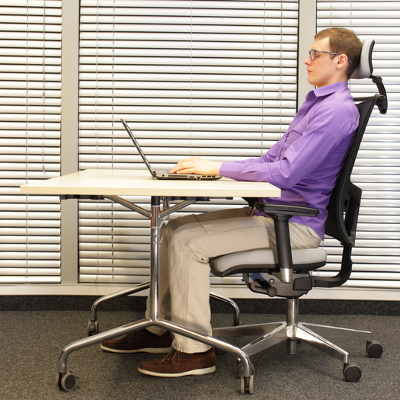
It should feel natural for you to use your computer. The best way to achieve this is by lining up your keyboard’s “B” keys and mouse with your navel, and your keyboard should be as close to your body as comfortably possible. Heightwise, position your keyboard so that you’re bending your elbows, not your wrist. For your monitor, make sure that the top edge is two or three inches above your eyeline, and make sure that it’s reflecting as little glare as possible. To give you a picture of what we’re talking about, check out this chart.

Be Deliberate About Good Posture
Even if you have an ergonomic chair and desk and your computer equipment is positioned perfectly, all of this won’t matter if you’re not intentional about having good posture. If you’re used to slouching, this bad habit may take some help from your coworkers to break. For example, asking them to remind you to sit up straight if they catch you slouching may seem annoying at first, but it will help cement a good habit that will have far-reaching benefits for your health.

Be Sure to Take Breaks
Even though it feels counterproductive, taking breaks actually improves productivity and it’s good for your health. You’ll want to avoid being so locked into your task that you never look away from your screen, and you’ll want to get up from your desk from time to time and take a walk around the room or stretch. There are actually several useful apps that will help you achieve this. One good app is StretchClock, designed to remind you when to take a break by providing a short tutorial video of different stretches that you can do.

At the end of the day, these are all fairly minor actions you can take that will yield major results in terms of increased comfort, productivity, and improved health. Try these tips out for yourself and let us know in the comments if you feel any different.

moving_your_office_tech_400.jpg

Moving to a New Office Building? Make Sure Your Technology is Good to Go!

moving_your_office_tech_400.jpg

Moving your office is never an easy task. You have to move furniture, personal objects, and above all else, your technology infrastructure. There’s nothing simple about moving your office’s technology, but it’s still nothing to get worried about. That’s why we’re here to help, from suggesting the optimal network cabling, to the proper deployment of new and improved technology solutions.

For example, let’s take a look at your old (or your current) office. You have a certain number of workstations, one for each of your employees. These workstations need to be connected via cable to your business’s network. Otherwise, your team could go without required software, data, and other important resources. Keep in mind that your cabling infrastructure could quickly grow to be uncontrollable, especially if you don’t approach your cabling procedures in an educated and logical manner.

Another issue that you might encounter comes from equipping everyone with the right communications solutions. The most notable problem is setting up phone lines for everyone who needs them. Adding new lines is far from a simple task, and one which can quickly exceed your budget if it’s not planned out in advance. This also makes adjusting for growth much more difficult, considering you have to add and/or remove lines as needed, making for an expensive investment.

Furthermore, how are you going to move all of your physical files? Chances are that you would much rather make the move without lugging unnecessary items; especially extremely heavy and cumbersome objects like large file cabinets. The problem is that your organization might be torn between keeping the files and getting rid of them, especially if there’s mission-critical data stored somewhere. There may be files you’re required to keep around, plus some that you might not need anymore. It makes sense to take inventory before committing to such a move.

NuTech Services offers several services that are designed to help your business make its move much easier. In fact, our services aren’t just convenient for businesses that are relocating; they’re great for most any SMB that wants to maximize productivity.

  • Voice over Internet Protocol (VoIP): With a VoIP solution, your business can take advantage of your Internet connection to make and receive phone calls. Since the only connection you need is to your Internet, you can skip out on the complex cabling required of traditional telephone systems. You still need to keep an eye on your bandwidth, but if you use a NuTech Services-provided solution, we’ll help you ensure that you get the most out of VoIP with minimal incident.
  • Cloud storage and virtualization: If you’re having trouble providing information to your entire infrastructure, you can use cloud computing and cloud storage to provide access to applications, software, and data required by your employees throughout the workday. Doing this helps you avoid unnecessary cabling and allows for similar data access capabilities. As long as your employees have an Internet connection (say, through a WiFi signal), they’ll be able to connect to the cloud and access information. In other words, they can work from anywhere, leading to more productivity.
  • Electronic records storage: If your organization is having trouble with file storage, NuTech Services can equip your business with a solution that’s designed to help you eliminate unnecessary physical file storage systems in the office. Instead, you can store your files in a digital, compliant space, that’s optimized for your file’s security. Since your files will be stored digitally and protected with data backup, you’ll be able to quickly get back up to speed without the frustration of filing cabinets.

A new office means a second chance to start over, so why not do your IT the right way? For more information about how we can help your office relocation progress more smoothly, give NuTech Services a call at 810.230.9455.

b2ap3_thumbnail_voip_solutions_400.jpg

Office Workers Still Prefer Using a Traditional Phone Over Mobile

b2ap3_thumbnail_voip_solutions_400.jpgTake a moment to look at your desk telephone and contemplate its usefulness. When was the last time you used it for day-to-day operations? Do you even use it anymore, or do you rely on more recent communications solutions like Voice over Internet Protocol, and the smartphone? Some might argue that the telephone is an antiquated technology for the modern office, but recent studies show that despite its disadvantages, it still has an edge in the office environment.

There are a number of reasons why workplace phones haven’t been completely eliminated in favor of the smartphone and VoIP. For one, contrary to popular belief, people still want to separate the workplace from home, but the main reason that office phones are still around is because folks prefer using their office landline to conduct business. A survey from RingCentral, performed in May 2015, studied the ways in which 505 United States workers communicate within the office. The results were somewhat surprising: 65 percent of the workers would rather use their office phone to conduct business while only 30 percent preferred to use mobile devices for calls.

Now, consider the prevalence of the smartphone in today’s workplace environment. You’d be hard-pressed to find anyone who doesn’t use their device for work purposes, like answering phone calls or sending emails. Suddenly, that 30 percent seems kind of strange, especially with millennials and their newfangled technology now taking up a considerable portion of the workforce. Curtis Peterson, the senior vice president of RingCentral, suggests that the younger generation isn’t as comfortable working with telephones as seasoned professionals. In fact, according to another survey from TollFreeForwarding.com, only 6.5 percent of people between the ages of 25 and 34 are comfortable using a telephone, and would rather resort to other methods of communication, like messaging or email.

Still, it seems that the office telephone isn’t going anywhere anytime soon, for the sole purpose that it’s still somewhat preferred as a telephony solution. Therefore, it’s imperative that your business takes full advantage of your voice communications solution, whether it be with your office desk phone, or your Voice over Internet Protocol client. Your business might find that you can be so much more productive with a unified communications solution, including VoIP, instant messaging, and video chat.

Despite the clear popularity advantage that traditional communications have, VoIP has a clear-cut advantage in the fact that it’s much easier to make changes to your service plan. Thus, replacing your classic telephone solution with VoIP is a fantastic way to start cutting unnecessary costs, especially when you consider how cable companies tend to package multiple services together that aren’t necessarily needed. Additionally, it’s difficult to make changes to your traditional telephone infrastructure on a whim, which makes growth challenging at best.

Integrating a VoIP solution can alleviate many of the issues that plague modern businesses by offering scalable and predictable solutions that are effective for managing your business’s communications strategy. For more information, give us a call at 810.230.9455.

b2ap3_thumbnail_microsoft_office_400.jpg

Microsoft Office 2016 is Here and It’s Got Something For Everyone

b2ap3_thumbnail_microsoft_office_400.jpgIt’s only been a few months since Microsoft introduced Windows 10, but the world’s largest software company is now updating their wildly popular Office productivity suite. Office 2016 takes the fully-featured productivity apps that users are used to and adds in significant improvements, especially to the integrated collaborative capabilities. Applications like Word, Excel, PowerPoint, Outlook and the other apps that make up the Office suite have all seen improvements.

Microsoft Word
Microsoft Word is one of the most utilized word processing programs on the market, and has been for over three decades. Word 2016 has built-in dynamic features that help users collaborate, share, and remain productive, in real time. With integrated features that allow users to edit any kind of text file, including classically-stubborn PDFs. Improvements to Read Mode allow for a reconfiguration of text to provide an easier-to-read interface, while the “Tell me what you want to do…” bar is a great addition for users that want to utilize the software to its maximum benefit. Whether you use a centralized SharePoint interface or simply store your files using OneDrive or a local repository, Microsoft Word will continue to be the go-to program for all of your word processing needs.

Microsoft Excel
Excel is the most useful spreadsheet application on the market with dozens of features that no other major spreadsheet application offers. Like Word, the Excel program has been improved to include dynamic collaborative options, while maintaining the trusted and powerful interface millions of users already know. Some of the more useful new options that Excel 2016 delivers include more access to charts and graphs than ever before, as well as improved pattern recognition. Like the other apps in the suite, Excel adds the “Tell me what you want to do…” box, to help users completely utilize the app’s features.

Microsoft PowerPoint
For anyone that needs to produce the perfect presentation, Microsoft PowerPoint is on the short list of applications dedicated to that purpose. PowerPoint 2016 provides users with a higher degree of access than ever before, allowing users to team up to edit, manage, and create presentations in real time. The new PowerPoint offers improved revision history and better conflict resolution, keeping users on task and efficient.

Microsoft Outlook
Outlook is one of the most utilized email interfaces in the world, and Outlook 2016 makes certain that won’t change in the future. Again the major theme of Office 2016 is collaboration, and Outlook makes it easier than ever to send and receive files and keep messages organized. Outlook, has also integrated the “Tell me what you want to do…” box, giving users a robust interface to assist them with whatever issues arise.

Other improved applications that are a part of the Microsoft Office 2016 suite are:

  • Microsoft OneNote – Office’s note-taking application
  • Microsoft Access – Office’s database management software
  • Microsoft Project – Office’s project management software
  • Microsoft Visio – Office’s diagramming software

Each will get the “Tell me what you want to do…” box integration as well as subtle improvements over their previous versions.

If you are looking for a comprehensive productivity suite, look no further than Microsoft Office 2016 through Microsoft’s Office 365 offering. With Office 365, users get all of these powerful apps complete with OneDrive integration for a simple and affordable monthly rate. Call NuTech Services at 810.230.9455 to get an idea of further benefits Microsoft Office 2016 and Office 365 can offer your organization.

b2ap3_thumbnail_leave_your_workspace_400.jpg

Be Sure to Take These 4 Actions Before Leaving Your Desk Unattended

b2ap3_thumbnail_leave_your_workspace_400.jpgWe’ve published several blog articles about enterprise security technologies, but it’s equally important to focus on the other side of the security equation and make sure people know how to properly log off, lock, and walk away from their workspace. To that end, even something as seemingly-mundane as forgetting to lock your computer can leave your network vulnerable, big-time.

Here are four actions every office worker should take before leaving for the day–even if you feel like you can fully trust your co-workers. Not to sound paranoid, but when it comes to crime, the old saying is true: “It’s always the person you least suspect.”

Log Out of Your Web Accounts Before Logging Off Your PC
Before leaving your workstation, it’s best practice to log out of whatever online accounts you have open. It might seem like you’re safe by simply closing your web browser, but if you didn’t take the time to actually log off from your account, your browser may keep your account open; despite the fact that the browser itself is closed. In a situation like this, all a person has to do to “hack” your account is open the browser and go to the active website. Upon doing this, they may find your account open. They will then have complete control to navigate your account as if they were you, which can lead to some pretty hilarious social media posts. They could also change your account settings, revoking your control. Social media isn’t the only culprit here – bank accounts and online email accounts are just as susceptible.

The consequences of not logging out could be more serious if a malicious hacker were to remotely take control of your computer while you were away from it. All they would have to do is open your web browser, look at your history to see what sites you frequent, and then visit these links from your browser. An account that’s still logged in will grant them instant access. In a situation like this, an account that’s been manually logged out of would be more difficult for a hacker to access. For serious threats like this, it’s extremely beneficial to have NuTech Services monitoring your network for any suspicious activity.

Be Sure to Log Off Before Stepping Away From Your PC
For similar reasons as logging out of your account, you will want to log off of your PC before walking away from it. If you don’t, a co-worker could easily access your desktop and mess with it in ways only limited by their computer know-how. What’s more, if you work in an office where strangers have easy access, like customers and delivery personnel, you will want to log off before stepping away from your PC. You never know who is going to walk through your front door and snoop around the place.

Put Away and Lock Up Any Mobile Devices
It may seem harmless to close your laptop and leave it on your desk when it’s time to go home, but for someone in the mood to do some crime, a mobile device left out in the open is an easy target. You may think that your co-workers can be trusted to leave your device unattended, but all it takes is one conniving worker who has it out for you to grab your device, dig in, and set you up for failure. Instead of leaving your device out in the open, lock it up in a drawer or a closet, utilize a laptop lock cable, or just take it home with you if it’s your device.

Lock Up the Office Before You Leave
This may sound like a no-brainer, but you’d be surprised by how many businesses overlook the security of side doors, windows, and other access points around their building. Being fully dependent on security measures like access cards, codes, and keys, isn’t enough to fully protect your assets, especially if several different employees can unlock your office. An employee that isn’t wise to the ways of security may see nothing wrong with loaning their access code to another worker, and if you don’t regularly change your locks, then employees who were let go may still have access to your building (and they may have an ax to grind).

Additionally, it’s good to have a surveillance system in place, especially one that you can access from your mobile device, wherever you may be. Because a smart surveillance system like this would piggyback off your company’s network, NuTech Services can help set it up for you, as well as recommend a system that best suits your security needs.

Are there any additional security measures that you take before calling it a day? Share your tips in the comments.

b2ap3_thumbnail_open_office_problems_400.jpg

Find Out Why the Open Office Isn’t for Everybody

b2ap3_thumbnail_open_office_problems_400.jpgOne of the more recent office trends seems to be the open office. While this is more space-efficient and supposedly helps foster productivity and communication, there’s also the possibility that it can do exactly the opposite. According to a 2002 study from Environment and Behavior, the open office can be a hindrance to unlocking the full potential of all employees.

In this survey, Environment and Behavior tracked employees as they were moved from a private office to an open office. Overall, these workers felt that the open office decreased their performance as employees. They felt worse about their work environment, their work performance, their attitude, and their co-worker relationships.

the-open-office-gif1.jpg

Architectural and Psychological Privacy
When you’re at home, you can shut the door and a whole new world of privacy and productivity can commence. However, when you’re at the office, this feeling is somewhat diminished and is only furthered by the open office. According to Inc, this concept is called architectural privacy. Being able to shut the door to the world around you can be somewhat therapeutic. Even the walls of a cubicle, with your own personal space, can be effective.

This architectural privacy is what initiates psychological privacy, which is the feeling that you can control who has access to you during the workday. This is crucial to improving performance and satisfaction in the office. Open office workers reported higher levels of impaired memory, aggravated migraines, and ulcers; stress-related symptoms that drag productivity to a halt. Just having a door that you can use to separate yourself from the rest of the office can mitigate background noise and workflow disruption. This, in turn, leads to lower levels of stress, leading to a better overall working environment.

the-open-office-gif3.jpg

Unsurprisingly, Introverts Dislike the Open Office
As a business, your workforce is probably extremely diverse with many different types of workers. This means you have some introverts working for you; people who generally like to work by themselves or simply aren’t social butterflies. It’s been proven that solitude leads to more creative behavior, so introverts can achieve their maximum potential by having their own space. The open office restricts their potential by the immense amount of background noise and disruptive conversation.

the-open-office-gif2.jpg

Multitasking Can Reduce Quality of Work
While the open office was first introduced to increase the amount of collaboration in the workplace, it’s been shown that moving from one task to another rapidly can decrease the quality of a worker’s overall performance. Concentration isn’t easy, especially when you’re constantly moving from one task to another. According to The Wall Street Journal, it can take up to 27 minutes to regain focus on a task after being disrupted. If this happens constantly throughout the day, that time adds up quickly, leading to a lot of disruption and a lot of wasted time.

How Technology Helps the Open Office
While the open office environment doesn’t generally foster a healthy environment at times, there exist several technology solutions that can help alleviate some of its more prevalent issues. Unfortunately, since the effects of the open office depend heavily on the psychological makeup of your workforce, it’s difficult to find a technological solution that fits every situation. For those who have problems concentrating due to disruptive background noise, there are applications out there that play ambient noise and allow workers to move elsewhere, if they’re allowed to do so. Ultimately, these apps won’t be a reliable solution for all of your open office woes.

These issues, compounded by the fact that germs can quickly spread and cause illness amongst the office, are one reason why many workers might prefer their own private office rather than one big open room. What does your office look like? Would your workers, if surveyed, agree that it’s an environment that fosters productivity? Leave your thoughts in the comments.