
kyt_accessory_400.jpg

Know Your Tech: Accessory

kyt_accessory_400.jpg

We make a big deal about how important it is to take care of your computers. Whether that be routinely cleaning your PC, weeding through the unnecessary information stored on them, or utilizing a mobile device’s built-in security features to keep mobile malware from making the management of your company–wide mobile solution more difficult. Much of the time, however, your organization’s IT works as designed, creating no issues whatsoever. In those moments you begin to pay more attention to your accessories.

For this week’s tech term, we talk a little bit about accessories. In the past, accessories were mandatory to simply use any computer, but with the advent and prevalent use of smartphones and tablets, that isn’t always the case today. They do, however still make up a huge portion of the cost to businesses and individuals when purchasing a computer. Let’s take a look at the computer accessory market.

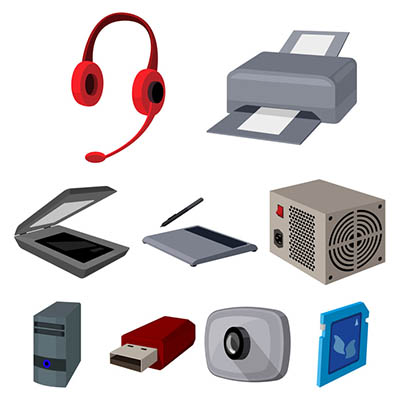
When looking to define what a computer accessory is, you’d have no trouble finding multiple definitions. On one hand, many computer accessories attach themselves to a computer, while others are there to provide additional functionality, security, or support. We’ll break them into two different groups: basic and advanced.

Basic Computer Accessories

Basic computer accessories are accessories that are typically less expensive, and don’t usually come with their own power supplies, although wireless technology has somewhat changed this. There are all types of simple accessories that include:

  • Cables and Wires
  • Keyboards and Mice
  • Speakers and Microphones
  • Webcams
  • Headsets
  • Flash Drives
  • Adapters
  • Bags and Cases

Advanced Computer Accessories

Advanced computer accessories typically have a higher price tag and come with their own power supply. Also called peripherals, these products typically perform advanced tasks or have more stand-alone value than basic computer accessories. Some include:

  • Printers
  • Scanners
  • Charging Stations
  • Digital Signage
  • External Storage
  • Power Protection

Essentially, every product you can buy beside the computer and the monitors is considered an accessory. Even peripherals that come with their own power supply are technically accessories for a computer (since you can’t use them without a CPU).

NuTech Services’s knowledgeable IT technicians are committed to providing useful technology support services to organizations like yours. To find out how we can help your organization best use its technology call us today at 810.230.9455.


b2ap3_thumbnail_printer_server_mula_400.jpg

Don’t Let the Printer Make a Mess of Your Network

b2ap3_thumbnail_printer_server_mula_400.jpgWhen a print job doesn’t go exactly how you need it to, it’s normal to call your printer some choice words, which may include one of the many colorful synonyms for excrement. Perhaps this stems from a printing network and a toilet having a lot in common. How’s that you ask? Let’s clear the air and find out.

One major similarity between printers and toilets is that they both utilize connected systems. All of your printers are connected to your office’s server units, which in turn connect to your workstations and various devices. Likewise, all of your building’s toilets are connected by a series of pipes leading to one main pipe that exits your building. Just as multiple computers share the same printer, so too do multiple toilets share the same drain. In each example, both the printing signals and the flushed waste all go to one place.

What’s also true of each system is that they’re both susceptible to being overwhelmed. You’re familiar with what happens when your plumbing takes on more than it can it handle; the pipes back up and the contents of the toilet runneth over upon thy floor. At the risk of grossing out our readers, we will refrain from describing what this plumbing problem looks like.

It’s the engineer’s responsibility to design the plumbing system to handle the demands of every toilet–even if they all flush at the exact same time. In fact, for large structures housing hundreds of toilets, like sports stadiums, there’s a ceremony called a “super flush” that takes place before the stadium is opened. In a super flush event, the stadium’s plumbing systems are put to the ultimate test as hundreds of fans simultaneously flush every toilet.

As wacky as this sounds, a super flush has become a celebrated sports tradition. In 2011, Florida Atlantic University hosted a super flush to christen their new stadium. As seen from this video, the event meant sweet relief for the University’s administration as over 100 volunteers reported for duty and successfully flushed all 365 stalls. Go Owls!

Can your company’s network handle a virtual super flush? More commonly referred to as a virtual peak flow test, this is when a network is tested in order to find out how much traffic it can handle. This is a necessary and standard procedure when setting up any network. If your network can’t handle peak traffic, it will fail and cause downtime at the worst possible time, similar to a stadium’s plumbing failing during a playoff game.

Did you know that printing data sent over the network takes up significantly more bandwidth than the average office task? Unless you’ve got plenty of bandwidth to work with, it will be disastrous if every employee in your company clicked “print” at the same time. A network overload like this will cause print jobs to back up, along with your normal network traffic, causing a crash. You would need much more than a mop to clean up a mess like this.

To ease this burden from your network’s server units, NuTech Services offers a print server solution. This solution acts as a dedicated server to handle all of your company’s printing traffic, bypassing the need to run a print job through your regular server units that handle your company’s mission-critical, day-to-day operations.

A print server from NuTech Services will ease a lot of pressure off your company’s server units, which will free up bandwidth for work-related tasks so they can function at high flow speeds. Plus, it will make your printer operate smoother so that you’ll have less reason to get mad and call it something you’ll later regret.

Give your network the relief it’s begging for by calling NuTech Services at 810.230.9455.