162947308_server_room_400.jpg

How to Build the Perfect Server Room for Your Business

162947308_server_room_400.jpg

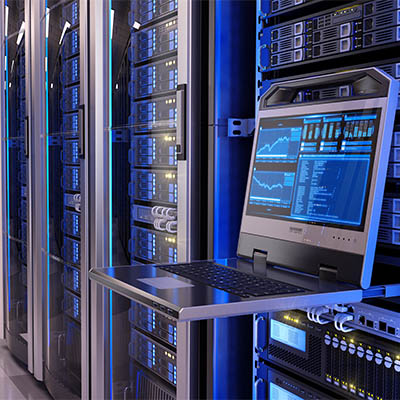
Your business relies on technology for access to an IT infrastructure. One such piece of technology that you use on a daily basis, whether you realize it or not, is a server. A company that has a single server might be able to get away with less-than-stellar server management policies, but those that have multiple servers should never be skimping on the environment in which their servers live.

Let’s outline why having dedicated space for your technology is important.

Enough Space for Hardware and Work

This should go without saying, but your server room needs to comfortably house your server units and any other equipment you need to keep them functional. On a similar note, you should make sure that there is enough room to perform maintenance on them, should the need arise at some point in the future.

A Controlled Environment

Servers are not your typical workstations or computers. While they might appear to just be another box lit up by flashing lights and drives, they are far more powerful and output a significant amount of heat. This is why you often see server rooms that have climate controls that account for temperature and humidity. In fact, server rooms often store the units in specialized cabinets that control these conditions. Too much heat and moisture can cause harm over time, and hurt the overall performance of your network.

The Ability to Scale for Growth

You might be designing your server room for your current infrastructure, but it’s important to keep in mind that your infrastructure is not going to remain the same for the entire time you are in business. It will likely grow and scale with your business’ prosperity, so you should also plan for a certain level of growth. This means making sure that you have room to add new units, additional cabling, and other technological solutions as needed.

Physical and Digital Security Solutions

The more people who have access to your server room, the more that could possibly go wrong with it. All it takes is one person not following the appropriate protocols, changing settings on machines, or improperly handling the hardware to send everything out of whack and create chaos. Your server room should be secured on the physical side as well as the digital side, preferably with biometrics and multi-factor authentication whenever possible.

Now, let’s say that you don’t want to go through all the trouble of customizing a room in your office specifically for your servers. Many organizations tend to store their data and servers in off-site data centers, choosing instead to access it through the cloud rather than hosting it in-house. This is a perfectly viable solution, even for a small business with a more limited budget. That’s where we come in!

At NuTech Services, we believe that small businesses should have access to the same great solutions and services as enterprises. If you are worried that you cannot afford such solutions and services—including server management—give us a call and find out what your options are! We are sure that we can help you out. To discuss the possibilities with one of our skilled technicians, reach out to us at 810.230.9455.
cloud_190879087_400.jpg

Are Cloud Servers an Option?

cloud_190879087_400.jpg

Servers are the brains of your business insofar that’s where most of the critical information is stored, and a server failure (with no contingency plan in place) could spell the end-times for your business. With that information, you should be looking for the most reliable option that works for you. Today, we’re going to look at the differences between using hosted servers vs. paying for your own in-house server. 

The Decision

It may seem pretty simple, but there really are a lot of variables to consider. How important is uptime to your business? How much capital are you willing to spend? What are you using the server for? These questions (and more) need to be addressed before you decide which way to go with your IT.

Benefits of an In-House Server

The physical server option brings with it some substantial benefits. Firstly, it gives you physical control over your infrastructure, and therefore keeps all data in one central location. It also provides a way for administrators to eliminate third-party access of server resources. Secondly, you have several networking options. It is the only time that the Internet is not necessary, as all inhouse servers can use wired or wireless networking to transmit data over internal network. For the small business, an in-house server can be the most cost effective. 

Detriments of an In-House Server

The biggest detriment of the in-house server is the upfront capital outlay. In order to have an effective IT infrastructure set up, your company will need to fork over thousands of dollars to purchase the hardware. Then, once it’s set up and working, you will need to pay to maintain it, so without a structured IT department or a managed IT service agreement, you won’t have any uptime guarantees. 

Benefits of a Cloud Server

Hosted solutions can be right for your business, but first you have to understand what exactly you are gaining. Firstly, unlike in-house servers, you don’t have to have a pile of cash dedicated to build a cloud server. Moreover, when your business grows, you won’t have to worry too much about scaling the hardware, you can just purchase all the computing that your organization requires. 

Most cloud servers come with all the support that is needed as well as full redundancy, a consideration that has to be made no matter what type of infrastructure you choose to implement.

Detriments of a Cloud Server

The main detriment of the cloud server is that, over time, it will be more expensive than in-house servers.  Another potential deal-break for some organizations is that if they\\ absolutely demand to have control over their hardware, most cloud platforms will not abide. Storage costs can also be substantial, especially for businesses that have a lot of media.

Of course, with the technology as it is today, companies can start with a reliable in-house computing structure and expand into the cloud for more productivity-fueled endeavors. One thing is for sure, to keep your business’ data safe, you need to have solid and consistent management of your servers. 

If your business needs some expert help selecting the computing construct that will help you run your business effectively, don’t hesitate to reach out the IT technicians at NuTech Services at 810.230.9455. 

totw_admin_account_400.jpg

Tip of the Week: Use Admin Accounts to Control Your Network

totw_admin_account_400.jpg

There are various types of user accounts that your employees and administrators can use to access their workstations, but one of the biggest points of contention to consider when planning out data access is the use of administrator accounts. Specifically, you want to avoid handing out administrator account access to users like it’s Halloween candy.

What’s the Big Deal?
You would think that assigning administrator accounts would prevent users from making poor choices with your data. The main difference between the two is that administrator accounts have many more privileges compared to the traditional account used by the average user. In fact, a traditional account is much safer to use unless you actually need administrator access to perform a certain task. Ordinarily, a normal user account can’t install software or mess around with important files in the system, but this isn’t necessarily the case for an administrator account.

Admin accounts are essentially the most powerful account on your computer. They have the permissions to perform just about any role on your PC. It’s the same role that your IT department uses to make any significant changes to your devices during updates and general maintenance. Every computer needs to have at least one admin account found on it, but if access from untrained users is allowed, they could make changes to important files needed for the computer to run properly.

Why You Should Limit Admin Account Use
While it might make sense to have admin permissions if you’re the only one who uses your computer, this is simply not the case on a managed network. There are security problems associated with using an admin account as your primary device account. What happens if your account gets compromised by some sort of malware? It’s simple; the malware will install on your admin account and be able to make any changes it wants to any of the important files only accessible by your admin account. While more permissions as the device owner might sound ideal, it only makes it easier for threats to leave a lasting effect on a device.

Standard accounts have more limited permissions, meaning that if they are compromised in any fashion, they will be more limited in the amount of damage they can cause. It’s for this reason that it’s best to limit administrator accounts as often as possible, as there is no guarantee you will never fall victim to such attacks.

To minimize the chance of your business’ endpoints falling prey to attacks, you should implement proactive measures against the countless possibilities out there–including a compromised admin account. To learn more about how your business can protect itself, reach out to us at 810.230.9455.
server_room_need_air_400.jpg

Does Your Server Room Need Air Conditioning?

server_room_need_air_400.jpg

You don’t need us to tell you that servers, workstations, and many other network components create a lot of heat from constant use. Servers in particular produce an incredible amount of heat, so much that they need to be kept in a climate-controlled room to ensure they don’t overheat and cause hardware failure. How can you make sure that your business’ servers are in an adequate environment to preserve your organization’s future?

It all starts by examining the current environment in which you store your hardware. Are you storing your servers in a closet (or other small room) with only fans to cool them? Is there poor air circulation? What about humidity? All of these variables need to be addressed before too much damage is done to your server.

Prolonged exposure to heat can cause permanent damage to your server units, decreasing their value over time and lowering the quality of service you get from them. However, not just any air conditioning system will do to protect this critical hardware. The best kind of air conditioning for a server room includes a comprehensive approach to climate control. This includes sensors that can measure room humidity and temperature. Ideally, you want sensors that can be monitored remotely so that you can always keep an eye on the environment. This allows you to properly manage the environment your organization’s critical hardware is in.

While you want to monitor humidity and make sure that it doesn’t exceed a certain threshold, you should also be wary of the room becoming too dry. Storing active electronics in a dry room is certainly not an ideal situation, as this can create unwanted static electricity that can cause damage to devices.

Air flow is also extremely important, as you want to make sure that your servers are actually being hit by the cool air so that they can be adequately cooled down. For example, you don’t want to have your air conditioning on at its highest setting in your server room because it might be wasteful in the long run, whereas air blowing directly on your server cabinets can accomplish largely the same goal with less investment into your energy costs. To this end, air conditioning units can be installed in the floor or ceiling, directly above or below the cabinets, so as to get the most out of your investment.

Of course, no amount of air conditioning can prepare you for the worst-case scenario–the inevitable failure of your business’ server units and loss of its data. In cases like this, you should always be prepared for the worst. A comprehensive data backup system needs to be implemented in order to guarantee that the worst doesn’t wipe your organization off the map entirely. To this end, NuTech Services can help. We’ll identify how you can optimize your server infrastructure and data backup system so that an unexpected disaster doesn’t prematurely end your business. To learn more, reach out to us at 810.230.9455.