b2ap3_thumbnail_battery_misconception_400.jpg

Don’t Fall for these 4 Smartphone Battery Myths

b2ap3_thumbnail_battery_misconception_400.jpgMobile technology has become so integrated into society that some people can’t even leave their smartphone at home for a few moments. As a business owner, you in particular know the value that mobile technology brings to your industry. You should know that there are plenty of common misconceptions surrounding how to get the most power from your mobile battery.

According to TechRepublic, there are several common misconceptions surrounding the smartphone battery. Some of these ideas might sound familiar, while others might sound like whoever came up with them was a bit off their rocker.

Batteries Don’t Have Memory
Unlike your cat or dog, you can’t train a battery to perform certain tasks based off of memory. There isn’t a way to teach your battery how to get the most out of its charge. It’s perfectly fine to charge your battery at any percentage. After all, a full battery is a happy battery, right? Plus, it helps you get the most out of it in one sitting.

Despite this, it’s generally a good idea to keep your battery charged somewhere between 40 and 80 percent overnight. Most smartphones today know when the battery is full and won’t try to overcharge the battery. This can help you get the most out of your battery and improve its longevity.

Off-Brand Chargers Don’t Damage Your Battery
Contrary to popular belief, off-brand chargers won’t do permanent damage to your battery. While it’s true that off-brand chargers don’t provide as good of a charge as the original charger provided by the manufacturer, they don’t cause permanent damage. It might be the most economical solution to your charging woes, but it should be noted that the quality of the charge will surely suffer. The reason is that these chargers aren’t made specifically for the device.

Use Your Phone While It Charges
It’s natural for people to think that using a device while it’s charging will decrease the quality of the charge. However, contrary to popular belief, using your phone while it’s charging doesn’t damage the battery or affect the quality of the charge. The only time this happens is if you’re using the worst of the off-brand chargers. Even when you’re not using your phone, it’s likely that it is continuously processing data and syncing to the cloud regardless of whether you are using it, so you have little to lose.

Turn Your Phone Off Once in a While
Just like any other device that uses a lithium-ion battery, you should turn your phone off once in a while. Believe it or not, some people think that it can be bad for a battery to turn it off (which doesn’t make sense at all). The battery might drain while it’s off, but that’s the nature of batteries. Instead of harming the device, an occasional restart is beneficial to the functionality most devices.

Did these misconceptions debunk any of your smartphone knowledge? Let us know in the comments.
b2ap3_thumbnail_use_your_selfie_stick_400.jpg

The Top 3 Technologies for Serious Selfie Takers

b2ap3_thumbnail_use_your_selfie_stick_400.jpgGot a smartphone? Then you’ve probably snapped a selfie before, or, depending on the expectations of your social circles, you may have taken a few hundred of them… in one day. Today, selfies are all the rage and people are coming up with creative ways to take them, like these three exciting selfie technologies.

Before we reveal our three favorite selfie technologies, we should first do a little backtracking and provide a definition. After all, it’s a rather new trend. But in all actuality, the selfie has been with us for quite a while; it used to be called, “No one else wants to take my picture.” For an official definition of the word selfie, let’s turn to the Oxford Online Dictionary (yep, it’s a real word): A photograph that one has taken of oneself, typically with a smartphone or webcam and shared via social media.

The Selfie Sombrero

selfie sombraro

One of the hottest accessories in fashion today is the selfie sombrero. It’s a hat tasked by Acer to assist users with “creating the perfect social media moment.” To achieve this, a glittery-pink sombrero has room for an Acer Iconia A1-840 to hang from its brim. “The world’s first Selfie-Hat” can then be adjusted to allow the user to experiment with angles and lighting. As a bonus, when you’re not taking selfies with your sombrero, it comes with a smaller sombrero for your tablet. 

The Selfie Brush

selfie brush
Good hair is a must for any successful selfie. This is exactly why the Selfie Brush was created. This is another example of a technology that combines a mobile device with an everyday item, like a hair brush. The Selfie Brush utilizes the flat side of the brush, which until now, has been wasted space. The Selfie Brush even comes with a small mirror so you can make sure your hair is perfect before you snap and share your pic. Granted, you might get a few weird looks for taking phone calls with your hair brush, but you can just tell onlookers that you’re a superspy–with fabulous hair.

The Selfie Stick

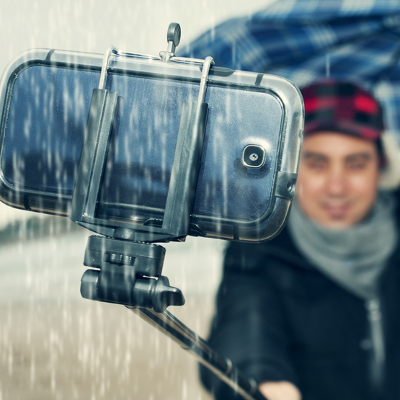
Finally, we come to the selfie stick. It’s a technology that may be a little more practical than the previous two techs. However, it will still get you some odd looks if you use it. The appeal of the selfie stick is that it allows the user to take a picture of themselves from a distance further than what their arms can reach. This allows you to snap a panoramic selfie without having to pass your camera on to another person. A typical selfie stick extends up to 39 inches and it works in conjunction with your camera’s timer. In fact, you may have even seen the selfie stick in action at your local tourist attractions.

What are your feelings about selfies? Are you on a quest to achieve the perfect selfie, or do you find the whole concept to be too narcissistic for your liking? Despite your feelings about selfies, it’s a trend that appears to be here to stay. This means that humans are guaranteed to come up with even more creative ways to take and share their favorite moments.

selfie danger

b2ap3_thumbnail_smartphone_security_400.jpg

Tip of the Week: 7 Common Methods to Protect Your Smartphone

b2ap3_thumbnail_smartphone_security_400.jpgThose who believe that smartphones are secure from threats are in for a rude awakening. Modern businesses need to apply adequate security practices to maximize the protection of mobile devices, or risk everything.

If a hacker were to somehow access a corporate mobile device, they could potentially compromise sensitive information. Would your business be able to recover from such an attack? You want to keep this situation from happening in the first place, instead of just hoping it doesn’t happen. Here are some ways you can keep your business’s sensitive data away from those who might try to steal it from your smartphone.

Integrate a Lock Code
Naturally, the best way to keep strangers from accessing information on your phone is to set up a lock screen. There are a number of different lock screen options that you can select from, including entering a PIN number, dragging a specific pattern across the screen, and entering a full-fledged password. The type of authentication techniques available vary according to the device.

Try Data Encryption
Most of the time, you can encrypt your smartphone or tablet pretty easily. This means that the device’s data will be inaccessible to anyone who doesn’t have the decryption key, or password. This is a surefire way to make stealing your data more difficult than it’s worth to most amateur hackers.

Disable Website Tracking in Your Browser
Websites are known to collect information from you while you browse, and they use this information to deliver advertisements to you based on what you look at. It’s not beyond the realm of possibility to leak confidential information to the Internet. Your mobile browser should give you the Do Not Track option, which leaves it up to the website whether or not they will collect information from you. Most websites will listen to your preference, but this doesn’t always work.

If the Caller is Unknown, Don’t Answer the Call
We’ve all experienced the irritation of answering calls from unknown numbers and listening to automated messages. However, in the rare moment that there’s actually someone else on the other end of the line, they are probably one of two things: A cold-caller trying to sell you something you don’t need, or a hacker who’s trying to trick you. These hackers often pose as representatives from organizations (like banks, charities, etc) and try to convince you to give up information regarding your account. Naturally, it’s best to avoid answering the phone if you don’t know the identity of whoever is on the other end. Besides, if it’s really important, they’ll leave a message or callback information, which you can cross-reference with information you find on the Internet.

Use GPS Tracking to Locate Your Lost Device
Most modern smartphones, like those made by Android and Apple, come equipped with GPS tracking features that can be accessed online if you have misplaced your device. This can be helpful if someone has located your device, or if it’s simply inside the sofa. If someone has found it and hasn’t found a way to contact you, you can locate it with GPS. Problem solved. Although, it should be mentioned that the GPS tracking only really works if the device is turned on, so it’s not without its limits.

Keep Just Enough Contact Information in Your Device
Once in a blue moon, you’ll meet a genuinely good person who wants to return devices that they’ve found lying around. If this is the case, they won’t know how to return it to you if you don’t give them a way to do so. Often, a simple name and alternative telephone number will be enough to help them get ahold of you. It’s important to not leave too much information in the device, or you could risk giving hackers everything they need to steal your identity.

Keep Your Device within Arms-Reach
Finally, the easiest way to keep your device safe is to keep it on your person at all times (or at least within sight). This is especially important if you often work remotely from public places, like coffee shops, diners, etc. This is the best way to keep the common thief from gaining access to your device.

For those who don’t want to take any risks, a mobile device management solution from NuTech Services is the most comprehensive solution out there to keep your business’s mobile device safe and secure. We can whitelist and blacklist applications to let only specific ones gain access to confidential corporate information, and we can even integrate content filtering and spam blocking to help your team stay as safe as possible, even while out of the office. Last but not least, we can remotely wipe devices in a worst-case scenario.

For more information about how NuTech Services can keep your mobile devices secure from hackers, give us a call at 810.230.9455.