foldable_phones_254342116_400.jpg

Phones for 2022 – The Foldables

foldable_phones_254342116_400.jpg

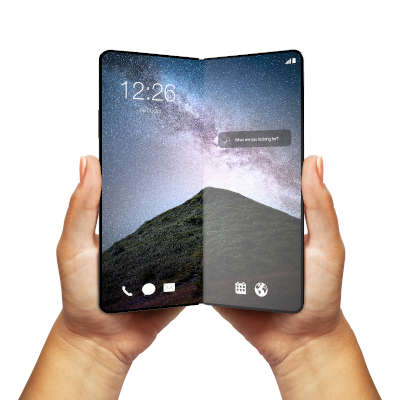
We’ve been covering some of the biggest names in the smartphone market over the past couple of weeks, but that’s not to say that there aren’t others out there—some of which are incredibly innovative, but also quite expensive. Let’s examine some of these options.

Samsung Galaxy Z Fold3 5G

People thought that Samsung’s decision to make foldable OLED screens was nothing but a fad, but the fact of the matter is that the technology in the Galaxy Z Fold3 5G is quite impressive, and it will shape the smartphone market for the foreseeable future. With a sturdy aluminum frame with Gorilla Glass Victus on the front and back, the Z Fold3 is a tough phone. When folded up, the device has a 6.2-inch, Dynamic AMOLED 2X, 832×2,268px display that refreshes at a rate of 120 hz. These impressive specifications allow users to do just about anything they need from the outside of the phone.

Other features of the Z Fold3 include a Qualcomm Snapdragon 888 5G chip, 12 GB of RAM, and either 256 or 512 GB of built-in storage. The device can also be upgraded to the Android 12 and Samsung One UI OS right away. Other applications might get some use out of its form factor with time. As for the camera, this device features a 12 MP wide-angle lens with Optical Image Stabilization (OIS), a 12 MP telephoto lens with 2x zoom and OIS, and a 12 MP ultra wide-angle lens. The front-facing camera on the large display is a 4 MP in-display wide-angle lens, while the cover camera is 10 MP wide-angle lens.

The battery life, however, is not ideal, clocking in at a paltry 4,400 mAh and 25w fast charging (a 7.5 hour battery life). There is, however, a side-mounted fingerprint sensor, as well as iPX8 water resistance, Samsung’s DeX capability, and (as the model name implies) 5G. The Galaxy Z Fold3 5G is available in Phantom Black, Phantom Silver, Phantom Green, Thom Browne Edition, and an exclusive Wooyoungmi Edition. As for the price, the Galaxy Z Fold3 costs nearly $2,000 from Samsung and most major cell carriers. 

Samsung Galaxy Z Fold3 5G
Body:  Aluminum Frame, Gorilla Glass Victus front and back, plastic large display
Display: Closed – 6.2-inch Super AMOLED 2X, 120 Hz,  832 x 2,268 (~374 ppi); Open – 7.6-inch Super AMOLED 2X, 120 Hz, 1768 x 2208
OS: Android 11; upgradable to Android 12, One UI 4.0
Chipset: Qualcomm Snapdragon 888
Memory: 12 GB RAM; 256-to-512 GB onboard storage
Expandable Memory: No
Cameras: Rear – 12 MP, 26mm, OIS; 12 MP 52mm 2x optical zoom OIS; 12 MP 123º ultrawide. Front of device – 10 MP 26mm; Front of folded display – 4 MP under-display
Sounds: Stereo Sound
Battery (battery endurance rating): 4,400 mAh (7.5 hours)
Security: Side-mounted fingerprint sensor
Miscellaneous: Samsung DeX, IPX8 water resistant, 24W fast charging

Samsung Galaxy Z Flip3

The Z Flip3 is Samsung’s take on the classic flip phone with an aluminum frame, plastic front, and a Gorilla Glass Victus back. The screen is a 6.7-inch Dynamic AMOLED 2X display with a resolution of 1,080×2,640px and a 120Hz refresh rate. The screen folds in half for protection, and on the outside there is a 1.9-inch Super AMOLED screen for notifications, time, and other quick-view information. This device runs Android 11, but it can be upgraded to Android 12 with Samsung’s One UI 4.0, and it runs on a Qualcomm Snapdragon 888 FG chip. With 8 GB of RAM and 128 or 258 GB of storage, it is also fairly powerful.

Other features include a side-mounted fingerprint sensor and its camera, which is admittedly somewhat lacking compared to other options.  It has a 12 MP wide-angle lens and a 12 MP ultrawide angle lens, so it’s not incapable, while the selfie camera is a 10 MP wide-angle lens. Its battery is also unimpressive at 3,300 mAh and 15W fast-charging with a 6.9-hour battery life. Available in a litany of colors including Phantom Black, Green, Cream, Pink, Dream White and more, the Z Flip3 runs about $1,000 from your friendly neighborhood cell carrier or from Samsung directly. 

Samsung Galaxy Z Flip3
Body: Aluminum frame, plastic front, Gorilla Glass Victus back
Display: 6.7-inch Foldable Dynamic AMOLED 2X, 120 Hz, 1,080 x 2,640px
OS: Android 11; Upgradable to Android 12, Samsung One UI 4.0
Chipset: Qualcomm Snapdragon 888 5G
Memory: 8 GB RAM; 128 GB-to- 256 GB of onboard storage
Expandable Memory: No
Cameras: Rear – 12 MP 27mm OIS; 12 MP 123º; Front – 10 MP 26mm
Sounds: Stereo sound
Battery (battery endurance rating): 3,300 (69 hours)
Security: Side-mounted fingerprint sensor
Miscellaneous: IPX8 water resistant, 15 W fast charging

Microsoft Surface Duo 2

The Microsoft Surface Duo 2 is the company’s second attempt at a high-end productivity smartphone. There is no external display; rather, there are two 5.8-inch AMOLED panels that total an 8.3-inch screen when it is folded out, including some large bezels. Its superb build quality makes it seem like additional app development could make this device a beast for productivity down the line.

This device runs Android 11 on a Qualcomm Snapdragon 888 5G chip with 8 GB of RAM and up to 512 GB of internal storage. There is also a side-mounted fingerprint scanner for security and a 4,449 mAh battery with 23W fast charging. As far as cameras go, the rear-mounted cameras have a 12 MP wide-angle lens with OIS, a 12 MP telephoto lens with 2x optical zoom and OIS and a 16 MP ultra wide-angle lens. The front-facing camera is a 12 MP wide-angle lens. 

Available in Glacier and Obsidian, the Microsoft Duo 2 is currently being sold for $1,500 online at microsoft.com and some other retailers.

Microsoft Surface Duo 2
Body: Plastic frame, Gorilla Glass Victus front and back
Display: 8.3-inch AMOLED, 90 hz, 1,832 x2,688 (~401 ppi)
OS: Android 11
Chipset: Qualcomm Snapdragon 888
Memory: 8 GB RAM; 128-to-512 GB onboard storage
Expandable Memory: No
Cameras: Rear – 12 MP 27mm OIS; 12 MP 51mm telephoto 2x optical zoom OIS; 16 MP 13 mm; Front – 12 MP 24mm
Sounds: Stereo sound
Battery (battery endurance rating): 4,449 mAh
Security: Side-mounted fingerprint reader
Miscellaneous: Stylus support

Foldable OLED technology sure is neat, but do you think it’s worth the price point? Let us know in the comments below.

affordable_phone_370903149_400.jpg

Phones for 2022 – The Value Devices

affordable_phone_370903149_400.jpg

Last week, we published a blog about the most impressive new smartphones on the market, but the price tag might be a bit daunting for some organizations and users. For those focused more on value, here are three options that you can pick up for less than $500.

Google Pixel 5a 5G

The Pixel 5a, more or less a copy of the Pixel 4a, offers a brushed aluminum back and Gorilla Glass 6 front protecting its aluminum frame. It also sports a 6.34-inch,1,080 x 2,400 pixel OLED display. Instead of using the more recent Tensor chip, the 5a is powered by a Qualcomm Snapdragon 765G with 6G of RAM and 128 GB of onboard storage. The specs are basically the same as the Pixel 4a, but there is still a significant power for price for this mid-range smartphone.

The camera setup is similar to other Pixel phones. Powered by the Android 12 operating system, the Pixel 5a’s 12.2MP wide angle lens and 16MP ultrawide angle lens can take some excellent pictures for a mid-tier phone. The front-facing lens is an 8MP wide angle lens. Compared to the other Pixel phones, the battery here is quite impressive, sitting at 4,680 mAh for a 122-hour battery life and 18W fast charging. Users also have access to a rear-mounted fingerprint sensor and IP67 dust and water resistance. Only available in Mostly Black, $449 can get you the Pixel 5a from the Google Store.

Google Pixel 5a
Body:  Aluminum frame, aluminum back, Gorilla Glass 3 front. 
Display: 6.34-inch OLED, 1,080 x 2,400 (~415 ppi)
OS: Android 11, Upgradable to Android 12
Chipset: Qualcomm Snapdragon 765G
Memory: 6 GB RAM, 128 GB Storage
Expandable Memory: No
Cameras: Rear – 12.2 MP 27mm; 16 MP 119º; Front – 8 MP 24mm
Sounds: Stereo sound
Battery (battery endurance rating): 4,680 mAh (122 hours)
Security: Rear-mounted fingerprint sensor
Miscellaneous: IP67 dust and water resistant
Other versions: n/a

Samsung Galaxy A71 5G

With an aluminum frame, the A71 5G sports a plastic back and Gorilla Glass 3 on the front, along with a 6.7-inch Super AMOLED Plus display with a 1,080 x 2,400 resolution. The model will determine whether you are equipped with an Exynos 980 chipset with either 6 or 8 GB of RAM. Regardless, you are getting 126 GB of onboard storage with microSDXC expandability. The device comes with Samsung’s One UI 3.0 operating system and Android 10, but it can be upgraded to Android 11 and One UI 3.2.

The device’s back has four rear-facing cameras in total: one a 64 MP wide angle lens, another 12 MP ultrawide lens, and a 5 MP macro lens joined by a 5MP depth camera. On the front, you get a 32 MP wide angle lens. The Galaxy A71 5G offers 5G capabilities powered by a 4,500 mAh battery with 25W fast charging. The device is also secured by an in-display fingerprint sensor. The A71 5G is available in Prism Cube Black, Prism Cube Silver, and Prism Cube Blue online for $250 to $350.

Samsung Galaxy A71 5G
Body: Aluminum frame, plastic back, Gorilla Glass 3 front
Display: 6.7-inch Super AMOLED Plus, 1,050 x 2,400 (~393 ppi)
OS: Android 10, upgradeable to Android 11; One UI 3.0
Chipset: Exynos 980
Memory: 6-to-8 GB RAM; 128 GB onboard storage
Expandable Memory: microSDXC
Cameras: Rear – 64 MP 26mm; 12 MP 123º; 5 MP macro; 5 MP depth; Front – 32 MP 26mm 
Sounds: Stereo sound
Battery (battery endurance rating): 4,500 mAh (98  hours)
Security: In-display fingerprint sensor
Miscellaneous: 25W fast charging
Other versions: Samsung Galaxy A71; Samsung Galaxy A72 (2021)

Motorola Moto G Power

Constructed from a hard plastic frame and back as well as a glass front, the Moto G Power is a far cry from quality build, but it does have a solid value proposition. Its screen is a 6.6-inch IPS LCD, 90 hertz display with a resolution of 720 x 1,600, running Android 11 on its Qualcomm Snapdragon 662 chipset, with 4 GB of RAM and your choice of 64 GB or 128 GB of onboard storage. This device only costs about $200, so it’s hard to beat that value.

As for its camera, the Moto G Power claims a 48 MP wide angle camera with a pair of 2 MP cameras for depth and macro resolution. On the front, there’s an 8 MP wide angle lens. This device also sports a 5,000 mAh battery and 10W fast charging with 130 hours of battery life, all for under $200. With a side-mounted fingerprint sensor to help secure it and a water-repellent coating protecting it, the Moto G Power is a relatively affordable choice in Flash Gray and Polar Silver.

Motorola G Power
Body: Plastic frame, plastic back, glass front
Display: 6.6-inch IPS LCD; 720 x 1,600 (~270 ppi)
OS: Android 11
Chipset: Qualcomm Snapdragon 662
Memory: 4 GB RAM; 64-to-126 GB onboard storage
Expandable Memory: microSDXC
Cameras: Rear – 48 MP wide; 2 MP depth; 2MP macro; Front – 8 MP wide
Sounds: Stereo sound
Battery (battery endurance rating): 5,000 mAh (~130 hours)
Security: Side-mounted fingerprint sensor
Miscellaneous: Water-repellent coating
Other versions: n/a

Other Phones to Think About

There are other phones you can purchase based on the value they offer, such as the last iteration of today’s flagship devices. They might cost you more than the above options, but they are certainly less than those from this year. All that said, even this year’s flagships also offer multiple models that are somewhat affordable. Instead of the iPhone 13 Pro Max, maybe purchase an iPhone 13. The Google Pixel 6 comes with the new Tensor chip, and only costs $599. Regardless, know that it isn’t that hard to find a good value in a device without having to shell out an extra $50 every month to lease from your carrier.

Next week, we’ll take a look at the form factor for this year’s smartphones, including their designs. Don’t miss it!

smartphones_321643085_400.jpg

Phones for 2022 – The Flagships

smartphones_321643085_400.jpg

The modern smartphone market is one of ingenuity, communication, and productivity, all of which are extraordinarily important in today’s business world. To help you stay apprised of the various developments in the smartphone market, we’ve put together a blog detailing the various flagship smartphone devices for early 2022.

Google Pixel 6 Pro

Google has always produced solid smartphones, but the Pixel 6 Pro is in a whole league of its own. It boasts a 6.7-inch LTPO AMOLED display and a polished aluminum body, and with its Tensor chip—a collaboration between Google and Samsung—software and hardware optimization is made much easier. It makes running the new Android 12 operating system a breeze.

It’s worth noting that Pixel phones are widely used by some of the best content creators, and with their impressive cameras and software optimization, it’s no surprise. The Pixel 6 Pro has three main cameras: a 50 MP wide-angle lens with optical image stabilization (OIS), a 48 MP telephoto lens with OIS, and a fixed 12 MP ultrawide angle lens. It also sports a 5,003 mAh battery with 84 hours of battery life, an under-display fingerprint sensor, and 23W fast charging. With three colors available (Cloudy White, Sorta Sunny, and Stormy Black) and a price tag of $899, you’ll be sure to find a Pixel 6 Pro that fits your needs.

Google Pixel 6 Pro
Body: Aluminum frame, Gorilla Glass Victus front and back
Display: 6.71-inch LTPO AMOLED; 1,440 x 3,120 (~512 ppi); 120 Hz
OS: Android 12
Chipset: Google Tensor
Memory: 12 GB RAM; 128, 256, 512 GB of onboard storage
Expandable Memory: None
Cameras: Rear – 50 MP 25mm; 48MP 104mm telephoto with 4x optical zoom; 12 MP 17mm. Front – 11.1 MP 20mm 
Sounds: Stereo speakers, no headphone jack
Battery (battery endurance rating): 5,003 mAh (84 hours)
Security: In-display fingerprint sensor
Miscellaneous: IP68 water and dust resistant
Other versions: Google Pixel 6

Apple iPhone 13 Pro Max

The iPhone 13 Pro Max is Apple’s next installment in the incredibly popular smartphone series. With a stainless steel frame and Gorilla Glass on the front and back, it’s a very sturdy device. Plus, it has an impressive 1,284 x 2,778 resolution, 6.7-inch Super Reina XDR OLED display, all powered by Apple’s proprietary 15 Bionic chipset. This device might only have 6GB of RAM, but Apple’s software optimization is so on-point that you certainly cannot tell.

The 13 Pro Max also comes equipped with three rear-facing cameras, including a 12MP wide-angle lens with sensor-shift (a technology used in many high-end cameras that stabilizes the sensor rather than the lens), a 12 MP 77 telephoto lens with traditional OIS, and a 12 MP ultra wide-angle lens. There is also a sensor shift technology and optimization for iOS 15.2, allowing for some impressive content creation. Some other features include a 4,352 mAh battery (about 121 hours of battery life) and 27W fast-charging capabilities. However, it does not have a fingerprint sensor like its contemporaries, opting instead for the Apple Face ID security software. 

 The iPhone 13 Pro Max also has IP68 protection from dust and water, making it quite durable and tidy. It is available in Graphite, Gold, SIlver, and Sierra Blue for $1,099 from the Apple store and most wireless carriers.

iPhone 13 Pro Max
Body: Stainless Steel frame, Gorilla Glass front and back
Display: 6.7-inch Super Retina XDR OLED; 1,284 x 2,778 (~458 ppi); 120 Hz
OS: iOS 15.2
Chipset: A15 Bionic
Memory: 6 GB RAM; 128, 256, 512 GB, 1 TB of onboard storage
Expandable Memory: None
Cameras: Rear – 12 MP 26 mm; 12 MP 77mm telephoto with 3x optical zoom; 12 MP 13mm; Front – 12 MP 23 mm
Sounds: Stereo speakers, no headphone jack
Battery (battery endurance rating): 4,352 mAh (121 hours)
Security: Face ID
Miscellaneous: IP68 water dust resistant
Other versions: iPhone 13, iPhone 13 Pro, iPhone 13 mini

Samsung Galaxy s21 Ultra

The Galaxy s21 Ultra is Samsung’s latest and greatest addition to the smartphone market. The display is a 6.8-inch Dynamic AMOLED 2X display with a 1,440 x 3,200 resolution housed in an aluminum frame with Gorilla Glass Victus on the front and back. It also runs with a Qualcomm Snapdragon 888 chip with either 12 GB or 16 GB of RAM, depending on the model. As for the operating system, it runs Android 11 with Samsung’s One UI 3.1, but there are rumors out there supposing that Samsung’s latest UI, One UI 4.0, will run on Android 12 soon enough.

The Galaxy s21 Ultra has four different camera experiences: a 108 MP wide-angle lens with OIS, a 10 MP telephoto lens with 10x optical zoom with OIS, another 10 MP telephoto lens with 3x optical zoom and OIS, and a 12 MP ultrawide lens. The front-facing camera has an impressive 40 MP. As for security, the device includes an in-display fingerprint scanner. Furthermore, its battery is 5,000 mAh for up to 114 hours of life and 25W fast-charging. The device has additional features such as IP68 water and dust resistance, as well as s-pen capabilities. Available in a number of matte finishes: Phantom Black, Phantom Silver, Phantom Titanium, Phantom Navy, and Phantom Brown, the Galaxy s21 Ultra starts at $1,199.99 and can be purchased from Samsung or at one of the major carriers. 

Samsung Galaxy s21 Ultra 5G
Body:  Aluminum frame, Gorilla Glass Victus front and back
Display: 6.9-inch Dynamic AMOLED 2X; 1,440 x 3,200 (~515 ppi); 120 Hz
OS: Android 11; One UI 3.1
Chipset: Qualcomm Snapdragon 888
Memory: 12 or 16 GB of RAM; 256 or 512 GB of storage
Expandable Memory: No
Cameras: Rear – 108 MP 24mm; 10 MP 240mm periscope telephoto; 10 MP 72mm telephoto; 12 MP 13mm; Front – 40 MP 26mm
Sounds: Stereo speakers
Battery (battery endurance rating): 5,000 mAh (114 hours)
Security: In-display fingerprint sensor
Miscellaneous: IP68 water and dust resistant; s-pen compatible
Other versions: Samsung Galaxy s21, Samsung Galaxy s21+, Samsung Galaxy FE

These smartphones are expected to be the prominent choices in the United States’ smartphone market this year, but you should know that there are other options, too. The OnePlus 9 Pro, Xiaomi Mi 11 Ultra, and Sony’s Xperia PRO-I are all strong contenders for best phone of the year. 

Next week, we will cover some of the best value picks for your smartphone needs.

115325381_smartphones_400.jpg

A Few Budget Options for Your 2020 Smartphone Search

115325381_smartphones_400.jpg

For the past couple of weeks we’ve taken a look at the 2020 flagship smartphones as well as some innovative new devices that are available now. This week, we will take a look at some of the budget options that are available to consumers. Not everyone has $1,000 to pay for a smartphone, but there are some pretty solid options out there that can provide a sufficient user experience to meet people’s mobile challenges. Let’s take a look at some of the options.

Past Flagship Phones

We should start by mentioning that some of the best options are actually purchasing flagship phones from the past couple of years. Most flagship smartphones from 2018 have the same specs as many of the mid-range phones today so they can be had at a budget price point. These devices tend to not only have comparable specs, they typically have superior build quality, run on better processors, and offer a user experience in line or better than the experience they would get on some budget smartphones. 

Some options to consider are the Samsung Galaxy s9 and s9+, LG’s V50 thinQ, the iPhone X, and the Google Pixel 3 XL. The only drawback of older phones is that they may not get the same amount of software upgrades that a newly-purchased phone would. Either way, you might get the most value out of an older flagship phone. 

Apple iPhone SE

The 2020 version of the iPhone SE still has the body of an iPhone 8, but the internals are upgraded and it presents users that can’t afford the $1,000 iPhone 12 Pro Max to get a new iPhone at a reasonable price point. The new SE runs iOS 13 on the A13 Bionic chipset to offer the user experience Apple users expect out of a budget iPhone. 

Apple iPhone SE (2020)
Body: Aluminum with Gorilla Glass front and back
Display: 4.7-inch Retina IPS LCD (~326 ppi)
OS: iOS 13
Chipset: Apple A13 Bionic 
Memory: 3 GB RAM
Expandable Memory: No
Cameras: Rear – 12 MP (wide); Front – 7 MP
Sounds: Stereo Speakers, No Headphone Jack
Battery (endurance rating): 4,500 mAh (87 hours)
Security: Fingerprint reader
Miscellaneous: Accelerometer, Gyrometer, Proximity, Compass, Siri assistant
Other versions: none

Samsung Galaxy A51

Samsung has 10 separate devices in their A-line. They range from the A01 to the A71, but the Galaxy A51 is priced at the upper end of the budget space. The A51 features a 6.5-inch Super AMOLED display, expandable storage, and a 3.5mm headphone jack. It is a great option if you are looking for a phone that gives you a decent user experience while also turning back the clock a bit. Available in Prism Crush Black, Prism Crush White, Prism Crush Blue, or Prism Crush Pink, the Galaxy A51 can be found on most major carriers and unlocked online.

Samsung Galaxy A51
Body: Plastic with Gorilla Glass 3 front, plastic back
Display: 6.5-inch Super AMOLED (~405 ppi)
OS: Android 10
Chipset: Octa-core Exynos 9611
Memory: 4-8 GB RAM
Expandable Memory: microSDXC
Cameras: Rear – 48 MP (wide), 12 MP (ultrawide, 5 MP (macro, 5 MP (depth); Front – 32 MP (wide)
Sounds: Loudspeaker, 3.5mm headphone jack
Battery (endurance rating): 4,000 mAh (86 hours)
Security: In-display fingerprint reader
Miscellaneous: Accelerometer, Gyrometer, Proximity, Barometer, Compass, Bixby assistant
Other versions: Samsung Galaxy A-series

Google Pixel 4a 5G

A 5G-capable budget smartphone, the Google Pixel 4a 5G features a 6.2-inch OLED display and has specs that are better than its price point would suggest. Its camera experience, specifically, is much better than phones found at this price. Available in Just Black and Clearly White, the Pixel 4a 5G is available in the Google store or from many major service carriers.

Google Pixel 4A 5G
Body: Plastic with Gorilla Glass 3 front and plastic back
Display: 6.2-inch OLED, HDR (~413 ppi)
OS: Android 11
Chipset: Qualcomm Snapdragon 765G
Memory: 6 GB RAM
Expandable Memory: No
Cameras: Rear – 12.2 MP (wide), 16 MP (ultra wide); Front – 8 MP (wide).
Sounds: Stereo Speakers, 3.5mm Headphone Jack
Battery: 3,885 mAh
Security: Fingerprint reader
Miscellaneous: Accelerometer, Gyrometer, Proximity, Barometer, Compass, Google Assistant
Other versions: 4G LTE version

Would you consider buying a budget device to use as your daily smartphone? Let us know in the comments section below.

302491467_foldable_smartphone_400.jpg

Flip and Fold: Innovative New Smartphones

302491467_foldable_smartphone_400.jpg

Last week, we explored the flagship smartphone market. This week we thought we would explore some innovative new devices. There have been some advances in some of the technology used by smartphone manufacturers to create cool new features. Today, we take a look at some of these devices. 

Samsung Galaxy Z Fold2

Samsung’s major contribution into the folding smartphone market is the extraordinarily expensive Galaxy Z Fold2. While the device is impressive with its two full displays and three camera sets, there are some questions about who this device is for. 

Basically the biggest benefit is that the phone opens up to a 7.6-inch tablet. That benefit is substantial, of course, but without dedicated apps for that aspect ratio, it may only be valuable for people who want the best folding smartphone on the market, which this currently is. 

When folded it has a 6.23-inch Super AMOLED screen that functions much like your standard mid-range smartphone would, but when you unfold the Fold2, you get a 7.6-inch Dynamic AMOLED display. The rest of the phone is as you would expect. It features a five-lens camera platform, a 4,500 mAh battery with fast charging, and an in-display fingerprint scanner for security. The Z Fold2 is available in Mystic Bronze, Mystic Black, and a Thom Browne Edition Grey from most major carriers. 

Samsung Galaxy Z Fold2
Body: Aluminum with plastic front andGorilla Glass 6 Back
Display: Folded: 6.23-inch Super AMOLED Unfolded: 7.6-inch Dynamic AMOLED 2X (~373 ppi)
OS: Android 10
Chipset: Qualcomm Snapdragon 865+
Memory: 12 GB RAM
Expandable Memory: No
Cameras: Rear – 12 MP (wide), 12 MP (telephoto) 2x, 12 MP (ultra wide); Front (Folded) – 10 MP (wide); Front (Unfolded) – 10 MP (wide).
Sounds: Stereo Speakers, No Headphone Jack
Battery (endurance rating): 4,500 mAh (87 hours)
Security: Fingerprint reader
Miscellaneous: Accelerometer, Gyrometer, Proximity, Barometer, Compass, Bixby assistant
Other versions: 5G version

Samsung Z Flip and Motorola RAZR 5G

Two devices that are of similar form factor are the Samsung Z Flip and the Motorola RAZR 5G. Like the flip phones of old, each of these devices fit in the palm of your hand and fold virtually in half. The difference, of course, is that today’s version of the flip phone flips into a massively powerful smartphone.

The Samsung Z Flip doesn’t feature a large external display like the RAZR (which we’ll talk about in a minute). It’s 1.1-inch numeric display doesn’t really have a lot of function, but when it’s open, it becomes a 6.7-inch smartphone. Like the other premium devices, it runs on Android 10 on a powerful Qualcomm Snapdragon 865+ processor, with 8 GB of RAM. The Z Flip provides a high-end smartphone experience in a device that folds in half, it’s that simple. 

The Motorola RAZR 5G looks like the iconic Moto RAZR did in the era before smartphones were king. For all of the RAZR’s nostalgia it seems to spec-out significantly lighter than the Z Flip. It features a 6.2-inch P-OLED screen that folds up and a smaller display on the outside of the folded phone. It runs Android 10 on a Qualcomm Snapdragon 765G chip and comes with 8 GB of RAM with 256 GB of onboard storage space. 

Let’s take a look at the complete specs of these devices:

Samsung Galaxy Z Flip
Body: Aluminum with Plastic Front and Glass Back
Display: Folded: 1.1-inch Super AMOLED; Unfolded: 6.7-inch Foldable Dynamic AMOLED (~425 ppi)
OS: Android 10
Chipset: Qualcomm Snapdragon 865+
Memory: 8 GB RAM
Expandable Memory: No
Cameras: Rear – 12 MP (wide), 12 MP (ultrawide). Front – 12 MP (wide)
Sounds: Loudspeaker, No Headphone Jack
Battery (endurance rating): 3,300 mAh 
Security: Fingerprint reader
Miscellaneous: Accelerometer, Gyrometer, Proximity, Barometer, Compass, Bixby assistant, IP68 dust/water resistant
Other versions: No

Motorola RAZR 5G
Body: Aluminum with plastic, Gorilla Glass 5
Display: 6.2-inch P-OLED (~373 ppi)
OS: Android 10
Chipset: Qualcomm Snapdragon 765G
Memory: 18 GB RAM
Expandable Memory: No
Cameras: Rear – 48 MP (wide)
Sounds: Loudspeaker, No Headphone Jack
Battery (endurance rating): 2,800 mAh
Security: Fingerprint reader
Miscellaneous: Accelerometer, Gyrometer, Proximity, Barometer, Compass, Bixby assistant
Other versions: RAZR (2019)

LG Wing

The last device we will look at today is the LG Wing. The Wing is interesting because out of the box it looks like your typical smartphone. When you get it into your hand however, you soon see what the big hub-a-loo is. With a flick of your thumb, you can turn the device’s 6.9-inch screen horizontally to expose a second smaller 3.9-inch screen. You can use both screens independently or simultaneously within the same app that supports the content distribution.

The Wing’s hardware isn’t quite flagship quality, but it is pretty good. The quirky device runs on  Qualcomm Snapdragon 765G and comes with 8 GB of RAM. It is built from solid aluminum and Gorilla Glass 5. With it’s 4,000 mAh battery most solid users will get about a day out of it if they are consistently using the dual displays (why wouldn’t you if you had this phone?) The tri-camera setup includes a 64-megapixel wide angle lens and dual ultrawide angle lenses of different speeds.

The LG Wing is available in Aurora Gray and Illusion Sky and should be available on most carriers by the middle of November 2020. 

LG Wing
Body: Aluminum with Gorilla Glass 5 Front and Back
Display: 6.9-inch Dynamic AMOLED 2x (~511 ppi)
OS: Android 10
Chipset: Qualcomm Snapdragon 765G
Memory: 8 GB RAM
Expandable Memory: Yes (microSDXC)
Cameras: Rear – 64 MP (wide), 13MP (ultra wide), 12 MP (ultra wide) Front – 32 MP (wide)
Sounds: Loudspeaker, No Headphone Jack
Battery (endurance rating): 4,000 mAh (87 hours)
Security: In-screen fingerprint reader
Miscellaneous: Accelerometer, Gyrometer, Proximity,Compass,, IP54 dust/water
Other versions: None

Do you think these devices are cool? Would you consider forking over $1,000 for one this year? Leave your thoughts in the comments section below.

123819913_smartphone_400.jpg

Smartphone Flagships to Consider Going into 2021

123819913_smartphone_400.jpg

The modern smartphone user is dedicated, spending an average of three hours and 15 minutes per day using them. On average, people check their phones 58 times a day. With this amount of traction, it’s not a surprise that people want to get the best devices they can. Today, we will take a look at what makes a flagship phone, and give you a couple of popular options that are available for the power user right now.

Flagship Phones

The flagship smartphone gets its name from a military nautical tradition where the ship that holds the commanding officer would be the best, strongest, and most capable ship in the fleet. When discussing smartphones, it typically describes the best available device that any manufacturer has released for the year. Let’s take a look at some of 2020’s flagship smartphones:

iPhone 12 Pro Max

Apple’s iPhone 12 Pro Max has a lot of names, but it is a steady improvement over 2019’s Apple flagships. Built on a stainless steel frame with Gorilla Glass 6 front and back, the iPhone 12 Pro Max comes with a crystal clear 6.7-inch Super Retina Display.

Internally it runs on Apple’s A14 Bionic chipset that is the first 5 nanometer processor available in a smartphone in the west. It comes with 6 GB of RAM and up to 512 GB of onboard storage. The 3,687 mAh battery teams with settings in iOS 14.1 to create one of the most reliable smartphone experiences for users looking to be productive throughout the day without charging. It does support wireless charging and 20-watt fast charging.

The device has three rear-facing cameras and the additional time of flight sensor to create crisp and clear photos. It is also IP68 dust and water resistant. Available in Silver, Graphite, Gold, and Pacific Blue, the iPhone 12 Pro Max—along with the iPhone 12 mini, the iPhone 12, and the iPhone 12 Pro—will be available this week in November. 

Apple iPhone 12 Pro Max
Body: Stainless Steel with Gorilla Glass 6
Display: 6.7-inch Super Retina OLED (~458 ppi)
OS: iOS 14.1
Chipset: A14 Bionic
Memory: 6 GB RAM, up to 512 GB onboard storage
Expandable Memory: No
Cameras: Rear: 12 MP (wide), 12 MP (ultra wide), 12 MP (telephoto) 2.5x Front: 12 MP (wide)
Sounds: Stereo Speakers, no headphone jack
Battery (battery endurance rating): 3,687 mAh (~100 hours)
Security: Face ID
Miscellaneous: Accelerometer, Gyrometer, Proximity, compass, barometer, Siri assistant, IP68 dust/water resistant
Other versions: iPhone 12 Mini, iPhone 12, iPhone 12 Pro

OnePlus 8 Pro

The OnePlus 8 Pro is built on a lightweight aluminum frame with Gorilla Glass 5 front and back. The device is curved more than 2019’s OnePlus 7 Pro. It features a 6.78-inch Fluid AMOLED display, a pretty clean version of Android 10, and a cutting-edge Qualcomm Snapdragon 865 processor. The OnePlus 8 Pro comes with 12 GB of RAM and features a 120hz refresh rate, hastening the already snappy user experience.

The OnePlus 8 Pro features two 48 megapixel cameras and a 8 MP telephoto lens. The battery comes in at a beefy 4,510 mAh. Available in Glacial Green, Ultramarine Blue, and Onyx Black, the OnePlus 8 Pro can be had from many major carriers.

OnePlus 8 Pro
Body: Aluminum with Gorilla Glass 5 Front and Back
Display: 6.78-inch Fluid AMOLED (~513 ppi)
OS: Android 10, upgrade available to Android 11
Chipset: Qualcomm Snapdragon 865
Memory: 8-to-12 GB RAM
Expandable Memory: No
Cameras: 48 MP (wide); 8 MP (telephoto) 3x; 48 MP (ultra wide) Front: 16 MP (wide)
Sounds: Stereo speakers, no headphone jack.
Battery (battery endurance rating): 4,510 mAh (103 hours)
Security: In-screen fingerprint reader
Miscellaneous: Accelerometer, Gyrometer, Proximity, Compass, IP68 dust/water resistant
Other versions: OnePlus 8, OnePlus 8T

Samsung Galaxy s20 Ultra

Samsung has been known to build the very best Android smartphones on the market for several years. The Galaxy s20 Ultra is no exception. It is built on an aluminum frame with Gorilla Glass 6 front and back. A 6.9-inch Dynamic AMOLED 2x display with a 1440 x 3200 resolution is an improvement over the s10 Plus’ screen from 2019. 

Running a Qualcomm Snapdragon 865, the Galaxy s20 Ultra has options available with up to 16 GB of RAM, top of the line for any smartphone. The whopping 5,000 mAh battery can be recharged using 45-watt fast charging or Qi wireless charging.

The Galaxy s20 Ultra has a 10x 48-megapixel telephoto lens, a 108-megapixel wide angle lens, a 12-megapixel ultra wide angle lens, and a DepthVision Time of Flight camera. It is capable of recording 8K video. 

Available in Cosmic Grey, Cloud White, and Cosmic Black, the Galaxy s20 Ultra is available now on many major carriers. 

Samsung Galaxy s20 Ultra
Body: Aluminum with Gorilla Glass 6 Front and Back
Display: 6.9-inch Dynamic AMOLED 2x (~511 ppi)
OS: Android 10
Chipset: Qualcomm Snapdragon 865
Memory: 12-to-16 GB RAM
Expandable Memory: Yes (microSDXC)
Cameras: Rear – 108 MP (wide), 48MP (periscope telephoto) 10x, 12 MP (ultra wide), .3 MP( Time of Flight). Front – 40 MP wide.
Sounds: Stereo Speakers, No Headphone Jack
Battery (endurance rating): 5,000 mAh (87 hours)
Security: In-screen fingerprint reader
Miscellaneous: Accelerometer, Gyrometer, Proximity, Barometer, Compass, Bixby assistant, IP68 dust/water resistant
Other versions: Galaxy s20, Galaxy s20+, Galaxy s20 FE

Samsung Galaxy Note 20 Ultra 

Samsung is also the manufacturer of the Galaxy Note 20 Ultra, which might just be the best all-around smartphone available right now. With a stainless steel chassis with Gorilla Glass Victus front and back, the Note 20 Ultra is a productivity monster.

Running Android 11 with an industry-best Qualcomm Snapdragon 865 processor, the Note 20 Ultra has a 6.9-inch Dynamic AMOLED 2X display, 12 GB of RAM, and 4,500 mAh battery. 

The camera experience, something that was notably less-than-stellar on the Note 10, includes a 50x zoom telephoto lens and a 108-megapixel wide angle lens. With an integrated s-pen, the Galaxy Note 20 Ultra offers software features no other smartphone provides. 

Available only in Mystic Bronze, Mystic Black, and Mystic White, this year’s Note can be found prominently on almost every carrier’s roster.

Samsung Galaxy Note 20 Ultra
Body: Stainless Steel with Gorilla Glass Victus
Display: 6.9-inch Dynamic AMOLED 2X 
OS: Android 10, One UI 2.5
Chipset: Qualcomm Snapdragon 865
Memory: 12 GB RAM
Expandable Memory:  Yes
Cameras: 108 MP wide, 12 MP (periscope telephoto) 50x, 12 MP (ultra wide) Front: 10 MP wide 
Sounds: Stereo Speakers, no headphone jack
Battery (battery endurance rating): 4,500 mAh (88 hours)
Security: In-display fingerprint reader
Miscellaneous: Accelerometer, Gyrometer, Proximity, Compass, Barometer ,IP68 dust/water resistant 
Other versions: Samsung Galaxy Note 20

These aren’t the only devices available. There are some additional devices that may not be as widely available including: the Huawei Mate 40 Pro, the Xiaomi Mi 10 Pro, the Sony Xperia 1ii, and the Google Pixel 5.

Will you be buying a new smartphone this year? Are you considering a flagship? Let us know in the comments section below.

250968623_smartphones_400.jpg

2020’s Smartphones, in Review

250968623_smartphones_400.jpg

There is no question that smartphones have assimilated into our daily communications, both on a personal level and in the professional sense. Apps allow us to be social, to accomplish work-related tasks, and yes, kill some time with the latest silly trending game. Of course, as time passes, these devices only grow more advanced. If you’re due for a replacement, you may want to examine some of your options before pulling the trigger.

Now, the phones we are reviewing might seem like overkill – and, in fairness, there are many more budget-friendly options that can handle most of what you’re likely to task them with. However, the lure of a new device can be tempting, so we decided to indulge that temptation and go over some of the best smartphones available today.

Samsung Galaxy s10 Plus

If you’re looking for a quality Android device, you’re probably leaning toward the Samsung Galaxy s10 Plus. The newest addition to the line of flagships, the s10 Plus comfortably ranks at the top of many “best phone of the year” reviews.

With an aluminum frame housing the 6.17 oz phone and its Dynamic AMOLED display, the Galaxy s10 Plus is finished in Gorilla Glass 5, and has sharper edges that previous models did, intended to improve the grip of the device.

Looking inside, the phone has some just as appealing specifications. Driven by a Qualcomm Snapdragon 855 processor and between 8-to-12 gigabytes of RAM, this phone makes improvements to the rest of its features as well. There are five onboard cameras, with wide angle, ultra-wide angle, and telephoto lenses. The onboard fingerprint reader for authentication purposes is now cunningly hidden under the display, and the s10 Plus is likely to be the last flagship phone that Samsung produces with a 3.5mm headphone jack.

The Galaxy s10 is now the standard for an Android phone to beat (at least until the s11 comes out) and can be purchased in the following colors for somewhere between $599 and $1,200:

  • Prism White
  • Prism Black
  • Prism Green
  • Prism Blue
  • Canary Yellow
  • Flamingo Pink
  • Ceramic Black
  • Ceramic White
  • Cardinal Red
  • Smoke Blue

Samsung Galaxy s10 Plus
Body: Aluminum frame with Gorilla Glass 6 front, Gorilla Glass/Ceramic back
Display: 6.4-inch Dynamic AMOLED (~522 ppi)
OS: Android 9.0 with Samsung One UI skin
Chipset: Qualcomm Snapdragon 855
Memory: 128 GB/8 GB RAM; 512 GB/8GB RAM; 1 TB/12GB RAM
Expandable Memory: microSD up to 1 TB
Cameras: Three back-facing (12 MP, 26mm wide angle; 12 MP, 52mm telephoto; 16 MP, 12mm ultrawide); Two front-facing (10 MP, 26mm; 8 MP, 22mm)
Sounds: Stereo speakers, 3.5mm headphone jack
Battery (battery endurance rating): 4,100 mAh battery (91 hours)
Security: Ultrasonic, under display fingerprint reader; IP 68 resistant
Miscellaneous: Nano-SIM, Wi-Fi 6, Bluetooth 5.0, 15W fast charging, wireless charging, reverse wireless charging, NFC, FM Radio
Other versions: Samsung Galaxy s10, Samsung Galaxy s10e

Samsung Galaxy Note 10 Plus

You probably remember the dramatic news a few years ago that the battery’s tendency to explode had led to a million-device-plus recall on their Galaxy Note phones, ultimately costing Samsung more than $5 billion. The issues have long since been resolved, and so the Note 10 Plus might just be the best large-factor phone for the business professional on the market today.

Again, enclosed in an aluminum frame with a coat of Gorilla Glass 6, the Note 10 Plus comes with a 6.8-inch Dynamic AMOLED display and an on-board s-pen stylus. Also featuring a Qualcomm Snapdragon 855 processor and up to 12 gigabytes of RAM, it is powered by a fast-charging 4,300 mAh battery. This battery is also QI wireless charging-compatible, and supports reverse-QI charging, which allows you to use it as a wireless charger in a pinch. It has Android 9.0 installed at first, but can now be updated to Android 10 with certain carriers.

Most major carriers stock this phone for between $849 and $1,200, in Aura Glow, Aura White, Aura Black, and Aura Blue.

Samsung Galaxy Note 10 Plus

Samsung Galaxy Note 10 Plus
Body: Aluminum frame with Gorilla Glass 6 front and back
Display: 6.8-inch Dynamic AMOLED, 1,440 x 3,040 (~498 ppi)
OS: Android 9.0 with One UI skin
Chipset: Qualcomm Snapdragon 855 
Memory: 256 GB/12 GB RAM; 512 GB/12 GB RAM
Expandable Memory: microSD up to 1 TB
Cameras: Four Back-Facing (12 MP, 27mm wide angle; 12 MP, 52mm telephoto; 16 MP, 12mm ultra wide angle; TOF 3D VGA camera); Front-Facing 10 MP, 26mm wide angle
Sounds: Stereo speakers
Battery (battery life): 4,300 mAh (~107 hours)
Security: Ultrasonic in-display fingerprint, IP68 resistant 
Miscellaneous: Wi-Fi 6, Bluetooth 5.0, 45W fast charging, wireless charging, reverse wireless charging, NFC, S-Pen functionality
Other versions: Samsung Galaxy Note 10

Apple iPhone 11 Pro Max

Apple is surging back into prominence with the iPhone 11 Pro Max, which consistently ranks in the top three of phones developed in 2019. A stainless-steel frame holds its 6.5-inch Super Retina OLED display, as well as an advanced neural engine-improved A13 Bionic processor to boost the iPhone’s trademark features – namely, Siri’s performance as well as the functionality of its camera and AI. Along with the A13 chip, the inside holds 64 or 512 gigabytes of onboard storage space and four gigabytes of RAM.

Speaking of the camera, the iPhone 11 Pro Max houses three distinct 12-megapixel cameras, featuring a telephoto lens, a wide-angle lens, and an ultra-wide-angle lens. Most major carriers offer it for about $1,100, and it comes in SpaceGray, Gold, Silver, and Midnight Green.

Apple iPhone 11 Pro Max
Body: Stainless steel frame with glass front/back
Display: 6.5-inch Super Retina XDR OLED; 1,242 x 2,688 (~458 ppi)
OS: iOS 13
Chipset: Apple A13 Bionic
Memory: 64 GB/4 GB RAM; 256 GB/4 GB RAM; 512 GB/4GB RAM
Expandable Memory: None
Cameras: Three back-facing (12 MP, 26mm wide angle; 12 MP, 52mm telephoto; 12 MP, 13mm ultrawide); Two front-facing (12 MP, 23mm; SL 3D camera)
Sounds: Stereo speakers
Battery (battery life): 3,969 mAh (102 hours)
Security: Face ID, IP 68 resistant 
Miscellaneous: Nano-SIM, Wi-Fi 6, Bluetooth 5.0, 18W fast charging, wireless charging, NFC
Other versions: Apple iPhone 11, Apple iPhone 11 Pro

Google Pixel 4 XL

This phone marks Google’s latest effort to carve out a portion of the smartphone market. Again, powered by the Qualcomm Snapdragon 855 processor, the Pixel 4 XL really shines where its visual features are concerned. With 537 pixels crammed into every inch, it features a 6.3-inch P-OLED display, as well as one of the best camera setups available today – including a 122 megapixel wide-angle lens and a 16 megapixel telephoto lens with impressive low-light capabilities.

The Google Assistant can be summoned by simply squeezing the Clearly White, Just Black, or Oh So Orange phone.

Most major carriers will sell the Google Pixel 4 XL for between $899 and $999.

Google Pixel 4 XL
Body: Aluminum Frame with Gorilla Glass 5 front/back
Display: 6.3-inch P-OLED, 1,440 x 3,040 (~537 ppi) 
OS: Android 10
Chipset: Qualcomm Snapdragon 855
Memory: 64 GB/6 GB RAM; 128 GB/6 GB RAM
Expandable Memory: No
Cameras: Two back-facing (12.2 MP, 28mm wide angle; 16 MP, 45mm telephoto) Two front-facing (8 MP; 22mm)
Sounds: Stereo speakers
Battery (battery life): 3,700 mAh (~73 hours)
Security: Face ID
Miscellaneous: Bluetooth 5.0, 18W fast charging, wireless charging, NFC, Squeeze for Google Assistant
Other versions: Google Pixel 4

OnePlus 7T Pro

Of course, not all of this year’s “flagship-level” devices are necessarily produced by the biggest companies, as dozens of smaller manufacturers are also developing high-performance smartphones. For instance, the OnePlus 7T Pro. This device is all about the speed of the user’s experience, which is why they augmented its flagship-level specifications with a 90 hz refresh rate, making it seem even faster.

The 7T Pro doesn’t exactly underperform in other considerations, either. With a 6.7-inch fluid AMOLED display that houses a fingerprint reader, it actually runs on Qualcomm’s creme de la creme processor, the Snapdragon 855+. With three rear-facing cameras and a front-facing selfie camera that pops out of the chassis when used, the camera notch has been eliminated. Finally, because price is always a consideration to some degree, this phone does the least damage to your bank account of the ones we reviewed here with the 8 gigabyte RAM model totalling around $699.

OnePlus 7T Pro
Body: Aluminum frame with Gorilla Glass 5 front/back
Display: 6.67-inch Fluid AMOLED, 1,440 x 3,120 (~516 ppi)
OS: Android 10 with OxygenOS 10.0.4 skin
Chipset: Qualcomm Snapdragon 855+
Memory: 256 GB/8 GB RAM; 256 GB/12 GB RAM
Expandable Memory: No
Cameras: Three back-facing (48 MP wide angle; 8 MP, 78mm telephoto; 16 MP, 13mm ultra wide angle); Motorized pop-up 16 MP, 25mm wide angle
Sounds: Stereo speakers
Battery (battery life): 4,085 mAh (~100 hours)
Security: Optical in-display fingerprint reader, pop-up facial recognition
Miscellaneous: Bluetooth 5.0, 30W “Warp” charge, NFC
Other versions: OnePlus 7T

Finally, there are other phones that, while not included in our list, are definitely ones to consider under the right circumstances. These include the Huawei Mate 30 Pro and P30 Pro, the Sony Xperia 1, the LG v50 ThinQ, and the Samsung Galaxy Fold.

We included the “right circumstances” caveat because there is currently a ban on Huawei devices in the United States. Despite their superior hardware, government sanctions have put the kibosh on Huawei products for the time being.

Other devices are also just starting to rise in popularity, like those featuring foldable displays – including the Samsung Galaxy Fold, the Huawei Mate X, and the nostalgia-pumping Motorola Razr. We’ll likely soon see how these foldable devices are received on a wide scale.

Finally, there is also the advent of 5G to consider. A few cities have started to implement the necessary technology for 5G, and so manufacturers will likely start developing 5G-compatible devices before long. While it will likely take years for 5G to become the standard, if you happen to spend time in one of these cities, it may be to your benefit to upgrade.

What device do you currently use? Do any of these interest you, or did we miss one that you’ve had your eye on? Let us know in the comments!

newphone_78117894_400.jpg

Tip of the Week: How to Restore Your Android Apps and Settings

newphone_78117894_400.jpg

There are a few reasons that you’d need to restore your Android device. Some reasons are good, like you finally got the phone you were given an IOU for over the holidays, and some are bad, like your old phone had just broken. For this week’s tip, we’ll assume it is the first reason, as we go over how you can easily prepare your phone data for migration.

Even if you aren’t planning on replacing your phone soon, it may make sense to pay attention here, as this process will also make it easier to restore your data to a new phone if needed. Either way, this process is much easier if you make some proactive preparations on your current phone.

Enabling the Native Android Backup Capabilities 

The first step is to make sure that your current phone has the backup service running. It can be found in your Settings, under System. Tap the Backup option, and check to see that the option to Back up to Google Drive is selected. If it isn’t, do so.

Now you have a copy of your current phone’s configuration to restore from, which you can do from the initial configuration of your new device. If you were using the Google Now or Pixel Launcher, even your backgrounds, icons, and folder structure is saved.

During setup, hit the Let’s Go button that appears at the welcome screen. Tap Copy your data, and connect to Wi-Fi.

Now, you’ll be presented with your restoration options. Since we just went over how to save a backup in the cloud, let go with the option to use A backup from the cloud. You’ll be prompted to sign into your Google account, and to agree to Google’s Terms of Service.

From the list of backup options, select the correct one. You can easily hit Restore to recover all of your previous device’s settings and data, and can select which apps to reinstall via Apps.

As your data is pulled over, you will be guided through the rest of the setup process.

Voila! Your new phone is now equipped with your selected tools and settings, ready for you to jump right back in. For more handy tips, make sure you subscribe to our blog!

protect_283536684_400.jpg

Protect Smartphones Like Any Other Computer

protect_283536684_400.jpg

We go into great depth on how to protect your desktop and laptop computers from malware and other malicious threats. In fact, one of the first steps you take anytime you are setting up a new computer is to install antivirus and other security programs. You do this because an unprotected device presents substantial risk. With the way people are using their smartphones today, it’s a solid practice to outfit your mobile device with the security software needed to maintain the security of your data.

Mobile malware is not new. It has been around since people used flip phones, but it doesn’t get the attention that the malware that targets Windows PCs do. This is mainly due to it being a little more rare, but if you are the unfortunate recipient of it, it can cause a lot of the same problems. 

Many people won’t consider it simply because of the way they use their device. A person’s smartphone is with them around the clock and they don’t often use it in the same manner as they would a PC. This doesn’t mean that there aren’t major threats that can users can be exposed to. Let’s take a look at each major mobile OS.

iPhone Malware

One of Apple’s favorite marketing strategies is to point out that iOS is the safest mobile operating system. They actually do a commendable job, but devices running iOS aren’t always completely safe, especially on “jailbroken” devices. By not doing this, which is a way to avoid a lot of iOS’ built-in security restrictions, you will be much more secure. 

Another risk that iOS-run devices run into is called a zero-day hack. The zero-day hack target devices haven’t received a security update after the security update has been released to the public. One major issue that users have with iOS security is that there aren’t a lot of ways to prevent issues. Apple itself does a lot of the heavy lifting. Their platform’s success depends on them keeping their reputation, so having trust in Apple to keep your device secure is not without its merits.

Android Malware

Android is a completely different situation altogether. With more devices comes more malware, and with so many different manufacturers making (and supporting) their various versions of Android, it gets a little dicey.

Android is much more flexible than iOS, which is one of its main benefits, but it can also be problematic when it comes to keeping the device secure. For example, if you want to install an application that’s found outside of Google Play, you can, but any negative situation you get into as a result is on you. It is also possible to jailbreak an Android device, which can override some of the built-in security restrictions.

There have been situations where installing apps off of Google Play have caused problems. Google has had to play games with app developers to keep some serious threats off their store. It just means that users need but it has become clear that it really comes down to the user being careful with what they install. It’s not normal for malware to be attached to Google-sponsored apps, but it has happened, so if you are an Android user, you don’t have to be too careful if all of your software comes from Google.

How to Protect Your Smartphone from Malware

Keep App Downloads to Major App Providers – Both Android and iOS feature their own app stores, Google Play Store and Apple App Store, respectively. Even though Android devices can install applications that aren’t on the Google Play store, modern smartphones make this a little more difficult by making users acknowledge that they are putting their devices at risk by doing so.

If you refuse to jailbreak your phone, and you only install applications that are thoroughly vetted, positively reviewed, and come directly from the Apple App Store or Google Play, you will greatly reduce the risk of infecting your device.

Don’t Get Phished – Many of the most insidious threats today rely on user error. Phishing attacks are an annoying example of this. A user will get a legitimate-looking email from some account they actively use and will be directed to submit login credentials. Unfortunately, the email account is spoofed and on the other end is potential disaster.

Install Anti-malware – You have antivirus software for your PC right, why not get it for your mobile devices? Most providers have Android apps and can go a long way toward protecting your device from harm. 

Enact Policies – If you are a business owner and your employees use their personal devices to do work-related tasks, it’s a solid practice to establish an end-to-end mobile device policy. You can require users to enable security options like device locking and encryption, and since this gets set up on your network, the device (and therefore the user) has to comply with any requirement’s your IT admin requires. 

We have a dedicated plan to help all of our clients maximize their data and network security. If you want to talk more about it call our consultants today at 810.230.9455.

battery_137911906_400.jpg

Your Technology’s Batteries, Then and Now

battery_137911906_400.jpg

The smartphone is quite possibly the most important invention of our era. As time has passed, these devices have only continued to improve. These improvements have led to ever-increasing demands on the batteries that power our devices… batteries that, for about a decade, have changed very little. Here, we’ll examine the batteries that power our smartphones, and what we may see happen to them in the future.

Mobile Phones and Their Batteries 

Cellular phones have been around on the open market for about 35 years. In the 1980s and 90s, these devices were bulky and had considerable heft, as did the nickel-cadmium (NiCD) batteries that powered them. These batteries couldn’t power these phones for very long at all, and had a relatively short lifespan (especially if charged when they still had some juice in them).

This didn’t stop the demand, however, and so improved batteries were manufactured using nickel-metal hydride (NiMH). This material was lighter, charged back up more efficiently, and while they still had a severely stunted lifespan by today’s standards, they degraded more slowly that NiCD batteries. This technology hit the market in the late 1990s, leading to considerable growth in the cellular phone market.

Smartphone Batteries

This growth eventually led to the introduction of the smartphone, making the NiMH batteries an ineffective option – there just needed to be more power in order to run what effectively boiled down to a computer in your pocket. As a result, lithium-ion batteries were developed. These batteries lasted longer, charged more quickly, and didn’t degrade over time. The one drawback to these batteries is the increased price, which helps to explain the sudden increase in the cost of a phone in recent years.

Even more recently, the lithium-poly ion (Li-Poly) battery was developed, offering about 40 percent more power than NiMH batteries. Unfortunately, the cost of production has prohibited them from being used in anything other than flagship devices.

Batteries of the Future

As our technology continues to advance, so must the batteries that power it. Lithium-ion batteries are already being improved by up to three times performance, the graphite they once contained being replaced with silicon. This is far from the most intriguing example of tomorrow’s tech we’re apt to see in our batteries, too:

  • Charging your device with a Wi-Fi signal – What if your Wi-Fi connection could help to charge your phone? Researchers are essentially trying to accomplish as much. By using a rectenna (an ultra-thin and flexible radio wave antenna), the idea is that AC power could be found in Wi-Fi signals and other electromagnetic waves, and harvested. This power could then be converted to DC to supplement a device’s power supply.
  • Literally charging your device by yourself – The human body relies on electricity to function – as in, any and all of its functions. In order to communicate, your cells generate a charge. The reason that lightning strikes are so dangerous to your business’ infrastructure is the same reason they are so dangerous to people – the circuitry is fried. However, research into improvements to triboelectric nanogenerators (TENG technology) implies that we may someday be capable of harvesting the energy produced by the human body and amplifying it, giving us an on-hand (or on-shoulder, or on-foot…) power supply.
  • Lithium-ion batteries will be solid state – The use of solid electrodes and electrolytes to create a battery isn’t a new idea – some devices, like pacemakers, wearables, and RFID sensors, actually already use them. However, due to cost prohibitions, they haven’t yet been incorporated into smartphones… emphasis on “yet.”
  • Batteries will be biological – Proteins are made up of chains of amino acids. Less complicated chains are known as peptides. Scientists have discovered that incorporating peptides into batteries can help improve them further, making them more stable. An Israeli startup, StoreDot, has also used peptides to develop a device capable of charging a smartphone in 60 seconds.
  • Sodium-ion, instead of lithium-ion, will be used – Lithium is abundantly rare, which is why newer devices cost so much – it’s the batteries. Sodium, on the other hand, is just plain abundant, which would make these batteries cheaper to produce, leading to more affordable end-products. 
  • Liquid flow batteries take over – Liquid flow batteries have been shown to be a cost-effective means of increasing power storage in everything from our personal devices to our municipal infrastructures. While there is considerable work yet to be done, these batteries could appear in the near future.

For now, it is probably best to understand the batteries we have around today, and how to best handle them.

Modern Battery Myths and Best Practices

  • Myth: Always let your batteries drain to zero before recharging.
    As mentioned above, this was once necessary, but the batteries we use now no longer have the vulnerabilities that NiCD and NiMH did.
  • Myth: One way to ruin your batteries is overcharging them.
    Again, this isn’t so much a myth as it is a best practice that no longer applies. Modern devices have failsafe defenses built into them to prevent overcharging. However, you still need to be concerned about heat build-up. Make sure your device has some breathing room. 
  • Best Practice: Don’t throw batteries away.
    Many of the materials that go into batteries are hazardous, and have no place in a landfill as a result. Instead, recycle them! We might be able to help with that, depending on what you have to dispose of. Call us at 810.230.9455 to talk more about that.
  • Best Practice: Check your settings to see what uses the most power.
    If you have a device that just doesn’t seem to hold a charge, you probably have some options to go about fixing it. Reducing the brightness of the screen, adjusting how long the screen stays on, and other tweaks can help extend the life. Some of your applications may be a contributing factor as well.

An increasingly mobile world will require the power to be available to support it. We can help support your business’ mobility in other ways, keeping it secure and reliable. To learn more, call 810.230.9455 today.

248191206_mobile_400.jpg

Smartphones Role In the Modern Workplace

248191206_mobile_400.jpg

Smartphones are everywhere. You go to the supermarket, people are on their phones, you go to the gym, people are on their phones. Go into the office? You guessed it…you see a lot of smartphone use that may not be in the best interest to organizational profitability. The question becomes, do smartphones help or hurt business? Let’s get into it.

Smartphones in the Workplace

Let’s start with the trickiest bit of this first. Smartphones are a distraction, pure and simple. In fact, according to one survey, employees average about 56 minutes per day on their phones while they are in the office. This equates to a massive productivity leak for many businesses, but just when you think it isn’t equitably fair for the employer to pay for time employees spend scrolling through Twitter, Facebook, and Instagram, responding to personal emails, and browsing websites blocked by the company’s content filter, employers aren’t totally innocent in this situation.

The modern employer is the first person to take advantage of the computing prowess of these devices. Since the modern company tries to do more with less, many employers expect their workforce to always be available; and, that means always. Moreover, managers and executives aren’t any different: they are always on their smartphones too!

Some organizations feel the need to try and strategically design policies to keep people from using their personal devices for personal use on company time. These same people don’t have a problem with them using these devices for the benefit of the organization, just not for personal gain. This is where policies go wrong. They create archaic and completely unrealistic policies and are shocked when even their best performers can’t avoid their phones for long. 

If you want your staff to limit their phone use at work, you have to make that clear. Some companies have implemented a policy that provides small breaks in which they can use their phones, but most companies have come to understand that this isn’t a trend and that phone use is part of day-to-day life. Locking down people’s ability to connect with the outside world for eight (or more) hours a day is only going to serve to bring negative reviews from your team, so your best bet is to embrace it, and realize that as long as your expectations have been communicated properly, most employees won’t take advantage.

Smartphones Out of the Workplace

While the smartphone may be a bit of a distraction to your in-house staff, what happens the moment people leave the confines of your business? They use their phone. In fact, I doubt very much if they make it out to their car or onto the train without a full assessment of the messages sent by applications, people, and others. How long do you last without checking yours?

This brings us to the point that needs to be hammered home. The more people use mobile devices, and specifically smartphones, the more they are willing to do off the clock for work. You don’t think this is true? If you are a business owner or manager, try texting, emailing, or messaging a member of your staff outside of work. They may not appreciate it, but more than likely, they will respond. This effectively extends them to “on-call”, a state that was typically reserved for people with jobs that the public depends on like doctors, lawyers, and the like. Now if you have a question about a project that just can’t wait until the morning, there is an excellent chance that you will be able to get the answer you seek directly from the person who worked on a task last. That can have a lot of benefits for your business.

What About Security?

Mobile malware has become much more prevalent than ever before–so much so that it can be a major problem for your business. The best way to mitigate liability from this is to design and enact a Bring Your Own Device (BYOD) strategy that takes advantage of cutting-edge mobile device management tools. Your staff may scoff at first, but if their two options are using their data or using your wireless network, they will opt in, guaranteed. 

If you need some help ensuring that you are doing everything you can to take advantage of your staff’s reliance on their smartphones, we can provide you with all the information, resources, and technology you need to make employee smartphone use work for your company. To learn more, call us today at 810.230.9455.

260032592_fold_400.jpg

Smartphone Manufacturers Building Foldable Screen Devices

260032592_fold_400.jpg

Foldable screens are coming… at least, they are relatively soon. Manufacturers are now producing OLED displays that are relatively flexible, and many of them have committed to producing foldable screen devices for 2019.

OLED Foldable Screens
Compared to the traditional light-emitting diode (LED) displays, OLED devices are a step in the right direction. LED technology works by emitting light from the electricity that circulates through it (a process called electroluminescence). The electrons in the semiconductor recombine with electron holes, releasing energy in the form of photons. The color of this light varies depending on how the photons cross the energy gap of the semiconductor.

OLED displays work through an electroluminescent anode that is made of an organic compound situated between two electrodes. The electrodes move and recombine, emitting light through the organic layer. OLED displays deeper black levels that aid in image contrast. These devices can be made much thinner and more flexible than your traditional LED devices.

Over the past five years, manufacturers have made considerable progress toward OLED displays. Some have utilized passive matrix designs or active matrix designs to great effect. The major difference between these two is that PMOLED has control over each line of pixels sequentially, whereas AMOLED displays have a transistor that accesses pixel function directly.

Bendable Displays
The organic compounds in the OLED anode allows for a much easier manipulation compared to other designs, as long as the transistor used to carry the energy is flexible, too. Once this was confirmed to work as intended, scientists had to find a substrate layer that could flex without breaking. This is why glass isn’t used in flexible screens. Some particularly flexible OLED displays contain a plastic substrate that gives them strength and flexibility required to become a foldable device.

Foldable Options
Motorola and Apple have rumored to be producing foldable smartphones in the near future, but there are others that are taking more immediate advantage of this technology. Here are a few of them.

Samsung Galaxy Fold
https://youtu.be/7r_UgNcJtzQ

In just a week, on April 26th, 2019, the Samsung Fold will become the first foldable smartphone to reach the U.S. This device can reach 5G speeds and sports an impressive foldable screen. The screen unfolded reaches 7.3 inches with a dynamic AMOLED display, while it reaches 4.6 inches folded with a super AMOLED display on the front of the phone. The innards are also quite impressive, featuring a 64-bit octa-core processor with 12 GB of RAM, 512 GB of internal storage, and a 4,380 mAh battery.

Huawei Mate X
https://www.youtube.com/watch?v=1_c2KGtZP64

Chinese manufacturer Huawei is providing a foldable smartphone in the form of the Huawei Mate X. The foldable display isn’t actually protected, but it is used in a way that differs considerably from the other options. With a foldable component that wraps around the device, the Mate X has a viewfinder that helps with taking pictures. This means that there is no need for a front-facing camera on this device. Other specs for this device include a Kirin 980 octa-core processor with 8 GB of RAM and 512 GB of onboard storage. This device also has a 4,500 mAh battery with a 55W fast charging standard. This product will be available in the near future, so keep an eye out for it if foldable screens are what you’re looking for in a device.

What do you think about OLED technology? What about foldable screens? Let us know in the comments.

totw_mobile_relationship_400.jpg

Tip of the Week: Use Mobile to Improve Your Work Relationships

totw_mobile_relationship_400.jpg

With more workers opting for mobile solutions than ever before, communications can be tricky to manage for a business. However, is your business’ infrastructure capable of adapting to these new developments in communication technology? You can bet that regardless of where the business takes you, certain applications and devices will always be useful throughout the workday.

An infographic by Newsweaver suggests that businesses rely on smartphones for many reasons. Here are just a few of them:

  • One out of five employees for large organizations are equipped to work away from their desks.
  • As of 2013, three out of five small businesses in the United States have a Bring Your Own Device policy in place.
  • By 2020, four out of five small businesses will have a Bring Your Own Device policy in place.
  • One out of five businesses have found that mobile workstyles have resulted in productivity increases of over 30%.

As a business owner, it’s your responsibility to provide the tools needed for your employees to be productive, whether it’s an application or a mobile device. After all, if you don’t provide your employees with the technology to be successful, they will find other ways to make productivity happen. This could mean them finding their own solutions, opening the floodgates to malware and other data disasters. Any devices used by your business should adhere to its BYOD policy and monitored to ensure they aren’t lost or stolen, along with the data on them.

To this end, we recommend you work with your employees to find the tools they need to be most productive in the workplace. Collect their feedback and apply the knowledge you gain to your business’s current technology situation. Here are some ideas for solutions to consider:

  • Productivity suite software like Microsoft Office and Google’s G Suite
  • Your email client
  • Cloud storage
  • Voice over Internet Protocol for telephony and communication
  • Instant messaging
  • Project management
  • Collaboration suites

NuTech Services can help your business equip itself with all of the best technology solutions for mobile communications and productivity. For more information, reach out to us at 810.230.9455.

smartphone_camera_400.jpg

How Much Have Smartphone Cameras Made a Difference?

smartphone_camera_400.jpg

When it comes to selecting a smartphone, most consumers look to the camera as a major deciding point – after all, many popular applications geared toward the everyday user heavily lean on the use of a camera. This utility and, in some ways, reliance have only encouraged rapid advancement to phone-based camera technology since its origins in the Samsung SCH-V200.

The very first smartphone cameras were simply a handheld camera that connected to the phone via a cable. This all changed upon the release of the SCH-V200. While the user still needed a computer to remove the images from their phone via cable connection, and the image quality wasn’t great, the ability alone was enough to start a revolution in what is expected of our technology.

In the years since the SCH-V200, phone-based camera technology has grown in leaps and bounds, arguably being responsible for shaping how we view mobile computing today.

The First Smartphones
While the Samsung SCH-V200 was the first phone that featured a built-in camera, this feature was quickly capitalized on and adopted by many, allowing images to be taken and shared. This technology had some time to develop before the release of the original smartphones in the mid-2000s. Both the iPhone and T-Mobile’s HTC G1 featured rear-facing cameras, and while this feature wasn’t particularly focused on by reviewers, the significance of this pocket-sized technology was very quickly apparent.

The Smartphone’s Development
Later on, mobile phones began to sport front-facing cameras. This assisted in the development of “selfies,” giving a newly immersive experience to sharing points in one’s life. This made the expansion of Internet connectivity and advent of social media an even bigger piece of the smartphone experience, making such cameras a must-have feature.

As a result, more and more features were added that made the camera and its use better. The now-standard LED flash, allowed users to take pictures in low light (a much more difficult task beforehand). Software improvements enabled other camera features to come into their own, autofocus, video capture, and optical image stabilization being feasible thanks to the increased processing power that the chipsets possessed.

The Boost of Social Media and Other Applications
Of course, the first few generations of phones that had a camera were limited in functionality somewhat, the front-facing camera only adding so much. However, once the ability to capture high-definition video came into play, this all changed. The combination of this new feature with the birth of social media (at the time, mostly YouTube) made the camera a much more influential feature for the average consumer.

This concept seems strangely foreign, now that there are easily hundreds of apps that integrate both front and rear-facing cameras for their most basic usage. Returning to YouTube for a moment, a full 300 hours of video are uploaded to the site every minute, most of it probably originating from a smartphone. Since their introduction, smartphones and their cameras have captured images and footage that has been inspiring, outrageous, and socially relevant. An iPhone’s camera was exclusively used to shoot the award-winning, feature-length film titled Tangerine.

How the Camera Saves the Mobile Market
As it happens, the camera has become the primary reason to buy a new mobile device, with application development and processing power both plateauing, and the apparent fact that only Samsung and Apple can consistently manufacture smartphones that see any kind of profit. Yet the cameras on these devices only continue to improve, more high-end smartphones now featuring dual-lens cameras. These cameras provide no small amount of benefit to the user, providing them with more options behind their photography, in addition to:

  • Wide aperture – With more light reaching the camera, more accurate photos can be produced.
  • High Dynamic Range – HDR covers the gamut of image capture quality settings, piecing together a variety of shots to produce the best one possible.
  • Burst Mode – If the subject of a photo is in motion, Burst Mode allows a determinable number of images to be captured so that the best one can be chosen.
  • Portrait Mode – In order to provide an enhanced depth of field, a photo can be taken to automatically sharpen an object in the foreground while blurring the background.

Thanks to the continuing improvements in their cameras and software, the smartphone user is effectively walking around with a complete photography studio in their pocket. How well are you able to use your smartphone’s camera? Leave any hints you have in the comments!

ar_car_400.jpg

As Augmented Reality Grows, More Applications Appear

ar_car_400.jpg

“Augmented reality” is likely one of those terms that you’ve heard before, but that’s more or less your experience with it. However, A.R. has likely been a bigger influence than you may have imagined – especially with the prevalence of smartphones being what it is. Let’s examine augmented reality and how it might be used later on.

Modern A.R.
As we have inferred already, the smartphone has been instrumental in bringing augmented reality to the masses. In A.R. applications, the camera is used to capture the likeness of the user’s surroundings, while a virtual overlay is added for the user to interact with. This overlay incorporates stimulus from the Internet, the captured surroundings, and the user’s activity all at once.

This technology has been leveraged by developers to try to develop apps, some for fun, and some that are more practical. There have been plenty of examples of each thus far. Augment, the furniture application, allows users to “test-drive” a model in the environment it will be used in, which is much easier than buying said furniture only to return it when it clashes with the base molding. As for entertainment, one only has to look at the success of the Pokémon Go app. There are even browsers, like Argon4, which incorporate A.R.

What May Be Coming Next
Admittedly, not much has been developed completely just yet, but that hasn’t made A.R. any less promising. For example, imagine how much easier tutorials could become for particular tasks if A.R. was leveraged. Any task that can be broken into steps could be developed into an A.R. walkthrough.

Take auto maintenance. Most people spend significant amounts of money keeping their engine tuned up and their vehicle road-worthy by bringing it to an auto shop. While some issues are certainly better resolved by the likes of a professional, some fixes are very doable for a novice – assuming they had a comprehensive, step-by-step guide to show them how to do it right. An augmented reality application could be that guide, teaching these novices how to change their oil or replace a spark plug. We may see these kinds of apps change the way that schools teach their students, allowing lessons to be learned conceptually and practically.

Of course, more is also being developed now:

  • eCommerce: Using digital overlays, real-time and lifelike shopping experiences can be developed, boosting consumer satisfaction.
  • Gaming: Pokémon Go was just the beginning. A.R. has proved that video games and gamification can not only get people out of the house, they can get them interacting with other people, forming stronger communities.
  • Marketing: By incorporating A.R. into the consumer’s experience, marketers can add additional impressions and make their efforts more impactful.

While A.R. may not be everywhere just yet, we wouldn’t be too shocked if it started to pop up in more places sooner than later – and if it doesn’t, we’ll focus on making sure you get the best use out of whatever does. If you’re interested in hearing more about any of the services or technologies that we at NuTech Services are familiar with, give us a call at 810.230.9455.

purple_holiday_smartphone_400.jpg

These Smartphones Make an Excellent Gift (Even To Yourself!)

purple_holiday_smartphone_400.jpg

The holiday season is the ideal time to pick up your next best smartphone–especially since you might get something great as a gift from your loved ones! We’ll help you decide which type of smartphone is best for your specific needs by taking a close look at some of the great new devices on today’s market.

Since there are so many devices out there, we’ll be taking a deep dive into some of the most popular ones, while providing the specs and features of others so that you can make an educated decision for your big purchase.

The New iPhones: 8, 8 Plus, and X
With three iPhones on the market, it can be challenging to know what the big differences are between them. Compared to previous iterations of the iPhone, the 8 and 8 Plus models now have been constructed with a glass and aluminum casing. You might think that the iPhone 8 and 8 Plus are similar to the iPhone 6 in terms of how it feels in the hand.

The main differences between the iPhone 8/8 Plus and the iPhone X is the display. The iPhone X also features improvements to the camera and overall build quality. Due to the iPhone X being significantly more expensive, iPhone lovers may want to choose the iPhone 8 or 8 Plus to achieve a comparable experience.
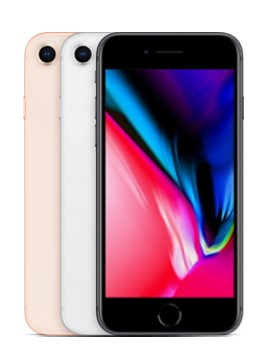
iphone 8

Model: iPhone 8
Construction: Front/back glass & aluminum frame
Screen Size: 4.7-inch
Display: LED-backlit IPS LCD, 16M Colors, 1,334 x 759 (~326 ppi)
SIM: Nano-SIM
Chipset: Apple A11 Bionic
CPU-GPU: Hexa-core (2x Monsoon + 4x Mistral) – Apple GPU
Operating System: iOS 11

Memory

Internal: 64GB or 246 GB models; 2GB of RAM
Expandable: None

Cameras

Primary: 12 MP, f/1.8, 28mm, phase detection autofocus, OIS, quad-LED flash
Front-Facing: 7 MP, f/2.2, face detection

Audio: Built-in stereo speakers, No 3.5mm headphone jack
Sensors: Fingerprint, accelerometer, gyro, proximity, compass, barometer
Features: Fast charging, Qi Wireless charging, Siri commands and dictation, iCloud integration
Battery size-life: 1,821 mAh battery – 66 hours
Available Colors: Silver, Space Grey, Gold
Price: $699.99-to-$899.99
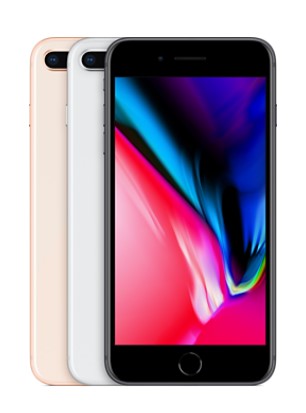
iphone 8 plus

Model: iPhone 8 Plus
Construction: Front/back glass & aluminum frame
Screen Size: 5.5-inch
Display: LED-backlit IPS LCD, 16M Colors, 1920×1080 (~401 ppi)
SIM: Nano-SIM
Chipset: A11 Bionic
CPU-GPU: Hexa-core (2x Monsoon + 4x Mistral) – Apple GPU
Operating System: iOS 11

Memory

Internal: 64GB or 246 GB models; 3GB of RAM
Expandable: None

Cameras

Primary: Dual 12 MP, f/1.8, 28mm and f/2.8, 56mm) phase detection autofocus, 2x optical zoom, quad-LED flash
Front-Facing: 7 MP, f/2.2, face detection

Audio: Built-in stereo speakers, No 3.5mm headphone jack
Sensors: Fingerprint, accelerometer, gyro, proximity, compass, barometer
Features: Fast charging, Qi Wireless charging, Siri commands and dictation, iCloud integration
Battery size-life: 2,691 mAh battery – 81 hours
Available Colors: Silver, Space Grey, Gold
Price: $799.99-to-$999.99
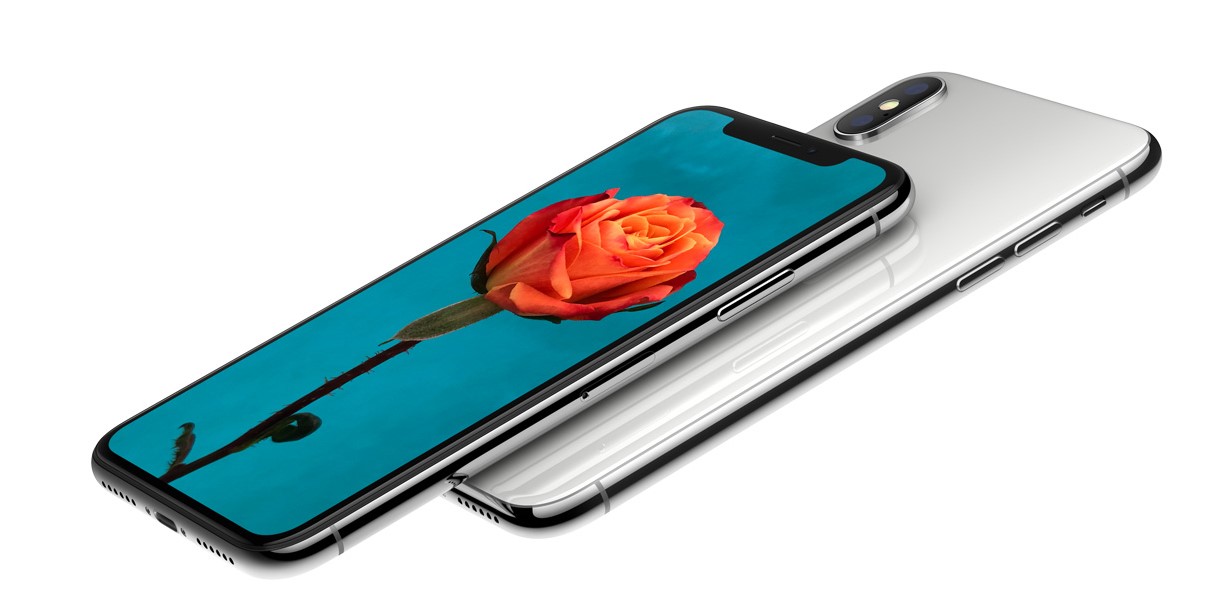
iphone x

Model: Apple iPhone X
Construction: Front/back glass & stainless steel frame
Screen Size: 5.8-inch
Display: Super AMOLED, 16M Colors, 2,436×1,125 ( ~458 ppi)
SIM: Nano-SIM
Chipset: Apple A11 Bionic
CPU-GPU: Hexa-core 2.39 Ghz (2x Monsoon + 4x Mistral) – Apple GPU
Operating System: iOS 11.1

Memory

Internal: 64 and 256 GB models; 3GB RAM
Expandable: None

Cameras

Primary: Dual 12 MP, f/1.8, 28mm and f/2.4, 52mm) phase detection autofocus, 2x optical zoom, quad-LED flash
Front-Facing: 7 MP, f/2.2, face detection

Audio: Built-in stereo speakers, No 3.5mm headphone jack
Sensors: FaceID, accelerometer, gyro, proximity, compass, barometer
Features: Fast charging, Qi Wireless charging, Siri commands and dictation, iCloud integration
Battery size-life: 2,716 mAh battery – 74 hours
Available Colors: Silver, Space Grey
Price: $999.99-to-$1,149.99

Samsung Galaxy s8 and Note 8
There are more differences between the Samsung Galaxy and Note lines than you might think. The Note line has noticeably larger screens with higher quality, but you’ll find that the larger screen makes it a bit bulkier and more unwieldy compared to the smaller and more compact Galaxy line. Still, the extra screen space will make any entertainment lover jump for joy. Users can also appreciate that, just like the iPhones mentioned above, the phone is made out of a mix of aluminum and glass casing, allowing for water resistance.

Just like with the iPhones, however, you’ll see some notable differences that might make all of the difference to power users. In particular, the camera on the Note 8 offers optical image stabilization–a great way to take better videos or images. Furthermore, the Note 8 is considerably more powerful than the Galaxy s8, sporting 50% more RAM.
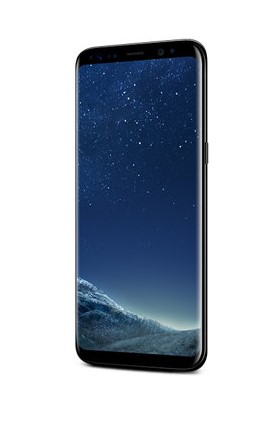
galaxy s8

Model: Samsung Galaxy s8
Construction: Front/back glass (Gorilla Glass 5) & aluminum frame.
Screen Size: 5.8-inch
Display: Super AMOLED, 16M Colors, 2,960 x 1,440 (~570 ppi)
SIM: Nano-SIM
Chipset: Qualcomm MSM8998 Snapdragon 835
CPU-GPU: Octa-core (4 x 2.35 GHz & 4 x 1.9 GHz Kyro) – Adreno 540
Operating System: Android 7.0, Touchwiz

Memory

Internal: 64 GB, 4 GB RAM
Expandable: microSD (up to 256)

Cameras

Primary: 12 MP, f/1.7, 26mm, OIS, LED flash
Front-Facing: 8 MP, f/1.7

Audio: Dual stereo speakers, 3.5 mm headphone jack
Sensors: Iris scanner, fingerprint reader, accelerometer, gyro, proximity, compass, barometer, heart rate, SpO2
Features: Samsung DeX, Fast battery charging, Qi/PMA wireless charging
Battery size-life: 3,000 mAh – 84 hours
Available Colors: Midnight Black, Orchid Gray, Arctic Silver, Coral Blue, Maple Gold
Price: $725.99-to-$825.99

galaxy s8 20171116 145741 1

Model: Samsung Galaxy s8 Plus
Construction: Front/back glass (Gorilla Glass 5) & aluminum frame.
Screen Size: 6.2-inch
Display: Super AMOLED, 16M Colors, 2,960 x 1,440 (~529 ppi)
SIM: Nano-SIM
Chipset: Qualcomm MSM8998 Snapdragon 835
CPU-GPU: Octa-core (4 x 2.35 GHz & 4 x 1.9 GHz Kryo) – Adreno 540
Operating System: Android 7.0

Memory

Internal: 64 GB, 4 GB RAM or 128 GB, 6 GB RAM
Expandable: microSD (up to 256)

Cameras

Primary: 12 MP, f/1.7, 26mm, OIS, LED flash
Front-Facing: 8 MP, f/1.7

Audio: Dual stereo speakers, 3.5 mm headphone jack
Sensors: Iris scanner, fingerprint reader, accelerometer, gyro, proximity, compass, barometer, heart rate, SpO2
Features: Samsung DeX, Fast battery charging, Qi/PMA wireless charging
Battery size-life: 3,000 mAh – 84 hours
Available Colors: Midnight Black, Orchid Gray, Arctic Silver, Coral Blue, Maple Gold
Price: $799.99-to-$899.99
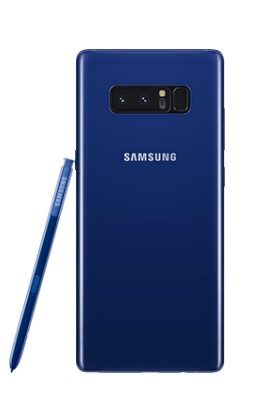
galaxy note 8

Model: Samsung Galaxy Note 8
Construction: Front/back glass (Gorilla Glass 5) & aluminum frame
Screen Size: 6.3-inch
Display: Super AMOLED, 16m colors, 2,960 x 1,440 (~521 ppi)
SIM: Nano-SIM
Chipset: Qualcomm MSM8998 Snapdragon 835
CPU-GPU: Octa-core (4 x 2.34 GHz Kryo & 4 x 1.9 GHz Kryo)
Operating System: Android 7.1.1

Memory

Internal: 64, 128, 256 GB options, 6GB RAM
Expandable: microSD (up to 256GB)

Cameras

Primary: Dual 12 MP (26mm, f/1.7, PDAF & 52mm, f/2.4, AF) OIS, autofocus, 2x options zoom, LED flash.
Front-Facing: 8 MP, f/1.7, face detection

Audio: Dual stereo speakers, 3.5 mm
Sensors: Iris scanner, fingerprint scanner, accelerometer, gyro, proximity, compass, barometer, heart rate, SpO2
Features: Samsung Desktop Experience, Fast battery charging, Qi/PMA wireless charging, s-Pen integration
Battery size-life: 3,500 mAh battery – 88 hours
Available Colors: Midnight Black, Maple Gold, Orchid Grey, Deep Sea Blue
Price: $ 949.99-to-$1149.99

Google Pixel and Pixel XL 2
Google’s new flagship smartphone device, the Pixel, debuted in 2016, but the latest addition to the smartphone brand can make for a great gift this holiday season. Thanks to its impressive specs and the internal Snapdragon processors, the Pixel line of smartphones are quite powerful–moreso the Pixel 2 than the original Pixel.

Though there are only minor differences between the Pixel and Pixel 2, they are the ones that might matter for some users. The Pixel 2 doesn’t have a headphone jack, which means that you’ll need to purchase the external adapter if you plan on using the device for music (the front-loaded speakers are better for that anyway). Better yet is Google’s promise to support the Pixel 2’s operating system for a full three years, which makes it enticing for normal Pixel users to jump at the opportunity.
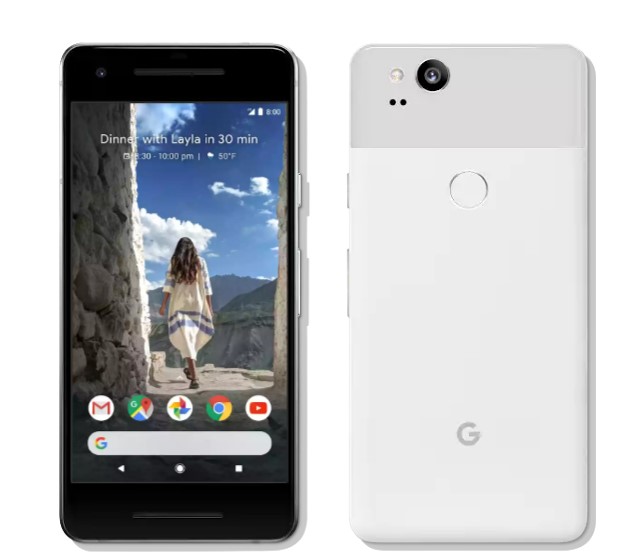
pixel 2

Model: Google Pixel 2
Construction: Aluminum unibody with hybrid coating, Gorilla Glass 5
Screen Size: 5.0-inches
Display: AMOLED, 16m, 1,920 x 1.080 (~441 ppi)
SIM: Nano-SIM
Chipset: Qualcomm MSM8998 Snapdragon 835
CPU-GPU: Octa-core (4 x 2.35 GHz Kryo, 4 x 1.9 GHZ Kryo) – Adreno 540
Operating System: Android 8.0

Memory

Internal: 64 and 128 GB options, 4GB RAM
Expandable: None

Cameras

Primary: 12.2 MP, f/1.8, laser autofocus, dual-LED flash
Front-Facing: 8 MP, f/2.4

Audio: Dual stereo speakers, no 3.5mm headphone jack
Sensors: Fingerprint, accelerometer, gyro, proximity, compass, barometer
Features: Fast charging
Battery size-life: 2,700 mAh – 75 hours
Available Colors: Kinda Blue, Just Back, Clearly White
Price: $649.99-to-$749.99
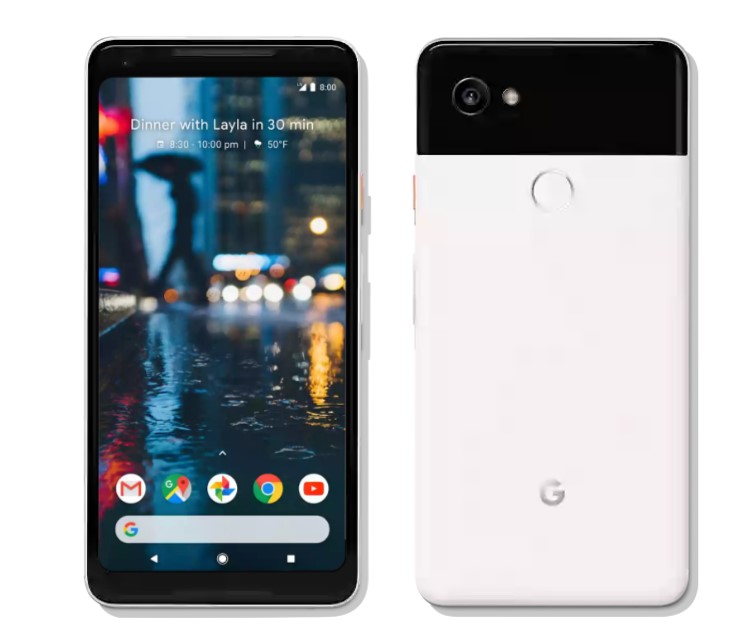
pixel 2 xl

Model: Google Pixel 2 Plus
Construction: Aluminum unibody with hybrid coating, Gorilla Glass 5
Screen Size: 6.0-inch
Display: P-OLED, 16m colors, 2,880 x 1,440 (~538 ppi)
SIM: Nano-SIM
Chipset: Qualcomm MSM8998 Snapdragon 835
CPU-GPU: Octa-core *4 x 2.35 GHz Kryo & 4 x 1.9 GHz Kryo) – Adreno 540
Operating System: Android 8.0

Memory

Internal: 64GB and 128 GB options, 4GB RAM
Expandable: None

Cameras

Primary: 12.2 MP, f/1.8, OIS, phase detection & laser autofocus, dual-LED flash
Front-Facing: 8 MP, f/2.4

Audio: Dual stereo speakers, no 3.5 mm headphone jack
Sensors: Fingerprint, accelerometer, gyro, proximity, compass, barometer
Features: Fast charging
Battery size-life: 3,520 mAh battery – 88 hours
Available Colors: Just Black, Black & White
Price: $849.99-to- $949.99

If these smartphones don’t quite pique your fancy, try taking a look at some of the specific details about these other notable smartphone brands:
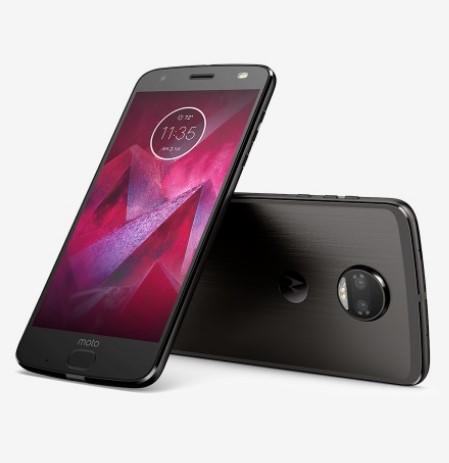
motorola z 2

Model: Motorola Z2 Force
Construction: front plastic w/ Moto Shattershield, back plastic
Screen Size: 5.5-inch
Display: P-OLED, 16M colors, 2,560 x 1,440 (~534 ppi)
SIM: Nano-SIM
Chipset: Qualcomm MSM 8998 Snapdragon 835
CPU-GPU: Octa-core (4 x 2.35 MHz Kyro & 4 x 1.9 GHz Kryo) – Adreno 540
Operating System: Android 7.1.1

Memory

Internal: 128 GB, 6 GB RAM
Expandable: microSD (up to 256 GB)

Cameras

Primary: Dual 12 MP, f/2.0, laser autofocus, dual-LED flash
Front-Facing: 5 MP, f/2.2, dual LED flash

Audio: One front-facing speaker, no 3.5mm headphone jack
Sensors: Fingerprint, accelerometer, gyro, proximity, compass, barometer
Features: Fast charging, Motorola Mods (insta-share projector, 360 camera, gamepad, JBL SoundBoost 2, turbopower pack, style shell w/ wireless charging, power pack, Hasselblad True Zoom, vehicle dock)
Battery size-life: 2,730 mAh battery – 69 hours
Available Colors: Super Black, Fine Gold, Lunar Grey
Price: $720.00
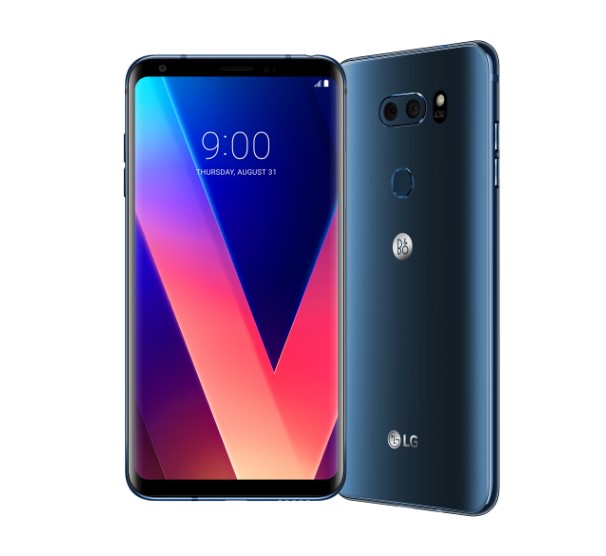
lg v30

Model: LG V30
Construction: front/back glass, aluminum frame
Screen Size: 6.0-inch
Display: P-OLED, 16M colors, 2,880 x 1,440 (~537 ppi)
SIM: Nano-SIM
Chipset: Qualcomm MSM8998 Snapdragon 835
CPU-GPU: Octa-core (4 x 2.45 GHz Kyro & 4 1.9 GHz Kyro) – Adreno 540
Operating System: Android 7.1.2

Memory

Internal: 64 or 128 GB options, 4 GB RAM
Expandable: microsSD (Up to 256 GB)

Cameras

Primary: Dual 16 MP (f/1.6, OIS, 3-axis, laser & phase detection autofocus) _ 13 MP (g/1.9) LED flash
Front-Facing: 5 MP, f/2.2

Audio: Dual speaker stereo, 3.5mm headphone jack
Sensors: Fingerprint, accelerometer, gyro, proximity, compass, barometer, color spectrum
Features: Fast charging, wireless charging
Battery size-life: 3,300 mAh – 87 hours
Available Colors: Aurora Black, Cloud Silver, Moroccan Blue, Lavender Violet
Price: $819.99-to-$929.99
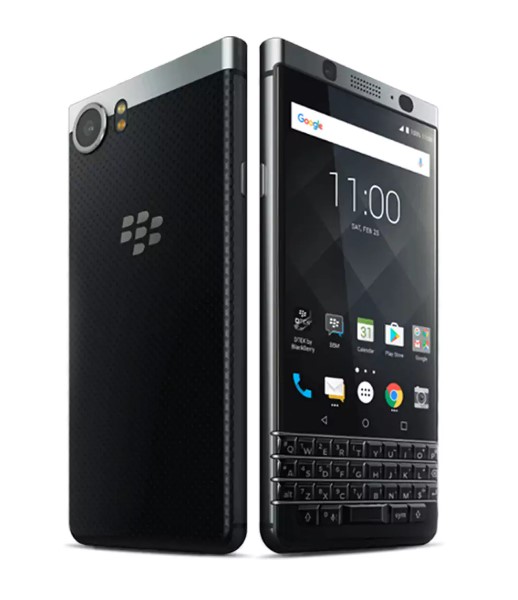
blackberry keyone

Model: BlackBerry KEYone
Construction: Aluminum, Gorilla Glass 4, with soft-touch plastic, physical keyboard
Screen Size: 4.5-inch
Display: IPS LCD, 16m colors, 1,620 x 1,080 (~433 ppi)
SIM: Nano-SIM
Chipset: Qualcomm MSM8953 Snapdragon 625
CPU-GPU: Octa-core 2.0 GHz Cortex-A53
Operating System: Android 7.1

Memory

Internal: 32 GB with 3 GB RAM or 64 GB with 4 GB RAM
Expandable: microSD (up to 256 GB)

Cameras

Primary: 12 MP, f/2.0, phase detection autofocus, dual-LED flash
Front-Facing:8 MP, f/2.2

Audio: Dual speaker stereo
Sensors: Fingerprint, Accelerometer, gyro, proximity, compass
Features: Full programmable keyboard, fast charging
Battery size-life: 3,505 mAh – 107 hours
Available Colors: Black & Silver, Black
Price: $499.99-to-$559.99
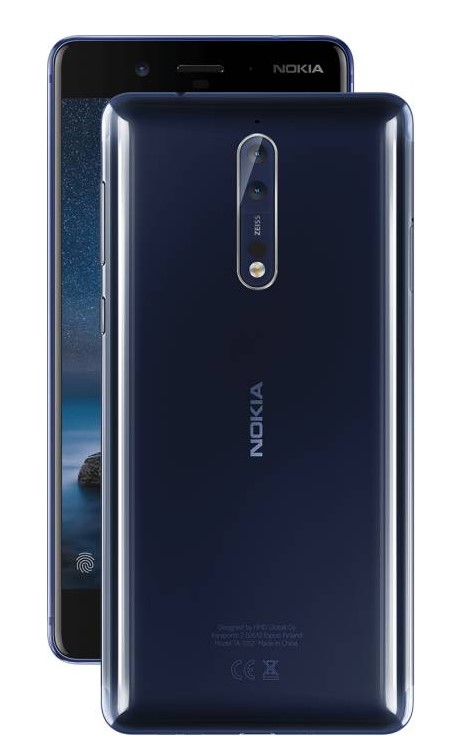
nokia 8

Model: Nokia 8
Construction: Glass Aluminum
Screen Size: 5.3-inch
Display: IPS LCD, 16m colors, 2,560 x 1,440 (~554 ppi)
SIM: Nano-SIM
Chipset: Qualcomm MSM8998 Snapdragon 835
CPU-GPU: Octa-core (4 x 2.5 GHz Kyro & 4 x 1.8 GHz Kyro) – Adreno 540
Operating System: Android 7.1.1

Memory

Internal: 64 GB, 4 GB RAM or 128 GB, 6 GB RAM
Expandable: microSD (up to 256 GB)

Cameras

Primary: Dual 13 MP, f/2/0, laser and phase detection autofocus, Carl Zeiss optics, OIS, LED flash
Front-Facing: 13 MP, f/2.0, phase detection autofocus

Audio: Two-speaker stereo, 3.5mm headphone jack
Sensors: Fingerprint, accelerometer, gyro, proximity, compass, barometer
Features: Fast charging
Battery size-life: 3,090 mAh – 78 hours
Available Colors:Tempered Blue, Polished Blue, Steel, Polished Copper
Price: $479.99-to-$559.99

What do you think? Do you have a pretty solid understanding of what type of smartphone you want for your organization? Let us know what you chose in the comments, and be sure to subscribe for more great technology articles.

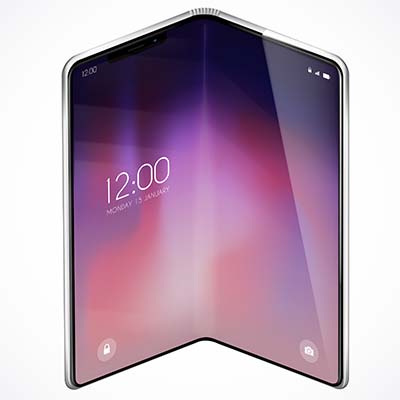
using_smartphone_tips_400.jpg

Tip of the Week: Using Your Smartphone More Effectively in Five Ways

using_smartphone_tips_400.jpg

It’s getting to the point where most people have a smartphone, even if they shouldn’t necessarily have one. If you go all-in on a device like this to boost your productivity and efficiency, then you know how difficult it can be at times. We’re here to provide you with some tips to help you better take advantage of your smart device.
Use Your Mobile Wireless Hotspot
Often times you’ll find yourself limited by not having a wireless connection for devices like your laptop or tablet. In instances like this, you can turn your smartphone into a mobile wireless hotspot to “piggyback” off of your cellular data plan, providing Internet access to other devices that may need it.

A Bring Your Own Device strategy can help your organization supply employees with a stipend to cover any costs of using the device as a mobile hotspot. On the other hand, you can simply provide them with company devices that have enough data to fulfill their needs.
Sort Your Home Screen
You don’t have to suffer from a cluttered home screen on your device. In fact, depending on your personal preferences, you can either sort your apps into folders, or distribute them across various screens so that you know where to locate each of them. You don’t want to lose track of your applications when you need them most.

Customize Your Email and Browser Options
If you’re using an iPhone or Android device, chances are that your device will default to a specific web browser or email management application. You don’t necessarily have to use these, though. As long as you can find an app for your preferred email application, or whichever application your organization uses to communicate, you can install it and achieve a comparable level of functionality regardless of your choice.

Of course, you’ll want to work with your IT department to ensure that you’re not downloading any malware-laden versions of applications–particularly email and web browsers, which you will be using often.

Use Your Shortcuts
Your device has a plethora of shortcuts available, so do your best to work with them whenever you can. The more you get used to these shortcuts, you’ll find yourself being more productive. Consider how much time you waste trying to figure out just what you’re doing with your device, and you’ll see the importance of understanding how these shortcuts work.

Of course, depending on the model of your phone, you’ll have different shortcuts at your disposal. This is because the software installed on them is likely to be different, so just play around a little bit to find the best shortcuts available for your device.

Research Insurance Options
What would you do if your mobile device fell out of your pocket or bag and smashed into a thousand pieces on the pavement? What about if you lost it while you were out and about? Whatever ill fortune may present itself, you’ll want to look into insurance to make sure that you’re covered in the event of a disastrous scenario.

What are your best smartphone tips? Do you have any that you think should have been on our list? Let us know in the comments.

block_phone_numbers_on_mobile_400.jpg

Tip of the Week: Follow These Steps to Prevent Telemarketers From Calling You

block_phone_numbers_on_mobile_400.jpg

Here’s a common scenario: you’re relaxing at home with friends or family and all of a sudden, your cell phone starts ringing. You don’t recognize the number; in fact, your phone lists it as an out-of-state caller, so you don’t pick up. The call eventually ends and you’re back to relaxing. But then, your phone starts ringing again and it’s that same pesky solicitor trying to sell you on the virtues of auto loan refinancing or a free Caribbean vacation. Caller ID and voicemail have helped to curb the suffering over unwanted phone calls in the past, but what if you could just block a caller entirely?

Regardless of the phone you have, for this week’s tip, we can show you how to block telemarketers, scammers, and stalkers from ever contacting you again. Telemarketing is completely legal, so it won’t be going away anytime soon. Blocking callers is the quickest and easiest way to deal with this issue. If they call you once, you won’t ever have to deal with them again, after you’ve followed these steps:

Android Users
For Nougat and Marshmallow:

  • Go to the Phone app.
  • Navigate to All Calls.
  • Select Call from Undesired Contact.
  • Tap Block/Report Spam.
  • Then you will be asked if you would like to report the call as spam. Check the box, if you do wish to report it.

For Lollipop (Samsung Galaxy S4, S5, S6, Note 4 users):

  • Go to the Phone app and tap the Call Log.
  • Select the phone number you would like to block, then tap More.
  • Next, tap Add to Auto reject list and you’re all set!

iPhone Users
To block a number on your iPhone, first select the Phone app. Next:

  • Select Recents (at the bottom of the screen).
  • Find the number of the caller you wish to block and tap the i icon on the right-hand-side of the screen.
  • Here you will see the caller’s information, as well as different options for creating a new contact, etc. Scroll to the very bottom of this page and you’ll see the words, ‘Block This Caller.’
  • Once you’ve selected that, a message will pop up, asking you to confirm this decision. Tap Block Contact to make it official.

If you’re receiving unwanted text messages from a stranger, iOS 10 requires that you add this person or bot to your Contacts list first. To create a new contact from your Messages app, click on the phone number at the top of the screen and select Create New Contact. Then simply follow the steps listed above. If you haven’t upgraded to iOS 10 yet, look for the i icon in the upper-right corner of your text conversation and select it. Then tap Block This Caller > Block Contact.

There, now you’re ready to block like some of the best centers in NBA history. But also remember that, with great power comes great responsibility; while telemarketers won’t know if they’re on your block list, “friends” and family members you find annoying might eventually catch on. For more technology tips and tricks, reach out to NuTech Services at 810.230.9455.

cracked_screen_400.jpg

Tip of the Week: What You Should Do After You’ve Cracked Your Phone’s Screen

cracked_screen_400.jpg

A cracked screen can happen to anyone at any time. All it takes is bumping into someone or your grip slipping off of your device, and boom–cracked screen. In cases, such as this, what’s the best way to move forward?

The first step is accepting that you may have made a mistake and dropped the phone, but this doesn’t help you fix it. Here are six ways that you can approach your cracked-screen scenario.

Just Leave it Be
If you really don’t want to get a new device or look into ways to fix your phone screen, well… just leave it as it is. This is certainly an option if the screen still works fine, but it might be a bit annoying to deal with. One thing you can do is patch up the screen with a screen protector so that it doesn’t fall apart, and hope for the best. However, if the crack is on the outside and you’re scratching your fingers on it, the next choice might be worth looking into.

Try to Find a Replacement
Since everyone and their brother owns a smartphone these days, and they are often replaced before the devices themselves are unusable, you’ll have an easier time finding a spare than ever before. It’s often the case that if you find a suitable device, all you have to do is move the SIM card from the old device to the new one. Just keep in mind that your replacement device needs to be on the same carrier (a Verizon phone, for example, can’t be used on a Sprint network). If you are the owner of a business that likes to provide phones to your workers, ensuring that you have insurance covering the phone can be the best way to mitigate the cost of one of your people inevitably cracking the screen on their company-issued smartphone.

Gamble on a DIY Repair
If a second-hand smartphone doesn’t sound like something you’d enjoy, perhaps you could attempt to repair the device yourself. While there are plenty of YouTube tutorials for do-it-yourselfers, you’ll be taking a risk that you might otherwise be better off without. Therefore, only attempt to fix it yourself if you’re aware of the consequences and committed to accepting the results, even if it doesn’t work out your way. You can probably find a replacement screen on the Internet from sources like eBay, but it might be more complex of a job than you’ve bargained for.

Have Someone Fix the Screen
If you’d rather not take any chances with your device’s maintenance, you can try to find someone who is willing to do the job for you. In most cases, this means finding a local company that you can hire for the repair job. Sometimes the service provider itself will handle this, but more likely they would have to send it out for repairs. You want to avoid going through the manufacturer (unless you’d rather foot a pricey repair bill), so it’s best to reach out to your internal IT department or a trusted IT provider.

Trade or Sell Your Phone
If you know that you’re just going to buy a new phone anyway, you might be able to get a little bit of value out of your old device before it’s gone forever. Try trading in your phone or selling it to someone who’s willing to pay a little bit of extra cash for it. Just make sure that you eliminate any data located on the device before handing it over. If you don’t know how to do this, just give us a call and we’ll be happy to assist you.

Look for a Better Price
If you’re just going to purchase a new device, you can find unlocked smartphones online–often at a better price than their designated commercial value. Even better is that these devices aren’t held back by contracts, so wireless carriers aren’t a problem either. However, it’s important that you find a device that actually works. Look for sellers who have a good reputation for providing quality used products. Remember, every time you purchase a used device, you’re dealing with at least some sort of risk.

With smartphones being extremely important for communications and remote productivity, every business should be cognizant of solid smartphone practices. If you are looking to manage the role smartphones have on your network security, or, if you’d like to expand the role smartphones have in your business, you should talk to one of NuTech Services’s IT professionals. We can present solutions like mobile device management, allowing your business to take advantage of a comprehensive bring your own device policy. We also have lines on innovative ways to affordably improve organizational smartphone deployments. Call us today at 810.230.9455.

find_your_lost_phone_400.jpg

Tip of the Week: Activate These Solutions Now Before You Misplace Your Mobile Device Later

find_your_lost_phone_400.jpg

Can’t find your mobile device? If you’ve taken precautions and enabled solutions designed to track the whereabouts of your device, then you’ve got no reason to panic. Of course, hindsight is 20/20, so you’ll want to make sure you activate a phone-finding solution now (while you’ve got your device in your sights).


For an iPhone or Apple Device
If you’re an Apple enthusiast, you can use the Find My iPhone feature to locate any device connected to your Apple account. Log into your iCloud account or download the Find My iPhone app (before you lose your device, of course), which will help you keep track of your devices should you lose them. You can even track where your device is and where it has been. You can even lock the device and send it a message telling whoever finds it how to contact you! 

For an Android Device
Android makes finding your lost device as easy as performing a Google search. If you’re signed into your Google account, and you have your device linked to it, all you have to do is type into the search bar, “Find my Phone.” As long as there’s a device connected to your Google account, you’ll be shown a small map in the search results which shows you where the device is located. You can then proceed to ring the device and find it, if it is turned on and nearby.

For Other Devices
If you lose a more obscure device, you might have a little more trouble locating it. Thanks to a great app called Prey, you can find just about any laptop or smartphone that may be missing. You can install Prey for free on up to three devices, and as long as a thief hasn’t completely wiped your device, you’ll have a decent shot at discovering who has found it. Provided that your device has a Wi-Fi chip, a webcam, and the app installed, Prey can take a picture of whoever has found the device as well as where it is located.

Any devices that have Prey installed on them will automatically issue a report to you every so often, starting at 20 minutes. This can tell you exactly what’s happening with your device. This includes webcam snapshots, desktop captures, program installations, changed files, and so much more. Of course, if you think that maybe someone has just found your device and hasn’t stolen it, you have the option of letting them know how to contact you through various methods. Worst case scenario, you can lock it or remotely wipe it to secure any data located on it.

For more great tips and tricks on how to get the most out of your technology, subscribe to NuTech Services’s blog.