
SSDhdD_255217955_400.jpg

Solid State Drives Sport Plenty of Benefits

SSDhdD_255217955_400.jpg

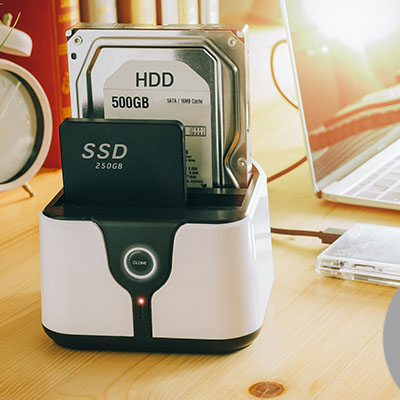
The hard drive is an essential component of every computer. When you start looking at new computers you may notice that there are two different types of hard drives available. There are the HDD (hard disk drive) or the SSD (solid state drive). Today, we’ll go through what the difference is and what benefits you may get from outfitting your hardware with solid state drives. 

What is the Difference Between SSD and HDD? 

The HDD, which is the type of hard drive that most of us are familiar with, has been used for quite some time. They have rotating metal platters that spin at high rates of speed, and feature mechanisms for reading and writing data on these disks. Every time something is saved to disk, the computer needs to get these wheels spinning. 

On the other hand, SSDs have no moving parts whatsoever. They use flash memory to store that information. Since they aren’t dependent on fast-moving physical components, they can write and read data at much higher speeds.

When is an SSD Better than an HDD?

You won’t be too surprised to learn that there are plenty of reasons to choose an SSD over an HDD. Here are four:

  • Improved boot times – If you store your operating system on an SSD (and most of us do), it will load faster.
  • Quicker application access – Your applications will load much faster if they are stored on an SSD.
  • They’re quiet – SSDs make much less noise because they don’t have moving parts on the inside, and they are much more efficient.
  • The increased speed is worth the money – SSDs are still much more expensive than your average HDD, but with the increase in speed, you can get more done. The devices tend to pay for themselves pretty quickly. 

Is an SSD the Answer for Your Next Computer?

Solid state drives are a great innovation that any user should consider. If you are looking to refresh your business’ computing infrastructure, or you just want a faster computer, the technicians at NuTech Services can help. Give us a call at 810.230.9455 today for more information. 
ssd_better_than_hdd_400.jpg

Tip of the Week: Got a Solid State Drive? Here’s How to Take Care of It

ssd_better_than_hdd_400.jpg

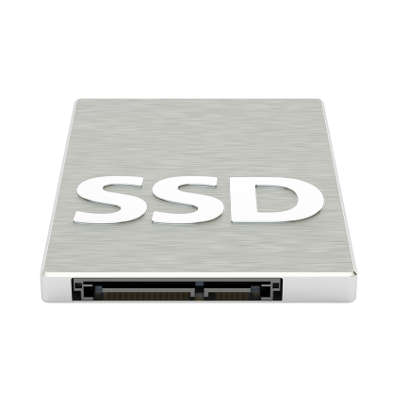
You may have purchased a solid state drive because of its many benefits over the hard disk drive. Although, if you want to get the most bang for your buck with a SSD, you’ll want to follow these best practices.

Install the Latest Operating System
Operating systems are updated periodically, but they are implemented with the idea in mind that more devices will be using a solid state drive compared to the normal hard disk drive. By upgrading to the latest operating system, you’re guaranteeing that your OS will be able to support your SSD.

Avoid Manipulating Data or Activating Wasteful Settings
An SSD can only rewrite data so many times before it’s unable to do so. While this limit isn’t low, the standard SSD can handle 40 GB of data writing every day for up to 10 years. Therefore, it’s a bad move to use your SSD to copy files or download data, as this puts unnecessary strain on the device. This means that you want to avoid the following features that your technology might be equipped with:


  • Benchmarking: While SSDs are fast to write data, it’s important to avoid running speed tests to see exactly how fast yours is. This will only shorten the lifespan of your drive, as it will use up valuable cycles that would be better used elsewhere.
  • Hibernation: Your computer can save system memory to the hard drive before it’s powered off. While this can help, you get back in business and resume operations quickly in the near future, it takes up more cycles on your SSD than you might prefer. Contrary to popular belief, putting your device to sleep and hibernation are two very different things, as letting your device sleep is much safer and more efficient for SSDs than for HDDs.
  • Defragging: When you defrag your device, it actively looks at the data to organize it on the mechanical level. While defragging improves the performance of HDDs, the benefits provided to SSDs aren’t noticeable, but the wear and tear might be if you proceed to perform them unnecessarily.

Be Mindful of Your Saves
The nature of SSDs make them more suitable for data storage of particular varieties. For example, it’s not recommended that SSDs be used to save large files, or the temporary files created by background processes. In these cases, it’s better to rely on a hard disk drive for saving this kind of data.

On the plus side, SSDs have a much longer lifespan than your typical HDD thanks to the many differences in their composition, including the use of flash storage and the lack of fast-moving internal parts. By keeping these best practices in mind, you can take a great technology and make it last even longer, allowing your business to experience fewer replacement costs overall.

Does your business rely on SSD or HDD? If you’d like a chance to improve the way your organization functions, reach out to us at 810.230.9455.