261850896_captcha_400.jpg

CAPTCHA and Its Many Challenges

261850896_captcha_400.jpg

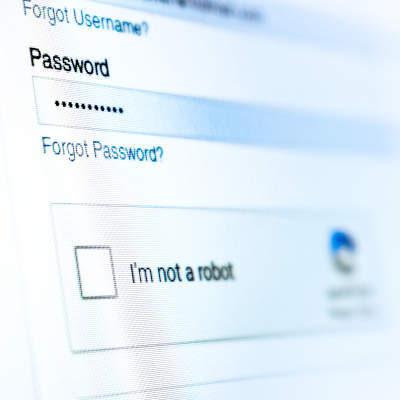
We’re all familiar to some degree with the security measure known as CAPTCHA. You know the one—you usually see it when filling out forms or logging into sites online, where you have to prove that you’re a human being by identifying which of a variety of images fit a certain description. You may have noticed that these tests have gotten far more difficult over time. This is because, predictably, computers are getting better at beating them.

Let’s discuss what this signifies, and how this may shape how users authenticate themselves in the future.

Defining CAPTCHA

Short for Completely Automated Public Turing Test to tell Computers and Humans Apart, CAPTCHA has long been the standard tool used by Google to prevent automated spam from polluting the Internet by requiring (in theory) a human being to interact with content in some way before allowing access or a task to successfully be completed.

Back in the early 2000s, CAPTCHA was effective against spambots, being able to bamboozle them by simply requiring images of text to be identified.

The Growing Issues with CAPTCHA

However, once Google gained ownership of CAPTCHA and used it to help digitize Google Books, the text needed to be increasingly distorted to continue to fool optical character recognition. Adding to this was the fact that human beings solving these CAPTCHAs gave optical character recognition the information needed to improve its skills.

This is the downside to CAPTCHA that its creators foresaw from the beginning: at some point, machines would ultimately overtake human capabilities when it came to identifying these images. Furthermore, these tests also need to be universally applicable, working wherever someone is located despite any cultural biases and differences that a user might have.

Since then, CAPTCHA has been replaced by NoCAPTCHA ReCAPTCHA (the one where your user behavior is used to judge your humanity) in 94 percent of websites that use CAPTCHA. Further research and development is in progress to reinforce the security of these tools.

However, automated bots can already bypass CAPTCHA more effectively than most humans can. In fact, in 2014, a machine learning algorithm was made to compete with users to solve distorted text CAPTCHAs and managed to bypass the security measure 99.8 percent of the time, as compared to the humans’ 33 percent. There are also various CAPTCHA-solving programs and services available for use that can effectively access vast amounts of pages for little cost.

What is Being Done to Resecure CAPTCHA

There are many different approaches under consideration to improve the practical efficacy of CAPTCHA—making it simpler for human beings and more difficult for machines as originally intended. To accomplish this, a few different tactics have been explored, some more plausible than others:

  • Rather than identifying text or images, users would be asked to classify images of faces, based on expression, gender, and ethnicity (probably not the best option, in today’s contentious environment).
  • CAPTCHAs based on trivia and regionalized nursery rhymes, with these culturally based questions designed to overcome bots and overseas hackers alike.
  • Image identification that uses cartoons, hidden-image illusions, and other relatively subjective content to outfox automated CAPTCHA-cracking tools.
  • CAPTCHA tools that test users by having them perform basic game-like tasks, with instructions given in symbols or contextual hints.
  • Device cameras and augmented reality being used as a form of physical authentication.

Finally, a lot of consideration is being put to authentication measures that examine a user’s online behaviors and actions to determine whether there’s a real human being at the controls, or if a clever piece of software is trying to gain access—whether the mouse moves, for instance, or how precise it is as it does. Google itself is starting to examine traffic patterns to test “users” on a case-by-case basis.

There’s even a chance that these kinds of Turing tests will only be passable in the future by selecting an incorrect answer.

Regardless of how, it is only going to become more important to secure your accounts and the information they contain as time passes. NuTech Services is here to help you secure your business and its data. Learn more about how we can protect your business with the right IT solutions by calling 810.230.9455 today.
170245913_phishing_400.jpg

Think Before You Click: Spotting a Phishing Attempt

170245913_phishing_400.jpg

We’ve all caught the obvious spam email, like the message that is clearly bogus, or the offer that is definitely too good to be true.

We’re going to confidently assume none of our readers are getting tricked by Nigerian Princes or getting roped into order virility drugs from an unsolicited email. The real threat comes from the more clever phishing attacks. Let’s take a look.

Give Me the Short Answer – What’s Phishing?

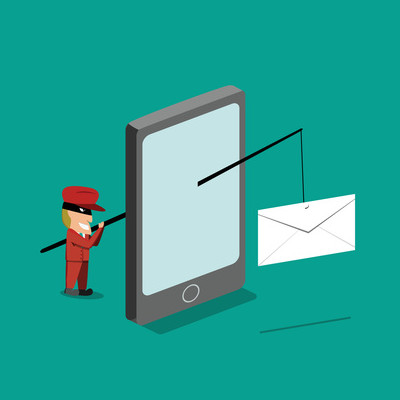
Phishing is where you get an email that looks like an actual legit email. The goal that a cybercriminal has is to trick you into giving them a password or access to an account (like to PayPal, Facebook, or your bank) or to get you to download malware.

The problem with phishing emails is how real they can seem. A phishing attempt for your PayPal information can look just like an everyday email from PayPal.

Even worse, often phishing emails try to sound urgent. They make you feel like you have to take action quickly, or that a bill is overdue, or that your password has been stolen. This can lower the user’s guard, and force them into a sticky situation.

How to Spot a Phishing Attack

Like I said, it’s not always going to be obvious when you get phished. Even careful, security-minded, technical people can fall victim because phishing is just as much of a psychological attack as it is a technical one.

Still, there are some practices you and your staff should use:

Always Use Strong, Unique Passwords

This can solve a lot of problems from the get-go. If your PayPal account gets hacked, and it uses the same password as your email or your bank account, then you may as well assume that your email and bank account are infiltrated too. Never use the same password across multiple sites.

Check the From Email Address in the Header

You’d expect emails from Facebook to come from something@facebook.com, right? Well, if you get an email about your password or telling you to log into your account and it’s from something@faecbook.com, you’ll know something is up.

Cybercriminals will try to make it subtle. Amazon emails might come from something@amazn.com or emails from PayPal might come from something@paypalsupport.com. It’s going to pay off to be skeptical, especially if the email is trying to get you to go somewhere and sign in, or submit sensitive information.

Don’t Just Open Attachments

This is nothing new, but most malware found on business networks still comes from email attachments, so it’s still a huge problem. If you didn’t request or expect an email attachment, don’t click on it. Scrutinize the email, or even reach out to the recipient to confirm that it is safe. I know it sounds silly, but being security-minded might build security-mindfulness habits in others too, so you could inadvertently save them from an issue if they follow your lead!

Look Before You Click

If the email has a link in it, hover your mouse over it to see where it is leading. Don’t click on it right away.

For example, if the email is about your PayPal account, check the domain for any obvious signs of danger. Here are some examples:

  • Paypal.com – This is safe. That’s PayPal’s domain name.
  • Paypal.com/activatecard – This is safe. It’s just a subpage on PayPal’s site.
  • Business.paypal.com – This is safe. A website can put letters and numbers before a dot in their domain name to lead to a specific area of their site. This is called a subdomain.
  • Business.paypal.com/retail – This is safe. This is a subpage on PayPal’s subdomain.
  • Paypal.com.activecard.net – Uh oh, this is sketchy. Notice the dot after the .com in PayPal’s domain? That means this domain is actually activecard.net, and it has the subdomain paypal.com. They are trying to trick you.
  • Paypal.com.activecardsecure.net/secure – This is still sketchy. The domain name is activecardsecure.net, and like the above example, they are trying to trick you because they made a subdomain called paypal.com. They are just driving you to a subpage that they called secure. This is pretty suspicious.
  • Paypal.com/activatecard.tinyurl.com/retail – This is really tricky! The hacker is using a URL shortening service called TinyURL. Notice how there is a .com later in the URL after PayPal’s domain? That means it’s not PayPal. Tread carefully!

Keep in mind, everyone handles their domains a little differently, but you can use this as a general rule of thumb. Don’t trust dots after the domain that you expect the link to be.

Training and Testing Go a Long Way!

Want help teaching your staff how to spot phishing emails? Be sure to reach out to the IT security experts at NuTech Services. We can help equip your company with solutions to mitigate and decrease phishing attempts, and help educate and test your employees to prepare them for when they are threatened by cybercriminals.

253607738_reputation_400.jpg

How to Mitigate Unhappy Online Opinions

253607738_reputation_400.jpg

As nice as it would be to always please everybody with your business services, it just isn’t going to happen. Sooner or later, you’re going to encounter someone who isn’t pleased, and they’re going to have the capability to do some damage to your reputation. Fortunately, there is a way you can mitigate this damage.

The first thing you need to remember is that, while your unhappy customer or client may not be correct, they are always right. What does this mean? Simple – even if they misinterpreted what they were entitled to through your services, you have the obligation to make them happy. This is not to say that you kowtow to every demand a customer makes, regardless of how ludicrous it is… you just need to make sure they stay happy.

How can you do this? It all boils down to communication.

How to Communicate With an Unhappy Client

Chances are, you’re going to find out that a client was unhappy by reading a review that they leave somewhere online – perhaps on Facebook, or on Google, or on a third-party review website. What they will have to say may upset you. That’s fine. Nobody likes to hear that there is something wrong with one of their endeavors. You have every right to be a little upset – just don’t let that upset seep into your conversation with your unhappy client.

After all, in their eyes, they have every right to be upset as well.

Therefore, once you’ve regained a cooler composure, you need to respond directly and politely to the negative review. While this initial interaction should be public, offer to continue your conversation in a less public way, in an offline forum. If the reviewer accepts, try to come to a mutually beneficial compromise with them. This will help to insulate you from a rash decision.

This brings up another important point – while you may really want to, you should never just remove a negative review. Not only will that make it look like you are hiding something (not good), it also squanders the opportunity to make lemonade out of your reviewer’s lemons. Again, try to make whatever issue your reviewer had right, and ask them to revise their review once things have been settled. If you play your cards right, the result could be a much better review, describing the care you put into fixing their issue.

Reviews Can Be Good, Too!

Whenever they are, you have another opportunity to embrace by responding to them.

I can almost hear you now: “Wait, if a reviewer is happy, doesn’t that mean I’ve done what I had to do?”

In a way, yes. If someone is willing to leave a positive review of your services, you clearly were able to strike a chord with them. However, while responding to a negative review could be somewhat accurately seen as damage control, responding to a positive review has a very different motivation to it.

Look at it this way: anyone who is willing to take the time out of their day to speak highly of you online is an invaluable ally to have. Positive reviews and negative reviews are very different things, especially in that people are generally more inclined to leave negative feedback if they have the opportunity.

Reflecting on this, it only makes sense to take the time and respond to positive reviews as well. A positive review is more or less a confirmation of a successful onboarding process – to keep these contacts engaged, you need to continue communicating with them beyond the point that their invoice is settled.

Are you happy with our services or our content? If so, we’d love to hear about it. Leave us a review or drop us a line in the comments!

robocaller_stop_400.jpg

Fingers Crossed! The Robocalls May Soon Stop

robocaller_stop_400.jpg

While many of us rely on phones to remain productive during the day, too often are we now picking up the phone to a spammer’s snake-oil sale: “Hello, we are reaching out to inform you that there has been an issue with your account” or similar nonsense. While this is enough of an irritant in our daily lives, it isn’t as though a business can wait for a call to go to voicemail to find out if it was legitimate or not.

Chances are, you’re all too familiar with exactly the kind of scam I’m describing. The one that makes the Do Not Call List sound like wishful thinking, that makes it look like someone from your area – or even your contacts list – is trying to reach you.

Chances are, you’ve answered one of these calls, only to hear silence, broken after you say “Hello?” As soon as you do, a (likely prerecorded) voice launches into its tirade, being a nuisance and bothering people.

Chances are, you may have even received angry phone calls from people you’ve never met, let alone called, claiming that your number has been the source of repeated calls just like these.

You aren’t alone.

Unfortunately, the scammers responsible are talented at skirting rules and regulations.
Calls like these have been harassing users for quite some time, simply because the scammers understand how to cheat and find loopholes. This is all despite the efforts of regulatory bodies like the FCC (the Federal Communications Commission).

In November of 2017, the FCC enabled telephone providers to block calls that were presumably fraudulent. This was based on many factors, like the calls coming from invalid numbers or numbers with no service provider attached.

However, the rules outlined in the 2017 Call Blocking Order weren’t enough to stop scam robocalls for long.

Now, we all have had to deal with the huge nuisance of neighbor spoofing. Neighbor spoofing has almost certainly affected you directly, and if you’ve been lucky enough to avoid it, it’s happened to someone you know.

But you may be asking, what is neighbor spoofing?
If your phone rang, and you have caller ID enabled, you’ve probably developed the habit of checking the number before you answer it – after all, a local number is probably safe to pick up.

Neighbor spoofing has made it so that assumption is no longer the case.

Instead of using a fake number to call their targets, scammers using neighbor spoofing will actually use someone’s real number to call someone relatively nearby – sometimes literally next door. If you’ve ever received an angry phone call from someone demanding an explanation for someone with your number repeatedly calling them and harassing them, your number just so happened to be the one that these cybercriminals spoofed.

There have even been reports of people receiving calls from their own number, claiming to be from the phone company as an attempt to “verify a hacked account.”

Neighbor spoofing is also a very effective method for scammers because it can bamboozle the automated protections already in place to stop scam calls, just like it fools the targeted phone’s user. This also keeps the Do Not Call list from affecting these scammers’ attempts (as if it ever stopped them before).

Additionally, many apps may add some unwanted complications, even if they are effective.
There are mobile applications available that are intended to stop robocalls from ringing your smartphone in the first place. One such application, the aptly-named RoboKiller, does this in two ways. First, RoboKiller references a list of numbers identified as spam, and blocks these calls completely. Second, it uses a patented analysis of the call’s audio fingerprint to compare it to those of other spam calls. Regardless of the number it appears to come from, RoboKiller can identify if it is a match to a known attempt.

You’ll only know that you were targeted after you read the notification that RoboKiller provides.

Meanwhile, RoboKiller responds to the scammer with a time-wasting prerecorded message. You can then review the calls that RoboKiller blocked by opening the app on your phone. There, you can listen to a recording of blocked calls to determine which calls were spam, and which were legitimate attempts to reach you. From there, you can whitelist a number by pressing the Allow button.

Users of RoboKiller can also add numbers to their list of permitted callers to allow them to come through. RoboKiller is a subscription-based application that charges $2.99 each month ($24.99 for an annual subscription), which may be seen as a relatively low cost if you’ve received enough of these calls.

As RoboKiller states on their website, “With RoboKiller, you don’t stop neighbor spoofing. You take action in the fight against the robocall epidemic.”

However, this approach isn’t without some worries.

For one, consider the cost of admission for this app. Yes, $2.99 may seem like a bargain if you have a smartphone, but what about all the people who still don’t? Furthermore, many mobile users today are of older generations, and may not understand how to work the application (or again, may not have a device that is compatible with the app). Yet, these worries may not be necessary for long.

Both the government and the telecom industry have had enough.
It wasn’t long after the 2017 Call Blocking Order was released that the attorneys general from a full 40 states came together to form the Robocall Technologies Working Group. This is a bipartisan commission intent on collaborating with service providers to learn about robocalling technology with the ultimate goal of stopping it.

On October 8th, the attorneys general of 35 of those states signed a letter to the FCC stating that the efforts of law enforcement had not and would not be sufficient to stop abusive scam attempts and robocalls. In this letter, the attorneys state some chilling facts:

  • 30.5 billion illegal robocalls were made in 2017 alone, up from the estimated 2016 total of 29.3 billion.
  • Estimates have placed the total calls made by the end of 2018 to be somewhere near 40 billion.
  • Phone scams allowed cybercriminals to steal an estimated $9.5 billion in 2017.
  • August of this year saw 1.8 billion scam attempts in the 4 billion illegal robocalls made that month.

Facts like these only highlight the pervasiveness of these scams, and how important it truly is to eliminate them as much as possible. In fact, the Federal Communications Commission has gone on the record to demand that mobile providers figure out a standardized system to help prevent these calls from reaching mobile users, echoing the demands made by the attorneys general.

This system would rely on call authentication to ensure that only legitimate calls would make it though, and that spoofed calls would be caught by requiring all calls be verified as coming from the correct source.

Not only did Commissioner Ajit Pai release a statement to the press demanding that this system be created, he sent a letter to 14 telecom CEOs, including AT&T’s John Donovan, Charter’s Tom Rutledge, Verizon’s Hans Vesterburg, T-Mobile’s John Legere, Comcast’s Brian Roberts, and Google’s Sundar Pichai.

Pai demanded that these changes be ready to deploy in one year, giving telecoms a ticking clock to establish what they call the SHAKEN/STIR framework (Secure Handling of Asserted information using toKENs/Secure Telephone Identity Revisited). This move was met with the approval of the attorneys general, who went on to encourage the FCC “to implement additional reforms, as necessary, to respond to technological advances that make illegal robocalls and illegal spoofing such a difficult problem to solve.”

As the attorneys general said: “Only by working together, and utilizing every tool at our disposal, can we hope to eradicate this noxious intrusion on consumers’ lives.” Fortunately, this will also benefit the businesses that have been affected.

With any luck, we’ll only have to deal with the robocalling nuisance a little while longer. For assistance in keeping other scams from interrupting your business and putting it at risk, reach out to NuTech Services. We have the experience to stop the other threats you would otherwise deal with on a daily basis. Call 810.230.9455 today.

phishers_man_400.jpg

Someone’s Trying To Phish You… Do You Play Along?

phishers_man_400.jpg

Phishing scams have been popping up for years–their most infamous attack vector has even become a punchline: some long-lost relative stuck in a far-off country suddenly reaches out, offering riches, but only if so-much money is provided first. People from all walks of life have been duped by these scams, and while not all of them are this transparent, most are pretty easy to spot.

There may be some temptation to strike back in retribution against the criminal who targeted you, in the form of driving them crazy by wasting their time. Unfortunately, as tempting as such activities may be, they are not a good idea. Take it from the cyber security researchers who have tried–cybercriminals do not take well to mockery, or having their time wasted. A researcher from Malwarebytes, Jerome Segura, found out firsthand when he used a virtual machine to follow a scam to see where it would lead.’

With his device recording everything that played out, Segura first interacted with a female who claimed to have found many, many issues on his device that needed to be resolved before his system was corrupted. Not only that, but Segura was told that his software warranty had recently expired, and he would have to pay the $299 renewal fee to another representative.

Of course, Segura didn’t supply the correct payment credentials, which tipped off the hackers. The hackers then seized control of Segura’s computer, deleting all of his files and his Ethernet adapter driver before calling Segura a rude word and disconnecting.

While these sorts of stories may seem comical in hindsight, they are no laughing matter. This is especially true when things get much more serious.

Take Jakob Dulisse’s story. The wildlife photographer received a call to his home in British Columbia from “Windows Technical Support” in Los Angeles. Coming to the conclusion that this was an attempt to scam him, Dulisse played along before accusing the caller of being “a scammer, a thief, and a bad person.”

The person on the line did not react well at all. Describing himself as a killer, the caller claimed that his group had people in Canada who would cut their victims into pieces and dispose of them in the river.

Other scammers will simply install remote access software as their target decides to mess with them, opening the door for them to come back later, as other cyber security professionals have found.

It is important to remember that these are, in fact, professionals, which means they are better equipped to deal with such threats. It is their job to discover what means of attack cyber criminals are using, and share the best response. This is not how the average business user should handle this situation, the business owner should file a report with the authorities and alert both their Internet service provider and their managed service provider.

An MSP can help make sure that you are fully prepared to handle any cyber security threat that darkens your business’ door. Give NuTech Services a call at 810.230.9455 today.

spam_protection_400.jpg

Why Spam Is So Bad For Your Inbox

spam_protection_400.jpg

Spam. It’s detrimental and all businesses have to deal with it. But many don’t know the first thing about how to identify it, or how to work around it. The truth of the matter is that spam can be dangerous for your organization if it’s not dealt with properly, but dealing with it can also be a major waste of resources. We’ll walk you through what constitutes spam, and how you can identify it from legitimate messages in your inbox.

Defining Spam
At its very core, spam consists of messages that are either insubstantial, wasteful, or dangerous to your organization. Spam generally takes the form of a message that you find in your email inbox, but you can often receive spam through various other media, including social media platform messengers (though these platforms usually have pretty good filters that keep most away from you). Spam can range from being a simple annoyance to a real problem, depending on the nature of the messages received.

How Spam Happens
Spam is a naturally occurring part of having an email account, primarily because spam can happen for a number of reasons that aren’t under your control. Perhaps your email address appeared somewhere online and it has been entered into a database that sends out emails at regular intervals about certain topics. Maybe you signed up for a subscription to a certain newsletter and now you get emails from multiple services that you hadn’t anticipated. Either way, you’re getting messages that you neither need nor want.

Other times, spam takes the form of a message that tries to get you to click on a link or download an attachment. These spam messages are most likely to be malicious in nature, as they are urging immediate action and are trying to get you to download malware on your device.

Keeping Spam Out of Your Inbox
There are two ways you can keep wasteful or dangerous messages out of your inbox: 1) Unsubscribe from email newsletters that you no longer wish to receive, and 2) Implement a spam blocking solution. Most legitimate newsletter emails will have an unsubscribe link at the bottom of the message which you can use to unsubscribe, preventing you from receiving any further messages from the sender. In order to keep the truly dangerous emails from being sent to you, you need an enterprise-level spam blocker. This will keep any messages that resemble spam out of your inbox in the first place, keeping you from having to deal with them at all. It’s the best way to keep spam away from your inbox.

To learn more about our enterprise-level spam blocking filter, reach out to us at 810.230.9455.

you_face_security_threats_400.jpg

5 Security Threats that Spell Doom for Any Organization

you_face_security_threats_400.jpg

Fact: your business will always be susceptible to various security threats in at least some capacity. It’s up to you to counter these threats before falling victim to them. To help you with this, we’ll go over the top five threats that you need to be prepared for.

Viruses
Viruses are bits of code that plant themselves in your system and cause a myriad of problems. Viruses can cause system slowdown, problems with performance, and can even open the way for data theft or downtime. Security software like antivirus is usually enough to keep simple viruses out of your network, but more dangerous variants may be sneaky enough to dodge discovery and cause damage.

Malware
Also known as “malicious software,” malware infects a system and performs whatever its programmed function is. There are all sorts of variants out there, including spyware to watch the infected PC and capture keystrokes, and ransomware that can lock down files until a fee is paid. Malware complicates operations and can potentially put your business at risk of further data breaches.

Spam
Spam messages are both annoying and dangerous. Spam is the hacker’s preferred way of spreading viruses, malware, ransomware, and phishing scams, among other threats. They can effectively use spam to send out countless instances of the same attack to recipients all over the world. Thankfully, you can prevent the majority of spam simply by implementing a spam blocking solution. This can keep spam out of your inbox in the first place, eliminating the opportunity for user error or otherwise.

Phishing Scams
Hackers and identity thieves will use whatever tools they can to steal information from whole organizations, or specific individuals via targeted attacks. They may take advantage of the people or organizations with whom individuals associate themselves with, masquerading as vendors or close personal friends in order to gain their trust. The end result could be someone you think you know stealing sensitive information, like financial credentials or personally identifiable information. Take the time to understand some of the symptoms of these attacks, like poor spelling in messages or out-of-the-blue outreaches from the sender. Other common giveaway signs are unexpected urgent final notices or calls requiring immediate action. NuTech Services can help your business successfully identify these scams.

CEO Fraud
Whaling is a trend in which CEO fraud occurs by hackers stealing the identity of a C-level employee. For example, a hacker using the identity of a CEO could send legitimate-looking emails to the finance department asking for an immediate wire transfer. In these cases, the one on the receiving end of the message might not think anything of it and go ahead with the transfer. If you receive such a message, take a moment to question the legitimacy of the request by consulting official records regarding email addresses and telephone numbers associated with the message, or simply contact the CEO yourself. 

Does your business want to take network security to the next level? If so, reach out to NuTech Services at 810.230.9455.

b2ap3_thumbnail_comment_spam_400.jpg

Tip of the Week: How to Take Back Your Website From Comment Spammers

b2ap3_thumbnail_comment_spam_400.jpg“Wow. That was a great article! I make $500 a day working from home and you can too! Click the link below to learn how!” This is an example of comment spam. You may have seen it before. You may have even fallen for it. How does one deal with such an annoyance?

Comment spam is much more than an annoyance. If your company’s website or social media account is filled with comment spam, it gives potential customers the impression that you don’t care about upkeeping your website and it will discourage them from leaving valuable comments of their own.

There are several tools and settings that can help you decrease the amount of comment spam on your website, but none of these tools are perfect, and all of them require a commitment from a real person to oversee the comments and delete the spam. Here are four tools that will help in your battle against spam.

Disable Your Comments
This is a weapon that you have in your arsenal, but like the “nuclear option,” you don’t want to use it unless you absolutely have to. The reason you don’t want to disable your comments is because authentic comments are valuable–even the negative ones.

Comments give the impression that many people view your website as a resource that’s worth visiting. Search engines pick up on comment-generated web traffic and give your website a higher search ranking. Even the negative comments are good because they give you the opportunity to directly respond and set the record straight professionally and publicly. This will communicate to others that your business cares about a customer’s experience. The only reason why a business should disable comments is if they never do any maintenance on their website–ever.

Approve Comments Before Posting
This is a nice setting that makes sure a moderator is first laying their eyes on the comment before it’s posted. This is a sure-fire way to filter out spam–unless the spammer happens to be clever enough to fool you or the person tasked with moderating your website. If you are fooled by a comment spammer by letting one slip by, then take solace in the wisdom of former President George W. Bush, “Fool me once, shame on you. Fool me… you can’t get fooled again.”

The downside about depending on a moderator to filter comments is that it can turn into a cumbersome task. If the content on your website is popular, it can generate a lot of comments that need to be approved. Also, a user knowing that their comment will have to be moderated before it’s posted may discourage them from commenting. Some people simply prefer to see their comments instantly display, like with instant messaging.

Use Recaptcha
Recaptcha is a helpful tool that makes sure actual people are posting. When a user leaves a comment, they will be shown a picture of some numbers (like from the side of a house). They will then be asked to enter the numbers into a form. This will filter out spam bots that automatically spam websites, as well as a percentage of human spammers that aren’t in the mood to fill out a few extra forms in order to post their spam. However, this tool isn’t 100 percent effective because a dedicated human comment spammer will fill in the required Recaptcha numbers.

Block Spammers’ IP Addresses
If you happen to come across a spammer, your website platform should allow you to block the user’s IP address from accessing your website. By looking at some spammer statistics from Imperva, you will see how blocking a comment spammer’s IP address will go a long way toward taking care of the problem:

80 percent of the comment spam originates from less than one-third of the spammers, and a mere 17 percent of comment spammers actually account for a majority of the comment spam traffic. Imperva also found that nearly 60 percent of comment spammers are active for long periods of time.

Vigilance is the Key
You can think of fighting spam like fighting a battle. The key to winning any battle is vigilance. You have to stay on top of your company’s website maintenances; letting a few spam comments slip through due to negligence can cost your business dearly by potentially turning away customers.

Spam has many forms and all of them are harmful. Spam shows up in the inboxes of your employees and drags down productivity, as well as causes wicked computer viruses. Staying on top of your Internet marketing means staying on top of spam. What are some of the most annoying spam comments that you’ve come across? Let us know in the comments… actually, don’t.