
tablet_453245487_400.jpg

Are Tablets Still a Good Business Tool?

tablet_453245487_400.jpg

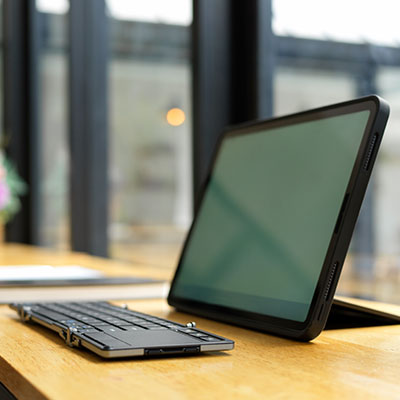
There were a few years there about a decade ago when everyone had to have the latest tablet and tech experts were predicting that most of the world’s productivity would be done using touchscreen devices. On one hand, they weren’t that far off. On the other hand, tablet sales fell off about as rapidly as they had spiked, leaving some question over the future of the form factor. Of course, tablets settled in as great personal computers, but their use in business has seemingly plateaued. Let’s take a look at how businesses use tablets and answer if they are right for your business.

Modern Tablets

Before we get into whether or not you should be using tablets for your business, we’d like to talk about the major differences between tablets of 2014 and tablets today. The form factor is the same. It is like a clipboard with a touch screen that is run by a mobile OS. Like many other types of computing, the component specifications have significantly improved over the years, but the biggest draw to the implementation of tablets to a business is the application ecosystems that they bring to your business. There are quite literally millions of applications that can be used to support all types of business processes.

As far as specifications go, any tablet used for business should have at least four gigabytes of RAM and 64 gigabytes of storage. The Apple iPad, which is widely renowned as the best tablet you can get for business, features the Apple M1 processor, while the best processor found on an Android-run tablet is the Qualcomm Snapdragon 888. Since these are touchscreen devices, choosing one with a 10-inch screen or larger is ideal, but there are seven and eight-inch tablets that are powerful enough to do most things you would need them to. 

Using Tablets for Business

In a recent poll, two-fifths of respondents say that they use some type of tablet in the course of their job. Interestingly enough, a lot of businesses that utilize tablets aren’t actually used in the two largest markets for tablets: The U.S. and China. Many businesses in Europe, Australia, and South America actually use tablets at a higher rate than in those places. They are used mainly for the following reasons:

  • Taking notes
  • Managing social media
  • Creating task lists
  • Point-of-sale
  • Scheduling

If you are thinking that these are the same things that many people in the U.S. use smartphones for, you aren’t mistaken. Tablets present businesses with a cost-effective solution to their mobility needs, even inside the office itself. One of the most innovative ways that businesses normally use tablets is as an easy-to-use point-of-sale device. Today, there are SaaS-fueled POS systems that are hosted in the cloud and run through mobile devices. In fact, with the robust application ecosystem that Apple and Android provide, many tablets can do any business-related task you need them to insofar as you get the more higher-end devices.

iOS vs. Android vs. Windows

As we mentioned earlier, the Apple iPad has long been the best tablet on the market as far as consumers are concerned. Apple has committed to the tablet as a personal productivity tool. As in the smartphone space, Samsung is Android’s top tablet developer. The Microsoft Surface tablet, which has been on the market for 10 years, presents a great option for businesses that are committed to utilizing Microsoft-related ecosystems, even though they come in at a higher price tag and are often looked on as more of a touchscreen PC than simply a tablet. Either way, any of these operating systems integrate well with other computing platforms and present businesses with the opportunity to enhance their operational mobility. 

App Innovation and the Tablet’s Future

Today, tablets are only as good as the applications they run; and there are a lot of them. There are options for any type of activity that your business can undertake. Some include:

  • Managing money (Quickbooks, Wave)
  • Inventory management (Sortly, Delivrd)
  • Human resources (Namely, Bambee)
  • Point-of-sale (Square, PayPal Here)
  • Time tracking (Gusto, HotSchedules)
  • Communication & collaboration (Zoom, Slack, Microsoft Teams)
  • Customer relationship management (Spendgo, Salesforce, Nimble)
  • Project management (Trello, Basecamp)
  • Document management (eFileCabinet, Hightail)

What is Right for You?

If your business is looking to get a cost-effective solution for your mobile computing needs, looking in the tablet space may just be the right move for your business. Give NuTech Services a call today at 810.230.9455 to get the expert consultation and innovative technology your business needs.
b2ap3_thumbnail_windows_tablets_productivity2_400.jpg

Microsoft Takes a Business-Centric Approach With Its Mobile Strategy, Part II

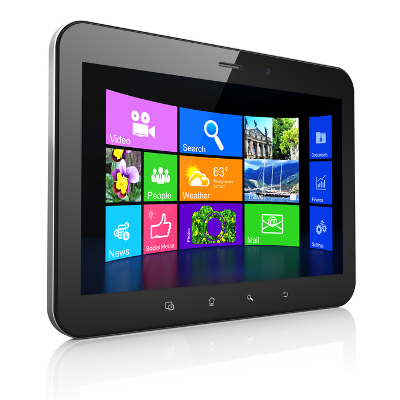
b2ap3_thumbnail_windows_tablets_productivity2_400.jpgIn our last blog article, we looked at Microsoft’s mobile computing strategy for businesses. In part II, we want to follow up by looking at some specific mobile technology from Microsoft, including a preview of its newest mobile computing venture, Windows 10.

Driving Microsoft’s mobile computing strategy are three factors; integration, security, and simplicity. Microsoft’s long history of developing enterprise-level software comes through with its latest mobile offerings. This advantage is sure to increase Microsoft’s mobile market share, especially since the devices offered by its primary competitor, Apple, are designed with the consumer in mind.

For example, if one thinks about the typical tablet device, there’s a natural aversion to using it for everyday business tasks, like typing and sharing files. Also, the security of mobile devices has been a concern for business owners (a trend known as BYOD). Microsoft is looking to change this perception of tablets and mobile devices with its latest offerings, and hopefully turn more businesses on to the world of mobile computing with Microsoft.

In regards to Microsoft’s current mobile offering, its Windows 8.1 tablets, the devices provide a level of security that’s unmatched by its competitors. This is due in part because the software, Windows 8.1, was designed as an OS for workstations too, which require a high degree of security. Protections that come with Windows 8.1 tablets include comprehensive device encryption and a tamper-resistant booting process that prevents unauthorized access and low-level malware infections.

There are several advantages to Microsoft’s approach of using the same OS for both its desktop computers and its tablets. Users who go back and forth between the two machines prefer it because it’s one less software and interface to familiarize themselves with. Although, it’s important to point out that not every Microsoft tablet on today’s market is equipped with Windows 8.1. Microsoft’s lower-end tablets have their own mobile OS (Windows 8 RT), that, while similar to its desktop counterpart, is still a different OS entirely.

Consumers should know which Windows OS to look for in a tablet before making a blind purchase. As we’ll cover with Microsoft’s upcoming release of its next OS, Windows 10, they’re looking to change this dynamic and have the same software run across all mobile devices. Time will tell if Microsoft will be able to follow through on this ambition. If you recall, this was the same expectation the tech world had on the eve of Windows 8’s release.

Top 3 Mobile Devices Running Windows 8.1
If you’re looking to take advantage of a tablet that utilizes all of the benefits offered by Windows 8.1, then we recommend one of these three tablet devices:

  • Microsoft Surface Pro 3: Microsoft’s primarily known as a software company, but with products like its Surface Pro 3, it’s shown the world that’s it’s capable of putting out quality hardware too. Boasting a 12.6” screen, the Surface Pro 3 has enough resources to do essentially everything that a laptop can do. Fans of the Surface models take note that Microsoft has renovated and improved the type cover for its latest version.
  • ASUS Transformer Book: ASUS tablets come equipped with the full version of Windows 8.1. ASUS’s top model is the Transformer Book T2000, which has an 11.6” display and comes with a keyboard.
  • Samsung XE500: Samsung is known as the world’s leading mobile device manufacturer. Its most attractive tablet offering is the XE500 model. Boasting of an 11.6” display and an attachable keyboard, it also comes with a Livescribe Smartpen stylus.

Windows 10: Microsoft’s True All-In-One Strategy
Microsoft’s next big thing is Windows 10. This OS promises to really enhance Microsoft’s mobile strategy since the same version of the OS will be available on both desktop and mobile platforms (much like we see now with select Windows 8.1 tablets). This all-in-one feature of Windows 10 will make it easier for a business to adopt a mobile strategy.

Microsoft’s release date for Windows 10 is July 29, 2015. Current Windows users should have already been notified by Microsoft about reserving their copy of Windows 10. What kind of features and upgrades are we looking at for Windows 10? Concerning the mobile side of the new OS, International Business Times provides us with seven things to look for:

  • Clutter-free interface.
  • A new settings menu that will allow you to access your preferences universally across all your Windows 10 devices.
  • A new Internet browser, Edge, will be featured across all Windows 10-based devices and be able to organize your bookmarks, history, and RSS feeds across all your devices.
  • All-in-one messaging and calling that will feature an integrated message center by drawing all your text messages, Skype messages, and from any other third party message apps.
  • A floating keyboard with well-laid buttons and voice-typing ability.
  • Universal apps will allow you to use the same version of apps across your Windows devices.
  • Free to upgrade for licensed Windows users.

In the past, adopting a solid mobile strategy seemed difficult and an unsure move for companies that aren’t experts in mobile trends like BYOD. However, with Microsoft’s mobile computing offerings like its current line of Windows 8.1 tablets, and Windows 10, going mobile has never been easier for small and large businesses alike. To have a conversation about how your company can take advantage of these mobile technologies and more, reach out to NuTech Services at 810.230.9455.