

videoConferencing_444587400_400.jpg

Remote Meetings Require the Right Technology

videoConferencing_444587400_400.jpg

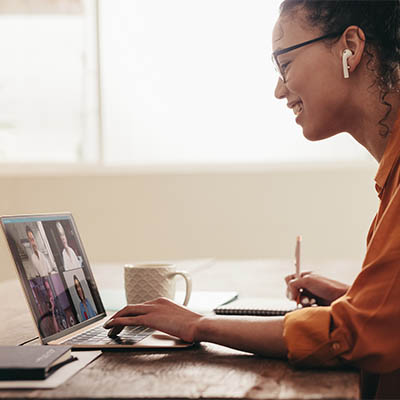
Today’s world of video conferences and remote work means that many workers are forced to endure the dreaded “Zoom Call” or “Teams Meeting,” whichever solution is implemented at their organization. While these terms might be used in a negative way, there are opportunities for you to improve the way you hold your video chats. Here are just a few ideas for you to consider implementing.

Clear Video and Audio

It goes without saying that a good video presentation starts with having crystal-clear video and audio. Much of this will have to do with procuring the appropriate hardware for the job, but your Internet connection can also play a role in this. We recommend you work with experts like NuTech Services to help you get ready for your video conferencing presentations.

Supplemental Visual Aids

No one wants to stare at a talking head the entire meeting, so you should consider the use of visual aids, like PowerPoint presentations or infographics, to help you get your point across to your staff. You can also switch between presenters so that it’s not just one person presenting the entire time, which can make a world of difference for your employees’ attention spans.

Additional Features Like Chats, Emojis, and File Sharing

Video and audio are well and good, but others express themselves in different ways that might make them feel more comfortable. By using the chat and emojis, your employees can react to the meeting in real-time, provided they are not doing anything distracting, like sending memes with quotes from the meeting to each other in the chat.

Engagement Above All Else

People tend to enjoy meetings more often when they are involved in the discussion, so do your best to involve everyone in the meeting in some way, shape, or form. Depending on the nature of the presentation, you should encourage your users to unmute their microphones when they have something they want to say, or use the Raise Your Hand feature (or its counterpart). Some video conferencing tools even allow for break-out rooms that can give your team a chance to debrief and feel more involved.

Want to get your team started with better video conferencing? It all starts with having the right tools for the job. To learn more, reach out to us at 810.230.9455.

388007290_online_meetings_400.jpg

Innovations to Video Conferencing is Changing the Way Businesses Meet

388007290_online_meetings_400.jpg

Voice chat and communication via telephone may have been the norm for years, but these days, video conferencing has really taken off in popularity. With remote and hybrid work still trending worldwide, now is as good a time as ever to reconsider the features of your video conferencing solution. Let’s take a look at some of the features that you should look for when implementing video conferencing.

Screen Sharing

Key to any presentation is going to be screen sharing functionality. This feature lets you share your screen, including any content on it, with whoever happens to be in the meeting. For any business professional who must make a presentation during a meeting, screen sharing is a necessity.

HD Video

It just goes without saying that your video conferencing solution should have high-quality video. This is for your benefit as well as anyone taking part in your meeting. Higher quality video just makes for a more enjoyable experience for all.

Chat Functionality

The chat plays a vital role in any meeting. Not only does it give people the ability to contribute to the conversation who might otherwise not feel comfortable speaking up, but it also allows the audience to feel like they are interactive during the meeting, making it more active and thus more engaging as a whole. The chat feature can include the ability to send files, media, emojis, and more.

Recording Features

There will inevitably come a time when someone important is going to miss a meeting, and that meeting will be critical to keep them informed about something or another. In this case, it helps to have the ability to record your meetings and store them in the cloud for access at a later time. This also helps when you just need a reminder of what was discussed during the meeting.

Performance Reports

Your video conferencing solution should have the ability to gauge interaction and effectiveness, as well as methods to track attendance. You can then use these metrics to adjust how you use your video conferencing tool. For example, if people are not enjoying your slideshow format for a presentation, you can take steps toward making them more enjoyable.

If all of this sounds great, then don’t waste any more time. Give NuTech Services a call at 810.230.9455 today to discuss how you can improve your business’ video conferencing solution.