310405451_virtual_desktop_400.jpg

Microsoft Has a Virtual Desktop-as-a-Service Model with Windows 365

310405451_virtual_desktop_400.jpg

With more companies opting to get involved with the “as a service” market, it’s no surprise that Microsoft, one of the world’s leading software companies, went this route with the Microsoft 365 cloud-service offering. Microsoft has been aiming to take their strategy even further with Windows 365, a way for organizations to opt into virtual desktops. Here’s what you need to know about Windows 365.

Keep in mind that this is still a developing service, so the state of Windows 365 may change over time.

What is Windows 365?

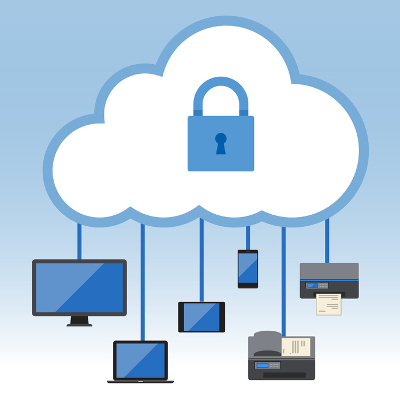
At its core, Windows 365 is a desktop virtualization service (think of it as DaaS, or Desktop as a Service). Users can take full advantage of a virtual Windows desktop, as well as some first and third-party applications. What’s notable is that this can be utilized by devices that are both PCs and non-PCs, allowing for flexible use of the desktop operating system.

You may have heard of “thin computing,” which is when you use endpoints that are somewhat underpowered compared to your traditional desktop computers to run virtual desktops. This is the exact same thing, with the desktop’s data accessed through the Internet. The desktop itself lives in the cloud and is accessed through your connection. The virtual desktop itself is powered by Azure Virtual Desktop, a service that is capable of creating virtual machines for access via the cloud.

How Much Will it Cost?

Microsoft just started to release some pricing information for the base service on their website, and while we like what we see, the real cost is going to come down to setting it up, teaching your users how to access it, and ensuring that the devices you have will access it. We have high hopes that this will be an affordable way to get cloud-based desktop environments for the average worker, even if their only device is a Mac or Chromebook. Pricing per user per month is based on the various configurations available through the service based on how powerful the virtual machines are.

What’s the Difference Between Microsoft 365 and Windows 365?

We are sure that this will cause a bit of confusion within the user base. The big difference between Microsoft 365 and Windows 365 is that Microsoft 365 gives you the licenses to run the included software, whereas Windows 365 gives you the virtual machines to run them on. So, it’s not necessarily double-dipping, but they both will be required if you want to fully leverage the power of Microsoft’s cloud-based deployment service.

You can count on NuTech Services to help you navigate the developments surrounding Windows 365. Perhaps you will even consider us when it comes time for your organization to implement it or when it comes time to consider if it is the right call for your business. You can count on NuTech Services to be here for you! Just give us a call at 810.230.9455.
236945626_virtualization_400.jpg

Managing Data is Easier with Data Virtualization

236945626_virtualization_400.jpg

Businesses today rely on a lot of data, and of course, this data typically isn’t stored all in one place, or even in the same format. Normally, this would make trying to manage this data far more complicated, but modern organizations have a way to simplify their data management: data virtualization.

What is Data Virtualization?

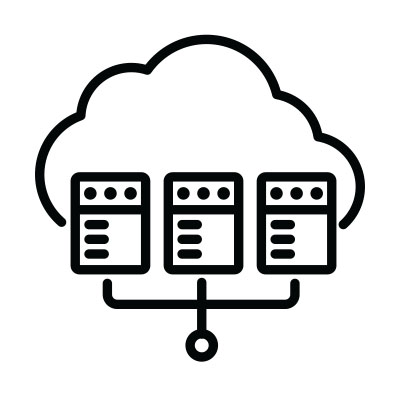
It isn’t uncommon for today’s businesses to have multiple database management systems, and unfortunately, the different types don’t always play nicely with one another. As the amount of data that businesses leverage swells, it has become more important than ever for businesses to be able to consolidate all of this data into an easily accessible tool, without creating a new copy or moving it from its original source – a process similar to data federation, but one that allows access to different data types.

This process makes it far simpler for data to be put to use, allowing the various solutions that are used throughout the course of business to interact with this data.

The Primary Benefits of Data Virtualization

There are quite a few benefits to using data virtualization in your business, but for our purposes here, the fact that all of your data–stored in a variety of different locations–is interconnected and accessible from a single point is the highlight. Just consider how much more could be accomplished if you and your team could access all of the different data types you may need from one place.

As a result, data virtualization is exceptionally useful for processes involving analytics and Big Data, as both incorporate data that comes from a diverse variety of sources.

Of course, we would be amiss if we didn’t mention some of the other benefits that data virtualization has to offer. Productivity can be boosted through the integration of different data units and structures, management becomes simpler, and it is usually a more affordable option than the alternative of copying and converting all of your data into compatible formats.

Interested in Learning More about Data Virtualization?

Reach out to the pros at NuTech Services. Even if data virtualization doesn’t apply to your specific needs, we can come up with the right solution for you! Give us a call at 810.230.9455 to learn more.

cloud_storage_vs_local_400.jpg

Tip of the Week: Which Storage is Better for Your Needs?

cloud_storage_vs_local_400.jpg

Keeping your company’s data safe is extremely important no matter where it is stored. Making the decision to store data in the cloud or in an in-house server is just one consideration you need to make. Today, we will compare these two options to help you select the one is right for your business.

Cloud Storage
There are many advantages to using the cloud for backup and storage. Firstly, the platform is cost-effective because not only are you likely paying for only the space and services that you need, you also don’t have the extra utility and maintenance costs that onsite hardware tends to come with.

Another benefit is the scalability that you can get in the cloud. You can always get just the amount of space and computing services that you need, which is not something that you can expect in the case of an in-house computing platform. By being able to increase and decrease space as needed, all you’ll need to do is notify your service provider, and they will increase or decrease your storage space accordingly.

With cloud-based storage, you also typically improve on your accessibility. Any data stored in a cloud-based storage facility can be accessed through most Internet-connected devices that run an Internet browser (or through an app). Just log into your account and gain access to all the information you need when you need it.

Depending on your business needs, some of the few disadvantages cloud storage brings may not even impact your decision. The big one is speed. If you have a lot of data to store, and your Internet connection is less than stellar, backing up or transferring data to the cloud provider could take a while.

Local Storage
Speed is the one main advantage of storing your data locally, but there are some others. Businesses that rely on in-house computing infrastructures have more options than those that use cloud-hosted solutions–especially since you can just unhook the drive and the data is protected.

By having complete control over the management and design of your in-house computing infrastructure, you can create some pretty useful setups that will save your business money. Not only can you set up multiple virtual machines on one server, you can have full-scale redundancy to protect all of the information on your systems.

Some downsides include the upfront expense of purchasing all the major hardware and software systems needed. Scalability is more difficult, and most damning, if your data is saved, backed up, and protected in one place, if that one place gets hit with any issues, your data could be inaccessible, or worse yet, destroyed altogether.

While you have to make decisions for your business, depending on NuTech Services to help you make the right ones is advisable. Call us today at 810.230.9455 and one of our professional IT experts will help you design and implement a storage plan to meet your business’ needs.

virtualize_and_save_400.jpg

Virtualization Has A Place Everywhere In Your Business

virtualize_and_save_400.jpg

Virtualization is a key player in today’s efficient workplace. Businesses of all kinds are looking to expand and enhance the way that they function on a fundamental level, and virtualization offers never before seen opportunities to cut down redundancies and implement new methods to improve operations.

First, an explanation of what exactly virtualization is. In essence, virtualization is taking a service or solution and abstracting it to the point where it can be run or accessed through the cloud or another centralized location. Examples of virtualization include digitizing servers or workstations, eliminating the need to manage and maintain hardware; storing applications or data in the cloud to allow for more efficient and dynamic access; and so much more. How can your business benefit from this new way of working with business technology?

Here are some of the most effective ways to utilize virtualization for your organization.

Virtualized Cloud Hardware
Businesses often virtualize servers so that they don’t necessarily have to provide the same maintenance and management required of a physical server unit. Virtualizing servers through a service provider like NuTech Services lets your organization store its servers on our infrastructure so that we can directly administer maintenance and management as needed. You can access your information remotely through the cloud. Other benefits include the ability to create specific environments for legacy applications and reducing the overall costs of operations due to fewer resources spent on air conditioning or electricity.

Virtualized Desktops
Just like servers, your desktop infrastructure can also be virtualized in order to preserve energy and assets for your organization. For example, let’s say that you replace all of your business’s workstations with thin clients. Thin clients are sort of like basic desktops that call their resources and applications from a virtualized infrastructure. Thin clients consume far less electricity than an ordinary workstation, allowing you to invest these resources elsewhere. This means a user’s desktop and applications are all processed centrally on a server or in the cloud. If your user needs to access their desktop environment from a laptop or another computer, they can typically do so securely without skipping a beat.

Virtualized Software
Storing software solutions in the cloud is a great way to improve their versatility. If you store them in the cloud, you provide access to any approved device through a mobile app or web browser. This can help your employees stay productive both in and out of the office by staying connected to a number of different software solutions, including your productivity suite, email, and even your phone system.

If you can imagine virtualizing a solution, chances are that it’s a possibility for your business. The only way to know for sure is to call NuTech Services. To learn more about virtualization, reach out to us at 810.230.9455.

i_choose_the_cloud_400.jpg

Study Finds that 45% of Virtual Machines Would Run More Efficiently in the Cloud

i_choose_the_cloud_400.jpg

By now you’ve surely heard about the benefits of cloud computing, but a new survey by TSO Logic might be just the proof you need to make the leap to the cloud. The survey analyzed 10,000 physical servers and 25,000 virtual machines, and the results are quite revealing!

At the end of the survey, TSO Logic found that 45 percent of virtual machines would run more proficiently if they were managed in the cloud. At 45 percent, this is a pretty significant chunk of servers. The reasons why cloud servers outshone their hardware-based counterparts varies. In 26 percent of the inspected machines, both on-premise and virtual machines suffered from a critical problem called over-provisioning. Basically, this means that the machines were set up in a way which caused them to use more resources than they have to work with.

InformationWeek reported that TSO Logic’s CEO Aaron Rallo came to the following conclusion: “Migrating them to the cloud and right-sizing them there would result in a 36 percent savings over their current operating cost.”

While any amount of savings is welcome in business, a large figure like 36 percent is particularly impressive. The expenses of implementing cloud solutions can be easily covered by the cost savings, and this efficiency only serves to further reduce cost savings. This cloud migration scenario also makes for the perfect time to upgrade older server units as well, since you can save money and reduce the odds of hardware failure with a hardware refresh. InformationWeek reports: “A secondary finding was that merely upgrading systems to the latest generation of servers, whether on premises or in the cloud, would also result in considerable savings. Twenty-five percent of the physical servers surveyed were more than three years old, meaning they dated back into the Intel Nehalem chip era of 2013 and its predecessors.”

Yet, this prompts the question, “Do I really need to take these measures when everything seems to work just fine?” Inefficiencies might not be an immediate problem, but if there are enough of them, they will begin to accumulate and create problems for your organization. Instead, It’s best to use these proactive measures to keep problems from happening in the future. That’s what this study seems to predict, anyway, and it makes sense.

If your business is ready to get the most out of its cloud solutions, reach out to NuTech Services. We can host your servers in the cloud so that you don’t have to worry about their management and maintenance. Furthermore, we can offer a complete and thorough IT assessment so that you know exactly what your organization needs to accomplish with the cloud. To learn more, reach out to us at 810.230.9455.

virtual_cloud_400.jpg

Why it May Not Be Worth it to Replace Your Server

virtual_cloud_400.jpg

When a business undergoes a hardware refresh, it often comes saddled with unexpected costs and downtime. This is sometimes caused by hardware failure, or from unplanned-for data migration. With the advent of virtualized servers, businesses now have a better way to recover from the woes of server refreshes. Rather than purchase new hardware, it’s more economically viable to go with a virtual server that’s hosted in the cloud.

Server virtualization is a great way to save costs and reduce operational expenses in the long run. Virtual servers can separate the computing resources of a server and allocate them within a cloud-like infrastructure. Server virtualization is great for businesses that have limited budgets and resources, since this is a responsibility that’s simple to outsource to a reliable third party service provider.

Here are three major reasons why you should go with virtual servers for your next IT refresh.

Virtual Environments
One of the biggest reasons to use virtual servers is that you can create multiple computing instances on the same virtual machine. For example, if you’re using a legacy application that’s only functional with a specific operating system, you can run a virtual machine dedicated to that application. This keeps you from investing unnecessary capital into an entirely separate server unit for the exclusive use of one application. Keep in mind that this also helps you limit the cost of operation and maintenance that would be needed for a dedicated server.

Save on Operating Costs
Another major benefit that virtual servers offer is the ability to host less hardware in-house. Servers use a lot of electricity and generate a lot of heat, making air conditioning a top priority for server longevity. High energy costs can put a damper on your budget, and server virtualization offers a remedy. You can consolidate your infrastructure onto one device with multiple virtual machines, rather than create a complex infrastructure of network components. This cuts down on your operational expenses.

Effectively Manage Resources
Virtual machines let service providers or IT administrators manage their workloads more-effectively. You can monitor and adjust workloads in a cloud-based interface in real time, allowing operations to progress unhindered. While it’s possible to have your own internal IT department handle this, it’s better to outsource these responsibilities to save internal time and resources for more important matters.

The next time you need a hardware refresh, be sure to keep your server infrastructure at the top of your mind. To learn more, reach out to us at 810.230.9455.

cloud_migration_initiatives_400.jpg

3 Lessons We’ve Learned for a Successful Cloud Migration

cloud_migration_initiatives_400.jpg

If you’ve recently decided to implement cloud computing for your business, then we commend you. You’ve chosen to use a powerful and dynamic solution for your computing needs. However, choosing to use the cloud and actually implementing the cloud are two entirely different monsters. Now that you have your sights set on the cloud, what do you have to do to get your infrastructure ready for migration?

The first thing you need to know is that a cloud migration is much more involved than moving a file from one location to another. We’re talking about your entire data infrastructure getting migrated to a new location in the cloud. This involves a lot of prep work, not unlike moving all of your belongings from your home to a new house. The better prepared you are for the move, the smoother the transition, and the lower the probability that you’ll misplace important items of value.

ITProPortal provides some insight into what migrating properly to the cloud takes: “It involves a complex infrastructure migration process. Good preparation is the key to success. Those organizing the migration process should ensure that all data is ready for the move and that the company network has the necessary capabilities to interact with the cloud.” This is the biggest reason why you want a qualified professional to assess your IT infrastructure before you start your move to the cloud.

Consider these aspects of cloud migration before making the big move:

Sort and Label Your Files
Over the many years you’ve been in business, your organization has collected countless files and documents. It’s crucial that you take the time to determine which files are worth saving and moving. Otherwise, you could waste valuable time and resources moving files that you no longer need, which could drag out the migration process.

Prepare Your Network Infrastructure
Cloud migration may come with changes that need to be made to a network infrastructure. In general, when migrating to the cloud, you need to consider two major additions; setting up a direct Internet breakout in order to distribute traffic across external networks, and multiple firewall instances in order to secure the various Internet connections.

Have a Migration Timetable
Even the most thorough planning for a cloud migration can yield results that take weeks or months to fully realize. Therefore, you need to provide your staff with an accurate timetable for the transition to ensure that their workflow isn’t disrupted. One way to do this is to plan for how user settings are migrated, like profiles, address books, calendars, and so on. To help with this, ITProPortal advises: “Instead of moving all their data to the cloud, more and more companies are opting for a hybrid solution. This means that some users and storage locations stay with Exchange on-premises, while the rest move to the cloud.”

Once all of your data is successfully migrated to the cloud, you’ll want to focus on security, archiving, and data backup to ensure that you’re ready for anything. NuTech Services is happy to help your business with

b2ap3_thumbnail_virtualization_security_400.jpg

Can a Virtual Infrastructure Be Enough to Guarantee Data Security?

b2ap3_thumbnail_virtualization_security_400.jpgEvery business needs technology in order to function. Yet, if a company’s IT network is overly complicated, then technology will hinder operations, not help it. Enter virtualization, offering business owners a way to simplify their IT infrastructure, as well as make it more secure.

Even though virtualization has been utilized by enterprises for many years, it might not be a solution that everyone’s familiar with. In fact, you might be surprised to learn that, according to a recent report from Cisco, 77 percent of small and medium-sized businesses are using some kind of virtualization, be it for storage, server hosting, or desktop infrastructure.

What exactly is virtualization? Here’s a helpful definition from Gartner:

[…] the abstraction of IT resources that masks the physical nature and boundaries of those resources from resource users. An IT resource can be a server, a client, storage, networks, applications or OSs. Essentially, any IT building block can potentially be abstracted from resource users.

One example of virtualization would be a network that’s hosted in an off-site data center. Companies that take advantage of hosted networks like this don’t have to host this technology in-house. This approach streamlines operations. Additionally, with virtualization, adding new users is as easy as setting up a new account, instead of having to run new cables and upgrade equipment.

Peace of mind is another advantage of virtualization. For example, if your company’s physical location were to be hit with a disaster, like a fire, flood, earthquake, etc., then any virtualized data that’s hosted off-site would be safe and sound. In addition to virtualization safeguarding your data from natural disasters, it protects your data from man-made disasters, like hardware failure and hacking attacks. Although, we feel the need to point out that a virtualized network isn’t impenetrable to hacking, so you’ll still want to utilize a firewall, antivirus, and spam blocking security solution.

So far, we’ve mentioned how virtualization provides companies with simplicity and security, yet we’ve failed to mention the benefit that will appeal to every business owner–cost savings! One outcome of virtualizing your network is not having to pay for the electricity it takes to run servers or pay for those pesky maintenance issues. This literally puts money back into your company’s operating budget.

Is your business taking advantage of virtualization? If not, would you like to? To learn more about the many benefits of having a virtualized network and what it takes for your company to fully utilize this technology, call us today at 810.230.9455.

b2ap3_thumbnail_virtualization_to_the_cloud_400.jpg

The Top 3 Reasons You Shouldn’t Ignore Server Virtualization

b2ap3_thumbnail_virtualization_to_the_cloud_400.jpgIs your business taking advantage of server virtualization? It’s a popular solution that increases efficiency and minimizes risk. Yet, despite the well-known benefits of virtualization, there are still businesses that are hesitant to adopt it. Are you still on the fence about virtualization? Consider these top three reasons why server virtualization may be right for you.

Application Isolation
When your server is virtualized, you’re able to isolate needed applications. Isolating an application on a dedicated server unit is very wasteful and very impractical, both in terms of wasted electricity and computing resources. Yet, “one application per server” is a common way that many SMBs go about hosting their data.

A virtual server is an efficient alternative to this problem of wasting resources. With a virtual server, your applications are assigned in a controlled environment and given just enough resources to efficiently meet your needs. This frees up space and bandwidth on your local server units so they can handle more mission-critical tasks.

Maximum Uptime
Operating a physical server comes with a degree of risk. Threats like hack attacks, hard drive failure, or performing major maintenances can cause unexpected and serious downtime. A virtualized server is a versatile option that can adjust to the stresses and attacks that have a tendency to plague a server.

The best way to deter downtime is to combine server virtualization with a reliable backup solution. This is what your network gets with NuTech Services’s Backup and Disaster Recovery (BDR) solution. If you’re backing up your data with BDR and your network is hit with a downtime-causing disaster, then BDR can act as a virtualized server for your network so your business can continue with its work and only experience minimum downtime.

Cloud Migration is Simplified
Are you considering moving your data and applications to the cloud? If so, then you’re going to have an easier migration process moving data from a virtualized server to the cloud than you will by moving your data to the cloud from an in-house physical server.

Why would you want to migrate your data from a physical or virtualized server to the cloud? All of these data-hosting options come with their own set of unique benefits. Before you commit to a data hosting model, which can include a hybrid option, be sure to talk with the IT professionals at NuTech Services in order to discover what the best technology move is for your business.

These are only three benefits as to why you should consider server virtualization; to be sure, there are many more. To find out if server virtualization is right for your business, give NuTech Services a call at 810.230.9455.