wifiSecurity_277131135_400.jpg

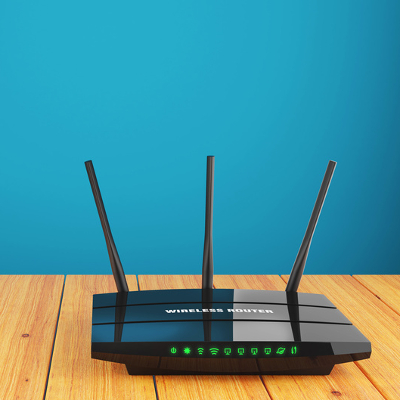
Improve the Security of Your Wireless Network with these 4 Actions

wifiSecurity_277131135_400.jpg

It’s not always easy to build a network that is both robust and secure, but this doesn’t make it any less necessary, not with so many of your critical business functions relying on connectivity. With so many devices accessing your network at any given time, you need to have a concrete understanding of how to keep your network secure while still keeping your network running efficiently.

Your Wireless is Not Simply About Wi-Fi Connectivity

Your business’ wireless connection is much different from your home connection, and this extends far beyond just the data it sends. Start thinking about it not as a tool but as a part of your business’ foundation, something that it stands on and relies on. This is a far cry from how some organizations view their wireless networks with many viewing them as a secondary network, sidelining it in favor of the actual company network. This practice can be fatal.

Even if you have yet to experience a true data breach, this doesn’t mean that there aren’t currently threats out there who have set their sights on you. Most employees will have smartphones allowing them to access your company’s data or Wi-Fi during the workday, and most important of all, they expect your network to be secure, as they don’t want to put their personal devices or data at risk. To help you build a network that is secure and reliable, we’ve put together the following actions you can take today to protect your network:

Keep Guests on Their Own Network

If you want to keep your network as secure as possible, start by isolating your guest network into a subnet. Subnets are partitioned off from the rest of your network, allowing you to keep them secure through different settings or access controls. Some companies keep their guest networks open so people can use them as they see fit, and while this is certainly a fine practice, be sure that it’s not operating too close to your employees’ network. You never know who could be using your network for nefarious deeds.

Secure Your Routers

If you want to secure your wireless network, you need to make sure that the hardware powering it is in an appropriate location that is safe and secure from just anyone. Businesses opt for commercial Access Point (AP) technology instead of the over-the-counter router, as they provide better coverage and are often placed out of reach, attached to the ceiling or elsewhere. If your business still opts for the router, however, just make sure that people can’t mess with it while they are walking around your place of business.

Reign In Your Signal

You’ll want to have total coverage for your entire office if you can, but you also need to keep in mind that if your network extends beyond your walls, an unauthorized user could be sitting in the parking lot or across the road, ready to use your wireless network for their own purposes. You can manage your signal’s strength by placing them in locations where you are comfortable with letting your wireless signal reach.

Keep Software Updated

Routers have their own operating systems that are updated periodically by software developers, and as such, they also come with their fair share of vulnerability patches and updates. You’ll want to make sure that the firmware is updated for all of your wireless technology so that it is kept safe as can be.

NuTech Services can help you make any and all necessary adjustments to the way you utilize wireless technology. To learn more about what we can do for your business, contact us today at 810.230.9455.

cybersecurity_353101152_400.jpg

Setting Up Your Company’s Wireless System Should Be More Involved than Just Plugging in a Router

cybersecurity_353101152_400.jpg

We live in a world that is constantly connected, be it through a wireless connection or through your smartphone’s mobile data. This makes it especially important to practice appropriate cybersecurity practices while you’re connected to a wireless network. Let’s go over some wireless cybersecurity best practices you can keep in mind when using your wireless technology.

Change Default Router Passwords

Generally speaking, many users will keep the same network names and passwords for their wireless networks, something which can be dangerous and exploited by hackers. If a hacker knows the device type, they can look up the default passwords online, making it all the more likely they can compromise the network. Be sure to change your network names and passwords so they are as best protected as possible.

Restrict Access to Your Networks or Set Up Guest Networks

Don’t let just anyone use your wireless network! You should restrict access to your network to only employees or on an as-needed basis. If you must give guests access to your network, set up a separate wireless network for them to do so; this gives you greater control and privacy on the network where most of your data is moving.

Patch your Access Points

Any devices accessing your data over your wireless network should be kept up-to-date and secured. This means making sure they are all equipped with appropriate security measures themselves, and while it can be challenging to keep up with patches and updates, it’s something that must be done to maintain optimal security. For example, you need to ensure all computers, including laptops and desktops, as well as smartphones and other mobile devices, are kept secure while accessing your company’s wireless network.

Implement Comprehensive Security Measures

The same network security measures used for your in-house network apply to your wireless network. This means implementing antivirus, antimalware, and firewalls to keep threats off your network and promptly eliminate those that do manage to make their way through.

Use a Virtual Private Network

A VPN can help by encrypting data sent to and received by your wireless network, protecting it from unauthorized onlookers. Essentially, it can no longer be spied on or stolen, as it will be encrypted; without the decryption key, it won’t be useful to anyone.

Let Us Help!

NuTech Services can help to equip your business with all of the technology it needs to remain safe and secure while off the safety of your in-house network. Whether it’s training your employees on security best practices or setting up powerful mobile security solutions, we’ve got you covered; just reach out to us at 810.230.9455.

297842189_wifi_remote_work_400.jpg

Tip of the Week: 2 Wi-Fi Tips for Your Home or Office

297842189_wifi_remote_work_400.jpg

The COVID-19 pandemic has a lot of people spending a lot of time at home. As a result many people are getting more out of their Internet service. With school starting back up and people still working from home, the Internet needs to be available for everyone in the house. One of the best ways to make this happen is through Wi-Fi. Oftentimes, however, setting up a Wi-Fi connection can be troublesome. Today, we thought it would be useful to give you a couple of tips that can help you get the most out of your Wi-Fi network at home or in the office. 

Strategic Placement

Wi-Fi depends on a couple of pieces of hardware and a couple of other factors. Firstly, ensure that your modem is connected correctly and that your router is connected securely to your modem. Nowadays, they are typically found in the same unit for home use. A key factor to setting up your router is that it has as few obstructions between devices as possible. Wi-Fi is just wireless radio waves, so ensuring it has a clear path will help the reliability of the signal that gets to your devices. 

To make this happen, you will want to choose a centralized location in your house or office to install the router. You will also want to elevate it over most obstructions. If your modem is on the floor there are many more obstructions close to the floor than there are near the ceiling. Setting up your router up high will work to keep your coverage relatively consistent throughout the environment. 

Utilize Wi-Fi Extenders Where Necessary

Some places have too much “place” for your Wi-Fi signal to effectively reach all ends of a property. When this happens, installing a Wi-Fi extender may be your best option. Effectively, these devices just repeat the frequency coming from the router to a larger area. If that doesn’t do the trick you could outfit your home or office with additional routers that will do a better job broadcasting Wi-Fi signals. 

If you are having problems setting up your Wi-Fi connection, or you would like to get some expert advice before networking your home or office, call the IT professionals at NuTech Services today at 810.230.9455.

142845438_isp_400.jpg

ISPs Have Finally Started Rolling Out 5G

142845438_isp_400.jpg

If there is one thing that we all know about 5G it is that it’s coming? It’s been coming for years. For a decade, the next biggest thing has been 5G. We’ve routinely heard statements like “When we get 5G…” Many of which came from people that had no idea what the “G” in 5G even means (It literally stands for “generation”). Today, we’ll separate the facts from the fiction to get you up to speed on 5G.

To begin, we have to say that anyone that is talking about 5G as a selling point for any product or service in early 2019, you are looking at a marketing strategy. As the year goes on, however, we will be getting the first 5G networks and devices that can run on them. So, while it is true that some 5G wireless networks will be online in 2019, the lion’s share of networks will be using the same wireless platform that you’ve had for the past decade.

Fourth Generation

In December 2009, 4G wireless broadband networks went online for the first time, with the U.S. finally getting 4G LTE in June of 2010. Much like 5G will be for us, 4G was a revelation for mobile consumers of the time. At the time, 3G networks were doing 200 kilobits-to-five megabits per second and boosting to 4G’s 100 megabits-to-a-gigabit per second is a huge jump. It allowed for cloud computing and streaming media to be possible, and opened up a massive market for mobile applications, and devices that could handle these applications. The effect 4G had on society was massive.

Fifth Generation

Like the 4G networks before it, 5G networks will improve bandwidth speed, reduce latency, and provide a whole new layer of application support. It will effectively bring office Internet speeds to mobile devices. With speeds up to 100 gigabits per second, the 5G connection will be nearly 1,000 times faster than current 4G speeds. This will make any streaming communications seamless and give application developers a whole new construct to work in, improving mobile computing with each new innovation. To put this into perspective, with a solid 5G connection, you could, in theory, download a full movie in a few seconds

This gives people better network stability to ensure that business-critical mobile functions are reliable and has the speeds necessary to provide users the digital tools they need to be productive anywhere they are. The problem many organizations (and individuals) will have is that with this amazing upgrade, when your area gets 5G (Verizon has announced they are launching their 5G the second week in April in Minnesota and Chicago) you will have to get a phone that is capable of working with the new 5G networks. Thus far here is the list:

  • Samsung Galaxy s10 5G
  • LG v50 ThinQ
  • Huawei Mate X
  • ZTE Axon 10 Pro 5G
  • Unnamed OnePlus 5G Smartphone

That’s it. No Apple version. No Eurpoean version. In fact, of these phones, the Galaxy s10 5G is the only one that will be available in the United States at the time of Verizon’s 5G launch in April.

Also, Verizon is also making available a 5G mod for the Moto z3 for $50. The retail price comes in at a cool $349.99 if it isn’t purchased in the promotional period.

Users should also know that if they are lucky enough to get access to a 5G network, they will be forced to pay extra for access to it. The price currently is an additional $120 per year on Verizon, other Telecoms haven’t announced a true 5G pricing strategy, even though most of them have rolled out some products claiming to have 5G capabilities on handsets that only offer 4G LTE speeds. As we stated above, these are marketing ploys.

Do you plan on using 5G when it’s rolled out? Leave your thoughts in the comments section below. If you would like to know more information about the technology behind 5G subscribe to our blog today.

your_network_router_400.jpg

Tip of the Week: 4 Easy Tips to Boost Your WiFi Signal

your_network_router_400.jpg

Your wireless router is both an integral part of your business’s online infrastructure, and a critical part of your home computing environment. Therefore, you need to make sure that your router is broadcasting a clear signal. Here are some tips on how to keep your wireless signal as strong as possible, regardless of where you are in the office.

Place Your Router Out in the Open
People like to conceal their routers in cabinets, hidden on the floor behind a desk, or elsewhere. It’s not like the device is an eyesore or anything, yet people are so quick to just throw them somewhere they won’t be seen. This is often dangerous and impractical, as the device can overheat if it’s in a place with poor air circulation. Plus, if you’re storing your device in a cabinet or otherwise, your signal could be suffering, making your Internet connection spotty and unpredictable at best.

Instead, we recommend that you keep your router out in the open, where it can get plenty of air circulation and broadcast its signal unhindered. In general, this is a best practice for your technology; especially workstations and servers.

Place Your Router in a Central Location
It’s tempting to just tuck your router away into a corner on the far side of your office, but this is a good way to make sure that the other side of the building doesn’t get a strong wireless connection. What you need to do is set up your router in a spot where it can broadcast its signal equally to each location. Depending on the architecture and size of your office, you may need multiple access points.

It should also be noted that you will probably want to elevate your router slightly, so as to make sure that your signal isn’t being blocked by objects placed on the floor, like file cabinets, desks, and so on.

Check Your Bandwidth and Internet Service Agreement
Sometimes placing a router will do nothing to help with your business’s wireless Internet speed. In cases like this, it might not be a problem with your router’s placement, and instead is a result of your network’s modem. The modem is often issued by an Internet service provider and works in accordance with your service agreement, limiting bandwidth and the flow of data. Therefore, if you’re having wireless problems, but have tried every router position out there, give your ISP a call and see what they can do for you.

Upgrade Your Router
If you’re using the same router that you had when your business first started, chances are that it’s grown outdated. In this case, your wireless signal could be limited by the router itself. Since this is something that your business has control over, you may want to purchase a new one. It’s recommended that you at least go with something that has dual-band support for both 2.4 GHz and 5.0 GHz bands. This will help to keep your network strong, with minimal resistance from external forces. NuTech Services is available to help you choose the best wireless solution for your business.

Alternatively, you could try updating the firmware of your router; often times, this can help with connection issues and limited wireless range.

For more assistance with your wireless network, contact NuTech Services at 810.230.9455. Our trusted technicians would be happy to lend our assistance with your IT troubles.

b2ap3_thumbnail_guest_wifi_400.jpg

Tip of the Week: Improve Customer Experience With a Guest WiFi Hotspot

b2ap3_thumbnail_guest_wifi_400.jpgAs a business owner, you rely on your WiFi router to reliably broadcast a network connection to your entire office. This is generally a private network that you won’t want to share with just anyone. The only problem with this is that guests visiting your office might want to use the wireless Internet, and allowing them to do so can improve guest relations. So, what’s the solution to this dilemma? It’s simple: integrate a guest WiFi hotspot specifically for visitors.

When you consider the prevalence of public WiFi hotspots, you’ll realize that this is a great idea that can dramatically increase customer satisfaction. Fast food restaurants and cafes are seeing this, as customers come in to use their wireless, but in the process also wind up purchasing food or coffee. Guest WiFi hotspots work for the service-type industries, and translating this to the professional environment might be a bit of a stretch. Although, you’d rather have only trusted users accessing your organization’s private wireless network, so it’s best to set up a guest wireless network that they can use to access the Internet, but not the rest of the network.

Here’s a process that you can use to approach the idea of a guest WiFi hotspot.

How’s Your Internet Connection?
It goes without saying that your business wants a strong, stable wireless connection that it can use for Internet access. So, before you consider allowing even more users to connect to your wireless, you want to make sure that your Internet connection can withstand more traffic on it than normal. How many users will be taking advantage of it at any given moment? Is it going to be meant for just simple web browsing, or will it be used for streaming music, videos, and other content? Consider these questions carefully, and ensure that your Internet can accommodate more users than you anticipate. This will minimize any risks of the network speed grinding to a halt when you need it most. Some guest WiFi solutions even let you restrict bandwidth per user, allowing you greater control over your bandwidth.

Use Consistent Security Measures
Just because you have a wireless signal for guests, doesn’t mean it needs to go without security protocol. It should be set up to require a password that is provided by someone in your office. Otherwise, you might get any number of miscreants trying to leech your wireless signal without your consent. This gives your organization a semblance of control over the network while still having it available for users when the need arises. Similarly, you should keep an antivirus, firewall, content filter, and other security measures active on your network to prevent incriminating content from being browsed from your WiFi location. There are even WiFi solutions that enforce users to have antivirus running on their device before letting them connect, as added protection.

Contact a Professional IT Technician
When you think you’re ready to set up your guest WiFi hotspot, you will want to contact an IT professional who understands the individual needs of your business’s computing infrastructure. They will make sure that your hardware can handle the extra traffic, and discuss exactly what your business needs. NuTech Services can help your organization set up and utilize a guest WiFi solution that’s designed to keep your organization safe, while allowing your guests to benefit from the web. Give us a call at 810.230.9455 to learn more.