Chances are, you’ve heard of “phishing” – a cybercriminal’s scam that steals data, access credentials, and other sensitive information by fooling a user into thinking they are providing this information to someone who is supposed to have access to it. However, there are a few different kinds of phishing, based on how it is carried out. Here, we’ll discuss the realities of spear phishing, and the risks it poses to your business.
What Makes Spear Phishing Different?
As a rule, spear phishing is a much more precise and personalized process. To keep to the “fishing” analogy, a generalized phishing campaign casts a wide net, trying to snare as many victims as possible with their scam. Utilizing vague and generic language, the ‘typical’ phishing attack is made to appear to come from a large organization, informing the user of some need for the user to take action, resulting in the hacker gaining access to the user’s information. This methodology makes the typical phishing attack fairly effective against many people, while simultaneously easier to spot if one knows the warning signs.
By comparison, spear phishing is far more precise. Instead of trying to find value in the quantity of targets snared in a trap, spear phishing takes the opposite tack. Using a highly targeted approach, spear phishing attacks are directed toward a specific individual within an organization.
This specified approach means that the generic messages that many phishing attempts leverage simply won’t be enough to fool the intended target. Instead, the hacker has to play investigator, seeking out as much information as they can about their intended target. Where do they work? What is their position in the company? Who do they frequently communicate with? Once the hacker has collected enough information to create a convincing message, they will typically spoof an email to their target. This email will usually contain some reference to a known contact or some in-progress project to make it more convincing and will request that the recipient download a file via a provided link.
However, while the link will direct to what appears to be a Google Drive or Dropbox login page, it is just another layer to the deception. Entering credentials into this page will give them right to the hacker for their use, breaching the user’s security and putting the entire business at risk in one fell swoop.
What Methods Do Spear Phishers Use?
Due to how spear phishing works, the messages sent by hackers need to be as convincing as possible. Combining extensive research with some practical psychology, a hacker has more ammunition to power their attacks.
As mentioned above, spear phishing is far less generic than the average phishing attempt. By referencing specific people, things, and events that mean something to the target, or appearing to come from an internal authority (a manager, perhaps, or even the CEO), the hacker can create a message that is less likely to be questioned. If the hacker writes their messages without any spelling or grammatical errors, as many spear phishers do, it only becomes more convincing.
These hackers are so reliant upon their target being fooled; many will purchase domains that strongly resemble an official one. For instance, let’s say you owned the domain website-dot-com. If a hacker decided to pose as you to launch a spear phishing attack, they might purchase the domain vvebsite-dot-com. Without close inspection, the switch may not be noticed – especially if the hacker creates a good enough lookalike website.
Am I A Target?
Of course, the research that a hacker has to do to successfully pull off a spear phishing attack is extensive – not only do they have to identify their target, they also have to figure out the best way to scam this target. Generally speaking, a hacker seeking to leverage spear phishing will focus their efforts on anyone in an organization who could potentially access the information that the hacker wants but isn’t high up enough in the organization to question an assignment from above.
Or, in more certain terms, a business’ end users.
In order to minimize the chances that a spear phishing attack will be successful against your company, you need to make sure that everyone subscribes to a few best practices. For example:
- Pay attention to the finer details of an email. Is the message actually from christine@contactcompany.com, or does the email address actually read kristine@companycontact.com? Did Christine/Kristine include any attachments? As these can be used to spread malware via email, you should avoid clicking on them unless you are certain the message is legitimate.
- Is the message written to sound overly urgent? Many phishing messages, especially spear phishing messages, will try to push an action by making it seem as though inaction will lead to a critical issue. Another warning sign to look out for: any deviation from standard operating procedures. Don’t be afraid to question a sudden switch from Google Drive to Dropbox – it may just be the question that stops a spear phishing attack.
- Speaking of questioning things, don’t hesitate to make sure that any messages you suspect may be spear phishing aren’t actually legitimate through some other means of communication. A quick phone call to the alleged sender will be well worth avoiding a data breach.
While spear phishing is a considerable threat to your business, it is far from the only thing you need to worry about. NuTech Services can help your business secure its IT solutions and optimize them for your use. To learn more, subscribe to our blog, and give us a call at 810.230.9455.




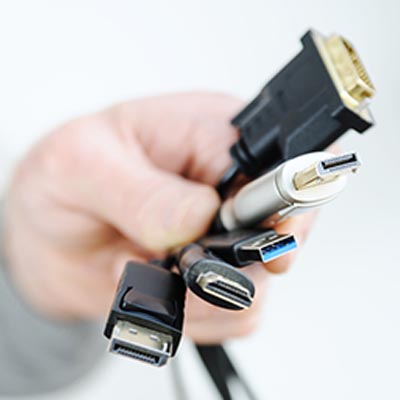
 Type A connections support USB 1.0, 2.0, 3.0, and 3.1, with transmit speeds ranging from 1.5 MB/s to 1.25 GB/s. These connections are the most common ones found on at least one end of every USB cable.
 Type B connections also support USB 1.0, 2.0, 3.0, and 3.1. These were once used for connecting a printer or similar device to a computer, but they are being slowly phased out.
 Mini and Micro both support USB 2.0, with mini USB connections being used for some older devices. Those that don’t use mini USB connections have been replaced by Micro-USB, and even those are being phased out for Type C connections.
 Type C connections, also sometimes referred to as USB-C, support USB 3.1, 3.2, and the upcoming USB 4 standard.
 The Video Graphics Array cable is less popular these days due to its analog video signal being replaced by digital. Even so, there is likely to be a VGA port on your video card or display.
 VGA cables were phased out during the turn of the century and replaced by Digital Visual Interface cables. DVI is known for having many different types, all of which have their own capabilities, but they have been replaced by modern display cable types at this point.
 DisplayPort cables were introduced with the intention of replacing both VGA and DVI cables, as they are capable of transmitting both video and audio signals. There are many different kinds of DisplayPort out there, but the important thing to note is that they are compatible with each other. DisplayPort can also be used in conjunction with HDMI and USB if there is an adapter used. These days, DisplayPort is used to attach a monitor to another device.
 High-Definition Multimedia Interface cables are used to send modern standard digital signals. Five different types of HDMI exist today, but it’s most likely that you’re familiar with Type A. You may have also seen Type C for digital cameras, or Type D for mobile devices.
 Serial Advanced Technology Attachment cables create a connection between a computer’s motherboard and a storage device. These offer quick data transfer speeds compared to their predecessors, the Integrated Drive Electronics cable.
 eSATA cables are basically the same as SATA cables, only for external devices rather than internal components. These connections aren’t as common anymore, as USB technology has grown so quickly that it has eclipsed their speed.
 A local area network takes advantage of ethernet cables. These cables are those that connect to your modem, router, and computer. They are easy to distinguish from other cables, as they look quite similar to telephone cables from way back when.