FrankandBill_62716906_400.jpg

Procuring the Right Hardware Can Be a Difficult Process

FrankandBill_62716906_400.jpg

A time may come when your business needs new hardware, so you will have to make the best and most educated decisions when it’s time to do so. This process can be difficult without the help of your resident tech professional, though. Maybe we can give you a hand!

Here are some of the common challenges that your business might come across when adding new hardware solutions to your infrastructure.

First, however, it’s important to know what not to do when you replace your technology. Some businesses might use a break-fix approach for their technology maintenance, but at that point, the technology is already broken and often must be replaced. This kind of downtime is extremely detrimental to the future of your business.

To showcase just how severe a problem this is, consider what might happen if your server unit were to fail. What happens when your staff no longer have access to the data found on this server? If a desktop solution were to fail, that’s one thing, but when the server fails, that’s not just one person without access; that’s multiple people—perhaps your entire workplace—who now must wait for you to address the problem before getting back to work. Oh, and by the way, you are probably paying your employees for the time they spend waiting for you to fix the issue. Preventative maintenance could have solved this issue before it even became a problem.

First, you need to ask if the hardware should be replaced in the first place. Sometimes you might get the urge to upgrade, but there’s really no reason to do so at this time—at least not a good one. If your current systems work just fine and they are not disrupting your productivity, then there is generally no reason to upgrade. If your systems are, however, causing a disruption to your productivity, then that is a good reason to upgrade your hardware. Even if you can foresee a circumstance in the near future when your hardware will impact your ability to get things done, you can start thinking about upgrading.

Second, you should ask yourself what the purpose of the hardware is. For example, your average office worker and a video editor will have two completely different needs. If you give your video editor a bare-bones thin unit instead of something with enough power to perform their day-to-day tasks, then they will not be successful in their role at your company. You want to make sure you implement technology while knowing what your staff are using it for.

Finally, consider the timeline for the hardware replacement. How long will it take to replace your technology, and what does the roadmap for replacement look like down the road? Regular hardware refreshes can lessen the impact that hardware failure has on your business, as it makes it far less likely to occur. While it might look like you are replacing technology too soon, what you are doing is the exact opposite, as you have planned for these occurrences rather than responding to unexpected circumstances.

The best way to add hardware to your infrastructure is to work with a professional like those at NuTech Services. We can help you with each stage of the process. To learn more, reach out to us at 810.230.9455.

shortcutDude_52468235_400.jpg

Here Are Some of the Best Outlook Shortcuts

shortcutDude_52468235_400.jpg

Microsoft Outlook, just like its sibling solutions Word and Excel, has several keyboard shortcuts that are designed to make navigating and using the application easier than ever. We’ve put together a short list of the ones that you might need to know so that you can take your productivity to the next level.

We always like to recommend that you print out this blog article so that you can use it as a quick reference.

Basic Outlook Functions

Here are some of the basic functions of Microsoft Outlook

  • Create a message: Ctrl + Shift + M
  • Send a message: Alt + S
  • Insert a file: Alt + N, A, F
  • Delete an item: Delete
  • Reply to a message: Alt + H, R, P
  • Reply All to a message: Alt + H, R, A
  • Forward a message: Alt + H, F, W

Navigating Outlook

Here are some other shortcuts you can use to move around Outlook and examine it from different views.

  • Switch to Mail: Ctrl + 1
  • Switch to Calendar: Ctrl + 2
  • Switch to Contacts: Ctrl + 3
  • Switch to Tasks: Ctrl + 4
  • Switch to Notes: Ctrl + 5
  • Switch to Folders: Ctrl + 6
  • Switch to Shortcuts: Ctrl + 7
  • Switch to the next open message: Ctrl + .
  • Switch to last open message: Ctrl + ,

Creating Items or Files

You may need to make items within Outlook. Here are some of the ways you can do so.

  • Create an appointment: Ctrl + Shift + A
  • Create a contact: Ctrl + Shift + C
  • Create a contact group: Ctrl + Shift + L
  • Create a folder: Ctrl + Shift + E
  • Create a meeting request: Ctrl + Shift + Q

Obviously we cannot list them all here, so if you want to view even more Outlook shortcuts, visit Microsoft’s official website. What other tips should we cover on this blog? Let us know in the comments, and be sure to subscribe!

safe_tech_travels_424945906_400.jpg

Remember These Tips if You Are Traveling During the Holidays

safe_tech_travels_424945906_400.jpg

If you are traveling this holiday season to bridge the gaps created during the COVID-19 pandemic, then you’ll want to take specific precautions about your technology. Here are some of the best ways you can keep your technology secure while you travel from point A to point B, as well as how we can help you do so!

Be Cautious of Your Internet Connections

There’s nothing quite like a secure Internet connection, especially while traveling. Places where many people gather, like airports and hotels, are known to have spotty Internet reputations in terms of the connection quality and the kinds of security measures enabled on them. You can never know what threats are lurking on a network that is not as secure as your in-house infrastructure. When it’s not possible to get work done on your office network, we recommend using a virtual private network to encrypt your connection while traveling.

That said, there are significant differences between consumer-based VPN solutions and commercial-based ones. Some of the consumer-based solutions, like NordVPN, TunnelBear, ExpressVPN, and others are not designed with businesses in mind. These services do, however, lend themselves well for the purposes of traveling, as they encrypt your data when it is sent over Wi-Fi. This extra protection can go a long way when using a public network, but be mindful that the quality will most likely be determined by the price point. Even if they say they don’t store information about you, chances are they do.

We are happy to help you make the distinction between commercial and consumer-based VPNs. Give us a call at 810.230.9455.

Enable Multi-Factor Authentication and Location Services on Mobile Devices

Losing a device can be stressful, especially when you know it’s probably not stuffed down in the couch, outside your house in the yard, or somewhere else close to home. Therefore, you’ll need to take extra measures to protect your data, especially while traveling. Multi-factor authentication and location services can help you keep your device secure and potentially help you locate your device, should you lose track of it at any point on your adventures.

Establish Mobile Device Policies Ahead of Time

If you accidentally misplace your smartphone or another device while traveling (it can happen, airlines frequently misplace luggage, etc.), you’ll want to wipe that data remotely. This is done through device policies, and can be set up for every user on your network who uses their mobile device for work.

That said, losing a device means you lose the data on it, so you don’t want your data all in one place. Ensuring that critical information is always stored centrally on your network in a place that you are sure is getting backed up will mean nothing ever gets lost.

NuTech Services can help you travel safely and conduct business, even while out of the office. To learn more, reach out to us at 810.230.9455.

techPresent_93610571_400.jpg

Give Your Organization the Gift of Technology

techPresent_93610571_400.jpg

Each year we try to come up with a creative Christmas article that ties IT into one of the many holiday fables, but this year we thought we would just forgo the pageantry and talk a little bit about how important our client’s are and what we can do to help take them where they want to go.

Anyone who runs a small business has been affected by the COVID-19 pandemic, the ebbs and flows in business that have resulted from it, and the overall uncertain feeling of “what next?” Many businesses haven’t made it and others are on the brink, even as people have begun to normalize their routines. Our dedication to helping all of our Michigan partners handle this difficult period in stride coming out more prosperous on the other end, is the plan. How do we accomplish this? Let’s take a look:

Keeping a Business Running

The most important part about running a business is that the business is available to sell the product or service, and that in the course of doing so, you don’t often pay for nothing. When your organization’s technology falters, you typically need to figure out how to fix it. If this happens quite a bit, you are looking at significant downtime, potential data loss, and the financial issues both create.

It’s not a good situation. 

Our services provide a solution to those problems. First, we assess your network to let decision makers know what systems are mission critical and which ones are less so. Then we remotely monitor critical systems around the clock to ensure that network-connected devices are working as intended. If there are signs of inconsistency, our staff of certified technicians can typically fix the issues before they cause downtime. 

What’s more, we provide your staff access to a comprehensive help desk that can help them solve any number of computer-related problems quickly and efficiently. This keeps your team productive, your technology running smoothly, and downtime to a minimum. 

There will be times when a network-attached device is not repairable remotely and it will require technical support or replacement. Since our technicians will know before the component fails, we can ensure that you get the repairs/replacements needed before having to deal with large swaths of downtime.

Finally, in order to ensure that a business’ data is secured, we deploy a data backup and disaster recovery service that incrementally copies your data so that you don’t lose much if you need to use it. There are dozens of different reasons that an organization would have to use their backup, so with our BDR service, you get data redundancy onsite, as well as in the cloud, to ensure that any situation in which you may need to restore or migrate data is covered. 

Promoting Security

During the pandemic the threat landscape became more dangerous due to the opportunities presented by the many relief programs that have been rolled out. Add this to the increase in ransomware and phishing attacks that were expected, it makes it a constant struggle for most businesses to keep up. 

At NuTech Services, we don’t just keep up, we use all of our resources and accrued knowledge to keep our client’s as safe as possible. We can outfit businesses with a myriad of security tools including firewalls, content filters, virtual private networks, spam blockers, and many more. 

That’s just the beginning of what we can do to keep your business’ IT secure.

We ensure all of your software is patched and updated regularly to reduce the exploitation of potential vulnerabilities (and to ensure that you have all the new features that software updates provide). Since software is the lifeblood of most businesses, securing that crucial avenue of potential attack can stop a lot of issues, but it won’t stop them all. It’s for this reason that we also work with you to help put in policies, procedures, and training platforms that can substantially reduce your organization’s exposure to today’s worst threats.

Cybersecurity is one of the most critical components of the modern business’ IT strategy, and with the experts we have on staff in your organization’s corner, you will be able to be more effective, more efficient, and see many fewer issues. 

Using Innovation

One aspect of our jobs that we find absolutely critical—and our clients find indispensable—is our commitment to knowing how to deploy technology in such a way that it basically pays for itself. Any business owner knows that technology isn’t cheap, but if it is deployed the right way, the return on your IT investments can be massive. 

We like to keep our finger on the pulse of technology to find innovative new tools that can really push the needle for your business’ ability to operate effectively. From deploying and managing Internet of Things (IoT) devices, to outfitting your business with high-end tools like document management, to a comprehensive list of communications and collaboration tools that can allow your business to quicken the pace; NuTech Services has access to the knowledge and expertise needed to help integrate it for your business.

You can do a lot with technology, and we can do a lot with clients willing to trust us to do what’s best for their company. We would like to thank all of you for another great year, even if it was one of the most turbulent we can remember. We hope you all have a Merry Christmas tomorrow and a pleasant holiday season.

leaderHO_228402462_400.jpg

IT Management’s Biggest Challenge can be Settled with Managed Services

leaderHO_228402462_400.jpg

How does your business manage its IT resources? Do you have a chief information officer, or CIO, in-house who manages everything related to your technology? If not, who is the one responsible for managing and maintaining your systems? If you don’t know the answer to this question, we have a reality check for you: you need to.

First, let’s establish a baseline for how businesses have traditionally handled technology management. Then we will transition into how managed service providers change the name of the game and what benefits they offer to small businesses in particular.

Traditional Technology Management in the Office

Depending on the size of the business, this might look a bit differently. Some companies have a CIO who is responsible for making all major technology decisions for the organization. Others have network administrators who handle this responsibility. Some businesses do not have any dedicated IT resources, instead choosing to have their employees handle any basic technology management or maintenance as needed, regardless of their current responsibilities and duties. Trust us when we say that you do not want to fall into the trap of relying on employees who have no business managing technology doing so; it helps no one to have unqualified employees responsible for something as important as your IT infrastructure.

Thankfully, small businesses have an alternative: outsourcing this responsibility to a managed service provider, or MSP.

Managed Service Providers

Companies that don’t have internal IT resources still have an opportunity to keep their technology in proper working order, and it starts with the idea of outsourcing the requirement to a managed service provider, or MSP. Basically, MSPs are businesses that provide comprehensive technology management services. Their entire business model centers around this concept of making technology management as affordable and accessible as possible. It’s basically like having an entire IT department without having multiple salaries in your budget or going through the hiring process for each of them.

The Benefits of MSP Offerings

There are so many benefits to working with a managed service provider that it is impossible to list them all here, but know that many of them involve the following: hands-off IT management on your business’ part, more manageable monthly payments that effectively transform capital expenses into operational costs, and peace of mind knowing that your organization not only receives routine maintenance for your IT infrastructure, but also has access to trusted IT resources at a moment’s notice.

Notice how each of these benefits has to do with making IT management easy for your company. This is intentional on our end; we want you to see that not just large enterprises have the resources to stay competitive in today’s technology-centric business environment.

Get Started Today!

Don’t let technology be a pain point for your business. Let the professionals at NuTech Services help you manage and maintain your IT infrastructure so you can focus on what you do best: running your business. To learn more, reach out to us at 810.230.9455.
Alert_Blog_400.jpg

WARNING: Widespread Log4j Vulnerability is a Massive Danger to Businesses

Alert_Blog_400.jpg

Before this week, you probably never heard about Log4j. Right now, though, it’s the biggest topic in cybersecurity due to a massive vulnerability that is estimated to affect millions of devices. Your business needs to take this seriously.

What is Log4j?

Without getting too deep into the roots, when developers create software and applications, they rely on different programming languages. For instance, Java has been a common programming language since the early 90s. Java contains libraries that developers can utilize, and one of these libraries, known as Log4j, was recently discovered to have a major vulnerability in it. This vulnerability has been around for years, but now that it is out in the open, cybercriminals are likely to take advantage of it to steal data and infiltrate networks.

The scope of this is huge. The vulnerability impacts some common names in the technology world, such as:

  • Amazon
  • Apple
  • Cisco
  • Fortinet
  • Google
  • IBM
  • Microsoft
  • SonicWall
  • Sophos
  • VMware

…as well as others, large and small. Even the United States’ Cybersecurity and Infrastructure Security Agency (CISA) is affected.

Does Log4j Affect My Business?

It’s pretty likely. Not to sound repetitive, but this is a major, major issue, and anyone using software or running a system with this vulnerability is putting themselves, their data, and their business at risk. It doesn’t just affect Microsoft and Apple, it affects all of us, because we all use Microsoft and Apple services.

How to Protect Yourself from the Log4j Vulnerability

For the most part, you need to rely on the security patches and updates your vendors provide for your software. Unless you develop your own applications, in which case then the onus is on you, you are at the mercy of your vendors.

Fortunately, most of the major vendors are scrambling to get security patches out. That said, it’s up to you to apply them. If you have software that is no longer receiving updates (such as older applications that have reached end-of-life, or have surpassed your license agreement), you’ll need to have someone determine if they utilize Log4j and come up with a game plan from there. Cases like this are going to get pretty hairy, so we suggest acting quickly.

Technology and the Internet are a Little Less Safe, so It’s Up to You to Protect Yourself

Since this vulnerability has such a wide impact, it really is up to you as an individual to make sure you are practicing good cybersecurity hygiene. Utilizing weak passwords like “123password” or using the same password across multiple accounts is a terrible, dangerous habit. You need to be using strong password best practices, such as:

  • Using a unique password for each account and website
  • Using a mix of alphanumeric characters and symbols
  • Using a sufficiently complex passcode to help with memorability without shorting your security
  • Keeping passwords to yourself

Let’s Audit your Technology ASAP

Don’t put your business at risk by ignoring the dangers of this vulnerability. You should have your network audited to ensure that everything on your network is thoroughly patched and determine if any systems are utilizing Log4j. It’s just a matter of time before we start seeing widespread exploitation of this vulnerability, so time is of the essence.

Give NuTech Services a call at 810.230.9455 to schedule an appointment, even if you aren’t a client. This is very serious, and we don’t want to see local businesses struggle from this.

Good_hacking_214956022_400.jpg

Hackers Aren’t Always Thieves

Good_hacking_214956022_400.jpg

When we think about security and hackers, it’s easy to think of them all as the bad guys. However, this is far from the truth. Just like with other areas of life, there is a shade of gray involved with hacking, and there are good guys that use these skills to benefit others while the bad guys try to exploit them for their gain.

The hackers who use their skills to benefit others are called white-hat hackers, whereas the ones who abuse their powers are called black-hat hackers. What can we learn about the practice of hacking from these two groups of hackers, and why is it important to see it as two different sectors of the same art? Let’s dive in.

Hacking of a Different Kind

These days, the word “hacker” can be used synonymously with someone who makes a task easier, like a “life hacker” so to speak. However, in the programming and cybersecurity space, a hacker is someone who has devoted their life to understanding the inner workings of computers and IT systems. It wasn’t until people decided that they wanted to use this knowledge for ill intentions that hacking became a bad or dirty thing.

Ethical Hackers: Using Skills for the Collective Whole

In many cases, companies will hire ethical hackers to discover threats or vulnerabilities in their software or network so that they can be located preemptively and resolved before they become issues. You can think about it as a more advanced type of penetration testing; someone is actively seeking access to your network, but they are doing it so you can fix the issues leading to it.

Threat-Actor Hackers: Using Their Knowledge to Create Chaos

These types of hackers are the ones you have to watch out for; they use their skills to perform all sorts of nefarious and illegal activities, including extortion, theft, and so on. These hackers are the reason why others get such a bad rap. Unlike ethical hackers, these threat actors are unpredictable and use their skills to create problems for countless individuals around the world.

Don’t Let Security Scare You to Inaction

Despite knowing that there are people out there using their hacking skills to learn more about the systems and enabling others to resolve issues with their networks, you still need to take action of your own against threats of all kinds. For every ethical hacker, there are hundreds of others who want to see your business suffer. Don’t let these folks keep you from running an effective organization for your clients and employees.

NuTech Services can help your business implement security solutions to keep it safe. In a sense, you can think of us as ethical hackers of sorts; we can run a penetration test to help identify weaknesses in your network. We can then help you shore them up. To learn more, reach out to us at 810.230.9455.

CybSec_277228687_400.jpg

Preparing for the Next Wave of Cyberthreats

CybSec_277228687_400.jpg

The past couple of years have been difficult for businesses, regardless of if they are large organizations or small businesses. Likewise, cybersecurity has been a challenge. Let’s take a look at what 2022 could pose for cybersecurity, especially considering recent trends.

Prediction: Attacks Will Shift in Method and Severity

The increase in remote and hybrid work has been great for companies that are able to support these kinds of operations, but there are certain tradeoffs, including security.

Remote Work Has Increased the Attack Surface

Working remotely can do wonders to protect the health and safety of your employees, but it does increase the opportunity for them to fall victim to hacking attacks. Their home networks are likely nowhere near as secure as your in-house network is, so you’ll have to encourage your users to stay alert and remain vigilant, especially while out of the office. All it takes is one unsecured smart device to create a problem for your organization.

Hackers Will Do Their Homework

You can also expect hackers to seek out new vulnerabilities that coincide with where their victims are located and which devices/solutions they are using. There is always a risk when using a new software solution, especially when new patches and updates could potentially bring with them new vulnerabilities in the form of a zero-day attack. Attackers are always trying to use new and developing technologies to their advantage, too, such is the case with deepfake technology.

Prediction: Attacks Will Change Their Targets

It’s expected that breaches will target different types of victims over the next year, and that the largest breaches will target the cryptocurrency space. Even so, we would be surprised to see this shift creating even less of a danger for businesses, so you’ll still want to protect yourself whenever possible.

Prediction: Attacks Will Still Rely on Familiar Methods

Many vulnerabilities stem from failing to update systems in an appropriate manner, so it’s of critical importance that these vulnerabilities are patched as soon as possible, especially in the business technology sector.

Attacks On End Users Will Continue

It’s safe to say that phishing and other cyberthreats are not going anywhere, placing the end user in a precarious position. This is especially true if people continue to work from home without a concerted effort to increase cybersecurity awareness. You must take measures to increase awareness of the risks of working remotely and of the threats that are found online.

We might want to say that the future is bright for security, but you can never count on it being too bright. What you can count on, however, is that NuTech Services will be there to help you out each step of the way. To learn more about how we can help you protect your business, reach out to us at 810.230.9455.
AIBias_237001559_400.jpg

Do Humans Create Bias in the AI We’ve Developed?

AIBias_237001559_400.jpg

Science fiction shows artificial intelligence to be an entity compelled purely by logic, driven only by objective facts. AI tools used by businesses and in the real world, however, are a far cry from this perception. AI systems have some biases in their operations. Let’s take a look at some of them and how you can resolve these issues.

What Kind of Biases Have AI Systems Demonstrated?

There are several biases that AI can display. Here are some of them:

  • Sampling Bias: This occurs when AI is only given part of a population or a selection of samples rather than a purely random process.
    • Voluntary Bias: voluntary bias specifically refers to how a population’s results are artificially skewed by their willingness to participate.
  • Design Bias: This bias is a flaw in the process itself which leads to flawed outcomes. In AI, the issue is most often found in the dataset.
  • Exclusion Bias: This type of bias occurs when specific data is intentionally removed or omitted, and it ultimately yields fewer or less valuable insights.
  • Label Bias: This bias occurs when the data is not labeled correctly. See below for the two types of label bias:
    • Recall Bias: This form of bias appears in data that has been mislabeled and annotated inaccurately.
    • Measurement Bias: This division of label bias is the result of inaccurately or inconsistently taken data points.
  • Confounding Bias: This bias happens when external variables are pulled into the equation or directly influence your data set, leading to inaccuracies in the final product.
  • Survivorship Bias: This type of bias occurs when only data that has made it through the selection process is considered. For instance, World War II researchers made this error when examining fighter jets to better reinforce them. By only examining jets that survived the trip back from a combat mission, the most useful information (where the planes that went down were hit) was ignored.
  • Time-Interval Bias: This bias occurs when data from only a specified period of time is analyzed rather than the complete set.
  • Omitted Variables Bias: This bias happens when data collected is cherry-picked and only certain variables are considered, thereby skewing the results.
  • Observer Bias: This is essentially confirmation bias, where an individual only considers data that matches their own values or goals rather than the complete set.
    • Funding Bias: This variety of observer bias comes when the interests of a financial backer leads to the data being skewed.
  • Cause-Effect Bias: This is when correlation is mistaken for causation, or when two events happening at the same time are thought to be because of each other without taking into consideration other factors.
  • Model Over/Underfitting: This bias occurs when the analytical system, or model, can’t see the big picture or is not able to grasp patterns appropriately.
  • Data Leakage: This occurs when two sets of data that are to be compared share data, like when you are comparing a certain time period to your predictions.

Where Do These Biases Come From?

In most cases, these biases are formed from the system or, more specifically, the user of that system.

AI Bias is Just an Extension of Human Bias

Whether it is error based on prejudice or assumption, most biases can be traced back to the user. For example, let’s say that you want to determine the most important part of your services to your clients. In this oversimplified example, the algorithm powering the AI could be perfectly put together, yet the data used could muck up the results. For instance, if the data was specifically and exclusively collected from Facebook followers, then the accuracy of the data will be skewed in a certain way (sampling bias and voluntary bias, as your followers need to opt into providing you with this data).

This is but one example of AI being unable to perform its assigned tasks, so to prevent this from happening, you must approach the design of your AI systems with an awareness and willingness to avoid biases.

That’s right—it takes human awareness to help AI do its job in an appropriate manner.

How Can Bias Be Avoided in AI?

You can take certain steps to keep biases from impacting your AI systems. There needs to be a capability for a human being to observe the processes and catch its mistakes, as well as the opportunity to update the systems to accommodate any adjustments as needed. There must also be standards placed on the data collected to ensure that opportunities for bias are minimized.

Your team members will also have to remain aware of these biases while they are working with your data. These biases are generally sourced from human biases, meaning that they can influence your business even if you aren’t using an AI system. In other words, you need to make sure that your staff are both aware of and actively avoiding these biases when processing, collecting, and analyzing data.

 What are your thoughts on AI and its uses in the business world? Be sure to leave your thoughts in the comments.

password_spraying_80058904_400.jpg

Why Is Microsoft Warning Users About Password Spraying?

password_spraying_80058904_400.jpg

As modern warfare has evolved, so too has cyberwarfare. There is always a war occurring in cyberspace, where hackers attempt to outdo security researchers. One such example of hackers—often sponsored by government agencies—attempting to engage in cyberwarfare can be seen in the United States and Israeli technology sectors, which have become the target of password spraying.

Password spraying involves hacking into multiple accounts by spamming commonly used passwords. Considering how frequently people use common passwords, as well as variations of those passwords, on3e can imagine how effective this tactic can be.

In the scenario outlined above, Microsoft has issued a warning that about 250 Microsoft Office 365 customers in the defense technology sectors have been targeted by password spraying tactics. Microsoft calls this group DEV-343, with the DEV in the name representing the fact that the attacks are, at this time, not sponsored by state actors. This group is thought to originate from Iran.

Less than 20 of the targets were actually compromised, but it’s still shocking to see high-profile targets opting for commonly used passwords. Microsoft has also reported that organizations that use multi-factor authentication are at less risk than those that don’t. As reported by Microsoft, security professionals should be wary of suspicious connections enabled by Tor networks: “DEV-0343 conducts extensive password sprays emulating a Firefox browser and using IPs hosted on a Tor proxy network. They are most active between Sunday and Thursday between 7:30 AM and 8:30 PM Iran Time (04:00:00 and 17:00:00 UTC) with significant drop-offs in activity before 7:30 AM and after 8:30 PM Iran Time. They typically target dozens to hundreds of accounts within an organization, depending on the size, and enumerate each account from dozens to thousands of times. On average, between 150 and 1,000+ unique Tor proxy IP addresses are used in attacks against each organization.”

Your business should always be prepared to take a look at traffic on its network—especially if the activity is suspicious in some way, like during off-times when nobody has any reason to be accessing your infrastructure. Passwords are only one part of a cybersecurity strategy, though, and you should be implementing security solutions like multi-factor authentication whenever possible.

NuTech Services can help your business keep itself secure from threats of all kinds. To learn more, reach out to us at 810.230.9455.

Network_bottlenecks_174058708_400.jpg

Avoiding Network Bottlenecks Can Help Your Business Be More Productive

Network_bottlenecks_174058708_400.jpg

As time passes and your business accomplishes great things, you might find yourself in positions where your network cannot handle its normal everyday workload. When there is so much network traffic and data transference, it can be difficult to identify where and why this slowdown occurs. What is a network bottleneck, and how can you resolve this issue?

Look at the design of a bottle with its rounded top and the neck of the bottle growing more narrow as you approach the top. The design is meant to help limit the amount of fluid passing through it, allowing you to drink the contents without the rest of it spilling out. Too quickly.

Here’s another analogy using a two-lane highway on a busy day. Both lanes are filled with cars heading toward the same destination, but only one of the lanes is functioning correctly. Maybe there is a pothole in one lane or there is construction going on. If the traffic is restricted to one lane, then the same amount of traffic designed for two lanes will reach their destinations much more slowly.

A network bottleneck works in the same way; the flow of network traffic is restricted by the design or limitations of the container, in this case the network itself. The flow of data throughout your network is governed by the bandwidth and capabilities of your hardware. If the network is trying to transfer more data than it is designed to, a bottleneck can occur and slow everything down. Here are some of the hardware reasons why a network bottleneck might surface.

  • CPUs
  • Graphical processing units
  • RAM shortages

Bottlenecks can create significant problems for network efficiency, especially for productivity. Without the right amount of resources to transport data, the network might experience significant slowdown that keeps it from performing its tasks. Everyday tasks might take much longer to pull off, preventing your organization from sticking to a budget or keeping it from getting things done in general. In fact, sometimes tasks might get skipped over simply because it is too inconvenient to get them done.

Depending on the design of your network, your bottlenecks might have existed from your network’s conception, and they have only surfaced recently due to increases in traffic or unforeseen circumstances. You need to actively look for network bottlenecks so that they don’t take you by surprise or linger longer than they have to. With our help, you can identify these issues and address them accordingly.

NuTech Services can help to monitor network traffic for bottlenecks and other problems. To learn more, reach out to us at 810.230.9455.
VR_business_336290563_400.jpg

Can Your Business Find VR Useful?

VR_business_336290563_400.jpg

Virtual reality is pretty neat, and many of today’s applications include it as one of their headlining features. With major companies like Facebook, Sony, HTC, and HP buying into virtual reality, one has to question what VR can offer in a business setting.

Virtual Reality Explained

Some folks believe that VR is nothing more than a gimmick, but there are many applications in development that could provide value for businesses. VR can be used to simulate interactive, three-dimensional virtual worlds for a variety of purposes. In 2018, the VR market was valued at $829 million, but thanks to the COVID-19 pandemic, VR in business is projected to exceed $4.2 billion by 2023. This growth comes about as a result of advances in hardware, software, and more exposure for the technology. This kind of growth is surprising and impressive, especially considering how difficult the software is to develop.

Two Functions VR Can Bring to Your Business

At first glance it doesn’t appear VR is practical for business, but since the price has dropped considerably, there are three specific reasons you might consider it.

Training

Virtual reality might be ideal for organizations that could use a revamp to their training procedures. If organizations can immerse their employees in a lifelike environment and train them on specific processes and procedures, they are more likely to walk away from the experience with the ability to recall them at a later time.

Retail

VR can also help in the retail sector by providing an online shopping experience customized to the consumers’ needs without having to set foot in a store. VR is currently being used to show heat map traffic in stores, too, just to determine where specific products should be placed. It’s just one way that organizations are trying to find a practical use for VR.

Engineering and Realty

Production costs are quite high these days, so one particular use for VR might be in manufacturing and realty industries. Product designers are building VR applications for board members and buyers to sample and demo products before viewing the real product. Architects and interior designers are using VR to create virtual environments of living spaces, offices, convention centers, and more, all to show off their big ideas to their clients.

While virtual reality is a far cry from solving all operational problems, it might show some promise as a resolution to specific issues that plague many organizations. What do you think? Do you have any ideas for how you might implement VR for your business? Let us know in the comments.

happyGuy_310178953_400.jpg

Considering the Optimal IT Experience

happyGuy_310178953_400.jpg

As cliche as it sounds, one of the best ways to create a more positive workplace is to simply put more positivity into it. Let’s exercise this for a moment by setting the often-talked-about worst-case scenario to the side, and focus on what the optimal experience could be with the right technology management in place.

Let’s set the scene: it’s the Monday after a nice weekend. You’re feeling chipper and motivated to get down to business, and your computer responds in kind as you log in. Rather than chugging along through the login process, you’re looking at your desktop in a matter of moments. A quick password and multi-factor authentication code later, and the programs you’ll need are up and ready to go.

First thing’s first, you check your email. While the email inboxes of many business workers can quickly become swamped, particularly after a weekend or a day off, your inbox is divided up and sorted automatically, giving you a clear view of your priorities in the short and long-term.

Once your email’s been reviewed and responded to as appropriate, you pull up the applications you need to check off the items on your itinerary. The comprehensive toolset that your productivity suite provides gives you the ability to fulfill it all with minimal added effort. With the up-to-date and patched version of each program ready for you, you have everything you need to do your job right there and working.

Whoops… maybe you spoke too soon. Your workstation’s monitor is starting to flicker. Fortunately, help is just a quick call or email to your outsourced managed service provider’s help desk away. A quick diagnostic scan later, and it’s confirmed to be a hardware issue. No worries, though—the MSP is on it, either sending a tech out there with a replacement or working with your internal IT department to get the problematic piece of hardware switched out.

As a result, your issue is resolved that much faster, allowing you to get everything you need to do done.

Of course, not every issue will be resolved so smoothly. To expect differently is simply unrealistic, but the fact remains that managed services can make a lot of troublesome issues far less so for your business and employees. Efficiency and productivity are thereby elevated, simply because functioning technology makes it easier to focus on your goals, not on the worry that your tools will fail you.

We’re in the business of ensuring that businesses have the IT they need and that it works for them. To find out what we can do for you, give us a call at 810.230.9455 today.

PCRecycle_394939613_400.jpg

What Happens to a Recycled Computer?

PCRecycle_394939613_400.jpg

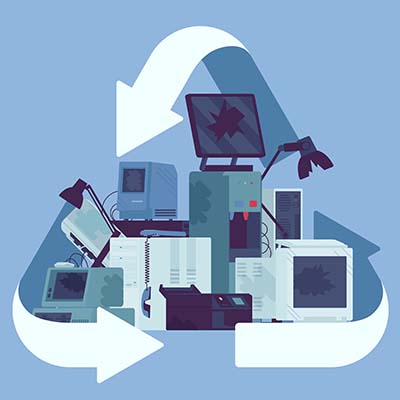
Do you know what you are supposed to do with electronics that are no longer of any use? Let’s quickly go over the process of properly disposing of electronic devices and the steps that make up the procedures involved.

Why Shouldn’t I Just Throw Out My Old Technology?

There are a few reasons why the regular trash collection is a poor choice for device disposal. 

  • First and foremost, there is no real accountability for the chain of custody. Simply tossing an old device without any of the additional precautions that recycling these devices involves leaves the data they contain potentially accessible to those who know where to look.
  • Secondly, modern computer components (including those more and more commonly found in appliances) contain amounts of hazardous materials that—if left in a landfill—can ultimately make it back to us through the water table. Many of these components are actually shipped to poorer countries to be dumped illegally.
  • Third, it is just wasteful. There are a lot of materials used in constructing electronics that are perfectly reusable, so ensuring that a device is properly processed and everything that can be recycled, is, is a more responsible choice.

Regardless of your recycling facility’s processes and policies, it is always wise to ensure that all of your data has been completely removed from any storage drives and devices being processed to ensure that no data remains to potentially leak out somewhere down the line. While we recommend that you reformat any drives you plan on recycling, know that this isn’t always enough. You should also make sure that whoever is going to be processing your technology also plans to erase this data and specifically destroy the hard drives—typically, by shredding them—so nothing can be recovered.

How Electronics Are Recycled

Once a computer or other device has been taken to a reputable recycling center, the process of breaking it down can begin. Most recycling companies will then disassemble the device and process different parts separately, based on what the components are made of. Then, the plastic, metal, glass, and circuit boards that made up each device are recycled according to best practice. This is also how the more hazardous materials are removed from the device.

The disassembled components can then be processed and renewed by using the materials to create new devices, eliminating a lot of potential waste that would otherwise, well, go to waste.

We understand how useful technology is to businesses, and how important it is that it is handled properly even after it has outlasted its usefulness. That’s why we’re committed to assisting businesses, regardless of their technology needs. Give us a call at 810.230.9455 to find out what we can do for you and your business’ essential IT.