Alert_Blog_400.jpg

WARNING: Widespread Log4j Vulnerability is a Massive Danger to Businesses

Alert_Blog_400.jpg

Before this week, you probably never heard about Log4j. Right now, though, it’s the biggest topic in cybersecurity due to a massive vulnerability that is estimated to affect millions of devices. Your business needs to take this seriously.

What is Log4j?

Without getting too deep into the roots, when developers create software and applications, they rely on different programming languages. For instance, Java has been a common programming language since the early 90s. Java contains libraries that developers can utilize, and one of these libraries, known as Log4j, was recently discovered to have a major vulnerability in it. This vulnerability has been around for years, but now that it is out in the open, cybercriminals are likely to take advantage of it to steal data and infiltrate networks.

The scope of this is huge. The vulnerability impacts some common names in the technology world, such as:

  • Amazon
  • Apple
  • Cisco
  • Fortinet
  • Google
  • IBM
  • Microsoft
  • SonicWall
  • Sophos
  • VMware

…as well as others, large and small. Even the United States’ Cybersecurity and Infrastructure Security Agency (CISA) is affected.

Does Log4j Affect My Business?

It’s pretty likely. Not to sound repetitive, but this is a major, major issue, and anyone using software or running a system with this vulnerability is putting themselves, their data, and their business at risk. It doesn’t just affect Microsoft and Apple, it affects all of us, because we all use Microsoft and Apple services.

How to Protect Yourself from the Log4j Vulnerability

For the most part, you need to rely on the security patches and updates your vendors provide for your software. Unless you develop your own applications, in which case then the onus is on you, you are at the mercy of your vendors.

Fortunately, most of the major vendors are scrambling to get security patches out. That said, it’s up to you to apply them. If you have software that is no longer receiving updates (such as older applications that have reached end-of-life, or have surpassed your license agreement), you’ll need to have someone determine if they utilize Log4j and come up with a game plan from there. Cases like this are going to get pretty hairy, so we suggest acting quickly.

Technology and the Internet are a Little Less Safe, so It’s Up to You to Protect Yourself

Since this vulnerability has such a wide impact, it really is up to you as an individual to make sure you are practicing good cybersecurity hygiene. Utilizing weak passwords like “123password” or using the same password across multiple accounts is a terrible, dangerous habit. You need to be using strong password best practices, such as:

  • Using a unique password for each account and website
  • Using a mix of alphanumeric characters and symbols
  • Using a sufficiently complex passcode to help with memorability without shorting your security
  • Keeping passwords to yourself

Let’s Audit your Technology ASAP

Don’t put your business at risk by ignoring the dangers of this vulnerability. You should have your network audited to ensure that everything on your network is thoroughly patched and determine if any systems are utilizing Log4j. It’s just a matter of time before we start seeing widespread exploitation of this vulnerability, so time is of the essence.

Give NuTech Services a call at 810.230.9455 to schedule an appointment, even if you aren’t a client. This is very serious, and we don’t want to see local businesses struggle from this.

Good_hacking_214956022_400.jpg

Hackers Aren’t Always Thieves

Good_hacking_214956022_400.jpg

When we think about security and hackers, it’s easy to think of them all as the bad guys. However, this is far from the truth. Just like with other areas of life, there is a shade of gray involved with hacking, and there are good guys that use these skills to benefit others while the bad guys try to exploit them for their gain.

The hackers who use their skills to benefit others are called white-hat hackers, whereas the ones who abuse their powers are called black-hat hackers. What can we learn about the practice of hacking from these two groups of hackers, and why is it important to see it as two different sectors of the same art? Let’s dive in.

Hacking of a Different Kind

These days, the word “hacker” can be used synonymously with someone who makes a task easier, like a “life hacker” so to speak. However, in the programming and cybersecurity space, a hacker is someone who has devoted their life to understanding the inner workings of computers and IT systems. It wasn’t until people decided that they wanted to use this knowledge for ill intentions that hacking became a bad or dirty thing.

Ethical Hackers: Using Skills for the Collective Whole

In many cases, companies will hire ethical hackers to discover threats or vulnerabilities in their software or network so that they can be located preemptively and resolved before they become issues. You can think about it as a more advanced type of penetration testing; someone is actively seeking access to your network, but they are doing it so you can fix the issues leading to it.

Threat-Actor Hackers: Using Their Knowledge to Create Chaos

These types of hackers are the ones you have to watch out for; they use their skills to perform all sorts of nefarious and illegal activities, including extortion, theft, and so on. These hackers are the reason why others get such a bad rap. Unlike ethical hackers, these threat actors are unpredictable and use their skills to create problems for countless individuals around the world.

Don’t Let Security Scare You to Inaction

Despite knowing that there are people out there using their hacking skills to learn more about the systems and enabling others to resolve issues with their networks, you still need to take action of your own against threats of all kinds. For every ethical hacker, there are hundreds of others who want to see your business suffer. Don’t let these folks keep you from running an effective organization for your clients and employees.

NuTech Services can help your business implement security solutions to keep it safe. In a sense, you can think of us as ethical hackers of sorts; we can run a penetration test to help identify weaknesses in your network. We can then help you shore them up. To learn more, reach out to us at 810.230.9455.

CybSec_277228687_400.jpg

Preparing for the Next Wave of Cyberthreats

CybSec_277228687_400.jpg

The past couple of years have been difficult for businesses, regardless of if they are large organizations or small businesses. Likewise, cybersecurity has been a challenge. Let’s take a look at what 2022 could pose for cybersecurity, especially considering recent trends.

Prediction: Attacks Will Shift in Method and Severity

The increase in remote and hybrid work has been great for companies that are able to support these kinds of operations, but there are certain tradeoffs, including security.

Remote Work Has Increased the Attack Surface

Working remotely can do wonders to protect the health and safety of your employees, but it does increase the opportunity for them to fall victim to hacking attacks. Their home networks are likely nowhere near as secure as your in-house network is, so you’ll have to encourage your users to stay alert and remain vigilant, especially while out of the office. All it takes is one unsecured smart device to create a problem for your organization.

Hackers Will Do Their Homework

You can also expect hackers to seek out new vulnerabilities that coincide with where their victims are located and which devices/solutions they are using. There is always a risk when using a new software solution, especially when new patches and updates could potentially bring with them new vulnerabilities in the form of a zero-day attack. Attackers are always trying to use new and developing technologies to their advantage, too, such is the case with deepfake technology.

Prediction: Attacks Will Change Their Targets

It’s expected that breaches will target different types of victims over the next year, and that the largest breaches will target the cryptocurrency space. Even so, we would be surprised to see this shift creating even less of a danger for businesses, so you’ll still want to protect yourself whenever possible.

Prediction: Attacks Will Still Rely on Familiar Methods

Many vulnerabilities stem from failing to update systems in an appropriate manner, so it’s of critical importance that these vulnerabilities are patched as soon as possible, especially in the business technology sector.

Attacks On End Users Will Continue

It’s safe to say that phishing and other cyberthreats are not going anywhere, placing the end user in a precarious position. This is especially true if people continue to work from home without a concerted effort to increase cybersecurity awareness. You must take measures to increase awareness of the risks of working remotely and of the threats that are found online.

We might want to say that the future is bright for security, but you can never count on it being too bright. What you can count on, however, is that NuTech Services will be there to help you out each step of the way. To learn more about how we can help you protect your business, reach out to us at 810.230.9455.

AIBias_237001559_400.jpg

Do Humans Create Bias in the AI We’ve Developed?

AIBias_237001559_400.jpg

Science fiction shows artificial intelligence to be an entity compelled purely by logic, driven only by objective facts. AI tools used by businesses and in the real world, however, are a far cry from this perception. AI systems have some biases in their operations. Let’s take a look at some of them and how you can resolve these issues.

What Kind of Biases Have AI Systems Demonstrated?

There are several biases that AI can display. Here are some of them:

  • Sampling Bias: This occurs when AI is only given part of a population or a selection of samples rather than a purely random process.
    • Voluntary Bias: voluntary bias specifically refers to how a population’s results are artificially skewed by their willingness to participate.
  • Design Bias: This bias is a flaw in the process itself which leads to flawed outcomes. In AI, the issue is most often found in the dataset.
  • Exclusion Bias: This type of bias occurs when specific data is intentionally removed or omitted, and it ultimately yields fewer or less valuable insights.
  • Label Bias: This bias occurs when the data is not labeled correctly. See below for the two types of label bias:
    • Recall Bias: This form of bias appears in data that has been mislabeled and annotated inaccurately.
    • Measurement Bias: This division of label bias is the result of inaccurately or inconsistently taken data points.
  • Confounding Bias: This bias happens when external variables are pulled into the equation or directly influence your data set, leading to inaccuracies in the final product.
  • Survivorship Bias: This type of bias occurs when only data that has made it through the selection process is considered. For instance, World War II researchers made this error when examining fighter jets to better reinforce them. By only examining jets that survived the trip back from a combat mission, the most useful information (where the planes that went down were hit) was ignored.
  • Time-Interval Bias: This bias occurs when data from only a specified period of time is analyzed rather than the complete set.
  • Omitted Variables Bias: This bias happens when data collected is cherry-picked and only certain variables are considered, thereby skewing the results.
  • Observer Bias: This is essentially confirmation bias, where an individual only considers data that matches their own values or goals rather than the complete set.
    • Funding Bias: This variety of observer bias comes when the interests of a financial backer leads to the data being skewed.
  • Cause-Effect Bias: This is when correlation is mistaken for causation, or when two events happening at the same time are thought to be because of each other without taking into consideration other factors.
  • Model Over/Underfitting: This bias occurs when the analytical system, or model, can’t see the big picture or is not able to grasp patterns appropriately.
  • Data Leakage: This occurs when two sets of data that are to be compared share data, like when you are comparing a certain time period to your predictions.

Where Do These Biases Come From?

In most cases, these biases are formed from the system or, more specifically, the user of that system.

AI Bias is Just an Extension of Human Bias

Whether it is error based on prejudice or assumption, most biases can be traced back to the user. For example, let’s say that you want to determine the most important part of your services to your clients. In this oversimplified example, the algorithm powering the AI could be perfectly put together, yet the data used could muck up the results. For instance, if the data was specifically and exclusively collected from Facebook followers, then the accuracy of the data will be skewed in a certain way (sampling bias and voluntary bias, as your followers need to opt into providing you with this data).

This is but one example of AI being unable to perform its assigned tasks, so to prevent this from happening, you must approach the design of your AI systems with an awareness and willingness to avoid biases.

That’s right—it takes human awareness to help AI do its job in an appropriate manner.

How Can Bias Be Avoided in AI?

You can take certain steps to keep biases from impacting your AI systems. There needs to be a capability for a human being to observe the processes and catch its mistakes, as well as the opportunity to update the systems to accommodate any adjustments as needed. There must also be standards placed on the data collected to ensure that opportunities for bias are minimized.

Your team members will also have to remain aware of these biases while they are working with your data. These biases are generally sourced from human biases, meaning that they can influence your business even if you aren’t using an AI system. In other words, you need to make sure that your staff are both aware of and actively avoiding these biases when processing, collecting, and analyzing data.

 What are your thoughts on AI and its uses in the business world? Be sure to leave your thoughts in the comments.

password_spraying_80058904_400.jpg

Why Is Microsoft Warning Users About Password Spraying?

password_spraying_80058904_400.jpg

As modern warfare has evolved, so too has cyberwarfare. There is always a war occurring in cyberspace, where hackers attempt to outdo security researchers. One such example of hackers—often sponsored by government agencies—attempting to engage in cyberwarfare can be seen in the United States and Israeli technology sectors, which have become the target of password spraying.

Password spraying involves hacking into multiple accounts by spamming commonly used passwords. Considering how frequently people use common passwords, as well as variations of those passwords, on3e can imagine how effective this tactic can be.

In the scenario outlined above, Microsoft has issued a warning that about 250 Microsoft Office 365 customers in the defense technology sectors have been targeted by password spraying tactics. Microsoft calls this group DEV-343, with the DEV in the name representing the fact that the attacks are, at this time, not sponsored by state actors. This group is thought to originate from Iran.

Less than 20 of the targets were actually compromised, but it’s still shocking to see high-profile targets opting for commonly used passwords. Microsoft has also reported that organizations that use multi-factor authentication are at less risk than those that don’t. As reported by Microsoft, security professionals should be wary of suspicious connections enabled by Tor networks: “DEV-0343 conducts extensive password sprays emulating a Firefox browser and using IPs hosted on a Tor proxy network. They are most active between Sunday and Thursday between 7:30 AM and 8:30 PM Iran Time (04:00:00 and 17:00:00 UTC) with significant drop-offs in activity before 7:30 AM and after 8:30 PM Iran Time. They typically target dozens to hundreds of accounts within an organization, depending on the size, and enumerate each account from dozens to thousands of times. On average, between 150 and 1,000+ unique Tor proxy IP addresses are used in attacks against each organization.”

Your business should always be prepared to take a look at traffic on its network—especially if the activity is suspicious in some way, like during off-times when nobody has any reason to be accessing your infrastructure. Passwords are only one part of a cybersecurity strategy, though, and you should be implementing security solutions like multi-factor authentication whenever possible.

NuTech Services can help your business keep itself secure from threats of all kinds. To learn more, reach out to us at 810.230.9455.

Network_bottlenecks_174058708_400.jpg

Avoiding Network Bottlenecks Can Help Your Business Be More Productive

Network_bottlenecks_174058708_400.jpg

As time passes and your business accomplishes great things, you might find yourself in positions where your network cannot handle its normal everyday workload. When there is so much network traffic and data transference, it can be difficult to identify where and why this slowdown occurs. What is a network bottleneck, and how can you resolve this issue?

Look at the design of a bottle with its rounded top and the neck of the bottle growing more narrow as you approach the top. The design is meant to help limit the amount of fluid passing through it, allowing you to drink the contents without the rest of it spilling out. Too quickly.

Here’s another analogy using a two-lane highway on a busy day. Both lanes are filled with cars heading toward the same destination, but only one of the lanes is functioning correctly. Maybe there is a pothole in one lane or there is construction going on. If the traffic is restricted to one lane, then the same amount of traffic designed for two lanes will reach their destinations much more slowly.

A network bottleneck works in the same way; the flow of network traffic is restricted by the design or limitations of the container, in this case the network itself. The flow of data throughout your network is governed by the bandwidth and capabilities of your hardware. If the network is trying to transfer more data than it is designed to, a bottleneck can occur and slow everything down. Here are some of the hardware reasons why a network bottleneck might surface.

  • CPUs
  • Graphical processing units
  • RAM shortages

Bottlenecks can create significant problems for network efficiency, especially for productivity. Without the right amount of resources to transport data, the network might experience significant slowdown that keeps it from performing its tasks. Everyday tasks might take much longer to pull off, preventing your organization from sticking to a budget or keeping it from getting things done in general. In fact, sometimes tasks might get skipped over simply because it is too inconvenient to get them done.

Depending on the design of your network, your bottlenecks might have existed from your network’s conception, and they have only surfaced recently due to increases in traffic or unforeseen circumstances. You need to actively look for network bottlenecks so that they don’t take you by surprise or linger longer than they have to. With our help, you can identify these issues and address them accordingly.

NuTech Services can help to monitor network traffic for bottlenecks and other problems. To learn more, reach out to us at 810.230.9455.

VR_business_336290563_400.jpg

Can Your Business Find VR Useful?

VR_business_336290563_400.jpg

Virtual reality is pretty neat, and many of today’s applications include it as one of their headlining features. With major companies like Facebook, Sony, HTC, and HP buying into virtual reality, one has to question what VR can offer in a business setting.

Virtual Reality Explained

Some folks believe that VR is nothing more than a gimmick, but there are many applications in development that could provide value for businesses. VR can be used to simulate interactive, three-dimensional virtual worlds for a variety of purposes. In 2018, the VR market was valued at $829 million, but thanks to the COVID-19 pandemic, VR in business is projected to exceed $4.2 billion by 2023. This growth comes about as a result of advances in hardware, software, and more exposure for the technology. This kind of growth is surprising and impressive, especially considering how difficult the software is to develop.

Two Functions VR Can Bring to Your Business

At first glance it doesn’t appear VR is practical for business, but since the price has dropped considerably, there are three specific reasons you might consider it.

Training

Virtual reality might be ideal for organizations that could use a revamp to their training procedures. If organizations can immerse their employees in a lifelike environment and train them on specific processes and procedures, they are more likely to walk away from the experience with the ability to recall them at a later time.

Retail

VR can also help in the retail sector by providing an online shopping experience customized to the consumers’ needs without having to set foot in a store. VR is currently being used to show heat map traffic in stores, too, just to determine where specific products should be placed. It’s just one way that organizations are trying to find a practical use for VR.

Engineering and Realty

Production costs are quite high these days, so one particular use for VR might be in manufacturing and realty industries. Product designers are building VR applications for board members and buyers to sample and demo products before viewing the real product. Architects and interior designers are using VR to create virtual environments of living spaces, offices, convention centers, and more, all to show off their big ideas to their clients.

While virtual reality is a far cry from solving all operational problems, it might show some promise as a resolution to specific issues that plague many organizations. What do you think? Do you have any ideas for how you might implement VR for your business? Let us know in the comments.

happyGuy_310178953_400.jpg

Considering the Optimal IT Experience

happyGuy_310178953_400.jpg

As cliche as it sounds, one of the best ways to create a more positive workplace is to simply put more positivity into it. Let’s exercise this for a moment by setting the often-talked-about worst-case scenario to the side, and focus on what the optimal experience could be with the right technology management in place.

Let’s set the scene: it’s the Monday after a nice weekend. You’re feeling chipper and motivated to get down to business, and your computer responds in kind as you log in. Rather than chugging along through the login process, you’re looking at your desktop in a matter of moments. A quick password and multi-factor authentication code later, and the programs you’ll need are up and ready to go.

First thing’s first, you check your email. While the email inboxes of many business workers can quickly become swamped, particularly after a weekend or a day off, your inbox is divided up and sorted automatically, giving you a clear view of your priorities in the short and long-term.

Once your email’s been reviewed and responded to as appropriate, you pull up the applications you need to check off the items on your itinerary. The comprehensive toolset that your productivity suite provides gives you the ability to fulfill it all with minimal added effort. With the up-to-date and patched version of each program ready for you, you have everything you need to do your job right there and working.

Whoops… maybe you spoke too soon. Your workstation’s monitor is starting to flicker. Fortunately, help is just a quick call or email to your outsourced managed service provider’s help desk away. A quick diagnostic scan later, and it’s confirmed to be a hardware issue. No worries, though—the MSP is on it, either sending a tech out there with a replacement or working with your internal IT department to get the problematic piece of hardware switched out.

As a result, your issue is resolved that much faster, allowing you to get everything you need to do done.

Of course, not every issue will be resolved so smoothly. To expect differently is simply unrealistic, but the fact remains that managed services can make a lot of troublesome issues far less so for your business and employees. Efficiency and productivity are thereby elevated, simply because functioning technology makes it easier to focus on your goals, not on the worry that your tools will fail you.

We’re in the business of ensuring that businesses have the IT they need and that it works for them. To find out what we can do for you, give us a call at 810.230.9455 today.

PCRecycle_394939613_400.jpg

What Happens to a Recycled Computer?

PCRecycle_394939613_400.jpg

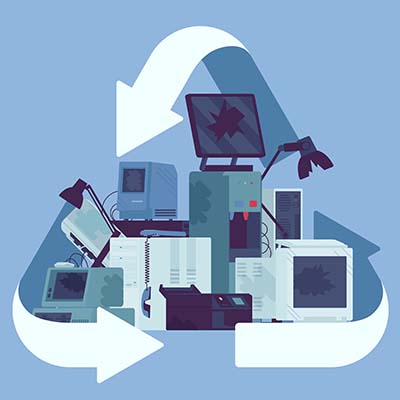
Do you know what you are supposed to do with electronics that are no longer of any use? Let’s quickly go over the process of properly disposing of electronic devices and the steps that make up the procedures involved.

Why Shouldn’t I Just Throw Out My Old Technology?

There are a few reasons why the regular trash collection is a poor choice for device disposal. 

  • First and foremost, there is no real accountability for the chain of custody. Simply tossing an old device without any of the additional precautions that recycling these devices involves leaves the data they contain potentially accessible to those who know where to look.
  • Secondly, modern computer components (including those more and more commonly found in appliances) contain amounts of hazardous materials that—if left in a landfill—can ultimately make it back to us through the water table. Many of these components are actually shipped to poorer countries to be dumped illegally.
  • Third, it is just wasteful. There are a lot of materials used in constructing electronics that are perfectly reusable, so ensuring that a device is properly processed and everything that can be recycled, is, is a more responsible choice.

Regardless of your recycling facility’s processes and policies, it is always wise to ensure that all of your data has been completely removed from any storage drives and devices being processed to ensure that no data remains to potentially leak out somewhere down the line. While we recommend that you reformat any drives you plan on recycling, know that this isn’t always enough. You should also make sure that whoever is going to be processing your technology also plans to erase this data and specifically destroy the hard drives—typically, by shredding them—so nothing can be recovered.

How Electronics Are Recycled

Once a computer or other device has been taken to a reputable recycling center, the process of breaking it down can begin. Most recycling companies will then disassemble the device and process different parts separately, based on what the components are made of. Then, the plastic, metal, glass, and circuit boards that made up each device are recycled according to best practice. This is also how the more hazardous materials are removed from the device.

The disassembled components can then be processed and renewed by using the materials to create new devices, eliminating a lot of potential waste that would otherwise, well, go to waste.

We understand how useful technology is to businesses, and how important it is that it is handled properly even after it has outlasted its usefulness. That’s why we’re committed to assisting businesses, regardless of their technology needs. Give us a call at 810.230.9455 to find out what we can do for you and your business’ essential IT.

MSPP_243385255_400.jpg

Our Technicians Can Deliver A Lot of Value
MSPP_243385255_400.jpg

If you don’t properly maintain your technology, then it’s simply not going to be one of your company’s strengths. It’s a simple statement, but it’s one that many modern businesses fail to act upon. A managed service provider can make it much easier to get the technology maintenance your business needs to succeed. Let’s take a closer look at the people who deliver these services to your organization.

The Modern IT Technician

The accepted norm for years was that the computer technician’s job was to fix individual PCs. Unfortunately, as technology grew ever-more-complex, so too did the responsibilities of these positions. It’s not enough to have technical assistance these days; technicians must have knowledge which encompasses all facets of business technology.

Today’s technician must be hired outright or as a part of an expert team like those at NuTech Services, and to make matters more complicated, they must know all kinds of things about technology of varying complexities. They need to know how to fix a computer, as well as how to do it remotely, including how to manage and install networks, identify and mitigate threats, how to structure a business’ IT around their goals, and most important of all, how to do all of the above in a fast-paced environment.

Ultimately, a competent IT technician needs to be an effective problem solver and knowledgeable about a plethora of best practices. They may also need to pick up certifications in various skills and softwares. These certifications are not easy to achieve, either; they require a certain level of knowledge and expertise, to be sure. Here are some of the certifications you might expect from technicians:

  • CompTIA A+: Perhaps one of the most well-recognized certifications out there, CompTIA A+ certification means that the holder is competent across hardware, software, and problem solving in a variety of computing platforms. There is also a specific security certification (CompTIA Security+) for those who are competent in basic security practices and troubleshooting.
  • Microsoft Certified Professional: Microsoft is perhaps the most established software vendor for businesses, so holding certifications in these softwares is extremely valuable. Some of the certifications include Office Specialist, Certified Solution Developer, and more. A technician holding these credentials is a serious boon for any business that uses Microsoft products.
  • CISSP: Certified Information System Security Professional is one of the most recognized security-specific certifications a technician can earn.
  • Oracle or Microsoft SQL Certifications: Databases are not the easiest thing to manage, but they are important for any business. These certifications are perfect for technicians proficient in SQL management.
  • ITIL: Help desk technicians should have the Information Technology Infrastructure Library certification to show that they have a clear understanding of industry standard best practices.

If your technicians are certified, you’ll know that they have the skills necessary to help your business succeed. If you want more information on how our technicians can help your organization, reach out to us at 810.230.9455.

We also wanted to take this opportunity to thank our great techs at NuTech Services for their hard work and dedication!

ChainyBlockees_179612975_400.jpg

3 Practical Uses for Blockchain Technology

ChainyBlockees_179612975_400.jpg

Blockchain has been one of the most talked-about new technologies for several years now. When we first heard about it, it had the potential to solve hundreds of problems, but there weren’t any real-world applications available. Today, we’ll take a look at three applications for blockchain that are available today.

What Is Blockchain?

For those who aren’t familiar with blockchain, it can be defined as a distributed database that stores data. Most data storage is centralized, but with blockchain each piece of information is stored on a “block” or what is known as a node. Each node is created when data is added to the chain (all the nodes are connected to other nodes). This chain of data isn’t controlled by one person, rather it is spread out and duplicated so that every entity that is represented on the blockchain has access to the complete record of it. Each node is encrypted and can’t be edited, so if some part of the information needs to be altered a new node is created.

Of course, the first technology that spawned from this was the cryptocurrency Bitcoin, but today it is being developed for many more applications. Let’s take a look at three:

Improving Banking

Blockchain technology is perfect for tracking financial transactions. Everyone that uses a checking account knows that they have a ledger that they need to update once they deposit or withdraw money from that account. Blockchain is set up to do this by nature. Each transaction gets its own node. Furthermore, since it’s a distributed system, it can work for multiple users at once, creating what are called smart contracts. Essentially, when two entities enter an agreement with stipulations, blockchain can trigger payment when the conditions are met, effectively automating the flow of capital. 

Improving Supply Chains

The past couple of years have wreaked havoc on supply chains, but blockchain technology is literally the perfect technology to help keep them running effectively. The distributed nature of a blockchain can work over multiple points on the supply chain, making it a great tool for both procurement and distribution. If companies can know the status, condition, and source of each product or component they receive, each member of a blockchain-linked supply chain can enjoy better transparency, improving the whole process.

Improving Healthcare

One of the first thoughts when blockchain was being considered a solution to data problems was how it would work in the healthcare system. Today, companies are creating applications that not only improve patient, care provider, insurance communication and give patients better control over their medical information, they are also creating solutions to better manage outpatient care. Security is a prime consideration when it comes to health records and the naturally secure blockchain technology appears to be a great solution to keep those records secure. 

Blockchain is exciting, but also taking quite a bit of time to move into the mainstream. What do you think about blockchain technology? Do you think that it can be the answer to a lot of society’s digital problems down the road? Let us know your thoughts in the comments section below and check back soon for more great technology content.

WorkVacation_282011253_400.jpg

What are the Pros and Cons of a “Workation?”

WorkVacation_282011253_400.jpg

Remote work has become more legitimate than ever before to the point that people can now work effectively anywhere and not just their homes. This brings up an interesting question, however, as this trend means that one could effectively work while they’re on a vacation. 

Let’s examine this trend of the “workation.” 

What is a Workation?

While a working vacation is by no means a new concept, the surge in remote work’s popularity has resulted in a similar surge in the concept of simply working remotely from a vacation destination. For instance, someone who works remotely could do so while at a beachside resort rather than in their home. As its name suggests, it’s a hybrid of the concepts of working and vacationing: a person can still accomplish their work-related tasks while also gaining many of the benefits that a vacation brings.

To be frank, a workation is a break from your typical workspace, not from work itself. It’s also not a replacement for actual time off, but it can be pretty nice to change the scenery every so often.

The benefits of a workation are pretty straightforward:

  • By allowing the employee to engage in recreational activities when they aren’t working, they are able to be more relaxed when they are. Even the change in environment can have a positive impact on overall productivity.
  • Offering the capability to partake in a workation can be a significant draw for new employees.
  • A workation can also expand on the perspective that an employee has, not only refreshing them and their productivity but giving them new ideas to implement.

Having said that, there are a few drawbacks to the concept. For instance, there can often be delays in communication when people are working remotely—especially when they are on a vacation. Plus, the workation itself can create more challenges in terms of lining up schedules and effectively collaborating.

While the choice of whether or not to enact workations into your policies is your decision, we wanted to give you a few tips to help make these workations (or any remote work, for that matter) as effective as possible.

How to Ensure That Your Workation is Secure

Regardless of where this workation is taking place, your business’ security needs to be held in the utmost importance. That’s why we recommend a few basics you should implement for your benefit:

  • Use a VPN – You want to ensure that your business’ communications remain secure, regardless of where your team members are working from. A virtual private network can help you accomplish as much.
  • Enforce Multi-Factor Authentication – Multi-Factor Authentication (or MFA) is a great way to double-down on the protections that are afforded to you by your typical username-password authentication.
  • Educate Your Team – Your team members will be your biggest vulnerability against cyberthreats, unless you train them to be an asset. Making sure they know how to spot threats, and how they should react when they do, will be crucial to preventing issues from arising… particularly while working remotely.

So, what’s your take on the workation? As a business owner, have you ever tried switching up the scenery while still getting work done? We can help you do so. To learn more, give us a call at 810.230.9455 today.

NewRules_353881430_400.jpg

U.S. Government Making an Effort to Stop Exploits

NewRules_353881430_400.jpg

Earlier this year, there was a string of high-profile ransomware attacks leveraged against major companies. Now, the United States has issued an order that dictates guidelines for how to patch various vulnerabilities in affected systems within federal agencies and organizations. It’s a huge move in an effort to stop hackers and other cyberthreats from becoming more serious problems in the future.

The direction was issued by the Cybersecurity and Infrastructure Security Agency (CISA), and it essentially assigned due dates ranging from November 2021 to May 2022. CISA is urging all federal agencies and organizations to resolve certain known and exploited vulnerabilities during this timeline. There are some notable exceptions for national security-related infrastructures, though.

The catalog of known, exploited vulnerabilities is located on CISA’s website. This catalog contains information on each known vulnerability, and all of them (around 300 or so) are all believed to pose some kind of threat to the federal government. The catalog also links to NIST database entries for guidance on how to apply these patches and resolve these vulnerabilities.

This is obviously a huge undertaking and one that could lead to miscommunications, confusion, and more throughout the patching process. This is especially true when you consider that each department is responsible for deploying their own updates and are only accountable to CISA. Even so, CISA is applying pressure on these organizations to meet specific criteria within a timeframe.

This timeline varies, but within 60 days, agencies must review and update their policies on vulnerability management, and these new policies must be made available to CISA upon request. Agencies must also have a policy in place for carrying out the directive issued by CISA. Organizations must identify who is responsible for this, as well as how they plan to track and report on the implementation process.

If you think patch management is difficult for governments, then imagine how difficult it can be for small businesses with more limited spending power and fewer resources at their disposal. SMBs tend to patch vulnerabilities when they have the time and resources to do so rather than when they need to be deployed, which is not the correct approach. For each day you don’t resolve a vulnerability, you are giving hackers countless opportunities to break into your network.

NuTech Services can help your business with patch implementation and update deployment. We can make this process automatic and easy to take advantage of. You’ll find that there are countless benefits to freeing yourself from the worries associated with technology management and maintenance, and trust us when we say you’ll never have to worry about patches or updates again.

To learn more, reach out to us at 810.230.9455.

299335892_black_friday_cyber_monday_400.jpg

Technology is Center Stage on Black Friday and Cyber Monday

299335892_black_friday_cyber_monday_400.jpg

The holidays are rapidly approaching and each year people position themselves to get the best deals they can on all the potential gifts, whether they are gifts to themselves, or to others. Like many other years, bargain shoppers wake up from their tryptophan naps, bundle up, and head out to try and score the best deals they can. Today, we thought we’d talk a little about Black Friday and Cyber Monday and why they are great to get the technology-lover on your shopping list the products they’ll love this holiday season.

Black Friday

Black Friday is the day after Thanksgiving and has been the busiest shopping day in the United States for 15 years. Nowadays, most retail stores not only extend their Black Friday deals starting on Thanksgiving (or stay open to start at midnight on the day after), they also give consumers a fair bit of warning of what will be available so that people can plan their shopping experience.

Cyber Monday

Starting years later, Cyber Monday is basically an extension of Black Friday that takes place online the following Monday. Since a lot of holiday shopping is completely online these days, Cyber Monday started at shop.com in 2005, but has grown substantially each year since. In 2020, as the in-person retail economy reeled from the COVID-19 pandemic, Cyber Monday was the largest retail day in history, netting close to $11 billion. 

2021 Extends Holiday Shopping

In 2021, the lingering supply chain issues caused by the COVID-19 pandemic have caused many retail chains to not only alter their plans for 2021 holiday sales, but they have also extended a lot of their deals online, effectively making Cyber Monday, Cyber-End-of-November. Most retailers are doing what they can to make sure that consumers have the opportunity to get deals to check the people off their holiday shopping lists.

Technology is Front and Center

Technology is typically viewed as a great gift and in 2021 there is more tech to choose from than ever before. Some of the most popular gifts that you will see on sale after Thanksgiving in the United States include:

Amazon Fire Stick 4K with Alexa Voice Remote

The newest iteration of the popular HDMI streaming media dongle features voice controls through Alexa and is 4K-capable. Starting at $25.

Apple AirPods (Gen 2)

Apple’s popular wireless earbuds. Starting at $89.

Samsung Chromebook 4

With an 11.6-inch screen, this laptop is a good value for people looking for a reliable laptop for everyday tasks. Starting at $129.

Facebook Portal Go and Portal+

The Portal Go and Portal+ are video chat interfaces that integrate with Facebook Messenger. Starting at $199.99. 

Of course, this isn’t everything, but if you are in the market for computer hardware and electronics, late November will be a good time to check for deals!

What’s on your holiday list? Let us know in the comments, and make sure you practice safe browsing habits while shopping online!

cybercop_396611576_400.jpg

Network Security Cannot Be Ignored

cybercop_396611576_400.jpg

You see the headlines every single day while browsing the Internet: “So-and-So Suffers Massive Data Breach” or “Huge Data Breach Leaves Thousands of Credentials Exposed to Hackers.” Maybe you don’t see these specific headlines, but you get the idea; cybersecurity is a big deal these days, and you need to take it seriously before your business encounters problems that it cannot recover from.

Specifically, you need to implement a variety of security measures that mitigate risk for your business should it ever become the target of hackers. We’ve put together some of the most important measures here for your reference.

Unified Threat Management

A UTM is a device that includes many of the best industry-standard security solutions and packages them into one appliance. A UTM generally includes solutions like a firewall, antivirus, spam blocker, and content filter. It’s a pretty great all-in-one solution that includes a lot of helpful features that your organization will surely get value out of.

Multi-Factor Authentication

For securing accounts and network access, you can turn to multi-factor authentication, a concept which is proving more and more valuable with every passing year. Essentially, you need a combination of measures to access an account, such as a password, biometrics, or access to a secondary device or account. A best practice is to implement two of the three above features so that they include something you know, something you have, and something you are.

Password Management

Multi-factor authentication is vital to your business, but password management is also of critical importance. Password management involves generating multiple complex passwords and storing them in a secured vault where they can be called upon when needed. In essence, a password management tool makes it easier than ever to utilize complex passwords, but you should also know that complex passwords are no substitute for multi-factor authentication.

NuTech Services can help your business implement and maintain just about any security solution you need to keep your company safe. To learn more about what we can do for your business, reach out to us at 810.230.9455.

VoIP_Tech_322545568_400.jpg

The Top VoIP Features Make Switching a No-Brainer

VoIP_Tech_322545568_400.jpg

Just like business has changed dramatically over the years, so too have the tools they use to remain successful. One such tool is the telephone system, which is now capable of a host of impressive features that make it vital to the success of any business. What does hosted VoIP bring to the table, and how can you leverage it to your organization’s success?

What Exactly is Hosted VoIP?

Hosted VoIP is a great business telephone system that uses the Internet to do everything your traditional telephone system can, and even more, actually. VoIP is loaded with features that provide value for your organization, and since it is hosted in the cloud, you cut down on the need for more expensive hardware solutions and the setup time they involve. Let’s examine some of these features.

Automated Attendant

One of the more useful features for businesses is to have an automated answering system that can eliminate the need for a live receptionist and the costs associated with them. This also provides reliable call routing so that people can get connected to whoever they need to get connected to. Some VoIP providers also offer customization to help this auto attendant be more tailored to suit your organization.

Call Recording

So much of today’s business is done remotely that collaboration can be challenging. Call recording makes for more accessibility options for individuals who cannot make it to every single meeting. They can also assist with project management, team collaboration, and quality assurance. Hosted VoIP programs often include cloud storage space at an additional cost, but notably without any additional setup.

Caller ID and Screening

Hosted VoIP allows systems to show users who is calling and what some of the options are for incoming calls. Users can see the number, including if it is in your contacts, and options for answering the call, sending it to voicemail, or declining it altogether. This cuts down on time wasted on unnecessary or unwanted calls.

Call Forwarding and Flipping

Yet another great feature in favor of VoIP is the ability to forward or transfer a call to a separate device or a different number. Sometimes calls need to reach multiple different points within a business, so call forwarding is an absolute must—especially for something like customer support or for organizations with multiple departments who need to send calls along to the appropriate department. Call flipping, on the other hand, lets users send their calls to different devices, like a smartphone, so they can take calls on the road with them as needed.

SMS Text Messaging

Hosted VoIP solutions also give users the ability to send SMS messages, or text messages, to each other/. It’s a great way for teams to stay in touch, and if they can do so from their work accounts, all the better.

Video Conferencing and Bridging

The cloud makes for a dynamic VoIP platform. Conference calling is one such way that VoIP uses the cloud to great success. Thanks to the Internet, VoIP providers can offer video conferencing systems that integrate with conference bridging, allowing people to meet without wasting time and effort.

Analytics

Hosted VoIP gives administrators the ability to see all kinds of metrics to ensure that the phone system is being used in the most effective way possible. This gives you the ability to customise your VoIP platform to suit the needs of your organization while also controlling costs.

Go Mobile 

Since each instance of a hosted VoIP platform can be accessed through a dedicated mobile application, employees can simply use their smartphones (or even a desktop/laptop) to access their work phone number and its many features. It’s a great way to cut costs and be even more productive.

In short, hosted VoIP is one of those solutions that we would label as a must-have for any business, big or small. To learn more about how hosted VoIP can help your business be more productive, reach out to us at 810.230.9455.

413692021_forward_400.jpg

You Shouldn’t Let Opportunity Cost Dictate Your Path Forward

413692021_forward_400.jpg

Have you ever felt the anxiety of missing out on something for no real logical reason? This fear, also known as the “fear of missing out,” (or FOMO) is applicable not just in social situations, but in the business and professional world as well. The concept might seem rather juvenile in nature, but it is a very real thing that can influence your actions… and not always in a positive way.

To help reframe this juvenile outlook on the acronym, perhaps a better way of looking at this concept is to call it the “fear of missing opportunities.” In this sense, FOMO could mean losing out on a potential business venture because you were simply too late to jump on board. Maybe your dream client signed on with one of your competitors, or you missed out on investing in a local organization only to find that the organization becomes wildly successful and, much to your chagrin, they remember you turning them down all those years ago.

Now, how does this influence your behavior as a business professional? Maybe you take on any and all opportunities, despite not having nearly enough time or energy to keep up with these obligations. This inevitably leads to burnout, and when you later have to cancel obligations, it disappoints the parties involved. It’s not a good look for you or your company.

There is also the direct opposite of FOMO called the “fear of better options,” which is when you let the possibility of better options get in the way of making important decisions. Maybe you don’t want to commit to something in particular because there is always something bigger and better around the corner.

This “fear of better options” can also influence your decisions when it comes time to purchase technology for your business. What if you purchase technology now, only to find that a better model is going to be released next year? What if you implement the wrong solution? These questions can nag at you in the back of your mind and paralyze you into inaction.

The best way to handle the “fear of missing opportunities” and “fear of better options” is to take a close look at the opportunity cost of said interactions or options. For example, let’s say that you want to do business with a particular client. However, the workload that you pull for that client is not necessarily in line with the compensation that you receive. The client has been loyal for years, so you are afraid that you might be missing out on opportunities. In this case, the numbers don’t lie; if you can make the same amount of money off of other clients by doing less work overall, then you should do it. The opportunity cost of working with one client is simply too great to justify clinging to them.

Applying this once again to technology, maybe you are in the market for a new software solution, and it’s one that promises immense boosts to your productivity. However, there is no real reason or need for you to upgrade–at least, that’s what the logical part of your brain is telling you. But there’s that nagging “what if?” in the back of your mind that makes it hard to resist. You again perform the opportunity cost analysis; is purchasing this now going to have real, long-term effects on your business’ growth? Or could you wait a little while longer and get it when you are in a better position to do so?

NuTech Services wants to help you make these difficult technology-related decisions. There should be no FOMO or FOBO with technology when you work with a managed service provider. We do our market research and help you get the best options that fall within your company’s means. To learn more, reach out to us at 810.230.9455.

249078937_monitor_network_400.jpg

You Can Tell a Lot About Your Business by Monitoring Your Network

249078937_monitor_network_400.jpg

Network security is one aspect of your business that absolutely should not be underestimated. In fact, many companies fail to adequately monitor their networks, and it can lead to many complications down the road. Why is it so critical to monitor your network, and how can you make sure that your business is actually doing it?

Let’s say that your day-to-day operations are proceeding without a hitch. Over time, however, small things start to go wrong. Files start to go missing or settings are slightly tweaked. You might also see some network slowdown. In any case, these issues can compound and you might not notice that they are issues until something seriously odd happens.

By the time you choose to investigate, things are getting seriously bad. It turns out that one of your users has been accessing your network and making these odd changes, but the strange thing is that you know this user personally. They would never do anything like this, and they deny that they have been making any changes to your network. So, who do you believe?

Further investigation shows that the user has been accessing their account from an unknown IP address and from a different country, something which confirms your worst nightmare. Your network has been breached thanks to a compromised account, and since you were not looking for this from the start, who knows how much damage has been done?

Situations like the one outlined above are exactly why you need to keep a close watch on your network. Otherwise, how can you know when inconsistencies like these are a legitimate problem? If you don’t think to look where problems exist, you won’t discover any. While knowing the truth might be scary, the consequences are even more terrifying.

You don’t have time to monitor your network like this and keep operations moving, which is why we at NuTech Services offer comprehensive remote monitoring and network security services. We can keep a close watch on your network for these types of issues to make sure that threats don’t fly under the radar on your network.

With solutions like our unified threat management tool and multi-factor authentication, alongside access controls and password management, you can know for sure that your organization has done all it can to keep itself safe from threats. To learn more, reach out to us at 810.230.9455.

412578546_ai_scary_400.jpg

In the Wrong Hands, AI is Dangerous

412578546_ai_scary_400.jpg

Artificial intelligence, or AI, is a technology that many industries have found themselves benefiting greatly from, especially in the domains of cybersecurity and automation. Unfortunately, for every one great use of something, hackers will find two bad uses for it. AI has dramatically changed the landscape of cybersecurity and, more interestingly, cybercrime. Let’s take a look at why these threats are so concerning.

Deepfakes

The word “deepfake” comes from the words “deep learning” and “fake media.” A deepfake uses false imaging or audio to create something that appears authentic on the surface, but it is totally fake underneath. Deepfakes can be extremely dangerous and harmful when used under the right circumstances, like a news article showing off a fake video or image. AI-generated deepfakes have even been used in extortion schemes and misinformation scandals.

Deepfakes using AI can generate realistic videos, particularly when there is a lot of source material to call upon, like in the case of famous people or high-profile individuals with a large web presence. These videos can be so convincing that they can show the celebrity or even a government official saying or doing just about anything, creating misinformation and distrust.

AI-Supported Hacking Attacks

AI has been known to help cybercriminals with everyday hacking attacks, too, like breaking through a password or finding their way into a system. Hackers can use machine learning or artificial intelligence to analyze and parse password sets, then use the information learned to piece together potential passwords with shocking accuracy. These systems can even account for how people adjust their passwords over time.

There are also cases where hackers use machine learning to inform and automate their hacking processes. These systems can find weak points in infrastructures and penetrate them through the weaker links. These systems can then autonomously improve their functionality over time with great effectiveness.

Human Impersonation and Social Engineering

AI can also impersonate human beings by imitating their online behaviors. Automated bots can be used to create fake accounts capable of doing most of the everyday online activities that a user might (for example, liking posts on Instagram, sharing status updates, etc). These bots can even use these tactics to make money for the hacker.

Suffice to say that AI systems as a threat represent quite a dangerous future, should they be leveraged properly. These threat actors should be monitored both now and in the future.

To ensure that your organization doesn’t let hackers get the better of you, NuTech Services can help. To learn more, reach out to us at 810.230.9455.

troubleshooting_92323916_400.jpg

A 5-Step Guide to Troubleshooting Technology Problems

troubleshooting_92323916_400.jpg

When something goes wrong, it makes sense that you have a process in place to go over the issue and find a solution. This process, also known as troubleshooting, will have several variables that must be accounted for, but the general process itself remains unchanged. Here are the five steps to troubleshooting any problem, as well as ensuring that the issue does not become more problematic in the future.

Collect Information

The first part of the troubleshooting process is to collect as much information as possible about the problem. What is the issue you are experiencing? What is the scope of the problem? Is it localized to your computer or is it a network-wide issue? Either way, you will need to collect as much information as possible so that you can make the best decision regarding how to approach the issue. It helps to try replicating the issue and documenting how you came about it.

Analyze Your Approach

Once you have collected enough information, it’s time to put that information to use and determine the appropriate path forward. Go through the information with a fine-toothed comb and examine which information is relevant to resolving the problem. You will likely change up your strategy for resolving the issue depending on what you discover and the amount of information you have collected, if enough is available at all. Use this information to build out a detailed plan to tackle the issue at hand.

Implement Your Solution

With a solid plan of action, you can take steps toward implementing a solution that addresses the issue at hand. Again, we want to emphasize that you should only act if you are confident that your fix actually addresses the problem you are experiencing. If you are not confident that you can solve the problem, then it is critical that you do more research, as implementing a solution incorrectly or under the wrong circumstances could simply make the problem worse.

Assess the Solution

Following the implementation of your solution, it should become clear whether or not the solution actually worked or not. Of course, sometimes solutions are little more than stop-gaps, or short-term fixes that resolve the problem now while you figure out a better one. It’s important that you know the difference between the two and to have realistic expectations about whether or not your solution will stand the test of time.

Document the Process

Once the solution has been implemented and it has been deemed an appropriate fix, you should update your internal documents with information on the fix so that you can prevent the issue from becoming quite so bad in the future. Be sure to detail what the resolution process was, from start to finish, in the most clear terms possible. Write up the documentation so that anyone who needs to consult it in the future can do so without feeling like they are in over their head.

If all of this sounds like a bit much to handle, don’t worry! Need a hand with troubleshooting technology issues with your business? NuTech Services can help your organization overcome any and all technology troubles you might encounter during your day-to-day operations. To learn more, reach out to us at 810.230.9455.