125307929_internet_400.jpeg

Look How Much the Internet has Changed

125307929_internet_400.jpeg

When the Internet was established, it was a marvel. Now people could move information across the world in a matter of seconds. This is why the term “world wide web” was coined. Nowadays, there are literally billions of users on the Internet and the rules have had to be changed. This has some online services in conflict with government regulations and has an impact on how users are able to use the Internet. Let’s look at a couple of examples. 

Shifting Forces are Dictating Users’ Internet

The Internet has changed a lot due to geopolitical considerations, which admittedly was not the interface that was intended by its creators. With the growth and importance of the Internet today, however, it isn’t a surprise that governments seek to regulate the medium to promote security. Some examples of this include:

  • The United States government has considered blocking TikTok and WeChat, as they are hosted in China.
  • The Indian government has blocked dozens of applications (including these two) for similar reasons and are now looking critically at Twitter.
  • The Australian government was at odds with Facebook over a proposed law, leading to Facebook changing its functionality in the country until an agreement was struck.

These are clear disputes between corporate entities and the countries they do business in. These considerations (and literally thousands more from all over the world) makes “the Internet” different depending on what country you are accessing it from. The recent sweep of nationalism that has been spreading in nations all over the world for the past decade or so is exacerbating these differences. 

Look at What Has Changed

If you consider when Facebook first went global, it brought a swelling of perceived freedom to people that had considered themselves repressed for a long time. Almost immediately, however, some nations including the Democratic People’s Republic of Korea and the People’s Republic of China decided to limit what users in their countries could access. There were other nations that censored the use of the social network, but for the most part Facebook spread around the world fairly rapidly at the turn of the last decade. Today, however, after years of Facebook-cited negative situations, many nations are limiting Facebook and other social media platforms. Now, with leaders of several nations, including the United States, suggesting these companies simply have too much power and influence, you are beginning to see some very public decrees citing Facebook and other social media companies attempting to limit their influence.

The Australian situation is probably the most internetesting of the bunch. Australian government passed a law that’s intent was to require tech firms and platforms like Facebook to pay for the capability to share human-related stories. This has resulted in news organizations, and affiliated companies (including charities) being wrapped up in the situation. The issue was amicably resolved, but it highlights some of the problems with how the Internet is going to be governed going forward. 

The Call for Globalized Regulations

Like any other system that is used throughout the world, there are calls for a standard to be put in place that dictates how the Internet can be used and regulated. Thus far, traction on this has been moving at a snail’s pace. The logistics are difficult with some nations depending more on the Internet than others, and therefore the financial aspect of the situation is going to be a problem in order to get nations to agree on a reasonable standard. 

What are your thoughts? Should there be a worldwide standard to what can and can’t go on on the Internet? Should nations be limited in the amount of control they have over their people’s use of the tool? Leave your thoughts in the comments section below and stop back to our blog for more great commentary.

81574946_internet_400.jpeg

Examining the FCC’s Efforts to Fix Internet Access in the US

81574946_internet_400.jpeg

Internet connectivity is an increasingly important component to a business’ capabilities in this day and age, as well as all the more crucial to an individual’s everyday life. However, with financial difficulties restricting this access for many, the Federal Communications Commission has stepped in. With a $50 subsidy being made available to low-income homes each month, this situation warrants a closer look.

On Thursday, February 25, the FCC unanimously adopted a program that would discount broadband internet service to low-income households by up to $50 each month ($75 for those on tribal lands) and a one-time discount of $100 on a computer or tablet, utilizing $3.2 billion of the $900 billion coronavirus relief package that Congress approved back in December.

This has been shown to be a prescient need, as the average bill for stand-alone broadband service (calculated by the Wall Street Journal) totals about $66 per month. Unfortunately, this fee is too expensive for many, even without the additional challenges presented by the pandemic.

Eligible households include those that are already participating in pandemic relief or low-income Internet programs, households eligible for free or reduced lunch meals, Medicaid and SNAP recipients, Pell Grant recipients, and the recently unemployed. This program is set to be opened sometime in the next few months.

However, there are a few potential issues surrounding this situation—first, the limited funds allotted to a massive pool of eligible households. With 117 million households being made eligible, the $3.2 billion won’t last all that long… and once it dries up, so will the program.

This isn’t the end of the problem by any stretch, either. Millions of families across the country currently lack any form of broadband access, creating a serious problem as the pandemic has forced many schools and workplaces into remote operations. This problem is likely even bigger than figures would suggest.

Here’s why: while the official total released by the Federal Communications Commission estimates that 18 million people lack reliable connections to the Internet from their home, the methods used to count these households can easily skew the data. In order for a ZIP code to be seen as broadband-compatible, just one household within that block has to have Internet service. Considering that remote areas have census blocks that can stretch hundreds of square miles, this measurement seems to be woefully inadequate.

Hopefully, these measures are the first few steps toward a more equitable and accessible quality of Internet service, as the need for it has finally been made clear.

What do you think? Is this the measure that people need right now, or is it too little for too few? Leave your thoughts in the comments.

94903109_highlight_email_400.jpeg

Tip of the Week: Highlighting Certain Outlook Messages

94903109_highlight_email_400.jpeg

While no email platform is immune to mismanagement, Microsoft Outlook can quickly become filled with outdated and redundant messages that detract from the communication that it is meant to provide. Fortunately, there is a bit of a hack that you can use in Outlook to help prioritize your most pressing messages. Let’s dive into it.

Separating the Wheat from the Chaff in Your Inbox

The average inbox will contain a veritable ton of messages, the important ones mixed with promotions, group messages, and those that have been saved for later. After a short time, this can make it challenging to find the important ones as they are pushed down lower.

However, Outlook offers a means of finding these messages more easily through its conditional formatting capabilities. Basically, by switching a few basic settings, you can make the messages you want to focus on stand out a little more in the crowd.

Highlighting Your Messages

Let’s say, for the sake of example, that you often work with your colleague, Sandra, so her messages are some of the most important that you receive on a regular basis. Setting her messages to stand out is a longer process, but that is just due to the many options you have as you do so:

  • In Outlook, locate the View menu at the top of the window. Doing so will give you access to your View Settings. Click into them.
  • From there, click into the Conditional Formatting option. You’ll see a list of preloaded options included with Outlook, along with buttons that say Add, Delete…, Move Up, and Move Down. Click Add.
  • You’ll see a new rule added to the list of options called Untitled. Rename it to whatever works for your purposes. For this example, we’ll call it Sandra.
  • Click the button that says Condition… to establish when this rule comes into play. This can be based on a variety of options: whether a word or phrase is included in specific parts of the message, who it is from, the time it was sent, and even whether the message was directed to you specifically or to a larger group of recipients. Some of these can be disabled by unchecking the appropriate box or leaving the field blank. Let’s stick to simply specifying that these messages are ones sent directly to you, from Sandra.
  • You’ll be brought back to your list of rules in Conditional Formatting. With your Sandra rule still selected, click the Font button.
  • There, you can adjust the way messages that meet your conditions will appear in your inbox. You can change the font, the font style, its size, add strikeout or underline effects, and even change its color. In this example, we’ll simply say that the messages should be highlighted in green.
  • Click OK once you’re satisfied, continuing to do so until all the dialogue boxes are resolved.

Your inbox should now reflect the changes you have made—Sandra’s messages appearing green in the list—to help you quickly identify those she has sent to you. Simply follow the same process for any other messages you want to easily identify, and your inbox will quickly be more manageable for you.

Speaking of your email, did you know that you can receive a notification there whenever we post a new blog? Subscribe for these updates, and don’t hesitate to call NuTech Services for any of your IT-related questions at 810.230.9455.

142775337_improve_business_400.jpeg

How to Improve Your Business with Solid IT Practices

142775337_improve_business_400.jpeg

Technology is important to most small businesses today, especially when looking to improve it affordably. That’s why when making technology decisions, you should consider the following solid practices.

Coordinate Uniform Procedures and Processes

Your business should always try to find technology that works for all (or a majority) of your employees. The reason is that data isn’t always interchangeable and will have problems being transferred in some cases. Take Microsoft Word. If you copy and paste text from Microsoft Word to Google Docs (and vice versa) the formatting is affected in the document. This is a small issue, of course, but if your company depends on this type of technology, selecting one that works for your business will standardize things as well as likely be more affordable than using multiple pieces of software to do the same thing. 

This strategy is also solid for managing your internal data. Having consistency with the way your procedures are created and managed gives your team the best chance of collaborating effectively. 

Prioritize Security

Security has to be a point of emphasis for every business. This means physical as well as virtual security. You need to get the tools to protect your business and its employees, but you also need to train your staff on the best practices to keep your business’ assets secure. This means training them in positive password hygiene and how to avoid being phished, while also deploying the tools that will work to reduce their exposure to threatening situations. Only a combination of solid tools and best practices will work with the amount of active threats there are out there. 

Promote Mobile Solutions

Mobility is a growing consideration for most businesses. A lot can be done from outside the business, but in order to get the most out of available mobile technology, you will need to manage mobile access to company resources. For the SMB, the best way to do that is to build a Bring Your Own Device (BYOD) policy that works to give your staff access to the data and resources they need, but also allows you to manage mobile access to ensure that your data and digital assets aren’t in danger of theft or corruption.

If you would like to learn more about some of the best practices you should be adhering to, visit our blog or give our expert technicians a call at 810.230.9455 today.

227241901_management_software_400.jpeg

How to Find the Right Management Software for Your Business

227241901_management_software_400.jpeg

Software is a major part of doing business nowadays. Not only do you depend on it to manage core functions of your business, that software can be purchased in multiple different methods. When choosing management software, your business needs to choose one that fits your needs, returns long-term benefits, and provides a platform that will help you build your company. Let’s go through some considerations you’ll need to consider when choosing management software.

What Is Your Problem?

There are literally scores of different titles out there that have been created to help companies like yours do business better, but some are better suited to your business than others. Where you should start when attempting to choose a management software is to look at your business’ problems. You need a management software that will help you best solve those problems. 

Typically these problems include: work redundancy, using too much software to keep everything straight, and lack of interdepartmental coordination. By identifying your business’ specific problems, you will be able to whittle down your options. In doing so, the solution you ultimately choose will do a better job of meeting your business’ specific needs.

Workflow Is a Major Consideration

In order to work for your company, your management software will need to support your business’ workflow. It’s important to map out your daily activities, how you track them, and what type of information you would like to collect. Those considerations will drive your decision-making process going forward.

What sets your business apart where you would need the ability to customize your new software? What problems are you constantly having? Which problems would you like to avoid? You’ll need to think about the purchasing of new management software like adding milk to cereal. Once you’ve committed, there’s no going back. The process of migrating your data, training your users, getting used to the new system, ironing out bugs, working around shortcomings, and everything in between can take a lot of time and effort.

Identifying Problems

As mentioned above, your new software will need to solve your business’ biggest problems. Sometimes identifying those problems is the problem. What you will want to do is to rank these issues by priority, with the most crucial issues taking on more weight. This will ensure that you will be making the right decisions when it is time to pull the trigger. Minor annoyances that don’t directly affect revenue streams can be dealt with later, but core issues that require large time and resource commitments need to be addressed here. 

Compliance and Other Qualifications

When choosing a software to run your business, you will need to understand all the requirements that need to be met before the buying process. Does your business operate with certain restrictions due to regulatory requirements? Do you need integrations with management software? Are you considering hosting this solution yourself or are you going to be using a cloud-hosted solution? How will this system help your sales and marketing teams? How will it affect your production teams? How much training will you and your staff need before you/they are proficient with the software? There are a lot of considerations you need to ask yourself before even shopping for the right software to manage your business.

Your Staff and Your Pocketbook 

If your staff is going to have problems with the user experience of a solution, it may be a major headache for your business. This shouldn’t discourage you from getting a solution that is right for your needs, but you should consider their ability to use it before committing. Most developers will provide a free trial of a software, so you should consider taking advantage of that so you aren’t wasting time and money on a solution that won’t be a long-term solution for your business.

That brings us to money. Some businesses would like to have all the bells and whistles that come with an enterprise CRM (Customer Relationship Management) title. The budget may say otherwise. You need to understand that as your business grows, certain software can grow right alongside it, and some are just too much for your budget and your situation at the moment. Be smart and don’t create more problems when trying to find solutions.

Consulting With Experienced Technicians

At NuTech Services, our technicians work day-in and day-out with software that could be right for your business. We can help you ascertain the real problems that are hindering your business’ growth and help you make the right decisions to move past them. We can also give you options that you wouldn’t get if you tried to do this alone. Give us a call at 810.230.9455 and tell us what your goals are and we can help you find solutions to all of your current business problems.

308593867_virtual_desktop_400.jpeg

Tip of the Week: Working with a Virtual Desktop in Windows 10

308593867_virtual_desktop_400.jpeg

With Windows 10, you have no shortage of features and capabilities to take advantage of. One such capability: the use of a virtual desktop. Found near the Start button in your taskbar, the Task View button enables you to create and manage these virtual desktops, which we’ll discuss here.

Understanding the Virtual Desktop

Before we go on, we should clarify that we’re discussing a specific variety of virtual desktop.

Most things you hear called “virtual desktops” are the product provided as part of a Desktop-as-a-Service (DaaS) solution. Here, we’re discussing the feature built into the Windows 10 operating system that effectively opens a separate session of Windows 10 alongside your first one. Doing so can provide some significant benefits to your usage of Windows in terms of task organization and application management, along with other use cases that business and personal users alike could find an advantage in.

How to Use These Virtual Desktops

Opening a virtual desktop in Windows 10 almost couldn’t be simpler.

  • Start by clicking on the Task View button in your taskbar. If the button isn’t there by default, right-click on the taskbar and select the Show Task View button. Alternatively, Task View is accessible through Windows Key + Tab.
  • In Task View, you’ll see the option to add a New Desktop. These desktops are your different instances of Windows 10 and can be switched between by either returning to Task View or using Ctrl + Windows Key + Left/Right Arrow to cycle through your open desktops.

When working in these desktops, you should see no difference in performance. Be warned, some apps can only be opened once in a system, so trying to open another version of these will pull you into the desktop where it is already running. Closing one of these desktops will simply cause any open applications to jump to another open desktop instance.

Hopefully, you have a better idea of what Windows 10’s virtual desktop options have to offer. If you have any other questions about the technology that your business relies on, leave them in the comments or give us a call at 810.230.9455.

341874742_covid_19_scams_400.jpeg

What Can Be Done to Counter COVID-19-Themed Scams?
341874742_covid_19_scams_400.jpeg

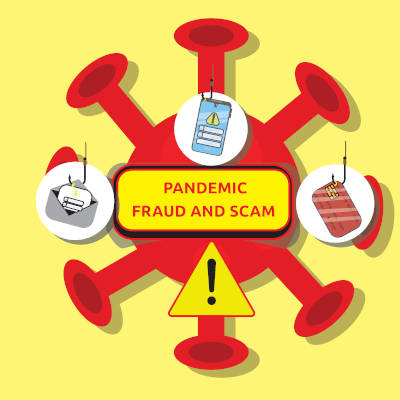
As commonly happens with any disaster, COVID-19 has inspired no short supply of scams. While these scams initially focused upon the relief funds that were delivered to people to help sustain the suffering economy, the ongoing vaccine distribution efforts have given those behind these efforts a new means of attack.

Let’s consider how these scams have materialized over the past year.

The Opportunity COVID-19 Gives Scammers

Like most predators, hackers will fully utilize every advantage they have over their intended prey. With COVID-19, this advantage comes in the form of the desperation many still feel for news. As a result, numerous scams have been reported to reference the coronavirus outbreak, adopting a wide variety of methods.

Some of the old tricks that these scammers have adapted include:

  • Phishing – While phishing scams are nothing new, and certainly won’t end with COVID-19, scammers have certainly taken advantage of it during these tumultuous times. By sending emails and other messages (as we’ll get into) that appear to come from a trustworthy source or an authority, a scammer can manipulate their target into compliance.
    • Vishing – This form of verbal phishing is conducted over the telephone but is otherwise identical to your more typical phishing scams.
    • SMiShing – Once again, a basic phishing attack, but carried out through SMS texts.
  • Pretexting – Basically, this is what occurs when someone reaches out to you seeking out your information under the guise of calling from some trustworthy entity looking for verification. As you would imagine, this has not been uncommon as of late.
  • Spoofing – Spoofing is the act of disguising a URL or a profile to appear to link to one location, but take the target to another, generally malicious one.
  • Quid Pro Quo – Just as it sounds, a scammer offers someone something in return for their information, but never holds up their end of the bargain. A longer scam, this usually requires some level of trust to be established but can be quite lucrative for the miscreant who carries it out.

How to Protect Your Business from Scams

Like most things having to do with cybercrime, there isn’t really a surefire way to prevent such scams from appearing, which means that the onus to keep data safe falls to the user that is dealing with these scams firsthand.

The biggest thing that you can do—and that you should encourage your team to do—is to verify everything. Any time anyone requests something of you online—whether it seems to be your boss, your coworker, your parents, or the CDC—you need to make sure you’re talking to who you think you’re talking to.

Verify. Everyone. And. Everything.

With so much of modern life now utilizing the Internet, it is nothing if not irresponsible to not have an appreciation for the severity of today’s biggest threat landscape. Keeping a good perspective about how valuable your personal information is and treating it as such with best practices can very much help protect you and your business from cybercriminals.

NuTech Services is here to help you see to your business’ cybersecurity preparedness and protections. Find out more about what we can offer by calling our team of professionals at 810.230.9455 today.

248900505_industry_secure_400.jpeg

Are Utilities as Secure as They Should Be?
248900505_industry_secure_400.jpeg

Recently, a story broke in Florida that sounds like something out of a terse action film: a hacker managed to access a water treatment facility and subjected the Pinellas County water supply with increased levels of sodium hydroxide. While onsite operators were able to correct the issue right away and keep the public safe from danger, this event is the latest in a line of cyberattacks directed at public utilities. Let’s consider this unpleasant trend.

Keeping Utilities Safe

Many of today’s systems run via the assistance of computers and are hosted online to embrace remote capabilities. Unfortunately, this nature leaves them vulnerable to hackers—despite the huge investments made into protecting the public infrastructure that runs on these systems.

As the event in Pinellas County proves, it just takes one time to cause great damage. Therefore, we can see why it is so important to keep these systems secure.

How Utilities Have Changed

With more people than ever suddenly working remotely, many jobs that once required on-site staff have shifted to automated solutions—especially in terms of seeking out IT threats and issues. However, with all this “newness”, many people aren’t familiar with the toolkits they are working with.

As a result, more employees are vulnerable to attacks and less aware of how to prevent them.

Infrastructure and Utility Threats are Increasing in Severity

According to a Ponemon Institute report, the level of sophistication that is used in attacks against utilities has increased sharply. 54 percent of utility managers foresee having to contend with at least one cyberattack this year—meaning that half of those that provide electricity, safe water, and other critical resources anticipate a major event.

When you consider how much our society relies on these systems, this is disconcerting to think about.

What Can Be Done?

Unfortunately, this question is where things can get complicated. It isn’t as though utility companies underestimate the importance of security, after all. However, by modeling their approach upon the one undertaken by the average enterprise, they have adopted a lot of the same practices: revising their practices as they go, continuing to innovate, and being increasingly vigilant.

For instance, many providers are integrating options that businesses have had success with. AI has been integrated to help identify potential threats much more efficiently by processing far more data in far less time. The Internet of Things is now used to better track and modulate internal processes and distribution of resources. Even better, these IoT devices (which are usually infamous for their questionable security) have seen the investments necessary to properly maintain their protections thanks to the efforts of the utility companies.

Considering the importance of our utility services, protecting them needs to be a priority… but what do you think? Should more attention be paid to the cybersecurity protecting them? Leave your opinion in the comments.

179946009_email_organization_400.jpeg

Tip of the Week: Keep Track of Your Priority Gmails
179946009_email_organization_400.jpeg

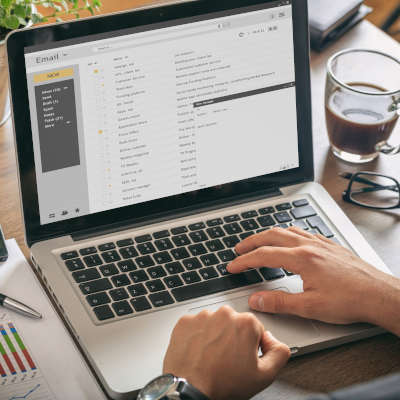
Email is undeniably a useful tool, but it can be a real drag on productivity and a hindrance to manage. Then again, there are some messages that you absolutely need to keep track of as they contain sensitive information. Gmail makes keeping messages under your thumb simple.

Email Can Be Frustrating

Gmail offers a lot of tools to help people organize their email. Features such as filters and labels make dealing with the loads of mail that come in easier, but still some messages might slip through the cracks. Wouldn’t it be useful if your email platform could give you a second chance to be alerted to a direct email? Users can now use a simple trick to reorder messages, so the most urgent ones appear at the top of your inbox. Let’s take you through it. 

Snoozing Your High-Priority Messages

So you’ve identified an important message that you want to return to after you deal with the mountain of other messages. Gmail allows you to do this with the use of the Snooze button.

Unfortunately, it doesn’t really work like your favorite snooze button on your alarm clock. Gmail’s snooze button is simply to resend yourself an email later so that the priority messages are at the top. Here’s how to access this feature:

  • (On a desktop/laptop) selecting the box next to it and clicking the clock-shaped icon at the top of the window.
  • (In the mobile app) tapping on the icon at its left, accessing the three-dot menu, and selecting Snooze.

Once this is done, a prompt will appear that will allow you to set when the message should return. The Pick date & time option allows you to set anytime after now for you to get the message back. Once you send this message, it will come back and sit at the top of your inbox in orange. It is extremely useful for the person who gets a lot of emails, but doesn’t get a lot of important emails. 

For more great tips and tricks, return to our blog regularly. 

203898730_safe_website_400.jpeg

Checking a Website’s Safety from Its Google Result
203898730_safe_website_400.jpeg

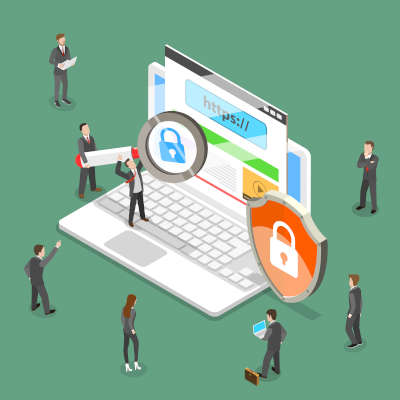
Google search is synonymous with searching the internet, but that hasn’t stopped them from constantly innovating the service. One of the most recent updates is to give users more context for the content that returns on search results. This works to protect users from potentially clicking on websites that could contain threats. Today, we discuss this innovation and how it will look to the end-user.

Google’s Page Widget

Google rolled out this feature on February 2nd, 2021. They now offer a widget that provides a look at a website before you click on it. You will begin to see three-dot menus appearing next to your search results. When accessed, it will give you the information that clicking on the link will take users to. 

The information includes a blurb about what the website links to, including Wikipedia information, but if that isn’t available it provides Google’s own analysis as the site was last indexed. It also provides information about the website’s security. 

This is what appears when you check the link for Facebook:

In this information, users can see that Google confirms that the website is secured, helps to protect data, and that the link was the result of the user’s search, and not an advertisement. 

As things progress, this utility should be able to help users do a better job of choosing websites that don’t put their data, or your organization’s data, at risk. For more great security information and best practices check back to our blog weekly.

355723052_new_innovation_400.jpeg

Older IT Practices That Still Hold Up

355723052_new_innovation_400.jpeg

While looking to the past isn’t often an idea tied to information technology, there are times when it can play a valuable role in your strategy for it. Let’s look at some modern IT concepts that rely on foundational ideas set back in the day.

Securing Your Business Hardware

Ensuring that your business’ hardware infrastructure and other tools are secured is the opposite of a new idea. Access controls have been utilized on a need-dictated basis ever since door locks were invented.

However, with so much more being handled electronically, the hardware solutions necessary for many standard operations nowadays are just too expensive for many businesses to manage and maintain for themselves. This is where the cloud has shown considerable value, allowing access to the hardware needed to support these processes without the associated costs of maintaining and running them. Furthermore, this makes a business’ resources inherently more secure—if a disaster were to strike its location, the resources aren’t exposed to any risks.

The Motivation Behind Adopting IT Solutions

Many businesses may look at their information technology as tangible proof of their capabilities, not realizing that seeing their IT as evidence of their success is fundamentally misunderstanding the purpose IT solutions have in a business setting.

Any good IT resource will tell you that it is their job to not only maintain functionality for businesses operating with the help of technology, but to identify the best ways to maximize the impact this technology has. Basically, your IT resource should act as a resource to help you do the most with as little as possible.

Handling Threat Management

While threat management was once entirely a responsive action, modern threat management is geared toward a significantly more proactive approach that works to identify and resolve weak points in a network before they’re taken advantage of. With end users still posing significant risks, properly training them to conduct themselves in a secure way will help to greatly reduce the severity of threats that come your way.

While businesses have access to better technology solutions than ever before, a lot still hinges on how well these solutions are used. NuTech Services is here to help implement the tools you need and make sure you get your value out of them. Give us a call at 810.230.9455 to learn more about what we can do for you.

110764836_embedding_video_400.jpeg

Tip of the Week: Embedding a YouTube Video into a PowerPoint Presentation

110764836_embedding_video_400.jpeg

If you’re trying to share an idea in a presentation, adding a brief video clip can make it very simple to communicate with your audience. With this in mind, it is quite helpful that Microsoft PowerPoint makes it simple to embed a YouTube video directly into your presentation, whether you’re using PowerPoint 365 or PowerPoint 2016.

Embedding a YouTube Video in PowerPoint 2016

To embed a video into your presentation:

  1. Navigate to YouTube and find the video you want to include in your presentation.
  2. Find the Share option and select Embed from the menu that appears when you click into it.
  3. You’ll see a preview of your chosen video’s thumbnail, along with a series of code and some other options that allow you to control the point from which the video starts, whether your embedded video will provide viewers with controls, and the ability to enable a privacy-enhanced mode (which pertains more to videos that are posted on a website). Copy this code in its entirety.
  4. Back in PowerPoint, click into the Insert tab and select Video. Select Online Video from the provided drop-down.
  5. A box will appear. Paste the code you copied into the From a Video Embed Code field. Alternatively, you could attempt searching for the video you wanted to use using the YouTube search field.

Embedding a YouTube Video in PowerPoint 365

The process when using PowerPoint 365 is very similar:

  1. Find the video you wish to embed on YouTube. Copy its URL from the address bar.
  2. In PowerPoint, click on the Insert tab. Select Video, then Online video…
  3. Paste the URL into the Online Video dialog box.
  4. You can also add various effects to the video preview (not the video that plays) via the buttons in the Video Format tab.

Regardless of the version you’re using, Microsoft PowerPoint has an excellent reputation amongst those who know how to use it. It, like many other solutions, provides much-needed capabilities that no business can fully go without.

Whatever your needs may be, NuTech Services can help you see to them. Give us a call at 810.230.9455 to find out more about what we have to offer.

280230675_blockchain_400.jpeg

How Blockchain is Changing Health Technology

280230675_blockchain_400.jpeg

You’d think that the healthcare industry would be at the very cutting-edge when it comes to information technology implementation. That isn’t always the case. One technology that developers are really looking to take advantage of in the healthcare space is blockchain. The technology behind cryptocurrency is being used to help patients better control their care. Let’s take a brief look now. 

Decentralizing Health Data

The importance of health data cannot be understated. Known technically as electronic protected health information (ePHI), it covers patient data, insurance information, and other data that makes up an individual’s health care profile. Unfortunately, the rate at which technology is implemented is extremely slow. In fact, hospitals basically function the same way they have for decades. This is a combination of a lack of innovation and a reluctance to invest by health maintenance organizations that already have extremely high overhead. 

Blockchain, an immutable and encrypted ledger technology, is changing this trend. Since each block (node) in a blockchain is secure and bound to actions taken in previous blocks, it can have some serious benefits when used to secure ePHI. Some of the reasons developers are looking to integrate blockchain technology include:

  • Information is decentralized – The data on a blockchain is not owned by a healthcare organization, but is more of a ledger of an individual’s health profile. 
  • Data on the blockchain is encrypted – The data is secured and cannot be altered. If situations change with a patient, another node is created amending previous information, it isn’t changed.
  • The blockchain itself is reliable – Once information is entered as a part of blockchain, it is on the chain in perpetuity. This makes it easy to refer to if there are questions about care or transfer of ePHI.
  • The blockchain improves transparency – This provides patients the ability to track their own health information, rather than relying on insurers or providers to coordinate information if there are questions about it. 

By integrating blockchain into an EHR (electronic health record) system, it in effect provides a level of consistency that has never been seen before in the healthcare industry. A blockchain-run EHR would keep healthcare organizations, or worse yet insurers, from essentially owning a patient’s ePHI. This would revolutionize the entire industry as it would be the basis for a patient information sharing marketplace. It would incentivize the free sharing of relevant patient data to help healthcare organizations provide better care, and get people the care they need as they would have access to all the information tied to a single patient. Some additional benefits would include:

  • Blockchain nodes cannot be altered, and the chain is traceable. Patients will be able to send records to who they choose without the fear of corruption or mishandling. 
  • Blockchain’s encryption will keep all nodes (and information held within) secure until it is shared with the healthcare provider or insurer.
  • Blockchain can incentivize healthy behavior as insurers and providers can set up benchmarks that patients could meet.
  • Blockchain integration could lower healthcare and prescription costs as it would allow and incentivize the tracking of prescribed drugs, lowering supply chain costs.  

Those are only a few benefits that blockchain can bring to healthcare. If you would like to learn more about blockchain or if you run a healthcare practice and would like to talk to one of our experts about this emerging technology, give us a call at 810.230.9455 today.

199361750_lost_mobile_400.jpeg

What to Do Immediately If You’ve Lost Your Phone

199361750_lost_mobile_400.jpeg

In our last blog we gave you some advice on what to do if your phone has gone missing, but if it has been stolen or lost for good, there are more pressing issues than the anger and loss you feel; you need to ensure that you and the people you do business with are protected. Let’s take a look at what you need to do to make that happen.

Step 1: Assume Your Phone is Gone for Good

The first thing you need to be aware of is that you probably won’t be getting your device back. In fact, you should operate like you’ll never see it again. This is unfortunate as you’ll need to fork over hundreds of dollars to replace it, but in order to protect yourself and others and avoid even more cost, you have to take action. 

The truth is that your phone has access to a lot of different accounts. Think about how many apps you consistently use, and how many of them have access to your financial and personal information. Now think about how much data is on there from other people. Instant messages, contact info, social media, and your work profile all are exposed if someone is able to access the contents of your phone. 

Once it’s gone, it’s gone. Forget about that phone and forge ahead. 

Step 2: Remotely Lock and Wipe Your Device

Go ahead and wipe the device. You can do this with Apple’s Find My iPhone setting on iPhone or Google’s Find My Device application on Android. From these hubs you can track the device (if you want) but at this point you should just focus on getting the information off of the device as quickly as possible. 

To do this, Apple users will need to log into their iCloud account, while Android users will need to navigate to Google’s Find My Device page. Either one of these methods will give you the device’s exact location, which can be used in context. If it’s at the restaurant you last ate at, you could just go get it, but if it’s some other place you haven’t been, you will want to wipe it and lock the contents of it down. 

If you haven’t set the tools up, your wireless carrier or phone’s manufacturer may be able to help. Here are some links to information that you will need to get in touch with them:

Step 3: Report It

Now that you’ve come to the conclusion that you’ll never see your device again, you need to report it. If you own the device—not had it provided to you through work—you should contact your mobile carrier. They can block your phone from the network and make it much more difficult for people to siphon information off of it. 

For your convenience, here is some carriers’ contact information:

If your phone was given to you by your workplace, you definitely need to report it to them as well so they can take the steps to protect their company data. This goes for any device used for your work in any way. A lost device is a clear liability, with both your data and company data at real risk. Businesses need to have the capability to revoke access to company data and email remotely, or at least remove the device’s work profile.

Step 4: Change Your Passwords

It won’t be easy, it won’t be fun, but it’s time to fill a pot of coffee and change all of your passwords. You will have to change your passwords for your mobile account, and to be on the safe side, all of the accounts found on your phone. First start with these three, if you have them. 

Obviously, every password needs to be unique and complex. Don’t use the same password twice.

Then you will want to prioritize your next moves. Changing passwords is an extremely lengthy experience. We’ve given you an avenue of attack here, starting with: 

  • Email accounts (if you have others besides your main Apple/Google/Microsoft accounts)
  • Banking/financial accounts (bank accounts, credit cards, PayPal, merchant accounts, etc.)
  • Cloud storage accounts (e.g. Dropbox, Amazon, Box, iCloud, Google Drive, Onedrive, etc.)
  • Hosting/Domain-related accounts (e.g. GoDaddy, Network Solutions, Cloudflare, etc.)
  • Social media (e.g. LinkedIn, Facebook, Twitter, etc.)
  • eCommerce stores (e.g. Amazon, Best Buy, Walmart, ebay, etc.)
  • Services/utilities (e.g. Netflix, Hulu, your electric company, insurance companies, etc.)
  • Games and other apps

Again, this is going to take a long time. Take your time. You’ll feel better when all of your accounts are newly secured.

If You Suspect Your Phone Has Been Stolen, Report It to Authorities

After you are done with this, if it’s obviously been stolen, report it to the police. Why not? It probably won’t have any effect, but it is good to have a police record of the theft. These days, people don’t often steal phones, but it does happen occasionally. Most people today know that you can track a stolen phone, but those brazen enough to lift a smartphone are probably not the type of people you want to go confront over it. 

If You Find a Lost Phone

Now if you come across a phone in your daily jaunt out into the world, you will want to find someone to give it to. Typically if you find a phone it will be on a restaurant or bar room table. Just find the manager and give it over. It won’t take long and it could really help someone else out. 

We hope you never have to experience the loss of a phone, but if it does happen, we sincerely hope this guide helps.

254906239_lost_mobile_phone_400.jpeg

How to Find Your Lost iPhone or Android Smartphone

254906239_lost_mobile_phone_400.jpeg

Imagine for a second you are out to a socially distant dinner date with the friends that you barely get to see. You wrap up dinner and say your goodbyes and when you get to your car you realize that you don’t have your phone. COMPLETE PANIC! Your whole life is on your phone. Now imagine that when you went back to the restaurant to get your phone, it wasn’t anywhere to be found. We’ll talk you through how to proceed. 

Use Google’s Find My Device App to Find an Android Device

Android users have access to a feature called Google Find My Device, that you should definitely set up if you haven’t already. You first need to install it from the Google Play Store.

Once the app is installed, it will ask you to log into your Google account. You will want to set up a strong and unique password just as you would with any other account. When asked, you will want to Allow Find My Device to access this device’s location. Now you will be able to see where your phone is. 

Using Apple’s Find My iPhone to Locate Your Device

Apple provides a similar service to iPhone users. You will need to enable Find My iPhone. Find My iPhone is a built-in service that comes as a part of iCloud. As expected, it allows users to track the whereabouts of a lost or stolen device. If you suspect that your iPhone has been stolen, you probably shouldn’t try and go to the location it is at, for safety’s sake. 

The Find My iPhone feature also allows users to remotely wipe the device. This feature can help you avoid identity theft, a data breach, or any other unfortunate experience that could happen with someone in possession of your phone. You will need to opt-in to these services, but you will be glad you did if the worst becomes reality. Here’s how:

On your iPhone or iPad:

  • Open Settings.
  • Access iCloud.
  • Locate the Find My iPhone/Find My iPad slider and make sure it is switched On.

If you haven’t already set up an iCloud account, you’ll be taken through the steps by a tutorial. You will want to set up your iCloud account with a unique and strong password. We keep harping on this point, but it is an important one. 

Apple will let you track your device through its iCloud service as long as it is still on or not in airplane mode. 

Most iPhone users already have, but if you haven’t you should set up Touch ID or Face ID on your device. That way, it will be extremely difficult to access the contents of your phone. To do this, access Settings under Touch ID & Passcode.

If you are careful, you will probably never need these features, but if you do have to use them you will be thankful they are there. With the increasing price of new mobile devices (and the importance of the data stored on them) they offer a kind of insurance against loss or theft. 

At NuTech Services, we know the importance of technology for businesses and individuals alike and hope that you never have to worry about these features. Contact us today if you have any questions about how to protect your business’ data against theft at 810.230.9455.

75125032_cloud_infrastructure_400.jpeg

Benefits IaaS Can Bring to a Business

75125032_cloud_infrastructure_400.jpeg

Of all the technologies currently used by businesses, the Internet is a strong contender for the most important. Regardless of their size, many businesses invest thousands each month into online Software-as-a-Service solutions as a means of more affordably equipping their users. Let’s talk for a moment about another cloud platform that has seen some advancement: Infrastructure-as-a-Service.

An Intro to Infrastructure-as-a-Service

Infrastructure-as-a-Service essentially boils down to this—rather than purchasing the equipment and dedicating the space to host their critical solutions in-house, IaaS eliminates the need for native servers and transfers their functionality into a cloud environment. With the market for cloud storage and processing at $100 billion and counting fast, this has proven to be a popular option.

Cloud services like hosted desktop, which enables a business user to access specific software solutions, have been around for years. Over time, applications have grown to be much more sophisticated. Pairing this increased sophistication with considerable investments made into these services, it only makes sense that entire computing infrastructures can now be had via the cloud. With big names like Amazon, Google, and Microsoft all contributing, essentially all processes involving computers nowadays can be delivered in such a manner.

With IaaS in place, a company can enjoy its needed access to computing resources on demand without having to worry about the considerable upfront costs that would traditionally come with these capabilities. IaaS also helps prevent a lot of waste via overinvesting in necessary space. Along with its customizable resource allotment, the cloud and IaaS give businesses many additional benefits:

  1. Superior performance – Your business’ IaaS platform is managed and maintained by the service provider, with all the tools needed to keep systems up and secure. 
  2. Powerful security – Security has been a crucial consideration for many years, so today’s cloud providers invest heavily in security. 
  3. Enhanced flexibility – Companies can access effectively unlimited computing resources, and it provides a lot of flexibility and scalability.
  4. Built-in redundancy – Hosted infrastructure includes built-in redundancy, disaster recovery, and continuity options.
  5. Consistent Pricing – Companies that are looking to make a move to IaaS, are normally doing so to avoid huge upfront and maintenance costs. While IaaS isn’t the consistent price that Software-as-a-Service options provide, IaaS does offer a transparent pricing structure and provides businesses that know their underlying traffic the means to successfully predict their computing costs. 

For a business looking for value, IaaS can be a promising option. Call NuTech Services today for a consultation into how you can best acquire the computing resources that support your business at 810.230.9455.

223474600_audit_tech_400.jpg

Why You Need to Do a Security and Compliance Audit

223474600_audit_tech_400.jpg

Businesses that don’t see after their vulnerabilities are just asking to be breached. That’s the consensus view in the IT industry. It’s disconcerting, then, to consider how many businesses don’t actively assess their IT security, especially considering how much these platforms change from year-to-year. Today, we’ll briefly discuss what a security and compliance audit is, and why we think you need one. 

What is a Security and Compliance Audit?

This is pretty straightforward. There are a constant stream of threats that come at your business and the individuals that work in it. In order to keep your business’ assets safe from theft or corruption, you need to do what you can to protect them. That typically includes implementing security software, training your staff about phishing and other scams, and overall just being vigilant about the way you go about things. Most business owners would say that is all they can do and if that doesn’t protect them nothing will. 

In the same breath, these same people will continuously add to their IT infrastructure, implement new technologies, and deploy alternative platforms if they think they can make a dollar and a cent doing so. The integration of these new systems can create holes in your business’ network, and these holes are what hackers use to breach your network and steal your data or corrupt your whole IT platform. 

Furthermore, as a business’ IT gets more complicated, their compliance concerns get more complicated. Most businesses have certain compliance requirements they need to meet in order to keep doing business effectively, with more expected to pop up as privacy concerns get met with more policy. 

The security and compliance audit is a full-blown assessment of the network and infrastructure designed to find potential holes. The security and compliance audit goes beyond your typical vulnerability scan because the results include a specific assessment of your specific IT profile. At NuTech Services, we suggest getting a security and compliance audit done before you make any significant changes to your IT infrastructure. We also suggest getting a penetration test after any changes are complete to ensure that your platforms meet the security and compliance standards your business operates under.

Square Away Your IT Defenses

Getting a comprehensive security and compliance audit and a subsequent penetration test can be all the difference between a litany of potential troubles. On one hand, you may have vulnerabilities remaining in your IT infrastructure that could be exploited, putting your business in peril. On the other, non-compliance with regulatory standards can cause large fines or worse. If you would like to talk to one of our IT professionals about the possibility of getting your network and infrastructure audited and tested to help you close up any holes in your IT, give us a call today at 810.230.9455. 

404102483_redudant_400.jpg

Why Redundancy is EVERYTHING for Data Backups

404102483_redudant_400.jpg

With a business’ data being such a priority nowadays, protecting it against all circumstances needs to be appropriately attended to. One fundamental component of this protection is the implementation of a proper backup strategy. Let’s go over the most foundational element of a successful backup, and how we recommend businesses to accomplish it: redundancy.

Redundancy Isn’t Always a Bad Thing

First, we need to address the stigma around the concept of “redundancy” in general. While often associated with waste, redundancy effectively boils down to having more than you need to operate. As a result, redundancy can be seen as either good or bad depending on the circumstances.

For instance, having more supplies and equipment than you need (or can manage) isn’t good, as you likely have spent more than you needed to out of a finite budget, and might experience some challenges in storing these resources. Having excessive funds left in your budget means that you’re underutilizing what you have available. The list could go on and on, in terms of how redundancy could prove to be a detriment.

That being said, there are a few cases where redundancy can—quite literally—be the thing that keeps a business from going under. A redundant data backup is the prime example of this.

What a Redundant Data Backup Looks Like

All in all, a redundant data backup is one that involves multiple copies—just in case something happens to one, you have another copy waiting in the wings to step in.

Let’s consider a scenario, while tweaking a detail here and there to consider why a data backup is so important, particularly those designed to be redundant in nature:

Scenarios

In your business, you have…

  • A. no means of backing up your data.
  • B. a small backup device hosted onsite
  • C. a cloud-based data backup
  • D. both an onsite backup and one hosted in the cloud

As you go about your operations, you happen to be successfully targeted by ransomware via a clever phishing attack. In each of these scenarios, a different outcome is likely.

In Scenario A, your business is up the creek. Without any data backup, a successful ransomware infection is guaranteed to encrypt some—if not all—of your data, which is effectively the same as it being deleted. This is, of course, assuming you follow best practices and refrain from paying up, as this offers no guarantee that your data will be returned to you.

In Scenario B, there’s a good chance that your backup may be encrypted along with the data it is meant to be backing up. I hope I don’t have to go into detail about why this is a bad thing that should be avoided, especially when it effectively destroys your data, as happened in Scenario A.

In Scenario C, a cloud-based backup is one way to address the situation, as the encrypted data can simply be wiped and the backed-up data replicated back from the cloud. 

Scenario D goes a little further, by both ensuring that your data is backed up in the cloud while also providing you with an on-site backup for quick and easy restoration if possible. Ideally, even the cloud provider storing your data has some redundancy in place, keeping your data in multiple locations to mitigate the impact any equipment failures on their end could cause.

This Redundancy is What Makes the 3-2-1 Rule

The 3-2-1 Rule is a concept that we often recommend to businesses, as it is a simple way to ensure that your data will be safe. It boils down to keeping (at least) three copies of your data, including the original, in two types of storage media, one of which being offsite and ideally in the cloud. This strategy is a great way to ensure your business has the access it needs to its essential data, regardless of the circumstances.

While NuTech Services can help you ensure that your backups are redundant. Not only will we help your business survive a data disaster, but we can also help you avoid them in the first place through our comprehensive managed services. To learn more about what we offer, explore the rest of our website and reach out to us at 810.230.9455.

260693912_consistent_400.jpg

Building Consistency Only Helps Your Business

260693912_consistent_400.jpg

In business, building a strategy that produces results is the goal. If you are looking, you can find all types of stories about entrepreneurs changing the tried-and-true methods and finding abrupt (and sometimes sustainable) success. These stories may even have you questioning the way that you do business, especially if things aren’t going terribly well. Rest assured, that the best thing that can happen is to build processes that promote consistency. 

Being consistent in the way your business functions means that you do the same things when presented with the same situations. You have a set of procedures and a dedicated workflow and you stick to them. This lends the question: Why consistency matters when so much is made of people who succeed with outside-the-box action? Simple. Their success is only noteworthy because they are operating on the margins of sensible business thought. Nobody reports on the massive amount of businesses that fail because their owners or decision makers decided to roam off the beaten path. Let’s take a look at a couple of ways that building consistency can help your business:

Measuring Your Business’ Progress

The easiest way to get a good idea of how your processes are faring is to have reliable data by which to critique it. The only way this happens is to have a consistent approach. Think about it this way: If you have a flashlight that doesn’t work, you aren’t going to replace the housing, the bulb, and the terminals before you test to see if you just need new batteries. You will replace the battery and if it still doesn’t work, you only then investigate further. The same goes for your business processes. Convoluting the way you look at your business can be detrimental and costly. 

Managing Your Resources

A consistent approach to all facets of your business allows for a better understanding of how all of your resources are managed, especially if yours—like many other businesses—needs to do this efficiently. You only have a finite amount of capital to invest in every part of your business, and if you just frivolously spend money, there will be parts of your business that won’t get the resources they need. Having a consistent process of how to budget and how to allocate resources is the only way forward for many small businesses.

Be An Employer Workers Want to Work For

Nobody likes it when the rules constantly change. Sure, there needs to be a reassessment of the rules every so often, but if processes and procedures are constantly in flux, it doesn’t give your staff the ability to settle in. While one could make an argument that this wards against complacency, the only thing that it really accomplishes is to frustrate your staff. 

Customers Appreciate Consistency

Finally, the most important part of the process relies on a consistent approach: your interactions with your client base. Every customer expects that any product or service they purchase will be consistent. This goes from software to sandwiches. A lack of consistency is often viewed by potential customers as confusion. To keep your customers from jumping ship to your competitors or inundating your support staff with complaints, delivering a consistent product or service is the best strategy you have. 

At NuTech Services, we can help your business build consistency through the use of technology. We can deploy tools that can allow your team to have the steadiness they need to deliver on your company’s promises. For more information, or to talk about an assessment, call our IT experts today at 810.230.9455.

354842023_ai_400.jpg

Artificial Intelligence and the Tools Designed to Improve Business

354842023_ai_400.jpg

AI has been one of the leading innovative topics to hit the technology world over the past couple of years. At first, people thought that AI was only the process of creating machines that will inevitably destroy the human race, and didn’t understand that algorithmic machine learning could have stark benefits for business and society. Today, AI can be found in all types of different pieces of software. Let’s take a look at a couple of ways AI is currently being used in business.

#1 – Cybersecurity

One of the most important uses of AI is for cybersecurity, most of which is identifying actual threats and eliminating them before they can cause any problems for a business. There are a lot of potential threats out there and today, IT professionals are using AI to avoid spending time on situations that turn out to be non-issues. AI can be used to detect intrusions, identify vulnerabilities in software, and find malicious code that has already been installed on the system. 

#2 – Customer Service

AI’s most noteworthy application has been the incorporation into customer relations. Chatbots and other technologies that are fueled by machine learning can provide a lot of value for most organizations that simply cannot afford to employ a complete product or service support team. Users may not even realize that they are engaging with an AI as many newer solutions learn rapidly to provide customers with a fast, reliable interface in which to get support. 

#3 – Operational Efficiency

For some time, automation has been the name of the game when businesses attempt to streamline operations. Today, AI is beginning to provide a more diverse set of companies the opportunity to leverage more sophisticated tools. Since AI is constantly evolving and developing, more and more businesses are able to build tools around AI/machine learning than ever before. AI allows businesses to automate more of the mundane and repetitive tasks that have hindered productivity and progress, reducing costs, and providing a substantive boost in efficiency.

There may not be AI beings peppered among us yet, but AI is making a big push to be the most important emerging technology of the 21st century. If you would like to learn more about getting the results your business wants from its relationship with technology, return to our blog or give us a call at 810.230.9455 today.