police_ransomware_400.jpg

These Police Officers Called for Backup… and it was Infected with Ransomware

police_ransomware_400.jpg

The police exist to serve, protect, and enforce the law, but who can we turn to if even the cops are made victim of a cyberattack? This is the question the residents of Cockrell, Texas have to answer, as their police department fell victim to a ransomware attack known as the Osiris Ransomware.

Before you start to worry too much about this terrible new strain of ransomware, you should know that “Osiris” has been identified as a recent version of the Locky ransomware. The police department likely only referred to it as “Osiris” due to their encrypted files all sporting the extension “.osiris.”

This began as many ransomware attacks do; an on-screen message notified the police that their files had been locked, and would only be unlocked if the department paid up the demanded $4,000. As happens far too often, the ransomware was introduced into their system when a member of the department opened a spoofed email that appeared to be an official department communication. In keeping to best practices, the police’s IT department elected to restore the infected server’s files from a backup.

Unfortunately, the backup they had to restore from was taken after their systems had been infected, meaning that all they had were more locked and infected files.

This caused Cockrell authorities no small amount of trouble, as the encrypted files included years and years of photographic and video evidence to be used to prosecute cases. Time will only tell how much of an impact this will have on legal proceedings.

These events serve as a warning to all who rely on data in order to do their job, including businesses everywhere. It is essential to remember that your security is only as good as the people who are given access to your data. Furthermore, it reinforces the importance of keeping more than just one backup of your system. Backing up incrementally, and storing archived backups off site will usually safeguard a business from having the entire backup corrupted in the event of ransomware like this.

Reach out to us at 810.230.9455 so we can optimize your IT to protect you against ransomware and other critical issues.

business_data_breach_400.jpg

20% of Customers and Revenue are a Lot to Lose From a Single Data Breach

business_data_breach_400.jpg

Data breaches are common problems for businesses of all shapes and sizes. In fact, they often have huge repercussions that aren’t initially seen in the heat of the moment. How can you make sure that a data breach won’t negatively impact your business, even well after you’ve fixed the initial problem?

Cisco, for example, claims that out of all companies that experienced a major data breach in 2016, over one-third of them lost more than 20 percent of their customers, opportunities, or revenue. This clearly shows that your business has far more than just data on the line when it comes to cybersecurity. Simply put, by not taking measures to keep your organization secure, you stand to put the future of your business itself at risk.

This makes sense, especially when you consider a consumer’s natural reaction to a poor experience with a specific vendor or brand. If you were a customer at a store that experienced a major data breach (one in which your financial information was stolen), would you still want to shop there? Many organizations will reassure their customers that the vulnerability has been resolved, and some might even offer to make amends for their careless handling of customer data. Yet, sometimes even this isn’t enough to retain customers, and often times, you won’t find this out until it’s too late.

As a small business owner, can you imagine what it would feel like to lose as much as 20 percent of your current clientele? Large organizations might have enough resources and offerings to make the loss seem more manageable, but chances are that a 20-percent loss would be a huge hit for any smaller organization.

Furthermore, it’s likely that such a loss of customers, opportunities, or revenue would affect long-term growth. If your organization loses 20 percent of its customers, that’s not just lost business for you–that’s a whole bunch of customers who won’t recommend your organization to new clients. What’s worse, they may even tell others about your business, but not in the way that you want them to. Before you know it, you’ll have former customers telling their contacts all of the ugly details about their experience with your business, data breaches notwithstanding.

In other words, not only does a data breach represent a loss of revenue, but also a loss of potential resources that could be utilized to further advance your business in the future.

Thus, a relatively small issue could transform into a major problem that puts the future of your business in jeopardy. Cisco also found that the following problems were concerning for organizations that experienced a data breach:

  • Cyber threats in 2016 increased in power and sophistication.
  • Cybersecurity efforts by organizations aren’t able to investigate all of the alerts they get in a single day (56 percent is the average).
  • However, despite cyber attacks growing in complexity, hackers still utilized “classic attack methods seen in 2010.”

Cyber threats continue to evolve into bigger, more dangerous threats that are harder to counter and prepare for. Despite this fact, it’s still your responsibility to make sure that any potential data breach doesn’t spell the end for your enterprise. It’s clear that, in order to guarantee the success of your business’s future, you need to implement powerful and focused security solutions designed to prevent breaches in the first place.

NuTech Services can help your business implement technology solutions designed to limit breaches and manage risk more effectively. With a Unified Threat Management device and remote monitoring and management service, you will have little to fear. To learn more, reach out to us at 810.230.9455.

public_computers_are_dangerous_400.jpg

Tip of the Week: Stuck Using a Public PC? Be Sure to Follow These 2 Privacy Tips

public_computers_are_dangerous_400.jpg

Full disclosure: we don’t recommend doing anything important, or really anything at all, on a public computer. However, we understand that sometimes life works out in an unideal fashion, and sometimes you can be stuck doing something you shouldn’t, and otherwise wouldn’t. Even in these cases, there are steps you can take to preserve your security.

Despite the explosion in mobile device connectivity, the use of public computers is still remarkably common. Unfortunately, the same remarks can’t be said about their relative security. These open devices tend to have few solutions in place–if any–especially when compared to the average privately-held device.

However, as we go through the steps you need to take while using a public computer, we will also go through some alternatives that you really should consider implementing before you find yourself in this risky situation.

Use a Private Browser
The default settings for most web browsers are designed, more or less, for a single user’s exclusive use. This is why your browser collects data like your history, what you’ve downloaded, and account credentials. It’s all done to make the user’s experience simpler–which, on a private machine, isn’t necessarily a bad thing.

However, these capabilities don’t just go away because more than one person uses the computer, and so if you enter some sensitive credentials, the next user may be able to access and utilize them as well. Using a private browser prevents you from leaving those digital footprints on the machine by having it “forget” what you were just using it to access.

Keep in mind, private browsers aren’t a cure-all when it comes to your online security. Even though the computer itself won’t have a record of your browsing, it doesn’t mean that private browsers wipe your trail from the Internet as well. In order to do that, there are other measures you’ll have to take.

Use a Virtual Private Network
Virtual Private Networks, or VPNs, are a step up from a private browser. Once a user logs in to their VPN, their IP address is effectively shielded from view, and their activity is processed through an encrypted virtual tunnel. Using proxy servers that span across the globe, your identity and location are shielded enough that you will never be the target of an opportunistic attack.

As far as price is concerned with a VPN, there are free options out there, as well as many very reasonably priced, paid varieties. Your VPN would need to be set up on your office network before you plan on using it from an outside location.

When it comes to doing business while travelling, it’s only natural that the urge is there to use whatever is available. However, if you must decide between productivity and security, it is much more prudent to prioritize security. After all, without your security, you may just find that your finished product has been tampered with or stolen.

On the topic of security, it cannot be said enough that using a public computer in any professional capacity is simply not a risk that is worth taking. There is simply no way that you may be sure that your data is absolutely safe.

NuTech Services can help you maintain your security in situations like these. Give us a call at 810.230.9455 to learn more.

rootkits_good_or_bad_400.jpg

Rootkit Hacks are Nasty, But Preventable

rootkits_good_or_bad_400.jpg

The challenge for business owners is that there are so many different types of online threats, it borders on impossible to protect themselves from all of them. All of these threats hold limitless possibility to ruin your organization’s operations, either short-term or long-term. One of the most common threats out there is called a rootkit hack, and it’s one that you certainly don’t want to mess around with.

Defining a Rootkit Hack
Rootkits are malware that sit on a device for extended periods of time, often undetected for weeks, months, or even years. In this sense, they are very similar to trojans, which hide on networks and are capable of dodging security tools like antivirus and firewalls. Rootkits, however, aren’t designed to allow for backdoor access at a later date (though they certainly could be capable of doing so). Instead, a rootkit focuses on giving hackers administrator permissions so they can access systems in a pseudo-”legitimate” manner. The unfortunate side-effect for the user is that everything they are using the infected computer to do is being intercepted and controlled by someone else, placing them at the mercy of the hacker.

What’s even more confusing is that not all rootkits place your business at risk. In fact, many organizations that provide technical support for IT assets use rootkits for remote access and maintenance. The problem is that rootkits allow hackers to steal information, which can lead to a disaster.

How a Rootkit Works
The first step in a rootkit’s exploitation is seizing administrator control. Once the hacker has done so, their options are limitless. They can perform tasks such as deleting important files, installing software (like spyware), changing programs, recording keystrokes, and so much more. Hackers could steal vital information like credentials, access logs, or other important data. Furthermore, rootkits are usually software-based, though hardware-based rootkits accomplish a similar role and are arguably easier to identify. Just look for any piece of technology that looks like it doesn’t belong.

How to Prevent Rootkit Hacks
Protecting yourself from hacking attacks doesn’t have to be hard, but the sheer amount of possibility involved with them can be daunting. Rootkits can make their way into your network through the use of infected downloads, phishing scams, malicious URLs, and countless other ways. Always check to ensure the authenticity of what you’re downloading, and make sure to stay away from potential outlets of malware or other sketchy websites known for spreading malicious software.

By keeping these security discrepancies in mind, and by maximizing your use of best practices, you can effectively keep exposure to threats at a minimum. An enterprise-level security solution also goes a long way toward keeping your business safe, along with a firewall, antivirus tool, web content filter, and spam blocker. These solutions all take preventative measures to limit exposure to threats, taking some of the difficulty out of managing network security.

What To Do
If something seems out of place with your computer, disconnect your PC from the Internet and all internal networks immediately. This prevents remote access control and data leakage from rootkit hacks, but most importantly, you isolate the problem so that it can’t spread. If you don’t know how to get rid of the problem, professional technicians like those at NuTech Services have your back.

To get to the root of all manners of cyber threats, reach out to us at 810.230.9455.

secure_web_browsing_400.jpg

The “S” in HTTPS is More Important Than You May Think

secure_web_browsing_400.jpg

It would be an understatement to say that security, particularly encryption, is important while browsing the web. Though it was only recently that encryption became a major pain point for government regulation, encryption has been around for a very long time. The average user can get a taste of online encryption through the average website security certificate.

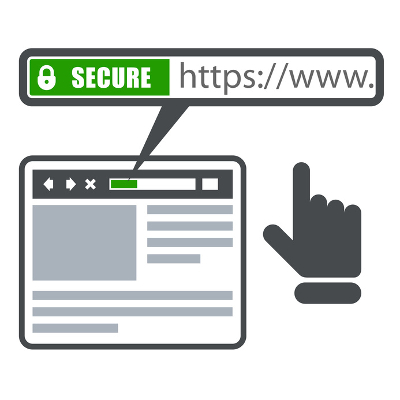
Hypertext Transfer Protocol, with an S on the end for “security,” is designed to protect a website visitor’s privacy by encrypting information sent from the website to a receiving server. Ordinarily, the connection wouldn’t be private, so data can be accessed while it’s in transit. This is why HTTPS is commonly used on pages that require sensitive credentials, like passwords, usernames, credit card numbers, Social Security numbers, and so on. For example, banking institutions and other accounts that are linked to financial credentials (like any payment pages on websites) need to be using a security certificate to guarantee the user’s security.

One good way of describing online encryption is like a pipe. A normal HTTP connection is like a transparent pipe that you can see through. Hackers can collect data while it’s in transit because the pipe is see-through. Now, imagine the same pipe, only with an opaque hue to it. You can still see the insides, but they’re hidden and jumbled to the point where you can’t get a clear image. This is what it’s like for hackers to see encrypted data; they may have stolen it, but it’s locked down and indecipherable, making it essentially worthless.

The main thing that the average business owner must understand about HTTPS and online encryption is that you need to drill best practices of handling data into your employees as early and as often as possible. Before entering sensitive information into any website, be sure to look for the following abnormalities:

  • A lack of a security certificate: Before you enter any information into a website, make sure that it’s protected by a security certificate. You can verify that a website is secure by clicking on the green padlock icon next to the URL’s name in the address bar. It’s important to keep in mind that, while SSL and TLS might largely seem like the same thing, SSL is an antiquated security protocol that, thanks to vulnerabilities like POODLE (a man-in-the-middle exploit), could be dangerous.
  • Suspicious URLs or domain names: Sometimes hackers will create a site that looks exactly like a banking institution’s website, and use it to steal credentials. They will use sneaky tactics to make you think that what you’re looking at is the real deal, but look for out-of-place letters, numbers, or symbols in the domain before thinking you’re in the clear. Basically, the site that you’re on should be the institution’s official site. If something looks out of the ordinary, contact the organization through the information that you have on file.

For more great tips and tricks on how to stay safe online, be sure to contact NuTech Services at 810.230.9455.

eighty_twenty_rule_for_it_400.jpg

Let the 80/20 Rule Be Your Guide for IT Security

eighty_twenty_rule_for_it_400.jpg

IT security is something that businesses of all shapes, sizes, and varieties have to be concerned about. You’ll be faced with the question of whether you have adequate security practices on a daily basis. For help with understanding why the smallest vulnerabilities often result in the most data loss, look no further than the 80/20 rule.

This rule, often called the Pareto Principle, is defined as such by Investopedia: “[the Pareto Principle] specifies an unequal relationship between inputs and outputs. The principle states that 20 percent of the invested input is responsible for 80 percent of the results obtained. Put another way, 80 percent of consequences stem from 20 percent of the causes.”

In other words, the Pareto Principle is a strategy that attempts to explain how you should delegate your organization’s security resources in order to maximize the security you get. In this case, you are using your assets to protect your network from online threats. However, you might realize that even if you search and search for network vulnerabilities, you won’t find all of them. There are simply too many threats out there to identify. Instead, you use the Pareto Principle to identify where you can do the most good for your organization’s network security.

This principle can also work in reverse; only 20 percent of the vulnerabilities on the Internet lead to 80 percent of the data loss. When you think about it, this makes sense. How often do you hear about major data breaches in which multiple vulnerabilities were exploited? Instead, it’s usually just one major hack that led to many compromised accounts.

Yet, the biggest part of effectively using the 80/20 rule is determining what your priorities should be, and which threats are the most dangerous. After all, if everything is a priority, then nothing can get done. This results in all-around subpar security that leaves large threats unchecked.

A penetration test can help NuTech Services  to find where your organization’s most important security flaws lie. We can locate and resolve your most critical security flaws through a process called Remote Monitoring and Management (RMM), which allows us to connect to your office’s technology solutions and issue the required patches and security updates without an on-site visit. In fact, most situations will only call for remote access, so you can save both time and money with an RMM tool.

In fact, there’s one solution that is capable of protecting the majority of your network without much effort at all. It’s called a Unified Threat Management solution, and it includes all of the major components of network security in one convenient package. With an enterprise-level firewall, antivirus, spam blocker, and content filter, you can know with certainty that one solution covers the majority of the challenges presented by network security.

With NuTech Services’s managed IT services, you’re creating many opportunities for enhanced network security, improved network performance, and optimized operations. To learn more about how we make technology work for you, reach out to us at 810.230.9455.

medical_device_hacks_400.jpg

From Heart Attack to Hack Attack: Hackers Can Now Control Pacemakers

medical_device_hacks_400.jpg

Medical technology has allowed for vast improvements in the way that conditions are treated. For example, the pacemaker allows some people with heart conditions to live longer and more comfortably. However, a European research team has concluded that even pacemakers are susceptible to being hacked, with deadly results.

The researchers made a note to describe the dangers of using implantable cardioverter defibrillators, from a hacking standpoint. Many modern pacemakers have the ability to communicate with other devices. While this capability is designed as a benefit to the patient, allowing the devices to be examined without an invasive surgical procedure, it can have dire consequences if hacked. If the patient is away from the doctor’s office within two hours, the pacemaker can still receive signals from other devices, thus making it vulnerable to a cyber attack.

Hackers can send a signal to the pacemaker that keeps the device from returning to “sleep mode,” which is what makes it vulnerable to exploitation. By analyzing the signals sent to the tested devices, researchers could spot various ways that a hacker would use this exploit. The results varied from draining the battery’s life to stealing personal data that may be stored on it. In other words, the hacker can make the patient’s life rather difficult by either turning off the device, or stealing data and using it to steal their identity. Hackers could even activate the pacemaker’s resuscitation shock without need, jolting the heart and making things difficult for the victim.

There are at least 10 different types of lifesaving devices that are vulnerable to this simple exploit. In fact, the hacker doesn’t necessarily need to know anything about the device itself. The reason why these devices are so vulnerable is thanks to the manufacturers not believing that pacemakers are clear targets of cybercriminals. This led them to release the devices without the IT security necessary to prevent these targeted attacks. The lesson learned: “Nobody will consider pacemakers a target,” is no excuse to use lackluster security.

Keep in mind that this study was conducted by researchers, rather than hackers. Still, have you ever considered the fact that your organization could be at serious risk? Some SMBs are under the impression that their small size means that they aren’t a target. However, most hacking incidents aren’t targeted events, and are instead massive campaigns meant to infect anything and anyone who happens to click on the wrong link. Furthermore, all businesses have some data that’s worth stealing, like employee records and financial credentials, and it needs to be protected properly.

If you want to maximize your company’s security, give NuTech Services a call at 810.230.9455.

password_security_400.jpg

Helpful Suggestions to Improve Password Security

password_security_400.jpg

Passwords are important for any online account (and for most accounts in general). Sometimes they might feel like inconveniences, but it’s crucial to remember that these passwords are often the first line of defense, if not the only line of defense, that stands between your data and hackers. We’ll discuss ways that you can augment password security with other powerful measures.

There are two major ways that you can improve password security; two-factor authentication and password managers.

Two-Factor Authentication
2FA provides organizations and users with secondary credentials that can protect their network or online accounts. This type of protection can come in the form of an SMS message, a phone call, or an email sending you a secondary credential. You then enter this code into the app or service, and since you know without a doubt that only you could have access to this code, you can practically guarantee that you’re the only one accessing your account.

Basically, the biggest way this helps your organization is by making it as hard as possible for hackers to infiltrate your network and company accounts. When you involve devices like smartphones with two-factor authentication, you make it much more difficult for hackers, as they would need access to two different devices rather than just one. Reach out to NuTech Services and ask us about our two-factor authentication solutions.

Password Managers
A good password is often long and complex, consisting of several different types of characters, numbers, and letters. As you might expect, these types of passwords are rather difficult to remember. Plus, since you can’t (or shouldn’t) use the same password for multiple accounts, you can easily use the password for another account on accident, eventually leading to an account lockout. This is both frustrating and unnecessary. Alternatively, you can keep track of your passwords using a password manager, allowing you to use complex passwords without any problems.

An enterprise-level password manager from NuTech Services can allow your organization to take advantage of complex passwords. Your passwords are stored in a secure encrypted database that shields them from hackers. Furthermore, you only pull the passwords as they are needed. There’s no better way to take advantage of complex passwords, as the password manager will keep track of multiple account credentials without you having to remember them.

NuTech Services can help your business with all of its password managing needs. To learn more, reach out to us at 810.230.9455.

shift_and_f10_400.jpg

How 2 Keystrokes Can Bypass the Security of Windows

shift_and_f10_400.jpg

Usually, when a troubleshooting feature is put in place, it is meant to assist the user in resolving an issue. However, one such feature in Windows 10 could ultimately lead to more problems, as it also can serve as a free-ride vulnerability for an opportunist bystander.

Security expert Sami Lailo discovered that if someone keys in Shift + F10 during a ‘Feature Update’ in Windows 10, they are able to access a Command Prompt window with Admin privileges. Compounding this with the fact that Microsoft updates disable BitLocker while they are in progress, means that someone could feasibly access the hard disk without the aid of any external device.

If that someone happened to be ill-intentioned, they could potentially wreak havoc through the command-line interface. Admittedly, the perpetrator would have to move quickly, but if they had come in with a plan and the foreknowledge of a Feature Update being implemented, they would have plenty of time to do what they had come to do.

Lailo reached out to Microsoft, and the company is now working to resolve this issue.

The current fix? Don’t leave an updating workstation unattended, despite the long periods of time updates can sometimes take.

Once Microsoft releases a patch, businesses and organizations will want to apply it. Keep in mind, any NuTech Services clients on our managed services will have the update applied once it is tested. Give us a call at 810.230.9455 to learn more.

small_business_security_400.jpg

Even Small Businesses Need a Big Security Solution

small_business_security_400.jpg

One of the main benefits of a small business is that it’s small. You can make decisions quickly regarding all sorts of matters. Your workforce isn’t nearly as large as other organizations, meaning that you’re a closer, tight-knit group. However, one of the misconceptions of small business is that they’re not as susceptible to hacking attacks, which can be a dangerous assumption to make.

The reasoning for this is simple: hackers don’t care who you are or what you do. They don’t care if you’re a large business with thousands of employees, or if you’re a small startup in the suburbs of your hometown. They don’t care if you’re in the healthcare industry or if you’re just a small goods manufacturer. All they care about is stealing your data, and if you don’t take measures to protect it, you could be dealing with a major issue that can’t be swept under the rug and forgotten about.

All businesses rely on their mission-critical data to function, and all businesses have information that’s valuable to hackers. For example, most companies have a human resources department that collects information about employees and potential new hires, including Social Security numbers, dates of birth, addresses, phone numbers, email addresses, and so on. On a more personal note, your business’s finance department holds payment information for both your clients and your own business, which could be catastrophic if it were to fall into the hands of hackers.

However, even though hackers will use variable tactics to infiltrate and infect a network with viruses, malware, spyware, or other threats, they often don’t target specific data. In fact, hackers often don’t target specific businesses at all, and instead will send out widespread scams designed to infect any and all who are foolish enough to download a file, or click on a suspicious link. These threats are most often found in phishing emails (scams that are designed to get a user to visit a malicious website, download an infected attachment, or click on a link) that executes a malicious payload. A small business like yours will rarely experience a direct hacking attack specifically designed to infiltrate your exact systems.

Due to this oversight, your business can make significant steps toward proper cybersecurity practices by implementing security solutions that are designed with the enterprise in mind; specifically, a firewall, antivirus, spam blocking, and web content filtering solutions. These security measures are all necessary if you want to minimize your business’s exposure to online threats. They can keep your team from accessing malicious websites, keep threats out of your system, and eliminate the majority of spam that hits your inbox. Furthermore, a powerful antivirus can swiftly destroy any threats that do manage to infiltrate your system.

With a small business, you still need to implement security solutions. There’s no getting around that. What you can do to make it easier on your organization is to contact NuTech Services. Our skilled technicians understand the everyday difficulties that come from managing technology, including optimizing security. Ask us about a Unified Threat Management solution that includes all of the above-mentioned services, and don’t forget to inquire about remote monitoring and maintenance that’s designed to detect and resolve abnormalities in your systems. To learn more, contact NuTech Services at 810.230.9455.

downloading_unwanted_software_400.jpg

How Downloading Free Adware Can Lead to Malicious Crapware

downloading_unwanted_software_400.jpg

One benefit of the Internet is that, if you search hard enough, you’ll likely find a free tool or app for virtually any common computing task. While certainly advantageous, freeware often comes with a hidden price, like having to also download additional, unwanted software, aka, “crapware.” If this freeware isn’t properly managed, it can wreak havoc on your system.

In most cases, the addition of crapware on a PC is obvious, like a browser toolbar suddenly appearing (that’s difficult to remove), or the addition of new antivirus software. Although, in cases where freeware is bundled with malicious crapware or adware, the unwanted applications are designed to be difficult to locate and remove.

How Does this Happen?
In most cases, the addition of crapware on a PC comes from the user being in such a rush to download the freeware that they don’t uncheck the option to also download the adware or crapware that’s bundled with the desired software. Essentially, it boils down to skipping over the fine print. To make matters more annoying, this practice is perfectly legal. After all, by leaving the box checked, the user agrees to the terms and services of downloading the software, which includes the installation of additional software.

In instances such as this, avoiding the spread of crapware can be as simple as making sure that every user on your network knows to uncheck this box when downloading freeware. Or better yet, banning altogether the practice of downloading freeware and unapproved software will almost guarantee that your network won’t become cluttered with unneeded and potentially malicious programs.

Why Does this Happen?
By now, every Internet user should understand that nothing online is truly free–take for example the plethora the free apps that make money by collecting your data and selling it to marketers. Similarly, many of the developers of freeware make money if they can “trick” a user into downloading the bundled adware or crapware. In some cases, developers have been known to make as much as $150 per install.

How Bad is It?
In a recent report by ZDNet, it was revealed that Google issues over 60 million warnings each week to users about the dangers of downloading potentially dangerous software. In fact, Google claims to issue more warnings for unwanted software than they do for malicious threats–three times more to be exact!

To better understand the nature of these software bundles, ZDNet cited a study where it was found “that 59 percent of bundles are flagged by at least one antivirus engine as potentially unwanted, and that some packages are built not to install when the presence of antivirus has been detected.”

You may have encountered a malicious app that originated from a freeware download if you’ve ever encountered a fake “system alert” when using your web browser. With this all-too-common scam, you’re presented with a fake security breach “requiring immediate action.” Often times, the recommended course of action involves the user unnecessarily transferring funds or control of their PC to the scammer.

How Can You Protect Your Business?
In addition to the aforementioned employee training, business owners will want to employ a network security solution that detects and blocks threats associated with downloading malicious software. With a content filter, spam blocker, firewall, and antivirus solution, a Unified Threat Management solution from NuTech Services is up for the task of keeping your business safe. Make sure that your company is protected from the worst of the web by giving us a call today at 810.230.9455.

prevent_security_issues_400.jpg

Test Your Knowledge of These 3 Common Security Threats

prevent_security_issues_400.jpg

Security is a critical part of running your business, especially in a world where organizations require technology for most any task. In fact, some of the most dangerous threats are known to hide within a company’s network, waiting for any opportunity to strike. With the right preventative measures, you can keep your network safe from catching threats before they hit your network in the first place.

Defining Malware
Malware is short for “malicious software,” which is an overarching phrase referring to malicious code designed to cause problems. Malware often injects code into applications to execute viruses or trojans. One of the most common types of malware is a variant called ransomware, which you’ve probably heard of thanks to a number of high-profile infections. When a machine is infected with ransomware, it encrypts the files on the device until the ransom is paid to the hacker. Aside from this rather dangerous strain, other types of malware can have far-reaching and varied effects.

Defining Rootkits
Like malware, a rootkit is at home on a system. Unlike some types of malware, however, a rootkit is designed to allow a hacker to gain control of a system while remaining undetected for extended periods of time. Rootkits are dangerous thanks to their ability to avoid detection by software that’s supposed to find them, like firewalls and antivirus solutions.

Defining Trojans
Trojans are malicious entities that allow hackers to access a system by misleading the user. Trojans are backdoors that can allow hackers access to a system at a later date, and they are often installed alongside other malware to distract the user from taking preventive action. The trojan can be used for a number of purposes, from data destruction to surveillance or espionage.

The Solution: Preventative Security Measures
Since so many threats are blocked by preventative security measures, it would be foolish not to implement them. There are several ways you can keep threats out of your system, including:

  • Firewall: Firewalls act as a bouncer for your network, keeping threats from entering or leaving your infrastructure. They work best when combined with other preventative measures, like antivirus, content filters, and spam blockers.
  • Antivirus: Antivirus solutions detect and eliminate threats that have made it past your firewall solution. Antivirus offers prompt threat detection, which is important since malware that’s left unchecked could cause untold troubles.
  • Spam blocker: Threats often arrive in your email inbox as spam, and the unknowing employee could accidentally click a malicious link or reveal important credentials. A spam blocker eliminates the vast majority of spam from even hitting your inbox.
  • Content filter: A content filter is helpful for keeping your employees from accessing sites known to host malware, as well as inappropriate or time-wasting sites, like social media.

A Unified Threat Management (UTM) solution is a great way to take advantage of all of the above solutions. It’s widely considered to be the most comprehensive and useful preventative measure available to SMBs. If you want to learn more about UTMs, be sure to give NuTech Services a call at 810.230.9455.

usbad_idea_400.jpg

Without Protection, Your USB Ports Could Become RIP Ports

usbad_idea_400.jpg

It seems like everything available today can function with a USB connection, be it a thumb drive, device charger, or a desktop device–there are even USB-powered mini fridges meant for a single soda can. Unfortunately, “everything” includes malicious devices and malware.

If a USB drive is infected by malware, you can put your computer and data at risk by merely plugging it in, and there are some malicious USB devices out there that pose some pretty serious threats.

USB Kill 2.0 
Despite being powered by electricity, computers don’t mix well with too much charge, as USBKill.com has capitalized on. Creating a dongle that is capable of siphoning power off of the device it is plugged into, USBKill.com’s proprietary device then releases the energy back into the system as a power surge attack.

Intended for hardware developers to test their devices’ resistances against ‘juice jacking’ (a form of data theft that extracts data as a device is charging), the USB Kill 2.0 permanently damaged–if not destroyed–95% of all devices it was tested with without the company’s proprietary USB protection shield. This shield is what allows the USB Kill 2.0 to be safely used for its intended purpose–to test electrical attack resistance.

What’s more, in some cases when used without the shield, the USB Kill 2.0 wipes data from the device. While this is not what the USB Kill 2.0 is intended to do, this occurs simply because the charge is enough to damage the device’s drive controllers.

Needless to say, a business saboteur could find great use in the $56 USB Kill 2.0 as a method of attack, and there aren’t many effective protections a workplace can implement, besides educating employees to resist the temptation of plugging in any USB device they find.

USB-to-Ethernet Theft
Best practices for workstation security dictate that a system be locked whenever its user steps away, no matter how briefly. However, a security researcher recently discovered a method of extracting data from a locked computer using, you guessed it, a USB-connected device. By disguising itself in a particular way, the target computer adopts the device as the preferred network interface, allowing the hacker to extract data to a rogue computer attached to the cable’s other end in about 13 seconds. The best defense, according to the researcher who uncovered this flaw: don’t leave your workstation logged in and unattended, even with the screen locked.

What a Business Can Do to Protect Itself
Of course, not all USBs are evil carriers of the worst malwares and threats, but by no means should they be used after being found on the street willy-nilly, especially in a workplace setting. In order to protect business workstations and data from threats, simply enforce a requirement to have any USBs fully checked by your IT department before in-office use. Alternatively, consider utilizing a cloud solution as a much safer option to meet your mobile storage needs.

To protect your business from possible saboteurs introducing their USB-based malware, it is also wise to secure exposed ports with locking devices.

While USB devices seem to be the pinnacle of affordable convenience in data storage, they are far more trouble than they are worth, at least in terms of security. There are much safer solutions to implement that feature equal, if not greater mobility than even a flash drive. A cloud solution, for instance, can be accessed from anywhere there is an Internet connection, kept safe in a well-protected, offsite location. New and improved solutions like these make risk-laden devices, such as USB dongles, unnecessary.

For more IT tips, tricks, and solutions, subscribe to our blog.

votimg_machine_problems_400.jpg

Outdated Software Puts Voters Personal Information at Risk

votimg_machine_problems_400.jpg

As the U.S. election rapidly approaches, many citizens are strongly concerned with who they’ll vote for. Unfortunately, not enough of these same citizens are nearly as concerned with what they’ll vote on, as the electronic voting machines utilized in many polling places are notoriously insecure to breaches.

While most of the country doesn’t actually utilize these machines (¾ of American voters use paper ballots to elect the new President) there are some states who use these electronic machines exclusively: Delaware, Georgia, Louisiana, New Jersey and South Carolina. Because of this, there’s still a chance that these flawed machines could negatively influence an election. The way we see it, businesses could learn some valuable cybersecurity lessons from this major electoral oversight.

It is a matter of common sense that older operating systems will be vulnerable to more recent threats, even without the knowledge that developers eventually stop producing security patches to better protect the outdated OS after a period of time.

Knowing this, however, only makes it worse to know that the majority of electronic voting machines currently run Windows XP, which hasn’t received a patch since 2014. That makes three years of threats evolving and improving while these voting machines have gone without a single security update. This means that there is a potential for serious tampering to occur, potentially keeping citizens from being able to vote.

Furthermore, many of these machines have not been replaced in years, despite newer and more secure models becoming available. This is in part due to a lack of financial resources in most areas, and in part due to legislative pushback against spending money to replace a machine that has yet to completely fail.

These issues reinforce the importance of maintaining up-to-date solutions, as well as updating and maintaining equipment proactively rather than subscribing to a problematic break-fix model.

Fortunately for the American voter, there are resources in place for those who are concerned for the sanctity and efficacy of their vote. The Verified Voting Foundation, devoted to “safeguarding elections in the digital age,” has an online map resource that breaks down into counties and describes what devices they utilize in counting votes. However, there is little indication of when the website was last updated beyond the copyright information at the bottom of the page, which says 2014. Therefore, the website may not be fully up-to-date, so it is better used as a guideline, rather than gospel.

Despite the presumed budgetary benefits of waiting to replace equipment only when absolutely necessary, a break/fix approach will ultimately cause an administrator more issues and wind up costing more in the long run. On the other hand, a managed service approach allows for a stable, budgetable cost for IT services with reduced downtime, maintained solutions and systems, and an overall more pleasant and productive experience. If you’re interested in implementing a managed solution to your company’s IT, as American polling places clearly should, contact NuTech Services for more information.

spooky_it_service_400.jpg

Monsters aren’t Real, But Ransomware Sure Is!

spooky_it_service_400.jpg

Halloween is a time when creatures like ghosts and goblins are celebrated rather than feared. Even adults use the holiday to lighten up and enjoy themselves, as they’re well aware that the monsters so often seen and heard about in stories are fictional. Unfortunately, the fact remains that there are monsters hiding in plain sight all around us, playing on the fears and misfortune of others–namely, hackers.

It’s pretty unlikely that a child will wander to your front door this Halloween dressed as a hacker (we like to picture them in ski masks and black sweatshirts). Yet, the digital assets of your business, like your website and network infrastructure, could very well be visited this Halloween–or any day. While there are preventative measures to keep these threats at bay, like firewalls and antivirus, there are other tactics used by hackers that aren’t as obvious as a “trick or treat!” at your doorstep. We’re talking about specialized spear-phishing attacks that have a much greater chance of making it through your security and defenses.

Cyber extortion is a major problem that businesses have to deal with, primarily due to the fact that, when used properly, it is difficult to detect and protect against. Hackers tend to use fear tactics for their cyber extortion schemes, since it’s a particularly effective way to incite irrational behavior, like forking over cash. Their methods are akin to the likes of blackmail and deception.

These methods work in a similar manner to ransomware. Most ransomware will use encryption to lock down files on a victim’s computer, preventing them from opening it until a decryption key is issued. The key is obtained when the user pays a fine.

The concept is to capitalize on the victim’s panic. In their haste to recover their files, they will pay the fine using an untraceable cryptocurrency, regardless of how irrational the request. Their fear of losing data outweighs the price that’s been put on it. In particular, businesses need to be wary of losing mission-critical data. In the majority of ransomware cases, unless an organization has their data backed up, they’re out of luck and won’t be able to retrieve their data without paying the fine. Now that’s scary!

Recent ransomware hints at another sickening trend in the form of an ultimatum; hackers will steal information from businesses or individuals, and then threaten to release the sensitive data on the Internet unless a payment is made. Hackers will often do this if they’ve accumulated a large cache of valuable information. While they may not do anything with the stolen data, there’s no guarantee that the hackers who buy the data won’t make good on their threat. In order to prevent this from happening, the asking price is usually between $250 to $1,200.

IC3, the FBI’s Internet Crime Complaint Center, received a significant number of reports indicating that users who had data stolen through high-profile data breaches received extortion emails demanding that they pay a fee, or suffer the consequences. This data includes personally identifiable information, like Social Security numbers and birth dates, as well as financial information. In some cases, hackers also claim to have obtained photos, emails, and other valuable files that could have disastrous effects on the victim’s personal life.

Keep in mind that there’s almost no way to guarantee that hackers have obtained files unless they’re willing to show you proof. They could just be blowing hot air and hoping that you’ll be willing to believe them. This is why it’s important not to immediately pay a ransom, as there’s no guarantee that you’ll even get the decryption key from the hacker.

Basically, you should never act irrationally due to a ransom offered by hackers. Remember, fear isn’t going to save your files. All you’re doing is further proving to the hackers that their tactics work, and the money you fork over is probably going to be used to keep their hacking agenda going. Don’t give them the satisfaction of watching you squirm.

To prevent becoming a victim of a hacking attack or cyber extortion attempt, give NuTech Services a call at 810.230.9455. We can help you assess your choices and implement preventative solutions to keep things like this from happening in the future.

This Halloween, be safe and make sure to celebrate what looks scary (but really isn’t), instead of finding yourself in a situation that’s actually scary, like being blackmailed by a hacker.

volkswagen_hacks_400.jpg

What Volkswagen is Doing to Prevent Hackers From Controlling Your Car

volkswagen_hacks_400.jpg

Today’s cars are equipped with more complicated computer systems that allow users access to cutting-edge technology and services. Due to the increasing number of cyber attacks on computerized cars, Volkswagen has chosen to team up with three Israeli cybersecurity experts to equip advanced vehicles with the proper security solutions.

Ownership and investments made by both parties haven’t been made public yet, the new partnership has adopted the name Cymotive, and its goal is clear. Its chairman, Yuval Duskin, formerly sat at the helm of the Israeli Security Services, and said: “Together with Volkswagen we are building a top-notch team of cyber security experts. We are aware of the significant technological challenges that will face us in the next years in dealing with the cyber security threats facing the connected car and the development of the autonomous car.”

It’s dangerous to assume that a hacker can’t get to you in your own car. Bluetooth connectivity and computerized dashboards have given criminals brand new ways to infiltrate connected cars. Researchers have recently discovered a way for an intruder to hack into Volkswagen vehicles using nothing but an inexpensive radio kit. This flaw affects vehicles sold since 2000, so there’s huge potential for this to cause trouble for millions of owners.

Volkswagen is far from being the only car manufacturer that produces systems that are at risk. Check out this YouTube video where two seasoned hackers use a laptop to control a Jeep Cherokee. They connected the laptop to the controller area network (or CAN bus) and were able to take complete control of the vehicle’s brakes. While this is a local hack, it could very well become a threat that could be controlled remotely.

Though the video seems proof enough that this trend is a problem, upon submitting their findings to Fiat Chrysler Automobiles–the manufacturer of the Jeep brand–their findings were swiftly dismissed as invalid and inappropriate, claiming that sharing “how-to information” could put the public at risk. They further claimed that the attack required considerable technical knowledge to use, and that the flaws had already been addressed.

Granted, hackers are always trying to find new vulnerabilities and exploits to test their mettle against. Whether it’s a vehicle computer or a corporate workstation, you can bet that in the near future hackers will find ways to infiltrate and exploit them. This race won’t end anytime soon, so it looks like hackers and cyber security professionals will be trapped in an endless cycle of hack or be hacked.

Will your next automotive purchase include a computerized system, or would you rather keep it simple? Let us know in the comments.

fbi_encryption_400.jpg

According to FBI Director, Privacy is a Misnomer

fbi_encryption_400.jpg

There’s an ongoing debate concerning whether the United States Constitution gives the American government the right to access data held on electronic devices by its citizens. In case they didn’t make themselves heard clearly enough, the director of the FBI, James Comey, has released a statement at Symantec’s Annual Government Symposium. You might not like his answer.

Do you remember the controversy concerning Apple and the FBI? It was a case that swept the country and encroached on unprecedented ground. The FBI demanded that Apple release information on how to unlock an encrypted iPhone that was connected to a terrorist attack, but Apple chose to vehemently refuse the FBI, stating that it would be endangering the entirety of their consumer base by doing so. The FBI threatened Apple with lawsuit after lawsuit, but in the end they were able to unlock the device without Apple’s help.

The popular trend of providing mobile devices with encryption has led to increased complications during investigations, and Comey chose to clarify the Bureau’s stance on the privacy of the typical American citizen. While there has to be a reasonable expectation of privacy in houses, vehicles, and even mobile devices, Comey claims that these expectations can reasonably be revoked in a court of law. He says: “With good reason, the people of the United States–through judges and law enforcement–can invade our public spaces.”

This statement prompts yet another question: how does a personal device qualify as a public space? According to Comey, a mobile device actually can be considered a public space: “Even our memories are not absolutely private in the United States,” Comey said. “Even our communications with our spouses, with our lawyers, with our clergy, with our medical professionals are not absolutely private. Because a judge, under certain circumstances, can order all of us to testify about what we saw, remembered, or heard. There are really important constraints on that. But the general principle is one that we’ve always accepted in the United States and has been at the core of our country: There is no such thing as absolute privacy in America. There is no place outside of judicial authority.”

Additionally, Comey made sure to point out that the FBI has no business telling American citizens how to live and govern themselves, and that the tech companies don’t either. You might recall the open letter that many tech companies addressed to the the FBI last April, demanding that the government cease issuing mandates that would require tech companies to provide encryption keys for their software.
It’s natural that these Silicon Valley giants don’t agree with Comey. In fact, there are even those amongst his peers who don’t believe he’s right on the matter. Nuala O’Connor, the President and CEO of the Center for Democracy & Technology, as well as the first Federal chief Privacy Officer for Homeland Security, is one of them. She says, “He could not be more wrong on encryption.”

O’Connor is hardly the only one of his contemporaries who disagree with Comey. Two other notable former government officials had something to say about the FBI’s stance on encryption, and they both spoke at the RSA Cybersecurity Conference. Former Department of Homeland Security Secretary Michael Chertoff claims that forcing Apple to provide software that can hack into an encrypted iPhone would be like “creating a bacterial biological weapon.” Similarly, Mike McConnell, a former Director of National Intelligence, claimed that “ubiquitous encryption is something the nation needs to have.”

This isn’t a problem that only technology companies have to deal with. It’s something that all users of smart technology (and most technology in general) have to endure. After all, any rulings in favor of the FBI’s stance could be detrimental to user privacy. For example, in the case of Apple creating a software that can crack their iPhone’s encryption, what would happen if this software were stolen and exploited by hackers? It would become a major problem, just like the NSA’s surveillance vulnerabilities that were stolen and sold on the Black Market just this past summer.

In light of Comey’s response, what are your thoughts on the FBI’s stance on encryption? Do you think that government agencies have the right to access devices, despite invading the privacy of its citizens? Do you think that this “greater good” argument holds water? Share your thoughts in the comments.

windows_10_black_hat_400.jpg

According to Hackers, Windows 10 Security Passes the Test

windows_10_black_hat_400.jpg

Windows is perhaps the most common workplace computing tool, and hackers have been trying for decades to uncover holes in its security. In some cases, like with unsupported operating systems, they’ve succeeded. However, Microsoft’s latest addition to their OS family, Windows 10, seems to have exceptionally potent built-in security measures, many of which have the hackers at the Black Hat conference scratching their heads and scrambling to find threats to talk about.

During Black Hat, the annual hacker convention in held in Las Vegas, Windows 10 was lauded as perhaps the most secure Windows operating system in decades. It was agreed that Windows 10 is much more difficult to break into than its older brethren, but like any software, nothing is impossible with enough funding and research. The Black Hat presenters discussed potential ways that Windows 10 could be hacked, and how Windows 10 makes it more difficult for attackers to breach its systems.

Windows 10 Uses Built-In Anti-Malware Tools
Windows 10 has what’s called the Antimalware Scan Interface (AMSI), which is designed to identify and capture malicious scripts in its memory. Your applications can access the information stored in the AMSI, and can use it to protect your systems. For example, Windows Defender and AVG use AMSI. The primary reason why the AMSI is a huge problem for hackers is because most of their attacks utilize some sort of script. Of course, the AMSI is a valuable tool, but it still needs secondary security protocol (like antivirus or remote monitoring and maintenance) to keep your network safe. While it’s great for detecting scripts executed in PowerShell (since PowerShell records logs), it still requires someone to regularly monitor the logs in order for it to be most effective.

Active Directory
Active Directory has long been a critical part of how Windows administration works, and recent innovations have allowed for the management of workloads through the cloud and identity and authentication management on in-house networks. Microsoft Azure puts Active Directory to good use, allowing for quality security for any Azure-based cloud platform. The problem with AD, though, is that any user account can access it unless the administrator has limited these permissions. Your IT administrators need to restrict access to AD and control authentication procedures for it.

Virtualization
Virtualization-based security features a set of protocols that are built into the hypervisor of your Windows 10 OS. Basically, Hyper-V can create a virtual machine that stands separate from the root partition. This machine can then execute security commands as needed. Hyper-V creates a machine that can’t be compromised, even in the face of hacking attacks that target the root partition. It’s a way to minimize the damage done by data breaches, but it only works if the credentials aren’t found in the root partition. IT administrators, therefore, need to ensure that these systems cannot be compromised.

Eventually, there may come a day when Windows 10 experiences a dangerous flaw that’s exploited in the wild. Hackers are always trying to undermine security measures, but Microsoft engages these attacks with patches of their own, so it’s an endless cycle. Hackers will inevitably find ways to crack Windows 10’s innate security, so it’s your responsibility to complement your OS’s security with your own solutions.

To secure your business’s devices, reach out to us at 810.230.9455.

cyberwar_is_the_best_400.jpg

For NATO, Cyberspace is Today’s Frontlines

cyberwar_is_the_best_400.jpg

It’s clear that security professionals have waged war with hackers since the Internet’s inception, but NATO has reaffirmed that cybersecurity is not just a localized problem; it’s a nation-state-wide issue, and one that needs to be addressed. Just like land, air, and sea, cyberspace is now an operational domain, a place that can be considered a battlefield.

NATO has declared that cyberspace qualifies as an area where conflict can occur, (it surprisingly took this long). While many cyber attacks tend to be limited to only data infrastructures, there are plenty of instances where attacks have moved from the cyber realm to the physical world. Some examples include a Ukrainian electrical grid hack from just last year, as well as a supposed Iranian hack of a United States dam control system. In other words, technology systems have the capabilities to cause quite a bit of damage, like blackouts or shutting down critical systems.

NATO Secretary General Jens Stoltenberg made a valid observation concerning the decision to add cyberspace to the list of operational domains: “Cyber defence is part of collective defence. Most crises and conflicts today have a cyber dimension. So treating cyber as an operational domain would enable us to better protect our missions and operations.”

Technology has become such a commodity in today’s world that even warfare is assisted by it, through providing access to important data and applications. Networks that are used to deploy this data could be hacked, causing important information to be either lost or stolen; thus, putting real-world lives at risk. Plus, if a hacking attack rendered citizens without heat, electricity, and other necessities, it could redefine what the world thinks of as a war of attrition.

NATO plans on securing networks and focusing on helping other countries secure their own. Additionally, NATO wants to help others identify where attacks come from, and what can be done about them. In 2014, NATO changed its policies to allow them to respond to any attacks against nations involved with the organization, so this shows that cyber warfare could potentially become a major factor in ongoing conflicts in the future.

Granted, measures that could be put into place are easier to talk about than to actually implement. Cyber security is generally handled on a state level, and while the US and UK have invested heavily in cyber security, other countries tend to think of it as a low priority, or don’t foresee it affecting them in the near future.

This decision by NATO should drive the importance of cybersecurity in the workplace, and reaffirm that your organization needs to take a cautious and proactive stance. Additionally, you’ll need to use best practices in order to minimize the risks of working online, as you’ll probably realize far too late that you’ve been infiltrated by hackers. It’s in your best interest to take a preventative stance on network security, regardless of how much risk you feel your business is at.

To learn more about IT security, reach out to us at 810.230.9455.

verizon_network_security_400.jpg

Study: 95% of All Cyber Attacks are Financially Motivated

verizon_network_security_400.jpg

Businesses need to take security into account and make it a priority. In fact, security is so important that Verizon has compiled a report of the various types of attacks and data breaches that occurred in the past year. This is Verizon’s Data Breach Investigations Report, or DBIR, and it offers insights into how you can protect your business and secure your assets.

The DBIR has a method of outlining data breach types into nine separate categories. In particular, your business should focus on four of them. We’ll provide you with a basic outline of what the threat entails, as well as how your organization can protect itself from them.

Crimeware
The DBIR reports that crimeware is one of the most common trends in the business environment, citing that 39 percent of all attacks in 2015 involved ransomware. The DBIR’s definition of “crimeware” is quite large, and is used to refer to “any use of malware that doesn’t fall into a more specific pattern.” This lack of predictability makes crimeware rather dangerous, and only serves to show business owners just how many different types of threats exist that fall into this category.

The DBIR recommends that all workstations and servers be patched and maintained at all times, and that organizations have backup and disaster recovery solutions put into place to prepare for the worst. Additionally, it’s recommended that you monitor your systems for any changes to system configurations.

Web Application Attacks
E-commerce platforms are some of the most common targets, and it’s simple to understand why. In the DBIR, 95 percent of all web application attacks had some sort of financial motivation. These attacks are caused by successful phishing attempts to steal credentials and infiltrate networks. Additionally, content management system data breaches have become quite common, with some aiming to infiltrate and repurpose sites as phishing centers.

The DBIR suggests using two-factor authentication, and to promptly update and patch software as needed.

Cyber Espionage
Some criminals will primarily target intellectual property. These cyber-espionage tactics will stick to your typical methods of network breaches and utilize sophisticated means to meet their goals if simple tactics don’t work. Therefore, many of these attempts to steal sensitive data can be undermined by basic protection, like firewalls and antivirus, but these solutions shouldn’t be counted on to keep out more advanced threats.

Additionally, you need to take advantage of advanced security solutions, like remote monitoring and management, to ensure that your infrastructure’s configurations aren’t being tampered with, and implement a mobile device management solution to protect your organization’s mobile data infrastructure.

Miscellaneous Errors
This category consists mostly of mistakes of all kinds that leads to compromised security. Verizon reports that around 40 percent of miscellaneous errors are caused by server issues, and about 26 percent are caused by simple employee mistakes, like sending a message filled with sensitive data to the wrong person.

The DBIR suggests that business owners or technology professionals strengthen control over how sensitive data is distributed. Verizon suggests the thorough and proper disposal of any unneeded or irrelevant hardware, and we’d like to mention how employee education as a preventative measure. By ensuring that your team is informed of industry best practices and data management techniques, you’ll drastically cut down user errors.

The takeaway: Basically, the majority of security discrepancies were due to, with varying degrees, human error. This is natural, as hackers actively look to exploit the weaknesses of the human mind. Therefore, if the people that make your business tick are the weakest link in the chain of operations.

What can you do to safeguard your data? For starters, stay up-to-date on the various trends in security breaches, and always keep your systems prepared by installing patches and security updates. To learn more about cyber security and preventative technology solutions, reach out to NuTech Services at 810.230.9455.