188488407_data_privacy_400.jpg

Some Consumers are Aware of Data Privacy, But It’s Not Enough

188488407_data_privacy_400.jpg

With the holidays approaching, and with the global pandemic still underway, online shopping is going to be under even more demand than usual in 2020. With all of these transactions online, it would stand to reason that people would be more keen to follow best security practices than ever before. This week, we take a look at how people are staying secure online and whether or not the need for speed outweighs their security and privacy efforts.

The User Experience and How Security Fits

Let’s face it, the majority of Internet consumers have no idea about data security until something terrible happens. Until they get malware, or get their identity stolen, or their accounts hacked, they assume that there is enough built-in security to facilitate any behavior online. This is not ideal, obviously, but there are a small number of people, around 29 percent, that have enough security awareness to avoid certain websites. 

This actually represents an increase in security awareness, and retailers that are now seeing their sales drop due to security concerns are feeling pressure to improve their security, especially considering that this year online retail sales are expected to climb by nearly 30 percent over 2019.

It is a balancing act. While on one hand, consumers demand a certain level of security while shopping online, they also demand superior usability. A streamlined user experience typically gets in the way of comprehensive security. Think about it this way: a third of users will just delete an application if they experience challenges in usability, including login problems. Therefore, businesses need to weigh what type of authentication measures they use. 

Major Privacy Concerns are Troublesome for Consumers

Another issue that is plaguing online retailers, is how their data is used, stored, and managed. Most consumers are at least cognizant of how important it is to keep their personal and financial information protected and are quick to move past retailers that they deem don’t at least consider their privacy. In fact, 70 percent of consumers view their ability to deny developers of certain apps and websites the right to resell their information as a key consideration of whether or not to use that particular site/app. This goes against user practices, however, as nearly three-quarters of consumers will give over some information for a discount. Some consumers will provide a whole profile for as little as five percent off their purchase.

With this in mind, it is left to the business to figure out how to get the information they seek, while also paying attention to consumer’s growing distrust of online data collection. It’s a tough situation for both parties. Many businesses will try to provide discounts on a user’s birthday, but that is only possible if they actively work to collect that information. Some retailers routinely do business this way, but many are starting to find new ways to get more engagement from their customers. 

Every Business Needs to Be Secure

Every single business can use data to their advantage, but with more people concerned about their online privacy than ever before, it is important to have the security protocols in place to allow them trust enough to do business with you. If you are looking for some help with your business’ security, or would like to learn more about the options available to help you find the happy medium between helping your customers protect their privacy, call the IT security professionals at NuTech Services today at 810.230.9455.

182791535_mobile_phishing_400.jpg

You Even Need To Worry About Phishing In Your Text Messages

182791535_mobile_phishing_400.jpg

As serious as they are, cyberattacks are not always labeled with the most serious-sounding names. We are, of course, talking about phishing: the use of spoofed email addresses and fraudulent messages to get hold of data, or whatever goal the attacker has in mind. One of the silliest-sounding versions of phishing—smishing—has proven to be of particular risk.

What is Smishing?

When cybercriminals use phishing scams, they aren’t using advanced technologies to crack their target’s digital defenses. Instead, they hack users by exploiting the assumptions, bad habits, and ignorance of the target to get them to release sensitive information.

Attackers circumvent cybersecurity measures by sending messages purporting to be from an authority figure or trusted contact, thereby convincing the user to undermine their protection. A notorious example of phishing is the email from the persecuted royal family, known as the “Nigerian Prince scam.”

Smishing simply applies this principle to SMS instead of the usual email.

You could simply receive an SMS from a number that claims to be a financial institution or service provider, or even if you are doing business with that institution.

This message could contain details that confirm that the sender is who they purport to be, or it could go unnoticed because it is not the kind of message that most people expect to be phished through. More recently, many of these attacks have been sent under the ruse of being from authorities trying to share information about the COVID-19 pandemic.

There is a possibility that a link may be included in the message asking you to log in, but the problem is that this will lead you back to a fraudulent login page where the user’s actual login data is collected. It may prompt you to download a document that hides a variety of malicious programs, and suddenly the attacker has access to all your personal information, such as your phone number, email address, credit card numbers, bank account credentials and other sensitive information.

It’s as simple as that.

Now, think for a moment about how much sensitive data you’re likely to keep on your phones and what data a hacker might extract from them.

Spotting a Smishing Message

To prevent this from affecting your business, your entire team must be able to detect phishing attempts as soon as they are sent via SMS.

  • Just as with suspected phishing emails, opening a suspected smishing message is extremely risky. If the sender is not familiar to you, do not open the message and definitely do not access any links included.
  • If you cannot verify the legitimacy of the message, do not release sensitive information. If you receive a text message from Facebook informing you of a problem with your account, access Facebook separately to confirm before you resolve it.
  • Some mobile devices can block texts, just like email clients can filter messages. So, make sure you block phone numbers that are suspected of phishing and apply settings that might be helpful.

As a final tip, you need to make sure your entire organization keeps an eye on security during the workday and that they know how to identify and respond to threats.

Of course, it does not hurt to apply certain preventative measures to your network, such as anti-virus, firewall protections, and others. We can help! NuTech Services can support your team in its IT requirements for security, productivity, and mobility. Find out about our services by contacting 810.230.9455.

190155965_adobe_end_400.jpg

The End is Nigh for Adobe Flash Player

190155965_adobe_end_400.jpg

Once the cornerstone of many websites on the Internet, Adobe Flash Player is finally going into retirement. As soon as December 31, 2020 rolls around, support for the software will end. This means that it needs to be removed from your business’ technology before then.

Adobe Flash Player was deprecated back in 2017, but its official end of life date lands at the end of this year. What this means is that the software will gradually show more and more vulnerabilities that will not be mitigated, and therefore, the software will be far more susceptible to attack. Therefore, it is important that you check to make sure that anyplace that Flash Player would be—including your Internet browsers on your computers and mobile devices—to make sure that Flash isn’t still installed there.

Chances are pretty good that you haven’t used Flash Player for some time, simply because other options are more useful. Despite the platform once dominating the space, it will soon be little more than a liability. Unfortunately, this also means that any legacy software that relies on Flash will not function after the year ends and will also need to be removed.

Reach out to our team to find out how you can help keep vulnerabilities out of your IT by removing software when the time comes. Give us a call at 810.230.9455 today.

263828214_cybercrime_400.jpg

Examining Some Unusual Cybercrime Patterns in 2020

263828214_cybercrime_400.jpg

As compared to the past few years, there have been considerably fewer successful data breaches in 2020. While this may sound like exclusively good news, there are a few reasons why this information should be taken with a grain of salt.

To begin, let’s examine the data that we currently have available, courtesy of Statista: in 2019, there were a total of 1,473 data breaches recorded. The first half of 2020 saw 540 breaches reported. Crunching the numbers, these 33 percent fewer breaches have impacted what other sources assert to be 66 percent fewer people.

At First Glance, This Appears to Be a Good Thing

However, there are more considerations to weigh before we can establish this as a positive trend. While we wish that we could simply say that yes, this is a good sign, there is unfortunately more data to consider. For instance:

The Kind of Breach It Was

There are so many more variables to take into account, starting with the type of breach that took place and how severe the breach itself was. Let’s consider a few scenarios.

On the one hand, you might have a dozen or so breaches with a few records lost in each. On the other, you have just one, but that one breach exposes thousands of records, each containing personally identifiable medical data.

Of course, the single breach is far worse—objectively speaking—than the dozen. However, this kind of scenario isn’t likely to be the case, as the data also showed that 66 percent fewer people have been impacted.

How Accurate the Records Are

Of course, we also have to take the accuracy of the data into account, simply reflecting on the delay that naturally occurs between the actual breach, when it is first discovered, and when the public is notified about the breach. Furthermore, it isn’t all that uncommon for new victims to be discovered long after the breach is first revealed. Some companies will attempt some level of damage control and play their numbers down as much as possible, or simply omit the actual number of impacted accounts in their announcements.

As a result, we may not yet be dealing with the actual number of breaches that have occurred in 2020, depending upon how forthcoming breached businesses have been.

What Impact Has Remote Work Had?

Finally, we need to acknowledge the fact that more people than ever before are working from home—outside of the protections that many remote-friendly businesses have implemented. In theory, this would typically lead to an increase in threats, but recent reports have shown threats to be decreasing. While it would be wonderful if this turned out to be the case, it is very possible that a shift in focus away from maintaining security to maintaining operations could be skewing these results. Furthermore, some businesses might not be able to sufficiently monitor their employees’ security as they are working remotely.

Regardless, You Can’t Allow Your Security to Be Shortchanged

Even if these apparently lowered cybercrime statistics are accurate, you shouldn’t take a break from your cybersecurity preparedness. Easing up will only encourage less secure security habits, leading to increased security problems later on.

Of course, you don’t need to work alone as you protect your business. NuTech Services can help you see to your IT needs, working to protect your resources and ensure that work can be accomplished. Find out more about what we can offer by calling 810.230.9455 today.

374774087_employee_monitoring_400.jpg

Clearing the Ethical Hurdles of Employee Monitoring

374774087_employee_monitoring_400.jpg

Employee monitoring—the practice of keeping an eye on your employees and their computer activity during work hours—isn’t exactly a new practice. However, with remote work suddenly seeing a huge boost in popularity, many businesses have sought to confirm that their workers are spending their work time as productively as possible. If you do choose to go this route, however, it is important to be aware of the lines that you cannot cross.

Monitoring Employees Without Their Knowledge

We figured it would be most appropriate to discuss the no-go option first, which would be to start monitoring your employees without their knowledge or consent. As you would imagine, this is the shadier side of the monitoring spectrum, and is actually illegal in most cases. Unless you have reason to believe an employee is actively acting out and are investigating them, you are not allowed to use monitoring software to keep an eye on your team without telling them.

So, as much as I hate to have to say it, don’t do that. Instead, inform your team of your intention to monitor their systems, what you will be monitoring, and—most crucially—why. This is the real key. Transparency is the most important thing to have with your employees. Studies have even shown that this kind of transparency makes your team more comfortable with these kinds of arrangements.

Monitoring Employees While They Aren’t Working

Again, with so many employees working remotely, it may be tempting for many employers to just continue monitoring these devices even after work hours have ended. It’s one less thing to worry about that way, right?

Wrong. 

What if the employee ends their day or takes a break, and decides to log into their bank account to check in on their finances? You could easily capture sensitive information without meaning to, putting you on the hook in the legal sense. To avoid this, you have a few options you can exercise. Your first option is to simply ban employees from using work technology for personal matters. Your second option is to enable your team members to turn off the monitoring software when they are not actively working.

Not Making Use of Your Monitoring Data

A big part of ethically monitoring your employees comes down to your intent, your motivation for doing so. Are you looking to improve productivity by identifying inefficiencies and bottlenecks? Great. Are you ensuring that there are no data leaks that need to be mitigated? Fantastic. Are you simply using it to make sure that your employees are at their desks working? There are better ways to account for that.

Employee monitoring should always be a means, not the end. Whenever you implement it, it needs to be in service of a specific goal. When used in this way, and not just because you want to keep a closer eye on your team, it can bring some significant benefits.

NuTech Services can help bring these benefits and more to your operations. To find out how our team can help you implement and manage the technology your business needs supporting it, give us a call at 810.230.9455 today.

261850896_captcha_400.jpg

CAPTCHA and Its Many Challenges

261850896_captcha_400.jpg

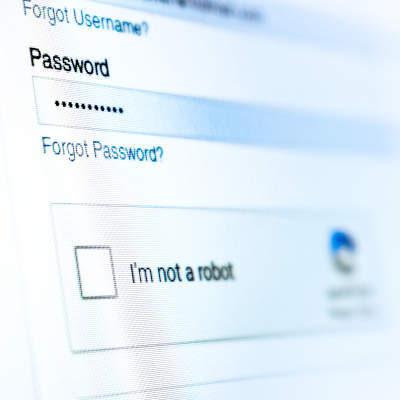
We’re all familiar to some degree with the security measure known as CAPTCHA. You know the one—you usually see it when filling out forms or logging into sites online, where you have to prove that you’re a human being by identifying which of a variety of images fit a certain description. You may have noticed that these tests have gotten far more difficult over time. This is because, predictably, computers are getting better at beating them.

Let’s discuss what this signifies, and how this may shape how users authenticate themselves in the future.

Defining CAPTCHA

Short for Completely Automated Public Turing Test to tell Computers and Humans Apart, CAPTCHA has long been the standard tool used by Google to prevent automated spam from polluting the Internet by requiring (in theory) a human being to interact with content in some way before allowing access or a task to successfully be completed.

Back in the early 2000s, CAPTCHA was effective against spambots, being able to bamboozle them by simply requiring images of text to be identified.

The Growing Issues with CAPTCHA

However, once Google gained ownership of CAPTCHA and used it to help digitize Google Books, the text needed to be increasingly distorted to continue to fool optical character recognition. Adding to this was the fact that human beings solving these CAPTCHAs gave optical character recognition the information needed to improve its skills.

This is the downside to CAPTCHA that its creators foresaw from the beginning: at some point, machines would ultimately overtake human capabilities when it came to identifying these images. Furthermore, these tests also need to be universally applicable, working wherever someone is located despite any cultural biases and differences that a user might have.

Since then, CAPTCHA has been replaced by NoCAPTCHA ReCAPTCHA (the one where your user behavior is used to judge your humanity) in 94 percent of websites that use CAPTCHA. Further research and development is in progress to reinforce the security of these tools.

However, automated bots can already bypass CAPTCHA more effectively than most humans can. In fact, in 2014, a machine learning algorithm was made to compete with users to solve distorted text CAPTCHAs and managed to bypass the security measure 99.8 percent of the time, as compared to the humans’ 33 percent. There are also various CAPTCHA-solving programs and services available for use that can effectively access vast amounts of pages for little cost.

What is Being Done to Resecure CAPTCHA

There are many different approaches under consideration to improve the practical efficacy of CAPTCHA—making it simpler for human beings and more difficult for machines as originally intended. To accomplish this, a few different tactics have been explored, some more plausible than others:

  • Rather than identifying text or images, users would be asked to classify images of faces, based on expression, gender, and ethnicity (probably not the best option, in today’s contentious environment).
  • CAPTCHAs based on trivia and regionalized nursery rhymes, with these culturally based questions designed to overcome bots and overseas hackers alike.
  • Image identification that uses cartoons, hidden-image illusions, and other relatively subjective content to outfox automated CAPTCHA-cracking tools.
  • CAPTCHA tools that test users by having them perform basic game-like tasks, with instructions given in symbols or contextual hints.
  • Device cameras and augmented reality being used as a form of physical authentication.

Finally, a lot of consideration is being put to authentication measures that examine a user’s online behaviors and actions to determine whether there’s a real human being at the controls, or if a clever piece of software is trying to gain access—whether the mouse moves, for instance, or how precise it is as it does. Google itself is starting to examine traffic patterns to test “users” on a case-by-case basis.

There’s even a chance that these kinds of Turing tests will only be passable in the future by selecting an incorrect answer.

Regardless of how, it is only going to become more important to secure your accounts and the information they contain as time passes. NuTech Services is here to help you secure your business and its data. Learn more about how we can protect your business with the right IT solutions by calling 810.230.9455 today.

363971145_hackers_ahead_400.jpg

What You Need to Know to Stay Ahead of Hackers in 2020

363971145_hackers_ahead_400.jpg

Let’s face it, it is nearly impossible for the modern business to stay ahead of every cyberthreat. It is just too much to proactively ward against. Today’s best practices will try to keep your network from being breached and your data from being stolen, but they may just allow you to understand how your network was breached and how your data was stolen. Unfortunately, cybersecurity is not foolproof, but let’s look at a few strategies you can use to improve your chances of holding onto your data and keeping unwanted actors out of your network. 

Strategy #1 – Know the Value of Your Assets

By knowing the value of the data you hold, you will be able to properly prioritize how to protect it. Since IT experts have to create cybersecurity strategies based on how much harm can be done to your operational integrity and reputation, it’s good practice to know what assets hackers would be after if they were to breach your network defenses. 

Strategy #2 – Stay Proactive

One of the best ways to protect your network and infrastructure from security threats is to be proactive in your efforts to protect them. You’ll want to develop a response plan that is created with the worst-case scenario in mind. That way as soon as there is a cyberattack, you will know how to react and what strategies to take to mitigate the problem. 

Strategy #3 – Train Your People

One thing is certain, a well-trained staff will do more to protect your network and data than any other solution. The “all-hands-on-deck” strategy to cybersecurity will minimize the frequency and severity of cyberthreats by nearly 50 percent, so ensuring that all of your people know how to spot abnormalities (especially phishing attacks) can save your business a lot of time and money. 

Strategy #4 – Keep Innovating

One thing is certain, cybersecurity is as much about staying out in front in terms of tools and strategies as it is about being hyper-aware of potential problems. Sure, knowing how to react to a data breach or successful phishing attack is important, but the more that you understand how these hackers are coming at your business, and putting tools and strategies in place to thwart those attacks, the more secure your data and resources are going to be going forward.

Cybersecurity is a long game and if you want the best team in Michigan helping you come up with strategies and outfitting your business with the tools it needs to keep hackers at bay, give NuTech Services a call today at 810.230.9455.

290226005_team_strategy_security_400.jpg

Include Your Staff in Your Security Strategies

290226005_team_strategy_security_400.jpg

When it comes to cybersecurity, your employees are simultaneously your biggest benefit and your most glaring weakness. This can be outlined in the telling of one story that emerged from automaker Tesla. Let’s take a look at the particulars.

Tesla’s Near-Sabotage

In August 2020, a Russian businessman was indicted on charges of conspiracy to intentionally cause damage to a protected computer after he attempted to recruit a current Tesla employee to install malicious software on the automaker’s Gigafactory network. 

According to court documents, the hacker, 27-year-old Egor Igorevich Kriuchkov, contacted an unnamed Tesla employee who he had previously come into contact with in 2016. Using Facebook-owned messaging app WhatsApp, Kriuchkov set a meeting with the employee on August 3, 2020. At this meeting Kriuchkov offered the employee money to help him steal data from the company with the use of malware. 

The attack was to work as follows: they would simulate a Distributed Denial of Service (DDoS) attack and with access provided by the employee, Kriuchkov and his associates would infiltrate the network and steal data, at which point, the hacking team would demand a ransom for the stolen data. 

Court documents suggest that when Kriuchkov attempted to follow up with the employee to smooth out the details, they weren’t alone in the meeting. The employee had reached out to the Federal Bureau of Investigation. The FBI surveyed the meeting, where Kriuchkov repeated the particulars of his proposed scam and admitted that his hacking collective had stolen from other companies, with the help of sitting employees. The employee also received assurances that one of his/her coworkers could be blamed for the breach. 

Ultimately, the FBI collected enough evidence against Kriuchkov to make an arrest. He now faces up to five years in prison.

This outlines just how important your employees are to your business’ data protection and cybersecurity initiatives. 

How to Minimize Insider Threats

Education is a big deal. If you want someone to do something proficiently, they’ll need training. Here are a few suggestions on how to make cybersecurity a priority to your staff. 

Build Your Company Culture Around Cybersecurity

To ensure that you have the best chance to ward off insider threats, make cybersecurity a priority. In doing so, you will unify your team’s efforts to help protect your business.

Educate Your Staff on Emerging Threats

Cybersecurity is a big issue. It’s not as if one thing will protect your network and infrastructure from all the threats it faces. To get help from your employees, you will need to commit to educating them on the threats they could encounter in their day-to-day routines. 

Train Your Staff About Cybercrime

Sure, it is helpful to train your staff on the cybersecurity best practices, but without context chances are it won’t stick. By telling them what could happen as a result of negligence, you can get their attention. The more they understand how their actions could cause major problems for your company, the more they will be diligent to ensure to do the right things.

If you would like some help figuring out your company’s security training platform, or if you need to talk to one of our consultants about getting some security tools designed specifically for your company, we can help. Call us today at 810.230.9455.

111704888_browser_chrome_extension_security_400.jpg

Evaluating the Security of Your Chrome Extensions

111704888_browser_chrome_extension_security_400.jpg

Google Chrome is currently used by 69 percent of global desktop Internet users, as of July of 2020. With such a large amount of people using Chrome, its security becomes even more important… which makes it all the worse that many people are unaware of the permissions that some of its extensions claim.

Let’s go over how you can review how much of your data these Chrome extensions can access, and how you can adjust these permissions more to your liking.

Fair warning: This will naturally require you to change a few settings, so don’t be afraid to reach out to your IT provider to confirm these changes are okay to make and for assistance in doing so.

What Permissions Have Extensions Been Granted?

Here’s the thing—the extensions that you have installed into the Chrome browser, much like the applications that can be installed on a mobile device, will require some of your browsing data in order to function. Many extensions and applications, however, take claim of far greater permissions than their functionality requires in practice. In fact, a recent analysis of extension permissions shows that over a third of all extensions do this!

Here are a few steps that allow you to evaluate your Chrome extension permissions and help you to avoid granting them too much access in the future.

Step One: Evaluate Your Current Permissions

First, you will want to find out how many of your installed extensions currently ask for too much. To do so, you’ll need to type chrome:extensions into the address bar and go through the Details of each extension that appears on the page.

There, you’ll find a line annotated with Site access. There are various access levels that an extension can have once it is installed, including no access at all. What this means is that your web activity isn’t accessible by the extension at all. The other levels include:

  • On click – This means that an extension can access and alter data in your active tab when you click on the extension’s shortcut.
  • On specific sites – This means that only certain websites allow the extension to access and alter what is presented in the browser.
  • On all sites – This means that there are no restrictions on an extension, allowing it to access and alter data at any time.

Certain types of extensions may need this kind of access, while others will not. It is up to you to determine what access is appropriate for each to need, based on what they use to operate.

Step Two: Adjusting Your Current Permissions

If an extension doesn’t need the level of permissions that it demands, do everything you can to address this by adjusting its settings. If the extension allows this, these permissions can be adjusted by simply selecting your preferred option under Site access. Whenever possible, following a principle of least privilege is the safest bet for your data.

Step Three: Keep Permissions in Mind Moving Forward

Once your extensions’ access permissions are in check, you don’t want to just fall back into your old habits with any new extensions you add. Remember, these extensions prompt you with a brief dialog box explaining its default accessibility settings… pay attention to them. Whenever you activate an extension moving forward you need to be sure to keep these permissions in mind. It may be the difference between installing an extension or finding another option.

NuTech Services can help you manage all your business technology through our proactive managed services and support. To find out more about our services, reach out to our team by calling 810.230.9455.

269856299_security_data_400.jpg

You Need to Be Asking These 4 Questions to Maximize Security

269856299_security_data_400.jpg

Today’s business has to prioritize its data security. There are endless examples of businesses that haven’t done enough. Some aren’t around anymore. To help you build a strategy, we’ve put together four questions that need to be asked to give you a chance to outwit and overcome the endless threats your company could run into online.

#1: Is security a priority when we build processes?

Your business has a way that it does what it does. Are those processes created with both physical security and cybersecurity in mind? The amount of threats your business is subject to is literally innumerable. Each day new threats are created and used to try and steal money and data from businesses just like yours. When building your business’ processes, the first consideration that isn’t “can I make money this way” has to be about how to secure your business from outside threats. 

Some ways you can prioritize security is to train your staff on what threats look like when they come in, ensure that you prioritize access control and proper authentication procedures, and really make sure that your entire staff is educated about the importance in keeping you secure. Making sure that all transferred data is encrypted can also help.

#2: Who has access to my files?

When we talk about access control, we talk about limiting access to data. Not all members of your organization need access to the same data, after all. Doing your best to ensure that some of your most sensitive data is protected not just from people outside your organization, but also inside.

By enabling role-based access and adding in a multi-layered authentication procedure, the security of your organization’s data will be much improved. Another good practice is to keep logs and routinely audit both them and the other protections you put in place. 

#3: How can encryption help my business?

Data in transit can be stolen. Data just sitting there in the open can be too. You will want to ensure that all of your most sensitive data is encrypted both when it’s at rest and when it’s being moved from one location to another. 

Today the most popular forms of encryption are the Data Encryption Standard (DES) or the Advanced Encryption Standard (AES). Understanding the particulars of encryption may be complex, but knowing how to use it to better secure your business’ data is not. 

#4: Is my security strategy working?

Obviously, the security that you put on your business isn’t plug and play. It needs to be properly configured to meet your business’ specific situation. The best way to get the most comprehensive security resources to protect your business’ network and data is to have knowledgeable consultants help you find the strategies and solutions that are right for you, implement them, and then routinely test them to ensure that they would stand up under pressure. 

If you would like to start this conversation, call the IT experts at NuTech Services today at 810.230.9455.

166065371_cybercrimal_AI_400.jpg

Artificial Intelligence Will Be Assisting Cybercriminals

166065371_cybercrimal_AI_400.jpg

To effectively manage the risk that your business is under due to cybercriminals and their activities, it is important to acknowledge what attacks your business may soon have to deal with. Due to the increased accessibility of artificial intelligence and related processes, we predict that cybercrimes will likely use AI to their advantage in the very near future.

We aren’t alone in believing so, either. A recent study examined twenty such AI-integrating cybercrimes to see where the biggest threats would lie.  

Here, we’re looking at the results of this study to see what predictions can be made about the next 15 years where AI-enhanced crime is concerned. Here’s a sneak preview: Deepfakes (fake videos of celebrities and political figures) will be very believable, which is very bad.

The Process

To compile their study, researchers identified 20 threat categories from academic papers, current events, pop culture, and other media to establish how AI could be harnessed. These categories were then reviewed and ranked during a conference attended by subject matter experts from academia, law enforcement, government and defense, and the public sector. These deliberations resulted in a catalogue of potential AI-based threats, evaluated based on four considerations:

  • Expected harm to the victim, whether in terms of financial loss or loss of trust.
  • Profit that could be generated by the perpetrator, whether in terms of capital or some other motivation. This can often overlap with harm.
  • An attack’s achievability, as in how feasible it would be to commit the crime in terms of required expense, technical difficulty, and other assorted obstacles.
  • The attack’s defeatability, or how challenging it would be to overcome, prevent, or neuter.

Split amongst themselves, the group ranked the collection of threats to create a bell-curve distribution through q-sorting. Less-severe threats and attacks fell to the left, while the biggest dangers were organized to the right.

When the group came back together, their distributions were compiled to create their conclusive diagram.

How Artificial Intelligence Cooperates with Criminality

In and of itself, the concept of crime is a very diverse one. A crime could potentially be committed against assorted targets, for several different motivating reasons, and the impact that the crime has upon its victims could be just as assorted. Bringing AI to the party—either in practice or even as an idea—only introduces an additional variable.

Having said that, some crimes are much better suited to AI than others are. Sure, we have pretty advanced robotics at this point, but that doesn’t mean that using AI to create assault-and-battery-bots is a better option for a cybercriminal than a simple phishing attack would be. Not only is phishing considerably simpler to do, there are far more opportunities to profit from it. Unless there is a very specific purpose to a crime, AI seems most effective in the criminal sense when used repeatedly, on a wide scope.

This has also made cybercrime an all-but-legitimate industry. When data is just as valuable as any physical good, AI becomes a powerful tool for criminals, and a significant threat to the rest of us.

One of the authors of the study we are discussing, Professor Lewis Griffin of UCL Computer Science, put the importance of such endeavors as follows: “As the capabilities of AI-based technologies expand, so too has their potential for criminal exploitation. To adequately prepare for possible AI threats, we need to identify what these threats might be, and how they may impact our lives.”

The Results of the Study

When the conference had concluded, the assembly of experts had generated a bell curve that ranked 20 threats, breaking each down by describing the severity of the four considerations listed above—specifically, whether or not they were to a criminal’s benefit. Threats were grouped in the bell curve based on similar severity, and so the results neatly split into three categories:

Low Threats

As you might imagine, those crimes ranked as low threats suggested little value to the cybercriminal, creating little harm and bringing no profit while being difficult to pull off and easy to overcome. In ascending order, the conference ranked low threats as such:

  • 1. Forgery
  • 2. AI-assisted stalking and AI-authored fake reviews
  • 3. Bias exploitation to manipulate online algorithms, burglar bots, and evading AI detection

(In case you were wondering, “burglar bots” referred to the practice of using small remote drones to assist with a physical break-in by stealing keys and the like.)

Medium Threats

Overall, these threats leveled themselves out. The considerations for most canceled each other out, generally providing no advantage or disadvantage to the cybercriminal. The threats included here were as follows:

  • 4. Market bombing to manipulate financial markets through trade manipulation, tricking face recognition software, blocking essential online services through online eviction, and utilizing autonomous drones for smuggling and interfering with transport.
  • 5. Learning-based cyberattacks (or an artificially intelligent distributed denial of service attack), fake AI sold in a snake oil misrepresented service, data poisoning by injecting false numbers, and hijacked military robots.

High Threats

Finally, we come to those AI-based attacks that the experts felt the most concerned about as sources of real damage. These columns broke down as such:

  • 6. AI being used to author fake news, blackmail on a wide scale, and disrupting systems normally controlled by AI.
  • 7. Tailored phishing attacks (what we call spear phishing) and weaponized driverless vehicles.
  • 8. Audio/visual impersonation, also referred to as Deepfakes.

Deepfakes are a digital recreation of someone’s appearance to make it appear as though they said or did something that they didn’t or were present somewhere that they never were. You can find plenty of examples on YouTube of Deepfakes of various quality. Viewing them, it is easy to see how inflammatory and damaging to someone’s reputation a well-made Deepfake could prove to be.

Don’t Underestimate Any Cyberattack

Of course, now that we’ve gone over these threats and described how much of a practical threat they really are, it is important that we remind ourselves that all of these threats could damage a business in some way, shape, or form. We also can’t fool ourselves into thinking that these threats must be staged with AI. Human beings could also be responsible for most of them, which makes them no less of a threat to businesses.

It is crucial that we keep this in mind as we work to secure our businesses as we continue to operate them.

As more and more business opportunities can be found online, more and more threats have followed them. Keeping your business protected from them—whether AI is involved or not—is crucial to its success.

NuTech Services can help you keep your business safe from all manner of threats. To find out more about the solutions we can offer to benefit your operations and their security, give us a call at 810.230.9455.

206101585_cybersecurity_400.jpg

Cybersecurity Needs to Shift for Businesses to Survive

206101585_cybersecurity_400.jpg

With some motivation from the ongoing COVID-19 pandemic, many businesses are adjusting their approach to cybersecurity. Typically, businesses would take a more measured approach in their day-to-day security improvements, while swiftly acting if there was any kind of clear and present danger. While this proved effective, the current situation has now shifted priorities over to maintaining resilience. Let’s examine some of these shifts, and how an advantage can be gained through a consistent cybersecurity strategy.

The Changes We’ve Witnessed

For such an… eventful… year, it started off with little anticipation of the events to come. Businesses had ample time to plan their 2020 technology budgets, but most (if not all) of these budgets were postponed (if not thrown out the proverbial window) with the spread of COVID-19.

As if this wasn’t bad enough, cybercriminals are typically quite opportunistic, and so many took advantage of the crisis at hand to strike. Exacerbating this issue even further, many businesses saw their security budgets as a candidate for budget cuts and borrowing funds. Due to these circumstances, these businesses had weakened security measures during the time that strong security would be needed the most.

However, industry analysts have found the events that have followed somewhat surprising. While security spending was cut by many, the investments that remain are still mitigating attacks. In fact, data breaches fell by a full third during the first half of 2020.

Naturally, many businesses are now wondering if the large investments they were making into their cybersecurity were actually helping them all that much.

Don’t Abandon What Works

Before we go any further, we wanted to take a moment and identify a few security investments that—despite the shifting viewpoints on cybersecurity spending—should not be sacrificed:

  • Endpoint protection – There are policies that you need to have in place, like those that secure your network’s entry points, in order to keep threats out of your business network. Cybercriminals now have some very sophisticated means of gaining access, which means you need to be able to detect, identify, contain, and neutralize these attacks.
  • Employee training – Nowadays, phishing attacks are one of, if not the, most popular cyberthreats out there today. If you want to keep your network and the data it stores sufficiently secure, you need to make sure your employees can both identify a phishing attempt and address it appropriately.
  • Encryption for remote connections – Remote work has become a very popular option, but this makes your security as you implement such a strategy no less important. Implementing a trustworthy remote access solution or installing an enterprise VPN will help to protect your business as you continue its operations.
  • Mobile access management – The smartphone is now an essential business tool, but it is used even more for personal use. Therefore, it is crucial that you have the protections in place to secure these devices.

With these technologies supporting your security, you can maintain your productivity without putting your resources and data at risk.

How to Move Forward

With so many businesses now tightening their belts and their budgets, it’s a safe bet that we’ll see emerging strategies that integrate what we have learned in the recent past with the limited finances that organizations have access to today. In short, we’ll see far more cost-efficient cybersecurity platforms coming to the fore. We’re confident that these platforms will commonly feature a few strategies:

  • Building unified resilience – Which sounds easier, protecting a few disparate departments or protecting an entire business with consistent security practices? Obviously, the latter. Establishing a universal strategy can help reduce overhead spent on support as well as encourage a more continuous business.
  • Improving cyber hygiene – Many organizations lack a sufficient system to properly manage the different levels of access their digital resources should require. Implementing such a system can provide operational benefits to all levels of the business that does so.
  • Focusing on cooperation – While the pandemic has separated many from their coworkers, it has also demonstrated how crucial it is for departments to work together to accomplish the business’ goals. In the same vein, keeping up a standard of shared security responsibility makes it harder for bad actors to successfully strike.

One thing is abundantly clear: cybersecurity needs to be a major focus point from here on out, even more so than it was before. NuTech Services can help you implement the protections you need. Reach out to our experts today by calling 810.230.9455.

343103314-covid-pish_400.jpg

COVID-19 Vaccine Attacks Teach an Important Cybersecurity Lesson

343103314-covid-pish_400.jpg

Since the outbreak of the COVID-19 coronavirus has wreaked havoc across the globe, there has been a lot of hope and effort put towards developing a vaccine against it. Unfortunately, just as some experiments have produced promising results, hackers have begun targeting the research centers responsible. Let’s look at this situation to see what it can teach us.

The Cozy Bear Threat

According to the National Cyber Security Centre, a government security organization based in the United Kingdom, a hacking group known as “APT29” (also referred to as “the Dukes” or “Cozy Bear”) has actively targeted the research centers conducting research into developing a COVID-19 vaccine. These claims have been supported by both the United States’ National Security Agency and Canada’s Communications Security Establishment.

In fact, the National Cyber Security Center released a report that outlined the attack that the U.S. Department of Homeland Security’s Cybersecurity and Infrastructure Security Agency also endorses.

This report describes the use of various exploits in conjunction with spear phishing attacks by APT29. Both tactics give APT29 access to carry out the rest of their attacks, which often involves deploying malware known as WellMess or WellMail.

On a side note, some of these exploits have been patched, so make sure you’re also up to date on your patches as well.

Many experts also share the opinion that Cozy Bear has struck before, and that the current threat needs to be taken very seriously as a result. It is believed that APT29 was responsible for the 2016 intrusion into the Democratic National Committee’s systems, as reported by CNN. The group has also been linked to assorted attacks on healthcare, energy, governmental and diplomatic organizations, and think tanks in the past.

What is Spear Phishing?

Phishing is a form of hacking that targets the end user, rather than using software vulnerabilities, to gain access to a system. Spear phishing is a more direct form of phishing. Instead of sending a generic message to massive groups of potential targets to see who takes the bait, spear phishing is specifically directed to an individual with access to key data and resources.

While APT29 may not target your organization as a part of these efforts to steal research, it is nevertheless critical that you and your team can recognize a potential phishing attack and mitigate it before it causes significant problems. While the following is by no means a comprehensive list of warning signs, it is a good place to start educating your team:

  • Always check the details. Many phishing attacks can be identified by close-but-no-cigar “From” addresses. When in doubt, try looking up the email address that sent an email.
  • Proofread the message. While legitimate messages can contain terrible spelling and grammar mistakes, and attackers can more and more effectively mimic professional communications, many phishing messages can be rife with errors.
  • Double-check. If possible, don’t be afraid to confirm that the email is legitimate by reaching out to the supposed sender (through some non-email form of communication) to confirm that they sent the message.

For more assistance in dealing with phishing attacks, reach out to us! At NuTech Services, we’re motivated to help prevent a phishing attack from impacting your operations. Give us a call at 810.230.9455 to learn more.

221390155-secure-mobile_400.jpg

What’s the Best Way to Secure Your Mobile Device?

221390155-secure-mobile_400.jpg

Smartphones now come with a variety of ways that users can elect to unlock their device, from biometrics to tactile patterns to good, relatively old-fashioned personal identification numbers. Of course, not all these authentication measures secure your phone equally well. Let’s consider some of these measures to determine which one is best for your device’s security.

Why Mobile Security is So Important in the First Place

Consider the capabilities of our mobile devices today, as compared to those that were considered high-end before Apple premiered the iPhone in 2007 (Not to discredit all the classic PDA/smartphones that came before the iPhone, like the Palm Trio, the Blackberry, and the line of super cool HTC Windows phones, but general consensus feels that the big shift in mobile computing really started with Apple). The difference is staggering. While those devices that are affectionately referred to as “dumb phones” certainly can contain sensitive data, it is effectively nothing compared to what a smartphone can access.

Applications for money management, shopping, medical data, and so many other examples of personal information currently reside on today’s mobile devices—which is precisely what makes the security that protects these devices so important. The authentication method that a user can confirm their identity through is just one example of this security.

The Best Options, and the Worst Options

The various methods that are available to users now each offer their own method of maintaining security, presumably for the user’s convenience. However, as we have established previously, not all these authentication methods are equally good.

Let’s review your various available options and see how their differences make some a better solution than the others.

Passcodes/PINs/Passwords

These authentication measures are effectively the baseline security on any mobile device, as they also protect the device from other forms of authentication being added without approval. While these security measures are by no means impassable, they form the foundation for any decent security measures if used responsibly.

Of course, we do have to address the inherent weaknesses that these authentication requirements present. Most of these weaknesses are derived from the user responsible for setting them up. For instance, a 2012 study demonstrated that most people used PINs that either represented personally important years, simply repeated digits, or heavily featured the number “69.”  Also prevalent, numbers that are simple to type: 1234, 7890, and so on. Another research study revealed that the benefits on a six-digit PIN were negligible as compared to a four-digit PIN, as the added length provides a false sense of security and winds up encouraging less-secure PINs in general.

Of course, passwords are also an option (and a stronger one to boot) if the user has the patience to retype their password each time the device locks. The consensus is that these authentication measures are the most secure option currently available.

Biometrics

Improved hardware and software now allow users to effectively use their own bodies as the key to their mobile devices, as biometric authentication is now incorporated into many mobile devices. Of course, the efficacy of biometric authentication isn’t universally consistent—some methods are simply more secure than others are.

Fingerprint Sensors: Most smartphones will have fingerprint-detection capabilities for some time, some projections seeing up to 90 percent of devices incorporating these tools by 2023, while 95 percent of phones had such a sensor in 2018.

There are various technologies in play that power these sensors, with varying security efficacy. For instance, Samsung devices are beginning to include sensors under the screen, which create a three-dimensional image of a fingerprint. While this makes them inherently very secure, screen protectors have been shown to bamboozle them, potentially allowing any fingerprint to unlock them. Furthermore, fingerprints can potentially be harvested from surfaces and transplanted to a device, so properly training your device to your unique fingerprint is crucial.

Iris Scanning: The prevailing opinion is that iris scanning is the most secure form of biometric authentication, as fingerprints aren’t as unique as a person’s irises are. Some phones feature these capabilities, but they may not be as popular, as scanning the iris can take a little longer simply because the user must look directly at the sensor for it to work.

Facial Recognition: Many manufacturers have begun to phase out fingerprint sensors for facial recognition options, especially as full screens have grown in popularity. With appropriately captured reference data, decent facial recognition software can simplify the unlocking process significantly.

However, the quality of the software and the images it uses for reference can cause some issue. Poor-quality images—like those with excessive glare—can make it easier for an attacker to make it past the lock, not to mention make it more challenging for the user.

Pattern Passwords/Knock Codes

Finally, many Android devices have the option to designate a pattern on a 2×2 or 3×3 grid that must be tapped correctly to unlock the device. Studies have shown that this method is by far the least secure of the authentication requirements, as it becomes far easier for an attacker to figure out the user’s chosen pattern.

For instance, in one study, researchers discovered that a full 65 percent of the 351 participants selected a code that began at the top-left square and immediately proceeded to the top-right, presumably influenced by Westernized reading patterns. Larger grids encouraged shorter patterns, and the data collected during the study revealed that some patterns were commonly adopted:

  1. An hourglass: top left, top right, bottom left, bottom right, top left, top right
  2. A square: Top left, top right, bottom right, bottom left, top left, top right
  3. The number seven: Top left, top left, top right, top right, bottom left, bottom left

Proving patterns are an even worse method, these researchers also observed that knock codes were more easily forgotten, with about 10 percent of participants having forgotten theirs by the end of the 10-minute study, and their five-second entry time being slower than the 4.5 seconds needed for a PIN.

Make Sure Your Mobile Device is Secured

With our mobile devices playing such a huge role in our personal and professional lives, their security needs to be prioritized, with only the most secure methods protecting them.

For assistance in managing your security, from your in-house business solutions to the devices your employees use each day, reach out to NuTech Services. Our team can assist you in implementing the technology you need while educating your employees on the importance of secure practices. Give us a call at 810.230.9455 to learn more.

341185664_covid19_tracking_app_phone_400.jpg

Nope, You Haven’t Been Hacked By Google and Apple’s COVID-19 App

341185664_covid19_tracking_app_phone_400.jpg

Google and Apple have recently started an initiative with local governments to try and help prevent the increased spread of COVID-19. Basically, this app would notify people if there were positive COVID-19 test results in their area. While this does bring up some major privacy concerns, we wanted to discuss something else today: the prevalence of false warnings that have already been forced onto mobile devices. Let’s dig in.

There’s been a consistent pattern that has emerged with popular software applications: a major update or other change is made, and uproar on social media ensues.

Just look at what happened when the Android platform’s Facebook application began requesting access to the user’s smartphone camera several years ago now. While this was required so that Facebook’s newly released native photo-taking capabilities could be embraced, there was still a lot said about it on social media.

Don’t get us wrong—many of the changes made in technology can be concerning, especially where it involves a user’s privacy. However, there is usually a ton of misinformation muddying the waters. Again, we’re not saying that you can always trust giant tech companies and their data collection policies… quite the opposite, in fact. You’re right to feel concerned at times and should be exercising the control over their collection of your data that you have a right to.

Having said that, we couldn’t help but notice an extreme response to the news of Apple and Google’s new COVID-19 contact tracing application framework.

So, Did Google or Apple Install a COVID-19 Tracking App on My Phone?

Nope.

Neither Google or Apple added an application to your mobile device without your knowledge or consent. What Google and Apple did was collaborate to develop an application framework, which can now be used by app developers as they create COVID-19 tracking apps.

However, due to sensationalism on social media, a lot of people are concerned. Just look at this post that has been making the rounds on Facebook:

“**VERY IMPORTANT ALERT!***

A COVID-19 sensor has been secretly installed into every phone. Apparently, when everyone was having “phone disruption” over the weekend, they were adding COVID-19 Tracker [SIC] to our phones!

If you have an Android phone, go under settings, then look for google settings and you will find it installed there.

If you are using an iPhone, go under settings, privacy, then health. It is there but not yet functional.

The App can notify you if you’ve been near someone who has been reported having COVID-19.”

There’s a lot of misleading information to unpack here. First, neither Google nor Apple secretly installed a new “sensor” (especially since we’re talking about a software update, not a hardware update).

This software update was simply a setting to enable the COVID-19 Exposure Notification system that the two platforms are preparing. When this system has its official applications developed, users will not only have to install the application and activate it, but also confirm that they want to participate with Google or Apple.

So, this update simply provides a unified framework for local governments and the health industry to use as they create their COVID-19 applications, while offering users the choice of whether they want to participate.

So No, This is NOT a COVID-19 Tracking App

Seriously, unless you consciously selected the option to “Install,” your mobile device isn’t going to start tracking you and those close to you to identify anyone with COVID-19. In fact, if you follow that Facebook post’s instructions to your settings, you’ll see that you have to A: install a participating application or B: finish setting up a participating application before your notifications can even be activated.

In a rare joint statement from Apple and Google, they go on record to say, “What we’ve built is not an app—rather public agencies will incorporate the API into their own apps that people install.”

To clarify further, an API is an Application Programming Interface. Think of it as the foundation of an application. By teaming up, Apple and Google have laid the foundation for others to build their own applications upon.

As a bonus, this also makes it easier for people to opt out. Unfortunately, if too many people decide not to use the system, it may not be reliable enough to work at all.

What Do We Know About these Tracking Apps?

Well, the system itself is extremely new, so responsibility for the official applications will fall to state and local governments.

The platform that Google and Apple co-developed is built to be decentralized, which will help to make it more secure. Basically, when a user opts to use one of these apps, their phone is assigned a random ID and it is then shared with other phones within the range of a Bluetooth connection. Each phone then stores an anonymous roster of the other IDs it has been in proximity to.

So, when someone is diagnosed with COVID-19, they would then manually share that with the contact tracing app. Then, with their permission, all the IDs that their phone has stored over the prior two weeks would be uploaded and those users would be sent a notification of their potential exposure. Your location isn’t shared, nobody’s identity is shared, not even Google or Apple will get this information. In addition to all this, that random ID is changed every 10 to 20 minutes, and the apps are not allowed to use your location or to track it in the background.

As a result, these apps are safe to use with complete anonymity, and to avoid opting in, you just wouldn’t install any COVID-19 tracking apps, official or not.

Uninstalling the COVID-19 Exposure Notification

Okay, since we know that some will want to ask this question, we felt we needed to address it.

In short, you shouldn’t because it isn’t an app, it is an API. As such, it can’t just be uninstalled. It is now part of the Android and iOS operating systems and is pushed to devices through security updates.

If you were to do some Internet snooping, you could find some walkthroughs on the Internet that take you through how to roll back your phone and other such processes, but that only leaves your device exposed to other threats. Again, there is nothing to uninstall, and neglecting future security updates is a terrible idea.

The API is nothing to worry about. It is nothing more than a setting, and one that is deactivated by default. If you really are worried, both Apple and Google have confirmed that not installing, or uninstalling, a COVID-19 Exposure Notification app is enough to avoid participation.

And again, since we can’t stress this enough:

DO NOT FOLLOW ANY INSTRUCTIONS ONLINE THAT WALK YOU THROUGH ROLLING BACK YOUR PHONE AND OPTING OUT OF SECURITY UPDATES. 

If you are that serious about your privacy, it just doesn’t make sense to expose that privacy to greater risk.

In our professional opinion, understanding the technology used to create the COVID-19 Exposure Notification system, every effort has been made to ensure the security and anonymity of its users. Keep in mind, there are also healthcare regulations to comply with as well, and our clients will know how stringent they are where data privacy is concerned.

The decision whether or not to use the COVID-19 Exposure Notification system falls to you, but you can rest assured that both Google and Apple have done everything right to keep their system safe, private, and secure.

Please, to learn more about these technologies, don’t hesitate to give us a call.

305233649_malware_400.jpg

Are Macs Inherently More Secure than PCs?

305233649_malware_400.jpg

It has long been assumed that computer viruses are a Windows operating system exclusive, that Macs are immune from these issues. Let’s examine the validity of these assumptions, and how much you need to be invested in your technology’s protections.

Spoiler Alert: Macs Do, in Fact, Get Malware

Not to be juvenile about it, but duh. A computer produced by Apple can just as easily be infected by malware and ransomware, just as they can also experience any of the other problems that a PC user would. Hardware failure, slowing with age, crashes, data loss—these and so many other issues can be seen in a Mac.

So, where do we get the widespread opinion that Macs are somehow immune to the issues that Windows devices suffer from?

In short, advertising. Over the years, Apple has had some brilliant advertising campaigns behind it, from the classic “1984” ad that ran during Super Bowl XVIII to the brief clip of John Malkovich talking to Siri. One particular campaign, however, helped to really push the idea that Macs aren’t susceptible to computer viruses.

The “Hello, I’m a Mac” campaign starred John Hodgman as the beleaguered PC, constantly coming up short when compared to Justin Long’s Mac in a total of 66 spots. One of the most famous of these bits outlined how Macs didn’t have to worry about viruses—amongst many, many others over the four years that these ads ran.

In all fairness, these ads were truthful enough. Massive amounts of new viruses are created to attack the Windows system each year, many of them leaving Macs unimpacted. While in fairness, Macs do get viruses, there are far more variants out there that target PCs.

The question is, why?

There are Far More PCs Than Macs, for One

Back in 2018, there was only one Mac for every ten active PCs online. Therefore, if about 90 percent of computers run on Windows, it only makes sense that there would be more viruses focused on Windows.

PCs are the predominant choice for businesses and industries, schools and universities, and home users alike.

To be fair, there isn’t really anything inherently wrong with Macs. Apple’s laptops and desktops are very capable devices. The difference comes from third-party developers. Many business-oriented core applications just don’t have Mac versions, and Apple doesn’t have the low-tier hardware options that are available with the Windows platform. So, when your billing department and your video department have very different needs, there isn’t a reason for you to spend the amount that a high-end Mac costs when a mid-range PC would do the job.

At the end of the day, a Mac and a PC at the same price tier are going to be effectively the same. The big difference is your preference and what your business works best with. Of course, we also have to say that Macs can have some difficulty integrating with a network designed for the PC and the software that most businesses prefer to use.

Mac Users Aren’t Off the Hook

While the fewer number of viruses targeting them has made it seem as though a Mac is the more secure choice of computer, the environment is changing. Malwarebytes recently reported that Mac malware is outpacing PC malware for the first time. The report also states that, between 2018 and 2019, threats to Macs increased by 400 percent.

Of course, it should also go without saying that the type of computer one uses shouldn’t impact that person’s security awareness and hygiene. Macs and PCs alike need to have antivirus and other protections installed, secured by strong passwords by users who understand that risk has no brand loyalty.

At NuTech Services, we are very aware of the importance of your business’ security and can assist you in protecting your endpoints and educating your users. To learn more about what we can do, reach out to us by calling 810.230.9455.

355152474_network_security_400.jpg

Four Cybersecurity Tools Your Business Needs

355152474_network_security_400.jpg

In 2020, conducting business has been hard enough to have to constantly worry that your business is going to be the victim of a cyberattack. Unfortunately, it is an issue that isn’t going away, and can be a truly devastating experience. 

Today, it’s not enough to have an antivirus or firewall. You need solutions designed to actively protect your network and data from those that are actively trying to gain access to them. So while it may not be enough, making sure that your firewall and antivirus software are updated with the latest threat definitions, and that your other solutions like spam blocking and virtual private networks are being utilized properly, can set you up for success. Let’s look at four additional strategies that extend traditional cybersecurity into the modern age. 
Network Monitoring

Network monitoring is a solid strategy that will allow you to keep tabs on what is happening on your network. Today, there are remote monitoring tools that feature cutting-edge automated features designed to ensure that if something is funky on your network, or with your infrastructure, that you know about it before it becomes a major problem. Your IT support team should be outfitted with these tools as active monitoring may be the only strategy that can truly keep your network and infrastructure secure. 

Mobile Device and Endpoint Management

More businesses were relying on remote workers anyway, but with the COVID-19 pandemic that number has risen by several hundred percent. Mobile device management allows an organization to control the access each mobile user has to company resources, which applications employees can access on the network, while also providing control over the flow of mobile data. Securing endpoint access can go a long way toward protecting organizational computing resources from possible threats that users may have on their remote computers.

Security Training and Management

Today’s biggest threats often come into a network from user mistakes or negligence. In order to mitigate these instances, ensuring that your staff is properly trained is more important than ever. Not only will you want to provide them with the information needed to secure your network, you will also want to test them to ensure they are capable and willing to follow the company-outlined protocol on how to deal with threats. 

Threat Management and Detection

Despite your increased reliance on your staff to ensure that nefarious people don’t gain access to your network, there are still tools designed to identify threats and mitigate their existence. From firewalls to antivirus to powerful new threat management tools, if protecting your network from outside threats is a priority, making investments in solutions designed to eliminate threats is prudent. 

NuTech Services is the Michigan experts in IT security. Call our expert technicians today at 810.230.9455 to learn more about what you should be doing to secure your network and infrastructure.

180541233_password_400.jpg

Are You Practicing Good Password Hygiene?

180541233_password_400.jpg

Passwords are not a modern invention by any stretch, but as we have dealt with them for so long, there are a lot of bad habits that many people have adopted. That’s why we felt that it was appropriate for us to call out some of these habits and discuss some better options for you to adopt.

How Hygienic are Your Passwords?

With so many of us relying on so many passwords every day, poor password hygiene can often seem to be a foregone conclusion. Think about your own passwords, right now, and see how they compare to this list of inherently insecure patterns that many people develop:

  • Personal details, like your name or birthday
  • Names of friends, family, or most infamously, your pets
  • Commonly used words (like “password” or a favorite sports team)
  • Simple keyboard patterns (like “12345” or “qwerty”)
  • Repeated login credentials (like username: David1973, password: David1973)
  • Making their passwords as short as possible

Now, before you zip away and try to figure out new passwords for all of the accounts that have these kinds of passwords protecting them, let’s take a few more moments to figure out how to actually come up with ones that will be secure.

To begin, let’s consider some “best practices” that should no longer be described as “best.”

Some Less-than-Best Practices

According to NIST (also known as the National Institute of Standards and Technology), the following practices aren’t all that effective any longer when it comes to secure password creation.

  • Alphanumeric Switching: So, we all (should) know that something like “password” isn’t nearly secure enough to be used as a password. As a result, many users would use “p455wO2d” instead, changing letters to numerals and occasionally playing fast and loose with their capitalization. While this isn’t always a bad strategy, using such a common password still makes it far less secure than it needs to be.
  • Length Requirements: It’s likely that you have encountered this as well, as a program has kicked back your chosen password while announcing that “it is too short/long for its eight-to-ten character limit.” According to NIST, these antiquated requirements literally short-change security, as longer passwords or passphrases are more difficult to crack but easier to remember than the short jumbles of random characters.
  • Banning Cut and Paste: For some reason, many username and password fields don’t allow content to be cut and pasted into them, almost as if the prospect of typing out someone’s account details will stop a hacker in their tracks. This also makes the use of password managers, a hugely useful tool in maintaining good password practices, less available. So long as they are used properly, password managers should always be encouraged, as they enable a user to store and use multiple passwords while only really remembering one.
  • Password Hints: We’ve all been asked to set hints for our passwords before, just in case we forget them. You know the ones: “Where did you graduate from high school?” or “What was your first pet’s name?” The trouble with these questions is simple: our online habits make this kind of information easy enough to find online, especially with social media encouraging us to share pictures of our pets, or announcing that we’re attending the “Educational Institution’s Class of Whatever Year’s Something-th Reunion.” Instead of relying on these hints, combine multiple forms of authentication to both offer additional means of confirming your identity and better secure your account.
  • Frequent Password Changes: Considering how many passwords we’re all supposed to remember, it only makes sense that users would fight back against frequent password updates by only changing a single detail about it and calling it changed. For instance, let’s return to David1973 for a moment. If this user were forced to change his password too often, it is likely that he would resort to simply adding an easy-to-remember (and guess) detail. Maybe this is the fifth time that David1973 has been told to change his password, so while his password started as “David1973,” it progressed to “2David1973” to “3David1973” and so on to “5David1973.” Of course, we aren’t arguing that passwords should never be changed, but make sure that these changes aren’t actually counterproductive.


How to Create a Secure Password

Rather than using a password, per se, we recommend that you instead use a passphrase. Let’s use a quote by author Elbert Hubbard as our example: “Positive anything is better than negative nothing.” 

Of course, this is a mouthful to type, in a manner of speaking, so it might make sense to use some alphanumeric switching to help abbreviate it into a complex phrase that is still easy to remember.

Doing so, “positiveanythingisbetterthannegativenothing” becomes “p0$!tiV3NE+hg>-tiV3_+hg”.

Then, if you use this password as the master access code for a password manager, the rest of your passwords/passphrases could foreseeably be randomly generated, increasing your overall security even further. To make your password manager even more secure, you should really devise your own complex phrase, rather than steal one from an author.

You never know, some enterprising cybercriminal might be a big fan of Hubbard’s works, too.

For more advice and assistance to help you make your passwords and accounts as secure as possible, reach out to NuTech Services by calling 810.230.9455 today!

58520598_audit_400.jpg

Have You Kept Up with Your Security Audits? You Need To, Especially Now!

58520598_audit_400.jpg

When a business undergoes a security audit, its IT security is evaluated to make sure that it has the proper protections in place to protect against the various threats that could strike. Now more than ever, it is important for any organization to be confident in their preparedness. Let’s discuss the importance of assessing your own organization’s security with audits, and how this benefits you.

What Does a Security Audit Entail?

A security audit is intended to determine how effectively your business’ security is doing its job. Covering hardware specifications, your infrastructure as a whole, your network policies, the software you’re using, even how your employees behave, a good security audit will give you a complete picture of the protections and safeguards you have in place.

The reason behind doing this is simple: it allows you to identify (and, in theory, mitigate) any shortcomings in your current security infrastructure. Once your audit has been completed, you should essentially have a checklist of any detected vulnerabilities to attend to. Whether “attending to” these solutions will result in you decommissioning, consolidating, adding to, or reconfiguring them will all depend on the challenges you encounter.

Of course, considering how quickly technology can develop (particularly that which pertains to the business environment), these audits should be performed on a fairly regular basis. Even changes to your processes or the odd software update could easily expose you to new, unforeseen vulnerabilities.

In any case, documentation will be your greatest ally throughout this process. Any audit that is completed properly will generate an extensive list of discoveries, evaluations, and suggested next steps pertaining to your business’ security. These outlines should be detailed and particular, going so far as to identify specific departments within your organization if need be. Perhaps, due to the nature of the information they interact with, your HR department needs to have more cybersecurity protecting it specifically. Whatever your situation, your audit should give you a clear path to follow moving forward.

What You Might Discover During Your Audit

A brief disclaimer seems appropriate here: this is FAR from a comprehensive list. There are hundreds of issues that an audit could potentially catch, but in our experience, these are the most common discoveries:

  • Poor password hygiene
  • Data retention/backup policies not getting followed
  • Granting permissions to users who don’t need them
  • Misconfigured or outdated security software
  • Inconsistent access control levels on folders on the network
  • Non-compliant, unauthorized software installed on workstations
  • Sensitive data being stored incorrectly
  • Undocumented, outdated, or untested incident response plans
  • Insufficient (or non-existent) activity auditing

Again, there are hundreds more possibilities, so be prepared.

Compliance Requirements

There are many standards that different industries and governing bodies have set for businesses to uphold, under threat of fines and other challenges if any shortcomings are discovered. Therefore, in order to pass these compliance standards, it is mandatory to run audits based around those that apply to your operations. These may include:

  • SOC 2 type I
  • SOC 2 type II
  • ISO 27001
  • GDPR (General Data Protection Regulation)
  • SOx (Sarbanes-Oxley Act)
  • HIPAA
  • PCI-DSS
  • FINRA
  • FISMA

Again, this is not a comprehensive list, so make sure you are aware of any compliance regulations that you are expected to abide by.

NuTech Services is always here to help you make sure that your IT is properly managed and maintained—including the security and compliance standards that apply to it. To find out more about what we can do to help your business with its IT and cybersecurity, schedule a consultation with us at 810.230.9455.

321060884_PCI_DSS_400.jpg

PCI Compliance 101

321060884_PCI_DSS_400.jpg

Does your business accept credit cards? Of course it does. Regardless of what industry you are in, your customers are now using payment cards for a large portion of their retail transactions both online and in-store. To protect consumers, there has been a compliance standard enacted by credit card companies. Today we will look at this standard.

Introducing PCI DSS

With so many people using credit, debit, and prepaid gift cards to pay for goods and services, the economic ramifications of digital payment fraud, data loss, and other side effects of continued reliance on these methods of payment have led the companies that issue these cards to band together to create what is now known as the PCI Security Standards Council. Since its inception in 2006 the PCI Security Standards Council has been overseeing the establishment and coordination of the PCI DSS, or Payment Card Industry Digital Security Standard. Let’s take a look at how PCI compliance works.

Taking a Look at PCI 

PCI DSS was established in 2006 by credit card companies as a way to regulate business use of personal payment card information. That means all businesses. If your business processes or stores payment card information as a means of accepting digital payment, you need to maintain your PCI compliance. PCI DSS demands that businesses satisfactorily take the following steps:

  1. Change passwords from system default
  2. Install all sufficient network security tools (antivirus, firewalls, etc.) that will work to protect card data
  3. Encrypt transmission of card data across public networks
  4. Restrict the transmission of card and cardholder data to “need to know” basis
  5. Assign user ID to all users with server or database access
  6. Make efforts to protect physical and digital access to card and cardholder data
  7. Monitor and maintain system security
  8. Test system security regularly
  9. Create written policies and procedures that address the importance of securing cardholder data
  10. Train your staff on best practices of accepting payment cards

While many businesses already do these things in the normal course of doing business, if you currently don’t and you still allow for the use of payment cards, your business could have a problem on its hands. 

Business Size and Compliance 

Once you understand what you need to do to be PCI compliant, you then need to comply with the standards of your business’ merchant status. They are defined as follows:

  • Merchant Level #1 – A business that processes over six million payment card transactions per year.
  • Merchant Level #2 – A business that processes between one million-to-six million payment card transactions per year.
  • Merchant Level #3 – A business that processes between 20,000-to-one million e-commerce payment card transactions per year.
  • Merchant Level #4 – A business that processes less than 20,000 e-commerce payment transactions, and fewer than one million overall payment card transactions per year.

Since a business with more transactions has a better chance to foul up a situation concerning payment card compliance, they are required to do more to prove compliance than smaller businesses do. Here are the expectations for businesses in each merchant level:

Merchant Level #1

Doing massive business online and otherwise brings with it more responsibility. To maintain PCI compliance, Level one merchants need to:

  • Perform a yearly Report on Compliance (ROC) through a Qualified Security Assessor (QSA)
  • Allow an Approved Security Vendor (ASV) to complete a quarterly network scan
  • Complete the Attestation of Compliance Form for PCI Council records

Merchant Level #2

As transactions begin to decrease there are less stringent standards. Level twos include:

  • Perform a yearly Self-Assessment Questionnaire (SAQ)
  • Allow an ASV to complete a quarterly network scan
  • Complete the Attestation of Compliance Form for PCI Council records

Merchant Level #3

Many medium-sized businesses will fall under this level and need to:

  • Perform an SAQ
  • Allow an ASV to complete a quarterly network scan
  • Complete the Attestation of Compliance Form for PCI Council records

Merchant Level #4

The majority of small businesses fall into level #4 status and, like levels two and three, need to:

  • Perform a SAQ
  • Allow an ASV to complete a quarterly network scan
  • Complete the Attestation of Compliance Form for PCI Council record

Businesses that are non-compliant will face fines, extra scrutiny, or risk having the privilege of accepting payment cards officially revoked. If you have questions about the particulars of PCI DSS compliance, call the knowledgeable professionals at NuTech Services today at 810.230.9455.