android_phone_ransom_400.jpg

Android Ransomware Kits on the Rise

android_phone_ransom_400.jpg

The do-it-yourselfers of the world have enjoyed the autonomy that the Internet brings into their lives. They can now look up how-to guides and YouTube videos on how to do just about anything. However, the Internet has also given hackers and other cybercriminals access to all sorts of technology that makes using malware and other threats easier than ever before–even for inexperienced users.

Malware kits are certainly not a new concept, although you might be surprised to hear that the first kits first emerged as early as the 1990s. The introduction of the Dark Web made the transfer of illegal goods and services easier on a global scale, and developing technologies like cryptocurrency have only contributed to the rise of contraband being spread without consequences. The anonymity provided by virtual private networks is simply the icing on the cake, making it difficult for authorities to investigate the activity.

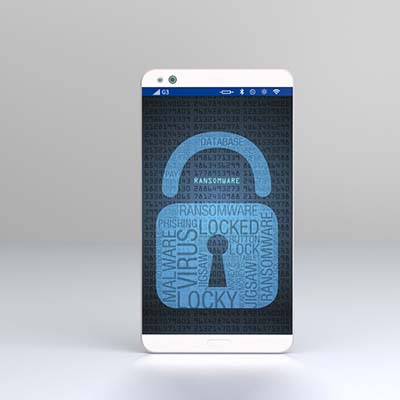
While most of these kits target the Windows operating system, there is an increasing number of malware kits that target other operating systems. In the past year alone, cybersecurity analysts expect an increase in ransomware kits that target Android smartphones. These types of kits are called “ransomware as a service,” in which just about any user with basic knowledge of how computers work to pull off a legitimate ransomware attack.

The type of malware that’s targeting Android smartphones can potentially cost your business thousands of dollars, and that’s not mentioning the data and reputation lost from the incident. These kits go for about $200 on the black market, making them a very lucrative solution. To make matters worse, there are plenty of reasons why Android devices are ideal targets for these types of attacks. Android is used on the vast majority of smartphones–approximately 86% of smartphones around the world. The fact that a $200 investment can yield untold profits makes it tempting, regardless of how ethical the decision is.

Furthermore, statistics show that many Android users are running outdated versions of the operating system, which means that there are patches and security updates that aren’t being implemented on these devices. This makes it more likely that the ransomware attack will succeed on Android-based devices.

It’s almost guaranteed that your business will eventually have to deal with mobile devices in the workplace, accessing important data and information from your network. The best way to ensure that mobile devices are secure from these types of threats is to implement a mobile device management policy that takes into account security and network access. To learn more about how you can keep your business safe from ransomware, reach out to us at 810.230.9455.

Schrdingers_Cat_Lives_Dies_400.jpg

Email Attachments are Schrӧdinger’s New Cat

Schrdingers_Cat_Lives_Dies_400.jpg

Have you ever heard of the physicist Erwin Schrӧdinger? He is most well-known for explaining a paradox related to quantum physics which involves a cat. Even though the theory behind Schrӧdinger’s cat is meant to explain something quite different, it can still be applied to a lot of different concepts. In particular, when explaining email security.

The thought experiment works as follows. The Schrӧdinger’s Cat scenario was created to strike down an interpretation of quantum mechanics that states an object can exist in all states but will revert to just one if it’s observed. As for Schrӧdinger’s experiment, a cat was hypothetically shut in a box with a small amount of radioactive material. This material had about a 50% chance of setting off a geiger counter. In this case, a hammer would smash a container filled with poison, killing the cat. If the Copenhagen interpretation is presumed to be correct, the cat would be both alive and dead until you see which one it really is.

At the time, Schrӧdinger’s cat was designed to challenge the Copenhagen interpretation, but a more modern version of this experiment can be seen in a business email solution. The primary topic associated with this line of thought is email attachments.

Spam and phishing emails are some of the more popular ways that cybercriminals use to spread their influence. The idea of how this ties into Schrӧdinger’s hypothetical cat involves approaching each email as both a normal message and a real threat at the same time. The only issue here is that there’s a lot more at risk with your business’s infrastructure than with a hypothetical scenario (no cats were harmed in the creation of this blog). After all, you don’t want to click on an email attachment unless you’re absolutely sure that it’s not going to cause problems for your organization.

Thankfully, there are ways that your business can protect itself from advanced threats that make their home attached to email messages, especially spam and phishing threats. Preventative measures like antivirus and anti-malware tools are great for keeping threats off of your infrastructure, and spam protection can help remove messages from your inbox before they become a cause for concern.

Your inbox needs to be secure, so why not do it the right way? To get started with network security solutions, call NuTech Services at 810.230.9455 today.

three_phishing_scams_400.jpg

How to Spot Three Forms of Phishing Attacks

three_phishing_scams_400.jpg

One of the crazy things about hackers is that they will do whatever it takes to ensure that they steal as much information and sensitive data as possible. One of the more innovative ways that hackers spread threats is through spam. Unwanted messages have grown from simple annoyances, to the spread of unwanted software and malware, all the way to sophisticated attacks on targeted individuals known as phishing attacks. Do you have ways to secure your business?

Phishing attacks come in various shapes and forms. Here are some of the most common ways that hackers will use elaborate phishing attacks to scam your business, including phone calls, normal emails, and social media.

Phishing Calls
If you receive calls from strange numbers that don’t leave messages, there’s a solid chance that you could be the target of a phishing call. These messages are designed to target specific employees within your organization to coax information out of them. They might try to be from IT support to steal a printer model number, or perhaps they are hoping to steal usernames and passwords. Either way, the point stands that your organization contains lots of information that a scammer finds helpful.

It’s incredibly important that you teach your employees to know the difference between a fake phone call and a real one. Put them through the ringer when they call and try to guarantee their authenticity (or lack thereof). You should always cross-check contact information before giving up any information to anyone. When in doubt, simply don’t give away anything important.

Phishing Emails
While a phishing phone call will be pressuring your staff to make an immediate decision, a phishing email will likely give you more time to decide if you want to hand over information or commit to a decision. Tailor-made and customized phishing messages have risen in popularity with the intention of stealing specific information from a specific user. Often times, phishing emails will convince the user to click on a malicious link or download an attachment.

Implementing a spam filter and employee training exercises can go a long way to secure your company from phishing attacks. However, it’s still important to be able to identify the throwaway signs of spam and phishing. You should look for spelling errors or incorrect grammar, falsified information, and just about anything else that doesn’t necessarily belong. Still, phishing messages have become more elaborate than ever before, so make sure to consult security professionals if you truly can’t tell the difference between a real and fake message.

Phishing Accounts
It’s easy to use social media for bad purposes. Hackers can use them to attack their targets through the identity of someone else. A hacker can take on any identity they want, which makes phishing accounts even more difficult to identify–particularly if they have taken the identity of someone you might know. In general, just try to avoid messages that come out of the blue, and use your previous interactions with the sender to see if they are (or aren’t) who they claim to be.

Overall, just ensure that you approach potential phishing incidents with skepticism. It’s the best way to make sure that your business doesn’t fall to spam and phishing attacks. To learn more about how you can secure your company, reach out to us at 810.230.9455.

secure_browsing_doesnt_private_400.jpg

Tip of the Week: ‘Secure’ Browsing Doesn’t Mean ‘Private’

secure_browsing_doesnt_private_400.jpg

Internet browsers, by in large, provide enough security for the average user to come out unscathed. Nowadays, people deal with many more threats than they once did, but by in large, users stay secure when using today’s most popular browsers. Privacy, however, is a whole different matter.

Nearly every brand of browser offers some of supposedly covert browsing options. Google Chrome has Incognito mode, Microsoft Edge allows you to access the web using “InPrivate” mode, and Apple’s Safari browser also offers users private browsing. Each of these platforms, however, are a would-be nightmare for privacy advocates. For this week’s tip, we will discuss some things you can do to keep yourself private while online.

Privacy in Browsing
Shielding your online identity inside your browser may prevent your browser’s history from tracking your online activity, but your ISP doesn’t have those kind of restrictions. Your ISP is capable of tracking every site you go to no matter what browser you use. Additionally, websites you visit when you are browsing privately, can also track your IP address regardless of your use of private browser settings. Since your path is left unprotected, it leaves your website activity open for inspection.

On that note, it also should be mentioned that no matter what kind of in-browser private setting you use, your employer, who typically owns the network you are working on, can still see what sites you access. For business owners that are serious about lost productivity from employee web surfing, there are solutions to ensure that you control what your workers can see. If you are serious about keeping your web browsing private, your best bet is to use your own virtual private network (VPN).

Virtual Private Browsing
Using a VPN will keep the connection between your system and your destination hidden, allowing you to choose the location you are browsing from. In hiding your connection under the encryption afforded by the VPN, you can get the privacy you need from anywhere on any Internet connection.

For assistance in implementing a VPN for your business’ browsing needs, reach out to NuTech Services at 810.230.9455.

mobile_device_workplace_risk_400.jpg

Are Mobile Devices Putting Your Workplace at Risk?

mobile_device_workplace_risk_400.jpg

How many devices find their way into your office every day? In this age of mobile devices, it’s no surprise for each of your employees to have everything from a smartphone or tablet, to wearable technology like a Fitbit. Depending on the type of device, you’ll want to ensure that you have every opportunity to secure it so that it doesn’t become a security problem later on down the road.

The reasoning for doing so is simple; the more devices on your network, the more opportunities that a hacker has to gain entrance to it. If you don’t maintain who can or cannot access your network with specific devices, you could be leaving the backdoor open to any number of threats out there. Therefore, you need to take a multilayered approach to network security for mobile devices, and it all starts with a Bring Your Own Device strategy.

Bring your Own Device, or BYOD, aims to manage the risk of employees bringing their own devices to the office without sacrificing the privilege of doing so. Some of the major features of BYOD are great ways to augment mobile device security for your organization, so here are a couple of them to consider:

Blacklisting and Whitelisting Apps
The apps downloaded to your device have a lot to do with your business’ security. There are apps out there that are known to cause security discrepancies for your organization, so it makes sense that your business has a way to keep undesired apps off of your devices. By blacklisting and whitelisting apps, you can control your devices to an extent, keeping known threats off of smartphones and tablets.

Remote Wiping
Losing a device is a worst-case scenario for a lot of organizations. Not only do you risk the device falling into the hands of someone who refuses to return it, but you also risk the data on the device being compromised. In any case, you should enable the option to remotely wipe any lost, misplaced, or stolen devices so that they can’t be accessed by malicious actors. This way, you preserve the right to protect company data while still allowing employees to use and access their devices.

Let’s start talking about implementing your BYOD policy. NuTech Services can help your organization implement a solution that’s ideal for your specific needs. To learn more, call us today at 810.230.9455.

trustworthy_apps_400.jpg

Are the Apps on Your Device Safe?

trustworthy_apps_400.jpg

It’s difficult to judge whether or not an app can expose your business to risk without first downloading it. Despite their best efforts, Google Play and the iTunes store can’t possibly identify every single malicious application out there. Unfortunately, you’re charged with taking the security of your mobile devices into your own hands, but thanks to Google Play Protect, this responsibility is a bit more mild.

Google Play Protect is a new way to help users protect themselves from dangerous smartphone applications. It’s not necessarily an app on your device, but is instead a feature of the Google Play store itself. It’s found on Google Play Services v.11 or higher. Essentially, Google Play Protect scans your apps in the background and looks for anything sketchy going on behind your back. It can also manually scan your device for threats, as well as improve the detection of harmful apps that haven’t been installed through the Google Play store.

One of the major downfalls of Google Play Protect is that it can’t immediately scan an app that you install. Instead, you have to scan the app before you open it for the first time. We recommend that you always approach any new application with caution long before you download it from the Google Play store.

Even with Google Play Protect handling some of the dirty work behind the scenes to keep your devices safe, there are still measures that you can take to augment its approach. Here are just a few of them.

  • Only download apps from trustworthy sources: You might run into links that allow you to download an app to your device. By default, your device won’t let you download apps from external sources, and this is for a good reason. There is a greater chance that your organization could run into a malicious app while outside of the Google Play store. To be safe, only trust those that you find in the store itself.
  • Be wary of app permissions before downloading: Depending on the app you’re downloading, you might find that apps will require permissions to specific information on your device. An easy giveaway that an app isn’t the most secure is when it’s asking for too many permissions than you’re comfortable with. A great example is a flashlight app–why would it need access to your calls or text messages?
  • Consider Bring Your Own Device (BYOD): If each of your employees has a smartphone, a tablet, and a laptop, that’s three devices per user that are accessing important data. Therefore, it makes sense that in order to minimize risk, you implement some type of BYOD strategy that blacklists apps, remotely wipes compromised devices, and enhances mobile security.

Does your business need a way to ensure mobile security? NuTech Services can hook you up with a great mobile device strategy that can help your organization minimize risk. To learn more, reach out to us at 810.230.9455.

cisco_bug_400.jpg

Cisco Bug Ranks as One of the Worst

cisco_bug_400.jpg

A new exploit is making the rounds in the security environment, and this time, it affects virtual private networks. According to Cisco, the flaw affects its Adaptive Security Appliance (ASA) tool, and it should be patched as quickly as possible. If you don’t do so, your organization could be subject to remote code exploitation as a result of this vulnerability.

Cisco has showcased that the VPN bug can essentially allow hackers to infiltrate their security devices using the ASA operating system. The vulnerability is found in the Secure Sockets Layer (SSL) and can, according to Cisco, “allow an unauthenticated, remote attacker to cause a reload of the affected system or to remotely execute code.” What does this mean in plain English? In theory, an attacker could take complete and total control over a system (a considerable threat for any organization, especially considering the ramifications from a physical security standpoint). This vulnerability is so dangerous that it has earned a 10-out-of-10 on the Common Vulnerability Score System, taking its place among the upper echelon of major vulnerabilities.

While the vulnerability is only allowed if WebVPN is enabled, it’s still a major threat that you don’t want to overlook. According to ZDNet, here are some of the devices that are affected by this vulnerability:

  • 3000 Series Industrial Security Appliance (ISA)
  • ASA 5500 Series Adaptive Security Appliances
  • ASA 5500-X Series Next-Generation Firewalls
  • ASA Services Module for Cisco Catalyst 6500 Series Switches and Cisco 7600 Series Routers
  • ASA 1000V Cloud Firewall
  • Adaptive Security Virtual Appliance (ASAv)
  • Firepower 2100 Series Security Appliance
  • Firepower 4110 Security Appliance
  • Firepower 9300 ASA Security Module
  • Firepower Threat Defense Software (FTD).

At its time of discovery, the bug was not being exploited in the wild, but Cisco has been made aware of attempts to leverage of the vulnerability. Since the announcement, the vulnerability has been spotted in the wild, and the initial patch that Cisco implemented to combat this vulnerability proved to insufficient, as there were additional features and attack vectors that were not identified until later.

Cisco has released an updated patch for this vulnerability, so you need to implement it if you don’t want to take a needless risk, and endanger your network and data. It’s a good rule of thumb to never let known vulnerabilities linger too long, as you could be placing your business in harm’s way.

It’s incredibly important that your business be mindful of not just these vulnerabilities, but all vulnerabilities found in critical business software and hardware. This Cisco bug isn’t the first software vulnerability to be found, and it certainly won’t be the last. Hackers are always working to undermine the efforts of developers who are trying to keep their software as secure as possible. It’s up to you to ensure your organization isn’t exposing itself to threats by neglecting patches and security updates.

NuTech Services can help your organization ensure that patches and updates are applied as needed. We can do this remotely in most cases, without the need for an on-site visit. It’s a great way to get more value out of your business’ technology without sacrificing security. To learn more about how you can make technology work for you, reach out to us at 810.230.9455.

internet_of_thing_blue_400.jpg

The IoT Can Be Very Useful, but Also Risky

internet_of_thing_blue_400.jpg

You might be surprised to hear how the scope of the Internet of Things has increased over the past few years. These connected devices are all over the place. In order to ensure that your business isn’t affected in a negative way by these IoT devices, you’ll need to consider the many risks and how you will respond to them.

What is an IoT Device?
Essentially, any device that connects directly to the Internet or sends data to and from the Internet through another device is considered an IoT device. A smartwatch that connects to Wi-Fi, or a fitness tracker that shares data fall into this realm. From smart appliances, like Amazon’s Alexa and Google Home, to Internet-connected coffee machines are all Internet of Things devices. While the data they share might not always be extremely sensitive, they could open up other ways for your sensitive data to be reached.

Ask yourself – does this device connect to the Internet or network in some way? If so, it doesn’t mean it is a risk, but it does need attention.

What are You Risking?
When you’re putting together your business’ policies regarding the IoT, you should consider what assets you’re willing to leave vulnerable. It essentially boils down to what you’re willing to let your employees access. If your employees have access to a lot of data, you’re increasing the risk involved with IoT devices in the office. In much the same way, you can control how much data is at risk by limiting which employees can access it. It’s a great way to ensure that the Internet of Things poses a minimal threat to your business and its data.

On the other hand, it’s important to remember that IoT devices will still pose a threat in some way, simply due to the amount of them. There will always be too many factors to take into account to guarantee safety from any and all devices. Therefore, you should consider as many as feasibly possible. The data’s sensitivity is chief among these considerations, as well as the employee’s particular role within your organization. If they are mostly separated from confidential or sensitive data, then perhaps they can use basic IoT capabilities with little consequence. Granted, this assumption varies between industries, so be sure to make it clear what you expect from your staff in your employee handbook.

Train and Prepare Your Staff
Security isn’t something that can only come from one employee–rather, it “takes a village,” so to speak, and everyone must be mindful of security practices. This is incredibly important for the Internet of Things, but everyone needs to be on board–not just management or leadership. All employees need to be aware of the cybersecurity policies used by your company, as well as the various risks associated with the Internet of Things. Plus, it never hurts to be aware of even the most benign warning signs of common security threats.

Lead by Example
If you want your employees to prioritize security for your workplace, start by taking the first steps yourself. After all, you can’t expect your employees to do something that you yourself don’t do. Management should be able to set an example for their workforce, and this is how the IoT is prepared for most effectively.

Is your business utilizing any IoT devices? NuTech Services can help your business prepare for this connected technology revolution. To learn more, reach out to us at 810.230.9455.
internet_of_things_all_connected_400.jpg

Tip of the Week: The Internet of Things Poses Threats to Your Organization’s Network

internet_of_things_all_connected_400.jpg

The Internet of Things has become one of the central parts of connectivity in a tech-centric world. Despite the incredible convenience that these devices offer to users, they come with considerable security risks that absolutely need to be kept in mind. We’re going to discuss some of the ways you can keep the IoT from being a security hazard while optimizing how much you get out of it.

Does the Device Need Connectivity?
The first question you should ask about your IoT device is if it actually needs to be connected or not. The reason for this is simple; the more connected devices on your company’s network, the more risk will be involved with your network. Certain IoT devices could be leveraged by hackers and other dangerous entities to spy on you, steal your data, or track your current location. If the device is worth the risk, you could potentially take advantage of great services that you might otherwise not get. If it’s not worth it, though, perhaps you’re better off not using the device. If the device is that of an employee, you should ask them to leave it disconnected during the day.

Have You Optimized Security?
In any environment where you’re using an IoT device, you need to make sure that security is at the top of its game. Ensure that all of your firmware is updated, as well as any security patches to fix any major vulnerabilities that might be present on your network have been applied. To make things easier, this process can largely be automated. You should also consider investigating your router to make sure that it’s updated properly as well.

It is also worth mentioning that your router may support guest networking, which means that you can use this capability to protect your business network from the risks of the IoT. By relegating IoT devices to the guest network, you can protect the business side of things from potential issues.

Passwords are a great way to make sure that security is at its maximum. You should never reuse passwords for devices or accounts. If these guidelines are followed, you’ll have easier time keeping your accounts from being compromised.

Make Sure Your Devices Are Maintained and Monitored
Your business should have practices put into place that promote transparency with the ongoing use of Internet of Things devices. For example, you should be monitoring user permissions.

Most of your IoT device issues can be resolved just by asking yourself one simple question: Do you even need the devices in the office? If not, they shouldn’t be there.

If your business needs help with managing devices in the workplace, reach out to NuTech Services at 810.230.9455.
two_factor_authentication_400.jpg

Do You Use 2FA? If So, You’re in the Minority

two_factor_authentication_400.jpg

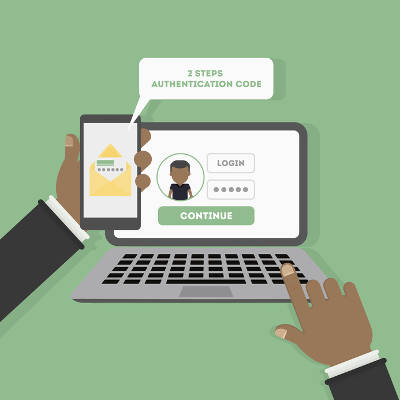
Two-factor authentication, also known as 2FA, is a very beneficial addition to consider for your cybersecurity. However, a research study unearthed a few surprising takeaways that indicate that 2FA may not be adopted as much as one might expect it to be.

Researchers at Duo Labs, using data compiled by Survey Sampling International, designed a survey that would mimic the patterns that could potentially be seen in different regions concerning the adoption rate of 2FA. The results of this survey were striking, as they revealed that only 28% of those surveyed–designed to match up to the entirety of the US population–had adopted 2FA. Over half of the participants had never even heard of 2FA before the survey was administered.

The researchers were also surprised to find that, of those who knew about 2FA, 54% were voluntary adopters, and only 20.8% had been introduced to 2FA in their work environments. However, reflecting upon the number of applications and services that now prompt users to set up some form of 2FA, this is hardly surprising. Yet despite the relatively high number of voluntary adopters, less than half of these respondents used 2FA wherever they could.

However, there were a few results that showed a bit more hope for the utilization of 2FA. First of all, an analysis of the state of 2FA that compares the authentication options in 2010 to those in 2017, shows that more people are relying on more secure methods. For instance, the use of hard tokens (or a physical device used to confirm the bearer’s identity) decreased by half in the span of time the analysis covered. This indicates an increased awareness in the potential security risks that a hard token presents–all it would take is for one of these tokens to be lost or stolen to render 2FA ineffective.

The real takeaway from the results of this research is an insight into user behavior. Namely, convenience and simplicity were important factors when a user formed an opinion of the different approaches to authentication. This helped to contribute to security tokens being ranked as the most trustworthy form of 2FA by 84% of respondents. While there was an awareness that these tokens had their issues (including the risk of losing them, as referenced above) there was still a demonstrated trust in their reliability.

Despite all this, the sad truth persists that too few people are utilizing 2FA to secure their personal and business devices. With any luck, this will change in the near future, as network security has been thrust further into the public consciousness due to the repeated breaches and attacks that have made headlines as businesses rely more heavily on computing resources.

Do you have 2FA in place to protect your business resources? For help implementing it and other crucial security measures, reach out to NuTech Services at 810.230.9455.

security_android_400.jpg

11 Ways to Enhance Android Security

security_android_400.jpg

It should come as no surprise that hackers are always trying to get ahead of security developers, just as it should be no surprise that these hackers often target the Android operating system. After all, the Android OS is used on mobile devices all over the world. If your business leverages these devices, there are quite a few security considerations you need to keep in mind.

Remember Security Basics
There are multiple ways to help your mobile security that take relatively little effort on your part. If you aren’t already in the habit, get used to locking your device whenever it isn’t in use. To unlock your device, you should require a PIN at the very least, and leverage biometric authentication whenever possible. This will help to keep your phone secured if it should be lost or stolen in public.

Use Google Play to Keep Your Devices Organized
Whenever you download an application from the Google Play Store, you are given the option to install the app on any device associated with your Google account. This list is also used to locate a misplaced device. You can help to make this easier by renaming your devices to differentiate between them more easily. Should you need to remove a device from your list, all you have to do is uncheck the box labelled Show in Menus.

Make Sure Your Trusted Devices are Updated
Every device you access your Google account with is automatically added to a list of trusted devices. You should make sure that this list only has devices on it that you know and trust. If there is a device that is unfamiliar on this list, you should remove it and change your password immediately. To check which devices have access to your Google account, visit https://myaccount.google.com/device-activity.

Finding a Lost Device
In the event that your device is misplaced, Google has a solution that you can leverage to find it more easily by taking a few proactive measures. First, open up your Android device’s Settings and find the Google option. From there, select Security and activate the Find My Device setting. While in settings, you should also confirm that your Location settings are activated so that Find My Device will work properly. You can even use the web version of Find My Device to make your lost device ring and help to find it.

Leverage Google’s Security Check
If you ever suspect that your Google account is vulnerable to access by unauthorized parties, the web giant provides a security checker that evaluates your preparations. This tool can be found here: https://myaccount.google.com/security-checkup.

Review the Passwords Saved to Smart Lock
One of Google’s features is a handy one, but could foreseeably create some difficulties in the future. Smart Lock will save the credentials you use to access different accounts with the device. However, you should periodically check and be sure that the passwords are properly updated to avoid issues when you try to access your saved accounts.

Connect with Caution
While it can be handy to connect an app to your Google account, this isn’t a permission you should grant willy-nilly. Some apps will only be needed once or twice, and others will become a tool you regularly use. If you no longer have use for an app, it is best that you remove it from your account. After all, the more connections your account has, the more vulnerable it is to attack. You can edit your account permissions by visiting https://myaccount.google.com/permissions.

Be Discerning When Downloading Apps
Even the Google Play Store can have a threatening application available, despite the best efforts to screen out such apps. As a result, you should be sure to only download applications from the Play Store, and even then, consider each app and its permissions before adding it to your device.

Leverage Android’s App-Scanning Capabilities
Android has a security scanning feature built in, eliminating the need to download a third-party app to accomplish the same thing. In Settings, access Security & Location. Under Google Play Protect, make sure that Scan device for security threats is selected. Your device will now periodically run automatic scans in the background for threats, only notifying you if an issue is discovered.

Reinforcing with Third-Party Apps
Despite the incorporation of Android’s security scanning capabilities, it may not hurt to add additional protections. A trusted IT provider will be able to recommend solutions that you can rely on to protect your devices.

Incorporating 2FA
2FA, or Two-Factor Authentication, is another excellent way to keep others from accessing your accounts. With a solution like Google Authenticator or many others, a single-use code will be generated that is a necessary credential along with your username and password. You’ll want to lean on your IT provider to ensure you have a trustworthy 2FA solution that meets a business’ needs.

If you want to learn more about mobile security, or any other IT topic, lean on the resources at NuTech Services. We’re available at 810.230.9455.
theft_and_fraud_400.jpg

Does Credit Card Theft Mean Identity Theft?

theft_and_fraud_400.jpg

Almost anyone would consider having their credit card stolen a major problem, but while it may technically constitute identity theft, identity theft itself can be any number of things. Today, we go over the difference between credit card theft and identity theft and what you can do to keep your staff, clients, and vendors safe.

Defining the Crimes
The first thing you have to know is that credit card theft and identity theft are not mutually exclusive, but while credit card theft is identity theft, identity theft obviously isn’t credit card theft. Credit card theft is when someone has stolen your credit card information and is able to use that information to purchase goods, services, or dispense money.

Identity theft, however is a blanket term that covers these three situations:

Fraud or misuse of an existing account — With 16.4 million of 2014’s 17.6 million victims being targeted by this variety of identity theft, this is easily the most prevalent form of identity theft. This is defined by situation where a party gains access to an account without the account holder’s authorization and uses its credentials to benefit them in some way.

Fraud or misuse of a new account — Opening a new account in another party’s name. This type of fraud can happen all over, and can range anywhere from opening a consumer benefits account, to opening a line of credit or a checking account, to buying property. This type of fraud was reported about 1.1 million times in 2014.

Fraud or misuse of personal information — All other uses of stolen personal information added up to a relatively paltry 713,000 reported cases. This is mainly when someone uses your identity to gain a benefit they couldn’t have otherwise. You see this used mostly to find employment, rent property, see a doctor, or lie to the authorities.

Protecting Yourself
As a business owner, you are responsible for the data people have entrusted with your. By knowing what to do to protect your own data, you’ll know how to approach securing the clients, employees, and vendors personal data you hold on file. Make sure to have a strong firewall on your network to keep unwanted intruders out, and antivirus and spam blocking solutions to eliminate threats when they do get past your defenses. Also, consider learning today’s best practices to ensure you are always in the right position to keep your identity secure. Here is a resource from the University of Pittsburgh to help you.

For more information about identity theft and network security, visit our blog regularly.

social_engineer_earth_400.jpg

Would Your Users be Tricked by Social Engineering?

social_engineer_earth_400.jpg

The term social engineering may not seem nearly as intimidating as other cybersecurity terms like ransomware or denial of service. Don’t be deceived! Some of the biggest threats to your company’s data and network security use social engineering to manipulate targets into taking a specific action – like disclosing personal information that can be stolen and exploited.

Often overlooked by the media in favor of major data breach events, there are few types of social engineering hacks that have the capability to devastate a business.

  1. Vishing: Given the fact that the number of people who fall for phishing attacks and other email scams has declined significantly, it was only a matter of time before hackers found an alternative avenue to exploit their targets. After abandoning it a few years ago in favor to digital scams, vishing – a fraudulent voice call that seeks personal information – have once again returned as a favorite among hackers and thieves.
  2. HTTPS: SSL certificates used to ensure that a website was legitimate and secure enough to protect your personal information. Websites that have ‘https’ no longer signifies security, as hackers have begun using websites that give away SSL certificates for free and using them to lull victims into a false sense of security. To make sure a website is secure, you’ll want to look for indication of an extended validation SSL (EV-SSL) which are not offered for free! EV-SSLs are signified with a green bar.
  3. Website Copy-Cats: Scammers have become very skilled at making spoof websites that look and feel just like the authentic website but are actually littered with all typesof malware. For example, after the Equifax data loss event in June 2017, Equifax set up a website to help their clients who had their information compromised with the URL: equifaxsecurity2017.com. A spoof of that website, with the domain securityequifax2017.com, was so convincing – it even tricked Equifax themselves! A few things to keep an eye out for when trying to determine if a website is legitimate, include:
    1. Make sure the URL is correct.
    2. Avoid giving out information unless a site has an EV-SSL.
    3. Look for seals of trust from other IT security websites.
    4. Beware of misspellings, typos and broken English.
  4. Every Word Password Theft: There are a lot of hacking tools that will scan through databases – including every word in the dictionary. These tools significantly increase the likelihood that a password that includes an actual word will be cracked and exploited. The best practices are ones that mix numbers, letters and symbols that make no sense.

When it comes to digital threats, for every exploit or hack that is prevented, a few, more advanced ones are developed. The best way to keep your business, and it’s data, safe is to take proactive measures and execute safe internet practices all times – and that goes for your employees, as well! Would you like to learn more about how you can stay ahead of hackers? Call us at NuTech Services.

two-factor_authentication_400.jpg

Boosting Your Security Only Takes Another Layer of Authentication

two-factor_authentication_400.jpg

Data breaches are so common nowadays that you’re lucky not to see one in the breaking news section of any news outlet. How is your business preparing for the inevitable data breach of intellectual properly and sensitive information? You need to start considering preventative measures, like two-factor authentication, to keep your data secure.

The main issue that two-factor authentication can solve is the decreasing amount of security provided by passwords. Technology has become so advanced that even complex passwords that maximize security can be cracked under the right conditions. Users tend to use easy-to-remember passwords which come with their own set of complications, so we’ll talk about ways that your organization can use two-factor authentication to solve common password troubles.

It’s a best practice to change your password every so often, and users might scratch their heads at how to remember some of these more complex passwords. Passwords should be at least 12 characters long, and must use special characters, upper and lower-case letters, numbers, and symbols. All of this must be done in a seemingly random string of characters, but users might try to use these characters in a way which makes it easier to remember. In fact, they may just use a password for another account, or one that includes information from a social media account, like the name of their dog or first-born child.

Generally speaking, it’s best to keep information that could easily be found in public records out of your password fields. This includes the names of your children, parents, or other important individuals, as well as any information that you store on your social media accounts, like your favorite TV show or movie. Hackers have more tools than ever before to find out all sorts of information about you, so you have to be very careful about how you use this information in passwords. Plus, there’s always the chance that you’ll use this information for security questions, which doesn’t do you any favors when hackers can just find the information at their own leisure.

Although password managers do make passwords easier to remember, the primary problem with them remains the same. If a hacker can find out what that password is, they can access all of your accounts easily enough. Two-factor authentication makes things much more difficult for a hacker, requiring that they have a secondary credential to access any account associated with it. This acts as a secondary security level, and it’s one that requires the use of a mobile device, email account, or other access method. It’s a great way to take full advantage of next-level security, and since it’s easy to set up, you can do it quickly and efficiently.

Do you want to take full advantage of two-factor authentication? For more information about personal and network security, call us today at 810.230.9455.
explosion_computer_400.jpg

Google Is Increasing Security For High-Risk Users

explosion_computer_400.jpg

Wouldn’t it be great if you could take advantage of a built-in security feature that could lock down your Google services in the event of a potential data breach? Thanks to attacks on high-profile users, Google is now offering this service to those who are at considerable risk of having their accounts hacked. This type of advanced service, called the Advanced Protection Program, is only available to a select few, but it promises to assist in the challenge of protecting sensitive information.

Specifically, the Advanced Protection Program will be designed to help those who are most likely to experience troublesome hacking attacks, including those who work as election and campaign officials, those who are victims of domestic violence, and others who find themselves to be at risk. The service is marketed as greater security, while trading off some of the convenience that might be found with the base-level Google services.

Among the affected Google services are Gmail, Google Drive, and YouTube. Once someone has been onboarded into the Advanced Protection Program, their accounts will automatically be updated with all of the latest and greatest security solutions available for Google’s services. The implementation of this service is in light of the various high-profile hacking attacks associated with various officials during the 2016 United States presidential election. Google was forced to endure plenty of backlash in the aftermath of the John Podesta controversy in which his Gmail account was hacked via a phishing attempt. This new initiative by Google is an attempt to ensure that they don’t have to deal with this backlash again.

The tactic used by Google’s Advanced Protection Program is a security key. While a USB key is generally considered a better two-factor authentication practice, Google is also equipping users with a Bluetooth key verification process that can be used on both a smartphone or a laptop.

At the moment, Google’s Advanced Protection Program blocks access to information on your Google account by any third-party source–that is, any program that’s not developed by Google itself. Furthermore, it implements a slower account recovery process that’s more difficult for a hacker to replicate. While it takes away from some of the ease of recovery that Google users know and love, it makes for a more secure experience overall.

Would you take advantage of this new service from Google if need be? Let us know in the comments section below.

adults_only_website_400.jpg

“It Redirected Where?” — A Case Study in Security Precautions

adults_only_website_400.jpg

Imagine what it would be like to discover that your website was suddenly redirecting to content that was decidedly more… adult... than what should be representing your business. For a company in Phoenix, Arizona, this was the unfortunate reality after they had let their IT administrator go.

The administrator, Tavis Tso, created a web in which he attempted to snare a client in an extortion scam. After lying to the client, claiming that he didn’t have their credentials to login to their GoDaddy domain registrar account, Tso changed the credentials to the GoDaddy accounts and created a separate Microsoft account that gave him considerable power over his target. His first steps were to block employees from accessing their email accounts and to redirect the company’s home page to a blank webpage. Tso then demanded $10,000 from the company to fix the problem that he had caused.

The company did not comply with his demands.

Once it was clear that the company wasn’t going to cooperate with Tso, the cybercriminal upped the ante. Rather than just redirecting the company’s home page to a blank site, Tso redirected all of the website’s traffic to a pornographic website. This redirect took several days to resolve.

Tso was ultimately sentenced to four years of probation, in addition to $9,145 as restitution for a count of wire fraud. While it is nice that a cybercriminal has been brought to justice, the damage done will be hard to undo, as he had considerable access to his company’s systems.

Would your business be able to recover from an incident like this? A good first step is to ensure your recovery is to reconsider the permissions of the users on your network–and more importantly, the permissions of former users. There is no reason to grant access to your IT where it is not needed, and there is no reason to keep an IT resource on your system once they are no longer part of your organization.

NuTech Services can help you to make these changes, as well as many others that will benefit your IT and your network security. Reach out to us at 810.230.9455 to start a discussion.

debit_card_lock400.jpg

Swipe With Care: Your ATM Might Be Controlled By A Hacker

debit_card_lock400.jpg

One of the most enticing credentials that hackers desire is your credit card number, along with its expiration date and the code on the back. Hackers are also willing to go great lengths to achieve their goal of stealing these credentials, even so far as to make physical changes to automatic teller machines (ATMs) to do so. In fact, hackers will often install skimming devices on ATMs that are so subtle that they can be difficult to detect.

Take, for example, this news article from July 2017 that showcases a rather specific case of ATM skimming. The device in question simply slips over the ATM card reader in a discreet way to give the user the impression that they are using a legitimate machine. Any unsuspecting user could accidentally throw their credentials right to a hacker.

Furthermore, there have been cases of hackers implementing custom hardware into ATMs designed to harvest credentials. These devices are often installed onto ATMs so that they can wirelessly transmit credentials, to perpetrators lurking nearby. Either way, the result is the same; stolen credentials and upset victims.

Imagine waking up, checking your bank account, and noticing that you’re missing the entirety of your checking account balance. Or, even worse, finding out that your account has sunk into the red because someone in a foreign country has purchased your information and used it for their own purposes. How can you keep this from happening to you? The easiest way is to be wary of ATM skimmers in the first place. You should keep the following in mind when using an ATM.

  • Cameras surrounding the machine: If you are in an area where there are plenty of cameras, there will be less of a chance that the ATM will have been tampered with. In fact, most ATMs actually have built-in cameras, but it helps to have some extra caution to take a look around whenever you want to use one.
  • Tampering with the device: Examine the device before you use it. Are there any issues with the way it looks? Are any faceplates removed or devices plugged into it? If there are, you know that it’s not a machine that you can trust.
  • Additional “testing”: Before you insert your card into the device, try jostling the slot to see if it’s something that was artificially placed over the actual reader. Carefully inspect the machine before you insert your card. Spending a few moments to check the device before using it can save you a whole lot of pain in the long run.

What are your thoughts on ATM skimmers? Are you confident that you can identify one that has been tampered with? Leave your thoughts in the comments.

ransomware_school400.jpg

TheDarkOverlord Solutions Is at It Again! This Time the Hacker Group Is Targeting Schools

ransomware_school400.jpg

While many youngsters enjoy it when their school shuts down, this was likely not the case in Flathead Valley, Montana, where the cybercriminal group ‘TheDarkOverlord Solutions’ targeted the entire Columbia Falls school district. This attack caused the three-day closure and otherwise disrupted over 30 schools, and the personal information of teachers, students, and school administrators was supposedly to be released if the group didn’t receive a ransom payment.

Furthermore, and more alarmingly, parents received reportedly graphic death threats against their children from the group. These threats alluded to an infamous, and still painfully recent, school shooting. This is the first time that TheDarkOverlord Solutions have gone to these lengths as far as is known.

The district server for Columbia Falls was ultimately targeted; records detailing the addresses, medical history, behavioral history, and other pieces of information valuable to cybercriminals were accessed that detailed the personal data of current and former students, their parents, and the school’s staff members. As a result, the 30 schools closed (as referenced above) and weekend events and activities were cancelled. With a heightened security presence, students returned to classes on Tuesday, September 19th.

TheDarkOverlord is no stranger to the news, or to targeting vulnerable individuals. In July of 2017, there was an online sale for a tantalizing data set that would allow cybercriminals to leverage information harvested from healthcare providers, just weeks after putting almost nine and a half million records for sale. These records came from a clinic, a healthcare provider, and a health insurance provider.

Somewhat less threateningly, the same group also took credit for releasing the fifth season of the Netflix hit series Orange is the New Black before its official release date, despite receiving about $50,000 worth of cryptocurrency in ransom from an audio post-production studio.

This piece of history shows why the Columbia Falls school district is right in their decision to not pay the ransom, as it in no way guarantees that the cybercriminal (or group) responsible will hold up their end of the bargain. Even if they do, it only proves that the victims are willing to pay, designating themselves as the perfect target for repeated attacks.

The key to your safety is to ensure your data is secure against the entire spectrum of threats. NuTech Services can help you to do so. Call us at 810.230.9455 to get started.

auto_vote_digital_400.jpg

Security Concerns Have Led To New Voting Machines In Virginia

auto_vote_digital_400.jpg

Regardless of your feelings on the matter, the 2016 United States presidential election was an extremely divisive one–in no small part, due to the suspicion that the outcome of the election may have been significantly influenced by hacked voting machines. This uncertainty has led to some states making strides to ensure that their technology will no longer be responsible for such doubts.

Virginia is one of those states, deciding to remove direct-recording electronic voting machines in favor of those that produce paper documentation. In addition to that, there is now legislation in Virginia that will remove all touch-screen voting devices from circulation by November 7, 2017. This is when the next governor is to be elected, along with various other positions.

According to Politico, Governor McAuliffe has pushed for legislation to provide the necessary budget to replace new voting machines, but this legislation was denied two years ago. Things have changed since then, and now the state has little choice to obtain new machines, as the old ones will no longer be certified for use.

Other states have been recommended to emulate this decision by the Board of Elections, but again–it’s only a recommendation. While paper ballots do seem to be more reliable and authentic as the tangible option, counting them can be a drag. Therefore, it only makes sense that the states would want to expedite the process with technological assistance. Even so, there is the risk that this key democratic data can be manipulated and altered.

You can find a similar scenario much closer to home, in your very own business. If your systems aren’t painstakingly maintained–as many states’ voting machines are not–they can be vulnerable to numerous hacks and other attacks. Do you really want to risk your sensitive data when a solution is so easy to find?

NuTech Services’s technicians can help give you the ability to better prepare for a successful future for your business. One way is by equipping you with a Unified Threat Management tool that helps protect your business from threats before they have a chance to strike. Call 810.230.9455 for more information.

data_security_switch400.jpg

3 Ways Your Business Can Prioritize Data Security

data_security_switch400.jpg

In the wake of the Equifax data breach, which placed the personal information of 143 million users at risk, the issue of data security is at the forefront of social consciousness. Your organization needs to go about its daily business as if it will experience a data breach at any given moment. This involves looking at the worst-case scenario, and planning for it so that you’re never caught unaware.

Here are three preventative measures that you can take to secure your business.

Use Strong Passwords and Two-Factor Authentication
Passwords are often the only thing standing between your online accounts and your personal data. Think about it; a string of maybe 8-to-10 characters is the only thing keeping your sensitive information secure. Doesn’t it make sense to make this password as complex and difficult to crack as possible? You would think so, but a surprising number of folks still use the word “password” as their password. You should be using both upper and lower-case letters, numbers, and symbols, formed into a seemingly random string of characters. Doing so keeps hackers from guessing your password and accessing an account.

Secure Your Network with Unified Threat Management
Network security depends on both internal and external measures, which include network-attached security devices like a Unified Threat Management (UTM) tool. A UTM consists of an enterprise-level firewall, antivirus, spam blocker, and content filter, all to keep threats from taking root on your network in the first place. Furthermore, you’ll be able to react to issues that become prevalent before too much damage is done, which is a valuable opportunity in its own right.

Educate Your Users on Best Practices
Your employees access important information on a day-to-day basis, and they are often in contact with more threats than you’d like them to be. Something as simple as a spam message in the wrong inbox or a carefully disguised link could be all it takes to expose your business to dangerous situations. Take the time to teach your employees how to identify potentially dangerous scenarios, like phishing phone calls and sketchy emails or attachments. Often times, you’ll stop attacks from taking off simply by keeping your employees informed.

By using these three methods to secure your organization, you’ll be less likely to suffer from a data breach. To learn more about network security and other ways to keep yourself secure, subscribe to our blog, and call our IT professionals at 810.230.9455.