USBCvsHDM_20220923-145104_1.jpg

Will USB-C Eventually Replace HDMI Cables?

USBCvsHDM_20220923-145104_1.jpg

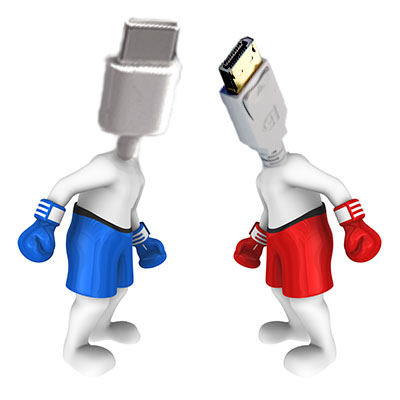
The next time you’re near a desktop, take a peek at the back where the motherboard’s various ports offer the opportunity to connect to different cable types. Many of these cables have overlapping functions—like the capabilities of USB and HDMI. Having said that, however, one of these cables will probably outlast its contemporary.

Let’s examine what differentiates these cables and consider which of them is more likely to last.

What Separates USB from HDMI?

Beyond the visually obvious differences between these cables, there are a few things that set them apart in terms of their functionality.

USB-C

From the very beginning, the Universal Serial Bus cable was meant to be, well, universal…and USB-C is the next step towards this goal. First developed in the 1990s, USB was meant to simplify plugging in assorted hardware. USB-C can be used to transfer data, power, video, and audio signals between devices in either direction. Perhaps most appealingly, USB-C can be plugged in either way, which other USB types quite frustratingly couldn’t be.

HDMI

High-Definition Multimedia Interface cables have a more specific purpose, designed to transmit uncompressed A/V data from one device to another. First becoming available to consumers in the early 2000s, HDMI helped to reduce the cables necessary by sharing both audio and video data. Furthermore, less data quality is lost through the uncompressed HDMI cables.

While Both Work, Chances are That USB-C Will Ultimately Phase Out HDMI

And, at some point after that, the next thing will phase out USB-C (but more on that later).

HDMI has been around for about three decades or so at this point, while USB-C is simply the next step in the progression that USB was designed to follow in creating a universal (hence, universal serial bus) cable to replace every other cable type. This is why USB-C can transfer more data and more power than the USB cables that came before it.

This will take a long time to come to fruition… and that’s assuming that something else doesn’t come about to replace USB-C first.

We’re Here to Help Your Business Make the Most of Its Technology

Regardless of what the future may hold, we’re here to ensure that you have the IT you need to maintain your business’ productive operations. Learn more by giving us a call at 810.230.9455 today.

chipShortage_469347889_400.jpg

Microprocessor Shortages Hindering the Hardware Market

chipShortage_469347889_400.jpg

When it comes to procuring new technology solutions for your business, what is your preferred method of doing so? If you haven’t thought about it, perhaps you should start. Gartner predicts a major decrease in PC shipments for the remainder of 2022. This has significant implications for any technology user, but this is especially true for business owners who might need to consider hardware refreshes in the near future.

Fewer Devices Available Across the Board

The global PC market is expected to see a decrease in shipping of about 9.5 percent in 2022. The market for smartphones and tablets is also in decline with expected decreases of 7 percent and 9 percent, respectively.

“A perfect storm of geopolitics upheaval, high inflation, currency fluctuations and supply chain disruptions have lowered business and consumer demand for devices across the world and is set to impact the PC market the hardest in 2022,” reports Ranjit Atwal, a senior data analyst at Gartner

It is thought that the collapse of the 5G smartphone market in China is one of the major contributing factors to this problem, as well as the ongoing conflict in Ukraine and inflation across the board. Furthermore, it’s expected that chip makers will likely be influenced by the issues associated with such a decrease in demand for products. This will only serve to make devices more difficult to get ahold of for businesses and individuals that do plan on purchasing them.

These kinds of numbers could have a considerable impact on the way your business acquires technology. If you’re unprepared to handle the changes in the supply chain, you might have difficulty finding the right technology when you need it.

Are You Ready?

Acquiring technology can be challenging for small businesses for a number of reasons, chief among them being the costs associated with acquisition and deployment. If your organization is one which has historically struggled with acquiring technology, we urge you to contact NuTech Services to start a conversation about how we might be of service in your business efforts.

Especially considering the decrease in sales due to anticipated shortages in the supply chain and geopolitics, you must think ahead and plan for the worst. If you don’t know what technology you need a couple of years from now, consider putting together a hardware refresh timeline that outlines when and how you plan to replace aging or failing hardware. We also like to recommend that our clients keep an extra workstation/laptop or two on hand on the off-chance a hardware failure occurs when they least expect it.

In times like these, it’s also incredibly important to maintain the infrastructure you currently have so as not to suffer from unexpected technological hiccups that could derail your business’ operations. We recommend that you take a proactive approach with comprehensive monitoring to keep a lookout for warning signs associated with hardware failure. Really, the big thing is that you want to prevent operational inefficiencies from impeding your workflow whenever possible, so start taking action now before it’s too late.

Whether you need to acquire new hardware, build a refresh timeline, or maintain your existing infrastructure to prolong its lifespan, NuTech Services’s got you covered. To learn more about our services and what we can do for your business, reach out to us at 810.230.9455.

ITsupport_504691993_400.jpg

Your Choice of IT Support Makes a Huge Difference

ITsupport_504691993_400.jpg

Your business’ technology is critical to its productivity, but unfortunately, this technology can (and at some point, likely will) break. So, what do you do if and when it does?

Let’s go over some of the options that you have to consider.

Generally Speaking, Businesses Have Three Options for their IT Support

A business in need of maintenance and support services for its information technology systems can approach this need in three different ways:

An In-House Team

If your business has a team member or a department that works on the technology that your operations rely on, you rely on in-house IT resources. 

A Break/Fix Provider

These IT companies are those that are called upon to resolve existing IT issues and repair needs.

A Managed Service Provider

These IT companies work with businesses on an ongoing basis to assist them with their IT, proactively dealing with potential issues rather than waiting for them to arise.

In terms of these options, a business that utilizes an in-house team isn’t restricted to using just those resources, either. Many businesses supplement their internal resources by outsourcing some of their IT responsibilities to one of the other options. Otherwise, outsourcing all of the IT needs that a business has is a common tactic for businesses (particularly those too small to dedicate an employee to their technology maintenance).

However, the aforementioned options for outsourcing aren’t exactly equal. There are a variety of reasons that working with a managed service provider (MSP for short) is the better call. Now, are we biased in saying that? Slightly—but that doesn’t mean we’re wrong.

Why Working with an MSP is the Better Business Decision for Your Technology

Let’s run through the scenarios surrounding break/fix IT services and the experience to be had working with an MSP when a critical piece of business technology goes on the fritz.

Business A relies on a break/fix provider for its IT needs. One day, a few of the business’ workstations suddenly can’t connect to the server, leaving many of Business A’s employees stranded. To solve the problem, Business A reaches out to its provider. Unfortunately, their IT provider isn’t able to send someone out to their location for a few hours—or potentially, days—and when the technician does arrive, it takes a few additional hours to diagnose and correct the issue. Meanwhile, money goes out the door every hour Business A’s IT is unavailable, both in terms of lost productivity and in payroll. Business A is then on the hook for the repair costs which, depending on how long the issue takes to resolve, could be quite substantial.

Business B, on the other hand, relies on an MSP like NuTech Services for assistance with its technology, paying each month for services scaled to its needs. By utilizing modern remote monitoring and maintenance tools, the MSP is able to remotely keep an eye on Business B’s infrastructure. As a result, issues are caught early or are mitigated proactively through these remote capabilities, before they create the expenses that accompany downtime. Business B can therefore keep their IT in line while still maintaining their budget while helping to ensure their profitability.

Which would you rather be, Business A or B?

Working with us can help ensure that you’re more like the latter. Find out more about our services by giving us a call at 810.230.9455 today.

SSDhdD_255217955_400.jpg

Solid State Drives Sport Plenty of Benefits

SSDhdD_255217955_400.jpg

The hard drive is an essential component of every computer. When you start looking at new computers you may notice that there are two different types of hard drives available. There are the HDD (hard disk drive) or the SSD (solid state drive). Today, we’ll go through what the difference is and what benefits you may get from outfitting your hardware with solid state drives. 

What is the Difference Between SSD and HDD? 

The HDD, which is the type of hard drive that most of us are familiar with, has been used for quite some time. They have rotating metal platters that spin at high rates of speed, and feature mechanisms for reading and writing data on these disks. Every time something is saved to disk, the computer needs to get these wheels spinning. 

On the other hand, SSDs have no moving parts whatsoever. They use flash memory to store that information. Since they aren’t dependent on fast-moving physical components, they can write and read data at much higher speeds.

When is an SSD Better than an HDD?

You won’t be too surprised to learn that there are plenty of reasons to choose an SSD over an HDD. Here are four:

  • Improved boot times – If you store your operating system on an SSD (and most of us do), it will load faster.
  • Quicker application access – Your applications will load much faster if they are stored on an SSD.
  • They’re quiet – SSDs make much less noise because they don’t have moving parts on the inside, and they are much more efficient.
  • The increased speed is worth the money – SSDs are still much more expensive than your average HDD, but with the increase in speed, you can get more done. The devices tend to pay for themselves pretty quickly. 

Is an SSD the Answer for Your Next Computer?

Solid state drives are a great innovation that any user should consider. If you are looking to refresh your business’ computing infrastructure, or you just want a faster computer, the technicians at NuTech Services can help. Give us a call at 810.230.9455 today for more information. 

documentManagement_480004182_400.jpg

File Access and Security Improves with Document Management

documentManagement_480004182_400.jpg

When it comes to storing your business’ documents, you have a couple of options available to you. Some professionals enjoy the chaos of having documents strewn about their office, while others prefer the organization that a system of filing cabinets can bring with it. However, both of these options pale in comparison to the document management system, a technological innovation that could allow your organization to go paperless and improve efficiency in ways you might not have guessed.

What is a Document Management System?

A document management system is essentially a repository of your business’ documents that are stored in a searchable database. Since the files are stored in a digital space rather than a physical one, there are many benefits to using a document management system that you simply don’t get with filing cabinets or folders. Consider how much space a filing cabinet takes up—physically—in the workplace. You might have rooms filled with paper documents, and even when they are stored in an organized way, digging one out whenever it’s needed is a time-consuming task. Plus, printing out documents is horrible for both the environment and your printing costs.

Using a document management system makes your documents more accessible, more secure, and more redundant. There is simply no reason not to use one.

Easy Access and Sharing Capabilities

Since your documents will be stored in the cloud, you can easily access them on approved devices and share them with your coworkers as needed. It certainly beats digging through a filing cabinet and making copies of the documents, right?

Secure Storage and Archiving

Paper documents are not secure, period. They can be lost—or worse, stolen—quite easily. It’s more difficult to lose digital files, and even more impressive is the ability to securely store them in encrypted databases. It’s one thing for a criminal to take a pair of bolt cutters to a locked filing cabinet, but another entirely for them to crack military-grade encryption on your database.

Disaster-Proof with Data Backup Systems

Imagine your office building was to catch fire, including the room where you keep your filing cabinets. They likely won’t survive the disaster, leaving you high and dry. While a digital document management system does come with its fair share of challenges related to disasters, like cybersecurity and hacking attacks, data is much easier to back up than, say, five filing cabinets filled with paper documents.

Get Started with Document Management Systems Today!

NuTech Services can equip your business with a document management system that aids your organization’s efforts at going paperless while making your documents more accessible than ever before. You’ll find that the enhanced productivity gleaned from your document management systems will make all the difference.

To learn more and get started with document management systems today, contact us at 810.230.9455.

overcomeChallenge_215804358_400.jpg

Prevalent IT Challenges You Need to Consider

overcomeChallenge_215804358_400.jpg

Managing business technology is a challenge that many small businesses have difficulty overcoming, and this is largely in part due to the fact that managing technology is not the focus of these small businesses. The inability to overcome IT challenges can hold businesses back that otherwise would flourish. Let’s discuss some of the biggest issues that companies have for IT and how they could potentially be addressed.

Digital Transformation is Here to Stay

The pandemic forced the hands of businesses all over the world, forcing them to adopt new technology solutions in response to the rapidly changing global situation. There are no signs which indicate that this digital transformation is slowing down, as businesses are more focused than ever on optimizing their processes with what was previously seen as a taboo working environment, i.e. remote technology.

Cybersecurity is More Important Than Ever

You can’t go on the Internet or turn on the news without seeing a new devastating cyberattack against a major business or government entity. A 2022 study from Evanta found that cybersecurity is the number one priority for CIOs, and considering the number of remote and hybrid workers out there, we’re not surprised.

Taking Full Advantage of the Cloud

The cloud is the second largest growing spending category for businesses, at least according to the Evanta study; 54 percent of businesses are investing in cloud solutions. Businesses want the freedom and agility that comes with cloud infrastructure, making it one of the highest priorities and biggest challenges facing organizations today.

Supply Chain Problems Linger

Hardware and other technical components are harder than ever to get, particularly because of disrupted supply chains as a result of the pandemic and conflict between Russia and Ukraine. We like to recommend that businesses plan ahead with their technology acquisition by planning out a hardware refresh cycle and IT roadmap.

Talent Acquisition is Difficult

Paying to hire in-house IT workers can be expensive, especially if you want IT workers who know what they are doing and have the skills required to keep your business technology running. Unfortunately, many small businesses don’t have the resources to pay top dollar for IT talent.

Managed Services Can Solve a Lot of These Issues

The closest thing you can get to a silver bullet for all of your technology problems is to work with a managed service provider like NuTech Services. Our trusted technicians have the know-how to help your organization overcome any technology-related obstacle, from technology acquisition to management to maintenance and beyond. To learn more about what we can do for your business, contact us at 810.230.9455 today.

476051890_tech_support_400.jpg

Technology Support is Crucial when IT is Everywhere

476051890_tech_support_400.jpg

Most things in your office depend on technology in some way. That’s just the simple fact of life these days. Let’s examine just how much of your business depends on the technology that powers it and how companies increasingly depend on IT to manage the countless devices that have permeated the office environment.

IT Makes the Workday Go Round

Let’s start from the beginning. After grabbing your morning cup of coffee, you sit down in front of your computer and power it on.

Yes, that is in the realm of IT.

While most of your workday will be spent sticking to your job description, i.e. what you were hired to do for the business, the way that you go about this work will likely include some kind of technology tools.

Those are also IT.

Following a busy and successful workday, you might need to submit a timesheet for review and for payroll.

This is also IT.

A shocking amount of your business’ operations and workflows depend on functional technology solutions, so we ask you now, how well is your IT infrastructure managed?

Make Sure You Are Taking Care of Your Important Technology Assets

Since your business relies on IT to get the job done, it’s incredibly important that you manage it appropriately. NuTech Services can help you make the most of your solutions. To learn more, reach out to us at 810.230.9455.

iot_376226617_400.jpg

Make the IoT Work for Your Business

iot_376226617_400.jpg

By now you’ve probably heard the term Internet of Things (IoT). You may not completely understand what it is, but you know it has something to do with all those “smart” devices that you see popping up everywhere. Today, we’d thought we’d get into what types of things are on the IoT and how they can have an impact on your business. 

What Is the Internet of Things?

The Internet of Things started growing a decade or so ago as “smart” technologies were being developed to present people with technology that they can use to make their lives easier. This concept is what technology is all about, after all, and it quickly became a business opportunity for OEM (original equipment manufacturers) and other companies. This has led to a massive explosion of “smart” devices designed to unburden the lives of their users. 

Of course, the more businesses that are developing this technology, the more tools will be aimed to transform business. There are now 14 billion IoT devices (including smartphones) connected to the Internet, so there is a breadth of options for businesses to choose from. It’s also one of the more funded technology markets by venture capital firms with close to $5 billion being invested annually, as the practical use of IoT is just now scratching the surface.

The IoT Is Everywhere

The IoT can be used in multiple ways in and around your business; and, each adds its own unique variables to the way you go about integrating them. Obviously, a large portion of your employees have smartphones, that is an added consideration because you need to ensure that all those mobile devices are working with the applications that you use; or, if you don’t go that far, at least that they don’t bring unwanted passengers along on to your network. 

More complex industrial IoT (IIoT) platforms can really alter the way a business operates, so training will have to be considered to help your employees understand how they work. There is a lot of good that the IoT can do, but it also comes with some challenges. Not only do you need to set up your IoT platform from the ground up, you need to make sure that it integrates with your back-end software systems and any other applications that would provide the benefits needed to implement them. 

Set up and Security Questions for the Implementation of Business IoT

For most businesses looking to implement IoT to help automate some things will first start by using it in the ways that your average home consumer might. You get systems that can help save you on utility costs and help you save time (smart thermostats, smart lights, voice-driven personal assistant hubs, etc.). 

More complex systems like asset tracking and inventory management allow for pinpoint control over supply chain issues. This can get pretty complicated, pretty quickly, but that’s the point. The IoT helps humans do things humans couldn’t do without these tools. It is the perfect confluence of human-made tools (hardware and applications) and constant data streaming that can help businesses automate more and collect more data to help them make better business decisions. 

Businesses need their technology to be scalable and secure. This is where the IoT hits a snag a lot of the time. There are serious security questions with any number of devices, but that part of it is improving. For the business, however, “improving” could mean “still too expensive/risky”.  The truth is that any business can utilize some form of IoT to help them cut costs, improve efficiency, and improve decision making. You just need to know how.

At NuTech Services, we understand where and how the IoT fits into a business. If you would like to learn more about the Internet of Things and how it can help your organization grow, give us a call today at 810.230.9455.

PointOfSaleSystem_287592925_400.jpg

The Modern Point of Sale System Can Bring Massive Benefits

PointOfSaleSystem_287592925_400.jpg

Many businesses make their profits from selling products, goods, or services to their consumer base, requiring that they have a way to process these transactions in place. The point of sale system is a business’ preferred method of handling these transactions, especially in retail. How can you know which features you might need for a point of sale system?

Explaining Your Point of Sale System

Simply put, a point of sale system is a combination of hardware and software that works together to give you a solution for managing your sales. For example, the standard cash register could be considered a point of sale system, as it provides the barebones necessities for handling transactions. Point of sale systems have evolved well beyond the cash register, though, and if you want to make the most of them, you’ll have to look a little deeper and think more ambitious with your point of sale system.

The Hardware Involved

Depending on the type of business, the hardware you choose to use for your point of sale system will vary. You’ve seen various types of point of sale systems throughout your day-to-day life, and many of them might look like computers with touch-screen capabilities and cash registers and card readers built right into them.

Small businesses generally have low-tech hardware implemented for their point of sale systems, though, at least compared to large retailers and enterprises. Most small businesses don’t need the type of hardware that these larger organizations use and can get away with using a simple plug-and-play card reader for a smartphone or tablet connected to a point of sale application. At the end of the day, your business’ needs will vary, so you should not buy into what is expected of a point of sale system without first assessing your own individual needs.

The Software Involved

The terminal you choose will also, to an extent, dictate which type of software you’ll use. These types of software are generally cloud-based systems that are quite dynamic in their capabilities and come at a low up-front cost. However, these types of systems may not be as customizable as you might want them to be. There are better and more robust systems out there that can either be hosted in the cloud or run on-site to give you more flexibility in control in how you manage your point of sale systems.

Some systems have features such as loyalty programs, employee scheduling software, inventory tracking and management, workflow management, and so on. Ultimately, you’ll make your decision based on your company’s specific needs and what is available to you.

Start Using Point of Sale Systems Today

If you are in the business of selling products or services, you could potentially benefit from a strategic implementation of a point of sale system. Technology like this is often best handled by professionals, which is why we recommend you work with NuTech Services for the deployment of any new solutions.

To learn more about how we can help you fulfill your company’s needs through the use of business technology solutions like a point of sale system, reach out to us at 810.230.9455.

surgeProtector_28843708_400.jpg

Outlining the Differences Between a Surge Protector and a Power Strip

surgeProtector_28843708_400.jpg

When it comes to business technology, there are sure to be a lot of electrical plugs, so you’ll naturally want plenty of outlets to plug them into. A power trip likely won’t cut it, though. For your needs, you’ll want to invest in a surge protector. Why is the surge protector so much better, you ask? Well, let’s explore this question.

The Big Difference Between Power Strips and Surge Protectors

At first glance, the two devices seem quite similar. Some might even call them glorified extension cords with additional outlets. It should be straightforward what they are used for, but it’s a little more complicated than that.

The difference is in its name.

Surge Protectors Protect Against Surges

Power surges are commonplace, and as long as people continue to manipulate electricity, there will always be a risk involved with its use. Surges can cost businesses untold amounts of money, for if electronics receive an influx of electricity that they are not prepared for, they can be damaged–often irreparably.

You want to avoid this whenever possible, which is where the surge protector comes into play. A surge protector keeps these surges from damaging your electronics, while a simple power strip lets them pass right through.

Surge Protectors Are Better Investments

If you want to make sure that your IT systems are set up in a way that minimizes the possibility of a power surge or other disaster, NuTech Services can help you acquire the appropriate technology and set it up effectively. To learn more about what we can do for your company, reach out to us at 810.230.9455.

brainTechnologyInnovation_258774763_400.jpg

Use Automation to Improve Operations

brainTechnologyInnovation_258774763_400.jpg

The difference between productivity and innovation is not always clear-cut, but the biggest one is that higher productivity naturally creates innovation… assuming it is supported by the right tools and mindset. How can technology help your business be more creative and innovative in the way it goes about its day-to-day operations?

If the pandemic has taught us anything, it’s that there is great value in operational freedom, and both employees and employers want to have their expectations met. What can we expect from these new circumstances we find ourselves in?

It Takes Action to Produce Results

Ultimately, it’s productivity that most workers, departments, businesses, and industries will be looking to for a measurement of success. If your employees are more productive, then your business will be more productive as a result. Technology is crucial in facilitating this vision of better performance across your organization.

The right technology can make a world of difference if it’s implemented appropriately. Take the CRM tool, or customer relationship management. A CRM can help your team make spades in productivity by automating much of the sales or marketing processes that might normally be assigned to your staff, like customer interaction, collaboration, and so on.

Now, if your team doesn’t have to spend all of that time on those tasks, then they won’t have to work as hard to manage or maintain these relationships, freeing up even more time to focus on other tasks that can generate profit. A CRM automates many tasks that would normally grind the workday to a halt, and it can help to achieve a more efficient workflow, just like productivity suites or cloud-based platforms.

The cloud in particular can also create opportunities for your organization to expand its operational flexibility, as these resources can be accessed anywhere, anytime, and at a fraction of the costs associated with in-house hosting, management, and maintenance. If you have not considered the cloud for your needs, we strongly encourage you to do so.

Technology Creates More Opportunities

Even with new opportunities opening up as a result of technology, some companies are finding it harder to innovate. Small businesses need to use every opportunity at their disposal to make changes for the better at their organization, including new technology solutions. There are plenty of tools out there that can make all the difference to help your staff be more productive and efficient with their time.

Consider how much time and effort your staff are required to invest into the guidelines and procedures you have for your company. If it’s exhausting for you, then it’s exhausting for them—especially if the processes are not simple ones. You can make them more streamlined and effective, allowing your team to more easily manage their schedules and communicate with each other in better, clearer ways. If you can free up time for your employees, then you can make their lives so much easier. Here are three ways you can make this happen:

  • AI chatbots: You can invest in better support options to assist your clients in getting the help they need. When you implement an AI chatbot, you are essentially giving your clients more support, which is never a bad thing. Plus, if the bots are capable of handling most commonly-asked questions, imagine how much time this saves for your other, non-bot employees.
  • Internet of Things: You can eliminate unnecessary costs through the use of the Internet of Things. With connected systems, you can control your HVAC system, lighting, thermostats, and so much more, including inventory and asset management. You can then reinvest the savings into other areas of your business.
  • Data insights: You should be able to use your data to create opportunities for action. There are analytics systems and business intelligence platforms that you can use to solve all kinds of problems using the data you collect and utilize on a daily basis. You can then use this data to make better, smarter decisions for your organization.

We know technology isn’t always the easiest thing to manage for your business, which is why we dedicate ourselves to helping small businesses get the most value out of their IT infrastructures. To learn more about what we can do for your business, reach out to us at 810.230.9455.

tablet_453245487_400.jpg

Are Tablets Still a Good Business Tool?

tablet_453245487_400.jpg

There were a few years there about a decade ago when everyone had to have the latest tablet and tech experts were predicting that most of the world’s productivity would be done using touchscreen devices. On one hand, they weren’t that far off. On the other hand, tablet sales fell off about as rapidly as they had spiked, leaving some question over the future of the form factor. Of course, tablets settled in as great personal computers, but their use in business has seemingly plateaued. Let’s take a look at how businesses use tablets and answer if they are right for your business.

Modern Tablets

Before we get into whether or not you should be using tablets for your business, we’d like to talk about the major differences between tablets of 2014 and tablets today. The form factor is the same. It is like a clipboard with a touch screen that is run by a mobile OS. Like many other types of computing, the component specifications have significantly improved over the years, but the biggest draw to the implementation of tablets to a business is the application ecosystems that they bring to your business. There are quite literally millions of applications that can be used to support all types of business processes.

As far as specifications go, any tablet used for business should have at least four gigabytes of RAM and 64 gigabytes of storage. The Apple iPad, which is widely renowned as the best tablet you can get for business, features the Apple M1 processor, while the best processor found on an Android-run tablet is the Qualcomm Snapdragon 888. Since these are touchscreen devices, choosing one with a 10-inch screen or larger is ideal, but there are seven and eight-inch tablets that are powerful enough to do most things you would need them to. 

Using Tablets for Business

In a recent poll, two-fifths of respondents say that they use some type of tablet in the course of their job. Interestingly enough, a lot of businesses that utilize tablets aren’t actually used in the two largest markets for tablets: The U.S. and China. Many businesses in Europe, Australia, and South America actually use tablets at a higher rate than in those places. They are used mainly for the following reasons:

  • Taking notes
  • Managing social media
  • Creating task lists
  • Point-of-sale
  • Scheduling

If you are thinking that these are the same things that many people in the U.S. use smartphones for, you aren’t mistaken. Tablets present businesses with a cost-effective solution to their mobility needs, even inside the office itself. One of the most innovative ways that businesses normally use tablets is as an easy-to-use point-of-sale device. Today, there are SaaS-fueled POS systems that are hosted in the cloud and run through mobile devices. In fact, with the robust application ecosystem that Apple and Android provide, many tablets can do any business-related task you need them to insofar as you get the more higher-end devices.

iOS vs. Android vs. Windows

As we mentioned earlier, the Apple iPad has long been the best tablet on the market as far as consumers are concerned. Apple has committed to the tablet as a personal productivity tool. As in the smartphone space, Samsung is Android’s top tablet developer. The Microsoft Surface tablet, which has been on the market for 10 years, presents a great option for businesses that are committed to utilizing Microsoft-related ecosystems, even though they come in at a higher price tag and are often looked on as more of a touchscreen PC than simply a tablet. Either way, any of these operating systems integrate well with other computing platforms and present businesses with the opportunity to enhance their operational mobility. 

App Innovation and the Tablet’s Future

Today, tablets are only as good as the applications they run; and there are a lot of them. There are options for any type of activity that your business can undertake. Some include:

  • Managing money (Quickbooks, Wave)
  • Inventory management (Sortly, Delivrd)
  • Human resources (Namely, Bambee)
  • Point-of-sale (Square, PayPal Here)
  • Time tracking (Gusto, HotSchedules)
  • Communication & collaboration (Zoom, Slack, Microsoft Teams)
  • Customer relationship management (Spendgo, Salesforce, Nimble)
  • Project management (Trello, Basecamp)
  • Document management (eFileCabinet, Hightail)

What is Right for You?

If your business is looking to get a cost-effective solution for your mobile computing needs, looking in the tablet space may just be the right move for your business. Give NuTech Services a call today at 810.230.9455 to get the expert consultation and innovative technology your business needs.

productivityRoadblock_324423837_400.jpg

Avoid Productivity Speedbumps with the Right Software

productivityRoadblock_324423837_400.jpg

Productivity is at the heart of running a successful business, but it’s not always apparent to employees how their effort translates into value for the company. Is there a way to use technology to help fuel productivity and ensure employees understand the value that their productivity provides to your organization? The right tools can eliminate barriers to productivity and allow your employees to reach their full potential.

That said, technology can often be a big challenge for some companies to implement. On one hand, refusing to implement more advanced tools means you cannot compete with your competitors. On the other hand, the costs of running a business are higher than ever, and technology is not as easily attainable as a result, particularly for small businesses. Certain tools, however, are both affordable and feasible for businesses to implement. Let’s take a look at some of them.

Customer Relationship Management

With management software, you can eliminate the need to multitask as frequently, allowing employees to better schedule and spend their time throughout the workday. Multitasking divides the attention of your employees and causes problems in quality of work performed. Research has shown that employees work best when they can focus on one task at a time.
One tool that is great for eliminating multitasking is a customer relationship management tool, or CRM solution. CRMs come with built-in automation that allows you to track every task set to them, and they can integrate with just about all parts of your business. A CRM is great for freeing up more time for you to focus on other tasks, as they automate so much of the sales and marketing funnel.

Cloud-Hosted VoIP/Email

If you have a home phone system, chances are you are using a VoIP system that comes through your cable modem. Modern businesses must utilize the same communication technology if they want to remain competitive. VoIP systems allow businesses constant access to the tools they need to succeed, including solutions built for both desktop and smartphone use, along with other features like instant messaging and conference calling to meet the ever-changing needs of the workplace.

A great cloud-hosted email system can also be a powerful asset. With cloud-hosted email, you can provide access to a fast-syncing solution that integrates well with messaging and other productivity tools. With the right email system, you’ll find your business can be more productive and efficient, and you’ll find that most enterprise-level email providers can help you build their offerings in a cloud environment.

Mobile Device Management

The modern workforce is armed with one of the most powerful productivity tools out there: the smartphone. It’s a fact that people are going to use their smartphones, so you should do what you can to build how they use their smartphones into your business strategy. Some companies even give their employees time to use their phones for calling, messaging, and social media, while others are much more liberal in allowing the use of these devices. Others eliminate the unpredictable nature of smartphones by implementing BYOD, or Bring Your Own Device.

A comprehensive BYOD policy backed up by a mobile device management tool gives your business insights into how your employees are using their personal smartphones while on the clock. This means that you don’t have to overtly deny your employees the use of their devices, but more importantly, it means that your team will be using devices protected and reinforced by security measures.

NuTech Services can help you eliminate and move past these productivity roadblocks through the use of technology solutions. To learn more, reach out to us at 810.230.9455.

cookies_353673440_400.jpg

What Are Browser Cookies, Anyways?

cookies_353673440_400.jpg

What do a bakery and a web browser have in common? Both have cookies—but, what are browser cookies, and what do they do? Let’s take a few moments to explore the concept of the browser cookie and what their function is.

So, What Are Browser Cookies?

A browser cookie is quite simply a text file that your computer uses as a kind of identification as it connects to a network, nowadays most associated with the Internet. HTTP cookies help to differentiate between users and make each of their browsing experiences the best they can be.

To accomplish this, HTTP/browser/Internet cookies enable your browser to track and save data about each user’s browsing sessions—jargon for the time spent on each website. Whenever you visit a website for the first time, the server that hosts the website’s data shares information with your browser that is recorded in a cookie on the browser. The next time you visit that website, the cookie tells the website what information to show you from your past sessions.

This is how websites are able to remember that a user has logged in after the browser is closed, or keep track of items that have been added to a shopping cart. In fact, cookies are responsible for allowing the “back” button to work on your browser. 

Not All Cookies are the Same

Okay, to this point, we’ve primarily discussed first-party cookies, or those that the websites you visit create directly. So long as you’re browsing safely, these cookies will generally be safe to collect.

However, there are also third-party cookies, those that come from another website than the one you’re visiting. These are frequently spread through advertisements to help track a user’s surfing patterns.

Session cookies are those that only last as long as a user is on a website, and marketing cookies are those that help shape the ads that a user sees based on their browsing history—they’re the reason that you might keep seeing ads for a tortilla press after looking up recipes for homemade tortillas.

Other cookies include performance/analytical cookies, which give those who run websites the metrics they need to improve them. These metrics include things like the length of time spent on a website, the levels of activity different parts of the website see, and if visitors manage to find what they are looking for.

Some Cookies Should Be Avoided

Generally speaking, a business should only enable the minimal cookies needed to function. Otherwise, more data may be shared than you are comfortable with, and you might be exposing your data to threats. Fortunately, most cookies are relatively simple to remove if need be.

How to Remove Cookies in Different Browsers

Google Chrome

Access the three-dot menu, and from there, Settings. Under Privacy and security, click Clear browsing data and proceed to Advanced. Once you’ve selected a time period, select Clear data.

Microsoft Edge

Select Settings, and then Privacy and services. You’ll see a section labeled Clear browsing data, where you can Choose what to clear. You’ll be prompted to select the time range to clear data from, which you can accomplish by clicking Clear now.

Mozilla Firefox

Click on Options, and then on Privacy & Security. You’ll see Cookies and Site Data, and the option to Clear Data.

As always, NuTech Services is here to assist you with all aspects of your technology. Find out how else we can assist you by giving us a call at 810.230.9455 and asking us about our IT support and consulting services.

crm_63909416_400.jpg

You Can Use Software to Vastly Improve Your Customer Relationships

crm_63909416_400.jpg

Customer relationships are at the heart of any business that sells a service or goods, making a technology solution like a CRM a powerful way to jumpstart operations. Let’s review what some of the benefits of using a CRM are and how your organization might use one to the best of its ability.

Let’s break down the features that you want your CRM to come with.

What Features Should My CRM Platform Offer?

Workflow Automation

The more of the CRM workflow that can be automated, the better. In short, the less time you have to spend managing these processes, the more time you can dedicate to other responsibilities and initiatives. You save time, but you also save the possibility of user error from getting in the way of your processes. Faster results and greater accuracy make for an excellent combination under any circumstances.

Integrations

Similarly, if you have multiple software solutions and platforms that integrate with your CRM, you can take advantage of additional functionality that can save you a ton of time in terms of workflow. You should look for integrations like marketing automation, chat, call center, support, and web analytics; trust us when we say that these tools will pay for themselves in the long term.

Contact Management

Staying in touch with your clientele or customers is extremely important, especially when you are trying to turn prospects into actual customers. A high-quality CRM can make this as easy as can be.

Lead Management

Keeping track of leads, including contacts that your team have had with them, can be beneficial for your business. The importance of being able to turn these numbers into actionable metrics cannot be understated. A CRM gives you ways to grow your pool of prospects and it gives you an idea of which ones might be most lucrative to form a relationship with.

This only scratches the surface of what a CRM can do for your business. To learn more, reach out to us at 810.230.9455.

businessAI_230165737_400.jpg

Small Businesses are Starting to Embrace AI

businessAI_230165737_400.jpg

Artificial intelligence has several uses in the business world, many of which utilize machine learning. With greater access to this technology than ever before, small businesses have more opportunities to grow as a result. Let’s go over how SMBs can utilize AI, including how to get started with it.

How Can Today’s Small Businesses Use Artificial Intelligence?

AI is flexible in its design, intending to mimic the cognitive processes of the human brain. Essentially, it is software that can follow patterns and establish its own learning and reasoning processes to solve problems. This is why it’s so useful for small businesses. Here are some ways it can improve operations for SMBs:

Enhancing Cybersecurity

Your employees likely have a routine that they follow, and this routine is what makes their work responsibilities consistent. AI can use data to make predictions, a process which aids in cybersecurity and productivity. AI can take note of a user’s account and showcase when it’s doing something out of the ordinary, like logins at times when the office should be closed or from strange locations around the world. It can also tell if employee behavior is at odds with your security efforts.

Optimizing Customer Service

Businesses prioritize customer service, but the unfortunate fact is that it can be time-consuming. This time is often better spent on other processes and needs. AI systems can aid in customer service through the use of automated chatbots, providing customers ways to get the answers they need, when they need them. This removes some of the burden off your workforce and might just give them time to perform other tasks. Furthermore, it’s a great way to collect data about what your customers want and need.

Finessing Customer Relationships and Marketing Efforts

It takes a lot of effort to sift through the data and insights gathered during the customer relations and marketing aspects of your business, and digging through this data can be an incredibly time-consuming and resource-intensive process without the use of AI. AI can examine this data and make conclusions based on it. You can then use these conclusions to make the most educated decisions possible for your organization moving forward.

Artificial Intelligence is More Accessible Than Ever

If you want to learn more about machine learning and other ways technology can make your business’ operations better, reach out to NuTech Services at 810.230.9455.

Internet_Reliability_12554756_400.jpg

What is It that Impacts the Quality of Your Internet Connection?

Internet_Reliability_12554756_400.jpg

For something as fundamental to a business’ processes as its Internet connectivity, it can be challenging to determine how reliable and fast your Internet connection is. We wanted to review the different factors that would impact the connectivity that your business gets.

What Impacts My Business Internet Speeds?

There are assorted influences that need to be considered to figure out the potential connection speeds you might achieve for your business:

The Infrastructure Connecting You to Your ISP

Regardless of your contract, your Internet speeds are going to be dependent to some degree on the infrastructure that is delivering them to your business. Cable and fiber-optic lines can deliver Internet at speeds that are far faster than what the antiquated DSL connection over the telephone network can.

How Far Away the Network Centralizer is from Your Business

Fast as data moves, it still takes a bit of time to make it from point A to point B. Therefore, the further away that the network centralizer is, the longer it will take for the transmitted data to reach your business and vice versa.

How Many Users and Devices are Connecting at Once

Naturally, when more people are getting a piece of the pie, the pieces are going to get smaller and smaller. The same goes for your Internet bandwidth. Each device that connects to the Internet impacts the availability and speeds available to the rest—the more there are, the slower the connection will be.

There is only so much that you can do to increase your business’ Internet speeds, short of shelling out more of your hard-earned dollars. We’re here to help you make up for the lost efficiency in other ways, through improved and optimized IT solutions.

Give us a call at 810.230.9455 to find out more.

VideoConference_272103367_400.jpg

The 5 Essential Features to Seek from a Conferencing Platform

VideoConference_272103367_400.jpg

These days you’d be hard-pressed to find a company that is not equipped to handle video conferencing in some way. The pandemic led many organizations to adopt these platforms, and as a result, these platforms have seen a dramatic increase in functionality and capability. We’d like to discuss some of the best features that your organization can take advantage of with video conferencing solutions.

Features to Seek Out in Your Video Conferencing Platform

VoIP and Chat Functions

When it comes to conferencing, the name of the game is communication. Your conferencing platform should have as many methods of keeping up communication as possible. Some conferencing solutions have Voice over IP telephony service bundled with them, and others might include various other mediums.

Many conferencing platforms also have built-in chat functionality, creating additional opportunities for participants to engage with presenters and other attendees. By knowing which features your solution is already capable of, you can make better decisions about how to get the most out of it moving forward.

HD Video Recording

Video conferences are made much more enjoyable when you can see each other clearly and communicate effectively. It stands to reason that your conferencing platform should allow for HD video. Opting for such a solution will simply make the meeting that much more enjoyable for everyone involved, which will lead to better engagement.

Some meetings should also be recorded so that the material can be reviewed at a later date. To make sure this can happen, we recommend that your video conferencing tool accommodate unlimited recordings of meetings that can be stored in the cloud for later use.

Screen Sharing

One of the most effective things you can do during a meeting is share your screen, especially if you are presenting information to your audience. If you select a video conferencing software which allows you to share your screen, you are basically opening the floodgates to more informative and engaging presentation opportunities.

Reach Out to Us for Assistance with Selecting Your Conferencing Platform

If you’re unsure of which solution is right for your business, NuTech Services can help. To learn more, reach out to us at 810.230.9455.

communication_tools_125753703_400.jpg

Four Standard Communication Tools Businesses Should Embrace

communication_tools_125753703_400.jpg

Depending on the software your business uses, you might find yourself either struggling to collaborate or reaping the rewards of doing so. When it comes to collaborative integrations, there are many innovative options on the market. Let’s examine some of the best options you have available to you.

Standard Communications Tools

Most modern businesses offer their employees several different ways to communicate with other members of their staff, their prospective clients, and current customers. Depending on the solution, they can either be simple and seamless or complicated with larger price tags. Here are some of the most commonly utilized tools:

  • Email
  • Telephone
  • Instant messaging
  • Documents

Communications can generally be split into two categories: written and verbal. Businesses need to have solutions in place that can handle both aspects of communication. One of the most common written communication solutions is email, and you’d be hard-pressed to find a business that doesn’t use it.

Email

Thanks to hosted email solutions, businesses have access to dynamic tools that can help them send out messages in the most effective and efficient way. Most modern email solutions will use the following features:

  • Daily backup of emails
  • Virus protection
  • Encryption
  • Spam filtering
  • Synchronization
  • Push mail
  • Archival

These options give users all the features they will need to go about their day-to-day duties using email. Along with making the management of email easier, most modern business’ email systems have integration for additional features, like security, for example.

Instant Messaging

Thanks to instant messaging, businesses have access to faster methods of communication than email, but you should know that not all solutions are as effective as others. Some hosted email platforms might have them built right into them, while others might be standalone solutions. Regardless, IM systems are extremely valuable and helpful for businesses, and they are usually a part of a larger communication platform.

Documentation

Other written communication platforms that you might not have considered include written resources like pamphlets, white papers, and other documents. When employees have access to this type of documentation, they can go about their duties in an informed manner. Sometimes documentation and FAQs can save your organization precious time and resources.

Telephone System

The telephone has been an important part of business communications for a long time, but the traditional sense of telephony is dead in the water compared to Voice over IP solutions. VoIP can be hosted on-site or in the cloud, and it can offer plenty of great features that your traditional telephone system would kill to have, chief among them seamless video conferencing. Remote teams benefit so much from this feature, as it gives them a chance to throw together a meeting at a moment’s notice. VoIP as a whole is an exceptionally potent business tool that can save you money. Here are some of the features it can offer:

  • Automated attendant with advanced call management
  • Caller ID
  • Call queuing 
  • Call following
  • SMS and MMS integration
  • Mobile device integration
  • Analytics 

…And many more.

NuTech Services can equip your business with all the tools it needs to stay productive and communicative. To learn more, reach out to us at 810.230.9455.

automated_247132771_400.jpg

Automation Can Remove Your Business’ Training Wheels

automated_247132771_400.jpg

Automation as a concept is on the rise, and so too is its practice. Even before COVID-19 created considerable problems for several businesses, it was in use, and there is no reason for it to fall out of fashion now. There are plenty of ways your organization can implement automation to improve operations moving forward.

First, we need to define what automation is; then we can discuss how it can be utilized to your business’ benefit.

What is Automation in the First Place?

Automation is when you take the responsibility for a certain task off of an employee’s schedule and give it to a computing system to handle instead. Machines are now capable of handling certain tasks with incredible speed and efficiency, or at the very least, much faster and more efficiently than the average—or even above average—worker could hope to pull off. Thus, it actually benefits an organization to implement automation for this specific task. While this can save your business time and resources, it’s important to know if and when it is appropriate to automate tasks.

When is Automation the Right Move?

Generally speaking, the following signals could mean that implementing automated solutions for your specified tasks is the right call. Be sure to watch for the following:

Your Team is Spending a Lot of Time Moving Data Between Applications

The only thing worse than entering data once is entering it for a second or even a third time. These types of mind-numbing tasks, moving data from one location to another, can only be described as a chore. Automation can make this a thing of the past and save you countless hours. Just think of all the great things your team can accomplish with all of that saved time and effort.

The Task is Inherently Dull, or Detracts from Your Priorities

Mindless tasks are perfect to automate, as they can often take a lot of time away from your staff that could be better spent. Imagine how much time your business could save if these tasks were automated.

The Task is Endlessly Repetitive, Regular, or Both

How often do you have repetitive tasks that must be completed? If you can predict and plan the process out, you can automate that task.

We Can Help You Automate Your Business Processes

If you want to streamline your processes and make things more efficient as a whole for your business, NuTech Services can help. To learn more, reach out to us at 810.230.9455.