smb_mobile_400.jpg

Tip of the Week: Every Mobile Device Policy Needs to Cover These 3 Areas

smb_mobile_400.jpg

Smartphones, laptops, tablets, and other mobile technology are practically necessities in today’s modern workplace; especially if you want to keep productivity flowing at all times. However, implementing mobile devices into your workplace infrastructure is more complicated than it sounds, especially if you want to preserve security. Here are three topics to consider when implementing mobile devices in the workplace.

Data Security
One of the key concerns that any business using mobile devices needs to account for is security. When you add new devices to your business’s network, you’re adding endpoints that could potentially fall victim to hacking attacks. The more devices that are connected to a network, the more patches and updates that need to be installed in order to maintain security. Basically, adding new devices means more work, and more work can lead to cut corners, which inevitably leads to compromised devices.

A mobile device management solution is capable of securing all of your organization’s devices, be they smartphones or laptops. It’s the easiest way to manage access to mission-critical data, whitelist and blacklist apps, and remotely wipe devices that have been compromised.

Connectivity
When you’re taking mobile devices out of the office, you need to consider how your employees (and yourself) are going to connect to sensitive corporate data. While you could just connect to your cloud solution through a public Wi-Fi connection, this is discouraged, as public Wi-Fi can often be compromised. You never know who else could be on the network, watching your every move.

In instances like these, a virtual private network (VPN) is a valuable tool. With a VPN, you can access your network’s data over an encrypted connection, meaning that as long as you are connected to a wireless network, the data sent to and from your device will be secured so that any onlookers won’t be able to do anything with your data. The data sent to your device is encrypted and then decrypted upon arrival, so if any hackers try to steal it in transit, they’ll only get a jumbled batch of letters and numbers.

Cloud Access
Of course, you’ll need access to your organization’s data, especially when you’re out of the office and using several different devices. To do so, you need a cloud solution that allows your business to share and collaborate on files in real time, across multiple platforms. Most importantly, you want to ensure that your team can open crucial data that’s needed to keep operations moving forward, even when out of the office. A dynamic cloud solution–either public, private, or hybrid–is the key to solving this pain point. Depending on your business’s specific needs, you’ll want one that prioritizes the functionality and security your business requires.

For all of your business’s mobile device security needs, you can contact NuTech Services. We’ll work with you to ensure that your devices aren’t putting your business’s data at risk. To learn more, reach out to us at 810.230.9455.

big_data_bestseller_400.jpg

Can an Algorithm Predict the Next Bestselling Novel?

big_data_bestseller_400.jpg

It’s not always easy to identify what will be hip and trendy years from now, but big data is attempting to bridge this gap. In general, due to the unpredictability of human behavior, it can be difficult to spot cultural anomalies before they happen. Despite these challenges, algorithms are being applied to various practices in both the business world and elsewhere. One innovative way in which it’s being used is by attempting to predict the next bestselling novel.

Jodie Archer, author of an upcoming book called The Bestseller Code: Anatomy of the Blockbuster Novel, claims to have found an interesting way to use algorithms and big data to discover what’s hot in the literature department. This particular algorithm, called the “bestseller-ometer”, looks at what particular qualities make for the most successful fiction. As reported by The Atlantic, the algorithm can identify a bestseller more than 80 percent of the time.

This success is attributed to the algorithm’s ability to identify bestselling fiction from the New York Times bestseller list. Basically, this is one of the many attempts that computing systems have made toward predicting the behavior of the human brain, and it could change the way that publishing companies accept and publish manuscripts. After all, if a book doesn’t sell, why publish it?

The biggest question that this algorithm attempts to answer is: “Why do we all read the same book?” It’s compelling, to say the least. Everyone has different tastes in literature. The academic who carries a pocket thesaurus around in his suitcase might find an escape in a good science-fiction short story or another piece of genre fiction. On the other hand, a book that’s destroyed by critics might be surprisingly successful. Thus, readers find different traits to be more valuable than others.

Aided by English professor Matthew L. Jockers, Archer built the algorithm to find out what makes a reader so interested in a certain piece of literature. The Bestseller Code looks at the various processes and strategies used by the algorithm to identify the context and other important parts of popular fiction. The list is quite long, but it includes a plethora of tropes that are generally found in literature, including:

  • Authoritative voice
  • Colloquial (everyday) language
  • Action-oriented characters
  • Cohesion
  • Human closeness

One other major idea that needs to be taken into account is that of the “zeitgeist,” or time-sensitive concepts. Basically, what’s contemporary is what sells. This adds an element of the unknown and makes it difficult to predict what will be popular in the near future. There’s also the interesting notion of the human element, which makes it difficult, if not impossible, to foresee how they will act in the future. In a way, it makes sense that a human should be picking the next bestseller, as the algorithm cannot empathize with characters or be moved by a good story. After all, a computer can analyze semantics as much as it wants, but it’s not the one reading the book. That’s the job of readers all over the globe.

While it’s possible that big data can make strides in the way we understand how humans think, it’s important to understand that humans are unpredictable by nature. Any attempts to predict the future based on statistics or metrics, while seemingly helpful, could mean nothing, as people often behave irrationally or beyond reason. While technology is a great way to bridge this gap, it’s still important to remember that people are people, not machines.

What are your thoughts on using big data to find new audiences and better understand your own market? Let us know in the comments.

ebay_password_innovation_400.jpg

These Innovative Technologies are Helping eBay Move Beyond Passwords

ebay_password_innovation_400.jpg

Technology continues to grow more advanced, and with it comes major pain points that need to be resolved. Today’s modern businesses will need to adapt by implementing new solutions for both themselves and their customers or clients. In this fashion, eBay has begun to implement an assortment of new features to assist with the customer experience.

The first of these features is called “One Time Password,” which is an initiative that’s attempting to take the “two” out of two-factor authentication. Rather than requiring users to remember a password, eBay wants to send you a confirmation code via SMS that can keep the user logged in indefinitely. The goal is to keep users logged in regardless of how the code was used–allowing those who logged in via a mobile device or desktop more flexibility with their logins.

eBay is also working to allow account authentication through the use of the Touch ID sensor that’s found on more recent Apple devices. The goal is to eliminate the need to remember a password in the first place so that users of Apple products will be able to more efficiently use eBay’s services.

Of course, these services are bound to bring about questions regarding eBay’s motivation for creating such features. Senior Director for Identity and Member Communication Product Management Dave Comer stated: “One Time Password and Touch ID Authentication eliminate the need to remember your password when you want access to the eBay Marketplace… We all use so many applications that require passwords and login information that it is impossible for users to remember them all. We want to eliminate the friction entirely.”

eBay’s reasoning might make sense, but does the security hold up on its end of the bargain? Consider how easy it would be to accidentally leave eBay open on an unlocked workstation. Users could fall victim to either lighthearted pranks or financially motivated crimes. Passwords might make things more difficult for the user, but this difficulty is for their benefit. Complex passwords are more difficult to guess, which makes things more difficult for hackers.

In addition to these advancements, eBay plans on increased functionality with Android Wear devices. Users will soon be able to receive notifications on their wearable devices that show them items they may be interested in purchasing. Users will also be able to read and respond to messages through their smart device.

Yet, this presents a similar security problem. Wearable devices have consistently shown that they are less secure than other mobile devices, and much less so than desktop solutions. Unless eBay is implementing other serious security measures, these new features may not be worth the risk.

For the small and medium-sized business, eBay’s technological advancements should resonate. SMBs should be using two-factor authentication whenever possible, such as security systems which utilize a user’s smartphone to deliver an access code when logging into a network. This way, hackers will have a much harder time accessing an account–even if they’ve somehow managed to get a hold of legitimate credentials. Plus, new physical security solutions like pin pads and smart door locks can now be unlocked directly with an employee’s smartphone.

If your business is ready to tackle network security, NuTech Services can help. To learn more, reach out to us at 810.230.9455.

image_based_backup_solution_400.jpg

Save Considerable Time By Automating Your Data Backup Process

image_based_backup_solution_400.jpg

Is your organization still relying on antiquated tape backup to keep your data safe? A more reliable, less time-consuming alternative known as image-based, or “snapshot” backup, could change the way that you look at disaster recovery. In fact, image-based backup has the potential to optimize your business’s data continuity.

Tape backup, though it used to be an industry standard, has simply fallen behind the times for modern businesses. Compared to modern data backup practices, tape falls short of the demands placed on a modern organization’s data infrastructure. They are resource-intensive and often need to be performed after-hours so as not to disturb normal workflow. Plus, since they’re so resource-intensive, tape backups are often only performed once–at the end of the day. This means that in a worst-case scenario you could lose up to 24 hours worth of information and productivity.

The Big Difference
Compared to tape backup, image-based backup is much more efficient and manageable. As its name suggests, image-based backup takes a snapshot of your organization’s data. These snapshots record changes to files that have been altered recently and apply these changes to a backup that’s stored on or off-site in a secure, compliant space. Since these backups only record changes made to files, they are smaller and less resource-intensive, which allows them to be taken multiple times a day–even as often as every 15 minutes.

Perhaps the greatest advantage that image-based backup offers is its autonomy. It’s less prone to user error, since your team doesn’t need to manually set and run the backups at the end of each work day. Granted, you still have to check the backups and make sure that they work properly.

Your business can’t afford to cut corners on backup and disaster recovery. If a problem happens down the road, disasters could render your business dysfunctional for extended periods of time. Even the most common of disasters, like a power outage or a hardware failure, could cause downtime and major data loss. Other disasters like floods, fires, collapsed power lines, and more can even damage the integrity of your company. Replacing hardware can damage your IT budget, and the resulting downtime could push your business into the red even further.

NuTech Services can arm your business with a quality backup and disaster recovery solution designed specifically for your needs. You can back up your data in several off-site locations, including a secure data center in the cloud. This data can then be deployed in a moment’s notice, right to the BDR device. The BDR device can be used as a replacement server while you work on finding a more permanent solution to your woes. This keeps downtime to a minimum and your operations pushing forward even in the face of disaster.

To learn more, reach out to us at 810.230.9455.
voip_softphones_400.jpg

3 Ways VoIP Phone Systems are Superior to Traditional Landlines

voip_softphones_400.jpg

Compared to traditional telephone solutions, software-based phone systems have become a major opportunity for businesses to cut costs and improve efficiency. Even if traditional phone systems have their uses, VoIP still wins out by eliminating unnecessary costs and simplifying your business’s physical infrastructure. You might find that VoIP has a place in your office, too.

VoIP takes advantage of your business’s Internet connection to transfer your voice to the desired recipient, usually through a software client that’s installed on a workstation, laptop, or smartphone. The main draw for VoIP is that it works anywhere as long as you have an Internet connection. Organizations have widely accepted VoIP as a viable alternative to the traditional telephony system for a number of reasons. We’ll go over the three most beneficial reasons to use VoIP as your trusted communications solution.

VoIP is Versatile
One of the big pain points that businesses have with their office phone system is that they can’t easily take it on the road with them when they leave the office. VoIP makes this easy by installing a softphone application on any applicable device, like a smartphone or a laptop. Just hook up a headset or microphone and you’re all set–it’ll be just like using your office phone.

VoIP is Flexible
Onboarding new employees is another major problem for growing businesses. A larger workforce means adding new telephones and new cables to your communications infrastructure. In a worst-case scenario, you may need to remodel your office to accommodate for the changes in the size of your workforce or communications infrastructure. VoIP eliminates this need. All you have to do is add a new user, including their extension, and configure the phone system. Although, depending on the size of your workforce, you may need to keep a close eye on your bandwidth, as it relies on your Internet connection to work properly.

VoIP is Cost-Effective
If you compare the costs of VoIP to those of a traditional phone system, you’ll be in for a pleasant surprise. A great way to describe the cost savings is by comparing VoIP to that of cable cutters who no longer want cable television. Those who pay for cable television get access to countless channels that they can’t possibly watch all of. Thanks to monthly services like Netflix and Hulu Plus, viewers pay a fraction of the price they would normally pay for entertainment, leading them to cancel their television plans in favor of more affordable monthly payments. Similarly, telephone providers often bundle together services that your business may not want or need, and you certainly don’t want to pay for things you won’t use. Since VoIP only uses your Internet connection, it uses a service you already pay for, making it convenient and budget-friendly. You can add all of those additional features later on if you want them.

If your business is considering a new approach to communications, try VoIP from NuTech Services. We’ll work with you to find a solution that’s just right for your business. To learn more, reach out to us at 810.230.9455.

ghetto_audiobooks_400.jpg

Tip of the Week: 2 Free Tools That Will Read Your Text for You

ghetto_audiobooks_400.jpg

For the busy business owner, audiobooks are a godsend. They’re the perfect way to intake information while performing a must-do task that doesn’t require you to think, like commuting or folding laundry. But what’s an audiobook aficionado to do if they’ve got a book or document that they want to listen to that hasn’t been made into an audiobook?

Well, if you’re able to obtain the digital text of the content, then you can use a few software solutions for reading the text back to you. Of course, the quality won’t be anything like what you’ll get from an official audiobook read by the likes of Morgan I’d-narrate-that Freeman, but it’ll make do for when you’re in a productivity pinch.

SpeakIt!
SpeakIt! is a text reading extension for Chrome that’s fairly easy to use. After downloading it, you will see a speaker icon on the upper-right corner of Chrome. With the webpage loaded that you want read to you, go ahead and highlight the specific sentences and paragraphs that you want played back and then click the SpeakIt! icon, and just like that, you’ll hear the text read back to you.

A few advantages of SpeakIt! are that its playback is smooth, and you can adjust the playback speed. The standard speed is 330 words/minute, but you can increase or decrease that speed by ten. SpeakIt! is also capable of reading back several different languages, and it can even translate text while it reads.

The disadvantage of SpeakIt! is that it doesn’t work well with Chrome extensions that you use for writing and editing text, like Google Drive, Gmail, Adobe Reader, etc. Also, several users have reported that SpeakIt! has a tendency to stop working after a minute or two of use, depending on the nature and complexity of the website you’re on. Reloading the web page will often take care of this issue, but this easy fix doesn’t make the issue any less annoying.

@Voice Aloud Reader
If you’re looking for a text-reading mobile app, then @Voice Aloud Reader is a popular option for Android. It’s available for free on the Google Play Store. Also available in the Play Store, are plugins made to enhance @Voice Aloud Reader, like @Voice PDF Crop Plugin which provides increased functionality for reading PDF files.

@Voice Aloud Reader works by uploading the text to its app, then, with the app open, all you have to do is select play and it will be read back to you. The text displayed in the app will retain the original formatting, and @Voice Aloud Reader will even highlight each sentence that’s being read so that you can easily follow along. You can also skip ahead by scrolling down or by clicking the >> button. You can even adjust the pitch and speed of the voice to suit your listening needs.

The advantage of this mobile app is that it’s compatible with a variety of different text formats, like the articles found on web pages, and files like PDF, DOC, TXT, EPUB, FB2, and more. Plus, whenever you upload the text from the webpage, it will upload only the text from the article itself and not any irrelevant content from other parts of the page.

Overall, it’s a highly-rated app with few complaints. The only downside may be the advertisements, but that’s to be expected with a free app. Keep in mind that, for a small fee, you can upgrade to a pro version without advertisements if you prefer.

There you have it. No more excuses for not getting around to reading that book or report, even if you can’t find an official audiobook!

Do you use any tools to knock out reading while you’re working on something else? If so, share them with us in the comments.

office_vs_office_365_400.jpg

What’s the Main Difference Between Office 365 and the Traditional Office Suite?

office_vs_office_365_400.jpg

Even if you already have Microsoft Office, did you know that there are multiple ways to use Office which could potentially save you money? It’s the difference between using the traditional Office apps, versus the subscription-based model provided by Office 365.

Users and business professionals need to know that Office 365 is a subscription-based model, while the traditional Office 2016 suite is a one-time purchase. Yet, there are a few other notable differences between the two. Here are three reasons why it’s beneficial to choose Office 365 over the more traditional Office suite.

Office 365 is Cost-Effective
Small monthly payments fit into budgets much better than big up-front costs. This is a staple of software as a service, and it applies to Office 365. When purchased through Microsoft, Office 365 can provide users with a discount when paying for 12 months ahead of time, allowing for even more cost savings.

Office 365 Stays Up-to-Date
The traditional Office suite gives you the most recent version at the time of your download. For example, if you downloaded today, you would get Microsoft Office 2016. The problem here is that several years might pass and you’ll eventually have to upgrade to a more recent version of the software, like Office 2018–which can be another major expense in itself. It’s one big investment after another, which makes the subscription-based model more economically reliable, efficient, and easy to budget around. With Office 365, you’ll always have the latest version of Microsoft Office, without the hassle of purchasing new software.

Office 365 is More Flexible
Office 2016 is a one-time download, unlike its subscription-based counterpart. Office 365 allows organizations to achieve varied levels of service as per their user requirements or device thresholds. This helps your business get exactly the kind of functionality you need out of Office 365, as it helps to better accommodate growth.

Have we convinced you to give Office 365 a shot? If so, reach out to us at 810.230.9455. We’d be happy to help your business get started with your new Office 365 solution.
disaster_recover_is_important_400.jpg

4 Instances You’ll Be Glad You Had Disaster Recovery

disaster_recover_is_important_400.jpg

Disasters are commonplace in the business environment, especially when you work in a technology-heavy office. It’s not a question of if you’ll ever experience a hardware failure; it’s a question of when you will. Regardless of how your business functions or what sector you fall into, there will always be disasters that you should be prepared for.

In order to best protect your business from crippling downtime and data loss, we’ll go over four situations where you’ll wish you had disaster recovery for your data.

Natural Disasters
Your local weather channel might give you an idea of what the weather will be like throughout the day, but that can change in the blink of an eye. If your location is prone to floods and violent rainstorms, you could lose data due to water damage. Earthquakes can strike when you least expect it, destroying offices and homes and ending lives. Even something as simple as a power outage could bring about the destruction of your data. The point we’re trying to get across is that natural disasters can strike anywhere at any time, and your IT infrastructure needs to be ready to handle them.

Hardware Failures
Another recurring issue for organizations that rely heavily on technology is hardware failure. If you’re not monitoring and maintaining your hardware, it can be easy to let resource-intensive equipment get overworked, which inevitably leads to malfunction. Technology can’t last forever, so an untimely hardware failure could cripple your infrastructure.

User Error
In the same way as hardware failure, user error could cause your organization to lose data or bring down systems. The reason: people aren’t perfect, and you can’t expect them to be. People could accidentally lose track of files or hand over credentials for accounts which hold sensitive data, giving a hacker a clear path toward stealing your information. User error is a primary cause for data destruction, so it’s important that you implement data backup to account for this risk.

Hacking Attacks
Even if you don’t suspect that you’ll become a victim of a hacking attack, you’re a target. Any organization that collects sensitive data–be it financial information or personally identifiable information–needs to consider itself a target for hackers. All it takes is an installation of malware (like ransomware) to put your data at risk. Hackers usually either want to delete data or steal it for themselves, so it’s up to you to keep your systems backed up in the event that something happens.

Basically, the one thing that you have to remember is this: you need a way to recover your data, or you’ll suffer in the event of a disaster. We recommend that SMBs reach out to us at 810.230.9455 and ask about our dynamic backup and disaster recovery solution (BDR). You’ll have all of your bases covered… just in case.

walk_with_vr_400.jpg

How Virtual Reality Could Help Paraplegics Walk Again

walk_with_vr_400.jpg

Virtual reality is a major contender for the next big technology to hit the business industry, and it’s been able to accomplish what modern neuroscience could not. In the medical sector, virtual reality has been tested on paraplegic patients in attempts to help them walk again using brain-controlled robotic limbs. However, these innovations have yielded unexpected, astounding results.

The project, called the Walk Again Project, was first introduced in 2013. Scientists from all over the world have gathered to help paraplegics walk again through the power of technology. The study examined eight patients who had been diagnosed as being entirely paraplegic; as in, they can’t move or feel their legs at all. The project involved several simulations that featured the use of a haptic feedback device, which issued sensory feedback to the patient when their thoughts translated to movement.

The first experiment they performed consisted of using a brain-machine interface therapy combined with virtual reality. The patient wore a device that sent brain signals directly to an Oculus Rift (a commercial VR headset). On the device, the patient would see themselves walking. The other type of therapy used involved a robotic walker to assist with walking therapy. The patient was suspended over a treadmill while their legs were controlled by the robot. This activity was sent to a computer where the data could be analyzed.

The most interesting method of therapy involved the use of robotic legs to send brain signals directly back to the patient. The legs utilized electronic sensors that were placed at key locations along the leg. These sensors sent signals to the patient and offered stimulation to the user whenever their legs were supposed to be moving.

Thanks to the ongoing brain machine interface therapy, the patients found that they could sometimes feel–or even move–their paralyzed limbs. In particular, the treatment improved bladder and bowel function, which is a significant first step toward providing some semblance of autonomy back to those who suffer from paraplegia. The treatments were so successful that in many cases the doctors changed their diagnoses to only partial paralysis.

Though scientists still aren’t sure what has caused this development, it’s thought that it could be the first step toward discovering a way to completely restore mobility to those who suffer from paraplegia. Technology has given these victims a second chance, and it’s one that can (hopefully) improve their lives.

What do you think about this development? Let us know in the comments, and be sure to subscribe to our blog.

windows_10_kindle_fail_400.jpg

Latest Windows 10 Update Has Kindle Users Feeling Blue… Screen of Death

windows_10_kindle_fail_400.jpg

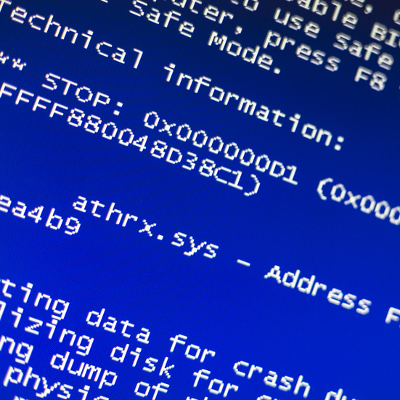
Have you have recently plugged in your Kindle and received a blue screen of death? Many Kindle users have found that Windows 10’s anniversary update is creating an issue in the way that Kindle transfers books and charges via a USB connection. Some users are reporting that connecting a Kindle to a Windows 10 device will cause the device to lock up and display Windows’ infamous blue error screen before rebooting.

Users who have experienced this issue have taken to the Microsoft support forums hoping to find a way to resolve this issue. Unfortunately, what happens seems to vary by the user–some claim that the problem is rooted in the anniversary update, while others seem to think that it’s due to the pre-release software testing service Microsoft Insider.

The fallout of the issue also seems to vary. Some reports claim that the device can be restored to normal functionality after the reboot, but the problem comes up again with the next reboot. Some users have found that leaving their devices asleep as they plug in their Kindle can prevent the error from happening. Yet, even this doesn’t prevent the crashing, as many users report that the issue happens regardless of what they do.

All of these issues are in response to what users did to troubleshoot their own individual problems, yet nothing that they did could resolve them, despite elements like the USB cable being used as variables.

Worse yet, this isn’t the first problem that Microsoft has had to deal with since they released Windows 10’s anniversary update. While the update brought an enhanced usability and interesting new features, it also brought a bug that has led to some Windows 10 users being unable to use their webcams.

So far, neither of these issues have been resolved, though Microsoft claims that the webcam fixes will be available in September. In regards to the Kindle issue, there have been no hints as to how long these issues will persist. Kindle users may have to avoid causing the blue screen error in the first place, and tolerate the problems until the official fix is issued.

For the latest tech news and tricks, subscribe to our blog.

secure_mobile_payments_400.jpg

MasterCard Wants Your Selfie, But it’s Not for What You Think it’s For

secure_mobile_payments_400.jpg

Payment via mobile devices is still a relatively new concept. With newer smartphones, it’s now easier than ever to pay your bills or send money on a whim. However, this also brings up an important topic; what’s the best way to handle mobile payments, and how can those who accept and process these payments ensure maximum security?

The answer might lie in two-factor authentication.

Specifically, MasterCard wants to introduce biometric-based two-factor authentication to its system, starting with the UK this summer. The technology discussed is a “selfie” based system that allows users to take a picture through an application, which is then compared to an image stored. The idea is that selfie-authentication, and other methods of biometric technology like fingerprint scanning, can help to prevent credit card fraud.

More than anything else, MasterCard is attempting to limit how many legitimate transactions are being declined while users are traveling abroad. Apparently, this is a bigger problem than actual credit card fraud. As reported by The Financial Times, there’s roughly $118 billion worth of false declines every year, which is considerably more money lost than is the case with credit card fraud–13 times more, to be specific. By using biometrics technology, MasterCard is looking to handle both the fraud and false decline problems.

Of course, the question that needs to be asked is whether or not these technologies are secure for users. Phones, tablets, and other mobile devices can be hacked just as easily as any desktop infrastructure. ITProPortal offers some insight into what will be necessary for mobile payment systems to take off:

“User devices are notoriously prone to penetration by cyber criminals – whether that’s as a result of users adapting their devices or overriding device security parameters, or using unsecured public WiFi when transacting online. Which means biometric data will need to be encrypted to ensure it cannot be stolen – otherwise we open a whole new vector for identity theft. What’s more, rigorous PCI standards already exist to protect users and merchants, especially where liability is concerned should things go wrong. What’s not clear in this scenario is whether liability will shift – and to whom. Quite simply, we’re in new territory here.”

What’s most interesting here is the liability aspect; if a user isn’t securing the mobile device used for payment, can they be considered at fault for the theft of their data? If so, it completely changes the way that financial institutions and payment compliance works. Also, what happens if biometrics are hacked? You can’t exactly issue a new face or a fingerprint with a new credit card number. These are critical possibilities that need to be addressed before biometric two-factor authentication for mobile payment systems can be implemented.

What are your thoughts on mobile payment authentication using a selfie-based system? Let us know in the comments.

steam_windows_10_400.jpg

New High Score for Microsoft: More Than 44% of All PC Gamers Use Windows 10

steam_windows_10_400.jpg

While we tend to focus on the latest technology solutions in the workplace, sometimes it helps to view them from a different perspective, like recreation. Specifically, Windows 10 has become a popular operating system amongst PC gamers, and has reached nearly half of the considerable total user base of the cloud-based gaming platform, Steam.

For the month of June, use of Windows 10 (both 32 and 64-bit versions) with Steam reached an all-time high of 44.6 percent; an increase of 3.41 percent from the previous month, and a 1.54 percent increase from the month before that. It’s safe to say that the free upgrade played a major role in this increase in use, but now that it’s no longer offered for free, is Windows 10 still worth the investment? We would argue yes, as do the gamers. After all, they want to take advantage of the latest Windows OS, and so should you.

Not all Steam users use Windows 10, though. Here are some statistics from the latest Steam OS check:

  • Windows 7: 36.97 percent, down 2 percent from last month
  • Windows 8.x: 12 percent
  • All Windows OS: 95.5 percent
  • Mac OS X: 3.6 percent
  • Linux: 0.8 percent

Regardless of whether or not you enjoy games, there’s a lesson that can be learned from these statistics, and it’s that the latest operating system can offer a significant improvement to your user experience. For gamers, their hobbies are a way of life, and they take it very seriously. They’re often known for their meticulous attention to PC performance and specifications, so it’s no surprise that they would be willing to adopt the latest Microsoft operating system.

If anything, these statistics are a strong endorsement of Windows 10, and warrant, at least, a consideration of an upgrade. If you’re unsure of how an upgrade can help your business or user experience, NuTech Services can help. We’ll work with your business to ensure that legacy applications and software solutions aren’t negatively affected by an upgrade. In situations like this, it’s always best to have professionals on hand to guarantee that you experience minimal downtime.

To get started with Windows 10, give us a call at 810.230.9455.

microsoft_technology_as_a_service_400.jpg

Microsoft Moves to Get a Piece of the Technology as a Service Market Share

microsoft_technology_as_a_service_400.jpg

Microsoft has been looking to cover more ground in the business environment by offering a new Technology as a Service (TaaS) offering, which will allow small businesses to purchase Surface products, accessories, and support for their devices, all with a monthly payment plan. Also, when it comes time to upgrade, customers can easily make the switch, as per their lease agreement.

Microsoft’s TaaS agreement allows businesses to pay for their devices over 12, 24, or 36 months. As expected, prices will vary depending on the length of the payment plan, and the devices purchased. One of the most affordable offerings is a basic-model Surface 3 paid for over 30 months, while a more expensive payment plan would be for a Surface Book over 18 months.

A membership in this program has several perks, including support when you need it, either by phone or in-store, one-on-one personal training, and in-store discounts on hardware and software solutions.

Of course, with all great things, there’s always a catch. First off, this is a business-exclusive offering. In the General Terms section of the TaaS Program Benefits Summary, it’s stated that the service is for “Business Customers Only; No purchase for resale.” In other words, this service is for end-users only, and that it has the right to cancel orders if it suspects resale activity. It also must be mentioned that this service is limited to official Microsoft products only.

While this service might seem tempting, we want to remind you that you don’t necessarily have to turn to Microsoft, or other hardware or software giants, for this type of service. NuTech Services wants to help your business find the right devices for your specific needs. We want your business to have the technology it deserves, without the headaches and frustrations of lease terms, purchase options, and cancellation fees.

Working with NuTech Services provides a fruitful relationship with a local business, rather than leasing your equipment through a third-party juggernaut like Microsoft – the software company is using LiftForward, a marketplace loan platform, to finance its Surface Membership service. We’ll handle all of the details for you, so that you can stay focused on what matters most – running your business.

Ultimately, NuTech Services can offer your business both the latest and greatest in computing solutions, and a professional relationship that allows your business to get the most out of its technology. To learn more about what we can offer your business, reach out to us at 810.230.9455.
two_phone_numbers_400.jpg

Tip of the Week: How to Easily Add a Second Phone Number to Your Mobile Device

two_phone_numbers_400.jpg

As the smartphone takes over many of our daily tasks, it can be annoying if we have to use a separate device to accomplish what we need to, like making calls on a different phone. Did you know that it’s easy to add a second phone number to your smartphone?

There are plenty of reasons why you would want to do this. Maybe you would like a second phone number that you can use to sign up for promotions so that your primary number doesn’t end up on a telemarketing list. Or, perhaps you want to take calls for your business on your personal smartphone. Whatever your reason, the technology that allows you to do this is very accessible.

Call Transfer
A solution that has been around for quite some time (even before smartphones) and comes with most phone plans is Call Transfer. If your current phone system supports it, you can forward calls from it to your personal cell phone, allowing you to take business calls while on the go.

Using Call Transfer is an easy way to receive calls on your smartphone from another line, but this feature traditionally doesn’t allow you to make calls from your second device using the transferred phone number. Although, there are phone solutions specifically designed for business, like Voice over Internet Protocol, that will give you the option to both make and receive calls using the transferred phone number with minimal hoops to jump through.

Second Phone Number Apps
If your goal is to get a second phone number for your smartphone that operates entirely as a fully functioning phone line, then there are several apps that allow you to do this. Here are a few of the most popular options.

Google Voice/Hangouts
Using your Google account, you can sign up for a second Google Voice phone number and then use Google Hangouts on your smartphone to both make and receive phone calls. This is a convenient option for those already getting a lot of use out of their Google account, and the best part is that it’s free.

Sideline
Sideline provides your phone with a second phone number, although it just provides the basics. With Sideline, you have the ability to make and receive calls and have voicemail with your second phone number, but that’s about it. At $3 per month, Sideline is an inexpensive option, but you’ll have to suffer through advertisements while using it.

Line 2
Line 2 has more features than the previous examples, making it a better option if you want to use your second phone number for business purposes. These features are reflected in Line 2’s two plans; $10 per month for a personal number and $15 per month for a business line. For many smartphone users, the mobile app and the online dashboard may make Line 2 a desirable product.

Skype Number
Skype makes getting a second phone number relatively easy, and if you’re already using Skype as your go-to video chat solution, then getting a second phone number through Skype will make a lot of sense. A Skype Number offers users a fairly robust package of features, and at $6 per month, it’s an affordable option.

For putting a second phone number on your smartphone, you’ve got plenty of options. However, to implement a unified, Internet-based phone solution across your entire organization, you’ll want to go with something more heavy duty like VoIP. For help with VoIP or any other of your communications technology needs, call us today at 810.230.9455.
apps_for_voice_to_text_400.jpg

3 Talk-to-Text Apps that Get the Job Done

apps_for_voice_to_text_400.jpg

Mobile platforms have given way to entirely new ways to develop and make use of apps. More business professionals than ever before are relying on their smartphones to get work done while out of the office, but the functionality of the on-screen keyboard interface has some of them stumped on how to stay productive. It’s for this reason that developers have created applications designed to listen to users’ voices, and record them in text format.

Here are three of the most reliable options we know of that can turn your voice into text.

Evernote
Evernote has been a major note-taking application for the Android and iOS mobile platforms, as it helps users keep track of their ideas and manage their content. It’s designed to capture and store sound bytes, which can then be converted into text format. You can keep both audio and the transcribed text file together and easily accessible. This useful option gives users an outlet to cross-check between the two to make sure that everything has been translated properly.

Other than capturing audio to text, Evernote also allows you to collect information and catalog it in a way which allows for easy searching. This gives you near-instantaneous access to your data. You can chat with collaborators using a real-time, built-in chat system, as well as share files. This provides the seamless cooperation tools that the business world needs to succeed.

Dragon Dictation
Another way to take advantage of voice-to-text integration is the #1 audio dictation software, Dragon. The app itself is quite simple; it has one button that’s used to stop and record audio. Once you’ve finished reciting what you’d like to record, the text will show up. It might be a little difficult at first, but it doesn’t take too long to accomplish. The Dragon software behind the app is renowned for having great accuracy, which will allow you to produce lengthy emails, notes, status updates, and more. You can easily copy the text and save it for later, too.

Voice Assistant
Voice Assistant is an app that has been redesigned for iOS and is now easier to use than ever before. All you need to do is switch to your preferred option, and you can convert your audio files to text with ease. Once the text file is available, you can then use the auto-copy feature to send your transcripts to apps that you use the most. This makes Voice Assistant a convenient medium that can work across platforms. It’s a great alternative to built-in voice assistants like Siri. Voice Assistant supports over 22 different languages and can integrate with many of today’s most popular apps. It can be purchased for only $0.99.

If you’re hoping to make voice-to-text dictation easier, all you need to do is consider these three options. Do you find this feature useful? If so, how do you go about turning audio files to text? Let us know in the comments.

it_lessons_for_management_400.jpg

Every Business Owner Must Understand These 4 Fundamentals of IT

it_lessons_for_management_400.jpg

It makes no difference how your business’s administrative chain of command is set up. Everyone should have a basic understanding of how your IT works, as well as its related responsibilities and functions. Here are four easy ways that you can educate yourself (and your staff) on how your IT department works, be it internal or outsourced.

Know Who to Contact for Support
You should be aware of who your point of contact is for your IT department. If you don’t, your employees probably don’t, either. Therefore, you need to lead by example and share this information with them in the event of technical difficulties. Doing so allows your team to cooperate with IT and improve operations, so that minor technology issues don’t evolve into major problems that could have a drastic effect on your working operations.

Working with Vendors
Businesses often have several vendors for each of their various hardware and software solutions, which can make dealing with them unnecessarily complicated and frustrating. You should have an understanding of who to contact within these vendors if you’re experiencing an issue with their products. Basically, by being aware of information pertaining to your organization’s relationship with its vendors, you can’t go wrong.

Basic Security Best Practices
Every single one of your employees should understand how to keep your organization’s infrastructure secure. There’s no getting around the importance of data security. Your information is sacred, to the point where your organization can hardly function without the data you collect on a daily basis. Here are three best practices that should be followed to a T:

  • Employees should use long, complex passwords.
  • Employees should use two-factor authentication.
  • Employees should be able to identify potential online scams.

Managing Laptops and Mobile Devices
If you have employees who bring their own devices to the workplace, a trend known as BYOD, then you should be taking responsibility to manage these devices. Mobile devices that haven’t been equipped with a mobile device management solution in accordance with your BYOD policy, could potentially become a liability. There needs to be oversight into how mobile devices access and use your corporate data, and to restrict the flow of data for security reasons.

This may seem like quite a lot to remember, but don’t worry; NuTech Services has your back. Most of the above problems can be solved simply by having an IT technician whom you can rely on. We provide outsourced IT services, including consultation, vendor management, and mobile device management policies, all so your business can function properly without a hitch. For more information, give us a call at 810.230.9455.
dial_up_and_other_90s_tech_400.jpg

Tip of the Week: 5 Tips From the 90s That You’ve Completely Forgot

dial_up_and_other_90s_tech_400.jpg

The 1990s were dominated by all sorts of great technology: VHS, floppy disks, and grossly oversized computer hardware. Learning new technology shortcuts was once all the rage, but when looked at now, these tech tips are rendered obsolete. However, that doesn’t stop them from hitting us right in the nostalgia. Here are some of our favorite tech tips from the 1990s.

Keep the Phone Line Open
Do you remember the good old days of only having one phone line per household? Only one person could use the phone at a given time. This meant that people had to use their imagination to keep the phone available for an important call. For example, one way to do this was to call an automated phone service, like a local movie theater for showtimes, which would repeat itself over and over again. The idea was to wait until the phone would notify you that your call was coming in. If someone were to pick up another phone, they wouldn’t hear the dial tone, keeping your plot a secret.

Use Collect Calls for Quick Messages
In the ‘90s, collect phone calls were popularized with dozens of collect call services, like 1-800-COLLECT. These calls worked by providing a brief moment to relay your name so that the person you were calling could accept the charges. Rather than actually pay for these calls, people would simply record short messages during this brief window and hang up before the charges could be accepted. Think of it like a primitive version of text-messaging. While it may not have been the most ethical practice, it sure was convenient.

Blow On Video Game Cartridges to Make Them Work
Classic gaming consoles that used cartridges, like the Nintendo Entertainment System or the Super Nintendo, were always subject to occasional hiccups. Somehow, blowing on the game’s innards seemed like a good idea to resolve the issue. Oddly enough, most of the time it worked, even though science has proven that doing so can actually corrode the cartridge’s connectors. It’s more likely that the success wasn’t a result of blowing on the cartridge, and instead it was simply from plugging in the game a second time.

Store a Disposable Camera in Your Car’s Glove Compartment
Having a camera phone today is considered commonplace rather than a luxury. The people of the ‘90s weren’t nearly as privileged, and instead had to rely on disposable cameras in their times of need. By keeping one in your car’s glove compartment, you always had a way to record events, particularly in case of a car accident. Well… after you wait several hours for the photos to develop at the drugstore, that is.

Keep Extra AA Batteries for Your Portable CD Player
Pretty much any modern portable music device runs with a rechargeable battery. Before this innovation, however, portable CD players were all the rage, and they required that you lug around your CD collection, just to have some variety in your playlist. If you wanted to go all-in with your music-listening, you had to bring extra batteries with you, just in case your CD player ran out of battery life. How’s that for inconvenience?

While these tips might not seem so special now, for many, they are remembered fondly, and are a cause to celebrate just how far technology has come in recent times. What are some of your favorite technology tips for long-obsolete devices? Let us know in the comments.

lost_deleted_data_400.jpg

Find Out What REALLY Happens When You Delete Your Data

lost_deleted_data_400.jpg

You understand that the Recycle Bin is the place where deleted files go, and you know that emptying the Recycle Bin is how you dispose of files that you no longer need. What you might not know is that emptying your Recycle Bin does not guarantee that your files are gone at all, and that they’re probably still available on your PC.

The problem here is that you have to go through an extraordinarily complex process in order to truly “delete” files from your devices or hardware. Deleted files can still be accessed if someone knows where to look. This usually happens in the form of law enforcement personnel, like detectives, digging through a suspect’s computer. Even if these criminals deleted files from their computers, law enforcement knows that deleted data isn’t necessarily “deleted.”

When you drag your files from one location to another, like when you move your files to the Recycle Bin, you aren’t moving every single piece of data associated with that file. Instead, it’s just redirecting your computer to where to access the data, which could be in several places scattered across the hard drive.

TechQuickie explains how this works: “The way your operating system knows where to find all the pieces [of your data] is… through the reference to it on the Master File Table. So back to deleting stuff, removing a file from the Recycle Bin, only removes the Master File Table reference that points to the pieces that make up that file puzzle, and registers that space that it used to take up as ‘empty.’ This gives the operating system permission to write over it, but that does not mean that, right after you clean out your Recycle Bin, that the file is gone. Not by a long shot.”

If a criminal were to delete incriminating files from their PC and they didn’t take the opportunity to perform any additional activity on their PC, this information hasn’t been overwritten and can still be pieced together by law enforcement. Detectives and law enforcement agencies are in possession of special programs that help them perform such feats, accessing deleted information that’s scattered across hard drives to piece together the entire file.

By this same logic, it’s imperative that you contact a trusted IT professional, like those at NuTech Services, before you assume that data is deleted from your hard drive. This is especially important following a data loss disaster, like a hardware failure. Depending on how severe the disaster is, we might be able to use the same tools that detectives use in order to put your files back together, but of course, we can’t make any guarantees.

The best way to approach data recovery is to revert to a recently backed-up copy. This is why it’s so important to routinely back up your company’s data. We recommend that organizations back up their files with a backup and disaster recovery (BDR) solution. It’s the best way to guarantee your data’s recovery, even if it’s deleted. One of the best parts of BDR is that it works equally as well for both accidental and intentional data loss caused by user error or hacking attacks.

Now that we’ve let you know about what happens when you delete a file, how are you going to approach data loss and disaster recovery? For more information about how to recover deleted information, give us a call at 810.230.9455. We can also show you how to wipe your hard drive so you can know the deleted data is gone forever.

wireless_retina_implants_400.jpg

Can Technology Cure Blindness? We’ll See!

wireless_retina_implants_400.jpg

Wireless technology is a staple in the office, but it’s making leaps and bounds in the medical industry, too. With innovations like wireless sensors, pumps, and other Internet of Things devices that can communicate with each other, medical care can be provided in unprecedented ways. But what would you say if we told you that wireless technology can give the blind back their sight?

Well, these patients may not have perfect sight, but they can regain their ability to see to a certain degree. While there are several retinal implants that help victims of degenerative eye diseases, the Argus device by Second Sight is mostly used to help patients suffering from retinitis pigmentosa– a hereditary condition in which the light-sensitive cells in the retina depreciate. In other words, the disease gradually erodes the vision of the victim until they’re unable to see anything but the brightest of lights. The Argus can give victims of this crippling condition another chance at living a normal life.

The Argus is a small device that is designed to take the place of some functions of the retina, aiding in sight. It sits on the patient’s retina and receives images wirelessly from a camera mounted on a special pair of glasses. The Argus then converts the images received into electromagnetic pulses, which communicate with the brain via the optic nerve much like a normal retina does. Though the images seen by patients aren’t necessarily full-color, perfect visions of the outside world; patients describe seeing rough black and white renditions, which certainly beats seeing nothing but darkness.

Of course, the inside of the human body isn’t a very hospitable environment for technology, even under the best conditions. Considering the body is full of salt, electronics can corrode and deteriorate over time. The main challenge is creating a device that is capable of withstanding the conditions inside the human body, while making it small enough to not be obtrusive to the human eye.

At first, the Argus only had 16 electrodes, which offered a limited amount of vision for the patient. The modern versions of Argus use 60 electrodes, which allow patients to “see” much better. As time goes on, Second Sight hopes that Argus can provide even better vision for its patients, as well as color vision. If there’s any question of whether the Argus is effective, watch this video.

In the future, these types of eye implants could be used to treat many different kinds of blindness, including optic nerve damage, diabetic retinopathies, glaucoma, and more. However, this might not be for quite some time, considering how the technology would have to imitate the function of the optic nerve, which demands a direct connection to the brain.

With so many great new technologies coming into existence, it’s only a matter of time before technology can be used to help even more people eliminate their physical handicaps. What are your thoughts on using bionic technology to help those in need? Do you think that someday science will have the power to restore vision completely? Let us know in the comments, and be sure to subscribe to our blog for more great tech news.

b2ap3_thumbnail_lg_rolling_bot_400.jpg

The LG Rolling Bot Can Patrol Your Home or Office [VIDEO]

b2ap3_thumbnail_lg_rolling_bot_400.jpgConsumer technology continues to grow more versatile and connected, allowing users to perform functions previously unheard of. One such piece of consumer tech is the latest in rolling security bots, the LG Rolling Bot. Basically, what you see is what you get; it’s a rolling security robot that can be controlled remotely through a smartphone.

The LG Rolling Bot can handle many small tasks with relative ease. The Bot connects to your home or office WiFi connection, and it’s controlled via a smartphone app. The Rolling Bot is equipped with a camera that lets you see what it sees on your smartphone screen, and the Bot’s microphone lets you listen to what’s going on at home through your phone’s speakers. You can also speak through the device if you’d like, allowing you to broadcast your voice through the Bot into the room it’s in. Furthermore, the LG Rolling Bot can connect to and interact with other smart home appliances via Bluetooth. In some instances, this can work to your advantage, such as for turning off appliances or other devices that you accidentally left operational, or turning up the heat before you head home.

Another feature that you might find fun with the LG Rolling Bot is the built-in laser pointer. While this might seem like a relatively useless feature, just think of how much fun it would be to mess with your pets while you’re not home. By wirelessly monitoring your cat, dog, goldfish, or other pet, you can help keep them entertained, even while you’re not there. Using the voiceover feature can let you communicate with them even when you’re not there, which might be fun for you, but confusing for them.

You can see the LG Rolling Bot in action in this video from DigitalTrends:

Granted, if you do choose to use this device, there’s always the issue of security. Many Internet of Things devices run into the same problem. Since you’re using your home or office WiFi connection, there’s always the possibility that your LG Rolling Bot could be hacked or infected with viruses or malware. If this happens, hackers might be able to commandeer your camera and spy on you through the device. Having a toy like this get hacked might seem like it holds little consequence, but considering how it has a camera, speaker, microphone, and can control Bluetooth-enabled devices, it could be more dangerous and unsettling than you might think.

Or, worse yet, what would happen if a hacker were to take control of your device? If this happens, they could perform any of the features that you would be able to. There’s a precedent set for this type of hacking activity; there are horror stories of devices like baby monitors, garage doors, and even Internet-connected vehicles being hacked. In general, however, the Internet of Things devices most likely to get hacked are the ones of very little consequence. This doesn’t mean that you shouldn’t take precautions when working with web-connected devices, though.

Can you think of some less conventional ways you could use the LG Rolling Bot? Let us know in the comments!