
access_control_AdobeStock_55750729_400.jpg

Focusing on Access Control Can Make Your Business More Secure

access_control_AdobeStock_55750729_400.jpg

If you are someone who gets stressed out easily by people having access to resources they shouldn’t, then you probably have heard much about how to keep your data and internal resources safe from external threats. However, access control is much more than just cybersecurity; you also need to take into account the physical space when considering your access controls.

What is Access Control?

At the root of it, access control is all about restricting access to specific resources within your organization based on user or role. Certain users might be authorized to view specific information or be required to verify their identity before being allowed access. Basically, you have to ask the network for permission before you are allowed onto it, and once the network has given you permission, you can access the resources located on it.

Access control can basically be split into two groups: digital or cyber access control and physical access control, both of which have benefits and different types of solutions available on the market today.

Cyber Access Control

Your business has parts of its infrastructure that should only be accessed by specific individuals. Some of the data included on these parts of your infrastructure might include employee data, applications, resources, financial records, and more. This information should only be accessed by specific individuals who need it for their day-to-day responsibilities. The logic for this is simple: the fewer people who have access to this data, the less likely you will experience a data breach. Access control tools can help to limit access to this data.

Physical Access Control

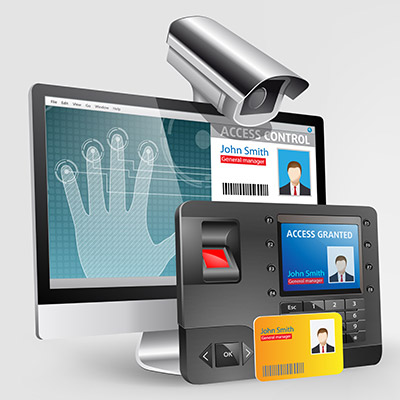
You might also want to keep specific individuals out of certain parts of your office, too. Physical access controls might involve key cards, code-guarded doors, or biometric scanners to keep intruders out of your office, or specific parts of it. For example, you might store sensitive records in a specific part of your office guarded by card readers or code-authorized doors. Even keeping the door locked can be an effective deterrent.

Get Started Today

We understand that security can make things complicated for your organization, but you need to take it seriously before it comes back to bite you. If you want to implement access control systems for your office, be they digital or physical, NuTech Services can help. To learn more, reach out to us at 810.230.9455.
physical_security_offer_400.jpg

Powerful Physical Security Options

physical_security_offer_400.jpg

Data security isn’t the easiest thing in the world to plan for, especially if your organization doesn’t have any dedicated security professionals on-hand. While protecting your data with traditional methods, like passwords, firewalls, and antivirus, is important, what measures are you taking to make sure a thief or hacker isn’t just walking into your office and making off with your technology?

If you don’t have guards or security cameras in place, you’re more likely to suffer from a physical security breach, which can be just as devastating as a digital breach. Ask yourself how comprehensive your security really is. After all, the new year has just hit, so why not use it as an opportunity to protect your business’ physical assets? With so many cyber threats out there these days, it’s no surprise that organizations focus on the digital aspect of security, but some people are just old-fashioned and would rather infiltrate a business the traditional way.

It’s also important to keep in mind that not everyone is going to be the perfect employee. You might have a couple of bad apples in the bunch that see technology and want it for themselves. In this case, digital security might not mean much, but physical security like locked doors and so on could make all the difference in keeping them from making decisions that are bad for both themselves and your business.

Basically, you need to take this two-pronged approach–one that considers both digital security and physical security–for the following reasons:

  • Data access is restricted to those within your organization, but even the best employees make mistakes.
  • A tiered approach means that employees only have permission to access data they need for their immediate work responsibilities.
  • Knowing who is accessing devices and data, as well as when they are doing so, can help you to resolve issues as they occur.

Let’s consider a couple of scenarios where it helps to have physical and digital security. Access control limits who can access specific information, so if the data is corrupt or missing, then you’ll have a clear idea for who is responsible for it. On the off-chance that it wasn’t the employee, then you know their credentials have been stolen and abused by a cybercriminal. Access monitoring is helpful for this, as it can also determine when someone is accessing data, as well as where they are located. Thus, if someone from another country is accessing data in the wee hours of the morning, it’s likely that you have a digital security problem on your hands.

As far as physical security goes, consider what would happen if you didn’t keep track of who checks out devices. For example, let’s say you have company laptops that can be checked out for use by your employees. If you’re not keeping track of who checks out what device, you’ll never know who currently has the devices in their possession, as well as when they were last taken out. It makes it astonishingly easy to get away with stealing a device.

Therefore, in order to make sure that you’re keeping your data as secure as possible from all avenues of attacks, we recommend you work with the folks from NuTech Services. We can help you ensure security. To learn more, reach out to us at 810.230.9455.
which_authentication_is_best_400.jpg

Which Authentication Option is Best?

which_authentication_is_best_400.jpg

Smartphones have steadily increased in their capabilities, and as they have done so, they have resultantly gathered more and more data that needs to be secured against potential security threats. Fortunately, there are also more ways to protect your smartphone than ever before. For today’s blog, we’ll take a look of the options you have to secure your devices.

The Password
Passwords are the reigning king of authentication. A well-regarded password is your average user’s go-to; and, if not created with security in mind, can be very problematic. Since users have problem remembering new passwords, even if it’s one that they are able to choose, many users will create obvious passwords that can easily be guessed or hacked.

Conversely, a password (or the passphrase) can be one of the strongest security measures available for your mobile device, as it is important for every mobile user, especially one that has access to business networks, to secure their devices.

The Pattern Lock
The second option we will go over is called a pattern lock. It is the three-by-three swipe-based gesture that unlocks the device. This natural and intuitive lock is very fast, and if all nine dots are used in a pattern, it provides close to 400,000 possible configurations. Pattern lock comes up short in a couple ways. People tend to use shapes that are more easily guessable. It’s also relatively easy to ascertain the password if you watch a user’s hand.

The PIN
The PIN authentication option is a relatively strong one, as the typical four numeral option has over 10,000 different combinations. Android features the ability to support up to 16 digits. That’s 10 quadrillion different combinations. Of course, not many people are going to be able to remember a 16-digit PIN (and how annoying would it be to have to enter that every time you unlock your phone?). Simple pins are the norm, and therefore not very secure.

The Fingerprint Scanner
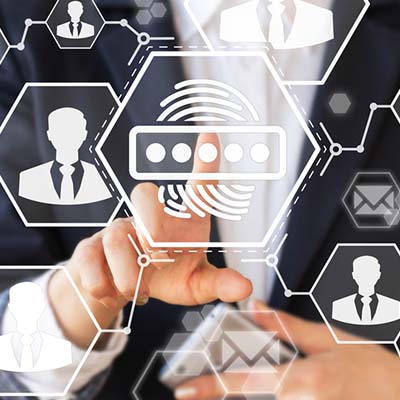
This authentication method is now becoming standard on most smartphones and has by-in-large been very popular. It’s secure enough to be trustworthy, and very fast. Moreover, many financial applications utilize the fingerprint as a form of authentication, making the option that much more attractive. The only drawbacks are that sometimes manufacturers will put it in an inconvenient spot on the device and that it doesn’t work with gloves.

Using the Face
All newer smartphones have been taking advantage of facial recognition software. This allows a user to gain access by just glancing at the phone. Since this is an operating system-dependent option, most phones will be getting this option. It may not currently be the most secure option, but as the technology advances, this will be the go-to method for all authentication.

Other Security Measures
Many phones now also offer security features that rely on alternative forms of authentication. On-body detection keeps the device unlocked whenever it is being carried – regardless of who is carrying it. Other options such as having your device unlock when a user says “Okay, Google” is more for convenience than privacy or device security.

What’s the Best Option?
Currently, if you are looking for the most secure and accessible option, your best bet is to use the fingerprint scanner on your phone. Back that up with a five-or-six-digit PIN and you’ll be good to go. In the future, expect the facial recognition software to improve precipitously; and, therefore, be the most secure (and popular) option to get into a mobile device.

What form do you use? Leave your favorite security methods in the comments section below.